Customer Ratings & Reviews
- Model:
- B09L45VFCN
- SKU:
- 6494615
Rating by feature
- Video Quality
Rating 4.7 out of 5 stars
- Mobile App
Rating 4.8 out of 5 stars
- Sound Quality
Rating 4.8 out of 5 stars
Customers are saying
Customers regard the Chime favorably for its ease of use and sound quality, with many appreciating its simple setup, good volume, and convenient size. The device is also praised for its compatibility with Ring doorbells and its affordable price. However, some customers have reported occasional connectivity issues, while others have noted concerns about battery life and range.
This summary was generated by AI based on customer reviews.
Speakers
||Posted . Owned for 2 weeks when reviewed.This reviewer received promo considerations or sweepstakes entry for writing a review.Not loud at all and it’s so expensive I could get one better 
No, I would not recommend this to a friendBrand response from Ring
Posted .Hi Kolin.
Thank you for taking the time to share your feedback with us.
We understand the importance of being able to hear notifications from your Ring Chime. Being able to rely on the alerts to know when someone is at your door is an essential feature of the Ring Chime. We can definitely provide you with more information regarding the concern mentioned in your review.
It sounds like your Ring Chime is not as loud as expected. To find a sound that works for you, you have the option to adjust the volume and customize chime tones for alerts and notifications.
The Chime Tones available are:
Silent
Windchimes (plays once)
Windchimes (plays 3x)
Cowbell
Echo
Navi
Dogs
Ping Pong
Sonar
Xylophone
Siren
In addition, holiday-themed Chime Tones are added for Halloween and Christmas.
Ring Community was launched to help deliver the most current news and educational information to our neighbors. This online forum is divided into four categories: Product Boards, Ring Updates, Tips + Tricks, and a Moderators’ Corner. The Product Boards are where you can begin new topics with your questions or feedback; there is also a search option that helps you find topics that have already been posted by other neighbors.
All the best,
Nicole from Ring.
Dissapointment
||Posted . Owned for 1 month when reviewed.This reviewer received promo considerations or sweepstakes entry for writing a review.We moved to an apartment. My wife wanted a doorbell. I wanted to record deliveries. It was neither. You have to buy an additional device for it to ring inside the house. I can't record deliveries with a monthly subscription.
No, I would not recommend this to a friendBrand response from Ring
Posted .Hi SnowGoose.
Thank you for taking the time to share your experience.
We understand the importance of having all relevant product information prior to purchasing. Being able to save, download, and review footage captured by your Ring device is a valuable feature of the Ring Protect Plan. We can definitely provide you with more information regarding the concerns mentioned in your review.
It sounds like there was some confusion regarding the optional Ring Protect Plans and the different ways you can be notified of visitors. The Ring Protect Plan is a subscription that gives you access to paid features for your Ring device. With a Ring Protect Plan, you can save, review, and share video recordings from your Ring devices to your Ring account.
Without a Ring Protect Plan, you can still view real-time video for Ring doorbells and cameras and answer doorbell notifications when they happen, but you don’t get video recordings of those events.
In addition to being notified on your compatible mobile device, you can also receive notifications using a Ring Chime or compatible Alexa-enabled device. Depending on which Ring Video Doorbell you have, you may also be able to hardwire it to an existing doorbell system to ring your home's existing chime kit.
Visit our support center if any additional information is needed.
Ring Community was launched to help deliver the most current news and educational information to our neighbors. This online forum is divided into four categories: Product Boards, Ring Updates, Tips + Tricks, and a Moderators’ Corner. The Product Boards are where you can begin new topics with your questions or feedback; there is also a search option that helps you find topics that have already been posted by other neighbors.
All the best,
Nicole from Ring.
Disconnecting
||Posted . Owned for less than 1 week when reviewed.This reviewer received promo considerations or sweepstakes entry for writing a review.Keeps disconnecting from my Wi-Fi network. My network is stable but the chime won't stay connected.
No, I would not recommend this to a friendBrand response from Ring
Posted .Hi Kevin.
Thank you for taking the time to share your experience with us. At Ring, we understand it is essential to have your Ring Chime online and working properly so you can keep your home secure. Being able to rely on the alerts to know when activity is detected is an essential feature of the Ring Chime. We are eager to address the issue you raised in your review and provide you with a resolution today.
It sounds like the device is not performing as expected. The Ring Chime (2nd Generation) is an updated version of the classic Ring Chime. Simply plug it in to a power outlet, set it up in the Ring app, and you'll be able to hear alerts from your Ring devices at home. We recommend setting up your Ring device (video doorbell or security camera) first, then setting up the Ring Chime. After the device and the Chime are active and on the wifi network, use the Ring app to associate the Ring Chime with the Ring device. Ring Chime connects to 802.11 b/g/n 2.4 GHz wifi and can be paired to any number of Ring devices. You can also pair multiple Ring Chime units to one Ring video doorbell or security camera. Once connected, your Ring Chime will work anywhere it has a wifi connection.
If your Ring Chime is not connecting to your network, we recommend that you reset the device by pressing and holding the rest button on the side of the device for 20 seconds. Follow the steps in the Ring app to connect the device to your network. We have included those steps here:
Open the Ring app.
Tap the menu (≡).
Tap "Devices" and select the doorbell or camera you'd like to reconnect to wifi.
Tap the "Device Health" tile.
Under "Network," tap "Change Network" and follow the prompts in the app.
Allow some time for your device to fully reconnect to the network, then check your wifi signal strength in "Device Health" to confirm it has successfully reconnected.
We invite you to reach out to our community if any additional information is needed regarding your Ring Chime. The Ring Community is our first peer-to-peer community forum, giving our customers the ability to help one another by sharing their feedback and experiences with each other.
Thank you,
Amilia from Ring.
Not worth it
||Posted . Owned for 4 months when reviewed.This reviewer received promo considerations or sweepstakes entry for writing a review.Does this thing get any louder? How am I supposed to hear this? Would not recommend unless I missed a way to adjust the volume. I can barely hear it when I’m right next to it.
No, I would not recommend this to a friendBrand response from Ring
Posted .Hi EvilVW.
Thank you for taking the time to share your experience with us.
We understand how important it is to be able to customize the settings for your Ring Chime. Being able to rely on the alerts the Ring Chime provides is an essential feature of the device. We are here to provide you with information to resolve the concern mentioned in your review.
It sounds like your Ring Chime is not currently loud enough. The Ring Chime offers customization features, including changing the chime tone and volume. This allows you to find settings that work best for your needs. Once you've set up your Ring Chime in the Ring app, follow these steps to link it to your Ring device(s) and customize the settings:
Tap the menu (☰).
Select Devices.
Choose your Chime.
Make sure the camera or doorbell you want is connected to Chime.
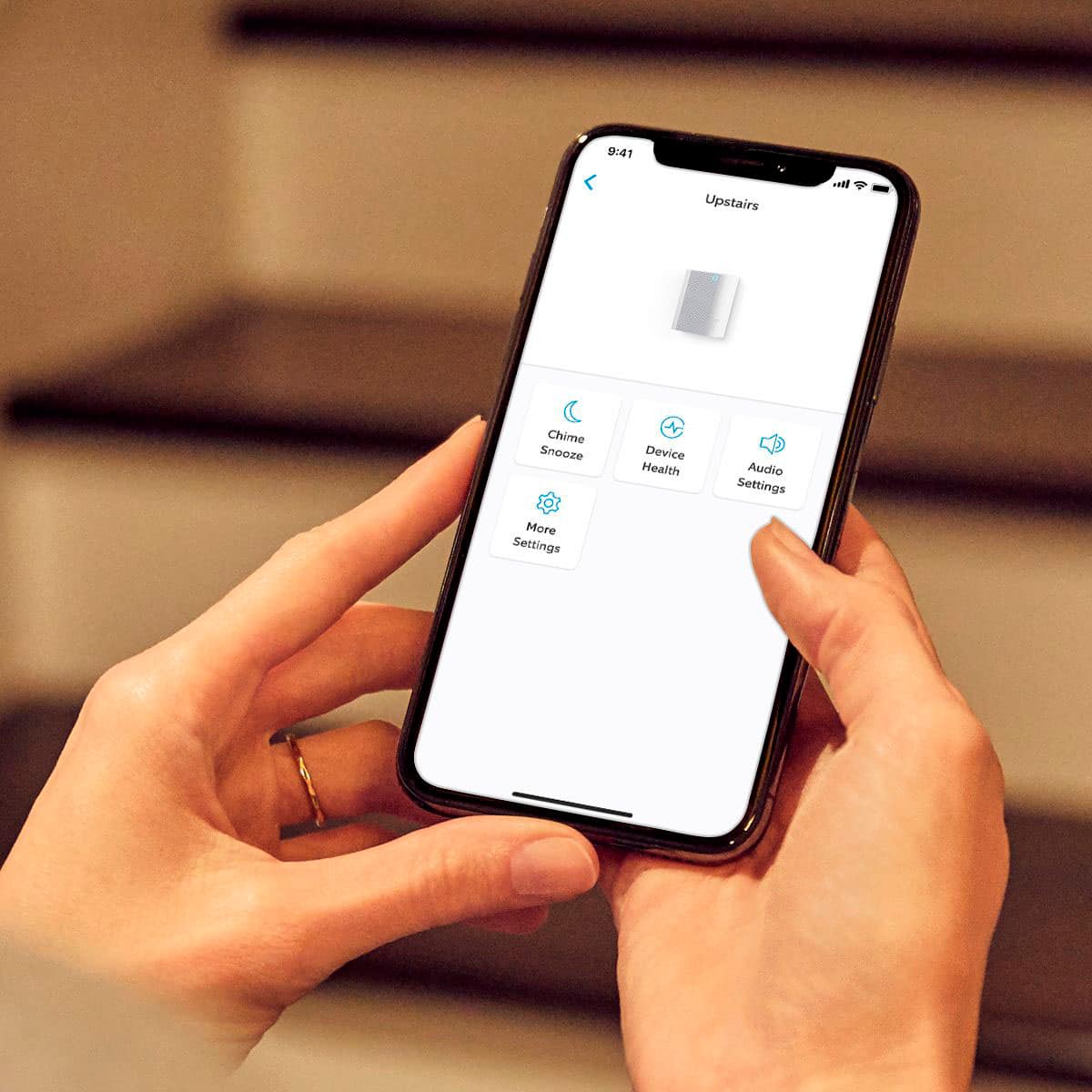
If your device is connected to the Chime, tap Audio Settings.
You can adjust Chime Alerts, Chime Tones, and Chime Volume.
You can select different sounds for doorbell rings and motion alerts.
All of your devices can be set individually to have alerts set on or off.
Visit our support center for more information.
Ring Community was established to assist in providing our neighbors with the most recent news and instructional material. Four sections make up this online forum: Ring Updates, Product Boards, Tips & Tricks, and a Moderators' Corner. You can start new topics on the Product Boards with your questions or suggestions; a search function will assist you in locating subjects that other neighbors have previously posted.
All the best,
Nicole from Ring.
Door bell receiver.
||Posted . Owned for 1 month when reviewed.This reviewer received promo considerations or sweepstakes entry for writing a review.I need a bigger bell receiver box. Bell sound is very weak.
No, I would not recommend this to a friendBrand response from Ring
Posted .Hi Protectioncase.
Thank you for sharing your feedback with us.
We understand how important it is for your Ring Chime to notify you consistently and reliably, so you are alerted to any wanted or unwanted activity in or around your home. The features and technology provided by the Ring Chime are incredibly valuable and help provide you with peace of mind about your home security. We want to ensure your device is working as intended by providing you with information to resolve the concern you mentioned in your review.
The Ring Chime has adjustable volume and alert tones so that you can customize the notifications you receive to meet your needs. You can also add multiple Ring Chimes to your home so that you can hear notifications from anywhere in your home.
You have the option to change and customize the chime tones for alerts and notifications. The chime tones available are:
Silent
Windchimes (plays once)
Windchimes (plays 3 times)
Cowbell
Echo
Navi
Dogs
Ping Pong
Sonar
Xylophone
Siren
Ring Community was launched to help deliver the most current news and educational information to our neighbors. This online forum is divided into four categories: Product Boards, Ring Updates, Tips + Tricks, and a Moderators’ Corner. The Product Boards are where you can begin new topics with your questions or feedback; there is also a search option that helps you find topics that have already been posted by other neighbors.
All the best,
Nicole from Ring.
Ring chime
||Posted . Owned for 1 month when reviewed.This reviewer received promo considerations or sweepstakes entry for writing a review.It just stopped working after 2 weeks of using it.
No, I would not recommend this to a friendBrand response from Ring
Posted .Hi BsBs.
Thank you for taking the time to share your experience with us. We understand the need to have your Ring Chime alert you to activity in and around your home. Receiving alerts from the Ring Chime allows you to effectively monitor your home. We can definitely provide you with more information on the concern that you mentioned in your review.
It sounds like the device is not performing as intended. If your Chime Pro is not giving you the proper notification when there’s a motion event, make sure that the alert settings are enabled in your Ring app.
Open the Ring app.
Tap the menu (≡) at the top left.
Tap Devices.
Select your Chime Pro.
Tap Audio Settings.
Tap Chime Alerts.
What the icons mean:
The icon of the figure running represents a Motion Event.
The bell icon represents an alert if someone rings your doorbell.
If you tap on an icon and it turns blue, that means it’s turned on. When an icon is white or grayed out, it’s turned off.
Once you’ve enabled the Chime Alerts, you can navigate back to the previous screen via the blue arrow on the top left side of the screen. Then, select Chime Tones to change the notification sounds for Rings and Motions. If you don’t make any selection, the Chime Tone will default to the Ring default setting.
If your Ring Chime Pro (or any of your Ring devices) has disconnected from your wifi network, you can follow the steps below to reconnect:
Open your Ring app.
Tap the menu (≡) at the top left.
Tap Devices.
Select the Chime Pro.
Tap Device Health.
In the Network section tap on Change Wi-Fi Network, Reconnect to Wi-Fi or Change Connection Type (only one of these will be an option).
Be near your device, make sure you know your wifi network name, and have your wifi password ready.
Tap Continue, select your wifi network and enter your password.
If you’re not sure whether any Ring device you own is 5 GHz enabled, connect to a 2.4 GHz network. You can always change the network later.
We invite you to reach out to our community if any additional information is needed regarding your Ring Chime. The Ring Community is our first peer-to-peer community forum, giving our customers the ability to help one another by sharing their feedback and experiences with each other.
Thank you,
Melissa from Ring.
Chime
||Posted . Owned for 3 weeks when reviewed.This reviewer received promo considerations or sweepstakes entry for writing a review.We still haven’t got it to work properly yet. Bummer!
No, I would not recommend this to a friendBrand response from Ring
Posted .Hello BrookeP,
Thank you for taking the time to share your Ring experience with us. We appreciate the value and trust you have placed in Ring for your home security needs. The Ring Chime is a plug-in device that provides audible alerts whenever motion is detected or a doorbell’s button is pressed. Rest assured, we are here to get it working properly for you today!
Once you've set up your Chime in the Ring app, follow these steps to link it to your Ring device(s): https://ring.com/support/articles/5tavg/Linking-Ring-Devices-to-Chime-or-Chime-Pro-Gen-1.
Ring Community was introduced in March 2019 to assist in providing our neighbors with the most recent news and instructive material. You can visit https://community.ring.com/ to get advice and tricks from other Ring users. Through this peer-to-peer platform, our neighbors can help one another resolve their difficulties by exchanging opinions and first-hand experiences.
Thank you,
Alexis with Ring
Ring chime
||Posted . Owned for 3 weeks when reviewed.This reviewer received promo considerations or sweepstakes entry for writing a review.Good chime it has more tunes than the old one that got burned off
I would recommend this to a friendno wifi connection
||Posted . Owned for 3 months when reviewed.This reviewer received promo considerations or sweepstakes entry for writing a review.Would not work with our Wifi network. We have a network with our apartment community and the chime would not connect, even with help from Amazon.
No, I would not recommend this to a friendBrand response from Ring
Posted .Hi Stacy.
Thank you for taking the time to share your experience with us.
We understand the importance of a seamless setup process so that you can begin using your Ring Chime right away. The Ring Chime was designed with easy setup and installation in mind. We would love the opportunity to work with you to ensure your device is online and working as intended.
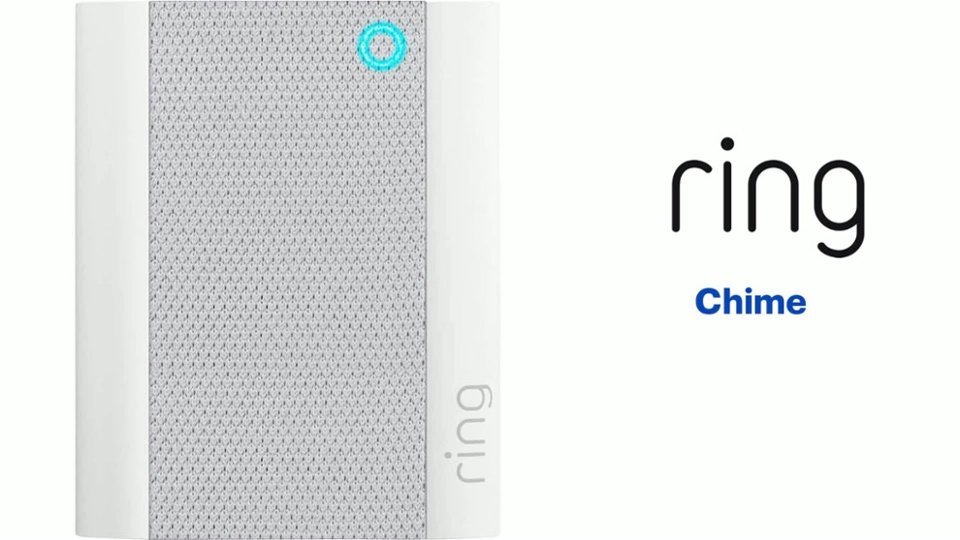
It sounds like you have some concerns with the Ring Chime connecting to your home wifi network. The Ring Chime connects to 802.11 b/g/n 2.4 GHz wifi and can be paired with any number of Ring devices. When you first plug the device in, the logo should light up and the device should enter setup mode. If the logo isn't glowing, try unplugging and plugging the unit back in.
If this does not work, try plugging the unit into another power outlet. If it does not start glowing, you may have an issue with the outlet itself. Try plugging another appliance into the original outlet and see if you're getting power from it. You may have blown a fuse and need to reset the outlet at the breaker.
Visit our support center for more information.
Ring Community was established to assist in providing our neighbors with the most recent news and instructional material. Four sections make up this online forum: Ring Updates, Product Boards, Tips & Tricks, and a Moderators' Corner. You can start new topics on the Product Boards with your questions or suggestions; a search function will assist you in locating subjects that other neighbors have previously posted.
All the best,
Nicole from Ring.
Not useful need help
||Posted . Owned for 1 month when reviewed.This reviewer received promo considerations or sweepstakes entry for writing a review.We can not get it to work. It is plugged in the middle of the house so it cna be heard and ther is no sound coming iut of it.
I would recommend this to a friendBrand response from Ring
Posted .Hi TurnersKingdom.
Thank you for taking the time to share your experience with us.
We understand how critical it is for your Ring Chime to notify you of events captured by your Ring security cameras and doorbells. The features and technology provided by the Ring Chime are incredibly valuable and help provide you with peace of mind about your home security. We want to ensure your device is working as intended by providing you with solutions to resolve the concern you mentioned in your review.
It sounds like your Ring Chime is not notifying you when someone rings your doorbell or when motion is detected. A Ring Chime is a plug-in device that provides audible alerts whenever motion is detected or a doorbell’s button is pressed. Once you've set up your Ring Chime in the Ring app, follow these steps to link it to your Ring device(s):
Tap the menu (☰).
Select Devices.
Choose your chime.
Make sure the camera or doorbell you want is connected to Chime.
If your device is connected to the chime, tap Audio Settings.
You can adjust chime alerts, chime tones, and chime volume.
You can select different sounds for doorbell rings and motion alerts.
All of your devices can be set individually to have alerts set on or off.
Visit our support center if more information is needed regarding your Ring Chime.
Ring Community was launched to help deliver the most current news and educational information to our neighbors. This online forum is divided into four categories: Product Boards, Ring Updates, Tips + Tricks, and a Moderators’ Corner. The Product Boards are where you can begin new topics with your questions or feedback; there is also a search option that helps you find topics that have already been posted by other neighbors.
All the best,
Nicole from Ring.
Ring chime
||Posted . Owned for 1 month when reviewed.This reviewer received promo considerations or sweepstakes entry for writing a review.The last one i bought maybe last few yesrs which was dissapointing but they are the only chimes you can use so just have to be happy with what u have
I would recommend this to a friendBrand response from Ring
Posted .Hi Drw74.
Thank you for taking the time to share your experience with us. We understand how important it is for your Ring Chime to function consistently and reliably, so you are alerted to any wanted or unwanted activity in or around your home. The features and technology provided by the Ring Chime are incredibly valuable and help provide you with peace of mind about your home security.
It sounds like the device is not performing as intended. The Ring Chime (2nd Generation) is an updated version of the classic Ring Chime. Simply plug it in to a power outlet, set it up in the Ring app, and you'll be able to hear alerts from your Ring devices at home.
We invite you to reach out to our community if any additional information is needed regarding your question. The Ring Community is our first peer-to-peer community forum, giving our customers the ability to help one another by sharing their feedback and experiences with each other.
Thank you,
Melissa from Ring.
Hulk
||Posted . Owned for 1 month when reviewed.This reviewer received promo considerations or sweepstakes entry for writing a review.Hard to connect to Internet very difficult to set up
No, I would not recommend this to a friendBrand response from Ring
Posted .Hi CurtF.
Thank you for taking the time to share this feedback with us.
We understand how important a seamless setup process is so that you can begin using your device right away. The features and technology provided by the Ring Chime are incredibly valuable and help provide you with peace of mind about your home security. We would love the opportunity to work with you and ensure your device is up and running as intended.
It sounds like you have some concerns with getting your Ring Chime set up. When you set up a Ring device for the first time and it goes into setup mode, you’ll be asked to connect to a temporary Ring network before you connect to your home wifi network. This temporary network pairs your device with the Ring app. Once you are connected to your home network, you will no longer be connected to the temporary Ring network.
If you are having trouble with this step, you can try unplugging the Chime Pro and plugging it into another nearby outlet. You can also hold down the reset button on the side of the Chime Pro for 10 seconds and release it to power cycle the Chime Pro.
If you see the temporary Ring network but can’t connect to it when you’re setting up, go to your phone settings, tap on Wi-Fi, and select the Ring network. You will still be able to connect to your home wifi network. Then, go back to the Ring app and continue the setup.
Visit our support center for more information.
Ring Community was launched to help deliver the most current news and educational information to our neighbors. This online forum is divided into four categories: Product Boards, Ring Updates, Tips + Tricks, and a Moderators’ Corner. The Product Boards are where you can begin new topics with your questions or feedback; there is also a search option that helps you find topics that have already been posted by other neighbors.
All the best,
Nicole from Ring.
Not Chimeing
||Posted . Owned for 3 weeks when reviewed.This reviewer received promo considerations or sweepstakes entry for writing a review.I can't get it to work. It seem so simple, just plug in and select chime and volume on your phone, but I can't get it to work.
No, I would not recommend this to a friendBrand response from Ring
Posted .Hi EdAsher, I'd be happy to offer some guidance on getting your Ring Chime up and running. Plug the Chime into a working power outlet, then hold down the reset button on the side for about 15 seconds. From there, follow the steps under Set Up a Device to complete the setup process for your Chime. If you run into any issues along the way, feel free to reach out on the Ring Community at https://community.ring.com/ to ask other neighbors for assistance. Best, Ashley from Ring.
Ring review
||Posted . Owned for 3 weeks when reviewed.This reviewer received promo considerations or sweepstakes entry for writing a review.Setting up wasn't that easy plus I didn't realize I had to pay for one year to keep videos Won't renew next year Will try something else
No, I would not recommend this to a friendBrand response from Ring
Posted .Hi Denny, I'm sorry to hear you had some trouble during the setup process. Ring devices are designed to be DIY friendly with step-by-step instructions during setup. The Ring Protect plan is an optional subscription that unlocks additional features for your Ring devices, including access to video recording. You can learn more about the plans here https://ring.com/protect-plans. For any other questions or concerns, check out what other neighbors are saying on the Ring Community https://community.ring.com/, our peer-to-peer forum. Best, Ashley from Ring.
Item return
||Posted . Owned for 3 weeks when reviewed.This reviewer received promo considerations or sweepstakes entry for writing a review.Not compatible does not connect. Item return.... .......
No, I would not recommend this to a friendBrand response from Ring
Posted .Hello AnnaNlouisiana.
Thank you for taking a moment to leave your review of the Ring Chime. At Ring, we believe in keeping people close to what’s important. That is why we are driven to create products that help you protect what matters most at home and empower you to connect with your visitors from wherever you are. Together, we’ll make neighborhoods safer! We are still here to assist you, if needed.
It sounds like you are running into some trouble connecting your Ring Chime to your other Ring devices. The Ring Chime is a plug-in device that provides audible alerts whenever motion is detected or a doorbell’s button is pressed. Once you've set up your Chime in the Ring app, follow these steps to link it to your Ring device(s):
Tap the menu (☰).
Select Devices.
Choose your Chime.
Make sure the camera or doorbell you want is connected to Chime.
If your device is connected to the Chime, tap Audio Settings.
You can adjust Chime Alerts, Chime Tones, and Chime Volume.
You can select different sounds for doorbell rings and Motion Alerts.
All of your devices can be set individually to have alerts set on or off.
Visit our support center for more information.
If you still have the Ring device in your possession, we invite you to reach out to us. Ring Community is our first peer-to-peer community forum, giving our customers the ability to help one another and share their personal feedback and experiences with Ring. We look forward to hearing from you if we can be of any further assistance!
All the best,
Nicole from Ring.
Do not buy!
||Posted . Owned for 11 months when reviewed.This reviewer received promo considerations or sweepstakes entry for writing a review.Second chime, very bad quality! Do not buy! Do not buy!
No, I would not recommend this to a friendBrand response from Ring
Posted .Hi TvGuy.
Thank you for taking the time to share your experience.
At Ring, we understand it is essential to have your Ring Chime working properly so you can hear notifications when you have visitors. The features and technology provided by the Ring Chime are incredibly valuable and help provide you with peace of mind about your home security. We can definitely provide you with more information regarding the concern mentioned in your review.
The Ring Chime (2nd Generation) is an updated version of the classic Ring Chime. When plugged into a standard wall socket, the Chime produces an audio signal whenever you receive an alert from a Ring device for motion and doorbell announcements.You can change the volume of your Ring Chime unit and configure which device(s) will trigger your Chime. If you do not want to trigger your Chime, it's easy to turn off the connection from the Device Settings in your app. If your device is not working as intended, you can visit our support center for information on how to resolve common issues.
Ring Community was launched to help deliver the most current news and educational information to our neighbors. This online forum is divided into four categories: Product Boards, Ring Updates, Tips + Tricks, and a Moderators’ Corner. The Product Boards are where you can begin new topics with your questions or feedback; there is also a search option that helps you find topics that have already been posted by other neighbors.
All the best,
Nicole from Ring.
Worst item to buy
||Posted . Owned for 11 months when reviewed.This reviewer received promo considerations or sweepstakes entry for writing a review.Total waste of money, please go for some other brands, totally disappointed.
No, I would not recommend this to a friendBrand response from Ring
Posted .Hi pranav.
Thank you for taking the time to share your experience with us. At Ring, we understand it is essential to have your Ring Chime online and working properly so you can keep your home secure. Being able to rely on the alerts to know when activity is detected is an essential feature of the Ring Chime. We are eager to address the issue you raised in your review and provide you with a resolution today.
It sounds like the device is not performing as expected. The Ring Chime (2nd Generation) is an updated version of the classic Ring Chime. Simply plug it in to a power outlet, set it up in the Ring app, and you'll be able to hear alerts from your Ring devices at home. We recommend setting up your Ring device (video doorbell or security camera) first, then setting up the Ring Chime. After the device and the Chime are active and on the wifi network, use the Ring app to associate the Ring Chime with the Ring device. Ring Chime connects to 802.11 b/g/n 2.4 GHz wifi and can be paired to any number of Ring devices. You can also pair multiple Ring Chime units to one Ring video doorbell or security camera. Once connected, your Ring Chime will work anywhere it has a wifi connection.
If your Ring Chime is not connecting to your network, we recommend that you reset the device by pressing and holding the rest button on the side of the device for 20 seconds. Follow the steps in the Ring app to connect the device to your network. We have included those steps here:
Open the Ring app.
Tap the menu (≡).
Tap "Devices" and select the doorbell or camera you'd like to reconnect to wifi.
Tap the "Device Health" tile.
Under "Network," tap "Change Network" and follow the prompts in the app.
Allow some time for your device to fully reconnect to the network, then check your wifi signal strength in "Device Health" to confirm it has successfully reconnected.
We invite you to reach out to our community if any additional information is needed regarding your Ring Chime. The Ring Community is our first peer-to-peer community forum, giving our customers the ability to help one another by sharing their feedback and experiences with each other.
Thank you,
Melissa from Ring.
Sound too soft
||Posted . Owned for 3 weeks when reviewed.This reviewer received promo considerations or sweepstakes entry for writing a review.I feel that the chime could be louder. I can barely hear the sound.
No, I would not recommend this to a friendBrand response from Ring
Posted .Hi TopNotchTech.
Thank you for sharing your feedback with us.
We understand how important it is for your Ring Chime to function in such a way that you are alerted to any wanted or unwanted activity in or around your home. The features and technology provided by the Ring Chime are incredibly valuable and help provide you with peace of mind about your home security. We are here to provide you with some information to resolve the concern you mentioned in your review.
It sounds like your Ring Chime notifications are not loud enough for your liking. The Ring Chime volume and tone it plays can be adjusted within the Ring app so that you can customize the notifications you receive.
To select your ringtones:
Open the Ring app.
Tap the three lines on the top left of the dashboard.
Tap Devices.
Select the chime that you want to adjust.
Tap Audio Settings.
From here, you can customize the volume and tone of your notifications.
Ring Community was launched to help deliver the most current news and educational information to our neighbors. This online forum is divided into four categories: Product Boards, Ring Updates, Tips + Tricks, and a Moderators’ Corner. The Product Boards are where you can begin new topics with your questions or feedback; there is also a search option that helps you find topics that have already been posted by other neighbors.
All the best,
Nicole from Ring.
Ring instructions BAD
||Posted . Owned for 3 weeks when reviewed.This reviewer received promo considerations or sweepstakes entry for writing a review.Q: Why do I need to hire an electrician to install this ring bell to work with my existing mechanical doorbells. A: because trying it myself was unclear and didn’t work!
No, I would not recommend this to a friendBrand response from Ring
Posted .Hi Gary, I know how important it is to be able to find the correct information for installing your Video Doorbell. Depending on what model of Ring Doorbell you have, your mechanical chime kit may not be compatible. First, check the original packaging or the Device Health page in the Ring app to find the model name of your Doorbell. You can then find the appropriate chime kit compatibility list for your Doorbell here https://support.ring.com/hc/en-us/search?utf8=%E2%9C%93&query=chime+kit+compatibility. If you have any additional questions, I'd recommend asking the Ring Community https://community.ring.com/ to receive help from other neighbors. Best, Ashley from Ring.
- Pros mentioned:Ease of use, Volume
Excellent and Easy
Posted .This reviewer received promo considerations or sweepstakes entry for writing a review.Easy to install (it plugs into an electrical outlet). Loud enough to be heard anywhere in our place. Easy to pair up with the doorbell (it did it by itself). AND reasonably priced!
I would recommend this to a friend