Customer Ratings & Reviews

- Model:
- B0B6GLQJMV
- SKU:
- 10926603
Rating by feature
- Value
Rating 4.8 out of 5 stars
- Quality
Rating 4.8 out of 5 stars
- Ease of Use
Rating 4.8 out of 5 stars
Customers are saying
Customers appreciate the exceptional camera quality and the overall ease of use that this device offers. Users also frequently highlight the effective motion detection, convenient privacy cover, and the simple setup process as standout features. While the product is highly regarded for its performance and compact size, some individuals have noted minor frustrations regarding the cord length and occasional connectivity issues. Overall, the device is well-received for providing reliable functionality at a competitive price point.
This summary was generated by AI based on customer reviews.
Ring indoor cameras
||Posted . Owned for 1 month when reviewed.This reviewer received promo considerations or sweepstakes entry for writing a review.These cameras were pretty cheap to purchase, but they do seem to get the job done.
I would recommend this to a friendBrand response from Ring
Posted .Hi LindaZ.
Thank you for taking the time to leave a review of the Ring Indoor Cam.
We are pleased to read that you are enjoying the benefits of having a Ring security device installed! The features and technology provided by the Ring Indoor Cam are incredibly valuable and help provide you with peace of mind about your home security. We are here to provide any additional information you may need.
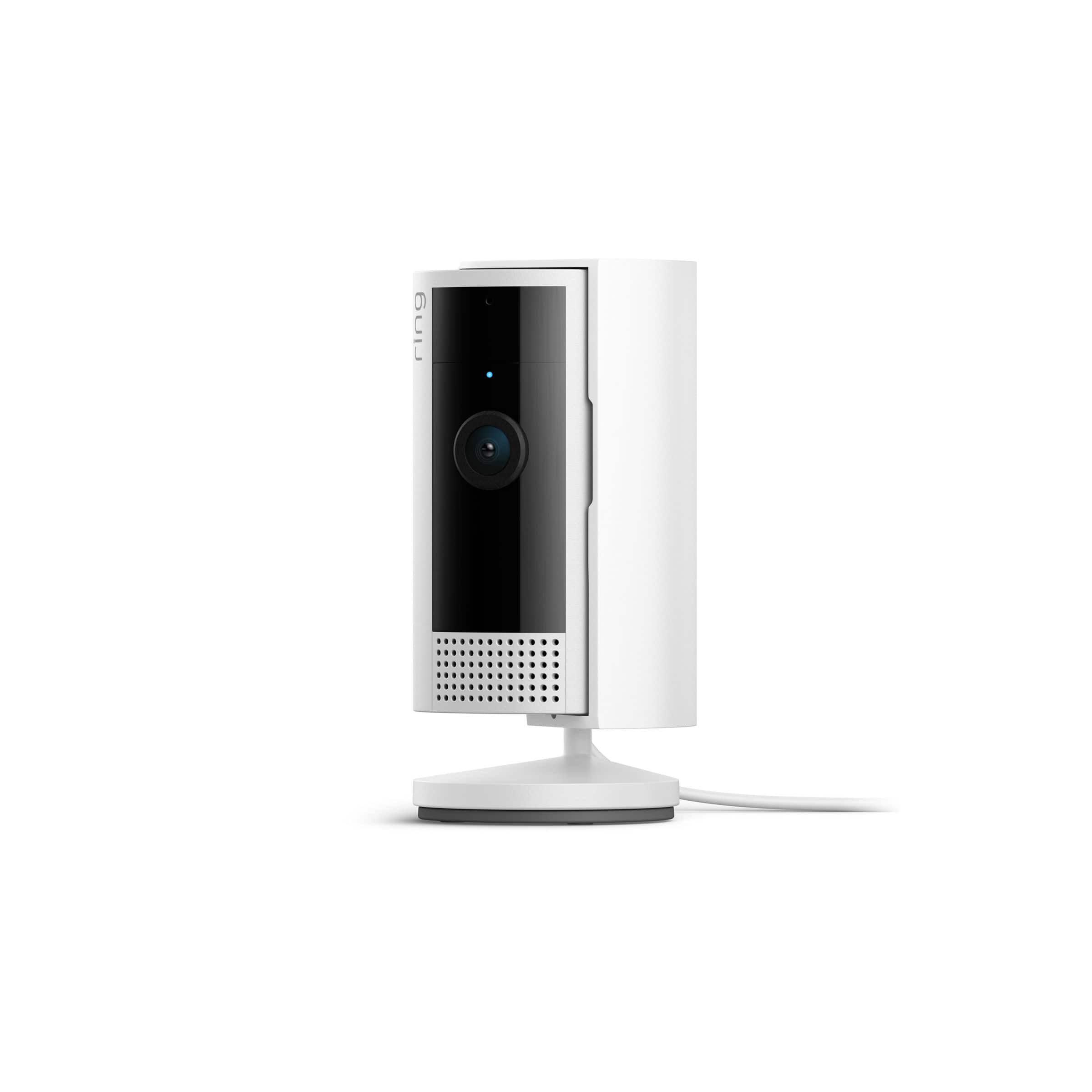
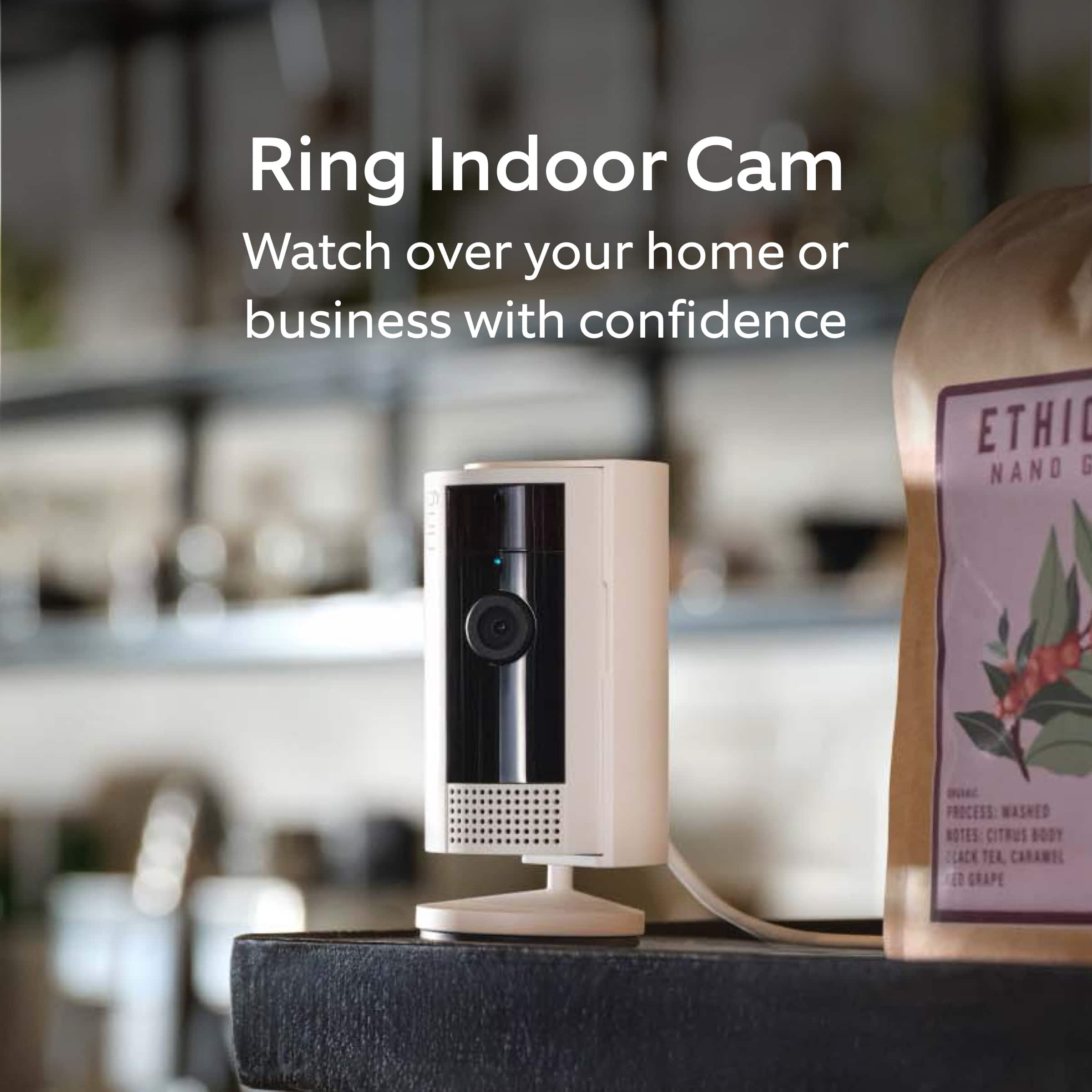
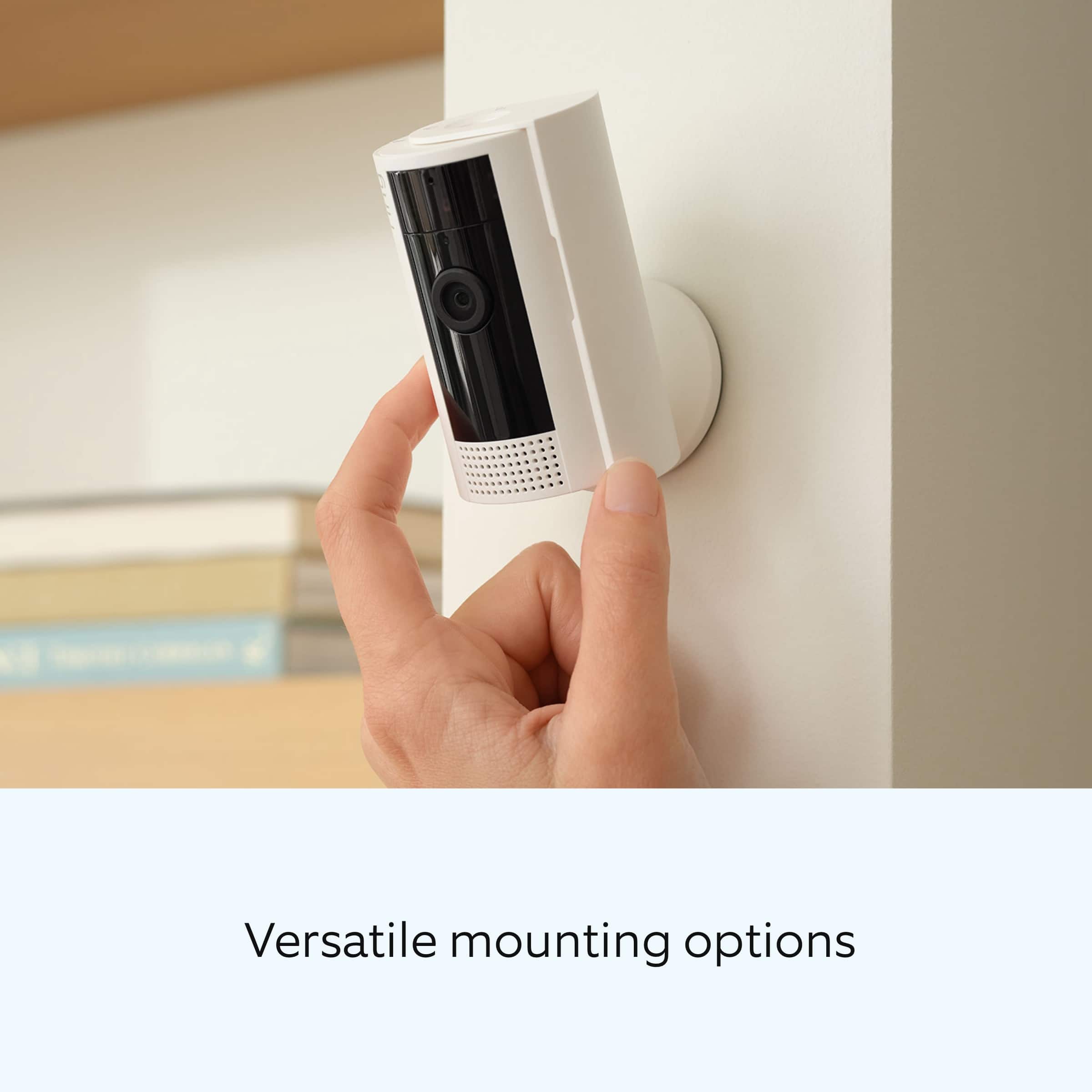
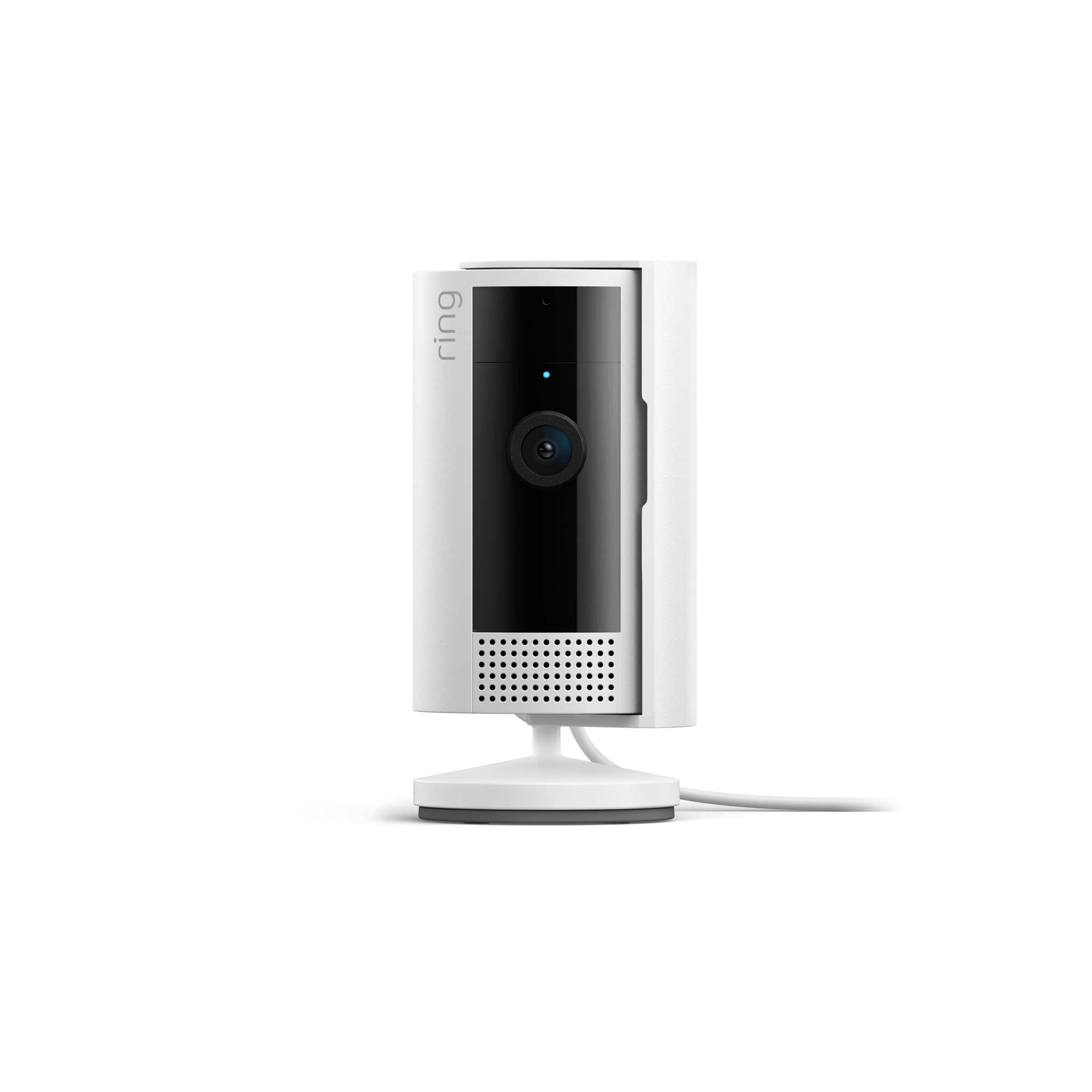
Indoor Cam is a small, lightweight security camera with flexible mounting options specifically designed to be used indoors. Indoor Cam features 1080p HD video recording, two-way audio with noise cancellation, a wide viewing angle, and a built-in siren. It is also compatible with connected Echo devices.
Ring Community was launched to help deliver the most current news and educational information to our neighbors. This online forum is divided into four categories: Product Boards, Ring Updates, Tips + Tricks, and a Moderators’ Corner. The Product Boards are where you can begin new topics with your questions or feedback; there is also a search option that helps you find topics that have already been posted by other neighbors.
All the best,
Nicole from Ring.
Bad audio
||Posted . Owned for 5 months when reviewed.This reviewer received promo considerations or sweepstakes entry for writing a review.Great night vision features but audio is shotty…..
No, I would not recommend this to a friendBrand response from Ring
Posted .Hi HollyH.
Thank you for taking the time to share your experience with us. We understand how important it is for your Ring Indoor Cam (2nd Gen.) to record clear and concise videos so that you can effectively monitor your home. The features and technology provided by the Ring Indoor Cam (2nd Gen.) are incredibly valuable and help provide you with peace of mind about your home security. We want to ensure that your device is working as intended by providing you with solutions to resolve the audio concern you mentioned in your review.
It sounds like the device is not performing as expected in regards to audio. We are happy to share some tips with you to help you troubleshoot why your Ring device may be experiencing warped sound or no audio. Make sure the external volume is up on your mobile device (on the device where you're viewing your Ring videos or "Live View"). If your phone or tablet has poor service or internet, it could be affecting "Live View" or your video downloads. Try turning Bluetooth off, then open "Live View" or view a recorded Ring video.
We also recommend making sure that the area around the device is open. If you have the Ring Indoor Cam (2nd Gen.) on a shelf or in a corner where it may be surrounded, move it so that there are no obstacles blocking the area around the device.
Poor wifi can often cause Ring device issues, including capturing audio. We recommend following these steps in the Ring app: Tap the top menu (☰), then Devices. Choose your Ring Video Doorbell Wired. Tap "Device Health." Under the "Network" section, you'll see your device's "Signal Strength." If your "Signal Strength" (RSSI) is amber or red, your Ring device likely has a poor connection to your location's wifi. Try moving your wifi router closer to your Ring device. Open "Live View" in the Ring app and see if your Ring device's microphone is enabled. Open the Ring app. Tap the top menu (☰), then "Devices." Choose your Ring Video Doorbell Wired. Tap the "Live View" button. Check to make sure the microphone icon is enabled. You can also press the green phone icon. If you have a Ring Protect subscription, you can view the recording to see what the audio sounds like.
We invite you to reach out to our community if any additional information is needed regarding your Ring Indoor Cam (2nd Gen.). The Ring Community is our first peer-to-peer community forum, giving our customers the ability to help one another by sharing their feedback and experiences with each other.
Thank you,
Melissa from Ring.
Random clicks in the middle of the night
||Posted . Owned for 5 months when reviewed.This reviewer received promo considerations or sweepstakes entry for writing a review.Love the ring cameras however this model randomly clicks on and off in the middle of the night and it's creepy.
I would recommend this to a friendBrand response from Ring
Posted .Hi Gaminglacky.
At Ring, we appreciate you taking the time to share your feedback with us. We are glad to read that you are enjoying your new Ring Indoor Cam (2nd Gen.)! Furthermore, we believe in keeping people close to what’s important. That is why we are driven to create products that help you protect what matters most at home and empower you to connect with your visitors from wherever you are. Together, we’ll make neighborhoods safer!
The Ring Indoor Cam (2nd Gen.) uses adjustable motion detection and runs on passive infrared sensors. The system identifies visitors via a moving heat signature and sends a notification to your smart device when one is detected. You can adjust three preset motion zones and their distances under the "Motion Settings" tab on the device's page in the Ring app. Additionally, you can choose how often the camera checks for movement in those predefined zones via the "Motion Frequency" setting. If you find that your camera is missing some motions, please set the motion frequency to "Frequently." You can also choose to set up a motion schedule in the Ring app. Using a motion schedule allows you to snooze motion alerts for a certain amount of time.
Ring Community launched in March 2019 to help deliver the most current news and educational information to our neighbors. It is our first peer-to-peer community forum, giving our customers the ability to help one another and share their feedback and experiences with Ring. Please reach out to our community if any additional information is needed regarding your Ring Indoor Cam (2nd Gen.).
Thank you,
Melissa from Ring.
ring indoor
||Posted . Owned for 6 months when reviewed.This reviewer received promo considerations or sweepstakes entry for writing a review.Works great for when your out But is annoying when at home it constantly goes off Have to remember to open and shut the door
No, I would not recommend this to a friendBrand response from Ring
Posted .Hi TheresaK.
We appreciate the time you have taken to share your Ring experience with us. At Ring, we want to ensure that you have the best possible experience with our products. Your peace of mind and security are extremely important to us. The features and technology provided by the Ring Indoor Cam (2nd Generation) are incredibly valuable and help provide you with peace of mind about your home security. Rest assured, we're here to help!
It sounds like you are concerned about notifications for motion while at home. You can choose to toggle the motion detection on or off within the Ring app. Follow these steps to turn motion detection on or off:
Open the Ring app to the main dashboard.
Tap more (•••) on the camera you want to access.
Tap your device's Settings.
Toggle Motion Detection on or off.
With the Modes feature, you can set your Ring cameras to Home or Away Mode and customize when they record, and more. Using Modes in the Ring app requires an Ring Standard Home Plan. In the Ring app, there are three Modes you can set: Disarmed, Home and Away. In each Mode, you can create specific actions you want your Ring Alarm, Ring Alarm sensors, doorbells, and cameras to do. You can choose whether you want these devices to record or not in each Mode. For example, maybe you want only your doorbell to record in Disarmed, only your outdoor cameras to record in Home, and all your cameras to record in Away.
If any additional information is needed regarding your Ring Indoor Cam (2nd Generation), please reach out to our community. Ring Community is our first peer-to-peer community forum, giving our customers the ability to help one another and share their feedback and experiences directly with Ring. Join the Ring Community today!
Thank you,
Amilia from Ring.
- Pros mentioned:Motion detection
Ring Indoor camera shady service
||Posted . Owned for 1 month when reviewed.This reviewer received promo considerations or sweepstakes entry for writing a review.Bought this product to use indoor in my living room. I noticed the motion detection was much more accurate when I hadnt yet paid, which meant there was no video recording available, just motion detection. As soon as I paid it now seems the motion detection barely picks up anything.
No, I would not recommend this to a friendBrand response from Ring
Posted .Hi EssienB.
Thank you for taking the time to share your experience with us.
We understand how important it is to have your Ring Indoor Cam capture and notify you of all the motion events you want it to. Consistent and dependable motion alerts are an essential feature for the Ring Indoor Cam to function properly. We would love the opportunity to work with you and ensure your device is working as intended.
It sounds like a setting for your motion detection may have been adjusted that is causing your device to detect less motion. With an active Ring Protect Plan, you can refine your motion alerts for people and other motions using the Smart Alerts feature. To access Smart Alerts once you've enabled them:
Tap the menu (≡) on the top left.
Tap Devices.
Tap the device that you want to adjust.
Tap Motion Settings.
Tap Smart Alerts.
If you've double-checked your settings and are still having trouble, please reach out to our support team for additional guidance.
Ring Community was launched to help deliver the most current news and educational information to our neighbors. This online forum is divided into four categories: Product Boards, Ring Updates, Tips + Tricks, and a Moderators’ Corner. The Product Boards are where you can begin new topics with your questions or feedback; there is also a search option that helps you find topics that have already been posted by other neighbors.
All the best,
Nicole from Ring.
Security Cam
||Posted . Owned for 1 month when reviewed.This reviewer received promo considerations or sweepstakes entry for writing a review.It does the job as stated. Just don’t like the idea of having to pay to store some of the captured videos.
I would recommend this to a friendBrand response from Ring
Posted .Hi AIA1.
Thank you for taking the time to share your experience with us. We are happy to hear that you are enjoying the functionality of the device. We believe in keeping people close to what’s important. That is why we are driven to create products that help you protect what matters most at home and empower you to connect with your visitors from wherever you are. Together, we’ll make neighborhoods safer!
We understand the importance of having all relevant product information prior to purchasing. The Ring Protect Plan provides valuable capabilities, such as accessing paid features and the ability to save, download, and review footage captured by your Ring device. We can definitely provide you with more information regarding the concern mentioned in your review.
With a Ring Protect Plan, you can save, review, and share video recordings from your Ring devices to your Ring account. Without a Ring Protect Plan, you can still view real-time video for Ring doorbells and cameras and answer doorbell notifications when they happen, but you don’t get video recordings of those events.
Also, Ring Community is our first peer-to-peer community forum, giving our customers the ability to help one another and share their feedback and experiences with Ring. We invite you to reach out at to our community if any additional information is needed regarding your Ring Indoor Cam (2nd Gen.).
Thank you,
Melissa from Ring.
Indoor Camera
||Posted . Owned for 1 month when reviewed.This reviewer received promo considerations or sweepstakes entry for writing a review.The camera functions exactly as claimed but the recordings could be clear.
I would recommend this to a friendBrand response from Ring
Posted .Hi Nealy.
Thank you for taking the time to share your experience with us. We are glad to read that you are enjoying your new Ring Indoor Cam (2nd Gen.)! Furthermore, we believe in keeping people close to what’s important. That is why we are driven to create products that help you protect what matters most at home and empower you to connect with your visitors from wherever you are. Together, we’ll make neighborhoods safer!
We are happy to share some information with you on how to optimize video quality from your Ring Indoor Cam (2nd Gen.). Ring devices require high-speed internet to bring you crisp, clear video and audio. Poor network connectivity can affect the performance of your Ring device. We are happy to share some troubleshooting steps to help you diagnose and fix common video issues that you may experience with Ring doorbells and cameras.
Check the Device Health section of your Ring application to ensure the device’s RSSI is within an acceptable range. The recommended range for optimal performance is 0 to -60 for the RSSI. Turn off your mobile device's cellular data and connect to the same wifi network as your Ring device. Open the Ring app. Tap the menu (☰). Tap “Devices.” Select your device. Trigger an event on your Ring device. This could mean pressing the button on a doorbell or activating the motion sensors on a camera. Answer the event and examine the resulting video.
We have listed some possible outcomes from this test here:
1. The footage is crisp and clear.
If your video appears good when next to the router, the issue may be caused by a disruption in between your router and your Ring device’s normal location. To fix this, try moving your device closer to the router or extending your wifi signal with a wifi extender like the Ring Chime Pro.
2. The footage is heavily pixelated.
If you’re seeing heavy pixilation, even next to the router, this may be due to slow wifi speeds.
3. There are severe pauses in live video.
If your video pauses, stutters, or gets frozen and your wifi speed meets the minimum standards, try rebooting your router. Unplug your router, wait 30 seconds, and then plug it back in. It should take three to four minutes to reboot. Then, test your Ring device again and see if there's any difference.
4. There is a long delay before your video starts.
This is also caused by slow wifi speeds. Assuming you have high-speed internet, reboot your router and the mobile phone, tablet, or PC you're accessing the video feed on. Test an event when it's back online to see if there's any difference.
For more information on your Ring Indoor Cam (2nd Gen.), we invite you to reach out to our community. Ring Community is our first peer-to-peer community forum, giving our customers the ability to help one another and share their personal feedback and experiences with Ring. We look forward to hearing from you if we can be of any further assistance!
Ring community launched in March 2019 to help deliver the most current news and educational information to our neighbors. It is our first peer-to-peer community forum, giving our customers the ability to help one another and share their feedback and experiences with Ring. Please reach out to our community if any additional information is needed regarding your Ring Indoor Cam (2nd Gen.).
Thank you,
Melissa from Ring.
- Pros mentioned:Camera quality
Ok
||Posted . Owned for 3 weeks when reviewed.This reviewer received promo considerations or sweepstakes entry for writing a review.Works ok sound quality not that good picture is fine
I would recommend this to a friendBrand response from Ring
Posted .Hi MarkH.
Thank you for taking the time to share your experience with us.
We understand how important it is to be able to clearly see and hear activity around your home with the Ring Indoor Cam. The features and technology provided by the Ring Indoor Cam are incredibly valuable and help provide you with peace of mind about your home security. We would like to provide you with solutions to the audio concerns you are experiencing today!
It sounds like you are enjoying the features of the Ring Indoor Cam, but you have some concerns with the audio quality. We recommend that you check your Ring device's signal strength. Poor wifi can often cause Ring device issues, including with recording or capturing audio.
Open the Ring app.
Tap the top menu (☰), then Devices.
Choose your device.
Tap the Device Settings tile.
Tap Device Health.
Under the Network section, you'll see your device's signal strength.
If your signal strength (RSSI) is amber or red, your Ring device likely has a poor connection to your location's wifi. Try moving your wifi router closer to your Ring device.
Ring Community was launched to help deliver the most current news and educational information to our neighbors. This online forum is divided into four categories: Product Boards, Ring Updates, Tips + Tricks, and a Moderators’ Corner. The Product Boards are where you can begin new topics with your questions or feedback; there is also a search option that helps you find topics that have already been posted by other neighbors.
All the best,
Nicole from Ring.
- Cons mentioned:Connectivity
Home camera
||Posted . Owned for 3 weeks when reviewed.This reviewer received promo considerations or sweepstakes entry for writing a review.Wouldnt recommend this camera it runs off 2.4ghz internet which some internet providers wont work on this also is slow and not that great of quality the membership you need for it to work is also a downside
No, I would not recommend this to a friendBrand response from Ring
Posted .Hi Ab04.
Thank you for taking the time to share your experience with us. We understand the importance of having a consistent wifi signal on the Ring Indoor Cam (2nd Generation). Having a solid connection ensures you do not miss any activity around your home. We are here to provide you with some information to resolve the connection issue you mentioned in your review.
It sounds like the device is not operating as intended. Ring devices require high-speed internet to bring you crisp, clear video and audio. Poor network connectivity can affect the performance of your Ring device. Identify and troubleshoot what is causing connectivity issues for Ring devices to give you the best possible video and audio experience.
To determine whether or not the problem is caused by poor upload speed, run a speed test to determine if your network can support Ring devices. The Ring Indoor Cam (2nd generation) requires a minimum upload speed of 2 Mbps for optimal performance. In addition to ensuring that you have sufficient wifi speeds, you will also want to check the signal strength of your device. A poor wifi signal can cause connectivity with your Ring device to be unreliable. Check the Device Health section of your Ring app to ensure the device’s RSSI is within an acceptable range. The recommended range for optimal performance is 0 to -60 for the RSSI.
Ring products provide their standard features such as instant alerts, live view, and two-way talk without any subscription. Ring Home Plans offer downloading and sharing video capabilities and additional features for those who want them.
For more information on your Ring Indoor Cam (2nd Generation), we invite you to reach out to our community. Ring Community is our first peer-to-peer community forum, giving our customers the ability to help one another and share their personal feedback and experiences with Ring. We look forward to hearing from you if we can be of any further assistance!
Thank you,
Amilia from Ring.
Camera Quality is kinda bad
||Posted . Owned for 2 months when reviewed.This reviewer received promo considerations or sweepstakes entry for writing a review.Not sure what the issue is but in dim to dark light the camera Quality 8s just flat bad. If your camera faces a window it will look terrible they definitely changed the sensor in the camera from the 1st gen cameras and this one is arguably worse. Still get the job done but yeah can't recommend this one sadly maybe the gen 3 cams will be better
No, I would not recommend this to a friendBrand response from Ring
Posted .Hi The EverydayUser.
Thank you for taking the time to share your experience with us. We understand the importance of having your Ring Indoor Cam (2nd Gen.) record clear and concise videos so that you can effectively monitor your home. The features and technology provided by the Ring Indoor Cam (2nd Gen.) are incredibly valuable and help provide you with peace of mind about your home security. We can definitely assist you with this today, and we are confident we can find the correct settings for your home’s environment.
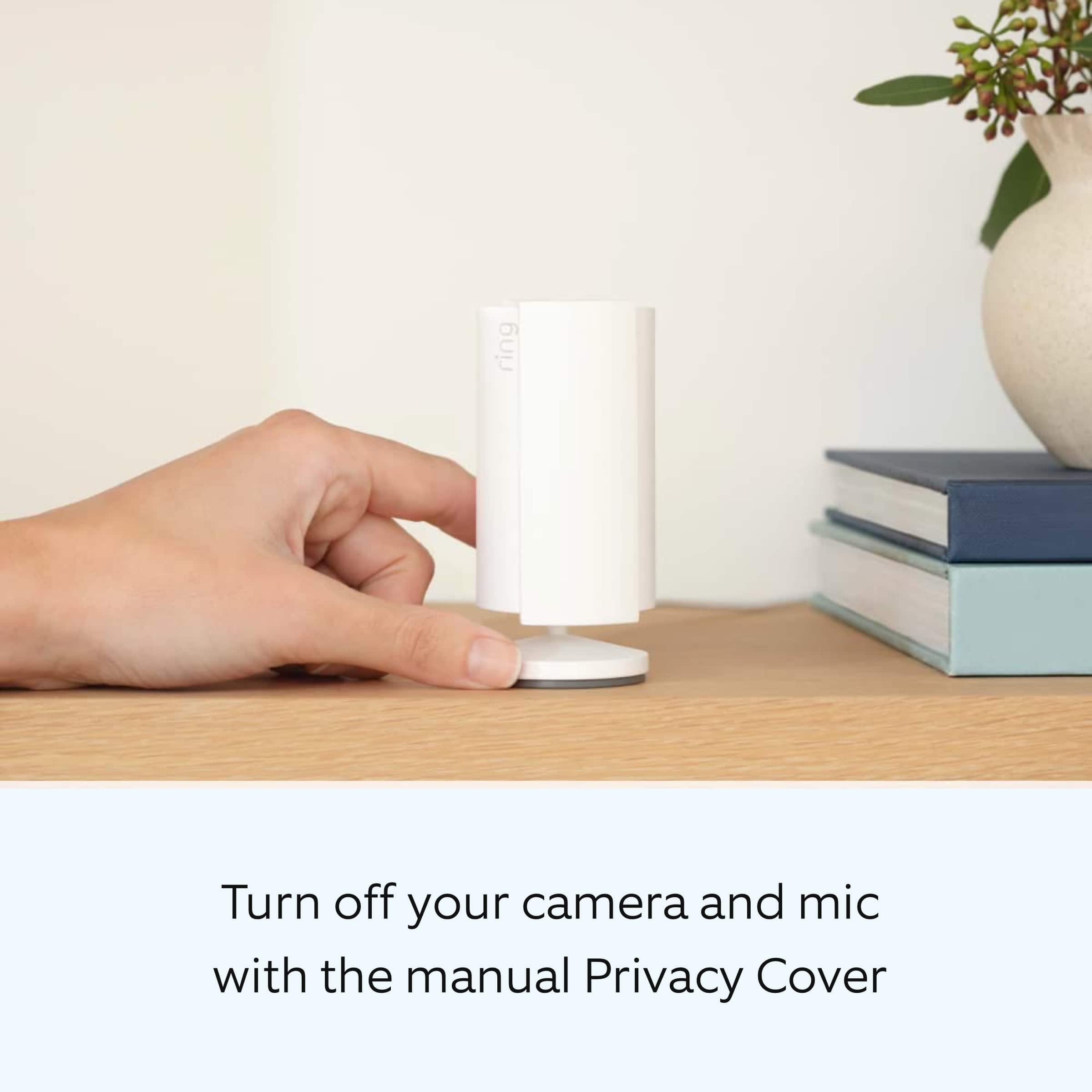
It sounds like the device is not performing as expected in regards to video quality. Indoor Cam (2nd Gen.) is a small, lightweight security camera with flexible mounting options specifically designed to be used indoors. Indoor Cam features 1080p HD video recording, two-way audio with noise cancellation, a wide viewing angle, a built in siren, and a removable privacy cover. A tone will sound when the cover is secured and active. It is also compatible with connected Echo devices.
To ensure the best possible video quality for your environment, make sure your Indoor Cam’s Infrared Lights for Night Vision is toggled on in the Ring app.The infrared light control is in your Ring app under Video Settings. If your camera is facing a window, we recommend disabling the infrared light control. Enable Color Night Vision in the Ring app to help improve clarity at night.
To turn the Color Night Vision on or off, follow these instructions:
Open the Ring app.
Tap the Menu (☰).
Tap Devices.
Select the device you want to adjust.
Tap Device Settings.
Tap Video Settings.
Toggle Color Night Vision on or off.
Although rare, there have been instances where a Ring device can experience black, pink, and other distorted video quality like night vision video captured during daytime hours. Here are a few things to try.
Check your Ring device's signal strength.
If your Ring device is far from your wifi router, it may be experiencing connection or video issues.
Open the Ring app.
Tap the Menu (☰).
Tap Devices.
Select the Ring device you would like to test.
Tap on the Device Health tile.
Scroll to Signal Strength under the Network section.
The green, amber, and red colors are indicators of your device connection. Green is good, red is poor.
Reboot your Ring Doorbell or Camera in the Ring app.
In order to reboot your Ring device, it must be connected to wifi.
Open the Ring app.
Tap the Menu (☰).
Tap Devices.
Select the Doorbell or Camera you wish to reboot.
Tap on the Device Health tile.
Scroll down to Reboot This Device.
Give your device a few moments to start back up.
We invite you to reach out to our Community if any additional information is needed regarding your Ring Indoor Cam (2nd Gen.). The Ring Community is our first peer-to-peer community forum, giving our customers the ability to help one another by sharing their feedback and experiences with each other.
Thank you,
Melissa from Ring.
Good product
||Posted . Owned for 1 week when reviewed.This reviewer received promo considerations or sweepstakes entry for writing a review.Second generation could be better , Excellent product quality and modern look easy to install
I would recommend this to a friendRing indoor camera
||Posted . Owned for less than 1 week when reviewed.This reviewer received promo considerations or sweepstakes entry for writing a review.It’s a ring indoor camera. Make sure you have good Wi-Fi signal or it will work intermittently.
I would recommend this to a friendRing Indoor Cam
||Posted . Owned for 3 weeks when reviewed.This reviewer received promo considerations or sweepstakes entry for writing a review.It good it just delays a little. But that might be my wi-if over all good.
I would recommend this to a friendBrand response from Ring
Posted .Hi TinaN.
Thank you for taking the time to share your Ring experience with us. We appreciate the value and trust you have placed in Ring for your home security needs. We are happy to hear that you are enjoying your Ring Indoor Cam (2nd Gen.) and that the included features are meeting your needs and expectations. We are happy to provide you with more information regarding the delay concern that you mentioned in your review.
Notification delays are often related to wifi connection or mobile device variables. A delay of under six seconds is expected due to signal fluctuation. To learn more about your device's signal strength, follow these steps:
Open the Ring app.
Tap the menu (☰).
Tap Devices.
Select the Ring device you would like to test.
Tap on the Device Health tile.
Scroll to Signal Strength under the Network section.
The green, amber, and red colors are indicators of your device connection. Green is good; red is poor.
Ring Community was launched to help deliver the most current news and educational information to our neighbors. This online forum is divided into four categories: Product Boards, Ring Updates, Tips + Tricks, and a Moderators’ Corner. The Product Boards are where you can begin new topics with your questions or feedback; there is also a search option which helps you find topics that were already posted by other neighbors. We invite you to visit our community today!
Thank you,
Melissa from Ring.
Night glare through window
||Posted . Owned for 3 weeks when reviewed.This reviewer received promo considerations or sweepstakes entry for writing a review.Its good for inside use, but can't get night time through front window.
I would recommend this to a friendBrand response from Ring
Posted .Hi Avidgamer.
Thank you for taking the time to share your experience with us. We are pleased to read that you are enjoying your new Ring Indoor Cam (2nd Gen.) and that the features included are meeting your expectations. At Ring, we believe in keeping people close to what’s important. That is why we are driven to create products that help you protect what matters most at home and empower you to connect with your visitors from wherever you are. Together, we’ll make neighborhoods safer!
To ensure that the "Night Vision" feature works as intended, enable "Color Night Vision" in the Ring app to help improve clarity at night.
To turn the "Color Night Vision" on or off, follow these instructions:
Open the Ring app.
Tap the "Menu" (☰).
Tap "Devices."
Select the device you want to adjust.
Tap "Device Settings."
Tap "Video Settings."
Toggle "Color Night Vision" on or off.
Scroll to the bottom of the page and toggle off "Infrared Lights for Night Vision."
If your camera is facing a window, you may get distorted images at night. To avoid lights reflecting back into the camera, be sure to toggle off "Infrared Lights for Night Vision" in the Ring app.
Ring Community was launched to help deliver the most current news and educational information to our neighbors. This online forum is divided into four categories: Product Boards, Ring Updates, Tips and Tricks, and a Moderators’ Corner. The Product Boards are where you can begin new topics with your questions or feedback; there is also a search option that helps you find topics that have already been posted by other neighbors. We invite you to visit our community today.
Thank you,
Melissa from Ring.
Indoor Cam
||Posted . Owned for 1 week when reviewed.This reviewer received promo considerations or sweepstakes entry for writing a review.The picture quality could be better but the range on the camera is nice.
I would recommend this to a friend- Cons mentioned:Connectivity
Ring indoor camera
||Posted . Owned for 2 months when reviewed.This reviewer received promo considerations or sweepstakes entry for writing a review.I really cant give a review bc i cant get it connected to my wi fi bc it wont connect to my password. If i could get it connected id gove a higher review
No, I would not recommend this to a friendBrand response from Ring
Posted .Hi Josie.
Thank you for taking the time to share your experience.
We understand the importance of a seamless setup process so that you can begin using your Ring Indoor Cam right away. The features and technology provided by the Ring Indoor Cam are incredibly valuable and help provide you with peace of mind about your home security. We want to ensure your device is working as intended by providing you with solutions to resolve the concern you mentioned in your review.
It sounds like your Ring Indoor Cam is not connecting to your home's wifi network. If you have issues connecting to your home wifi, try making sure your password doesn't have any special characters. If your password contains characters like an asterisk (*), pound sign (#), or exclamation mark (!), remove them by changing the password in your router's settings. If you do not have access to these settings, contact your internet service provider to change the password.
Ring Community was launched to help deliver the most current news and educational information to our neighbors. This online forum is divided into four categories: Product Boards, Ring Updates, Tips + Tricks, and a Moderators’ Corner. The Product Boards are where you can begin new topics with your questions or feedback; there is also a search option that helps you find topics that have already been posted by other neighbors.
All the best,
Nicole from Ring.
Simple and Clear
||Posted . Owned for 1 month when reviewed.This reviewer received promo considerations or sweepstakes entry for writing a review.Simple and clear inside camera with audio and the ability to talk through the camera.
I would recommend this to a friendNot worth the money
||Posted . Owned for 1 month when reviewed.This reviewer received promo considerations or sweepstakes entry for writing a review.This is a very convenient product, however, I would not buy it again. The reason for that is that it makes a loud beep when a person is detected, it will say "you are being recorded" and it has a very noticeable blue light. Clearly if I am buying this I do not want someone to know that I am recording what they are doing.
No, I would not recommend this to a friendBrand response from Ring
Posted .Hi JanetB.
Thank you for taking the time to share your experience with us. We understand the importance of having your device operate as intended so that you can effectively monitor your home. The features and technology provided by the Ring Indoor Cam (2nd Gen.) are incredibly valuable and help provide you with peace of mind about your home security. We can definitely assist you with this today, and we are confident we can find the correct settings for your home’s environment.
It sounds like the device is not performing as expected. Indoor Cam is a small, lightweight security camera with flexible mounting options specifically designed to be used indoors. Indoor Cam features 1080p HD video recording, two-way audio with noise cancellation, a wide viewing angle, and a built in siren. It is also compatible with connected Echo devices.
The "Motion Warning" feature is a voice announcement that can play when motion is detected on select doorbells and cameras – letting visitors know your home is protected by Ring:
"Hi, you are currently being recorded.".
To turn "Motion Warning" on or off, please follow these steps:
Open the Ring app.
Tap the menu (☰).
Tap "Devices."
Tap the relevant device.
Toggle on "Motion Warning" on the top right.
Toggle off "Motion Warning" to turn the feature off.
You'll need to define at least one "Motion Zone" in order to activate "Motion Warning."
Once "Motion Warning" is turned on, you'll see a message saying that it's enabled.
To disable "Motion Warning," simply toggle the feature off.
If your device is not eligible for the "Motion Warning" feature, the toggle button will be grayed out and you will not be able to use the feature.
We invite you to reach out to our community if any additional information is needed regarding your question. The Ring Community is our first peer-to-peer community forum, giving our customers the ability to help one another by sharing their feedback and experiences with each other.
Thank you,
Melissa from Ring.
Safety tool
||Posted . Owned for 1 month when reviewed.This reviewer received promo considerations or sweepstakes entry for writing a review.This was needed for savety of our parents. This is helpful.
I would recommend this to a friendBrand response from Ring
Posted .Hi TurnersKingdom.
Thank you for taking the time to share your feedback with us. We are pleased to read that you are finding value in your Ring Indoor Cam (2nd Gen.). At Ring, we believe in keeping people close to what’s important. That is why we are driven to create products that help you protect what matters most at home and empower you to connect with your visitors from wherever you are. Together, we’ll make neighborhoods safer!
We invite you to reach out to our community if any additional information is needed regarding your new Ring device. Ring Community is our first peer-to-peer community forum, giving our customers the ability to help one another and share their feedback and experiences with Ring.
Thank you,
Melissa from Ring.
It’s OK
||Posted . Owned for 2 weeks when reviewed.This reviewer received promo considerations or sweepstakes entry for writing a review.Works great a lot smaller than I thought seems real real cheap.
No, I would not recommend this to a friendBrand response from Ring
Posted .Hi Curt.
Thank you for taking the time to share your feedback with us. We are always looking for ways to improve our neighbor's experience, and your feedback is an invaluable part of this process. That is why we are dedicated to offering devices that help you safeguard what is most important at home, while also allowing you to connect with your neighbors from anywhere. We’re glad to read that you are finding the provided features useful.
Ring Community launched in March 2019 to help deliver the most current news and educational information to our customers. You can find tips and tricks from other Ring users in our community. This peer-to-peer forum allows our neighbors to share their feedback and experiences.
Thank you,
Melissa from Ring.