Customer Ratings & Reviews




- Model:
- B0D241GHP5
- SKU:
- 6616082
Rating by feature
- Value
Rating 4.7 out of 5 stars
- Quality
Rating 4.7 out of 5 stars
- Ease of Use
Rating 4.8 out of 5 stars
Customers are saying
Customers have good things to say about the overall performance, video quality, and ease of installation of the Outdoor Cam Plus. Many are happy with the camera's performance and find the video quality to be fantastic. The battery life and wide field of view are also appreciated. However, some customers have noted issues with motion detection and night vision.
This summary was generated by AI based on customer reviews.
not sensititive to catch important activities
||Posted .This reviewer received promo considerations or sweepstakes entry for writing a review.The camera keeps missing important events. I noticed this issue when I intentional test on it but fails to catch my movements 4 out of 5 even I switch to the top sensitive. I brought this issue to the customer service but they had no responses at all.
No, I would not recommend this to a friendBrand response from Ring
Posted .Hi NewP.
Thank you for taking the time to share your experience with us. We understand how important it is to have your Ring Outdoor Cam Plus capture all the correct motion events. The Ring Outdoor Cam Plus was designed to capture motions based on your specifications to help keep your home secure. We are here to provide you with some information to resolve the issue you mentioned in your review.
It sounds like the device is not performing as expected in regards to motion detection. It is important to ensure that you have the proper motion settings in place for your environment. Here are a few tips to optimize the motion settings on your security camera:
1. Adjust Motion Sensitivity: Ring devices can detect motion up to 30 feet with the Motion Sensitivity slider at the maximum level. If you turn Motion Sensitivity down, this range will be lower, decreasing false motion. If your device is missing motion, increase the Motion Sensitivity using the slider.
2. Change the position of your Ring device: Adjust the position of your camera to improve the accuracy of motion detection.
3. Turn on Smart Alerts: You can enable Smart Alerts on your doorbell or camera to improve motion accuracy in detecting people and other objects, including packages. To turn on Smart Alerts, tap the Motion Settings tile on the device’s page in the Ring app. A Ring Home Plan is required to use Smart Alerts.
4. Change the Motion Frequency: Under Advanced Settings, tap Motion Frequency. You can adjust how often battery-powered devices check for motion. If your device is missing motion events, increase the Motion Frequency to Frequently (Shortest battery life—Motion detection always stays active) in the Ring app. If too much motion is being detected, change the frequency to Regularly (Medium battery life—Motion detection takes a short break after each motion alert) or Periodically (Maximum battery life—Motion detection takes a longer break after each alert).
We invite you to reach out to our community if any additional information is needed regarding your Ring Outdoor Cam Plus. The Ring Community is our first peer-to-peer community forum, giving our customers the ability to help one another by sharing their feedback and experiences with each other.
Thank you,
Amilia from Ring.
Charge battery
||Posted .This reviewer received promo considerations or sweepstakes entry for writing a review.Great camera but after two months, the battery needed to be recharged.
I would recommend this to a friendCamera ring
||Posted . Owned for 2 months when reviewed.This reviewer received promo considerations or sweepstakes entry for writing a review.There good the system on it and the notification are very good
I would recommend this to a friendAffordable Security
||Posted .This reviewer received promo considerations or sweepstakes entry for writing a review.This product was a great value! Very easy to install. I'm very happy with my purchase.
I would recommend this to a friendGreat camera
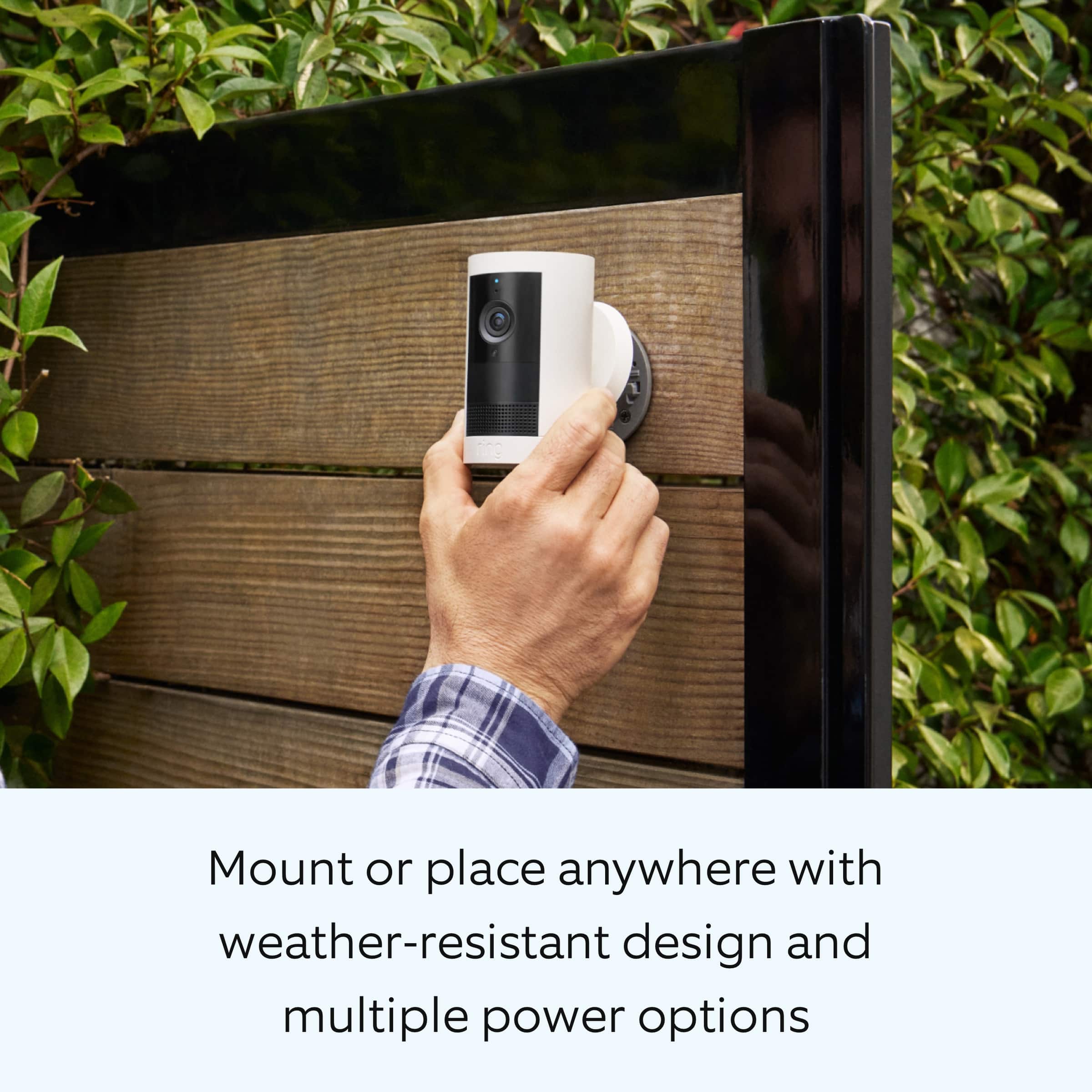
||Posted . Owned for less than 1 week when reviewed.This reviewer received promo considerations or sweepstakes entry for writing a review.Great camera! Can mount it anywhere as long as it is in range of your WiFi.
I would recommend this to a friendRing cam
||Posted . Owned for 1 week when reviewed.This reviewer received promo considerations or sweepstakes entry for writing a review.Great addition to my home security needs! Will buy other products to go with it!
No, I would not recommend this to a friendGreat!
||Posted . Owned for less than 1 week when reviewed.This reviewer received promo considerations or sweepstakes entry for writing a review.Easy to put up and works great during the day and great during the night as well!
I would recommend this to a friendresets by itsself?
||Posted .This reviewer received promo considerations or sweepstakes entry for writing a review.Good product was not easy getting the areas I wanted kept going back to what it wanted still working on it.
I would recommend this to a friendBrand response from Ring
Posted .Hi CarolY.
Thank you for taking the time to share your experience with us. We understand how important it is for your Ring Outdoor Cam Plus to function consistently and reliably, so you can effectively monitor your home. The features and technology provided by the Ring Outdoor Cam Plus are incredibly valuable and help provide you with peace of mind about your home security. We want to ensure your device is working as intended by providing you with solutions to resolve the concern you mentioned in your review.
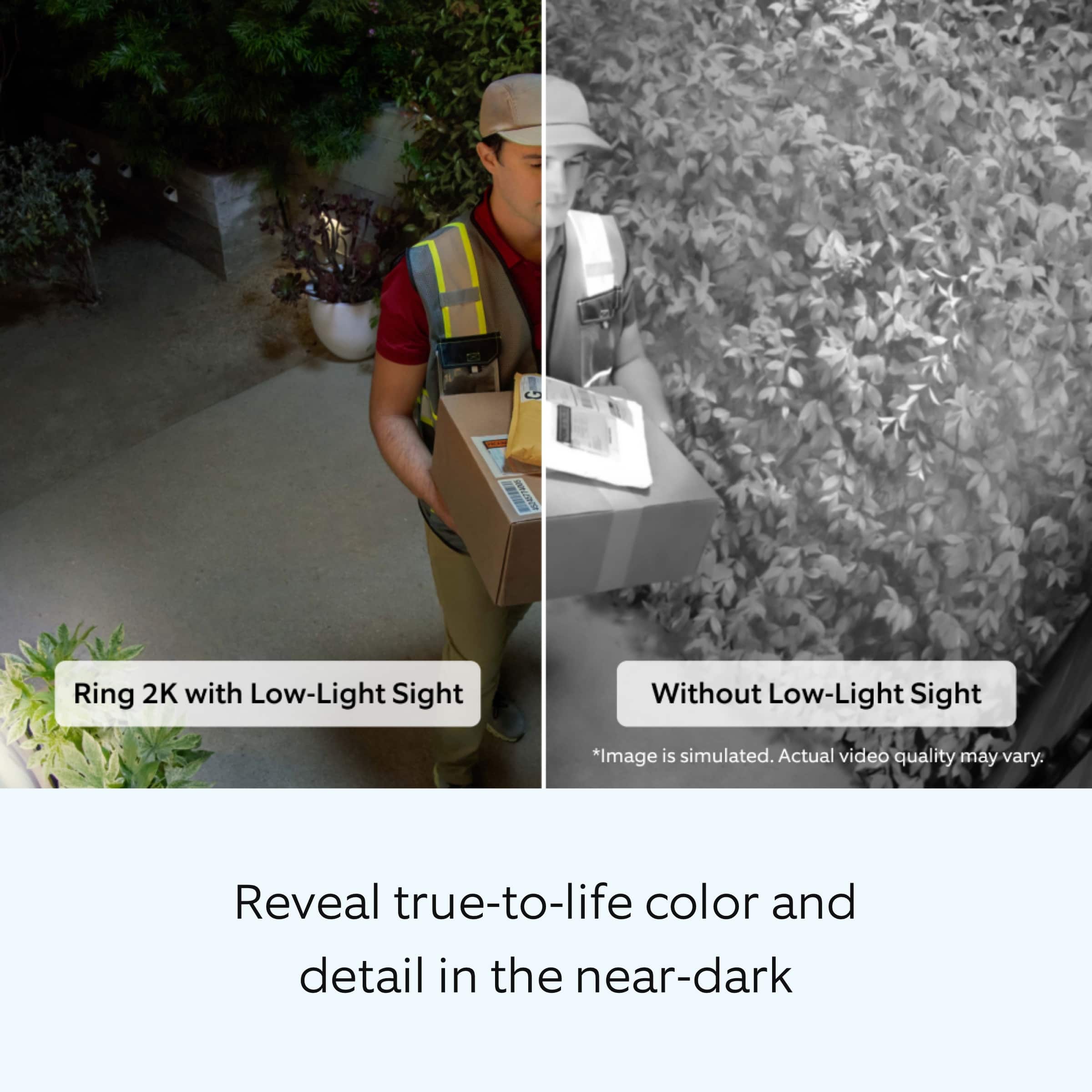
It sounds like the device is not performing as expected. The Ring Outdoor Cam Plus delivers pro-level security, providing upgraded protection for your home through its advanced features including: wide field of view in 2K Video, Color Night Vision with Low Light Sight, and dual-band wifi. It can be easily mounted or placed on either a wall, ceiling, or other flat surface. If your settings are not staying in place, check the following settings:
* After adjusting Motion Zones or preferences, make sure to confirm and save the changes before closing the screen.
* Check that your Wi-Fi connection is stable and confirming each change has been saved after adjusting the settings.
For more information on your Ring Outdoor Cam Plus, we invite you to reach out to our community. Ring Community is our first peer-to-peer community forum, giving our customers the ability to help one another and share their personal feedback and experiences with Ring. We look forward to hearing from you if we can be of any further assistance!
Thank you,
Miyuki from Ring.
Security camera 1
||Posted .This reviewer received promo considerations or sweepstakes entry for writing a review.Great camera. Alerts me when someone is at the door
I would recommend this to a friendCamera
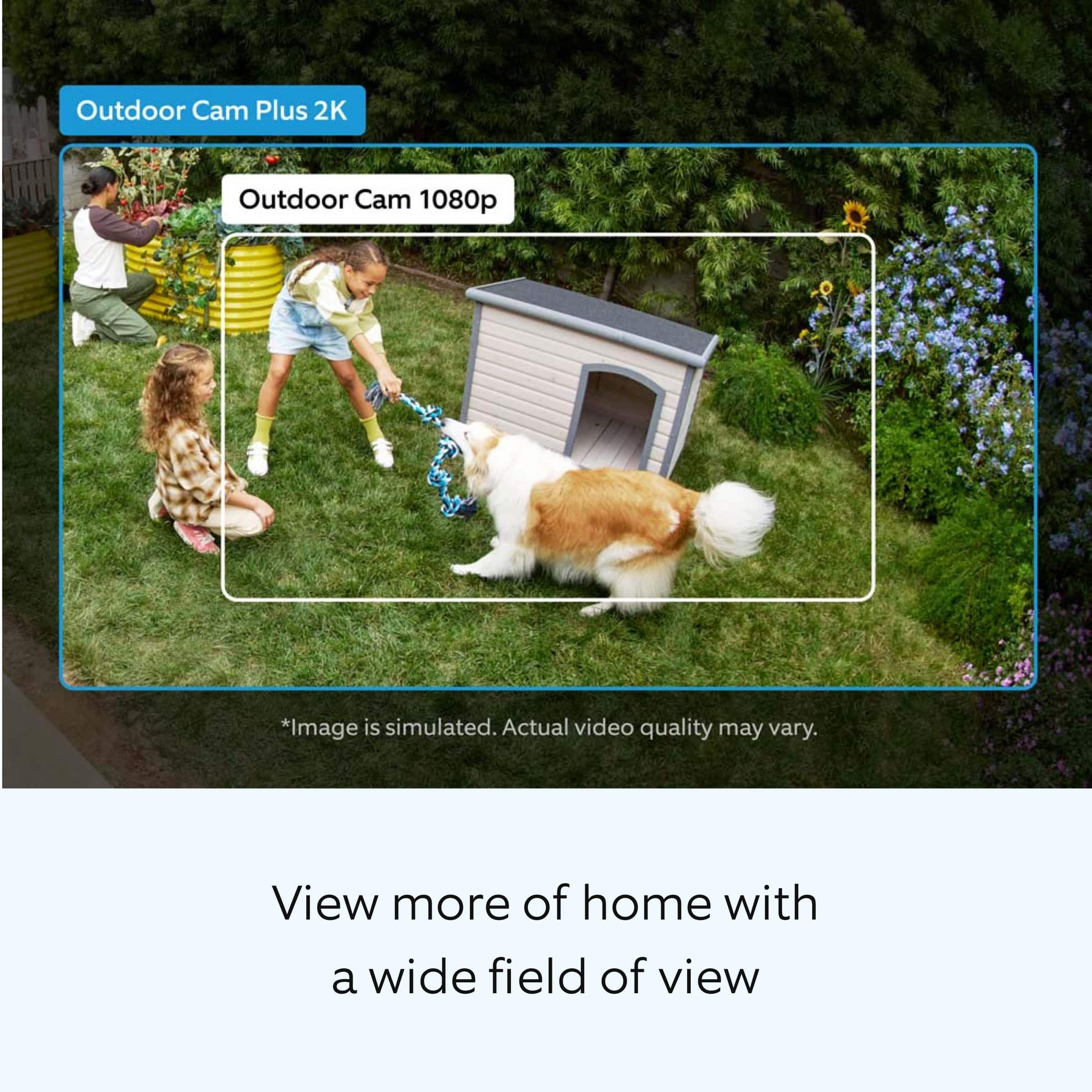
||Posted . Owned for 1 week when reviewed.This reviewer received promo considerations or sweepstakes entry for writing a review.As advertised. Great visual quality and good wide angle
I would recommend this to a friend2K Video - I don't know what that looks like
||Posted . Owned for 1 month when reviewed.This reviewer received promo considerations or sweepstakes entry for writing a review.I am not satisfied with the quality of streaming coming from the device. My Wifi 6 router is less than 10 feet away and the quality is 144p. Restarted it on multiple occasions and still no improvement.
No, I would not recommend this to a friendBrand response from Ring
Posted .Hi EddieP.
Thank you for taking the time to share your experience with us. We understand how important it is for your Ring Outdoor Cam Plus to record clear and concise videos so that you can effectively monitor your home. The features and technology provided by the Ring Outdoor Cam Plus are incredibly valuable and help provide you with peace of mind about your home security. We want to ensure your device is working as intended by providing you with solutions to resolve the video quality concern you mentioned in your review.
It sounds like the device is not operating as intended. Ring devices require high-speed internet to bring you crisp, clear video and audio. Poor network connectivity can affect the performance of your Ring device. Identify and troubleshoot what is causing connectivity issues for Ring devices to give you the best possible video and audio experience.
To determine whether or not the problem is caused by poor upload speed, run a speed test to determine if your network can support Ring devices. For our 2K models, a minimum upload speed of 10 Mbps is recommended, and video resolution may vary depending on internet bandwidth. In addition to ensuring that you have sufficient wifi speeds, you will also want to check the signal strength of your device. A poor wifi signal can cause connectivity with your Ring device to be unreliable. Check the Device Health section of your Ring application to ensure the device’s RSSI is within an acceptable range. The recommended range for optimal performance is 0 to -60 for the RSSI.
If any additional information is needed regarding your Ring Outdoor Cam Plus, please reach out to our community. Ring Community is our first peer-to-peer community forum, giving our customers the ability to help one another and share their feedback and experiences directly with Ring.
Sincerely,
Miyuki from Ring.
Outside camera
||Posted . Owned for 3 weeks when reviewed.This reviewer received promo considerations or sweepstakes entry for writing a review.So far so good. Haven't had it very long yet. Ty.
I would recommend this to a friend- Cons mentioned:Motion detection
Not dectecting all zone
||Posted . Owned for 3 weeks when reviewed.This reviewer received promo considerations or sweepstakes entry for writing a review.Not detecting all zone even with high settings……..
I would recommend this to a friendBrand response from Ring
Posted .Hi Anonymous.
Thank you for taking the time to share your experience with us. We understand how important it is to have your Ring Outdoor Cam Plus capture all the correct motion events. The Ring Outdoor Cam Plus was designed to capture motions based on your specifications to help keep your home secure. We are here to provide you with some information to resolve the issue you mentioned in your review.
It sounds like the device is not performing as expected regarding motion zone. It is important to ensure that you have the proper motion settings in place for your environment.
Follow these steps to adjust your "Motion Zones":
1. Open the Ring app.
2. Tap on the menu (☰).
3. Tap on "Devices."
4. Tap on your camera.
5. Tap "Motion Settings."
6. Tap "Edit Motion Zones."
7. Set your zones and motion range to your preferred area(s).
8. Tap "Done."
9. Tap "Save."
Accuracy in motion detection can also be improved by enabling "Smart Alerts" for people only in your Ring app.
To enable "Smart Alerts":
Tap the menu (≡) on the top left.
Tap "Devices."
Tap the device that you want to adjust.
Tap "Motion Settings."
Tap "Smart Alerts."
Tap "Enable Feature."
Tap "Continue."
Select the notification options that you want for "Person" and "Other Motion."
You'll see a video camera where you can select or de-select recording and a bell icon to represent alert notifications.
After you've adjusted your settings, tap "Done."
If the above steps do not resolve the issue, we recommend holding the setup button for 20 seconds, then release to factory reset the device.
If any additional information is needed regarding your Ring Outdoor Cam Plus, please reach out to our community. Ring Community is our first peer-to-peer community forum, giving our customers the ability to help one another and share their feedback and experiences directly with Ring.
Thank you,
Miyuki from Ring.
- Pros mentioned:Video quality
Stick up cam pro
||Posted . Owned for 1 month when reviewed.This reviewer received promo considerations or sweepstakes entry for writing a review.Video qaulity is a bit better than the standard camera.
I would recommend this to a friend Good
||Posted . Owned for 1 week when reviewed.This reviewer received promo considerations or sweepstakes entry for writing a review.Super easy to set up, everything works good just the battery drains to fast.
I would recommend this to a friendBrand response from Ring
Posted .Hi Vale.
Thank you for taking the time to share your experience. We understand the importance of having a solid charge on your Ring Outdoor Cam Plus so that you are able to have a longer time between charge cycles. Having longevity in a battery-powered security device is crucial when it comes to monitoring your home, especially if you are away for long periods of time. We are here to provide you with some education to resolve the battery life issue you mentioned in your review.
It sounds like the device is not performing as expected. There are some troubleshooting steps that you can take to ensure that you have your device set up for optimal battery-life performance. The more events captured by your Ring devices, the more your battery is used. Using "Live View" can also drain your battery faster. If your device is capturing an excessive number of events each day, you may need to recharge your battery sooner.
To prevent excessive activity, under "Motion Settings" for your device in the Ring app, you can:
Adjust your "Motion Sensitivity" slider to a lower sensitivity.
Redraw your "Customizable Motion Zones."
Change "Motion Frequency" to regularly or periodically.
You could also adjust the direction of your Ring device so it doesn't detect as much motion.
You can go to "Power Settings" in the Ring app to see what features may be draining your battery.
To access "Power Settings," open the Ring app:
Tap the menu (≡) on the top left of the dashboard.
Tap "Devices."
Tap the individual device (video doorbell or security camera) you want to check.
Tap "Power Settings" to check your "Battery Level" percentage and "Feature Power Usage."
Tap a feature to adjust "Snapshot Capture," "Motion Frequency," and "Video Recording Length.".
For more information on your Ring Outdoor Cam Plus, we invite you to reach out to our community. Ring Community is our first peer-to-peer community forum, giving our customers the ability to help one another and share their personal feedback and experiences with Ring. We look forward to hearing from you if we can be of any further assistance!
Thank you,
Miyuki from Ring.
twice as good.
||Posted .This reviewer received promo considerations or sweepstakes entry for writing a review.better this time around. love the USB-c. better than the original.
I would recommend this to a friendBrand response from Ring
Posted .Hi BeBopReviewer.
At Ring, we appreciate you taking the time to share your feedback with us. We are glad to read that you are enjoying your new Ring Outdoor Cam Plus! Furthermore, we believe in keeping people close to what’s important. That is why we are driven to create products that help you protect what matters most at home and empower you to connect with your visitors from wherever you are. Together, we’ll make neighborhoods safer!
Ring Community was launched to help deliver the most current news and educational information to our neighbors. This online forum is divided into four categories: Product Boards, Ring Updates, Tips and Tricks, and a Moderators’ Corner. The Product Boards are where you can begin new topics with your questions or feedback; there is also a search option that helps you find topics that have already been posted by other neighbors. We invite you to visit our Ring Community today.
Thank you,
Miyuki from Ring.
Ring camera
||Posted .This reviewer received promo considerations or sweepstakes entry for writing a review.This camera is not as good as the older camera. It does not have the best night vision at all.
No, I would not recommend this to a friendBrand response from Ring
Posted .Hi LisaH.
Thank you for taking the time to share your experience with us. We understand the importance of having your Ring Outdoor Cam Plus record clear and concise videos so that you can effectively monitor your home. The Night Vision feature is an invaluable feature of the Ring Outdoor Cam Plus that allows you to clearly view what’s happening on your property after dark. We can definitely assist you with this today, and we are confident we can find the correct settings for your home’s environment.
It sounds like the device is not performing as expected in regards to "Night Vision." To ensure that the "Night Vision" feature works as intended, make sure your Cam’s infrared light is toggled on in the Ring app. The infrared light control is in your Ring app under Video Settings. Enable "Color Night Vision" in the Ring app to help improve clarity at night.
To turn the "Color Night Vision" on or off, follow these instructions:
Open the Ring app.
Tap the "Menu" (☰).
Tap "Devices."
Select the device you want to adjust.
Tap "Device Settings."
Tap "Video Settings."
Toggle "Color Night Vision" on or off.
Although rare, there have been instances where a Ring device can experience black, pink, and other distorted video quality, like night vision video captured during daytime hours. Here are a few things to try.
Check your Ring device's signal strength.
If your Ring device is far from your wifi router, it may be experiencing connection or video issues.
Open the Ring app.
Tap the "Menu" (☰).
Tap "Devices."
Select the Ring device you would like to test.
Tap on the "Device Health" tile.
Scroll to "Signal Strength" under the "Network" section.
The green, amber, and red colors are indicators of your device connection. Green is good; red is poor.
Reboot your RingOutdoor Cam Plus in the Ring app.
Open the Ring app.
Tap the "Menu" (☰).
Tap "Devices."
Select the device that you wish to reboot.
Tap on the "Device Health" tile.
Scroll down to "Reboot This Device."
Give your device a few moments to start back up.
For more information on your Ring Outdoor Cam Plus, we invite you to reach out to our community. Ring Community is our first peer-to-peer community forum, giving our customers the ability to help one another and share their personal feedback and experiences with Ring. We look forward to hearing from you if we can be of any further assistance!
Thank you,
Miyuki from Ring.
Waste of money
||Posted . Owned for 2 weeks when reviewed.This reviewer received promo considerations or sweepstakes entry for writing a review.Awful battery life, every week the battery has to be changed. Tried using the recommended solar panel but the battery still dies within a week. This is an absolute waste of money. Get the wired camera instead.
No, I would not recommend this to a friendBrand response from Ring
Posted .Hi CarlaA.
Thank you for taking the time to share your experience. We understand the importance of having a solid charge on your Ring Outdoor Cam Plus so that you are able to have a longer time between charge cycles. Having longevity in a battery-powered security device is crucial when it comes to monitoring your home, especially if you are away for long periods of time. We are here to provide you with some education to resolve the battery life issue you mentioned in your review.
It sounds like the device is not performing as expected. There are some troubleshooting steps that you can take to ensure that you have your device set up for optimal battery-life performance. The more events captured by your Ring devices, the more your battery is used. Using "Live View" can also drain your battery faster. If your device is capturing an excessive number of events each day, you may need to recharge your battery sooner.
To prevent excessive activity, under "Motion Settings" for your device in the Ring app, you can:
Adjust your "Motion Sensitivity" slider to a lower sensitivity.
Redraw your "Customizable Motion Zones."
Change "Motion Frequency" to regularly or periodically.
You could also adjust the direction of your Ring device so it doesn't detect as much motion.
You can go to "Power Settings" in the Ring app to see what features may be draining your battery.
To access "Power Settings," open the Ring app:
Open the Ring app to the main dashboard.
Tap more (•••) on the camera you want to access.
Tap your device's Settings.
Select Power Settings.
Check your Battery Status: Battery Level percentage and Feature Power Usage. You will get a message under any features using extra power. Tap the feature to adjust the settings.
Additionally, cold weather below 36°F (3°C) can temporarily impact battery longevity. When it gets cold and your device's battery runs out, bring your entire device inside and charge the battery with a USB cord. This will allow your device to warm up while the battery charges.
If any additional information is needed regarding your Ring Outdoor Cam Plus, please reach out to our community. Ring Community is our first peer-to-peer community forum, giving our customers the ability to help one another and share their feedback and experiences directly with Ring.
Thank you for being the best part of Ring! Have a wonderful day!
Sincerely,
Miyuki from Ring.
Poor aound quality
||Posted . Owned for 3 weeks when reviewed.This reviewer received promo considerations or sweepstakes entry for writing a review.Sound quality keeps cutting in an out with the microphone when talking to family. Older model is better
No, I would not recommend this to a friendBrand response from Ring
Posted .Hi ThomasG.
Thank you for taking the time to share your experience with us. We understand how important it is for your Ring Outdoor Cam Plus to record clear and concise videos so that you can effectively monitor your home. The features and technology provided by the Ring Outdoor Cam Plus are incredibly valuable and help provide you with peace of mind about your home security. We want to ensure that your device is working as intended by providing you with solutions to resolve the concern you mentioned in your review.
It sounds like the device is not performing as expected in regards to audio. Poor wifi can often cause Ring device issues, including capturing audio. We recommend following these steps in the Ring app: Tap the top menu (☰), then Devices. Choose your Ring Outdoor Cam Plus. Tap "Device Health." Under the "Network" section, you'll see your device's "Signal Strength." If your "Signal Strength" (RSSI) is amber or red, your Ring device likely has a poor connection to your location's wifi. Moving your Wi-Fi router closer to your Ring device may improve its connection. If your Wi-Fi connection is strong and you're still experiencing audio issues, reboot your Ring camera by following these steps: Open the Ring app. Tap the top menu (☰), then "Devices." Choose your Ring device. Tap the "Device Settings" tile. Tap "Device Health." Scroll down and tap "Reboot This Device." Wait a few minutes for your device to reboot.
We invite you to reach out to our community if any additional information is needed regarding your Ring Outdoor Cam Plus. The Ring Community is our first peer-to-peer community forum, giving our customers the ability to help one another by sharing their feedback and experiences with each other.
Thank you,
Miyuki from Ring
Not recommended
||Posted .This reviewer received promo considerations or sweepstakes entry for writing a review.Low cost poor quality video no night color. Requires subscription to store videos. Short video capture range 10-15 feet. Would not recommend to a friend.
No, I would not recommend this to a friendBrand response from Ring
Posted .Hi CgaryG.
We appreciate the time you have taken to share your Ring experience with us. We understand how important it is for your Ring Outdoor Cam Plus to function consistently and reliably, so you are alerted to any wanted or unwanted activity in or around your home. The features and technology provided by the Ring Outdoor Cam Plus are incredibly valuable and help provide you with peace of mind about your home security. Rest assured, we hear you and are here to offer you some help.
It sounds like the Ring Outdoor Cam Plus is not performing as expected. The Ring Outdoor Cam Plus has the Night Vision feature. This device also has an optional Color Night Vision feature. Color Night Vision adds color to video in low light for improved clarity and motion detection. With the feature turned off, your Ring device will show video captured at night in black and white.
It is important to ensure that you have the proper motion settings in place for your environment. Here are a few tips to optimize the motion settings on your security camera:
1. Adjust Motion Sensitivity: Ring devices can detect motion up to 30 feet with the Motion Sensitivity slider at the maximum level. If you turn Motion Sensitivity down, this range will be lower, decreasing false motion. If your device is missing motion, increase the Motion Sensitivity using the slider.
2. Change the position of your Ring device: Adjust the position of your camera to improve the accuracy of motion detection.
3. Turn on Smart Alerts: You can enable Smart Alerts on your doorbell or camera to improve motion accuracy in detecting people and other objects, including packages. To turn on Smart Alerts, tap the Motion Settings tile on the device’s page in the Ring app. A Ring Home Plan is required to use Smart Alerts.
4. Change the Motion Frequency: Under Advanced Settings, tap Motion Frequency. You can adjust how often battery-powered devices check for motion. If your device is missing motion events, increase the Motion Frequency to Frequently (Shortest battery life—Motion detection always stays active) in the Ring app. If too much motion is being detected, change the frequency to Regularly (Medium battery life—Motion detection takes a short break after each motion alert) or Periodically (Maximum battery life—Motion detection takes a longer break after each alert).
It sounds like you are concerned with the need for the Ring Protect Plan subscription. At Ring, we work hard to be completely transparent in both our products, and the optional services in which we provide. The Ring Protect Plan is mentioned on our Ring packaging, on our website, and in the welcome email you received upon setting up your device. Your Ring products provide their standard features (real-time notifications, live view, and two-way talk) without any subscription. Ring Protect Plans offer downloading and sharing video capabilities and additional features for those who want them.
We invite you to reach out to our community if any additional information is needed regarding your concern. The Ring Community is our first peer-to-peer community forum, giving our customers the ability to help one another by sharing their feedback and experiences with each other. Join the Ring Community today!
Thank you,
Amilia from Ring.