Customer Ratings & Reviews


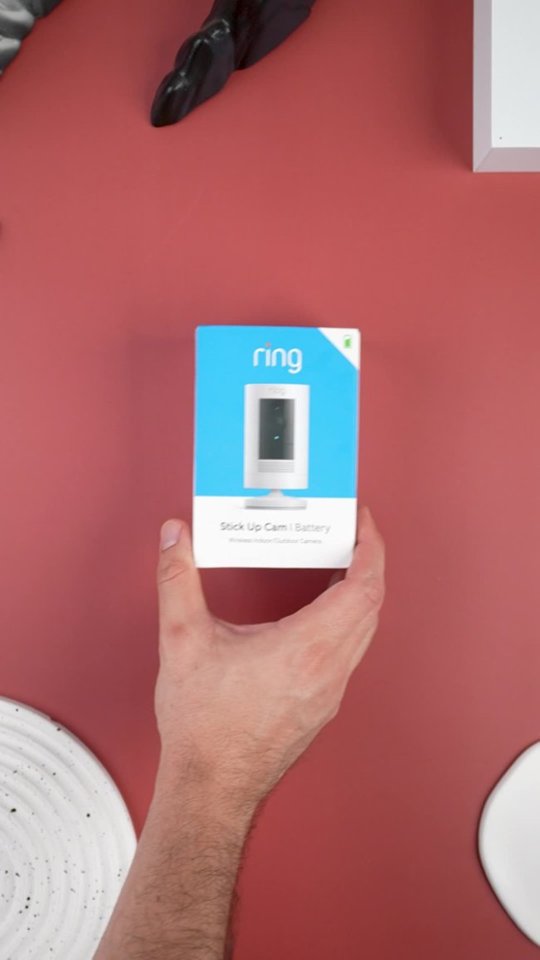
- Model:
- 8SC1S9-WEN0/B0C5QRZ47P
- SKU:
- 12558192
Rating by feature
- Value
Rating 4.6 out of 5 stars
- Quality
Rating 4.7 out of 5 stars
- Ease of Use
Rating 4.7 out of 5 stars
Customers are saying
Customers admire the exceptional camera quality and user-friendly interface that make this product a reliable choice for home security. Users frequently praise the long-lasting battery life and straightforward installation process, which contribute to its overall strong performance. While the device is highly regarded for its night vision and field of view, some individuals have noted occasional inconsistencies with motion detection and connectivity. Despite these minor technical challenges, the product remains a popular and affordable solution for those seeking enhanced monitoring capabilities.
This summary was generated by AI based on customer reviews.
- Pros mentioned:Camera quality
So far sogood!
||Posted . Owned for 2 weeks when reviewed.This reviewer received promo considerations or sweepstakes entry for writing a review.This Wasnt difficult to set up and quality looks good!
I would recommend this to a friend Many better options for the money
||Posted . Owned for 2 weeks when reviewed.This reviewer received promo considerations or sweepstakes entry for writing a review.not the best clarity and motion sensing. I get a lot of false alerts, but kinda have to deal with it cuz I'm on the amazon eco sphere. LOL. Waiting for something better so I can change that.
No, I would not recommend this to a friendBrand response from Ring
Posted .Hello yogidang,
We are thankful for your feedback regarding your experience with the Ring Stickup Camera. We are constantly pushing ourselves to develop products to empower users with an affordable, effective way to monitor and secure their home. In pursuit of our mission to make neighborhoods safer, when applying technologies to our business, we always consider our three pillars of customer security, privacy, and user control. We understand how important it is to have your devices working as intended, as it offers a level of security in your home.
Based on your review, it seems that you are not fully satisfied with your Ring Stickup Camera. The Stick Up Cam uses infrared motion capturing to detect motion, within its field of view. You can use the Ring app to determine the Stick Up Cam’s motion detection range and the specific zones where motion will trigger a smart alert. These settings help ensure that the Stick Up Cam will capture the events you want to see and ignore the ones you don’t. Here is a helpful article with more information on how to resolve motion concerns with your device: https://support.ring.com/hc/en-us/articles/213106363-How-to-Set-Up-Motion-Detection-for-Your-Stick-Up-Cam.
Also, Ring Community is our first peer-to-peer community forum, giving our customers the ability to help one another and share their experiences with Ring directly. We invite you to reach out at https://community.ring.com/ if any additional information is needed regarding your Ring Stickup Camera device and its performance.
Thank you,
Jamila with Ring
- Pros mentioned:Ease of use
Mauricio
||Posted . Owned for 2 weeks when reviewed.This reviewer received promo considerations or sweepstakes entry for writing a review.Greatly enjoyed HD resolution easy to setup good price
I would recommend this to a friend The product super easy if use the quality of the p
||Posted . Owned for 1 week when reviewed.This reviewer received promo considerations or sweepstakes entry for writing a review.The product super easy if use the quality of the picture is less than stellar ultimately someone is going to spank ring with an incredible quality picture beyond that Ringers phenomena
I would recommend this to a friendBrand response from Ring
Posted .Hello BuyQuality27,
First and foremost, we thank you for your business and the opportunity in serving your home security needs. The Ring Stick Up Cam is designed to connect you to 1080p HD video consistently and reliably. We understand how important the video feature is, as this allows you to see your visitors.
Poor video quality or connectivity can sometimes be caused by a wifi issue. We recommend running a distance test in order to discover what video resolution you are receiving at your router, compared to how it performs when mounted. For the best results, please do the following:
1. Remove your Ring Camera from its mounting and bring it into the same room as your wifi router.
2. Be sure you've turned off your cellular data and connected to the same 2.4GHz wifi network as your Ring device.
3. Open your Ring app on your smart-phone or tablet.
4. Trigger a motion event on your Ring Camera.
5. Examine the resulting video.
There are two possibilities that will occur during the distance test: the device will have crisp and clear video as it is intended to have, or the video will still be of poor quality.
If you find that the video is clear and you are connected fast, then we recommend improving the wifi signal to your Ring camera by connecting it to a wifi extender, such as the Ring Chime Pro. However, if you find that the video is still of poor quality or takes too long to load, then you will want to address issues with your wifi speeds.
We appreciate that you have placed value in owning a Ring device to secure your home and know it's vital that the video features meet your needs and expectations. Please reach out to us today at https://community.ring.com/ for additional tips and support!
Thank you,
Antonio from Ring
- Pros mentioned:Camera quality
Canera
||Posted . Owned for 1 month when reviewed.This reviewer received promo considerations or sweepstakes entry for writing a review.One of the best and easiest cameras out on the marjet
I would recommend this to a friend - Pros mentioned:Ease of use
Camera
||Posted . Owned for 1 month when reviewed.This reviewer received promo considerations or sweepstakes entry for writing a review.It works great for what I needed it for in the house
I would recommend this to a friend Ring Yearly Fee Required
||Posted . Owned for 1 month when reviewed.This reviewer received promo considerations or sweepstakes entry for writing a review.Purchased a Ring camera and doorbell after looking at various models n discussions with sales rep. Previous security system was Arlo which stores videos. Ring cameras and doorbells gives an introductory time but then charge you 120 a year to maintain any video history. Clarity is good but once the trial runs out there is no video storage which makes these somewhat worthless unless you pay 120 a year. The required yearly fees were not disclosed. I would not buy again.
No, I would not recommend this to a friendBrand response from Ring
Posted .Hi BigSceenTVwSurroundSound. Having all of the necessary information for your home security is an important concern and I'd be happy to offer some clarification. The Ring Protect Plan is an optional subscription that provides additional features for your Ring devices, including storage of videos. To learn more about the features available with a Ring Protect Plan, check out this Help Center article: https://support.ring.com/hc/en-us/articles/115001671383-General-Information-on-Ring-Protect-Subscription-Plans. If you have any additional questions, try searching the Ring Community at https://community.ring.com/ to find answers from other neighbors. All the best, Ashley from Ring.
wireless camera
||Posted . Owned for 7 months when reviewed.This reviewer received promo considerations or sweepstakes entry for writing a review.Works okay but I advise people to get hard wired products. Buy 2 batteries so you have one charging. You need to put in a location that is easy to reach as the battery needs to be changed .
No, I would not recommend this to a friendBrand response from Ring
Posted .Hello Nikki,
It is imperative to have peace of mind when it comes to your home security, and the battery life in your Ring camera plays a big role in that. The Ring Stick Up Cam Battery is designed to be a DIY home security solution that can be trusted to provide you with lasting service. While Ring batteries can go months between recharges with normal use, this is dependent on a number of factors in your home's environment.
Battery life is heavily dependent on frequency of use, therefore, please consider the following. If you have located your device in a high traffic area, please ensure the motion settings accurately reflect your needs. For example, you could reduce the size of the motion zone to pick unnecessary movement and thus save battery life. If your needs require maximum performance, consider using a Ring Solar or Super Solar Panel. These can help trickle charge the battery and extend the time between manual recharges.
Additionally, the battery life may be affected by poor signal strength. If you've noticed wifi issues, such as poor video quality or trouble connecting to live video, a wifi extender such as the Ring Chime Pro may improve the signal getting to your camera. A cost-effective alternative would be to relocate your router (or camera) in an area that has less interference, even a couple feet can make a big difference.
Please reach out to us today at https://community.ring.com/, for additional tips and support! We look forward to helping optimize your battery life.
Thank you,
Alexis with Ring
- Pros mentioned:Camera quality
Ring camera
||Posted . Owned for 3 weeks when reviewed.This reviewer received promo considerations or sweepstakes entry for writing a review.Pretty good ring camera! Works perfect for outside!
I would recommend this to a friend - Pros mentioned:Camera quality
Great
||Posted . Owned for 1 week when reviewed.This reviewer received promo considerations or sweepstakes entry for writing a review.Works as expected and not one down point to consider
I would recommend this to a friend - Pros mentioned:Camera quality
Greag quality
||Posted . Owned for 1 week when reviewed.This reviewer received promo considerations or sweepstakes entry for writing a review.Does what it needs to! Very impressed with quality
I would recommend this to a friend - Pros mentioned:Overall performance
Good
||Posted . Owned for 2 weeks when reviewed.This reviewer received promo considerations or sweepstakes entry for writing a review.Excellent product. Mainly doing this for the point!
I would recommend this to a friend Works well when WiFi is very strong.
||Posted . Owned for more than 2 years when reviewed.This reviewer received promo considerations or sweepstakes entry for writing a review.Bought a few of these to "stick up" around the house. I do seem to loose WiFi connection often with these, wish they were stronger in that aspect.
I would recommend this to a friendBrand response from Ring
Posted .Hi SMartin, thanks for reaching out. I know how important it is to be able to rely on your Ring devices for peace of mind. If your Stick Up Cams are disconnecting from wifi, check to ensure that they're receiving a strong signal. You can learn how to do that here. https://support.ring.com/hc/en-us/articles/217271526-Understanding-RSSI-and-Wifi-Signal-Strength. If that information doesn't help, check out the Ring Community at https://community.ring.com/ to find answers from other neighbors. All the best, Ashley from Ring.
Hate the update!
||Posted . Owned for 1 month when reviewed.This reviewer received promo considerations or sweepstakes entry for writing a review.Worked great until they updated the app. Battery is meh, the charger broke after two uses. I have another ring camera so thank god I still have that charger but really wish they ceiling mount would’ve been included
No, I would not recommend this to a friendBrand response from Ring
Posted .Hi Bella.
Thank you for taking the time to share your experience with us. We understand the importance of having your Ring Stick Up Cam perform consistently and reliably so that you can effectively monitor your home. Having longevity in a battery-powered security device, such as the Ring Stick Up Cam, is crucial when it comes to monitoring your home, especially if you are away for long periods of time. We are eager to provide you with a solution for the concerns mentioned in your review.
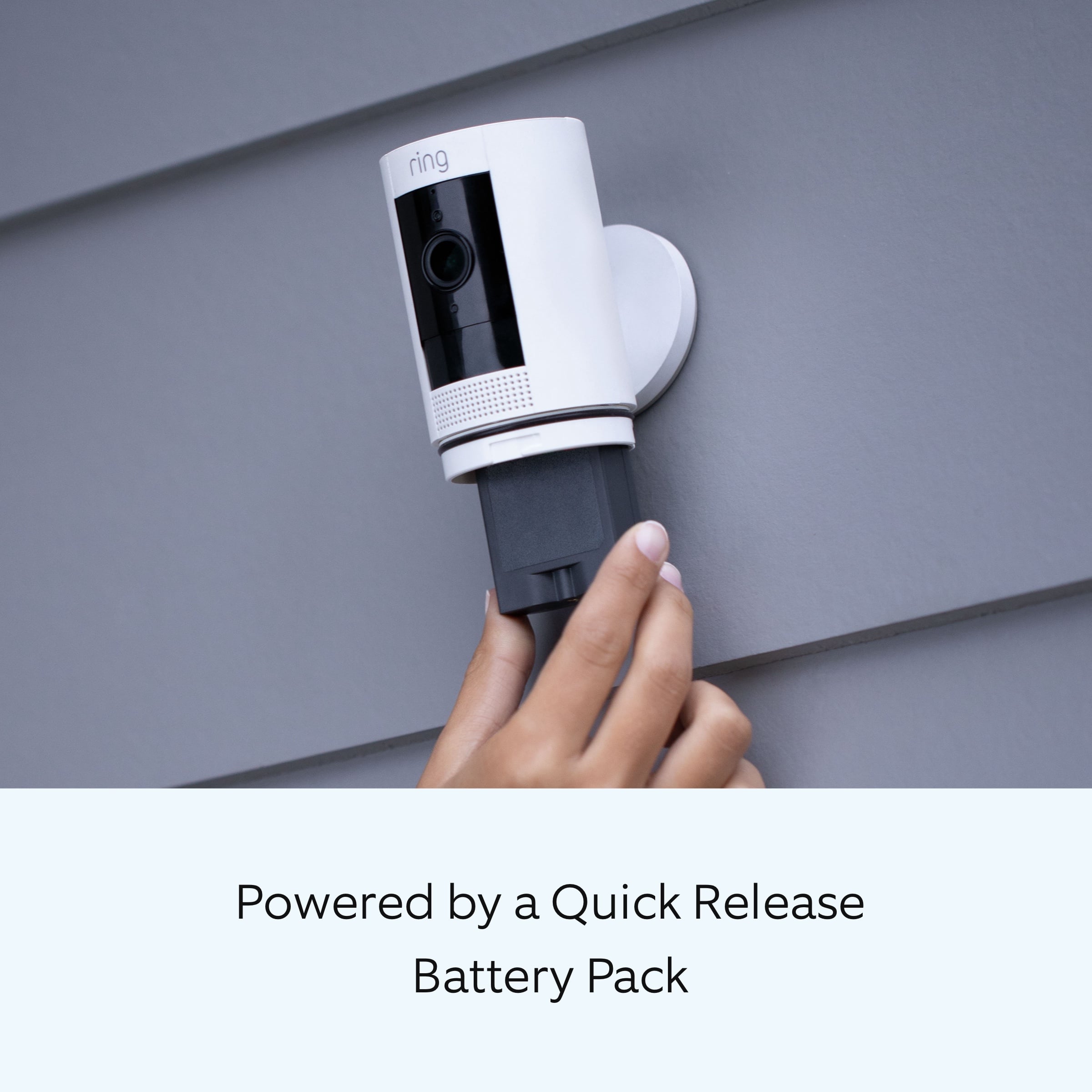
If you are experiencing issues with the charging cable for your Ring Quick Release Battery, we recommend using a different USB cable. We are happy to provide you with some information on how to optimize the battery life of your Ring Stick Up Cam. The more events captured by your Ring devices, the more your battery is used. Using "Live View" can also drain your battery faster. If your device is capturing an excessive number of events each day, you may need to recharge your battery sooner.
To prevent excessive activity, under "Motion Settings" for your device in the Ring app, you can:
Adjust your "Motion Sensitivity" slider to a lower sensitivity.
Redraw your "Customizable Motion Zones."
Change "Motion Frequency" to regularly or periodically.
You could also adjust the direction of your Ring device so it doesn't detect as much motion.
You can go to "Power Settings" in the Ring app to see what features may be draining your battery.
To access "Power Settings," open the Ring app:
Tap the menu (≡) on the top left of the dashboard.
Tap "Devices."
Tap the individual device (video doorbell or security camera) you want to check.
Tap "Power Settings" to check your "Battery Level" percentage and "Feature Power Usage."
Tap a feature to adjust "Snapshot Capture," "Motion Frequency," and "Video Recording Length."
If any additional information is needed regarding your Ring Stick Up Cam, please reach out to our community. Ring Community is our first peer-to-peer community forum, giving our customers the ability to help one another and share their feedback and experiences directly with Ring.
Thank you for being the best part of Ring! Have a wonderful day!
Sincerely,
Melissa from Ring.
It’s ok, but will skip over important movements
||Posted .This reviewer received promo considerations or sweepstakes entry for writing a review.Camera is ok, sometimes it won’t record things that are important such as boxes being delivered to your door and when someone dismembered my fence. It will notify you if a squirrel moves or a tree blows.
No, I would not recommend this to a friendBrand response from Ring
Posted .Hello Unhappy1,
We are thankful for your feedback regarding your experience with the Ring Stickup Camera. We are constantly pushing ourselves to develop products to empower users with an affordable, effective way to monitor and secure their home. In pursuit of our mission to make neighborhoods safer, when applying technologies to our business, we always consider our three pillars of customer security, privacy, and user control. We understand how important it is to have your devices working as intended, as it offers a level of security in your home.
Based on your review, it seems that you are having trouble with your Ring Stickup Camera picking up the correct motion. The Stick Up Cam uses infrared motion capturing to detect motion, within its field of view. You can use the Ring app to determine the Stick Up Cam’s motion detection range and the specific zones where motion will trigger a smart alert. These settings help ensure that the Stick Up Cam will capture the events you want to see and ignore the ones you don’t. Here is a helpful article with more information on how to resolve motion concerns with your device: https://support.ring.com/hc/en-us/articles/213106363-How-to-Set-Up-Motion-Detection-for-Your-Stick-Up-Cam.
Also, Ring Community is our first peer-to-peer community forum, giving our customers the ability to help one another and share their experiences with Ring directly. We invite you to reach out at https://community.ring.com/ if any additional information is needed regarding your Ring Stickup Camera device and its performance.
Thank you,
Jamila with Ring
SO SO
||Posted . Owned for 3 weeks when reviewed.This reviewer received promo considerations or sweepstakes entry for writing a review.Easy to install but only works half the time!!!!! Really all the Ring items work only half the time where I live.
No, I would not recommend this to a friendBrand response from Ring
Posted .Hi RenaK.
Thank you for taking the time to share your experience with us. At Ring, we understand it is essential to have your Ring Stick Up Cam online and working properly so you can keep your home secure. Having a solid connection ensures you do not miss any activity around your home. We are here today to provide you with education to assist you in finding the best solution for your home’s environment.
It sounds like the device is not performing as intended. The Ring Stick Up Cam is our leading indoor and outdoor-ready security camera. The Ring Stick Up Cam is compatible with b/g/n wifi networks operating on 2.4 GHz frequencies. High-speed internet is recommended. If your Ring device is far from your wifi router, it may be experiencing connection issues.
Here are a few of the top reasons for poor connectivity:
Your Ring device may be too far from your WiFi router.
Your mobile device has a low signal or poor connection.
Your home wifi connection is poor (or your internet service provider is experiencing high traffic).
To learn more about your device's signal strength, follow these steps:
Open the Ring app.
Tap the menu (☰).
Tap “Devices.”
Select the ring device you would like to test.
Tap on the “Device Health” tile.
Scroll to “Signal Strength” under the “Network” section.
The green, amber, and red colors are indicators of your device connection. Green is good; red is poor.
Move your wifi router off the floor.
Walls, floors, and furniture can interfere with or weaken your router's wireless signal. Choose an elevated, central, open location for your wifi router.
Check your mobile device's signal. If your mobile device has one or two bars, this could be causing issues accessing your Ring device. For best results, make sure you're connected to wifi from wherever you are.
Most internet service providers range from 100–400 mbps (megabytes per second) for download speed and 10–100 mbps for uploading. If your wifi speed is falling below the ranges noted above, we recommend contacting your internet service provider.
If any additional information is needed regarding your Ring Stick Up Cam, please reach out to our community. Ring Community is our first peer-to-peer community forum, giving our customers the ability to help one another and share their feedback and experiences directly with Ring.
Thank you,
Melissa from Ring.
Buggy firmware but great camera
||Posted . Owned for 3 weeks when reviewed.This reviewer received promo considerations or sweepstakes entry for writing a review.The product itself is great, but the firmware is not and Ring has yet to update it. It will not trigger live view half the time, same for detecting a person. Other than that it's a great product!
No, I would not recommend this to a friendBrand response from Ring
Posted .Hello Mike0589,
It is important that the motion detection feature on your Ring Stick Up Cam Plug-In meet your needs and expectations. We understand you've selected Ring to keep you updated on activity around your home, and receiving notifications when activity is detected is essential. Please know that we are here to assist and are confident that together we can find a solution.
This camera uses Adjustable Motion Detection and runs using passive infrared sensors. The system identifies visitors via a moving heat signature and sends a notification to your smart device when one is detected. You can adjust three preset motion zones and their distance. Additionally, you can choose how often the camera checks for movement in those predefined zones via the Motion Frequency setting. If you find that your camera is missing some motions, please set the Motion Frequency to 'Frequently'.
We agree that your Ring Stick Up Cam should notify you when someone is at your home consistently and reliably. Please reach out to us at https://community.ring.com/ for additional tips and support! Our top priority is ensuring the motion detection is meeting your needs.
Thanks,
Alexis with Ring
Not what I expected from Ring
||Posted . Owned for 1 month when reviewed.This reviewer received promo considerations or sweepstakes entry for writing a review.Not what I expected from Ring. It keeps blurring in the Windows 10 app. And it will only run about 30 minutes before stopping. Only recording is through an online storage supplied by "Ring".
No, I would not recommend this to a friendBrand response from Ring
Posted .Hello John,
Our top priority at Ring is to ensure that our customers have the best possible experience with our products. We really appreciate your feedback. Our team is always striving to improve our products and their performance. Ring Windows and Mac and desktop apps are no longer receiving updates for new devices and features. Unsupported devices and features for Windows and Mac include but are not limited to the following:
Video Doorbell Wired
Ring Video Doorbell Pro 2
Ring Video Doorbell 4
Video end-to-end encryption
Amazon account linking
Geofence
Please note that while certain features and products are no longer supported by the desktop apps, the apps will continue to receive critical security and bug updates.
While subscribed to one of our optional Ring Protect Plans, you will be able to access videos from every ring, motion, and live view event for up to 60 days (US). You can also access, download, and share past Ring videos. Without this service, you will still receive real-time video alerts on your smartphone as well as have access to the Live View feature.
Let's connect today to address this and any other concerns you may have. Would you please reach out to us so we can improve your overall Ring experience?
Thank you,
Antonio from Ring
Faulty
||Posted . Owned for 1 month when reviewed.This reviewer received promo considerations or sweepstakes entry for writing a review.Couldn't get it to find any wifi networks at all, let alone my network. Came out of the box with all correct pieces, charged the battery, fired up the app but no matter how many times I went through the process, the camera never found a network. After doing some research found that this is a very common issue for this particular camera.
No, I would not recommend this to a friendBrand response from Ring
Posted .Hi Topher.
Thank you for taking the time to share your experience with us.
We understand the importance of a seamless setup process so that you can begin using your Ring Stick Up Cam right away. The features and technology provided by the Ring Stick Up Cam are incredibly valuable and help provide you with peace of mind about your home security. Rest assured, we are here to provide you with a concrete resolution as quickly as possible.
It sounds like your device has not been able to complete the setup. When going through a setup, the temporary wifi network called "Ring-" is being broadcast by your device. If you're having trouble finding this network, you should restart the setup procedure. When you get to this step, look for a slowly pulsing light on your device. This means the device is broadcasting the network. Now, try the setup process again. If you don't see this light, you may have a malfunctioning unit. Visit our support center for additional details.
Ring Community was launched to help deliver the most current news and educational information to our neighbors. This online forum is divided into four categories: Product Boards, Ring Updates, Tips + Tricks, and a Moderators’ Corner. The Product Boards are where you can begin new topics with your questions or feedback; there is also a search option that helps you find topics that have already been posted by other neighbors.
All the best,
Nicole from Ring.
total disappointment
||Posted . Owned for 2 weeks when reviewed.This reviewer received promo considerations or sweepstakes entry for writing a review.First off, I REALLY wanted & needed this to work but it kept disconnecting from my WIFI signals almost daily. I bought a wifi extender yesterday thinking that would solve my problem, but it didn’t. It’s made for outside & is black.. both features I wanted. My white INDOOR ring camera had been in that exact location for months and ALWAYS worked, but I wanted a black one to be more ‘invisible’ in that location.. taking it back today. NOT HAPPY.
No, I would not recommend this to a friendBrand response from Ring
Posted .Hi MommyDearest619. Being able to rely on your Stick Up Cam to keep an eye on your home is an important concern and I'd be happy to offer some help. Frequently disconnecting from the wifi is likely due to the wifi connection that your Stick Up Cam is receiving, but there are various different troubleshooting steps you can try to resolve this. I'd recommend reviewing the information in this Help Center article: https://support.ring.com/hc/en-us/articles/217271526-Understanding-RSSI-and-Wifi-Signal-Strength. If the steps presented in that article don't work, search the Ring Community at https://community.ring.com/ to find answers from other neighbors. Best, Ashley from Ring.