Customer Ratings & Reviews


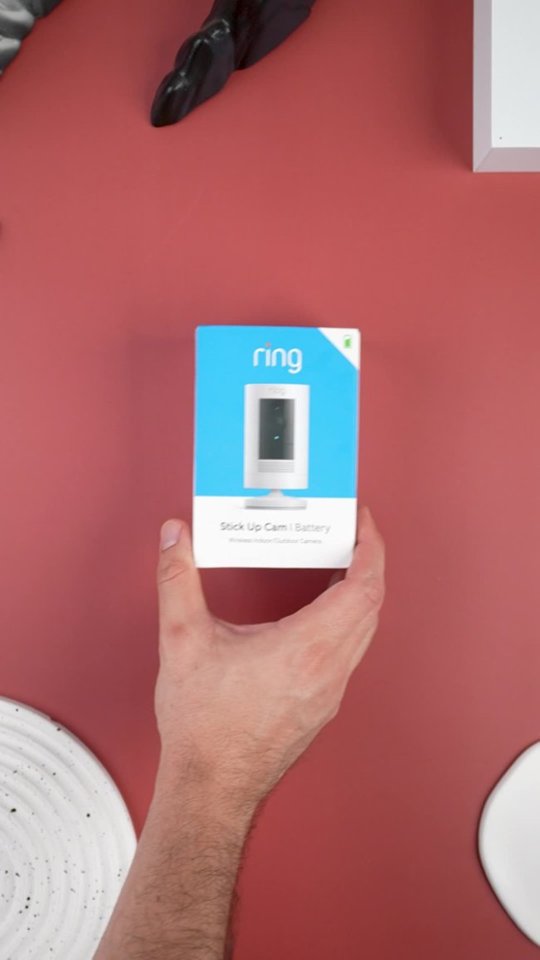
- Model:
- 8SC1S9-WEN0/B0C5QRZ47P
- SKU:
- 12558192
Rating by feature
- Value
Rating 4.6 out of 5 stars
- Quality
Rating 4.7 out of 5 stars
- Ease of Use
Rating 4.7 out of 5 stars
Customers are saying
Customers admire the exceptional camera quality and user-friendly interface that make this product a reliable choice for home security. Users frequently praise the long-lasting battery life and straightforward installation process, which contribute to its overall strong performance. While the device is highly regarded for its night vision and field of view, some individuals have noted occasional inconsistencies with motion detection and connectivity. Despite these minor technical challenges, the product remains a popular and affordable solution for those seeking enhanced monitoring capabilities.
This summary was generated by AI based on customer reviews.
Not a fan
||Posted . Owned for 11 months when reviewed.This reviewer received promo considerations or sweepstakes entry for writing a review.We like this, but we have the fastest WiFi and this device keeps buffering. It’s like it uses too much bandwidth or something. We ended up like the wired ones better
I would recommend this to a friendBrand response from Ring
Posted .Hello MelD,
Thank you for bringing this to our attention. Here at Ring, we hear your concerns and are here to help. Our top priority at Ring is to ensure that our customers have the best possible experience with our products. It is important to us that you have all the necessary information needed to ensure that Ring App is performing optimally for you, and that you are able to answer your motion alerts.
Based on your review, it seems that you are having trouble with answering your doorbell from your Ring App. Rapid Ring is a "light" version of the classic Ring app with most of the features stripped out except for the ability to activate a Live View and respond to an event as quickly as possible. By using the Rapid Ring app in conjunction with the original Ring app, you'll be able to answer your notifications as quickly as possible. Please see our help center article for more information on the Rapid Ring App: https://support.ring.com/hc/en-us/articles/360028023571-Rapid-Ring-App-Information.
Ring Community launched in March 2019 to help deliver the most current news and educational information to our neighbors. It is our first peer-to-peer community forum, giving our customers the ability to help one another and share their feedback/experiences with Ring. Please reach out at https://community.ring.com/ if any additional information is needed regarding your Ring App concern.
Thank you, Jamila, with Ring.
apple cam
||Posted . Owned for 1 month when reviewed.This reviewer received promo considerations or sweepstakes entry for writing a review.works but not able to attach to side of home due to design so i returned it
No, I would not recommend this to a friendBrand response from Ring
Posted .Hi Wildwes.
Thank you for taking the time to share your experience with us. We understand the importance of a seamless setup process so that you can begin using your Ring Stick Up Cam right away. We understand how important it is for your Ring Stick Up Cam to function consistently and reliably, so you are alerted to any wanted or unwanted activity in or around your home. We are eager to address the issue you raised in your review and provide you with a resolution today.
It sounds like the device is not performing as expected. The Ring Stick Up Cam is our leading indoor and outdoor-ready security camera with flexible mounting options.
Key Features of the Stick Up Cam include:
*Two-Way Talk and Noise Cancellation
*Flexible Power Options: Battery, Plug-in, or Solar
*1080p HD Video & Color Night Vision
*Remote-activated siren
*2.4GHz Wifi Connectivity
Physically installing Stick Up Cam Battery is a simple process.
1. Charge the provided battery.
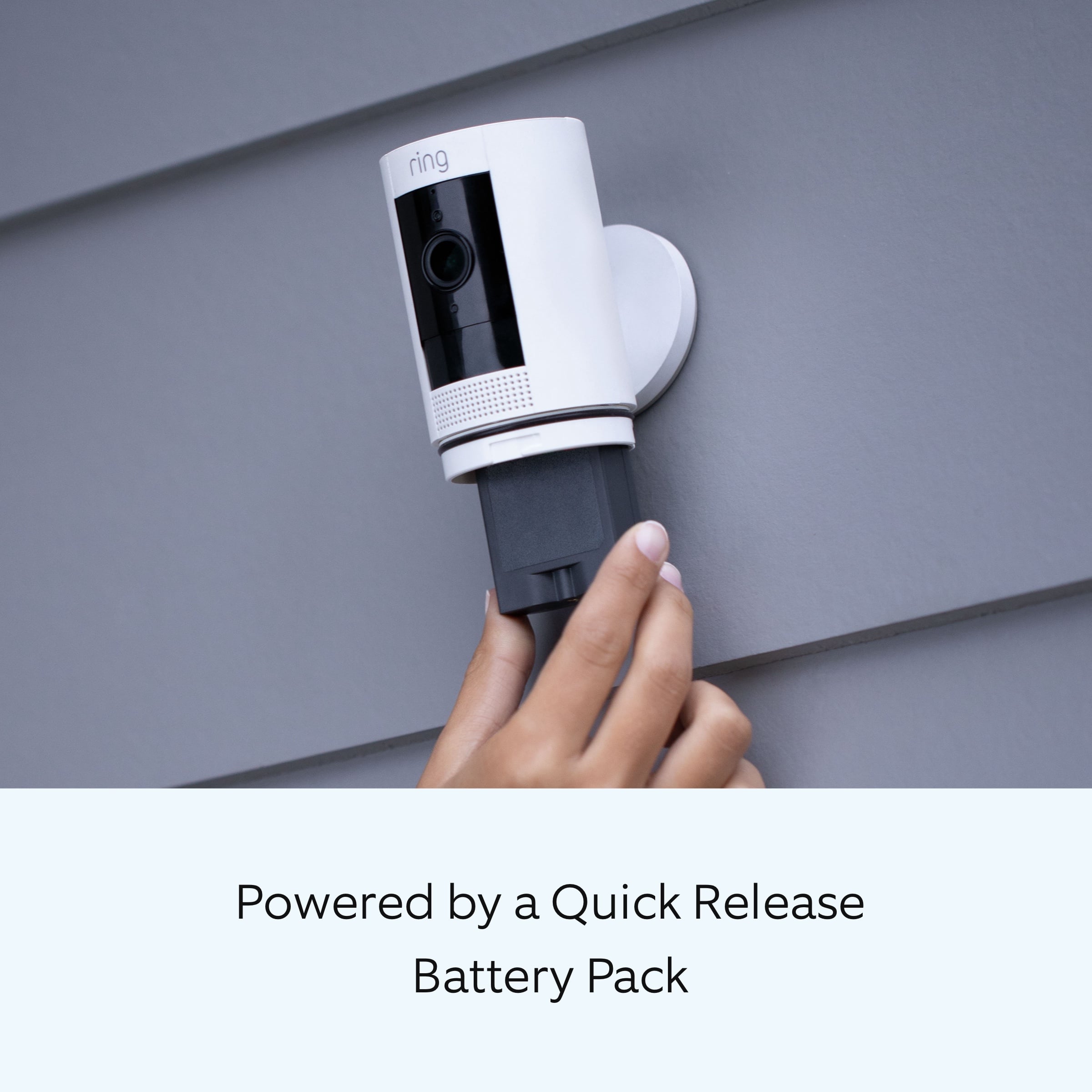
Both the Battery and Solar versions of the Stick Up Cam come with a Quick Release Battery Pack. Make sure the provided battery is fully charged by plugging it into a USB port using the provided orange cable or any other micro-USB cable you have handy. The battery is fully charged when just the green LED is lit.
Remove the battery cover on your Stick Up Cam by twisting it counterclockwise to unlock.
If the battery is already inserted, remove the battery.
After charging, insert the battery into the bottom of your Stick Up Cam until it locks into place.
2. Choose your location.
Your Stick Up Cam will be happy just about anywhere, indoors or out. It can sit on its own stand, or mount to a wall or ceiling with a special Stick Up Cam Mount - sold separately here.
Choose a spot where it can provide the view that you want.
3. Install Stick Up Cam on a table or a shelf.
Simply place the Stick Up Cam at your chosen location.
Your Stick Up Cam is now ready to protect you!
If you'd like a downward camera angle, swivel the base around so that the long side faces the front, then tilt your Stick Up Cam so it points downward.
Then, skip ahead to Step 5.
4. Install Stick Up Cam on a wall.
If you would like to mount your Stick Up Cam to a wall or other surface:
Remove the base of the Stick Up Cam by unscrewing it using a standard Phillips-head screwdriver (not included).
Re-attach the base to the back of your Stick Up Cam with the "UP" arrow on the racket pointing upward.
Remove the mounting bracket by sliding it down to remove it from the base.
Hold the bracket against your wall, making sure the "UP" arrow is pointing upward, and mount it with the included screws.
Mount your Cam by guiding the grooves on the base on the hooks on the bracket. Slide Stick Up Cam down to secure it to the wall.
You can now rotate your Stick Up Cam to the desired angle and check out the live video in the Ring app to make sure you have the view you want.
5. Install the security screws (optional).
Your Stick Up Cam comes with two optional security screw locations. One secures the mounting bracket to the base, and the other secures the battery compartment.
To access them after you've mounted your Stick Up Cam, rotate it to either side.
To install the base screw:
First, slide your Stick Up Cam off of the mounting bracket.
Pop the rubber plug out of the base, then place Stick Up Cam back on the bracket.
Secure with one of the provided screws.
To install the battery compartment screw:
Remove the battery compartment.
Pop out the rubber plug.
Replace the battery compartment on your Stick Up Cam.
Secure with one of the provided screws.
We invite you to reach out to our Community if any additional information is needed regarding your question. The Ring Community is our first peer-to-peer community forum, giving our customers the ability to help one another by sharing their feedback and experiences with each other.
Thank you,
Melissa from Ring.
Frequent buyer
||Posted .This reviewer received promo considerations or sweepstakes entry for writing a review.Wasn't happy with the quality of the picture. Have a lot of difficulties accessing the app when away from home. The connection in the app is not very good.
No, I would not recommend this to a friendBrand response from Ring
Posted .Hello Justresponding,
We know how important it is to depend on your Ring Indoor Camera while you are away from home. This device should provide you with clear video and reliable connectivity through the Ring app. Please know we are here to help find a solution.
Poor video quality is almost always caused by some sort of wifi issue. If possible, please bring your device near your router and test a live view video. if video quality improves, the issue may be related to the placement of your device.
You can learn more about improving video quality here: https://support.ring.com/hc/en-us/articles/205348254-Poor-Video-Quality-Troubleshooting
To ensure the Ring app functions correctly, please ensure you update it to the latest version. You can also try our Rapid Ring app, which is lighter and should connect to your Indoor Cam quicker.
More information about the Ring app here: https://support.ring.com/hc/en-us/articles/360028023571-Rapid-Ring-App-Information
For more tips, tricks, and further support, please visit our Community Forums here: https://community.ring.com/
Regards,
Marlom at Ring
Ring cam
||Posted . Owned for 2 weeks when reviewed.This reviewer received promo considerations or sweepstakes entry for writing a review.I recommend the item.. Super responsive and sensitive..
I would recommend this to a friendNot able get this to work
||Posted . Owned for 1 month when reviewed.This reviewer received promo considerations or sweepstakes entry for writing a review.Camera connected fine to our super fast WiFi but would not show video . It would just load for a couple minutes and then time out... we have several other ring devices connected that work flawlessly, spent an hour on the phone with Ring support and couldn’t get it to work either, they suggested to return camera and try with another one, but had same issue. Try the wired version of this camera, it works great!
No, I would not recommend this to a friendBrand response from Ring
Posted .Hello Kristina,
Thank you for bringing this to our attention. Here at Ring, we hear your concerns and are here to help. Our top priority at Ring is to ensure that our customers have the best possible experience with our products. It is important to us that you have all the necessary information needed to ensure that Ring App is performing optimally for you, and that you are able to answer your motion alerts.
Based on your review, it seems that you are having trouble with answering your doorbell from your Ring App. Rapid Ring is a "light" version of the classic Ring app with most of the features stripped out except for the ability to activate a Live View and respond to an event as quickly as possible. By using the Rapid Ring app in conjunction with the original Ring app, you'll be able to answer your notifications as quickly as possible. Please see our help center article for more information on the Rapid Ring App: https://support.ring.com/hc/en-us/articles/360028023571-Rapid-Ring-App-Information.
Ring Community launched in March 2019 to help deliver the most current news and educational information to our neighbors. It is our first peer-to-peer community forum, giving our customers the ability to help one another and share their feedback/experiences with Ring. Please reach out at https://community.ring.com/ if any additional information is needed regarding your Ring App concern.
Thank you, Jamila with Ring.
Great buy
||Posted .This reviewer received promo considerations or sweepstakes entry for writing a review.Great buy from Best Buy. Easy to install even for me!
I would recommend this to a friendWorks great
||Posted . Owned for 3 weeks when reviewed.This reviewer received promo considerations or sweepstakes entry for writing a review.⭐️⭐️⭐️⭐️⭐️⭐️⭐️⭐️⭐️⭐️⭐️⭐️⭐️⭐️⭐️⭐️⭐️⭐️⭐️⭐️⭐️⭐️⭐️⭐️⭐️⭐️⭐️
I would recommend this to a friend- Cons mentioned:Connectivity
.
||Posted . Owned for 3 weeks when reviewed.This reviewer received promo considerations or sweepstakes entry for writing a review.Could not connect to my Wi-fi spent hours trying even with Bose support
No, I would not recommend this to a friendBrand response from Ring
Posted .Hi there. Getting your Stick Up Cam up and running should be a quick process, and I'd be happy to point you in the right direction. When performing the setup, try to have your Stick Up Cam near the router and ensure you have verified your wifi network name and password. You can reference a list of troubleshooting steps here https://support.ring.com/hc/en-us/articles/217240386-In-App-Setup-Failing-Repeatedly if the setup does not work. Additionally, you're welcome to browse the Ring Community https://community.ring.com/ to find answers from other neighbors. All the best, Ashley from Ring.
Horrible camera
||Posted . Owned for 1 week when reviewed.This reviewer received promo considerations or sweepstakes entry for writing a review.If you want to place the camera on the ceiling you will have to buy a separate Mount for Stick Up Camera that cost 19.99. When I bough my first camera the mount brake came all included but now ring (own by amazon) wants you to buy it separately so they can make more money. The battery dies quickly so I bought a solar panel and it only charges 10% of the battery life, so it won't help on the winter anyways. I am better off placing wired camera all over the house than buying this stupid camera.
No, I would not recommend this to a friendBrand response from Ring
Posted .Hello Josie,
Thank you for taking a moment to leave your review of the Ring Solar Panel. We know how important it is to have peace of mind when it comes to your home security, and having an unresponsive device can be concerning. Please know that we are here to assist and are confident that we can find you a resolution in a timely manner.
After reading your review, it seems that your Ring Solar Panel is not fully charging your Ring Spotlight Camera Battery. Ring recommends at least three to four hours of direct sunlight, depending on your usage. Make sure there are no obstructions that could cast a shadow on your solar power device, such as an extended roof, tree branches, or bushes. If your installation area is frequently very cloudy or gets a lot of rain or snow, this could limit the amount of sunlight that your solar power device receives.
The solar panel requires direct sunlight. Filtered/indirect sunlight through the clouds will not provide a charge to your doorbell/camera. Here is a helpful article that explains this in more detail: https://support.ring.com/hc/en-us/articles/115005282806-Solar-Panel-for-Spotlight-Cam-and-Stick-Up-Cam-Battery-Information.
Ring Community launched in March 2019 to help deliver the most current news and educational information to our customers. You can find tips and tricks from other Ring users at https://community.ring.com/. This peer-to-peer forum allows our neighbors to share their feedback and experiences to assist each other in resolving their concerns.
Thank you, Jamila with Ring.
IC ( eye see)
||Posted . Owned for 3 weeks when reviewed.This reviewer received promo considerations or sweepstakes entry for writing a review.Great camera but response time to notify is delayed.
No, I would not recommend this to a friendGood stuff!!
||Posted . Owned for 3 weeks when reviewed.This reviewer received promo considerations or sweepstakes entry for writing a review.Glad to get this on discount it was a good product
I would recommend this to a friendDoesn’t record through glass
||Posted .This reviewer received promo considerations or sweepstakes entry for writing a review.Battery takes a long time to charge. That’s not necessarily why I’m reviewing this product, I’m reviewing because it doesn’t record through my front glass window. My Roku camera however did. But that camera had so many technical difficulties I had to scrap it.
No, I would not recommend this to a friendBrand response from Ring
Posted .Hi Jacob. I understand how this can affect your recording capabilities. In the Device Settings for the Stick Up Cam, you can toggle of the Infrared Lights for Night Vision which will allow function in front of a window. Thank you, David with Ring.
Not bad but useless
||Posted .This reviewer received promo considerations or sweepstakes entry for writing a review.Not bad but it’s a cheap way of having a security system. I wouldn't recommend unless you’ve a great WiFi modem.
No, I would not recommend this to a friendBrand response from Ring
Posted .Hello Electronicgeek2089,
Thank you for bringing this to our attention. Here at Ring, we hear your concerns and are here to help. Our top priority at Ring is to ensure that our customers have the best possible experience with our products. It is important to us that you have all the necessary information needed to ensure that Ring App is performing optimally for you, and that you are able to answer your motion alerts.
Based on your review, it seems that you are having trouble with answering your doorbell from your Ring App. Rapid Ring is a "light" version of the classic Ring app with most of the features stripped out except for the ability to activate a Live View and respond to an event as quickly as possible. By using the Rapid Ring app in conjunction with the original Ring app, you'll be able to answer your notifications as quickly as possible. Please see our help center article for more information on the Rapid Ring App: https://support.ring.com/hc/en-us/articles/360028023571-Rapid-Ring-App-Information.
Ring Community launched in March 2019 to help deliver the most current news and educational information to our neighbors. It is our first peer-to-peer community forum, giving our customers the ability to help one another and share their feedback/experiences with Ring. Please reach out at https://community.ring.com/ if any additional information is needed regarding your Ring App concern.
Thank you, Jamila with Ring.
Misleading
||Posted . Owned for 2 months when reviewed.This reviewer received promo considerations or sweepstakes entry for writing a review.When I purchased this item it was on sale for the price of $30. I got charged $99. When attempting to return the item. They told me there was nothing they could do. I am extremely dissatisfied with Best Buy and their associates.
No, I would not recommend this to a friendBrand response from Ring
Posted .Hi AstridP.
Thank you for taking the time to share your experience with us.
We understand the importance of a seamless purchasing, setup, and installation process so that you can begin using your Ring Stick Up Cam right away. What you describe is not the experience we want you to have. Rest assured, we are here to offer you some guidance.
It sounds like you have some concerns with the purchasing experience with Best Buy. In this particular case, we'd suggest you reach out to Best Buy's customer service: 1-888-237-8289 or https://www.bestbuy.com/services/triage/home. We are confident that they will be able to provide you with a resolution to this concern.
Ring Community was launched to help deliver the most current news and educational information to our neighbors. This online forum is divided into four categories: Product Boards, Ring Updates, Tips + Tricks, and a Moderators’ Corner. The Product Boards are where you can begin new topics with your questions or feedback; there is also a search option that helps you find topics that have already been posted by other neighbors.
All the best,
Nicole from Ring.
The battery life is is awful.
||Posted . Owned for 1 month when reviewed.This reviewer received promo considerations or sweepstakes entry for writing a review.The 6 month battery life is really 4-5 weeks. It is not worth buying. Plus. Nobody tells you that you should sign up for yearly charge to save videos.
No, I would not recommend this to a friendBrand response from Ring
Posted .Hello Pat1,
We appreciate you leaving a review. We understand how important it is to ensure that the battery is holding its proper charge and how cumbersome recharging the batteries can be. Please know that we are here to resolve these concerns with you today.
Based on your review, it seems that you are experiencing frequent battery drainage. While batteries in Ring devices can go months between recharges with normal use, this is dependent on a number of factors in your home’s environment, such as the local weather and the number of activities captured. This article will detail some of the factors that may cause your battery to require more frequent recharges: https://support.ring.com/hc/en-us/articles/208190773.
We appreciate that you have placed value in owning a Ring device to secure your home and know it's important that it meets your expectations. Please visit our community forum at https://community.ring.com/, as we have some additional solutions we'd love to share with you.
Thank you, Jamila with Ring.
- Pros mentioned:Overall performance
Ok
||Posted . Owned for 3 weeks when reviewed.This reviewer received promo considerations or sweepstakes entry for writing a review.Seems ok, too early to tell. Will follow with future update.
I would recommend this to a friendBrand response from Ring
Posted .Hi Noel, I'm glad your Stick Up Cam is working well so far. It can definitely take some time to get accustomed to a new device. If you have any questions about your Stick Up Cam, feel free to check out our Help Center for answers https://support.ring.com/hc/en-us/sections/360006458791-Stick-Up-Cam-Battery-Solar-3rd-Generation-. You can also browse the Ring Community https://community.ring.com/ to see what other neighbors are saying. All the best, Ashley from Ring.
Ring Camera
||Posted . Owned for 6 months when reviewed.This reviewer received promo considerations or sweepstakes entry for writing a review.Bought this item for my patio. It’s very useful. It does suck that I have to charge it a lot
I would recommend this to a friend- Pros mentioned:Camera quality
Owner
||Posted . Owned for 3 weeks when reviewed.This reviewer received promo considerations or sweepstakes entry for writing a review.Picture is fine but can’t hear anything, and sound is not recognized
No, I would not recommend this to a friendBrand response from Ring
Posted .Hi Chase. Being able to utilize all of the features your Stick Up Cam offers is key to your peace of mind. If you are unable to use the Two-Way Talk feature on the Live View, make sure that the Ring app has permission to use your microphone in your phone's settings. You can also find more sound and audio troubleshooting tips in our Help Center article here: https://support.ring.com/hc/en-us/articles/360050175212-Audio-and-Sound-Issues-Troubleshooting-Guide. If the suggestions in that article don't resolve this for you, try asking the Ring Community at https://community.ring.com/. The Ring Community is our peer-to-peer forum where neighbors can interact with and help each other out. Best, Ashley from Ring.
Camera
||Posted . Owned for 1 week when reviewed.This reviewer received promo considerations or sweepstakes entry for writing a review.This camera is not good because the battery is not durable.
No, I would not recommend this to a friendBrand response from Ring
Posted .Hi IneldaU. Thank you for taking the time to share your experience with us. We understand the importance of having a solid charge on your Ring device so that you are able to have a longer time between charge cycles. Having longevity in a battery-powered security device is crucial when it comes to monitoring your home, especially if you are away for long periods of time. We are here to provide you with some education to resolve the battery life issue you mentioned in your review.
It sounds like you are concerned about the battery life of your Ring device. Ring Stick Up Cam is a next-generation security camera that can be used both indoors and outdoors to bolster the security around your home. The Ring Stick Up Cam features 1080p full HD resolution, night vision, two-way audio, HD video recording, and a wide viewing angle. There are some troubleshooting steps that you can take to ensure that you have your device set up for optimal performance.
As cold weather sets in, lithium-ion batteries like those used in Ring Doorbells and Security Cameras may experience several issues including trouble holding a charge, running out of power faster than normal, or losing functionality. Knowing at what temperature batteries will start to be impacted can help you take the necessary steps to keep your device working. When the temperature drops to:
36°F (3°C): The battery may not hold a charge as effectively, resulting in having to charge the unit more frequently.
32°F (0°C): The battery may not charge at all. Even hardwired configurations may not charge the battery.
-5°F (-20.5°C): The battery may stop working completely until temperatures warm up.
When it gets cold and your device's battery runs out, bring your entire device inside and charge the battery with a USB cord. This will allow your device to warm up while the battery charges.
The more events captured by your Ring devices, the more your battery is used. Using Live View often can also drain your battery faster. If your device is capturing an excessive number of events each day, you may need to recharge your battery sooner. To prevent excessive activity, under Motion Settings for your device in the Ring app you can:
Adjust your Motion Sensitivity slider to a lower sensitivity.
Redraw your Customizable Motion Zones.
Change Motion Frequency to regularly or periodically.
You could also adjust the direction of your Ring device so it doesn't detect as much motion.
You can go to Power Settings in the Ring app to see what features may be draining your battery.
To access Power Settings, open the Ring app:
Tap menu (≡) on the top left of the Dashboard.
Tap Devices.
Tap the individual device (video doorbell or security camera) you want to check.
Tap Power Settings to check your Battery Level percentage and Feature Power Usage .
Tap a feature to adjust Snapshot Capture, Motion Frequency and Video Recording Length.
If any additional information is needed regarding the battery life of your device, please reach out to our Community. Ring Community is our first peer-to-peer community forum, giving our customers the ability to help one another and share their feedback and experiences directly with Ring.
Thank you for being the best part of Ring! Have a wonderful day!
Sincerely,
Melissa from Ring.
Not good
||Posted . Owned for 1 month when reviewed.This reviewer received promo considerations or sweepstakes entry for writing a review.Does not do what I wanted. It seems to go off during the night which is why I bought it. Works during day.
No, I would not recommend this to a friendBrand response from Ring
Posted .Hello Ggrl,
Thank you for taking a moment to leave your review on the Ring Stickup Camera. At Ring, we believe that stronger communities are the key to safer neighborhoods. That is why we are driven to create products that help you protect what matters most at home, and empower you to connect with your visitors from wherever you are. We are saddened to read that this device did not meet your expectations, but are still here to assist you, if needed.
If you still have the Ring device in your possession, we invite you to reach out to us at https://community.ring.com/. Ring Community is our first peer-to-peer community forum, giving our customers the ability to help one another and share their personal feedback/experiences with Ring. We look forward to hearing from you, if we can be of any further assistance!
Thank you,
Jamila with Ring