Customer Ratings & Reviews


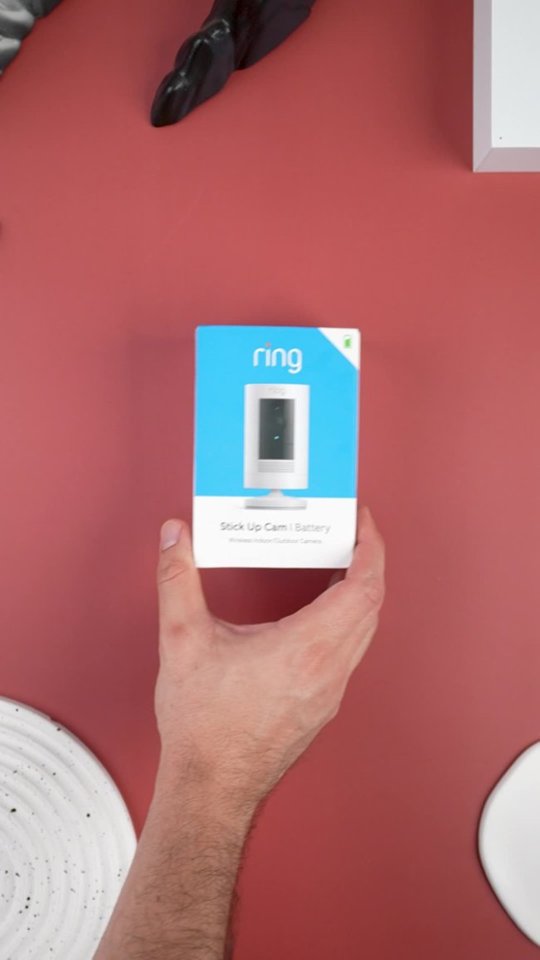
- Model:
- 8SC1S9-WEN0/B0C5QRZ47P
- SKU:
- 12558192
Rating by feature
- Value
Rating 4.6 out of 5 stars
- Quality
Rating 4.7 out of 5 stars
- Ease of Use
Rating 4.7 out of 5 stars
Customers are saying
Customers admire the exceptional camera quality and user-friendly interface that make this product a reliable choice for home security. Users frequently praise the long-lasting battery life and straightforward installation process, which contribute to its overall strong performance. While the device is highly regarded for its night vision and field of view, some individuals have noted occasional inconsistencies with motion detection and connectivity. Despite these minor technical challenges, the product remains a popular and affordable solution for those seeking enhanced monitoring capabilities.
This summary was generated by AI based on customer reviews.
Ok
||Posted . Owned for 1 month when reviewed.This reviewer received promo considerations or sweepstakes entry for writing a review.Its okay, its turn off and on when its wants to. But i feel like im not using it right
No, I would not recommend this to a friendBrand response from Ring
Posted .Hi Bethania, it's definitely an important concern to be able to rely on your Stick Up Cam for peace of mind. If your Stick Up Cam is falling offline frequently, it may be due to the strength of the wifi signal it is receiving. I'd recommend reviewing the information and troubleshooting steps here https://support.ring.com/hc/en-us/articles/217271526-Checking-Wifi-Signal-Strength. For further questions, you can search the Ring Community at https://community.ring.com/ to find solutions from other neighbors. All the best, Ashley from Ring.

Didn't work for me
||Posted .This reviewer received promo considerations or sweepstakes entry for writing a review.I wanted one that I could mount to the front of a garage. This one sits only. Did not work for my purpose
I would recommend this to a friendBrand response from Ring
Posted .Hello PJ53,
Thank you for taking a moment to leave your review on the Ring Stickup Camera. At Ring, we believe that stronger communities are the key to safer neighborhoods. That is why we are driven to create products that help you protect what matters most at home, and empower you to connect with your visitors from wherever you are. We are saddened to read that this device did not meet your expectations, but are still here to assist you, if needed.
If you still have the Ring device in your possession, we invite you to reach out to us at https://community.ring.com/. Ring Community is our first peer-to-peer community forum, giving our customers the ability to help one another and share their personal feedback/experiences with Ring. We look forward to hearing from you, if we can be of any further assistance!
Thank you,
Jamila with Ring
- Pros mentioned:Camera quality, Installation
Good picture
Posted .This reviewer received promo considerations or sweepstakes entry for writing a review.This is our 4th one and installed easy. Just scan the QR code and the app opens automatically. Battery life is okay but we ordered a power supply from amazon since BB doesn’t offer it. Good video quality, other models have better refresh rate but for the price it does what we need it to.
I would recommend this to a friend Not ok
||Posted . Owned for 1 month when reviewed.This reviewer received promo considerations or sweepstakes entry for writing a review.They go dead really fast, they have gaps in footage, I can charge today and will be dead tomorrow would like to exchange for google nest
No, I would not recommend this to a friendBrand response from Ring
Posted .Hello Jess,
Thank you for detailing your experience with your Ring Stick Up Camera. We understand how important it is to depend on your device for consistent home security. This device should provide video feed based on motion detection. You can also expect battery life that you can depend on. We are here to help you find a solution.
To help fill in the gaps, we recommend enabling Snap Shot Capture. This is an app feature that takes snapshots at certain intervals. This allows you to review what’s happened in front of your devices in between events. You can learn more about Snap Shot Capture here: https://support.ring.com/hc/en-us/articles/360034355652-Timeline-Security-Snapshots-Using-Snapshot-Capture
Although reducing certain settings can help preserve battery power, you may also consider a Ring Solar or Super Solar panel. These devices will help keep your Ring batteries charged longer. You can learn more about our solar panels here:
https://support.ring.com/hc/en-us/articles/360027286272-Picking-the-Correct-Solar-Panel-for-Your-Environment
Please visit our community forum at https://community.ring.com/, for some additional tips and support. We look forward to hearing from you.
ring camera
||Posted . Owned for 1 month when reviewed.This reviewer received promo considerations or sweepstakes entry for writing a review.it doesn't work without wifi i have to have a wifi
No, I would not recommend this to a friendBrand response from Ring
Posted .Hi MohammadK. Thank you for taking the time to share your experience with us. We understand the importance of a seamless setup process so that you can begin using your Ring Stick Up Cam right away. The features and technology provided by the Ring Stick Up Cam are incredibly valuable and help provide you with peace of mind about your home security. We can definitely provide you with more information regarding the concern mentioned in your review.
It sounds like your device is not operating as expected. The Ring Stick Up Cam is a next-generation security camera that can be used both indoors and outdoors to bolster the security around your home. Ring Stick Up Cam features 1080p full HD resolution, Night Vision, Two-Way Audio, HD Video Recording, and a wide viewing angle with multiple power options. The Ring Stick Up Cam Battery requires 2.4GHz wifi Connectivity.
For your review, we have included the steps here to set up the Ring Stick Up Cam in the Ring app:
Tap the menu (≡) on the left side of your Dashboard in the Ring app.
Tap Set up a Device and select Security Cameras.
Tap I’m Ready to Scan.
Point your smartphone’s camera at the QR code on your Ring device or product packaging.
Center the code in the phone camera’s view at the bottom half of the screen.
When the code is recognized, a green square will appear and a pop-up with your device image detected.
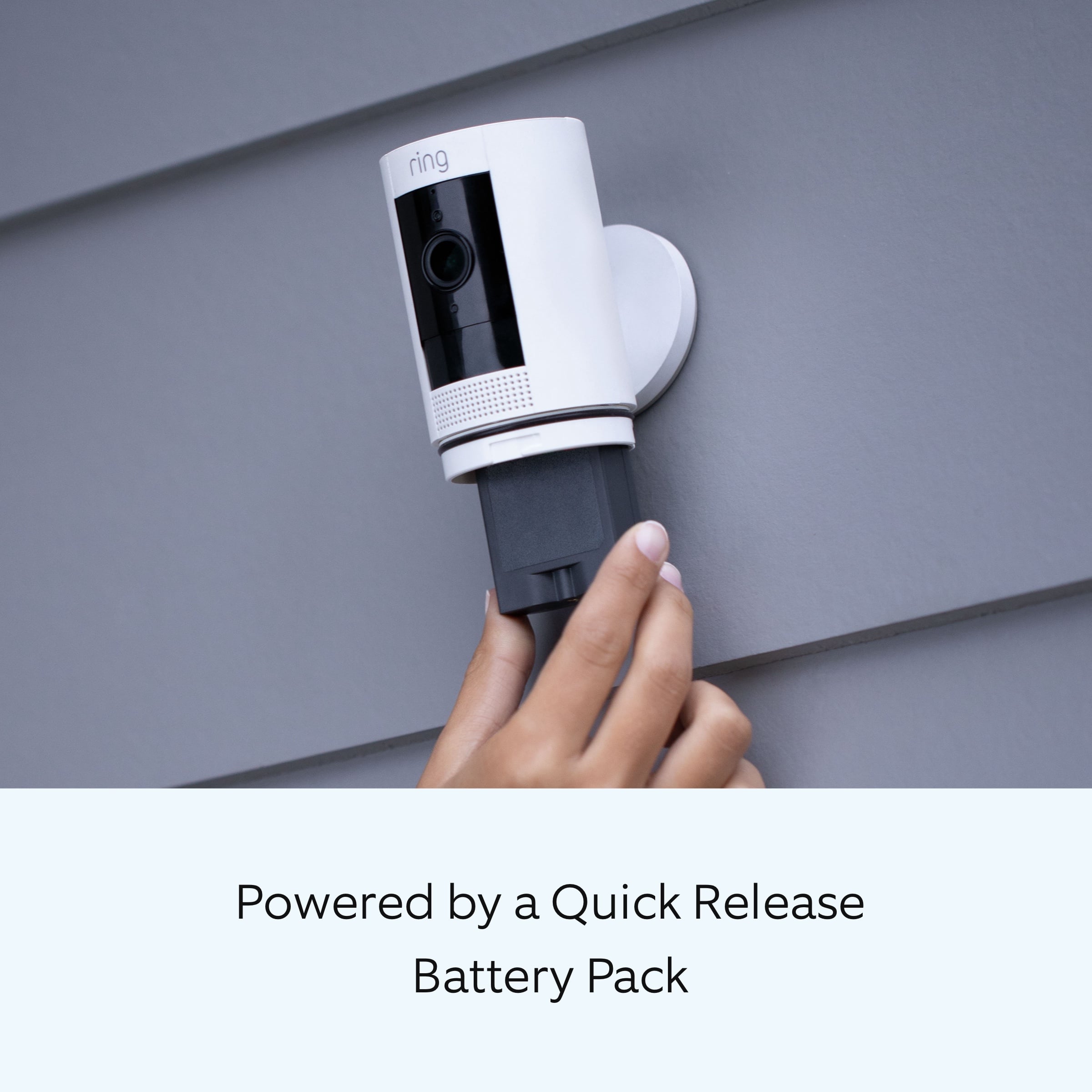
Insert the battery with the flat metal catch facing the back of your Stick Up Cam. The largest portion of this catch should be on the bottom.
When you have inserted the battery properly, you should hear a ‘click'. This means the battery is properly secured.
Wait 30 seconds for your Stick Up Cam to power on.
iOS: Tap “Join” when the Ring app asks to join the Ring wifi network.
Android: Your device should automatically connect to the Ring wifi network.
Select your wifi network.
If you have more than one wifi network, select the network closest to where you will be installing your Stick Up Cam.
Enter your wifi password and press Continue.
We invite you to reach out to our Community if any additional information is needed regarding the Ring Stick Up Cam. The Ring Community is our first peer-to-peer community forum, giving our customers the ability to help one another by sharing their feedback and experiences with each other.
All the best,
Melissa from Ring.
Terrible
||Posted . Owned for 3 weeks when reviewed.This reviewer received promo considerations or sweepstakes entry for writing a review.Worst batteries of ever seen battery don’t stay charged 24 hours
No, I would not recommend this to a friendBrand response from Ring
Posted .Hi PhilipG.
Thank you for taking the time to share your experience. We understand the importance of having a solid charge on your Ring Stick Up Cam so that you are able to have a longer time between charge cycles. Having longevity in a battery-powered security device is crucial when it comes to monitoring your home, especially if you are away for long periods of time. We are here to provide you with some education to resolve the battery life issue you mentioned in your review.
It sounds like the device is not performing as expected. There are some troubleshooting steps that you can take to ensure that you have your device set up for optimal battery-life performance. Always be sure to charge the battery to 100% before inserting it into your camera. The more events captured by your Ring Stick Up Cam, the more your battery is used. Using "Live View" can also drain your battery faster. If your device is capturing an excessive number of events each day, you may need to recharge your battery sooner.
To prevent excessive activity, under "Motion Settings" for your device in the Ring app, you can:
Adjust your "Motion Sensitivity" slider to a lower sensitivity.
Redraw your "Customizable Motion Zones."
Change "Motion Frequency" to regularly or periodically.
You could also adjust the direction of your Ring device so it doesn't detect as much motion.
You can go to "Power Settings" in the Ring app to see what features may be draining your battery.
To access "Power Settings," open the Ring app:
Tap the menu (≡) on the top left of the dashboard.
Tap "Devices."
Tap the individual device (video doorbell or security camera) you want to check.
Tap "Power Settings" to check your "Battery Level" percentage and "Feature Power Usage."
Tap a feature to adjust "Snapshot Capture," "Motion Frequency," and "Video Recording Length.".
*As cold weather sets in, lithium-ion batteries like those used in Ring Doorbells and Security Cameras may experience several issues, including trouble holding a charge, running out of power faster than normal, or losing functionality. Knowing at what temperature batteries will start to be impacted can help you take the necessary steps to keep your device working.
When it gets cold and your device's battery runs out, bring your entire device inside and charge the battery with a USB cord. This will allow your device to warm up while the battery charges.
If any additional information is needed regarding your Ring Ring Stick Up Cam please reach out to our community. Ring Community is our first peer-to-peer community forum, giving our customers the ability to help one another and share their feedback and experiences directly with Ring.
Thank you for being the best part of Ring! Have a wonderful day!
Sincerely,
Melissa from Ring.
Incompatible with Netgear Router
||Posted .This reviewer received promo considerations or sweepstakes entry for writing a review.Ring systems are not compatible with netgear routers. I really wish I would have known that before wasting my time
No, I would not recommend this to a friendBrand response from Ring
Posted .Hello BestBuyCustomer,
At Ring, we want to ensure that you have the best possible experience with our products. Your peace of mind for security is extremely important to us. The Ring Stick Up Cam is designed to work in many environments and provide a seamless setup process.
While not comprehensive, the three most common causes of failure to complete setup (after entering an incorrect password) are your Ring device being too far from your wifi router, having a problem with your internet connection, or some type of issue related to your wifi modem or router.
If you've already brought your Ring camera inside next to your router and the setup continues to fail, try rebooting your modem and/or router. Since your router and modem are usually the hardest working devices in your house, the devices like to be rebooted about once a month for optimal performance.
To reboot these devices, follow the instructions below:
-Unplug your router or model from its power supply (don't just turn it off).
-If your router and modem are separate, unplug both of them.
-Wait at least 30 seconds, then plug them back in.
-Wait for your internet to be restored.
-Confirm that your internet has been restored by connecting another device to your wifi network and trying to access a website, then repeat the setup process.
Here is a helpful article walking through the setup process: https://support.ring.com/hc/en-us/articles/360015737232-Setting-Up-Your-Stick-Up-Cam-Battery-in-Your-Ring-App.
We would love to offer our assistance to ensure your Ring Stick Up Cam completes the setup. Please reach out to us at https://community.ring.com/ for additional tips and support.
Thank you,
Antonio from Ring
Returned or stolen
||Posted . Owned for 3 weeks when reviewed.This reviewer received promo considerations or sweepstakes entry for writing a review.Bought new but was actually open and missing the battery
I would recommend this to a friendBrand response from Ring
Posted .Hi AdrianhL.
Thank you for taking the time to share your experience with us. We understand how important it is for you to receive a product that is in working order when it arrives. The features and technology provided by the Ring Stick Up Cam are incredibly valuable and help provide you with peace of mind about your home security. We are eager to address the missing parts issue you raised in your review and provide you with a resolution today.
The Ring Stick Up Cam is our leading indoor/outdoor security camera with flexible mounting options. We have included a list of items here that come in the box with the device:
Stick Up Cam
Quick Release Battery Pack (1)
Micro USB charging cable
Wall & table mount/bracket (Ceiling mount sold separately as accessory)
Screws
Anchors
Security Sticker
User Manual
Legal Insert
If you still have the Ring Stick Up Cam in your possession, we invite you to reach out to our Customer Support Team at: 1-800-656-1918. They are available 24/7 to asssist you.
We also invite you to reach out to our community if you need additional assistance with your Ring Stick Up Cam. The Ring Community is our first peer-to-peer community forum, giving our customers the ability to help one another and share their personal feedback/experiences with Ring. Please let us know if we can be of any further assistance.
Thank you,
Melissa from Ring.
Yearly Fee Sucks
||Posted . Owned for 1 month when reviewed.This reviewer received promo considerations or sweepstakes entry for writing a review.No where does it say there is a yearly subscription to see the videos. No where. This sucks big time.
No, I would not recommend this to a friendBrand response from Ring
Posted .Hello AZMUSICIAN,
Thank you so much for showing interest in our products and desiring to have more information regarding the optional Ring Protect Plan subscription. We want to ensure that we can answer any questions you may have concerning how the Ring Protect Plans work and how to save/share your videos, when necessary.
Ring gives customers a complimentary 30-day trial with each new Ring device. After the 30-days, you can choose if you would like to purchase a Ring Protect Plan or not. A Ring Protect Plan is not necessary to view real time notifications on your Ring cameras. Without the Ring Protect Plan, you can still use the live view and two-way audio feature, you are still able to see who is at your door and answer motion notifications. In order to see past recorded videos from your ring device, you will need the optional Ring Protect Plan, which starts at $3/month per device or $30/year per device. Please see the following link for more information regarding the Ring Protect Plan and the benefits it offers: https://support.ring.com/hc/en-us/articles/115001671383-General-Information-on-Ring-Protect-Subscription-Plans.
We invite you to reach out at https://community.ring.com/ if any additional information is needed regarding your Ring Protect Plan question. Ring Community is our first peer-to-peer community forum, giving our customers the ability to help one another and share their feedback/experiences with Ring.
Thank you,
Jamila with Ring
Poor battery life
||Posted . Owned for 3 weeks when reviewed.This reviewer received promo considerations or sweepstakes entry for writing a review.Battery did not hold charge for 24hrs...............
No, I would not recommend this to a friendBrand response from Ring
Posted .Hi Samsunggalaxyearbuds.
Thank you for taking the time to share your experience. We understand the importance of having a solid charge on your Ring Stick Up Cam so that you are able to have a longer time between charge cycles. Having longevity in a battery-powered security device is crucial when it comes to monitoring your home, especially if you are away for long periods of time. We are here to provide you with some education to resolve the battery life issue you mentioned in your review.
It sounds like you are concerned about the battery life of your Ring Stick Up Cam. The Ring Stick Up Cam is our leading indoor and outdoor-ready security camera with flexible mounting options. There are some troubleshooting steps that you can take to ensure that you have your device set up for optimal performance.
As cold weather sets in, lithium-ion batteries like those used in Ring Doorbells and Security Cameras may experience several issues, including trouble holding a charge, running out of power faster than normal, or losing functionality. Knowing at what temperature batteries will start to be impacted can help you take the necessary steps to keep your device working. When the temperature drops to:
36°F (3°C): The battery may not hold a charge as effectively, resulting in having to charge the unit more frequently.
32°F (0°C): The battery may not charge at all. Even hardwired configurations may not charge the battery.
-5°F (-20.5°C): The battery may stop working completely until temperatures warm up.
When it gets cold and your device's battery runs out, bring your entire device inside and charge the battery with a USB cord. This will allow your device to warm up while the battery charges.
The more events captured by your Ring devices, the more your battery is used. Using Live View can also drain your battery faster. If your device is capturing an excessive number of events each day, you may need to recharge your battery sooner. To prevent excessive activity, under Motion Settings for your device in the Ring app, you can:
Adjust your Motion Sensitivity slider to a lower sensitivity.
Redraw your Customizable Motion Zones.
Change Motion Frequency to regularly or periodically.
You could also adjust the direction of your Ring device so it doesn't detect as much motion.
You can go to Power Settings in the Ring app to see what features may be draining your battery.
To access Power Settings, open the Ring app:
Tap the menu (≡) on the top left of the Dashboard.
Tap Devices.
Tap the individual device (video doorbell or security camera) you want to check.
Tap Power Settings to check your Battery Level percentage and Feature Power Usage .
Tap a feature to adjust Snapshot Capture, Motion Frequency and Video Recording Length.
If any additional information is needed regarding your Ring Stick Up Cam, please reach out to our community. Ring Community is our first peer-to-peer community forum, giving our customers the ability to help one another and share their feedback and experiences directly with Ring.
Thank you for being the best part of Ring! Have a wonderful day!
Sincerely,
Melissa from Ring.
Needs better processing
||Posted . Owned for 1 month when reviewed.This reviewer received promo considerations or sweepstakes entry for writing a review.Clear picture except for when it matters cant handle fast objects
No, I would not recommend this to a friendBrand response from Ring
Posted .Hi Electrsam.
Thank you for sharing your feedback with us.
We understand how important it is for your Ring Stick Up Cam to provide clear video so that you can see any activity at your home. The features and technology provided by the Ring Stick Up Cam are incredibly valuable and help provide you with peace of mind about your home security. We want to ensure your device is working as intended by providing you with solutions to resolve the concern you mentioned in your review.
It sounds like your device is not capturing clear video of objects moving quickly. Poor wifi signal strength from your router could be the culprit for your video problems. To test your wifi signal strength:
Turn off your mobile device's cellular data and connect to the same wifi network as your Ring device.
Open the Ring app.
Tap the menu (☰).
Tap Devices.
Select your device.
Trigger an event on your Ring device. This could mean pressing the button on a doorbell or activating the motion sensors on a camera.
Answer the event and examine the resulting video.
If your video appears good when next to the router, the issue may be caused by a disruption in between your router and your Ring device’s normal location. To fix this, try moving your device closer to the router or extend your wifi signal with a wifi extender like the Ring Chime Pro.
Ring Community was launched to help deliver the most current news and educational information to our neighbors. This online forum is divided into four categories: Product Boards, Ring Updates, Tips + Tricks, and a Moderators’ Corner. The Product Boards are where you can begin new topics with your questions or feedback; there is also a search option that helps you find topics that have already been posted by other neighbors.
All the best,
Nicole from Ring.
Not worth it
||Posted .This reviewer received promo considerations or sweepstakes entry for writing a review.Every two days I have to re-charge them I brought two of them but I’m still within warranty I my return them an get my money back...
No, I would not recommend this to a friendBrand response from Ring
Posted .Hello Sexy,
Thank you for leaving a review. Our top priority at Ring is to ensure that our customers have the best possible experience with our products and services. We truly value our consumer's feedback, simply because it helps us improve not only the product from a consumer standpoint but also our standards of service. If you are noticing that the battery in your Ring Stickup Camera is dying we recommend adjusting your motion settings as frequent motion alerts can drain your battery faster.
While batteries in Ring devices can go months between recharges with normal use, this is dependent on a number of factors in your home’s environment such as the local weather and the number of activities captured. This article will detail some of the factors that may cause your battery to require more frequent recharges: https://support.ring.com/hc/en-us/articles/208190773.Ring Community was launched to help deliver the most current news and educational information to our neighbors. This online forum is divided into four categories: Product Boards, Ring Updates, Tips + Tricks, and a Moderators’ Corner.
The Product Boards are where you can begin new topics with your questions or feedback; there is also a search option which helps you find topics that
were already posted by other neighbors. We invite you to visit our site at https://community.ring.com/ today.
Thank you,Jamila with Ring
No Good
||Posted . Owned for 1 month when reviewed.This reviewer received promo considerations or sweepstakes entry for writing a review.Looses signal occasionally (Router is near by) Battery dies quickly even tho I have a Ring Solar Panel connected.
No, I would not recommend this to a friendBrand response from Ring
Posted .Hello Wewo,
It is important for us that you are able to depend on your Ring Stick Up Camera Battery for home security. This device is designed with longevity in mind, and should provide you with lasting service. Please know that we hear your concern and are here to help.
Wifi disconnects are typically caused by nearby interference. Even a nearby wifi signal will be disrupted by materials such as brick, stucco, metal, etc. Do you have your device mounted on such materials?
If you haven't already, please review your device's settings to conserve battery. Excessive motion detection and frequent Snapshot Capture images will drain battery faster.
Please reach us when you get a moment. One of our specialists can go over your concerns in more detail and help find the best way forward.
All the best,
Marlom at Ring.
Disappointed
||Posted . Owned for 1 month when reviewed.This reviewer received promo considerations or sweepstakes entry for writing a review.Battery dies so fast. Hard to mount while connected
No, I would not recommend this to a friendBrand response from Ring
Posted .Hi Los17. Thank you for taking the time to share your experience. We understand the importance of having a solid charge on your Ring Stick Up Cam so that you are able to have a longer time between charge cycles. Having longevity in a battery-powered security device, is crucial when it comes to monitoring your home, especially if you are away for long periods of time. We are here to provide you with some education to resolve the battery life and installation issues you mentioned in your review.
It sounds like you are concerned about the battery life of your Ring Stick Up Cam and experienced an issue while mounting the device. There are some troubleshooting steps that you can take to ensure that you have your device set up to operate as intended for your needs.
As cold weather sets in, lithium-ion batteries like those used in Ring Doorbells and Security Cameras may experience several issues including trouble holding a charge, running out of power faster than normal, or losing functionality. Knowing at what temperature batteries will start to be impacted can help you take the necessary steps to keep your device working. When the temperature drops to:
36°F (3°C): The battery may not hold a charge as effectively, resulting in having to charge the unit more frequently.
32°F (0°C): The battery may not charge at all. Even hardwired configurations may not charge the battery.
-5°F (-20.5°C): The battery may stop working completely until temperatures warm up.
When it gets cold and your device's battery runs out, bring your entire device inside and charge the battery with a USB cord. This will allow your device to warm up while the battery charges.
The more events captured by your Ring devices, the more your battery is used. Using Live View often can also drain your battery faster. If your device is capturing an excessive number of events each day, you may need to recharge your battery sooner. To prevent excessive activity, under Motion Settings for your device in the Ring app you can:
Adjust your Motion Sensitivity slider to a lower sensitivity.
Redraw your Customizable Motion Zones.
Change Motion Frequency to regularly or periodically.
You could also adjust the direction of your Ring device so it doesn't detect as much motion.
I have included the instructions here for mounting your Ring Stick Up Cam on various surfaces.
Installing Stick Up Cam on a shelf or table:
Place the rubber pad on the bottom of the base.
Snap the cover onto the base.
Place your Stick Up Cam on a table or shelf.
Installing Stick Up Cam on a wall or ceiling:
Push the rubber pad into the top of the base.
Flip the base toward the rear.
If you're mounting Stick Up Cam on a ceiling:
Swivel the base above the camera.
Make sure the camera is mounted right side up.
Push the rubber pad into the bottom of the base.
Drive the Screws.
Hold the circular part of the base against your wall or ceiling, rubber side down.
If you're mounting Stick Up Cam on a wall, use the integrated level to ensure it's straight.
Mount it with the included screws.
Attach the Battery Cover.
Line up the "open lock" symbol on the rear of your Stick Up Cam with the line on the battery cover.
Push the cover on and twist clockwise to lock into place.
Tighten the Screw.
Use the star-shaped end of your Ring screwdriver to tighten the security screw on the bottom of your Stick Up Cam.
If any additional information is needed regarding your Ring Quick Release Battery, please reach out to our Community. Ring Community is our first peer-to-peer community forum, giving our customers the ability to help one another and share their feedback and experiences directly with Ring.
Thank you for being the best part of Ring! Have a wonderful day!
Sincerely,
Melissa from Ring.
- Pros mentioned:Battery life, Camera quality, Ease of use
Ring Camera
Posted .This reviewer received promo considerations or sweepstakes entry for writing a review.Great Item for the money. Was very easy to install. Battery life is very good. Great overall item and highly recommended.
I would recommend this to a friend Don’t do it!
||Posted . Owned for 3 months when reviewed.This reviewer received promo considerations or sweepstakes entry for writing a review.Had to replace because it kept loosing internet connection and reset if about every 3 days.
No, I would not recommend this to a friendBrand response from Ring
Posted .Hello ChrisW, We are thankful for your feedback regarding your experience with the Ring Stickup Camera. We are constantly pushing ourselves to develop products to empower users with an affordable, effective way to monitor and secure their home. In pursuit of our mission to make neighborhoods safer, when applying technologies to our business, we always consider our three pillars of customer security, privacy, and user control. We understand how important it is to have your devices working as intended, as it offers a level of security in your home. After reading your review, it seems that your Ring Stickup Camera is having trouble staying connected to your home wifi. When this occurs, we recommend rebooting your wifi modem and router. Since your router and modem are usually the hardest-working devices in your house, for optimal performance, you should reboot them about once a month. To reboot routers or modems, follow the instructions below: Unplug your router or modem from its power supply (don’t just turn it off). If your router and modem are separate, unplug both of them. Wait at least 30 seconds, then plug them back in. Wait for your internet to be restored. Here is a helpful article which walks you through additional steps to take if the issue still persists for you after your modem/router reboot: https://support.ring.com/hc/en-us/articles/217240386-In-app-Setup-Failing-Repeatedly. Additionally, if you have not already, please check out our Ring Community forum where other Ring users, like yourself, have an open discussion platform to share their experiences, as well as solutions to issues experienced: https://community.ring.com/. Thank you, Jamila with Ring.
Hello Tommie1,Thank you for sharing your Stick Up Camera feedback with us. Our top priority at Ring is to ensure that our customers have the best possible experience with our products. It is important to us that you have all the necessary information to ensure that your purchase experience is seamless. We truly value your feedback, simply because it helps us improve the product from a consumer standpoint. Rest assured, we are here to provide you with more information regarding the generation differences you mentioned. While we are saddened to read that the Ring Stickup Camera 3rd Generation did not meet your expectations, we are happy to read that the 2nd Generation Stick Up Camera did! You are absolutely correct. The 2nd generation model has a 115 degree horizontal field of view and a 65 degree vertical field of view. The 3rd generation model has a 110 degree horizontal field of view and a 57 degree vertical field of view. Here is a helpful article with more Ring security camera side by side comparisons, for your future reference: https://support.ring.com/hc/en-us/articles/115004687606-Ring-Security-Camera-Product-Comparison. We would love to hear from you directly on our Ring Community forum. If you have any experiences to share, questions regarding Ring devices and our services, or any feedback and product suggestions, we encourage you to have your voice heard: https://community.ring.com/. Thank you,Jamila with Ring
Didn’t like
||Posted . Owned for 1 month when reviewed.This reviewer received promo considerations or sweepstakes entry for writing a review.Never could get the camera to connect to wifi, tried for days
No, I would not recommend this to a friendBrand response from Ring
Posted .Hi John.
Thank you for sharing your experience.
We understand how important it is for your device to have a seamless setup so that you can begin monitoring activity around your home right away. It is critical for a home security device to be set up properly and remain online and ready to protect you. Rest assured, we are here to provide you with some suggestions to get your device set up as quickly as possible.
It sounds like your device is failing to connect to your wifi. If you're running into issues setting up your Ring video doorbell or security camera—such as not being able to connect to the temporary Ring network or not connecting to your home wifi network—try some of the following troubleshooting tips.
If you're setting up a new battery-powered Ring device, your battery will be only partially charged when you receive it due to safety restrictions on shipping lithium batteries. Your battery will need 6–8 hours to fully charge. If you've attempted to set up your device multiple times and it has failed to set up, you may need to fully charge the battery before you can successfully set up your device.
If the device you're setting up is a battery-powered device or capable of being moved from its mounting location, try bringing it a few feet from your router before attempting setup.
You can also try using an alternate mobile device for setup. Keep in mind that you'll need to be logged into the Ring App with your own username and password on the alternate device if you want to be the owner of the new Ring device.
Visit our support center for additional tips and tricks.
Ring Community was launched to help deliver the most current news and educational information to our neighbors. This online forum is divided into four categories: Product Boards, Ring Updates, Tips + Tricks, and a Moderators’ Corner. The Product Boards are where you can begin new topics with your questions or feedback; there is also a search option that helps you find topics that have already been posted by other neighbors.
All the best,
Nicole from Ring.
Useless
||Posted .This reviewer received promo considerations or sweepstakes entry for writing a review.I could never get it to work properly. I put it back in the box
No, I would not recommend this to a friendBrand response from Ring
Posted .Hi Ring,
Thank you for letting us know about this experience. We understand how important it is to familiarize yourself with the way your Ring Stick Up Cam Battery operates. This helps instill confidence in your home security, and that's what we strive to do. The first step that is crucial to setting up your device is charging the battery to a full charge. This removable lithium-ion battery is charged using a common micro-USB cable (one is included in your Ring box). The micro-USB cable can be plugged into any USB power source, such as a computer. Your battery will take around five to 10 hours to fully charge, depending on whether the USB cable is plugged into a USB port or into a wall outlet.
Once your battery has completely charged, we recommend following this useful setup guide from our Help Center at Ring.com: https://support.ring.com/hc/en-us/articles/360015737232-Setting-Up-Your-Stick-Up-Cam-Battery-in-Your-Ring-App.
We would love to get you connected fully, so you can start enjoying the exciting new features that the Ring Stick Up Cam has to offer. As Ring users, ourselves, we understand how important it is to stay connected with your home while out and about. If you have any additional questions or concerns, please get connected with us on our community center, here: https://community.ring.com/.
Kindly,
Caitlin with Ring
Buttery dies in 2-3 days
||Posted .This reviewer received promo considerations or sweepstakes entry for writing a review.It worked well for the first 3 months after that the battery runs out in 2-3days
No, I would not recommend this to a friendBrand response from Ring
Posted .Hello Jpbag,
Thank you for leaving a review. Our top priority at Ring is to ensure that our customers have the best possible experience with our products and services. We truly value our consumer's feedback, simply because it helps us improve not only the product from a consumer standpoint but also our standards of service. If you are noticing that the battery in your Ring Stickup Camera is dying we recommend adjusting your motion settings as frequent motion alerts can drain your battery faster.
While batteries in Ring devices can go months between recharges with normal use, this is dependent on a number of factors in your home’s environment such as the local weather and the number of activities captured. This article will detail some of the factors that may cause your battery to require more frequent recharges: https://support.ring.com/hc/en-us/articles/208190773.Ring Community was launched to help deliver the most current news and educational information to our neighbors. This online forum is divided into four categories: Product Boards, Ring Updates, Tips + Tricks, and a Moderators’ Corner.
The Product Boards are where you can begin new topics with your questions or feedback; there is also a search option which helps you find topics that
were already posted by other neighbors. We invite you to visit our site at https://community.ring.com/ today.
Thank you,Jamila with Ring
Don’t like
||Posted . Owned for 3 weeks when reviewed.This reviewer received promo considerations or sweepstakes entry for writing a review.The camera does not connect that easy with the internet and loses signal all the time and I was not expecting that
No, I would not recommend this to a friendBrand response from Ring
Posted .Hi Karis128,
Thank you. We appreciate you sharing your experience with the Ring Stick Up Indoor/Outdoor Security Camera.
At Ring, we understand how important it is for your Ring device to maintain a solid wifi connection so that you can monitor your home from anywhere. We'd love to provide some tips and tricks to get the best wifi signal for your Ring device.
It sounds like the wifi signal to your Ring device is not strong enough for a reliable connection. Here are some quick tips that may help you get a stronger wifi signal for your Ring device:
Try moving your router to another location. Even a few feet can make a difference, moving the router up a foot or two from the floor. The ideal distance between a router and a Ring device is under 20 feet.
If your wifi router has an adjustable antenna, try pointing it in various directions.
If you think you may be getting interference from other electronics, try unplugging them or connecting them directly using Ethernet to free up bandwidth on your wifi.
For additional information on improving the wifi signal for your Ring device, check out the following support article:
https://support.ring.com/hc/en-us/articles/217271526-Understanding-RSSI-Values-and-WiFi-Signal-Strength
Ring Community is our first peer-to-peer community forum, giving our customers the ability to help one another and share their feedback/experiences with Ring. We invite you to reach out at https://community.ring.com/ if any additional information is needed regarding your concerns.
Thank you,
Nicole with Ring