Customer Ratings & Reviews
- Model:
- B0CG2VS5FD
- SKU:
- 6580176
Rating by feature
- Value
Rating 4.8 out of 5 stars
- Quality
Rating 4.8 out of 5 stars
- Ease of Use
Rating 4.8 out of 5 stars
Customers are saying
Customers frequently mention the clear video quality, excellent overall performance, and ease of use and setup. They also appreciate the effective pan and tilt functionality, broad coverage, and good night vision. On the other hand, some customers desire automatic motion following for the pan and tilt features and motion detection, and a few experienced temperamental connectivity during initial setup.
This summary was generated by AI based on customer reviews.
- Pros mentioned:Video quality
Great to watch my cat
||Posted . Owned for 2 weeks when reviewed.This reviewer received promo considerations or sweepstakes entry for writing a review.The quality is good enough to get detail and i love how I am able yo move the camera many ways
I would recommend this to a friend - Pros mentioned:Video quality
solid camera
||Posted .This reviewer received promo considerations or sweepstakes entry for writing a review.We use this indoors and they work well. Some are mounted and some are freestanding. Overall happy with functionality and picture quality.
I would recommend this to a friend - Pros mentioned:Pan and tilt
Ring camera, rotatable. Worth the price!
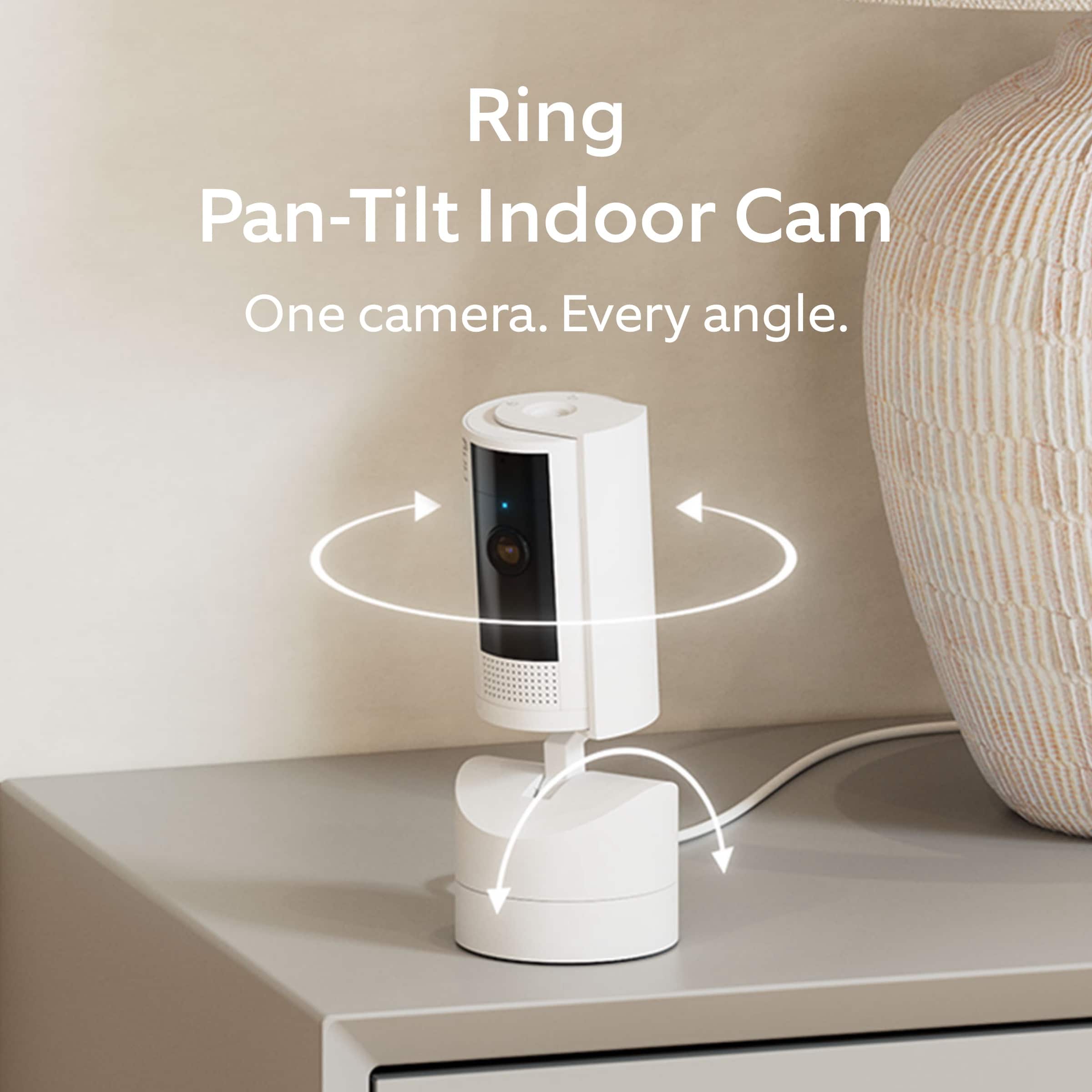
||Posted . Owned for 1 week when reviewed.This reviewer received promo considerations or sweepstakes entry for writing a review.A great camera, non intrusive. Allows 360 degree move t, up and down. We can find our mainecoons anywhere! Love it. (We bought a three pack)
I would recommend this to a friend - Pros mentioned:Pan and tilt
Great in home camera
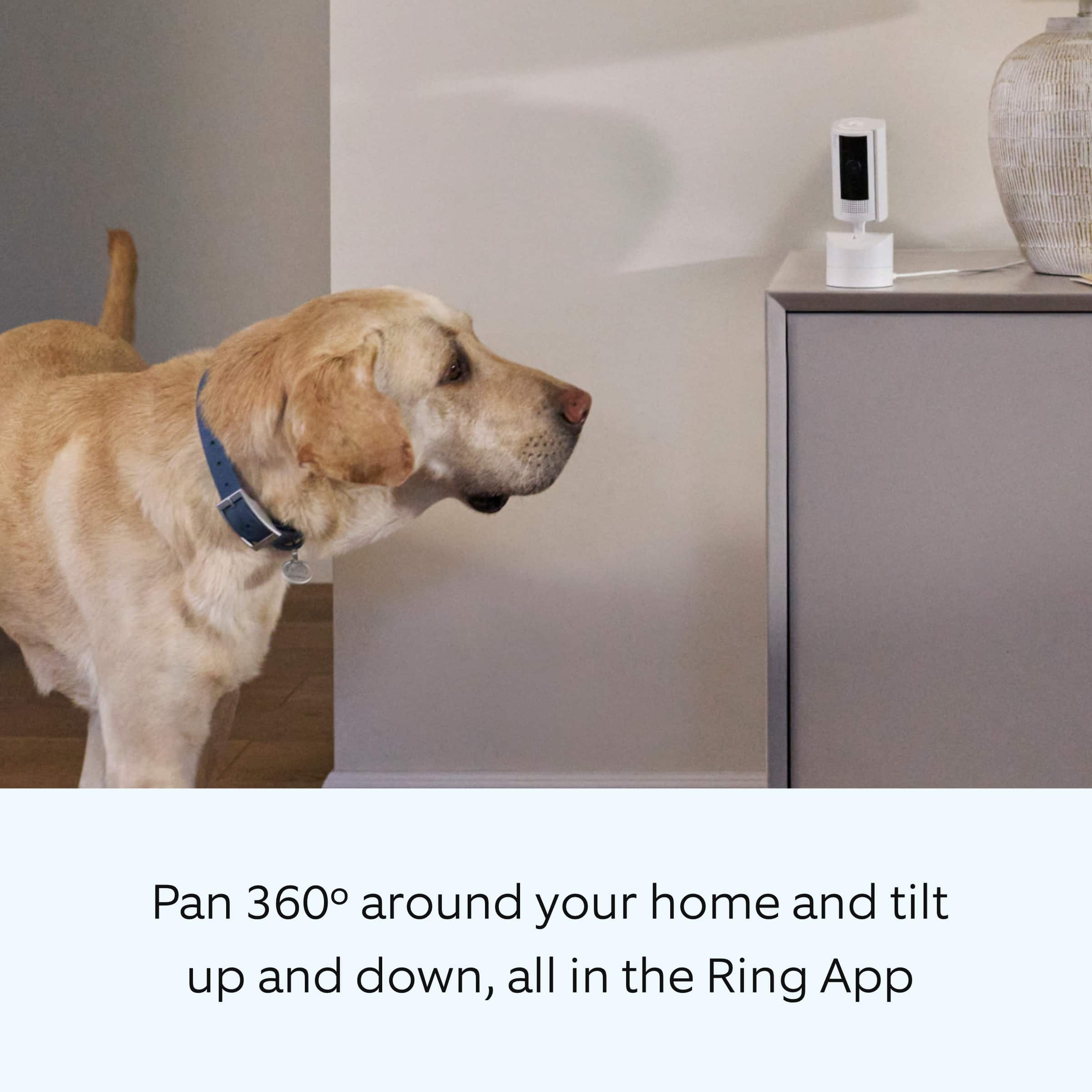
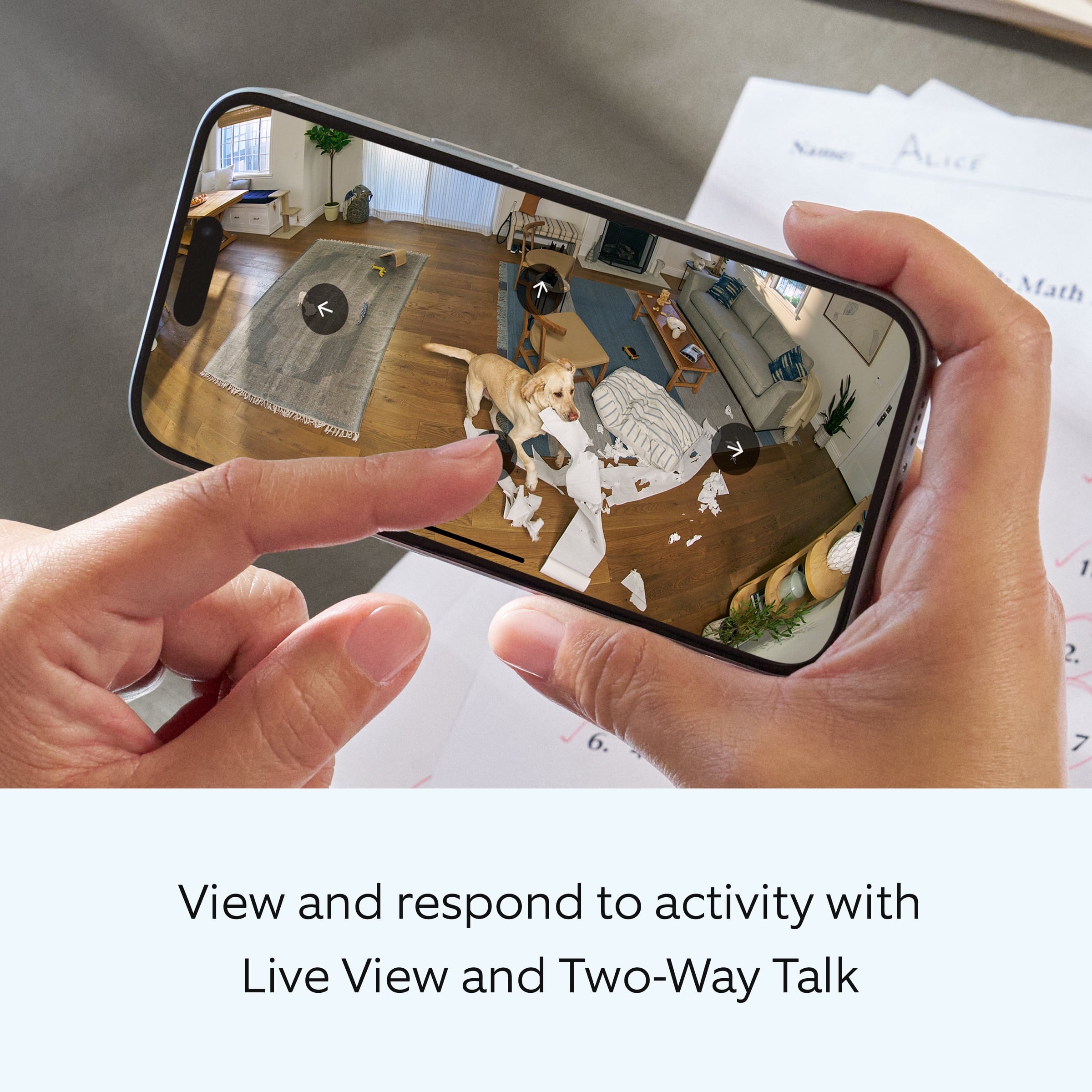
||Posted . Owned for 2 weeks when reviewed.This reviewer received promo considerations or sweepstakes entry for writing a review.This was perfect for us to monitor our Dog when we aren’t home. It pans and allows us to see all areas of the room.
I would recommend this to a friend Pet camera
||Posted . Owned for 2 months when reviewed.This reviewer received promo considerations or sweepstakes entry for writing a review.Very nice slim Camera wide range can see four different room rooms at once
I would recommend this to a friend- Pros mentioned:Overall performance
The best
||Posted . Owned for 1 month when reviewed.This reviewer received promo considerations or sweepstakes entry for writing a review.Exelente the best love love go and buy The best love ever good nice
I would recommend this to a friend Customer
||Posted . Owned for 1 year when reviewed.This reviewer received promo considerations or sweepstakes entry for writing a review.Great camera and service …………………………………………………………..,
I would recommend this to a friendVery simple to use and setup
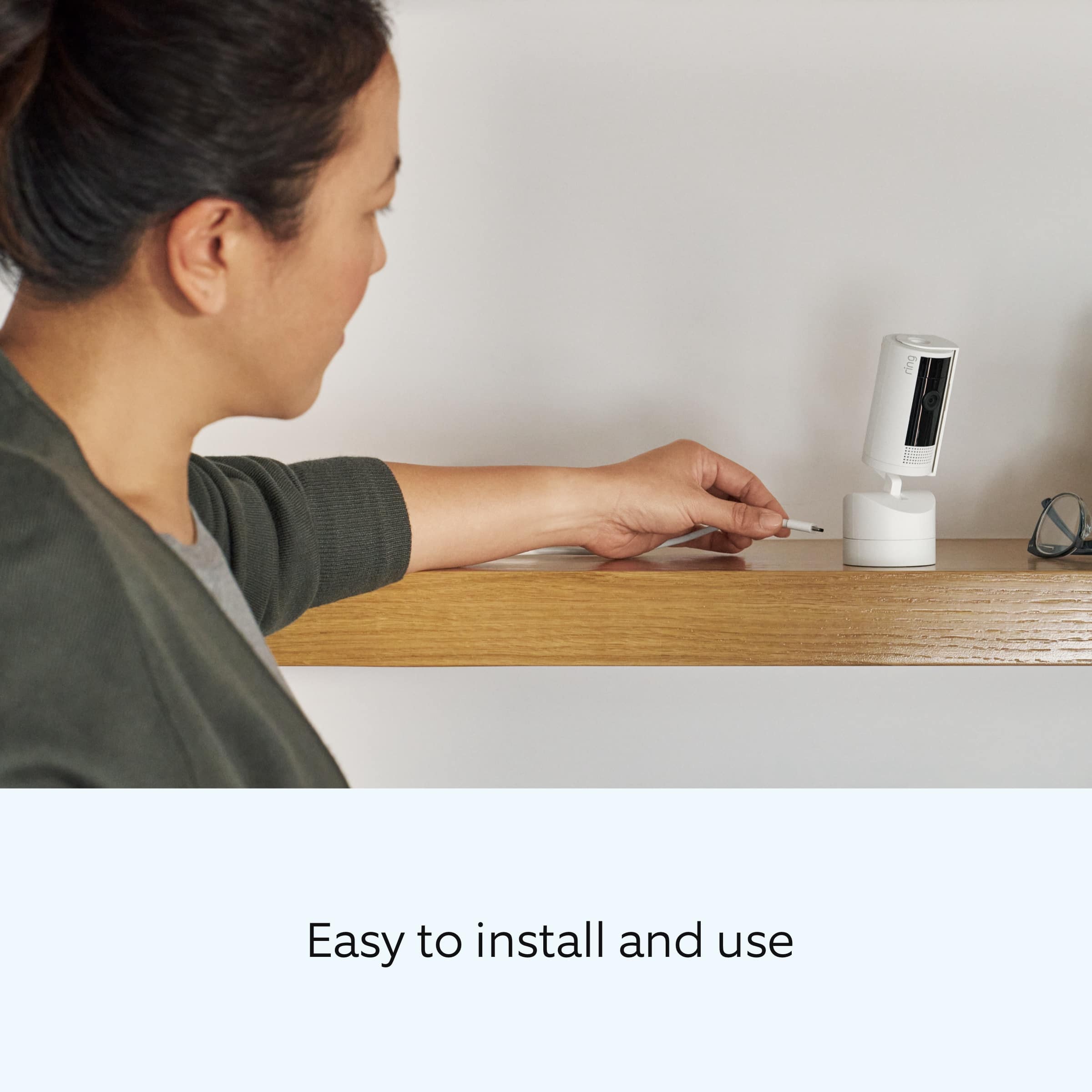
||Posted . Owned for 2 weeks when reviewed.This reviewer received promo considerations or sweepstakes entry for writing a review.Ring camera is very useful and for those who are not tech savvy this camera is very simple to install I use it for my bedroom and you can also use it for neighborhood information
I would recommend this to a friendRing - Pan-Tilt Indoor Security Cam with 360°
||Posted . Owned for 1 month when reviewed.This reviewer received promo considerations or sweepstakes entry for writing a review.Great and functional indoor camera! The pan and tilt 360 feature helps us keep track of the kids and view the whole area when we need to! We own both ring stick up cameras and the pan tilt cameras and we high recommend them!
I would recommend this to a friendAwesome
||Posted .This reviewer received promo considerations or sweepstakes entry for writing a review.Its great. I like that we can control the way it turns! Its a great device to have if u want to watch ur pet when ur away
I would recommend this to a friend360 view!
||Posted . Owned for 1 month when reviewed.This reviewer received promo considerations or sweepstakes entry for writing a review.Great indoor camera for my living room. I love that have a 360 degree view.
I would recommend this to a friendBest Indoor Camera
||Posted . Owned for 1 month when reviewed.This reviewer received promo considerations or sweepstakes entry for writing a review.Best Indoor camera Reasonable price Good design Movable ,discreet camera
I would recommend this to a friendExcellent equipment
||Posted . Owned for less than 1 week when reviewed.This reviewer received promo considerations or sweepstakes entry for writing a review.I have always love the ring product,will always buy
I would recommend this to a friend- Pros mentioned:Video qualityCons mentioned:Motion detection

Almost the ideal indoor camera
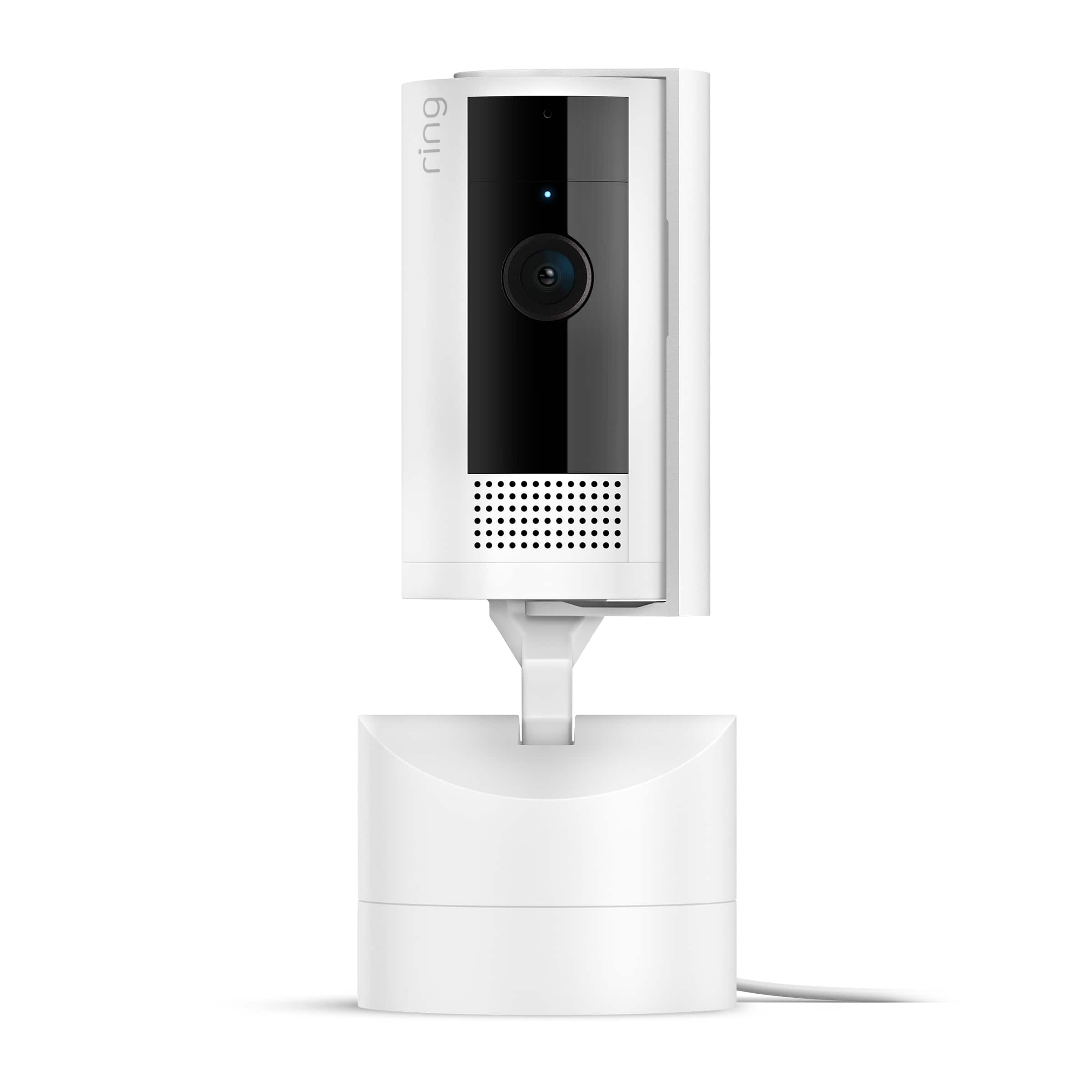
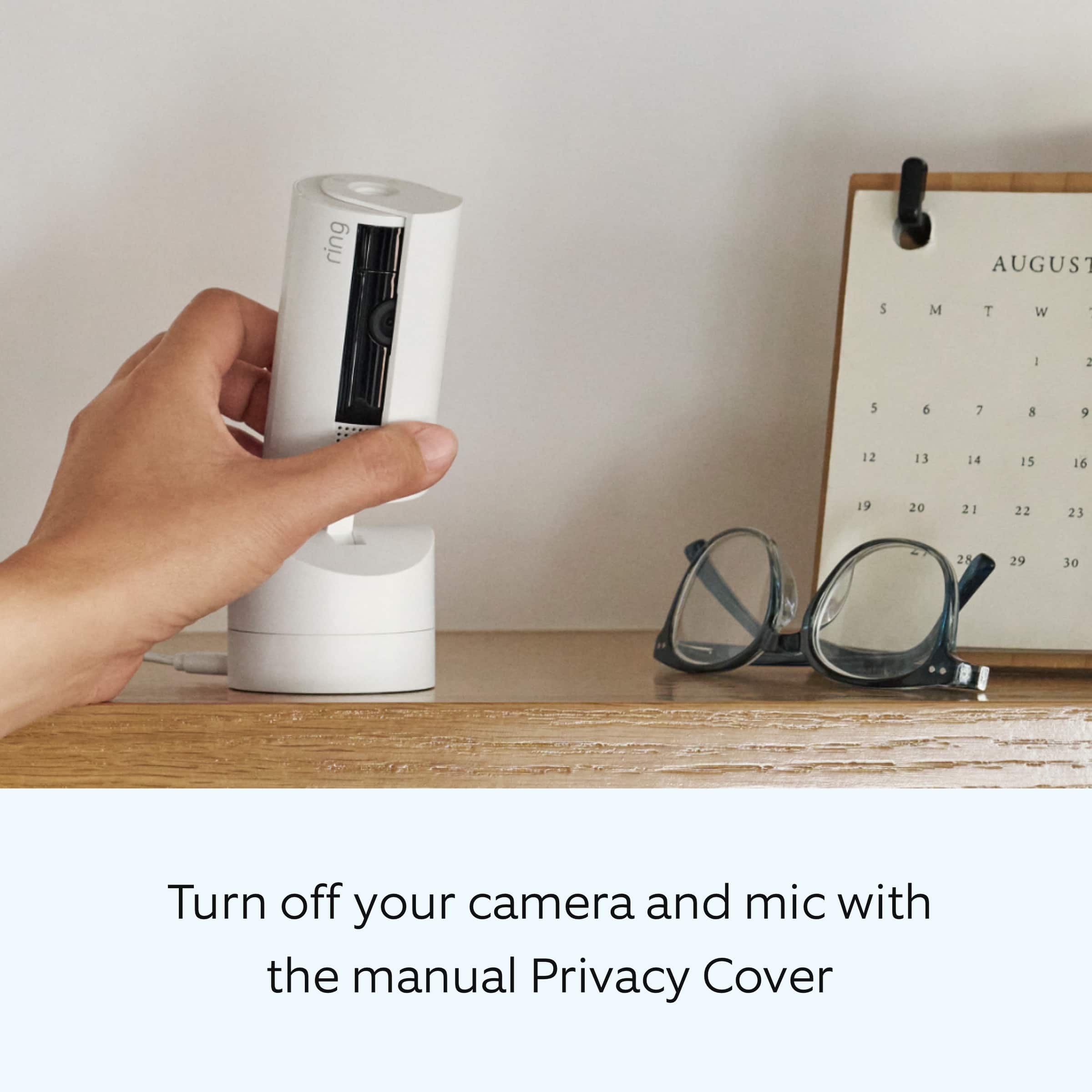
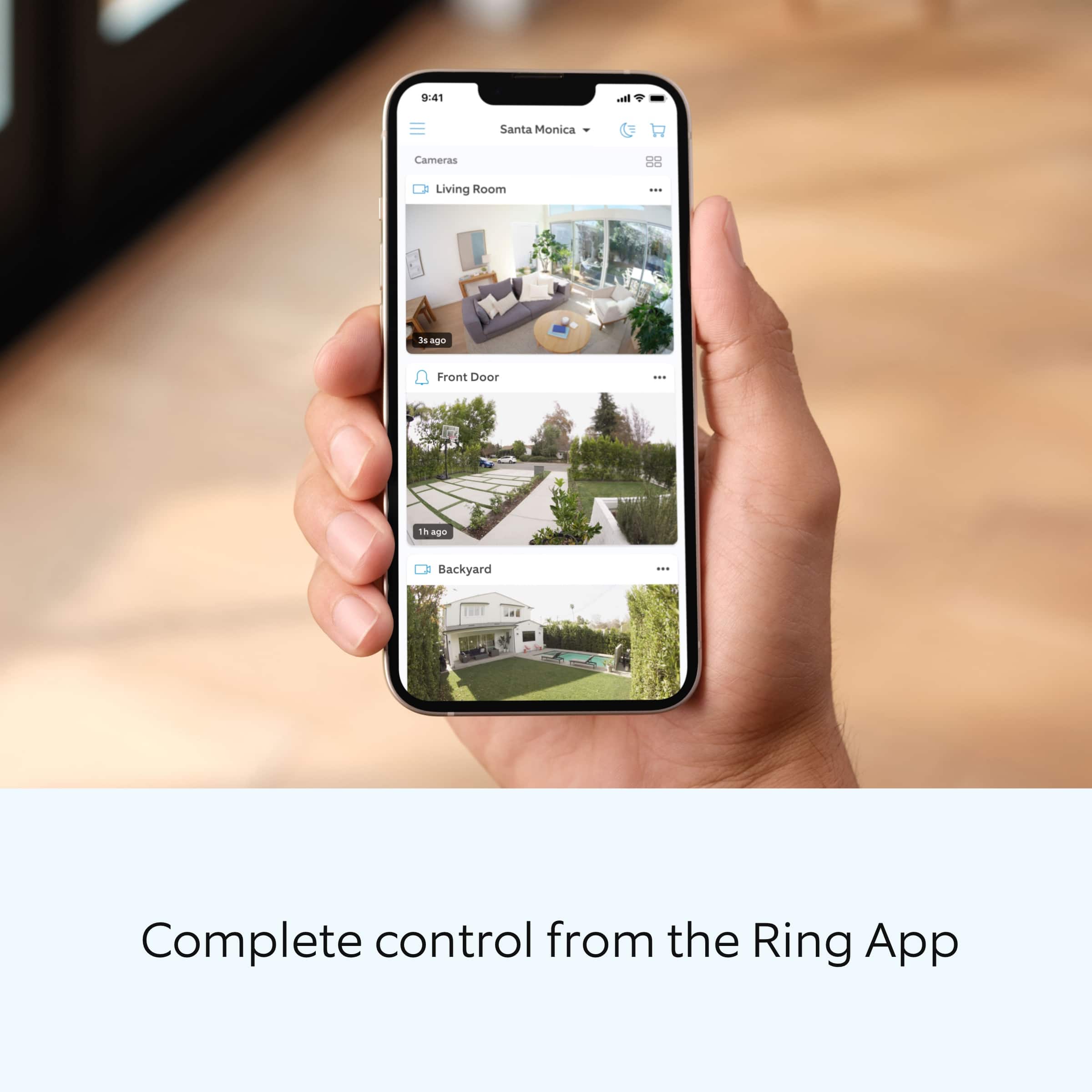
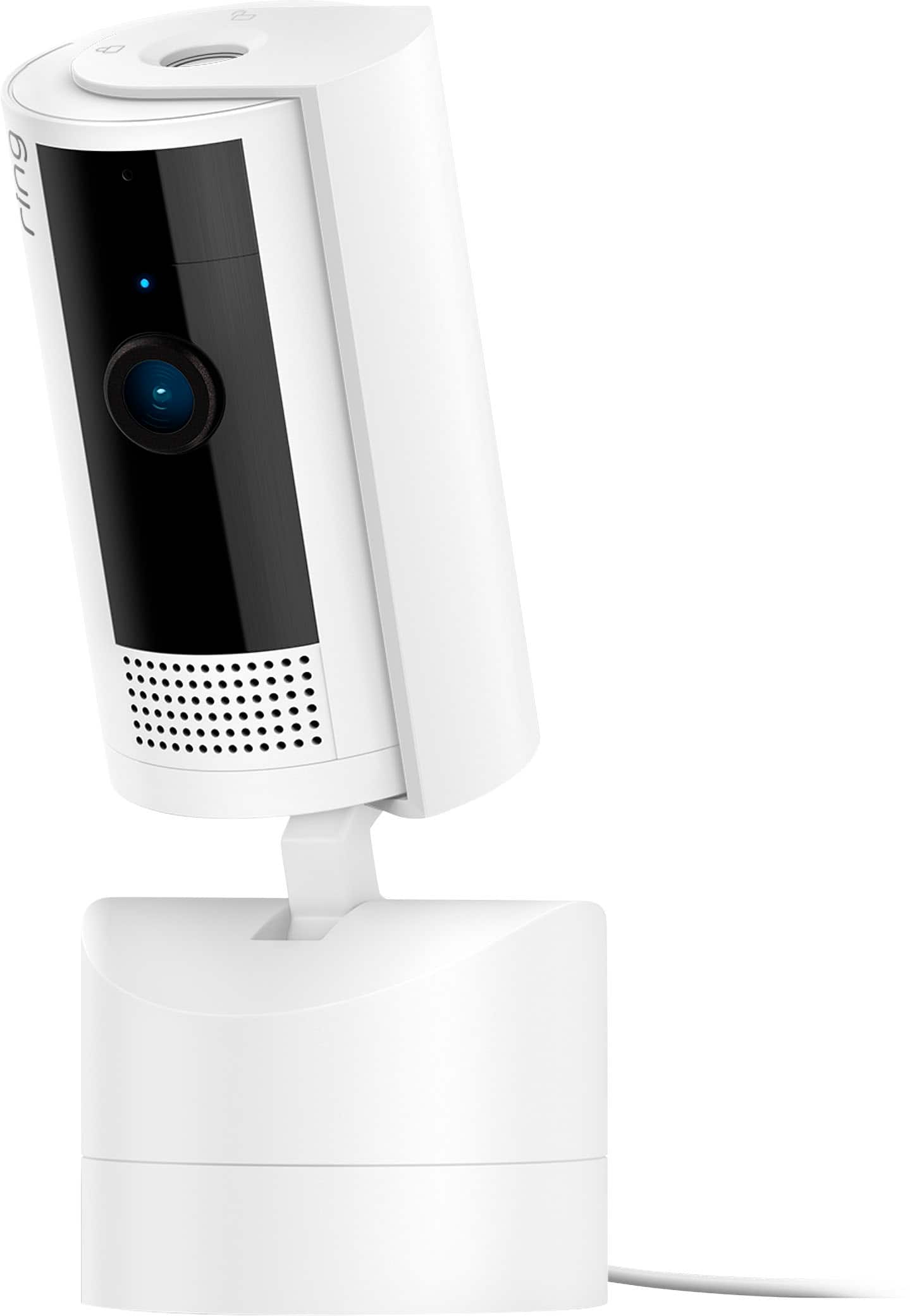
|Posted .This reviewer received promo considerations or sweepstakes entry for writing a review.*** Summary *** The Ring Pan-Tilt Indoor Cam is mostly great with its crisp 1080P resolution, color night vision, pan and tilt camera function, person detection smart alerts, and an intuitive phone app interface that makes it simple and fast to change settings, view the event history, and control the tilt and pan of the camera. I say it’s almost the ideal camera because there are a few features I wish it supported, such as pet detection and the automatic tracking and movement of the camera to focus on a subject and follow it around. With that said, I think it’s still worth the coin since it’s not too expensive, and the camera is reliable and well-integrated with other Ring products via the Ring app. _____ *Pros: -Quick and simple installation. -Clear live-view and two-way talk volume and transmission speed. -Color night vision. -360° pan and 169° tilt coverage with 143° field of vision. -Privacy cover. -Multiple ways to mount or set the camera. -Timely real-time motion alerts. -Reliable connection via Wi-Fi and 4G LTE/5G. _____ *Neutral: -There is no animal/pet and vehicle detection. -The Privacy Cover is manual and not motorized. -Need a Ring subscription plan for Cloud backup and storage of videos. _____ *Cons: -There is no automatic tracking despite having a motorized base. The Ring Pan-Tilt Indoor Cam has been a nice addition to my home, which already has eight cameras. With eight cameras, why did I get another one? It’s because of its headline feature – pan and tilt. I love that the camera can be rotated 360° and can tilt 169°, giving me a wide and vast view that my other cameras simple cannot provide. Speaking of the view, the feed comes in as very clear, crisp, and vibrant although it’s only a 1080P resolution. Accessing the camera far from home via 4G LTE or 5G produced a quality feed that was just as good as my at-home Wi-Fi network. The sound pickup and two-way talk audio quality is also pretty good, enabling frustration-free conversation with the other party. During my usage in the past week, I experienced no garbling or distortion over both Wi-Fi and 4G LTE and 5G. I also appreciate that there is a privacy cover that you can grab and rotate to entirely cover up the camera lens as well as the speaker cutout section. It’s a missed opportunity though, I think, for the privacy cover to not be motorized. If I left the house and forgot to unlock the privacy cover beforehand, then I would have no way to view my feed. Although the privacy cover is not motorized, the base of the camera is, and it can easily be rotated via the Ring app by either tapping the on-screen arrow icons or by pressing and holding on it. The camera reacted to my pan and tilt commands very responsively, and there was no discernible lag. With such a smooth, responsive, and quiet motor, it’s a shame that Ring does not have an automatic tracking feature for its newest indoor camera. It would’ve been so nice and cool for the camera to detect a person then follow the person’s movement around by automatically panning and tilting. I don’t know if it was due to a lack of funding, a tight development schedule, or a more expensive future “Pro” model that will arrive with automatic tracking, but it seems like a feature that many people would’ve appreciated and wanted. To get the most usage and smarts out of the camera, you need to subscribe to a Ring plan, and there are three kinds – Basic for $49.99/year, Plus for $100/year, and Pro for $200/year. If you only own one Ring product, then the Basic plan will suffice. But if you own two or more and you want Cloud backup of videos from all the devices, then the Plus plan will be required. I own two total Ring devices so I’ll have to make up my mind about upgrading from the Basic to the Plus plan when my trial period ends if I want to continue with all-device Cloud backup. After all is said, I consider the Ring Pan-Tilt Indoor Cam to be a good and worthy investment thanks to its affordable hardware cost, robust video and speaker systems, and an easy-to-use app that is snappy, responsive, performant, and frequently updated with bug fixes and improvements. If the device supported auto-tracking and the Ring Plus plan was a bit cheaper, then I would’ve rated this 5 Stars. Alas, I give it a solid 4-Star rating, and I would still recommend it to others who would appreciate a camera system that is easy to set up and use on a daily basis with an intuitive and easy-to-navigate phone app.
I would recommend this to a friendBrand response from Ring
Posted .Hi optimummind.
Thank you for taking the time to share your Ring experience with us. We appreciate the value and trust you have placed in Ring for your home security needs. It is great knowing that the setup and installation of the Ring Pan-Tilt Indoor Cam was easy and straight-forward.
Ring Community was launched to help deliver the most current news and educational information to our neighbors. This online forum is divided into four categories: Product Boards, Ring Updates, Tips + Tricks, and a Moderators’ Corner. The Product Boards are where you can begin new topics with your questions or feedback; there is also a search option which helps you find topics that were already posted by other neighbors. We invite you to visit our community today!
Thank you,
Melissa from Ring.
- Pros mentioned:Ease of use, Video qualityCons mentioned:Motion detection
Great addtion to the Ring stable of products.
|Posted .This reviewer received promo considerations or sweepstakes entry for writing a review.I couldn’t wait to get my hands on this camera, but not for the reasons most folks will use it. I have had Ring products at my home for security purposes. This day and age you can’t be too careful and every day you hear about home invasions, or someone pretending to be a delivery person and uses trickery to gain access to your home. I’ve been running a Ring doorbell and Ring floodlight camera for years and absolutely love them. My wife uses the Ring app constantly. So on to this camera. I had been looking at tilt and pan security cameras for some time and was thrilled to see Ring come out with their version. My use is a bit different than most however. Rather than setting up the camera inside the house I use mine in the garage to help me monitor a couple of 3D printers to make sure they are operating properly and not doing something crazy (if you do 3D printing you know what I mean). I placed the camera in a strategic location where it can see both print beds and I can pan and/or tilt to focus on one or the other printer. Using the Ring app I can control the pan and tilt with arrow buttons on a smart device (phone or tablet) and by pinching or spreading fingers on the screen you can zoom in or out. The Ring Pan and Tilt is perfect for this application however I did have to turn off motion detection to keep it from recording non-stop. The high definition allows for greater detail of the video capture. This would be perfect for a baby’s room monitoring, or if you want to spy on poochie… you know the one that or shreds a couch cushion. With the microphone and speaker provides 2-way communication capabilities so you can listen when baby starts crying or if poochie is doing something they shouldn’t be doing. Motion detection can trigger recordings and notifications. Connectivity is great once setup with your Wi-Fi. I can monitor any of my Ring devices remotely and communicate if necessary and even control the pan and tilt on this camera remotely. Setup was extremely easy using the Ring app. I already had a camera slot reserved in my Ring account so I used that spot. When adding the camera to your account just scan the QR code on the camera with the app and it will link up. Too many details to cover here but the app is robust allowing you to get the most out of the camera. Pic shows the print bed of one of my 3D printers at home that I took while at work.
I would recommend this to a friend - Pros mentioned:Overall performance, Pan and tilt
The Ring Pan-Tilt Indoor Plug-In Camera ~ Nice!
|Posted .This reviewer received promo considerations or sweepstakes entry for writing a review.Received the Ring Pan-Tilt Indoor Plug-In camera and as I have 8 other Ring cameras I already had an account which made it easy to set up. I decided to use it in my Storage room as there are walls of totes and this way I can keep an eye on who's going in and out plus see what they're doing. Right after I plugged it in there was a needed update which after connecting to my 2.4GHz wifi (only works with 2.4GHz) went in without issue. Once it's turned on it goes into a Calibration mode in which it pans and tilts in each direction. You will need at least 6.5" of clearance on all sides to allow for the movement of the camera. I then set up the Home Position which is what angle it returns to after it exits Live View. I moved the camera to a shelf and then proceeded to use the arrow buttons in the app. Once finished I hit SAVE. I was under the impression this camera would automatically follow a person around the specified area automatically but that's not the case. I must admit I was a little disappointed in it missing this feature. You must be on the app and using LIVE VIEW. I tapped Rotate and used the horizontal and vertical motion control arrows to pan and tilt the camera. I found if I held the arrows longer it would move further but if I just wanted it to move slightly I had to quick tap the arrow for smaller increments. It does do a 360 degree Pan coverage and a 169 degree Tilt coverage. I played around with the settings and found the 1080p HD picture quality as good as my other cameras and the night vision was clear as well. It also has two-way audio with noise cancellation and a built-in privacy cover which a few of my other Ring cameras have and a feature I love. Because I have so many of this brand camera and use them throughout my home it was nice to be able to try out a remotely controlled Pan & Tilt style. As mentioned I was hoping it would record and follow someone automatically and hopefully that might be a future model Ring decides to produce. For now I am finding it useful and the quality is definitely there. If you are in the market for a Ring camera give this one a try. The price is quite reasonable and I can definitely recommend!
I would recommend this to a friend - Pros mentioned:Ease of use, Pan and tilt, Video quality
Another Excellent Amazon Ring Security Camera!
|Posted .This reviewer received promo considerations or sweepstakes entry for writing a review.Ring has been a very well known and widely used security camera company ranging from their doorbells to outdoor spotlight cameras. However, indoor use cases still feel a little under assessed. In comes the Pan-Tilt Ring Cam to fix that and it has been great for our needs! PROS: - Unboxing this, it’s a very nice looking camera. It does not feel cheap, has a sleek design, and overall you would not mind having it out in your home or business whatsoever! - Setup really is a breeze. It plugs in via a USB-C cable and after that you just run through the easy setup on your app and you are good to go! - The selling point and functionality of this camera is the tilt and pan 360 degrees functionality and let me tell you, it’s pretty great. It’s such a simply option but it makes for seeing your space so much easier and so much more versatile based on your needs. Controlling it is also really easy and makes for smooth operations. - The camera clarity is looks very good as well to ensure you can actually tell what is going on with HD quality as well night vision. - Another subtly great feature is the two way talking. You can hear what is going on as well as talk to whoever is on the other side of the camera. A nice and useful feature to have! - Ring also provides a manual camera cover so you can have privacy if you really need to. CONS: - Really nothing! BOTTOM LINE: - DIY Security Cameras can get pricey quickly for a bunch of added features you do not really need. The Ring Pan-Tilt Indoor camera is loaded with awesome features like 360 degree views, two walk talk, HD picture quality, and its all for $80 retail which is a really great deal in my book. Ring did a great job with this new camera and I think a lot of people will enjoy it!
I would recommend this to a friend - Pros mentioned:Ease of use, Pan and tilt
Excellent Indoor Camera from Ring
|Posted .This reviewer received promo considerations or sweepstakes entry for writing a review.Being a Ring customer for years, I have used all types of their camera line-up. The pan-tilt option made it way to being one of the top tier cams I love to use and can only hope they do more to it in the future. What sold be was how easy it is to use in app to pan and tilt but also the 360 degree of monitoring. In the box was the camera already assembled, a USB C to A "power" cord, wall wort, mounting hardware and the QR code for a super easy set up. I opted to set the camera up in my living room right smack in the middle of the home against a wall. Reason for this is even though you get 360 degrees of viewing freedom, you are still constrained to where you have a power outlet. So with my camera's position, I can view my home's exit to the back yard, the entire living room, the game room, my dining room and most of my kitchen and breakfast nook. Set up via the Ring app like all it's other products is simple and a breeze. I just hit add new device, scan the included QR code (or on the camera itself) and simply follow the onscreen instructions. Easy as falling down. You have the option of mounting the cam to a wall or even your ceiling (can invert the feed via the app), but as I said prior, as much as I wanted to go this route, I could not because of the power cord. If you can hide yours in the wall, I'd highly recommend this route as it would look so clean. Performance is excellent. Ring is 1 of my top 2 WIRELESS camera systems. Latency and lag is basically non-existent. For me personally, it is less than 1 second. 1080p HD is the resolution but in a house, it is more than adequate. You can set up to alert you at certain times of the day, if motion is detected etc. There are many ways to personalize to your tastes. Now if you are trying to spy on your kids, roommate or a burglar, it will be pretty obvious that they will know they are being watched due to the bright blue light tracking their movement lol. But another plus is that the camera is SUPER silent when panning. One thing to note is that the camera has a privacy shield, but it is completely manual. You will have to open and close it every time you do not want to be seen. For the future, I can only hope they make a wireless (battery powered) version for more mounting freedom, but I totally understand as the mount itself is all plastic and not really meant to battle the outside elements. So far, I really want to get a couple more for the other side of the house as this cam can easily replace multiple static cams. If you are already a Ring customer, I would highly recommend this in a heartbeat. Even people on the fence should really take a long strong look at it. It has my thumbs up.
I would recommend this to a friend - Pros mentioned:Pan and tilt, Video qualityCons mentioned:Battery life
Great little camera if you are already in the ring
|Posted .This reviewer received promo considerations or sweepstakes entry for writing a review.Great little camera if you are already in the ring security ecosystem. Great camera if you are already in the ring security ecosystem. Keep in mind this camera requires a wire to run to a power outlet. Installation with this is nearly identical to all other Ring cameras, which is to say you can have it up and running in just a few minutes once you are set up on your home wifi via your smartphone. In my case, I have this mounted on a ground floor rear window sill, and it covers my back-yard area, and I can literally control it to 360 around, and also tilt upwards to view the interior of my home. I mostly want this to just cover my yard, so that I do not have to install an outdoor mounted camera. What I really like about this camera is that it allows me to free up another ring camera I had in the same space to another area of my home, as this essentially can cover more than just one view, because you can control the view if needed if you are away via the app on your smartphone. The camera is only 1080p resolution, but the saved video quality is still very good in my opinion. Like just about every other Ring camera, viewing through the app is just about as easy as can be, and you can control the pan and tilt from directional controls in the app. This camera also has a privacy shutter you can manually spin around and close, if you just don’t want to have it be able to view through the app. However it must be done manually, you cannot do this via the ring app on your smartphone. I don’t think this would be an issue in my case. I however wish this camera was wireless, with a rechargeable battery. It would just make it a very clean and simple setup, and I think make it much more versatile for most people. You do have the ability to mount it to a wall or a ceiling with the included mount, which is something I would have done had it been completely wireless with a rechargeable battery. I already have a ring doorbell and a few other ring cameras in my home, so this was a great add-on camera to my home, that I only wish had a rechargeable battery, to help hide it away even more. If you have the ability to put this camera somewhere on a table top, or shelf top this is probably ideal, as the power cord / wire just blends in, and can cover viewing of an entire room, and possibly more. Recommended if you happen to be in the Ring camera system. Otherwise, I would look at less expensive camera alternatives that also do pan and tilt, and offer some extra features without a subscription.
I would recommend this to a friend - Pros mentioned:Ease of use, Video quality
Easy set-up, great video, needs better options
|Posted .This reviewer received promo considerations or sweepstakes entry for writing a review.My home's outside is chock full of Ring cameras and lights and I have been very pleased with their quality, detection capabilities, and ease of use. The Ring Pan-Tilt indoor cam is my first camera to be inside my house. I didn't feel it necessary, but my wife requested one so that she can check on our main downstairs area either when we are both away or when she is home alone upstairs in bed. I thought the Pan-Tilt Indoor Security Cam would be great because it would give us the ability to move the camera around as well as follow/alert any intruder that may come in. This camera is probably the easiest set-up out of any of the other Ring devices I have. Granted, a lot of those needed to be hard-wired in, but this was still incredibly easy to add to our existing system without needing an installer or a degree in electrical engineering. From box open to first sight on the camera was about 10 minutes and that is WITH the firmware update it did upon connecting to our home's wi-fi network. I don't have it bolted into the wall or connected anywhere weird, it's just on top of a set of shelves that give it a commanding view of the entrances to our home downstairs. It was simple to place it, plug it in with its long USB power cord, set it's 'home' position that it will return to after using the pan/tilt controls in the app to look around, and configure the settings. Video is clear and bright, which is aided by a lot of good natural light into our living room, but even in the evening the infrared lighting/vision still gives a great view of the area. My biggest complaint so far has been that it seemed to take forever to find the best settings to balance both security and privacy at home. Granted, the only people (supposedly) looking at our feeds are my wife and I, but I don't want her to feel spied on when when I'm gone and neither do I want to be made to feel that way. But I also don't want to get alerts every time my wife gets up to go into the kitchen, or the cat comes into the frame on one of his zoomie patrols. Right now, I think I have the best configuration and perhaps I just need more time to really dig into the controls and scheduling, but I still feel like I'm missing out on some security while also not quite being as private as I may like. Perhaps that's just my misgivings with having a camera pointed at me for so much time. Our system up to this point has all been directed OUTWARD, this is the first time we have had to deal with INWARD security. Either way, Ring has a robust system for security your home and family and this new Pan-Tilt Camera just expands on the tools at your disposal. I think I've kind of hit a critical mass now where I need to switch from having a dual security system with my Ring set-up and our more 'traditional' alarm system and get them all combined under the Ring umbrella. Perhaps, a professional could also help me set up the 'balanced' settings that I'm looking for. I'm very happy with the Ring: Pan-Tilt Indoor Security Cam and would probably bump the 4 stars up to 5 when I manage to find the sweet-spot for the security/privacy balance.
I would recommend this to a friendBrand response from Ring
Posted .Hi Wraith.
We understand how important it is to have your Ring Pan-Tilt Indoor Cam capture all the correct motion events. The Ring Pan-Tilt Indoor Cam was designed to capture motions based on your specifications to help keep your home secure. Rest assured, we are here today to provide you with some information in order to ensure you get the most out of your motion detection! We are confident we can find a solution that works well for you and your home’s environment.
This camera uses adjustable motion detection and runs on passive infrared sensors. The system identifies visitors via a moving heat signature and sends a notification to your smart device when one is detected. If you do not wish to receive notifications for motion events, simply toggle off the "Motion Alerts" tab on the device's page in the Ring app. You can adjust three preset motion zones and their distances under the "Motion Settings" tab on the device's page in the Ring app. Additionally, you can choose how often the camera checks for movement in those predefined zones via the "Motion Frequency" setting. If you find that your camera is picking up too much motion, we recommend lowering the "Motion Sensitivity" under the "Motion Settings" tab. It is important to ensure that you have the proper motion settings in place for your environment. This also includes changing the "Motion Frequency" to "Regularly" or "Periodically" in the Ring app.
We recommend setting up a motion schedule for your camera to detect motion as suited for your needs. Follow these steps in the Ring app to set a schedule for your Ring Pan-Tilt Indoor Cam:
Open the Ring app.
Tap the top Menu (≡).
Tap Devices.
Select the device you'd like to apply the Motion Schedule to.
Tap Motion Settings.
Tap Motion Schedules.
Tap Add Schedule.
Name your schedule (Night Time, Morning, Evening, Custom).
Tap Continue.
Select the time frame you'd like to Turn Alerts Off or Turn Alerts On. (e.g. 1:00 a.m.- 6:00 a.m).
Tap Continue.
Select the days of the week you'd like to apply the schedule to.
Tap on the circles to enable the day you'd like to apply to the schedule.
Save your Settings.
Ring Community was launched to help deliver the most current news and educational information to our neighbors. This online forum is divided into four categories: Product Boards, Ring Updates, Tips + Tricks, and a Moderators’ Corner. The Product Boards are where you can begin new topics with your questions or feedback; there is also a search option which helps you find topics that were already posted by other neighbors. We invite you to visit our community today!
Thank you,
Melissa from Ring.