Customer Ratings & Reviews
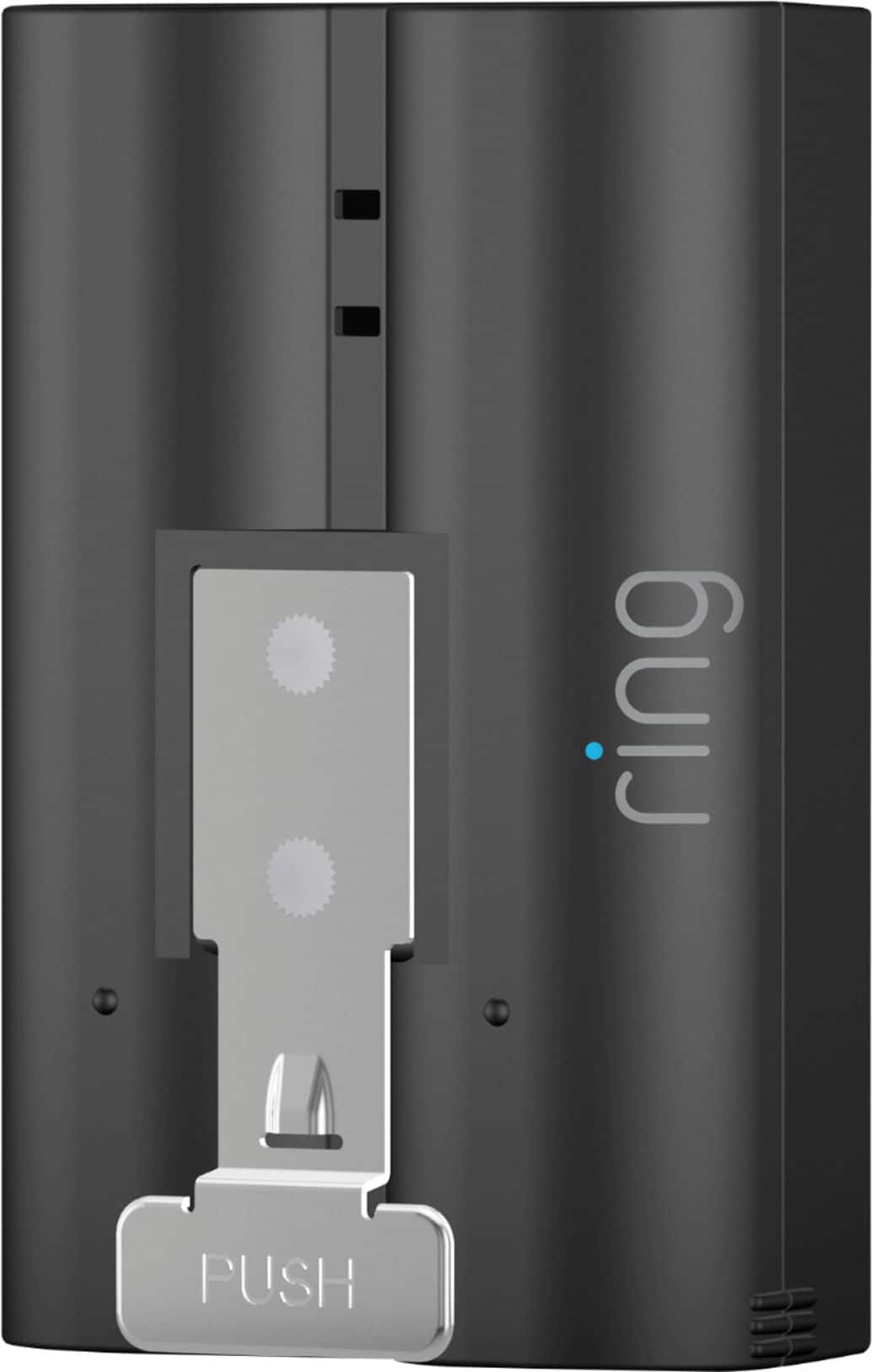

- Model:
- 8AB1S7-0EN0
- SKU:
- 6131302
Rating by feature
- Value
Rating 4.6 out of 5 stars
- Quality
Rating 4.8 out of 5 stars
- Ease of Use
Rating 4.9 out of 5 stars
Customers are saying
Customers are pleased with the battery life and ease of use of the Quick Release Rechargeable Lithium-ion Battery. Many customers find the battery offers great overall performance and appreciate the charging speed. Some customers have noted issues with video quality and motion detection.
This summary was generated by AI based on customer reviews.
Just another battery
||Posted . Owned for 3 weeks when reviewed.This reviewer received promo considerations or sweepstakes entry for writing a review.Nothing special. A battery to backup the first. Convenience
I would recommend this to a friendBrand response from Ring
Posted .Hi Betty3.
Thank you for taking the time to share your Ring experience with us and other consumers. We believe in keeping people close to what’s important. That is why we are driven to create products that help you protect what matters most at home and empower you to connect with your visitors from wherever you are. Together, we’ll make neighborhoods safer!
Ring Community was launched to help deliver the most current news and educational information to our neighbors. This online forum is divided into four categories: Product Boards, Ring Updates, Tips and Tricks, and a Moderators’ Corner. The Product Boards are where you can begin new topics with your questions or feedback; there is also a search option that helps you find topics that have already been posted by other neighbors. We invite you to visit our Ring Community today.
Thank you,
Miyuki from Ring.
BBE
||Posted . Owned for 1 week when reviewed.This reviewer received promo considerations or sweepstakes entry for writing a review.Very good product and it’s durable. Im happy I got it on time.
I would recommend this to a friendIts was agreat !
||Posted . Owned for 1 month when reviewed.This reviewer received promo considerations or sweepstakes entry for writing a review.Good battery replacement, but my ring was No longer working.
I would recommend this to a friendOkay
||Posted .This reviewer received promo considerations or sweepstakes entry for writing a review.Not real happy with any of the Ring batteries . Loses charge super fast
No, I would not recommend this to a friendBrand response from Ring
Posted .Hi Kristy.
Thank you for taking the time to share your experience. We understand the importance of having a solid charge on your Ring device so that you are able to have a longer time between charge cycles. Having longevity in a battery-powered security device is crucial when it comes to monitoring your home, especially if you are away for long periods of time. We are here to provide you with some education to resolve the battery life issue you mentioned in your review.
The Ring Quick Release Battery is a rechargeable battery pack for your compatible Ring Video Doorbell, Ring Security Camera, or Ring Solar Floodlight, so you'll always have backup power ready to go. There are some troubleshooting steps that you can take to ensure that you have your device set up for optimal performance.
As cold weather sets in, lithium-ion batteries like those used in Ring Doorbells and Ring Security Cameras may experience several issues including trouble holding a charge, running out of power faster than normal, or losing functionality. Knowing at what temperature batteries will start to be impacted can help you take the necessary steps to keep your device working. When the temperature drops to: 36°F (3°C): The battery may not hold a charge as effectively, resulting in having to charge the unit more frequently. 32°F (0°C): The battery may not charge at all. Even hardwired configurations may not charge the battery. -5°F (-20.5°C): The battery may stop working completely until temperatures warm up. When it gets cold and your device's battery runs out, bring your entire device inside and charge the battery with a USB cord. This will allow your device to warm up while the battery charges.
The more events captured by your Ring devices, the more your battery is used. Using "Live View" often can also drain your battery faster. If your device is capturing an excessive number of events each day, you may need to recharge your battery sooner. To prevent excessive activity, under "Motion Settings" for your device in the Ring app you can:
Adjust your "Motion Sensitivity" slider to a lower sensitivity.
Redraw your "Customizable Motion Zones."
Change "Motion Frequency" to regularly or periodically.
You could also adjust the direction of your Ring device so it doesn't detect as much motion.
You can go to "Power Settings" in the Ring app to see what features may be draining your battery. To access "Power Settings," open the Ring app:
Tap menu (≡) on the top left of the Dashboard. Tap "Devices."
Tap the individual device (video doorbell or security camera) you want to check. Tap "Power Settings "to check your "Battery Level" percentage and "Feature Power Usage."
Tap a feature to adjust "Snapshot Capture," "Motion Frequency" and "Video Recording Length.".
If any additional information is needed regarding the battery life of your device, please reach out to our community. Ring Community is our first peer-to-peer community forum, giving our customers the ability to help one another and share their feedback and experiences directly with Ring. Thank you for being the best part of Ring! Have a wonderful day!
Sincerely,
Miyuki from Ring.
Ring battery
||Posted . Owned for less than 1 week when reviewed.This reviewer received promo considerations or sweepstakes entry for writing a review.Best purchase I ever made too ! Love my ring camera system !
I would recommend this to a friendNice
||Posted .This reviewer received promo considerations or sweepstakes entry for writing a review.Perfect for the cold Midwest weather keep it charged and pop it in and never miss a beat because these batteries die fast in the cold weather.
I would recommend this to a friendBuy it!
||Posted . Owned for 3 weeks when reviewed.This reviewer received promo considerations or sweepstakes entry for writing a review.Worth the extra money for security reasons highly recommend
I would recommend this to a friendNeeded extra battery
||Posted . Owned for 3 weeks when reviewed.This reviewer received promo considerations or sweepstakes entry for writing a review.In stock, purchased and out of the store in 10 minutes....
I would recommend this to a friendBrand response from Ring
Posted .Hi Robert.
Thank you for taking the time to share your Ring experience with us and other consumers. We believe in keeping people close to what’s important. That is why we are driven to create products that help you protect what matters most at home and empower you to connect with your visitors from wherever you are. Together, we’ll make neighborhoods safer!
For more information on your Ring Quick Release Battery Pack, we invite you to reach out to our community. Ring Community is our first peer-to-peer community forum, giving our customers the ability to help one another and share their personal feedback and experiences with Ring. We look forward to hearing from you if we can be of any further assistance!
Thank you,
Miyuki from Ring.
Ring doorbell
||Posted .This reviewer received promo considerations or sweepstakes entry for writing a review.Love this “camera doorbell “ as we no longer need to run to the door. The only downside is that the battery needs to be charged. We didn’t have a wired doorbell so we went with battery. We use the door that it’s mounted on constantly so the battery doesn’t last as long as specified.
I would recommend this to a friendRing spotlight camera
||Posted . Owned for 3 weeks when reviewed.This reviewer received promo considerations or sweepstakes entry for writing a review.Batter power does not last long even with two and on right settings
No, I would not recommend this to a friendBrand response from Ring
Posted .Hi AliciaT.
We appreciate the time you have taken to share your Ring experience with us. We value the experience you have with Ring, and want to ensure the Ring Rechargeable Quick Release Battery Pack is meeting the standards it's intended to provide. It is essential to have peace of mind when it comes to your home security, and battery life plays a big role in that. Rest assured, we hear you and are here to offer you some help.
It sounds like you are concerned about the battery life of your Ring device. There are some steps that you can take to ensure that you have your device set up for optimal performance.
The more events captured by your Ring devices, the more your battery is used. Using Live View often will drain your battery faster. In addition, if your device is capturing an excessive number of events each day, you may need to recharge your battery sooner.
To prevent excessive activity, under Motion Settings for your device in the Ring app you can:
Adjust your Motion Sensitivity slider to a lower sensitivity.
Redraw your Customizable Motion Zones.
Change Motion Frequency to regularly or periodically.
You could also adjust the direction of your Ring device so it doesn't detect as much motion.
You can go to Power Settings in the Ring app to see what features may be draining your battery. To access Power Settings, open the Ring app:
Tap menu (≡) on the top left of the Dashboard. Tap Devices.
Tap the individual device (video doorbell or security camera) you want to check. Tap Power Settings to check your Battery Level percentage and Feature Power Usage.
Tap a feature to adjust Snapshot Capture, Motion Frequency and Video Recording Length.
At temperatures below 40°F, lithium polymer batteries are less effective at holding a charge. Since Ring devices use lithium polymer batteries, when the temperature drops below 40°F, it may be necessary to charge your battery more often. Battery performance will return to normal once the weather warms up and remains above freezing.
If any additional information is needed regarding your Ring Rechargeable Quick Release Battery Pack, please reach out to our community. Ring Community is our first peer-to-peer community forum, giving our customers the ability to help one another and share their feedback and experiences directly with Ring.
Thank you,
Amilia from Ring.
Ok
||Posted .This reviewer received promo considerations or sweepstakes entry for writing a review.Battery life doesn't last long at all. Glad I got an extra one
I would recommend this to a friendBrand response from Ring
Posted .Hi LynetteS.
Thank you for taking the time to share your experience. We understand the importance of having a solid charge on your Ring device so that you are able to have a longer time between charge cycles. Having longevity in a battery-powered security device is crucial when it comes to monitoring your home, especially if you are away for long periods of time. We are here to provide you with some education to resolve the battery life issue you mentioned in your review.
The Ring Quick Release Battery is a rechargeable battery pack for your compatible Ring Video Doorbell, Ring Security Camera, or Ring Solar Floodlight, so you'll always have backup power ready to go. There are some troubleshooting steps that you can take to ensure that you have your device set up for optimal performance.
As cold weather sets in, lithium-ion batteries like those used in Ring Doorbells and Ring Security Cameras may experience several issues including trouble holding a charge, running out of power faster than normal, or losing functionality. Knowing at what temperature batteries will start to be impacted can help you take the necessary steps to keep your device working. When the temperature drops to: 36°F (3°C): The battery may not hold a charge as effectively, resulting in having to charge the unit more frequently. 32°F (0°C): The battery may not charge at all. Even hardwired configurations may not charge the battery. -5°F (-20.5°C): The battery may stop working completely until temperatures warm up. When it gets cold and your device's battery runs out, bring your entire device inside and charge the battery with a USB cord. This will allow your device to warm up while the battery charges.
The more events captured by your Ring devices, the more your battery is used. Using "Live View" often can also drain your battery faster. If your device is capturing an excessive number of events each day, you may need to recharge your battery sooner. To prevent excessive activity, under "Motion Settings" for your device in the Ring app you can:
Adjust your "Motion Sensitivity" slider to a lower sensitivity.
Redraw your "Customizable Motion Zones."
Change "Motion Frequency" to regularly or periodically.
You could also adjust the direction of your Ring device so it doesn't detect as much motion.
You can go to "Power Settings" in the Ring app to see what features may be draining your battery. To access "Power Settings," open the Ring app:
Tap menu (≡) on the top left of the Dashboard. Tap "Devices."
Tap the individual device (video doorbell or security camera) you want to check. Tap "Power Settings "to check your "Battery Level" percentage and "Feature Power Usage."
Tap a feature to adjust "Snapshot Capture," "Motion Frequency" and "Video Recording Length."
If any additional information is needed regarding the battery life of your device, please reach out to our community. Ring Community is our first peer-to-peer community forum, giving our customers the ability to help one another and share their feedback and experiences directly with Ring. Thank you for being the best part of Ring! Have a wonderful day!
Sincerely,
Miyuki from Ring.
Good back up
||Posted . Owned for 1 month when reviewed.This reviewer received promo considerations or sweepstakes entry for writing a review.Nice to have a back up for the doorbell. Charges fast.
I would recommend this to a friendBattery for ring
||Posted . Owned for 3 weeks when reviewed.This reviewer received promo considerations or sweepstakes entry for writing a review.It doesn't charge right or really doesn't charge at all
I would recommend this to a friendBrand response from Ring
Posted .Hi Grannyto18.
Thank you for taking the time to share your experience with us. We understand the importance of having a solid charge on your Ring device so that you are able to have a longer time between charge cycles. Having a solid connection ensures you do not miss any activity around your home. We are here to provide you with some information to resolve the issue you mentioned in your review.
It sounds like you are experiencing issues with the device in regards to charging the battery. If you notice your Ring doorbell’s battery is not charging, try the following:
Test your outlet to make sure it's working properly by plugging in another device.
Try a different charging cable or USB power adapter. The original Ring cable works best.
The battery can take up to 10 hours to fully charge.
If your Ring app battery percentage doesn’t change after charging it, make sure that you’ve placed the battery back into the device until it clicks into place. Once the battery is reinstalled, the new charge percentage will register in the Ring app under Device Health.
Ring Community was launched to help deliver the most current news and educational information to our neighbors. This online forum is divided into four categories: Product Boards, Ring Updates, Tips and Tricks, and a Moderators’ Corner. The Product Boards are where you can begin new topics with your questions or feedback; there is also a search option that helps you find topics that have already been posted by other neighbors. We invite you to visit our Ring Community today.
Thank you,
Miyuki from Ring.
Batteries
||Posted . Owned for 2 weeks when reviewed.This reviewer received promo considerations or sweepstakes entry for writing a review.The rechargeable batteries don’t hold charges very well
No, I would not recommend this to a friendBrand response from Ring
Posted .Hi Lidi.
Thank you for taking the time to share your experience. We understand the importance of having a solid charge on your Ring device so that you are able to have a longer time between charge cycles. Having longevity in a battery-powered security device is crucial when it comes to monitoring your home, especially if you are away for long periods of time. We are here to provide you with some education to resolve the battery life issue you mentioned in your review.
The Ring Quick Release Battery is a rechargeable battery pack for your compatible Ring Video Doorbell, Ring Security Camera, or Ring Solar Floodlight, so you'll always have backup power ready to go. There are some troubleshooting steps that you can take to ensure that you have your device set up for optimal performance.
As cold weather sets in, lithium-ion batteries like those used in Ring Doorbells and Ring Security Cameras may experience several issues including trouble holding a charge, running out of power faster than normal, or losing functionality. Knowing at what temperature batteries will start to be impacted can help you take the necessary steps to keep your device working. When the temperature drops to: 36°F (3°C): The battery may not hold a charge as effectively, resulting in having to charge the unit more frequently. 32°F (0°C): The battery may not charge at all. Even hardwired configurations may not charge the battery. -5°F (-20.5°C): The battery may stop working completely until temperatures warm up. When it gets cold and your device's battery runs out, bring your entire device inside and charge the battery with a USB cord. This will allow your device to warm up while the battery charges.
The more events captured by your Ring devices, the more your battery is used. Using "Live View" often can also drain your battery faster. If your device is capturing an excessive number of events each day, you may need to recharge your battery sooner. To prevent excessive activity, under "Motion Settings" for your device in the Ring app you can:
Adjust your "Motion Sensitivity" slider to a lower sensitivity.
Redraw your "Customizable Motion Zones."
Change "Motion Frequency" to regularly or periodically.
You could also adjust the direction of your Ring device so it doesn't detect as much motion.
You can go to "Power Settings" in the Ring app to see what features may be draining your battery. To access "Power Settings," open the Ring app:
Tap menu (≡) on the top left of the Dashboard. Tap "Devices."
Tap the individual device (video doorbell or security camera) you want to check. Tap "Power Settings "to check your "Battery Level" percentage and "Feature Power Usage."
Tap a feature to adjust "Snapshot Capture," "Motion Frequency" and "Video Recording Length."
If any additional information is needed regarding the battery life of your device, please reach out to our community. Ring Community is our first peer-to-peer community forum, giving our customers the ability to help one another and share their feedback and experiences directly with Ring. Thank you for being the best part of Ring! Have a wonderful day!
Sincerely,
Miyuki from Ring.
Poor Battery Life
||Posted .This reviewer received promo considerations or sweepstakes entry for writing a review.Have yet to get one of these batteries to last longer than 2-weeks regardless of camera/light settings. Bought this as my spare so I can charge one while the other is installed in the camera. The hard-wired Ring options are the way to go if you have power easily accessible.
No, I would not recommend this to a friendBrand response from Ring
Posted .Hi Scott.
Thank you for taking the time to share your experience. We understand the importance of having a solid charge on your Ring device so that you are able to have a longer time between charge cycles. Having longevity in a battery-powered security device is crucial when it comes to monitoring your home, especially if you are away for long periods of time. We are here to provide you with some education to resolve the battery life issue you mentioned in your rev
It sounds like the device is not performing as expected. There are some troubleshooting steps that you can take to ensure that you have your device set up for optimal battery-life performance. The more events captured by your Ring devices, the more your battery is used. Using "Live View" can also drain your battery faster. If your device is capturing an excessive number of events each day, you may need to recharge your battery sooner.
To prevent excessive activity, under "Motion Settings" for your device in the Ring app, you can:
Adjust your "Motion Sensitivity" slider to a lower sensitivity.
Redraw your "Customizable Motion Zones."
Change "Motion Frequency" to regularly or periodically.
You could also adjust the direction of your Ring device so it doesn't detect as much motion.
You can go to "Power Settings" in the Ring app to see what features may be draining your battery.
To access "Power Settings," open the Ring app:
Tap the menu (≡) on the top left of the dashboard.
Tap "Devices."
Tap the individual device (video doorbell or security camera) you want to check.
Tap "Power Settings" to check your "Battery Level" percentage and "Feature Power Usage."
Tap a feature to adjust "Snapshot Capture," "Motion Frequency," and "Video Recording Length.".
If any additional information is needed regarding your Ring products, please reach out to our community. Ring Community is our first peer-to-peer community forum, giving our customers the ability to help one another and share their feedback and experiences directly with Ring.
Thank you for being the best part of Ring! Have a wonderful day!
Sincerely,
Melissa from Ring.
ring sucks
||Posted . Owned for 1 week when reviewed.This reviewer received promo considerations or sweepstakes entry for writing a review.really not happy with ring products .They really need to go back to the drawing board for it takes too much effort to keep it working in the desired manner .I wont buy another ring product after this one
No, I would not recommend this to a friendBrand response from Ring
Posted .Hello Rod101,
We are thankful for your feedback. We are constantly pushing ourselves to develop products to empower users with an affordable, effective way to monitor and secure their home. In pursuit of our mission to make neighborhoods safer, when applying technologies to our business, we always consider our three pillars of customer security, privacy, and user control. We understand how important it is to have your devices working as intended, as it offers a level of security in your home.
Based on your review, it seems that you are not fully satisfied with your Ring device. If your device is not working as intended, we recommend resetting your device. To reset your Ring device, press and hold the setup button for 10-15 seconds and release. Once the white light on the front of the device stops spinning, proceed with the setup process. Please see our help center article for further help: https://support.ring.com/hc/en-us/articles/360052427932-Troubleshooting-your-Ring-products.
If you still have the Ring device in your possession, we invite you to reach out to us at https://community.ring.com/. We look forward to hearing from you, if you have any further feedback regarding your overall experience.
Thank you,
Jamila with Ring
Extra Battery
||Posted . Owned for 1.5 years when reviewed.This reviewer received promo considerations or sweepstakes entry for writing a review.Batteries do not hold a charge for long. Which is why we had to buys a back up to keep charged as a spare.
I would recommend this to a friendBrand response from Ring
Posted .Hi Catlady, I definitely understand wanting to get the most out of your home security devices. The battery life will be dependent on several different factors, such as weather, the wifi connection, and the number of events your Doorbell or Camera records. You can find more troubleshooting steps here https://support.ring.com/hc/en-us/articles/4405531384468-How-to-Fix-Unexpected-Battery-Drain-in-Your-Ring-Video-Doorbell-or-Security-Camera. If that doesn't help, try asking other neighbors for help on the Ring Community at https://community.ring.com/. All the best, Ashley from Ring.
not what i needed
||Posted . Owned for 3 weeks when reviewed.This reviewer received promo considerations or sweepstakes entry for writing a review.not the answer to my problem. I have 2 ring cams with solar chargers. 1 i have never had to replace the battery, the other i need to replace it way too often, at least every 5 days. there is less activity on the one I don't replace but they are set the same. per the suggestion of the salesman i bought a new battery. still no change. i guess my only option is to get a new solar panel.
No, I would not recommend this to a friendBrand response from Ring
Posted .Hi JohnK. Thank you for taking the time to share your experience with us. We understand the importance of having a solid charge on your Ring device so that you are able to have a longer time between charge cycles. Having longevity in a battery-powered security device, is crucial when it comes to monitoring your home, especially if you are away for long periods of time. We are here to provide you with some education to resolve the battery life issue you mentioned in your review.
It sounds like you are concerned about the battery life of your Ring device. There are some troubleshooting steps that you can take to ensure that you have your device set up to operate as intended for your needs.
The more events captured by your Ring devices, the more your battery is used. Using Live View often can also drain your battery faster. If your device is capturing an excessive number of events each day, you may need to recharge your battery sooner. To prevent excessive activity, under Motion Settings for your device in the Ring app you can:
Adjust your Motion Sensitivity slider to a lower sensitivity.
Redraw your Customizable Motion Zones.
Change Motion Frequency to regularly or periodically.
Ring solar panels require direct sunlight. Filtered or indirect sunlight through the clouds will not provide a charge to your Ring devices. If the weather is cloudy or you get a lot of snow, this would limit the hours of direct sunlight your device is receiving, which would lessen the charge.
Seasonality and how far north (or south) you live can affect the strength of the sun. If you live in the Northern Hemisphere, install your solar panel facing south. If you live in the Southern Hemisphere, install it facing north. Ring recommends using the adjustable arm to angle the panel at about 45 degrees toward the sky to get the most sunlight possible.
If any additional information is needed regarding the battery life of your device, please reach out to our Community. Ring Community is our first peer-to-peer community forum, giving our customers the ability to help one another and share their feedback and experiences directly with Ring.
Thank you for being the best part of Ring! Have a wonderful day!
Sincerely,
Melissa from Ring.
too expensive
||Posted .This reviewer received promo considerations or sweepstakes entry for writing a review.too expensive, Ring response very slow and too slow
No, I would not recommend this to a friendBrand response from Ring
Posted .Hi George.
Thank you for sharing your experience with us. We understand you've selected Ring to keep you updated on activity around your home, and receiving notifications when activity is detected is essential. Having a solid connection ensures you do not miss any activity around your home. We are here today to provide you with education to assist you in finding the best solution for your home’s environment.
It sounds like you experienced some connection issues with the device. Slow response is often related to wifi connection or mobile device variables. A delay of under six seconds is expected due to signal fluctuation. To learn more about your device's signal strength, follow these steps:
Open the Ring app.
Tap the menu (☰).
Tap Devices.
Select the Ring device you would like to test.
Tap on the Device Health tile.
Scroll to Signal Strength under the Network section.
The green, amber, and red colors are indicators of your device connection. Green is good; red is poor.
Walls, floors, and furniture can interfere with or weaken your router's wireless signal. Choose an elevated, central, open location for your wifi router.
Check your mobile device's signal. If your mobile device has one or two bars, this could be causing issues accessing your Ring device. For best results, make sure you're connected to wifi from wherever you are.
As a general rule, most Ring devices function best when upload and download speeds are around 2 Mbps or greater. If your speeds are much slower than that, you might try moving your router closer to your Ring device or (if necessary) calling your internet service provider to discuss getting faster internet speeds.
Ring Community was launched to help deliver the most current news and educational information to our neighbors. This online forum is divided into four categories: Product Boards, Ring Updates, Tips + Tricks, and a Moderators’ Corner. The Product Boards are where you can begin new topics with your questions or feedback; there is also a search option which helps you find topics that were already posted by other neighbors. We invite you to visit our community today!
Thank you,
Miyuki from Ring.
Just got duped
||Posted . Owned for less than 1 week when reviewed.This reviewer received promo considerations or sweepstakes entry for writing a review.Buyer beware of this product. I just got upped saled on this prodict. Unfortunately my ring down not have a removable b battery departed.
No, I would not recommend this to a friendBrand response from Ring
Posted .Hi MChamberlain.
Thank you for taking the time to share your experience with us. We understand the importance of receiving the correct devices for your order. The features and technology provided by Ring Security Cameras are incredibly valuable and help provide you with peace of mind about your home security. We are eager to address the issue you raised in your review and provide you with a resolution today.
It sounds like you did not receive the correct Ring device for your order. In this particular case, we suggest that you reach out to Best Buy's customer service at: 1-888-237-8289. We are confident that they will be able to provide you with a resolution to this concern.
If you still have the Ring device in your possession, we invite you to reach out to our community. Ring Community is our first peer-to-peer community forum, giving our customers the ability to help one another and share their personal feedback and experiences with Ring. We look forward to hearing from you. Please let us know if we can be of any further assistance!
Sincerely,
Matthew from Ring.