Customer Ratings & Reviews
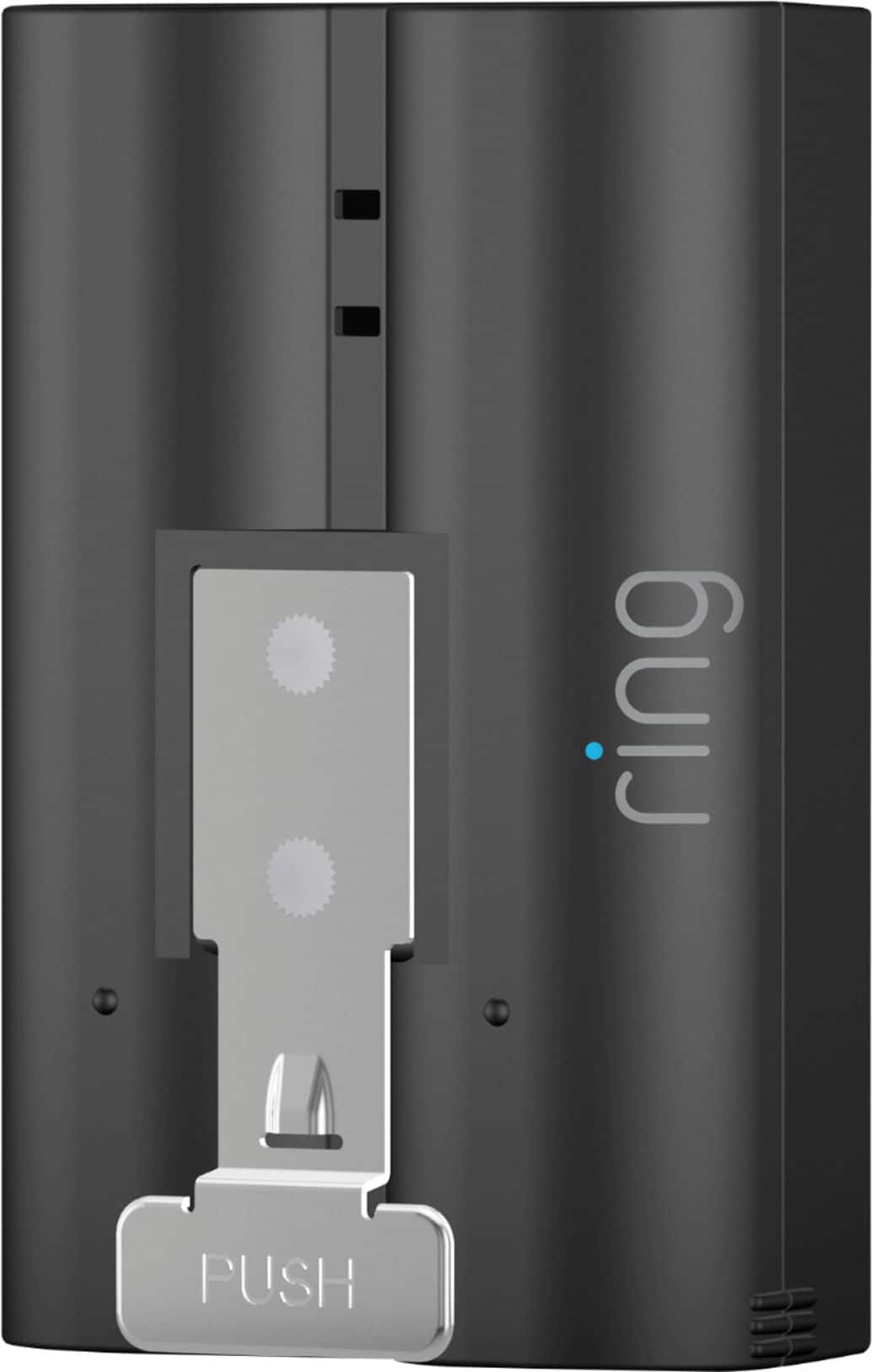

- Model:
- 8AB1S7-0EN0
- SKU:
- 6131302
Rating by feature
- Value
Rating 4.6 out of 5 stars
- Quality
Rating 4.8 out of 5 stars
- Ease of Use
Rating 4.9 out of 5 stars
Customers are saying
Customers are pleased with the battery life and ease of use of the Quick Release Rechargeable Lithium-ion Battery. Many customers find the battery offers great overall performance and appreciate the charging speed. Some customers have noted issues with video quality and motion detection.
This summary was generated by AI based on customer reviews.
Excellent
||Posted .This reviewer received promo considerations or sweepstakes entry for writing a review.!! No Problems!! Geek Squad did a great job installing the Ring!!
I would recommend this to a friendGood Product
||Posted .This reviewer received promo considerations or sweepstakes entry for writing a review.Relieable, I bought a second battery to be able to swap batteries.
I would recommend this to a friendIt’s a battery
||Posted .This reviewer received promo considerations or sweepstakes entry for writing a review.What can I say other than this is an awesome lithium-ion battery.
I would recommend this to a friendStarted up my doorbell
||Posted .This reviewer received promo considerations or sweepstakes entry for writing a review.Needed a new battery for my doorbell bought and back in business
I would recommend this to a friendRing chargeable battery
||Posted . Owned for 11 months when reviewed.This reviewer received promo considerations or sweepstakes entry for writing a review.Waste of money bought this and it does not work sm so upset as having this wohld have let me not take anytime away from me seeing videos
No, I would not recommend this to a friendBrand response from Ring
Posted .Hello Nicf,
We understand why you feel this way, as this isn't the experience we want our customers to have. You should be able to depend on your spare Ring Quick Release battery to reduce downtime on your Ring device. Please know that we are here to help find the best way forward.
Ring Quick Release batteries indicate their charge status when plugged in. If the LED lights are red, the battery needs charging. You'll know its finished when the LED lights turn a solid green color.
If your batteries are not charging at all, please contact us directly. We'd love to help find the best way forward.
All the best,
Marlom at Ring
Great Front Door Doorbell
||Posted .This reviewer received promo considerations or sweepstakes entry for writing a review.This is exactly what I wanted. Easy to install and set up
I would recommend this to a friendWorks perfectly in my Ring
||Posted .This reviewer received promo considerations or sweepstakes entry for writing a review.Highly recommend getting a backup battery for your ring.
I would recommend this to a friendBattery doesn’t hold charge for a long time.
||Posted . Owned for 1 month when reviewed.This reviewer received promo considerations or sweepstakes entry for writing a review.Battery drains quickly. Also charges very slowly. Ring should sell a battery charger for a quick charge. Or make the battery bigger. Just a thought.
No, I would not recommend this to a friendBrand response from Ring
Posted .Hi Ringostar67.
Thank you for taking the time to share your experience. We understand the importance of having a solid charge on your Ring Quick Release Battery Pack so that you are able to have a longer time between charge cycles. Having longevity in a battery-powered security device is crucial when it comes to monitoring your home, especially if you are away for long periods of time. We are here to provide you with some education to resolve the battery life issue you mentioned in your review.
It sounds like the device is not performing as expected. There are some troubleshooting steps that you can take to ensure that you have your device set up for optimal battery-life performance. The more events captured by your Ring devices, the more your battery is used. Using "Live View" can also drain your battery faster. If your device is capturing an excessive number of events each day, you may need to recharge your battery sooner.
To prevent excessive activity, under "Motion Settings" for your device in the Ring app, you can:
Adjust your "Motion Sensitivity" slider to a lower sensitivity.
Redraw your "Customizable Motion Zones."
Change "Motion Frequency" to regularly or periodically.
You could also adjust the direction of your Ring device so it doesn't detect as much motion.
You can go to "Power Settings" in the Ring app to see what features may be draining your battery.
To access "Power Settings," open the Ring app:
Tap the menu (≡) on the top left of the dashboard.
Tap "Devices."
Tap the individual device (video doorbell or security camera) you want to check.
Tap "Power Settings" to check your "Battery Level" percentage and "Feature Power Usage."
Tap a feature to adjust "Snapshot Capture," "Motion Frequency," and "Video Recording Length.".
As cold weather sets in, lithium-ion batteries like those used in Ring Doorbells and Security Cameras may experience several issues, including trouble holding a charge, running out of power faster than normal, or losing functionality. Knowing at what temperature batteries will start to be impacted can help you take the necessary steps to keep your device working. When the temperature drops to:
36°F (3°C): The battery may not hold a charge as effectively, resulting in having to charge the unit more frequently.
32°F (0°C): The battery may not charge at all. Even hardwired configurations may not charge the battery.
-5°F (-20.5°C): The battery may stop working completely until temperatures warm up.
When it gets cold and your device's battery runs out, bring your entire device inside and charge the battery with a USB cord. This will allow your device to warm up while the battery charges.
If any additional information is needed regarding your Ring device, please reach out to our community. Ring Community is our first peer-to-peer community forum, giving our customers the ability to help one another and share their feedback and experiences directly with Ring.
Thank you for being the best part of Ring! Have a wonderful day!
Sincerely,
Melissa from Ring.
Takes forever to charge
||Posted . Owned for 3 weeks when reviewed.This reviewer received promo considerations or sweepstakes entry for writing a review.Over-night charging required and it doesn't even last that long. Not sure where the issue lies but I've noticed this now on multiple installs.
No, I would not recommend this to a friendBrand response from Ring
Posted .Hi HittR.
Thank you for taking the time to share your experience. We understand the importance of having a solid charge on your Ring device so that you are able to have a longer time between charge cycles. Having longevity in a battery-powered security device is crucial when it comes to monitoring your home, especially if you are away for long periods of time. We are here to provide you with some education to resolve the battery life issue you mentioned in your review.
The Ring Quick Release Battery is a rechargeable battery pack for your compatible Ring Video Doorbell, Ring Security Camera, or Ring Solar Floodlight, so you'll always have backup power ready to go. There are some troubleshooting steps that you can take to ensure that you have your device set up for optimal performance.
The more events captured by your Ring devices, the more your battery is used. Using "Live View" often can also drain your battery faster. If your device is capturing an excessive number of events each day, you may need to recharge your battery sooner. To prevent excessive activity, under "Motion Settings" for your device in the Ring app you can:
Adjust your "Motion Sensitivity" slider to a lower sensitivity.
Redraw your "Customizable Motion Zones."
Change "Motion Frequency" to regularly or periodically.
You could also adjust the direction of your Ring device so it doesn't detect as much motion.
You can go to "Power Settings" in the Ring app to see what features may be draining your battery. To access "Power Settings," open the Ring app:
Tap menu (≡) on the top left of the Dashboard. Tap "Devices."
Tap the individual device (video doorbell or security camera) you want to check. Tap "Power Settings "to check your "Battery Level" percentage and "Feature Power Usage."
Tap a feature to adjust "Snapshot Capture," "Motion Frequency" and "Video Recording Length."
If any additional information is needed regarding the battery life of your device, please reach out to our community. Ring Community is our first peer-to-peer community forum, giving our customers the ability to help one another and share their feedback and experiences directly with Ring. Thank you for being the best part of Ring! Have a wonderful day!
Sincerely,
Miyuki from Ring.
Ring device
||Posted . Owned for 1 month when reviewed.This reviewer received promo considerations or sweepstakes entry for writing a review.Not your fault, but waste of money. And seems I am not the only one with battery life problems on Ring device.
No, I would not recommend this to a friendBrand response from Ring
Posted .Hello Sophie,
We know how important battery life is on home security devices. The Ring Quick Release battery is intended to provide our users with lasting service. Rest assured, we heard your concern and are here to help.
To get the most out of your Ring Battery, please ensure to fully charge it before using. You can also adjust your Ring device settings to prioritize battery life. Have you checked your motion and Snap Shot Capture settings?
Please reach us directly, one of our agents would be more than happy to go over your options and ensure you get the most out of your Ring devices.
All the best,
Marlom at Ring
ok
||Posted . Owned for 10 months when reviewed.This reviewer received promo considerations or sweepstakes entry for writing a review.after first battery died at 12 months 1 day. had to replace. if it dies again I'm going with diff company
I would recommend this to a friendBrand response from Ring
Posted .Hello Bmka,
We are so happy to have you as a part of our Ring family, and thank you for taking the time to share your experience with us
The more events captured by your Ring Doorbell, Ring Stick Up Cam, and Spotlight Cam Battery, the more your battery is used to power the live HD Video stream to your device. Even if you do not answer the call, video is still sent from your Ring product to the Ring servers. If your device is capturing an excessive number of events each day, you may need to recharge your battery sooner. In addition, the battery is also drained each time you use the Live View to look or speak through your camera. To prevent excessive activity, you can adjust your motion settings to a lower sensitivity, disable certain zones, adjust the motion frequency to best fit your needs, or adjust the direction of your Ring device.
Please reach out to us directly via our community forum at https://community.ring.com/ so we can find a solution to best resolve this and ensure the device is functioning as it was intended.
Thank you,
Antonio from Ring
Ring-Rechargeable Battery
||Posted . Owned for 2 months when reviewed.This reviewer received promo considerations or sweepstakes entry for writing a review.I purchased 2 of these battery's they are OK but the one thing I didn't like is that they do not hold the charge very long at all.
No, I would not recommend this to a friendBrand response from Ring
Posted .Hi yllb.
Thank you for taking the time to share your experience. We understand the importance of having a solid charge on your Ring device so that you are able to have a longer time between charge cycles. Having longevity in a battery-powered security device is crucial when it comes to monitoring your home, especially if you are away for long periods of time. We are here to provide you with some education to resolve the battery life issue you mentioned in your review.
The Ring Quick Release Battery is a rechargeable battery pack for your compatible Ring Video Doorbell, Ring Security Camera, or Ring Solar Floodlight, so you'll always have backup power ready to go. There are some troubleshooting steps that you can take to ensure that you have your device set up for optimal performance.
As cold weather sets in, lithium-ion batteries like those used in Ring Doorbells and Ring Security Cameras may experience several issues including trouble holding a charge, running out of power faster than normal, or losing functionality. Knowing at what temperature batteries will start to be impacted can help you take the necessary steps to keep your device working. When the temperature drops to: 36°F (3°C): The battery may not hold a charge as effectively, resulting in having to charge the unit more frequently. 32°F (0°C): The battery may not charge at all. Even hardwired configurations may not charge the battery. -5°F (-20.5°C): The battery may stop working completely until temperatures warm up. When it gets cold and your device's battery runs out, bring your entire device inside and charge the battery with a USB cord. This will allow your device to warm up while the battery charges.
The more events captured by your Ring devices, the more your battery is used. Using "Live View" often can also drain your battery faster. If your device is capturing an excessive number of events each day, you may need to recharge your battery sooner. To prevent excessive activity, under "Motion Settings" for your device in the Ring app you can:
Adjust your "Motion Sensitivity" slider to a lower sensitivity.
Redraw your "Customizable Motion Zones."
Change "Motion Frequency" to regularly or periodically.
You could also adjust the direction of your Ring device so it doesn't detect as much motion.
You can go to "Power Settings" in the Ring app to see what features may be draining your battery. To access "Power Settings," open the Ring app:
Tap menu (≡) on the top left of the Dashboard. Tap "Devices."
Tap the individual device (video doorbell or security camera) you want to check. Tap "Power Settings "to check your "Battery Level" percentage and "Feature Power Usage."
Tap a feature to adjust "Snapshot Capture," "Motion Frequency" and "Video Recording Length."
If any additional information is needed regarding the battery life of your device, please reach out to our community. Ring Community is our first peer-to-peer community forum, giving our customers the ability to help one another and share their feedback and experiences directly with Ring. Thank you for being the best part of Ring! Have a wonderful day!
Sincerely,
Miyuki from Ring.
Doesn’t hold a charge very long!
||Posted . Owned for 1 month when reviewed.This reviewer received promo considerations or sweepstakes entry for writing a review.I love my Ring doorbell, but this battery doesn't hold a charge long! Very disappointed in this purchase.
No, I would not recommend this to a friendBrand response from Ring
Posted .Hello Sherry26,
We understand how important it is to experience longevity in battery life. The Ring Quick Release Battery is intended to provide our users with a genuinely useful experience. Please know we hear your concern and are here to help.
Battery life is dependent on usage. If you haven't already, please review your current device settings to ensure they are efficiently meeting your needs. For example, too high of motion detection can cause the battery to drain faster.
If possible, we recommend you hard-wire your Ring Video Doorbell to an existing doorbell or transformer. This way, you can receive supplemental battery charge.
Can you reach us directly when you have a moment? We're confident that we can help find the best way forward.
Regards,
Marlom at Ring.
Ring Video Doorbell camera
||Posted .This reviewer received promo considerations or sweepstakes entry for writing a review.Discharges very easily. Not worth it. Need to buy a replacement again
No, I would not recommend this to a friendBrand response from Ring
Posted .Hello Rahul,
Thank you for reaching out and sharing your experience with the Ring Rechargeable Battery. Rest assured that our team is here to assist you in determining what is causing the battery discharge on your Ring devices. Having to recharge the battery as little as possible is what we strive for our neighbors to experience.
Batteries in Ring devices are designed to go for months between charges under normal conditions. However, real battery life is dependent on a number of factors in your home's environment, such as local weather, the number of events captured, and the frequency of activation. This article will cover some of the factors that could cause your battery to require more frequent recharging: https://support.ring.com/hc/en-us/articles/208190773-The-Battery-In-My-Ring-Device-Seems-to-Drain-Too-Fast.
Ring Community was launched to help deliver the most current news and educational information to our neighbors. This online forum is divided into four categories: Product Boards, Ring Updates, Tips + Tricks, and a Moderators’ Corner. The Product Boards are where you can begin new topics with your questions or feedback; there is also a search option that helps you find topics that have already been posted by other neighbors. We invite you to visit our site at https://community.ring.com/ today.
Thank you,
Alexis with Ring
This battery would not hold a charge
||Posted . Owned for 2 months when reviewed.This reviewer received promo considerations or sweepstakes entry for writing a review.I have 5 ring units installed around my home. I purchased this battery to have an extra battery charged up to make replacing the battery in the 2 units that are not hooked up to a solar panel easier. This battery would not hold a charge. It would completely drain in about 5 days whereas the other battery would last about 2.5 months. This was just a bad battery, no reflection on the Ring brand.
I would recommend this to a friendBrand response from Ring
Posted .Hello JamesB, Ring knows how important it is to have peace of mind when it comes to your home security, and having an unresponsive device can be concerning. We really appreciate that you have placed value in owning one of our Ring devices for your home security. Rest assured, we are here to resolve your concerns and ensure you have a device you can rely on for the long term. Based on your review, it seems like you are having trouble charging your Ring Quick Release Rechargeable Battery. Your Ring Quick Release Rechargeable Battery is charged using a common micro-USB cable (an orange one is included in your Ring box). The micro-USB cable can be plugged into any USB power source, such as a computer. Your battery will take around five to 10 hours to fully charge, depending on whether the USB cable is plugged into a USB port or into a wall outlet. Here is a helpful article that describes the recharge process: https://support.ring.com/hc/en-us/articles/206129023-Charging-the-Battery-on-Your-Ring-Video-Doorbell. Ring Community launched in March 2019 to help deliver the most current news and educational information to our customers. You can find tips and tricks from other Ring users at https://community.ring.com/. This peer-to-peer forum allows our neighbors to share their feedback and experiences to assist each other in resolving their concerns. Thank you, Jamila with Ring.
Ring Doorbell Battery
||Posted . Owned for 3 weeks when reviewed.This reviewer received promo considerations or sweepstakes entry for writing a review.For some reason or another the charge on the battery is not holding. I have to keep charging the battery. Something is wrong.
No, I would not recommend this to a friendBrand response from Ring
Posted .Hi 4ticktock.
Thank you for taking the time to share your experience. We understand the importance of having a solid charge on your Ring device so that you are able to have a longer time between charge cycles. Having longevity in a battery-powered security device is crucial when it comes to monitoring your home, especially if you are away for long periods of time. We are here to provide you with some education to resolve the battery life issue you mentioned in your review.
The Ring Quick Release Battery is a rechargeable battery pack for your compatible Ring Video Doorbell, Ring Security Camera, or Ring Solar Floodlight, so you'll always have backup power ready to go. There are some troubleshooting steps that you can take to ensure that you have your device set up for optimal performance.
As cold weather sets in, lithium-ion batteries like those used in Ring Doorbells and Ring Security Cameras may experience several issues including trouble holding a charge, running out of power faster than normal, or losing functionality. Knowing at what temperature batteries will start to be impacted can help you take the necessary steps to keep your device working. When the temperature drops to: 36°F (3°C): The battery may not hold a charge as effectively, resulting in having to charge the unit more frequently. 32°F (0°C): The battery may not charge at all. Even hardwired configurations may not charge the battery. -5°F (-20.5°C): The battery may stop working completely until temperatures warm up. When it gets cold and your device's battery runs out, bring your entire device inside and charge the battery with a USB cord. This will allow your device to warm up while the battery charges.
The more events captured by your Ring devices, the more your battery is used. Using "Live View" often can also drain your battery faster. If your device is capturing an excessive number of events each day, you may need to recharge your battery sooner. To prevent excessive activity, under "Motion Settings" for your device in the Ring app you can:
Adjust your "Motion Sensitivity" slider to a lower sensitivity.
Redraw your "Customizable Motion Zones."
Change "Motion Frequency" to regularly or periodically.
You could also adjust the direction of your Ring device so it doesn't detect as much motion.
You can go to "Power Settings" in the Ring app to see what features may be draining your battery. To access "Power Settings," open the Ring app:
Tap menu (≡) on the top left of the Dashboard. Tap "Devices."
Tap the individual device (video doorbell or security camera) you want to check. Tap "Power Settings "to check your "Battery Level" percentage and "Feature Power Usage."
Tap a feature to adjust "Snapshot Capture," "Motion Frequency" and "Video Recording Length."
If any additional information is needed regarding the battery life of your device, please reach out to our community. Ring Community is our first peer-to-peer community forum, giving our customers the ability to help one another and share their feedback and experiences directly with Ring. Thank you for being the best part of Ring! Have a wonderful day!
Sincerely,
Miyuki from Ring.
Battery keeps dying in Ring Doorbell 2
||Posted . Owned for 3 months when reviewed.This reviewer received promo considerations or sweepstakes entry for writing a review.The battery on my ring doorbell 2 device kept dying after the one year warranty expired. I checked the website help where it advised that a new battery should fix the issue. I purchased a new battery at BB but I'm still having the same issue, called Ring Support but all they offered was a 30% coupon for Ring doorbell 3.
No, I would not recommend this to a friendBrand response from Ring
Posted .Hello Chillingathome,
We recognize your desire to have your home security up and running. As a consumer, you expect a product to perform optimally. Please know that we are here to take a deep look into this and ensure that it gets resolved quickly
The more events captured by your Ring Doorbell, Ring Stick Up Cam, and Spotlight Cam Battery, the more your battery is used to power the live HD Video stream to your device. Even if you do not answer the call, video is still sent from your Ring product to the Ring servers. If your device is capturing an excessive number of events each day, you may need to recharge your battery sooner. In addition, the battery is also drained each time you use the Live View to look or speak through your camera. To prevent excessive activity, you can adjust your motion settings to a lower sensitivity, disable certain zones, adjust the motion frequency to best fit your needs, or adjust the direction of your Ring device.
Adjustable motion zones is enabled in all battery-powered Ring devices, and uses passive infrared (PIR) sensors to detect motion. By enabling you to adjust the sensitivity of your existing motion sensors, you can receive only the alerts that you care about most. Adjustable motion zones work by identifying visitors based on a change in temperature, and sending a signal to your smart device when it detects one. You can control the sensors' range and sensitivity using the controls in the Ring app. It is also optimized for low-power operations to save on battery power.
Also Ring Community was launched to help deliver the most current news and educational information to our neighbors. This online forum is divided into four categories: Product Boards, Ring Updates, Tips + Tricks, and a Moderators’ Corner. The Product Boards are where you can begin new topics with your questions or feedback; there is also a search option that helps you find topics that have already been posted by other neighbors. We invite you to visit our site at https://community.ring.com/ today!
Thank you,
Antonio from Ring
Constantly recharging
||Posted . Owned for 2 months when reviewed.This reviewer received promo considerations or sweepstakes entry for writing a review.This is supposed to stay charged up to 6 months on a full charge. It is actually closer to one month.
No, I would not recommend this to a friendBrand response from Ring
Posted .Hello
We recognize your desire to have your home security up and running. As a consumer, you expect a product to perform optimally. Please know that we are here to take a deep look into this and ensure that it gets resolved quickly.
The more events captured by your Ring Doorbell, Ring Stick Up Cam, and Spotlight Cam Battery, the more your Ring battery is used to power the live HD Video stream to your device. Even if you do not answer the call, video is still sent from your Ring product to the Ring servers. If your device is capturing an excessive number of events each day, you may need to recharge your battery sooner. In addition, the battery is also drained each time you use the Live View to look or speak through your camera. To prevent excessive activity, you can adjust your motion settings to a lower sensitivity, disable certain zones, adjust the motion frequency to best fit your needs, or adjust the direction of your Ring device.
Please reach out to us directly so we can find a solution to best resolve this and ensure the Ring Battery Pack is functioning as it was intended. We look forward to hearing from you soon.
Thank you,
Antonio from Ring
Poor charging
||Posted . Owned for 3 weeks when reviewed.This reviewer received promo considerations or sweepstakes entry for writing a review.Doesn't stay charged long. Brought this charger January 30th fully charged it, had to recharge it after 2 weeks.
No, I would not recommend this to a friendBrand response from Ring
Posted .Hi Faye.
Thank you for taking the time to share your experience. We understand the importance of having a solid charge on your Ring device so that you are able to have a longer time between charge cycles. Having longevity in a battery-powered security device is crucial when it comes to monitoring your home, especially if you are away for long periods of time. We are here to provide you with some education to resolve the battery life issue you mentioned in your review.
The Ring Quick Release Battery is a rechargeable battery pack for your compatible Ring Video Doorbell, Ring Security Camera, or Ring Solar Floodlight, so you'll always have backup power ready to go. There are some troubleshooting steps that you can take to ensure that you have your device set up for optimal performance.
As cold weather sets in, lithium-ion batteries like those used in Ring Doorbells and Ring Security Cameras may experience several issues including trouble holding a charge, running out of power faster than normal, or losing functionality. Knowing at what temperature batteries will start to be impacted can help you take the necessary steps to keep your device working. When the temperature drops to: 36°F (3°C): The battery may not hold a charge as effectively, resulting in having to charge the unit more frequently. 32°F (0°C): The battery may not charge at all. Even hardwired configurations may not charge the battery. -5°F (-20.5°C): The battery may stop working completely until temperatures warm up. When it gets cold and your device's battery runs out, bring your entire device inside and charge the battery with a USB cord. This will allow your device to warm up while the battery charges.
The more events captured by your Ring devices, the more your battery is used. Using "Live View" often can also drain your battery faster. If your device is capturing an excessive number of events each day, you may need to recharge your battery sooner. To prevent excessive activity, under "Motion Settings" for your device in the Ring app you can:
Adjust your "Motion Sensitivity" slider to a lower sensitivity.
Redraw your "Customizable Motion Zones."
Change "Motion Frequency" to regularly or periodically.
You could also adjust the direction of your Ring device so it doesn't detect as much motion.
You can go to "Power Settings" in the Ring app to see what features may be draining your battery. To access "Power Settings," open the Ring app:
Tap menu (≡) on the top left of the Dashboard. Tap "Devices."
Tap the individual device (video doorbell or security camera) you want to check. Tap "Power Settings "to check your "Battery Level" percentage and "Feature Power Usage."
Tap a feature to adjust "Snapshot Capture," "Motion Frequency" and "Video Recording Length."
If any additional information is needed regarding the battery life of your device, please reach out to our community. Ring Community is our first peer-to-peer community forum, giving our customers the ability to help one another and share their feedback and experiences directly with Ring. Thank you for being the best part of Ring! Have a wonderful day!
Sincerely,
Melissa from Ring.
Camera batteries
||Posted . Owned for 1 year when reviewed.This reviewer received promo considerations or sweepstakes entry for writing a review.They don’t last long at all and we have to keep recharging them. It’s horrible in the winter time
No, I would not recommend this to a friendBrand response from Ring
Posted .Hello SEXYLILMAMA,
We appreciate you leaving a review. We understand how important it is to ensure that the battery is holding its proper charge and how cumbersome recharging the batteries can be. Please know that we are here to resolve these concerns with you today.
Based on your review, it seems that you are experiencing frequent battery drainage. While batteries in Ring devices can go months between recharges with normal use, this is dependent on a number of factors in your home’s environment, such as the local weather and the number of activities captured. This article will detail some of the factors that may cause your battery to require more frequent recharges: https://support.ring.com/hc/en-us/articles/208190773.
We appreciate that you have placed value in owning a Ring device to secure your home and know it's important that it meets your expectations. Please visit our community forum at https://community.ring.com/, as we have some additional solutions we'd love to share with you.
Thank you, Jamila with Ring.