Customer Ratings & Reviews
- Model:
- 8AB1S7-0EN0
- |
- SKU:
- 6131302
Customer reviews
Rating 4.8 out of 5 stars with 7454 reviews
(7,454 customer reviews)Rating by feature
- Value4.6
Rating 4.6 out of 5 stars
- Quality4.8
Rating 4.8 out of 5 stars
- Ease of Use4.9
Rating 4.9 out of 5 stars
Customers are saying
Customers are pleased with the battery life and ease of use of the Quick Release Rechargeable Lithium-ion Battery. Many customers find the battery offers great overall performance and appreciate the charging speed. Some customers have noted issues with video quality and motion detection.
This summary was generated by AI based on customer reviews.
Rated 2 out of 5 stars
Ok battery
||Posted . Owned for 3 weeks when reviewed.This reviewer received promo considerations or sweepstakes entry for writing a review.Battery is ok dose not last as long as i thought it would.
No, I would not recommend this to a friendBrand response from Ring
Posted .Hi Bigdan.
Thank you for taking the time to share your experience. We understand the importance of having a solid charge on your Ring device so that you are able to have a longer time between charge cycles. Having longevity in a battery-powered security device is crucial when it comes to monitoring your home, especially if you are away for long periods of time. We are here to provide you with some education to resolve the battery life issue you mentioned in your review.
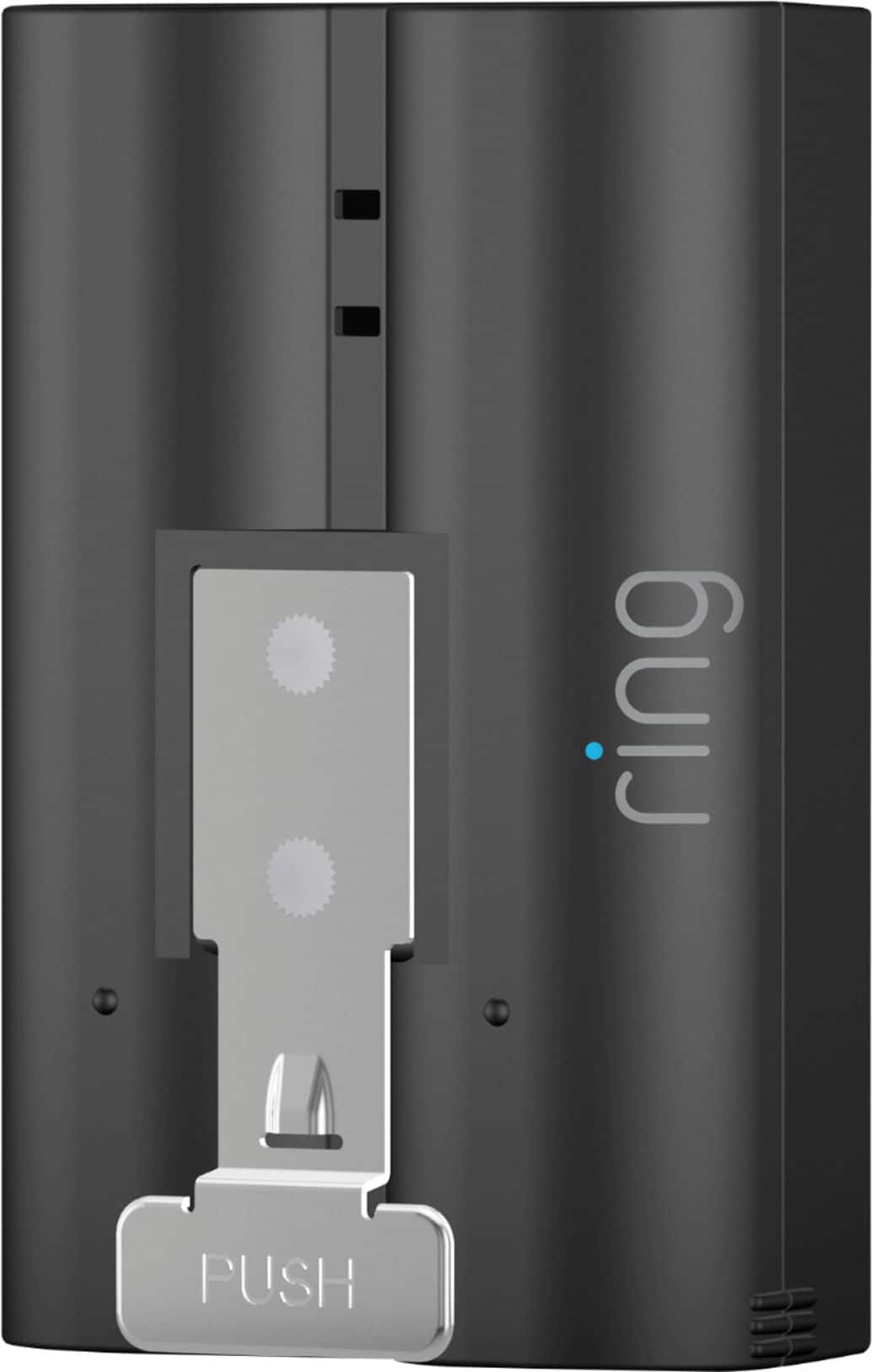
The Ring Quick Release Battery is a rechargeable battery pack for your compatible Ring Video Doorbell, Ring Security Camera, or Ring Solar Floodlight, so you'll always have backup power ready to go. There are some troubleshooting steps that you can take to ensure that you have your device set up for optimal performance.
As cold weather sets in, lithium-ion batteries like those used in Ring Doorbells and Ring Security Cameras may experience several issues including trouble holding a charge, running out of power faster than normal, or losing functionality. Knowing at what temperature batteries will start to be impacted can help you take the necessary steps to keep your device working. When the temperature drops to: 36°F (3°C): The battery may not hold a charge as effectively, resulting in having to charge the unit more frequently. 32°F (0°C): The battery may not charge at all. Even hardwired configurations may not charge the battery. -5°F (-20.5°C): The battery may stop working completely until temperatures warm up. When it gets cold and your device's battery runs out, bring your entire device inside and charge the battery with a USB cord. This will allow your device to warm up while the battery charges.
The more events captured by your Ring devices, the more your battery is used. Using "Live View" often can also drain your battery faster. If your device is capturing an excessive number of events each day, you may need to recharge your battery sooner. To prevent excessive activity, under "Motion Settings" for your device in the Ring app you can:
Adjust your "Motion Sensitivity" slider to a lower sensitivity.
Redraw your "Customizable Motion Zones."
Change "Motion Frequency" to regularly or periodically.
You could also adjust the direction of your Ring device so it doesn't detect as much motion.
You can go to "Power Settings" in the Ring app to see what features may be draining your battery. To access "Power Settings," open the Ring app:
Tap menu (≡) on the top left of the Dashboard. Tap "Devices."
Tap the individual device (video doorbell or security camera) you want to check. Tap "Power Settings "to check your "Battery Level" percentage and "Feature Power Usage."
Tap a feature to adjust "Snapshot Capture," "Motion Frequency" and "Video Recording Length."
If any additional information is needed regarding the battery life of your device, please reach out to our community. Ring Community is our first peer-to-peer community forum, giving our customers the ability to help one another and share their feedback and experiences directly with Ring. Thank you for being the best part of Ring! Have a wonderful day!
Sincerely,
Melissa from Ring.
Rated 1 out of 5 stars
UNecessary
||Posted . Owned for 1 month when reviewed.This reviewer received promo considerations or sweepstakes entry for writing a review.This item is unnecessary if connected to electrical doorbell. The original battery stays charged
No, I would not recommend this to a friendBrand response from Ring
Posted .Hi Sharmac.
Thank you for taking the time to share your feedback with us.
We understand the importance of having all relevant product information prior to purchasing. The features and technology provided by Ring devices are incredibly valuable and help provide you with peace of mind about your home security. We can definitely provide you with more information regarding the concern mentioned in your review.
It sounds like you have some concerns regarding the Ring Quick-Release Rechargeable Battery. The Ring Quick-Release Rechargeable Battery is designed for use in a variety of Ring devices, including:
Video Doorbell 2, Video Doorbell 3, Video Doorbell 3 Plus, Video Doorbell 4, Battery Doorbell Plus, Stick Up Cam (all generations), Stick Up Cam Pro, Spotlight Cam, Spotlight Cam Plus, Spotlight Cam Pro, Peephole Cam, and Solar Floodlight. Additional batteries can be purchased to avoid any downtime for devices without a hardwired connection.
Ring Community was launched in March 2019 to help deliver the most current news and educational information to our neighbors. It is our first peer-to-peer community forum, giving our customers the ability to help one another and share their feedback and experiences with Ring. Please reach out at https://community.ring.com/ if any additional information is needed regarding your concern.
All the best,
Nicole from Ring.
Rated 1 out of 5 stars
Bad battery
||Posted . Owned for 1 month when reviewed.This reviewer received promo considerations or sweepstakes entry for writing a review.This was not a good purchase. Only had 2 hours of life after being fully charged. I was disappointed overall.
No, I would not recommend this to a friendBrand response from Ring
Posted .Hi EileenC.
Thank you for taking the time to share your experience with us. We understand the importance of having a solid charge on your Ring Quick Release Battery so that you are able to have a longer time between charge cycles. Having longevity in a battery-powered security device, is crucial when it comes to monitoring your home, especially if you are away for long periods of time. We are here to provide you with some education to resolve the battery life issue you mentioned in your review.
It sounds like your device is not operating as expected. The Ring Quick Release Battery Pack is designed to provide power for your Ring Doorbells and Security Cams with a convenient quick-release tab for easy removal and insertion. Simply press the tab to release the Battery Pack from the device and connect it to a micro-USB cable or Charging Station to charge. There are some troubleshooting steps that you can take to ensure that you have your device set up for optimal performance.
As cold weather sets in, lithium-ion batteries like those used in Ring Doorbells and Security Cameras may experience several issues including trouble holding a charge, running out of power faster than normal, or losing functionality. Knowing at what temperature batteries will start to be impacted can help you take the necessary steps to keep your device working. When the temperature drops to:
36°F (3°C): The battery may not hold a charge as effectively, resulting in having to charge the unit more frequently.
32°F (0°C): The battery may not charge at all. Even hardwired configurations may not charge the battery.
-5°F (-20.5°C): The battery may stop working completely until temperatures warm up.
When it gets cold and your device's battery runs out, bring your entire device inside and charge the battery with a USB cord. This will allow your device to warm up while the battery charges.
The more events captured by your Ring devices, the more your battery is used. Using Live View often can also drain your battery faster. If your device is capturing an excessive number of events each day, you may need to recharge your battery sooner. To prevent excessive activity, under Motion Settings for your device in the Ring app you can:
Adjust your Motion Sensitivity slider to a lower sensitivity.
Redraw your Customizable Motion Zones.
Change Motion Frequency to regularly or periodically.
You could also adjust the direction of your Ring device so it doesn't detect as much motion.
You can go to Power Settings in the Ring app to see what features may be draining your battery.
To access Power Settings, open the Ring app:
Tap menu (≡) on the top left of the Dashboard.
Tap Devices.
Tap the individual device (video doorbell or security camera) you want to check.
Tap Power Settings to check your Battery Level percentage and Feature Power Usage .
Tap a feature to adjust Snapshot Capture, Motion Frequency and Video Recording Length.
If any additional information is needed regarding the battery life of your device, please reach out to our Community. Ring Community is our first peer-to-peer community forum, giving our customers the ability to help one another and share their feedback and experiences directly with Ring.
Thank you for being the best part of Ring! Have a wonderful day!
Sincerely,
Melissa from Ring.
Rated 1 out of 5 stars
Do not buy
||Posted . Owned for 2 months when reviewed.This reviewer received promo considerations or sweepstakes entry for writing a review.This battery only has one week to live at a time, I would not buy this.
No, I would not recommend this to a friendBrand response from Ring
Posted .Hi Longtimecustomer.
Thank you for taking the time to share your experience with us.
We understand the importance of having a solid charge on the Ring Quick-Release Rechargeable Battery. Having longevity in a battery-powered security device is crucial when it comes to monitoring your home, especially if you are away for long periods of time. We can definitely provide you with more information regarding the concern mentioned in your review.
It sounds like the battery on your device is not lasting as intended. The rechargeable battery can go months between recharges with normal use. This is dependent on a number of factors in your home’s environment, such as the local weather and the number of activities captured. If your device is capturing an excessive number of events per day, you will likely need to recharge your battery sooner. Using Live View often can also drain your battery faster.
To prevent excessive activity notifications, adjust your Motion Settings to a lower sensitivity, disable certain zones, change Motion Frequency to Regularly or Periodically, or adjust the direction of your Ring device so it doesn't detect as much motion. Visit our support center for more information.
Ring Community was launched to help deliver the most current news and educational information to our neighbors. This online forum is divided into four categories: Product Boards, Ring Updates, Tips + Tricks, and a Moderators’ Corner. The Product Boards are where you can begin new topics with your questions or feedback; there is also a search option that helps you find topics that have already been posted by other neighbors.
All the best,
Nicole from Ring.
Rated 1 out of 5 stars
Defective battery/can't be replaced or exchanged
||Posted . Owned for 1 month when reviewed.This reviewer received promo considerations or sweepstakes entry for writing a review.I just purchased the battery, charged it fully and it needed re-charging within two weeks! The battery is defective.
No, I would not recommend this to a friendBrand response from Ring
Posted .Hello Yogagirl,
Thank you for taking the time to share your Ring Rechargeable Lithium-ion Battery experience with us. We appreciate it. Our products are intended to provide you with long-term peace of mind in terms of home security.Ring devices all include a one-year limited warranty on parts and hardware: https://ring.com/warranty. If you are a Ring Protect Plus member, an added benefit of this plan is an extended product warranty that would cover replacement for the lifetime of the device. Rest assured, whether you are a Protect Plus member or not, we do have some solutions that can resolve your concerns and ensure you have a Ring device that is capturing visitors around your home when you need it most!
To obtain the benefit of the limited warranty, please contact Ring community support at http://support.ring.com/or 1 (800) 656-1918 (US). For any additional questions or concerns, please feel free to reach out on our community forum at https://community.ring.com/. This forum was launched in 2019 to allow our neighbors to share their experiences and feedback directly with Ring.
We are eager to get a solution in place for you so you can monitor your home and get notified in a timely manner of visitors approaching your door. We look forward to hearing from you soon!
Thank you, Jamila with Ring.
Rated 1 out of 5 stars
Dead battery
||Posted . Owned for 1 month when reviewed.This reviewer received promo considerations or sweepstakes entry for writing a review.The batteries didnt last long had to charge every two weeks. I wasted my oney.
No, I would not recommend this to a friendBrand response from Ring
Posted .Hi Debbie. Thank you for sharing your experience with us. We understand the importance of having a solid charge on your Ring Quick Release Battery so that you are able to have a longer time between charge cycles. Having longevity in a battery-powered security device is crucial when it comes to monitoring your home, especially if you are away for long periods of time. We are here to provide you with some information to resolve the battery life issue you mentioned in your review.
It sounds like you are concerned about the battery life of your Ring device. There are some troubleshooting steps that you can take to ensure that you have your device set up to operate as intended for your needs.
As cold weather sets in, lithium-ion batteries like those used in Ring Doorbells and Security Cameras may experience several issues including trouble holding a charge, running out of power faster than normal, or losing functionality. Knowing at what temperature batteries will start to be impacted can help you take the necessary steps to keep your device working. When the temperature drops to:
36°F (3°C): The battery may not hold a charge as effectively, resulting in having to charge the unit more frequently.
32°F (0°C): The battery may not charge at all. Even hardwired configurations may not charge the battery.
-5°F (-20.5°C): The battery may stop working completely until temperatures warm up.
When it gets cold and your device's battery runs out, bring your entire device inside and charge the battery with a USB cord. This will allow your device to warm up while the battery charges.
The more events captured by your Ring devices, the more your battery is used. Using Live View often can also drain your battery faster. If your device is capturing an excessive number of events each day, you may need to recharge your battery sooner. To prevent excessive activity, under Motion Settings for your device in the Ring app you can:
Adjust your Motion Sensitivity slider to a lower sensitivity.
Redraw your Customizable Motion Zones.
Change Motion Frequency to regularly or periodically.
You could also adjust the direction of your Ring device so it doesn't detect as much motion.
You can go to Power Settings in the Ring app to see what features may be draining your battery.
To access Power Settings, open the Ring app:
Tap menu (≡) on the top left of the Dashboard.
Tap Devices.
Tap the individual device (video doorbell or security camera) you want to check.
Tap Power Settings to check your Battery Level percentage and Feature Power Usage .
Tap a feature to adjust Snapshot Capture, Motion Frequency and Video Recording Length.
If any additional information is needed regarding your Ring Quick Release Battery, please reach out to our Community. Ring Community is our first peer-to-peer community forum, giving our customers the ability to help one another and share their feedback and experiences directly with Ring.
Thank you for being the best part of Ring! Have a wonderful day!
Sincerely,
Melissa from Ring.
Rated 1 out of 5 stars
not good
||Posted . Owned for 3 weeks when reviewed.This reviewer received promo considerations or sweepstakes entry for writing a review.It's too expensive and takes too long to recharge.
No, I would not recommend this to a friendBrand response from Ring
Posted .Hi JoseG.
Thank you for taking the time to share your experience with us.
We understand the importance of having all relevant product information prior to purchasing. The Ring Quick-Release Rechargeable Battery is designed to work with Ring battery-powered devices to provide a long-lasting charge to your home security products. We would love the opportunity to address any concerns you have with the functionality of the device.
It sounds like you have some concerns with the time it takes for your Ring Quick Release Rechargeable Battery to charge. To charge the battery, use a common micro-USB cable, such as the orange one included in your Ring box. Simply plug it into any USB power source. It can take around 5–10 hours to fully charge, depending on whether the USB cable is plugged into a USB port or a wall outlet. Visit our support center for more information.
Ring Community was established to assist in providing our neighbors with the most recent news and instructional material. Four sections make up this online forum: Ring Updates, Product Boards, Tips & Tricks, and a Moderators' Corner. You can start new topics on the Product Boards with your questions or suggestions; a search function will assist you in locating subjects that other neighbors have previously posted.
All the best,
Nicole from Ring.
Rated 1 out of 5 stars
Doesn’t hold charge for a “new” battery
||Posted . Owned for 1 month when reviewed.This reviewer received promo considerations or sweepstakes entry for writing a review.“Supposedly” a new battery. Fully charged, it lasted about a week before needing to be recharged. Waste of money.
No, I would not recommend this to a friendBrand response from Ring
Posted .Hello Marc,
Thank you for leaving a review of the rechargeable lithium-ion battery and sharing your user experience with us. We understand how important it is to ensure that the battery is holding its proper charge and how cumbersome recharging the batteries can be. While batteries in Ring devices can go months between recharges with normal use, this is dependent on a number of factors in your home’s environment, such as the local weather and the number of activities captured. Please know that we are here to resolve these concerns with you today.
This article will detail some of the factors that may cause your battery to require more frequent recharges: support.ring.com/hc/en-us/articles/208190773. The more events are captured by your Ring device, the more your battery is used. Also, using Live View often can drain your battery faster. If your device is capturing an excessive number of events each day, you may need to recharge your battery sooner. In order to prevent excessive activity, you can adjust your motion settings to a lower sensitivity, disable certain zones, change the motion frequency to "regularly or periodically," or adjust the direction of your Ring device, so it doesn’t detect as much motion.
If after trying these steps, you are still experiencing issues, we would love to investigate this further with you. Please feel free to check out our community forum at https://community.ring.com/for additional tips and support!
Thank you,
Jamila and the Ring
Rated 1 out of 5 stars
What a rip off! won't hold charge!
||Posted . Owned for 1 year when reviewed.This reviewer received promo considerations or sweepstakes entry for writing a review.This things are terrible. They lasted one year and now they won't hold a charge.
No, I would not recommend this to a friendBrand response from Ring
Posted .Hi DaneilP.
Thank you for sharing your experience with us.
Having longevity in a battery-powered security device is crucial when it comes to monitoring your home, especially if you are away for long periods of time. We are here today to work with you on finding the best solution for your battery concerns.
It sounds like your Ring Quick Release Rechargeable Battery is not charging properly. Your Quick Release Battery is charged using a common micro-USB cable (an orange one is included in your Ring box). The micro-USB cable can be plugged into any USB power source, such as a computer. Your battery will take around five to 10 hours to fully charge, depending on whether the USB cable is plugged into a USB port or into a wall outlet. Once you reinstall the doorbell battery, give your doorbell a test ring. This will reset the battery percentage in the Ring app. You won't see an updated battery status until you reinstall your doorbell and reconnect it to your wifi network.Here is a helpful support article with step-by-step directions for properly charging the battery: https://support.ring.com/hc/en-us/articles/206129023-How-to-Charge-Your-Ring-Doorbell-Battery.
Ring Community was launched in March 2019 to help deliver the most current news and educational information to our customers. You can find tips and tricks from other Ring users at https://community.ring.com/. This peer-to-peer forum allows our neighbors to share their feedback and experiences to assist each other in resolving their concerns.
All the best,
Nicole from Ring.
Rated 1 out of 5 stars
BATTERIES DO NOT WORK
||Posted . Owned for 1.5 years when reviewed.This reviewer received promo considerations or sweepstakes entry for writing a review.DO NOT BUY! THIS BATTERIES SUCK! SAVE YOUR SELF THAT TROUBLE.
No, I would not recommend this to a friendBrand response from Ring
Posted .Hi BeliaA.
Thank you for taking the time to share your feedback with us.
We understand the importance of having a solid charge on your Ring Quick-Release battery so that you are able to have a longer time between charge cycles. Having longevity in a battery-powered security device is crucial when it comes to monitoring your home, especially if you are away for long periods of time. We would love the opportunity to work with you to ensure your device is set up for optimal performance.
It sounds like the battery in your device is draining faster than expected. The rechargeable batteries of Ring devices can go months between recharges with normal use. This is dependent on a number of factors in your home’s environment, such as the local weather and the number of activities captured.
The more events captured by your Ring devices, the more your battery is used. Using Live View often can also drain your battery faster. If your device is capturing an excessive number of events each day, you may need to recharge your battery sooner. To prevent excessive activity, under Motion Settings for your device in the Ring app you can try the following:
Adjust your motion sensitivity slider to a lower sensitivity.
Redraw your customizable motion zones.
Change the motion frequency to regularly or periodically.
Visit our support center for more information.
Ring Community was launched to help deliver the most current news and educational information to our neighbors. This online forum is divided into four categories: Product Boards, Ring Updates, Tips + Tricks, and a Moderators’ Corner. The Product Boards are where you can begin new topics with your questions or feedback; there is also a search option that helps you find topics that have already been posted by other neighbors.
All the best,
Nicole from Ring.
Rated 1 out of 5 stars
not worth the money
||Posted . Owned for 1 month when reviewed.This reviewer received promo considerations or sweepstakes entry for writing a review.for the price you would think it would suction stong it was week need to return
No, I would not recommend this to a friendBrand response from Ring
Posted .Hi VedaC, I know it's important to find the right accessories for your Ring device. The Quick Release Battery Pack is a rechargeable battery, compatible with most battery powered Ring Doorbells and Security Cameras. The battery can take about 8 hours to fully charge when plugged into a standard power outlet with the provided charging cable. If you have any other questions or concerns, try searching the Ring Community at https://community.ring.com/ to find an answer from other neighbors. Best wishes, Ashley from Ring.
Rated 1 out of 5 stars
Lasts only 1 month in my ring doorbell!
||Posted . Owned for 1 month when reviewed.This reviewer received promo considerations or sweepstakes entry for writing a review.Bought Ring video door bell. Battery is advertised to last 6 months. It died in just over a month. I bought a second battery - same thing charge only lasted a month. Very disappointing!
No, I would not recommend this to a friendBrand response from Ring
Posted .Hi Oki1.
We appreciate the time you have taken to share your Ring experience with us. We value the experience you have with Ring, and want to ensure the Ring Rechargeable Quick Release Battery Pack is meeting the standards it's intended to provide. It is essential to have peace of mind when it comes to your home security, and battery life plays a big role in that. Rest assured, we hear you and are here to offer you some help.
It sounds like you are concerned about the battery life of your Ring device. There are some steps that you can take to ensure that you have your device set up for optimal performance.
The more events captured by your Ring devices, the more your battery is used. Using Live View often will drain your battery faster. In addition, if your device is capturing an excessive number of events each day, you may need to recharge your battery sooner.
To prevent excessive activity, under Motion Settings for your device in the Ring app you can:
Adjust your Motion Sensitivity slider to a lower sensitivity.
Redraw your Customizable Motion Zones.
Change Motion Frequency to regularly or periodically.
You could also adjust the direction of your Ring device so it doesn't detect as much motion.
You can go to Power Settings in the Ring app to see what features may be draining your battery. To access Power Settings, open the Ring app:
Tap menu (≡) on the top left of the Dashboard. Tap Devices.
Tap the individual device (video doorbell or security camera) you want to check. Tap Power Settings to check your Battery Level percentage and Feature Power Usage.
Tap a feature to adjust Snapshot Capture, Motion Frequency and Video Recording Length.
At temperatures below 40°F, lithium polymer batteries are less effective at holding a charge. Since Ring devices use lithium polymer batteries, when the temperature drops below 40°F, it may be necessary to charge your battery more often. Battery performance will return to normal once the weather warms up and remains above freezing.
If any additional information is needed regarding your Ring Rechargeable Quick Release Battery Pack, please reach out to our community. Ring Community is our first peer-to-peer community forum, giving our customers the ability to help one another and share their feedback and experiences directly with Ring.
Thank you,
Amilia from Ring.
Rated 1 out of 5 stars
Had to order straight from Ring
||Posted .This reviewer received promo considerations or sweepstakes entry for writing a review.The one I bought from Best Buy was defective so I had to get a new one straight from Ring
No, I would not recommend this to a friendBrand response from Ring
Posted .Hi MeMyself,
I am sorry to hear this. I would, however, like to connect with you directly so that I can make sure that your new Ring Video Doorbell is up and running perfectly for you. Would you email me at [email protected]?
Thanks,
Kaitlyn R., Customer Satisfaction Specialist
[email protected]
Rated 1 out of 5 stars
Junk
||Posted . Owned for 9 months when reviewed.This reviewer received promo considerations or sweepstakes entry for writing a review.They work great at first but once the weather gets cold they are worthless.
No, I would not recommend this to a friendBrand response from Ring
Posted .Hello Nick,
Thank you for leaving a review of the rechargeable lithium-ion battery and sharing your user experience with us. We understand how important it is to ensure that the battery is holding its proper charge and how cumbersome recharging the batteries can be. While batteries in Ring devices can go months between recharges with normal use, this is dependent on a number of factors in your home’s environment, such as the local weather and the number of activities captured. Please know that we are here to resolve these concerns with you today.
This article will detail some of the factors that may cause your battery to require more frequent recharges: support.ring.com/hc/en-us/articles/208190773. The more events are captured by your Ring device, the more your battery is used. Also, using Live View often can drain your battery faster. If your device is capturing an excessive number of events each day, you may need to recharge your battery sooner. In order to prevent excessive activity, you can adjust your motion settings to a lower sensitivity, disable certain zones, change the motion frequency to "regularly or periodically," or adjust the direction of your Ring device, so it doesn’t detect as much motion.
If after trying these steps, you are still experiencing issues, we would love to investigate this further with you. Please feel free to check out our community forum at https://community.ring.com/for additional tips and support!
Thank you,
Jamila with Ring
Rated 1 out of 5 stars
No good
||Posted . Owned for 3 weeks when reviewed.This reviewer received promo considerations or sweepstakes entry for writing a review.I didn’t like. The battery charge does not last long.
No, I would not recommend this to a friendBrand response from Ring
Posted .Hi HectorC.
Thank you for taking the time to share this feedback with us.
We understand how critical it is for your battery life to last for an extended period of time. Having longevity in a battery-powered security device is crucial when it comes to monitoring your home, especially if you are away for long periods of time. We would love the opportunity to resolve the concern mentioned in your review.
It sounds like the battery on your device is draining faster than expected. The Ring Quick Release Rechargeable Battery can go months between recharges with normal use. This is dependent on a number of factors in your home’s environment, such as the local weather and the number of activities captured. If your device is capturing an excessive number of events per day, you will likely need to recharge your battery sooner. Using Live View frequently can also drain your battery faster.
To prevent excessive activity notifications, adjust your Motion Settings to a lower sensitivity, disable certain zones, change Motion Frequency to Regularly or Periodically, or adjust the direction of your Ring device so it doesn't detect as much motion.
Ring Community was launched to help deliver the most current news and educational information to our neighbors. This online forum is divided into four categories: Product Boards, Ring Updates, Tips + Tricks, and a Moderators’ Corner. The Product Boards are where you can begin new topics with your questions or feedback; there is also a search option that helps you find topics that have already been posted by other neighbors.
All the best,
Nicole from Ring.
Rated 1 out of 5 stars
Not ideal for outdoor use
||Posted . Owned for 1 week when reviewed.This reviewer received promo considerations or sweepstakes entry for writing a review.Needs to be charged 3 times a week. Too much time spent on setting up the ladder to replace batteries 3 times per week.
No, I would not recommend this to a friendBrand response from Ring
Posted .Hello LynnDee,
Thank you for leaving a review of the rechargeable lithium-ion battery and sharing your user experience with us. We understand how important it is to ensure that the battery is holding its proper charge and how cumbersome recharging the batteries can be. While batteries in Ring devices can go months between recharges with normal use, this is dependent on a number of factors in your home’s environment, such as the local weather and the number of activities captured. Please know that we are here to resolve these concerns with you today.
This article will detail some of the factors that may cause your battery to require more frequent recharges: support.ring.com/hc/en-us/articles/208190773. The more events are captured by your Ring device, the more your battery is used. Also, using Live View often can drain your battery faster. If your device is capturing an excessive number of events each day, you may need to recharge your battery sooner. In order to prevent excessive activity, you can adjust your motion settings to a lower sensitivity, disable certain zones, change the motion frequency to "regularly or periodically," or adjust the direction of your Ring device, so it doesn’t detect as much motion.
If after trying these steps, you are still experiencing issues, we would love to investigate this further with you. Please feel free to check out our community forum at https://community.ring.com/for additional tips and support!
Thank you,
Jamila with Ring
Rated 1 out of 5 stars
Battery
||Posted . Owned for 3 months when reviewed.This reviewer received promo considerations or sweepstakes entry for writing a review.Returned it , didn’t fit our ring devise. Sale rep. Was not knowledgeable of device
No, I would not recommend this to a friendBrand response from Ring
Posted .Hi BKhome,
We understand where you're coming from, as this isn't the experience we want our users to go through. Ring manufactures only one style of battery, the Ring Quick Release battery. We'd like to offer our insight on the subject so that it may help others understand which devices utilize this battery.
The following devices utilize the Ring Quick Release Battery:
- Ring Video Doorbell 2
- Ring Video Doorbell 3
- Ring Video Doorbell 3 +
- Ring Video Doorbell 4
- Ring Peephole Camera
- Ring Spotlight Camera - Battery
- Ring Stick Up Cam - Battery
- Ring Solar Floodlight
- Ring Alarm Outdoor Siren
We invite you to reach our support team here at Ring with any future questions you may have. Additionally, you can find more tips, tricks or start a conversation by visiting our community forum at https://community.ring.com/.
All the best,
Marlom at Ring
Rated 1 out of 5 stars
Poor charge
||Posted . Owned for 1 month when reviewed.This reviewer received promo considerations or sweepstakes entry for writing a review.Doesn’t charge/hold charge. Had to get another battery
No, I would not recommend this to a friendBrand response from Ring
Posted .Hello Lois,
Thank you for taking the time to share your Ring Rechargeable Battery Pack feedback with us directly, we appreciate it! While batteries in Ring devices can go months between recharges with normal use, this is dependent on a number of factors in your home's environment, such as the local weather and the number of activities captured. Rest assured, we are here to provide you with assistance to get the most out of your Ring device's battery life.
If your Ring doorbell or security camera battery is draining too fast, it might be caused by a poor wifi connection. Your doorbell or camera may be frequently disconnecting and reconnecting to your wifi network. Each time a disconnection or reconnection happens, your Ring device uses power, which then contributes to the battery draining too fast. Here is a helpful article that has some tips and tricks to improve your battery life: https://support.ring.com/hc/en-us/articles/4405531384468-How-to-Fix-a-Ring-Doorbell-or-Security-Camera-Battery-Draining-Too-Fast.
At Ring, we are constantly innovating on behalf of our customers to develop products that best meet their home and security needs, and provide them with as much choice as possible. Ring Community is our first peer-to-peer community forum, giving our customers the ability to help one another and share their feedback/experiences with Ring. We invite you to reach out at https://community.ring.com/ if you have any additional questions or feedback regarding your Ring Rechargeable Battery. We look forward to hearing from you!
Thank you,
Alexis with Ring
Rated 1 out of 5 stars
Don’t buy.
||Posted . Owned for 3 weeks when reviewed.This reviewer received promo considerations or sweepstakes entry for writing a review.Both batteries were defective. Neither would accept a charge.
No, I would not recommend this to a friendBrand response from Ring
Posted .Hello Jake, Thank you for taking a moment to leave your review of the Ring Rechargeable Lithium-ion Battery. At Ring, we believe that stronger communities are the key to safer neighborhoods. That is why we are driven to create products that help you protect what matters most at home, and empower you to connect with your visitors from wherever you are. We are saddened to read that this device did not meet your expectations, but are still here to assist you, if needed. If you still have the Ring device in your possession, we invite you to reach out to us at https://community.ring.com/. Ring Community is our first peer-to-peer community forum, giving our customers the ability to help one another and share their personal feedback/experiences with Ring. We look forward to hearing from you, if we can be of any further assistance! Thank you, Jamila with Ring.
Rated 1 out of 5 stars
Quality is bad
||Posted . Owned for 4 months when reviewed.This reviewer received promo considerations or sweepstakes entry for writing a review.Not good.they need to update the battery life. They should send me another battery
No, I would not recommend this to a friendBrand response from Ring
Posted .Hello Kell1,
We appreciate you leaving a review. We understand how important it is to ensure that the battery is holding its proper charge and how cumbersome recharging the batteries can be. Please know that we are here to resolve these concerns with you today.
Based on your review, it seems that you are experiencing frequent battery drainage. While batteries in Ring devices can go months between recharges with normal use, this is dependent on a number of factors in your home’s environment, such as the local weather and the number of activities captured. This article will detail some of the factors that may cause your battery to require more frequent recharges: https://support.ring.com/hc/en-us/articles/208190773.
We appreciate that you have placed value in owning a Ring device to secure your home and know it's important that it meets your expectations. Please visit our community forum at https://community.ring.com/, as we have some additional solutions we'd love to share with you.
Thank you, Jamila with Ring.