Customer Ratings & Reviews


- Model:
- B0CZVXB3XT
- |
- SKU:
- 6590450
Customer reviews
Rating 4.8 out of 5 stars with 488 reviews
(488 customer reviews)Rating by feature
- Video Quality4.8
Rating 4.8 out of 5 stars
- Mobile App4.8
Rating 4.8 out of 5 stars
- Sound Quality4.8
Rating 4.8 out of 5 stars
Customers are saying
Customers praise the Starter Set with Battery Doorbell and Indoor Cam for its outstanding video quality and overall performance, noting the clear picture it provides. Many find it easy to use, with a straightforward setup process. While the battery life exceeds expectations, some customers have experienced connectivity issues with the doorbell camera.
This summary was generated by AI based on customer reviews.
- Pros mentioned:Overall performance
Rated 5 out of 5 stars
Ring camera sale
||Posted . Owned for 1 month when reviewed.This reviewer received promo considerations or sweepstakes entry for writing a review.Love this works just fine Best Buy was super fast . Will buy again
I would recommend this to a friend Rated 5 out of 5 stars
Amazing customer service
||Posted . Owned for 3 weeks when reviewed.This reviewer received promo considerations or sweepstakes entry for writing a review.I had some difficulty finding what I was looking for , a store associate was easy to find the exact product I wanted ! Very friendly and as knowledgeable about the product! Definitely would shop here again !
I would recommend this to a friend- Pros mentioned:Video quality
Rated 5 out of 5 stars
Great quality
||Posted . Owned for 1 week when reviewed.This reviewer received promo considerations or sweepstakes entry for writing a review.Camera works perfect. Inside camera as well and the sound is amazing.
I would recommend this to a friend - Pros mentioned:Overall performance
Rated 5 out of 5 stars
Ring Camera
||Posted . Owned for 1 week when reviewed.This reviewer received promo considerations or sweepstakes entry for writing a review.Easy Purchase! Fast shipping and great product, would buy again.
I would recommend this to a friend - Pros mentioned:Video quality
Rated 5 out of 5 stars
Great Product
||Posted . Owned for 1 week when reviewed.This reviewer received promo considerations or sweepstakes entry for writing a review.Great Product! Ring is very Reliable. The camera quality is excellent.
I would recommend this to a friend Rated 5 out of 5 stars
Works great
||Posted .This reviewer received promo considerations or sweepstakes entry for writing a review.Got for a gift, they love it and have no issues with it.
I would recommend this to a friend- Pros mentioned:Ease of use
Rated 5 out of 5 stars
Amazing door bell
||Posted . Owned for 1 week when reviewed.This reviewer received promo considerations or sweepstakes entry for writing a review.I love this amazing doorbell, I got mine connected to my iPhone
I would recommend this to a friend - Pros mentioned:Ease of use
Rated 5 out of 5 stars
Ring Camera
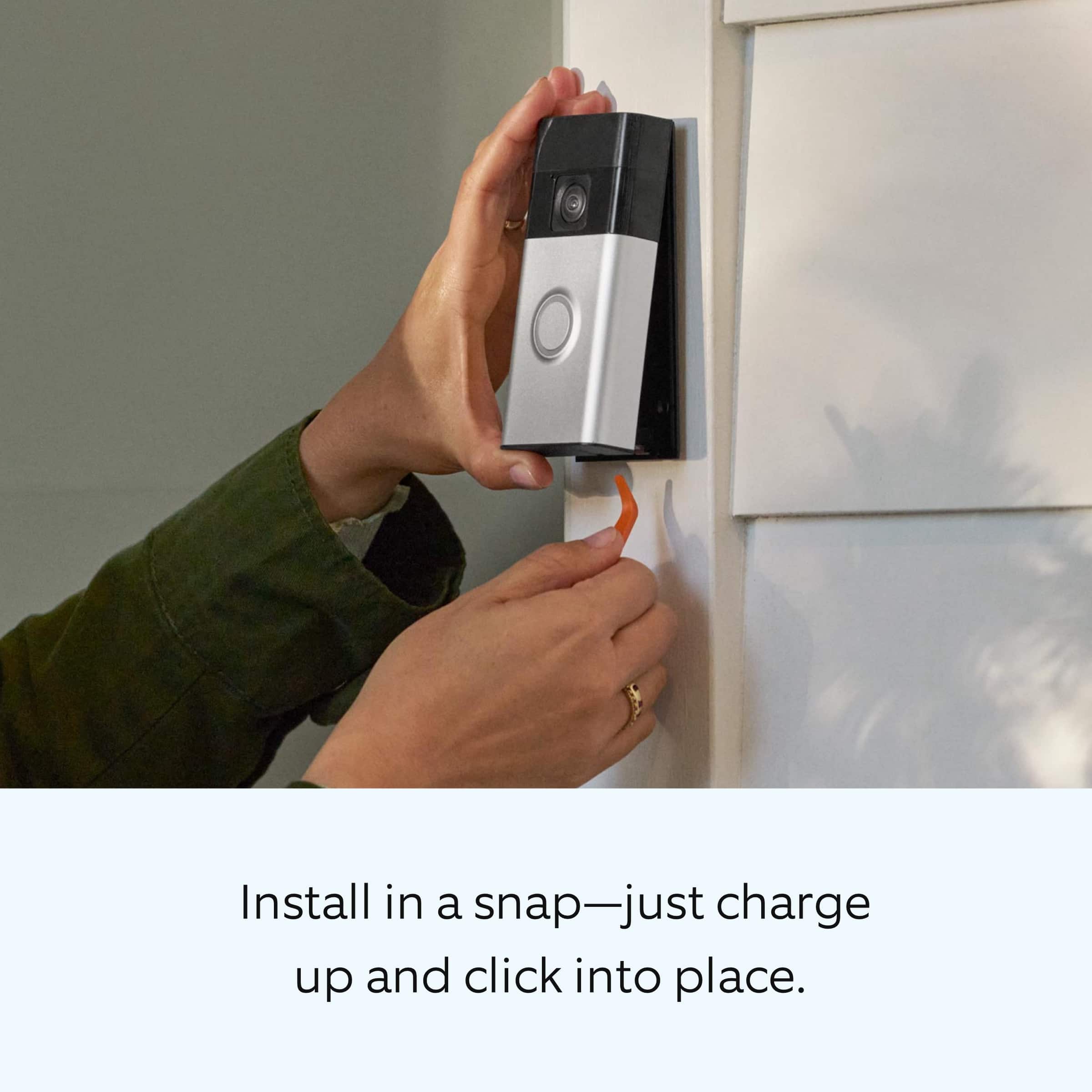
||Posted . Owned for 1 week when reviewed.This reviewer received promo considerations or sweepstakes entry for writing a review.Easy to setup the ring camera and the software is easy to use.
I would recommend this to a friend - Pros mentioned:Ease of use
Rated 5 out of 5 stars
Good
||Posted . Owned for 2 weeks when reviewed.This reviewer received promo considerations or sweepstakes entry for writing a review.We love it! We set it up immediately and works just as described
I would recommend this to a friend - Pros mentioned:Ease of use
Rated 5 out of 5 stars
Cámaras
||Posted . Owned for 1 month when reviewed.This reviewer received promo considerations or sweepstakes entry for writing a review.This cámaras are great super easy instructions and installation
I would recommend this to a friend - Pros mentioned:Overall performance
Rated 5 out of 5 stars
Christmas Gift
||Posted . Owned for 2 weeks when reviewed.This reviewer received promo considerations or sweepstakes entry for writing a review.Really good sale price and picture to match for my son room.
I would recommend this to a friend - Pros mentioned:Overall performance
Rated 5 out of 5 stars
Good product
||Posted . Owned for 1 week when reviewed.This reviewer received promo considerations or sweepstakes entry for writing a review.I think the company is so great and so are the people who work there.
I would recommend this to a friend - Pros mentioned:Video quality
Rated 5 out of 5 stars
s
||Posted . Owned for 1 week when reviewed.This reviewer received promo considerations or sweepstakes entry for writing a review.nice and clear love it and sjould have it at home feel saft
I would recommend this to a friend - Pros mentioned:Ease of use
Rated 5 out of 5 stars
Easy set up
||Posted . Owned for 1 week when reviewed.This reviewer received promo considerations or sweepstakes entry for writing a review.Easy to use and set up. Simple enough for piece of mind.
I would recommend this to a friend - Pros mentioned:Ease of use
Rated 5 out of 5 stars
Ring doorbell and camera
||Posted . Owned for 1 week when reviewed.This reviewer received promo considerations or sweepstakes entry for writing a review.Easy set up and installation. Would recommend to everyone
I would recommend this to a friend - Pros mentioned:Overall performance
Rated 5 out of 5 stars
Ring Review
||Posted . Owned for 1 week when reviewed.This reviewer received promo considerations or sweepstakes entry for writing a review.It’s a great affordable security option. No problems yet.
I would recommend this to a friend - Pros mentioned:Video quality
Rated 5 out of 5 stars
Good purchase
||Posted . Owned for 1 week when reviewed.This reviewer received promo considerations or sweepstakes entry for writing a review.Very easy to setup and install. Video & audio quality is clear
I would recommend this to a friend Rated 5 out of 5 stars
Ring camera
||Posted .This reviewer received promo considerations or sweepstakes entry for writing a review.Works ok wish it would pick up everyone that enters my office
I would recommend this to a friend- Pros mentioned:Video quality
Rated 5 out of 5 stars
Love It!!!
||Posted . Owned for 2 weeks when reviewed.This reviewer received promo considerations or sweepstakes entry for writing a review.Loving my Ring doorbell camera. I haven't set up my indoor cam yet.
I would recommend this to a friend - Pros mentioned:Ease of use
Rated 5 out of 5 stars
Ring ring
||Posted . Owned for 1 week when reviewed.This reviewer received promo considerations or sweepstakes entry for writing a review.Great price and easy setup. Would recommend to anyone
I would recommend this to a friend