Customer Ratings & Reviews




- Model:
- B09CKN55DW
- SKU:
- 6539952
Rating by feature
- Value
Rating 4.4 out of 5 stars
- Quality
Rating 4.6 out of 5 stars
- Ease of Use
Rating 4.7 out of 5 stars
Customers are saying
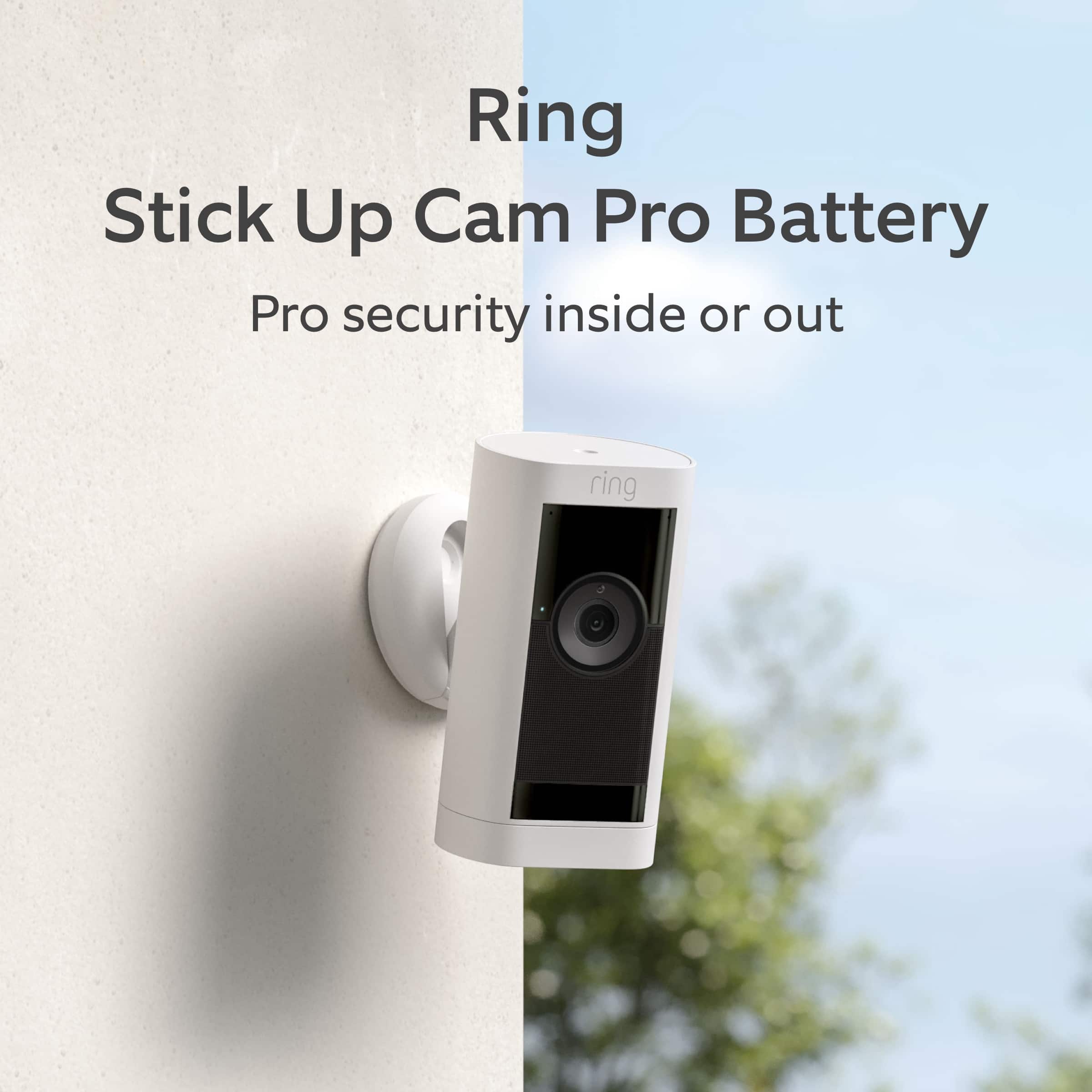
Customers love the Stick Up Cam Pro for its crisp, clear picture and excellent video quality. Users also appreciate the long battery life and flawless motion detection. While the camera offers great features, some find its size a bit bulky.
This summary was generated by AI based on customer reviews.
Miss Packaged Port Cable
||Posted . Owned for 3 weeks when reviewed.This reviewer received promo considerations or sweepstakes entry for writing a review.The Ring stick up camera seemed functional for my needs, unfortunately the battery recharge cable was miss packaged and did not fit the recharge port for me to be able to recharge the battery. I returned the camera, received a full refund from Best Buy and I then purchased another brand.
No, I would not recommend this to a friendBrand response from Ring
Posted .Hi EdB1.
Thank you for taking the time to share your experience with us.
We understand the importance of a seamless setup process so that you can begin using your Ring Stick-Up Cam Pro right away. The security features and technology provided by the Ring Stick-Up Cam Pro are incredibly valuable to your peace of mind, and receiving a device that is missing parts is not the experience we want any of our neighbors to encounter during the purchase process. We can definitely provide you with more information regarding the concern mentioned in your review.
It sounds like you have some concerns regarding the charging cable provided with your device. The Ring Stick-Up Cam Pro uses a Ring Quick-Release Rechargeable Battery. It is charged using a common micro-USB cable, such as the orange one included in your Ring box.
To charge the battery, you must first remove it from the camera. Then, plug it into any USB power source. The battery can take around 5–10 hours to fully charge, depending on whether the USB cable is plugged into a USB port or a wall outlet.
The Ring Stick-Up Cam Pro does offer a dual-power option, which requires the Indoor/Outdoor Power Adapter (sold separately). This power adapter will plug directly into the camera instead of the battery. When plugged into an outlet, the Stick Up Cam Pro will be powered by the adapter and will use the battery as a backup.
Ring Community was launched to help deliver the most current news and educational information to our neighbors. This online forum is divided into four categories: Product Boards, Ring Updates, Tips + Tricks, and a Moderators’ Corner. The Product Boards are where you can begin new topics with your questions or feedback; there is also a search option that helps you find topics that have already been posted by other neighbors.
All the best,
Nicole from Ring.
Small and wonderful
||Posted . Owned for 3 weeks when reviewed.This reviewer received promo considerations or sweepstakes entry for writing a review.It is small but it is powerful and loud. Love it and the kids do too
I would recommend this to a friendCameras
||Posted . Owned for 3 weeks when reviewed.This reviewer received promo considerations or sweepstakes entry for writing a review.No problems setting up cameras and installing equipment.
I would recommend this to a friendCámaras
||Posted . Owned for 1 month when reviewed.This reviewer received promo considerations or sweepstakes entry for writing a review.The best product. I recommend you this cámara from ring
I would recommend this to a friendGreat purchase
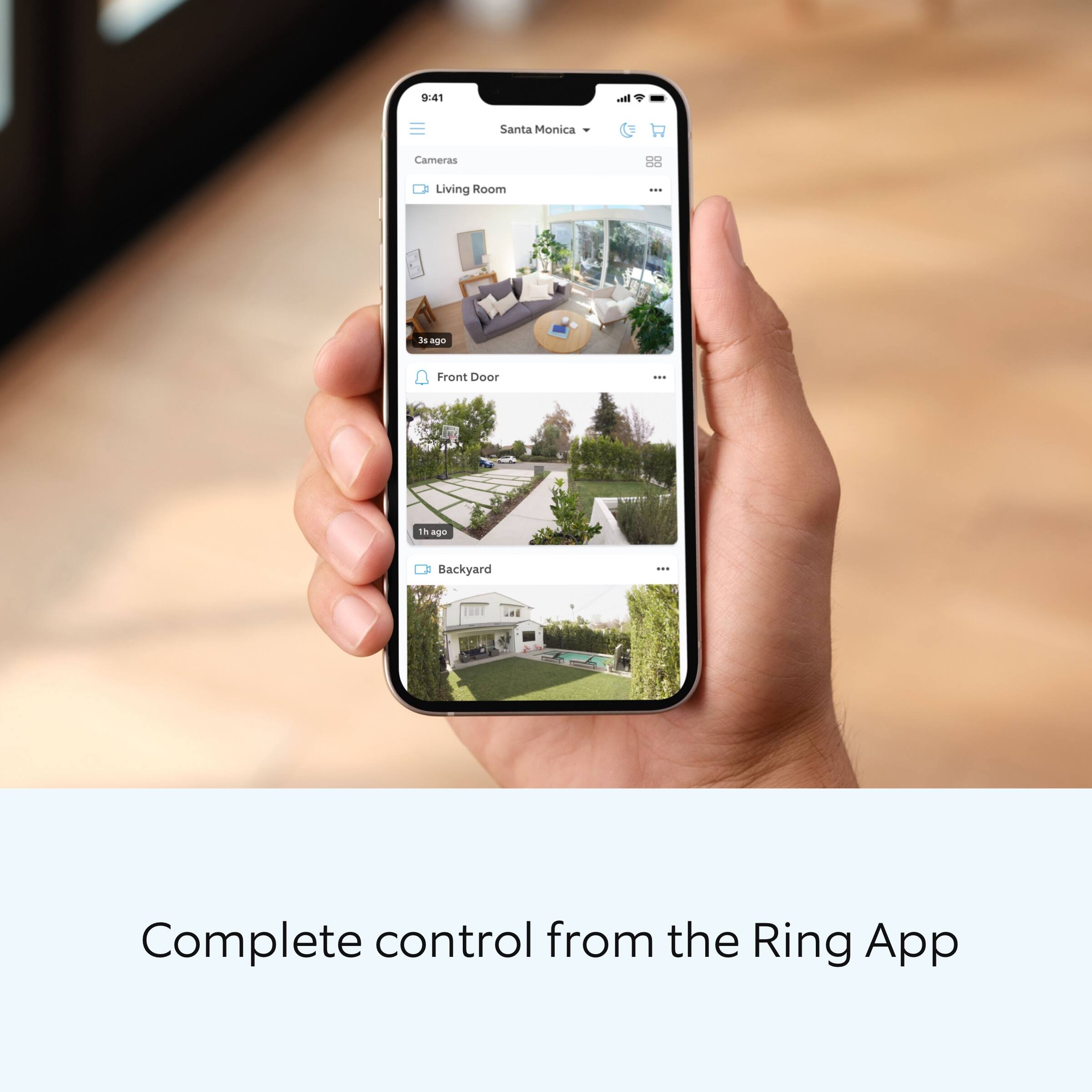
||Posted . Owned for 1 month when reviewed.This reviewer received promo considerations or sweepstakes entry for writing a review.Works amazingly and is very accessible from the app.
I would recommend this to a friendRing Stick Up Cam
||Posted . Owned for 3 months when reviewed.This reviewer received promo considerations or sweepstakes entry for writing a review.This is a nice camera. The battery does not last too long, and I am going to have to get a solar charger.
I would recommend this to a friendBrand response from Ring
Posted .Hi Drey.
Thank you for taking the time to share your experience. We understand the importance of having a solid charge on your Ring Stick Up Cam Pro Battery so that you are able to have a longer time between charge cycles. Having longevity in a battery-powered security device is crucial when it comes to monitoring your home, especially if you are away for long periods of time. We are here to provide you with some education to resolve the battery life issue you mentioned in your review.
It sounds like the device is not performing as expected. There are some troubleshooting steps that you can take to ensure that you have your device set up for optimal battery-life performance. The more events captured by your Ring devices, the more your battery is used. Using "Live View" can also drain your battery faster. If your device is capturing an excessive number of events each day, you may need to recharge your battery sooner.
To prevent excessive activity, under "Motion Settings" for your device in the Ring app, you can:
Adjust your "Motion Sensitivity" slider to a lower sensitivity.
Redraw your "Customizable Motion Zones."
Change "Motion Frequency" to regularly or periodically.
You could also adjust the direction of your Ring device so it doesn't detect as much motion.
You can go to "Power Settings" in the Ring app to see what features may be draining your battery.
To access "Power Settings," open the Ring app:
Tap the menu (≡) on the top left of the dashboard.
Tap "Devices."
Tap the individual device you want to check.
Tap "Power Settings" to check your "Battery Level" percentage and "Feature Power Usage."
Tap a feature to adjust "Snapshot Capture," "Motion Frequency," and "Video Recording Length.".
If any additional information is needed regarding your Ring Stick Up Cam Pro Battery, please reach out to our community. Ring Community is our first peer-to-peer community forum, giving our customers the ability to help one another and share their feedback and experiences directly with Ring.
Thank you for being the best part of Ring! Have a wonderful day!
Sincerely,
Miyuki from Ring.
Not pleased
||Posted . Owned for 6 months when reviewed.This reviewer received promo considerations or sweepstakes entry for writing a review.The view quality and connection leave much to be desired. From my experience, I purchased five of these and regret not returning them. The only product I found worthwhile was the Ring Doorbell, as it maintains a strong connection even when your WiFi is at a distance. As for the stick-up cameras, I don’t see much purpose in them. The picture quality is subpar, and they essentially need to be positioned very close to your WiFi router to function properly.
No, I would not recommend this to a friendBrand response from Ring
Posted .Hi FellowShopper.
Thank you for taking the time to share your experience with us. At Ring, we understand it is essential to have your Ring Stick Up Cam online and working properly so you can keep your home secure. Having a solid connection ensures you do not miss any activity around your home. We are here today to provide you with education to assist you in finding the best solution for your home’s environment.
It sounds like you are experiencing connection issues with your device. Usually, a device falling offline repeatedly is related to poor wifi connectivity caused by signal fluctuations, channel congestion, or data loss. In rare cases, this can be caused by settings in your router.
To determine whether or not the problem is caused by poor upload speed, run a speed test to determine if your network can support Ring devices. Ring devices with 1080p video require at least 1 Mbps upload and download speeds, though 2 Mbps is recommended for optimal performance. In addition to ensuring that you have sufficient wifi speeds, you will also want to check the signal strength of your device. A poor wifi signal can cause connectivity with your Ring device to be unreliable. Check the Device Health section of your Ring application to ensure the device’s RSSI is within an acceptable range. The recommended range for optimal performance is 0 to -60 for the RSSI.
If your networking equipment hasn’t been power cycled in a while, try unplugging it for 30 seconds and plugging it back in. Wireless networks utilize different channels for communication. In the United States, the 2.4 GHz band uses channels 1-11 and the 5 GHz band uses channels 36-165. In some cases, setting up your Ring device(s) can fail due to wireless interference or congestion.
We also recommend adding a Ring Chime Pro to your network. The Ring Chime Pro simply plugs into a wall outlet between your router and the Ring Stick Up Cam to assist with the wifi signal strength to the device.
For more information on your Ring Stick Up Cam, we invite you to reach out to our community. Ring Community is our first peer-to-peer community forum, giving our customers the ability to help one another and share their personal feedback and experiences with Ring. We look forward to hearing from you if we can be of any further assistance!
Sincerely,
Matthew from Ring.
Disappointing
||Posted .This reviewer received promo considerations or sweepstakes entry for writing a review.Purchased camera and chime pro about a year ago. Camera has good wifi signal but doesn't pick up anyone pulling into the driveway. Feel like I wasted my money...
No, I would not recommend this to a friendBrand response from Ring
Posted .Hi PeterD.
Thank you for taking the time to share your experience with us. We understand how important it is to have your Ring Stick Up Cam Pro capture all the correct motion events. The Ring Stick Up Cam Pro was designed to capture motions based on your specifications to help keep your home secure. We are here to provide you with some information to resolve the issue you mentioned in your review.
It sounds like the device is not performing as expected in regards to motion detection. It is important to ensure that you have the proper motion settings in place for your environment. Here are a few tips to optimize the motion settings on your security camera:
1. Adjust Motion Sensitivity: Ring devices can detect motion up to 30 feet with the Motion Sensitivity slider at the maximum level. If you turn Motion Sensitivity down, this range will be lower, decreasing false motion. If your device is missing motion, increase the Motion Sensitivity using the slider.
2. Change the position of your Ring device: Adjust the position of your camera to improve the accuracy of motion detection.
3. Turn on Smart Alerts: You can enable Smart Alerts on your doorbell or camera to improve motion accuracy in detecting people and other objects, including packages. To turn on Smart Alerts, tap the Motion Settings tile on the device’s page in the Ring app. A Ring Home Plan is required to use Smart Alerts.
4. Change the Motion Frequency: Under Advanced Settings, tap Motion Frequency. You can adjust how often battery-powered devices check for motion. If your device is missing motion events, increase the Motion Frequency to Frequently (Shortest battery life—Motion detection always stays active) in the Ring app. If too much motion is being detected, change the frequency to Regularly (Medium battery life—Motion detection takes a short break after each motion alert) or Periodically (Maximum battery life—Motion detection takes a longer break after each alert).
We invite you to reach out to our community if any additional information is needed regarding your Ring Stick Up Cam Pro. The Ring Community is our first peer-to-peer community forum, giving our customers the ability to help one another by sharing their feedback and experiences with each other.
Thank you,
Amilia from Ring.
- Pros mentioned:Motion detection, Overall performance, Video quality

Flexible camera placement throughout the house
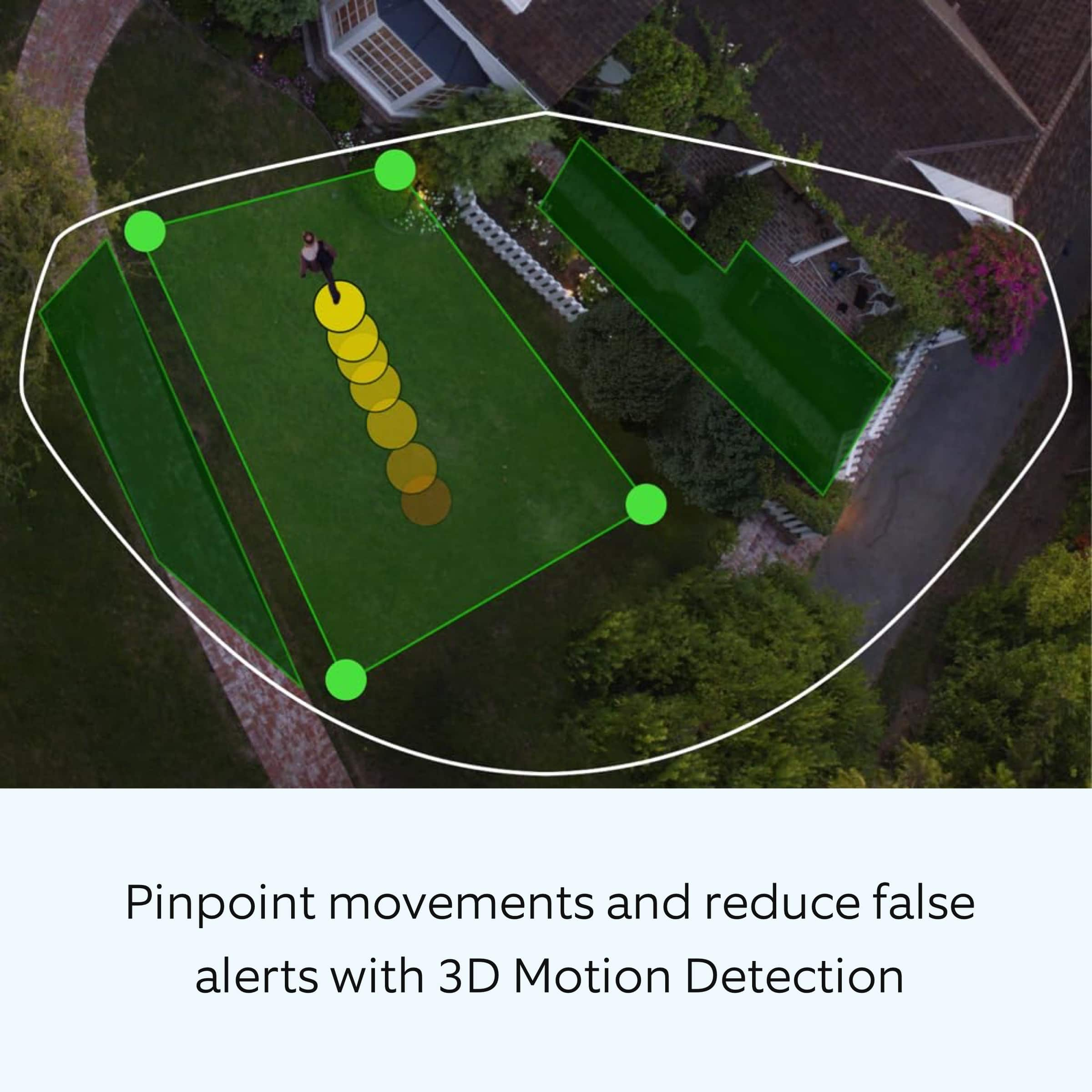
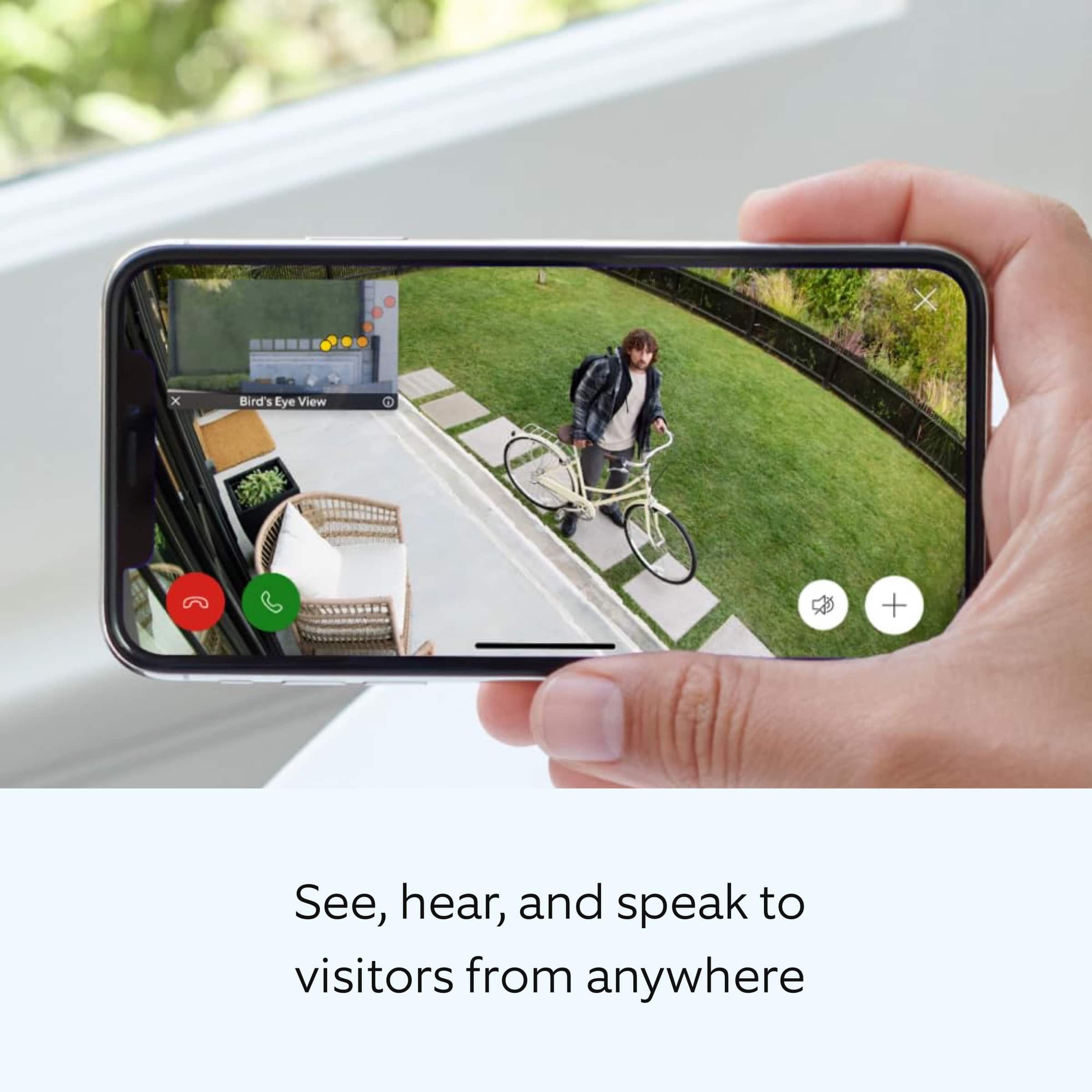
|Posted .This reviewer received promo considerations or sweepstakes entry for writing a review.We currently own three Ring Cameras strategically positioned around our home – one by the front door, another overlooking the driveway, and the third in the backyard. This system offers an array of practical features that ensure we are always in the know about what's happening in and around our property. Convenient Mobile Alerts The Ring Stick Up Camera keeps us connected with our surroundings, thanks to automatic alerts on our smartphones. However, there are times when these notifications can become a bit overwhelming, especially when the gardener is at work. Thankfully, you have the option to easily mute these alerts, which adds a touch of flexibility to the system. Weather-Resistant and Durable The camera's robust build is weather-resistant and capable of withstanding the elements, be it rain or snow. This reliability ensures continuous operation even in adverse weather conditions, the camera has worked well on the outside deck for the past couple of days with no issues. Live View and Two-Way Audio One of the standout features we love is the ability to see and hear real-time events through the live view option or access recorded footage. This is particularly useful when someone is at our door, allowing us to make informed decisions about who to interact with. The two-way audio is an added bonus, allowing for seamless communication with visitors or potential intruders. Wireless and Easy Setup The camera is entirely wireless, simplifying the setup process. Placing it on a flat surface or wall and inserting the removable battery pack is a straightforward task that doesn't require any technical expertise. The user-friendly app guides you through the process. As mentioned before, there are currently three ring camera in the home and the stick up camera is the fourth. However, the stick up camera works off battery and can be placed in areas of interest on a day by day basis. Peace of Mind Through Motion Detection The Ring Stick Up Camera's motion detection feature automatically starts recording when an event is detected. This is invaluable for reviewing footage later, especially in the case of unusual late-night activity around our property. The quality of night vision is impressive, providing clear visuals even in low-light conditions. Bird's Eye View for Customized Alerts The 'Bird's Eye View' feature allows you to set a recording perimeter, ensuring you only receive notifications when there is activity within your defined area. What's more, this view provides an insightful map of movement, showing where someone has been and how they reached that location. Excellent Picture and Sound Quality The overall picture and sound quality of the Ring Stick Up Camera are top-notch, delivering crisp visuals and clear audio. Whether you're security-conscious or simply seeking better peace of mind, this product is a commendable addition to your home. In summary, the Ring Stick Up Camera offers a comprehensive and user-friendly home security solution. It combines ease of use, advanced features like motion detection and customizable alerts, and high-quality video and audio. If you value home security and wish to sleep soundly at night knowing your property is well-protected, I highly recommend this product.
I would recommend this to a friend Does the job, could be better
||Posted . Owned for 1 week when reviewed.This reviewer received promo considerations or sweepstakes entry for writing a review.Expensive for what it is. Can’t install it on a ceiling and flip the image, have to buy an adapter.
No, I would not recommend this to a friendBrand response from Ring
Posted .Hi EdR3.
Thank you for taking the time to share your feedback with us.
We understand the importance of having all relevant product information prior to purchasing. The features and technology provided by the Ring Stick Up Cam Pro are incredibly valuable and help provide you with peace of mind about your home security. We can definitely provide you with more information regarding the concern mentioned in your review.
It sounds like there is some concern regarding the installation options of the Ring Stick Up Cam Pro. The Ring Stick Up Cam will be happy just about anywhere, indoors or out. It can sit on its own stand or mount to a wall or ceiling with a special Stick Up Cam Mount (sold separately).
Follow these steps if you would like to mount your Stick Up Cam to a wall or other surface:
Remove the base of the Stick Up Cam by unscrewing it using a standard Phillips-head screwdriver (not included).
Re-attach the base to the back of your Stick Up Cam with the "UP" arrow on the racket pointing upward.
Remove the mounting bracket by sliding it down to remove it from the base.
Hold the bracket against your wall, making sure the "UP" arrow is pointing upward, and mount it with the included screws.
Mount your cam by guiding the grooves on the base on the hooks on the bracket. Slide the Stick Up Cam down to secure it to the wall.
You can now rotate your Stick Up Cam to the desired angle and check out the live video in the Ring app to make sure you have the view you want.
Visit our support center for more information.
Ring Community was launched to help deliver the most current news and educational information to our neighbors. This online forum is divided into four categories: Product Boards, Ring Updates, Tips + Tricks, and a Moderators’ Corner. The Product Boards are where you can begin new topics with your questions or feedback; there is also a search option that helps you find topics that have already been posted by other neighbors.
All the best,
Nicole from Ring.
Poor battery life.
||Posted . Owned for 1 month when reviewed.This reviewer received promo considerations or sweepstakes entry for writing a review.Poor battery life although the ring camera uses the same battery you would expect it to last longer because the ring camera is in use more than the stick because of the traffic. But no it isnt.
I would recommend this to a friendBrand response from Ring
Posted .Hi SoundsLikeMusic.
Thank you for taking the time to share your experience. We understand the importance of having a solid charge on your Ring Stick Up Cam Pro so that you are able to have a longer time between charge cycles. Having longevity in a battery-powered security device is crucial when it comes to monitoring your home, especially if you are away for long periods of time. We are here to provide you with some education to resolve the battery life issue you mentioned in your review.
It sounds like the device is not performing as expected. There are some troubleshooting steps that you can take to ensure that you have your device set up for optimal battery-life performance. The more events captured by your Ring devices, the more your battery is used. Using "Live View" can also drain your battery faster. If your device is capturing an excessive number of events each day, you may need to recharge your battery sooner.
To prevent excessive activity, under "Motion Settings" for your device in the Ring app, you can:
Adjust your "Motion Sensitivity" slider to a lower sensitivity.
Redraw your "Customizable Motion Zones."
Change "Motion Frequency" to regularly or periodically.
You could also adjust the direction of your Ring device so it doesn't detect as much motion.
You can go to "Power Settings" in the Ring app to see what features may be draining your battery.
To access "Power Settings," open the Ring app:
Tap the menu (≡) on the top left of the dashboard.
Tap "Devices."
Tap the individual device (video doorbell or security camera) you want to check.
Tap "Power Settings" to check your "Battery Level" percentage and "Feature Power Usage."
Tap a feature to adjust "Snapshot Capture," "Motion Frequency," and "Video Recording Length.".
As cold weather sets in, lithium-ion batteries like those used in Ring Doorbells and Security Cameras may experience several issues, including trouble holding a charge, running out of power faster than normal, or losing functionality. Knowing at what temperature batteries will start to be impacted can help you take the necessary steps to keep your device working. When the temperature drops to:
36°F (3°C): The battery may not hold a charge as effectively, resulting in having to charge the unit more frequently.
32°F (0°C): The battery may not charge at all. Even hardwired configurations may not charge the battery.
-5°F (-20.5°C): The battery may stop working completely until temperatures warm up.
When it gets cold and your device's battery runs out, bring your entire device inside and charge the battery with a USB cord. This will allow your device to warm up while the battery charges.
If any additional information is needed regarding your Ring Stick Up Cam Pro, please reach out to our community. Ring Community is our first peer-to-peer community forum, giving our customers the ability to help one another and share their feedback and experiences directly with Ring.
Thank you for being the best part of Ring! Have a wonderful day!
Sincerely,
Melissa from Ring.
- Pros mentioned:Battery life, Motion detection, Video quality
Some nice improvements over the prior gen
|Posted .This reviewer received promo considerations or sweepstakes entry for writing a review.I've used this Ring Stick up Cam Pro now for just a week and compared it to a few of my other Ring cams and doorbell. Very pleased with it so far. Super easy typical setup via my iPhone app just like the other Ring devices. A bit larger than the prior gen Stick Up Cams so if you are replacing one, make sure you have enough space to mount in case you are in a tight area. I've only used this sitting on a couple shelves so far (a few days in my basement and then a few days out in the garage). Picks up my wifi signal just fine. Motion detection seems maybe a little better than the prion gen. This one definitely has a wider view it picks up which is nice. Battery drain so far has been just as good as my others (I have sensitivity set to Max and Motion Frequency set to Frequently)....down to 83% after 7 days. Video quality has been excellent and nice to have a little pre-roll as well. May get another one of these to add to my home. Definitely recommend.
I would recommend this to a friend - Pros mentioned:Battery life, Motion detection, Video quality
Another excellent Ring camera
|Posted .This reviewer received promo considerations or sweepstakes entry for writing a review.I have a decent setup of ring cameras that are all connected to my ring security system. No matter how many you have, there is always another place inside or outside where I say "hmm I should get another camera for this spot". Well this stick up cam pro battery camera became available and I wanted to add it to my setup. I am glad I did because so far it has not disappointed. I am a little curious about the battery capacity and how long it will last, but that will be a discussion for another day. This arrived with about half a charge of battery, and that was enough to easily get this setup and connected to my ring network. If you have other ring cameras already, then this will be a breeze to setup. Just "add device", scan the QR code on the back of the camera, and you will be setup quickly after that. The device will require an update once complete that only takes a few minutes. After setup I charged the battery to "full" and it took another hour or so using the provided cable and a USB plug adapter. So far I am impressed with this camera. The video quality on this camera is 200% better than my older Ring stick up cams. In night mode with my other cameras, you can see, but there is still a "night vision" look to them. Dark spots on the edges, with only the middle section of the camera being very visible. With this, even though it's in night mode, it looks like it's daytime and super bright. Everything is very clear and detailed. I know this camera has 1080p video. Not sure of the video quality of my older ring cameras, but this is great. Sound is great on this as well, everything is clear and crisp. Only thing of concern with this version is that it is a battery version. I know there is a wired version but I went with the battery version. So far the battery has held up, with no real drain over the 3 days I've used it. I also have it inside and not outside. While this can be used outside, I'm not sure I would recommend it for outside use. I live in the Northeast and during colder winter months I have had issues with my outside ring cams with battery drain in cold temps. This camera only comes with 1 battery and has room for only 1 battery. If you put this outside, and have cold temps, I would be concerned with the frequency you would need to recharge this device. It does have a port on the back side which looks like a USB C plug, and that could be to permanently wire this device so you don't have to be concerned about the battery draining, but it did not come with a USB C plug, and from what I read of the instructions it did not talk about setting up the device this way. As is, if you plan to use this device inside on your ring network, where you have access to recharge the device as needed, then this is an excellent choice. Motion detection, video quality, etc. are all superb and top notch of the ring team.
I would recommend this to a friend Not pro at all
||Posted . Owned for less than 1 week when reviewed.This reviewer received promo considerations or sweepstakes entry for writing a review.This camera is so much worse the the normal stick up camera. Camera quality is worse and HDR is basically non existent on this camera. What do you buy a security for? To protect your house and let me say this camera fails at that big time. It can't even detect motion 15 feet in front of it. Absolutely ridiculous! This camera is basically a scam. Save your money and get the normal stick up cam. Its a much better camera than this
No, I would not recommend this to a friendBrand response from Ring
Posted .Hi Josh.
Thank you for taking the time to share your experience with us. We understand how important it is to have peace of mind when it comes to your home’s security. The Ring Stick Up Cam is designed to work in many environments to provide you with peace of mind and security. Rest assured, we are here today to provide you with some information in order to ensure you get the most out of your motion detection and video quality! We are confident we can find a solution that works well for you and your home’s environment.
It sounds like the device is not performing as expected in regards to motion detection and video quality. It is important to ensure that you have the proper motion settings in place for your environment. This camera uses adjustable motion detection and runs on passive infrared sensors. The system identifies visitors via a moving heat signature and sends a notification to your smart device when one is detected. You can adjust three preset motion zones and their distances under the "Motion Settings" tab on the device's page in the Ring app. Additionally, you can choose how often the camera checks for movement in those predefined zones via the "Motion Frequency" setting. If you find that your camera is missing some motions, please set the motion frequency to "Frequently."
Please follow these steps in the Ring app to ensure that HDR is toggled on:
Open your Ring app.
Open the Menu by tapping the three parallel lines (≡) on the top left corner.
Tap Devices.
Select the device you want to adjust.
Tap Device Settings.
Tap Video Settings.
Tap the HDR toggle button to make sure it's blue.
Ring Community was launched to help deliver the most current news and educational information to our neighbors. This online forum is divided into four categories: Product Boards, Ring Updates, Tips + Tricks, and a Moderators’ Corner. The Product Boards are where you can begin new topics with your questions or feedback; there is also a search option that helps you find topics that have already been posted by other neighbors. We invite you to visit our site at https://community.ring.com/ today.
Thank you,
Melissa from Ring.
Bad picture quality
||Posted . Owned for less than 1 week when reviewed.This reviewer received promo considerations or sweepstakes entry for writing a review.The Picture Quality is not worth $180. Not sure where there justifying the value for this camera The camera misses events and or doesn’t capture the whole event why are theses plug in cameras not 24/7 recording? Why are they not 4K pictures quality? Why is there no dual Smart power mode where the camera has battery & plug in as a dual option? These cameras all seem to have the same image quality of 720 video resolution when you zoom in a little the picture always gets static picture and very boxy and unable to see any quality at all?
No, I would not recommend this to a friendBrand response from Ring
Posted .Hi CGarciaNJ.
Thank you for taking the time to share your experience with us.
We understand how important it is to be able to clearly see visitors with the Ring Stick Up Cam Pro. The features and technology provided by the Ring Stick Up Cam Pro are incredibly valuable and help provide you with peace of mind about your home security. We want to ensure your device is working as intended and provide you with information to address the concerns you mentioned in your review.
It sounds like you have some concerns with the different features of your device. The Ring Stick Up Cam Pro Battery offers 1080p HD, HDR video. If you are experiencing poor video quality, this could be due to poor internet connectivity or speeds. Follow these steps to check your wifi signal strength—or RSSI (Received Signal Strength Indicator)—in the Ring app:
Open the Ring app.
Tap the menu (☰).
Tap Devices and select the Ring device you'd like to check.
Tap the Device Health tile.
Under the Network section, look for Signal Strength.
If the RSSI value listed is green, your device has a strong signal. If it is grey, amber, or red, it may have a moderate to weak signal.
The larger the number after "RSSI-" the weaker the signal.
For example, a device displaying "RSSI-36" has a stronger signal than a device showing "RSSI-64".
The Ring Stick Up Cam Pro Battery and Stick Up Cam Pro Plug-In do have options for dual power. This means that they have primary power sources and a backup power source to keep you connected. The Ring Stick Up Cam Pro Battery comes with a Quick Release Battery Pack, and you can purchase the Indoor/Outdoor Power Adapter (sold separately) to plug it into standard power outlets. When plugged into an outlet, the Stick Up Cam Pro battery will be powered by the adapter and will use the battery as backup power.
We invite you to visit our support center if any additional information is needed.
Ring Community was launched to help deliver the most current news and educational information to our neighbors. This online forum is divided into four categories: Product Boards, Ring Updates, Tips + Tricks, and a Moderators’ Corner. The Product Boards are where you can begin new topics with your questions or feedback; there is also a search option that helps you find topics that have already been posted by other neighbors.
All the best,
Nicole from Ring.
It stopped connecting to WiFi after a few months
||Posted . Owned for 5 months when reviewed.This reviewer received promo considerations or sweepstakes entry for writing a review.Camera quit working after a couple months. It wouldn’t connect to WiFi. I had the geek squad support, I called them and they told me to call the manufacturer. Why am I paying for geek squad support if they won’t help me? Won’t be buying anymore Ring products or purchasing geek squad support
No, I would not recommend this to a friendBrand response from Ring
Posted .Hi RobertN.
Thank you for taking the time to share your experience with us. We understand the importance of having a consistent wifi signal on the Ring Stick Up Cam Pro. Having a solid connection ensures you do not miss any activity around your home. We are here today to provide you with education to assist you in finding the best solution for your home’s environment.
It sounds like you experienced some connection issues with the device. Usually, devices falling offline repeatedly is related to poor wifi connectivity caused by signal fluctuations, channel congestion, or data loss.
To determine whether or not the problem is caused by poor upload speed, run a speed test to determine if your network can support Ring devices. In addition to ensuring that you have sufficient wifi speeds, you will also want to check the signal strength of your device. Ring devices with 1080p video require at least 1 Mbps upload and download speeds, though 2 Mbps is recommended for optimal performance.
A poor wifi signal can cause connectivity with your Ring device to be unreliable. Check the Device Health section of your Ring application to ensure the device’s RSSI is within an acceptable range. The recommended range for optimal performance is 0 to -60 for the RSSI.
If your networking equipment hasn’t been power cycled in a while, try unplugging it for 30 seconds and plugging it back in. Wireless networks utilize different channels for communication. In the United States, the 2.4 GHz band uses channels 1-11 and the 5 GHz band uses channels 36-165. In some cases, setting up your Ring device(s) can fail due to wireless interference or congestion.
We also recommend adding a Ring Chime Pro to your network. The Ring Chime Pro simply plugs into a wall outlet between your router and the Ring Stick Up Cam to assist with the wifi signal strength to the device.
If you still have the Ring Stick Up Cam Pro in your possession, we invite you to reach out to our community. Ring Community is our first peer-to-peer community forum, giving our customers the ability to help one another and share their personal feedback and experiences with Ring. We look forward to hearing from you. Please let us know if we can be of any further assistance!
Sincerely,
Matthew from Ring.
- Pros mentioned:Motion detection, Night vision, Video quality
Extremely Versatile Indoor/Outdoor Camera
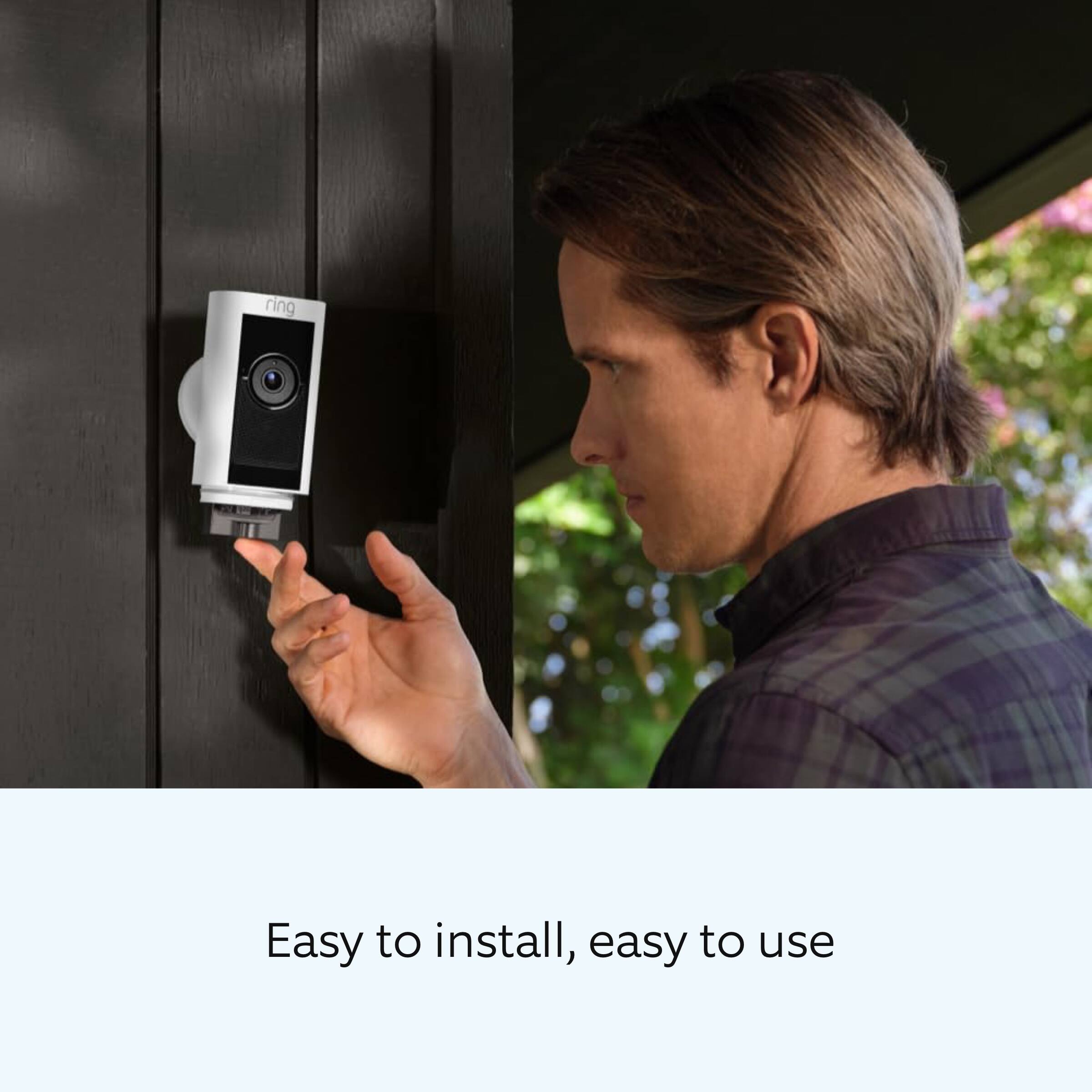
|Posted .This reviewer received promo considerations or sweepstakes entry for writing a review.The Ring Stick Up Cam Pro Battery is a very versatile battery powered camera with a variety of mounting options allowing for ease of installation in places where an outlet or POE network connection isn't available. When removing the camera from it's packaging, the first order of business is to remove and charge the battery. Depending on the charger, Ring says expect 5-10 hours to fully charge. I plugged into a Leviton USB equipped wall outlet, and charging took a long time. Close to the upper end of the quoted charge time. Ring sates in their literature that using their charging dock results in the shortest possible charge times, so if you are deploying several of these, it might be worth the investment in that and a spare battery to make for quick battery swaps. Prior to installing the camera. I downloaded the Ring App. set up an account, and added the camera to my account. Setup in the app was simple, just follow the prompts, scan the QR code, and enter the Wi-Fi password. In just a few minutes, you'll be up and running. The Ring account sign up comes with 30 days of Ring Protect service as a trial. Without a paid account, you will have no access to recordings, but can still view in real time, as well as utilize two-way audio. You can also participate in the Ring Neighbors app, which provides information about events others are seeing in your area. Installation is extremely simple. The mounting arrangements available include any flat surface at almost any angle. The mounting base can be moved from the bottom to the back with just a Phillips screwdriver. The base clips into a plastic plate, which is in turn secured to the mounting surface with four self tapping screws. wall anchors are also included for mounting in masonry or drywall. Video quality is excellent full HD 1080p HDR. The two-way audio quality is also very good. The camera offers night vision which has always been good with Ring cameras and doorbells, and tis one is no exception. the 3D motion detection feature works well and helps extend battery life when properly configured. Overall, the Stick Up Cam Pro is a versatile, easy to use option for placing a security camera where cords don't reach, but Wi-Fi does. It is important to remember that weak Wi-Fi will lead to poor performance if you try to get too far away, but for my use case, this little camera is the perfect solution.
I would recommend this to a friend Worse than the standard old Battery Cam
||Posted . Owned for 4 months when reviewed.This reviewer received promo considerations or sweepstakes entry for writing a review.Terrible. Much worse than my old stick up battery units. Won’t detect me waving my hands from 20 feet!. HDR is a scam. It offers slightly more detail but not resolution. When it detects motion most of the time it stops. It’s as if they have these programmed to save cloud space and money. No difference in picture. I have 4 other old cams that work great. Thanks Amazon.
No, I would not recommend this to a friendBrand response from Ring
Posted .Hi Tony2234.
We appreciate you taking the time to share your feedback with us.
We understand how critical it is for your Ring Stick Up Cam Pro to activate on meaningful motion events so that you can keep an eye out for any activity around your property. The features and technology provided by the Ring Stick Up Cam Pro are incredibly valuable and help provide you with peace of mind about your home security. Rest assured, we hear you and are here to offer you some help.
It sounds like you have some concerns with the motion detection, video quality, and length of recordings for your Ring Stick Up Cam Pro.
The motion detection range on Ring devices is up to around 30 feet with the motion sensitivity slider at the maximum level. If you turn motion sensitivity down, this range will be lower. You can adjust the motion sensitivity slider in the Ring app by following these steps:
Open the Ring app.
Tap menu (☰).
Tap Devices.
Tap the device you want to adjust.
Tap Motion Settings.
Tap Motion Sensitivity.
Adjust the motion sensitivity slider.
Then Save in the upper-right corner.
The Ring Stick Up Cam Pro offers 1080p HD video with HDR and color night vision. High Dynamic Range is a camera feature that combines multiple snapshots at different exposures into a single frame to generate an image (or video) that looks more evenly exposed. The result is a more detailed image. You can use HDR to increase daytime image clarity in brightly lit areas. HDR is automatically disabled at night.
The Ring app gives you the power to control how long your Ring devices record events. By lowering or raising your video recording length, you can either record longer events to capture more detail, or record shorter events to preserve battery life. Each device has its own individual video recording length setting and can be set to a personalized recording length at any time following these steps:
Open the Ring app and tap on the Menu (≡).
Tap Devices.
Tap on the device you wish to adjust.
Tap Device Settings.
Tap Video Settings.
Tap Recording Length.
Tap Record For.
When the list appears, you can select a preferred recording length, such as:
15 seconds
20 seconds
25 seconds
30 seconds
60 seconds
90 seconds
120 seconds.
You may get a warning that your choice will affect your battery life. Remember, you can always make a selection and change it to a shorter time if you feel your battery is draining too fast.
Ring Community was launched to help deliver the most current news and educational information to our neighbors. This online forum is divided into four categories: Product Boards, Ring Updates, Tips + Tricks, and a Moderators’ Corner. The Product Boards are where you can begin new topics with your questions or feedback; there is also a search option that helps you find topics that have already been posted by other neighbors.
All the best,
Nicole from Ring.
Disappointed
||Posted . Owned for 7 months when reviewed.This reviewer received promo considerations or sweepstakes entry for writing a review.The quality sucks, when I purchased the ring camera, I expected top of the line and it’s really not. Sadly disappointed.
No, I would not recommend this to a friendBrand response from Ring
Posted .Hi Zerina.
Thank you for taking the time to share your experience with us. We understand how important it is for your Ring Stick Up Cam Pro to record clear and concise videos so that you can effectively monitor your home. The features and technology provided by the Ring Stick Up Cam Pro are incredibly valuable and help provide you with peace of mind about your home security. We want to ensure your device is working as intended by providing you with solutions to resolve the video quality concern you mentioned in your review.
It sounds like the device is not performing as expected. We are happy to share some tips with you for troubleshooting why your Ring device may be experiencing issues with video quality. If your phone or tablet has poor service or internet, it could be affecting "Live View" or your video downloads. Try turning Bluetooth off, then open "Live View" or view a recorded Ring video. Poor wifi can often cause Ring device issues, including video quality. We recommend following these steps in the Ring app: Tap the top menu (☰), then "Devices." Choose your device. Tap the "Device Settings" tile. Tap "Device Health." Under the "Network" section, you'll see your device's "Signal Strength." If your "Signal Strength" (RSSI) is amber or red, your Ring device likely has a poor connection to your location's wifi. Reboot your Ring doorbell or camera by following these steps: Open the Ring app. Tap the top menu (☰), then "Devices." Choose your device. Tap the "Device Settings" tile. Tap "Device Health." Scroll down and tap "Reboot This Device." Wait a few minutes for your device to reboot.
We invite you to reach out to our community if any additional information is needed regarding your Ring Stick Up Cam Pro. The Ring Community is our first peer-to-peer community forum, giving our customers the ability to help one another by sharing their feedback and experiences with each other.
Thank you,
Amilia from Ring.
Getting Wired and add battery
||Posted . Owned for 2 weeks when reviewed.This reviewer received promo considerations or sweepstakes entry for writing a review.This wired is better it has more features. I am getting errors on the wireless version. I am returning and exchanging for the wireless version
No, I would not recommend this to a friendBrand response from Ring
Posted .Hi GladysGladys.
Thank you for taking the time to share your feedback with us.
We understand the importance of having all relevant product information prior to purchasing. The features and technology provided by the Ring Stick Up Cam are incredibly valuable and help provide you with peace of mind about your home security. We can definitely provide you with more information regarding the concern mentioned in your review.
It sounds like you have some concerns regarding the features of your device. The Ring Stick Up Cam Pro is a security camera with three different power options: battery, plug-in, and solar. The Ring
Stick Up Cam Pro Battery and Stick Up Cam Pro Plug-In have options for dual power. This means that they can be plugged in for continuous power while using a battery as a backup power source to keep you connected.
Stick Up Cam Pro Battery comes with a Quick Release Battery Pack, and you can also purchase the Indoor/Outdoor Power Adapter (sold separately) to plug it into standard power outlets. When plugged in, the Stick Up Cam Battery will be powered by the adapter, and use the battery as backup.
Stick Up Cam Pro Plug-In comes with an AC adapter that plugs into standard power outlets, and you can also purchase a Quick Release Battery Pack (sold separately) for dual power. With the Quick Release Battery Pack inserted, the Stick Up Cam Plug-In will be powered by the adapter and use the battery as backup.
Visit our support center for more information.
Ring Community was launched to help deliver the most current news and educational information to our neighbors. This online forum is divided into four categories: Product Boards, Ring Updates, Tips + Tricks, and a Moderators’ Corner. The Product Boards are where you can begin new topics with your questions or feedback; there is also a search option that helps you find topics that have already been posted by other neighbors.
All the best,
Nicole from Ring.