Customer Ratings & Reviews



- Model:
- 8VRASZ-VEN0
- SKU:
- 11457249
Rating by feature
- Video Quality
Rating 4.7 out of 5 stars
- Mobile App
Rating 4.7 out of 5 stars
- Sound Quality
Rating 4.7 out of 5 stars
Customers are saying
Customers consistently note the product's strong overall performance, with many reporting it works properly. They also appreciate the camera quality, finding its size to be just right.
This summary was generated by AI based on customer reviews.
Fair
||Posted . Owned for 2 months when reviewed.This reviewer received promo considerations or sweepstakes entry for writing a review.I purchased this for a friend, and they like it. But I prefer the detachable battery vs this one.
No, I would not recommend this to a friendBrand response from Ring
Posted .Hello Love,
Thank you for taking a moment to leave your Ring Video Doorbell 2020 review. Here at Ring, we believe that stronger communities are the key to safer neighborhoods. That is why we are driven to create products that help you protect what matters most at home and empower you to connect with your neighbors from wherever you are. Together, we’ll make neighborhoods safer!
Ring Community is our first peer-to-peer community forum, giving our customers the ability to help one another and share their feedback/experiences with Ring. We invite you to reach out at https://community.ring.com/ if you have any additional questions or feedback regarding your XXX.
Thank you, Jamila with Ring.
Never again
||Posted . Owned for 3 weeks when reviewed.This reviewer received promo considerations or sweepstakes entry for writing a review.Camera slow asl doesn’t actually catch a mf until after they moved away from the camera smh
No, I would not recommend this to a friendBrand response from Ring
Posted .Hi RefundMePlease,
We understand how vital it is to receive timely and accurate motion detection from your Ring Video Doorbell (2020 release). Ring devices were designed to alert you consistently and reliably of motion at your home. Having accurate motion detection is essential in providing the peace of mind that Ring strives for.
If you are experiencing delays in connecting to video, we will want to look at the connection between your wifi router and the Ring doorbell. The signal strength to your router is a key point for the connectivity of your Ring device. There are three main factors that can weaken your wifi strength:
1. Physical obstructions
2. Competing wifi networks
3. Other electronics
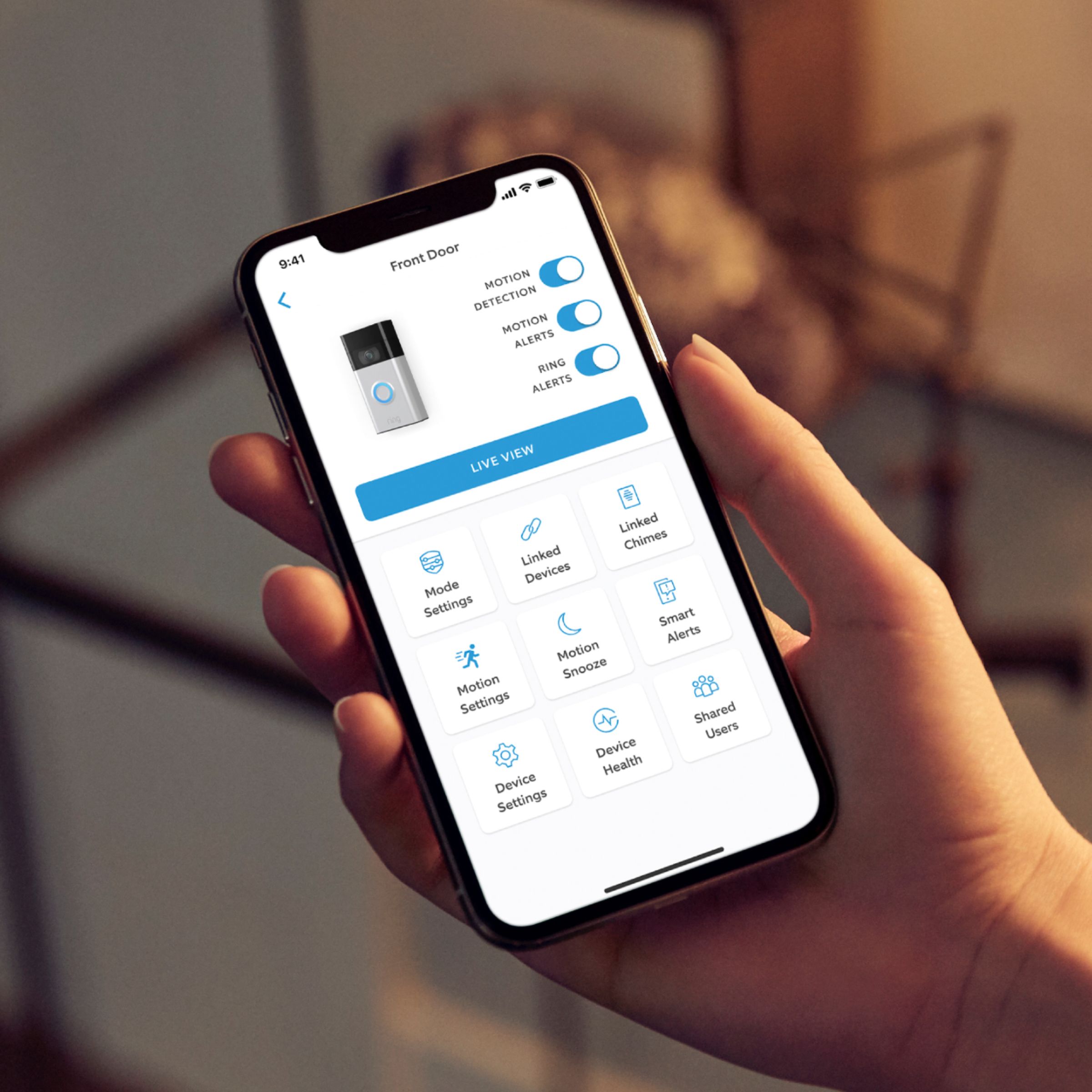
You can check your signal strength within the Ring app in the Device Health tile. The RSSI stands for Received Signal Strength Indicator. The RSSI measurement is all the factors that are hurting your signal at the receiving point. While RSSI is measured on a scale of 0 to -99, there won't ever just be one cause that is the culprit for a low RSSI rating. To get the most from your Ring device, aim for a signal of between -40 (near perfect) and -70.
As always, our team is happy to connect with you to resolve your concerns. If you could, please reach us directly when you get a moment. We look forward to working with you to ensure your Ring Video Doorbell (2020 release) is meeting your needs and expectations.
Thank you,
Caitlin with Ring
Not impressed
||Posted . Owned for 9 months when reviewed.This reviewer received promo considerations or sweepstakes entry for writing a review.Not very impressed. It shows people at the front door about half the time.
No, I would not recommend this to a friendBrand response from Ring
Posted .Hello Notimpressed,
Thank you for bringing this to our attention. Here at Ring, we hear your concerns and are here to help. Our top priority at Ring is to ensure that our customers have the best possible experience with our products. It is important to us that you have all the necessary information needed to ensure that Ring App is performing optimally for you, and that you are able to answer your motion alerts.
Based on your review, it seems that you are having trouble with answering your doorbell from your Ring App. Rapid Ring is a "light" version of the classic Ring app with most of the features stripped out except for the ability to activate a Live View and respond to an event as quickly as possible. By using the Rapid Ring app in conjunction with the original Ring app, you'll be able to answer your notifications as quickly as possible. Please see our help center article for more information on the Rapid Ring App: https://support.ring.com/hc/en-us/articles/360028023571-Rapid-Ring-App-Information.
Ring Community launched in March 2019 to help deliver the most current news and educational information to our neighbors. It is our first peer-to-peer community forum, giving our customers the ability to help one another and share their feedback/experiences with Ring. Please reach out at https://community.ring.com/ if any additional information is needed regarding your Ring App concern.
Thank you, Jamila with Ring.
Trouble
||Posted . Owned for 1 month when reviewed.This reviewer received promo considerations or sweepstakes entry for writing a review.Couldn't get it to work rite.had to take it down and return. Wouldn't pick up movement.
No, I would not recommend this to a friendBrand response from Ring
Posted .Hello Kattie41,
Thank you for voicing the motion detection concerns in your review. We know how important it is to detect when people are approaching your home. The Ring Doorbell (2020 Release) should make a great solution by offering accurate motion detection when a visitor stops by. Rest assured, we hear your concern and appreciate your feedback.
Ring Community launched in March 2019 to help deliver the most current news and educational information to our customers. You can find tips and tricks from other Ring users at https://community.ring.com/. This peer-to-peer forum allows our neighbors to share their feedback and experiences to assist each other in resolving their concerns.
Thank you,
Alexis with Ring
weakest link
||Posted . Owned for 2 months when reviewed.This reviewer received promo considerations or sweepstakes entry for writing a review.just received my second replacement in 2 months-seems to be something shorting out internally, then my 8 note westminster chime won't stop ringing!
No, I would not recommend this to a friendBrand response from Ring
Posted .Hi Craftsman57.
Thank you for taking the time to share your experience with us.
We understand how critical it is for your hard-wiring to function as intended. The Ring Video Doorbell (2nd Generation) was designed to work with compatible, existing doorbell systems to receive a constant charge and to notify you in your home of any visitors. We would love the opportunity to provide you with a concrete resolution today.
It sounds like there is a compatibility issue with your hardwiring. The Ring Video Doorbell (2nd Generation) can be hardwired to a transformer with a rating from 8 to 24 VAC, 50/60Hz, 5VA to 40VA. The Ring Video Doorbell is not compatible with wireless door chimes or any chime/intercom system using a DC transformer. Using incompatible power sources can damage your device and cause electric shock. Visit our support center to check whether your existing doorbell chime kit is compatible with Ring Video Doorbell (2nd Generation) from our list of tested and confirmed chimes.
Ring Community was launched to help deliver the most current news and educational information to our neighbors. This online forum is divided into four categories: Product Boards, Ring Updates, Tips + Tricks, and a Moderators’ Corner. The Product Boards are where you can begin new topics with your questions or feedback; there is also a search option that helps you find topics that have already been posted by other neighbors.
All the best,
Nicole from Ring.
Review
||Posted . Owned for 1 month when reviewed.This reviewer received promo considerations or sweepstakes entry for writing a review.I suggest against purchasing it because, after a month, you're on the basic plan at $3, which amounts to over $36 per year, making it less cost-effective compared to other options.
No, I would not recommend this to a friendBrand response from Ring
Posted .Hi AbdulH.
Thank you for taking the time to share your experience with us.
We understand the importance of having all relevant product information prior to purchasing. Being able to save, download, and review footage captured by your Ring device is a valuable feature of the Ring Protect Plan. We can definitely provide you with more information regarding the concern mentioned in your review.
It sounds like there was some confusion regarding the optional Ring Protect Plans. The Ring Protect Plan is a subscription that gives you access to paid features for your Ring device. With a Ring Protect Plan, you can save, review, and share video recordings from your Ring devices to your Ring account.
Without a Ring Protect Plan, you can still view real-time video for Ring doorbells and cameras and answer doorbell notifications when they happen, but you don’t get video recordings of those events.
Ring offers month-to-month plans starting at as little as $3.99 per month or annual plans for a discounted rate. Visit our support center for more information.
Ring Community was launched to help deliver the most current news and educational information to our neighbors. This online forum is divided into four categories: Product Boards, Ring Updates, Tips + Tricks, and a Moderators’ Corner. The Product Boards are where you can begin new topics with your questions or feedback; there is also a search option that helps you find topics that have already been posted by other neighbors.
All the best,
Nicole from Ring.
Didn’t work
||Posted .This reviewer received promo considerations or sweepstakes entry for writing a review.My ring doorbell did not even work, when I went back to the store to exchange the item, they were sold out and the customer service I received was not decent in any way. With the poor attitude from the gentleman at the register, I just decided to return it and get my money back and went to Target to purchase a new one.
No, I would not recommend this to a friendBrand response from Ring
Posted .Hello CFDR,
Thank you for taking the time to share your Best Buy purchasing experience with us. As a consumer, Ring understands the importance of a pleasant customer service interaction. We are pleased to read that you were able to resolve this and now have a Ring Doorbell to secure your home. Ring strives to provide our customers with peace of mind in their home security needs.
Also, Ring Community is our first peer-to-peer community forum, giving our customers the ability to help one another and share their feedback/experiences with Ring directly. We invite you to reach out at https://community.ring.com/ if any additional information is needed regarding your new Ring Video Doorbell (2020 Release) device.
Thank you,
Alexis with Ring
Ring stops working after an hour of inactivity.
||Posted .This reviewer received promo considerations or sweepstakes entry for writing a review.Not a WiFi issue, RSSI-42. Just black videos... After the device has 30 minutes to an hour of inactivity all motion events are just empty recordings. Had the Ring Doorbell (Gen 1) and it worked flawlessly. This Gen 2 doesn't work. Maybe I got a bad unit... Definitely returning it. Made a video on YouTube about it. https://youtu.be/DG6kBfIgyNQ
No, I would not recommend this to a friendBrand response from Ring
Posted .Hello Druskeee,
Thank you for taking the time to share your Ring experience with us. We appreciate that you have placed value in owning a Ring device to secure your home. Ring understands the importance of having the motion detection and battery work as intended. It is a valuable feature that is designed to notify you as to who may be near your home. Please know that it is a priority for us to be of assistance and find a resolution to your concern.
After reading your review, it seems that your Ring Video Doorbell is not picking up the correct motion. The Ring Video Doorbell (2020 release) is the next generation of the original Ring Video Doorbell. In addition to new video features such as Near Zone functionality, the 2020 release Video Doorbell boasts 1080p video, improved night vision, improved audio quality and near motion zone detection. If you are having trouble with your device picking up the correct motion. We recommend adjusting your motion settings and zones. Motion Zones allow you to define a specific area that you want your Ring device to cover while ignoring everything outside that area. By selecting Motion Zones to cover only areas you want the Ring device to monitor, you can effectively monitor the area you want as well as reduce the number of “false positive” motion alert. For more information on adjusting your motion settings to better fit your needs, please see our help center article titled: https://support.ring.com/hc/en-us/articles/360041248971-Using-Motion-Zones-with-your-Ring-Video-Doorbell-2020-release-.
If you still have concerns regarding this, we would love to hear from you directly on our Ring Community forum. This is a platform intended for Ring users, just like yourself, to create open discussions regarding their Ring experiences, provide suggestions or feedback, and more: https://community.ring.com/.
Thank you, Jamila with Ring
WRONG ONE
||Posted . Owned for 1 month when reviewed.This reviewer received promo considerations or sweepstakes entry for writing a review.i called and asked about this Band of Ring before i brought and it was not the one i wanted.
No, I would not recommend this to a friendBrand response from Ring
Posted .Hello Pink,
Thank you for taking the time to share your Bestbuy experience with us. We understand the importance of a seamless pickup at your local Bestbuy! Rest assured we hear you and are here to offer you some help.
In this particular case, it may be best for you to reach out to Bestbuy's customer service team and see what solutions they have for you:1 (888) 237-8289 or https://corporate.bestbuy.com/contact-corporate-responsibility/.We are confident that they will be able to provide you a resolution to the concern you’ve expressed.
Also, Ring Community is our first peer-to-peer community forum, giving our customers the ability to help one another and share their feedback/experiences with Ring. We invite you to reach out at https://community.ring.com/ if any additional information or assistance is needed regarding your Ring device.
Thank you, Jamila with Ring
Not a good product
||Posted . Owned for 1 week when reviewed.This reviewer received promo considerations or sweepstakes entry for writing a review.This thing is a huge disappointment. It doesn't pick up people. The wind blowing flowers will set it off but rarely does a human being. Very low quality images. This is going back. What a waste of time and energy. The software is terrible too. Seriously, don't buy this.
No, I would not recommend this to a friendBrand response from Ring
Posted .Hello themiz,
Thank you for taking the time to share your Ring experience with us. We appreciate that you have placed value in owning a Ring device to secure your home. Ring understands the importance of having the motion detection and battery work as intended. It is a valuable feature that is designed to notify you as to who may be near your home. Please know that it is a priority for us to be of assistance and find a resolution to your concern.
After reading your review, it seems that your Ring Video Doorbell is not picking up the correct motion. The Ring Video Doorbell (2020 release) is the next generation of the original Ring Video Doorbell. In addition to new video features such as Near Zone functionality, the 2020 release Video Doorbell boasts 1080p video, improved night vision, improved audio quality and near motion zone detection. If you are having trouble with your device picking up the correct motion. We recommend adjusting your motion settings and zones. Motion Zones allow you to define a specific area that you want your Ring device to cover while ignoring everything outside that area. By selecting Motion Zones to cover only areas you want the Ring device to monitor, you can effectively monitor the area you want as well as reduce the number of “false positive” motion alert. For more information on adjusting your motion settings to better fit your needs, please see our help center article titled: https://support.ring.com/hc/en-us/articles/360041248971-Using-Motion-Zones-with-your-Ring-Video-Doorbell-2020-release-.
If you still have concerns regarding this, we would love to hear from you directly on our Ring Community forum. This is a platform intended for Ring users, just like yourself, to create open discussions regarding their Ring experiences, provide suggestions or feedback, and more: https://community.ring.com/.
Thank you, Jamila with Ring.
The Ring that didn’t ring.
||Posted . Owned for 3 weeks when reviewed.This reviewer received promo considerations or sweepstakes entry for writing a review.We had to bring it back because it didn’t let you know when somebody was at the door. I’m not going to put the blame on Ring as it could have been us setting it up wrong. We are going to try again to buy another Ring.
I would recommend this to a friendBrand response from Ring
Posted .Hi MarciaM.
Thank you for taking the time to share your experience with us. We understand how important it is to be able to see who is at your door with the Ring Video Doorbell (2nd Gen.). Being able to rely on the alerts to know when someone is at the door is an essential feature of the Ring Video Doorbell (2nd Gen.). We can definitely provide you with more information on the concern that you mentioned in your review.
At Ring, we believe that stronger communities are the key to safer neighborhoods. That is why we are driven to create products that help you protect what matters most at home, and empower you to connect with your visitors from wherever you are. We are saddened to read that this device did not meet your expectations but are still here to assist you, if needed.
If you still have the Ring device in your possession, we invite you to reach out to our community. Ring Community is our first peer-to-peer community forum, giving our customers the ability to help one another and share their personal feedback and experiences with Ring. We look forward to hearing from you. Please let us know if we can be of any further assistance!
Thank you,
Melissa from Ring.
Disappointed purchase
||Posted . Owned for 10 months when reviewed.This reviewer received promo considerations or sweepstakes entry for writing a review.Very disappointed . Clarity is not good. We are vandalized and the ring cam didn’t even pick it up. It’s only Good if someone is at your door. Doesn’t record motion well at all.
No, I would not recommend this to a friendBrand response from Ring
Posted .Hi Kathy.
Thank you for taking the time to share your experience with us.
We understand how critical it is for your Ring Video Doorbell (2nd Generation) to notify you of meaningful motion events where the device is installed. The Ring Video Doorbell (2nd Generation) was designed to capture motions based on your specifications to help keep your home secure. We are here today to provide you with solutions that will assist you in finding the best device settings for your home’s environment.
It sounds like your device is not picking up the motion you expect it to. The proper placement of your Ring Video Doorbell (2nd Generation) is important. It depends on a number of factors, including the layout of your yard, the distance from the front door to the street, objects within the Ring Doorbell's field of view, the height of the door, and more. One of the biggest mistakes people make is mounting their Ring doorbell too high to catch people's faces. The Ring Video Doorbell (2nd Generation) should be mounted at the correct height of approximately 48 inches above the ground for optimal motion detection.
The motion sensors in your Ring Video Doorbell are designed to detect motion up to 155 degrees horizontally and from five to 25 feet outward from the fixture. They're also more sensitive to horizontal movement across the detection area than vertical movement. If you mount the Ring Doorbell too high, you're more likely to catch the heat of passing cars than the heat of incoming visitors.
Ring Community was launched to help deliver the most current news and educational information to our neighbors. This online forum is divided into four categories: Product Boards, Ring Updates, Tips + Tricks, and a Moderators’ Corner. The Product Boards are where you can begin new topics with your questions or feedback; there is also a search option that helps you find topics that have already been posted by other neighbors.
All the best,
Nicole from Ring.
Didn’t last 6 months
||Posted . Owned for 7 months when reviewed.This reviewer received promo considerations or sweepstakes entry for writing a review.Stop working after 6 months so disappointed. Will not buy another one!!!
No, I would not recommend this to a friendDoor bell sync
||Posted .This reviewer received promo considerations or sweepstakes entry for writing a review.Won’t sync to device.I have tried several times and the device won’t sync up
No, I would not recommend this to a friendBrand response from Ring
Posted .Hello Aileen,
We are saddened to hear that you are having trouble connecting our Ring Doorbell (2020 release) to your home's wifi network. Setup on our devices is intended to be seamless and simple! We'd love to investigate the cause of this issue and resolve this quickly with you.
By chance, does your wifi network have special characters or symbols in it, such as a pound sign (#) or exclamation mark (!)? If so, you can work with your Internet Service Provider to change the password to eliminate the special character and the device should set up on the first attempt.
Please reach out to our dedicated support team, so we can walk through the set-up process together!
Thank you,
Alexis with Ring
NO wonder its so cheap
||Posted . Owned for 1 month when reviewed.This reviewer received promo considerations or sweepstakes entry for writing a review.More trash from Ring. Why do I continue to invest in this garbage. Will not charge when connected to solar. replaced the solar charger twice..Dumbest diagnosis ever.
No, I would not recommend this to a friendBrand response from Ring
Posted .Hi StevenS.
Thank you for sharing your experience with us.
It sounds like your Ring Solar Charger is not keeping your device charged as planned. Ring solar power devices require three to four hours of direct sunlight per day. Filtered or indirect sunlight through the clouds will not provide a charge to your doorbell. If your installation area is frequently very cloudy or gets a lot of rain or snow, this could limit the amount of sunlight that your solar power device receives.
There are alternate power solutions for your Ring doorbell, though, such as a plug-in power adapter or hardwired transformer.
Ring Community was launched to help deliver the most current news and educational information to our neighbors. This online forum is divided into four categories: Product Boards, Ring Updates, Tips + Tricks, and a Moderators’ Corner. The Product Boards are where you can begin new topics with your questions or feedback; there is also a search option that helps you find topics that have already been posted by other neighbors.
All the best,
Nicole from Ring.
Doesn't charge
||Posted . Owned for 1 month when reviewed.This reviewer received promo considerations or sweepstakes entry for writing a review.good idea but not so good product, I've had it about a month it worked for two days,I thought there was something with the solar charger so I brought another one still not charging and my front door faces south so ill be contacting ring next week.
No, I would not recommend this to a friendBrand response from Ring
Posted .Hello DaBull7007,
Ring knows how important it is to have peace of mind when it comes to your home security, and having an unresponsive device can be concerning. We really appreciate that you have placed value in owning one of our Ring Video Doorbells for your home security. Rest assured, we are here to resolve your concerns and ensure you have a device you can rely on for the long term.
Your Ring Video Doorbell battery is charged using a common micro-USB cable (an orange one is included in your Ring box). The micro-USB cable can be plugged into any USB power source, such as a computer. Your battery will take around five to 10 hours to fully charge, depending on whether the USB cable is plugged into a USB port or into a wall outlet. Here is a helpful article that describes the recharge process:https://support.ring.com/hc/en-us/articles/360040764472-Charging-the-Battery-on-Your-Ring-Video-Doorbell-2020-release-.
All our devices do come with a limited one-year warranty, during which Ring will repair or replace any Ring products that malfunction due to defective parts or workmanship, at no charge to you. There is also an extended warranty available through our Ring Protect Plus Plan option. For extended warranty coverage to apply to your Ring device, the device must be within its original warranty period when you subscribe to Ring Protect Plus. Once the original warranty expires, the device will be covered under Ring protect Plus until you discontinue your subscription. Non-Ring and other third-party devices are not eligible for the extended warranty. Please refer to this helpful article for more information on the Ring Protection Plan: https://support.ring.com/hc/en-us/articles/115001671383-General-Information-on-Ring-Protect-Subscription-Plans.
Ring Community was launched to help deliver the most current news and educational information to our neighbors. This online forum is divided into four categories: Product Boards, Ring Updates, Tips + Tricks, and a Moderators’ Corner. The Product Boards are where you can begin new topics with your questions or feedback; there is also a search option which helps you find topics that were already posted by other neighbors. We invite you to visit our site at https://community.ring.com/ today!
Thank you,
Jamila and the Ring.
Scammed
||Posted . Owned for 3 weeks when reviewed.This reviewer received promo considerations or sweepstakes entry for writing a review.I was sold a used ring doorbell. I checked the history of the doorbell associated with my purchase. The troubleshooting history dates back to November 3, 2022. However, I made my purchase was made December 27, 2022.
No, I would not recommend this to a friendBrand response from Ring
Posted .Hi LorenP, I understand the importance of getting the correct device based on the information provided at purchase. In this case, I'd recommend following up with the retailer you purchased your Ring Video Doorbell from to get this resolved. Best wishes, Ashley from Ring.
It’s a rip off
||Posted . Owned for 11 months when reviewed.This reviewer received promo considerations or sweepstakes entry for writing a review.It’s a rip off. They will you in for 30 days giving you every feature. And then all of a sudden your screen goes blank and it says you have to pay for this.
No, I would not recommend this to a friendBrand response from Ring
Posted .Hi DavidR.
Thank you for taking the time to share your feedback with us.
We understand the importance of having all relevant product information prior to purchasing. Being able to save, download, and review footage captured by your Ring device is a valuable feature of the Ring Protect Plan. We can definitely provide you with more information regarding the concern mentioned in your review.
It sounds like there was some confusion regarding the optional Ring Protect Plans. The Ring Protect Plan is a subscription that gives you access to paid features for your Ring device. With a Ring Protect Plan, you can save, review, and share video recordings from your Ring devices to your Ring account.
Without a Ring Protect Plan, you can still view real-time video for Ring doorbells and cameras and answer doorbell notifications when they happen, but you don’t get video recordings of those events. Visit our support center for more information.
Ring Community was launched to help deliver the most current news and educational information to our neighbors. This online forum is divided into four categories: Product Boards, Ring Updates, Tips + Tricks, and a Moderators’ Corner. The Product Boards are where you can begin new topics with your questions or feedback; there is also a search option that helps you find topics that have already been posted by other neighbors.
All the best,
Nicole from Ring.
Ring / chime not compatible
||Posted . Owned for 1 week when reviewed.This reviewer received promo considerations or sweepstakes entry for writing a review.It was not an easy set up it had to be hard wired. Shop Amazon for better deals and products. Best buy sold me a ring and chime are not compatible
No, I would not recommend this to a friendBrand response from Ring
Posted .Hi AnnaNlouisiana.
Thank you for taking the time to share your experience with us.
We understand the importance of having all relevant product information prior to purchasing. The features and technology provided by the Ring Video Doorbell are incredibly valuable and help provide you with peace of mind about your home security. We can definitely provide you with more information regarding the concern mentioned in your review.
It sounds like there is some confusion regarding the installation and setup of your Ring Video Doorbell (2nd Generation). The Ring Video Doorbell (2nd Generation) can be installed with or without an existing doorbell system. If installed with an existing doorbell system, it requires a transformer of 8 to 24 VAC, 50/60 Hz, and 5 VA to 40 VA. The Ring Video Doorbell is not compatible with wireless door chimes or any chime/intercom system using a DC transformer.
If installing without an existing chime kit, you can get notifications to your phone, a compatible Alexa device, or a Ring Chime. Visit our support center for more information.
Ring Community was launched to help deliver the most current news and educational information to our neighbors. This online forum is divided into four categories: Product Boards, Ring Updates, Tips + Tricks, and a Moderators’ Corner. The Product Boards are where you can begin new topics with your questions or feedback; there is also a search option that helps you find topics that have already been posted by other neighbors.
All the best,
Nicole from Ring.
Video Door bell
||Posted .This reviewer received promo considerations or sweepstakes entry for writing a review.This device was professionally installed.it stopped working after the 1st battery recharge.goes offline automatically. There are 10+ devices connected to the same wifi network and all devices are working fine except this door bell. Poor quality.
No, I would not recommend this to a friendBrand response from Ring
Posted .Hello Doorbell,
We appreciate that you have placed value in owning a Ring device to secure your home. Ring understands the importance of having the Ring Video Doorbell 2020 work as intended. It is a valuable device that is designed to notify you as to who may be near your home. Please know that it is a priority for us to be of assistance and find a resolution to your concern.
The Ring Video Doorbell (2020 release) is the next generation of the original Ring Video Doorbell. In addition to new video features such as Near Zone functionality, the 2020 release Video Doorbell boasts 1080p video, improved night vision, improved audio quality and near motion zone detection.
After reading your review, it seems that your Ring Video Doorbell 2020 is having trouble staying connected to your home wifi. When this occurs, we recommend rebooting your wifi modem and router. Since your router and modem are usually the hardest working devices in your house, for optimal performance, you should reboot them about once a month. To reboot routers or modems, follow the instructions below:
Unplug your router or modem from its power supply (don’t just turn it off).
If your router and modem are separate, unplug both of them.
Wait at least 30 seconds, then plug them back in.
Wait for your internet to be restored.
Here is a helpful article which walks you through additional steps to take if the issue still persists for you after your modem/router reboot: https://support.ring.com/hc/en-us/articles/217240386-In-app-Setup-Failing-Repeatedly.
Additionally, if you have not already, please check out our Ring Community forum where other Ring users, like yourself, have an open discussion platform to share their experiences, as well as solutions to issues experienced: https://community.ring.com/.
Thank you, Jamila with Ring