Customer Ratings & Reviews



- Model:
- B08M125RNW
- SKU:
- 12376723
Rating by feature
- Video Quality
Rating 4.6 out of 5 stars
- Mobile App
Rating 4.6 out of 5 stars
- Sound Quality
Rating 4.5 out of 5 stars
to a friend
Works great
||Posted . Owned for 1 year when reviewed.This reviewer received promo considerations or sweepstakes entry for writing a review.Worked great and excellent support fir tracking any incidents
I would recommend this to a friendBrand response from Ring
Posted .Hello yogeshkollu,
We are pleased to read that you are enjoying your new Ring Video Doorbell Pro device and that the features included are meeting your expectations. We believe that stronger communities are the key to safer neighborhoods. That is why we are driven to create products that help you protect what matters most at home and empower you to connect with your neighbors from wherever you are. Together, we’ll make neighborhoods safer!
Ring Community was launched to help deliver the most current news and educational information to our neighbors. This online forum is divided into four categories: Product Boards, Ring Updates, Tips + Tricks, and a Moderators’ Corner. The Product Boards are where you can begin new topics with your questions or feedback; there is also a search option which helps you find topics that have already been posted by other neighbors. We invite you to visit our site at https://community.ring.com/ today.
Thank you,
Alexis with Ring
Video clarity is not the best
||Posted . Owned for 1 month when reviewed.This reviewer received promo considerations or sweepstakes entry for writing a review.I returned this item as I did not like the visual clarity that was listed. I ended up going with an upgraded ring doorbell.
No, I would not recommend this to a friendBrand response from Ring
Posted .Hi JenniferG.
Thank you for taking the time to share your experience with us.
We understand how important it is to be able to clearly see who is at your door with the Ring Wired Doorbell Plus. The features and technology provided by the Ring Wired Doorbell Plus are incredibly valuable and help provide you with peace of mind about your home security. We can definitely provide you with more information regarding the concern mentioned in your review.
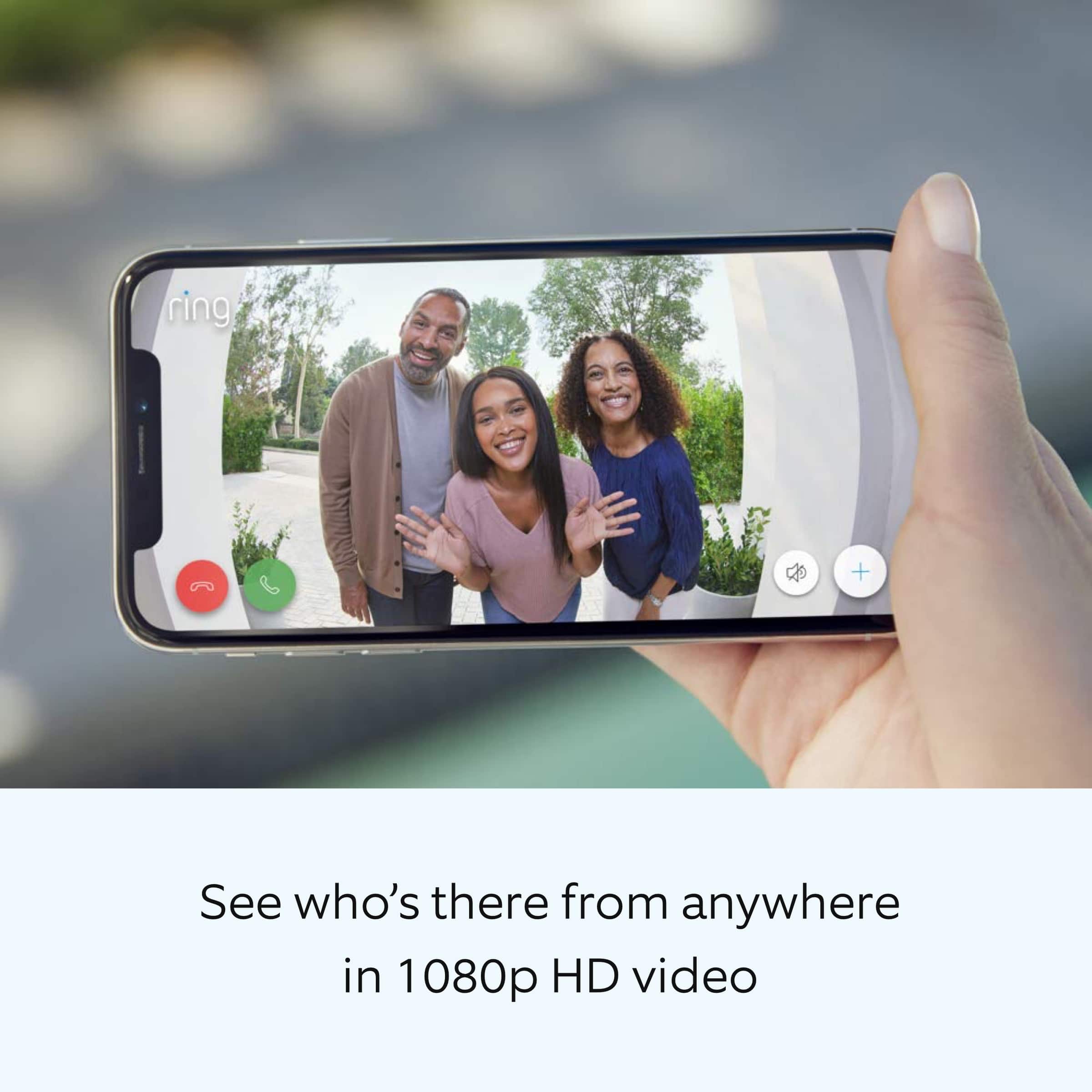
It sounds like you have some concerns with the video quality of the Ring Wired Doorbell Plus. The Ring Wired Doorbell Plus offers 1080p video. Poor wifi signal strength from your router could be the culprit for poor video quality problems. Follow these steps to test your wifi signal strength:
Turn off your mobile device's cellular data and connect to the same wifi network as your Ring device.
Open the Ring app.
Tap the menu (☰).
Tap Devices.
Select your device.
Trigger an event on your Ring device. This could mean pressing the button on a doorbell or activating the motion sensors on a camera.
Answer the event and examine the resulting video.
Possible outcomes from this test include the following:
Footage is crisp and clear: If your video appears good when next to the router, the issue may be caused by a disruption in between your router and your Ring device’s normal location. To fix this, try moving your device closer to the router or extend your wifi signal with a wifi extender like the Ring Chime Pro.
Footage is heavily pixelated: If you’re seeing heavy pixilation, even next to the router, this may be due to slow wifi speeds.
Severe pauses in Live Video: If your video pauses, stutters, or gets frozen and your wifi speed meets the minimum standards, try rebooting your router. Unplug your router, wait 30 seconds, and then plug it back in. It should take three to four minutes to reboot. Then, test your Ring device again and see if there's any difference.
Long delay before your video starts: This is also caused by slow wifi speeds. Assuming you have high speed internet, reboot your router and the mobile phone, tablet, or PC you're accessing the video feed on, Then see if there's any difference when it's back on line.
Visit our support center for more information.
Ring Community was established to assist in providing our neighbors with the most recent news and instructional material. Four sections make up this online forum: Ring Updates, Product Boards, Tips & Tricks, and a Moderators' Corner. You can start new topics on the Product Boards with your questions or suggestions; a search function will assist you in locating subjects that other neighbors have previously posted.
All the best,
Nicole from Ring.
Can't See You
||Posted . Owned for 3 weeks when reviewed.This reviewer received promo considerations or sweepstakes entry for writing a review.I wanted something more up to date so I exchanged for a 2021 model.
I would recommend this to a friendBrand response from Ring
Posted .Hello GNana,
Thank you for taking the time to provide your feedback regarding the Ring Video Doorbell Pro and your great desire for a more update to date device.
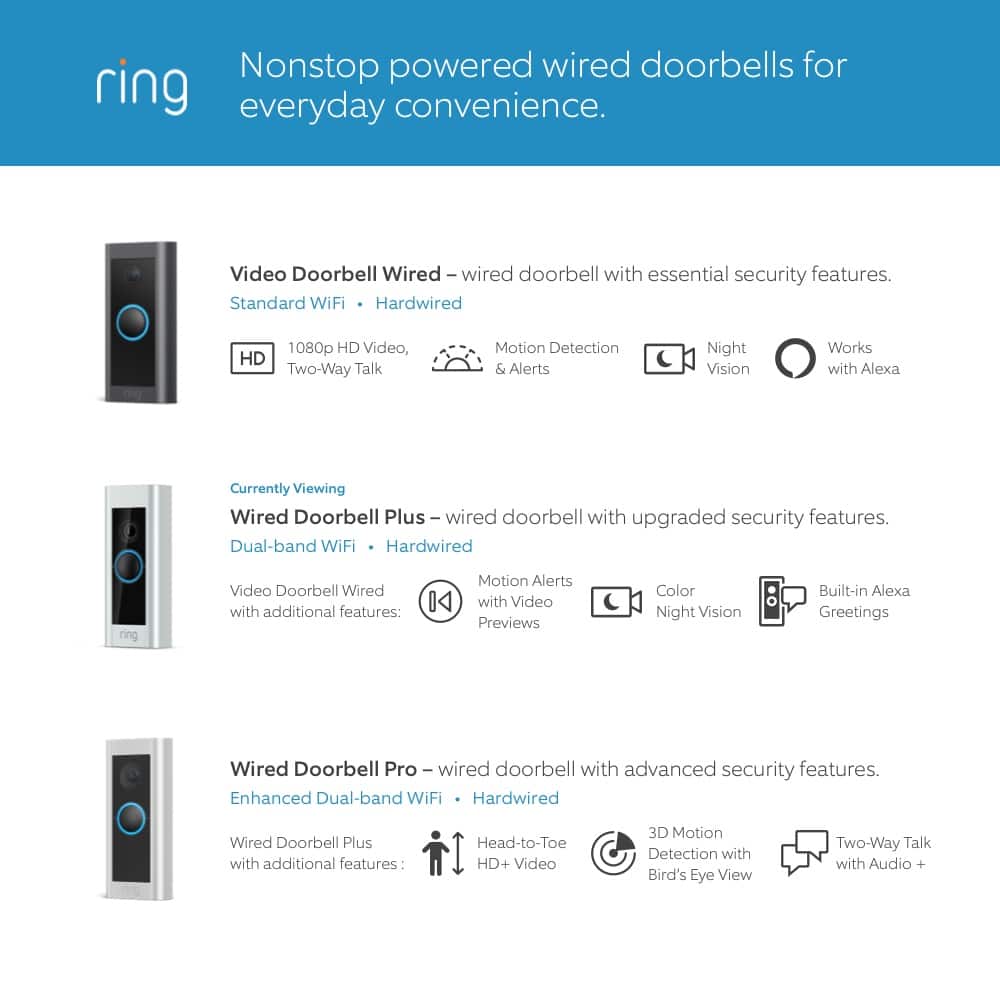
Recently, we release the Ring Video Doorbell Pro 2. The Video Doorbell Pro 2 is a wired video doorbell that offers enhanced Head-to-Toe HD+ Video and other features such as Alexa Greetings (for Ring Protect subscribers), 3D Motion Detection, Audio+, and Bird's Eye View. With Ring’s premium Video Doorbell Pro 2, you can check in on your front door anytime, from anywhere, and can see and speak to visitors at your door in real-time using your Ring app or Alexa-enabled device.
Ring Community launched in March 2019 to help deliver the most current news and educational information to our neighbors. It is our first peer-to-peer community forum, giving our customers the ability to help one another and share their feedback/experiences with Ring. Please reach out at https://community.ring.com/ if any additional information is needed regarding your concern.
Thank you,
Antonio from Ring
Defective Product
||Posted . Owned for 3 weeks when reviewed.This reviewer received promo considerations or sweepstakes entry for writing a review.Product was defective. We could not get it working. We contacted Ring and they confirmed it being defective. We are still waiting for a replacement from Ring. It is still not operational.
No, I would not recommend this to a friendBrand response from Ring
Posted .Hi JosephandmaryB.
Thank you for taking the time to share your experience with us. We understand the importance of a smooth setup and installation process so that you can begin using your Ring Wired Doorbell Plus right away. The security features and technology provided by the Ring Wired Doorbell Plus are incredibly valuable to your peace of mind, and receiving a damaged device is not the experience we want any of our neighbors to encounter during the purchase process. We would like to provide you with solutions to the replacement status concerns that you are experiencing today!
Thank you for working with our Ring Customer Support team to find a resolution. We hope that you have received the replacement and that the device is operating as intended. Wired Doorbell Plus is Ring’s ultra-slim design video doorbell with a variety of advanced features. The Wired Doorbell Plus offers "Advanced Motion Detection," 1080p video, "Two-Way Talk" & "Quick Replies," "Color Night Vision" and "Alexa Greetings." With Ring’s advanced doorbell, you can check in on your front door anytime, from anywhere, and can see and speak to visitors at your door in real-time using your Ring app or Alexa-enabled device. With the Ring Wired Doorbell Plus, you’ll always be connected to your home, so you can watch over your property and answer the door from anywhere.
If you need additional information regarding your Ring Wired Doorbell Plus, we invite you to reach out to our we invite you to reach out to our community if any additional information is needed regarding your question. The Ring Community is our first peer-to-peer community forum, giving our customers the ability to help one another by sharing their feedback and experiences with each other.
Thank you,
Melissa from Ring.
Nice as it looks
||Posted . Owned for 1 month when reviewed.This reviewer received promo considerations or sweepstakes entry for writing a review.Still waiting for installation maybe this weekend or ?
I would recommend this to a friendBrand response from Ring
Posted .Hello Zion,
Thank you for taking the time to share your experience with us. We understand the importance of a seamless installation process, as this allows you to start using your Ring Video Doorbell Pro right away. What you describe is not the experience we want you to have, rest assured we hear you and are here to offer you some assistance.
In this particular case, we’d suggest you reach out to Best Buy’s customer service: 1-888-237-8289 or https://www.bestbuy.com/services/triage/home. We are confident that they will be able to provide you resolution to the installation concerns you have described.
If you need assistance from Ring, Ring Community is our first peer-to-peer community online forum, giving our customers the ability to help one another and share their feedback directly with Ring.
We invite you to reach out at https://community.ring.com/ if any additional installation information is needed regarding the Ring Video Doorbell Pro. We are eager to turn around your experience!
Thank you, Jamila with Ring.
Daytime video quality is perfect night time not so
||Posted . Owned for 2 weeks when reviewed.This reviewer received promo considerations or sweepstakes entry for writing a review.I love the Ribg Doorbell pro bower I wish I had spent the extra money and got the pro 2. It’s difficult to make out night images in black and white. I also might need a chime because it does not ring like a doorbell.
I would recommend this to a friendRing
||Posted . Owned for 1 month when reviewed.This reviewer received promo considerations or sweepstakes entry for writing a review.Great item to assist business and allow patient to be seen and communicated with. Technology allow others to be seen and check for safety later in the evening and having video surveillance
I would recommend this to a friendFaulty bell
||Posted . Owned for 3 weeks when reviewed.This reviewer received promo considerations or sweepstakes entry for writing a review.Had to call ring defective bell send me a new one no charge but spent over 350$ to install then uninstall and install the new one nit fault if Best Buy Just bad luck
I would recommend this to a friendBrand response from Ring
Posted .Hi NatalieS.
Thank you for taking the time to share your experience with us. We understand the importance of a seamless setup process so that you can begin using your Ring Wired Doorbell Plus right away. The features and technology provided by the Ring Wired Doorbell Plus are incredibly valuable and help provide you with peace of mind about your home security. We can definitely provide you with more information regarding the concern mentioned in your review.
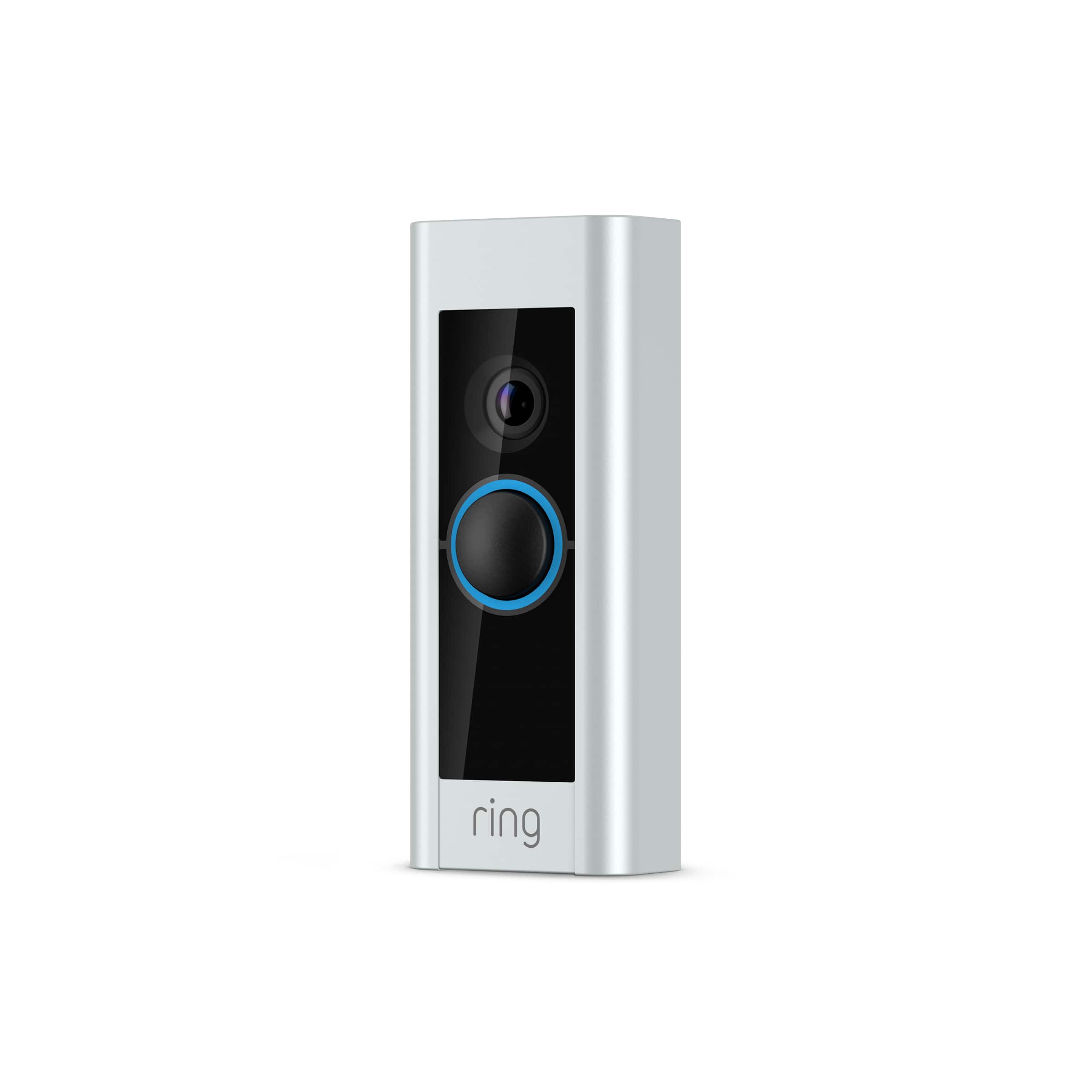
It sounds like the device is not working as expected. Wired Doorbell Plus is Ring’s ultra-slim video doorbell with a variety of advanced features. The Wired Doorbell Plus offers "Advanced Motion Detection," 1080p video, "Two-Way Talk," "Quick Replies," "Color Night Vision," and "Alexa Greetings." With Ring’s advanced doorbell, you can check in on your front door anytime, from anywhere, and see and speak to visitors at your door in real-time using your Ring app or Alexa-enabled device.
We are happy to provide you with the instructions for installing the Ring Wired Doorbell Plus.
Please follow these steps:
1. Install the transformer. For your safety, only use an existing doorbell transformer within the range specified below or compatible Ring accessories to power your device. Since you’ll be working with high-voltage electricity, first turn off the main power switch on your fusebox or consumer unit.
Ring accessories are sold separately and may include:
Plug-In Adapter (24VDC, 500mA)
The Ring Wired Doorbell Plus is not compatible with third-party DC adapters, halogen transformers, or garden-lighting transformers. Using incompatible power sources can damage your device and cause electric shock.
If you need help with this process, you should consult a qualified electrician.
2. Connect the Pro Power Kit. The Pro Power Kit V2 is designed to bypass your existing doorbell. Even if you are not bypassing an existing doorbell, connecting the Pro Power Kit is a required step with AC transformers in order to protect your new doorbell and transformer.
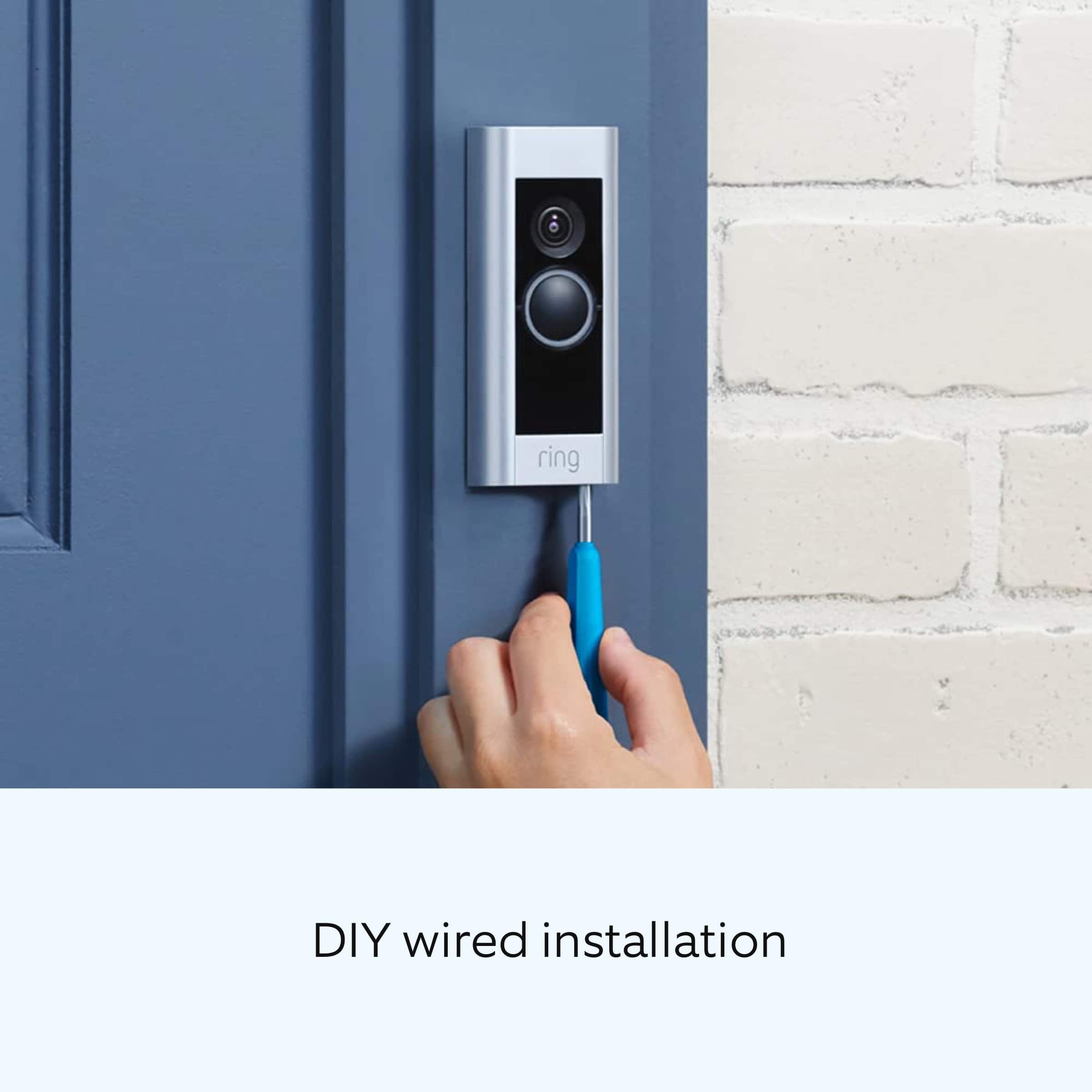
3. Install your Ring Wired Doorbell Plus. Use the Phillips end for the mounting screws and the star-shaped end for the security screw. Use a 6mm drill bit with a power drill to drill holes for the (optional) anchors if installing on concrete, stucco, or brick. Use two mounting screws to mount your Ring Doorbell. Secure the faceplate with one of the security screws.
4. Restore power at the breaker. You’re almost there! After turning the power back on, it’s time to set up your doorbell in the Ring app.
5. Finish setting up your Ring Wired Doorbell Plus by following the steps in the Ring app. The Ring app connects your Ring Doorbell to your mobile device running iOS or Android, making sure you’re always home. Open the Ring app and tap Set Up Device to begin the setup process. Select Ring Wired Doorbell Plus from the list and follow the in-app instructions.
We invite you to reach out to our community if any additional information is needed regarding your Ring Wired Doorbell Plus. The Ring Community is our first peer-to-peer community forum, giving our customers the ability to help one another by sharing their feedback and experiences with each other.
Thank you,
Melissa from Ring.
Worthless, waste of time garbage
||Posted . Owned for 4 months when reviewed.This reviewer received promo considerations or sweepstakes entry for writing a review.My brother is having the same exact problem with his,ring doorbell. Worthless, hook it up multiple times even change transformers, works about two or three days then stopped working. I have a great fiber Internet system, and the ring doorbell can never find the wifi. Can never find or connect to the ring wifi for some reason, I’m throwing trash I’m going to get another manufacturer as soon as possible.
No, I would not recommend this to a friendBrand response from Ring
Posted .Hello RefurbishedAirPods,
Usually, devices falling offline repeatedly is related to poor Wi-Fi connectivity caused by signal fluctuations, channel congestion, or data loss. In rare cases, this can be caused by settings in your router. Here is a helpful support article with some steps that you and your brother can take to permanently resolve this issue: https://ring.com/support/articles/8i61o/Fixing-Devices-Falling-Offline-Repeatedly-by-Adjusting-Your-Router.
We are confident that making the necessary adjustments will improve your overall experience and keep the device connected consistently to your home's fiber internet service.
If these steps do not resolve the issue, you can visit https://community.ring.com/ to get advice and tricks from other Ring users. Through this peer-to-peer platform, our neighbors can help one another resolve their difficulties by exchanging opinions and first-hand experiences.
Thank you,
Alexis with Ring
Didn't work X2, Geek Squad couldn't help X2
||Posted . Owned for 3 weeks when reviewed.This reviewer received promo considerations or sweepstakes entry for writing a review.This is the second RING doorbell of this nature we've tried to have installed, including the Geek Squad coming out twice. Something's wrong and they don't know how to fix it. We'll be returning this second one (once the Geek Squad comes out again to uninstall it), and probably going with something less high-tech so we can depend on it.
No, I would not recommend this to a friendBrand response from Ring
Posted .Hi RebeccaP. Thank you for taking the time to share your experience with us. We understand the importance of a seamless installation process, as this allows you to start using your Ring Wired Doorbell Plus right away. What you describe is not the experience we want you to have, rest assured we hear you and are here to offer you some help.
In this particular case, we'd suggest you reach out to Best Buy's customer service: 1-888-237-8289 or https://www.bestbuy.com/services/triage/home. We are confident that they will be able to provide you resolution to this installation concern.
Also, Ring Community is our first peer-to-peer community forum, giving our customers the ability to help one another and share their feedback/experiences with Ring. We invite you to reach out if any additional information is needed regarding your Ring Wired Doorbell Plus.
Thank you,
Melissa from Ring.
Beware of service! Own total of 23 RING devices
||Posted . Owned for 8 months when reviewed.This reviewer received promo considerations or sweepstakes entry for writing a review.This is the third doorbell I purchased for third location. The other two work flawlessly although difficult to setup. This device does not work. No support from RING for a defective device. Apparently they are perfect
No, I would not recommend this to a friendBrand response from Ring
Posted .Hello BrianR,
We appreciate you sharing your user experience with us regarding the Ring Pro We understand how important it is for your device working as intend. The Ring Pro was intended to provide you with peace of mind in your home security so you can rely on consistent alerts 24/7. Rest assured, we are here to provide you with a solution to your concern.
After reading your review it seems that your Ring Pro is going offline.After reading your review, it seems that your Ring Pro is losing its wifi connection randomly. If this is the case, we recommend power cycling the device. To power cycle, turn off power to the device for 30 seconds and then turn the power back in. Once this is done, your device should reboot and work as intended. If the issue persists, we’d suggest reviewing this helpful article for network changes you can make to ensure your device has a solid connection consistently: https://support.ring.com/hc/en-us/articles/360023559372-Fixing-Your-Devices-Falling-Offline-Repeatedly-by-Adjusting-Your-Router.
Additionally, if you have not already, please check out our Ring Community forum where other Ring users, like yourself, have an open discussion platform to share their experiences, as well as solutions to issues experienced: https://community.ring.com/
Thank you, Jamila with Ring
Hard to connect
||Posted . Owned for 1 month when reviewed.This reviewer received promo considerations or sweepstakes entry for writing a review.It is difficult to integrate it with my internet. I have bought a ring extender and hopefully, that will help.
I would recommend this to a friendBrand response from Ring
Posted .Hi MaryBlaptop.
Thank you for taking the time to share your experience with us. We understand the importance of a seamless setup process so that you can begin using your Ring Wired Doorbell Plus right away. The features and technology provided by the Ring Wired Doorbell Plus are incredibly valuable and help provide you with peace of mind about your home security. We can definitely provide you with more information regarding the connection concern mentioned in your review.
It sounds like the device is not performing as intended. Wired Doorbell Plus is Ring’s ultra-slim video doorbell with a variety of advanced features. The Wired Doorbell Plus offers Advanced Motion Detection, 1080p video, Two-Way Talk & Quick Replies, Color Night Vision, and Alexa Greetings. With Ring’s advanced doorbell, you can check in on your front door anytime, from anywhere, and see and speak to visitors at your door in real-time using your Ring app or Alexa-enabled device.
If you're having a problem setting up your device in the Ring app, it's possible you are experiencing a problem with your internet connection.
We have listed some issues that you may experience here:
Your internet is not communicating with the Ring app at all.
Your internet connection is too slow to provide a decent signal to your Ring device.
If your internet seems to be working, you may have a problem with your internet speed. Follow these instructions to run a speed test on your wifi network:
Turn off the cellular data on your mobile device in settings.
Make sure you are connected to your wifi network.
Open up a web browser and go to bandwidthplace.com.
Take your mobile device into the same room as your router.
Press the Start button and measure your internet speed near your router.
Take your mobile device to the place where you're installing your Ring device.
Press the Start button and measure your internet speed again.
We recommend the following solutions to this problem:
Install a wifi extender such as our Ring Chime Pro.
Contact your ISP about increasing your speeds.
If any additional information is needed regarding your Ring Wired Doorbell Plus, please reach out to our community. Ring Community is our first peer-to-peer community forum, giving our customers the ability to help one another and share their feedback and experiences directly with Ring.
Sincerely,
Melissa from Ring.
There are better options out there
||Posted . Owned for more than 2 years when reviewed.This reviewer received promo considerations or sweepstakes entry for writing a review.Disconnects intermittently from our phones and also is very difficult and confusing to set up multiple users.
No, I would not recommend this to a friendWe love the Ring products
||Posted . Owned for 2 weeks when reviewed.This reviewer received promo considerations or sweepstakes entry for writing a review.We live the Ring products. We got this one on sale, it was easy to install. The only issue is the original home chime now inly gies "ding" lost
I would recommend this to a friendWaste of money
||Posted . Owned for 1 month when reviewed.This reviewer received promo considerations or sweepstakes entry for writing a review.Worked for about 24 hours then wouldn’t connect to the app anymore no matter what I did. Called Best Buy said it was because it wasn’t getting enough power but my husband tested the power to the doorbell and it was what it claimed it needed to be powered properly. Going to return, very dissatisfied as I thought ring was the best option for a video wired doorbell.
No, I would not recommend this to a friendBrand response from Ring
Posted .Hi ArielA.
Thank you for taking the time to share your experience with us.
At Ring, we understand it is essential to have your Ring Video Doorbell Pro online and working properly so you can keep your home secure. The features and technology provided by the Ring Video Doorbell Pro are incredibly valuable and help provide you with peace of mind about your home security. We want to ensure your device is working as intended by providing you with solutions to resolve the concern you mentioned in your review.
It sounds like your device is failing to enter setup mode. When setting up Ring Video Doorbell Pro, put the device in Setup Mode by pressing and releasing the small button on the right side of the doorbell. You'll know your Video Doorbell Pro is in setup mode when the light is spinning. If the light on your device isn't working, there are two possible reasons:
You're keeping the right button pressed too long. Ensure that you are pressing the button firmly, and release it immediately without holding it down.
Your Video Doorbell Pro isn't receiving power.
Visit our support center for additional details on setting up your Ring Video Doorbell Pro.
Ring Community was launched to help deliver the most current news and educational information to our neighbors. This online forum is divided into four categories: Product Boards, Ring Updates, Tips + Tricks, and a Moderators’ Corner. The Product Boards are where you can begin new topics with your questions or feedback; there is also a search option that helps you find topics that have already been posted by other neighbors.
All the best,
Nicole from Ring.
could not replace a low voltage doorbell
||Posted . Owned for 2 weeks when reviewed.This reviewer received promo considerations or sweepstakes entry for writing a review.Sadly, we had to return it. We didn't have enough power to run it as a wired device.
I would recommend this to a friendBrand response from Ring
Posted .Hi BBWH.
Thank you for taking the time to share your experience with us.
We understand the importance of having all relevant product information prior to purchasing. It is critical for a home security device to have enough power to keep your device online and ready to protect you. We can definitely provide you with more information regarding the concern mentioned in your review.
It sounds like there was not enough power from your existing chime kit to power your Ring Video Doorbell Pro. The Ring Video Doorbell Pro is a hardwired device that requires a transformer rated between 16 and 24 volts, 50 and 60 Hz. If you do not have enough power with your existing setup for the Ring Pro, you could use a Ring Plug-In Power Adapter (2nd Generation) in place of a direct power connection. Ring also offers a variety of battery-powered doorbell options. Visit our support center to compare devices and find the right doorbell to fit your needs.
Ring Community was launched to help deliver the most current news and educational information to our neighbors. This online forum is divided into four categories: Product Boards, Ring Updates, Tips + Tricks, and a Moderators’ Corner. The Product Boards are where you can begin new topics with your questions or feedback; there is also a search option that helps you find topics that have already been posted by other neighbors.
All the best,
Nicole from Ring.
Ring Doorbell Is a Cluster To Install
||Posted . Owned for 2 months when reviewed.This reviewer received promo considerations or sweepstakes entry for writing a review.Nice doorbell if it worked. The installation of this think has been an absolute cluster. I haven't been able to install to work correctly. I have replaced the doorbell transformer and still can't get it working. I called the Geek Squad and they have been just as much a cluster just trying to schedule someone to come out. I would have thought that Best Buy had their systems down by now but NO they do not.
No, I would not recommend this to a friendBrand response from Ring
Posted .Hello Maridan53,
Thank you for taking the time to share your experience with us. We understand the importance of a seamless installation process, as this allows you to start using your Ring Video Doorbell Pro right away. What you describe is not the experience we want you to have, rest assured we hear you and are here to offer you some assistance.
In this particular case, we’d suggest you reach out to Best Buy’s customer service: 1-888-237-8289 or https://www.bestbuy.com/services/triage/home. We are confident that they will be able to provide you resolution to the installation concerns you have described.
If you need assistance from Ring, Ring Community is our first peer-to-peer community online forum, giving our customers the ability to help one another and share their feedback directly with Ring.
We invite you to reach out at https://community.ring.com/ if any additional installation information is needed regarding your Ring device. We are eager to turn around your experience!
Thank you, Jamila with Ring.
Second doorbell Ring Pro
||Posted . Owned for 1 month when reviewed.This reviewer received promo considerations or sweepstakes entry for writing a review.Bought this to cover a side door. I have been satisfied with the ring products and I like the features in the pro series.
I would recommend this to a friendNot worth it get battery powered.
||Posted . Owned for 4 months when reviewed.This reviewer received promo considerations or sweepstakes entry for writing a review.Not bad, slightlybhard to install but stoped working 5 months after purchase. Need to get it fixed now so really iritated
No, I would not recommend this to a friendBrand response from Ring
Posted .Hello Luis,
We are always looking for ways to better our neighbor experience, and your feedback is an invaluable part of this process. Thank you for taking the time to share your experience with us. At Ring, we are driven to create products that help you protect what matters most at home and empower you to connect with your neighbors from wherever you are. Having the peace of mind that you purchased the Ring Video Doorbell Pro for is critical.
All of our doorbells and cameras are designed to be a fairly simple, DIY (do-it-yourself) type of installation. We strive to include all needed parts, tools, and instructions to make the process seamless for our customers. However, in some installation instances and unique home environments, assistance from a qualified professional or someone familiar with installing Ring products may be best. Here are some step-by-step instructions for reconnecting your device via the Ring app: https://support.ring.com/hc/en-us/articles/216536983-What-to-Do-if-Your-Ring-Video-Doorbell-Pro-Goes-Offline.
Ring Community launched in March 2019 to help deliver the most current news and educational information to our customers. This peer-to-peer forum allows our neighbors to share their feedback and experiences. You can find other useful installation information at https://community.ring.com/ for your Ring Video Doorbell Pro device.
Thank you,
Alexis with Ring
Didn’t work right
||Posted . Owned for 1 month when reviewed.This reviewer received promo considerations or sweepstakes entry for writing a review.It did not work. Would not update. Ring said it was old and they sent a new one and the new one works
I would recommend this to a friendBrand response from Ring
Posted .Hi Pbscbs.
Thank you for taking the time to share your experience with us. We understand the importance of a seamless setup process so that you can begin using your Ring Wired Doorbell Plus right away. The features and technology provided by the Ring Wired Doorbell Plus are incredibly valuable and help provide you with peace of mind about your home security. We can definitely provide you with more information regarding the concern that you mentioned in your review.
It sounds like the device was not performing as intended. We are happy to hear that you received a replacement and that it is operating as intended. Wired Doorbell Plus is Ring’s ultra-slim video doorbell with a variety of advanced features. The Wired Doorbell Plus offers Advanced Motion Detection, 1080p video, Two-Way Talk & Quick Replies, Color Night Vision, and Alexa Greetings. With Ring’s advanced doorbell, you can check in on your front door anytime, from anywhere, and see and speak to visitors at your door in real-time using your Ring app or Alexa-enabled device.
If you're having a problem setting up your device in the Ring app, it's possible you are experiencing a problem with your internet connection.
We have listed some issues that you may experience here:
Your internet is not communicating with the Ring app at all.
Your internet connection is too slow to provide a decent signal to your Ring device.
If your internet seems to be working, you may have a problem with your internet speed. Follow these instructions to run a speed test on your wifi network:
* Turn off the cellular data on your mobile device in settings.
* Make sure you are connected to your wifi network.
* Open up a web browser and go to bandwidthplace.com.
* Take your mobile device into the same room as your router.
* Press the Start button and measure your internet speed near your router.
* Take your mobile device to the place where you're installing your Ring device.
* Press the Start button and measure your internet speed again.
We recommend the following solutions to this problem:
Install a wifi extender such as our Ring Chime Pro.
Contact your ISP about increasing your speeds.
If any additional information is needed regarding your Ring Wired Doorbell Plus, please reach out to our community. Ring Community is our first peer-to-peer community forum, giving our customers the ability to help one another and share their feedback and experiences directly with Ring.
Sincerely,
Melissa from Ring.