Customer Ratings & Reviews



- Model:
- B08M125RNW
- SKU:
- 6453038
Rating by feature
- Video Quality
Rating 4.6 out of 5 stars
- Mobile App
Rating 4.6 out of 5 stars
- Sound Quality
Rating 4.5 out of 5 stars
to a friend
Customers are saying
Customers are enthusiastic about the Wired Doorbell Plus Smart Wi-Fi Video Doorbell, highlighting its great audio and video quality and ease of use. Users find the installation process straightforward and appreciate the overall performance and security features. Some concerns were raised regarding the price, Wi-Fi connectivity, and the need for a subscription.
This summary was generated by AI based on customer reviews.
Ring in the new year
||Posted . Owned for 2 weeks when reviewed.This reviewer received promo considerations or sweepstakes entry for writing a review.I live my Ring so much that I gave one to my daughter for Christmas
I would recommend this to a friendBest security
||Posted .This reviewer received promo considerations or sweepstakes entry for writing a review.Great use for my second house, in ring we trust…..
I would recommend this to a friendGreat Christmas Gift
||Posted . Owned for 1 month when reviewed.This reviewer received promo considerations or sweepstakes entry for writing a review.Love my ring doorbell bought one for family member for Christmas
I would recommend this to a friendDoorbell
||Posted . Owned for 3 months when reviewed.This reviewer received promo considerations or sweepstakes entry for writing a review.Love this doorbell. It works well with my cameras thur out the house
I would recommend this to a friendRing doorbell
||Posted .This reviewer received promo considerations or sweepstakes entry for writing a review.Seems to work well and picks up the area very good.
I would recommend this to a friendBrand response from Ring
Posted .Hi CharlesB.
We appreciate you taking the time to share your experience with us. We are pleased to read that you are enjoying your new Ring Wired Doorbell Plus! At Ring, we believe in keeping people close to what’s important. That is why we are driven to create products that help you protect what matters most at home and empower you to connect with your visitors from wherever you are. Together, we’ll make neighborhoods safer!
Ring Community was launched to help deliver the most current news and educational information to our neighbors. This online forum is divided into four categories: Product Boards, Ring Updates, Tips and Tricks, and a Moderators’ Corner. The Product Boards are where you can begin new topics with your questions or feedback; there is also a search option that helps you find topics that have already been posted by other neighbors. We invite you to visit our Ring Community today.
Thank you,
Miyuki from Ring.
Ring - Video Doorbell Pro Smart Wi-Fi - Wired - Sa
||Posted . Owned for 2 months when reviewed.This reviewer received promo considerations or sweepstakes entry for writing a review.I end up return and got the Ring Pro 2. Which I see no different at all.
I would recommend this to a friendSee what is going on outside
||Posted . Owned for 4 months when reviewed.This reviewer received promo considerations or sweepstakes entry for writing a review.The product is extremely helpful to figure out what is going on outside
I would recommend this to a friendGood
||Posted . Owned for less than 1 week when reviewed.This reviewer received promo considerations or sweepstakes entry for writing a review.Works good except having to install something to the transformer to work properly.
I would recommend this to a friendGreat product
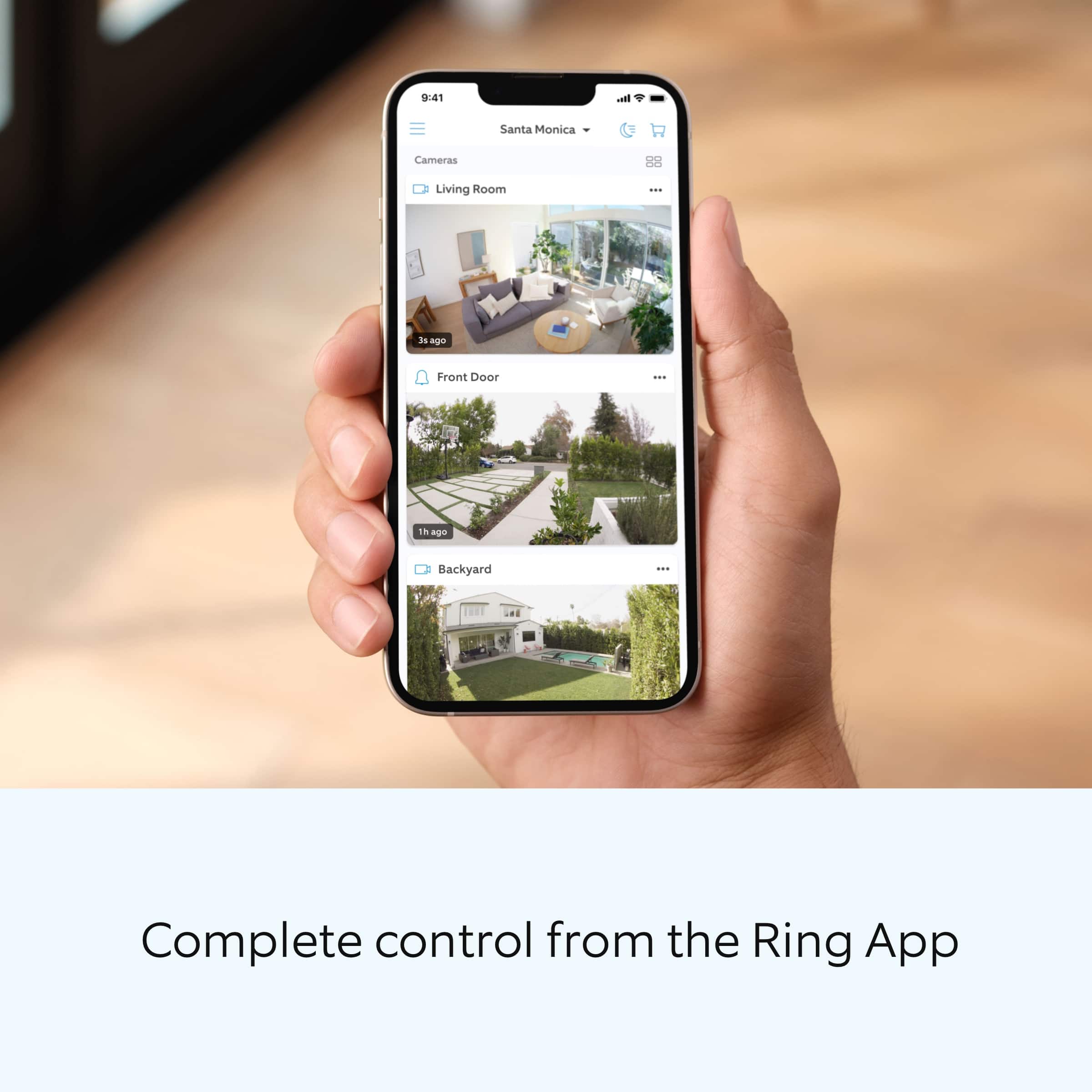
||Posted . Owned for 3 weeks when reviewed.This reviewer received promo considerations or sweepstakes entry for writing a review.Great product, can easily control camara with the phone App
I would recommend this to a friendCamera
||Posted .This reviewer received promo considerations or sweepstakes entry for writing a review.Great. 1234567
I would recommend this to a friendRing wifi
||Posted . Owned for 7 months when reviewed.This reviewer received promo considerations or sweepstakes entry for writing a review.The best ring for wifi connection in the house , work perfect
I would recommend this to a friendDidn’t Last
||Posted . Owned for 3 weeks when reviewed.This reviewer received promo considerations or sweepstakes entry for writing a review.Worked for about a month. Then randomly stopped. Can’t get it to reconnect. Tried everything. Ended up buying a battery-powered doorbell to replace it.
No, I would not recommend this to a friendBrand response from Ring
Posted .Hi Chey. Thank you for taking the time to share your experience with us. We understand how important it is for your Ring Video Doorbell Wired to function consistently and reliably, so you are alerted to any wanted or unwanted activity in or around your home. Having a solid connection ensures you do not miss any activity around your home. We would like to provide you with solutions to the connection concerns you are experiencing today!
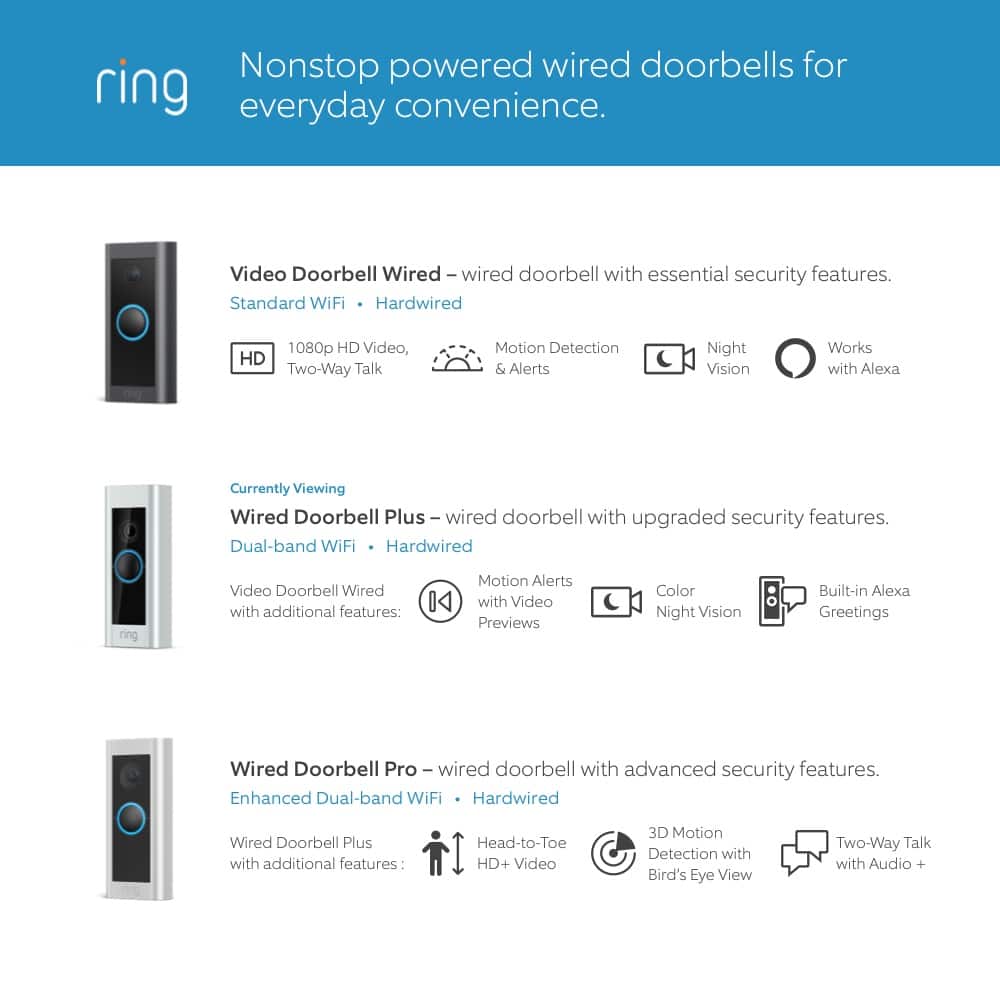
It sounds like the device is not performing as intended. Wired Doorbell Plus is Ring’s ultra-slim design video doorbell with a variety of advanced features. With Wired Doorbell Plus, you’ll always be connected to your home, so you can watch over your property and answer the door from anywhere. If your Ring device is having trouble connecting, the Ring app will show an error with a code that will help you determine your issue. Here are a few top reasons for poor connectivity:
Your wired Ring device may not be receiving power, is unplugged, or the power is out.
Your location's internet may not be working, or your internet service provider is experiencing high traffic.
You recently changed to your wifi network, wifi password, or internet service provider (ISP).
You moved to a new location.
Your Ring device may be too far from your wifi router.
Your Ring Chime Pro or wifi extender may be unplugged.
Your wired Ring device may not be receiving power, is unplugged, or the power is out.
Your location's internet may not be working, or your internet service provider is experiencing high traffic.
You recently changed to your wifi network, wifi password, or internet service provider (ISP)
You moved to a new location.
Your Ring device may be too far from your wifi router.
Your Ring Chime Pro or wifi extender may be unplugged.
When an internet connection is available, Wired Doorbell Plus will automatically attempt to connect to your location's wifi.
Things to check:
Check to make sure your wifi router is plugged in and on.
Check other devices around your home to see if they’re connected or disconnected to wifi. If other devices are not working, there may be an outage in your area.
Make sure your Ring device has your most updated wifi network and password.
Check the power at your location, and at the circuit breaker.
When a Ring device is offline, you'll see a red no wifi icon displayed over your Ring device in the Ring app. Tap this icon to pull up an error screen to help troubleshoot your issue. If you have a poor internet connection, your Ring device is likely too far from your wifi router, or your wifi router is obstructed by walls or furniture.
A poor wifi signal can cause connectivity with your Ring device to be unreliable. Check the Device Health section of your Ring application to ensure the device’s RSSI is within an acceptable range. The recommended range for optimal performance is 0 to -60 for the RSSI. Follow these steps to check your device's signal strength:
Open the Ring app.
Tap the menu (☰).
Tap Devices.
Select the Ring device you would like to test.
Tap on the Device Health tile.
Scroll to Signal Strength under the Network section.
If your networking equipment hasn’t been power cycled in a while, try unplugging it for 30 seconds and plugging it back in. Wireless networks utilize different channels for communication. In the United States, the 2.4 GHz band uses channels 1-11 and the 5 GHz band uses channels 36-165. In some cases, setting up your Ring device(s) can fail due to wireless interference or congestion.
If you still have the Ring device in your possession, we invite you to reach out to our Community. Ring Community is our first peer-to-peer community forum, giving our customers the ability to help one another and share their personal feedback and experiences with Ring. We look forward to hearing from you if we can be of any further assistance!
Thank you,
Melissa from Ring.
Stopped working
||Posted . Owned for less than 1 week when reviewed.This reviewer received promo considerations or sweepstakes entry for writing a review.Got the wired version because I didn't want to recharge doorbell batteries. It worked at first but could not see people's heads probably because existing doorbell was below ring's recommended 48 inches. Also gave notifications of every car that drove by. After reinstalling ring several times to try to adjust angle to see people's heads, ring would no longer connect to wifi router. I got rid of ring and reinstalled old doorbell. Had to replace old chimes because they no longer worked after using with ring. Ring just wasn't worth the trouble.
No, I would not recommend this to a friendBrand response from Ring
Posted .Hello EKreyl,
We appreciate you sharing your user experience with us regarding the Ring Pro We understand how important it is for your device working as intend. The Ring Pro was intended to provide you with peace of mind in your home security so you can rely on consistent alerts 24/7. Rest assured, we are here to provide you with a solution to your concern.
After reading your review it seems that your Ring Pro is going offline.After reading your review, it seems that your Ring Pro is losing its wifi connection randomly. If this is the case, we recommend power cycling the device. To power cycle, turn off power to the device for 30 seconds and then turn the power back in. Once this is done, your device should reboot and work as intended. If the issue persists, we’d suggest reviewing this helpful article for network changes you can make to ensure your device has a solid connection consistently: https://support.ring.com/hc/en-us/articles/360023559372-Fixing-Your-Devices-Falling-Offline-Repeatedly-by-Adjusting-Your-Router.
Additionally, if you have not already, please check out our Ring Community forum where other Ring users, like yourself, have an open discussion platform to share their experiences, as well as solutions to issues experienced: https://community.ring.com/
Thank you, Jamila with Ring.
Best buy
||Posted . Owned for 1 month when reviewed.This reviewer received promo considerations or sweepstakes entry for writing a review.Great product and great attention in the store im say thanks
I would recommend this to a friendAdditional Protection
||Posted . Owned for 10 months when reviewed.This reviewer received promo considerations or sweepstakes entry for writing a review.Additional protection for a side door & syncs with a module
I would recommend this to a friendGreat Product
||Posted . Owned for 3 weeks when reviewed.This reviewer received promo considerations or sweepstakes entry for writing a review.Great product. Bought it for my parents as a Christmas gift.
I would recommend this to a friendBelle
||Posted . Owned for 1 week when reviewed.This reviewer received promo considerations or sweepstakes entry for writing a review.Excellent buy, came very quickly. Was packaged great.
I would recommend this to a friendGood view
||Posted . Owned for 3 weeks when reviewed.This reviewer received promo considerations or sweepstakes entry for writing a review.Works good, sometimes it’s a delayed recording though.
I would recommend this to a friendGood
||Posted . Owned for 1 month when reviewed.This reviewer received promo considerations or sweepstakes entry for writing a review.Work perfectly as expected. Will add more of the same product.
I would recommend this to a friendRING DOORBELL
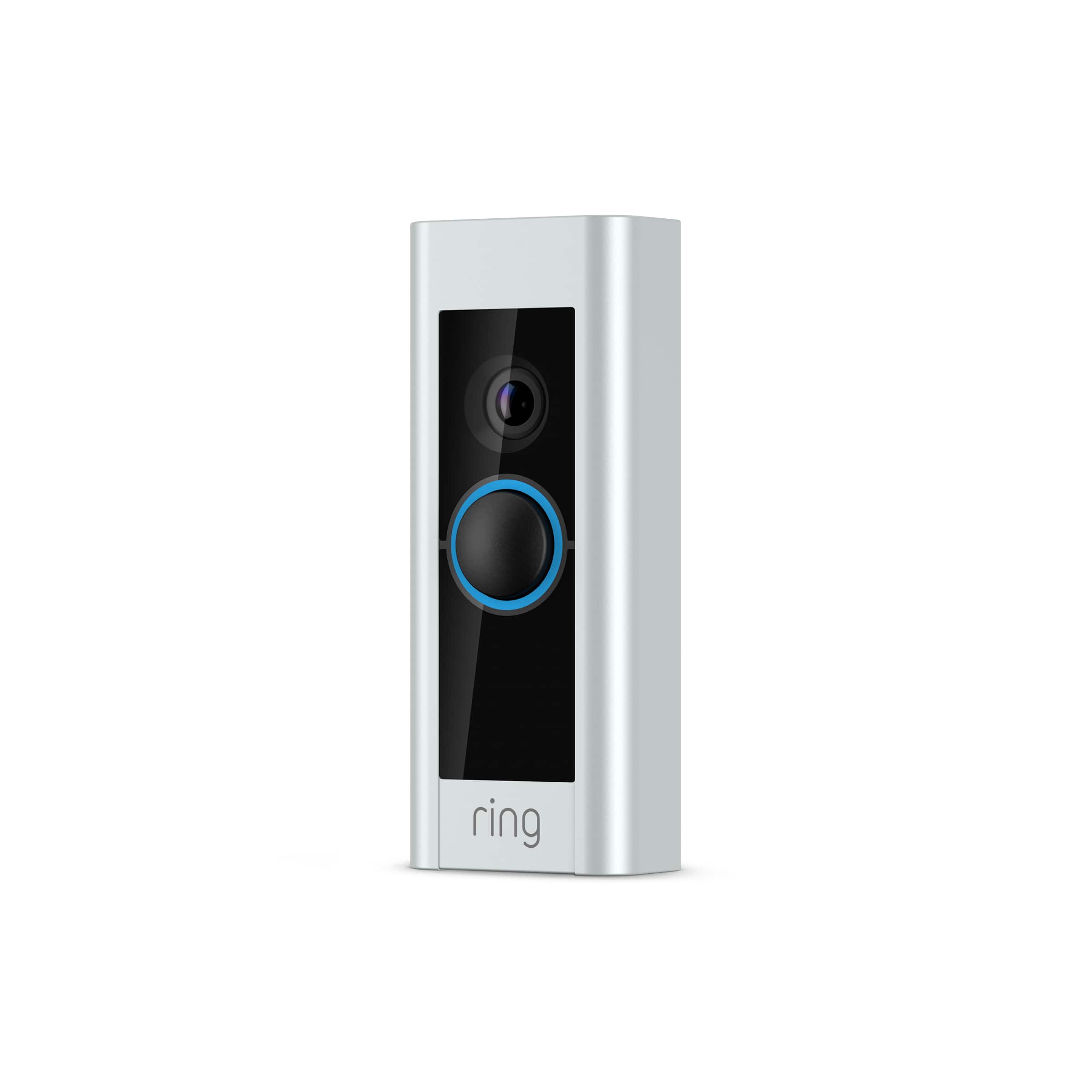
||Posted . Owned for 3 weeks when reviewed.This reviewer received promo considerations or sweepstakes entry for writing a review.Sleek and easy to assemble. The instructions were easy to follow.
I would recommend this to a friend