Customer Ratings & Reviews








- Model:
- RC71L-ALLY.Z1X_512
- SKU:
- 12336328
Rating by feature
- Performance
Rating 4.6 out of 5 stars
- Storage Capacity
Rating 4.0 out of 5 stars
- Controller
Rating 4.4 out of 5 stars
- Pros mentioned:Overall performance
best window's gamepad ever
||Posted . Owned for 1 month when reviewed.This reviewer received promo considerations or sweepstakes entry for writing a review.it's totally a small compute with controller. It can do a lot more than gaming.
I would recommend this to a friend - Pros mentioned:Overall performance, Portability, Screen qualityCons mentioned:Battery life

Perfect Handheld PC Gaming – With Some Work
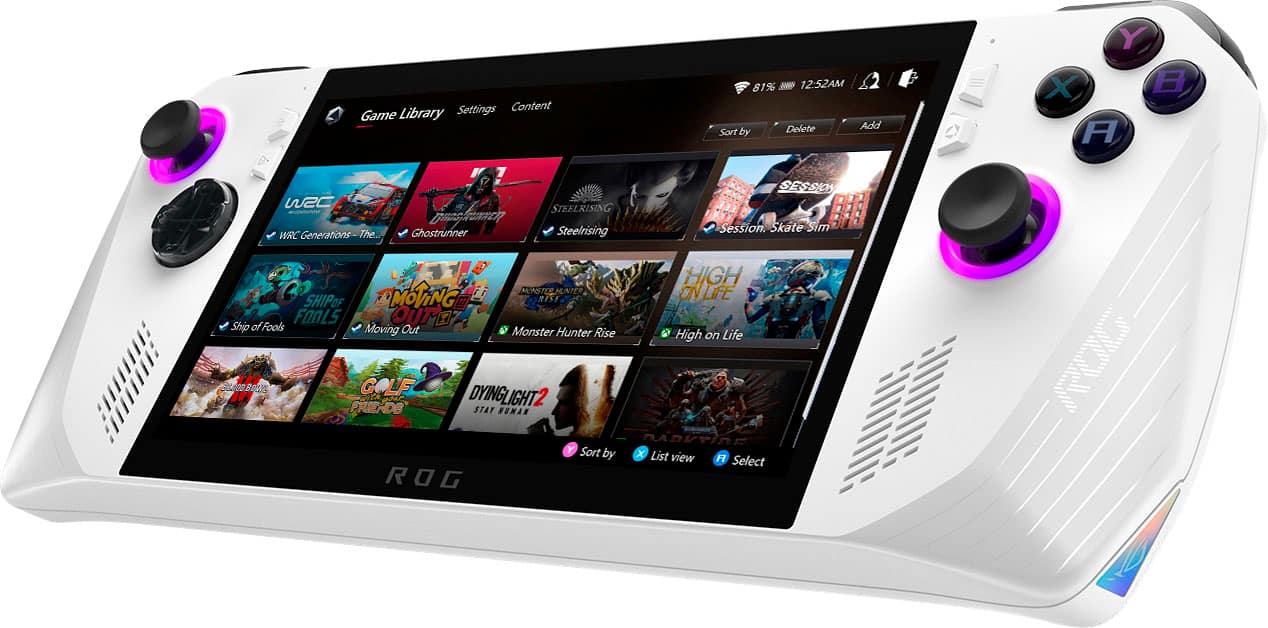
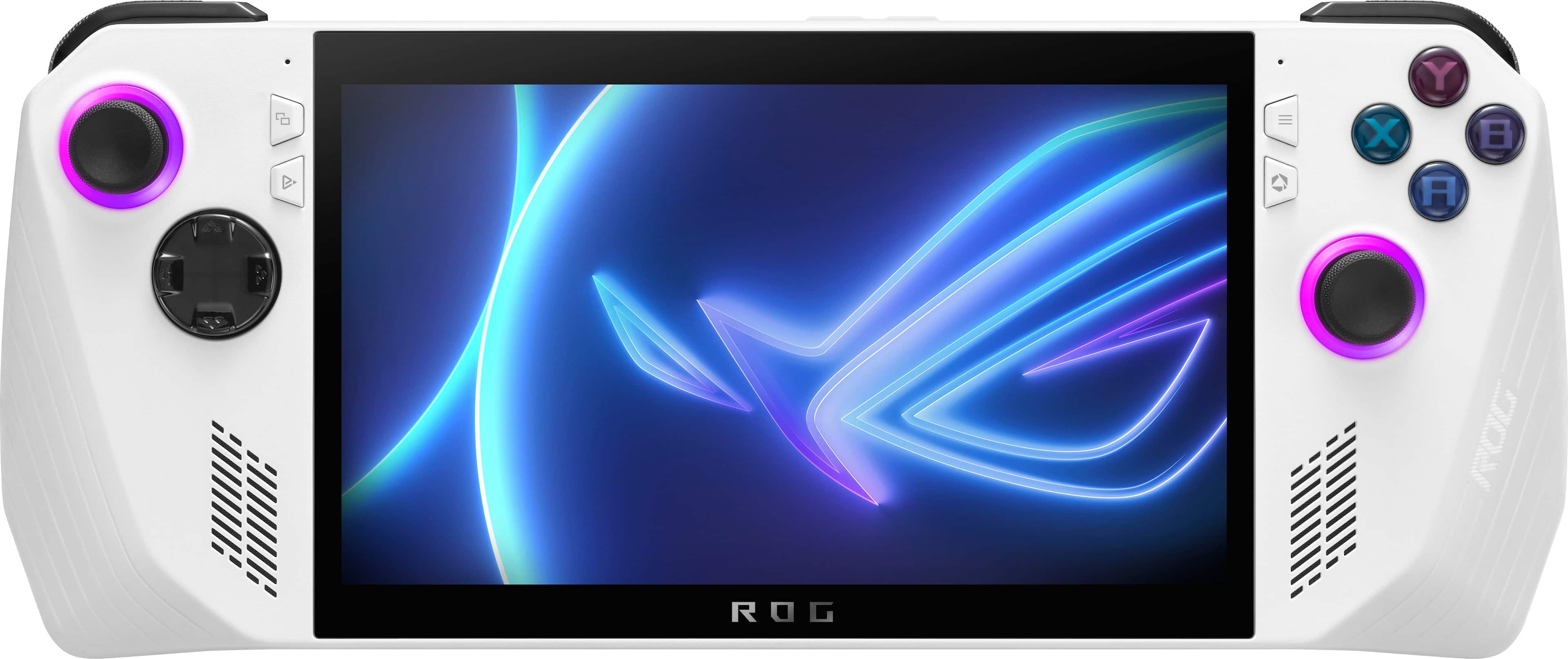
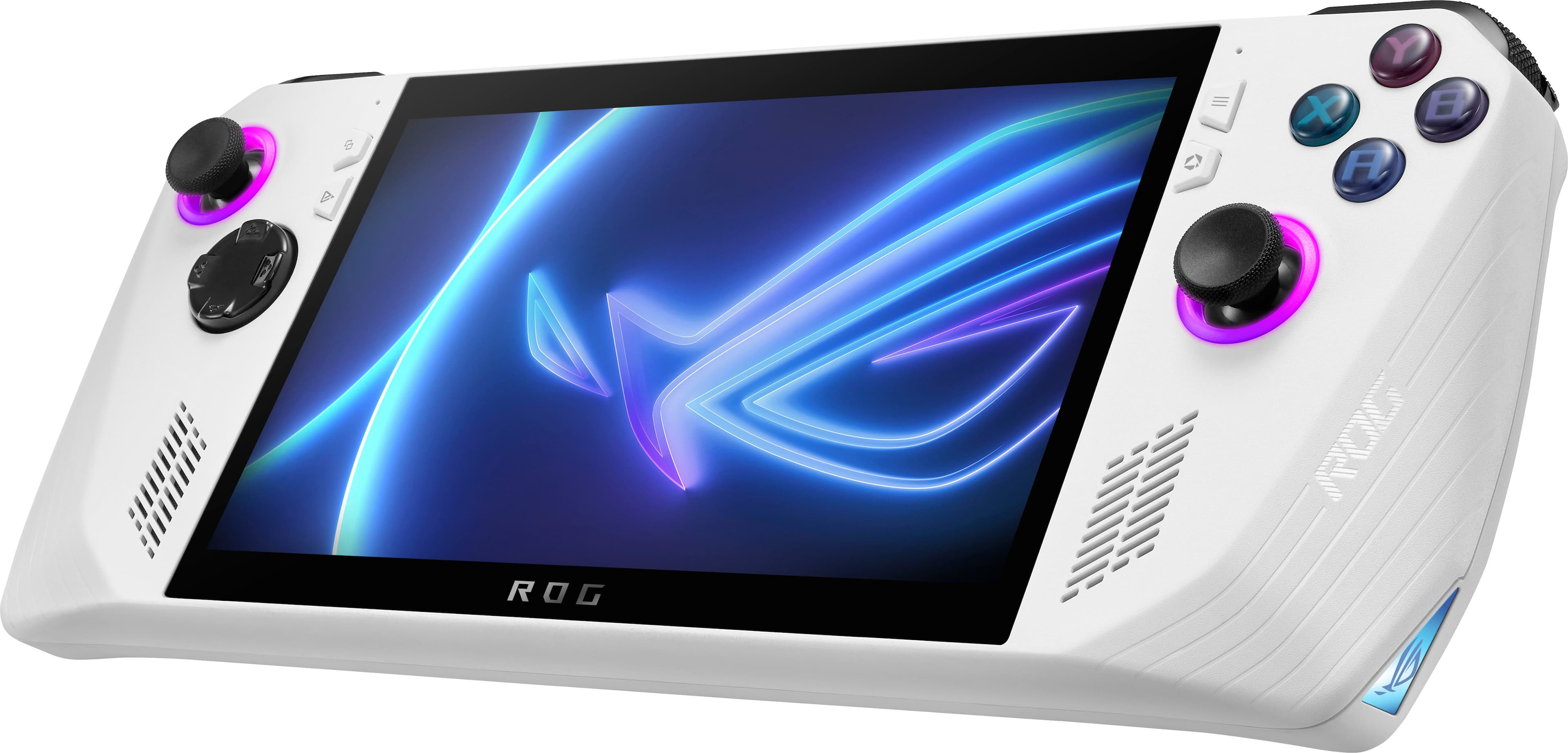
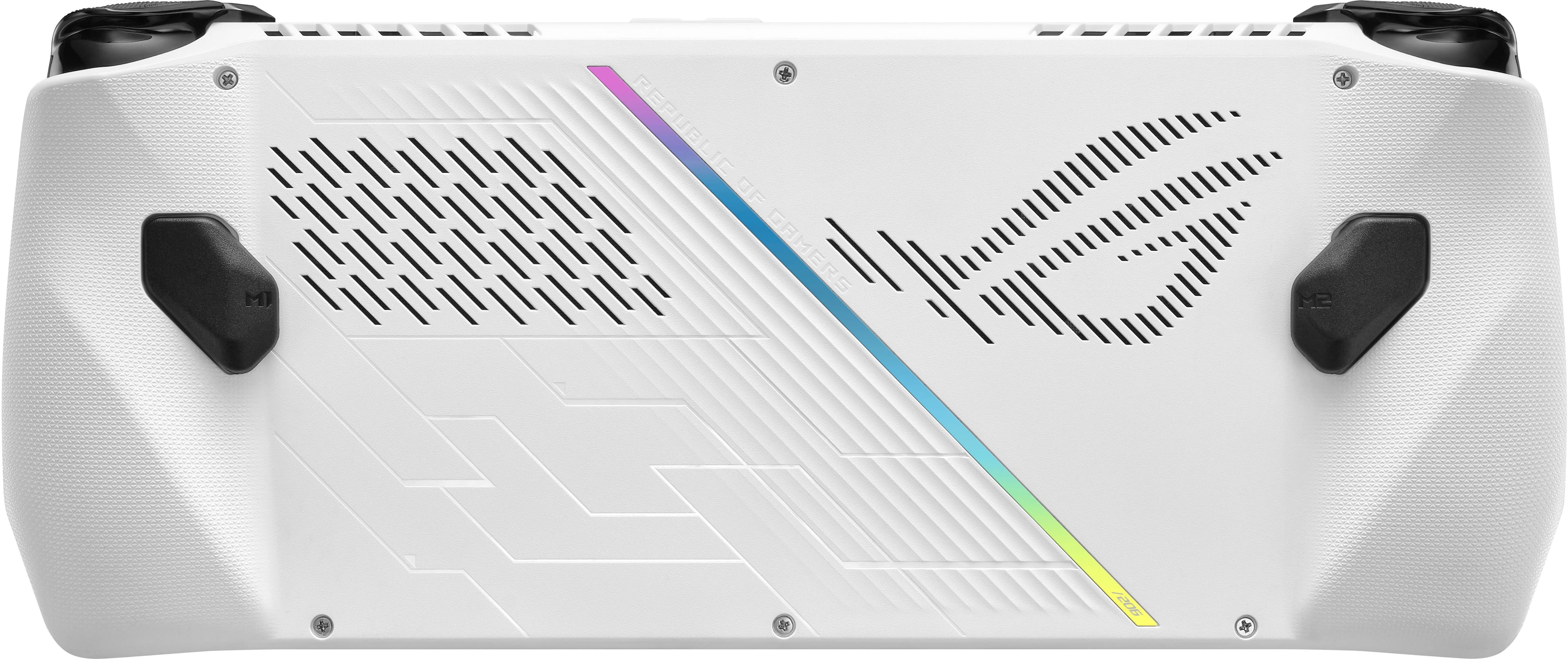
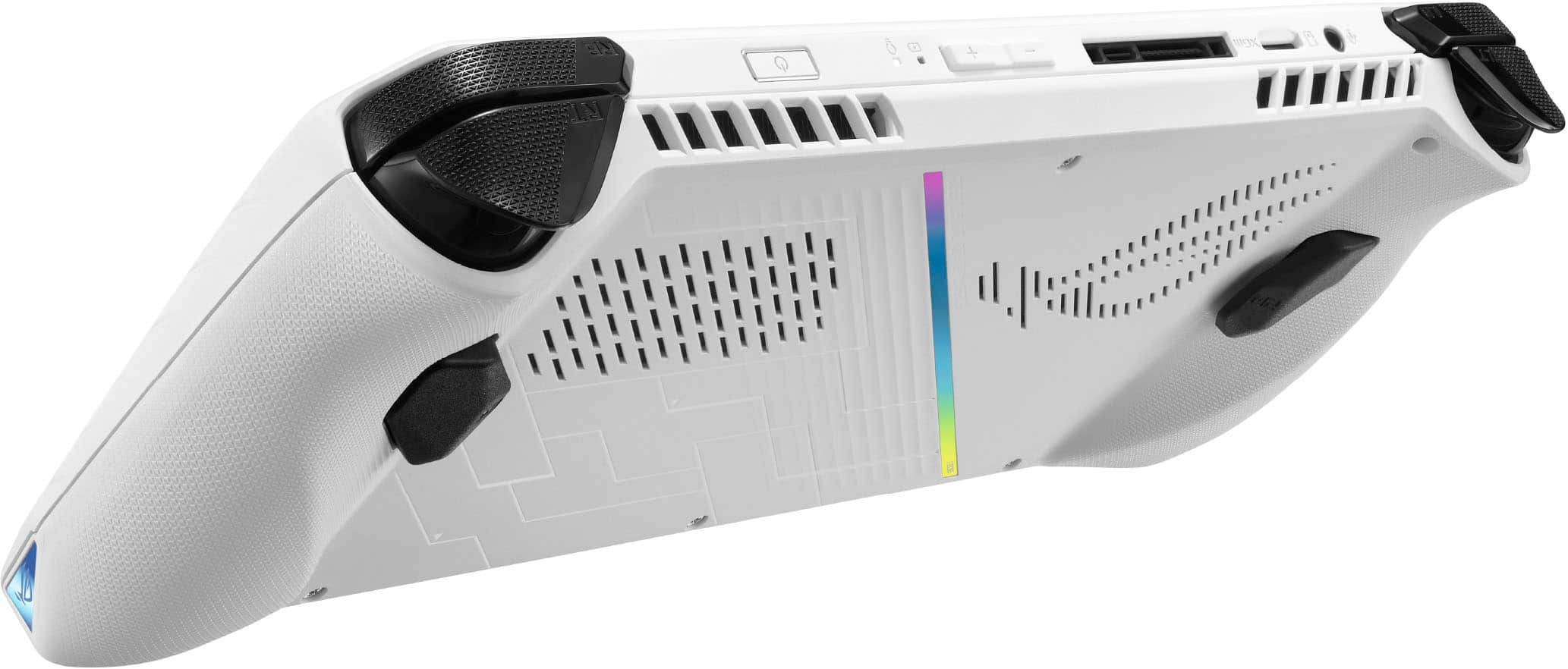
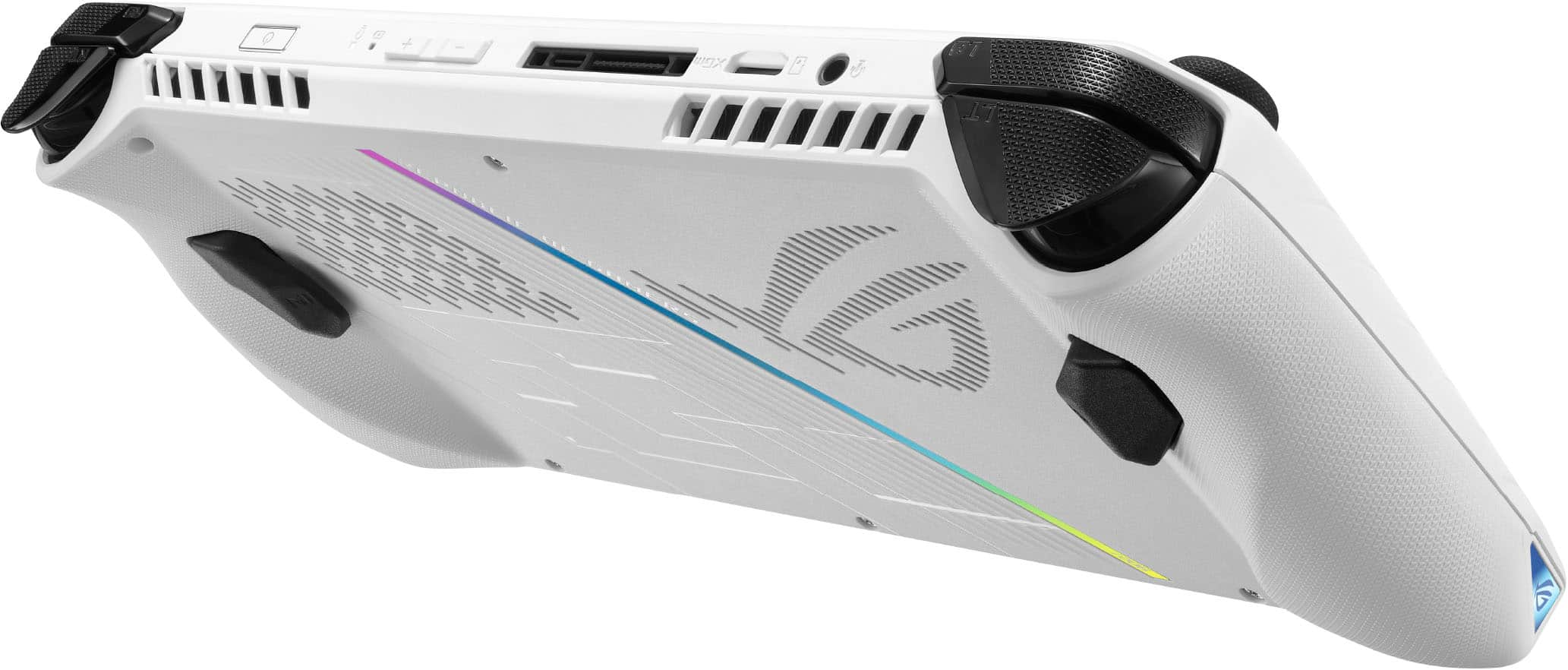
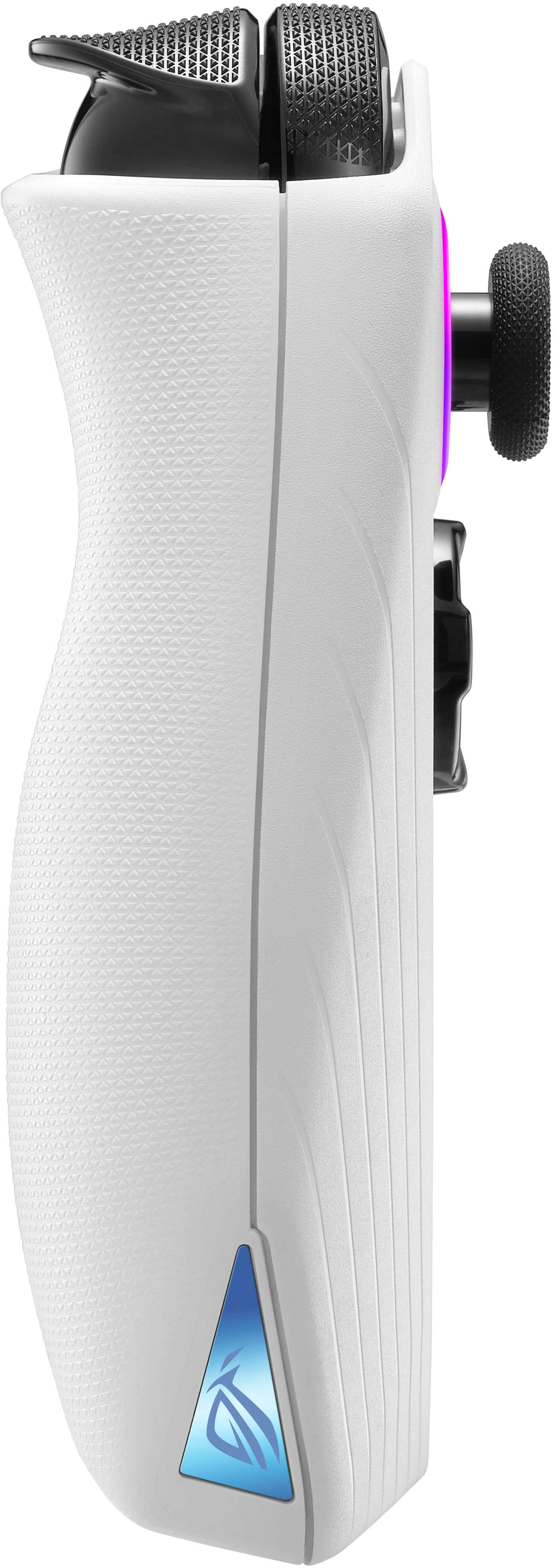
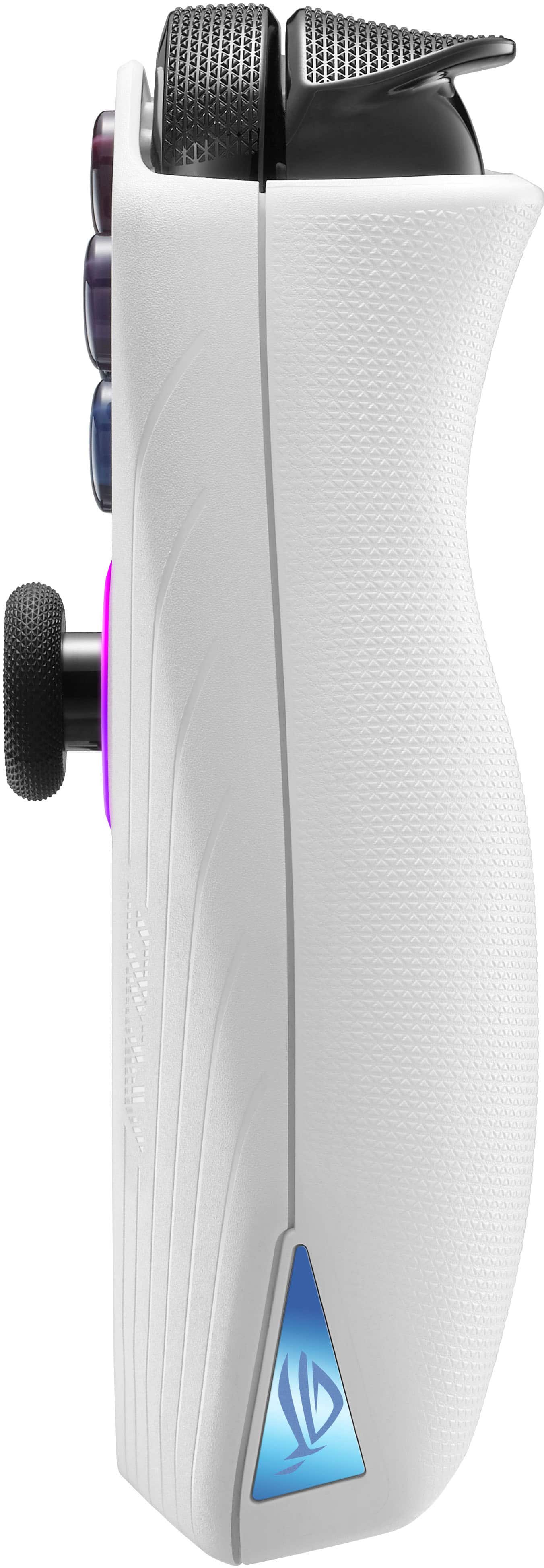
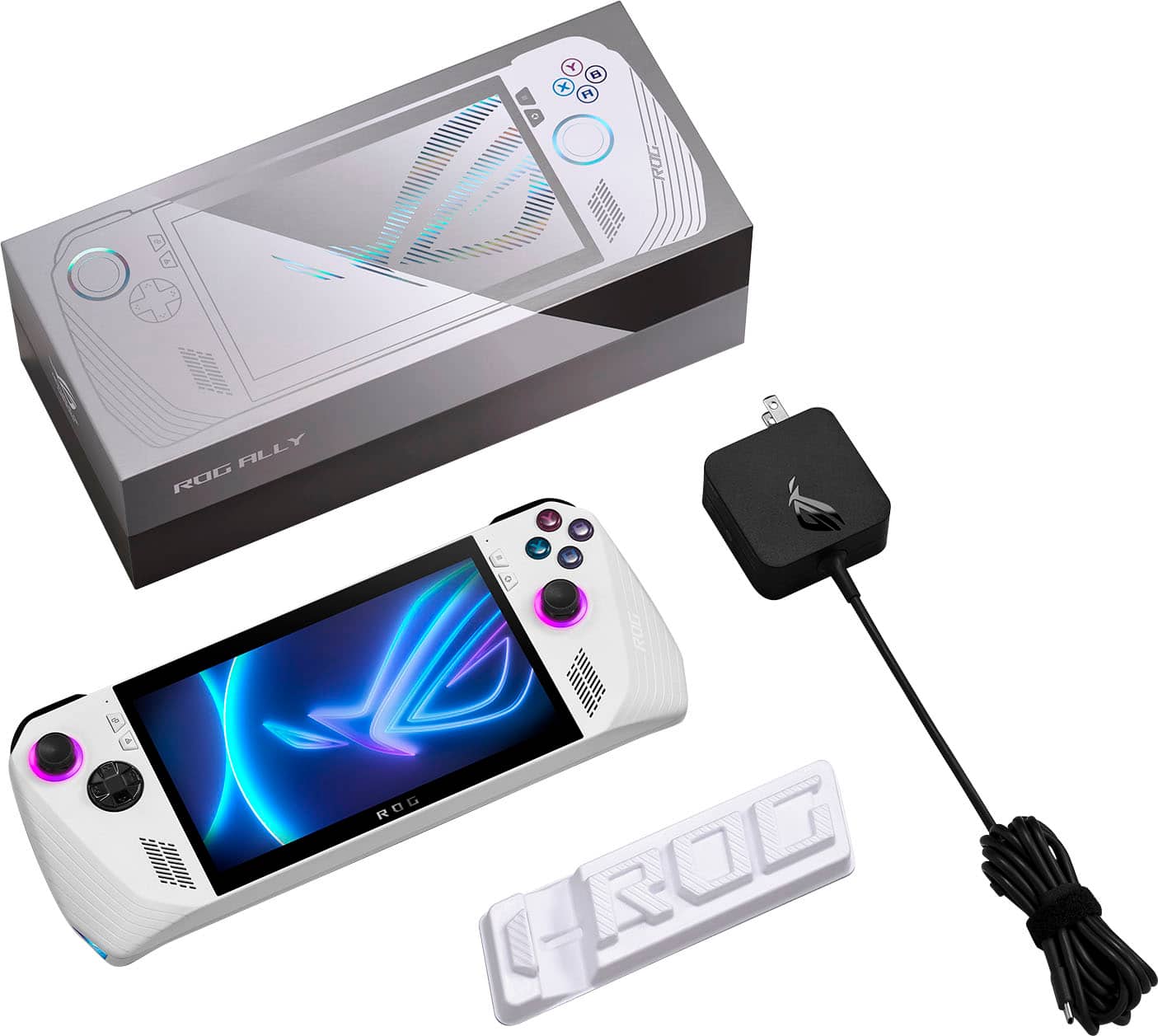
|Posted .This reviewer received promo considerations or sweepstakes entry for writing a review.I absolutely love the ASUS ROG Ally, but it’s not a fully unconditional love. It’s taken a little bit of time, and I can’t say with certainty that you’d love it, too. The ASUS ROG Ally needs some TLC. It needs some time. And, if you’re patient with it, you’ll be happily rewarded with a handheld PC that’s truly fantastic. The ASUS ROG Ally is a handheld computer. If you’ve seen a Nintendo Switch or its closest competition, the SteamDeck, you’ll know what you’re getting: a portable device with a large screen in the center and gaming controller inputs built in. The ASUS ROG Ally is a PC gaming device – with the selling point being that you can play any game from any game store – you’re not limited to any particular one, so wherever you get your PC games from (digitally downloaded, that is) you can organize and play them on here. The device itself is very nice. It’s incredibly lightweight – shockingly lightweight, even. The design feels comfortable to hold in the hand with a nice, textured plastic. The white plastic and lightweight design do make it feel like it’s slightly cheaper compared to a much weightier device, but this is anything but. You’ve got a left and right thumbstick, with the one on the right slightly lower than the ABXY buttons. The thumbsticks are surrounded by customizable LED lighting. On the left is a D-Pad and the shoulder buttons have a standard Left and Right trigger and button. On the back of the device are two additional buttons behind where your hand grips – perfect for creating your own custom buttons. On the front face there’s four tinier buttons – effectively two for Start/Select, depending on your game, and two dedicated to specialized features for this device: the Command Center for quick systemwide shortcuts like volume and brightness, and Armoury Crate, the main launch screen for the system. There are two forward facing speakers and two forward facing microphones. The speakers sound amazing. I was blown away by how nice they sounded. On the top of the machine, you have ports for headphones, SD-Card for memory expansion, volume rocker, power button, which also serves as a fingerprint read, and a port for USB-C as well as to connecting to ASUS’ external gaming hardware for turning the system into a much more powerful full desktop gaming rig. The top and back have several vents for air circulation. Lastly, the screen is big, bright, and clear. A perfect screen for gaming. While everything is functionally fine, I do have a few issues with the look of the device. The ABXY buttons are four different colors, but they’re so muted it’s hard to tell much of a difference. Additionally, the actual letters are just a slightly different shade of the same color, also making them hard to see. And, lastly, the ROG typeface makes it hard for me to tell between the A and B buttons. I’m also not a fan of the rather large port that covers both the USB-C and ASUS external hardware. I really wish it came with a plastic cover for part of it when it’s not in use. And, I will say while I’ve had no issues, the USB-C port has enough of a wobble with a cable connected to give me pause. Are these dealbreakers? Not at all, but worth pointing out. Spec wise, this is a great little gaming machine. No, you’re not going to hit the ultra-high graphic settings on your newest triple-A game. However, that’s not necessary here either. You are, after all, looking at a much tinier screen. As of now, this has run everything I’ve thrown at it and then some. From indie games to triple-A first person shooters, I’ve had no issues running anything. This now brings us to the other half of the review: the software. The biggest PRO and the biggest CON of the ASUS ROG Ally is the same: Windows 11. This is, essentially, a handheld Windows 11 PC with built in gaming controller. All the good and all the bad of a windows machine is present here. You can run any game from any digital PC game distributor because it’s just Windows. You also must deal with settings, on screen keyboards, and updates, updates, updates. Initialization of the system is not a great experience, unless you like running new operating system setups. It’s your standard Windows setup but hampered with the use of a combination of button presses and touchscreen. At one point, the on-screen keyboard didn’t load for me when I needed to input text before continuing and I had to take to the PDF documentation on a different computer to find the shortcut for the on-screen keyboard (hold the macro buttons on the back plus up on the D-pad). After that process, there were several windows updates, firmware updates via the MyASUS software, and then updates of the Amoury Crate software. Only at this point can you first download various game storefronts, downloading games, and really begin using the system. For me, this took roughly 2-3 hours. It's not the greatest out of the box experience and could be more streamlined, but it’s not the worst ever so long as you’re prepared for what’s to come. Armoury Crate is the gaming front of the machine. While you can always switch back to the desktop, this is the main program that starts when you load into Windows, and you’ll be using it most often. It works well as not just a center hub for all your installed games and launchers, but also for accessing many of the ASUS ROG Ally’s specialized settings. There’s plenty of those, too. ASUS has really provided a wealth of options for customizing the machine to your liking. I’m not going to dive into all of them, but among the basics such as the LED lighting, audio, and screen settings, you can customize specialized controls for ANY game or application, adjusting the operating system performance speed, max resolution, refresh rate, limit the FPS, and more. While you do have the Armoury Crate software for managing all your games from different platforms, you still need to install all of them. For me, that included Steam, GOG, XBOX, and the Epic Games Launcher. And once you have them, you must log into them. And then you must download your games. From that point, however, the Amoury Crate software will show your games. It’s worth pointing out that even if it’s a storefront not supported by Amoury Crate, you have the option of adding any executable file to the list of programs that it can launch. In my case, I did have some free games on the Amazon Games platform, and it was a pretty easy process to include those in the launcher. The Armoury Crate software isn’t the smoothest of applications, but it does its job effectively. It doesn’t need to be more than it is, but if you’ve ever used Steam’s Big Picture Mode this just doesn’t feel as polished. Remember that at any point you can go back to the windows desktop. You don’t need to launch anything from the software: You can open, say, the XBOX software and launch a game right from there. Being built on Windows 11 does have some great advantages. You can literally install anything you want. I put on my password manager and Chrome, but you could run office, an emulator, watch YouTube videos, message folks on Discord – anything you could do on a normal full-sized computer. Being built on Windows 11 does have some disadvantages. I’ve already mentioned the updating. On a game console it’s very streamlined. The system gets updated, or a game gets updated. Here though, you’ve got Windows, MyASUS, Armoury Crate, and then each piece of software you own. There’s required restarts. There’s navigating your desktop display via a combination of touchscreen and the on-screen keyboard. Using Windows as Windows quickly reveals that it’s just not an operating system designed for the small screen environment. Nothing is that much harder than anything on a normal computer setup, but it’s not pick up and go, and it’s not as user friendly as anyone would like it to be. My other biggest negative is the battery life. It’s going to vary quite a lot depending on what operating mode you’re in, what game you’re playing, and what settings you have enabled. However, even in the best of scenarios, you’re not going to be amazed by the battery life. I’ve already seen several articles about how to adjust individual game settings to maximize your potential battery life. While I appreciate you can get granular, sometimes I just don’t have the time nor willingness to spend time adjusting settings just to grab an extra thirty minutes of battery life. So far, my average has been between 2-3 hours. Sometimes closer to three, often closer to two. If I’ve given you a negative impression of the ASUS ROG Ally, it’s because all those little negatives feel much worse because everything else about the system is so fantastic. I absolutely love it. It plays all my games. It plays them well. It’s a joy to play them on here. They look great. They sound great. I’ve got as much or as little customization as I’d like. I so enjoy this machine. I want this system to be perfect because it feels like perfect could have been attainable. As for my final thoughts: I cannot recommend the ASUS ROG Ally for someone that wants an easy to learn, easy to navigate, open the box and get to their gaming experience. I *can* recommend the ASUS ROG Ally to someone willing to put in a bit of work. If you aren’t threatened by putting in a little elbow grease, you’ll be very happy here. ASUS seems to be aware of this, too. Their website is already being updated with recommended settings for popular games and even has a guide for opening the machine and replacing the internal SSD! There’s an awareness that, like a fully featured gaming PC, you’re going to want/need to tweak. This isn’t a machine you have to put a ton of work into, but it’s not zero. Ultimately if you’re deciding if this is right for you, this is the consideration you must think about. And, if it isn’t daunting to think of, then you’ll be very happy with your portable PC gaming!
I would recommend this to a friend - Pros mentioned:Overall performance
Great device with lots more potential
||Posted . Owned for less than 1 week when reviewed.This reviewer received promo considerations or sweepstakes entry for writing a review.Fantastic handheld gaming setup with solid specs. It already has great performance, but further optimization will only improve things.
I would recommend this to a friend - Pros mentioned:Overall performance
Review
||Posted . Owned for 2 weeks when reviewed.This reviewer received promo considerations or sweepstakes entry for writing a review.I recently purchased this device I haven’t had any problems with it & the graphics are great over all I think it’s a great device.
I would recommend this to a friend Good handheld held back by some limitations.
||Posted . Owned for 8 months when reviewed.This reviewer received promo considerations or sweepstakes entry for writing a review.Great handheld held back by little design things and a smaller battery. I originally wasn’t sure if I was going to keep it, yet ended up loving it. I think that improve everything and then some in the ally x. 1 tb is the sweet spot on that.
I would recommend this to a friend- Pros mentioned:Overall performance
Mini gaming PC heaven
||Posted . Owned for 3 weeks when reviewed.This reviewer received promo considerations or sweepstakes entry for writing a review.Excellent handheld gaming PC! Plays AAA games at a good resolution! What more could you ask?
I would recommend this to a friend - Pros mentioned:Overall performance
Asus rog ally
||Posted . Owned for 6 months when reviewed.This reviewer received promo considerations or sweepstakes entry for writing a review.Very good computer worked better then I thought. Loved it
I would recommend this to a friend - Pros mentioned:Game compatibility
ROG ally
||Posted . Owned for 3 weeks when reviewed.This reviewer received promo considerations or sweepstakes entry for writing a review.It’s a good choice for a handheld gaming PC it runs most games really really well
I would recommend this to a friend - Pros mentioned:Overall performance
Love it
||Posted . Owned for 3 weeks when reviewed.This reviewer received promo considerations or sweepstakes entry for writing a review.Being able to play AAA games on a protable pc is nice. Can game on the go.
I would recommend this to a friend - Pros mentioned:Overall performance
Z1 Extreme is not an overstatement
||Posted . Owned for 1 week when reviewed.This reviewer received promo considerations or sweepstakes entry for writing a review.The ROG Ally is a beast. Highly recommend it. Will run any game you through at it within reason.
I would recommend this to a friend - Pros mentioned:Overall performance
Ally Rog
||Posted . Owned for 1 month when reviewed.This reviewer received promo considerations or sweepstakes entry for writing a review.Love my ally rog . Fastest gaming handheld I have ever had kids love it wife loves it. We all love it. Thank you ASUS ..
I would recommend this to a friend - Pros mentioned:Overall performance
A perfect machine!!!!!
||Posted . Owned for 1 month when reviewed.This reviewer received promo considerations or sweepstakes entry for writing a review.It's amazing..... Nothing stop this beast. You can run every game you want to play.... All games In high quality....,
I would recommend this to a friend Great gaming portable PC
||Posted . Owned for 2 weeks when reviewed.This reviewer received promo considerations or sweepstakes entry for writing a review.Great gaming device, cannot beat the flexibility of having launchers, xbox game pass and steam on this device. Adding a dock makes it a full desktop replacement in no time. I added a M.2 L bracket and upgraded the storage to 2 TB. Process is straight forward but takes a while, well worth it. Reddit is a great source to answer all questions!
I would recommend this to a friend- Cons mentioned:Sd card reader
1st Ally Failed after 10 days.
||Posted . Owned for 1 week when reviewed.This reviewer received promo considerations or sweepstakes entry for writing a review.After having such a hyped up launch, I’ve been disappointed. I sold my steam deck for this, and am currently reconsidering purchasing one again as a back up for when I inevitably have to send this in for repairs. I preordered when they first announced and picked up on launch day. I had to exchange it on day 12 for a failed SD card reader. When I got my replacement I bought the 3 year geek squad warranty. I don’t usually purchase warranties because I tend to buy products from companies I feel that have a good reputations. My first two weeks of experience as a first time asus customer was thankfully remedied by Best Buy. Still such a nice piece of hardware though, but I recommend you purchase the geek squad warranty if you plan to have it for the next 3 years. I would still recommend the Ally for anyone who wants to do windows gaming but with a caveat. Buy the extended warranty!
I would recommend this to a friendBrand response from ASUS Answers
Posted .Dear Nate,
We are sorry to hear that you are disappointed with the ROG Ally. This is definitely not the experience we want any of our customers to have and we are happy to hear that you were able to get a replacement unit. We do stand behind our product and we continuously strive to improve our products and processes in order to achieve customer service excellence. For more information send us an email at customerloyalty@asus.com and provide the case number "N2306018122-0032" for reference. We’ll do our best to provide a quick resolution to your case. Your feedback is important as it helps with improvements to ASUS Support channels. Thank you for choosing ASUS.
Best Regards,
Leonardo
ASUS Customer Loyalty US Support
- Cons mentioned:Battery life
Asus Rog Ally
||Posted . Owned for 1 month when reviewed.This reviewer received promo considerations or sweepstakes entry for writing a review.Asus Rog Ally is an incredible powerful gaming handheld but sofware is buggy and battery life is rwally bad. 1 hour for tripple AAA game runing at 25W and 75% or more brigness. We need a breakthrough battery tech to helo us as soon as possible. Also Windows is not touch friendly we need Microsoft to do their job.
I would recommend this to a friendBrand response from ASUS Answers
Posted .Dear Alex,
We appreciate your feedback on this product. We are committed to providing our customers with the best possible experience. We will let the related department know about the issues you are experiencing for continuous improvements to the product line. Please note that future updates to the ROG Ally will improve overall system performance and stability. We stand behind our products and continuously strive to improve our products and processes to achieve customer service excellence. For more information, email us at customerloyalty@asus.com and provide the case number "N2306018106-0120 " for reference. We’ll do our best to provide a quick resolution to your case. Your feedback is important as it helps with improvements to ASUS Support channels. Thank you for choosing ASUS.
Best Regards,
Chantae
ASUS Customer Loyalty US Support
- Pros mentioned:Screen quality
Asus Rog ally z1 extreme
||Posted . Owned for 1 month when reviewed.This reviewer received promo considerations or sweepstakes entry for writing a review.This is a great for on the go gamers great screen resolution and speaker
I would recommend this to a friend - Cons mentioned:Storage capacity
Rog Ally'd
||Posted . Owned for 3 weeks when reviewed.This reviewer received promo considerations or sweepstakes entry for writing a review.Love the design and specs. Truly a great handheld, wish the ssd had more storage.
I would recommend this to a friend PC on the go
||Posted . Owned for 1 week when reviewed.This reviewer received promo considerations or sweepstakes entry for writing a review.Imaging an xbox control had relations with a laptop. 10/10 keeps me gaming in bed while I pretende to watch tv with the wife.
I would recommend this to a friend- Pros mentioned:Overall performance
This is the one
||Posted . Owned for 1 month when reviewed.This reviewer received promo considerations or sweepstakes entry for writing a review.Love it! What you waiting for ? If you want to play call of duty in the bed then get it.
No, I would not recommend this to a friend Nightmare
||Posted . Owned for 2 months when reviewed.This reviewer received promo considerations or sweepstakes entry for writing a review.I have sent the console in once for sd card issues, no big deal. Took about 2-3 weeks, and I was very hopeful when I received it back from best buy after repairs. I put 5-6 hours on the console, booted up forza horizon 5 and choppy terrible framerate. I double checked that the game was installed on the ssd and not the micro sd card again. Booted up once again and framerate was between 11-19fps on low settings at 720p. Then as I went to drive the car in game the console turned off. I tried to power back on the stick lights lit up and it shut back off. This went on for about an hour and I have again just dropped off to be sent out. I really wanted to love this console, but ultimately its made me fall in love with my steamdeck again.
No, I would not recommend this to a friend