Customer Ratings & Reviews









- Model:
- RC71L-ALLY.Z1X_512
- SKU:
- 6542964
Rating by feature
- Performance
Rating 4.6 out of 5 stars
- Storage Capacity
Rating 4.0 out of 5 stars
- Controller
Rating 4.4 out of 5 stars
Customers are saying
Customers commend the ROG Ally for its impressive overall performance, portability, and excellent screen quality. Many appreciate its game compatibility and lightweight design. However, some customers have expressed concerns regarding battery life and issues with the SD card reader. Additionally, a few users have noted the device can heat up and that the storage capacity and software could be improved.
This summary was generated by AI based on customer reviews.
Don’t expect to take this with you on a trip.
||Posted . Owned for 2 weeks when reviewed.This reviewer received promo considerations or sweepstakes entry for writing a review.It was really good…when it worked. I bought this for an extended trip overseas. After a week of using my Ally it stopped working. It randomly shut off after I had plugged it into power. It wouldn’t turn on or show the indication that it was charging. Upon searching up how to fix this, it turns out it’s a common issue. The Best Buy representative who “helped” me couldn’t understand that I was out of town for an extended period of time, sent me a link to schedule an in person appointment and closed the chat as I said that there are no Best Buy locations where I am staying. I’ve tried multiple working chargers and outlets. Doing different resets with the power button/lower volume button. This thing turned into an expensive piece of decoration.
No, I would not recommend this to a friendBrand response from ASUS Answers
Posted .Dear Valued Customer,
We're sorry to hear that the ROG Ally cannot power on and we apologize for the inconvenience this may have caused you. This is not the kind of quality to expect from our products and it's not the norm. To troubleshoot the issue described, we recommend following the steps in the FAQ below. Should the issue persist, please contact our support team at https://www.asus.com/us/support/CallUs to further investigate the problem or assist with repairing the device.
We stand behind our products and continuously strive to improve our products and processes to achieve customer service excellence. For more information, email us at customerloyalty@asus.com and include the case number "N2306018159-0417" as a reference. We will do our best to resolve your case quickly. Your feedback is very important to us and enables us to improve our support channels. Thank you for choosing ASUS.
Best Regards,
Chantae
ASUS Customer Loyalty US Support
Troubleshooting - Device Boot Failure or No Display After Boot (Black Screen) - https://www.asus.com/support/faq/1014276/
- Pros mentioned:Overall performance, Screen qualityCons mentioned:Storage capacity

100% Made me a believer. LOVE the Ally!
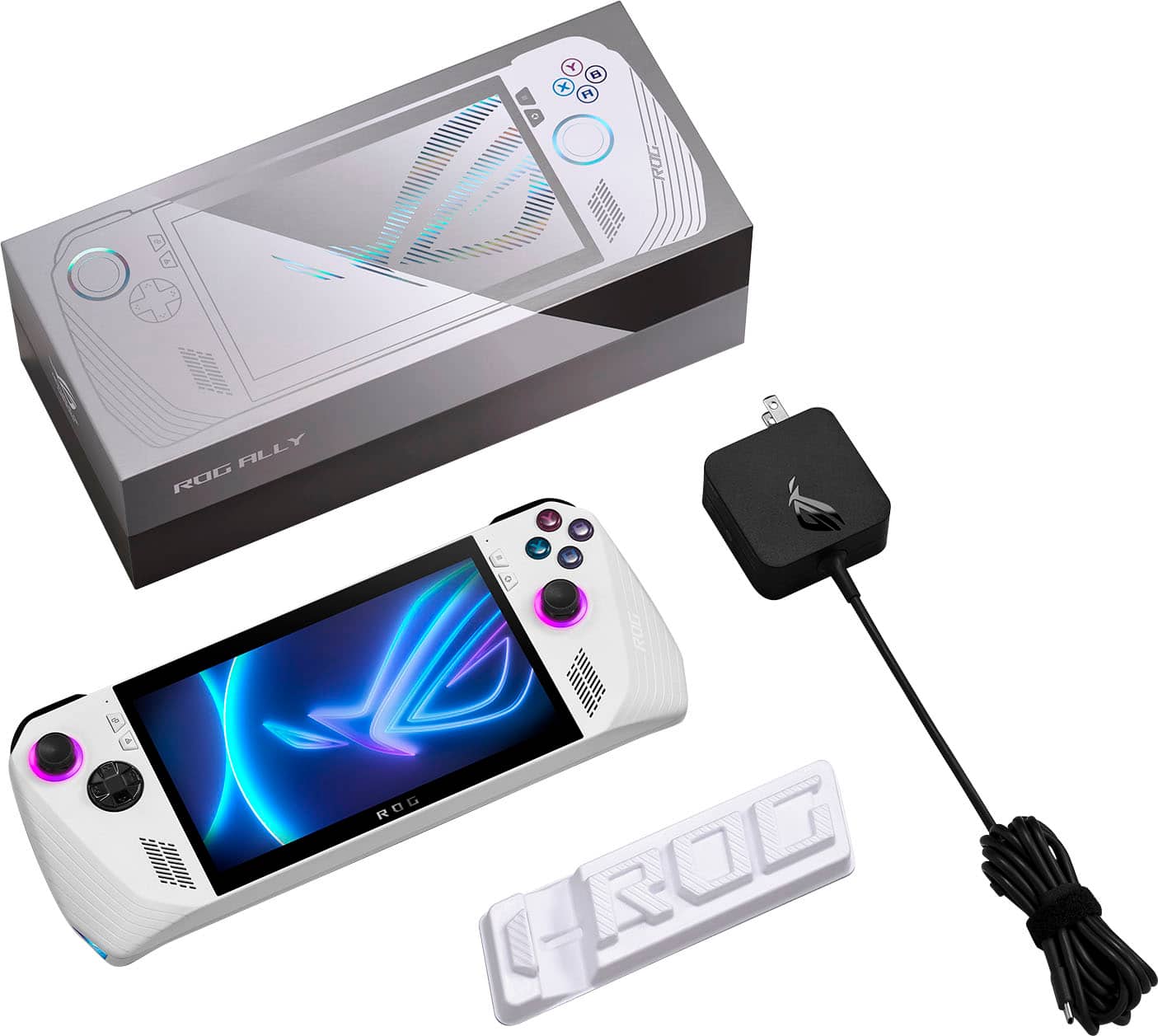
|Posted .This reviewer received promo considerations or sweepstakes entry for writing a review.When Asus announced the Ally I was one of the to-good-to-be-true people. Everything about the specs and what it can do made me get all hyped for it to be an excellent competitor to the "deck". Though I was cautious about it, once I had it in my hands, all doubt was immediately blown away. The Ally lived up to it's promises and YES, Asus LISTENS to their crowds. It is super awesome of them to take in all feedback whether good or bad and work to make things even more better for us end users. The Ally is just plain great to game on. In the box is the Ally itself being well protected, the usually literature, a very cheap feeling stand and a power brick to get you set up and ready to game. Remember that the Ally runs on Windows 11 so once you finish up the Asus 1st time set up, you then have to do the Windows 11 setup. For me, I had to update Windows 11 and a lot of system updates and drivers 1st, then update the Ally's BIOS to be 100% up to date. No issues after that. (I would personally skip and avoid installing the Win 11 KB5026446 update or risk losing Fingerprint functions). Performance is great whether plugged in or yes, even when using the battery. The display being full FHD @ 120hz makes gaming look so good on a device so small. Everything is buttery smooth as long as you set the settings correctly (also personally, turn off motion blur on any game). There is more than enough power to run Indies to AAA titles. Asus Armory crate is actually really nice and useful now after many updates. I really like how anything can be installed and shown on the Game Platforms tab. I use the Xbox, EA, Steam and Epic launchers initially to download my titles from them and then once installed they go to the Game Library tab for easy access. The Command Center is where it's at for performance tweaking. If plugged in, I want every maxed at 1080 @ 120hz. Operating mode is usually set to Performance but if you need some extra juice for more demanding games, then active Turbo to boost the FPS. Honestly there is so many customizations you can do, there is no way it'll fit in a review. Sound is shockingly good for a handheld. Asus really did a good job in not just throwing in random speakers and hoping for the best. They actually sound good in low to med-high while gaming. Didn't sound at all like you were playing in a tin can. Of course it's not going to make you through a party with Crab Rave, but it's more than enough unless you use headphones. The feel of the ROG Ally fits perfectly in my big 'ol hands. Also personally, I do like the feel of it being more an Xbox controller layout vs how the deck is. Never did I feel hot while playing plugged in or on battery mode. Grips feel quite nice and prevent slipping. Now the console is white with some some accents, so long playing sessions will eventually get it a little dirty like it did me after a week but it is SUPER easy to clean with a microfiber cloth and some IPA. When in Turbo Mode (also performance monitoring on) temps reached as high as 90C and as low as 35C in Silent Mode. Never did I feel like it was going to burn me due to the great build and placement of the exhaust. Even when cooling the system down, I never noticed it being audible at all. Even when trying to listen for it, the sounds in game either drowned it out, it was just plain quiet or I had headphones on and couldn't hear it anyways. Now for the elephant in the room. Battery life. Now my roommate has the deck and I have the Ally. He gets roughly 2 hrs of gameplay while on the couch before he has to plug in. With the Ally, I turned Silent Mode on, FPS cap to 30, 60hz refresh and 720p max in the Command Center. After an hour straight, my battery life dropped 40%. I didn't need to plug in to recharge until 2hr 13 min. So it seems as long as you tweak it just right, battery life seems to be on par with the competition. Also if you want to squeeze a little more power you can just turn off the RGB lighting in the same menu. Another thing people will notice for the Ally is storage. 512gb may be fine with some, but it might be too small for others. I went ahead and got me a Sabrent 2tb NVMe. Make sure 100% IF YOU WANT TO UPGRADE GET THE 2230 SIZE. Asus actually has a nice tutorial video on their website if you feel comfortable taking apart the Ally to swap NVMe's and reinstalling Windows. ASUS' 1st try into the market of handheld PC gaming is a super strong start. Yes it's more recent than the biggest competition so it uses more recent and powerful hardware, but this is a SOLID choice for on the go gaming.
I would recommend this to a friend a great handheld computer
||Posted . Owned for 3 weeks when reviewed.This reviewer received promo considerations or sweepstakes entry for writing a review.I am very happy that I use it as a great game console as a computer.
I would recommend this to a friendJoystick issues
||Posted . Owned for 3 weeks when reviewed.This reviewer received promo considerations or sweepstakes entry for writing a review.Great product and specs but the edges of the rings are sharp and cut into the joystick so for prolonged use maybe get a spare controller with Bluetooth or insurance I have had mine just under a month and started to notice damage
I would recommend this to a friendBrand response from ASUS Answers
Posted .Dear Michael,
We appreciate your feedback on the ROG Ally and would like to apologize for the issue with the joystick. This is definitely not the kind of quality to expect from ASUS products and it is not the norm. All ASUS products undergo intensive quality control, testing, and inspections. What you've experienced was not intentional or representative of our brand. We stand behind our product and continuously strive to improve our products and processes to achieve customer service excellence. For more information, email us at customerloyalty@asus.com and provide the case number "N2306018106-0097" for reference. We’ll do our best to provide a quick resolution to your case. Your feedback is important as it helps with improvements to ASUS Support channels. Thank you for choosing ASUS.
Best Regards,
Chantae
ASUS Customer Loyalty US Support
Good stuff, not enough storage.
||Posted . Owned for 1 month when reviewed.This reviewer received promo considerations or sweepstakes entry for writing a review.Upgraded the SSD to 2 TB, now I can play all the aaa games I want.
I would recommend this to a friendMobile gaming for a new dad
||Posted . Owned for 1 month when reviewed.This reviewer received promo considerations or sweepstakes entry for writing a review.Was looking to help my friend get back to gaming by going mobile.
I would recommend this to a friendI hve own steam deck but the rog ally has it
||Posted . Owned for less than 1 week when reviewed.This reviewer received promo considerations or sweepstakes entry for writing a review.Best handheld game so far so good best picture quality and smooth
I would recommend this to a friendGood handheld PC gaming
||Posted . Owned for 1 month when reviewed.This reviewer received promo considerations or sweepstakes entry for writing a review.You can run everything at 720 60fps, it's an good investment
I would recommend this to a friendROG ally
||Posted . Owned for 1 month when reviewed.This reviewer received promo considerations or sweepstakes entry for writing a review.Head some hiccups still have some more hiccups. Don’t know if the Sim card will work on it but I’m hoping to new dates will fix that but overall it is OK.
No, I would not recommend this to a friendReturned good but not great
||Posted . Owned for 2 weeks when reviewed.This reviewer received promo considerations or sweepstakes entry for writing a review.The ROG ally is an awesome gaming handheld that has a few quirks and problems since I have the steam deck I couldn't justify keeping the ROG ally instead I shal wait for the next generation of pc handhelds
I would recommend this to a friendMore time troubleshooting than gaming!
||Posted . Owned for 2 months when reviewed.This reviewer received promo considerations or sweepstakes entry for writing a review.This product is not ready at all to be on the market! My sd card reader fried just after the 2 week return window. Next, the windows os just doesnt work quite well with handhelds. There are an insane number of issues causing drivers to not work and then comes all types of troubleshooting which i do more than gaming on the device. This purchase is one of my biggest regrets honestly, but another reason to stick with desktops until another couple of years.
No, I would not recommend this to a friendIts needs updates
||Posted . Owned for 1 week when reviewed.This reviewer received promo considerations or sweepstakes entry for writing a review.It’s pretty good except my unit keeps having an issue with 30w mode will power down to performance mode instead of staying at 30w mode while plugged in
No, I would not recommend this to a friendBrand response from ASUS Answers
Posted .Dear Batman2035,
We appreciate you sharing your feedback on this model. We are always known to satisfy our customers with the best quality and features. We do value our customers and take negative customer service experiences very seriously. All ASUS products undergo intensive quality control, testing, and inspections. What you've experienced was not intentional and this was a random case. I will forward your feedback to the product team for future improvements. We recommend updating your Bios with with improve your system stablity.
If you should have any other concerns or feedback feel free to reach out to us at customerloyalty@asus.com. We'll be happy to provide a quick resolution to your case. Please refer to this case number (N2306022696-0006) for us to better assist you.
Thank you for choosing ASUS!
Best Regards,
Saskeia
ASUS Customer Loyalty US Support
- Cons mentioned:Battery life
Rog Ally is ok
||Posted . Owned for 2 weeks when reviewed.This reviewer received promo considerations or sweepstakes entry for writing a review.It’s a cool product but the battery dies pretty quick and randomly lags along with the screen turning red and turning off randomly.
No, I would not recommend this to a friendBrand response from ASUS Answers
Posted .Dear Travis S,
Thank you for sharing your feedback on the ROG Ally. We sincerely apologize for the issues you've faced and any inconvenience caused. This is not the quality of service we aim to provide and it is not representative of our brand. At ASUS, we take quality control, testing, and inspections seriously to ensure our products meet high standards. Customer satisfaction is our top priority, and we strive to make every purchase an enjoyable one. Please allow us to make your experience with ASUS a better one.
Based on the issue described, we recommend updating the BIOS. It is recommended to download and update the BIOS and firmware for system performance optimization. The update takes a few minutes, please do not turn off your computer during the process to avoid a critical problem that the system cannot be turned on.
https://rog.asus.com/gaming-handhelds/rog-ally/rog-ally-2023/helpdesk_bios/
BIOS Update for Windows
Version 331
12.04 MB
2023/10/24
If you already have the latest BIOS version installed, we recommend reaching out to our support team at https://www.asus.com/us/support/CallUs for further assistance.
We do stand behind our products and we continuously strive to improve our products and processes in order to achieve customer service excellence. For more information, send us an email at customerloyalty@asus.com and provide the case number "N2306018122-0163" for reference. We’ll do our best to provide a quick resolution to your case. Your feedback is important as it helps with improvements to ASUS Support channels. Thank you for choosing ASUS.
Best Regards,
Chantae
ASUS Customer Loyalty US Support
ROG Ally pc
||Posted . Owned for 1 week when reviewed.This reviewer received promo considerations or sweepstakes entry for writing a review.The best PC I’ve never had Best Buy away the best.
I would recommend this to a friend- Cons mentioned:Sd card reader
Had to return it twice
||Posted . Owned for 2 months when reviewed.This reviewer received promo considerations or sweepstakes entry for writing a review.The first one had problems reading the SD card, then the second one fried my SD card then days later the charger stopped working, other than that, i loved the gaming experiece but i wouldn’t trust ASUS to expend 700 bucks again, i ended up having some accessories that im not going to be able to use anymore
No, I would not recommend this to a friendBrand response from ASUS Answers
Posted .Dear Marshall81,
Thank you for sharing your experience with the ROG Ally, and we apologize for the problems you've faced with the device. This is not the kind of quality to expect from ASUS products and it's not the norm. At ASUS, we take quality control, testing, and inspections seriously to ensure our products meet high standards. What you've experienced was not intentional. The decision to make a purchase can be important, and we want to ensure that our customers receive the best products and services. We understand the impression this may have created and we hope this will not be a long-term lasting impression as you have chosen ASUS as a trusted brand for excellence. Providing our customers with a high level of satisfaction is our top priority, and we'll forward your feedback to our Product Team for review. Please note that there will also be future updates to the ROG Ally that will improve overall system performance and stability.
Although you no longer have the ROG Ally, we do stand behind our products and we continuously strive to improve our products and processes to achieve customer service excellence. If you require any further assistance, please send us an email at customerloyalty@asus.com and include the case number "N2306018159-0338" as a reference. We will do our best to resolve your case quickly. Your feedback is very important to us, and it enables us to improve our support channels. Thank you for choosing ASUS.
Best Regards,
Chantae
ASUS Customer Loyalty US Support
- Pros mentioned:Game compatibility, Overall performanceCons mentioned:Battery life
Leave the Gaming Laptop at Home
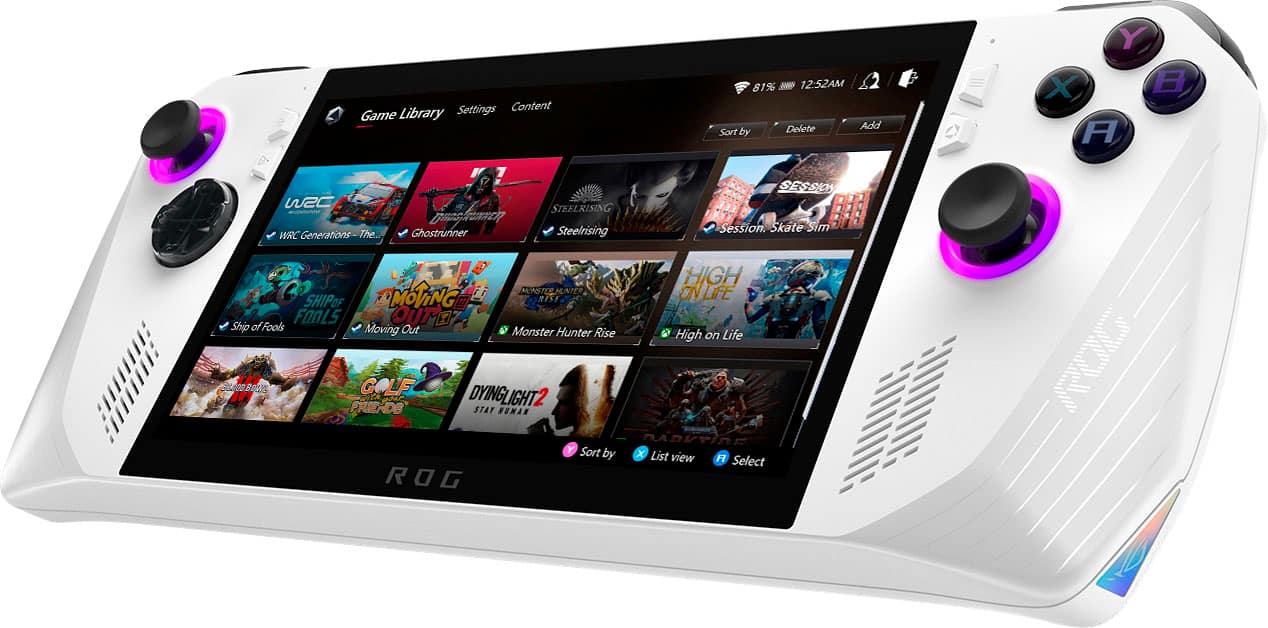
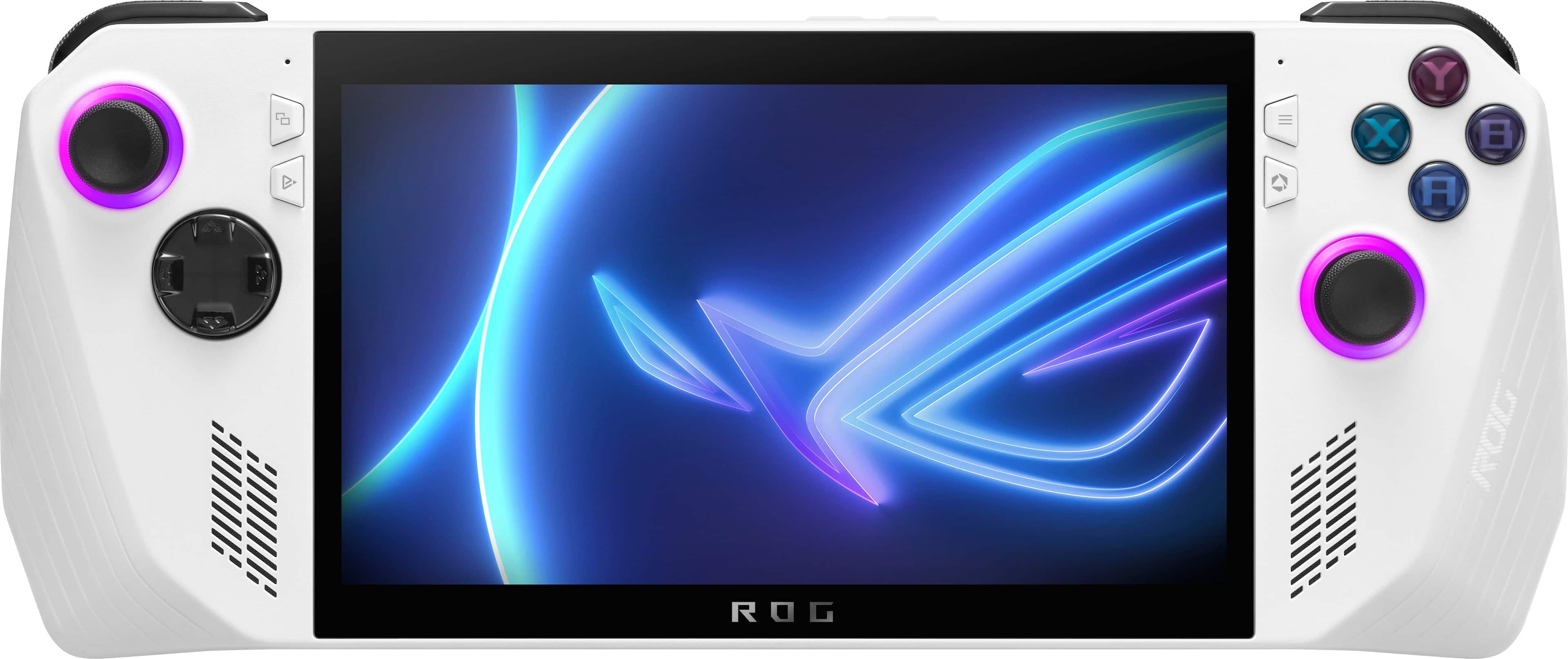
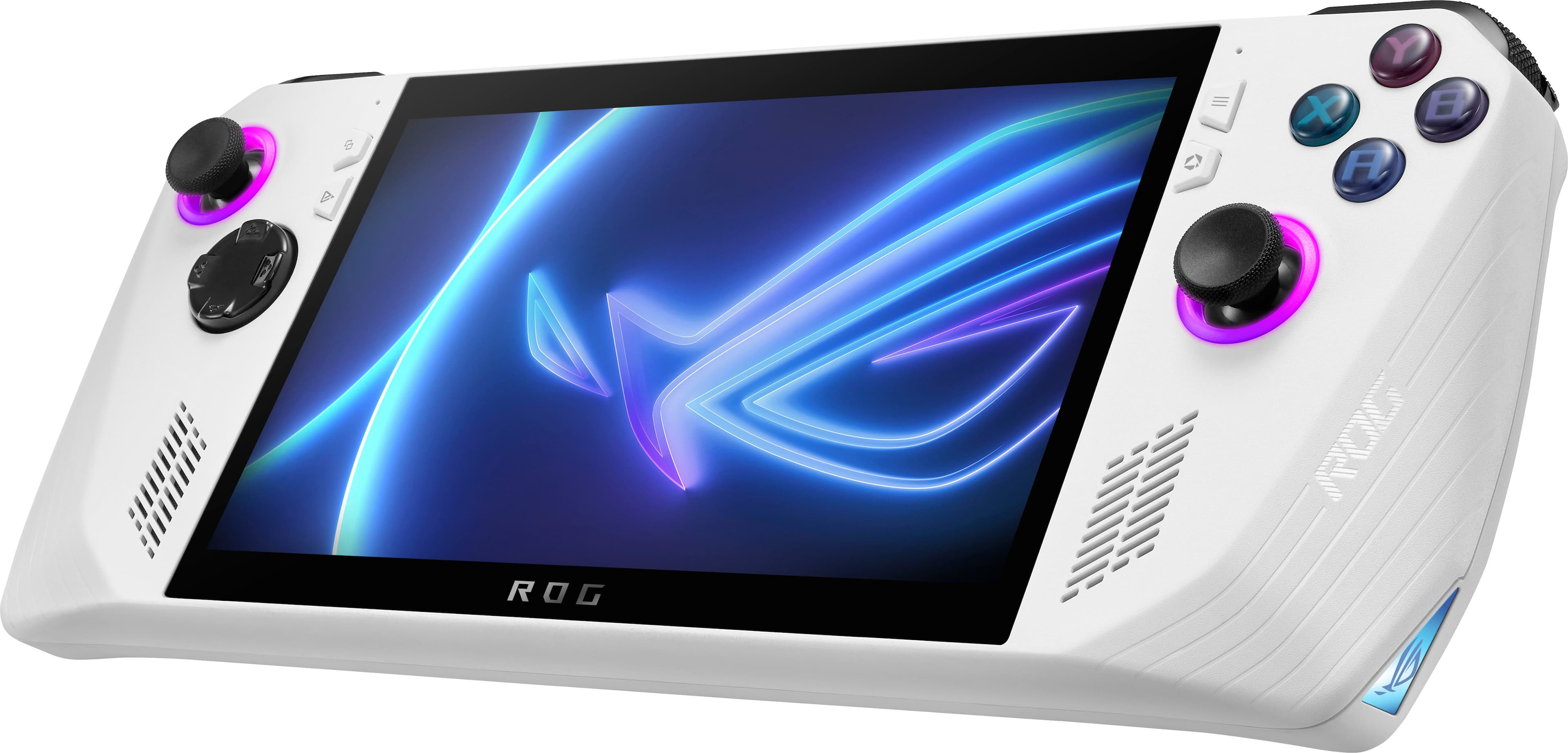
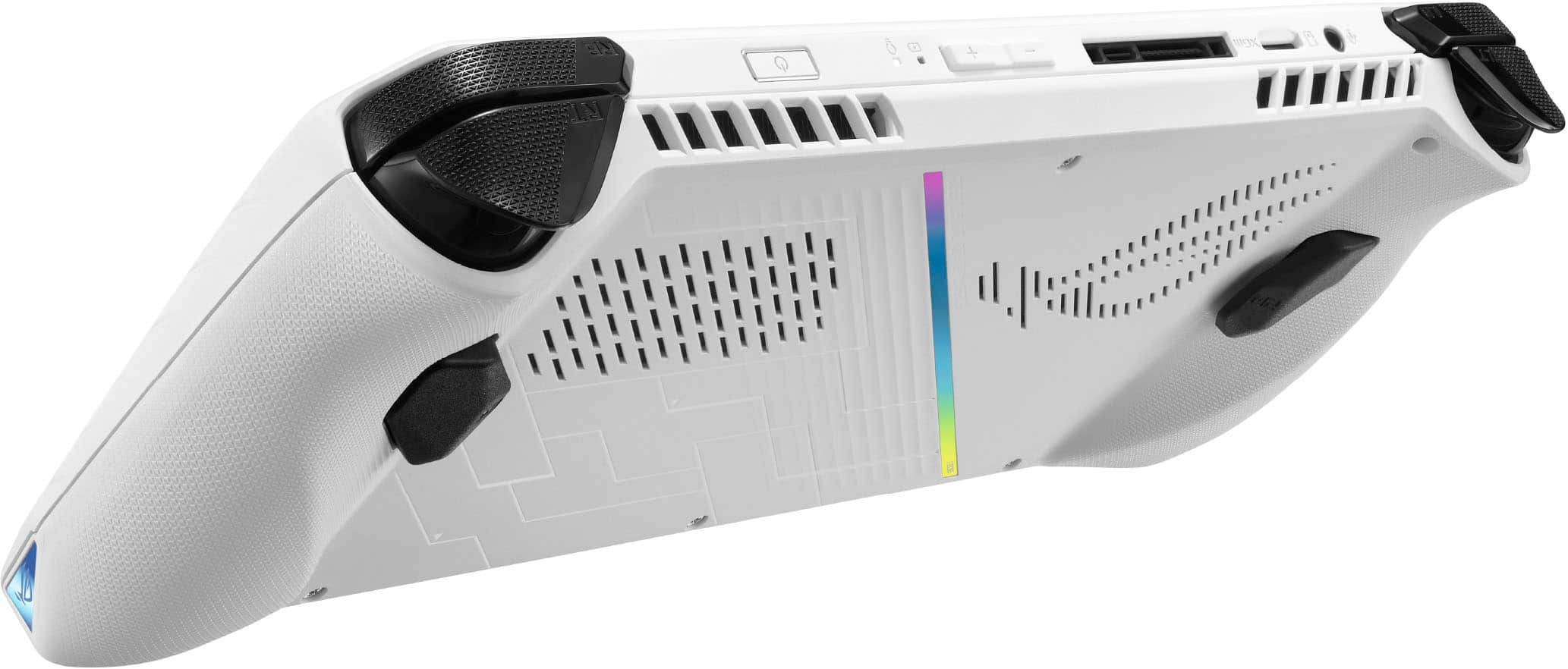
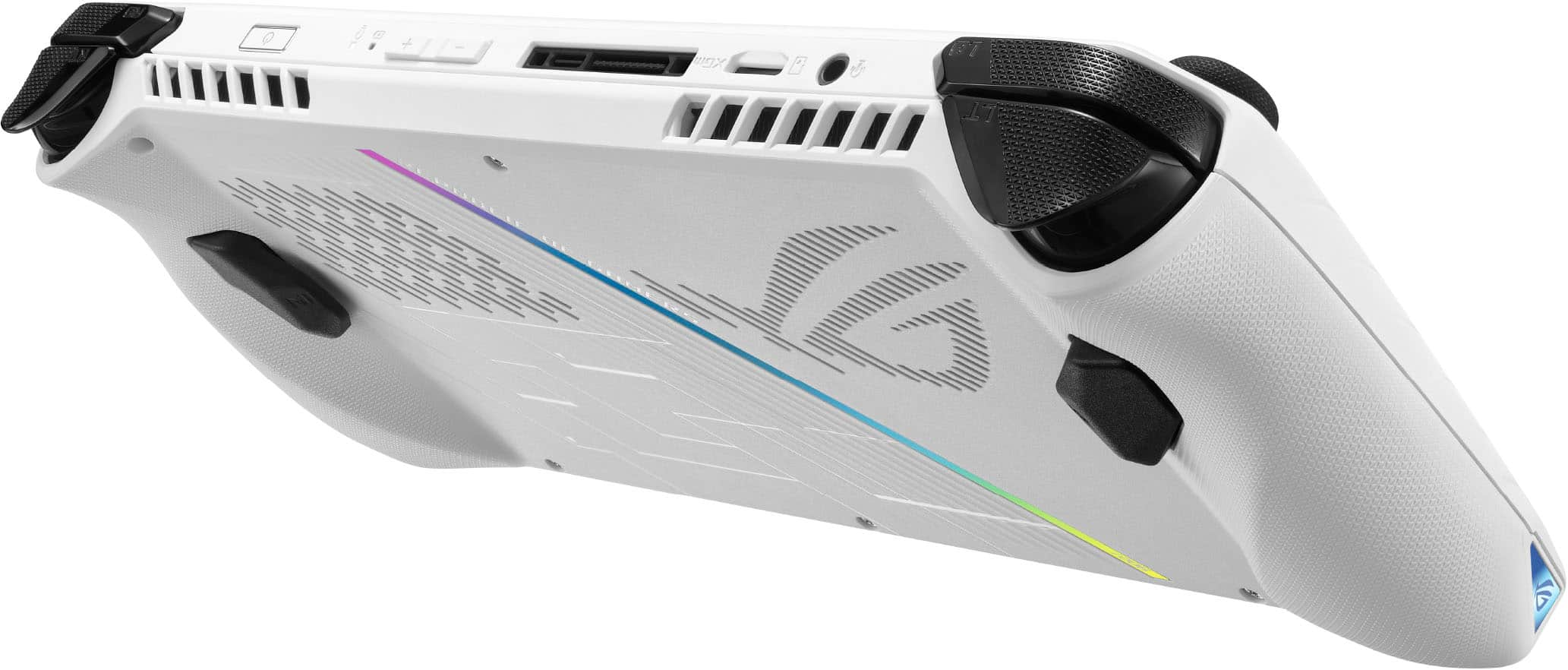
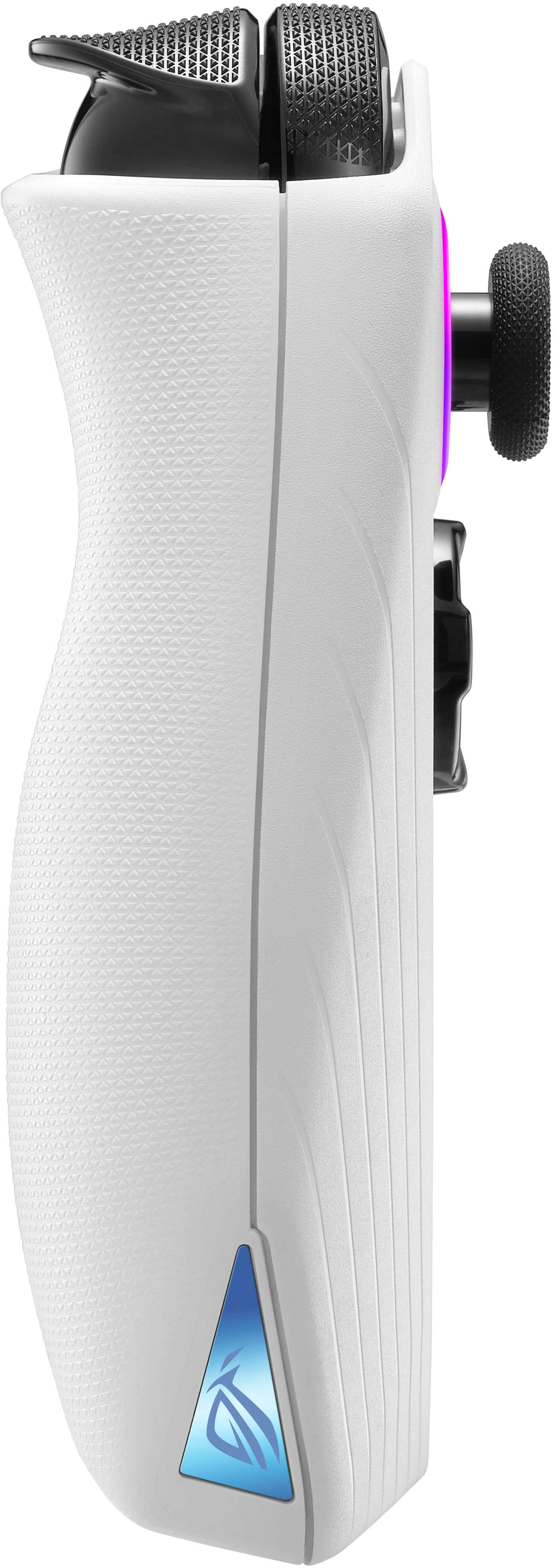
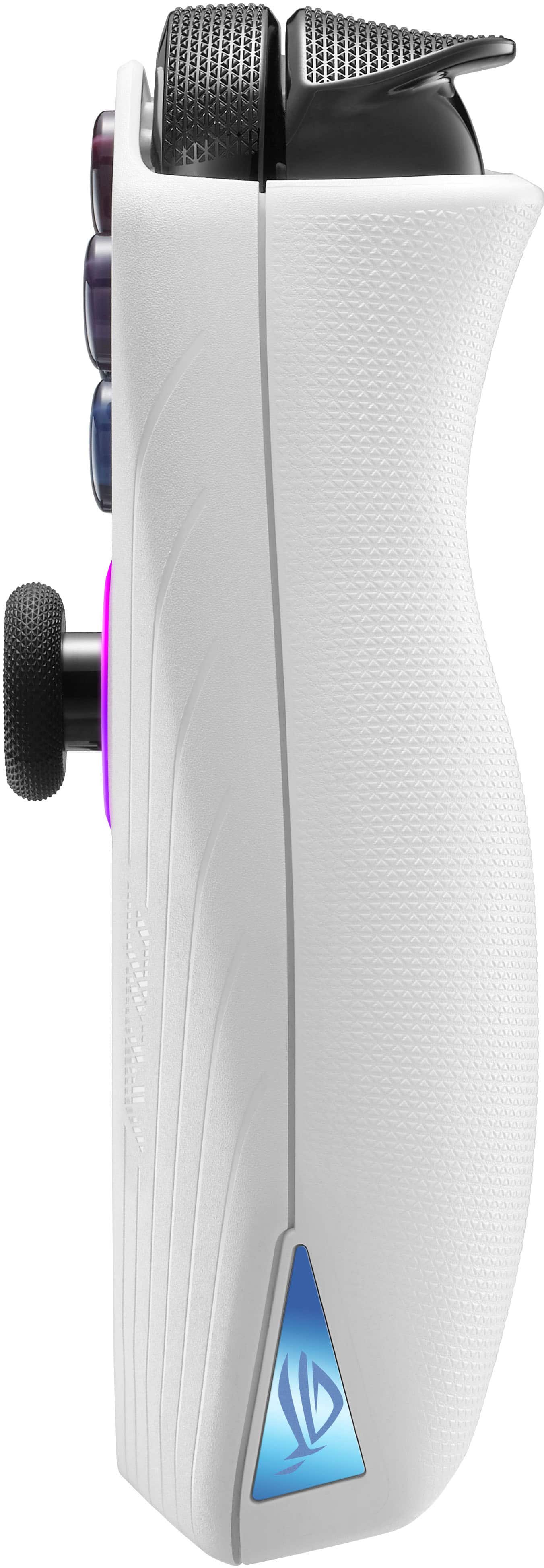
|Posted .This reviewer received promo considerations or sweepstakes entry for writing a review.I’ve been tempted to buy a Steam Deck over the past year, but I knew that it was just the first device in a new market of powerful gaming handhelds. Enter the ASUS ROG Ally, a Windows-based handheld that claims full compatibility with PC games. After my first week of use, its clear that the ROG Ally has the power and specs to deliver a fantastic on-the-go gaming experience, but there are some major drawbacks such as battery life and quirks with using Windows on a device like this. ===SETUP=== If you’ve ever power up a new Windows PC for the first time, you’ll know what to expect. The ROG Ally is basically a mini touchscreen Windows computer, so you’ll have to click through all the standard Windows setup screens such as logging into a Microsoft account. One major downside here is that you’ll need to wait a while for all of the Windows Updates to complete. ASUS recommends that you let this process complete before playing games since there is at least one BIOS update available via Windows Update that improves battery life and optimizes the fingerprint sensor. After you finally boot into Windows, you’ll see the familiar Windows desktop, and the ROG Armoury Crate software should automatically load. Armoury Crate acts as the central location for system settings and your game library on the ROG Ally. You’ll want to spend some time getting to know the various settings available here, since you may want to tweak the various performance modes to optimize frame rates and battery life. Unfortunately, Windows 11 just isn’t fully optimized for a device of this form factor or with a touchscreen of this size. Often, the on-screen keyboard will fail to appear when needed. It is sometimes very difficult to tap smaller menu items in Windows settings menus and Start menu. I’ve learned to live with it, and luckily you don’t really need to navigate Windows very often if you stick to using Armoury Crate for most of your tasks. ===DESIGN AND COMFORT=== My first impression was that the ROG Ally felt amazingly slim and lightweight given its large screen. The white color is nice enough, but I wish ASUS would have also offered a black version. There is RGB lighting around each control stick which can be customized or turned off via Armoury Crate. They look nice, but they also flash or pulse even when the device is in standby mode, which can be distracting. The device feels very premium, with textured grips and contoured edges that make holding the ROG Ally for hours on end very comfortable (especially compared to something like the Nintendo Switch). There are two buttons on either side of the 7-inch screen. One button on the right launches the Armoury Crate software, while another on the left pulls up a Command Center where you can control screen brightness, volume, and some other basic settings. The screen itself is beautiful. I was a bit disappointed that it wasn’t an OLED display, but that really doesn’t matter. This screen gets very bright (up to 500 nits) and packs a 120Hz refresh rate at 1080p. It’s perfect for this size of a device, and anything more would sacrifice performance and battery life. Also worth nothing is that ASUS included the USB-C charging port on the on the top of the device, so you won’t have to worry about a cable hanging down into your lap or chest while gaming. ===PERFORMANCE=== This model of the ROG Ally is equipped with a Z1 Extreme chip, 16GB of DDR5 RAM, and a 512GB SSD. I wish ASUS would have included at least 1TB of storage since I have already chewed through most of the 512GB with just a few games installed. Luckily, there is a microSD card slot at the top of the device for expanded storage. In terms of raw gaming performance, you’ll need to get used to tweaking most games to run at low to medium settings for maximum performance. I’ve played three games so far: Resident Evil 4, God of War, and Cyberpunk 2077. I dipped the resolutions down to 720p for maximum performance. On RE4, I’ve averaged about 65 FPS on “Low” presets, with the ROG Ally set to Turbo mode. On God of War, I get about 55-60 FPS on the “Original” preset, also on Turbo mode. Cyberpunk 2077 can push through about 50-55 FPS on “Medium” presets, also on Turbo mode. Bumping the resolutions up to 1080p causes a noticeable hit to performance at the same presets (about 15-20 FPS downgrade), but this can be alleviated by further reducing quality settings in games. Even at these low and medium settings, games look great. Lower textures and resolutions are barely noticeable on a screen of this size. There are some occasional stutters and frame drops, but I haven’t noticed anything that would be a deal-breaker. For gaming on the go, it really doesn’t get better than this. ===BATTERY LIFE=== The ROG Ally represents a case where battery technology simply hasn’t kept up with devices that are becoming more powerful and energy-hungry. When I unplug the ROG Ally from a wall outlet and run the same games above with the same settings on Turbo mode, I’m lucky if I get an hour of battery life. I’ve been able to push it to just about 2 hours by switching the device to Performance mode and limiting the screen’s refresh rate to 60Hz. But this further reduces performance/FPS which is very noticeable in some games. Bottom line - battery life is going to vary drastically based on the games you play and the performance settings you choose. My advice is to never be too far from a power outlet. Or, do like I did - buy a long, 6 to 10 foot USB-C cable and a 65W power adapter and play with the device plugged in as much as you can. Yes, you’ll be able to use the ROG Ally in short bursts on airplanes, trains, etc., but until there is a giant leap in battery technology, you’re going to constantly be hunting for a power outlet to get the maximum performance out of this device. ===OVERALL=== The ROG Ally is an excellent entry into the handheld gaming market from ASUS. I’ve personally never used a Steam Deck, so many users will want to research the pros and cons of both platforms. But the ROG Ally is a device I’ve been dreaming of for a long time - one that can play any Windows game I throw at it with just minor compromises. Yes, battery life leaves a lot to be desired, and there are some strange quirks using Windows 11 on a device like this — but for me, the ROG Ally has everything I need to fully replace a gaming laptop when I travel. I’ll just need to remember to pack the charger. Highly recommended!
I would recommend this to a friend The Device is 5 stars, but
||Posted . Owned for 3 weeks when reviewed.This reviewer received promo considerations or sweepstakes entry for writing a review.I ordered it online and in the item description it says “Includes all original parts, packaging and accessories (or suitable replacement).” Because I got it excellent condition used. It didn’t come with a charger which it should have because the product says so. I had to go to a store and spend an extra $40 to get a charger that it should have come with originally. I talked to customer support online and in person and they both said I needed to buy a charger separately. The fact that eBay is putting Best Buy to shame on used products should not be happening. Unless you are getting it new buy it from a different company.
No, I would not recommend this to a friendBrand response from ASUS Answers
Posted .Dear GideonK,
We certainly understand your disappointment with the quality of the used product and the inconvenience this may have caused.
If you received the laptop with a missing accessory, contrary to what was advertised, please resolve this issue with the third-party reseller. ASUS will not be held responsible in replacing the AC Adapter or charger. Should you need further assistance with the ROG Ally, please email me at cl-rodel@asus.com and I would be more than happy to help. Or, you are most welcome to call Product Support Hotline at: 1(888) 678-3688. Also, you can chat with an ASUS live support agent from the link: https://www.asus.com/us/support/article/1135/.
Thank you for choosing an ASUS product.
Regards,
Rodel
ASUS Customer Loyalty
SD CARD READER FAILURE/DEFECT
||Posted . Owned for 6 months when reviewed.This reviewer received promo considerations or sweepstakes entry for writing a review.It’s a decent hand held PC device. Won’t recommend this device (1st Generation ROG Ally). It was rushed out into the market. The quality control was TERRIBLE. My ROG ALLY is currently being Repaired at Best Buy service center due to NON WORKING SD READER. If you do your research. This is a RAMPANT PROBLEM for this device. I’m fortunate enough that my SD card broke while under Manufacture Warranty. It might not be the case for YOU.
No, I would not recommend this to a friendBrand response from ASUS Answers
Posted .Dear GamerTechPC,
We certainly understand your disappointment and the inconvenience this may have caused.
All ASUS products undergo intensive quality control testing and inspections, this issue with the ROG Ally is random and has been resolved. If you need more information or further assistance with the warranty service for the product, please email me at cl-rodel@asus.com and I would be more than happy to help. Or, you are most welcome to call Product Support Hotline at: 1(888) 678-3688. Also, you can chat with an ASUS live support agent from the link: https://www.asus.com/us/support/article/1135/.
Thank you for choosing an ASUS product.
Regards,
Rodel
ASUS Customer Loyalty
- Cons mentioned:Battery life
Low battery
||Posted . Owned for 2 months when reviewed.This reviewer received promo considerations or sweepstakes entry for writing a review.It only lasts about 30 minutes playing off the charger. Besides that it’s nice. Lenovo Go is better imo.
No, I would not recommend this to a friendBrand response from ASUS Answers
Posted .Dear Edwin,
We sincerely apologize for the battery issue you're experiencing with the ROG Ally and the inconvenience caused. This is not the quality of service we aim to provide, and it is not representative of our brand. At ASUS, we take quality control, testing, and inspections seriously to ensure our products meet high standards. Customer satisfaction is our top priority, and we strive to make every purchase enjoyable.
Please allow us to make your experience with ASUS a better one. We recommend following the steps in the FAQ below to troubleshoot the issue. In the event the issue persists, feel free to contact our support team at https://www.asus.com/us/support/CallUs for further assistance.
We stand behind our products and continuously strive to improve our products and processes to achieve customer service excellence. For more information, email us at customerloyalty@asus.com and include the case number "N2306018122-0175" as a reference. We will do our best to resolve your case quickly. Your feedback is very important to us and enables us to improve our support channels. Thank you for choosing ASUS.
Best Regards,
Chantae
ASUS Customer Loyalty US Support
https://www.asus.com/support/FAQ/1043914/
The handheld packaging for fair too tight!!!!
||Posted . Owned for less than 1 week when reviewed.This reviewer received promo considerations or sweepstakes entry for writing a review.This review is for buying it fair the package was too tight probably messed up the sticks
I would recommend this to a friend