Customer Ratings & Reviews
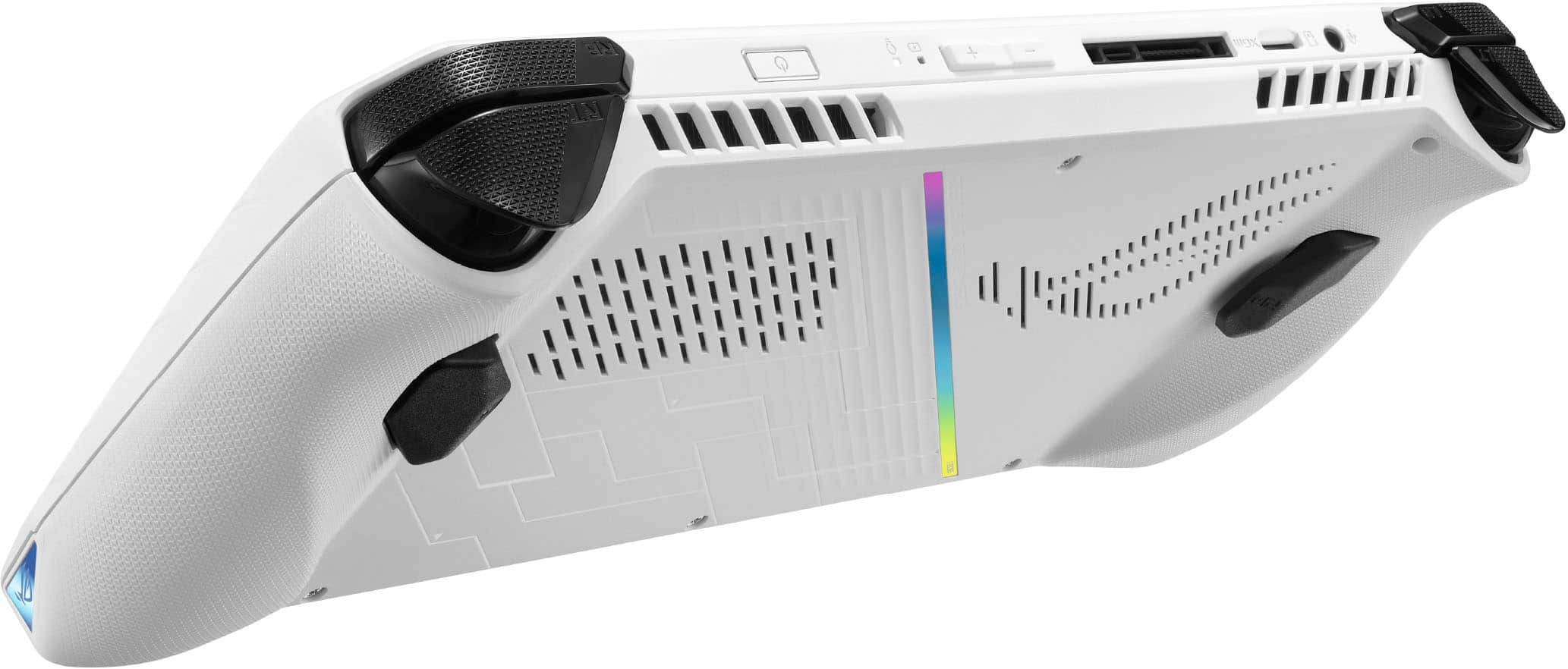
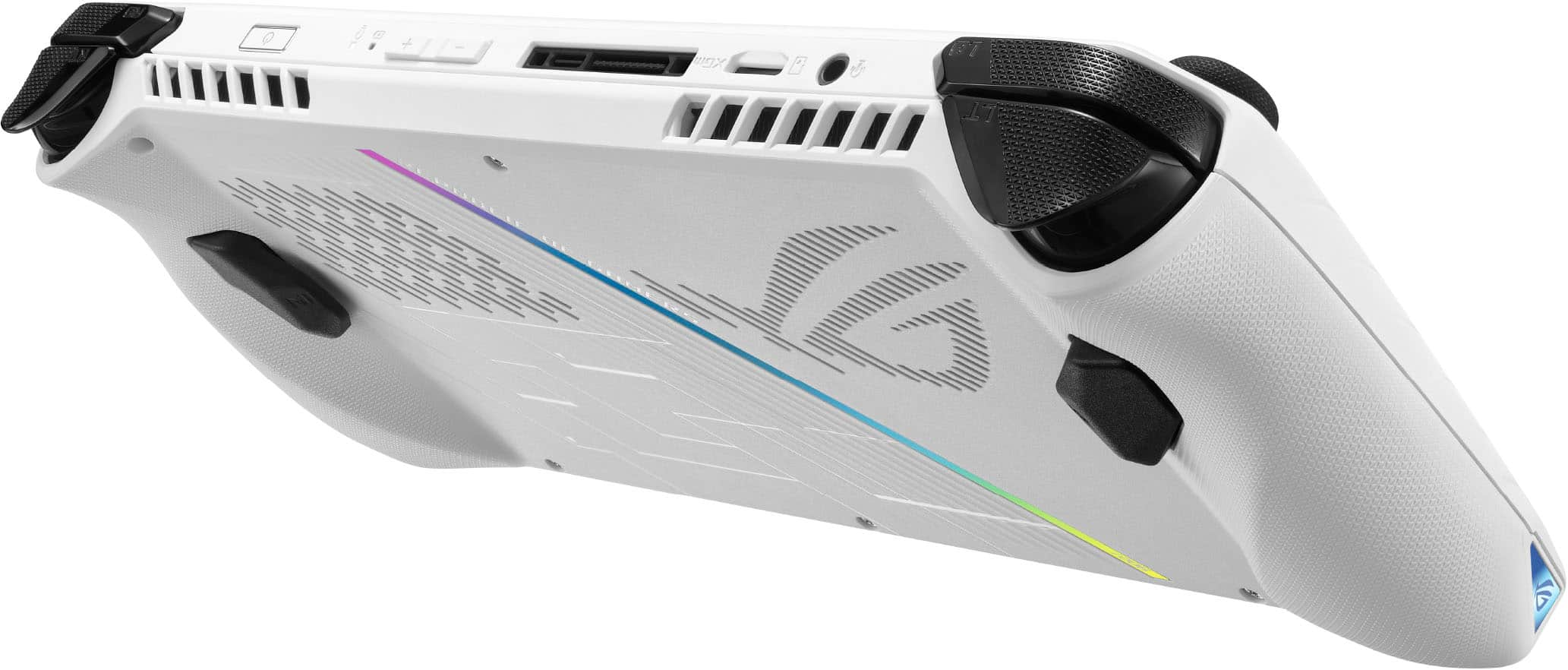


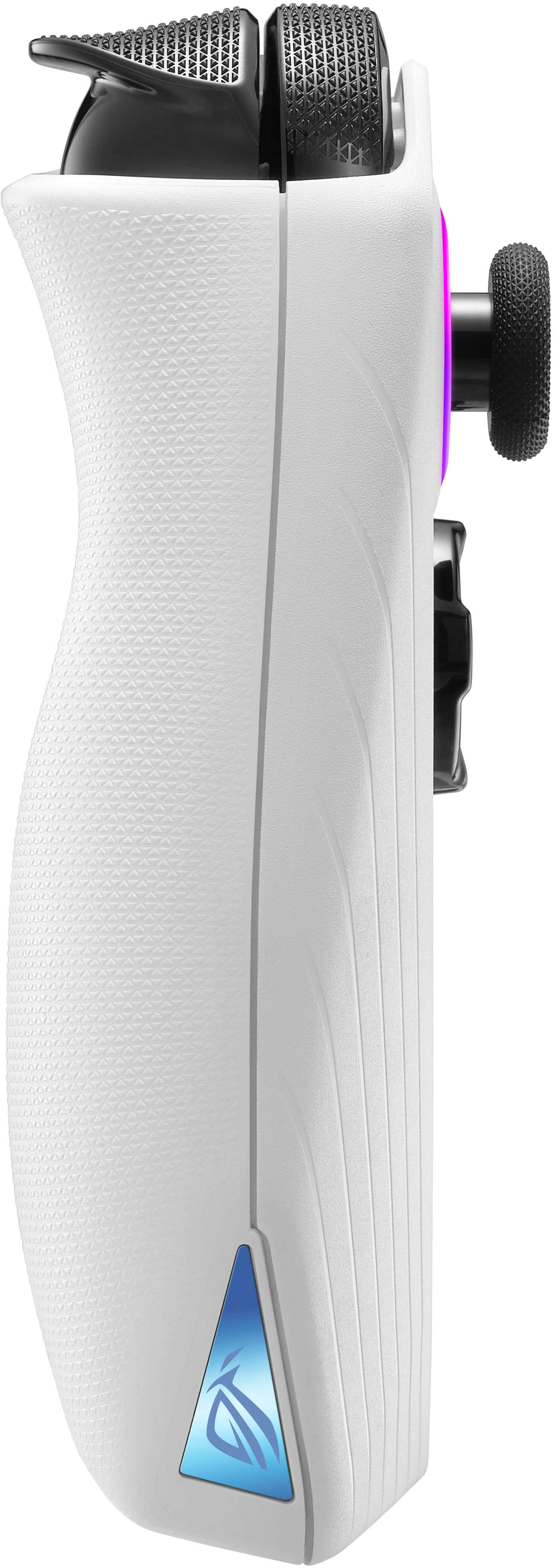
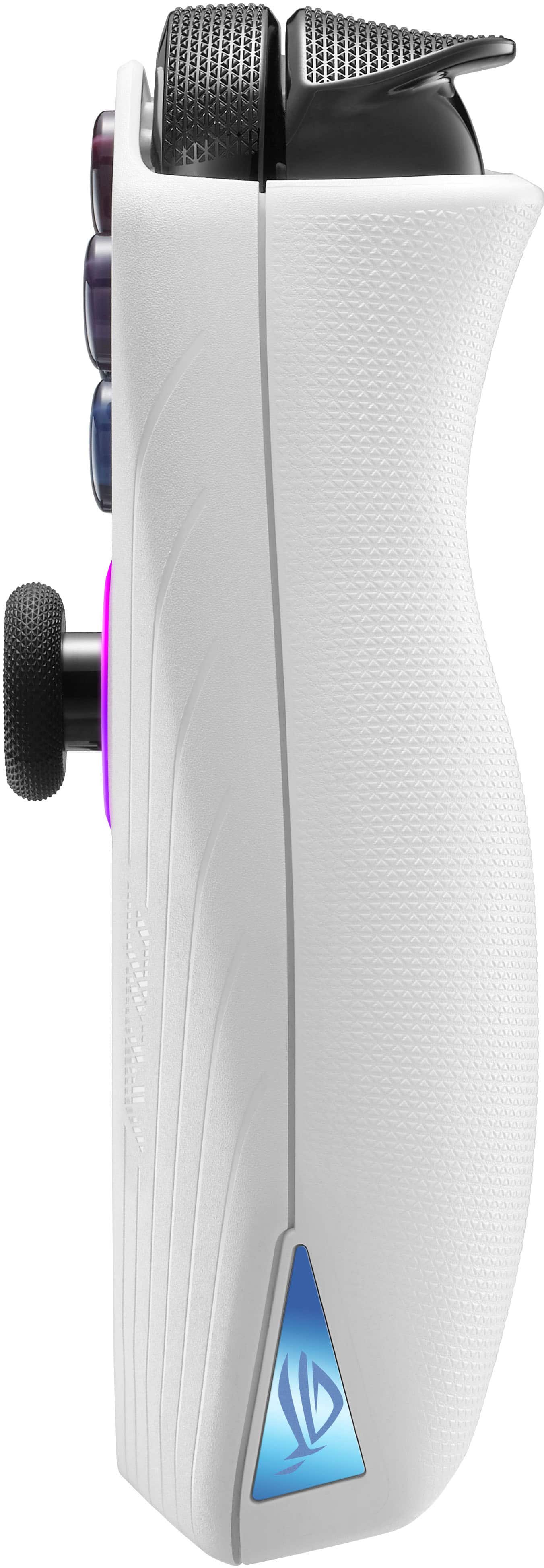






- Model:
- RC71L-ALLY.Z1X_512
- SKU:
- 6542964
Rating by feature
- Performance
Rating 4.6 out of 5 stars
- Storage Capacity
Rating 4.0 out of 5 stars
- Controller
Rating 4.4 out of 5 stars
Customers are saying
Customers commend the ROG Ally for its impressive overall performance, portability, and excellent screen quality. Many appreciate its game compatibility and lightweight design. However, some customers have expressed concerns regarding battery life and issues with the SD card reader. Additionally, a few users have noted the device can heat up and that the storage capacity and software could be improved.
This summary was generated by AI based on customer reviews.
- Pros mentioned:Overall performanceCons mentioned:Battery life, Heat dissipation, Sd card reader
Powerful and portable
||Posted . Owned for more than 2 years when reviewed.This reviewer received promo considerations or sweepstakes entry for writing a review.This is a total powerhouse for a handheld. The graphics and framerate are great for any triple A title. The battery life is very very short though, but if you are near an outlet while traveling or have a powerful enough charging bank then it’s a great addition for when you travel. The heat sink butts up to the SD card reader which has led to it overheating and frying out the component. I’ve had to send mine in 3 times for repair. I ultimately upgraded the HDD to 2 TB and everything has been great since.
I would recommend this to a friend Not what i expected
||Posted . Owned for 1 week when reviewed.This reviewer received promo considerations or sweepstakes entry for writing a review.windows OS clutter, steam games unstable constantly crash
I would recommend this to a friendBrand response from ASUS Answers
Posted .Dear ThorkDC,
It's a shame your experiencing performance issues with your ROG Ally. Make sure you've completed all pending updates on both Armoury Crate and Windows update. In the meantime, make sure to set your Ally to Turbo mode and to limit your FPS in-game. If you’re still experiencing issues, feel free to contact me if you have any technical or general questions. You can reach me at cl-adrian@asus.com. Please copy a link to this post as a reference.
Thank you for choosing ASUS!
Best Regards,
Adrian
ASUS Customer Loyalty – US Support
- Pros mentioned:Overall performance, Screen qualityCons mentioned:Battery life, Sd card reader
Solid upgrade over the Deck
Posted .This reviewer received promo considerations or sweepstakes entry for writing a review.Excellent hardware! Meh software. Don't buy this unless you like tinkering to make things run just right. Pros: Solid build quality, b e a u t i f u l screen, lightning fast performance. Cons: Potentially breaking SD cards, short battery life on demanding games, Armory Crate software is very buggy and needs time to mature.
I would recommend this to a friend It looks good, feels great but runs really bad.
||Posted . Owned for less than 1 week when reviewed.This reviewer received promo considerations or sweepstakes entry for writing a review.It looks and feels great but the device is bad, softwareissues and buggy interface, the games do not run well at all and the controller layout never maoes sense
No, I would not recommend this to a friendBrand response from ASUS Answers
Posted .Dear Nate,
We are sorry to hear about your disappointment due to the poor experience you have been having with the ASUS ROG Ally. This is definitely not the kind of experience we want for any of our customers. Please note that there will be future updates that will improve overall system stability and performance of the ROG Ally. If you believe this is a hardware issue you have seek a return through Best Buy. If not, please fully update your ROG Ally and try to see if that improves the experience. We do stand behind our product and we continuously strive to improve our products and processes in order to achieve customer service excellence. For more information send us an email at customerloyalty@asus.com and provide the case number "N2306018159-0035" for reference. We’ll do our best to provide a quick resolution to your case. Your feedback is important as it helps with improvements to ASUS Support channels. Thank you for choosing ASUS.
Best Regards,
Leonardo
ASUS Customer Loyalty US Support
- Pros mentioned:Overall performance, Screen quality, WeightCons mentioned:Battery life
Flawed, but exactly what I was looking for
||Posted . Owned for 1 week when reviewed.This reviewer received promo considerations or sweepstakes entry for writing a review.I was quite excited when Asus revealed this was not an April Fools joke. I had been using a Steam Deck but wanted something a little different. Though let me just say I am extremely grateful for the competition in this space the Steam Deck has ignited. As well, since it is the closest competition I will be comparing to the Deck regularly. Now heres a few pros and cons of the Ally. Pros: The Screen - It is much better than the Decks. While I could use a little more brightness, it is vibrant and I like the inclusion of the 120hz panel. I understand some may find it to be an over indulgent inclusion.However, even if you're not running games at that refresh rate often, it makes the general navigation of the device feel much smoother and more intuitive than it would otherwise. Similar to high refresh rates on mobile phones. Size/Weight - One of my biggest problems with the Steam Deck was its size. It is just so long and, honestly, somewhat cumbersome. With or without its case it takes up a considerable amount of space in my backpack. The Ally keeps the same screen size but is more compact and much lighter. The weight of the Deck hadnt concerned me as much as its size. However, I still appreciate the lower weight of the Ally after using it. Performance - The Ally performs at a much higher level than the Steam Deck. Now at 15w the difference is still there, but less stark. However, the flexibility to take it up to 30w+ when plugged in is amazing and can offer some great performance. With all of that said, the Deck does perform better at sub 15w power profiles. So if you play mostly pixelated games or older titles, then the Deck may provide better performance while also conserving battery life. Analog Sticks - This is not a huge pro but I, personally, like the analog sticks on the Ally more than the Steam Deck. They feel a little looser, which is my preference, but also a little cheaper than the Decks. So again, not a huge pro, but they're my preference. Neutral - I realized I had a few points I was relatively neutral on and wanted to mention here. Software - Now I have heard many complaints in this area, though most of those were also pre release reviews. My feelings towards the software are neutral as I feel Windows is not as well made for handhelds as SteamOS. However, it is also mroe familiar for me and feels more natrual to navigate in desktop mode. You also have the option of using Steam Big Picture Mode or Asus' Armoury Crate software if you want something more akin to the Steam Deck. Armoury Crate isn't amazing and I basically never use the full client. Though the quick menu you can pull up works perfectly well with some small annoyances. Like, I wish I could see the battery life more easily while in game. As well, I appreciate the Steam decks greater control and granularity in its menu. The ability to select any refresh rate from 40-60 as well as the complexity of the on screen display are nice features. Ones that I miss on the Ally. However, by and large, I think the software on the Ally is fine and I am interested to see how it evolves throughout its life. D-Pad - This is another point I have heard some complaints on. I don't typically like the D-pads in this style. However it feels well enough implemented here. I did have a few missed or misregistered inputs in Mortal Kombat but it wasn't too often. So nothing particularly positive or negative about it. Face Buttons/Triggers - I lumped these together as there is not much to say. The face buttons haven't stuck on me but don't feel great or anything. The triggers and bumpers are much the same. They feel perfectly adequate but don't stand out in my opinion. Upgrade-ability/Repair-ability - While not as repair friendly as the Deck, you do have the ability to easily replace the battery, analog sticks and NVME drive. Which is nice. The face buttons are integrated into the motherboard and parts are not as readily available to my knowledge. So another point that falls into the middle. Cons - Battery Life - I gotta get this one out of the way as its a pretty significant con given this is a handheld. It kind of goes in the face of it being lighter and more portable than the Deck as well. Given the battery life just doesnt follow suit. It is not god awful terrible, necessarily. However, it is noticeably worse than the Steam Decks. Even at similar power profiles its battery life will be a touch shorter. Add into the fact that you cant take power lower than 7w, as well as the fact that even at that power you're getting worse performance than the Steam Deck. It all adds up to being a fairly negative experience in terms of battery life. However, I can still give 5 stars as I don't mind playing plugged in and prefer playing with higher power profiles in most cases anyways. Though, it could still be a problem if you plan on using this more portabley than I do. Grip - While the Size/Weight of the Ally are much appreciated and preferable to the Steam Deck. The grip leaves a bit to be desired. It doesnt feel as comfortable in the hand as the Deck. Now the Deck was uncomfortable in some ways too. Namely with the the right stick and face buttons were positioned next to each other. However, here the grip actually causes some discomfort has I have to readjust my grip frequently, which is annoying. It is not a deal breaker but it is probably my biggest, personal, flaw with the Ally Back Buttons - This is directly related to the feel/placement of the back buttons. The fact that there are 2 of them is totally fine with me. I never used more than 2 on the steam deck anyways. The customization on offer for them is fine as well. However, where they are placed and in combination with the poor grip, I have mispressed them multiple times. It was especially inconvienient as well considering it was mapped to record with Xbox gamebar by default. So It caused my game to lag/hitch for a moment then have a recording window on the screen I could only close with the touch screen. Now this was also while playing Mortal Kombat and so I was more intensely operating the controller, however it has happened in other games as well. The back buttons here as just placed poorly and don't feel that amazing either. That mostly covers big categories of the device. It may seem odd to give it 5 stars since most of my thoughts fell into the neutral category. However, some of the big things I wanted in a device like this ended up being pros. With most other things being neutral its easy for me to see past the cons as well. This will vary from person to person so its hard to blanket recommend. But if you are interested in handheld gaming but want something different from the Steam Deck then I think this is an appealing option. Just keep in mind some of the quality of life/design compromises.
I would recommend this to a friend - Pros mentioned:Screen qualityCons mentioned:Battery life

Amazing potential and time makes this better
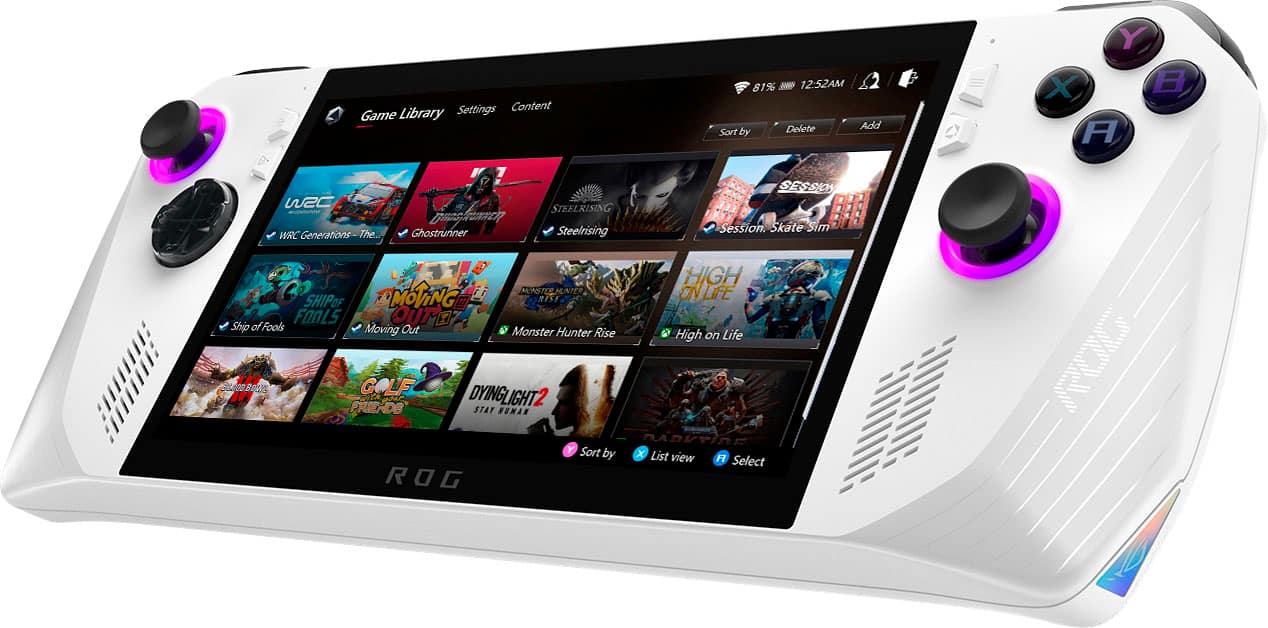
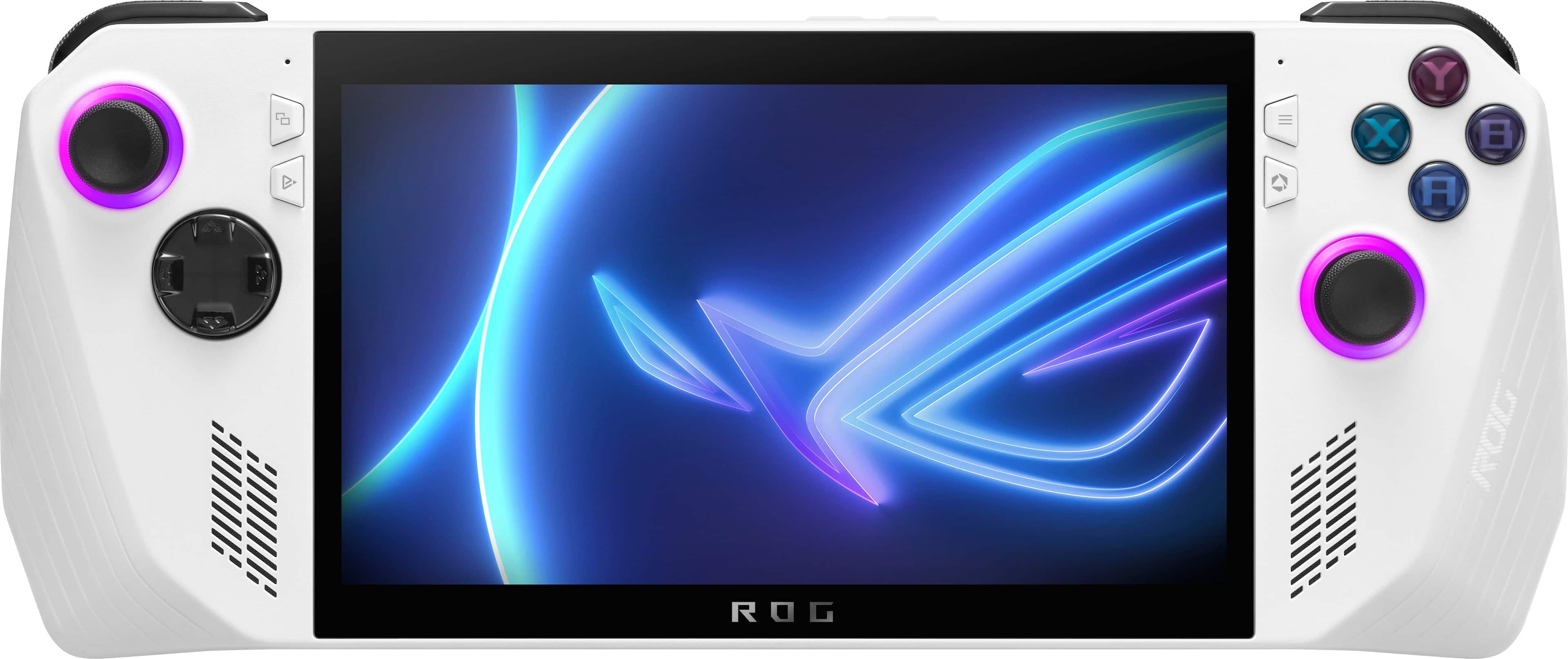
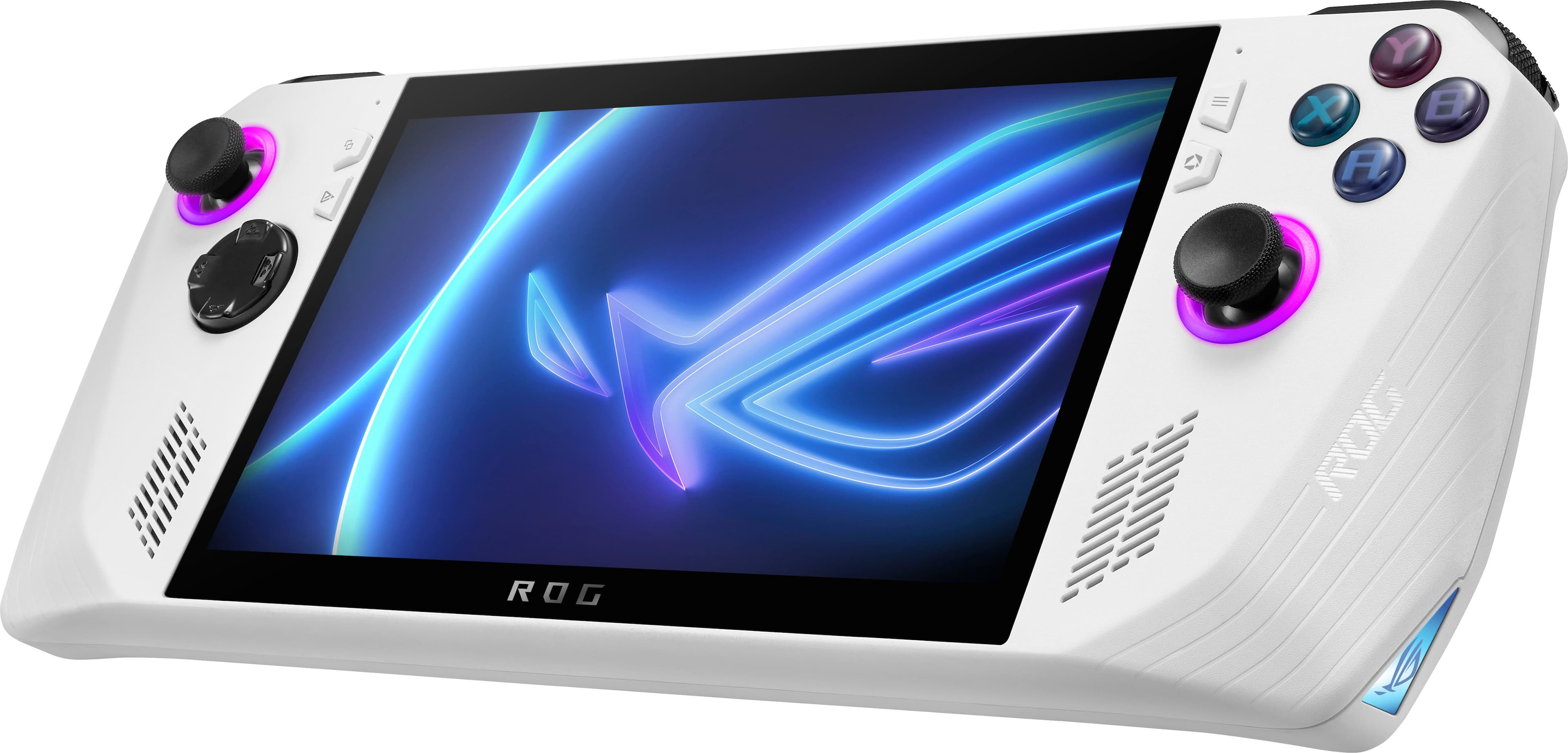
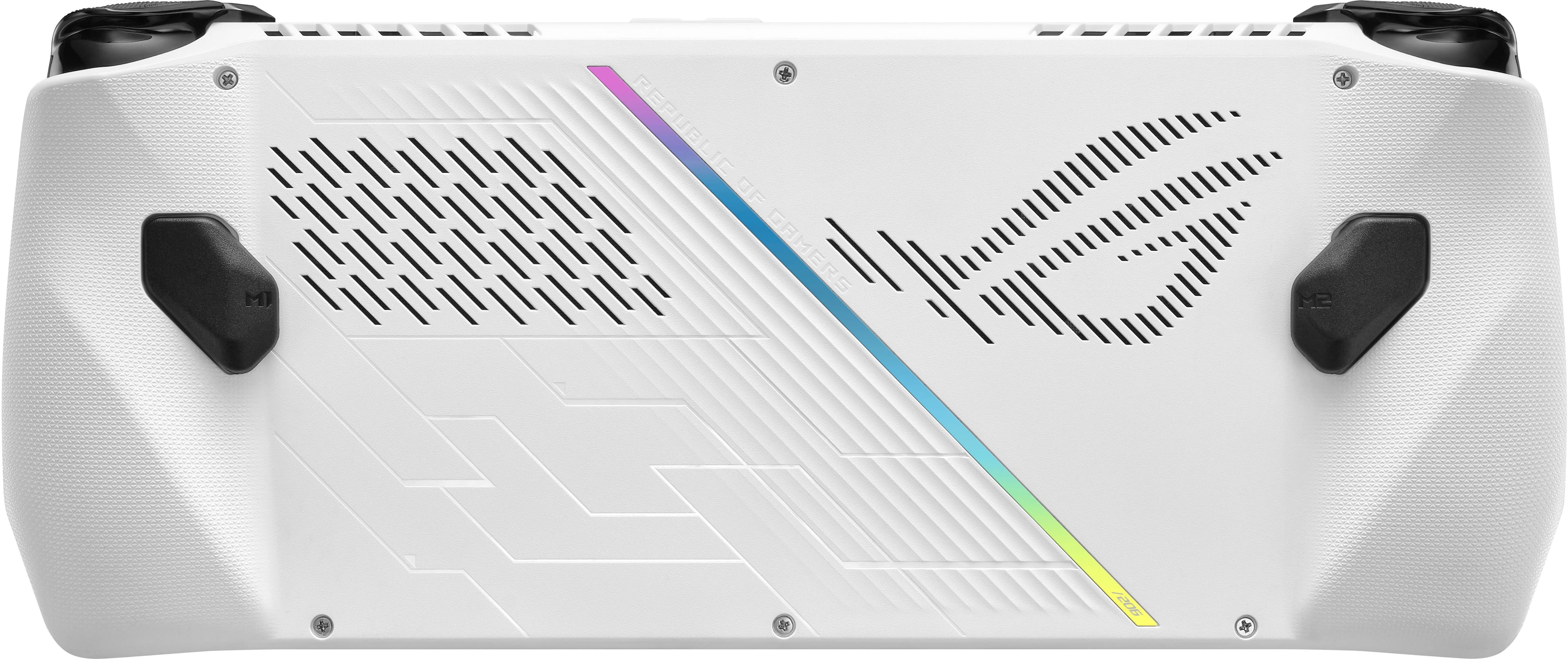
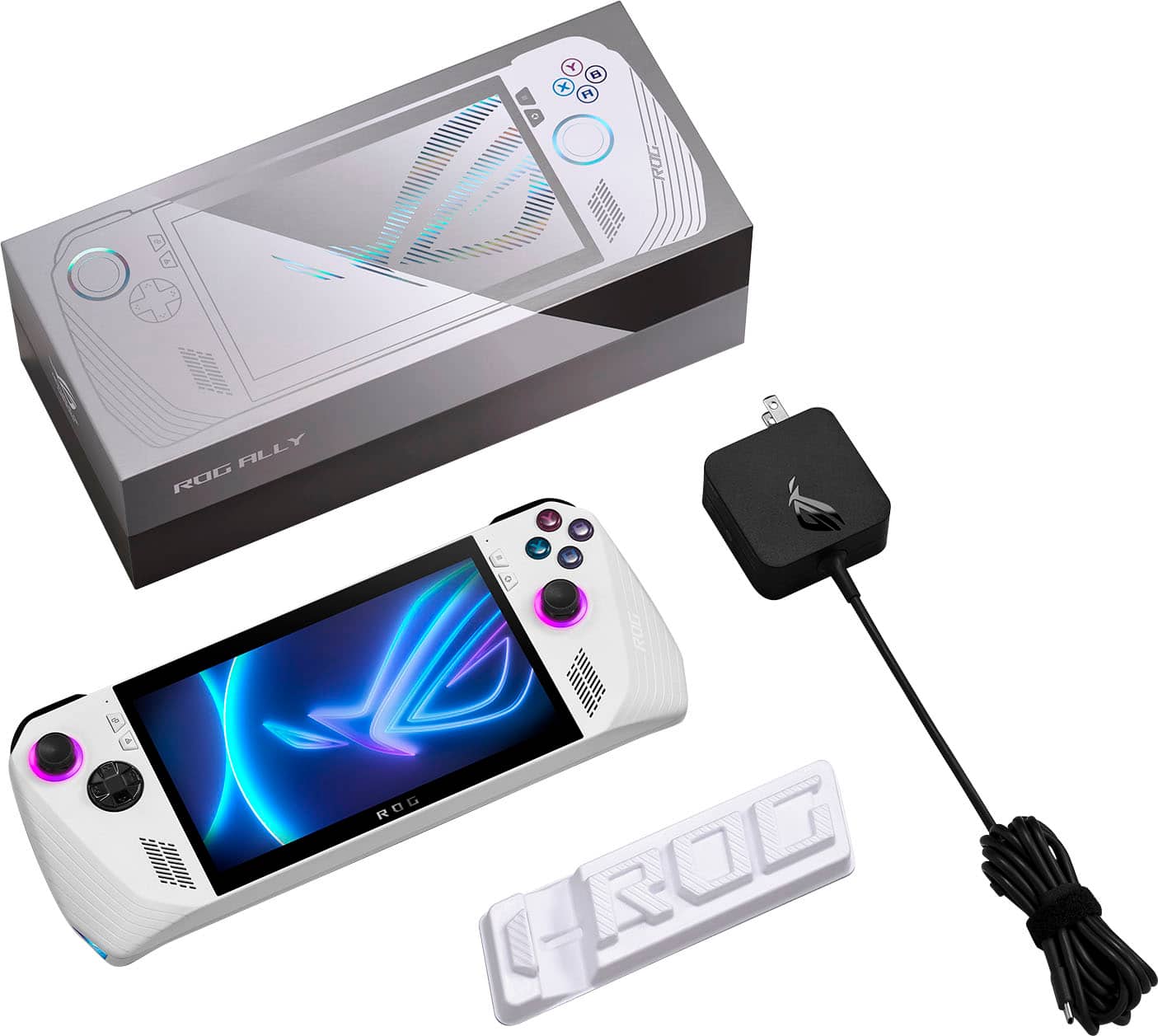
|Posted .This reviewer received promo considerations or sweepstakes entry for writing a review.[TIPS & TRICKS] **Deactivate the startup sound** This setting is hidden, and I hope they can create a tile for it in Command Center to toggle the boot-up sound. Press the power button, let it go when you see the splash screen, then hold [Vol -] until you reach the BIOS. Go to Advanced, select Animation Post Logo Configuration, then choose [Disabled] in the dropdown. **Reorder Tiles in Command Center** Use a mouse to drag and drop the tiles where you want them. It will be much quicker than deleting all the tiles and replacing them in the desired order. First, if you are a PC gamer, you will feel right at home using this device. You are already someone used to tweaking settings or figuring out why things don't go as they should, and your gaming library is spread across distributions other than Steam. As a handheld gaming PC, the RoG Ally RC71L truly outclasses all handheld consoles in every way. Be ready to deal with Windows quirks and challenges, but the potential and possibility are endless with the Ally. Things were pretty rocky at first, but I attribute that to Windows and the endless patches and updates needed for ALL laptop initializations. This will be the best form factor for PCs in the future as we travel lighter and want more mobility. Many of us have monitor or TV setups where we are most. Why carry a laptop unless you need the power for more intensive tasks? This with a dock is a user's dream and a low-key productivity beast! What's in the box? The unboxing experience is simple and straightforward, but it excites you as you peel the plastic and cut the seals. You will get a 65w charger, a "stand," and the RoG Ally handheld device, all neatly packed and presented in the box. The "stand" is pretty pathetic. It is made of recycled cardboard paper mâché, yet fakes a plastic-finished side on the top. Functionally it works, but durability is compromised. This is cost-cut #1; there should be plastic for a device in this price range, not paper. Most will buy an aftermarket dock, but Asus missed an opportunity here to provide value. The charger specs are TYPE-C, 65W AC Adapter, Output: 20V DC, 3.25A, 65W, Input: 100~240V AC 50/60Hz universal. The cord is quality, and the length is plenty; however, NO FOLDING PRONGS - come on! This is cost-cut #2 and inexcusable for a portable/travel device at this price. The cord doesn't separate from the base either, which makes this a rather not-so-portable travel companion. The Ally is built solid, and everything is where you expect it. The weight is surprisingly light compared to what I expected, tipping the scales at 608g or 1.34 lbs. The added security of a fingerprint sensor incorporated into the power button and Microsoft Pluton security processor help with peace of mind. Hardware and Performance The Ryzen Z1 Extreme chip with integrated AMD RDNA 3 GPU and soldered 16 GB DDR5 RAM is superb. The controller leaves much to be desired, but the buttons and analog sticks differ from my expected quality. The analogs have a dead zone you need to get used to. The 6-Axis IMU gyro for another gaming and function layer is nice. Play up to 1080p 120hz with VRR (Variable Refresh Rate) and enjoy more precise text, vivid colors, and picture quality unmatched visuals in a handheld. The installed Micron 512gb M.2 2230 PCIe Gen 4 NVME drive provides fast speeds of 4308/MBs write and 1638/MBs read in my benchmark. A UHS-II MicroSD card slot handles up to 2TB cards and is excellent for emulators, videos, photos, or other files you may need. Only a single USB 3.2 Gen 2 Type C port can DisplayPort 1.4 and DC Power input. I wish there were another port somewhere, but you can unlock a whole desktop experience with a dongle or dock. Bluetooth 5.2 and Wi-Fi 6E Triple Band 2x2 are all present and powered by a 40WHrs 4S1P 4-cell Li-ion battery. Battery life is not a strong suit here, but power banks and fast charging offset this. Depending on my work or game title, I get anywhere from 1.5 to 4 hours on a charge. If you're gaming and enjoying this in all its glory, plan on 1 hr 15 mins before you need a charge. My charge times were 0-56% in 30 mins and 0-100% in just under 83 mins. Color and Display The display is the differentiator here, and it isn't even close! This is a beautiful glossy 7" IPS LED 1080p 120hz capable panel with a responsive 10-point multi-touch screen by Gorilla® Glass Victus® with DXC Coating. The response time is 7ms, so it is decent but not exceptional, and there are a plethora of color profiles to dial in your specific look for your activity or game at hand. The screen is the show's star, and the 120hz makes this a joy to play on. It hits 500 nits for some sunlight but still could benefit from 1000 nits for direct sun. This screen is quite bright at the low end, so if you game at night near your significate other, they will complain. This lights my bedroom on the lowest setting! Running this at 720p 60hz offers an excellent compromise closer to other console handhelds to extend the Rog Ally's battery life. It boasts 100% of sRGB and 75.35% Adobe color space coverage. Sound Quality and Speakers Asus REALLY killed it in the sound department. They included a Dolby Atmos license, so you get excellent booming simulated surround sound from these front-firing speakers; no sound is wasted, and everything is directed towards the player for clear and powerful sound. The sound is loud and clear and quite shocking to me for a handheld. There is also bass in the low-end and clean highs with detail in the mid-range. Did I mention this? Get LOUD! At 100%, you will think you have a full-sized laptop with high-end speakers and clean amps - which you do. Software and User Interface/Experience Windows bloatware, NAMELY Microsoft OneDrive, kills this gamer vibe, but we are all used to it with Windows 11 integrations like OneDrive. Armory Crate is the saving grace when functioning as the skin to make Windows more cohesive. Although there is no amount of skinning that will make Windows run right, this helps, and the Command Center button and Armory Crate buttons make things easier. Change resolutions, frame rates, color profiles, performance, and power levels with tiles you preset to your liking. DRM games are useless here without the internet, so keep that in mind. Most games need the internet to verify ownership, so connectivity is a big part of the gaming experience. As a result, consider GoG or other digital distribution for offline times. The Ally is a BEAST for emulation, so if you can set that up, you will have the best battery life and fun without restriction due to the internet. With all the potential, we are definitely at the early adopter stage of patches and fixes. If you like to feel progress, tinker, and test while you figure things out, this is for you! If you're in the entry-level budget gaming PC market, start here first. Recommendations -add a webcam and camera for streamers and those needing to scan QR codes for logins and website authentication—meetings and streaming in one device - wow. -backlight all the keys and buttons along with the sticks for a better experience at night. When playing in the dark, you must memorize buttons and guess at the beginning. -I suggest making a unit in the future with swappable batteries like many headsets are incorporating now. -dark colorway would be nice. -power brick w/ folding prongs and detachable cable. This is meant to be portable. -add a screen protector preinstalled as an added value for spending over $700 on this. Intermittently Issues -SD card speed inconsistencies. Speeds are all over the place, and performance is handicapped at a fraction of the overall speed rating. This has improved since launch, but I would like advertised speeds, please! Again, this is driver related and still comes up now and then. -Crackling sounds while playing. This happens more and more infrequently, but it still happens. I don't know why it does or what I can do to replicate it, but it is software-related. I don't know if it is Dolby Atmos-related, but that is active when playing my games. -Battery life. Keep your cord with you because you will need it. Battery life varies based on what you are playing and the speeds, so keep that in mind. -Sleep/Hibernation states. Any time this goes into sleep or hibernation, it acts Differentiators Fast Charging. 0-100% in under 1.5 hrs. 0-50% in around .5 hrs. Emulation. This is the ultimate gaming machine with emulation to counter those times without the internet. This is a perfect hybrid setup joining retro with next-gen gaming. Compatibility. Windows natively supports all your games and is platform agnostic. If the specs can handle it, you can play it. Cooling. The Ally is the quietest, coolest experience. The airflow reminds me of jet exhaust, yet you only hear fans at work once you push into Turbo 25w+. Adaptability. This is for work AND play. There is profound power here, so try making this a desktop replacement and see how it goes. The RoG Ally can serve many people, from gamers to students and professionals to content creation. The Asus RoG Ally RC71L is a glimpse into the future of PC gaming - and quite possibly the King of performance right now! I see this being the new "laptop" for students since this is a full-fledged PC you can set up as a desktop with a docking station to create the traditional desktop. Under the hood, this is spec'd to perfection and designed with cooling at the core. I won't bore you with specs, but there is a ton of power and performance. Once Windows 11 releases optimizations for handheld PCs, firmware and driver updates evolve, and Armory Crate SE gets final polish, this will easily be the best out and the most powerful handheld. Most definitely, you will want to look here first if you want to game on a mobile platform. A solid buy from me if you can handle early adoption woes.
I would recommend this to a friend - Pros mentioned:Overall performance, Screen qualityCons mentioned:Battery life, Sd card reader
My Time so Far With the ROG Ally
||Posted . Owned for 2 weeks when reviewed.This reviewer received promo considerations or sweepstakes entry for writing a review.Three weeks in on the Ally. Have Game Pass, Steam and Epic Games loaded. Great little unit, but it has some pretty big challenges 1. the location of the SD card reader - lot of heat coming from that area and the design has been known to cook SD cards. I bought a 1TB card put pulled it immediately fearing my $120 investment may go up in smoke. My workaround was to purchase a SD card reader that I can plug into the USB-C port, but creates more issues which I will explain in a bit. 2. The unit has 1 single USB-C port. This single USB-C port handles charging so you have to pick what you are going to do with that single port. If you are playing a AAA that requires heavy lifting you will only get 30-45 minutes of gameplay on a charge so it is key to be able to connect to a charger for extended sessions. If we go back to my workaround for the lethal SD card port I mistakenly loaded my triple AAA games on the card. There is no way to have an extended session if the charger and SD card are fighting the same/only port. 3. Battery life is not very good. I can get 1.5 games of FIFA in on a full charge. Seems like the unit is constantly on the charger. 4. Windows 11 is a bit challenging to navigate through with a small screen. It is also not the most touch friendly OS. I am satisfied with my purchase so far. The unit feels much better to hold than the Steam Deck. I also appreciate that I am able to load all of my gaming services on the unit. Graphics are very impressive, though the most it has been pushed is with the latest Forza game for a few minutes until I lost interest. I have been enjoying so me lighter games on it like Sleeping Dogs and Broverse. It also runs FIFA 23 very well, though it seems to struggle with rendering hair, but if I up the performance setting then that resolves the issue. I have loaded a few FPS games as well. Far Cry 5 ran fine, but it did not recognize the onboard controls. I ran Battelfield 3 for a little bit and ran great. I really enjoyed playing Battlefront 2 on the Ally, but the game takes up a fifth of the of the hard drive. Next week I will be picking up a Lenovo Go which I hope addresses the issues that I am currently experiencing with the Ally.
I would recommend this to a friend - Pros mentioned:Portability, Screen quality, WeightCons mentioned:Battery life
Just do it!
||Posted . Owned for 2 weeks when reviewed.This reviewer received promo considerations or sweepstakes entry for writing a review.I was on the fence with purchasing a gaming handheld and when I noticed a sale on the ASUS ROG Ally Z1 Extreme, I figured I'd take a chance. While I haven't tried out any other gaming handhelds, I'm very happy with the Ally. The screen is very sharp and and unit itself is very light. It allows me to get away from my desk and still do what I enjoy which is PC gaming. I'll admit, Windows on such a small device was a little difficult to get used to but the Armoury Crate software does a great job of allowing you to pretty much bypass having to maneuver in Windows. The battery life isn't the greatest but a bigger battery would make it not only heavier but chunkier. As it is, it's fine just have an alternative power source available if you're going to do any heavy gaming. I want to note that I did purchase an open box unit that was listed as "good" condition. I really couldn't find anything wrong with it other than a very minute scuff on the back of the unit. The savings was worth it and contacting Asus so that I can register the handheld to my account seems to be a simple process.
I would recommend this to a friend - Pros mentioned:Overall performance, Screen qualityCons mentioned:Battery life
Amazing Handheld Gaming PC
Posted .This reviewer received promo considerations or sweepstakes entry for writing a review.The Asus ROG Ally Extreme runs games effortlessly. The 7 inch screen looks fantastic, vivid colors and smooth movement. The built-in surround sound speakers system is mind-blowing. The thumbsticks, buttons, triggers and side grips were ergonomically engineered, it is comfortable and pleasant to handle for long periods of time. The power button is also an incredibly fast and accurate fingerprint reader for logging in effortlessly. The customizable LEDs around the thumbsticks add swagger to the Ally. It's operating system is Windows 11, making the ROG Ally not only a reliable gaming system, but also handheld PC. I love it. I use it plugged in while at home and rely on its battery when im out and about. I do wish it had better battery life... At 100% battery charge it can go for 3 hours of continuous playtime at full throttle before it needs to be plugged in. To sum it all up; get it. you do have 15 days to return it if you don't like it. But trust, you will like it. A lot! It's awesome.
I would recommend this to a friend - Pros mentioned:Game compatibility, Overall performance, Screen qualityCons mentioned:Sd card reader
Nice step up from the Steam Deck
||Posted . Owned for 3 weeks when reviewed.This reviewer received promo considerations or sweepstakes entry for writing a review.The device performs very well, and has nice optimizations and easy to access software options similar to the steam deck, like frame-rate limiting on the fly resolution changes and APU power limits. The 120hz 1080p screen concerned me as a possible issue for the power of the system, but it doesn't struggle to hit 120fps at 1080 full settings in games like BioShock remastered. That being said, temper your expectations for brand new graphically intensive games. Its also nicer to be able to play game pass games and Epic Game Store games without having to do work arounds. The downsides would be QA, for example my unit has issues with the left speaker crackling, not a big deal to me since i always use headphones, and the fact that my unit was open box, and therefore cheaper than the listed price made it a worthwhile sacrifice, though it would have been nice for BestBiy to disclose this when buying, as id imagine this is why it was returned. I have also had issues with the SD card alot, which seems to be a common experience, as many users have reported the device killing SD cards due to the slot being against an exhaust vent Overall i would recommend the device if you dont plan to use an SD card. The step up in performance and the quality of the screen make it a worth while purchase for those who would prefer a portable windows experience over the portable console experience the Steam Deck offers.
I would recommend this to a friend - Pros mentioned:Game compatibility, Overall performance, Portability
aop3d loves the asus ALLY <3
||Posted . Owned for 3 weeks when reviewed.This reviewer received promo considerations or sweepstakes entry for writing a review.Title: **Powerful Gaming On-The-Go: ASUS ROG Ally 7" Handheld Review** The ASUS ROG Ally 7" Gaming Handheld is a powerhouse device that redefines portable gaming. Featuring a stunning 120Hz FHD 1080p display and powered by the AMD Ryzen Z1 Extreme Processor, this gaming handheld delivers an unparalleled gaming experience in a compact size. **Design and Build:** The sleek and elegant white design of the ASUS ROG Ally 7" Handheld is not only eye-catching but also ergonomic, fitting comfortably in your hands for extended gaming sessions. The build quality is top-notch, ensuring durability and a premium feel. **Performance:** Equipped with the powerful AMD Ryzen Z1 Extreme Processor and 512GB of storage, this handheld device handles the latest AAA games with ease. The 120Hz refresh rate of the FHD display provides incredibly smooth visuals, enhancing your gaming immersion. Whether you're playing graphics-intensive games or multitasking between applications, the ROG Ally performs flawlessly. **Gaming Experience:** Gaming on the ASUS ROG Ally 7" Handheld is a delight. The responsiveness of the controls, combined with the high refresh rate and sharp display, creates an immersive experience comparable to high-end gaming consoles. The device's portability allows gamers to enjoy console-quality gaming anywhere, making it a perfect companion for gaming enthusiasts on the move. **Battery Life:** Considering its powerful performance, the ASUS ROG Ally 7" Handheld manages its battery life admirably. It offers sufficient gameplay time on a single charge, allowing gamers to enjoy their favorite titles without constant worry about running out of power. **Additional Features:** The device also boasts impressive connectivity options, including Wi-Fi and Bluetooth, enabling seamless online gaming and pairing with other accessories. The inclusion of expandable storage ensures you can carry your entire gaming library with you. **Conclusion:** In summary, the ASUS ROG Ally 7" 120Hz FHD Gaming Handheld is a game-changer for portable gaming. Its powerful hardware, stunning display, comfortable design, and excellent battery life make it a must-have for gamers who demand high-quality gaming experiences on the go. ASUS has once again proven its expertise in the gaming industry, delivering a device that raises the bar for handheld gaming consoles.
I would recommend this to a friend - Pros mentioned:Overall performance, Screen quality, WeightCons mentioned:Battery life
Awesome Device
||Posted . Owned for less than 1 week when reviewed.This reviewer received promo considerations or sweepstakes entry for writing a review.I'll start off and just say, the ROG Ally is great. I've had a Steam Deck and I enjoyed it a lot but I would choose the ROG Ally over it. If you want a portable gaming PC device, this is the one to get. The screen is great. The colors are vibrant and a pleasure to look at. In comparison, the Steam Deck screen was awful and is no comparison, even when using enhancements. It is powerful. It plays everything so well. I almost exclusively play AAA games and I have no issues at all. I found the Steam Deck much more limiting in game playing and the quality of the game playing.. The battery life is not amazing but fine. I get 1 1/2 hours to 2 hours. I don't usually play longer than that at a time so it isn't a big deal. That is pretty much the exact same amount of battery life I was getting with Steam Deck. Windows 11 is both a strength and a weakness. I enjoy that I can play from all the different sources. You can also install more third party apps to help. For example, I wanted to use an Xbox controller with Playstation Plus on PC but needed to be able to map a button for that center touchpad that Dualshock has and I was able to install a third party mapper. The downside is that it can be challenging without mouse and keyboard for certain things. If all you are doing is getting on to play a game, it isn't a big deal. Anything beyond that, it is difficult on a small screen. Steam Deck definitely has an easier, console type interface but it is also more limiting. I have no major complaints about the software (Armory Crate). It's fine. I wish there were more auto TDP capabilities. I also don't mind as much the updates that lots of people complained about. Once you get through the ones when you first set it up, it isn't that often. Setup takes awhile but is fine afterwards. Overall, I like the buttons. They feel good. I'm not the biggest fan of the joysticks. They feel less restrained than what I am use to but I'm adjusting to it. I do like how light the device is and that it is smaller than the Steam Deck. It is comfortable enough but I will give the Steam Deck credit for being more comfortable. I did install a larger SSD and used the cloud recovery. It was super easy. Just two words of caution. At the time that I did it, you had to be on the latest bios or the recovery wouldn't work (317 didn't work but 319 did) so make sure to update your bios (go in and check again after installing a bios version because it updates incrementally and not to the latest) before installing an SSD. Second, the cloud recovery takes a really long time so get it going and set it aside.
I would recommend this to a friend - Pros mentioned:Overall performanceCons mentioned:Battery life, Sd card reader
Good for a Windows handheld
||Posted . Owned for 1 month when reviewed.This reviewer received promo considerations or sweepstakes entry for writing a review.I love this thing. I did have an issue with the OS and button function right out of the box, but factory resetting it solved it, so be prepared for that(according to what I was seeing online that frequent issue). Compared to other handhelds like the steam deck it requires a little more effort and knowledge with IT issues and windows troubleshooting, but anything you don't know you can find online without much effort. Plays games at mid-high settings with decent frame rates. It won't be top tier, but it's optimized better then the Legion GO when I tried one of those. The controls feel pretty good and they don't get hot. They did a good job venting the heat away from your hands. Space isn't great because of Windows taking up more space then you want and games being so large these days, but upgrading the SSD was very easy as well. I ended up getting 2TB with faster speed then what was pre-installed and it went smoothly restoring the system wasn't to bad. Everything is done on the device through the internet with tutorials online. MicroSD is useless if you want to use one for games, so I'd not waste time on it; it just doesn't get the speeds you will want and tends to bog down the system when trying to run them. Battery life isn't very good. maybe 2-3 hours of time depending on the game and settings. So expect to have to plug it in it, but that tends to be avg for handhelds currently on the market. A single USB-C port which you will use most of the time for charging is a little lackluster, which they added second one in the newest model. sadly you will be limited if you have a device to hook up unless it uses Bluetooth. It will work well with Steam, Xbox and any other game software launchers or apps just like a PC. It has a built in software for customizing controls and hardware functions that works pretty well with a single button for quick access, make sure to update windows and other software before installing games and other apps. Probably go through and uninstall anything you won't use to free up space. Price point isn't ideal for what you get, I'd wait until it is on sale to buy it. $650 is just a bit to much for since you will need to spend about $150 to get a new SSD which is highly recommended. I picked it up for $450 on sale at the store and I only even did that since I felt $450 was a good price for what it was and I do not regret it. I have a Gaming Desktop and Gaming Laptop and I still use this quite often and haven't come across a game yet(even new ones) that it doesn't run pretty well. So it feel worth a $450 price tag. All in all it's great device if you want a handheld that is windows based. Depending on what you play and your budget the new model of ROG is better and newer handhelds are sure to be out soon. If you can't get this on sale wait until it is.
I would recommend this to a friend - Pros mentioned:Overall performance, Weight
Endless Gaming Library Possibilities!
|Posted .This reviewer received promo considerations or sweepstakes entry for writing a review.Imagine playing any game that has ever relased on Steam, Epic games launcher, GOG Galaxy launcher, EA games launcher, Battlenet, and virtually any other games launcher that runs on Windows, on a high performance gaming handheld. We're talking the classics like Portal 1 & 2, all the Resident Evil remakes, all the Diablos, the Bioshocks, and practically any game that has ever been ported to PC. The list is endless! This is what makes the Asus ROG Ally so special for me. Being a handheld console junkie, the Ally has reconnected me to nostalgic titles on Steam such as N2O:Nitrous Oxide (from the PS1 days) or NiGHTS Into Dreams (from the Sega Saturn days). Titles that I'd never thought I'd be able to play on the go in such a portable form factor and with incredible performance. Don't even get me started on the emulator possibilities! In my review below, I highlight some of the key details during my time using the ROG Ally. Design & Construction: ========================================================================== I love the shape and design of the ROG Ally. It feels very ergonomic and comfortable resting on my medium to large sized hands. At only 608 grams, I've been able to play with it for hours without hand or arm fatigue. I also love the thoughtful button placement. I get a much more natural grip with the position of the left raised thumbstick and the slightly lowered right thumbstick as opposed to some of the Ally's main competitors that have both thumbsticks parallel to each other.The Ally is constructed from a beautifully matted white plastic that feels "grippy" and premium in the hands. The buttons, triggers, and thumbsticks also feel well built. The buttons and triggers feel firm, have a very smooth actuation, and also have solid feedback when pressed and released. I'm also a big fan of where Asus placed the mini exhaust vents. They're nested on the top rear of the housing so that you never feel any hot air blowing anywhere near your hands or face. The shortcut keys next to the display are also incredibly convenient as they allow you to quickly access things like the Armoury Crate software or Command Center for on-the-fly power, performance, or lighting adjustments. Performance & Battery Life: ========================================================================== The ROG Ally packs a huge punch in performance and it's currently the most powerful gaming handheld on the market. I have been extremely impressed with the performance of the AMD Ryzen Z1 Extreme APU in AAA games. I've also taken the liberty to list some of my performance results when playing a couple of these AAA games (this includes my preferred resolutions & settings when on battery versus when on charger): Dead Island 2: ROG Ally Operating Mode: Turbo (30 watts) Plugged in Screen Brightness: 75% Resolution:1920x1080 Overall Quality: High Low FPS: 27 Avg FPS: 40 High FPS:52 GPU Temp Average: 82°C ROG Ally Operating Mode: Performance (15 watts) On Battery Screen Brightness: 75% Resolution:1280x720 Overall Quality: Medium Low FPS: 35 Avg FPS: 47 High FPS:67 GPU Temp Average: 62°C Doom Eternal: ROG Ally Operating Mode: Turbo (30 watts) Plugged in Screen Brightness: 75% Resolution:1920x1080 Overall Quality: Nightmare Low FPS: 55 Avg FPS: 64 High FPS:76 GPU Temp Average: 81°C ROG Ally Operating Mode: Performance (15 watts) On Battery Screen Brightness: 75% Resolution:1280x720 Overall Quality: Ultra Low FPS: 51 Avg FPS: 62 High FPS:80 GPU Temp Average: 63°C I love the different performance modes that Asus includes for the Ally in it's Armoury Crate software. When plugged into power, it automatically defaults to "Turbo" mode and utilizes a TDP of 30 watts for maximum performance. However, when you're on battery, it auto defaults to "Performance" mode and utilizes a TDP of 15 watts to increase battery life (yet still delivers solid performance). What's really neat though is that you can set a manual operating mode to your liking. For example, maybe you want to squeeze out a bit more performance while on battery at the expense of a little less battery life. Instead of using the default 15 watt "performance" mode, you can set it to manual mode. You can then choose a slightly higher TDP like 18 watts instead. I love having the ability to select these tradeoffs to my liking depending on the situation. During testing, I manually set my TDP to 18 watts when running Forza Horizon 5 (1920x1080 with Medium settings) and was getting an average of 89 FPS! For less graphically demanding games such as 2D, indie games, or platformers, you can easily hit upwards of 100 FPS to really utilize that 120hz refresh rate! In terms of battery life, in "Performance" mode with a TDP of 15 watts, I got close to 2 hours of battery time. What I love about the Ally though, is that Asus includes a 65 watt power brick that charges it from 0 to 100 percent in just a little under an hour and a half. Display/Sound/Overall Experience: ========================================================================== The dispay on the ROG Ally is gorgeous. It's a 7 inch FHD (1920 x 1080) glossy IPS display capable of 500nits peak brightness with an sRGB of 100%. While it may not be an OLED panel, colors still look very rich and vibrant and blacks don't look washed out. For such small speakers, the sound is INCREDIBLE on the ROG Ally. While the Ally is Dolby Atmos capable, even non Dolby Atmos content sounds really good given it's form factor. It gets pretty loud at maximum volume with no audible distortion. Even some of the lower frequency audio effects (such as explosions) have some bass behind them. I also love that the ROG Ally includes a 3.5mm headphone jack which gives you backup option if your bluetooth headset dies. Aside from all of the praise I've given the ROG Ally, one must keep in mind that at the end of the day, it's still a Windows device. As a result, it will usually involve some level of tinkering with software and visual settings. A great comparison of a gaming handheld that a lot of people are likely cross shopping is " The Deck". While gaming handhelds like this may give you a slightly more seamless out of the box experience, due to their native OS and UI, I feel that a lot of PC gamers (including myself) will naturally gravitate toward the ROG Ally for it's versatility and performance. Just knowing that I can run virtually any Windows games launcher on the Ally opens up an endless gaming library possibility that is just simply not available on several other gaming handhelds on the market. And even if those handhelds are running Windows, the ROG Ally still has the most powerful hardware on the market. As you can tell by now, I'm absolutely floored with the gaming experience and performance that I've had on the ROG Ally and I can't wait to take this thing with me everywhere I go!!
I would recommend this to a friend - Pros mentioned:Screen qualityCons mentioned:Battery life, Sd card reader, Storage capacity
Outstanding device
||Posted . Owned for 2 months when reviewed.This reviewer received promo considerations or sweepstakes entry for writing a review.Lets start with what it does good, which is a lot. The screen gets rather bright, is 1080p, and has a 120hz refresh rate. Its a very nice screen to use and I have yet to feel like its too small. The ergonomics of the device are fantastic, as well as the two programmable buttons on the back. The RGB is a nice touch, the speakers are plenty loud, and the addition of a dedicated button to quickly pull up the command center to change perfomance modes, see battery life, and adjust other settings like volume and brightness. The AMD Z1 Extreme in my model provides more then enough power, especially when connected to power. Finally, the fingerprint scanner that is built into the power button makes signing in to the device much easier as it will scan your finger as it starts up and then just let you into the device. Lets talk about some of the negatives. Depending on what game you are playing, the battery life will not last very long, especially in the 30 watt power mode. The storage of the device can be somewhat easily upgraded, but by default it only comes with 512 gigabytes, some of which is already used by Windows and other such needed software. Due to thermal problems, the SD card slot is best left alone as it can destroy SD cards by causing them to get too hot. Also, the edges of the chasis wear down the thumb sticks due to the abrasive nature of the RGB rings around the thumbs sticks. Speaking of the thumb sticks, they use potentiometers as opposed to hall effect sensors making them susceptible to developing drift. I do believe these can be switched out for aftermarket hall effect sensors however, it would desirable for the device to come with them from the factory.
I would recommend this to a friend - Pros mentioned:Overall performance, PortabilityCons mentioned:Battery life, Storage capacity
Worth the Money!
Posted .This reviewer received promo considerations or sweepstakes entry for writing a review.i haven't put it down since i got it, very fun and easy to use and very fast too. only downside is the battery and limited storage it comes with however that is upgradeable so all in all worth the money in my opinion
I would recommend this to a friend - Pros mentioned:Game compatibility, Overall performance, Screen qualityCons mentioned:Battery life
Impressive Handheld PC with Stunning Display
||Posted . Owned for 1 week when reviewed.This reviewer received promo considerations or sweepstakes entry for writing a review.Title: Impressive Handheld PC for Xbox Gaming with Stunning Display Rating: ⭐⭐⭐⭐☆ (4 out of 5 stars) Review: I recently had the opportunity to experience the ROG Ally, and I must say it's a game-changer for portable gaming. One of the standout features of this handheld PC is its seamless compatibility with all Xbox games. As an avid Xbox gamer, being able to enjoy my favorite titles on the go was an absolute delight. The display on the ROG Ally is undoubtedly the best I've come across in the market. The visuals are incredibly crisp, vibrant, and immersive. Whether I was exploring vast open worlds or engaging in intense battles, the display brought every detail to life, enhancing my gaming experience to a whole new level. However, it's worth noting that the battery life of the ROG Ally is somewhat limited. While it's understandable given the power-packed performance, it's essential to keep the charger handy, especially during long gaming sessions or when traveling. It would have been great to have a longer-lasting battery for more uninterrupted gameplay on the go. In terms of design and portability, the ROG Ally impresses with its sleek and ergonomic build. The controls are responsive and comfortable, allowing for hours of gaming without any discomfort. The device feels sturdy and well-built, reassuring me of its durability. The software and user interface of the ROG Ally are intuitive, making it easy to navigate through the various gaming options and settings. It provides a seamless gaming experience, without any noticeable lag or performance issues. Overall, the ROG Ally is an impressive handheld PC that caters to Xbox gamers who desire the flexibility to play their favorite games anywhere. With its exceptional display quality and solid performance, it delivers an immersive gaming experience. While the battery life may be a drawback, it can be managed by carrying the charger along. If you're an Xbox enthusiast seeking portable gaming convenience, the ROG Ally is a worthy investment.
I would recommend this to a friend Buggy
||Posted . Owned for less than 1 week when reviewed.This reviewer received promo considerations or sweepstakes entry for writing a review.Amazing hardware, undeniable. But very poor software. My retro emulators all failed. Returned the device the next day.
No, I would not recommend this to a friendBrand response from ASUS Answers
Posted .Dear Pach,
We certainly understand your disappointment and the inconvenience this may have caused you. Did you make sure to complete all pending updates on both Armoury Crate and Windows update? did you try setting your device to Turbo Mode? If you need any assistance, feel free to contact me at customerloyalty@asus.com, and I will help you to the best of my abilities. I am here to assist our customers with our products and dedicated in bringing a resolution to all issues that they may come across. Please copy a link to this post as a reference.
Thank you for choosing ASUS!
Best Regards,
Adrian
ASUS Customer Loyalty – US Support
Can’t even boot up
||Posted . Owned for less than 1 week when reviewed.This reviewer received promo considerations or sweepstakes entry for writing a review.I plug in, plug out, try every method can’t even boot it up. So disappointed!
No, I would not recommend this to a friendBrand response from ASUS Answers
Posted .Dear Etaerc,
We are sorry to hear that you were not able to get the ROG Ally to boot. This is definitely not the kind of quality to expect from ASUS products. We recommend returning it to Best Buy for a replacement or refund if possible. We do stand behind our product and we continuously strive to improve our products and processes in order to achieve customer service excellence. For more information send us an email at customerloyalty@asus.com and provide the case number "N2306018159-0009" for reference. We’ll do our best to provide a quick resolution to your case. Your feedback is important as it helps with improvements to ASUS Support channels. Thank you for choosing ASUS.
Best Regards,
Leonardo
ASUS Customer Loyalty US Support
- Pros mentioned:Overall performance, PortabilityCons mentioned:Battery life, Sd card reader
Powerful portable gaming device in an attractive p
||Posted . Owned for 2 months when reviewed.This reviewer received promo considerations or sweepstakes entry for writing a review.The Rog Ally is a powerful handheld based on windows. The integrated APU can keep up with most games so long as you manage your settings correctly. The unit I bought unfortunately has a dead SD card reader, but i ended up just replacing the internal m.2 SSD wth a 2tb drive for an extra hundred dollars. I'm not happy with the SD card reader, but it doesn't bother me enough to take it back. Getting into the device was relatively easy, and because it's x86 based, normal PC hardware works without needing any work arounds. I highly recommend that anyone with an Ally also pick up an external battery bank. Gaming on high settings will kill the battery in an hour and change. I've gone through a variety of battery banks with my Ally, and ultimately settled on a Power Add 50000. It's capable of running the device at the max power (30 Watts), and can charge it about 3.5 times. For the price ($50), you can't ask for more. All in all, the Ally is a great device if you want to really play on the go. At $600, you're getting a heck of a portable rig.
I would recommend this to a friend