Customer Ratings & Reviews
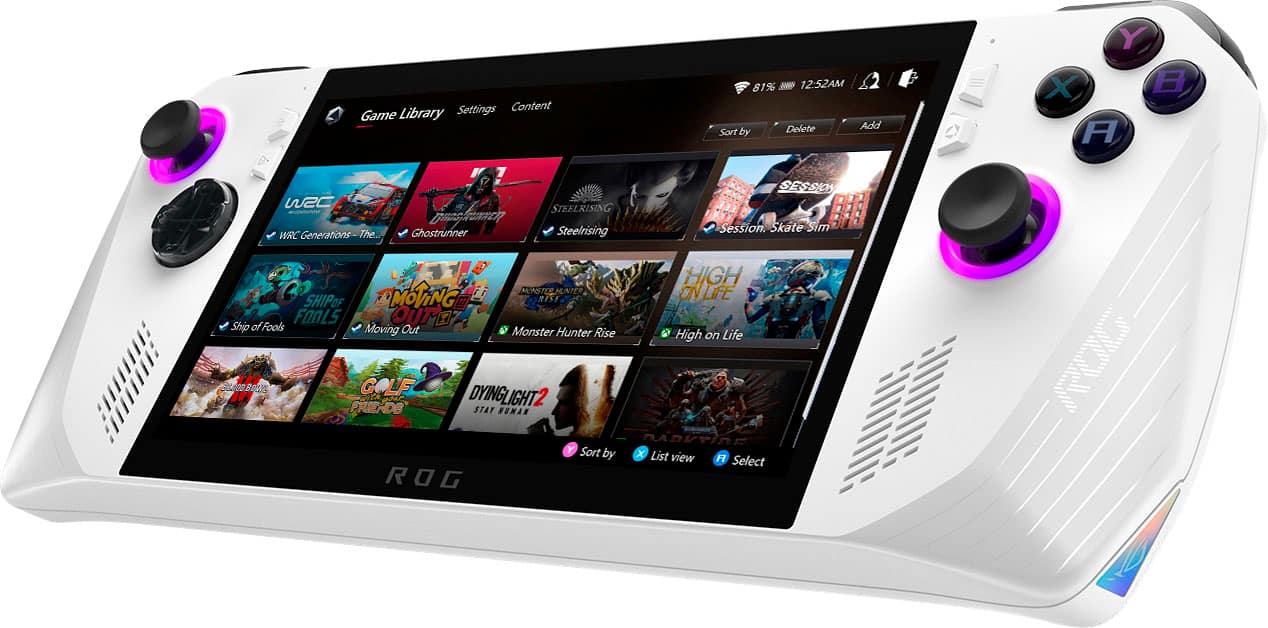
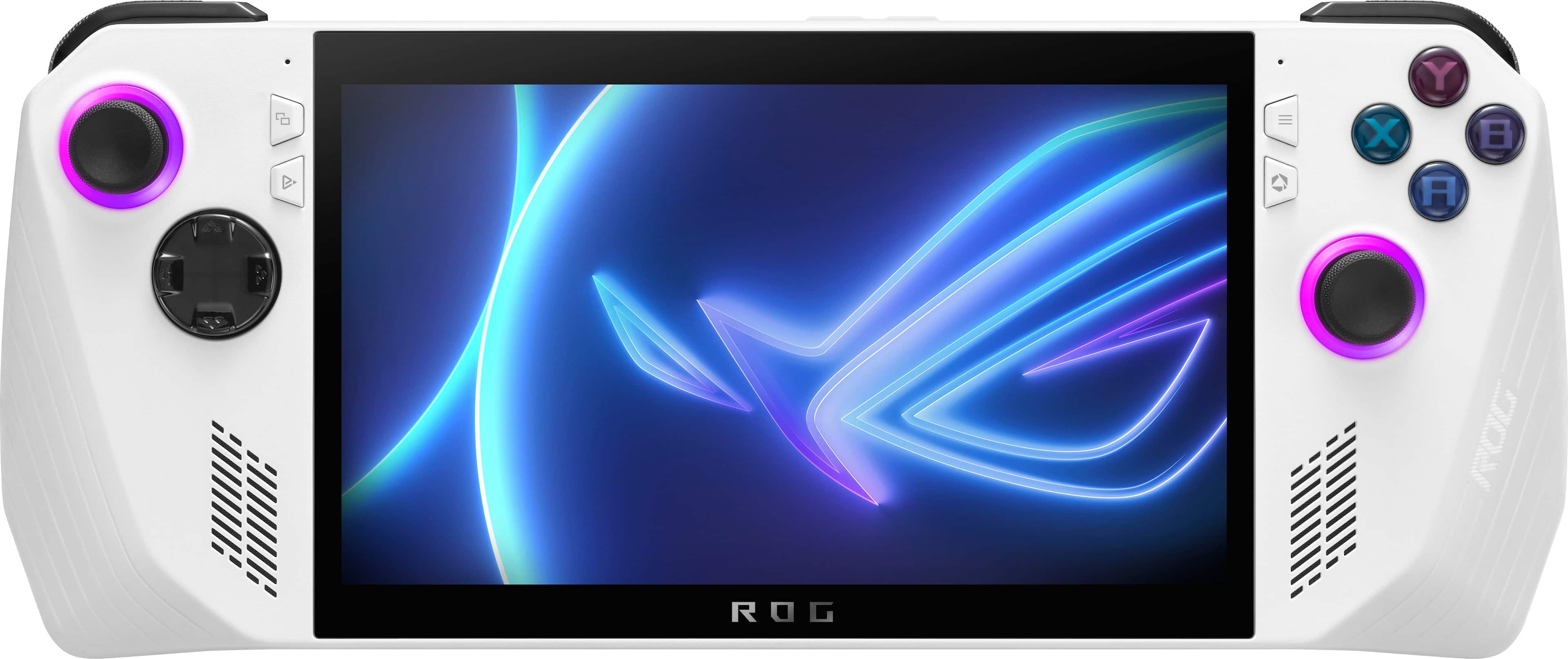
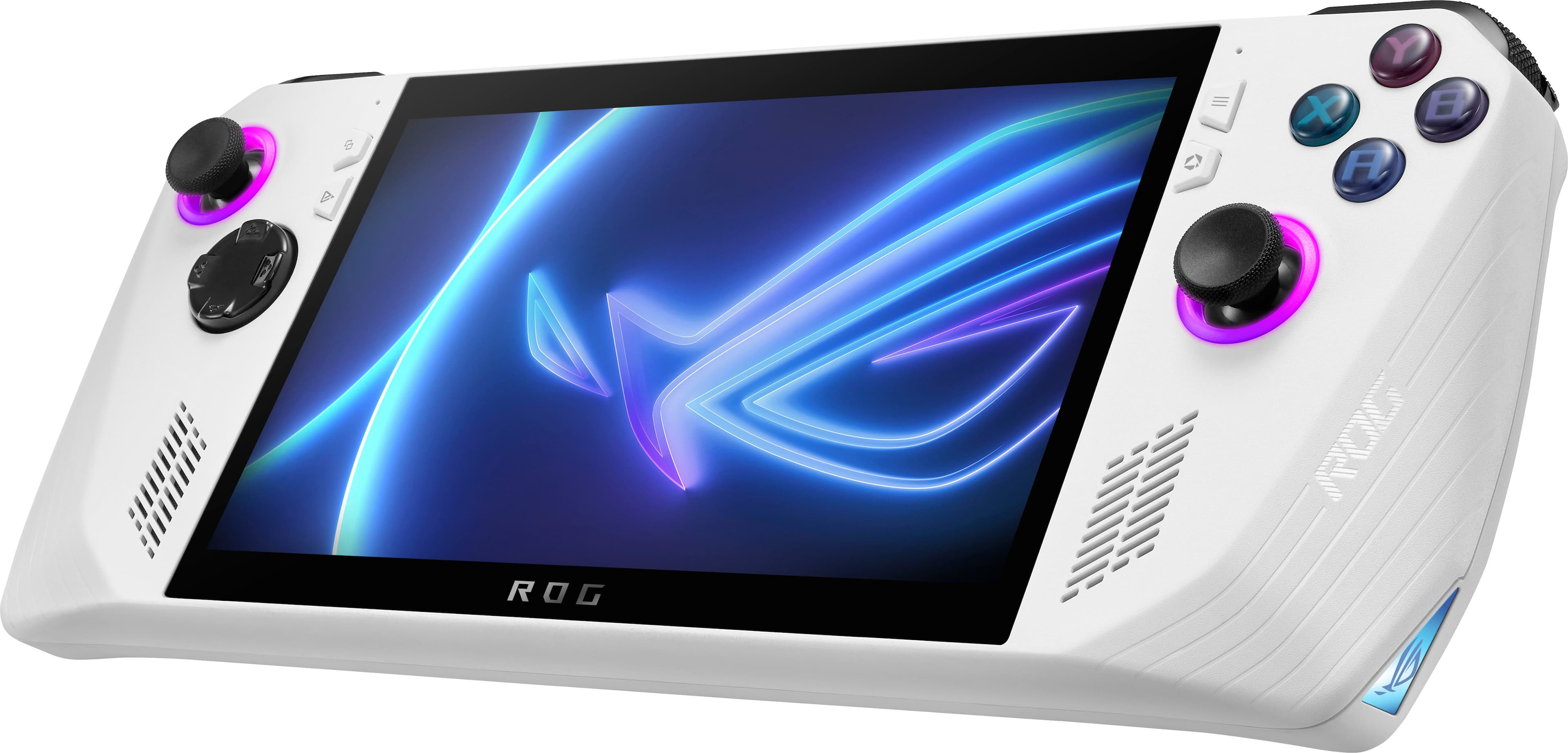
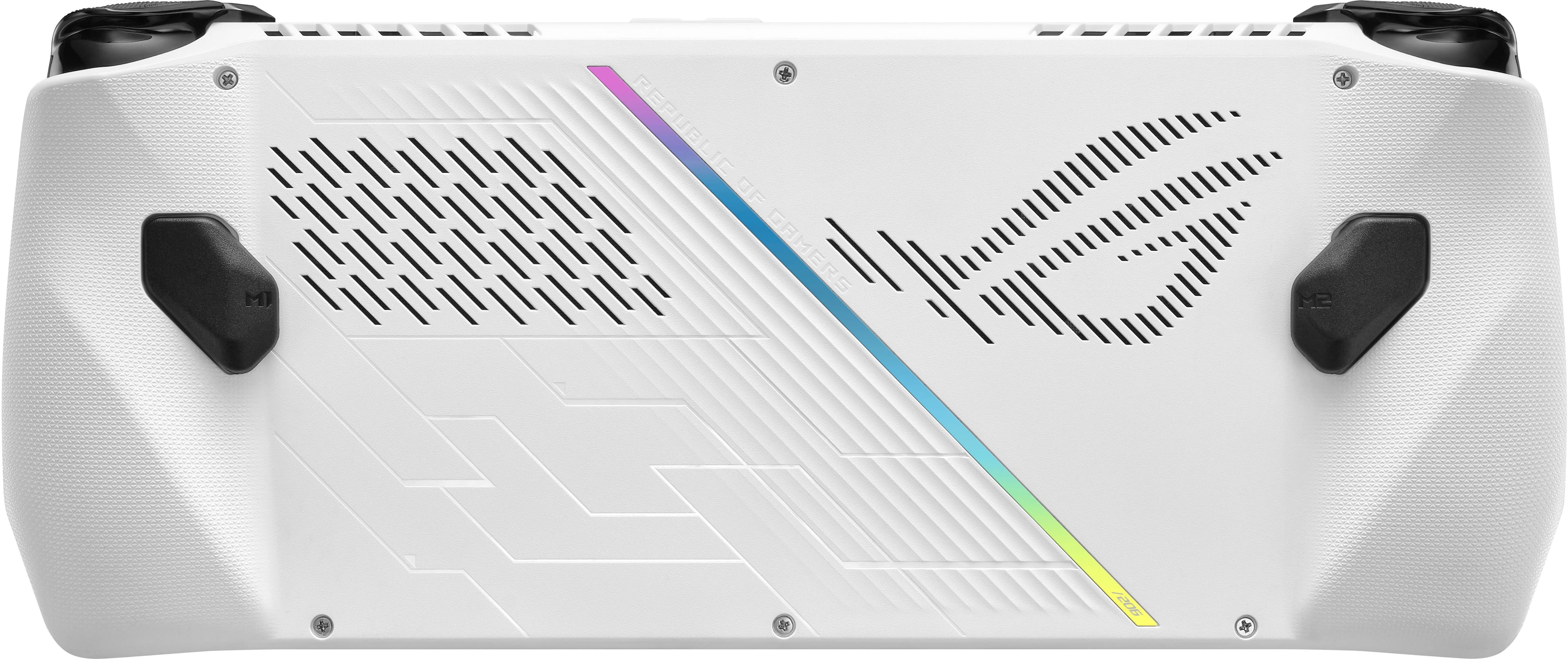








- Model:
- RC71L-ALLY.Z1X_512
- SKU:
- 6542964
Rating by feature
- Performance
Rating 4.6 out of 5 stars
- Storage Capacity
Rating 4.0 out of 5 stars
- Controller
Rating 4.4 out of 5 stars
Customers are saying
Customers commend the ROG Ally for its impressive overall performance, portability, and excellent screen quality. Many appreciate its game compatibility and lightweight design. However, some customers have expressed concerns regarding battery life and issues with the SD card reader. Additionally, a few users have noted the device can heat up and that the storage capacity and software could be improved.
This summary was generated by AI based on customer reviews.
Frustrating mess. Dont buy.
||Posted . Owned for less than 1 week when reviewed.This reviewer received promo considerations or sweepstakes entry for writing a review. I can’t even connect to my Wi-Fi network, because keyboard is not working. Lol. Asus did it again.
No, I would not recommend this to a friendBrand response from ASUS Answers
Posted .Dear Moon,
We certainly understand your frustration and the inconvenience this may have caused.
If the keyboard is not working, please try to do a power cycle to resolve the issue. To power cycle, please power off the device, wait for a couple of minutes then power on.
If you need further assistance, please email me at cl-rodel@asus.com and I would be more than happy to help. Or, you are most welcome to call Product Support Hotline at: 1(888) 678-3688. Also, you can chat with an ASUS live support agent from the link: https://www.asus.com/us/support/article/1135/.
Thank you for choosing an ASUS product.
Regards,
Rodel
ASUS Customer Loyalty
- Pros mentioned:Overall performance, Screen quality, WeightCons mentioned:Battery life
Excellent for a first generation product
||Posted . Owned for less than 1 week when reviewed.This reviewer received promo considerations or sweepstakes entry for writing a review.Love the Ally so far. Note that it’s not exactly a pick up and get going product like a Switch. If you’re experienced with PC gaming then you’ll feel right at home as far as tinkering goes. Pros: -Screen (resolution, vivid colors, brightness, refresh rate) -VRR (Freesync, makes a big difference in how smooth games feel) -Controls -ASUS software (*when it prompts you to update bios/ASUS software/radeon drivers make sure you always have windows completely up to date or the ASUS software may not work correctly) -Performance in AAA titles -Very comfortable to hold -Lightweight Cons: -I think an 8” screen would make a huge difference in playing AAA titles. The Legion Go has it right with the larger screen in my opinion. The Ally screen now has all the right specs except for the size. Just make the exact same screen but bigger is what I’m recommending. -Obviously better battery life would be great too, but there’s not a lot ASUS can do about that. They’re limited by current battery technology.
I would recommend this to a friend - Pros mentioned:Overall performance, Screen qualityCons mentioned:Battery life, Storage capacity
Amazing
||Posted . Owned for 1 month when reviewed.This reviewer received promo considerations or sweepstakes entry for writing a review.Not going to go into crazy detail here. Let me just say this thing is awesome. I was originally leaning towards the Steam Deck and Lenovo Legion Go, but after seeing this on sale I pulled the trigger and I’m so glad I did. It performs excellently on every game I’ve tried. 45-55 fps on RDR2, 60fps on HZD, 120fps on all 2D games. The screen is gorgeous even though it’s not OLED. The controls are comfortable enough that I can play for hours. My only complaints are nitpicks. I wish battery life was a little better. It’s actually quite good for what is going on under the hood and there’s a good amount of control to maximize battery life. But I also feel like they could have made it a few millimeters thicker and put in a slightly bigger battery. I also wish there was a larger storage option as 512gb goes pretty fast with AAA games. Lastly, I with the charging port was on the bottom because the cable coming out of the top is kind of awkward when playing. After seeing all the reviews of the other devices I’m so glad I went with this option. The Legion Go is massive and the controllers are not great, the Steam Deck is amazing but underpowered and limited to specific titles. The Ally sits perfectly in the middle. I would recommend grabbing a 2TB SSD to replace the one it comes with if you like to keep a lot of games loaded.
I would recommend this to a friend - Pros mentioned:Game compatibility, Screen qualityCons mentioned:Battery life, Sd card reader
Pretty solid.
||Posted . Owned for 3 weeks when reviewed.This reviewer received promo considerations or sweepstakes entry for writing a review.Overall a pretty solid system. I like the design, buttons and triggers feel good, screen is vibrant and 120hz is a nice addition. My unit does have the notorious faulty SD issue. It's annoying knowing I can't use it, for now, sure, but I have other ways of expanding storage and playing games, so not a total loss. And I don't want to rule it as a total loss because Asus hasn't fully addressed a possible solution to it, so hopefully this can be rectified without being a hassle. Battery life is too short. Wish I was able to play a little more than 80 minutes tops before needing to find an outlet. However it is true that you can literally throw any game onto this unit and it will play, pretty well I should say. Is it worth hoping on the Ally train right now? It's hard to say, because it is a great unit with some real power under the hood, but aside from the SD card issue, others have mentioned other 1st gen issues with this unit. A lot of this can be found on reddit threads. Personally, my unit thankfully (knock on wood) only has the SD card problem, but being that this is the 1st gen of the Asus handheld, I would wait a few months for kinks to be ironed out so that your experience can be seamless.
I would recommend this to a friend - Pros mentioned:Overall performance, Screen qualityCons mentioned:Battery life, Heat dissipation
Very nice (coming from a cozy gamer)
||Posted . Owned for 7 months when reviewed.This reviewer received promo considerations or sweepstakes entry for writing a review.Pretty good handheld gaming device. I got this to play pc games and was too impatient to purchase a steam deck and wait for it to ship, so I ran into Best Buy and left with this. Pros: The aesthetic- it's a pretty nice looking device. I love the white and the rgb lighting. Very customizable, can dig around in settings and fix it just how you like. Plays most games very well (mainly casual games). However, Spiderman Miles Morales was a no go for me. Was kinda laggy so i stopped playing pretty quickly. Beautiful screen and very good sound, gets pretty loud! Cons: It gets pretty hot very quickly. The battery life is honestly not great (like an hour to hour and a half of play before needing to charge). I play games like Coral Island, Lake, A Little to the Left, etc so any games that are more intense will probably kill the battery quicker. The console is uncomfortable in hands after a while, just not the right shape to be comfy in hand.
I would recommend this to a friend Choked on Call of Duty
||Posted . Owned for 2 weeks when reviewed.This reviewer received promo considerations or sweepstakes entry for writing a review.Couldnt play Call of Duty on it. Controls were awkward and was heavy making it a bit unweildy
No, I would not recommend this to a friendBrand response from ASUS Answers
Posted .Dear LuckyPyrate,
We are sorry to hear that you did not have a good experience with your ROG Ally while trying to play Call of Duty. That is definitely not the type of experience we want our customers to have. We are currently working on future updates that will improve overall system stability and performance as well. We would like to hear from you regarding changes that you think would make this a 5-star product. We do stand behind our product and we continuously strive to improve our products and processes in order to achieve customer service excellence. For more information send us an email at customerloyalty@asus.com and provide the case number "N2306018159-0043" for reference. We’ll do our best to provide a quick resolution to your case. Your feedback is important as it helps with improvements to ASUS Support channels. Thank you for choosing ASUS.
Best Regards,
Leonardo
ASUS Customer Loyalty US Support
- Pros mentioned:Overall performance, Portability, Screen qualityCons mentioned:Battery life
Best Windows Handheld
||Posted . Owned for 2 weeks when reviewed.This reviewer received promo considerations or sweepstakes entry for writing a review.This is the best Windows gaming handheld on the market. The screen is absolutely amazing and I love that I can control how I play my games (it’s a PC after all). Windows users will feel right at home. Those new to the platform can learn, especially with all the information available on the web. I’d love a bigger battery in a future model. The power we have here is incredible. Older games can be played at high settings, while newer games are a nice experience as well. The back buttons are a nice touch and the way Ally can seamlessly switch control modes is awesome. Customizing things like game settings, power modes, and fan curves is what makes this machine so versatile. PC gaming is simply the best and Ally is a perfectly viable way to enter the platform. If you’re already a PC gamer, Ally is a great way to keep your library portable. Streaming from a desktop is possible with sunshine/moonlight. GeForce Now can stream at 1080p/120fps with good battery life. Xbox Game Pass and PS Plus work as well. Since Ally is a PC, you can expect to do all sorts of PC things. Streaming video looks great on the screen. While not perfect, I’m perfectly happy with Ally. ASUS support should continue to improve this gaming handheld.
I would recommend this to a friend - Pros mentioned:Game compatibility, Overall performance, Screen qualityCons mentioned:Sd card reader
Imperfect yet so close
||Posted . Owned for 1 month when reviewed.This reviewer received promo considerations or sweepstakes entry for writing a review.This device is a beast. The performance for the price is incredible. Build quality is great for normal use and most parts can be replaced by the user if something breaks. My first unit was bouncing in the UPS box and was sadly damaged but best buy and Asus replaced it with a new unit no questions asked. The second unit has been in my hands for over a month and has been nearly perfect. Main issues stem from the Sd card slot seemingly nuking itself when there's a SD card present and using one of the high performance modes. Luckily I don't use this other than for emulation so I have avoided this deal breaking issue for most people. The device has ran every game I've attempted with minimal issues. Be warned this is a windows device and there will be some finicky moments software wise but that's not Asus's fault. Microsoft and the windows team can make this a 5 star review if windows on a handheld gets improved. Oh also the battery life isn't great so I recommend getting a large battery bank for long car rides or flights. Hope this helps someone on the edge of getting one or not. Highly recommend this product even with the flaws.
I would recommend this to a friend - Pros mentioned:Overall performance, Screen quality, WeightCons mentioned:Battery life
Pros: Powerful Device | Cons: Battery life & UX
||Posted . Owned for 3 weeks when reviewed.This reviewer received promo considerations or sweepstakes entry for writing a review.I am a Steam Deck owner (I love my Steam Deck), and I picked up the Ally as well. I am very pleased with the screen quality and overall performance of the Ally. I enjoy the ease with which I can launch Epic, GOG, Battle.net and EA games without having to jump through a bunch of hoops (like I did on the Steam Deck.) I have mostly played Valheim and Diablo IV, and both run flawlessly. There is a noticeable improvement in performance over the Steam Deck when playing Valheim. The user experience is a little rocky, as Windows is not optimized for a device like this, and ASUS did not fully think through the UX. The initial setup is particularly frustrating, as there is no virtual keyboard to use to connect to Wifi UNLESS the user knows to set up a second keyboard during setup. It is not intuitive at all. The battery life is atrocious, as I usually only get 1.5 hours. HOWEVER, this is typical of ANY gaming laptop. Pros: Screen brightness and resolution Performance Game launcher compatibility Look and feel Light weight (compared to Steam Deck) Cons: Battery life User experience is clunky Very few case/skin/accessory options (as of writing this)
I would recommend this to a friend Never rresolved
||Posted . Owned for 2 weeks when reviewed.This reviewer received promo considerations or sweepstakes entry for writing a review.Now i am out of school pell grant over bby ruining orders
No, I would not recommend this to a friend- Pros mentioned:PortabilityCons mentioned:Heat dissipation, Storage capacity
Why an Ally over Laptop/Desktop?
||Posted . Owned for less than 1 week when reviewed.This reviewer received promo considerations or sweepstakes entry for writing a review.When to choose laptop, desktop, or Ally? Here's a few scenarios as the Ally most likely isn't ready to be your ONLY device. I want to... 1. Carry my device from place to place and plug it into docks that already have peripherals (monitor/mouse/keyboard) setup... All 3 devices can do this, but to do it with a desktop is stupid. Why carry the big heavy thing around? Laptop is a bit heavy and bulky and takes up a lot of desk space. Rog Ally wins by being the smallest and performing no different than the other 2. ROG ALLY (LAPTOP ALSO WORKS) 2. Write emails, work in spreadsheets, do general work/school-related tasks in a coffee shop. Desktop automatically loses. Rog Ally's screen is small and you'll either need portable monitor, mouse, and/or keyboard, or be confined to a small screen with digital keyboard. Laptop wins with larger screen, physical keyboard, and comfort -- can easily put it on your lap or table (duh). LAPTOP 3. Play games on an airplane... Desktop... just no. Laptop is big and bulky, you can do it, but won't be comfortable. Rog Ally is small, comfortable to hold, clear winner. ROG ALLY 4. Watch a movie on an airplane... Desktop, again no. Laptop and Rog Ally are a toss up. Personally, a laptop is more comfortable, I can adjust the screen however I like and not very worried about how much space it takes up as I'm sitting and watching a movie. But if you need to get up and go to bathroom, Ally is easy to move -- the screen is small but not terrible, and you can get a 3-pack of sturdy, plastic stands that can hold it nicely on amazon for $10. LAPTOP OR ROG ALLY 5. Play games in a car... ROG ALLY 6. Play games silently without sacrificing much performance... Rog Ally actually excels very nicely here. No matter it's power setting, the Ally is nearly silent. It achieves this by basically letting its components get really hot, but not dangerously. You can't do this in a laptop on your lap, but can let same thing happen on another surface, same with desktop. Still, neither will come close to the Ally in this fight. (Macs actually can get real quiet, but you're not gaming on a Mac). ROG ALLY 7. Have many large games installed... Realistically, all 3 devices can support this. Desktop is more likely to have multiple M.2 SSD slots, so it wins here. BUT, laptop can still have large storage spaces easily enough. The Rog Ally falls behind a bit, coming in with a 2230 M.2 which is still far more expensive than it's bigger 2280 counterpart for desktops and laptops. With that said, you CAN replace the 512 GB SSD with a 1 or 2 TB version easily -- but it will cost you more. As for using a micro SD card for more storage, you do NOT want to put games on it. MicroSD cards are literally 500 times slower than some M.2's. DESKTOP, then LAPTOP, then ROG ALLY 8. Get the best performance for the cheapest price... Rog Ally is NOT upgradeable -- except for an E-GPU that will set you back another $800 or so, which defeats the purpose of portability. High performance laptops are very expensive and will still be outperformed by most desktops. Desktops are by far the cheapest option -- being able to build a strong desktop for under $1,000 easily these days. Cheaper means you can buy better parts, so you'll perform better, and usually have better thermals as well. DESKTOP 9. Video edit, graphic design... other creative services... All 3 can do this quite well. But the Ally needs peripherals to do this comfortably. So if you have a dock with external mouse/keyboard/monitor then all 3 can do this easily. But the more complicated designs on things like AfterEffects will be easiest to render on a better GPU, so the Ally falls behind eventually. DESKTOP, LAPTOP, ALLY Stars breakdown: Performance is fantastic for such a small device. But for the price, desktops can still outpace it -- for now. Storage capacity is downright terrible for modern games -- with many taking up 100 gb alone. With that said, 2230 M.2's aren't very popular, so give the market time to adjust and this problem can be easily solved. Though the best solution would be to fit a full sized 2280 M.2 in the device. Controller: I'm a mouse and keyboard person. So I have virtually no experience with the controller. That said, it feels great for someone who knows it won't be as good as mouse and keyboard, but could still be a lot worse. Also, the ASUS software is very intuitive and helpful. Let's hope it stays that way!
I would recommend this to a friend - Pros mentioned:Game compatibility, Screen quality, WeightCons mentioned:Battery life
Fun Solid Device for Dads
||Posted . Owned for 10 months when reviewed.This reviewer received promo considerations or sweepstakes entry for writing a review.The screen is beautiful, it’s light weight, controls feels nice, plays games very smoothly. Been tons of improvements over the lifespan of the device and I couldn’t be happier. You will need a power bank due to battery life not being the best but the charging makes up for it and you get a boost for having it plugged in as well. I have it docked a lot of the times and have a bag for on the go. Since it runs Windows you can pretty much do anything on it. Windows will be Windows with its updates. I recommend reading up on optimizing windows to handheld vids. There are plenty. You can make it console like with playnite or even stream from your desktop with Moonlight and both are amazing experiences. I never bothered with the sd card since I installed a 2 Tb ssd. I don’t care about the rgb either and thankfully you can turn it off. Community is pretty nice about recommendations and help for issues that could occur. Overall a solid fun device that I play daily as I can pick up and put down quickly as I’m a dad. Saved gaming for a long time gamer.
I would recommend this to a friend - Pros mentioned:Overall performance, Screen qualityCons mentioned:Battery life
..And a Powerful Ally it Is!
||Posted . Owned for 2 weeks when reviewed.This reviewer received promo considerations or sweepstakes entry for writing a review.So I have had this device for 2 weeks now. I confess I never saw myself getting a handheld. Even with my son having a Steamdeck, I just figured even an entry level gaming laptop would server me better. But after a bit of research, my curiosity was piqued. Things I like I like it running Windows. My son's Steamdeck works well enough but when you get into Steam games that need to use Ubisoft or EA's launcher, I have had some behaviors where it has even messed up my game licensing between multiple launchers. I have never had this issue with Windows. Windows just works. I think Valve has a better console like experience but I am just more knowledgeable with Windows and I don't want to try and figure out how to do something in Linux. If I need to uninstall or reinstall something, I know how to do that in Windows. With Linux, beyond my expertise. It has a nice screen. I have heard the Steamdeck OLED looks better and is brighter. Sure, I get that. My daughter's Switch OLED looks better than my OG Switch. Still this is plenty bright and pretty. Sure, Variable Refresh Rate, 1080P, technical blah blah. It is truly pretty to look at and use. It feels well built and is comfortable to hold. It seems to have a decent amount of horsepower compared to the Steamdeck. I am currently playing AC Unity and Immortals Fenyx Rising. Both games I own via Ubisoft Connect. I can get both games to run with medium settings at 900P between 40-60FPS. Again, I'm looking for it to be a nice playable experience, not to cater to the benchmarking crowd. I bought it to give me a good game playing experience and it seems it will do that more so than the OG Steamdeck. Upgradeability. Just from watching videos on Youtube, in my opinion, changing out the internal 512GB NVME with a bigger capacity NVME appears to be easier then it is with the Steamdeck. Getting inside the unit is 5 screws and a pry tool. Removing the 2230 form factor NVME is one screw. Swap it out, close it back up and use the internal cloud recovery tool and it downloads and puts the unit back to factory default and the larger capacity NVME SSD is resized to use the extra storage space. The Steamdeck has more internals to disassemble and I saw one horror story of a guy not parking the battery bricking his Steamdeck. So this looks like a better choice for internal storage upgradeability. Things I do not like First and foremost. Battery life is really bad. I think this is a combination of a more powerful APU coupled with Windows power management and Asus Armory Crate SE power profiles. It is all beyond confusing. It gives you a lot of flexibility to set power when on AC power vs battery. I think out of the box, you can kill the battery in under an hour. This just needs to be a better experience. I think Valve has gotten this right. Whether the Steamdeck has a more efficient APU, less power draw due to lower resolution display or other factors, the Ally battery life and power management is just a mess. You're fighting Windows and Asus. Power Management as a separate issue. It took me a god bit of effort to tinker with power plans in Windows and Armory Crate SE to stop the Ally from hibernating after 3 minutes. With games being multiple GB's in size, it needs to stay awake long enough to download those games. Updates are in three different places. Between Windows, Armory Crate and My Asus. I think this could be tightened up and all moved into Windows Update. My Dell laptop would even get firmware updates from the Windows Update channel. I have not even looked into the SD card slot debacle. I may pick up or put an SD card in there to see if it has failure issues. I think the best option is to just replace the internal NVME. Final Thoughts I really like this form factor device as a PC more than I thought I would. The fact I can sit on my couch with the wife and play PC games or even use it as a PC is just awesome. And it's not the bulk of a laptop. I also have the MS Xbox app installed and I do my daily MS Bing Rewards PC activities on the Ally. Now on a weekend, I do not need to power up a desktop or laptop. I can do my Windows desktop searches on the Ally. I can play a Game Pass PC game on the Ally and get the points for that too. I can see real value when I travel to family where space is tight. Instead of dragging along a laptop and laptop bag with all the accessories, where when I get to a crowded in law house and I can't even find a flat surface to set up said laptop, all I need is a recliner, couch or chair close to an outlet and I can play PC games. One last thought. I primarily like to play games on the PC. I like my switch. I like my Xbox Seris X. I like my PS4 PRO. But the PC is king just for the versatility. If I am playing a game like the aforementioned AC Unity or evne now where I am just starting playing a Steam copy of Ori and the Blind Forest DE I purchased, my saves just work. Whether I am on desktop, laptop, or handheld Ally, those clients sync and pick up regardless of which PC I use. Try doing that between Switch, Playstation, Xbox and PC. Sure newer games may have cloud sync between platforms baked in now, but if I stay in the PC ecosystem, those clients just sync and work regardless of the form factor of the PC. Even with my quibbles, I really like this device and look forward to seeing this segment mature and supporting it as it goes forward.
I would recommend this to a friend - Pros mentioned:Overall performance, Screen qualityCons mentioned:Battery life, Sd card reader
Excellent Portable Powerhouse
||Posted . Owned for 1 week when reviewed.This reviewer received promo considerations or sweepstakes entry for writing a review.I'd like to preface this review by saying two things: 1. I also own the original 512GB Steam Deck and the new 1TB OLD Limited Edition Seam Deck 2. This is not intended to be a VS review or which is better, as both devices have their advantages and this will strictly be about the Ally. Pros: Can handle all PC gaming launchers with ease, most can be accessed from within the ASUS Armory Crate and others from the desktop Can run pretty much any game on at least medium settings Comfortable to hold, lightweight, and honestly an overall beautiful device Great buttons, sticks, and d-pad Fantastic screen and refresh rate Cons: Battery life SD Card Concerns - I haven't even used my SD card, I just immediately upgraded the internal storage to 1TB and called it a day. But not being able to use it in fear of it going out is honestly my only complaint about the device, as the battery life is to be expected. Overall, I would only be happier with the device if it didn't have the potential SD card issues. That aside it's an amazing device and I'm glad I got it. I'll be mostly using it for my games on GOG Galaxy. If you're on the fence it's definitely worth picking up!
I would recommend this to a friend - Pros mentioned:Overall performance, Portability

The ROG Ally: Years Ahead
|Posted .This reviewer received promo considerations or sweepstakes entry for writing a review.The ROG Ally is or seems to be light years ahead of any handheld console that I have seen. I own competitor consoles and they have been lack luster. The ROG has solved an age old problem, “How do I came at high fidelity while preserving some sharp graphics, without burning up my system and allowing it to heat up so quick?” The solution is that the Ally has dual fans, its light, the new AMD Ryzen Z1 should be used for more consoles if these results can be yielded again. The design is immaculate and everything I wanted. The bright white with the color changing joysticks, the nice black accents and the holographic color stripe on the back is a sweet little pop of color. The image quality and sound again are years ahead. I literally have a laptop that boasts these expensive speakers but the company put them in an awkward spot under the device. The Asus + Ally team really understood the mobile gaming experience and added Dolby Atmos with sound sensing technology so it adapts to your environment. The screen colors are amazing, the crisp picture has captivated me on Fortnite and it being a new season I can’t put the Ally down. I have a standard gaming console and now the Ally’s graphics and processor react so much better than my home console it is taking some time to adjust to how quick I can get an elimination! At first I was in awe because it didn’t make sense. Now I am just kicking butt and getting those wins! Tonight I played for two hours and the device never got hot, as soon as the battery was depleted I plugged it in and it went into/detected that it could go to max power. So rest assured it can sense and change gaming modes as needed. The Armoury Crate makes it easy to play games from all sorts of platforms using Windows 11 while the competitors try to figure out how to play their own games on their systems. I’ve been an Asus fan for sometime and now I can totally see my family jumping in on the fun. If you’re into gaming, enjoy cutting edge tech, and want to expand how you can play games, then the ROG Ally is for you!
I would recommend this to a friend - Pros mentioned:Overall performanceCons mentioned:Sd card reader
The wave of the future in handheld gaming is HERE!
Posted .This reviewer received promo considerations or sweepstakes entry for writing a review.Let me be clear and say this is NOT a “plug and play” type device, it is literally a handheld gaming laptop and needs to be fine tuned to the owner’s preferences. That said, this thing is AMAZING for exactly what it is, this is the future of handheld gaming, though it’s got much room to grow and improve and we all gotta be patient through these growing pains. Memory isn’t anything to write home about and neither is battery life but there are ways around this comfortably(being near an outlet or a power bank for battery “issues” and upgrading the SSD with a 1 or 2TB one for memory) this thing blows the Steamdeck out of the water performance wise and they won’t ever match this type of performance!! *to be fair there was/is a bit of a hang up with the SD Card slot but like most high performance tools of this nature, measures are and will be in place to fix this. This isn’t the first time anyone has had to go through the motions and update firmware/BIOS. PATIENCE!!!
I would recommend this to a friend - Pros mentioned:Overall performance, WeightCons mentioned:Battery life
Pros and Cons
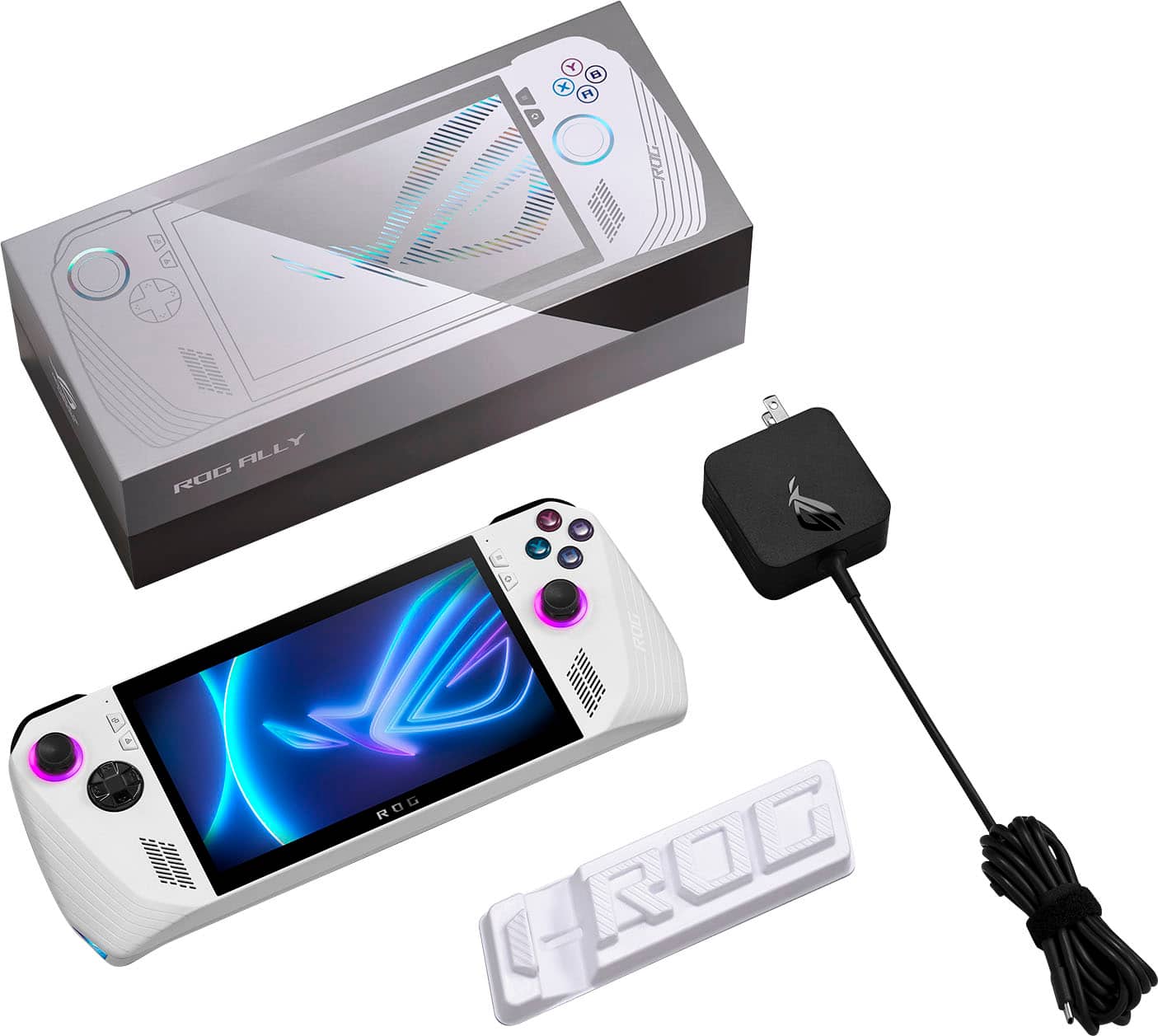
||Posted . Owned for 1 month when reviewed.This reviewer received promo considerations or sweepstakes entry for writing a review.The Good: Plays games better than I expected. I will admit I haven't fired up any multiplayer games on it (I'm way too competitive for that) and you're not going to be playing Monster Hunter Wilds on it, but you could def play Monster Hunter New World. It light and easy to hold. My hands don't ache after playing. It's versatile, which is probably its best feature. I love that I'm not stuck with one option for games. I can download from Steam, GOG, Xbox, anything and just play. It's set up with Microsoft so you do you. Cons It's set up with Microsoft.... It has its issues. When you purchase it just plan on looking up a guide for optimizing so you can delete all the bloatware and learn how to cntl+alt+dlt on a controller. You're probably going to be tethered to a wall. Which is why I'm calling this a handheld gaming system and not portable. With optimization I can max out my battery at 4 hours and that's better than anyone I know. The typical gaming system with regular settings can drain your battery in less than an hour. So being next to an outlet is handy. The stand it comes with is actually laughable. It's cardboard. I kinda think they would have been better off not putting a stand in there than claiming it comes with a stand and putting something that cost $.02 to make in there for a $400-700 product.
I would recommend this to a friend - Pros mentioned:Overall performanceCons mentioned:Battery life
Best of the top 3 options
Posted .This reviewer received promo considerations or sweepstakes entry for writing a review.After playing the Deck, Legion, and Ally, the Ally is my personal favorite. Haven’t yet found a game that I can’t play on it. Great for on the go however as others have stated you’ll eat through the battery on 25w playing a demanding title so plugging in is preferable in those scenarios. That’s usually not a bother to me as there’s typically a spot to plug in when you’re sitting down playing anyway. The few things I’d do immediately are get some thumbstick extensions and at least a 1tb SSD to replace the stock one (which is pretty easy to replace if you follow a step by step on YouTube) and you’ll be ready to go. I wish there was a way to upgrade the ram but maybe we’ll get that in the next generation. For now, this is a great handheld/basic gaming pc!
I would recommend this to a friend - Pros mentioned:Game compatibility, Overall performance, PortabilityCons mentioned:Battery life
Amazing portable gaming machine
||Posted . Owned for 2 months when reviewed.This reviewer received promo considerations or sweepstakes entry for writing a review.Look, graphically this thing isn't going to compete with any updated pc. I've got a 3080Ti and it doesn't quite get to that kind of quality, but it's darn close (plugged in). As far as the battery goes, you've probably got a solid hour of quality game time playing a AAA game title before you are about out of juice on the top performance battery setting. You could get a bunch more play time by turning down the wattage and lowering the game's graphic settings though. All platform shops work great straight from the Armory Crate app including battle.net, EA, Epic, etc. You could easily set this thing up as a portable retro gaming machine as well. I will say, I've never owned a steam deck, so i can't make comparisons between these two devices. Using the cloud and your phones hot spot, you can continue gaming sessions from stationary to portable pretty easily. This is an amazing machine and totally worth the price to keep playing your games while on the go. I recommend!
I would recommend this to a friend - Pros mentioned:Overall performance, Screen qualityCons mentioned:Battery life, Sd card reader
Honest Review
||Posted . Owned for 3 weeks when reviewed.This reviewer received promo considerations or sweepstakes entry for writing a review.Let me say this I have a gaming desktop and a laptop (vivobook) I enjoy this handheld very much I only play my desktop for CSGO everything else I can play handheld any room any house any place I go it goes with me Pros Great gaming on the go Good screen quality Great triple A titles everywhere you go Quality controls and buttons Mappable back buttons Overall very quality build Cons Battery life is on the low end as in dies quickly running on high Micro sd card is not working tried 3 different cards and the rog ally cooked every single one Overall great device and highly recommend for people who wanna step away from their desktop still game or even someone who travels a lot and wants to play on the go
I would recommend this to a friend