Customer Ratings & Reviews


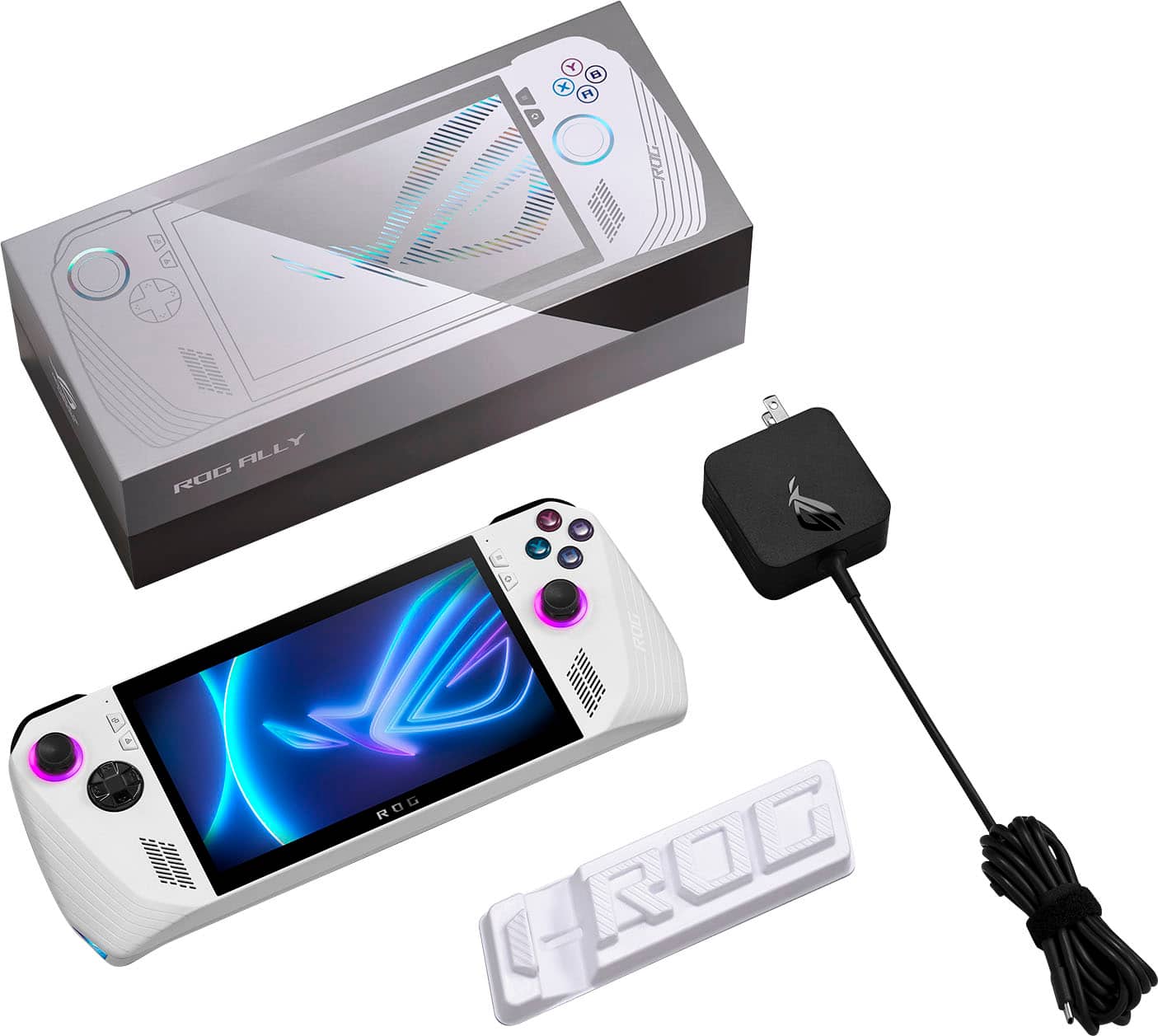






- Model:
- RC71L-ALLY.Z1X_512
- SKU:
- 6542964
Rating by feature
- Performance
Rating 4.6 out of 5 stars
- Storage Capacity
Rating 4.0 out of 5 stars
- Controller
Rating 4.4 out of 5 stars
Customers are saying
Customers are satisfied with the overall performance, portability, and high-quality screen of the device, which users frequently praise. While the game compatibility and lightweight design are also highlighted as positive aspects, some users have expressed concerns regarding the battery life and storage capacity. Additionally, there have been reports of issues involving the SD card reader and heat dissipation that some owners feel could be improved.
This summary was generated by AI based on customer reviews.
Great and worth it
||Posted . Owned for 3 weeks when reviewed.This reviewer received promo considerations or sweepstakes entry for writing a review.ROG ALLY Review My my experience with the Rog Ally was different and considering we are in a new time where technology is moving quickly and we now have handheld Pc’s there’s will be allot of new people experiencing this new Tech.Its not just a gaming device like it’s promoted mainly as and what I took it for Butttt!!! ...It’s a pc!! It’s not just a handheld.Thats was my mistake when I got mines.I use mac and apple products and I do music for a living with all Apple computers.I was lost for 2 days with this thing lol..but thanks to YouTube and learning and seeing how cool this thing is I’m really enjoying it.For someone like me who plays games allot and does music and into tech as well as just wanting a windows device to be different it fits me well.Emulators and much more.Remote play is also great and way better then my iPhone was.Remote play and cloud play is really good.Im playing The Witcher at 75-80fps and forza 60-100fps depending on which settings I use.Honestly the Rog Ally shouldn’t just be in the floor for kids and whoever to touch it.If someone just switched it to turbo mode and it’s been on 10 hrs and 1000 others touched it I’m sure the system is gonna play like that.See* I learned all this from YouTube tutorials lol.I was lost at first but I got the z1 extreme for extra power and I got lucky with a excellent one at best buy for 580 and it was mint with not a spec of dust and a year warranty at Best Buy and it wasn’t even registered on the ASUS site so I got the manufacturer warranty also.I would of bought a new one but hey I saved allot for accessories and it was mint..I got a later model and SD card is fine and glad I waited cause all the latest updates helped this thing allot.These things arnt for everyone but if your tech savvy and like me were you like to game and work at home and travel as well as have kids and a fam so being in the bedroom gaming with peace and quiet is a must lol go ahead and get it.Youll enjoy it but just know it’s a learning process if your not use to windows and all the extras.. But!! If you wanna just play your Xbox games you have at home and play cloud and remote play just get you a G cloud handheld..The ally is a computer so you’ll have to buy separate Xbox games to download unless there “Play Anywhere titles” .. Yes you can remote play and cloud but if you wanna turn it on and download call of duty MW3 cause you have it on your Xbox that’s not that gonna happen lol.You would have to buy MW3 for the computer.But they give you 3 months gamepass with the Rog and it adds on to your current subscription so there’s plenty of games to download and i recommend COG to buy games from cause there cheaper and there’s already a COG app installed on the Rog as well as Steam and Xbox ..I should have made my own review on YouTube of this cause my experience was cool and I still might.. I just feel like this thing was thrown out there with not much knowledge to new users.. the steam deck as well but we knew what we was getting with the steam deck,it played steam games and was promoted for steam games.The Rog is just built different.I have a series X and Ps5 and a Switch and the next gen gaming tech was great but I just didn’t get a wow factor much.The Rog gave a wow Factor and at time of feeling overwhelmed it just took some patience and as I go im learning new things.I definitely recommend the Rog Ally and look forward to the future of handhelds.
I would recommend this to a friend- Pros mentioned:Overall performance, Screen quality
A detailed review for the ROG Ally
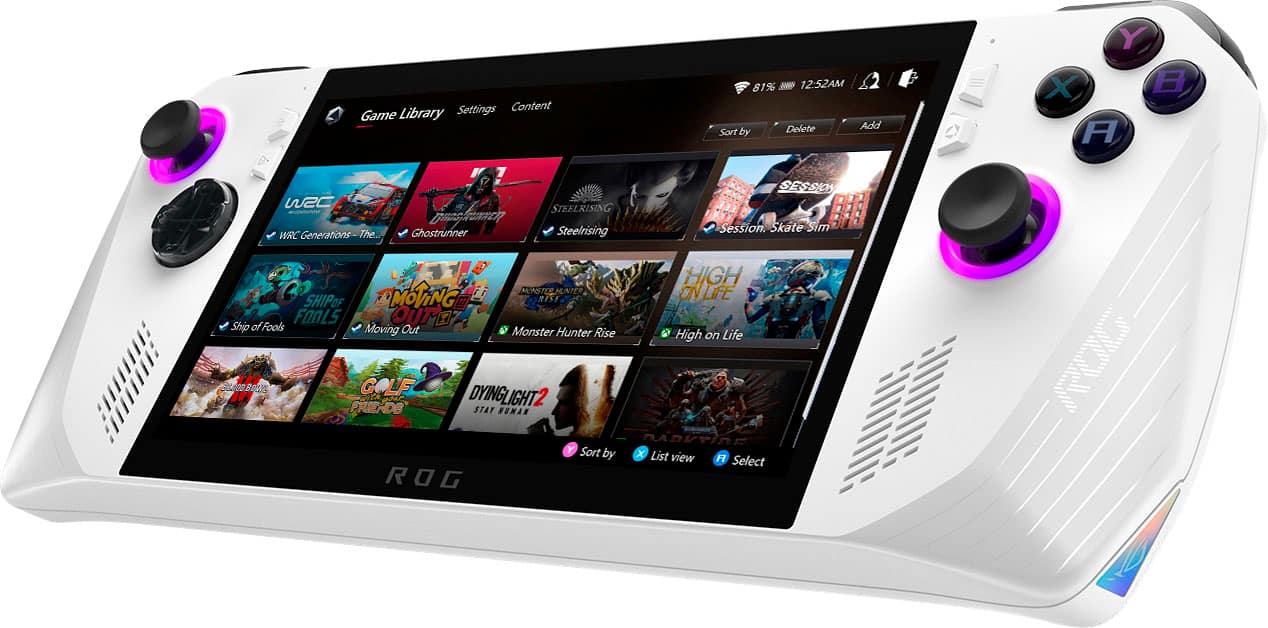
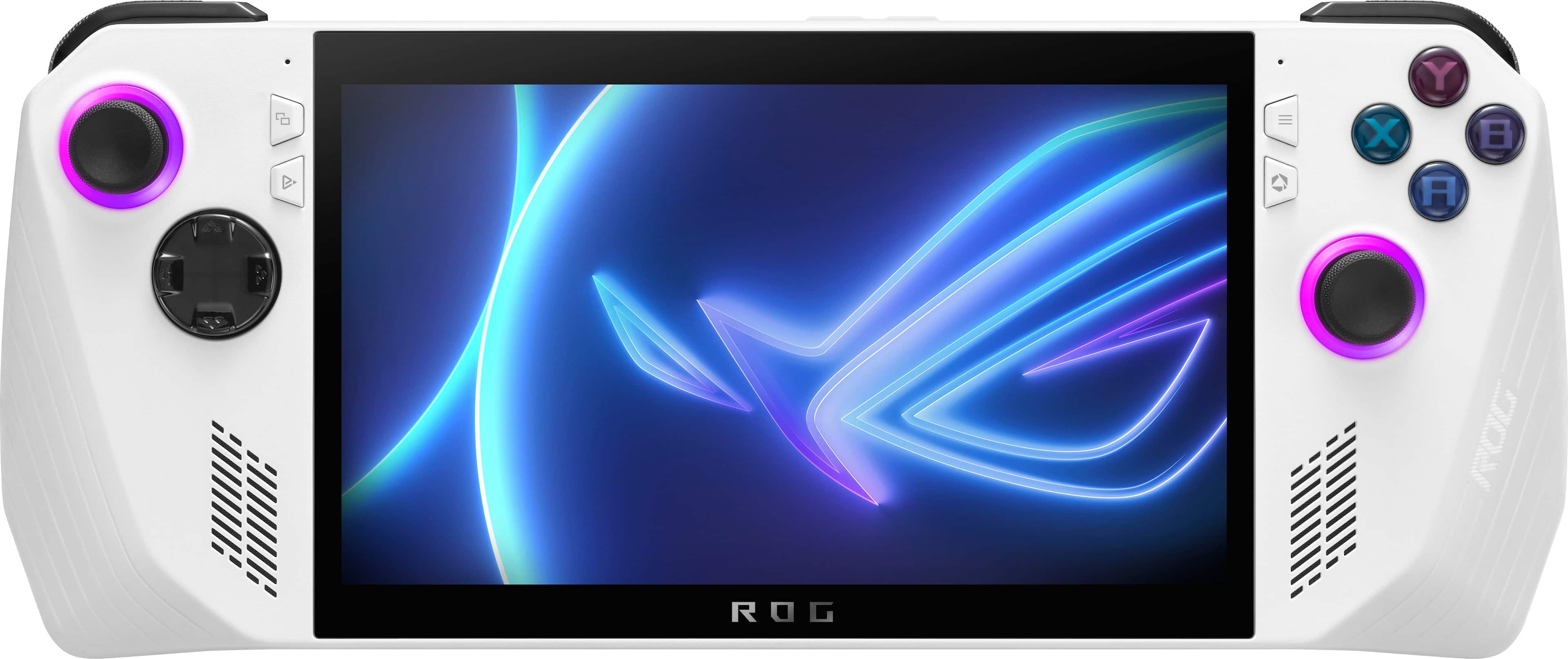
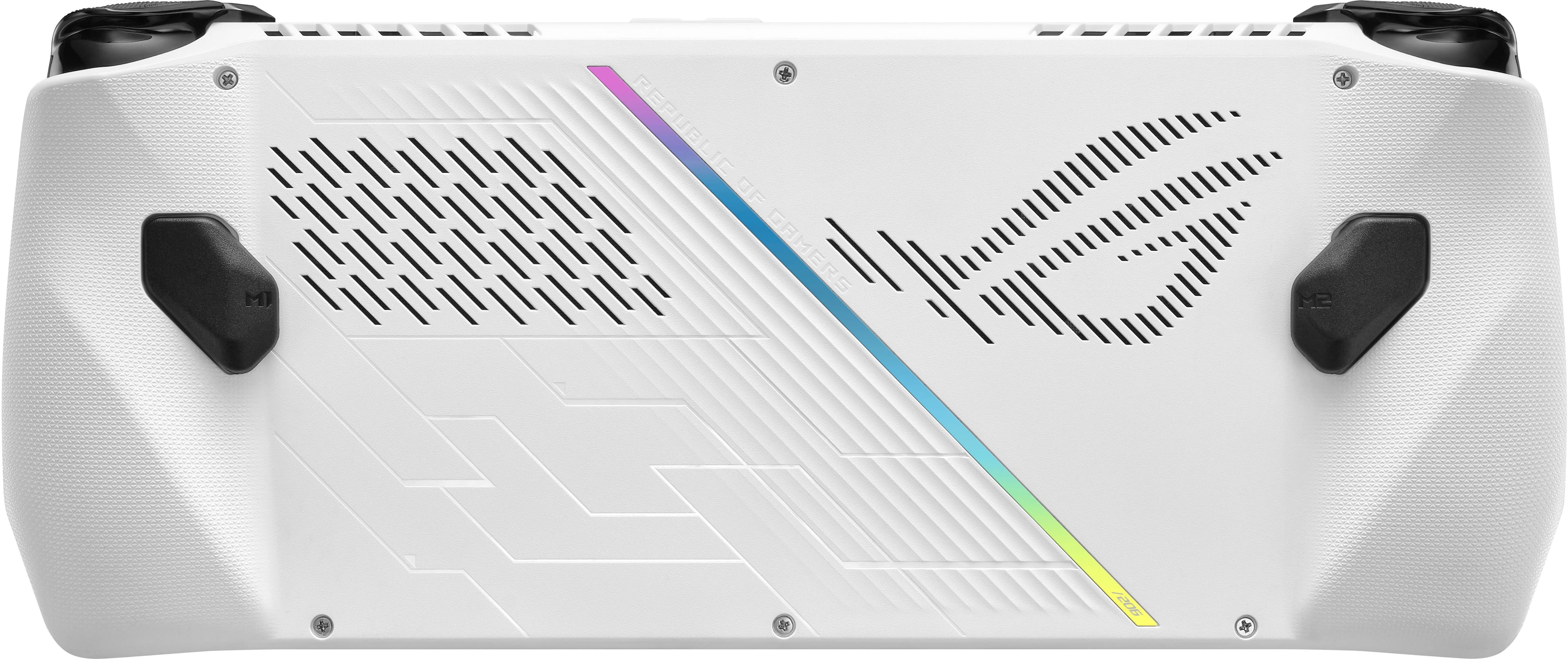
||Posted . Owned for 3 weeks when reviewed.This reviewer received promo considerations or sweepstakes entry for writing a review.The ROG Ally is a great device with a comfortable grip. The only downside as far as the comfort goes is that the bottom corners are a bit sharp but not to a point where it’s uncomfortable to hold. The screen is absolutely gorgeous with colors that pop and 120Hz refresh rate. The audio is fantastic and better than my Legion 5 Pro laptop. PC games run smoothly as butter, as well as emulation. The sticks feel great although I do wish they had more tension. They are pretty easy to move, but I’ve gotten used to it. The face buttons feel great…nice and springy. The d-pad feels okay, but when playing 2D retro games, it’s easy to hit accidental diagonals and can be frustrating. Maybe I just need to get good, but I’d have preferred a d-pad like that Dualsense has or just a standard one at least. It’s fine though. The back buttons do feel cheaper compared to the rest of the inputs. The plastic feels like a step below in quality and they feel kinda loose, but they click okay and work fine. It just feels like it was a bit of an afterthought. But the triggers are easily the best feeling of all the inputs. They nailed it with these! Perfect tension and they are just so satisfying to pull. The volume buttons are in a weird spot, but I just have a secondary function added to LB + RB for volume down/up and that works perfectly. I really wish they would have added another USB-C port as I don’t get why they would think a single port for charging was enough, but that seems to be the norm and far from a deal-breaker. I also wish that the device had a bigger battery. I mean these are handheld devices meant for gaming on-the-go. A long-lasting battery should be a higher priority guys. Worst case scenario with max TDP, you get an hour. Performance mode will net you 1 1/2 hours. A solid power bank is a great accessory to have. As far as RAM goes, 16GB is okay for now but I would have liked to see 32GB for better future proofing. With RAM being as cheap as it is and games becoming more memory-hungry, there’s not really any excuse to only give 16GB on these devices with APUs that share memory. I’d like to have seen some options with more storage as well but that can easily be upgraded. I haven’t experienced any major issues, just some small bugs and Windows quirks like the keyboard not wanting to come up automatically on occasion. With that said, if you’re familiar with Windows, once you get everything set up and where you want it, you’re golden. Armory Crate SE is a lot better of an experience than I thought it was gonna be to be honest. Everything works as expected and the quick panel is nice. You can configure the buttons how you want and customize the secondary functions. My only gripe with AC is in the custom operating mode. It’s a pain to set fan curves and you should be able to mirror the settings but it’s okay and software will be updated over time. Asus has been regularly updating and improving the software. I have not had any issues with my SD card like some but I haven’t used the slot much. Overall, the ROG Ally is a great device with some minor flaws that can be overlooked if you’re looking for a powerful handheld gaming PC with a beautiful display, great audio, and are willing to deal with the quirks of Windows. I’m settling on 4 stars instead of 5 because it’s not perfect…but hardly anything is. Hopefully this review was helpful.
I would recommend this to a friend - Pros mentioned:Screen quality
Excellent handheld PC if you understand its use
||Posted . Owned for 2 months when reviewed.This reviewer received promo considerations or sweepstakes entry for writing a review.This device is excellent at what it is designed for. That said, it's important to know what you're buying before you buy it. Many people compare this to the Steam Deck, and if what you're looking for is a console-like mindset, you need to understand something that separates this from the Steam Deck: The Ally is a PC first, and a console second. Your initial experience is going to be the same Windows setup that a new laptop would, except that once everything is loaded up, you have some additional built-in functionality with the controller inputs. As an experienced Windows user, this device is a joy for me to use. For the first month with it, I started leaving my laptop at home and carrying my Ally with a low profile keyboard in my bag as a trial. The touchscreen keyboard works surprisingly well for many things, but I don't like using any touchscreen keyboard for long typing sessions, and this didn't feel exceptionally different in that regard. The screen size is a noticeable difference from that of a laptop obviously, but that's where the divide stops; using it feels the same as any other PC, and I say that in a positive way to underline how minimal the difference is from a full-size laptop experience. The included menus are mostly intuitively laid out, and function well with the controls or with a traditional mouse. From a gaming perspective, it impresses. While I am used to mostly mouse and keyboard, I started sampling every game I have in my Steam library, as well as other libraries, which is where my next point comes into play: as a Windows PC, you do have access to other game launchers without having to do any trickery, to include the Windows-native Xbox app. As a PC Xbox Game Pass user, this convenience is nice. The controls themselves feel pretty standard. The sticks have smooth motion, the buttons feel crisp and, despite what I've heard from others, don't ever seem to have any issue sticking. This may be unit-to-unit, but I have put mine through a lot of use. I do like the paddle buttons being smaller, because on my Deck I do accidentally hit them sometimes and find myself disabling them in certain games. The smaller paddles on this device make them feel more like combination or "shift" buttons, which is more how I use them. Mostly out of curiosity, I did open it up to swap out the drive. Firstly, this type of thing is definitely important to be careful with if you're not used to handling the internals of any PC, so don't take this as a tutorial. But I do want to say the process of swapping out the drive was shockingly easy for the Ally. What impressed me more, though, was the fact that the new drive was able to be cloud restored from a UEFI feature built-in that pulls down the Windows recovery, as well as the Asus software, and loads it onto the device in a mostly easy process that only requires you input your wifi. This cloud recovery built-in to the UEFI was impressively easy and useful, and saved a lot of headache that can come with installing a fresh copy of any OS to a device with 1st generation hardware. I don't know who is going to use a device like this without headphones, but I will remark that the few times I have, the speakers have impressed me for the device's size. Again, though, I don't really make heavy use of this aspect. That's about it for my thoughts on what stands out; I wont sit here and list performance stats because you can find those pretty easily on YouTube, but I have genuinely enjoyed everything I've played on my Ally so far, and enjoyed it as a daily driver PC. I've heard a lot of chatter about sticking buttons and game crashes...but that has not been my experience. Still, be sure to read through other peoples' reviews to get a good idea of what to expect. Maybe I'm just lucky and got a outstanding unit, but regardless, it's definitely a purchase I'm satisfied with.
I would recommend this to a friend - Pros mentioned:Game compatibility, Overall performance, Portability
Awesome product… If u <3 SD, u will <3 RA too.
||Posted . Owned for 3 weeks when reviewed.This reviewer received promo considerations or sweepstakes entry for writing a review.I love my new Rog Ally. If you always travelling, RA is so portable handheld gaming PC with a good lasting battery (but of course, you have to buy separate accessories). Rog Ally has it’s pros and cons against Steam Deck. When does RA > SD, - faster and better spec - lighter and a little bit smaller - higher fps - can run different apps like steam, epic, gog, xbox live, psn and many more without modding When does RA < SD, - doesn’t have touch pad - doesn’t come with a case - only 2 back flipper buttons Both can be attached to a big screen TV with a dock (bigger like nintendo switch) or the hdmi charger dock (smaller, more portable, and less hassle) and use a console controller/ mouse and keyboard. ***Since this is still a new release, it has a few minor hiccups, it can be fix with the updates from the windows, rog armor crate, and bios.***
I would recommend this to a friend - Pros mentioned:Game compatibility, Screen qualityCons mentioned:Battery life
Just wow!
||Posted . Owned for 2 months when reviewed.This reviewer received promo considerations or sweepstakes entry for writing a review.Great Device! This thing handles most games with no issues. I have my steam library, xbox library and emulators. Its perfect as a portable computer as well if you need to check emails or access the web. The screen is beautiful. The 120Hz panel is game changing on the games that support it. The only downside to this is the battery life, but you cannot beat the price if you pick it up for $350. Get one! I love it!
I would recommend this to a friend - Pros mentioned:Overall performanceCons mentioned:Battery life, Storage capacity
A Gaming Powerhouse with a Few Heat-Induced Hiccup
||Posted . Owned for 1 week when reviewed.This reviewer received promo considerations or sweepstakes entry for writing a review.The Rog Ally Extreme Processor proves to be a gaming marvel, delivering exceptional performance and crisp graphics. Its cutting-edge capabilities elevate the gaming experience, making it a strong contender in the next-gen console arena. However, the device is not without its drawbacks. The limited storage, underwhelming battery life, and MicroSD overheating issues cast a shadow on an otherwise stellar performance. Despite these downsides, the Rog Ally Extreme Processor stands out as a formidable gaming companion, showcasing its worth at the specified price point.
I would recommend this to a friend - Pros mentioned:Game compatibilityCons mentioned:Battery life, Heat dissipation
Almost Returned It
||Posted . Owned for 1 week when reviewed.This reviewer received promo considerations or sweepstakes entry for writing a review.On day one while downloading patches unit crashed to blue screen. I had to go into bios to restore it from scratch. The entire process took up an entire day. Afterwards it ran smooth playing Diablo 4 on turbo at 1080p. The battery lasted 90 minutes but unit ran hot. Disabled cpu boost to fix that issue. For the price they should have installed a 1TB drive. Especially with the SD card slot issue. At home I dock it and use it as a browser to look up builds while playing. If it was not for how good the games look and how well they run on the unit I would have took it back. Be prepared to buy a new SSD drive if you plan on running multiple games.
I would recommend this to a friend - Cons mentioned:Battery life, Sd card reader
Great… Only at a discount
||Posted . Owned for 1 week when reviewed.This reviewer received promo considerations or sweepstakes entry for writing a review.It’s a 4 star when purchasing at a discounted price. I got mine for $450, which for the price is great. Yes you don’t get good battery life, but if you stay away from turbo and stay at silent or performance mode, you can get 1-2 hours of battery life. If you are going to play a lot of indie or old titles, this will be a good device for it. Great at emulation as well. Big reason why I picked it up. Can do all the way up to ps3/xbox 360.although if you are going to take advantage of the microSD slot, don’t get this. Huge chance of your ss card getting fried, like I have with my original ally. If it does have a problem, ASUS will not fix it. They are ignoring my emails, almost a week after emailing them twice. Triggers can also get squeaky, but in my experience the more you use it, the faster it goes away. No need to open it up. Definitely get a case as well the white will get dirty fast. Overall if you care of customer support don’t get it. But if you want a capable device at a great price, and don’t plan on using the microSD slot, buy it. Might return because ASUS support has left a sour taste in my mouth.
I would recommend this to a friend - Pros mentioned:Overall performance, Screen quality, Weight
SteamDeck Killer
||Posted . Owned for 2 weeks when reviewed.This reviewer received promo considerations or sweepstakes entry for writing a review.I thought there might be room in my life for both the SteamDeck and the ROG Ally. I was wrong. Unless you are planning to run only indie titles or older emulators at extremely low wattage, the Ally just performs better in every regard. It is also more comfortable to hold for an extended period of time, weirdly feels lighter even though it’s about the same weight, has a significantly better screen, and runs Windows off the bat so it’s compatible with every game. My only gripes about the ROG Ally are that you still start off with a bloated instance of Windows 11 and have to spend a half hour trimming the preinstalled fat and disabling various Windows features that impact performance while gaming. But just go on YouTube and find any of the many videos that walk through tweaking Windows for gaming and you’re golden.
I would recommend this to a friend - Pros mentioned:Overall performance, Portability
Amazing , but Don't Expect a Console Experience
||Posted . Owned for less than 1 week when reviewed.This reviewer received promo considerations or sweepstakes entry for writing a review.I remember watching reviews for this pre-release, and the consensus was. "This is amazing, but it wont replace the steam deck. If you want a console like experience, get the steam deck." At first i didnt understand that sentiment, like this is overall objectively better in every specification and can play more games than steam os, how could it not replace it? But holy cow, after using it for a few weeks i definitely understand. Any PC gamer knows that windows is quirky in and of itself, but putting it in this form factor just amplifies and creates more issues. Windows is NOT optimized at all for this, and Armory Crate only slightly alleviates this issue. I could not physically set up this device without an external keyboard. Apparently this is a common issue, but when setting up the device for the first time, the keyboard wouldnt pull up on screen. Which makes it impossible to setup unless you are already a PC gamer who has an external keyboard who ALSO happens to have a USB-A to C adapter. The Windows homescreen is basically just the desktop version, which makes it extremely difficult to navigate in the tiny screen size (closing a window is surprisingly annoying) My left joystick also died 9 days into owning it, so im actually currently on my 2nd ROG Ally. It was only moving on the Y-Axis, not the X-Axis. This is also apparently a common issue, and nobody really knows what the issue is with that. Some people claim its a software issue with how incompatible windows is with this form factor; some say its an inevitable hardware consequence of not using hall effects joystics. Regardless, the solution for everyone was just getting a new one. Which isnt typically what people wanna hear waiting so long for this device. ALL THAT BEING SAID when youre in game, all those issues fade away. The quality is insane. Max wattage I can comfortably run even new games like Far Cry 6 at 60fps at 1080p at 120hz (coming from a switch that is a major difference). That is such a surreal experience to me being actually able to access my PC library in a mobile form factor in a way that ACTUALLY runs perfectly smooth. I cannot emphasize enough how amazing in-game performance is; absolutely head and shoulders above the steam deck. And having access to my entire steam, xbox, and epic library as opposed to only a few steam games makes this the absolute clear pick for me. So my main gripes with this thing are mainly software. Windows is real quirky in this form factor, and i honestly could not in good consciousness recommend this to a console gamer who has never touched PC in their life. For those people I still see the value in the console-like experience of the steam deck; at least until Microsoft can actually competently make a mobile version of Windows. But if you dont mind dealing with those software quirks and all the little bugs that come with owning a first generation device such as this; this is a game-changer. Absolutely nothing else in this category touches this in terms of sheer performance and even with all the issues I had, I do not regret my decision at all.
I would recommend this to a friend - Pros mentioned:Overall performance, WeightCons mentioned:Battery life
Great!… But….
||Posted . Owned for less than 1 week when reviewed.This reviewer received promo considerations or sweepstakes entry for writing a review.I recently bought this handheld monster, it feels lighter than my Steam Deck. Here’s what I just found out though, before you buy it, BE AWARE: The battery lasts about 1.5 hour (gaming or more) to 4 hours (without gaming). I was really invested on the Ally but realized that I didn’t do my research properly. I still give it a 4 since it has great performance and fast response with using a gamepad and using the buttons. It’s been 3 hours (I did plug it in to charge) now and been playing Destiny 2 and battery life sucked it all out after an hour and a half. I do prefer the Steam Deck more but still, this one is still a beast of a handheld!
I would recommend this to a friend - Pros mentioned:Overall performance, Portability
ROG Ally The Gaming Titan
||Posted . Owned for 2 weeks when reviewed.This reviewer received promo considerations or sweepstakes entry for writing a review.I’ve had my ROG Ally since release date and I am absolutely blown away by the sheer power and customizability with this fantastic device. It’s user friendly to those who have even the tiniest bit of tech knowledge and it’s not too complicated to maintain and keep the ROG in optimal conditions without completely messing up your ally. If you’re a console gamer who doesn’t want to spend an arm and leg for a laptop or a desktop and still wants to reach that high level gaming experience anywhere in your house? This device is a godsend for you. If you aren’t tech savvy I highly suggest you do a LOT of research before investing in the ally to see if it’s something you could get into, things like power wattages, manual profiles, controller configurations, updates, and more. On the surface it seems intimidating but the ROG team works diligently to provide these experiences to us customers as best as possible and delivering swift updates that improve quality of life usage for your Ally. This device is only going to get better and better and in the future I can see that eventually the Ally will become so user friendly to the point where someone with a basic knowledge of computer understanding can buy it and use its fullest capabilities right out of box. I for one have a lot of hope in ROG, they always deliver good in my opinion over other computer manufacturers and I would pick the Ally over Asus’s handheld competitors any day. I appreciate all the hard work that Asus does to deliver us all these experiences and hope that those of you who get one will do so in mind with the notion that there is so much more to the ally than what negative users might think. In terms of gaming; the ally is amazing yet again. Playing games like forza horizon 5, final fantasy 14, 15, streaming 16, mw2, saints row, assassins creed, and many more mainstreamed fan favorites can play on this device absolutely no problem with performance that will make your console seem unworthy of your gaming needs exceeding 60 fps and making your gameplay experience a smooth and satisfying session. The ROG ally is a windows device, so that also means with great power, comes great gamability; with the complete option to game, EXCLUSIVE PC games! Yes, with the Ally you can use it as a regular pc and even hook up a keyboard and mouse and get into your favorite pc games you’ve always wanted to play but never had the hardware to do it, hoping one day that the developers would make a console version. Those days are over. The ability to use desktop mode on handheld needs some work on but I’ve transitioned into using the joysticks for desktop without much trouble, the only thing that needs to be worked on which in my opinion isn’t all too bad right now — is the dead zone problem which you can find out all about that online. This doesn’t mean that these issues are set in stone, because the ROG team is working hard on all these fixes to make all the experiences more enjoyable and unproblematic. The ability to customize the Ally to add more storage or even mod the ally to fit your specific needs is easier than ever with absolutely no soldering needs, just a guitar pick, a screw driver, and your patience is needed to begin analyzing the inner skeleton of the Ally and make adjustments if necessary. I’ve seen crazy things that people have already done in hopes of modding the ally so let your imagination run wild and let your inner mad scientist go crazy! Just be extremely careful to not mess up your ally (the asus team encourages people to modify their ally and they mentioned that they enjoy watching the outcome of that and mentioned that doing so will NOT void warranty). The controls remind me of using a PS5 controller which I’m a fan of and proud owner of a PS5 (post scalper), and I could feel similarities in the buttons and overall texture touch. It’s comfortable in my hands but be careful of staying in the same position for too long, lest your hands may start to cramp. The touchscreen is very easy and fun to use sometimes over mouse or joystick, and sometimes will make what your doing go a lot faster for those who can’t use the joystick too well (due to dead zone issue). The ally charges extremely quick, I barely notice the times of when I plug it in to the times it becomes fully charged, and using the ally while charging and gaming isnt hard at all, (please pay attention to your temperature as it’s always a possibility you can fry something such as your SD card, you never want to reach temps of 85 degrees Celsius or higher and if you do you need to immediately take action into reducing the heat such as using lower wattages or reducing gaming graphics or screen brightness. I found that 69% screen brightness makes my ally become 4 degrees cooler). One thing that the ally does need is more accessories but I imagine many product manufacturers are scrambling to make some for the ally. In conclusion, the ROG ally is nothing short of innovative computer engineering and this is just the beginning, and so far in my personal opinion, Asus has the crown in the race for innovative handhelds. Happy gaming, and ALWAYS KEEP AN EYE ON YOUR TEMPERATURE!
I would recommend this to a friend - Pros mentioned:Overall performance, PortabilityCons mentioned:Battery life
Gaming on the GO
||Posted . Owned for 1 month when reviewed.This reviewer received promo considerations or sweepstakes entry for writing a review.Im really enjoying my New ROG Ally, the games play great and it’s just awesome to be able to play PC games on such a compact device. Would’ve given 5 stars if the battery life was a bit better.
I would recommend this to a friend - Pros mentioned:Overall performance, Screen qualityCons mentioned:Battery life
A Mixed Bag: Ally Rog Extreme
||Posted . Owned for 1 month when reviewed.This reviewer received promo considerations or sweepstakes entry for writing a review.I recently snagged an open-box deal on the Ally Rog Extreme Handheld, and overall, I'm quite pleased with my purchase. Let's dive into the specifics. First off, the screen brightness is a standout feature. It's vibrant and crisp, making gaming sessions an absolute joy. Combined with the lightning-fast performance, the Ally Rog Extreme delivers an immersive gaming experience that's hard to beat. Speaking of performance, this handheld is a beast. Games run smoothly and load up in a flash, thanks to its impressive processing power. Whether you're playing casual mobile games or diving into more graphically demanding titles, the Ally Rog Extreme handles everything with ease. However, there's a glaring issue that can't be ignored: the battery life. Regardless of whether I'm conserving power or pushing the device to its limits, the battery drains at an alarming rate. It's disappointing, especially considering the otherwise stellar performance of the device. While it doesn't completely overshadow the great price I got on the open-box purchase, it's definitely a drawback that needs addressing. In conclusion, the Ally Rog Extreme Handheld is a solid choice for gamers looking for top-notch performance at a reasonable price. The screen brightness and speed alone make it worth the investment. However, the lackluster battery life is a definite downside that can't be overlooked. With some improvements in this area, the Ally Rog Extreme could easily become a must-have for gaming enthusiasts everywhere.
I would recommend this to a friendBrand response from ASUS Answers
Posted .Dear Alycia O,
Thank you for sharing your feedback on the ROG Ally. We sincerely apologize for the issues you've faced and the inconvenience caused. At ASUS, we take quality control, testing, and inspections seriously to ensure our products meet high standards. What you've experienced was not intentional. Customer satisfaction is our top priority, and we strive to make every purchase enjoyable. We understand that purchases can be an important decision and we want to ensure that our customers are receiving the best products and services. We will forward your feedback to our Product team for review.
Please note that there will be updates to the ROG Ally in the future that will improve overall system performance and stability.
We would like to make your experience with ASUS a better one. To troubleshoot the battery issue described, we recommend following the steps in the FAQ below. Should the issue persist, we recommend contacting our support team at https://www.asus.com/us/support/CallUs to investigate the problem further or assistance with getting the device repaired.
We do stand behind our products and we continuously strive to improve our products and processes to achieve customer service excellence. For more information, email us at customerloyalty@asus.com and include the case number "N2306018106-0401" as a reference. We will do our best to resolve your case quickly. Your feedback is very important to us, and it enables us to improve our support channels. Thank you for choosing ASUS.
Best Regards,
Chantae
ASUS Customer Loyalty US Support
https://www.asus.com/support/FAQ/1043914/
- Pros mentioned:Overall performance, PortabilityCons mentioned:Battery life
Must Buy!!!!!!!!!!!!!!!!!
||Posted . Owned for 7 months when reviewed.This reviewer received promo considerations or sweepstakes entry for writing a review.I have been using the ROG Ally for quite some time now and I must say it's an exceptional device. The performance is top-notch with a powerful processor and graphics card. However, the battery life could be better, especially during heavy usage. That being said, the portability is great, and I've had no trouble carrying it with me on my travels around the world. Overall, I am extremely satisfied with the device and would highly recommend it to anyone looking for a high-performing device with great portability.
I would recommend this to a friend - Cons mentioned:Battery life, Storage capacity
Good device but just get the Ally X
||Posted . Owned for 1 year when reviewed.This reviewer received promo considerations or sweepstakes entry for writing a review.This is a solid handheld PC. I have owned this for a year now and I haven’t had any issues personally. But if you’re looking at this because it’s cheaper than the Ally X then let’s weigh out your options. If you plan on just doing light gaming on the go that isn’t going to be to demanding on your battery and take up too much storage then this may be the device for you. But if you plan to download a few AAA games and do some heavy gaming, then I would definitely spend the extra money and get the Ally X. I play AAA games on this and even though it’s a portable device, I can’t stray too far from an outlet. I already had a good portable charger but if you don’t and plan to play more games away from an outlet you’ll need to buy one. Also, the storage was full after I downloaded three or four games so I upgraded the SSD to a 1tb which was even more money I had to spend. Granted it wasn’t to hard to do especially since I’m new to the PC world. So if I had the chance to buy the Ally X when I bought this. I would have definitely done that. Because you’ll have to spend that extra money upgrading the device and buying accessories anyway. But I’ll reiterate if you’re just planning on playing light indie games then you can adjust the performance and get a solid couple of hours of gameplay with the right settings. So get what works best for you and your situation. It’s still a good device and I have enjoyed playing on it. It is comfortable in the hand and I don’t feel fatigued after long gaming sessions. I hope this review helps.
I would recommend this to a friend - Pros mentioned:Overall performance, Screen qualityCons mentioned:Heat dissipation
Manny mechanical issues. But great performance
||Posted . Owned for 3 weeks when reviewed.This reviewer received promo considerations or sweepstakes entry for writing a review.Excellent handheld for those who are familiar with windows 11. I can’t give it 4 or 5 stars because I had to return this due to having a bad fan. I would return it due to a bad left thumb stick, but I am beyond my 15 day return windows for Best Buy. The fan was whining. I can’t even give it 4 stars because the left thumb stick is Grinding against the plastic when I move the thumb stick in circles. Also the automatic turbo setting has bad fan optimization. It gets too hot at turbo (around 90 degrees Celsius). The fans should rotate faster at the automatic turbo setting. That being said the performance is amazing and it has a great 120hz screen. But that’s it. I been doing windows gaming for over 20 years. So the programming problems are no problem for me. The only problems so far are what i mentioned to you. I’ll have to replace the thumb stick myself and the thumb stick lights. The thumb stick is fairly easy to replace, but to remove the thumb stick lights i have to remove almost all internals. I cannot recommend this to any one not able to self repair their computer or handled or to anyone not experienced with Windows 11 and the programming and optimization of windows 11. I basically modded windows for the best gaming experience. However I can’t say that many folks can do that or even have the time to invest in that. Also the Windows experience is still windows. Expect things to crash occasionally. If your great with programming and replacing parts or are willing to RMA this and wait for it to get fixed and returned to you ( only has a 1yr warranty unless you pay for an warranty extension) then stay away because at $699, $740 with tax, you will have issues with it. Don’t expect it to work and stay healthy for 2-3 years. Murphy’s law: “What possibly could happen, will happen”. If your willing to except Murphy’s law prior to purchase then be my guest.
No, I would not recommend this to a friend - Pros mentioned:Overall performance, Screen qualityCons mentioned:Battery life
ROG Ally
||Posted . Owned for 1 week when reviewed.This reviewer received promo considerations or sweepstakes entry for writing a review.Worked great at the beginning. I changed the ssd to 2 tb and it was a lot it hard. Had to do multiple upgrades then instal the ssd. The battery log is not that great I see it drains only by using windows and install ing games. Hopefully a new update can fix that. Or I am thinking it is the normal life of the machine. Runs games great even emulators. I recommend it if you know it’s capabilities The plastic feels good. One screw (from the ssd) came stripped and had to change it. The stand that comes included is a joke and had to get another one. The controller feels a little bit akward
I would recommend this to a friend - Pros mentioned:Game compatibility, Overall performance, Weight
A must have for portable computer gaming
||Posted . Owned for 3 weeks when reviewed.This reviewer received promo considerations or sweepstakes entry for writing a review.Great product at great price. Already put 100 more hours in RDR2. It plays basically any game and I haven’t found one that hasn’t worked yet. Must buy over the steam deck which I also have, it’s not nearly as good as the ally. I easily swapped out a 2T SSD and it’s working amazing. 45 to 60+ fps on mid to high settings with the whole suite of AMD sharpening settings. It’s nice a light too. How it stays so cool idk. As of 12/8/23 the SD card slot does not work and will burn your card out, so go with a 1T or 2T SSD.
I would recommend this to a friend - Pros mentioned:Overall performance, PortabilityCons mentioned:Battery life
Insane value, a real powerhouse!
||Posted . Owned for 2 months when reviewed.This reviewer received promo considerations or sweepstakes entry for writing a review.I replaced an old gaming computer I never used anymore with this. Was able to sell that and pick this ROG Ally up as an open box for the same price. It was in great condition and runs circles around the heavy old pc it replaced. Not only is it my portable gaming device, but I use it all day in docked mode as my work computer. Very happy with it! Battery life could be better if you want long gaming sessions with it however for my use, it’s perfect.
I would recommend this to a friend