Customer Ratings & Reviews

















- Model:
- RC72LA-ALLYX.Z1X
- SKU:
- 6583218
Rating by feature
- Performance
Rating 4.8 out of 5 stars
- Storage Capacity
Rating 4.7 out of 5 stars
- Controller
Rating 4.7 out of 5 stars
Customers are saying
Customers often highlight the ROG Ally X's overall performance, improved battery life, and ideal balance of portability and power as key strengths. The device also receives positive feedback for its screen quality, game compatibility, storage capacity, ample RAM, efficient heat dissipation, and acceptable noise levels. While the device is considered a bit heavy, the primary concern appears to be the user experience with the operating system.
This summary was generated by AI based on customer reviews.
- Pros mentioned:Battery life
Best handheld console I have
||Posted . Owned for 1 week when reviewed.This reviewer received promo considerations or sweepstakes entry for writing a review.I really like the handheld game pad! And it's a window pc too! The battery is double so that I can play 4 hours without charging, so nice!
I would recommend this to a friend - Pros mentioned:Battery life, Overall performance, Screen qualityCons mentioned:Weight

A Refreshing Update
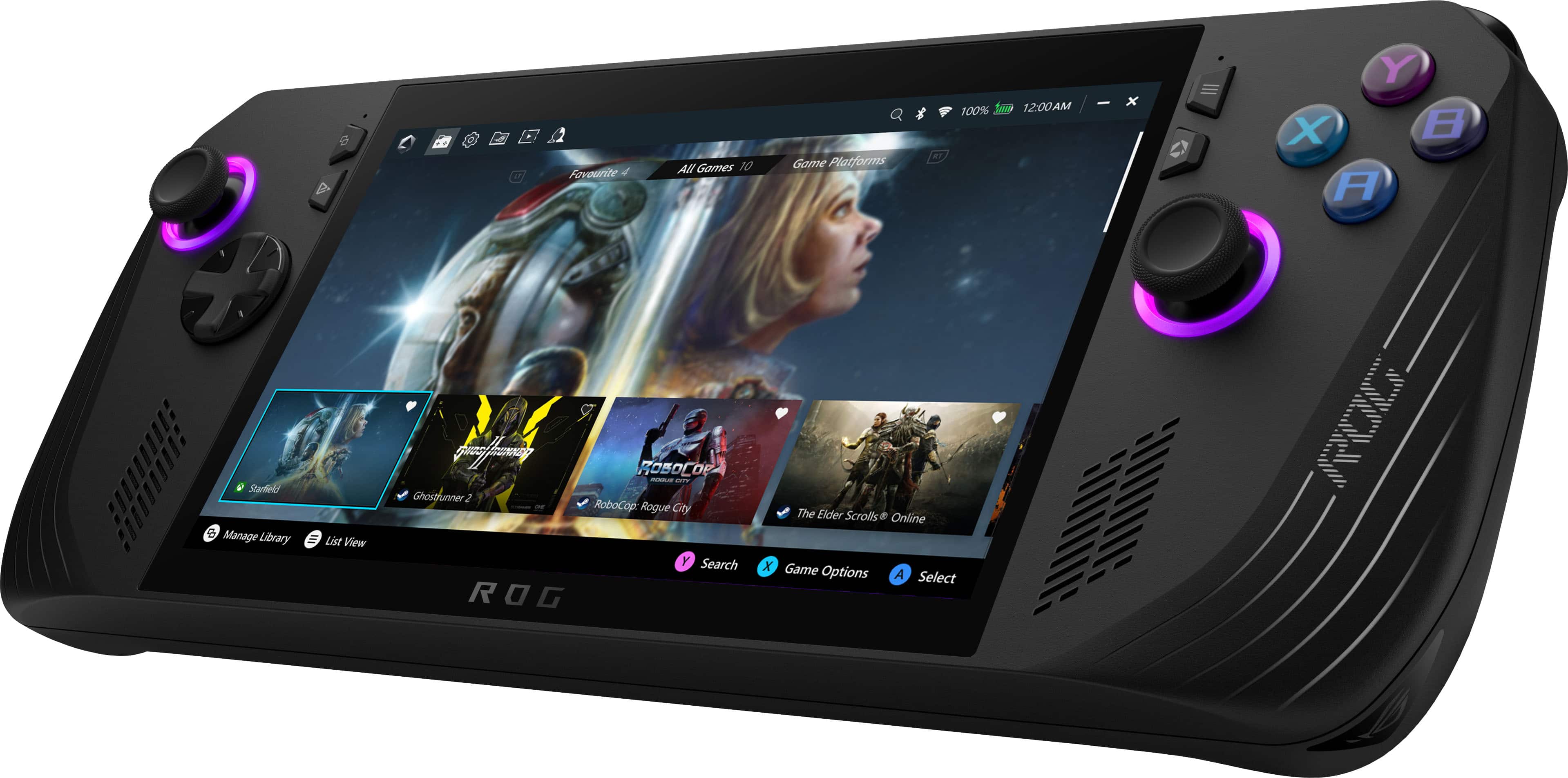
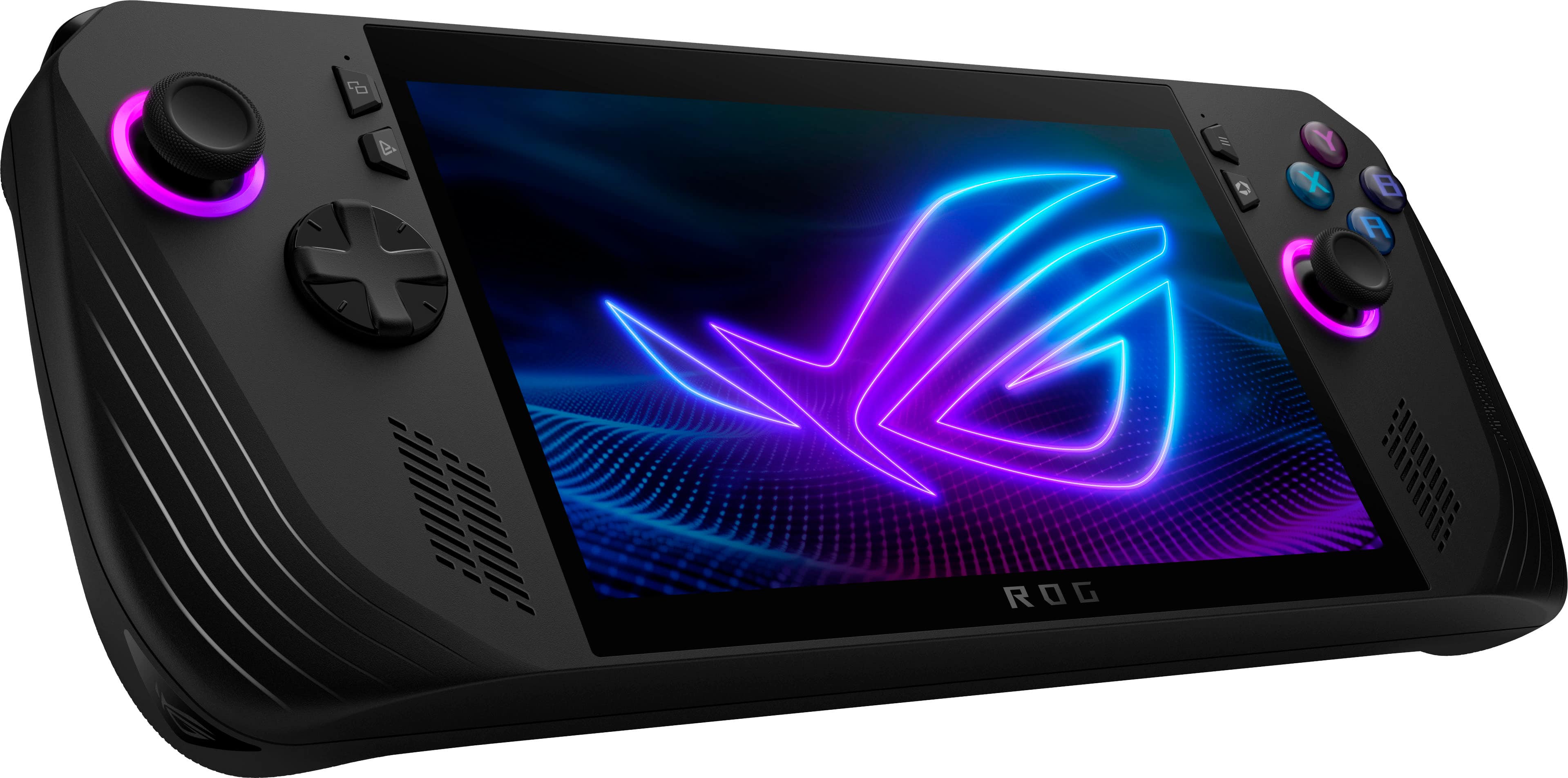
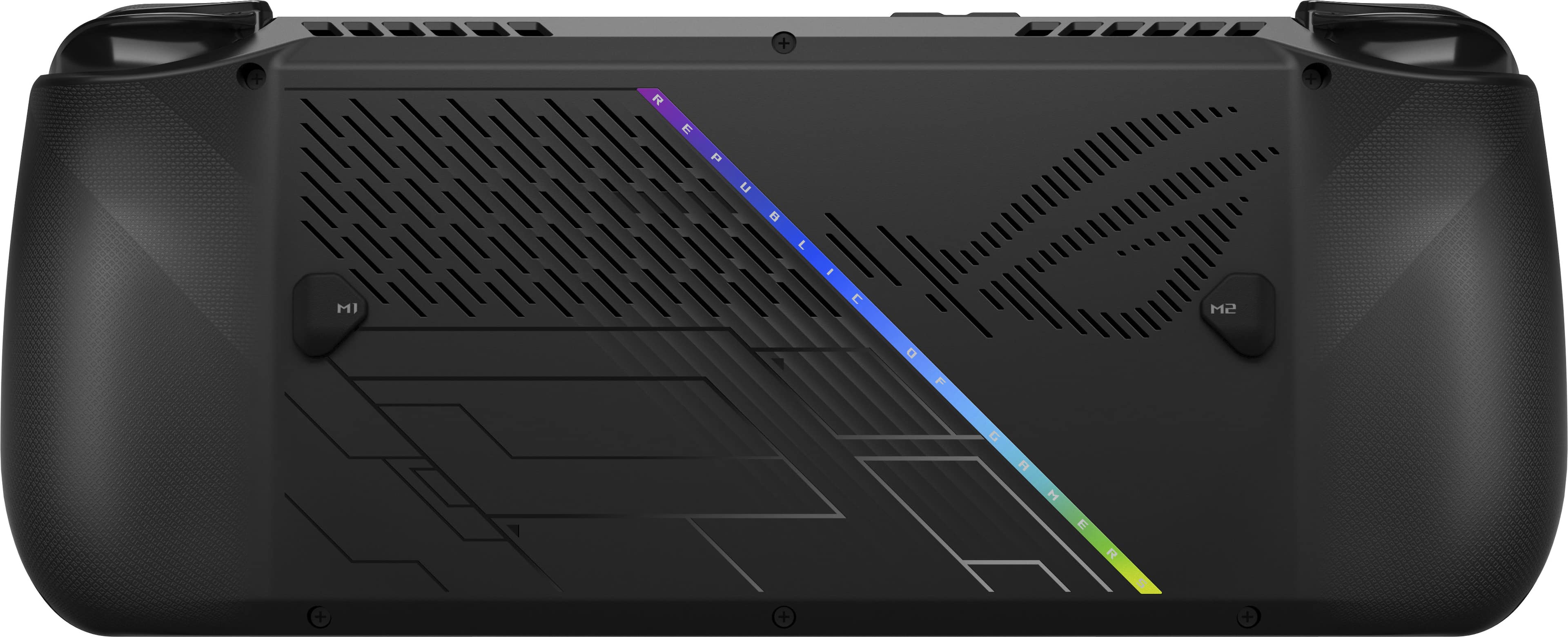
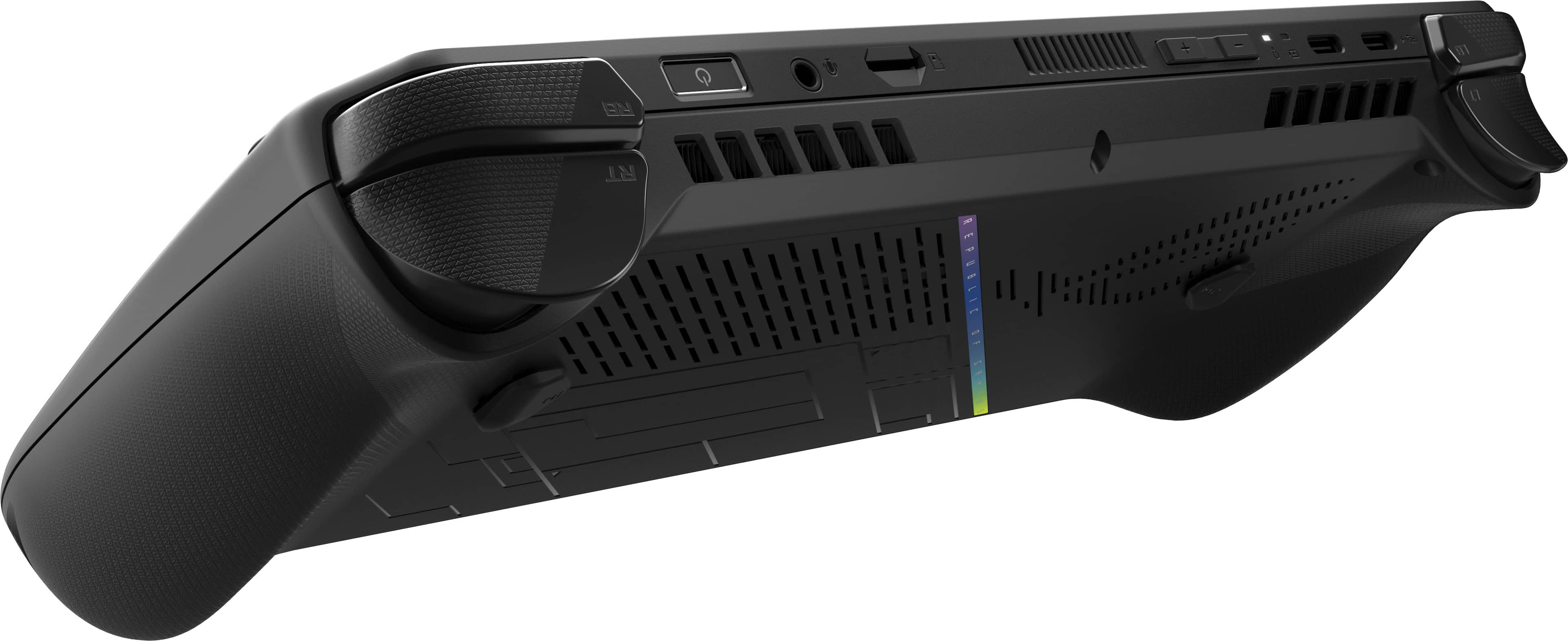
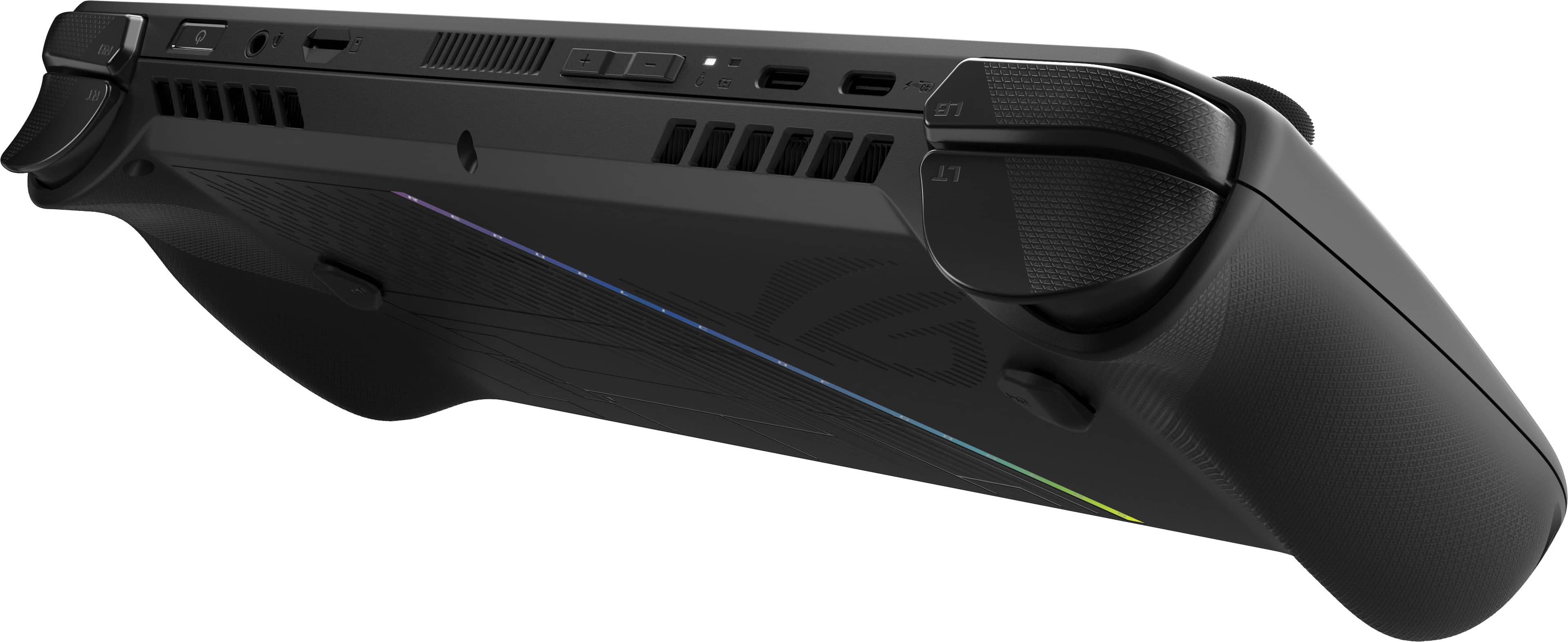
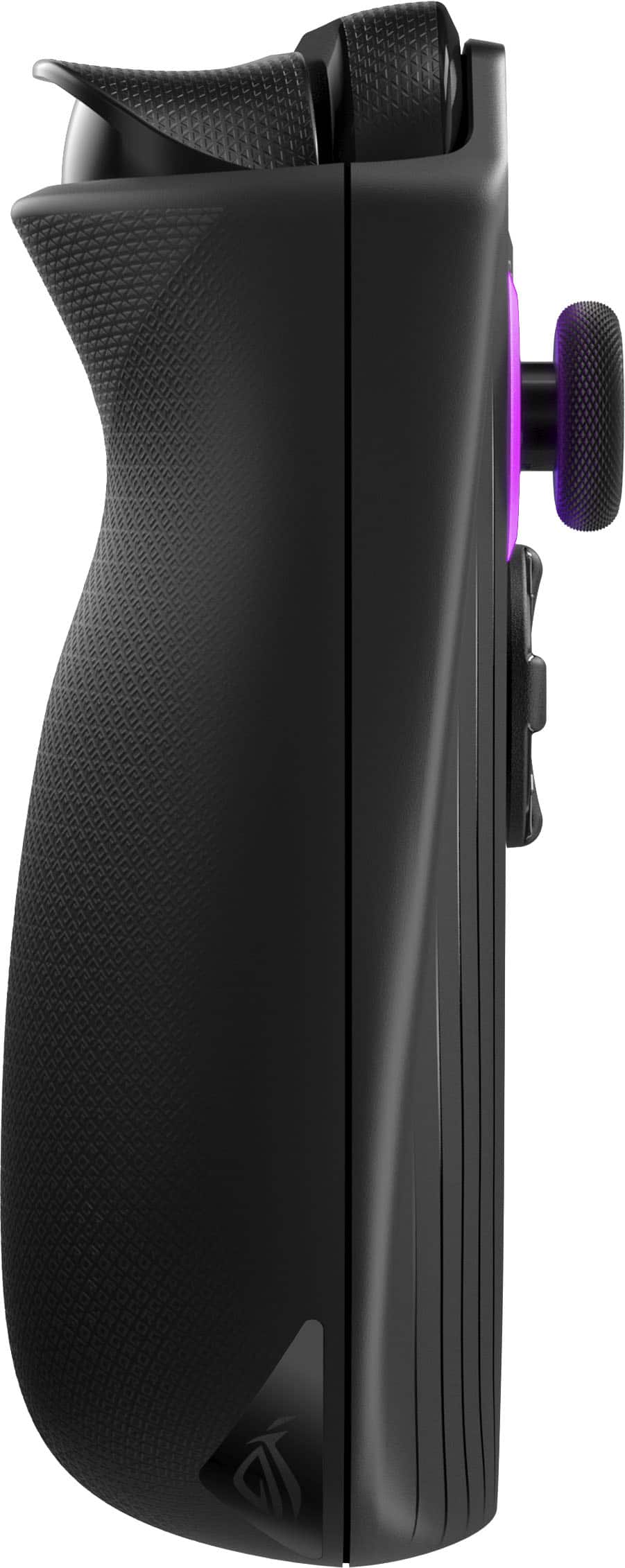
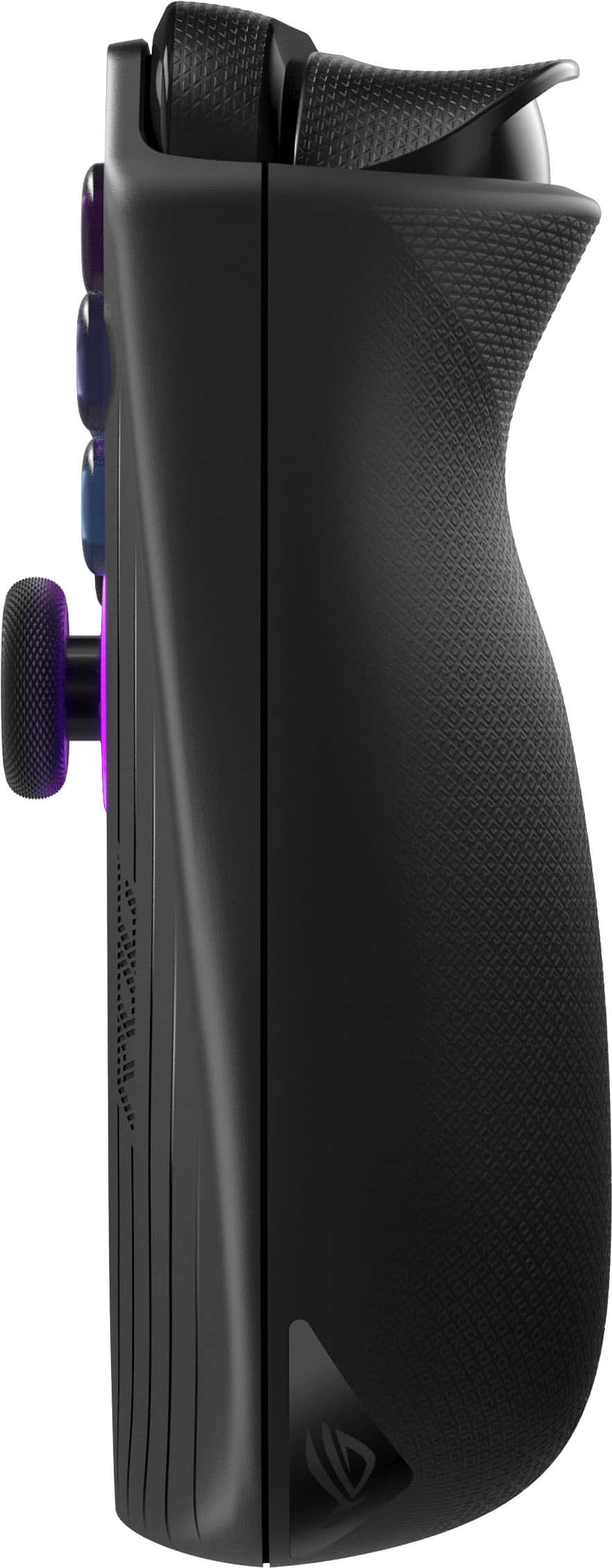
|Posted .This reviewer received promo considerations or sweepstakes entry for writing a review.Handheld PCs have exploded in popularity in the last couple years, and much hype was given to the original ASUS ROG Ally. While the final product’s execution was good, there was still plenty of room for improvement for future models. The ROG Ally X represents the next revision of the popular handheld, addressing nearly every major shortcoming of the original. - Unboxing and Setup Like the original ROG Ally models before it, the Ally X ships with just the essentials: a 65W power cable and a cleverly-packaged stand made out of its recyclable cardboard box. Compared to the first-generation Ally, the Ally X is a couple ounces heavier due largely in part to doubling the size of the internal battery, and the console’s contours are much more prominent for improved comfort in the hand. Some changes were made to the controller buttons and joysticks for this mid-generation refresh, which now feel much more in line with Xbox Series controllers instead of third-party ones. Plug in the Ally X, power it on, and you’re greeted with the familiar Windows 11 setup sequence, which just like with the Ally before it, is the biggest shortcoming of the whole device - Windows is still a desktop-first OS. Entering text with the on-screen keyboard is cumbersome and slow, and tapping the touchscreen to register mouse clicks can become infuriating. Connecting a keyboard and mouse to the Ally X makes the process of setting the device up and installing games much easier. Since it’s running Windows 11 natively, the Ally family of consoles support nearly every game and software application made for Windows PCs since the 90s, as well as every modern game that has anti-cheat software or DRM that other handhelds can’t overcome. However, this does not mean that any given game will work out of the box. This is still a gaming PC, and you’ll need to take some time to configure most titles to run and look their best. - Ally X System Changes The Ally X shares the same AMD Z1 Extreme APU as its predecessor, packing 8 Zen4 CPU cores and 12 RDNA3 GPU cores comprising what would be labeled a Radeon 780M in any other guise (indeed, specs of the Z1 Extreme are nearly identical to AMD’s last-generation low voltage 7840u). The major hardware change the Ally X brings is in its memory configuration - faster LPDDR5X is used to bring memory speed up to 7500Mhz (from 6400), and RAM capacity has increased from 16GB to 24GB total. The upgrade makes a significant difference with the Ally X. Graphics performance of the Z1 Extreme is improved about 10% overall, but the extended memory capacity alleviates virtually all bottlenecking seen on the 16GB models. In short, the AMD Z1 Extreme uses a portion of the system memory as graphics card memory, so on 16GB models it was not difficult to max out the memory while gaming. When this occurs, the system swaps data in and out from the SSD, which causes stutter and micro-freezes as the system catches up with game demands. By default, the Ally X configures the 24GB system memory such that 16GB is treated as RAM, and 8GB is treated as dedicated VRAM. This allows virtually every game available today to run stutter-free, though memory allocation can be tuned in the BIOS. - Performance & Power Profiles Beyond the hardware changes, ASUS has taken advantage of the upgraded battery to tweak the power profiles of the Ally X, which now default to a 17-watt “Performance” profile (which was 15W previously). Two extra watts make a big difference in power, as framerates in the Performance profile land within single-digit percentages of the Turbo (25W) profile in direct comparions. I had no trouble hitting 60FPS in most of the games I own with High details (Wreckfest, Mortal Kombat 11, Halo: Master Chief Collection), with only a few needing to drop to Medium (Forza Horizon 5, Control) while retaining High textures for a consistent, high fidelity gaming experience. Like previous models, ASUS opts for user-switchable performance modes that change the power target of the Z1 Extreme. User-configurable as low as 7 watts, default modes are Turbo (25W battery, 30W on AC), Performance (17W), and Silent (13W). Performance mainly pulls back GPU performance, while Silent pulls both CPU and GPU power down to maximize battery life. I found Performance to be the best balance of power consumption to graphics muscle - performance gains at Turbo were minimal compared to the hit in battery life. - Noise & Thermals ASUS notes a redesigned cooling solution for the Ally X, featuring fans with thinner blades, a rearranged heatpipe system, and relocated ports to avoid excess heat from reaching the SD card slot. All told, the cooling performance of the Ally X is a marked improvement as fan noise is so minimal as to be unnoticeable when using the Performance preset with a heavy gaming load. At full bore, the fans are still reasonably quiet, getting no louder than a thin and light office laptop might under the same level of duress. Thermal performance varies based on the power mode in use, but with the Performance preset the Z1 Extreme is kept well within operating limits. I saw a peak of 76C at 17W power, which is nearly 25C below the chip’s throttle point. Since the APU is located centrally with heat pipes and fans located away from where your hands sit, the Ally never feels hot to the touch. - Screen & Battery The Ally X shares the same 120Hz, IPS, 100% sRGB panel as the original Ally, and is still gorgeous to behold. Its FreeSync implementation is not the best I’ve used, but it definitely helps keep noticeable framerate dips to a minimum. The panel can be manually toggled to 60Hz mode for better battery life. The Ally X’s battery is an enormous improvement for the device overall. With double the capacity (80WHr) of the previous model, runtime is greatly improved to the point that even with the Performance power profile, I achieved over 3 hours of graphically intense gameplay before the system threw a low battery (<10%) notification. Though perhaps not as impressive as some other handhelds in the segment, this is still proper PC gaming on the go without much, if any compromise. Manually configuring a 9W power profile and dimming the screen slightly, I was able to eke out 7 hours of mixed video streaming and indie gaming. Note that these battery results are from the latest BIOS available as of July 26, 2024. Extra life may be gained through future BIOS updates. - ASUS Control Center & Armoury Crate SE These two programs ship with the ROG Ally’s Windows installation, and both are immediately accessible via shortcut buttons next to the screen. Control Center is an overlay that allows quick toggles of the most common system settings, and can be configured to display any combination of them. The overlay worked reliably in my testing, letting me change power modes and control schemes on the fly - including the ability to toggle the controller buttons to a “Desktop” mode, where the right stick controls the mouse and shoulder buttons click. Each of the controller buttons can be configured to custom bindings or macros and saved to individual app profiles. Armoury Crate SE is a handy launcher and control profiler that consolidates game shortcuts automatically - unifying multiple storefronts and local installations into a single launcher that can be called at any time. Though not a flashy launcher, once games have been installed and configured for play it’s nearly seamless to boot the Ally, play games, and shut the system down without seeing the Windows desktop. For the launch of the Ally X, Armoury Crate SE saw an update to version 1.5 for all Ally models. The updated launcher is noticeably more responsive and better laid out. - Upgradeability, Quality Control With a redesigned system board, the Ally X now uses the common M.2 2280 size SSD instead of the rarer, and usually more expensive 2230 size. This is user-upgradeable by removing the rear casing, and the disk is immediately visible and easy to change out. Similarly, major components of the Ally X’s integrated controller such as joysticks and shoulder triggers are on modular daughterboards, which should make future repair, replacement, or even upgrades possible. The core system (CPU, GPU, memory) is not upgradeable, as to be expected with an APU. I would be remiss not to mention ASUS’ current track record for both quality control and customer service. My unit has no QC flaws I can find, though my first Ally did (see my Best Buy review titled “The Italian Sports Car of PC Gaming” on the Z1 Extreme Ally model). I have no firsthand experience with ASUS customer service, but as with any company I highly recommend keeping records of all communication for warranty matters, as well as taking pictures of the device immediately before sending for return, and making copies of any provided documents or shipping information. Remember that warranty repairs are separate matters from the cosmetic condition of a unit, but major damage can be grounds to invalidate a warranty claim. - Bottom Line A flawed but popular device is usually worth waiting for the next revision, and with the ASUS ROG Ally X, the refinement for what’s just short of a second generation device is substantial. Most of the major flaws of the original Ally are resolved, and what’s left is a capable, portable, and compatible handheld that makes full power PC gaming on the go much more palatable. That all being said, the revised device comes with a revised price. Had this matched the Ally’s original $649 MSRP it would have been an easy recommendation, but $799 is a harder sell. If you’re looking for a plug-and-play solution to play your PC games on the go, there are many options below this price point worth researching. But if you must have the most powerful PC gaming handheld on the market today, you won’t find a more powerful device in this form factor, and the Ally X comes recommended.
I would recommend this to a friend Asus Rog Ally x
||Posted . Owned for 11 months when reviewed.This reviewer received promo considerations or sweepstakes entry for writing a review.Originally had the rog ally z1. Great but this is a step up and some. More storage (1gig) better performance, and better battery from 30-45 mins of gameplay to 1 n half- 2 hours easily. Endless games/possibilities. Portable PC FTW
I would recommend this to a friend- Pros mentioned:Game compatibility
Great handheld gaming device
||Posted .This reviewer received promo considerations or sweepstakes entry for writing a review.great gaming held device for non demanding games! Great for most games but does have low FPS in some... Fun to use on the go!
I would recommend this to a friend - Pros mentioned:Overall performance
Great handheld
||Posted .This reviewer received promo considerations or sweepstakes entry for writing a review.The ally x is a fantastic handheld pc and has completely replaced my son’s gaming laptop.
I would recommend this to a friend - Pros mentioned:Overall performance
Didn’t disappoint
||Posted . Owned for 1 month when reviewed.This reviewer received promo considerations or sweepstakes entry for writing a review.Did my research everything steered me to the rog ally x definitely doesn’t disappoint. All in one handheld with endless possibilities. Essentially my pc now
I would recommend this to a friend - Pros mentioned:Overall performance
Rog ally X
||Posted . Owned for 2 months when reviewed.This reviewer received promo considerations or sweepstakes entry for writing a review.Love my system , i play call of duty on high settings , i also play day z on high res
I would recommend this to a friend - Pros mentioned:Overall performance, Screen quality
Mighty Cosmic Power! in a little tiny gaming space
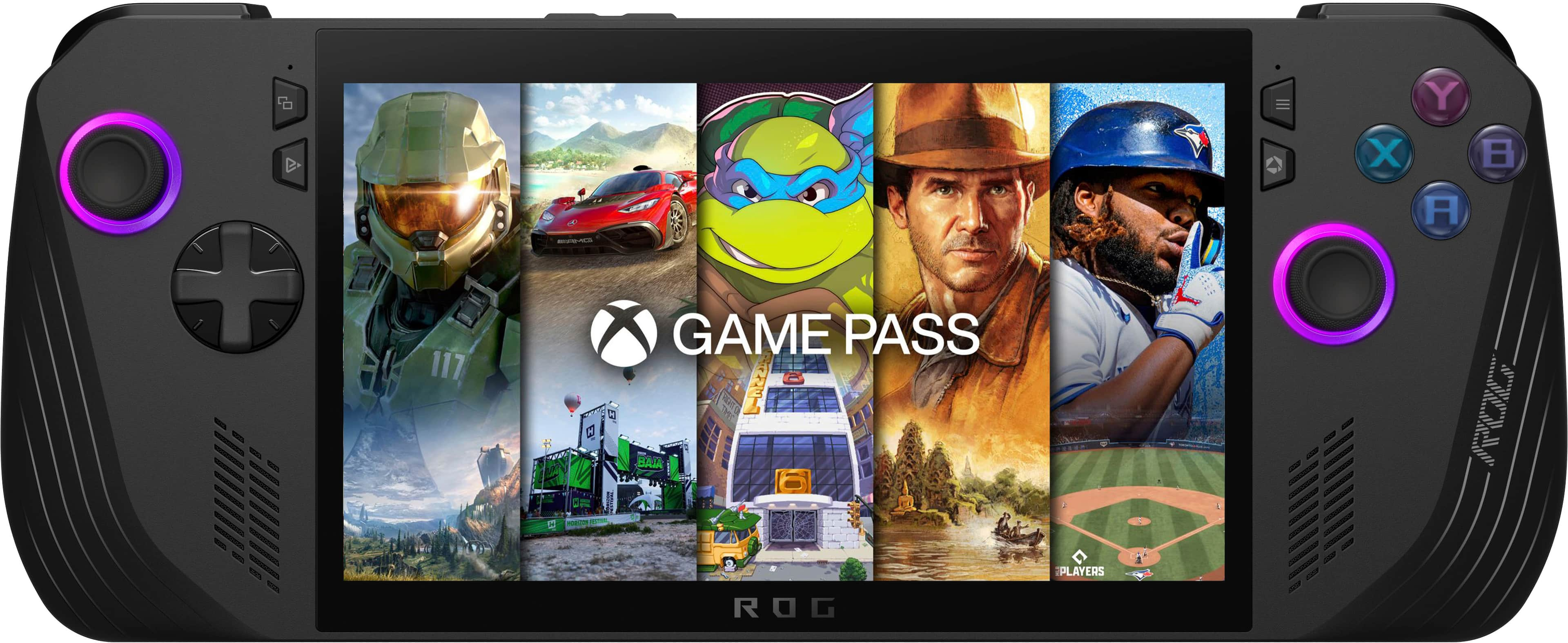
|Posted .This reviewer received promo considerations or sweepstakes entry for writing a review.The Asus ROG Ally X is small, powerful, and checks most of the boxes. I was skeptical that a handheld device with a 7” 1080p screen could offer an engaging gaming experience. I was pleasantly surprised how well the Ally X played games like Call of Duty Black Ops III. I was able to play multiplayer and not completely get my hat handed to me. The screen is very bright. The control sticks feel slightly stiffer than a standard Xbox Controller. The hand grips feel natural and make the Ally X easy to hold. Buttons are setup well. And the software, once you get used it, works well. Overall, I think it is a fantastic product. If you like to fiddle with settings to squeeze the most out of your game and gaming rig then you are going to have a hay-day with the Ally X. Setup: Setup is typical Windows 11 fair. Windows updates took about an hour. Driver updates, Bios update, Asus software updates including Armory Crate took about another hour. I setup Xbox Game Pass and Steam. I also had to setup Battle.net and EA Games to support games such as Call of Duty Modern Warfare III and Diablo 4. After gaming for a few hours, both on AC Power and Battery Power, I noticed that the Ally X was playing at two different power levels. On AC Power, the max power, per the Armory Crate overly, was 30 Watts. On Battery Power is 25Ws. I ran 3DMark’s Port Royal benchmark with AC Power and Battery using the Turbo performance Preset defined in Armory Crate. AC Power score: 3503. Battery Power: 2866. According to 3DMark, 3503 is a Legendary score. Gaming: My experience with gaming was a mixed bag. I made the mistake of starting out with Diablo 4. Diablo 4 does not have an auto calibration routine like some other AAA titles that I will discuss in a moment. Instead, Diablo 4 started with beauty mode dialed to 11. From Armory Crate to character selection screen took about three minutes. From character selection to game took another three minutes. The game was glitchy, 30 FPS was best, and then the system froze for 30 seconds at my first monster encounter. Game recovery reviled a horrific sight of demons bashing the daylights out of my ghost. The remedy was to reduce graphic settings to the bare minimum and then slowly turning up the settings to find the right balance between image quality and performance. Which I found. However, Diablo 4 has a deep item economy that requires a lot of reading and onscreen organization. All on screen text was crystal clear but just too small. Eventually, I put the game down and focused on something more arcade like. Halo Spartan Strike is a top-down shooter with a little Master Chief like spartan in the middle of the screen charging around a big old map with a little tiny gun shooting little tiny grunts. Everything was small. But it was playable out of the box. On battery, CPU maxed around 33% and GPU not much higher. The sound was great, controls were great, and the graphics were as good as 1080P at 7” can provide. Overall, it was a fun experience and more in line, in my opinion, with the kind of games the Ally X is designed for. Which brings me to Forza Horizon 5. Forza starts with a system benchmark designed to balance performance with eye candy at 60 FPS. Like Diablo 4, it took a few minutes for the first time load from Armory Crate to game screen. The benchmark takes about 2 minutes to run. And then I raced around Horizon world doing races, eliminations, and other events at a steady 60 FPS with no issues. Graphics were crisp and clean, sound was solid, controls were responsive, and gameplay was really fun. Unlike Diablo 4, I did not need to spend much time straining my eyes to read text which was a nice bonus. Call of Duty Modern Warfare III was a real treat. I honestly expected this game to stink on the Ally X. I actually turned out to be pretty awesome! First, like Forza, COD ran an auto benchmark to measure the Ally X’s performance. I jumped into a Multiplayer hardpoint match and I was actually ok. I generally cannot keep up in COD. But did a pretty good job on the Ally X. COD’s music and sound affects were the best out of the bunch. I played COD for about two hours before I had to recharge the Ally X. Overall, I am pretty pleased with what I could do with the Ally X. LCD: The 7” LCD is super bright and colorful. I had to turn down the brightness because it was too bright for my eyes. Text is clear and sharp. Shapes are also very clear and sharp. The 120hz refresh does a fantastic job of keeping images moving stutter and artifact free. Honestly, the only thing I can think of that would make this screen better is to go full OLED. But, I think that would cause too much of a battery drain. Touch is a different story. The screen is a 10-point touch screen. However, adult fingers are huge compared to the objects on screen. Either my finger obscures what I am trying to click on; such as a check box, scroll bar arrow, or some other interactive windows feature. Or my finger tip is too big to give Windows a precise location of what I am trying to activate with my finger. I hooked up a USB mouse with a USB A to USB C adapter during system setup simply to make the setup and configuration process easier. I did try to setup a MS Surface Pen, MS Surface Pen Pro, and a Samsung Stylus that I had. The Ally X recognized and loaded drivers for the Pen Pro but did not support any input from the pen. In my opinion, the Ally X really could use stylus. Connecting a mouse seems to defeat the purpose of having a portable system. In summary, touch works both in Windows and in games. It is just a bit clunky in my opinion. Comfort: At first, I felt a bit intimidated due to the size and weight of the Ally X. Things started to feel more natural and familiar after about an hour of use. The sticks and buttons are setup well and close enough to not be an issue for me. The bumpers are spaced well and have a nice texture to prevent slipping. The hand grips feel very natural. The only issue I have are the macro buttons. They are simply too low to feel natural for my hand position. I think a few millimeters up towards the exhaust fan would make them more useful for me. Otherwise, I find the system comfortable to hold and operate. Heat and fan Noise: The Ally X will run hot during gameplay. But the heat will never make it to your hands. The fans will spin up to 100% during heavy use but are mostly quiet. Like a quite swoosh. Not a leaf blower woosh like you will find on almost every gaming laptop on the market. Asus stated that they change the fan design and I think it was for the better. The AC power supply will get very hot during gaming sessions and battery charging. I measured the heat of the AC power supply during battery charging and got a reading of 148F. Be sure to give the power supply ample ventilation when in use. Sound: Sound for both Forza Horizon 5 and Call of Duty were top notch. The Ally X speakers were powerful, clear, and loud. They will cause distortion, and annoying everything in the room, when above 50%. During my game play, I kept the volume between 10% to 20% and found the speakers loud enough to still annoy everyone around me. The speakers do better with high and high mid frequencies. Lower mid sound good. Bass frequencies are outside the speakers frequency response. Quality headphones may provide more frequency response, have greater immersion with your games, and are less likely to upset those in the room who are not as excited about Mortal Combat as you are. Armory Crate: This edition of Armory Crate is spot on. It is much easier to navigate then the desktop and laptop version. Integration with the different gaming services is a hit of miss experience that Asus only has so much control over. The games menu makes every game on the system easy to access and configure. Armory Crate auto launches at windows start-up. Which is great because the Ally X is for gaming and not email. Every game I loaded from each gaming service is present in the Armory Crate games menu. Navigating the menus to find what you want is quick and easy. Armory Crate, as well as Command Center, are mapped to two of the buttons that flank the monitor. A single press will pop either up giving quick access to settings that would otherwise require you to task out of the game, turn on/off, and then task switch back into the game. One feature I use a lot is the on-screen display for CPU %, CPU Frequency, GPU %, GPU frequency, Battery %, FPS, and, depending on the level of detail available, I can even see the wattage level the unit is running at. Armory Crate will also allow the configuration of customer fan curves, stick and button calibration, lighting, and other useful features specific to the Ally X. Final thoughts: Overall, I am really enjoying the Ally X. Fast paced Arcade style games seem best for my usages. Text heavy games are simply no fun due to the size of the text and the age of my eyes. I’m sure if I were a 20 something then I am sure text size would not be an issue for me. I like how Armory Crate is laid out. The amount of system memory, GPU memory, and system storage is fantastic for a system of this size. And performance exceeds my expectations for a Windows gaming computer of this size.
I would recommend this to a friend - Pros mentioned:Overall performance
Great for its price
||Posted . Owned for 2 months when reviewed.This reviewer received promo considerations or sweepstakes entry for writing a review.I entered the PC handheld in 2023 with the Steam deck and switched to the OG Ally on day one, i did the same with the Ally X, and so far, the experience for the most part has been very positive.
I would recommend this to a friend - Pros mentioned:Overall performance
The ultimate handheld
||Posted . Owned for 2 weeks when reviewed.This reviewer received promo considerations or sweepstakes entry for writing a review.Just buy one, it's a very powerful handheld device thats only going to improve with future updates
I would recommend this to a friend - Pros mentioned:Overall performance
Awesome handheld
||Posted . Owned for 3 weeks when reviewed.This reviewer received promo considerations or sweepstakes entry for writing a review.I love this thing, Best Buy had a great deal on it! Plays triple a games from the comfort of my couch everyone should buy one
I would recommend this to a friend Great for travel
||Posted .This reviewer received promo considerations or sweepstakes entry for writing a review.Definitely a powerful gaming handheld great for traveling definitely a plus that it runs windows 11 being able to do normal desktop things. Pretty good FPS
I would recommend this to a friend- Pros mentioned:Overall performance
great Portable PC
||Posted .This reviewer received promo considerations or sweepstakes entry for writing a review.Great Lil Powerhouse of a handheld PC, husband loves using it as his Personal gaming PC
I would recommend this to a friend - Pros mentioned:Screen quality
Better then Steam Deck Oled
||Posted . Owned for 2 weeks when reviewed.This reviewer received promo considerations or sweepstakes entry for writing a review.I had the steam deck oled and it’s definitely an upgrade. Truest me you won’t miss the oled screen.
I would recommend this to a friend - Pros mentioned:Overall performance
Worth it!
||Posted . Owned for 2 weeks when reviewed.This reviewer received promo considerations or sweepstakes entry for writing a review.Love this thing. The OG Ally was good enough but I went for something better. Been building PCs for years and while I love raw power, I am impressed how well this handles games. Love having a PC in my hands!
I would recommend this to a friend - Pros mentioned:Overall performance
Great Equipment
||Posted . Owned for 4 months when reviewed.This reviewer received promo considerations or sweepstakes entry for writing a review.Great hand held gaming equipment. Also great for using as alternative for my Laptop, able to use my office applications.
I would recommend this to a friend - Pros mentioned:Overall performance
ASUS ROG ALLY X
||Posted . Owned for 2 weeks when reviewed.This reviewer received promo considerations or sweepstakes entry for writing a review.Solid device don’t buy a stream deck this is way better. I’ve run games like GOD R and Marvel rivals on 70fps. Highly recommend if u don’t have a pc yet.
I would recommend this to a friend - Pros mentioned:Overall performance
MULTIPURPOSE MACHINE
||Posted . Owned for 1 week when reviewed.This reviewer received promo considerations or sweepstakes entry for writing a review.Excellent gaming machine, apart from having Windows, you can work on it. Two combinations of fun and work at the same time.
I would recommend this to a friend - Pros mentioned:Overall performance
Ally Rog X
||Posted . Owned for 1 month when reviewed.This reviewer received promo considerations or sweepstakes entry for writing a review.Best handleheld the rog ally x is by far a best i got a dock station for it 100w charger it is a beast period
I would recommend this to a friend - Pros mentioned:Overall performance
Real portable than gaming laptop
||Posted . Owned for 1 month when reviewed.This reviewer received promo considerations or sweepstakes entry for writing a review.Black Ops 6 runs this at 100 frames per second, which is nice, also Fortnite as well.
I would recommend this to a friend