Customer Ratings & Reviews

















- Model:
- RC72LA-ALLYX.Z1X
- SKU:
- 6583218
Rating by feature
- Performance
Rating 4.8 out of 5 stars
- Storage Capacity
Rating 4.7 out of 5 stars
- Controller
Rating 4.7 out of 5 stars
Customers are saying
Customers often highlight the ROG Ally X's overall performance, improved battery life, and ideal balance of portability and power as key strengths. The device also receives positive feedback for its screen quality, game compatibility, storage capacity, ample RAM, efficient heat dissipation, and acceptable noise levels. While the device is considered a bit heavy, the primary concern appears to be the user experience with the operating system.
This summary was generated by AI based on customer reviews.
- Pros mentioned:Overall performance
Best Long-term Purchase
||Posted . Owned for 1 week when reviewed.This reviewer received promo considerations or sweepstakes entry for writing a review.It’s a handheld gaming PC, capable of playing all your favorite PC games, access to Steam, the Remote PS app to play your PS5 games portable and also Microsoft Office. If you’re a gamer, this is better than having any iPad or tablet.
I would recommend this to a friend - Pros mentioned:Overall performance, Screen quality
great idea, too many issues.
||Posted .This reviewer received promo considerations or sweepstakes entry for writing a review.on paper this is an incredible machine, but there is so many things that can go wrong with these little guys. i will start with the pros first. 120hz screen, windows 11, powerfully amd processor. you can docj the machine and use a external 120hz+ monitor and play games with mouse and keyboard or with controller or whatever yoy wish (i have included a photo of my setup) and when it actually works it works great.. id say it works as good as like a ps4 pro. now for the cons my example suffers from the lcd getting too hot and turning black in certain areas. and my wifi adaptor stopped working, which basically renders the device useless to me as its supposed to be portable and i cant hook it up to ethernet in like 90% of hotels . i know the white versions suffer the same plus another issue where the sd card slot fries itself ( a buddy of mine suffers this) maybe the next generation of these will be better and less faulty. but for now i will seek a refund or a exchange for mine. i have about 10hours total game time on it and its already starting to show its flaws which is 100% unacceptable for a gaming device. now for the bad thinfs
No, I would not recommend this to a friendBrand response from ASUS Answers
Posted .Dear Cris,
We sincerely apologize for the system performance issues you've faced with the ROG Ally X and for the inconvenience this may have caused you. This is not the kind of quality to expect from our products, and it's not the norm. To troubleshoot the wireless connectivity issue you're currently experiencing, we recommend following the steps in the FAQ below. Should the issue persist, please contact our support team at https://www.asus.com/us/support/CallUs to further investigate the problem or assist with repairing the device.
We stand behind our products and continuously strive to improve our products and processes to achieve customer service excellence. For more information, email us at customerloyalty@asus.com and include the case number "N2407030210-0057" as a reference. We will do our best to resolve your case quickly. Your feedback is very important to us and enables us to improve our support channels. Thank you for choosing ASUS.
Best Regards,
Chantae
ASUS Customer Loyalty US Support
[Windows 11/10] Troubleshooting - Wireless Network (Wi-Fi) Issues - https://www.asus.com/support/faq/1015073/
- Pros mentioned:Battery life
Rog Ally X - the best or nothing
||Posted . Owned for 2 weeks when reviewed.This reviewer received promo considerations or sweepstakes entry for writing a review.Love this product. I was skeptical about it but was amazed at the speed, power, and battery life. Best Buy instore rep in Stockton also provided me with detailed info on this product. I'm loving it!
I would recommend this to a friend - Pros mentioned:Portability
Awesome!
||Posted . Owned for 2 weeks when reviewed.This reviewer received promo considerations or sweepstakes entry for writing a review.Great for gaming on the go! I was debating between this and a Steam deck when I found out I could play any of my games on multiple platforms (Steam, Ubisoft, Xbox, etc…) this choice was a no brainer.
I would recommend this to a friend - Pros mentioned:Overall performance
Very powerful handheld
||Posted .This reviewer received promo considerations or sweepstakes entry for writing a review.Very powerful handheld! Using with Lossless scale its basically a high end Gaming PC
I would recommend this to a friend - Pros mentioned:Overall performance
Open box and have no regrets
||Posted .This reviewer received promo considerations or sweepstakes entry for writing a review.Got this open boxed and honestly have not put it down since. Works great and with a newborn, it is much easier to navigate than a laptop.
I would recommend this to a friend - Pros mentioned:Overall performance
Phenomenal device
||Posted . Owned for 4 months when reviewed.This reviewer received promo considerations or sweepstakes entry for writing a review.Phenomenal device. Its very powerful. Plays everything i want. Emulation is also a beast
I would recommend this to a friend - Pros mentioned:Overall performance
ROG Ally Is Perfect
||Posted .This reviewer received promo considerations or sweepstakes entry for writing a review.Best handheld pc ive owned! I make music, edit, graphic design, game, and much more from anywhere! Full charges quickly and lasts for hours
I would recommend this to a friend - Pros mentioned:Overall performance
Hands Down - Best Handheld!
||Posted . Owned for 1 month when reviewed.This reviewer received promo considerations or sweepstakes entry for writing a review.From Steam Deck, Legion GO, and now Ally X. It is hands down the best mainstream handheld gaming machine. It has the features of windows so you can play everything. Black Ops 6? Runs perfect. NBA2K25 no problems. Any game you have it can run
I would recommend this to a friend - Pros mentioned:Overall performance
So far its great
||Posted . Owned for less than 1 week when reviewed.This reviewer received promo considerations or sweepstakes entry for writing a review.I have only had it for a day. But i played warzone on it last night for almost 2 hours and it did great. Played PGA this morning no problems. I have 2 gaming PCs and this is nice to be able to have that same feel but be able to lay on the couch/bed to play it.
I would recommend this to a friend - Pros mentioned:Overall performance
The “Best” Buy
||Posted . Owned for 1 month when reviewed.This reviewer received promo considerations or sweepstakes entry for writing a review.Item was as described & in excellent condition. This is currently the best pc handheld on the market (in my opinion). Buy with confidence!
I would recommend this to a friend - Pros mentioned:Screen quality
One of the best currently on market :)
||Posted . Owned for less than 1 week when reviewed.This reviewer received promo considerations or sweepstakes entry for writing a review.Owning OG Ally and now just got couple hours ago X huge impuvements from OG Ally in almost all components only CPU and Screen the same. Feels very solid made no issues at all, was little warried since first rev. but all great. Averall amazing product.
I would recommend this to a friend - Pros mentioned:Overall performance
Excellent device
||Posted .This reviewer received promo considerations or sweepstakes entry for writing a review.Excellent device. It runs most of the games at good quality and latency. Pretty good support
I would recommend this to a friend - Pros mentioned:Battery life
Nice upgrade to the original
||Posted . Owned for 1 month when reviewed.This reviewer received promo considerations or sweepstakes entry for writing a review.The Rog Ally X has all of the benefits of the original along with some quality of life improvements such as a much better battery life, 8gb of added RAM and an improved SD card slot
I would recommend this to a friend - Pros mentioned:Overall performance
Incredible gaming system
||Posted .This reviewer received promo considerations or sweepstakes entry for writing a review.The best video game system I've ever bought. The graphics and everything would blow your mind
I would recommend this to a friend - Pros mentioned:Overall performance
Great handheld with small quirks
||Posted . Owned for 2 weeks when reviewed.This reviewer received promo considerations or sweepstakes entry for writing a review.Handheld performs great. Windows 11 comes with some UI quirks that are nothing more than an inconvenience, however the OS allows for more versatility in the use of the handheld compared to other similar devices.
I would recommend this to a friend Still recommend over the Xbox version
||Posted .This reviewer received promo considerations or sweepstakes entry for writing a review.For what this device can do, it is very impressive. The battery life is great, however the only issue I have with this handheld is that the sticks feel a bit off. Some people say it may be due to cardinal snapping, however I still recommend this device over the Xbox Ally X, since you can buy a 3rd party case that almost matches the updated ergonomics.
I would recommend this to a friend- Pros mentioned:Overall performance
This Ally is Awesome!
||Posted . Owned for 6 months when reviewed.This reviewer received promo considerations or sweepstakes entry for writing a review.Technology has come a long way. This Ally is amazing. I can play lots of titles. It’s a mini computer. Easy to use.
I would recommend this to a friend - Pros mentioned:Battery life
Best handheld console I have
||Posted . Owned for 1 week when reviewed.This reviewer received promo considerations or sweepstakes entry for writing a review.I really like the handheld game pad! And it's a window pc too! The battery is double so that I can play 4 hours without charging, so nice!
I would recommend this to a friend - Pros mentioned:Battery life, Overall performance, Screen qualityCons mentioned:Weight

A Refreshing Update
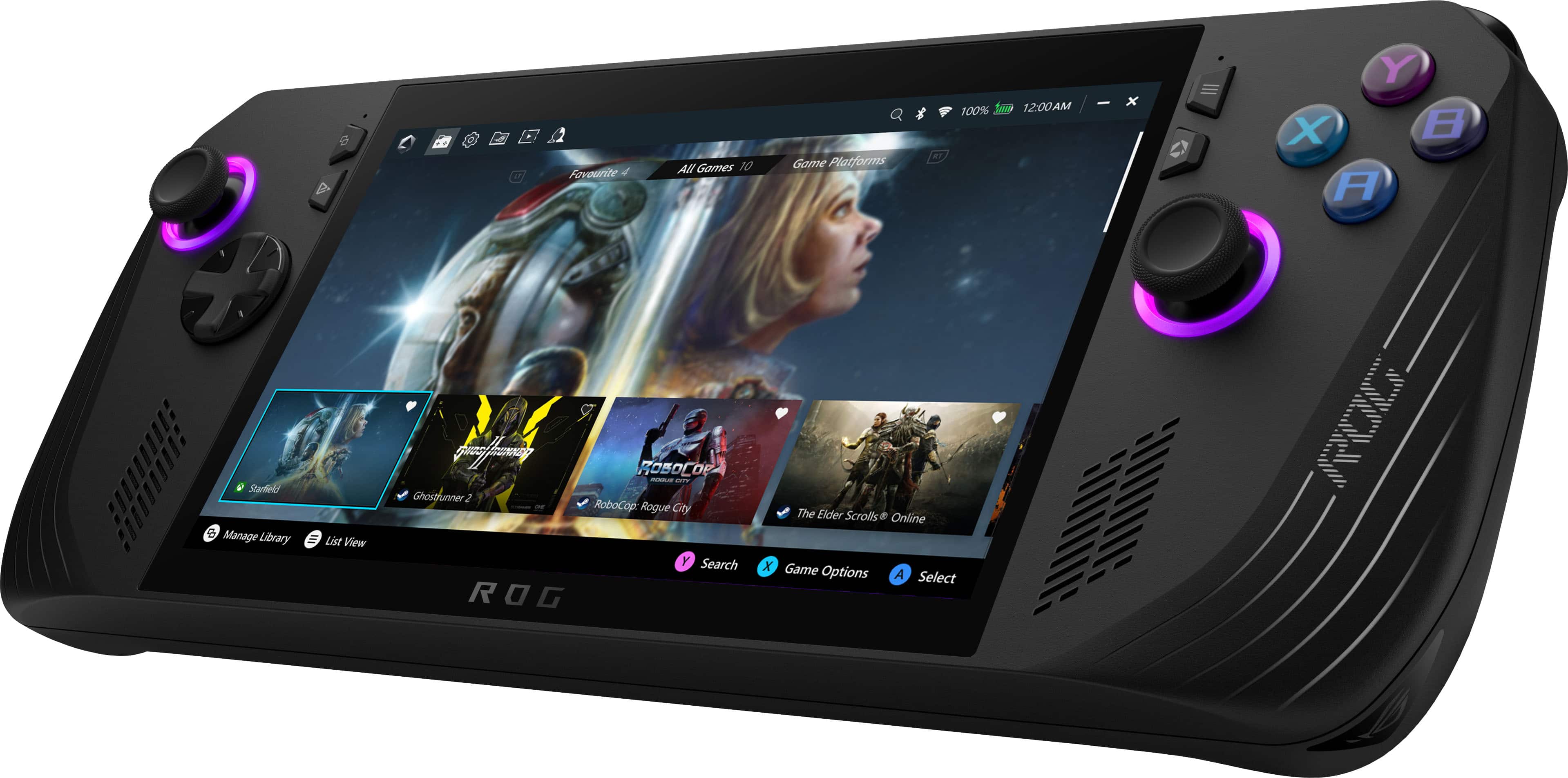
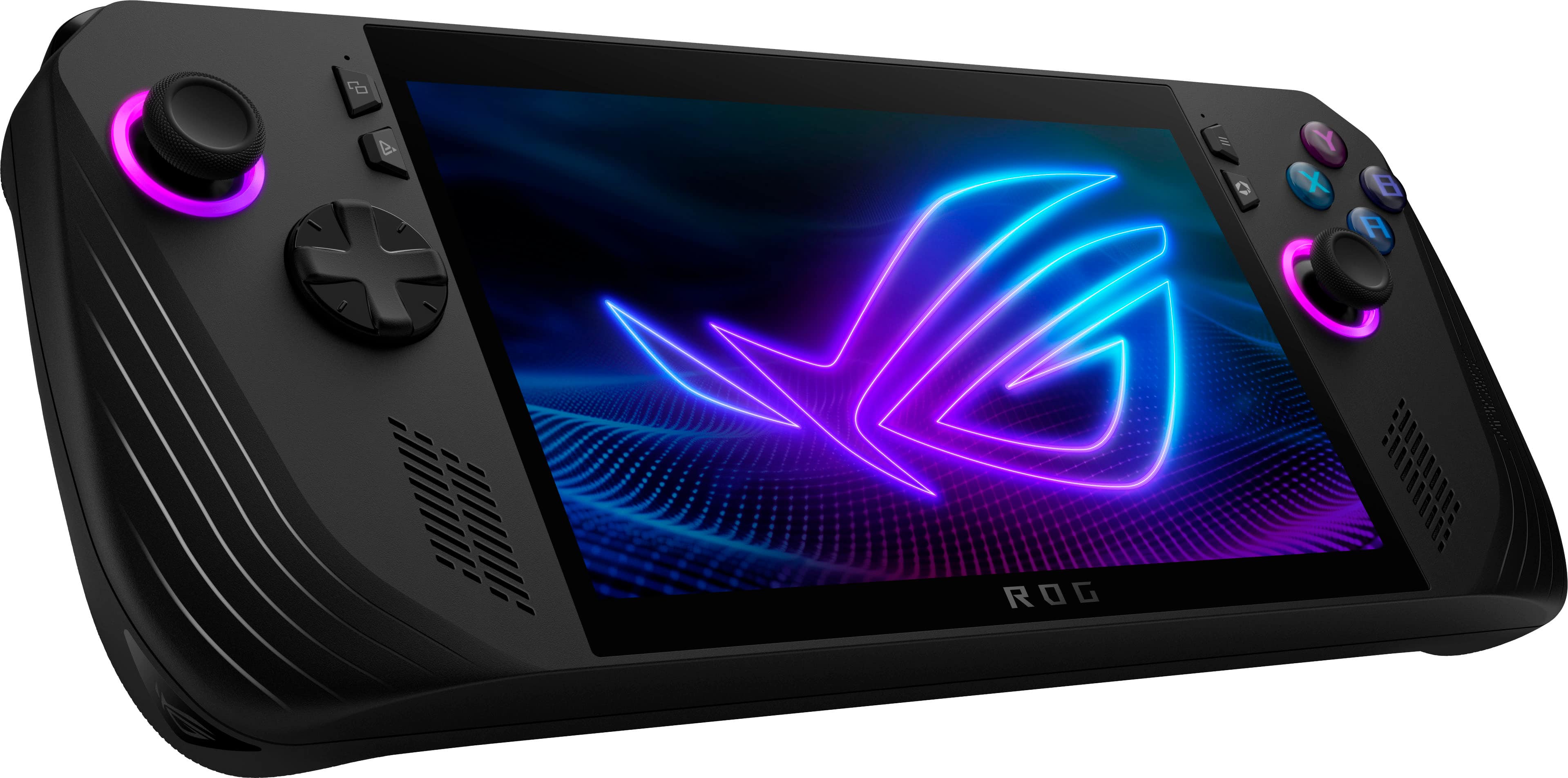
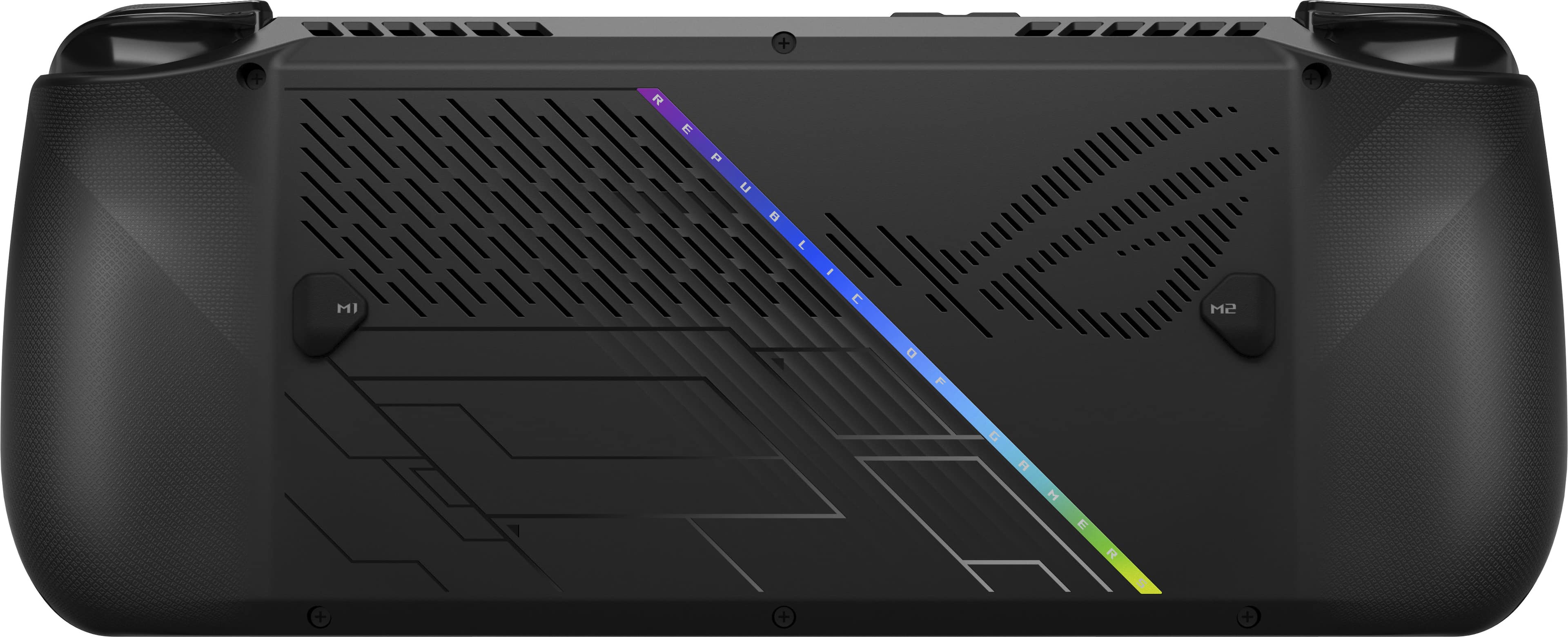
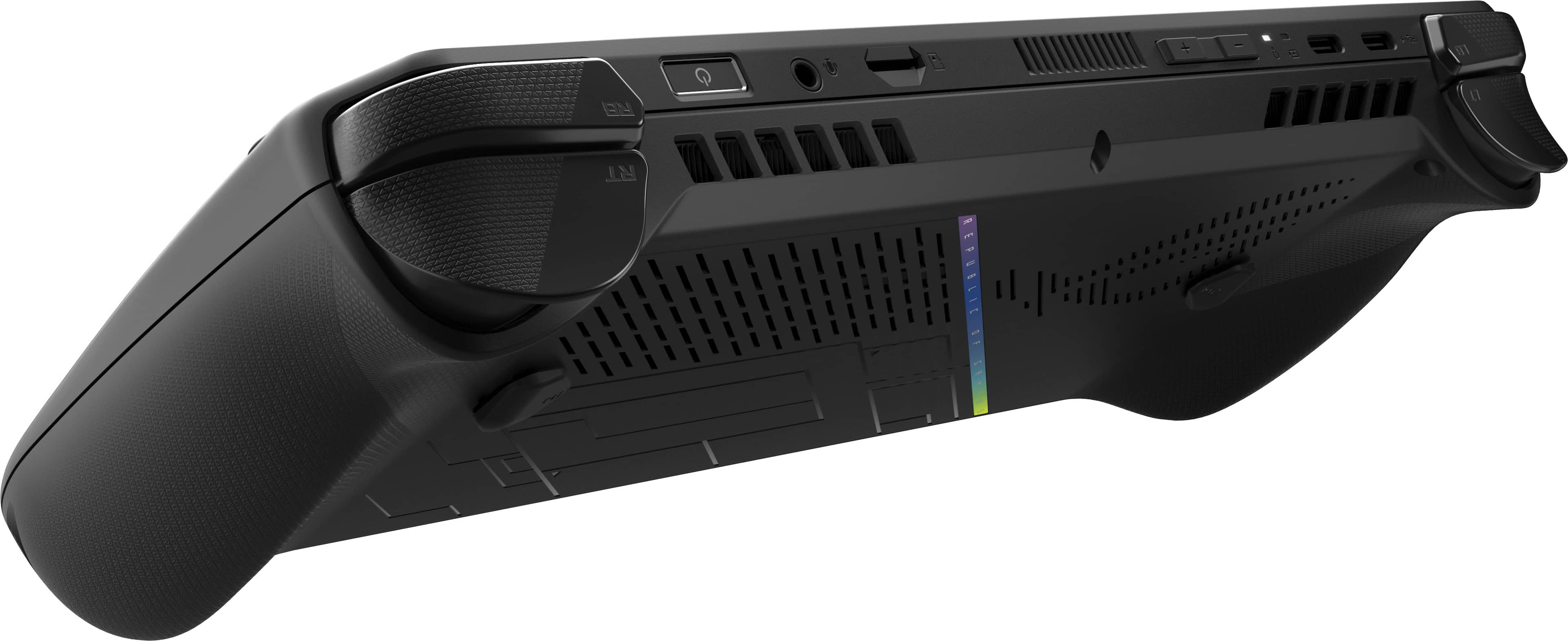
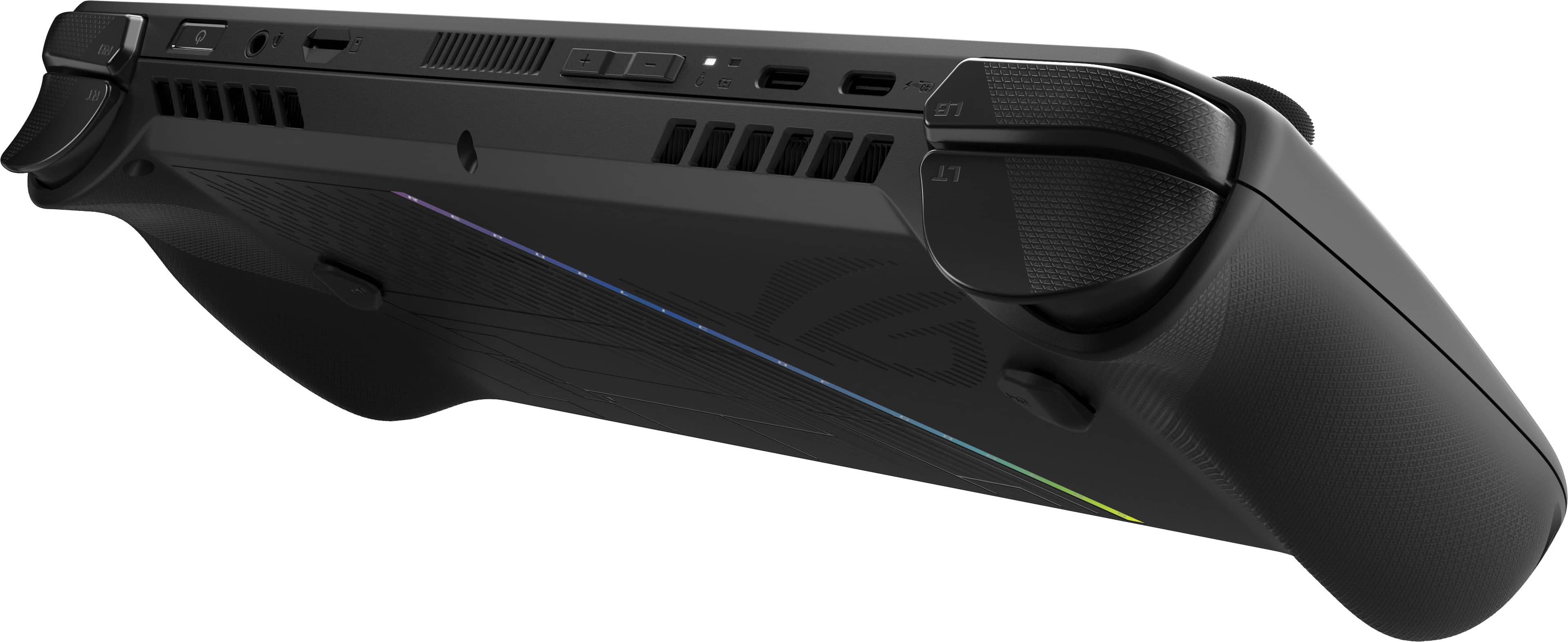
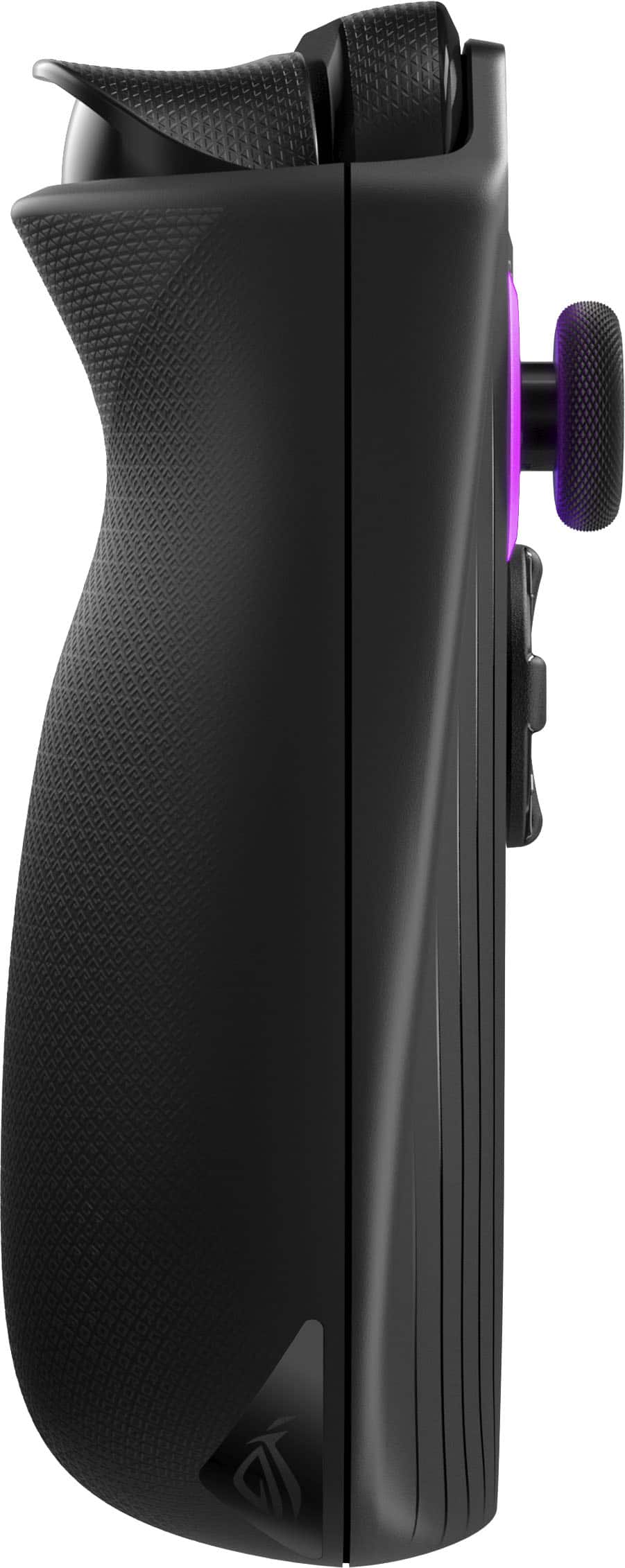
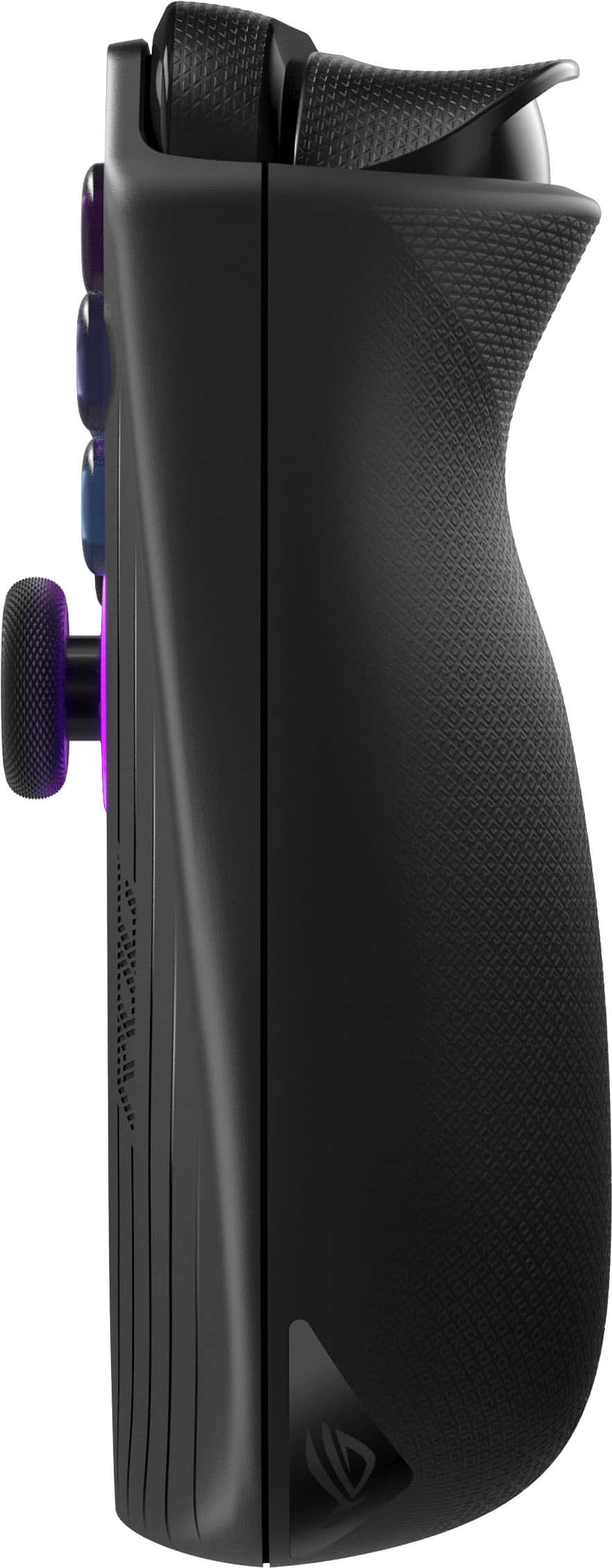
|Posted .This reviewer received promo considerations or sweepstakes entry for writing a review.Handheld PCs have exploded in popularity in the last couple years, and much hype was given to the original ASUS ROG Ally. While the final product’s execution was good, there was still plenty of room for improvement for future models. The ROG Ally X represents the next revision of the popular handheld, addressing nearly every major shortcoming of the original. - Unboxing and Setup Like the original ROG Ally models before it, the Ally X ships with just the essentials: a 65W power cable and a cleverly-packaged stand made out of its recyclable cardboard box. Compared to the first-generation Ally, the Ally X is a couple ounces heavier due largely in part to doubling the size of the internal battery, and the console’s contours are much more prominent for improved comfort in the hand. Some changes were made to the controller buttons and joysticks for this mid-generation refresh, which now feel much more in line with Xbox Series controllers instead of third-party ones. Plug in the Ally X, power it on, and you’re greeted with the familiar Windows 11 setup sequence, which just like with the Ally before it, is the biggest shortcoming of the whole device - Windows is still a desktop-first OS. Entering text with the on-screen keyboard is cumbersome and slow, and tapping the touchscreen to register mouse clicks can become infuriating. Connecting a keyboard and mouse to the Ally X makes the process of setting the device up and installing games much easier. Since it’s running Windows 11 natively, the Ally family of consoles support nearly every game and software application made for Windows PCs since the 90s, as well as every modern game that has anti-cheat software or DRM that other handhelds can’t overcome. However, this does not mean that any given game will work out of the box. This is still a gaming PC, and you’ll need to take some time to configure most titles to run and look their best. - Ally X System Changes The Ally X shares the same AMD Z1 Extreme APU as its predecessor, packing 8 Zen4 CPU cores and 12 RDNA3 GPU cores comprising what would be labeled a Radeon 780M in any other guise (indeed, specs of the Z1 Extreme are nearly identical to AMD’s last-generation low voltage 7840u). The major hardware change the Ally X brings is in its memory configuration - faster LPDDR5X is used to bring memory speed up to 7500Mhz (from 6400), and RAM capacity has increased from 16GB to 24GB total. The upgrade makes a significant difference with the Ally X. Graphics performance of the Z1 Extreme is improved about 10% overall, but the extended memory capacity alleviates virtually all bottlenecking seen on the 16GB models. In short, the AMD Z1 Extreme uses a portion of the system memory as graphics card memory, so on 16GB models it was not difficult to max out the memory while gaming. When this occurs, the system swaps data in and out from the SSD, which causes stutter and micro-freezes as the system catches up with game demands. By default, the Ally X configures the 24GB system memory such that 16GB is treated as RAM, and 8GB is treated as dedicated VRAM. This allows virtually every game available today to run stutter-free, though memory allocation can be tuned in the BIOS. - Performance & Power Profiles Beyond the hardware changes, ASUS has taken advantage of the upgraded battery to tweak the power profiles of the Ally X, which now default to a 17-watt “Performance” profile (which was 15W previously). Two extra watts make a big difference in power, as framerates in the Performance profile land within single-digit percentages of the Turbo (25W) profile in direct comparions. I had no trouble hitting 60FPS in most of the games I own with High details (Wreckfest, Mortal Kombat 11, Halo: Master Chief Collection), with only a few needing to drop to Medium (Forza Horizon 5, Control) while retaining High textures for a consistent, high fidelity gaming experience. Like previous models, ASUS opts for user-switchable performance modes that change the power target of the Z1 Extreme. User-configurable as low as 7 watts, default modes are Turbo (25W battery, 30W on AC), Performance (17W), and Silent (13W). Performance mainly pulls back GPU performance, while Silent pulls both CPU and GPU power down to maximize battery life. I found Performance to be the best balance of power consumption to graphics muscle - performance gains at Turbo were minimal compared to the hit in battery life. - Noise & Thermals ASUS notes a redesigned cooling solution for the Ally X, featuring fans with thinner blades, a rearranged heatpipe system, and relocated ports to avoid excess heat from reaching the SD card slot. All told, the cooling performance of the Ally X is a marked improvement as fan noise is so minimal as to be unnoticeable when using the Performance preset with a heavy gaming load. At full bore, the fans are still reasonably quiet, getting no louder than a thin and light office laptop might under the same level of duress. Thermal performance varies based on the power mode in use, but with the Performance preset the Z1 Extreme is kept well within operating limits. I saw a peak of 76C at 17W power, which is nearly 25C below the chip’s throttle point. Since the APU is located centrally with heat pipes and fans located away from where your hands sit, the Ally never feels hot to the touch. - Screen & Battery The Ally X shares the same 120Hz, IPS, 100% sRGB panel as the original Ally, and is still gorgeous to behold. Its FreeSync implementation is not the best I’ve used, but it definitely helps keep noticeable framerate dips to a minimum. The panel can be manually toggled to 60Hz mode for better battery life. The Ally X’s battery is an enormous improvement for the device overall. With double the capacity (80WHr) of the previous model, runtime is greatly improved to the point that even with the Performance power profile, I achieved over 3 hours of graphically intense gameplay before the system threw a low battery (<10%) notification. Though perhaps not as impressive as some other handhelds in the segment, this is still proper PC gaming on the go without much, if any compromise. Manually configuring a 9W power profile and dimming the screen slightly, I was able to eke out 7 hours of mixed video streaming and indie gaming. Note that these battery results are from the latest BIOS available as of July 26, 2024. Extra life may be gained through future BIOS updates. - ASUS Control Center & Armoury Crate SE These two programs ship with the ROG Ally’s Windows installation, and both are immediately accessible via shortcut buttons next to the screen. Control Center is an overlay that allows quick toggles of the most common system settings, and can be configured to display any combination of them. The overlay worked reliably in my testing, letting me change power modes and control schemes on the fly - including the ability to toggle the controller buttons to a “Desktop” mode, where the right stick controls the mouse and shoulder buttons click. Each of the controller buttons can be configured to custom bindings or macros and saved to individual app profiles. Armoury Crate SE is a handy launcher and control profiler that consolidates game shortcuts automatically - unifying multiple storefronts and local installations into a single launcher that can be called at any time. Though not a flashy launcher, once games have been installed and configured for play it’s nearly seamless to boot the Ally, play games, and shut the system down without seeing the Windows desktop. For the launch of the Ally X, Armoury Crate SE saw an update to version 1.5 for all Ally models. The updated launcher is noticeably more responsive and better laid out. - Upgradeability, Quality Control With a redesigned system board, the Ally X now uses the common M.2 2280 size SSD instead of the rarer, and usually more expensive 2230 size. This is user-upgradeable by removing the rear casing, and the disk is immediately visible and easy to change out. Similarly, major components of the Ally X’s integrated controller such as joysticks and shoulder triggers are on modular daughterboards, which should make future repair, replacement, or even upgrades possible. The core system (CPU, GPU, memory) is not upgradeable, as to be expected with an APU. I would be remiss not to mention ASUS’ current track record for both quality control and customer service. My unit has no QC flaws I can find, though my first Ally did (see my Best Buy review titled “The Italian Sports Car of PC Gaming” on the Z1 Extreme Ally model). I have no firsthand experience with ASUS customer service, but as with any company I highly recommend keeping records of all communication for warranty matters, as well as taking pictures of the device immediately before sending for return, and making copies of any provided documents or shipping information. Remember that warranty repairs are separate matters from the cosmetic condition of a unit, but major damage can be grounds to invalidate a warranty claim. - Bottom Line A flawed but popular device is usually worth waiting for the next revision, and with the ASUS ROG Ally X, the refinement for what’s just short of a second generation device is substantial. Most of the major flaws of the original Ally are resolved, and what’s left is a capable, portable, and compatible handheld that makes full power PC gaming on the go much more palatable. That all being said, the revised device comes with a revised price. Had this matched the Ally’s original $649 MSRP it would have been an easy recommendation, but $799 is a harder sell. If you’re looking for a plug-and-play solution to play your PC games on the go, there are many options below this price point worth researching. But if you must have the most powerful PC gaming handheld on the market today, you won’t find a more powerful device in this form factor, and the Ally X comes recommended.
I would recommend this to a friend