Customer Ratings & Reviews

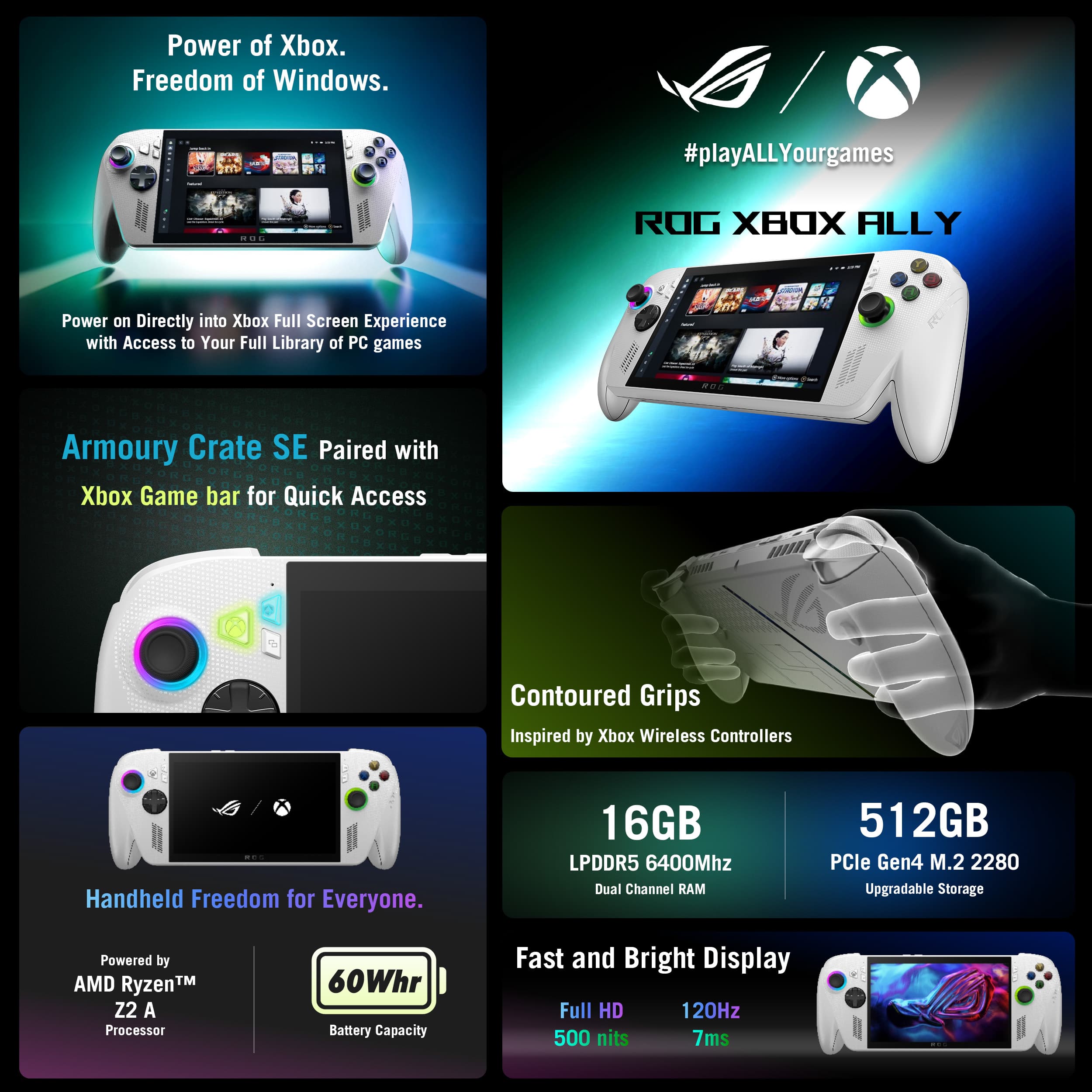
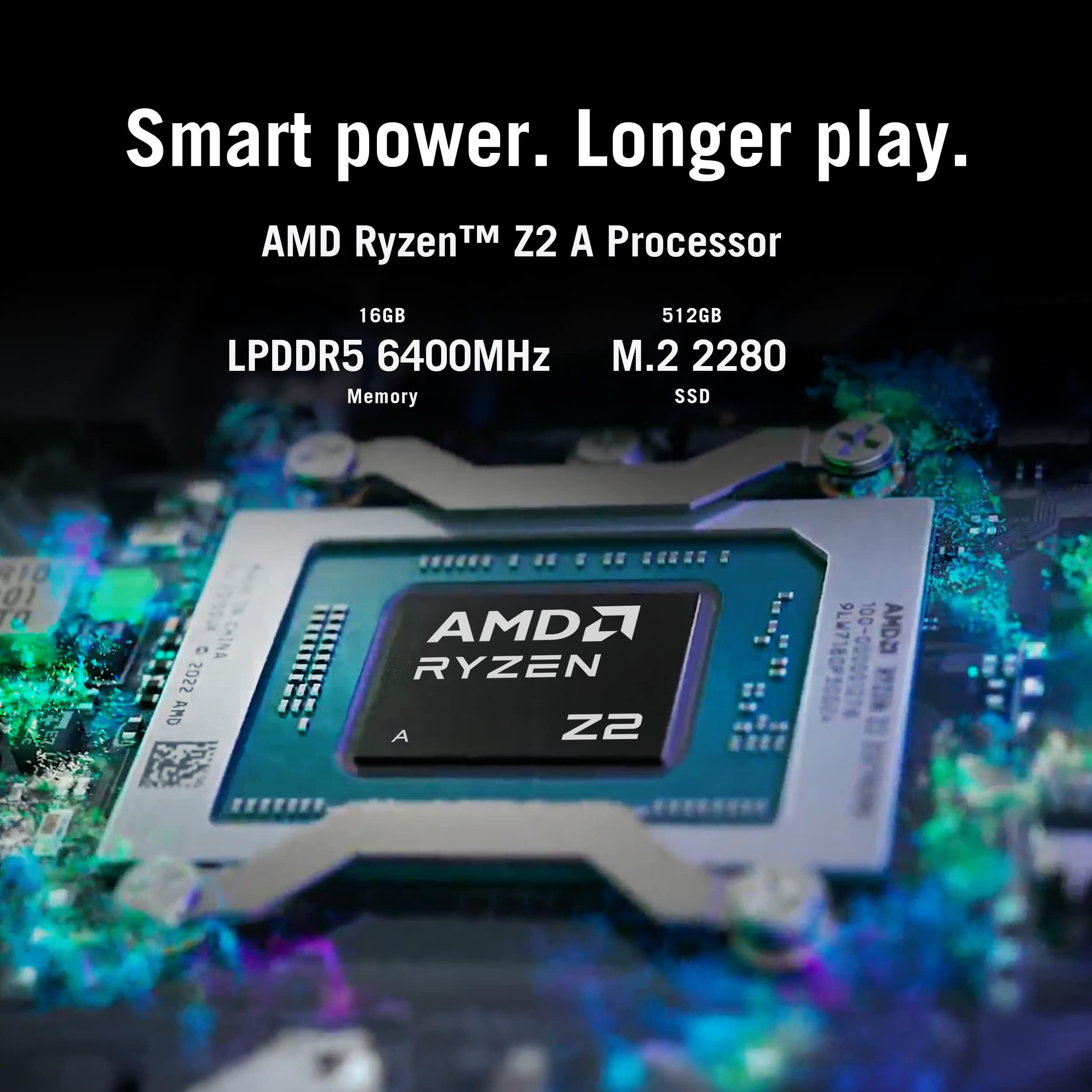
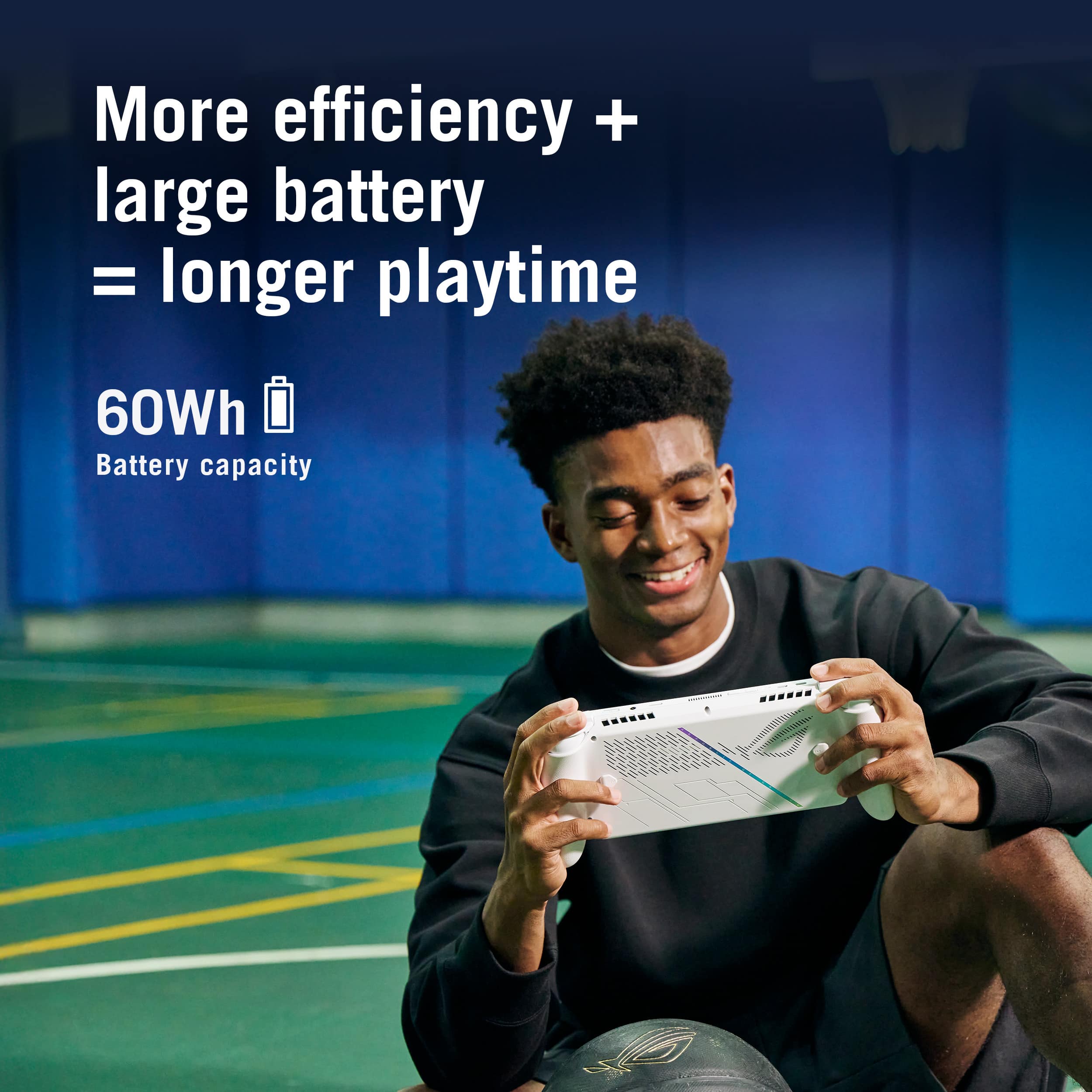
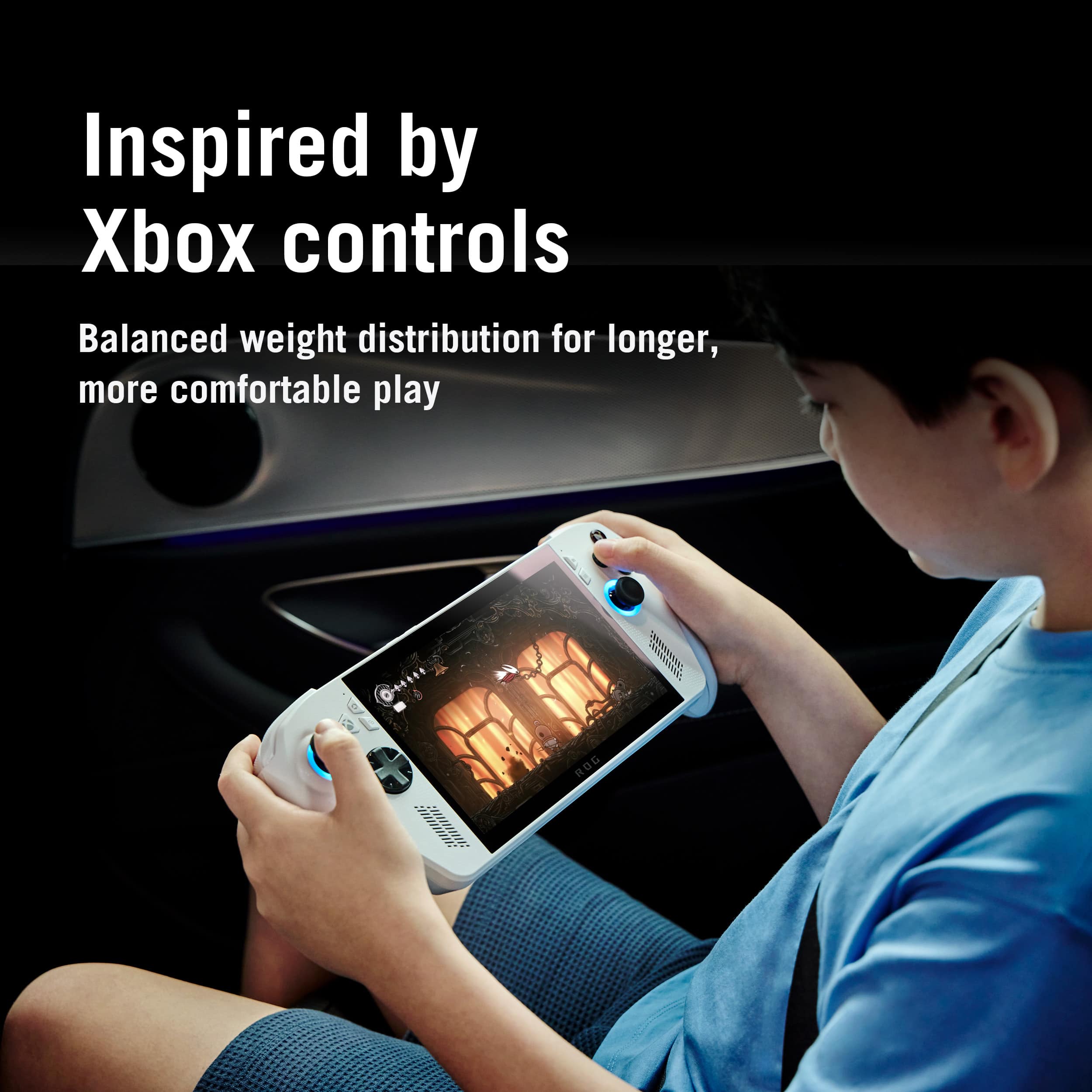
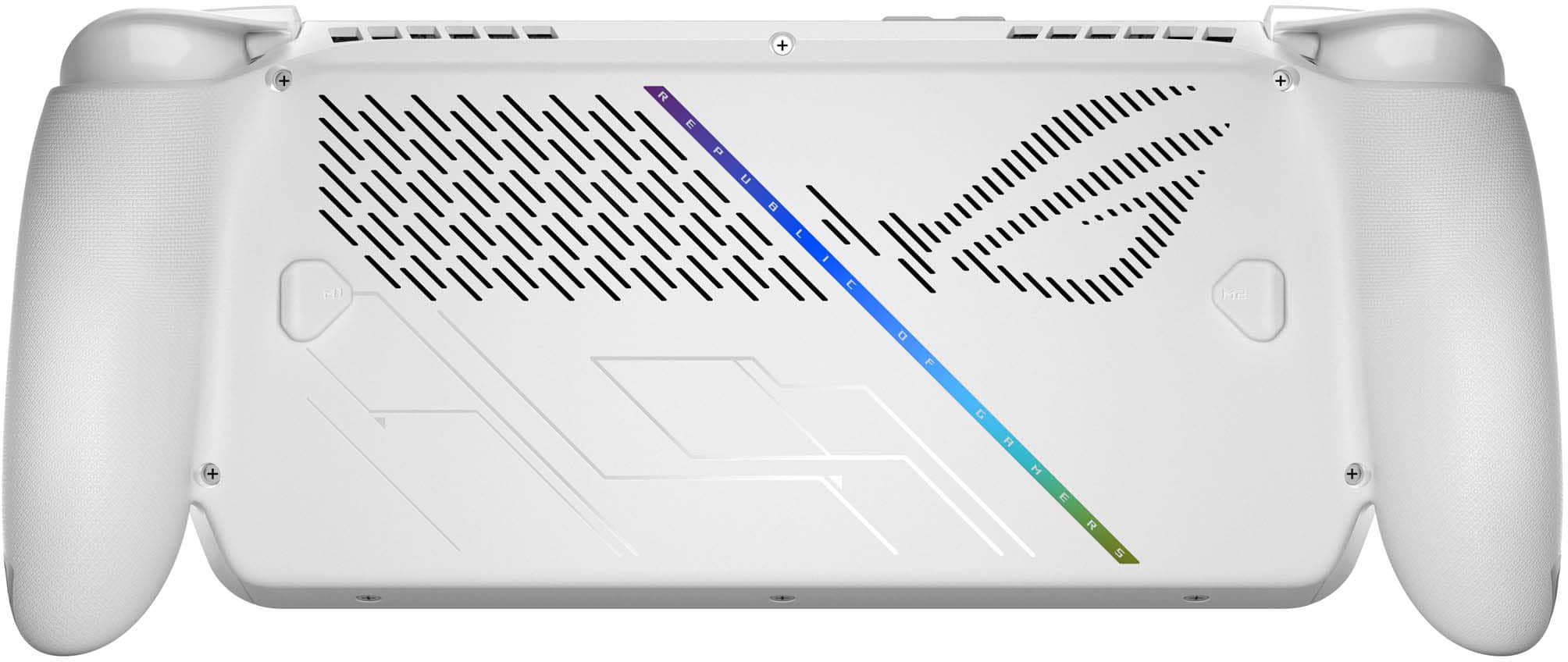
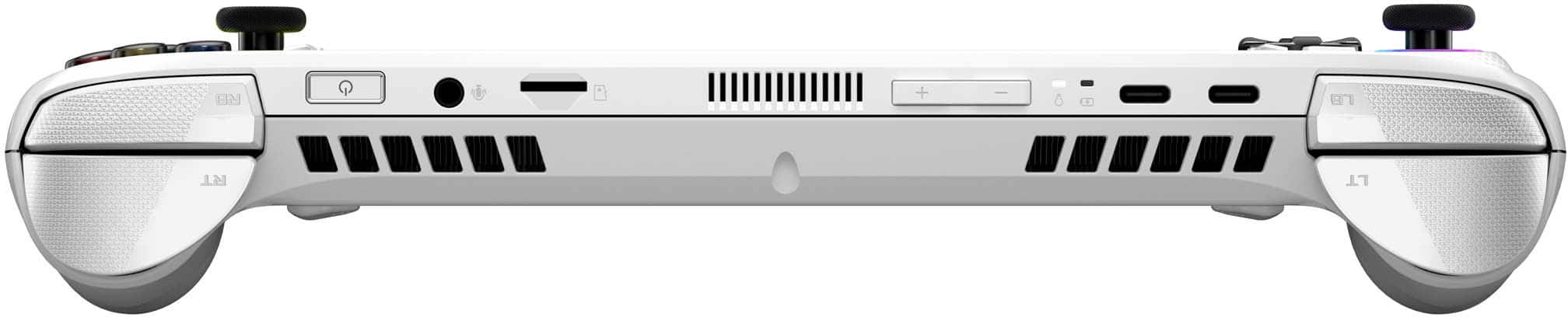
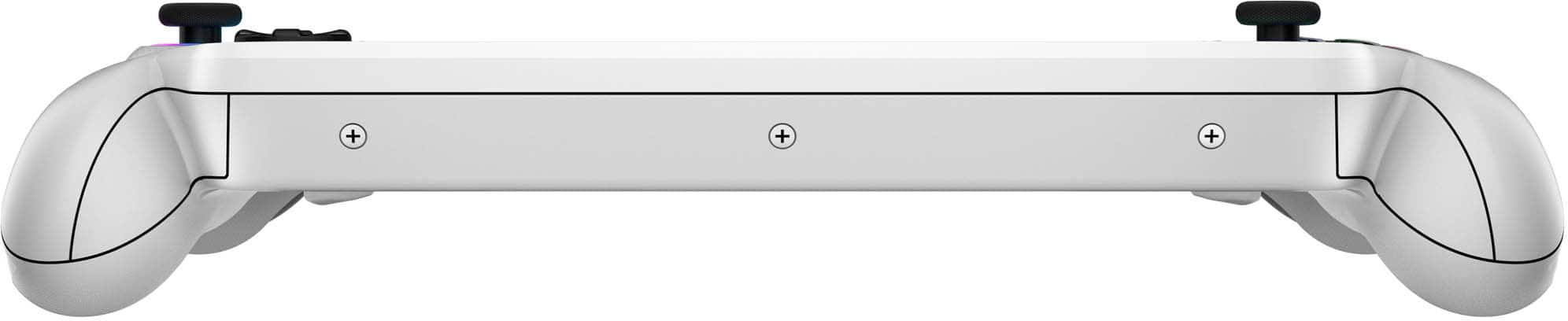
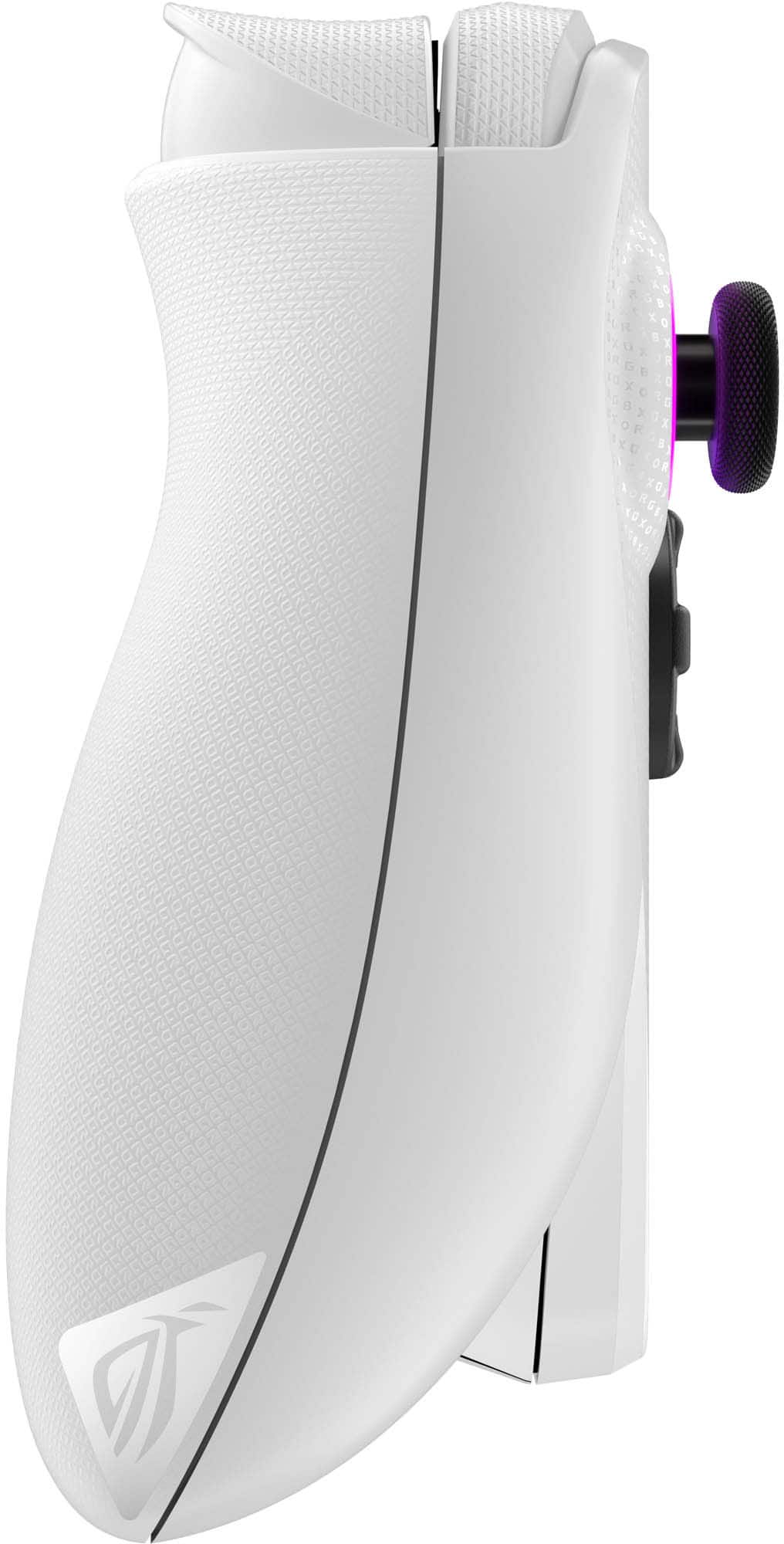
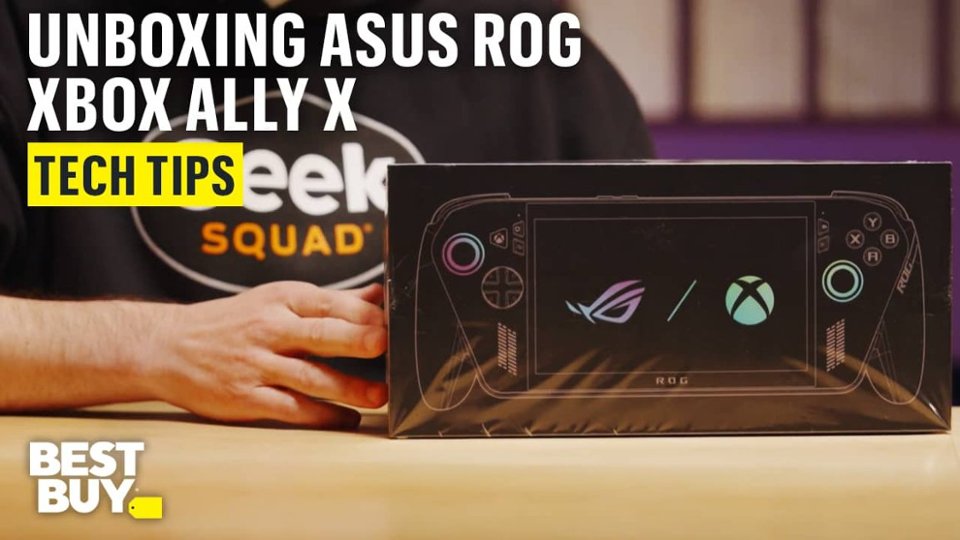
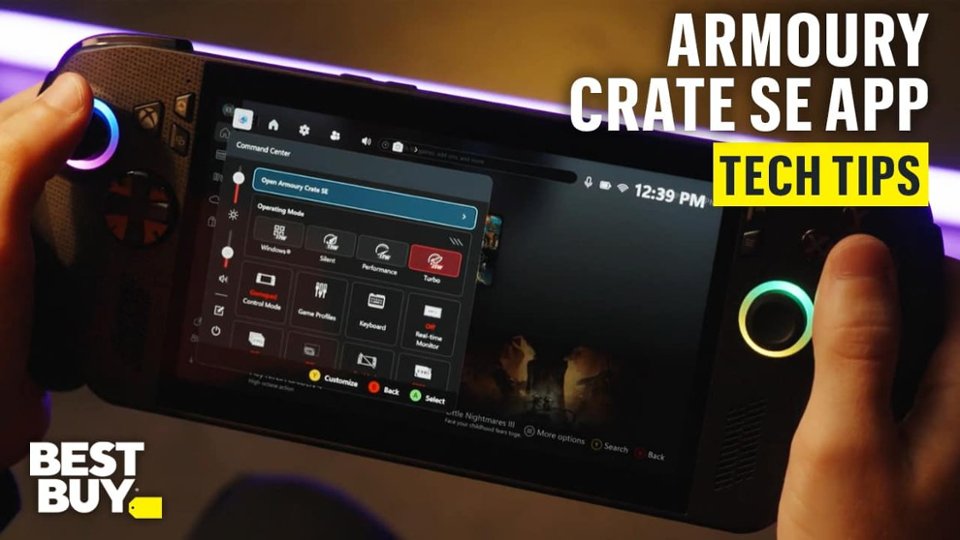
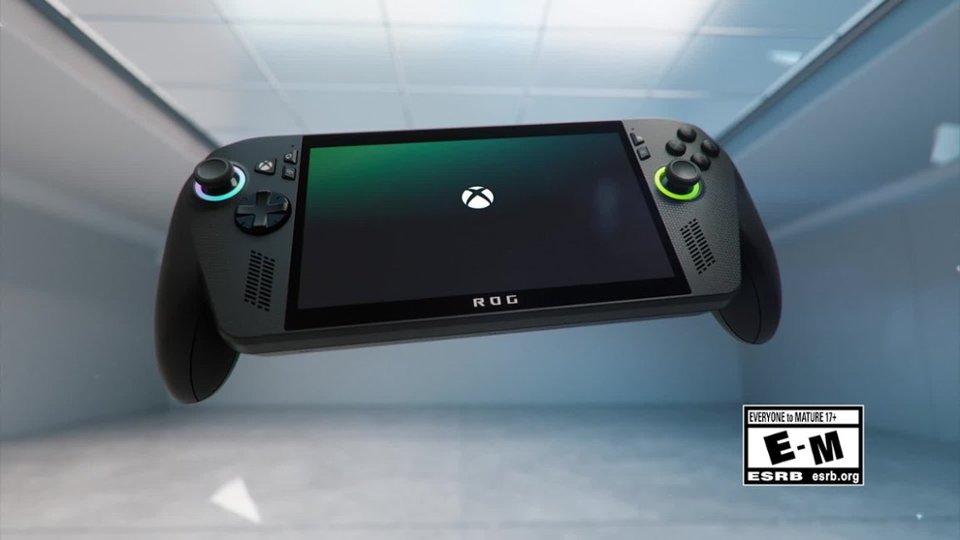
- Model:
- RC73YA-XB_ALLY.Z2A.16
- SKU:
- 6642251
Rating by feature
- Performance
Rating 4.3 out of 5 stars
- Storage Capacity
Rating 4.1 out of 5 stars
- Controller
Rating 4.7 out of 5 stars
Customers are saying
Customers appreciate the device's overall performance for basic gaming, as well as its excellent screen quality and high level of portability. While users find the system comfortable to use and enjoy the reliable battery life, some have expressed concerns regarding limited storage capacity and occasional game compatibility issues. Additionally, a small number of users noted challenges with the initial setup process, heat management during intensive play, and the limitations of the RAM.
This summary was generated by AI based on customer reviews.
Won’t even turn on
||Posted . Owned for 1 month when reviewed.This reviewer received promo considerations or sweepstakes entry for writing a review.Add this console over a month now and it won’t turn on. I have it fully charged and it’s still won’t turn on. It’s just black screen. I spent so much money on a console that don’t work.
No, I would not recommend this to a friendBrand response from ASUS Answers
Posted .Dear IsmaelS,
Thank you for sharing your feedback on the ROG Xbox Ally. We sincerely apologize that the device has not powered on despite being fully charged. This is not the level of performance or reliability we strive to deliver, and we are sorry for the inconvenience you’ve experienced.
To assist with troubleshooting, we recommend following the steps outlined in our FAQ guide linked below. If the issue persists after completing these steps, please contact our support team directly at https://www.asus.com/us/support/callus/ so we can assist with further diagnostics or provide warranty service if necessary.
We stand behind our products and continuously strive to improve our products and processes to achieve customer service excellence. For more information, email us at customerloyalty@asus.com and include the case number "N2510028932-0037" as a reference. We will do our best to resolve your case quickly. Your feedback is very important to us and enables us to improve our support channels. Thank you for choosing ASUS.
Best Regards,
Chantae
ASUS Customer Loyalty US Support
Troubleshooting - Device Boot Failure or No Display After Boot (Black Screen): https://www.asus.com/support/faq/1014276/
Regrets
||Posted . Owned for 1 month when reviewed.This reviewer received promo considerations or sweepstakes entry for writing a review.Very slow very under power honestly I would have been better off buying a laptop definitely regret buying
No, I would not recommend this to a friendBrand response from ASUS Answers
Posted .Dear Valued Customer,
Thank you for sharing your experience with the ROG Xbox Ally, and we sincerely apologize for the performance issues you encountered, including slow responsiveness and underwhelming power, which led to your disappointment with the device. This is not the level of product quality we strive to provide, and we regret the inconvenience caused.
To help address these concerns, we recommend following the steps outlined in our FAQ guide linked below. If the issue continues, please contact our support team at https://www.asus.com/us/support/CallUs so we can assist you further or arrange repair service if necessary.
We stand behind our products and continuously strive to improve our products and processes to achieve customer service excellence. For more information, email us at customerloyalty@asus.com and include the case number "N2510034235-0046" as a reference. We will do our best to resolve your case quickly. Your feedback is very important to us and enables us to improve our support channels. Thank you for choosing ASUS.
Best Regards,
Chantae
ASUS Customer Loyalty US Support
[Windows 11/10] Troubleshooting - System is running slowly: https://www.asus.com/support/faq/1042398/
Asus rog ally review
||Posted . Owned for 3 weeks when reviewed.This reviewer received promo considerations or sweepstakes entry for writing a review.It was laggy, battery didn’t last at all. Too many glitches.
No, I would not recommend this to a friendBrand response from ASUS Answers
Posted .Dear CarlosM,
Thank you for sharing your experience with the ROG Xbox Ally. We sincerely apologize for the lag, battery concerns, and glitches you've encountered. This is not the level of performance we aim to deliver, and we regret that your expectations were not met.
To help address these issues, we recommend updating the BIOS. Downloading and installing the latest BIOS and firmware is advised to help optimize system performance.
Before proceeding, please back up any important data, as the update process may reset current settings, applications, or files. Ensure the device remains connected to power throughout the update. Detailed step‑by‑step instructions can be found in the FAQ guide linked below.
If the issue persists after completing the update, please contact our support team directly at https://www.asus.com/us/support/callus/ so we can assist further with advanced diagnostics or warranty service.
We stand behind our products and continuously strive to improve our products and processes to achieve customer service excellence. For more information, email us at customerloyalty@asus.com and include the case number "N2510034235-0058" as a reference. We will do our best to resolve your case quickly. Your feedback is very important to us and enables us to improve our support channels. Thank you for choosing ASUS.
Best Regards,
Chantae
ASUS Customer Loyalty US Support
How to update BIOS in Windows: https://www.asus.com/support/faq/1008276
- Pros mentioned:Overall performance, Portability, Screen quality

120Hz Windows Gaming on the Go
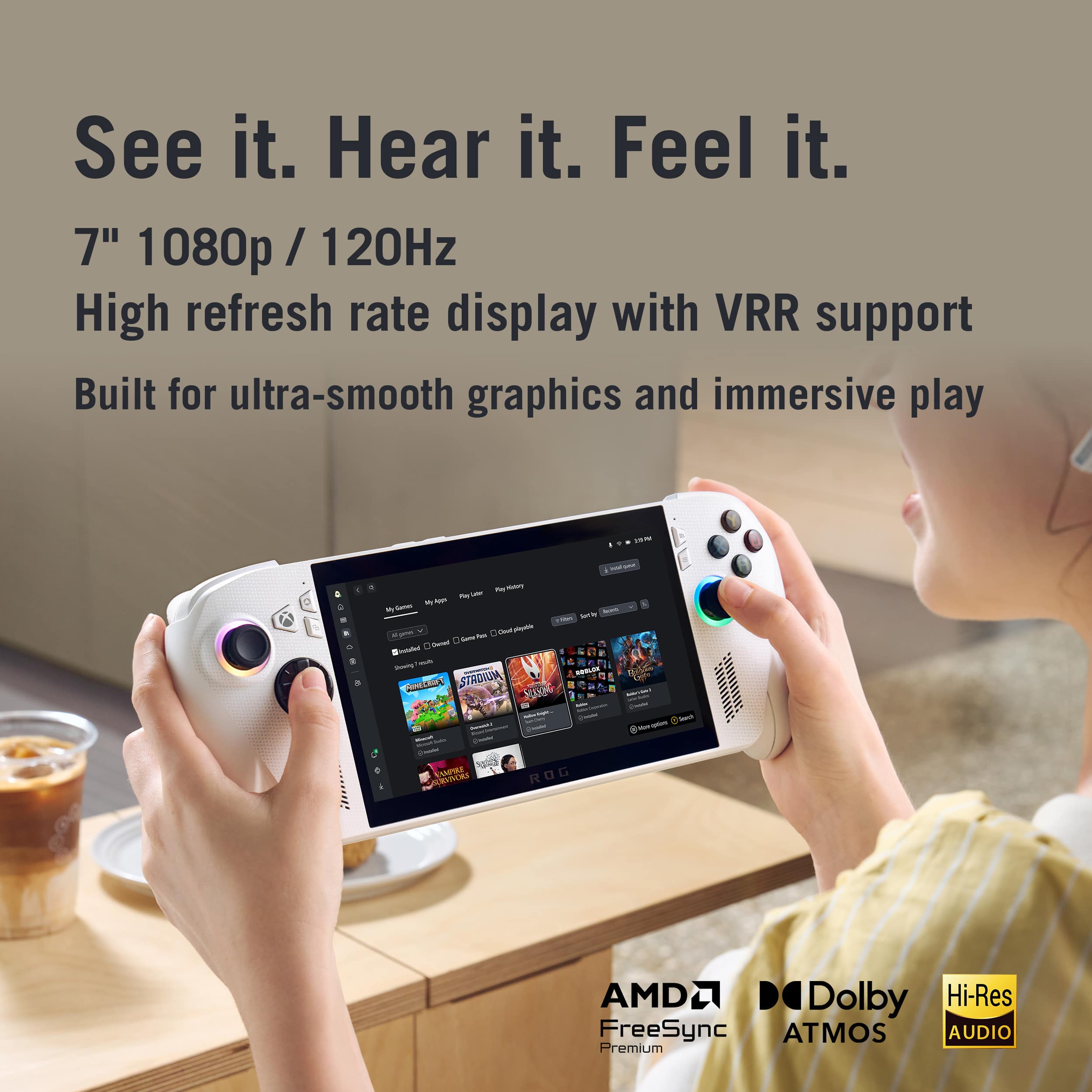
|Posted .This reviewer received promo considerations or sweepstakes entry for writing a review.This is my personalized in depth account of the ROG Xbox Ally 7'' FHD 120 Hz Gaming Handheld, what it's like to have for some time using it and not just reading its specifications. In case you are thinking about purchasing one (or even whether you should), then this is what struck me as good, bad, and otherwise. When taken out of the box it feels like a high end handheld. The grips are comfortable to hold, the structure of analogue sticks, bumpers/ triggers, ABXY buttons and D-pad are well designed. It is comfortable to play for a long duration of time because of its ergonomics. The 7 inch screen size makes the device small and portable it does not make you feel that you are carrying a mini-console. The 7 inch FHD (1920x1080) display with the 120 Hz refresh rate implies that to most games everything will be very smooth. The large refresh rate makes particularly fast paced games more fluid, and the resolution is comfortable to use on handheld. Flexibility of software / Game libraries. The device is not confined to a single store or ecosystem because it runs windows. You are able to access your Xbox Game Pass library, Steam, Epic, and so on. Cloud gaming is seamless, local installs run smoothly with the help of the Ryzen Z2 chip. Moreover, the fact that the UI is defined as being handheld/game controller based input (through the "Xbox Full Screen Experience" overlay) makes the device look more console like and yet PC. Performance in lighter titles / general use The performance is good in most games (particularly those that are not that demanding). Running on the high-end with FSR on, "For za Horizon 5 ran at about 50 FPS. Destiny 2 remained between 50 FPS in most areas. The Z2 A does not pursue excessive power. It focuses on efficiency.Thus when playing something with average requirements the experience is good and pleasant. What I dislike Battery life is modest and a restraining factor particularly when it is highly loaded With battery life reducing to approximately 2 to 3 hours, game titles with large amounts of graphics, or titles that are AAA intensive, the battery life reduces significantly. That is when you have planned long sessions without a charger, then you may find that you are more than you want plugging in. The device has the AMD Ryzen Z2 A (in this model) which is effective, but at a time of pushing it to very demanding games the results are not as impressive.Difficulties with games that are larger in size and more challenging to play, and it is not that convenient to play without an Internet connection in hands. The Z2A is slightly only 5-10% superior to the contemporaries And as such, in case you desire the high-end portable performance of the latest ultra demanding titles it may not be the final option. The screen has been made 7 inches, which is smaller and is portable to many users although some may find it to be small in comparison with the larger handhelds. Therefore, it might be that the 7 inch is a bit of an imposition to you in case you want a bigger screen or like playing games. The fact that it is a windows machine at the core means that you will have to deal with windows updates, background services, driver modifications etc. These things may be frustrating to the extent that you have a higher expectation of it being console plug and play. All of that around is exasperatingly complex. The user interface is superfluous with clutter. This will not be an issue if you are quite accustomed to using PCs you might feel some losses in case what you are looking forward for some simple experience. Ideal for you if: You mostly play indie titles, middle-class AAA titles, or subscribe to cloud gaming / Game Pass, instead of trying to play ultra-high settings with the latest triple-A at the native maximum. You appreciate the value of mobility and desire a gaming device that can be picked and played anywhere. You are used to Windows and you are not so annoyed by frequent updates and adjustments to settings. You like a quality construction, excellent ergonomics, and freedom in what you install and execute. Less ideal if: You desire lots of battery life when you are using it heavily without having to plug in. You want handheld performance that is as good as a full Desktop PC and you want to be able to push it to the limits at native resolution in the latest heavy games. You (or one of your family members) desire something very basic, plug-and-play, no-tweaking. You want to have a bigger screen than 7 inches when you are going to spend longer time or read UI/text in comfort. The ROG Xbox Ally 7'' is a powerful PC/gaming handheld. It felt very good in my usage, when I booted up some simple games (platformers, indie, eSports titles), or streamed through Game Pass it felt smooth and comfortable and ready to play. When I attempted more challenging content I saw the trade-offs the battery was drained quickly, I had to reduce the settings, or I had to accept reduced frame rates. this gadget is a sweet spot to a specific type of gamer namely those who seek to have a portable, high-quality, handheld capable of running PC games (and Game Pass etc.), but would be honest that it is not always going to be as fast as the most desktop class device.
I would recommend this to a friend Not bad
||Posted . Owned for 1 week when reviewed.This reviewer received promo considerations or sweepstakes entry for writing a review.Not bad, not the best either. Could use alot more optimization.
I would recommend this to a friendBrand response from ASUS Answers
Posted .Dear DanielA,
We're sorry to hear that your experience with the ROG Ally hasn't met your expectations. We understand how frustrating it can be when a new device isn't performing as you'd hoped. To help us understand and address your specific concerns, please share the details of the issues you're encountering with your Ally. I am committed to finding effective solutions and will do my best to assist you promptly. Please reach out to me directly at customerloyalty@asus.com, and kindly include a link to this post for reference.
Thank you for choosing ASUS!
Best Regards,
Adrian
ASUS Customer Loyalty – US Support
Poor performance
||Posted . Owned for 1 month when reviewed.This reviewer received promo considerations or sweepstakes entry for writing a review.It’s very glitchy and difficult to use. For some reason it struggles to switch from Xbox mode to windows. It’ll constantly freeze and lag even if you’re just scrolling through the Xbox app. It ran some games very well while others it struggled a lot. For what you’re spending on this thing you may as well just get an actual Xbox.
No, I would not recommend this to a friendBrand response from ASUS Answers
Posted .Dear ChristopherH,
Thank you for sharing your experience with the ROG Xbox Ally. We sincerely apologize for the difficulties you’ve encountered, including glitches, freezing, lag, and challenges switching between Xbox mode and Windows. What you’ve experienced was not intentional or representative of our brand, and we regret the inconvenience this has caused.
To assist with troubleshooting, we recommend following the steps outlined in our FAQ guide linked below. If the issue persists after these steps, we recommend contacting our support team directly at https://www.asus.com/us/support/callus/ so we can assist further with advanced diagnostics or warranty service.
We stand behind our products and continuously strive to improve our products and processes to achieve customer service excellence. For more information, email us at customerloyalty@asus.com and include the case number "N2510028932-0027" as a reference. We will do our best to resolve your case quickly. Your feedback is very important to us and enables us to improve our support channels. Thank you for choosing ASUS.
Best Regards,
Chantae
ASUS Customer Loyalty US Support
[Windows 11/10] Troubleshooting - Resolving System Error Messages or Unresponsiveness (Freeze/Black Screen/White Screen during usage) - https://www.asus.com/support/faq/1038855/
[Windows 11/10] How to optimize your gaming experience - https://www.asus.com/support/faq/1046445/
Rog Ally xbox
||Posted . Owned for 2 weeks when reviewed.This reviewer received promo considerations or sweepstakes entry for writing a review.i’ve been having issues with connecting to wifi, it keeps throwing me off and it’s been glitching and freezing a lot as well, i’ve had it a month if that long.
No, I would not recommend this to a friendBrand response from ASUS Answers
Posted .Dear TaylorA,
Thank you for sharing your experience with the ROG Xbox Ally. We sincerely apologize for the difficulties you have encountered with Wi‑Fi connectivity, as well as the freezing and glitching issues. What you have experienced is not representative of the quality and reliability we strive to deliver.
To help resolve the issues described, we recommend following the steps outlined in our FAQ guide linked below. If the issue persists after these steps, we recommend contacting our support team directly at https://www.asus.com/us/support/callus/ so we can assist further with advanced diagnostics or warranty service.
We stand behind our products and continuously strive to improve our products and processes to achieve customer service excellence. For more information, email us at customerloyalty@asus.com and include the case number "N2511007396-0015" as a reference. We will do our best to resolve your case quickly. Your feedback is very important to us and enables us to improve our support channels. Thank you for choosing ASUS.
Best Regards,
Chantae
ASUS Customer Loyalty US Support
[Windows 11/10] Troubleshooting - Wireless Network (Wi-Fi) Issues - https://www.asus.com/support/faq/1015073/
[Windows 11/10] Troubleshooting - Resolving System Error Messages or Unresponsiveness (Freeze/Black Screen/White Screen during usage) - https://www.asus.com/support/faq/1038855/
- Pros mentioned:Portability, Screen qualityCons mentioned:Heat dissipation
Good ergonomics and a speedy processor
|Posted .This reviewer received promo considerations or sweepstakes entry for writing a review.I'll be honest here: After a week with the Asus ROG XBOX Ally, I’ve played more than ever. Seriously. I’ll tell you why, but first a bit about me and my gaming. I’m not a pro gamer by any means, but I LOVE fighting games. Anything Street Fighter is my favorite, especially the Capcom vs Marvel games. I can play these for hours. I also play the Madden games each year, but I won’t go into those in this review. My hand size is pretty average, maybe even on the small side, in case you’re wondering. Likes I love the size. It’s not tiny enough to be truly pocketable, but it’s so much easier to settle into a nook and fire up the ROG as opposed to relocating to the family room and cranking up the PS5. The screen is pretty much the sweet spot between portability and viewing. The screen looks amazing at 1080p. You can select lower resolutions for battery savings, but I love the look of the Street Fighter characters in their oversaturated backgrounds in full high definition. The colors really pop off this screen and the 120Hz refresh rate is smooth as butter. Big props to Asus for not cheaping out here. Ergonomics: It’s perfectly comfortable with my small-ish hands. Not every controller truly fits every hand, so I was thrilled that handling the controls on the ROG was a comfortable experience. Women should have no issue playing on this guy. The smaller battery of the non-X Ally makes it very lightweight. Speed: This thing is legit quick. Firing it up only takes a few seconds, and all the customized menus are super snappy. The ROG operates on a modified Windows OS, but it’s pretty much hidden unless you want to explore Desktop Mode. The processor and GPU handle the OS very nicely. The first gen handhelds can’t all say that. There are a few things I don’t like, but truthfully, they’re minor… Battery life on most Windows handhelds is pretty ‘meh’ and this is no exception. 2.5-3 hours on max screen settings is about as good as I could muster. And that’s not playing the most advanced games either. Lots of Street Fighter games. Perhaps part of the battery issue stems from some occasions of heat after longer playing sessions. It’s not a huge deal—kind of reminds me of my phone after a gaming session. The USB port downgrade from the “X” version seem truly cheap. The X gets a USB 4 port (with DisplayPort 2.1 support), while the non-X is limited to USB 3.2 gen 2 ports (with only DisplayPort 1.4 support). And the battery is 25% smaller on the non-X than the X. Which brings me to… The value: These handheld gamers are pricey, there’s no doubt there. But, in this one device, I’m able to play games from my Xbox library, Steam, Epic and a few others. That means I can shop for the cheapest place to buy my games, saving me some money. That adds to the value proposition significantly because games are expensive! Additionally, I feel like the non-X Ally is the one to get. The X includes an AI processor, 6GB more of faster RAM, a larger hard drive, a USB 4 port (with newer/better DisplayPort version) and a larger battery. This seems like a lot, but it’s not. None of these will explicitly make your gaming experience noticeably better. The battery just makes it last longer. I think it’s definitely worth it to stick with the basic model. For my money, this is the better value. Buy more games!
I would recommend this to a friend - Pros mentioned:Overall performance, Portability, Screen quality
Great 1080p Game Machine
|Posted .This reviewer received promo considerations or sweepstakes entry for writing a review.This version of the ROG Xbox Ally will provide plenty of great 1080p gaming at a cheaper price. It comes with 16GB of RAM, and a 512GB M.2 drive as the major differences from its more expensive version. The other main difference being the X has better CPU. The memory can’t be upgraded, but the M.2 can. This is a Windows 11 PC with an Xbox overlay, the standard Windows one, on by default. It can play games from any game service since it’s Windows. So, Steam, Xbox, GoG, Origin, etc etc. Whatever Windows can run, the Xbox overlay can pickup and run directly from its interface. Think of it was a small laptop with a built-in controllers. As 1080p gaming can be done by most processors now, it is great at playing games with most features on or up. The Device comes with a charger and small stand. The white color was smooth and looks nice. For hardware, the Ally has a the same 7” screen as the X. The screen is vibrant and does colors well. The controls are responsive and felt good in my hands. Spacing was good, and you have buttons under the body too. There is an Xbox button to get to the Xbox setup when you need to and get to games. You need to do upgrades on the Xbox, Asus, and Windows software. Make sure you do all to stay fully up to date. Asus is done though the Asus Armory Crate, and My Asus programs. Windows is through the usual Windows update. Although connecting a Bluetooth (BT) Keyboard and Mouse can make things easier, navigation by the controllers and buttons is possible for most navigation. The sticks and D-pad all work smoothly and react fine in games. You can use Windows and Armory Crate to enhance performance and make changes to settings as you want. First startup is like getting any new Windows machine. Go through the setup and you’ll get done. For my setup, I opened up the device, and installed a 2TB M.2. There are 7 small screws you’ll need a 00 Phillips screwdriver to remove. 4 under the body deep set, and 3 on the side. Then run a tool or thin plastic knife down the seams and it’ll pop open. Once open, you’ll need to disconnect the battery cable. The latch moves horizontally; it does not pop up. Next, you’ll have to remove the M.2 cover and some sticky tape. The M.2 is in a pouch, you do not need to peel it open. Once the M.2 screw is out, the M.2 will slide out of the pouch. You can swap out the M.2 and then reinstall the battery cable. The battery cable can be tricky. Make sure you firmly press it into place and push the connector on. If you reboot and it shows 0% battery, it’s not connected correctly. When it’s back together, power on with volume down and power. I found after it starts you can release the power button and keep the volume down button depressed. This will boot you to the BIOS. There, go to advanced settings and in the second menu, choose Asus cloud recovery. This will install windows on the new M.2. Everything will be lost from the previous drive unless you backed it up somewhere. Make sure a Wi-Fi connection has already been made, or use a dock or adapter with an Ethernet connection. I used an Ethernet connection. The download and reinstall can take up to an hour depending on your speeds. Next, I upgraded Windows to Pro and was ready for gaming. The ROG Ally page has a good walkthrough on upgrading the M.2. I used games from Steam and Xbox for testing. Doom: The Dark ages worked well on the Ally. It ran smoothly and looked great. Buttons covered all of the options, or you can customize them. In the benchmark I got between 30 and 65 FPS for the first level. Xbox picked up all of the Steam games I downloaded and launched them with no issues. In Xbox full screen mode, you can just get by with controller input. Racing games work really well with the Ally. I used a dock and opened up some more options. Including displaying to a monitor, and external sound, and ethernet. Games run just as smooth on monitors as it stayed in 1080p mode for games even if the monitor could do more, but I’m not sure if that is a limitation or I couldn’t find the right way to do it. With a USB-C cable you can play while plugged in for best performance. Unplugged I got about 50% through the battery in just over an hour on some more intensive games. The Ally never got hot in my hands, but the exhaust got hot over time. The device is a great 1080p gaming machine and more since it’s a full Windows device. Keeping up with all of the upgrades could be a pain, but most of it will be done automatically by default. With its overall size and weight, it will be easy to take on the go for gaming. The screen may be a little small for some windows options, but it’s not what its meant for. Upgrading to Windows Pro lets you play on it remotely and integrate into a network easier. Loading up a VPN, and other windows basics is simple to do. Although the X version has more to it, this version kept up fine for 1080p gaming at a cheaper cost.
I would recommend this to a friend - Pros mentioned:Battery life, Screen quality
Feels Like an Xbox Handheld
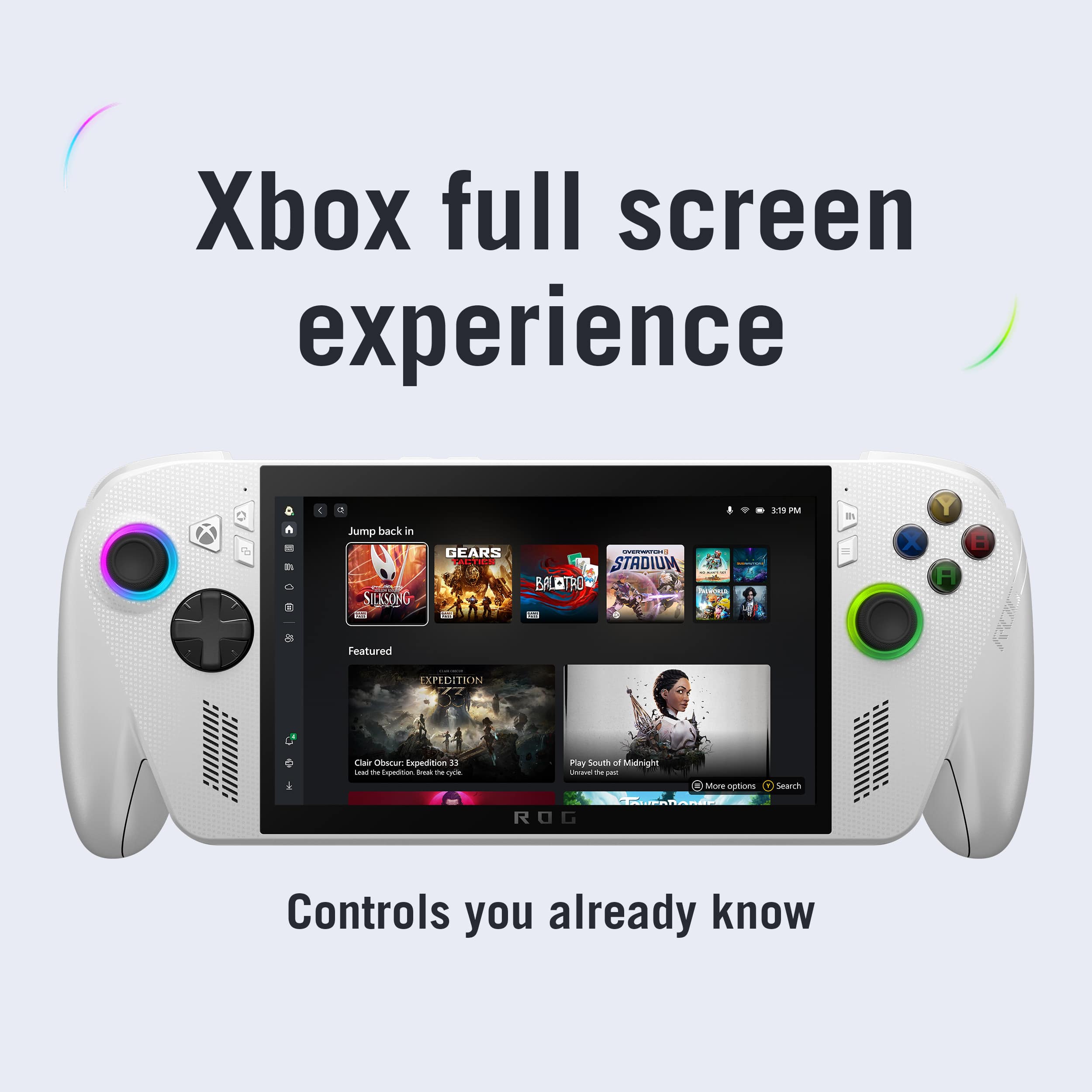
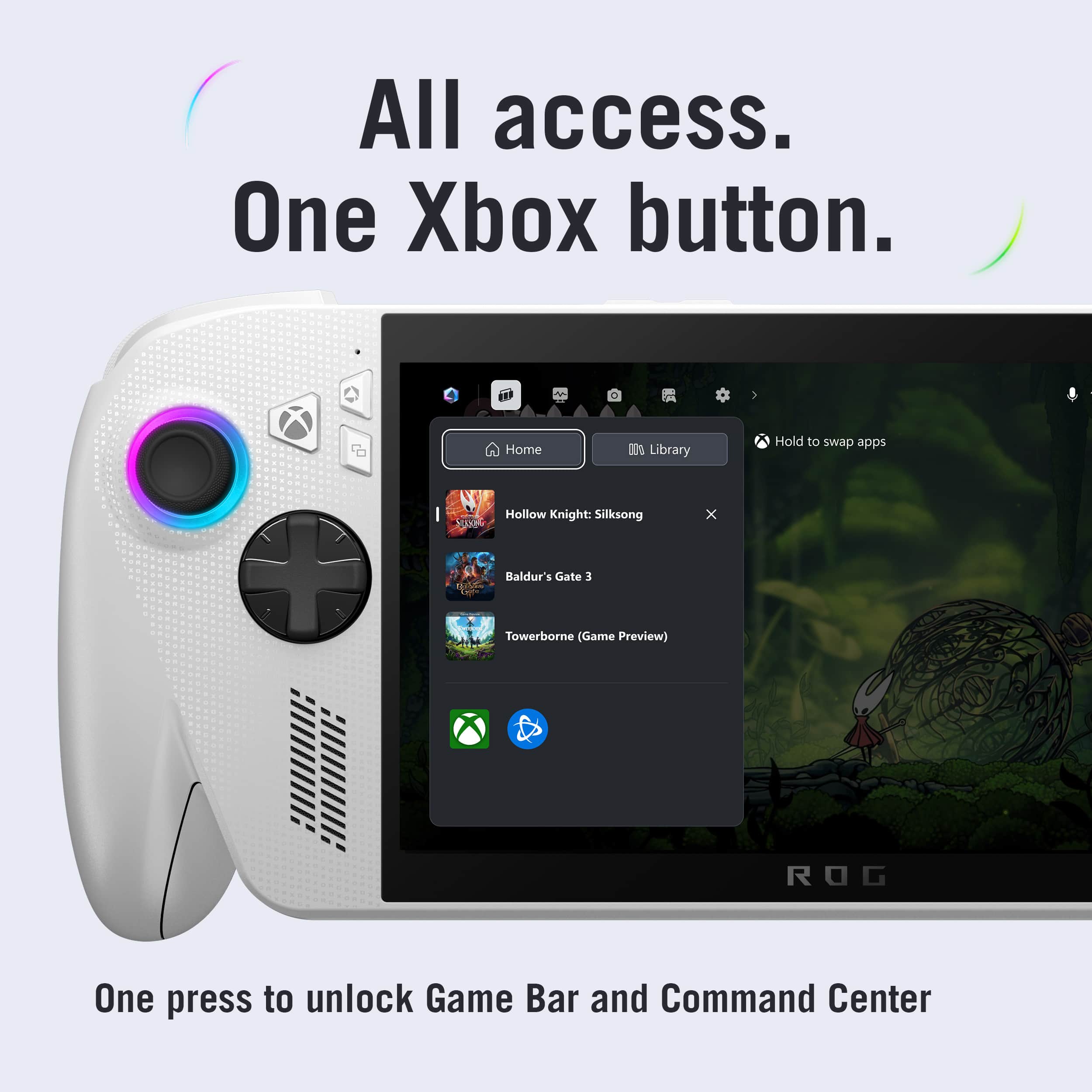
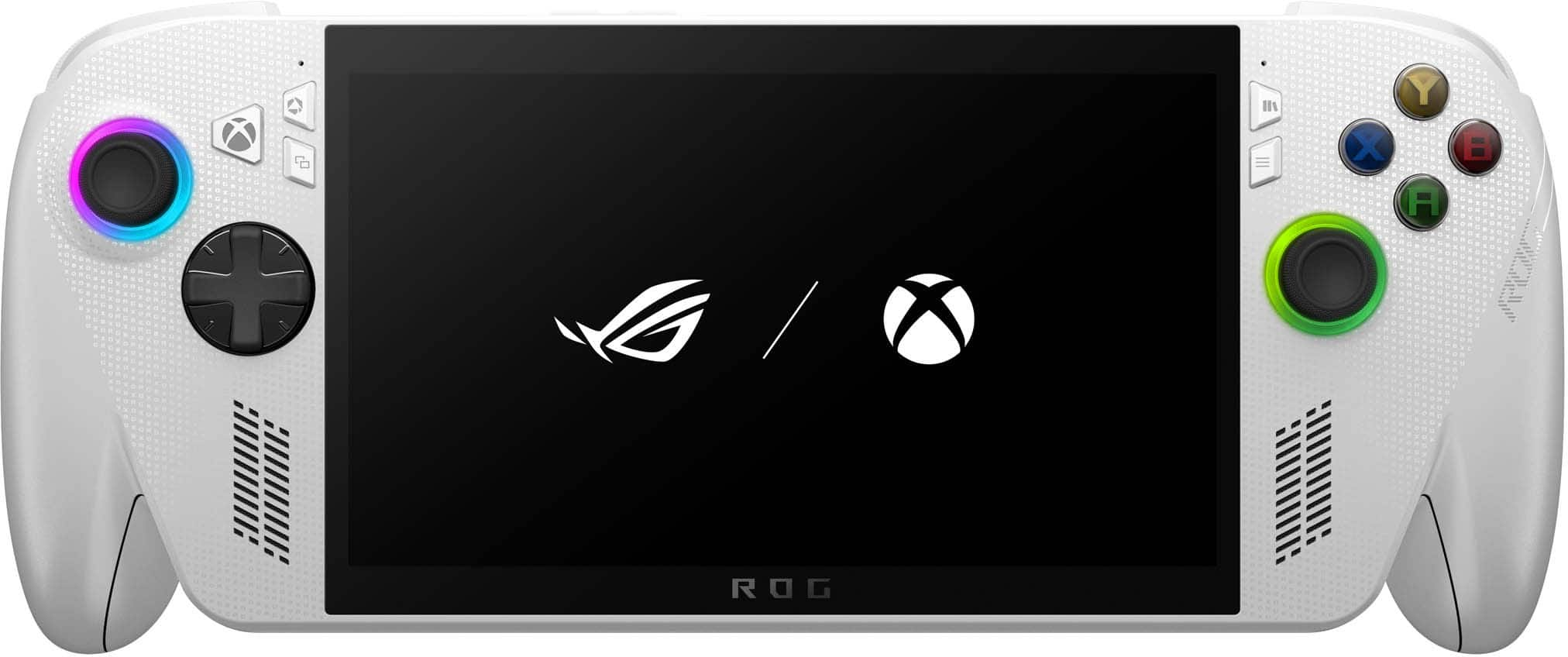
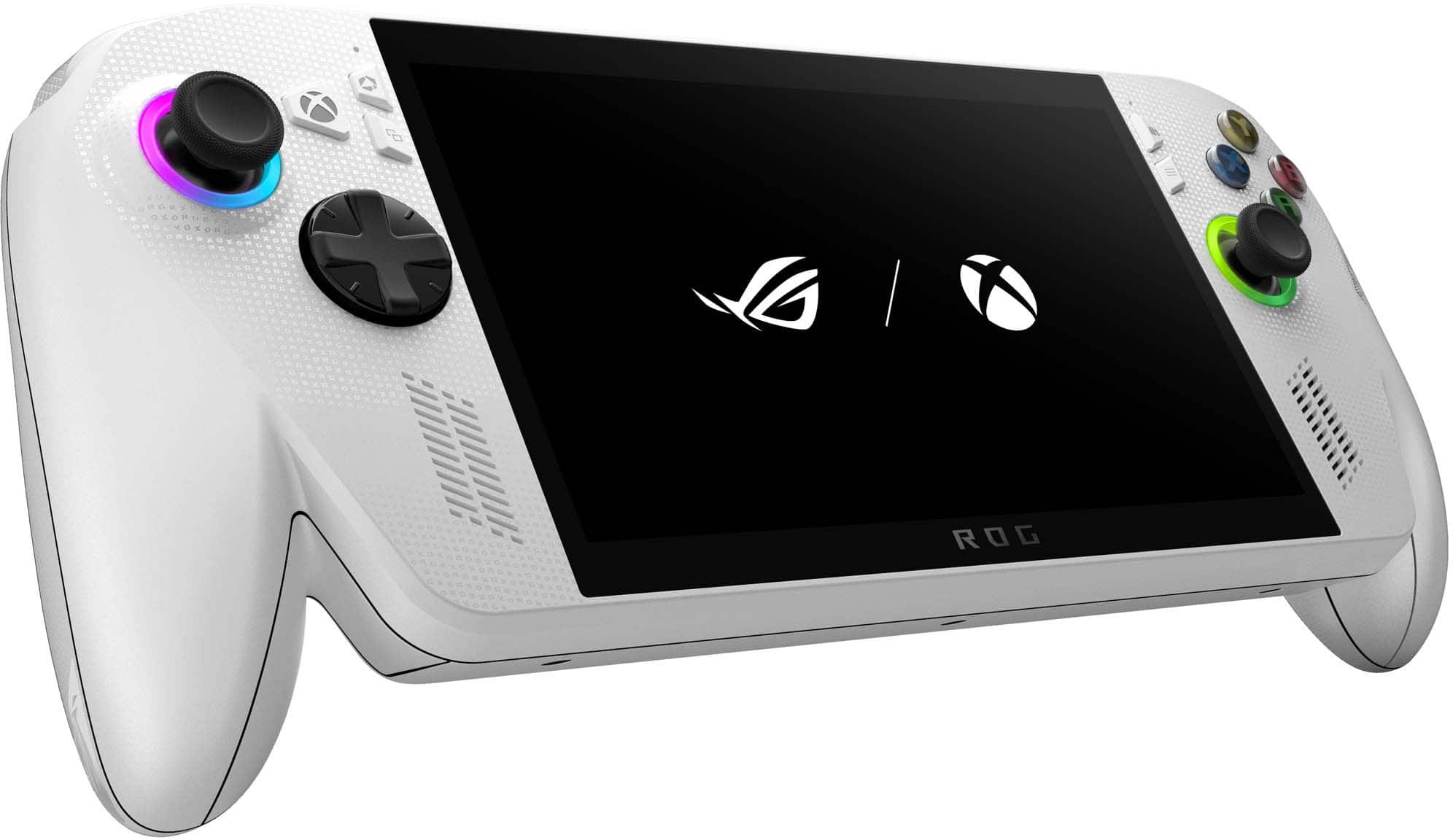
|Posted .This reviewer received promo considerations or sweepstakes entry for writing a review.There is a lot to love with the Asus ROG Xbox Ally, but you have to work for it. There is a lot of settings and it takes a lot of time to learn and remember where everything is. Out of the box, there are a couple of hours of updates that need to be done for both Windows and the Asus device itself, first. After that, signing in/linking all your accounts, learning your way around and how things work and then customizing the device to be what you want it to be takes a lot of time. To fully optimize battery life and to get it running to its full potential, you will want to do all this, though. Likewise, you should decide what you want to use this device for and then uninstall the rest of the programs you will never use. I’m sure most of us are here for gaming so you will want to get rid of all the pre-installed Windows software you will not want running or taking up storage. I only mention this because of the fact that it is Windows 11, you CAN run your usual Microsoft apps like office and whatever else in case anyone out there is interested in that. Being familiar with Windows 11 helps a lot with all this, but it's a slightly different experience on a handheld. Overall, there are a lot of settings to customize in Armoury Crate, Command Center, Windows itself and each individual game launcher. But don’t let all this scare you because once you get through doing so, it’s worth it in the end. I did a lot of research online and I recommend reading and watching some guides to get through it all faster. Especially if you are like me and haven’t gamed on a PC in years and are only used to consoles. Being an Xbox player for years, the Xbox Full Screen Experience is nice. Other than the occasional button press not registering, everything works smoothly and it helps make it feel like an Xbox device. The Xbox app feels really familiar and I can move around and change settings using just the controls, effortlessly. You can make Xbox your main game hub but you aren’t forced to. You can default to the Armoury Crate app upon startup if you prefer, use their library and launch your selective storefront from there. While in Full Screen mode, turning on “Compact Mode” provided the best experience for me. Compact Mode puts all the settings in a single bar you can scroll through using your controls, although you can use the touch screen in tandem as well. This also shuts off the Xbox Game Bar which I personally find annoying. Not using Compact Mode activates the Game Bar and separates all the settings in their own windows all over the screen. It all starts out as a complete mess upon activation. Large windows pop up everywhere, overlapping each other. You can customize their positions at least but switching to each one is not intuitive at all. I currently have a bug where the Xbox chat window is stuck off screen and I can’t close out of it, too. It takes up almost half the screen. Speaking of, I love the screen on this thing. 7” feels like a sweet spot and the visuals look great. Everything is vivid and clear. I get immersed in whatever I'm doing or playing and I never feel like it's too small or like it's distracting in any way. As far as performance goes, I downloaded and tried a couple of larger titles natively to test the device’s limits and it appears to be game dependent and how well optimized it may be for handheld. For examples, AC Mirage both played well and looked really good but Starfield was much less so unless you lower the settings significantly. CoD: WWII played great with considerably high settings, though. Less involved games like Disney Dreamlight Valley or Little Kitty, Big City play flawlessly natively with no problems. Non AAA titles like this will mostly be my main focus when it comes to installs. Unfortunately, Xbox installs are limited to “Play Anywhere” games which is a smaller library than I even realized. But Xbox cloud gaming worked great no matter what I played like Star Wars Battlefront 2 and Dragon Age: Veilguard, as well as Starfield which was a big improvement over playing via install. It was just as well because I was having trouble with VERY slow downloads. AC Mirage installed pretty fast but anything else was an issue. Research online has shown this is a common problem with the Allys. I tried every fix I could find and still, nothing. Hopefully this will get resolved at some point. Storage wise, with games being easily over 100GB each, you can only install so many games anyway. But the option for a microSD is a huge plus, especially for this base model. If not, the SSD can also be upgraded fairly easy from what I have read. While you do get a lot in a small and portable package, the battery is decent. If you expect to play higher demanding games often, you’re going to want to just play with the device plugged in. Otherwise, if you do the work optimizing the system and the battery, you will get up to several hours of game time with other games. I find streaming games gives you the most play time by far. But charging speed definitely makes up for any lack of play time. The device seemed to fully charge in an hour or so each time. I have my Series X to play more serious titles anyway so overall I’m pretty happy with the battery life. One of the biggest selling points for the Xbox Ally was the physical design itself. Being an Xbox gamer for years, it was really appealing to know they designed the shape with that in mind. After using it for a fair amount of time so far, I can say the ergonomics are really good but not perfect. The handles and main four buttons do indeed feel familiar compared to an Xbox controller which is great, but the way my bottom fingers need to wrap around the grips, what feels like lower than is intended, leads me to feel some eventual discomfort. To hold up the device properly, I need to place my ring and pinky fingers under the middle part of the device to hold it up securely. The triggers while also placed right, feel just slightly too high like I have to reach for them a bit because of this. When resting on a surface, I can hold it higher and everything feels great otherwise. But I do appreciate the basic cardboard stand this came with. It’s something, at least. I think when I get some kind of skin that both adds grip and makes the whole thing slightly thicker it will feel just right. But I wonder if it could have been tapered just an additional quarter inch more in the “armpit” areas, it would have been perfect. This very well could be a me problem, though. Having the Xbox button is nice however I was disappointed that it was one of three buttons I was not allowed to remap. The top left and top right button also cannot be remapped. You can map both your single presses and long presses for all the other buttons which offers a lot of potential customization. The top right is the Library button which can be changed to open either the Xbox or Armoury Crate libraries through options, at least. The top left is the Command Center. Long pressing either of these two buttons opens up copilot which I don’t care to use what so ever but we’re stuck with it. Steam used the Xbox button upon install for some weird reason and when I disabled it, it now opens the Command Center just like the top left button. Otherwise, long pressing brings up all open windows which is nice but I would have preferred to rebind it to gaming related things only. The RGB lights are fun, I really like how you can customize the pattern and colors. I just wish the brightness settings weren't limited. It's either low (33%) medium (66%) or high (100%). Low is still too bright to me, especially if playing in a dark room so I have them turn off after a short time. I also worry how much they effect the battery so being able to set it to like 10% where it's not too bright and I could leave them on would have been nice. Considering conserving battery life is significant on these devices, I'm not sure why it's limited. A very small wish this device also had was an adaptive brightness feature or at least the ability to set up different profiles. There is a Night Light mode through windows and an Eyecare preset through Armoury Crate, at least. But something like this would have been useful on a gaming handheld. I currently have an 8 month old so I either don’t get to or sometimes I’m just too tired to sit down in front of that console much anymore. Being an Xbox fan, I was extremely excited for the launch of the ROG Xbox Ally. I love being able to jump on and off it during small chance windows and being able to play in the comfort of my own bed before sleep. It lets me get some time back to game again. Between the shape and the integrated Xbox experience, it sure feels like it could be their dedicated handheld but one that also can play PC titles. Though keep in mind it’s a PC handheld first and foremost. There have been so many titles I’ve been longing to play but wasn’t keen on what it takes for PC gaming but using this will make it easy. Besides the several things I mentioned I found issues with, overall, I’m very happy with this device. Asus really nailed this product for someone like me.
I would recommend this to a friend ROG Xbox FHD
||Posted . Owned for 6 months when reviewed.This reviewer received promo considerations or sweepstakes entry for writing a review.Too many problems, purchased less than 6 months and gave out. Would not turn back at all!
No, I would not recommend this to a friendBrand response from ASUS Answers
Posted .Dear VANESSAC,
Thank you for sharing your experience with the ROG Xbox Ally Gaming Handheld. We sincerely apologize for the inconvenience caused by the device failing completely within six months of purchase. This is not the level of quality or reliability we aim to provide, and we regret the disruption this has caused.
To help address the issue, we recommend performing a Hard Reset, which may help restore functionality.
Hard Reset
1. Remove all external devices such as the AC adapter, USB devices, etc.
2. Press and hold the power button for 60 seconds.
3. Reconnect the AC adapter.
4. Turn on the power of the device.
If the device still does not power on after this steps, we kindly advise contacting our support team directly at https://www.asus.com/us/support/callus/. Our specialists will be able to further investigate the matter and arrange the necessary repairs to restore your ROG Xbox Ally to working condition.
We stand behind our products and continuously strive to improve our products and processes to achieve customer service excellence. For more information, email us at customerloyalty@asus.com and include the case number "N2510028932-0040" as a reference. We will do our best to resolve your case quickly. Your feedback is important to us and enables us to improve our support channels. Thank you for choosing ASUS.
Best Regards,
Chantae
ASUS Customer Loyalty US Support
- Pros mentioned:Screen qualityCons mentioned:Ram
Casual Gamers: After Slow Setup It's ROG & Roll
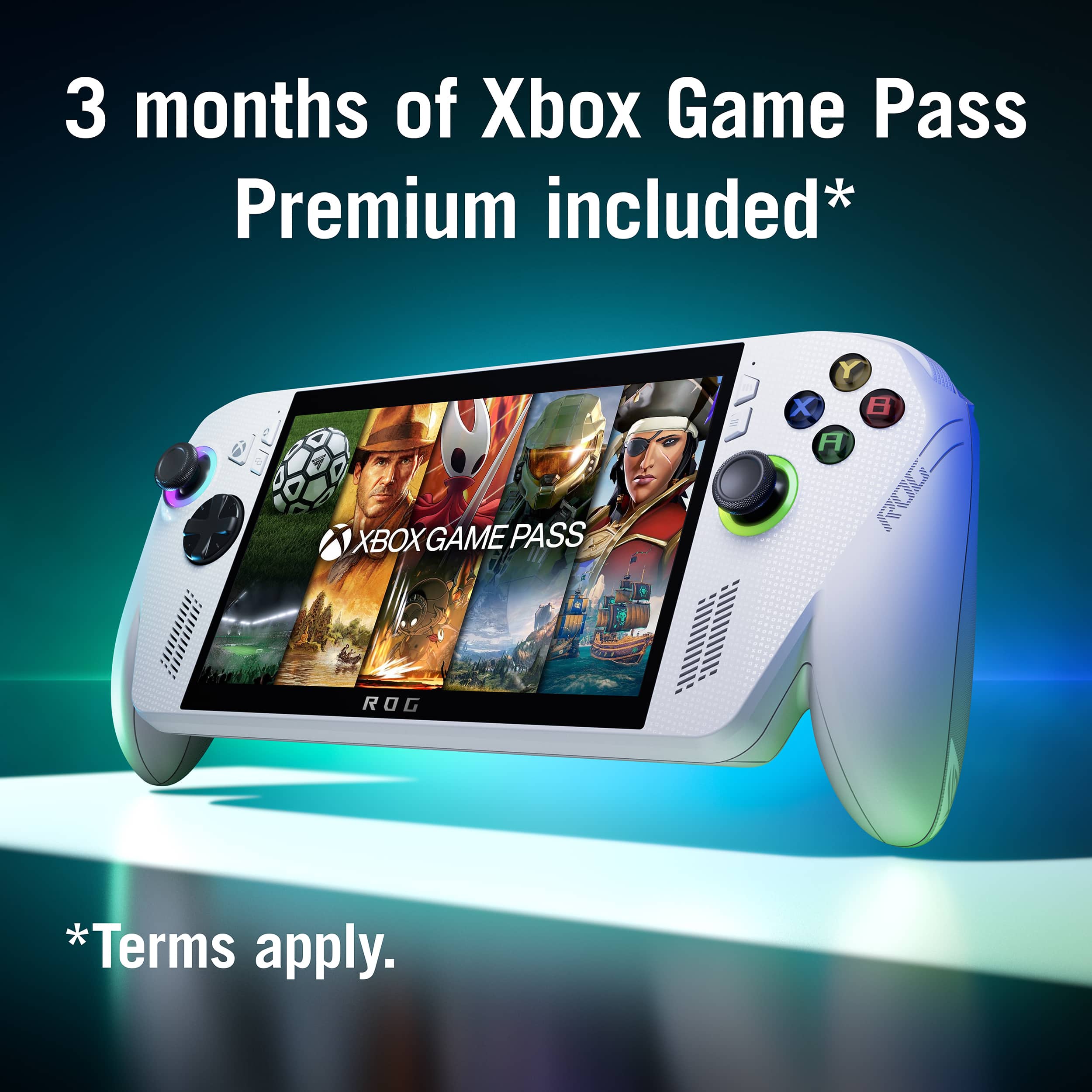
|Posted .This reviewer received promo considerations or sweepstakes entry for writing a review.I grew up when video game consoles were uncomplicated which I think cemented my status as a casual gamer. Even though I’ve always owned the latest game systems I stick with titles that encouraging jumping in for a few minutes to clear the head and resume life. So, my wheelhouse is platformers, strategy games, sports, and racing. I’m more interested in a consoles intuitiveness than it having top specs that many AAA titles, especially first person, demand. This is the perspective of my review. It’s more about a Windows console newbie’s “out of box” experience with the ROG Xbox ALLY (ROG) than it’s technical performance. I think this is an appropriate and useful angle because, honestly, the ROG Xbox Ally is marketed to the casual gamer. If your interest is playing AAA titles at 1080p/60fps then look at the flagship ROG Xbox Ally X. The ROG is by far the most complex and capable handheld I’ve owned. There’s far more I can say about it than allowed review length here. So, truly, this is my basic experience. If you need fine details there are plenty of reviews and tutorials on social media. With that, after a week’s use, I’m sold on the ROG ALLY Xbox, but it took a week. Being a console rather than PC gamer I’ll point blank say, with this being my first Windows handheld I encountered a huge learning curve here. There were moments I wanted to drop kick the ROG. Despite the Xbox branding, it’s a tiny Windows computer that plays Xbox games (and others too), not a handheld Xbox. I made the mistake of assuming I could just turn it on and start playing like any other gaming console. Having only owned proprietary gaming handhelds like Gameboy, NEO GEO, Playstation Portable I wasn’t expecting the ROG’s laborious and labyrinthic setup experience. Social media tutorials educated me on things I would have missed. Once over this hurdle the ROG is a fun way to play PC games handheld. And because it’s Windows, you can use it to watch videos too. OUT OF THE BOX Lifting the box top the ROG is veiled with only the thumbsticks exposed. Such a tease. With the shroud removed I grinned deeply at its alluring, purpose-driven design. Most notable is its beefy handgrips. Once in hand those proved to not just be a pretty face. They are ergonomically contoured and comfortable for long sessions. ASUS nailed these. And while ROG is far from the lightest handheld I’ve owned, holding it over time isn’t exhausting. Perfection. The other essential gameplay elements are excellent too. All the input controls are accurate, tactile, and responsive. That should stay with hall effect included. If the thumbsticks do get out of wack you can re-calibrate. The handgrips have realistic rumble feel. Finger reach is great too, even with my relatively small hands. The thumbsticks have multicolor RGB backlights which is an engaging feature. They are completely user adjustable as to colors, flashing, and even syncing to a game. That said, it would have been more useful to me at least if the “A, B, X, Y” buttons were backlit. Even in normal room light they are hard to see which makes learning the Xbox system tougher for newbies like me whose muscle memory is set to Nintendo’s layout. The screen is a decently sized 7”1080p LCD. It’s plenty bright and colorful. I wish it was non-glare, but if you avoid playing under ceiling lights its fine. More importantly its 120Hz refresh rate seems to keep motion smooth even with the lower frame rates required for many games on the ROG. Audio quality is commonly an afterthought in handhelds, but again ASUS seems to have made it somewhat of a priority on the ROG. Background music and effects is amped but distortion free and spoken word is understandable. While the speakers are close together there is noticeable Stereo separation. Two USB-C ports are on the top edge that support fast charging and video out. Next door is a UHS-II Micro SD slot to store “vintage” or simple games and save space on the massively faster internal 512GB SSD for graphic intensive games. If you do (and you probably will) run out of internal storage, it is replaceable, though it doesn’t look like a simple task. The standard 512GB SSD doesn’t hold many AAA games. I only have one AAA game and two older ones and only have about 220GB left. The ROG’s 16GB RAM is more concerning to me though. Surprisingly (to me at least) is the ROG ships with a rather bulky “home” charger rather than a petite travel-friendly charger with folding blades and a removable cable. BOXED OUT While ROG’s unboxing was a sugar high for me, setting it up was the afterwards hard crash. When I unbox a game console I want the instant gratification of turning it on and playing. What I learned fast is ROG is not a game console; it’s a Windows PC. First power on means updating before use. Hours of updates. Then restart and update some more. I’m not being hyperbolic. I lost track of the exact time needed to get the ROG play-ready, but it was many hours and that’s with decent Wi-Fi speed too (300Mbps). I found this both frustrating and demoralizing and a terrible user experience, but Windows will be Windows. There’s still more pain though with other areas of the ROG requiring updates. In addition to Windows, other software that needs attention includes ROG’s Armoury Crate plus the Xbox Full Screen Experience and Windows Store. Big substantial time eating updates, not just minor fixes. Only then are you ready to download games and if they are big graphic intensive titles add a few more minutes to the clock. Fortunately, this is a one-time exercise. But babysitting the updates ruined my Day One experience to the point when they were finally done I just put it away to have a fresh perspective later. If you are buying this for yourself, you’ll figure out the out-of-box approach best for you. But if you are getting this as a gift for a kid I highly recommend opening it up before wrapping and getting all the updates done so it’s ready to go and buzzkill-free. THE OS EXPERIENCE After mentally recovering from the upgrade ordeal I was in for a whole new learning experience. Prior to this ROG, I’ve only used proprietary gaming handhelds with optimized “plug (or download) and play” games. Zero set up required (or allowed) other than audio volume and screen brightness. With the ROG, after Microsoft sign in, it initially opens to a Windows desktop not Xbox. You can then configure to always open in Xbox Full Screen Experience (recommend!), but that’s still just software running on top of Windows. Since these are PC, not Xbox console, games the user must configure the ROG’s hardware settings for each game for best performance. This includes screen resolution and frame rate but there are others that determine whether a title will even play. It’s a stark difference from proprietary systems where all the games are designed for that system’s capabilities. If you don’t like frequently mucking with settings based on a game’s age or complexity a Windows handheld, not just the ROG, may not be for you. Then there is the system’s navigation. Even after a week I’m baffled with the multiple layers to route through – Windows, Xbox, Armoury Crate. I’ve gotten stranded a few times and assume I’ll continue to until I finally get it into my memory. Fortunately, there are quick access hard buttons to Xbox and Armoury Crate but its still takes a bigger effort and understanding menus and navigation than a plug and play console. GAME INSTALLATION AND PLAY The most significant thing to know is while “Xbox” is in the ROG’s name it alludes to Xbox on Windows, not the Xbox console. Xbox Game Pass works, and a one a 3-month free trial of the “premium” tier is included for new subscribers. But not every available game is compatible, and all the games are the PC version. If you have Xbox console-only versions in your account they won’t work on the ROG unless they are labeled “Play Anywhere.” To ease confusion Game Pass notes which games are optimized, compatible, mostly compatible, or not compatible with ROG. In the games I’ve played “mostly compatible” is often linked to keyboard use or text legibility. “Compatible,” usually means 720p screen resolution and/or 30fps max. Steam and ASUS’s Armoury Crate are also preinstalled for game downloads, but since this is a Windows deck you can install any PC game platform such as Epic and Battle.net. You will even be prompted to install a platform if necessary. That is one of the “beauties” of having a Windows handheld, and really the reason I wanted the ROG. My download speeds were typical for what I experience with software downloads on my computers and Switch. For example, Forza Horizon 5 (150GB) took about 10 minutes to complete. I was only able to download in the background while plugged in, but I’m not ROG proficient yet to know if there is a setting to allow battery powered downloads in background. Gameplay is a hoot, but decidedly for casual gamers. On the most recent compatible AAA games expect to reduce resolution to 720p and frame rates to 30 or 60fps. That was certainly true of current titles like Forza Horizon 5 and Madden 26. The games are plenty detailed, smooth, stutter-free at these settings. I came across a few AAA games that would not play at all, but they were all first-person-shooter titles, not what I consider casual gamer focuses. If you like those kinds of games bump up to the flagship ROG. TV TOO & BOTTOM LINE I wanted the ROG ALLY Xbox to play casual PC games. But I got an unexpected bonus with Microsoft App Store compatibility too. While Office 365 on the ROG is ridiculous, streaming video apps are a fantastic added value with ROG’s bigger than a phone screen and almost as portable. Fundamentally, the ROG ALLY Xbox is a near perfect casual gamer PC handheld. It has enough power and excellent ergonomics. Once the set up hurdles are accomplished it’s a joy to pick up and use for a quick game.
I would recommend this to a friend - Pros mentioned:Overall performance, Portability, Screen quality
Windows Gaming, Console Style
|Posted .This reviewer received promo considerations or sweepstakes entry for writing a review.The ROG Xbox Ally is Microsoft’s most focused attempt at a portable Xbox—though it’s not really an Xbox. It’s a Windows 11 PC with Xbox branding and a streamlined Xbox-like UI that hides the desktop and feels built for controllers. You get access to Steam, Epic, and Game Pass for PC, but only through Windows . Two models are available: the standard Ally, which is the subject of this review, and the higher-end Ally X. The standard model targets premium handheld gamers who want portability without sacrificing comfort or build quality. ASUS nailed the ergonomics—contoured grips, triggers, and impulse feedback make it feel like a stretched Xbox controller. Long sessions are fatigue-free. The 7" 1080p IPS display is excellent: 120Hz refresh, 500 nits brightness, and FreeSync Premium. While the screen supports full HD, most games run at 720p to balance performance and battery life. It’s still smooth, vibrant, and visible even in bright environments. No HDR, but it’s one of the best handheld screens out there.Performance from the Z2A chip is solid—Forza Horizon 5 runs at 40–45 FPS on low/medium with FSR, and indie titles easily hit 60+. It’s not built for maxed-out AAA gaming, but it handles mainstream titles well. Battery life is realistic: 2–3 hours for demanding games, 4–5 for lighter ones. The Xbox UI disables unnecessary Windows processes, boosting both performance and efficiency. And this UI isn’t exclusive—other Windows handhelds will get it too. Game library integration is strong once you install launchers in desktop mode. The Xbox app feels native, Quick Resume works, and Xbox Play Anywhere syncs saves and achievements seamlessly. Cloud gaming seems mostly reliable, however I had performance issues trying to play Doom: The Dark Ages. Other limitations? Again, it’s not a true Xbox console. You can’t play disc-based or console-only exclusives unless they’ve been ported to PC. And while the software experience is the best Windows handheld implementation I’ve seen, it’s still Windows—occasional driver hiccups and launcher quirks remain. Bottom line: If you’re deep in the Xbox ecosystem and want a polished, portable way to play your Game Pass or Steam libraries on the go, the ROG Xbox Ally delivers.
I would recommend this to a friend - Pros mentioned:Overall performance, Screen quality
Great Value and Best Ergonomic Handheld
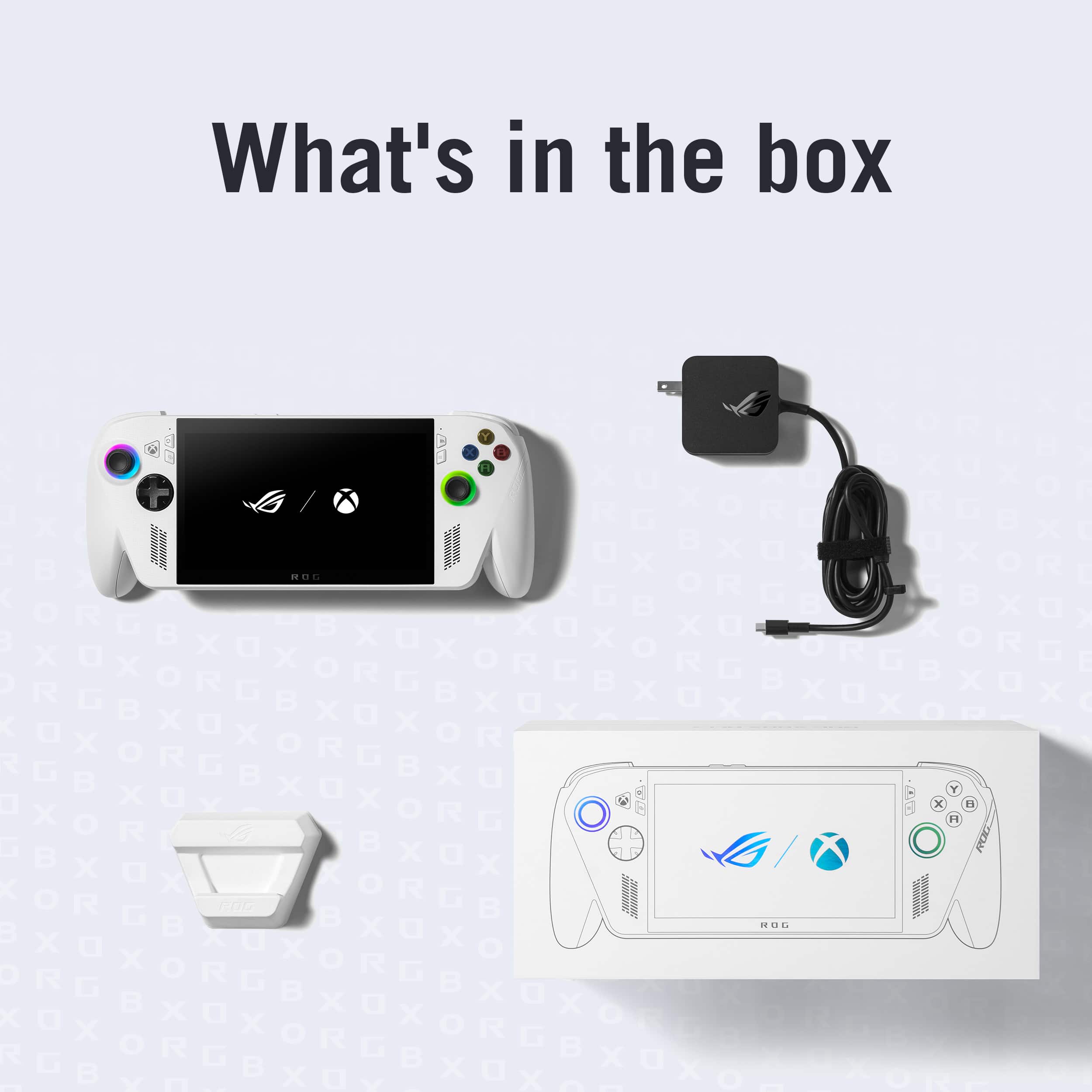
|Posted .This reviewer received promo considerations or sweepstakes entry for writing a review.The ASUS ROG Xbox Ally is a Windows handheld game console with arguably the best ergonomics of any handheld game console currently out in the market. It looks and feels like an Xbox controller and feels extremely comfortable in my hands. With its attractive white color, it’s the perfect companion to my Xbox Series S. The main specifications are: AMD Ryzen™ Z2 A Processor 16GB LPDDR5 memory 512GB PCIe 4.0 NVMe M.2 SSD (2280) 7-inch 1080p 120Hz IPS touch screen MicroSD card slot (supports SD, SDXC and SDHC) 2x USB 3.2 Gen 2 Type-C ports supporting DisplayPort 1.4 and Power Delivery 3.0 1x 3.5mm Audio Jack Package Contents The package comes with the game console itself, a 65 watt USB-C power adapter, stand, and warranty pamphlets. Setup Experience Being a Windows device, setup was almost exactly the same as setting up any Windows laptop. It took me about 2 hours to get through the updates and install my first game from my Steam account. User Experience The ASUS ROG Xbox Ally comes with the Xbox full screen experience (basically a front end to Windows) that almost makes it feel like you are using a portable Xbox console. It’s not perfect but with time, I think it will get better and better. There is some awkwardness when transitioning from a console-like experience to a Windows desktop-like experience and vice versa. There were times where I expected to be able to use the D-Pad or joystick to navigate through the UI and menus to enter information but had to resort to using the touch-screen instead. I also found it a little confusing using the console buttons (Xbox, Command Center, View, Library, and Menu buttons) to jump around from Xbox Game Bar, ASUS Armoury Crate, and Windows Desktop to configure and update the console to my liking. A lot of times, I had difficulty remembering which button does what. Some buttons are only available during a game. There’s something that feels a little inconsistent to the user interface. Physically, the ASUS ROG Xbox Ally feels really great in my hands. The Xbox controller-like handles make the console feel light and balanced. The screen is gorgeous with very bright and vivid colors. To be honest, most displays these days look really good and this is no exception. The front-facing speakers are also surprisingly good and support Dolby Atmos. Fan noise is extremely quiet when gaming. I can feel a slight breeze coming out of the console so I knew a fan was on but I had to bring my ears next to the unit in order to actually hear the fan. The Xbox full screen experience lets you run games from PC and Xbox, and has apps from other game stores such as Steam, GoG Galaxy, Battle.net, Epic Game Store and Ubisoft Connect PC etc. Once you download and install the app and enter your account information, all your games are shown and installable and playable in one place. It’s a really nice concept and implementation. Since it’s really a Windows machine, it doesn’t run all Xbox games – just the Xbox Play Anywhere games. Gaming Experience For testing, I mainly played with Spider-Man Remastered from my Steam library. I feel this is the type of game where a gaming console excels at. I got around 40 to 45 fps at 1080p and I had a blast. The graphics looked fantastic and the buttons and triggers were very accurate and responsive. There were a few occasions where I noticed a micro stutter but I wasn’t bothered by it. And these glitches seemed to occur less and less frequently as I received several updates during my testing. I also ran an older game (Forza Horizon 3) from my Xbox library. I ran it at low settings at 720p and I got around 90 to 120 fps. Even at low settings, I thought the graphics looked great on the screen and everything ran super smooth. Summary Overall, from a value perspective I think the ASUS ROG Xbox Ally is one of the better gaming handhelds out there. It’s not the most performant Windows gaming handheld but I’m the type of person who is perfectly happy with 30 fps for most of my games as long as it is consistent. One benefit of a less power hungry processor is that battery life should be better compared to a gaming console using a more powerful processor. I also really like that it’s relatively easy to upgrade the internal SSD. I kind of feel 512GB is a little too small considering how large many games are now. Just a few games take up a lot of space. And if you don’t feel comfortable upgrading the SSD, you could always insert a microSD card for expanded storage. In my experience, storing games on a microSD card was perfectly acceptable in terms of performance. And lastly, I really like that the ASUS ROG Xbox Ally can function as a PC in a pinch just by adding a keyboard and mice along with an external monitor. Overall, I think it’s a great value for all the things that it can do.
I would recommend this to a friend - Pros mentioned:Overall performanceCons mentioned:Game compatibility
Questionable Performance
|Posted .This reviewer received promo considerations or sweepstakes entry for writing a review.I got mixed results regarding performance. I installed Forza Horizon 5, Mortal Kombat 11, and Stalker 2 for my testing. The grip is great. Performance: Performance was not up to par with installed games. I tried with the above games and got mixed results. There are three performance settings to choose from, Silent, Performance, and Turbo in that order that changed the watts used. From my testing, Silent is unusable for anything but the simplest games. Performance and Turbo seem the same. There is a status bar that you can enable which shows things like battery left, temperature, and FPS. This is off by default and must be enabled in settings to show. Installed Forza Horizon 5 (which is an Xbox first party title): It was not playable at all. When starting the game, it complained there wasn’t enough available memory even though all that was running were the Xbox and Asus apps. Attempting to play it anyway caused a consistent jitter while driving. Installed Mortal Kombat 11: This was the only game that performed well. It played smoothly at 60FPS with no issues found. Installed Stalker 2: It was playable but with a poor frame rate of 15-20FPS. Fortunately, it didn’t really feel like the FPS was that bad and could be played by accepting the low frame rate. All other parts of the game worked as expected and you could read the text on the screen. Streamed Forza Horizon 5: This plays very well and very smoothly, probably the best of all the tests. I could spend time playing this game in this format. As far as performance goes, really the only way to play on this device is by streaming with Game Pass. Installing the games could go either way but likely no way. Game Pass: If you go through the Game Pass library on here, many of the titles are not compatible or have been tested with issues. This is what it warns you about before installing a particular game. This shrinks your game choices considerably. The good news is that Game Pass allows you to stream games, which is the only reliable way to get things to work. Windows: Windows is the OS used on this, but it is 90% hidden by the Xbox app so you mostly can’t tell, except the login screen. SSD: This is a small SSD of 512GGB. With no games installed, you get around 460GB free. This is enough to install maybe three larger games. If you buy this to install games, plan to upgrade the SSD to a larger one or add a fast large microSD card which it supports. Display: The display looks very good with vibrant colors and a good enough resolution that you can even read small text on the screen which is impressive since other portable systems I’ve used you can’t read small text. It is also a good size to play with, big enough to play with and still portable. This is also a touch screen which works as designed, except if you press too hard, it will not register. Speakers: The speakers get the job done. They are very tinny with a volume that can’t be turned up very loud. Consider these to be on par with small laptop speakers. Given the size of the device, it is not surprising. What is surprising is that I have used many laptops and ASUS laptops always have the best speakers, much better than you would expect from small speakers and laptops so I don’t know what happened here. Thermal: The fans are very quiet on this, and you can barely hear them unless you put it up to your ears. The system ran around 60c when playing everything which is reasonable and safe. Battery: I could get around 1 hour 15 minutes when playing something like Mortal Kombat which is performance hungry but still will work here. Now, there is a setting that only allows the system to charge up to 80%, which cuts play time but protects the battery from early failure. I am always happy when a rechargeable device has this, and I always enable it. It comes with a small USB-C power brick that is easy to transport with the system. Lights: There are RGB lights around the thumb sticks and that is what you get. You can set the colors within the ASUS app. Apps: This has the Xbox app and if you have ever used it, you will recognize it here. It allows you to see games you have bought and can install. If you have Game Pass, it will show all the library of games to choose from and if they need to be installed or played from the cloud. This has the ASUS app and if you have ever owned an ASUS gaming laptop, you will also recognize this. You can change a bunch of various settings typical of any gaming system, change the performance mode, and change the lights. Buttons and Grip: It has all the standard controller buttons and triggers along with two back buttons. There is an Xbox button to bring the app to the front. There is also a button to bring the ASUS side panel out to change various settings and change performance mode. The grip is great and is very easy to hold for long gaming sessions, probably one of the best features of this system. I can’t stress this enough. There is a power button and volume buttons on the top of the system as well as two USB-C connectors, one used for charging, a headphone jack and microSD port. Case: It doesn’t come with one but an OEM one will set you back $70, a good quality hard case but pricey. Finally: This is a system for a very specific audience, people with Game Pass that can stream their games, or people that play very simple games. That’s it. The performance is not enough to play bigger AAA games when installed, and the SSD is too small to hold more than a couple of them. The grip and display are probably the best parts of this system, especially the grip. If you have Game Pass, it will be connected to the Internet, and can stream your games, this is a very good device to have. Others should stay away.
No, I would not recommend this to a friend - Pros mentioned:Battery life, Overall performance
Awesome Handheld PC with Xbox Grips and controls
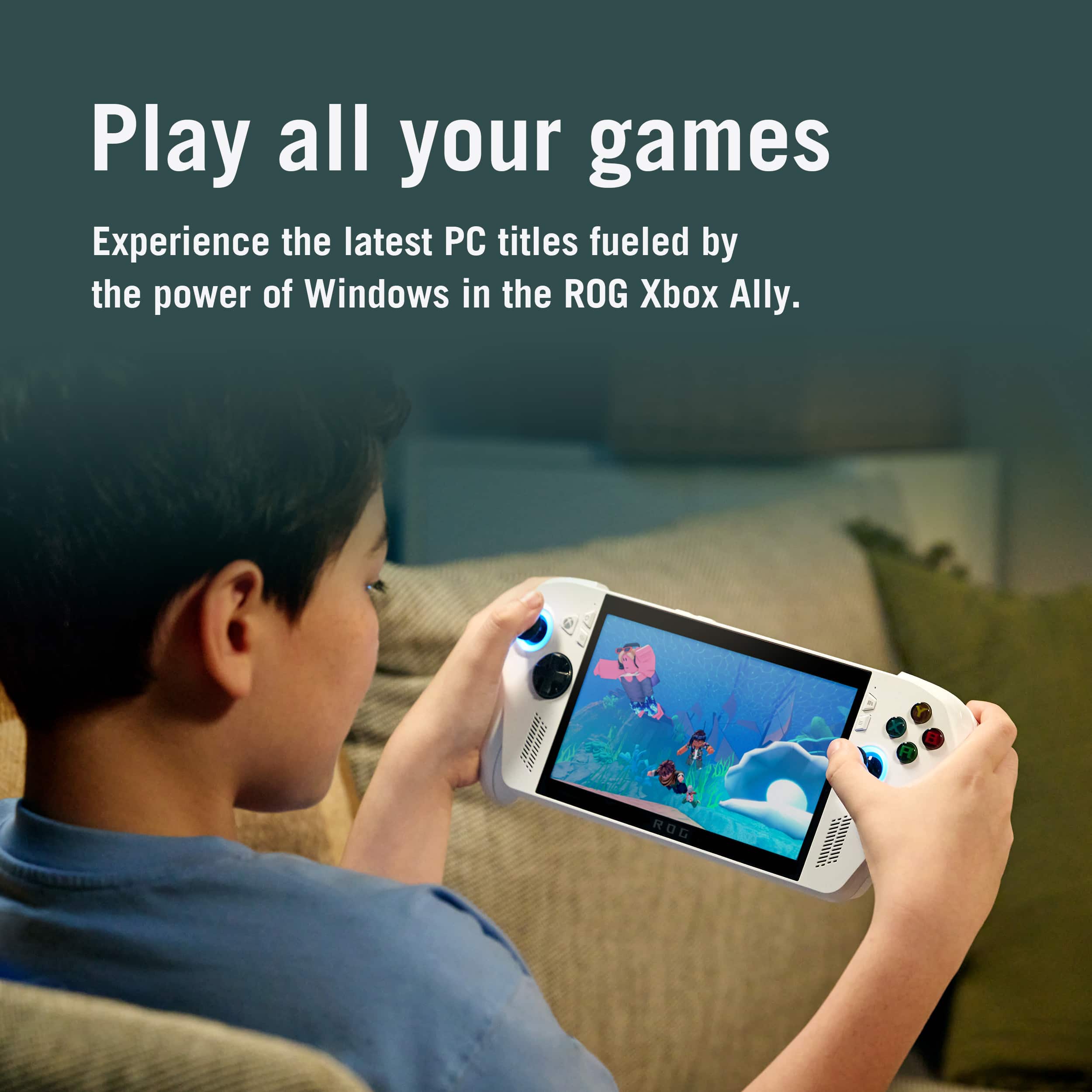
|Posted .This reviewer received promo considerations or sweepstakes entry for writing a review.This will not play Xbox console games!!! It's not an Xbox Console, it's a handheld PC that runs full Windows 11. Unboxing was a good experience, and it comes with a little bit of recyclable material that you can use for a stand, in a pinch. The screen is a good size for a handheld, I cannot imagine wanting a bigger screen for this purpose. I had to plug it into a charger before I could turn it on and get onboarding, the battery was completely drained. It starts up in desktop mode and you set it up like any Windows 11 machine. It will take you a bunch of time, just like a laptop or desktop to get your account signed in, WiFi selected (it used my 6ghz WiFi6E/7 band no problem, very fast). The power button is also a finger print reader you can setup in Windows Hello and works very well for coming out of sleep mode back to the Fullscreen Xbox PC App experience. You will want to run through the updates/setup in this order. Do all the Windows updates first. While you are doing these, you can also download and install Epic Games, and Good Old Games launcher, GOG Galaxy if you have games on those services. Steam was preinstalled, but it will need an update of course. Restart when updates are done and you will probably have a second round of Windows updates. While it is doing that, start up the Microsoft Store and do the updates on that. It will probaby update the Xbox PC app. After that is updated, launch that and start installing any games you own through there or through Xbox Gamepass if you have that. It does come with a trial of Xbox Game Pass Premium to get your feet wet. Premium is one step below the top tier, which is Ultimate. After Windows updates are done and any restarts, launch MyAsus app which probably got updated through Windows Updates or the Microsoft Store updates. MyAsus will let you register your product with them and setup a Asus/Rog account if you don't have one already. There might be an update or two available left for your device you can install through the MyAsus app as well. Finally launch Armory Crate and there will be a lot of updates to do here including a reboot. After rebooting and double checking that Armory Crate has no more updates, be sure to set the button functionality for the two back buttons M1 and M2. Reboot your machine and if it doesn't auto start up in Xbox App mode, you will need to select in the Xbox App settings for it to start in that Mode and then restart again. So after a couple hours, you are now ready to play your games. All of your installed Xbox PC games from Game Pass and that you won (Play Anywhere or stand alone PC titles) will show up on your installed list. Owned games have no icon badge on the image, Game Pass games, Steam games, GoG games, and Epic games have badges to let you know which version of the game is there. You cannot install the games directly from the Xbox PC app yet, but you can open a game page and launch the extension for Steam/Epic/GoG Galaxy right from there without going into full desktop mode. You can always swipe up from the bottom of the screen to close any extensions you had open, and this is also where you can switch to full desktop mode. If you want to switch back to Xbox PC App mode, you will need to restart. I installed Horizon Zero Dawn from Epic game store, and it defaulted to playable settings (mostly medium) and I didn't have to adjust anything. Games through the Xbox PC App have a portion of the title page where they show if they are fully compatible with Handhelds, Partially Compatible, or Not Compatible. Some Game pages also will have an extra line on the Compatibility portion where it will state that it should play well on your machine with playable frame rates. I was able to install Fallout 4 GOTY from GoG and then install the one click free mode Fallout: London and that played well at default settings, I didn't have to change a thing. I installed and played games I own from Xbox PC App, Xbox Game Pass games, GoG games, Epic games, and Steam Games. All played well. The Xbox Controller like handles/grips, triggers, and buttons make you feel right at home if you are used to Xbox Controllers and the two back buttons are configurable for whatever you want, most use them to mimic A/X or B/Y so they can keep their thumbs on the sticks at all times. The storage is half a terabyte stick drive. You can upgrade the capacity by installing another one in there, but you have to open up the console. Battery life and performance is pretty good for the wide range of games you can play on this device. I would recommend this for anyone wanted an Xbox style PC Handheld, for on the go, unplugged serious gaming fun.
I would recommend this to a friend - Pros mentioned:Battery life, Overall performance, Portability
Perfect for Gaming at Home and On the Go
||Posted . Owned for 3 weeks when reviewed.This reviewer received promo considerations or sweepstakes entry for writing a review.This was a gift for my son, and before giving it to him, I wanted to do my own research since I know absolutely nothing about gaming. I was pleasantly surprised by how intuitive and user-friendly the interface is. Even someone with no gaming experience can easily figure it out. I actually used it myself for things like YouTube and browsing, and everything felt smooth and straightforward. My son, who plays more demanding and advanced games, was absolutely thrilled with it. He already has a desktop gaming PC, but the portability of this device makes it incredibly convenient to take anywhere. The battery life has been very good for us, and being able to play both online and offline is a huge advantage. It is also surprisingly lightweight, and the grips are extremely comfortable to hold for extended periods. Another thing I really like is that it can be upgraded and customized. If you need more storage, there are options to expand and modify it, which adds a lot of value. In my opinion, the price is very reasonable. If someone is not ready to invest in a more expensive gaming desktop PC or gaming laptop, this is an excellent alternative. It delivers a great gaming experience in a portable form and is a fantastic entry point into PC gaming.Highly recommended!
I would recommend this to a friend - Pros mentioned:Overall performance, Portability
Great Handheld gaming device!
|Posted .This reviewer received promo considerations or sweepstakes entry for writing a review.The ASUS ROG Ally stands out as a powerful and highly versatile handheld gaming PC. Its core appeal lies in the freedom to access multiple platforms (like Steam and Epic Games) combined with a genuinely comfortable form factor. Unlike some other Windows handhelds that suffer from clunky software, the Ally offers an excellent user interface and notably comfortable grips, making long play sessions a breeze. Its performance is impressive for the price, capably handling most current games at medium settings. For more demanding titles, expect to make some graphic adjustments, but the power is certainly there. The Ally functions as a full PC. It features an upgradable SSD and a MicroSD slot for storage expansion. With an HDMI adapter, it easily connects to a monitor or TV, turning into a compact desktop using a Bluetooth controller. The custom Xbox experience overlay further enhances the console-like feel for accessing PC-compatible Xbox and Game Pass titles. Unfortunately, you can’t access your entire library you can only access the windows versions of the xbox library so you don’t have access to some titles. This device shines for the player looking to tackle their single-player backlog while traveling or relaxing in bed (the "pick up and go" factor is fantastic). The main drawback is the price, especially the high-end model, which creates a significant barrier to entry in what is a already a niche market. Buyers should be aware that the device only accesses the PC-compatible portion of the Xbox library. Despite the cost, the ROG Ally delivers excellent performance-to-price value for those committed to the PC handheld experience.
I would recommend this to a friend - Pros mentioned:Battery life, Comfort, Overall performanceCons mentioned:Storage capacity
Great bang for your buck
||Posted . Owned for 2 months when reviewed.This reviewer received promo considerations or sweepstakes entry for writing a review.This device is just what I’ve been needing. I can play older game, or even remote play from my Xbox Series X from my couch. Not as powerful as the Xbox Ally X, but if you don’t plan on playing graphically intense game natively, then you should definitely consider buying this device. ESPECIALLY if you own an Xbox. Very comfortable to hold for long periods. Battery lasts a good amount depending on what games you play. 512GB of storage is okay, wish it was more, but you can always get a microSD card.
I would recommend this to a friend - Pros mentioned:PortabilityCons mentioned:Ram
Great Handheld
Posted .This reviewer received promo considerations or sweepstakes entry for writing a review.One of, if not the cheapest hand held gaming pc on the market. It has its issues (the steam deck is better in almost every way) but for the most part it is a solid handheld gaming pc. Having a portable windows pc that is the size of a Nintendo switch is truly amazing and its ability to play most modern games on the market is great. The stock RAM/SSD storage should’ve definitely been more, but it’s good enough for simple gaming/light modding/big open world games. As someone who travels frequently and loves video games but doesn’t feel like dropping 1000$ + on a handheld, this is a good buy
I would recommend this to a friend