Customer Ratings & Reviews

- Model:
- RCB1R
- SKU:
- 11911558
Rating by feature
- Value
Rating 4.6 out of 5 stars
- Quality
Rating 4.7 out of 5 stars
- Ease of Use
Rating 4.8 out of 5 stars
Yep
||Posted . Owned for 4 months when reviewed.This reviewer received promo considerations or sweepstakes entry for writing a review.Great remote to navigate sporting events...Just lacks backlight...Already knew that...
I would recommend this to a friendBrand response from Roku Team
Posted .Hi Robbi, we genuinely appreciate your feedback, and thanks for the support. If there is anything that we can assist you with down the road, please don't hesitate to reach out. In the meantime, we will be sure to pass this along to the product team. Thanks! Elmer, Roku Customer Advocate

Thank you best buy
||Posted . Owned for less than 1 week when reviewed.This reviewer received promo considerations or sweepstakes entry for writing a review.Love doing business with Best Buy they’re fast and curious
I would recommend this to a friendGhost Item
||Posted . Owned for 3 weeks when reviewed.This reviewer received promo considerations or sweepstakes entry for writing a review.Hard to review a same-day delivery item that, still to date, has not been received. Your latest emails indicate that I may NEVER receive it and SHOULD be refunded after allowing yourselves SIX WEEKS to ATTEMPT the delivery. Time (haha) will tell, I guess
I would recommend this to a friendBrand response from Roku Team
Posted .Hi Pat, we regret to learn about your unsatisfactory experience with BestBuy's delivery service. Your feedback is valuable to our team and retail partners, and we appreciate your willingness to share it. If there is anything we can assist you with down the road, please don't hesitate to reach out at support.roku.com/contactus.
We're always here and ready to help!
Elmer, Roku Customer Advocate
Super
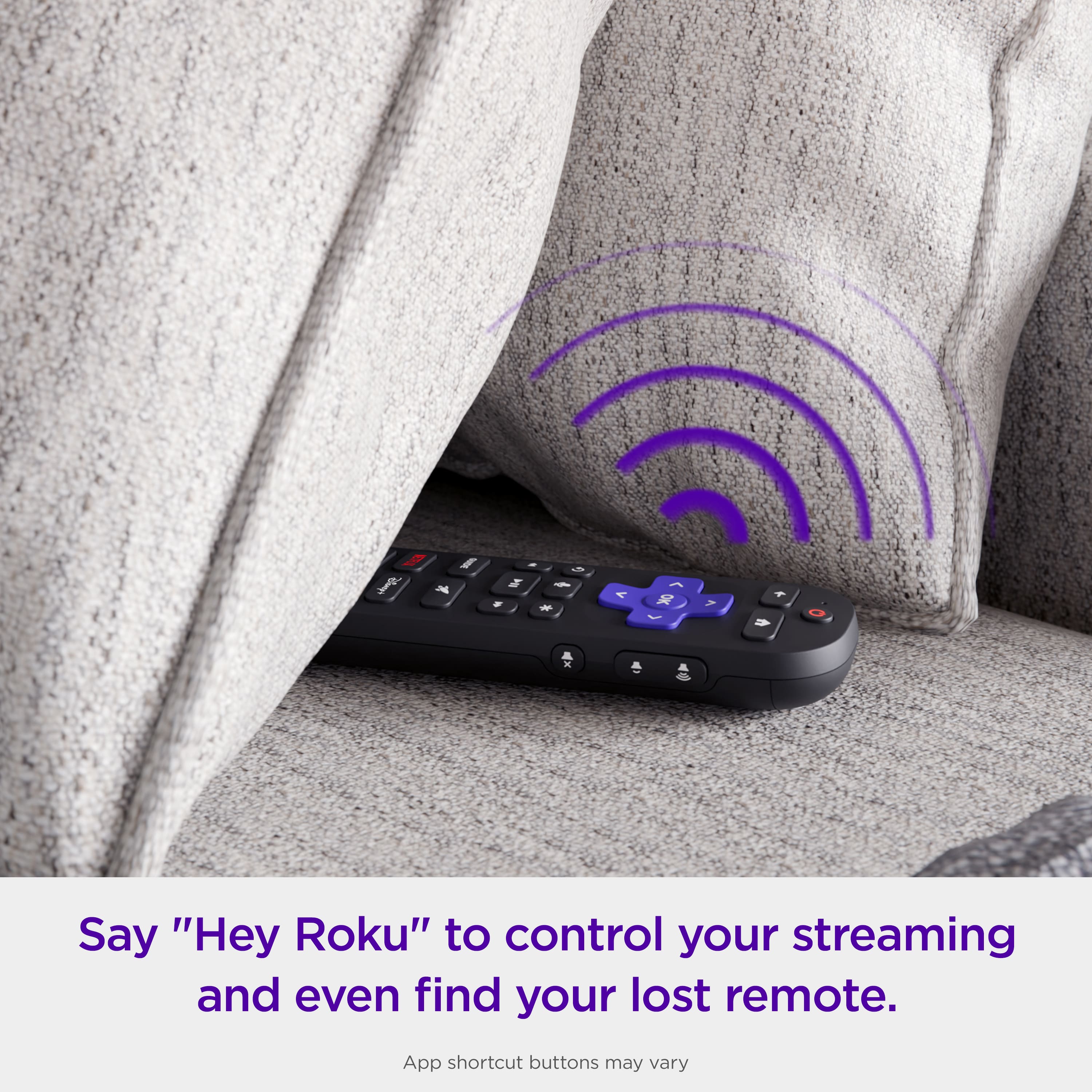
||Posted . Owned for 1 month when reviewed.This reviewer received promo considerations or sweepstakes entry for writing a review.Super, love the voice find my remote and no need for batteries.
I would recommend this to a friendGreat ecep for no hands voice
||Posted . Owned for 3 months when reviewed.This reviewer received promo considerations or sweepstakes entry for writing a review.Great product works as described so far except for the voice camand free hand
I would recommend this to a friendRoku - Voice Remote Pro (2nd Edition) | Rechargeab
||Posted . Owned for 1 year when reviewed.This reviewer received promo considerations or sweepstakes entry for writing a review.This kid of worked, but it was not reliable. It seemed I had to keep linking it to the Roku device, would not stay connected
No, I would not recommend this to a friendBrand response from Roku Team
Posted .Hello! We understand you're having trouble with your Roku remote. Sometimes, Roku remotes can unpair from their devices due to power issues, Wi-Fi problems, or random glitches. First, check that your batteries are aligned correctly and there's no debris blocking the path. Try to restart your Roku device by going to Home > Settings > System > Power. If you don't see Power, go to System Restart. If you still facing the same issue. Please visit us online at http://support.roku.com/contactus to connect with an agent who can assist. Your feedback is very important to us and we’re eager to assist.
Thank you!
Elmer, Roku Customer Advocate
Broke in 2 months
||Posted . Owned for 2 months when reviewed.This reviewer received promo considerations or sweepstakes entry for writing a review.Remote only worked for two months before dying with no way to repair it. Battery died at weird times and charge level shown on Roku never reflected reality. Too easy to hit the voice button and too hard to cancel it. Only satisfaction I got was chucking it into the dumpster after it died JUST past the return window.
No, I would not recommend this to a friendBrand response from Roku Support
Posted .Oh no! We're always here to help. Have you had a chance to contact our customer support team? Please contact us directly at support.roku.com/contactus so that we can assist. Your feedback is very important to us and we’re eager to assist. Thank you! Bernie, Roku Customer Advocate
Roku lighted remote
||Posted . Owned for 3 weeks when reviewed.This reviewer received promo considerations or sweepstakes entry for writing a review.Diections and scan bar is no use very incomplete on use
I would recommend this to a friendNot O K
||Posted . Owned for 1 month when reviewed.This reviewer received promo considerations or sweepstakes entry for writing a review.I am on my 3rd Roku controller. I like the Roku system BUT this controller's 'OK' button is a mechanical FAIL. With ROKU, I've spent about $75 replacing the control unit.
No, I would not recommend this to a friendBrand response from Roku Team
Posted .Hi Scott, we’re sorry to hear about this and we’d like to help. Please contact BestBuy directly or take it back to your local location and request an exchange. We hope you can get back up and streaming soon! Elmer, Roku Customer Advocate
ROKU VOICE REMOTE
||Posted . Owned for 5 months when reviewed.This reviewer received promo considerations or sweepstakes entry for writing a review.The voice remote works half the time. The voice connection loses connection quite often.
No, I would not recommend this to a friendBrand response from Roku Team
Posted .Hello there! We appreciate your input. What is the software version of the device that it is running into? To check the system update, go to Settings > System > Software update. If you have plugged the device into the TV's USB port, you may also change the power supply to a wall outlet. Also, you can restart the device's system. Go to Settings > System > System restart. If you need help or have questions about the device, contact the Roku support team at support.roku.com/contactus. Happy Streaming! Bernie, Roku Customer Advocate
- Pros mentioned:Battery life
Roku remote
||Posted . Owned for 5 months when reviewed.This reviewer received promo considerations or sweepstakes entry for writing a review.Not very happy with this remote it stays charged but it will interrupt a program and out of nowhere just start talking program can't be found and nobody's even said anything to it
No, I would not recommend this to a friendBrand response from Roku Team
Posted .Hi Jenny, this sounds unusual and we're here to help. Please visit us online to get in touch with our customer support team at support.roku.com/contactus so that we can assist. Your satisfaction is our priority. Thanks! Bernie, Roku Customer Advocate.
Bob C
||Posted . Owned for 3 weeks when reviewed.This reviewer received promo considerations or sweepstakes entry for writing a review.Turns the set on but nothing else. Can’t change channel, sound (although sound bar is on), guide; it just plays whatever is on.”
No, I would not recommend this to a friendBrand response from Roku Team
Posted .Hi Bob, help is here! If you're having trouble with your Roku remote, try these steps: First, reset your Roku remote. If your remote has a pairing button, press and hold it on the back for 20 seconds. If your remote doesn't have a pairing button, press and hold the Back and Home buttons for 20 seconds. Then, restart your Roku device, replace or recharge the batteries, and try to re-pair your voice remote to your streaming device. For detailed instructions, you can refer to this FAQ article at https://support.roku.com/article/21303049528855#section-1. Additionally, you can also use our Roku remote app for voice control, quick searches, launching apps, and more. If the issue persists please contact us directly at support.roku.com/contactus. Your feedback is very important to us.
We're looking forward to getting you back streaming.
Elmer, Roku Customer Advocate
Roku stick for your TV
||Posted . Owned for 4 months when reviewed.This reviewer received promo considerations or sweepstakes entry for writing a review.Roku stick get the 4K one. It’s a little bit better and the quality and it’s faster and everything is good.
I would recommend this to a friendBad battery life
||Posted . Owned for 2 months when reviewed.This reviewer received promo considerations or sweepstakes entry for writing a review.The backlight was nice, but the battery made it just past the return date. Now I have to try to get a warranty fix or replacement. Currently the battery will only last about day without needing to be recharged.
No, I would not recommend this to a friendBrand response from Roku Support
Posted .Hi there! Help has arrived! You can try resetting your Roku remote to ensure efficient communication between it and your Roku streaming device, which will help conserve battery power. For detailed instructions, please refer to this FAQ article: https://support.roku.com/article/21306145024535#section-2. If you continue to experience difficulties, please contact our support team for further assistance at http://support.roku.com/contactus to connect with our skilled support representatives. We're here, and ready to help! Elmer, Roku Customer Advocate
Sjeddy51
||Posted . Owned for 3 weeks when reviewed.This reviewer received promo considerations or sweepstakes entry for writing a review.Hard to set up and keep working. Cost high. Prefered simpler model.
No, I would not recommend this to a friendBrand response from Roku Team
Posted .Hi Stephen, thanks for taking a moment to share, and we appreciate your feedback. If there's anything we can assist you with in the future, please don't hesitate to reach out. In the meantime, we will ensure that this is passed along to our product team. Thanks! Elmer, Roku Customer Advocate
Roku Remote Pro
||Posted . Owned for 2 weeks when reviewed.This reviewer received promo considerations or sweepstakes entry for writing a review.Does not work. IR is very weak and does not control TV and you have to be about 5 feet away and pointed directly at the TV for it to even partially function. Also Voice control does not function most of the time. Had to re-mate remote multiple times but problems persist. No longer returnable because Best Buy only allows 15 days to return this product. The rechargeable function is a plus.
No, I would not recommend this to a friend- Cons mentioned:Charging
Stops charging after 6 months
||Posted . Owned for 6 months when reviewed.This reviewer received promo considerations or sweepstakes entry for writing a review.Works fine as a remote and lets face it, it's $30 so who cares that much. That said, I've never been able to get the "Find my Remote" feature to work and it stopped charging after around 6 months.
No, I would not recommend this to a friendBrand response from Roku Team
Posted .Oh no! We're always here to help. Have you had a chance to contact our customer support team? Please contact us directly at support.roku.com/contactus so that we can assist. Your feedback is very important to us and we’re eager to assist. Thank you! Roku Customer Advocate
ROKU controll
||Posted . Owned for 1 month when reviewed.This reviewer received promo considerations or sweepstakes entry for writing a review.I have submitted a review once I thought. This would not work with our TV. We have purchased 3 just like this. The controllers last for about a year each. Because we are not tech savvy at our home we have struggled through connecting these controls with our TV every time. We could not get this one to work. We live an hour out of the city, so it’s going in our junk box until we decide to throw it away.
No, I would not recommend this to a friendBrand response from Roku Team
Posted .Hi David, thank you for sharing your feedback. If you would like to set up this remote with a non-Roku TV, please follow these steps: Press Home > Settings > Remote & Devices > Remote > Choose your voice remote from the list and select 'Set up remote for TV control.' For detailed instructions, you can refer to this FAQ article at https://support.roku.com/article/115013019828. However, if you already have a Roku TV and wish to pair this remote with it, please reset your Roku remote first. If your remote has a pairing button, press and hold it on the back for 20 seconds. If your remote does not have a pairing button, press and hold the Back and Home buttons for 20 seconds. Then, restart your Roku device, replace or recharge the batteries, and try to re-pair your voice remote to your streaming device. For detailed instructions, you can refer to this FAQ article at https://support.roku.com/article/21306145024535#section-2. If the issue persists, please let us know at http://support.roku.com/contactus. We're always here and ready to help! Elmer, Roku Customer Advocate
Remote
||Posted . Owned for 3 weeks when reviewed.This reviewer received promo considerations or sweepstakes entry for writing a review.Works ok. Sometimes the remote has trouble understanding my voice.
No, I would not recommend this to a friendBrand response from Roku Team
Posted .Hello! Thanks for sharing this matter. Sometimes, Roku remotes can have functionality issues from their devices due to power issues, Wi-Fi problems, or random glitches. Try to restart your Roku device by going to Home > Settings > System > Power. If you don't see Power, go to System Restart. If you still facing the same issue. Please visit us online at http://support.roku.com/contactus to connect with an agent who can assist. Your feedback is very important to us and we’re eager to assist. Thank you! Jessica, Roku Customer Advocate
Ok remote
||Posted . Owned for 5 months when reviewed.This reviewer received promo considerations or sweepstakes entry for writing a review.Its a good remote, only thing that sucks is the hands free voice stopped working
I would recommend this to a friendBrand response from Roku Team
Posted .Hi Andrea, thanks for sharing. Have you had a chance to contact our customer support team? We'd be happy to learn more and help troubleshoot this with you! Visit us online at support.roku.com/contactus to get started and connect with an agent. Your feedback is very important to us and we’re eager to assist. Elmer, Thanks! Roku Customer Advocate