Customer Ratings & Reviews

- Model:
- RCB1R
- SKU:
- 6578625
Rating by feature
- Value
Rating 4.6 out of 5 stars
- Quality
Rating 4.7 out of 5 stars
- Ease of Use
Rating 4.8 out of 5 stars
Customers are saying
Customers find value in the backlit buttons, overall performance, and impressive battery life. They also appreciate the ease of use, effective voice control, and straightforward connectivity and setup. However, a few customers miss the headphone jack and some have encountered issues with charging.
This summary was generated by AI based on customer reviews.
Bad battery life
||Posted . Owned for 2 months when reviewed.This reviewer received promo considerations or sweepstakes entry for writing a review.The backlight was nice, but the battery made it just past the return date. Now I have to try to get a warranty fix or replacement. Currently the battery will only last about day without needing to be recharged.
No, I would not recommend this to a friendBrand response from Roku Support
Posted .Hi there! Help has arrived! You can try resetting your Roku remote to ensure efficient communication between it and your Roku streaming device, which will help conserve battery power. For detailed instructions, please refer to this FAQ article: https://support.roku.com/article/21306145024535#section-2. If you continue to experience difficulties, please contact our support team for further assistance at http://support.roku.com/contactus to connect with our skilled support representatives. We're here, and ready to help! Elmer, Roku Customer Advocate

No Warranty
||Posted . Owned for 1 month when reviewed.This reviewer received promo considerations or sweepstakes entry for writing a review.Best Buy refused to honor my Best Buy warranty for a replacement.
No, I would not recommend this to a friendBrand response from Roku Support
Posted .Hi George! Thanks for letting us know. We understand how frustrating that can be. Since Best Buy handles its own warranty replacements. The best step is to reach out to their team here: https://www.bestbuy.com/contact-us. They can review your concern and help further. Thanks for choosing Roku! Elmer, Roku Customer Advocate
Remote
||Posted . Owned for 3 weeks when reviewed.This reviewer received promo considerations or sweepstakes entry for writing a review.Works ok. Sometimes the remote has trouble understanding my voice.
No, I would not recommend this to a friendBrand response from Roku Team
Posted .Hello! Thanks for sharing this matter. Sometimes, Roku remotes can have functionality issues from their devices due to power issues, Wi-Fi problems, or random glitches. Try to restart your Roku device by going to Home > Settings > System > Power. If you don't see Power, go to System Restart. If you still facing the same issue. Please visit us online at http://support.roku.com/contactus to connect with an agent who can assist. Your feedback is very important to us and we’re eager to assist. Thank you! Jessica, Roku Customer Advocate
Ok remote
||Posted . Owned for 5 months when reviewed.This reviewer received promo considerations or sweepstakes entry for writing a review.Its a good remote, only thing that sucks is the hands free voice stopped working
I would recommend this to a friendBrand response from Roku Team
Posted .Hi Andrea, thanks for sharing. Have you had a chance to contact our customer support team? We'd be happy to learn more and help troubleshoot this with you! Visit us online at support.roku.com/contactus to get started and connect with an agent. Your feedback is very important to us and we’re eager to assist. Elmer, Thanks! Roku Customer Advocate
ROKU controll
||Posted . Owned for 1 month when reviewed.This reviewer received promo considerations or sweepstakes entry for writing a review.I have submitted a review once I thought. This would not work with our TV. We have purchased 3 just like this. The controllers last for about a year each. Because we are not tech savvy at our home we have struggled through connecting these controls with our TV every time. We could not get this one to work. We live an hour out of the city, so it’s going in our junk box until we decide to throw it away.
No, I would not recommend this to a friendBrand response from Roku Team
Posted .Hi David, thank you for sharing your feedback. If you would like to set up this remote with a non-Roku TV, please follow these steps: Press Home > Settings > Remote & Devices > Remote > Choose your voice remote from the list and select 'Set up remote for TV control.' For detailed instructions, you can refer to this FAQ article at https://support.roku.com/article/115013019828. However, if you already have a Roku TV and wish to pair this remote with it, please reset your Roku remote first. If your remote has a pairing button, press and hold it on the back for 20 seconds. If your remote does not have a pairing button, press and hold the Back and Home buttons for 20 seconds. Then, restart your Roku device, replace or recharge the batteries, and try to re-pair your voice remote to your streaming device. For detailed instructions, you can refer to this FAQ article at https://support.roku.com/article/21306145024535#section-2. If the issue persists, please let us know at http://support.roku.com/contactus. We're always here and ready to help! Elmer, Roku Customer Advocate
Terrible connection issues
||Posted . Owned for 1 month when reviewed.This reviewer received promo considerations or sweepstakes entry for writing a review.Terrible it never stays connected. I have to constantly re connect it to the device. Completely garbage. Roku should have done a better Job with this device.
No, I would not recommend this to a friendBrand response from Roku Team
Posted .Hi Fred, we understand you're having trouble with your Roku remote. Sometimes, Roku remotes can unpair from their devices due to power issues, Wi-Fi problems, or random glitches. To start, ensure that no debris is blocking the path of your remote. Try to restart your Roku device by going to Home > Settings > System > Power. If you don't see Power, go to System Restart. If you still facing the same issue. Please visit us online at http://support.roku.com/contactus to connect with an agent who can assist. Your feedback is very important to us and we’re eager to assist.
Thank you!
Roku Customer Advocate
The Roku voice remote pro not a good choice.
||Posted . Owned for 3 weeks when reviewed.This reviewer received promo considerations or sweepstakes entry for writing a review.This remote just stops working for no reason. as soon as i plug in it into a usb-c charger, it'll start to work again and then a few hours later it just magically stops working again.Ii have two of these. they're both fully charged. they're connected to the top of the LINE Roku boxes. Both of them magically stop working for unknown reasons.. This was supposed to be a Roku new product. I think they need to go back to the drawing board. Two of these not working correctly. cannot be a fluke.
No, I would not recommend this to a friendBrand response from Roku Team
Posted .Hello! We understand you're having trouble with your Roku remote. Sometimes, Roku remotes can unpair from their devices due to power issues, Wi-Fi problems, or random glitches. First, check that your batteries are aligned correctly and there's no debris blocking the path. Try to restart your Roku device by going to Home > Settings > System > Power. If you don't see Power, go to System Restart. If you still facing the same issue. Please visit us online at http://support.roku.com/contactus to connect with an agent who can assist. Your feedback is very important to us and we’re eager to assist.
Thank you!
Roku Customer Advocate
Best Buy Website Fraud. Maryland Attorney General
||Posted . Owned for 2 months when reviewed.This reviewer received promo considerations or sweepstakes entry for writing a review.BEST BUY FRAUD EXPOSED: Online purchase fraud is under investigation by the Maryland Attorney General's Office. Best Buy prevents cusotmers from returning anything bought online by deleting your username and password after an online purchase, so you can not print a receipt or return any item. We have been investigating their USA website for 3 years. Today the Rockville Store is being Subpoenaed by a Maryland State Sheriff. They have a class action suit on their hands. This has been a three year investigation. Have evereything we need for court prosecution including source codes that automatically do this.
No, I would not recommend this to a friendBrand response from Roku Team
Posted .Hi Billy, we’re sorry about your disappointing experience. Our team, in partnership with our retailers, values this kind of feedback, and we appreciate your sharing it. If you would like to share your feedback from the store, you can contact their team here: https://www.bestbuy.com/services/presales/contactus/education?contact. Happy Streaming! Bernie, Roku Customer Advocate
Non-pairing Remote!
||Posted . Owned for less than 1 week when reviewed.This reviewer received promo considerations or sweepstakes entry for writing a review.I bought the Roku Voice Remote Pro yesterday because Best Buy advertised that it would work with my specific model of Insignia Roku TV. It did not. I feel like I was lied to. I paid $32 for a non-pairing remote! I have been purchasing from Best Buy for many, many years but have recently grown disappointed at the quality of the products they are putting out. The Insignia TVs and Roku remotes seem to be made of lower quality materials and it shows. It is a shame because Best Buy was amazing for so many years. Now it is just putting out inferior products trying to make a buck. As a customer of Best Buy for 25+ years, I feel taken advantage of. I think it's time to move on.
No, I would not recommend this to a friendBrand response from Roku Team
Posted .Hi there! We appreciate you sending us feedback. Please be advised that the Roku Voice remote Pro is compatible with Roku devices and TVs. If you have trouble pairing the remote, we advise manually connecting it to the TV. Go to Settings > Remotes and Devices > Add Devices> Remote. Here’s a helpful FAQ for the detailed steps: https://support.roku.com/article/360011621473. Should you have a question on your Roku? Contact us at support.roku.com/contactus so that we can assist. Your satisfaction is our priority. Happy Streaming! Roku Customer Advocate.
Chance of expensive defect
||Posted .This reviewer received promo considerations or sweepstakes entry for writing a review.Before it was a year old it stopped holding a charge. A Roku support rep told me it was defective and to buy a new one or use the app. I guess it's better than the 7 months I got with the original remote, but still abysmal.
No, I would not recommend this to a friendBrand response from Roku Team
Posted .Hi there! Thank you for sharing your experience. We understand how frustrating the back-and-forth must have been, and we apologize for any inconvenience this caused. We want to make sure we fully understand the situation you're facing. Your experience is important to us, and we're here to help. Please contact us at support.roku.com/contactus, and we'll work together to find a solution that works for you.
We're here to ensure you enjoy a seamless streaming experience!
Elmer, Roku Customer Advocate
Bummer
||Posted . Owned for 1 month when reviewed.This reviewer received promo considerations or sweepstakes entry for writing a review.The hands free voice works about 20% of the time even when it's in my hand. If I were to recommend this to anyone, I would caution them about this issue.
I would recommend this to a friendBrand response from Roku Team
Posted .Hi Chip, thanks for sharing. Have you had a chance to contact our customer support team? We'd be happy to learn more and help troubleshoot this with you! Visit us online at support.roku.com/contactus to get started and connect with an agent. Your feedback is very important to us and we’re eager to assist. Thanks! Roku Customer Advocate
Don't buy!
||Posted . Owned for 2 months when reviewed.This reviewer received promo considerations or sweepstakes entry for writing a review.The Ruko remote started failing a month after i brought it hey rukomgo to netflix doesn't work i press the microphone it doesn't work either i had an appointment to take the remote controli have total tec my surprise acceroiers aren't cover buy at your own risk $30.00 dollars plus tax went down the drain
No, I would not recommend this to a friendBrand response from Roku Team
Posted .Hi Densy, this doesn't sound quite right and we'd like to help. Please visit us online at support.roku.com/contactus to connect with an agent who can assist in troubleshooting this with you. Your feedback is very important to us and we’re eager to assist. Thank you! Roku Customer Advocate
won't stay charged
||Posted . Owned for 2 months when reviewed.This reviewer received promo considerations or sweepstakes entry for writing a review.Worked great for first month now only stays charged about two days before I have to recharge.
No, I would not recommend this to a friendBrand response from Roku Team
Posted .Hi Linda, help has arrived! Please visit us online at support.roku.com/contactus to connect with an agent who can assist. Your feedback is very important to us, and we’re eager to help. Thank you! Roku Customer Advocate
Not compatible
||Posted . Owned for 2 weeks when reviewed.This reviewer received promo considerations or sweepstakes entry for writing a review.It was nit even compatible with roku tv I bought it in best buy have it for nothing
No, I would not recommend this to a friendBrand response from Roku Team
Posted .Hello! Help is here! If you're experiencing difficulties with your Roku remote, please try the following steps: First, reset your Roku remote. If your remote has a pairing button, press and hold it on the back for 20 seconds. If your remote does not have a pairing button, press and hold the Back and Home buttons for 20 seconds. Next, restart your Roku device, replace or recharge the batteries, and attempt to re-pair your voice remote with your streaming device. For detailed instructions, you can refer to this FAQ article at https://support.roku.com/article/21306145024535#section-2. In addition, please consider using our Roku mobile app for temporary and backup remotes. For detailed instructions, please refer to our dedicated support article: https://support.roku.com/article/217288467. If the issue persists, please contact us directly at support.roku.com/contactus.
Thanks!
Elmer, Roku Customer Advocate
Sleep Mode is the worst
||Posted . Owned for 1 week when reviewed.This reviewer received promo considerations or sweepstakes entry for writing a review.Sleep mode hard to turn off. Lag time is terrible. Great no batteries, but the downside is the remote now takes time to wake up every time you try to change the channel. its worse then watching commercials.
No, I would not recommend this to a friendDowngrade
||Posted . Owned for 3 weeks when reviewed.This reviewer received promo considerations or sweepstakes entry for writing a review.This remote will only operate the volume on a Roku TV, not like the previous Ultra version
No, I would not recommend this to a friendBrand response from Roku Team
Posted .Hi Steven, we truly value your experience and appreciate your feedback! Just a heads up, not all Roku devices can control your TV's power and volume. If you'd like to set up your remote for TV control, here's a simple way to do it: Press Home> Settings>Remote & Devices>Remote>Choose your voice remote from the list and select Set up remote for TV control. To learn more, you can refer to this link: https://support.roku.com/article/115013019828. If you do have other concerns. Please visit us online at http://support.roku.com/contactus to get started and connect with chat support.
Happy Streaming!
Elmer, Roku Customer Advocate
Unauthorized use of CC
||Posted . Owned for 3 weeks when reviewed.This reviewer received promo considerations or sweepstakes entry for writing a review.Beware: BB lets whomever purchase with your cc……..
No, I would not recommend this to a friendBrand response from Roku Team
Posted .Hi Kelly, thanks for sharing. Have you had a chance to contact our customer support team? We would be happy to learn more and assist you with this! Please visit us online at support.roku.com/contactus to get started and connect with an agent. Your feedback is very important to us, and we are eager to help. Thanks! Elmer, Roku Customer Advocate
Dead remote
||Posted . Owned for 3 weeks when reviewed.This reviewer received promo considerations or sweepstakes entry for writing a review.It broke after less than month. It will not recharge. Dead
No, I would not recommend this to a friendBrand response from Roku Team
Posted .Oh no! We're always here to help. Have you had a chance to contact our customer support team? Please contact us directly at support.roku.com/contactus so that we can assist. Your feedback is very important to us, and we're eager to help. Thank you! Roku Customer Advocate
- Pros mentioned:Battery life, Voice control
Pleased
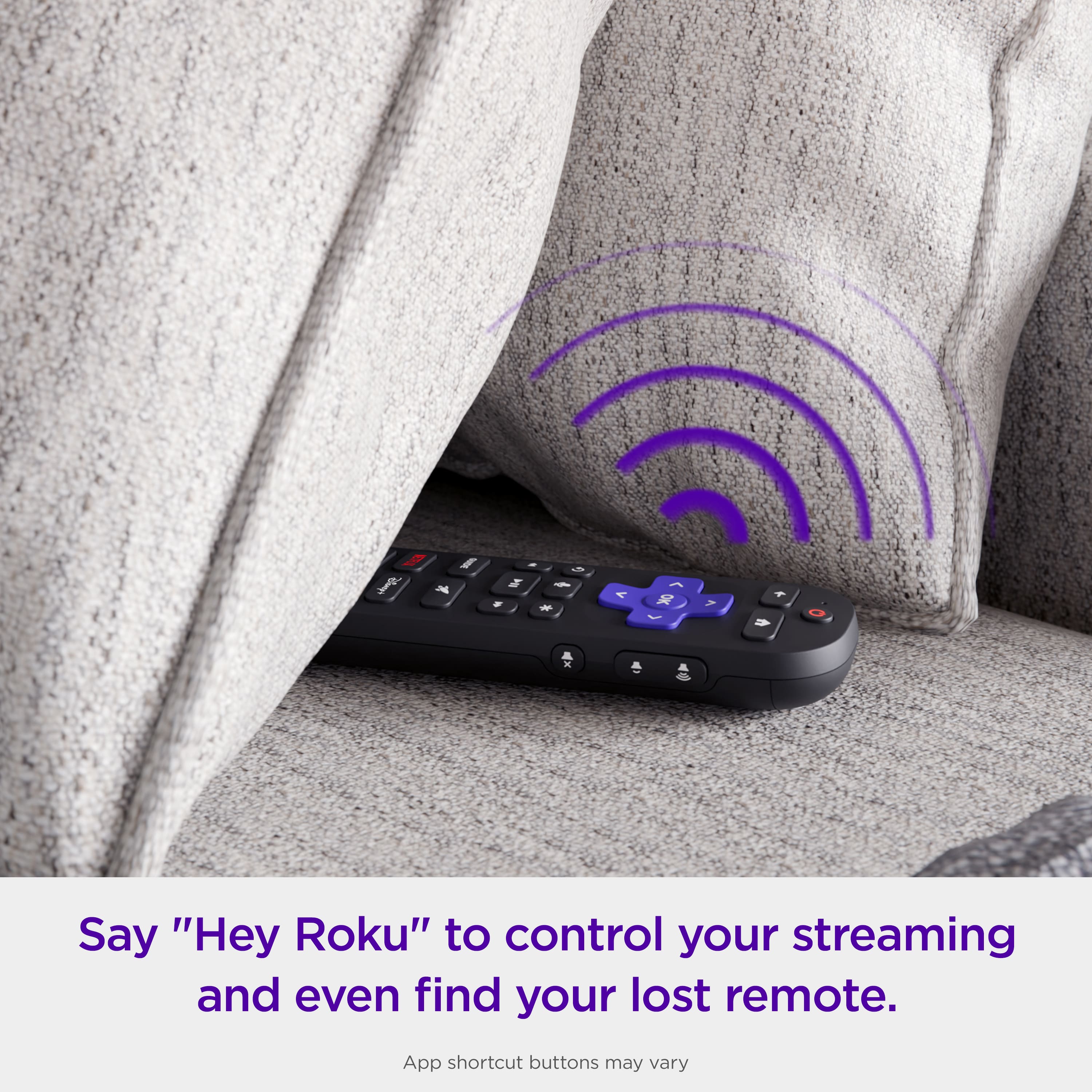
Posted .This reviewer received promo considerations or sweepstakes entry for writing a review.Absolutely Love this remote! Don’t have to worry about changing batteries or losing this remote. One of the features is to talk to your remote, ex when you can’t find your remote you ask Roku where is my remote and it will beep. You can also ask to see programs and it will automatically go to the program. Very pleased Very pleased
I would recommend this to a friend - Pros mentioned:Backlit buttons
ROKU REMOTE CONTROL: EASY DOES IT!
Posted .This reviewer received promo considerations or sweepstakes entry for writing a review.Excellent voice search option. Easy setup. Ergonomic. Conveniently lit buttons. The only thing I would add to the remote control are buttons with numbers for quicker access to channel favorites. I do wish there was a way to purchase a second remote control with somewhat of a discount with the purchase of the first remote control. I paid $29.99 (plus tax) for one remote. Not a bad buy, but I wish I could save on a purchase of a second one with the purchase I made initially. The only option was to order it for delivery; I prefer to pick up the item at the store. I did receive it on time (about two days) from the order date in excellent condition.
I would recommend this to a friend