Customer Ratings & Reviews
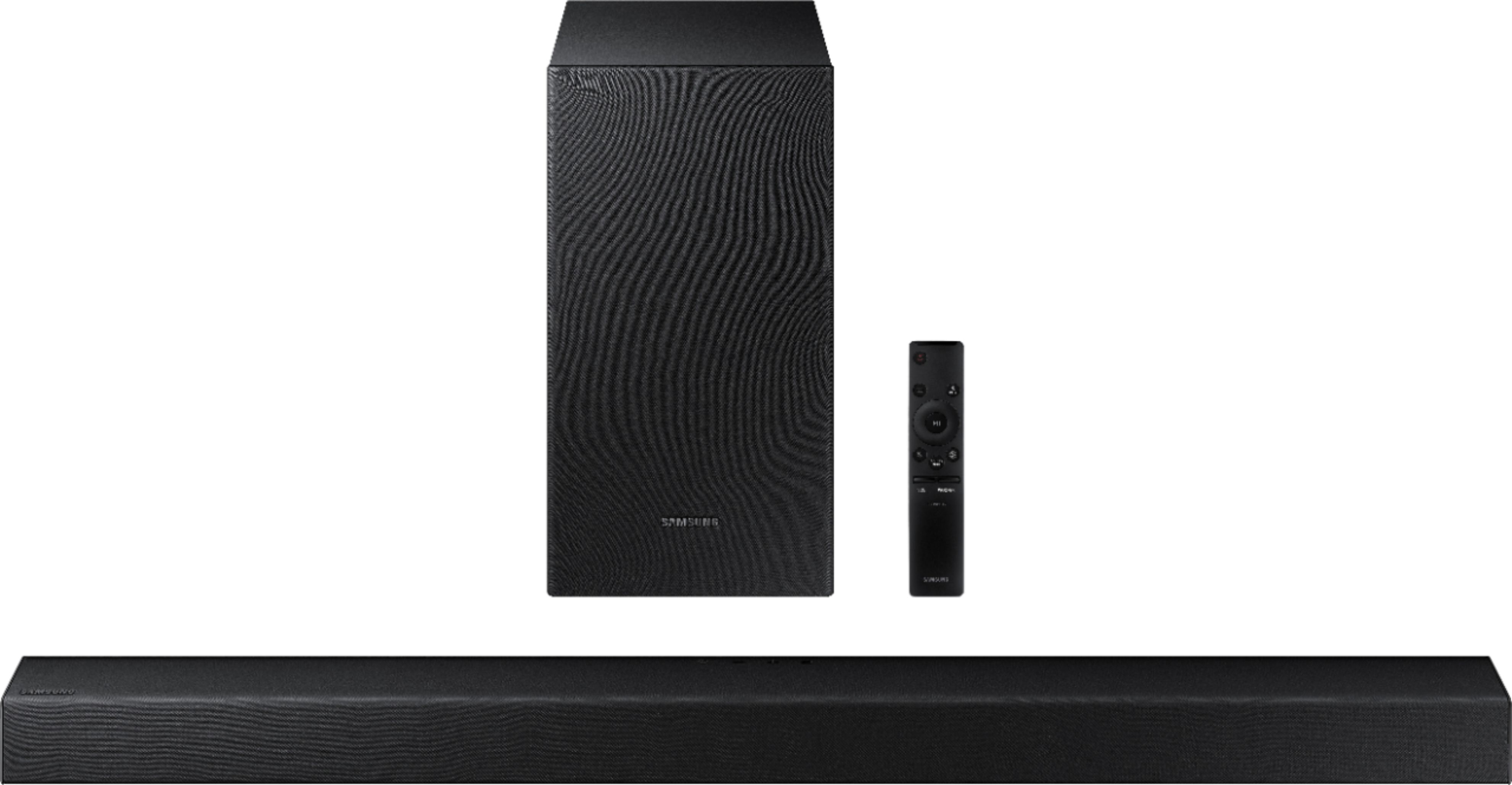
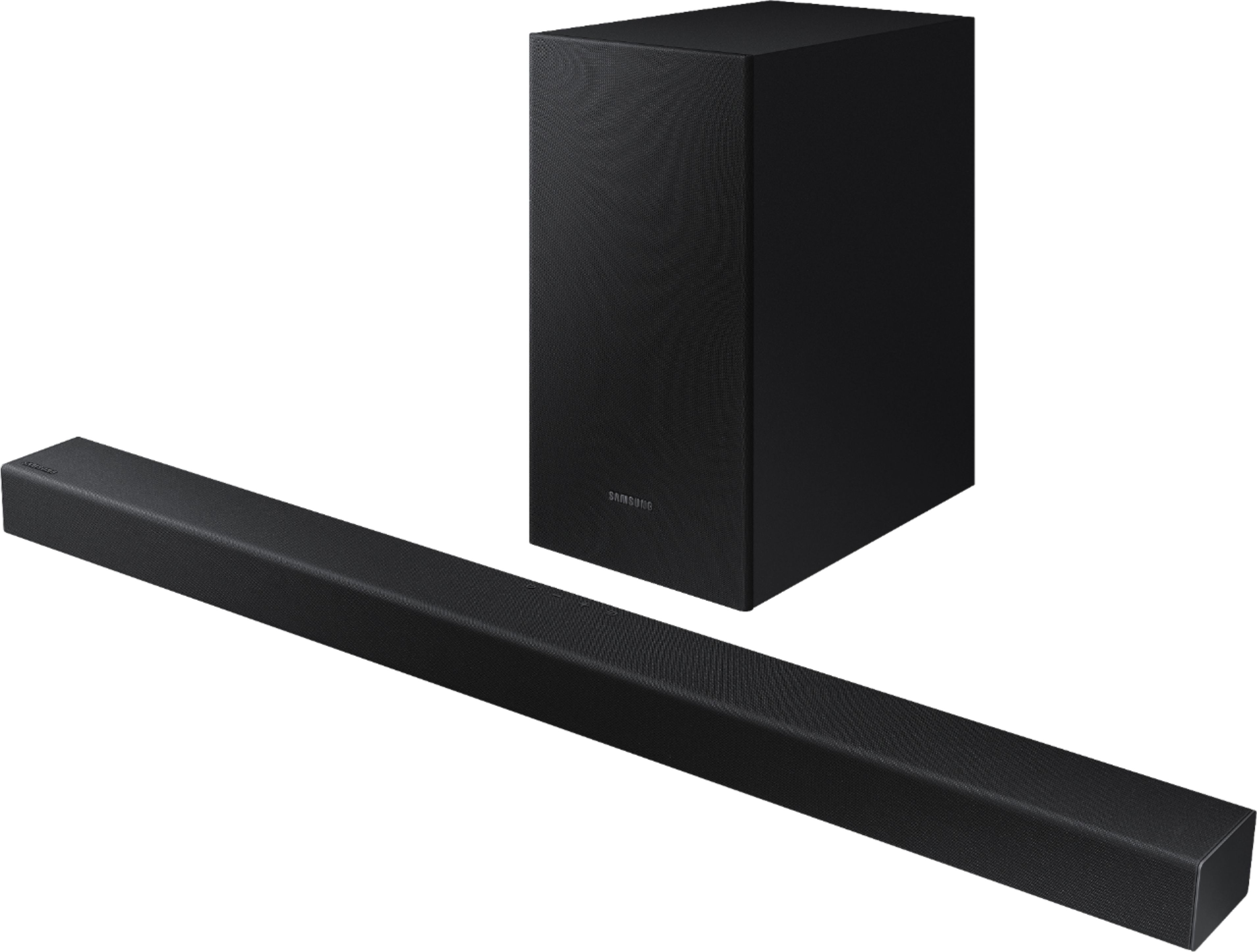
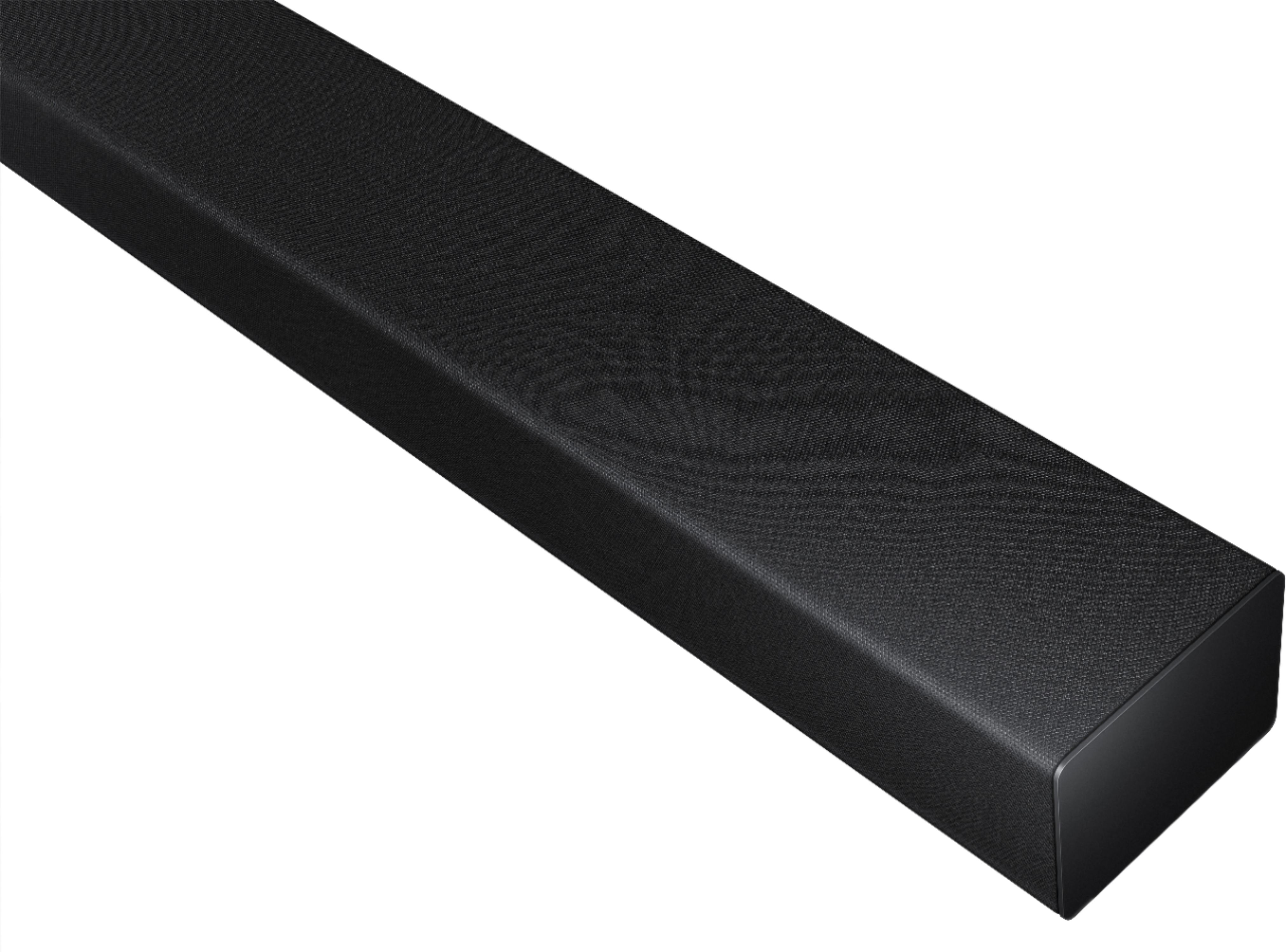
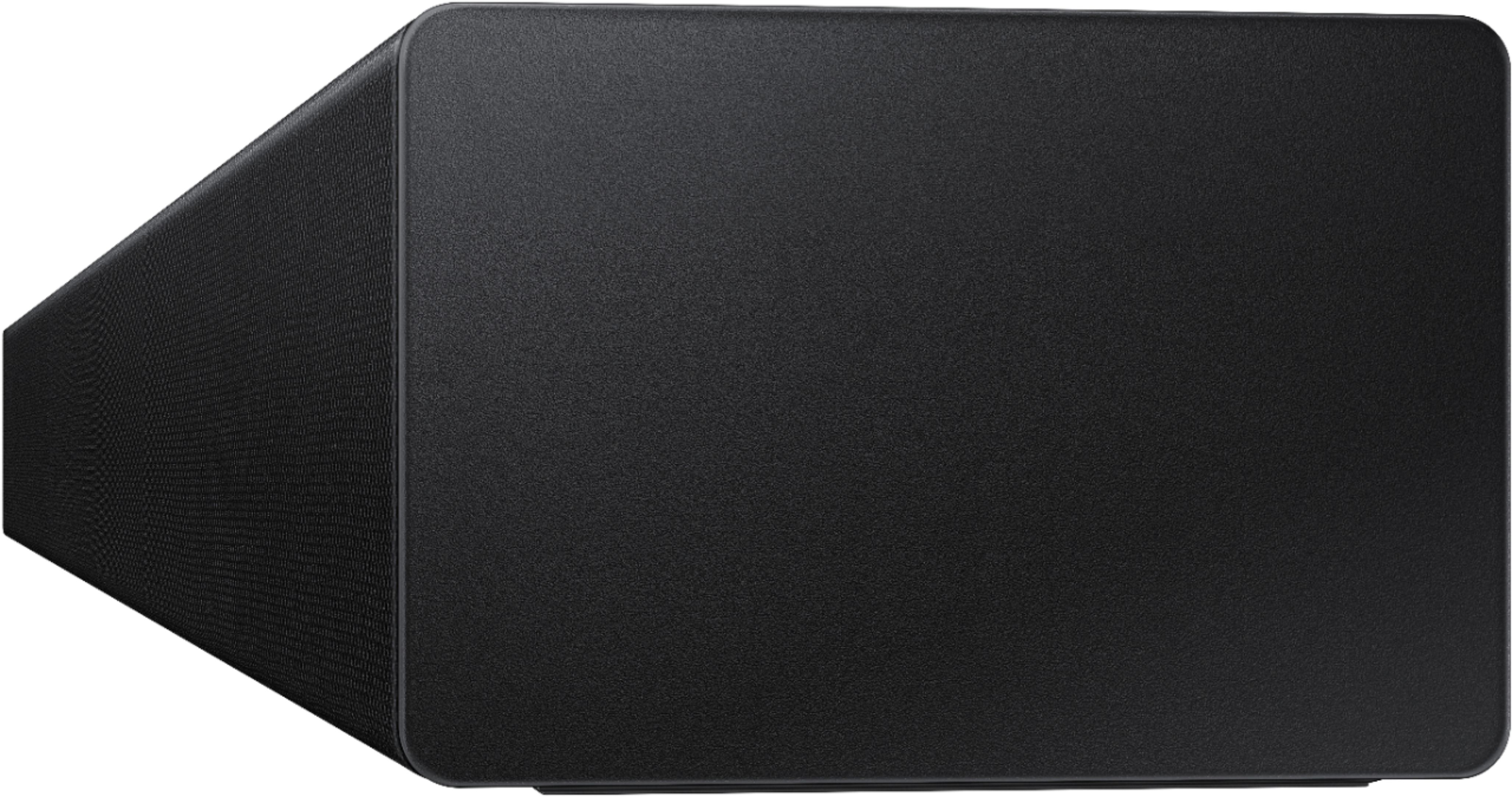



- Model:
- HW-T450/ZA
- SKU:
- 6400704
Rating by feature
- Value
Rating 4.3 out of 5 stars
- Quality
Rating 4.2 out of 5 stars
- Ease of Use
Rating 4.3 out of 5 stars
Customers are saying
Customers are pleased with the sound quality, easy setup, and price of the 2.1-Channel Soundbar with Wireless Subwoofer and Dolby Audio (2020). Many customers rave about the unexpectedly amazing bass and great sound system. However, some customers have experienced issues with Bluetooth connectivity, volume, compatibility, and power.
This summary was generated by AI based on customer reviews.
My previous Vizio sound bar, was better. Not 5.1
||Posted .This reviewer received promo considerations or sweepstakes entry for writing a review.Marginal power. Poor instruction manual with trickey setup.
No, I would not recommend this to a friendBrand response from Samsung
Posted .Flob:
Thank you for sharing your user experience with this Samsung Soundbar. I am sorry to hear that you are not completely satisfied with the sound and setup process.
If there is anything we can do to improve your experience -- such as helping to optimize settings for your specific usage scenario -- please let us know. You can reach Samsung Customer Support at:
1) Phone: 1-800-SAMSUNG, (available 8AM to 12AM EST - 7 days a week)
2) LiveChat: https://www.samsung.com/us/support/#contact_us_for_support
3) Facebook Messenger: https://www.facebook.com/samsungsupport
4) Twitter: https://twitter.com/SamsungSupport
5) The Samsung Members Community is also a great resource for getting help from Samsung moderators and customers: https://us.community.samsung.com
If you have not already done so, we invite you to register your new Samsung product at:
https://www.samsung.com/us/account/signin/?redirect=https%3A%2F%2Fwww.samsung.com%2Fus%2Fsupport%2Fregister%2F&user=dsr-registration
Registering your product gives you access to easy warranty support, convenient opt-in to special promos and offers, faster troubleshooting and service, and quick notification of system updates.
~ Samsung Solutions
- Cons mentioned:Bluetooth connectivity
Won't connect to the tv
||Posted . Owned for 1 month when reviewed.This reviewer received promo considerations or sweepstakes entry for writing a review.Just purchased this a month ago. At fist it was fine it conecta right away to the tv but now it won't even connect to the tv eventhough we follow the steps to connect it and still BT doesnt even recognize the soundbar.
No, I would not recommend this to a friendBrand response from Samsung
Posted .Unhappycustomer123:
I am very sorry to see that you are having connection issues between the soundbar and TV. If you are connecting wirelessly via Bluetooth, please follow these steps:
1) Press the PAIR button on the remote to enter BT PAIRING mode
a. or press the SOURCE button on the top panel and then select BT. “BT” changes to “BT PAIRING” in a few seconds automatically or changes to “BT READY” if there is a connect record.
b. When BT READY appears, press and hold the SOURCE button on the top panel of the Soundbar for more than 5 seconds to display BT PAIRING.
2) Select Bluetooth mode on the TV
3) Select “[AV] Samsung Soundbar T4-Series” from the list on the TV’s screen. An available Soundbar is indicated with “Need Pairing” or “Paired” on the TV’s Bluetooth device list. To connect the TV to the Soundbar, select the message, and then establish a connection. - When the TV is connected, [TV Name] → “BT” appears on the Soundbar’s front display.
4) You can now hear TV sound from the Soundbar.
If the device fails to connect
- If a previously connected Soundbar listing (e.g. “[AV] Samsung Soundbar T4-Series”) appears in the list, delete it.
- Then repeat steps 1 through 3
Once you have connected your soundbar for the first time, use the “BT READY” mode to reconnect.
For detailed instructions, see pages 11-12 in the Full Manual: https://downloadcenter.samsung.com/content/UM/202004/20200417164803535/HW-T450_ZA_FullManual_00_ENG_200228.pdf
I hope this helps, should you need further assistance, please contact Samsung Customer Support.
1) Phone: 1-800-SAMSUNG, (available 8AM to 12AM EST - 7 days a week)
2) LiveChat: https://www.samsung.com/us/support/#contact_us_for_support
3) Facebook Messenger: https://www.facebook.com/samsungsupport
4) Twitter: https://twitter.com/SamsungSupport
5) The Samsung Members Community is also a great resource for getting help from Samsung moderators and customers: https://us.community.samsung.com
If you have not already done so, we invite you to register your new Samsung product at:
https://www.samsung.com/us/account/signin/?redirect=https%3A%2F%2Fwww.samsung.com%2Fus%2Fsupport%2Fregister%2F&user=dsr-registration
Registering your product gives you access to easy warranty support, convenient opt-in to special promos and offers, faster troubleshooting and service, and quick notification of system updates.
~ Samsung Solutions
Not enough for a large room
||Posted . Owned for 3 months when reviewed.This reviewer received promo considerations or sweepstakes entry for writing a review.All I can say is should’ve bought with more speakers
I would recommend this to a friendBrand response from Samsung
Posted .Satisfieduser,
Thank you for sharing your review of the Samsung HW-T450. I am sorry to see that you are not completely happy with the sound performance. This soundbar features a powerful wireless subwoofer, as well as Game Mode, & Smart Sound which automatically detects what you're watching and optimizes the sound setting.
You can try manually optimizing your settings by pressing the SOUND MODE button on your remote, and then selecting the desired sound effect by choosing STANDARD, SURROUND SOUND, GAME, SMART, or DRC.
You can further adjust TREBLE and BASS via the SOUND CONTROL button (looks like a gear symbol).
There are two adjustments that can be made to maximize bass from the soundbar and subwoofer:
1) Using the WOOFER button on the remote, you can adjust the volume of the subwoofer between -6 to +6 by toggling the button up or down. To set the subwoofer volume level to 0, press the button in.
2) Adjust the bass control by pressing the SOUND CONTROL button (gear icon) on the remote control, then select BASS to increase the level. You can adjust the volume between -6 to +6 by using the Up/Down buttons.
For precise audio adjustments, you can use the 7-band frequency equalizer to optimize the sound for your room acoustics.
If you are not happy with the volume of your soundbar, simply changing the Digital Output Audio Format to PCM can help. You may want to try changing the Digital Output Audio Format to PCM.
This can be found at Home > Settings > Sound > Expert Settings. (It can also be found in the Quick Settings.)
If your Digital Output Audio Format isn't set to PCM, like for instance if you have a Dolby option selected, then you will likely notice decreased maximum volume. Dolby options are designed for surround systems (like 5.1 or 7.1), whereas PCM provides great sound quality for stereo speakers.
If you don't have a surround system, you will probably want to select PCM. You'll get much louder volume that way, and potentially better sound quality.
I hope this helps. For further assistance with settings, features, or functions, please contact Samsung Customer Support at:
1) Phone: 1-800-SAMSUNG, (available 8AM to 12AM EST - 7 days a week)
2) LiveChat: https://www.samsung.com/us/support/#contact_us_for_support
3) Facebook Messenger: https://www.facebook.com/samsungsupport
4) Twitter: https://twitter.com/SamsungSupport
5) The Samsung Members Community is also a great resource for getting help from Samsung moderators and customers: https://us.community.samsung.com
If you have not already done so, we invite you to register your new Samsung product at:
https://www.samsung.com/us/account/signin/?redirect=https%3A%2F%2Fwww.samsung.com%2Fus%2Fsupport%2Fregister%2F
Registering your product gives you access to easy warranty support, convenient opt-in to special promos and offers, faster troubleshooting and service, and quick notification of system updates.
~ Samsung Ambassador
Ahh!!:(
||Posted . Owned for 3 weeks when reviewed.This reviewer received promo considerations or sweepstakes entry for writing a review.Expected better quality 333333;4444;;;;;;;;;;;;;;;
No, I would not recommend this to a friendBrand response from Samsung
Posted .Shredder,
Thank you for sharing your review of the Samsung HW-T450. I am sorry to see that you are not completely happy with the sound performance. This soundbar features a powerful wireless subwoofer, as well as Game Mode, & Smart Sound which automatically detects what you're watching and optimizes the sound setting.
You can try manually optimizing your settings by pressing the SOUND MODE button on your remote, and then selecting the desired sound effect by choosing STANDARD, SURROUND SOUND, GAME, SMART, or DRC.
You can further adjust TREBLE and BASS via the SOUND CONTROL button (looks like a gear symbol).
Refer to pages 21-23 of the User Manual for detailed instructions: https://downloadcenter.samsung.com/content/UM/202004/20200423101910539/HW-T650_ZA_FullManual_01_ENG_200219.pdf
If you need further assistance, please know Samsung Customer Support is here to help.
For further assistance, please contact Samsung Customer Support.
1) Phone: 1-800-SAMSUNG, (available 8AM to 12AM EST - 7 days a week)
2) LiveChat: https://www.samsung.com/us/support/#contact_us_for_support
3) Facebook Messenger: https://www.facebook.com/samsungsupport
4) Twitter: https://twitter.com/SamsungSupport
5) The Samsung Members Community is also a great resource for getting help from Samsung moderators and customers: https://us.community.samsung.com
If you have not already done so, we invite you to register your new Samsung product at:
https://www.samsung.com/us/account/signin/?redirect=https%3A%2F%2Fwww.samsung.com%2Fus%2Fsupport%2Fregister%2F
Registering your product gives you access to easy warranty support, convenient opt-in to special promos and offers, faster troubleshooting and service, and quick notification of system updates.
~ Samsung Ambassador
Samsung
||Posted . Owned for 3 weeks when reviewed.This reviewer received promo considerations or sweepstakes entry for writing a review.Is ok not crazy sound For Samsung can be more better
No, I would not recommend this to a friendOk
||Posted . Owned for 3 weeks when reviewed.This reviewer received promo considerations or sweepstakes entry for writing a review.Average sound cooler have slid for more volume it’sok
No, I would not recommend this to a friendKeep looking
||Posted .This reviewer received promo considerations or sweepstakes entry for writing a review.Oh My, this thing is not the answer I was looking for. Purchased this as a what if for my 65 inch Samsung Q series but the performance was terrible for me Not saying it sucks but for the coin it lacks performance on every level - ( in my opinion that is )
No, I would not recommend this to a friendBrand response from Samsung
Posted .Hi Mellytime,
Thank you for sharing your review of the Samsung HW-T450. I am sorry to see that you are not completely happy with the sound performance. This soundbar features a powerful wireless subwoofer, as well as Game Mode, & Smart Sound which automatically detects what you're watching and optimizes the sound setting.
You can try manually optimizing your settings by pressing the SOUND MODE button on your remote, and then selecting the desired sound effect by choosing STANDARD, SURROUND SOUND, GAME, SMART, or DRC.
You can further adjust TREBLE and BASS via the SOUND CONTROL button (looks like a gear symbol).
There are two adjustments that can be made to maximize bass from the soundbar and subwoofer:
1) Using the WOOFER button on the remote, you can adjust the volume of the subwoofer between -6 to +6 by toggling the button up or down. To set the subwoofer volume level to 0, press the button in.
2) Adjust the bass control by pressing the SOUND CONTROL button (gear icon) on the remote control, then select BASS to increase the level. You can adjust the volume between -6 to +6 by using the Up/Down buttons.
For precise audio adjustments, you can use the 7-band frequency equalizer to optimize the sound for your room acoustics.
Refer to pages 21-23 of the User Manual for detailed instructions: https://downloadcenter.samsung.com/content/UM/202004/20200423101910539/HW-T650_ZA_FullManual_01_ENG_200219.pdf
If you need further assistance, please know Samsung Customer Support is here to help at:
1) Phone: 1-800-SAMSUNG, (available 8AM to 12AM EST - 7 days a week)
2) LiveChat: https://www.samsung.com/us/support/#contact_us_for_support
3) Facebook Messenger: https://www.facebook.com/samsungsupport
4) Twitter: https://twitter.com/SamsungSupport
5) The Samsung Members Community is also a great resource for getting help from Samsung moderators and customers: https://us.community.samsung.com
If you have not already done so, we invite you to register your new Samsung product at:
https://www.samsung.com/us/account/signin/?redirect=https%3A%2F%2Fwww.samsung.com%2Fus%2Fsupport%2Fregister%2F
Registering your product gives you access to easy warranty support, convenient opt-in to special promos and offers, faster troubleshooting and service, and quick notification of system updates.
~ Samsung Ambassador
Volume not very robust. Easy to install
||Posted . Owned for 3 weeks when reviewed.This reviewer received promo considerations or sweepstakes entry for writing a review.Opted for lower priced option. Get what you paid for
No, I would not recommend this to a friendBrand response from Samsung
Posted .Jaykay402:
Thank you for purchasing the Samsung HW-T450 Soundbar and for your review. I am very sorry that you are not happy with the volume of your soundbar. Simply changing the Digital Output Audio Format to PCM can help. You may want to try changing the Digital Output Audio Format to PCM.
This can be found at Home > Settings > Sound > Expert Settings. (It can also be found in the Quick Settings.)
If your Digital Output Audio Format isn't set to PCM, like for instance if you have a Dolby option selected, then you will likely notice decreased maximum volume. Dolby options are designed for surround systems (like 5.1 or 7.1), whereas PCM provides great sound quality for stereo speakers.
If you don't have a surround system, you will probably want to select PCM. You'll get much louder volume that way, and potentially better sound quality.
I hope this helps. For further assistance with settings, features, or functions, please contact Samsung Customer Support.
1) Phone: 1-800-SAMSUNG, (available 8AM to 12AM EST - 7 days a week)
2) LiveChat: https://www.samsung.com/us/support/#contact_us_for_support
3) Facebook Messenger: https://www.facebook.com/samsungsupport
4) Twitter: https://twitter.com/SamsungSupport
5) The Samsung Members Community is also a great resource for getting help from Samsung moderators and customers: https://us.community.samsung.com
If you have not already done so, we invite you to register your new Samsung product at:
https://www.samsung.com/us/account/signin/?redirect=https%3A%2F%2Fwww.samsung.com%2Fus%2Fsupport%2Fregister%2F&user=dsr-registration
Registering your product gives you access to easy warranty support, convenient opt-in to special promos and offers, faster troubleshooting and service, and quick notification of system updates.
~ Samsung Solutions
Nice soundbar
||Posted . Owned for 3 months when reviewed.This reviewer received promo considerations or sweepstakes entry for writing a review.I love the soundbar but the sound could be better.
No, I would not recommend this to a friendBrand response from Samsung
Posted .Gena:
Thank you for sharing your review of the Samsung HW-T450. I am sorry to see that you are not completely happy with the sound performance. This soundbar features a powerful wireless subwoofer, as well as Game Mode, & Smart Sound which automatically detects what you're watching and optimizes the sound setting.
You can try manually optimizing your settings by pressing the SOUND MODE button on your remote, and then selecting the desired sound effect by choosing STANDARD, SURROUND SOUND, GAME, SMART, or DRC.
You can further adjust TREBLE and BASS via the SOUND CONTROL button (looks like a gear symbol).
Refer to pages 21-23 of the User Manual for detailed instructions: https://downloadcenter.samsung.com/content/UM/202004/20200423101910539/HW-T650_ZA_FullManual_01_ENG_200219.pdf
If you need further assistance, please know Samsung Customer Support is here to help.
1) Phone: 1-800-SAMSUNG, (available 8AM to 12AM EST - 7 days a week)
2) LiveChat: https://www.samsung.com/us/support/#contact_us_for_support
3) Facebook Messenger: https://www.facebook.com/samsungsupport
4) Twitter: https://twitter.com/SamsungSupport
5) The Samsung Members Community is also a great resource for getting help from Samsung moderators and customers: https://us.community.samsung.com
If you have not already done so, we invite you to register your new Samsung product at:
https://www.samsung.com/us/account/signin/?redirect=https%3A%2F%2Fwww.samsung.com%2Fus%2Fsupport%2Fregister%2F&user=dsr-registration
Registering your product gives you access to easy warranty support, convenient opt-in to special promos and offers, faster troubleshooting and service, and quick notification of system updates.
~ Samsung Solutions
Samsung sound bar/ wireless sub. Subpar.
||Posted . Owned for 3 weeks when reviewed.This reviewer received promo considerations or sweepstakes entry for writing a review.I purchased my Samsung tv about 7 years ago. The tv is still fine. However, I felt that the sound need some kick so I purchased the sound bar and wireless sub setup. I had trouble setting it up because it didn’t appear to be on. There are no lights to indicate that the unit has power. Another thing that irritates me is that you have to continually press and release the volume button to raise or lower the sound. Every press only increases/ decreases really small amounts. I’m also not impressed with the sound of this unit. Perhaps the higher end units have better quality. I also have Vizio tv’s and sound bars. In my opinion, for the same price point, Vizio has a much better product.
No, I would not recommend this to a friendBrand response from Samsung
Posted .Hi Mike,
Thank you for purchasing the Samsung HW-T450 Soundbar and for your review. Your feedback regarding the indicator light and volume conrol button is very important to us and will be shared with our product team.
I am sorry to see that you are not completely happy with the sound performance. This soundbar features a powerful wireless subwoofer, as well as Game Mode, & Smart Sound which automatically detects what you're watching and optimizes the sound setting.
You can try manually optimizing your settings by pressing the SOUND MODE button on your remote, and then selecting the desired sound effect by choosing STANDARD, SURROUND SOUND, GAME, SMART, or DRC.
You can further adjust TREBLE and BASS via the SOUND CONTROL button (looks like a gear symbol).
There are two adjustments that can be made to maximize bass from the soundbar and subwoofer:
1) Using the WOOFER button on the remote, you can adjust the volume of the subwoofer between -6 to +6 by toggling the button up or down. To set the subwoofer volume level to 0, press the button in.
2) Adjust the bass control by pressing the SOUND CONTROL button (gear icon) on the remote control, then select BASS to increase the level. You can adjust the volume between -6 to +6 by using the Up/Down buttons.
For precise audio adjustments, you can use the 7-band frequency equalizer to optimize the sound for your room acoustics.
If you need further assistance, please know Samsung Customer Support is here to help at:
1) Phone: 1-800-SAMSUNG, (available 8AM to 12AM EST - 7 days a week)
2) LiveChat: https://www.samsung.com/us/support/#contact_us_for_support
3) Facebook Messenger: https://www.facebook.com/samsungsupport
4) Twitter: https://twitter.com/SamsungSupport
5) The Samsung Members Community is also a great resource for getting help from Samsung moderators and customers: https://us.community.samsung.com
If you have not already done so, we invite you to register your new Samsung product at:
https://www.samsung.com/us/account/signin/?redirect=https%3A%2F%2Fwww.samsung.com%2Fus%2Fsupport%2Fregister%2F
Registering your product gives you access to easy warranty support, convenient opt-in to special promos and offers, faster troubleshooting and service, and quick notification of system updates.
~ Samsung Ambassador
- Cons mentioned:Volume
Worst Sound Bar
||Posted . Owned for less than 1 week when reviewed.This reviewer received promo considerations or sweepstakes entry for writing a review.Do not waste your time on this item. I understand it’s cheap. But I had the volume all the way up an still not loud enough my TV speakers it’s louder. Samsung should just stick to TV NOT speakers.
No, I would not recommend this to a friendBrand response from Samsung
Posted .Hi JPK87,
Thank you for purchasing the Samsung HW-T450 Soundbar and for your review. I am very sorry that you are not happy with the volume of your soundbar. Simply changing the Digital Output Audio Format to PCM can help. You may want to try changing the Digital Output Audio Format to PCM.
This can be found at Home > Settings > Sound > Expert Settings. (It can also be found in the Quick Settings.)
If your Digital Output Audio Format isn't set to PCM, like for instance if you have a Dolby option selected, then you will likely notice decreased maximum volume. Dolby options are designed for surround systems (like 5.1 or 7.1), whereas PCM provides great sound quality for stereo speakers.
If you don't have a surround system, you will probably want to select PCM. You'll get much louder volume that way, and potentially better sound quality.
This soundbar features a powerful wireless subwoofer, as well as Game Mode, & Smart Sound which automatically detects what you're watching and optimizes the sound setting.
You can try manually optimizing your settings by pressing the SOUND MODE button on your remote, and then selecting the desired sound effect by choosing STANDARD, SURROUND SOUND, GAME, SMART, or DRC.
You can further adjust TREBLE and BASS via the SOUND CONTROL button (looks like a gear symbol).
There are two adjustments that can be made to maximize bass from the soundbar and subwoofer:
1) Using the WOOFER button on the remote, you can adjust the volume of the subwoofer between -6 to +6 by toggling the button up or down. To set the subwoofer volume level to 0, press the button in.
2) Adjust the bass control by pressing the SOUND CONTROL button (gear icon) on the remote control, then select BASS to increase the level. You can adjust the volume between -6 to +6 by using the Up/Down buttons.
For precise audio adjustments, you can use the 7-band frequency equalizer to optimize the sound for your room acoustics.
I hope this helps. For further assistance with settings, features, or functions, please contact Samsung Customer Support.
For further assistance, please contact Samsung Customer Support.
1) Phone: 1-800-SAMSUNG, (available 8AM to 12AM EST - 7 days a week)
2) LiveChat: https://www.samsung.com/us/support/#contact_us_for_support
3) Facebook Messenger: https://www.facebook.com/samsungsupport
4) Twitter: https://twitter.com/SamsungSupport
5) The Samsung Members Community is also a great resource for getting help from Samsung moderators and customers: https://us.community.samsung.com
If you have not already done so, we invite you to register your new Samsung product at:
https://www.samsung.com/us/account/signin/?redirect=https%3A%2F%2Fwww.samsung.com%2Fus%2Fsupport%2Fregister%2F
Registering your product gives you access to easy warranty support, convenient opt-in to special promos and offers, faster troubleshooting and service, and quick notification of system updates.
~ Samsung Ambassador
Big disappointment that keeps disapointing.
||Posted . Owned for 2 weeks when reviewed.This reviewer received promo considerations or sweepstakes entry for writing a review.I keep finding anoying things about this product. It starts with the product description being misleading about the remote. I was under the impression the included remote would also opperate my Samsung TV. It does not. The main thing I hate is the a/v sync is questionable at best. The manual delay options are completely ineffectual. The subwoofer has an audible hiss that follows the trebble range sounds from the sound bar. Yesterday I discovered that some sounds on my PS4 get clipped off or come through odd, and yesterday was when my return window ended. So now I'm stuck with a big disappointment. Also annoying is the sound bar is just tall enough to block the remote sensor.
No, I would not recommend this to a friendBrand response from Samsung
Posted .TristanT,
Thank you for sharing your user experience with the HW-T650 Samsung Soundbar. If you have a Samsung TV, you can adjust the Soundbar’s volume using the IR remote control that came with your Samsung TV. First use the TV menu to set the TV audio on your Samsung TV to external speakers, then use your Samsung remote to control the Soundbar’s volume. For more information, see the TV’s user manual. The default mode for this function is control by a Samsung TV remote. If your TV is not a Samsung TV, follow the directions below to change the settings of this function.
1. Turn Off the Soundbar.
2. If you do not want to use this function, push up and hold the WOOFER button for 5 seconds repeatedly until “OFF-TV REMOTE” appears in the display.
3. If you want to control the Soundbar with your TV’s remote, push up and hold the WOOFER button for 5 seconds repeatedly until “ALL-TV REMOTE” appears in the display. Then, use your TV’s menu to select external speakers.
4. If you want to return the Soundbar to the default mode (control by a Samsung TV remote), push up and hold the WOOFER button for 5 seconds repeatedly until “SAMSUNG-TV REMOTE” appears in the display.
– Each time you push the WOOFER button up and hold it for 5 seconds, the mode switches in the following order:
“SAMSUNG-TV REMOTE” (Default mode) → “OFF‑TV REMOTE” → “ALL‑TV REMOTE”.
– This function may not be available, depending on the remote control.
– Manufacturers supporting this function:
VIZIO, LG, Sony, Sharp, PHILIPS, PANASONIC, TOSHIBA, Hisense, RCA
If the video on the TV and audio from the Soundbar are not synchronized, press the Sound Control button to select AUDIO SYNC and then set the audio delay between 0~300 milliseconds by using the Up/Down buttons. (Not available in “USB” mode.) NOTE: AUDIO SYNC is only supported for some function
By design, the purpose of the subwoofer is to reproduces low frequency sounds and not musical tones. It adds rich tones and deepens sound effects, like the rumbles of an explosion or the depth in bass guitars and drums.
There are two adjustments that can be made for bass and subwoofer:
1) Using the WOOFER button on the remote, you can adjust the volume of the subwoofer between -6 to +6 by toggling the button up or down. To set the subwoofer volume level to 0, press the button down
2) Adjust the bass control by pressing the SOUND CONTROL button (gear icon) on the remote control, then select BASS to increase the level. You can adjust the volume between -6 to +6 by using the Up/Down buttons.
For precise audio adjustments, you can use the 7-band frequency equalizer to optimize the sound for your room acoustics.
I hope these tips helps. For further assistance with features, settings, adjustments, or functions please contact Samsung Customer Support at:
1) Phone: 1-800-SAMSUNG, (available 8AM to 12AM EST - 7 days a week)
2) LiveChat: https://www.samsung.com/us/support/#contact_us_for_support
3) Facebook Messenger: https://www.facebook.com/samsungsupport
4) Twitter: https://twitter.com/SamsungSupport
5) The Samsung Members Community is also a great resource for getting help from Samsung moderators and customers: https://us.community.samsung.com
If you have not already done so, we invite you to register your new Samsung product at:
https://www.samsung.com/us/account/signin/?redirect=https%3A%2F%2Fwww.samsung.com%2Fus%2Fsupport%2Fregister%2F
Registering your product gives you access to easy warranty support, convenient opt-in to special promos and offers, faster troubleshooting and service, and quick notification of system updates.
~ Samsung Ambassador
It's ok
||Posted . Owned for 3 weeks when reviewed.This reviewer received promo considerations or sweepstakes entry for writing a review.I don't like the sound. I'm disappointed in Samsung.
No, I would not recommend this to a friendBrand response from Samsung
Posted .CottonCandyTastesGood:
Thank you for sharing your review of the Samsung HW-T450. I am sorry to see that you are not completely happy with the sound. This soundbar features a powerful wireless subwoofer, as well as Game Mode, Dolby Digital Plus, and DTS Digital Surround for deep bass, rich sound, and clear tones. You can try optimizing audio performance for your specific content by pressing the SOUND MODE button on your remote, and then selecting the desired sound effect by choosing STANDARD, SURROUND SOUND, GAME, or SMART.
You can also press the Sound Control button on the remote (looks like a gear) to adjust TREBLE and BASS.
Press and hold the Sound Control button for about 5 seconds to adjust the sound for each of seven frequency bands.
Using the WOOFER button on the remote, you can adjust the volume of the subwoofer between -6 to +6 by toggling the button up or down. To set the subwoofer volume level to 0, press the button down.
I hope these tips help to enhance your audio enjoyment.
Should you need further assistance with this issue or have any questions, please contact Samsung Customer Support via any of the below options:
1) Phone: 1-800-SAMSUNG, available 8AM - 9PM EST, Mon - Fri
2) LiveChat: https://www.samsung.com/us/support/#contact_us_for_support
3) Facebook Messenger: https://www.facebook.com/samsungsupport
4) Twitter: https://twitter.com/SamsungSupport
5) The Samsung Members Community is also a great resource for getting help from Samsung moderators and customers: https://us.community.samsung.com
If you have not already done so, we invite you to register your new Samsung product at: https://www.samsung.com/us/account/signin/?redirect=https%3A%2F%2Fwww.samsung.com%2Fus%2Fsupport%2Fregister%2F
Registering your product gives you access to easy warranty support, convenient opt-in to special promos and offers, faster troubleshooting and service, and quick notification of system updates.
~ Samsung Solutions
Nothing but connection problems!
||Posted . Owned for 1 month when reviewed.This reviewer received promo considerations or sweepstakes entry for writing a review.Nothing but connection problems!The Bluetooth kept cutting in and out every couple of minutes. Whether it was trying to connect to my laptop or my iPhone, or any other Bluetooth device I have. It would constantly connect and disconnect thought it might be a unit problem so I returned it to Best Buy for the same model and had the same problems all over again! Finally, the Best Buy associate suggested another brand and I installed it and haven’t had a problem since!!
No, I would not recommend this to a friendBrand response from Samsung
Posted .rgcook:
Thank you for your review of this Samsung Soundbar System. I am sorry to hear that it did not work out for you and have returned your unit.
Your feedback is very important to us and will be shared with our product team.
Should you ever decide to give Samsung audio products another try and have concerns or questions, please know we are always here to help. You can contact Samsung Customer Support by any of the below options:
1) Phone: 1-800-SAMSUNG, (available 8AM to 12AM EST - 7 days a week)
2) LiveChat: https://www.samsung.com/us/support/#contact_us_for_support
3) Facebook Messenger: https://www.facebook.com/samsungsupport
4) Twitter: https://twitter.com/SamsungSupport
5) The Samsung Members Community is also a great resource for getting help from Samsung moderators and customers: https://us.community.samsung.com
~ Samsung Solutions
Low Frequency process needs help
||Posted . Owned for less than 1 week when reviewed.This reviewer received promo considerations or sweepstakes entry for writing a review.Constant burping from the subwoofer as long as quiet content is playing. Noticed it during a conversational scene over Bluetooth. Currently listening to Bach Cantata N. 147 and my left ear is starting to ache from the constant LF popping.
No, I would not recommend this to a friendBrand response from Samsung
Posted .Hi fabyouless,
Thank you for purchasing the Samsung HW-T450 Soundbar. I am very sorry that you are not experiencing issues with your soundbar. Please make sure you are running the latest firmware update which includes improved connectivity. Updating the firmware on your soundbar gives you all the benefits of the latest improvements. You can update your firmware ver. 1043 by using a USB device. You can find the update on the product page of your HW-T450 on the Samsung website.
Should you need further assistance with this issue, or have any questions about features or operation, please know that Samsung is here to help. You can contact us via any of the below options:
1) Phone: 1-800-SAMSUNG, (available 8AM to 12AM EST - 7 days a week)
2) LiveChat: https://www.samsung.com/us/support/#contact_us_for_support
3) Facebook Messenger: https://www.facebook.com/samsungsupport
4) Twitter: https://twitter.com/SamsungSupport
5) The Samsung Members Community is also a great resource for getting help from Samsung moderators and customers: https://us.community.samsung.com
If you have not already done so, we invite you to register your new Samsung product at:
https://www.samsung.com/us/account/signin/?redirect=https%3A%2F%2Fwww.samsung.com%2Fus%2Fsupport%2Fregister%2F
Registering your product gives you access to easy warranty support, convenient opt-in to special promos and offers, faster troubleshooting and service, and quick notification of system updates.
~ Samsung Ambassador
Needs more power
||Posted . Owned for 3 weeks when reviewed.This reviewer received promo considerations or sweepstakes entry for writing a review.Poor Power. My TV had more power in its speakers that this soundbar. I had to increase volume to almost 90 to barely hear it on any mode. I liked it because it was smaller than most. Returned for another Samsung with more watts per channel
No, I would not recommend this to a friendBrand response from Samsung
Posted .Hi CJaneway,
Thank you for sharing your review of the Samsung HW-T450 soundbar. I am very sorry that your experience with this soundbar was less than perfect, and you have decided to exchange it for a different model. Thank you for being a loyal Samsung customer.
Your feedback regarding this model is important to us and will be shared with our internal teams.
Should you have questions or need assistance with settings, setup, or features, with your new Samsung soundbar, please know we are always here to help.
For further assistance, please contact Samsung Customer Support.
1) Phone: 1-800-SAMSUNG, (available 8AM to 12AM EST - 7 days a week)
2) LiveChat: https://www.samsung.com/us/support/#contact_us_for_support
3) Facebook Messenger: https://www.facebook.com/samsungsupport
4) Twitter: https://twitter.com/SamsungSupport
5) The Samsung Members Community is also a great resource for getting help from Samsung moderators and customers: https://us.community.samsung.com
If you have not already done so, we invite you to register your new Samsung product at:
https://www.samsung.com/us/account/signin/?redirect=https%3A%2F%2Fwww.samsung.com%2Fus%2Fsupport%2Fregister%2F
Registering your product gives you access to easy warranty support, convenient opt-in to special promos and offers, faster troubleshooting and service, and quick notification of system updates.
~ Samsung Ambassador
Worse than built in TV speakers
||Posted . Owned for less than 1 week when reviewed.This reviewer received promo considerations or sweepstakes entry for writing a review.Did all the audio troubleshooting, switching to PCM and using optical/Bluetooth. Didn’t matter what I did, the sound difference from 50 up to 100 was barely anything. Worked well with Bluetooth on the phone but from the TV it was awful.
No, I would not recommend this to a friendBrand response from Samsung
Posted .Hi Raider,
Thank you for sharing your review of the Samsung HW-T450. Your feedback is very important to us and will be shared with our product team.
I am sorry to see that you are not completely happy with sound performance. Thank you for sharing your review of the Samsung HW-T450. I am sorry to see that you are not completely happy with the sound performance. This soundbar features a powerful wireless subwoofer, as well as Game Mode, & Smart Sound which automatically detects what you're watching and optimizes the sound setting.
You can try manually optimizing your settings by pressing the SOUND MODE button on your remote, and then selecting the desired sound effect by choosing STANDARD, SURROUND SOUND, GAME, SMART, or DRC.
You can further adjust TREBLE and BASS via the SOUND CONTROL button (looks like a gear symbol).
There are two adjustments that can be made to maximize bass from the soundbar and subwoofer:
1) Using the WOOFER button on the remote, you can adjust the volume of the subwoofer between -6 to +6 by toggling the button up or down. To set the subwoofer volume level to 0, press the button in.
2) Adjust the bass control by pressing the SOUND CONTROL button (gear icon) on the remote control, then select BASS to increase the level. You can adjust the volume between -6 to +6 by using the Up/Down buttons.
For precise audio adjustments, you can use the 7-band frequency equalizer to optimize the sound for your room acoustics.
I hope this helps. For further assistance with features, settings, adjustments, or functions please contact Samsung Customer Support.
1) Phone: 1-800-SAMSUNG, (available 8AM to 12AM EST - 7 days a week)
2) LiveChat: https://www.samsung.com/us/support/#contact_us_for_support
3) Facebook Messenger: https://www.facebook.com/samsungsupport
4) Twitter: https://twitter.com/SamsungSupport
5) The Samsung Members Community is also a great resource for getting help from Samsung moderators and customers: https://us.community.samsung.com
If you have not already done so, we invite you to register your new Samsung product at:
https://www.samsung.com/us/account/signin/?redirect=https%3A%2F%2Fwww.samsung.com%2Fus%2Fsupport%2Fregister%2F
Registering your product gives you access to easy warranty support, convenient opt-in to special promos and offers, faster troubleshooting and service, and quick notification of system updates.
~ Samsung Ambassador
Not a clear and crisp sound
||Posted .This reviewer received promo considerations or sweepstakes entry for writing a review.I dont like this sound bar and subwoofer. Too much bass. Does not adjust to sound. I find myself turning up/down the volume, depending on what am watching. The sound is not crisp. I'm very disappointed to say the least. I hope I can take it back.
No, I would not recommend this to a friendBrand response from Samsung
Posted .Vero:
Thank you for purchasing the Samsung HW-T450 featuring Smart Sound technology that auto-detects what you are watching and adjusts settings for the best experience. I'm sorry to see that you are not completely happy with performance.
To optimize your audio experience, please try the various sound modes this model offers. Press the SOUND MODE button on your remote, and then select your desired sound effect: STANDARD, SURROUND SOUND, GAME, or SMART.
You can further adjust TREBLE and BASS via the SOUND CONTROL button (looks like a gear symbol).
1) Phone: 1-800-SAMSUNG, (available 8AM to 12AM EST - 7 days a week)
2) LiveChat: https://www.samsung.com/us/support/#contact_us_for_support
3) Facebook Messenger: https://www.facebook.com/samsungsupport
4) Twitter: https://twitter.com/SamsungSupport
5) The Samsung Members Community is also a great resource for getting help from Samsung moderators and customers: https://us.community.samsung.com
If you have not already done so, we invite you to register your new Samsung product at:
https://www.samsung.com/us/account/signin/?redirect=https%3A%2F%2Fwww.samsung.com%2Fus%2Fsupport%2Fregister%2F&user=dsr-registration
Registering your product gives you access to easy warranty support, convenient opt-in to special promos and offers, faster troubleshooting and service, and quick notification of system updates.
~ Samsung Solutions
- Cons mentioned:Bluetooth connectivity
Blue tooth pairing difficulty
||Posted . Owned for 3 weeks when reviewed.This reviewer received promo considerations or sweepstakes entry for writing a review.It keeps disconnecting & frustrating to connect via Bluetooth & optical - both options doesn’t work. Are we able to return & exchange it?
No, I would not recommend this to a friend - Cons mentioned:Bluetooth connectivity
Bluetooth
||Posted . Owned for 6 months when reviewed.This reviewer received promo considerations or sweepstakes entry for writing a review.Won't stay connected to Bluetooth and won't reconnect. It also doesn't have a HDMI audio port just an optical audio port which makes everything sound gross to me.
No, I would not recommend this to a friend