Customer Ratings & Reviews
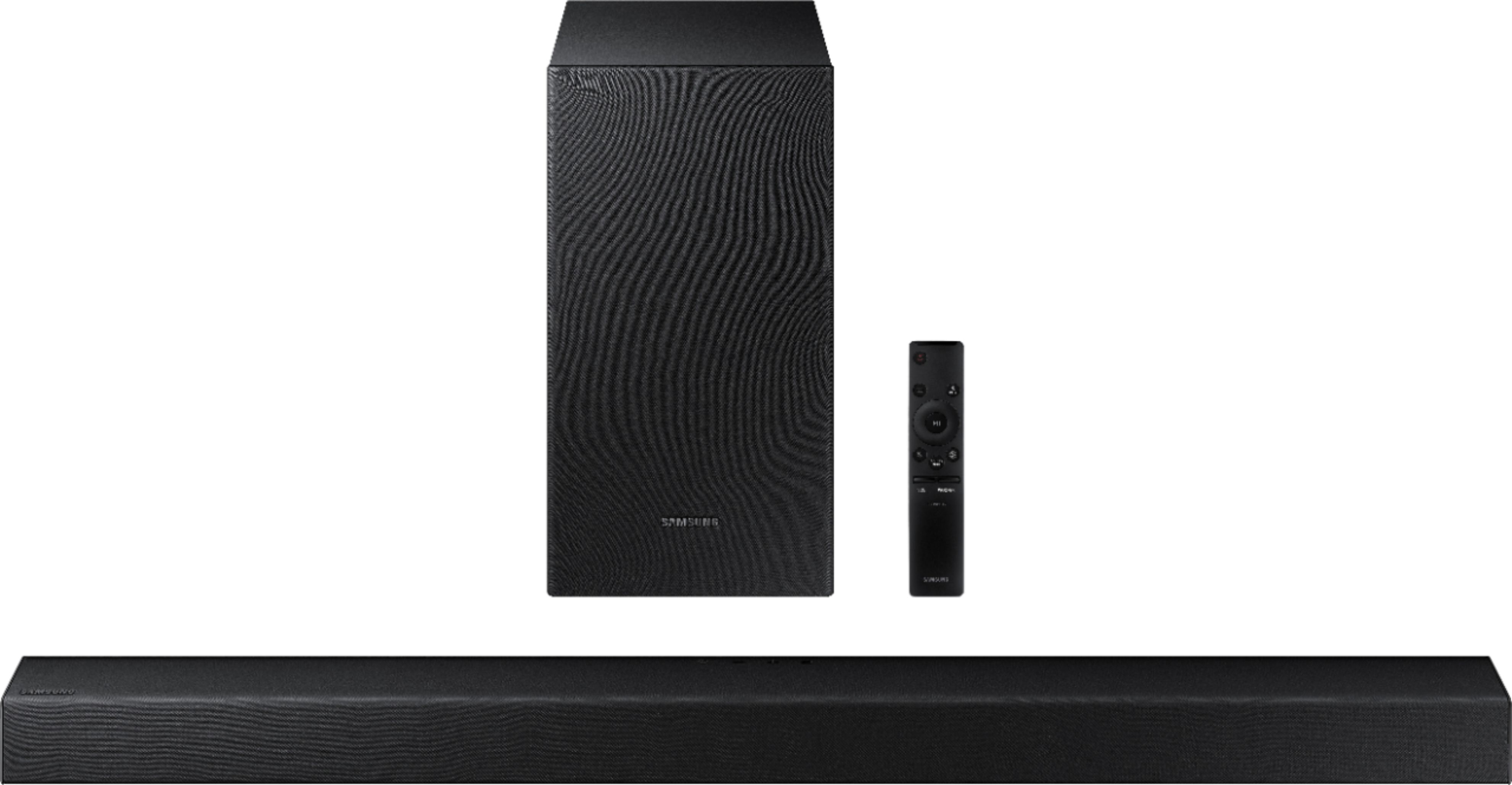
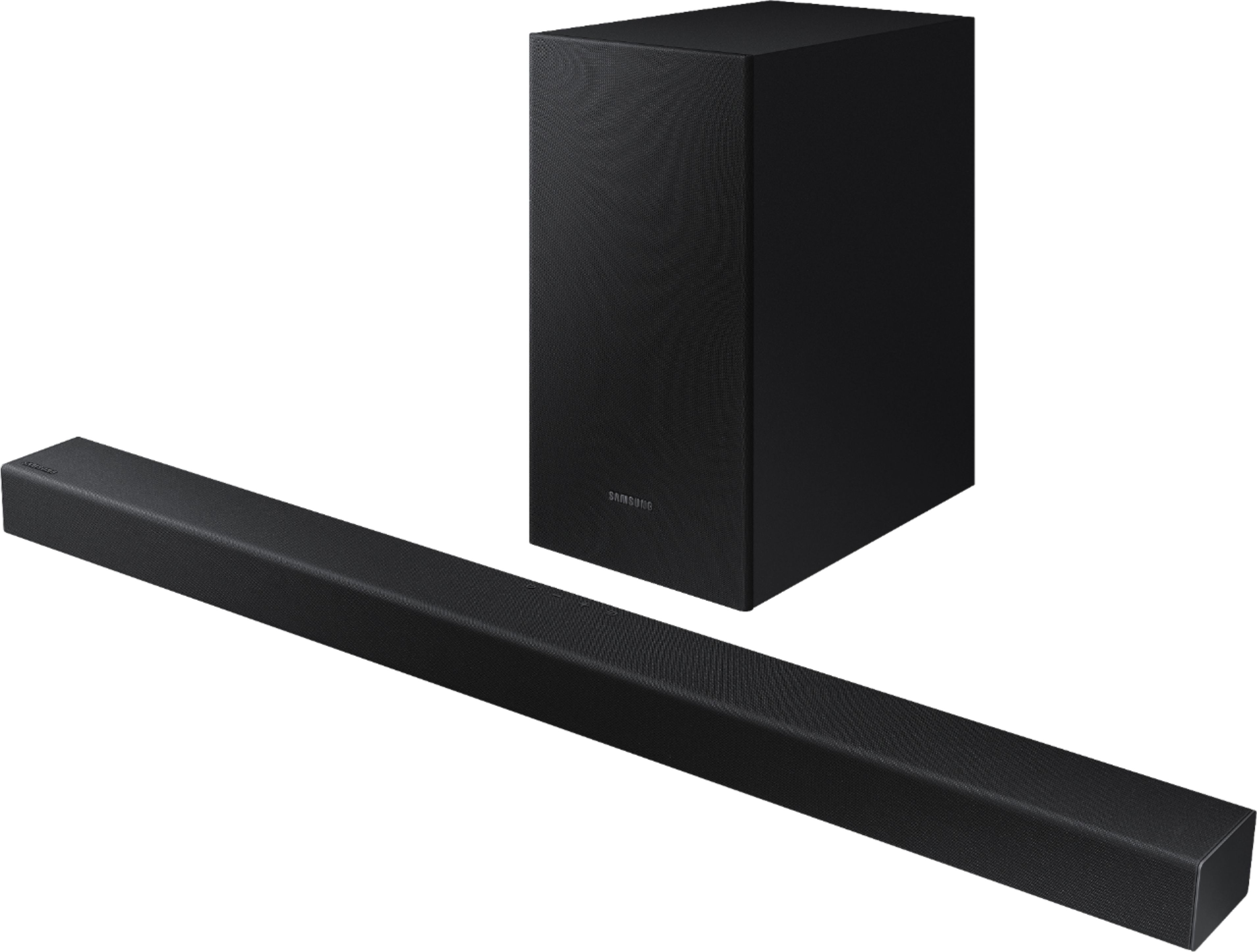
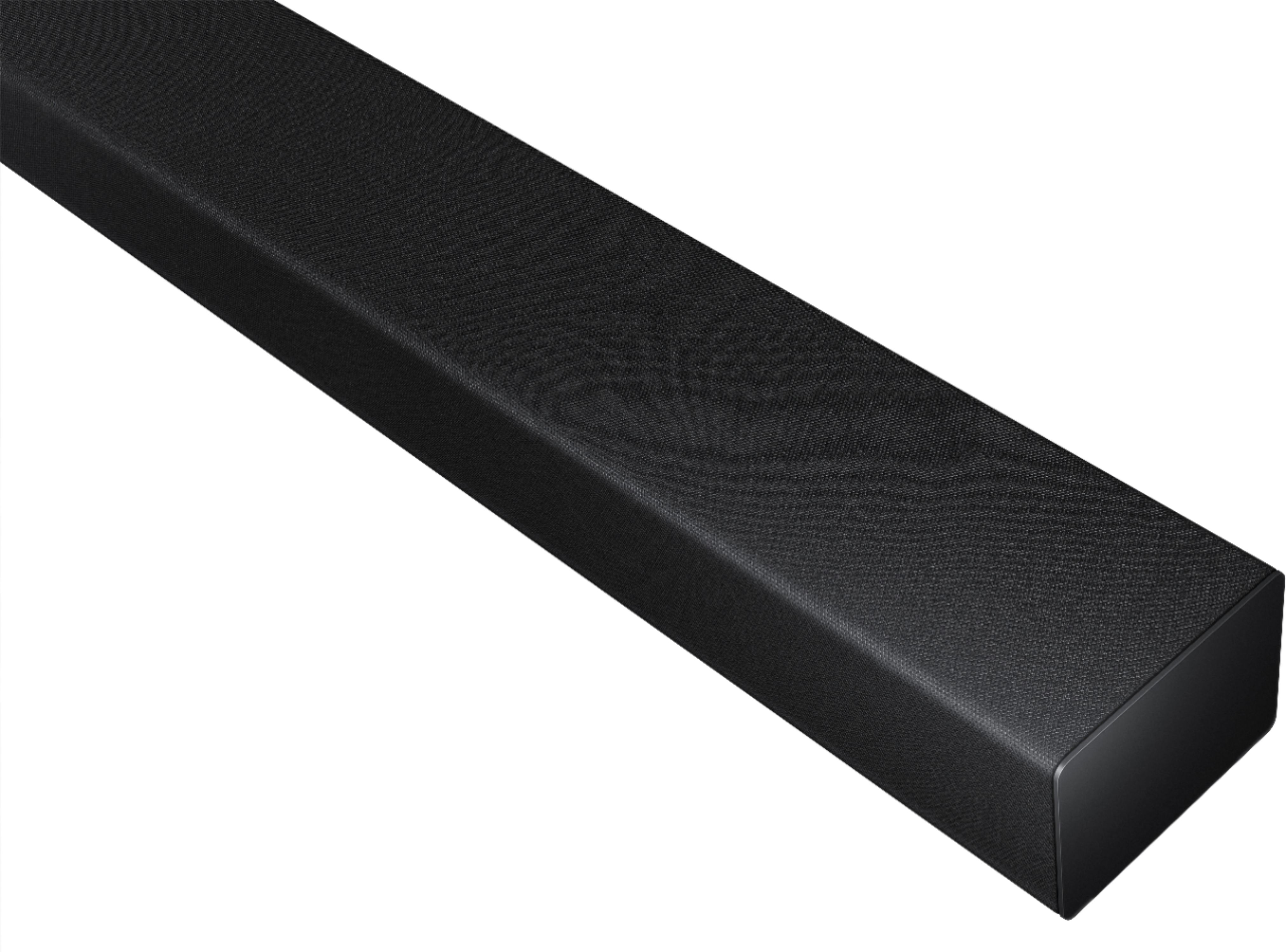
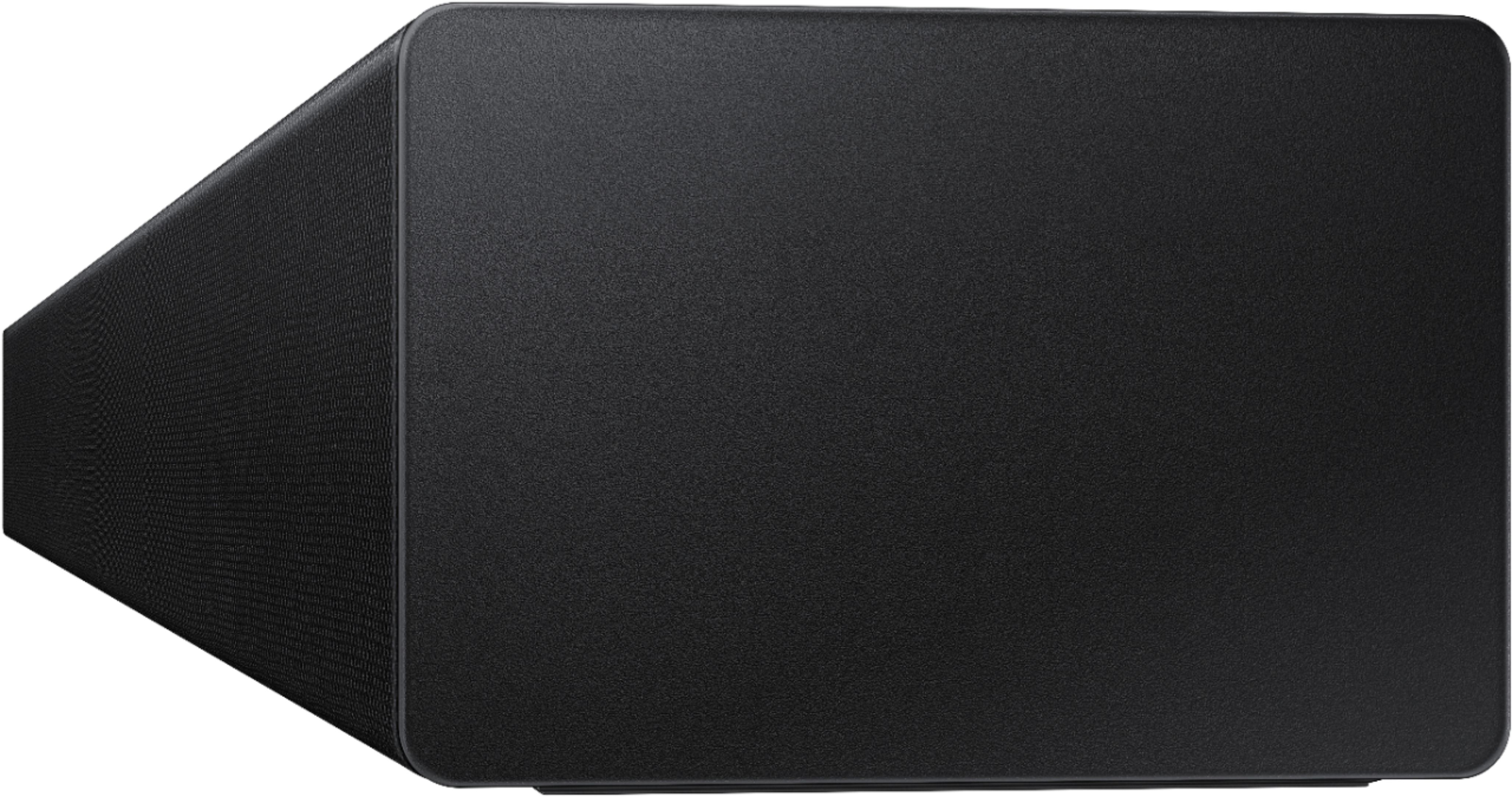



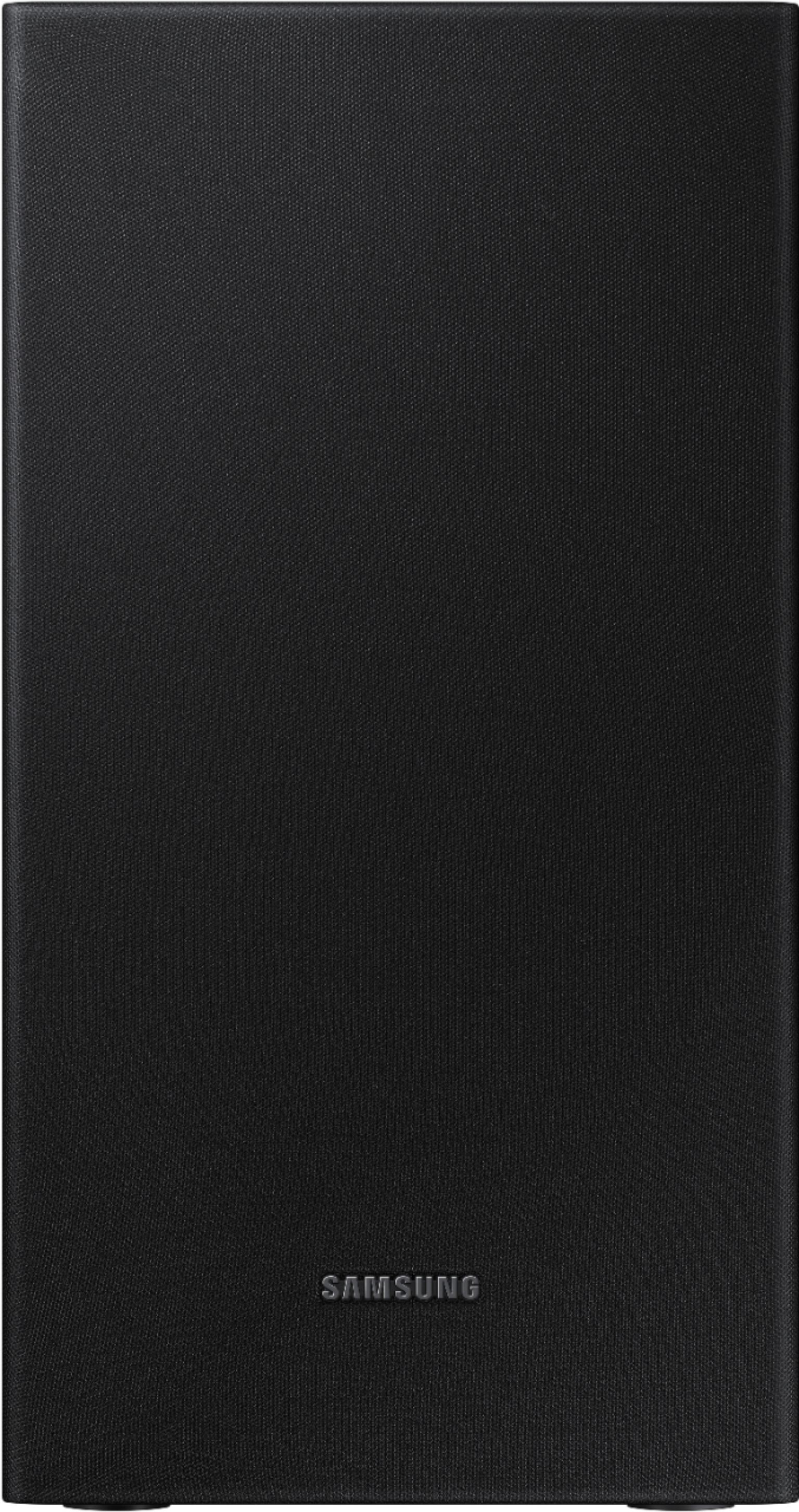
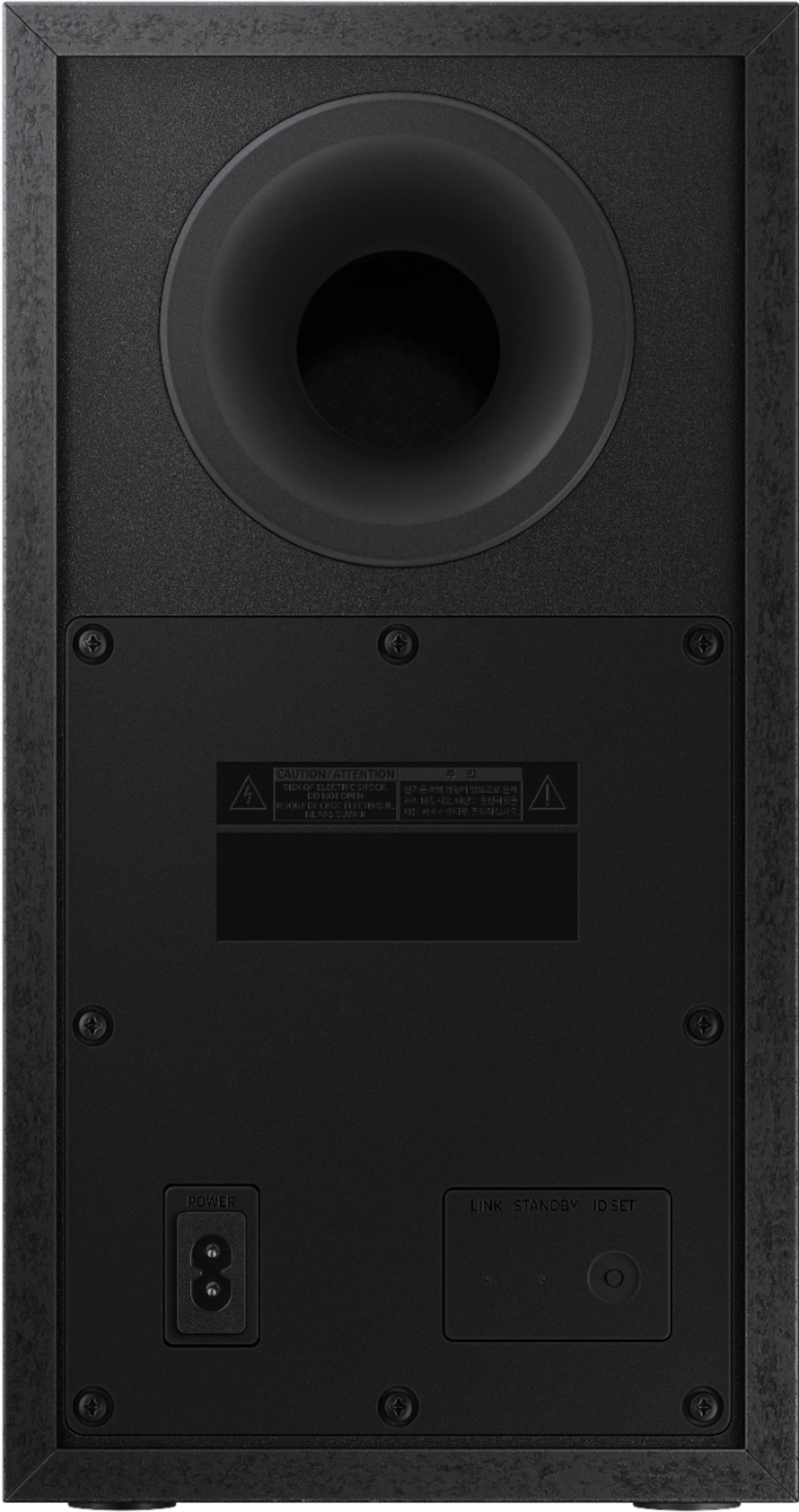
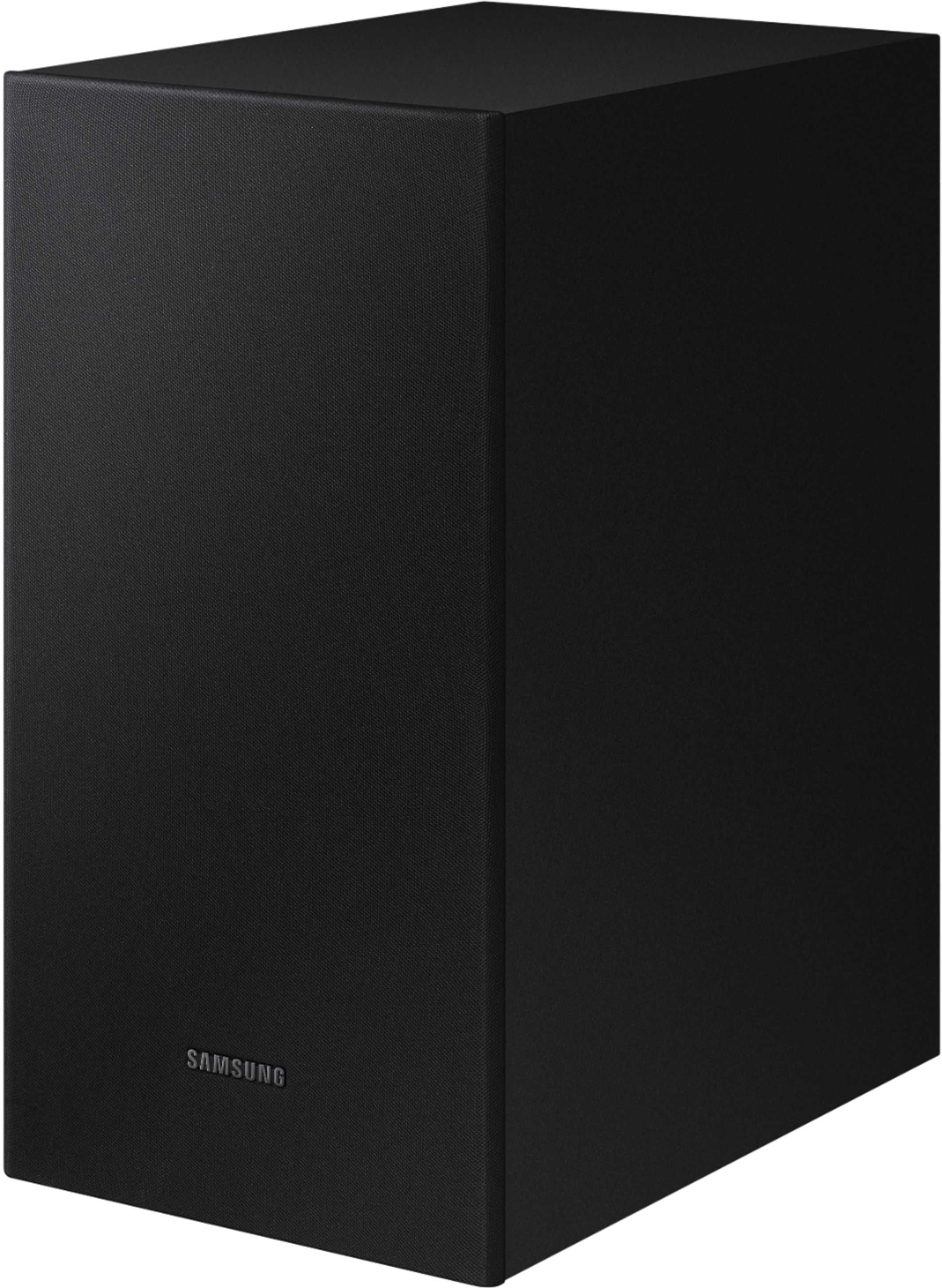
- Model:
- HW-T450/ZA
- SKU:
- 6400704
Rating by feature
- Value
Rating 4.3 out of 5 stars
- Quality
Rating 4.2 out of 5 stars
- Ease of Use
Rating 4.3 out of 5 stars
Customers are saying
Customers are pleased with the sound quality, easy setup, and price of the 2.1-Channel Soundbar with Wireless Subwoofer and Dolby Audio (2020). Many customers rave about the unexpectedly amazing bass and great sound system. However, some customers have experienced issues with Bluetooth connectivity, volume, compatibility, and power.
This summary was generated by AI based on customer reviews.
Not a fan
||Posted . Owned for 4 months when reviewed.This reviewer received promo considerations or sweepstakes entry for writing a review.Not that great. Doesnt connect automatically like it should. If it does connect it goes at the same time as the tv speakers and sounds terrible. Maybe its user issue but I think it was a waste of money, I barely use it
No, I would not recommend this to a friendBrand response from Samsung
Posted .Hi Victoria,
Thank you for your review of this Samsung HW-T450 Soundbar. I am sorry to hear that you are experiencing issues with the soundbar not turning on with the TV. In all configurations (Optical, Bluetooth, ARC, and Wi-Fi) when the TV is turned ON, the Soundbar will turn ON. If your soundbar is not turning on, it could be due to another reason. For example, if the Soundbar was used to connect to another device (say a smart phone), then it will remember the last device (smart phone) and wait for a command from that device (the smartphone) and ignore the TV ON command.
If you need additional help, please reach out to Samsung Customer Support at:
1) Phone: 1-800-SAMSUNG, (available 8AM to 12AM EST - 7 days a week)
2) LiveChat: https://www.samsung.com/us/support/#contact_us_for_support
3) Facebook Messenger: https://www.facebook.com/samsungsupport
4) Twitter: https://twitter.com/SamsungSupport
5) The Samsung Members Community is also a great resource for getting help from Samsung moderators and customers: https://us.community.samsung.com
If you have not already done so, we invite you to register your new Samsung product at:
https://www.samsung.com/us/account/signin/?redirect=https%3A%2F%2Fwww.samsung.com%2Fus%2Fsupport%2Fregister%2F
Registering your product gives you access to easy warranty support, convenient opt-in to special promos and offers, faster troubleshooting and service, and quick notification of system updates.
~ Samsung Ambassador
Not able to control volume with cable remote.
||Posted . Owned for 3 weeks when reviewed.This reviewer received promo considerations or sweepstakes entry for writing a review.Bought this to replace a surround sound system that stopped working. Sound is ok but volume is controlled only by remote that comes with it. I have a LG Soundbar on another TV which is able to control volume with the cable remote.
No, I would not recommend this to a friendBrand response from Samsung
Posted .Jgulzinski:
Thank you for purchasing the Samsung HW-T450 Soundbar. If you are using a Samsung TV, and your soundbar is connected to your TV with either an optical cable or HDMI via ARC, you can control the volume and mute the soundbar using your Samsung TV's remote.
1) Use the TV remote to navigate to Settings, select Sound, and then select Sound Output on your Samsung TV.
2) Select your Samsung soundbar, and then select Close. Now you can use your TV remote to adjust volume and mute the soundbar. The soundbar should also turn on and off with the TV.
By default, Samsung TV remotes should be able to control Samsung soundbars. If it isn't working, be sure the soundbar is powered on, and then press and hold the WOOFER button up until "ON - TV REMOTE" appears on the display (about 5 seconds). Next, you'll need to choose between connecting with an optical cable or an HDMI cable.
You can refer to this article for further details: https://www.samsung.com/us/support/answer/ANS00049279/
For any other questions or concerns you may have, please contact Samsung Customer Support:
1) Phone: 1-800-SAMSUNG, Available 8AM -12AM EST (7 days a week)
2) LiveChat: https://www.samsung.com/us/support/#contact_us_for_support
3) Facebook Messenger: https://www.facebook.com/samsungsupport
4) Twitter: https://twitter.com/SamsungSupport
5) The Samsung Members Community is also a great resource for getting help from Samsung moderators and customers: https://us.community.samsung.com
If you have not already done so, we invite you to register your new Samsung product at:
https://www.samsung.com/us/account/signin/?redirect=https%3A%2F%2Fwww.samsung.com%2Fus%2Fsupport%2Fregister%2F&user=dsr-registration
Registering your product gives you access to easy warranty support, convenient opt-in to special promos and offers, faster troubleshooting and service, and quick notification of system updates.
~ Samsung Solutions
So disappointed...
||Posted . Owned for 1 month when reviewed.This reviewer received promo considerations or sweepstakes entry for writing a review.I needed to replace my 8 year old sound bar and was extremely excited to purchase this Samsung one. I’ll be honest... i have been thinking that the subwoofer has been working until my family came over to watch a movie and they were confused on why there was no bass at all. Since I rarely used it, I didn’t notice that the bass would go in and out and now is completely absent. Sounds staticky with little background noise. I can’t return it and it doesn’t work. I’m not sure what to do. Thanks Samsung.
No, I would not recommend this to a friendBrand response from Samsung
Posted .Dianaq2026:
Thank you for your review of this Samsung HW-T450 Soundbar System. I am sorry to hear that you are experiencing connection issues.
If the audio from the wireless subwoofer is dropping out intermittently there are a few things to check before performing any troubleshooting:
1) The maximum wireless signal transmission distance is about 33 ft.
2) If there is a wall between the sound bar and the subwoofer it may cause interference or not work at all depending on the material in the wall.
3) If there is a device that uses the same wireless frequency (2.4 GHz) near the Soundbar, interference may cause some sound interruption.
4) Check all of the sources on the soundbar. If the audio is dropping while watching TV it could be an issue with the broadcast.
5) Also, please be sure you have the latest firmware update. You can update your firmware by Auto Update, using the SmartThings app, or by using a USB device. You can find the update here: https://www.samsung.com/us/support/owners/product/2020-t-series-soundbar-with-wireless-subwoofer-hw-t450
If the issue persists, please contact us via any of the below options:
1) Phone: 1-800-SAMSUNG, (available 8AM to 12AM EST - 7 days a week)
2) LiveChat: https://www.samsung.com/us/support/#contact_us_for_support
3) Facebook Messenger: https://www.facebook.com/samsungsupport
4) Twitter: https://twitter.com/SamsungSupport
5) The Samsung Members Community is also a great resource for getting help from Samsung moderators and customers: https://us.community.samsung.com
If you have not already done so, we invite you to register your new Samsung product at:
https://www.samsung.com/us/account/signin/?redirect=https%3A%2F%2Fwww.samsung.com%2Fus%2Fsupport%2Fregister%2F&user=dsr-registration
Registering your product gives you access to easy warranty support, convenient opt-in to special promos and offers, faster troubleshooting and service, and quick notification of system updates.
~ Samsung Solutions
- Cons mentioned:Bluetooth connectivity
Stay away
||Posted . Owned for 2 weeks when reviewed.This reviewer received promo considerations or sweepstakes entry for writing a review.Waste of money. Attempted to use with a Samsung TV. The TV connect via Bluetooth the first day the following day the TV could not recognize the speaker. Epic fail.
No, I would not recommend this to a friendBrand response from Samsung
Posted .PatrickNJ,
Thank you for your review of the Samsung HW-T450 Soundbar System. I am sorry to hear that you are experiencing connection issues.
There are a few things you may want to check:
1) The maximum wireless signal transmission distance is about 33 ft.
2) If there is a wall between the sound bar and the subwoofer it may cause interference or not work at all depending on the material in the wall.
3) If there is a device that uses the same wireless frequency (2.4 GHz) near the Soundbar, interference may cause some sound interruption.
4) Check all of the sources on the soundbar. If the audio is dropping while watching TV it could be an issue with the broadcast.
5) Also, please be sure you have the latest firmware update, ver. 1043. You can update your firmware using a USB device. You can find the update on the product page of your HW-T450 on the Samsung website.
Should you need further assistance with this issue, or have any questions about features or operation, please know that Samsung is here to help.
1) Phone: 1-800-SAMSUNG, (available 8AM to 12AM EST - 7 days a week)
2) LiveChat: https://www.samsung.com/us/support/#contact_us_for_support
3) Facebook Messenger: https://www.facebook.com/samsungsupport
4) Twitter: https://twitter.com/SamsungSupport
5) The Samsung Members Community is also a great resource for getting help from Samsung moderators and customers: https://us.community.samsung.com
If you have not already done so, we invite you to register your new Samsung product at:
https://www.samsung.com/us/account/signin/?redirect=https%3A%2F%2Fwww.samsung.com%2Fus%2Fsupport%2Fregister%2F
Registering your product gives you access to easy warranty support, convenient opt-in to special promos and offers, faster troubleshooting and service, and quick notification of system updates.
~ Samsung Ambassador
Hard to connect to bluetooth
||Posted . Owned for 1 month when reviewed.This reviewer received promo considerations or sweepstakes entry for writing a review.I buy a product for the brand Samsung but can’t connect to the Bluetooth to my phone, I have another soundbarr and is easy to connect. I don’t want to go to the store to repair for the pandemic. Is really frustrating.
No, I would not recommend this to a friendBrand response from Samsung
Posted .SangreAzul:
I am sorry to hear that you are experiencing difficulties pairing this soundbar to your phone. If a previously connected soundbar listing (e.g. “[AV] Samsung Soundbar T4-Series”) appears in the list, delete it. Then press the Bluetooth PAIR button on the remote to enter “BT PAIRING” mode. On your device, select “[AV] Samsung Soundbar T4-Series” from the list that appears. When the soundbar is connected to the Bluetooth device, [Bluetooth Device Name]-> “BT” appears in the front display. After you have connected the soundbar to your mobile device the first time, use the “BT READY” mode to reconnect.
I hope this helps you reconnect your phone to the soundbar. For the Full Manual, you can go to https://downloadcenter.samsung.com/content/UM/202004/20200417164803535/HW-T450_ZA_FullManual_00_ENG_200228.pdf. Instructions for pairing a mobile device are on pg. 16.
For any other questions or concerns you may have, please contact Samsung Customer Support:
1) Phone: 1-800-SAMSUNG, (available 8AM to 12AM EST - 7 days a week)
2) LiveChat: https://www.samsung.com/us/support/#contact_us_for_support
3) Facebook Messenger: https://www.facebook.com/samsungsupport
4) Twitter: https://twitter.com/SamsungSupport
5) The Samsung Members Community is also a great resource for getting help from Samsung moderators and customers: https://us.community.samsung.com
If you have not already done so, we invite you to register your new Samsung product at:
https://www.samsung.com/us/account/signin/?redirect=https%3A%2F%2Fwww.samsung.com%2Fus%2Fsupport%2Fregister%2F&user=dsr-registration
Registering your product gives you access to easy warranty support, convenient opt-in to special promos and offers, faster troubleshooting and service, and quick notification of system updates.
~ Samsung Solutions
Terrible installation service
||Posted . Owned for 1 month when reviewed.This reviewer received promo considerations or sweepstakes entry for writing a review.First - Magnolia and Best Buy do not communicate well. Secondly - our whole experience was terrible and especially when it got to the installation date. From point of sale we felt $299.98 to mount a TV was excessive, however willing to pay, and then the Geek Squad tech showed up at our home and stated it would cost us another $350 to install and mount a TV with sound bar. When we eventually talked w/the store manager he said the additional install cost would be only $150 and not the $350 quoted from Geek Squad?! Sorry, we will find another place to purchase in the future.
No, I would not recommend this to a friendBrand response from Samsung
Posted .Hi Terrible,
Thank you for choosing the Samsung HW-T450 soundbar. For gaming, movies, or your favorite content, SmartSound will detect what you are watching and automatically optimize the sound for the best experience.
Should you ever need help with settings, usage, or have other concerns, please contact Samsung Customer Support:
1) Phone: 1-800-SAMSUNG, (available 8AM to 12AM EST - 7 days a week)
2) LiveChat: https://www.samsung.com/us/support/#contact_us_for_support
3) Facebook Messenger: https://www.facebook.com/samsungsupport
4) Twitter: https://twitter.com/SamsungSupport
5) The Samsung Members Community is also a great resource for getting help from Samsung moderators and customers: https://us.community.samsung.com
If you have not already done so, we invite you to register your new Samsung product at:
https://www.samsung.com/us/account/signin/?redirect=https%3A%2F%2Fwww.samsung.com%2Fus%2Fsupport%2Fregister%2F
Registering your product gives you access to easy warranty support, convenient opt-in to special promos and offers, faster troubleshooting and service, and quick notification of system updates.
~ Samsung Ambassador
- Cons mentioned:Volume
Poor quality
||Posted . Owned for 2 months when reviewed.This reviewer received promo considerations or sweepstakes entry for writing a review.This sound bar is not good quality honestly. The sound bar is not loud at all. I turned the sound bar up to max during a movie and it still did not seem loud.
No, I would not recommend this to a friendBrand response from Samsung
Posted .Hello Maximus,
Thank you for purchasing the Samsung HW-T450 Soundbar and for your review. I am very sorry that you are not happy with the volume of your soundbar. Simply changing the Digital Output Audio Format to PCM can help. You may want to try changing the Digital Output Audio Format to PCM.
This can be found at Home > Settings > Sound > Expert Settings. (It can also be found in the Quick Settings.)
If your Digital Output Audio Format isn't set to PCM, like for instance if you have a Dolby option selected, then you will likely notice decreased maximum volume. Dolby options are designed for surround systems (like 5.1 or 7.1), whereas PCM provides great sound quality for stereo speakers.
If you don't have a surround system, you will probably want to select PCM. You'll get much louder volume that way, and potentially better sound quality.
I hope this helps. For further assistance with settings, features, or functions, please contact Samsung Customer Support at:
1) Phone: 1-800-SAMSUNG, (available 8AM to 12AM EST - 7 days a week)
2) LiveChat: https://www.samsung.com/us/support/#contact_us_for_support
3) Facebook Messenger: https://www.facebook.com/samsungsupport
4) Twitter: https://twitter.com/SamsungSupport
5) The Samsung Members Community is also a great resource for getting help from Samsung moderators and customers: https://us.community.samsung.com
If you have not already done so, we invite you to register your new Samsung product at:
https://www.samsung.com/us/account/signin/?redirect=https%3A%2F%2Fwww.samsung.com%2Fus%2Fsupport%2Fregister%2F
Registering your product gives you access to easy warranty support, convenient opt-in to special promos and offers, faster troubleshooting and service, and quick notification of system updates.
~ Samsung Ambassador
Poor Connection
||Posted . Owned for 2 months when reviewed.This reviewer received promo considerations or sweepstakes entry for writing a review.I bought this sound bar/subwoofer back in November 2020 to upgrade sound. It worked fine for about 2 months then the subwoofer had trouble staying connected via Bluetooth. The connection goes in and out which is VERY annoying because the sound bar by itself is not satisfying and is no better than my Samsung TVs sound. There's no interference with the connection and I've reset the connection as well as disconnected both sound bar and sub woofer only to have the same issue. Poor quality. Just save a little more money and get one of the more premium versions.
No, I would not recommend this to a friendBrand response from Samsung
Posted .Hi Shay,
I am very sorry that you are experiencing connection issues with your soundbar. Please make sure you are running the latest firmware update which includes improved connectivity. Updating the firmware on your soundbar gives you all the benefits of the latest improvements. You can update your firmware ver. 1043 by using a USB device. You can find the update on the product page of your HW-T450 on the Samsung website.
Should you need further assistance with this issue, or have any questions about features or operation, please know that Samsung is here to help. You can contact us via any of the below options:
1) Phone: 1-800-SAMSUNG, (available 8AM to 12AM EST - 7 days a week)
2) LiveChat: https://www.samsung.com/us/support/#contact_us_for_support
3) Facebook Messenger: https://www.facebook.com/samsungsupport
4) Twitter: https://twitter.com/SamsungSupport
5) The Samsung Members Community is also a great resource for getting help from Samsung moderators and customers: https://us.community.samsung.com
~ Samsung Ambassador
Nope.
||Posted . Owned for 1 month when reviewed.This reviewer received promo considerations or sweepstakes entry for writing a review.I ended up returning it as soon as I plugged it in, because the bar did not get any power. I trouble shot by swapping cords, and outlets; the sub powered on but the bar never did.
No, I would not recommend this to a friendBrand response from Samsung
Posted .Hello SamanthaMoody,
Thank you for your review of the Samsung T450 Soundbar. We appreciate your feedback regarding your unit not receiving any power.
Please know that should you ever need assistance with settings or adjustments with a future Samsung purchase to optimize your sound experience, Samsung Customer Support is here to help. You can reach us at 1-800-SAMSUNG (ask for Soundbars), available 8AM -12AM EST, 7 days a week. Or text HELP to 62913.
For additional support resources, visit us on the Samsung website and click on the ‘Support’ link in the upper right corner of the homepage for:
1) More ‘Contact Us’ options – LiveChat, Facebook, Twitter, Samsung Community, Samsung Members app
2) Manuals & Software
3) Warranty Info
4) Product Registration: For access to easy warranty support, convenient opt-in to special promos and offers, faster troubleshooting and service, and quick notification of system updates.
~ Samsung Specialist
- Cons mentioned:Volume
Complete trash
||Posted . Owned for 6 months when reviewed.This reviewer received promo considerations or sweepstakes entry for writing a review.Trash my tv volume is much louder without it so it completely defeated the purpose to purchase so we returned and bought a polk sound bar
No, I would not recommend this to a friendBrand response from Samsung
Posted .Ac335: Thank you for your review of the HW-T450 Samsung Soundbar. Your input is invaluable in our continuous pursuit of delivering the best in product and customer experience
Should you ever decide to give Samsung audio products another try and have concerns or questions, please know we are always here to help. You can contact Samsung Customer Support by any of the below options:
1) Phone: 1-800-SAMSUNG, (available 8AM to 12AM EST - 7 days a week)
2) LiveChat: https://www.samsung.com/us/support/#contact_us_for_support
3) Facebook Messenger: https://www.facebook.com/samsungsupport
4) Twitter: https://twitter.com/SamsungSupport
5) The Samsung Members Community is also a great resource for getting help from Samsung moderators and customers: https://us.community.samsung.com
~ Samsung Specialist
very noisy sound it creates.
||Posted . Owned for 1 year when reviewed.This reviewer received promo considerations or sweepstakes entry for writing a review.This product creates a high pitch sound like a first responder siren in the middle of nowhere. I have to turned off the speaker to stop this noisy sound whenever it happens. The funny thing is unless you turned it off, it keeps increasing the volume. First, I thought it's from the TV, but it's the same with my other TV in the basement. I brought the issue to the best buy customer service. They told me to connect using cable instead of wireless/Bluetooth connection.
No, I would not recommend this to a friendHorrible product
||Posted . Owned for 3 weeks when reviewed.This reviewer received promo considerations or sweepstakes entry for writing a review.I'm unable to use the remote control. I cannot put batteries into the control. The Sound bar echo's and doesn't have a HDMI. I have to order a special USB cord that wasn't included.
No, I would not recommend this to a friendBrand response from Samsung
Posted .Billy:
Thank you for your review of this Samsung HW-T450 Soundbar. Please click on the link below for remote battery installation instructions to assist you:
https://www.samsung.com/ca/support/tv-audio-video/how-to-insert-batteries-into-the-remote-control-dts-sound-plus-soundbar/
I am very sorry to see that you are not experiencing the intended audio quality of this model. So that we can better assist with the echo and overall sound performance in the context of your usage scenario, please reach out to us at Samsung Customer Support via:
1) Phone: 1-800-SAMSUNG, (available 8AM to 12AM EST - 7 days a week)
2) LiveChat: https://www.samsung.com/us/support/#contact_us_for_support
3) Facebook Messenger: https://www.facebook.com/samsungsupport
4) Twitter: https://twitter.com/SamsungSupport
5) The Samsung Members Community is also a great resource for getting help from Samsung moderators and customers: https://us.community.samsung.com
If you have not already done so, we invite you to register your new Samsung product at:
https://www.samsung.com/us/account/signin/?redirect=https%3A%2F%2Fwww.samsung.com%2Fus%2Fsupport%2Fregister%2F
Registering your product gives you access to easy warranty support, convenient opt-in to special promos and offers, faster troubleshooting and service, and quick notification of system updates.
~ Samsung Ambassador
- Cons mentioned:Bluetooth connectivity
Terrible product
||Posted . Owned for 1 month when reviewed.This reviewer received promo considerations or sweepstakes entry for writing a review.Could not get the bar to connect to the sub woofer. Remote issues. Samsung would not send a remote. No one at Best Buy would help.
No, I would not recommend this to a friendBrand response from Samsung
Posted .Fromthe27:
Thank you for your review of the HW-T450 Soundbar with Subwoofer. Your soundbar and subwoofer should connect automatically when they are turned on, but you can also connect manually just as easily.
When both soundbar and subwoofer are both plugged in, they should begin to connect automatically. When the subwoofer is completely connected, the blue LED LINK indicator on the subwoofer stops blinking and glows continuously. If the blue LED does not stop blinking, the process has failed.
For manual connection, after both soundbar and subwoofer are plugged in to a wall outlet, press and hold the ID SET button on the back of the subwoofer for at least 5 seconds. The red indicator on the rear of the subwoofer turns off and the blue indicator blinks.
Press and hold the Up button on the remote control for at least 5 seconds. The ID SET message appears on the display of the Soundbar for a moment, and then it disappears. The Soundbar will automatically power on when ID SET is complete.
Check if the LINK LED is solid blue (connection complete). The LINK LED indicator stops blinking and glows a solid blue when a connection is established between the Soundbar and the Wireless Subwoofer.
Also, please be sure you have the latest firmware update. You can update your firmware by Auto Update, using the SmartThings app, or by using a USB device. You can find the update here: https://www.samsung.com/us/support/owners/product/2020-t-series-soundbar-with-wireless-subwoofer-hw-t450
I hope this helps with connecting your soundbar and subwoofer. For additional assistance, please contact Samsung Customer Support:
1) Phone: 1-800-SAMSUNG, (available 8AM to 12AM EST - 7 days a week)
2) LiveChat: https://www.samsung.com/us/support/#contact_us_for_support
3) Facebook Messenger: https://www.facebook.com/samsungsupport
4) Twitter: https://twitter.com/SamsungSupport
5) The Samsung Members Community is also a great resource for getting help from Samsung moderators and customers: https://us.community.samsung.com
If you have not already done so, we invite you to register your new Samsung product at:
https://www.samsung.com/us/account/signin/?redirect=https%3A%2F%2Fwww.samsung.com%2Fus%2Fsupport%2Fregister%2F&user=dsr-registration
Registering your product gives you access to easy warranty support, convenient opt-in to special promos and offers, faster troubleshooting and service, and quick notification of system updates.
~ Samsung Solutions
Subwoofer rumbles!
||Posted . Owned for 1.5 years when reviewed.This reviewer received promo considerations or sweepstakes entry for writing a review.Issues with subwoofer! It rumbles after after couple of months. I searched and there's a lot of people having the same issue!
No, I would not recommend this to a friendNope
||Posted . Owned for 1 year when reviewed.This reviewer received promo considerations or sweepstakes entry for writing a review.At first this system seemed to sound great but after a few months the sound started to decrease on its own and distortion begun as well.
No, I would not recommend this to a friendNot impressed
||Posted . Owned for 1 month when reviewed.This reviewer received promo considerations or sweepstakes entry for writing a review.Not impressed with this Soundbar package. We have had issues with volume control. Its either very loud or very low. Hard to achieve acceptable medium level of sound.
No, I would not recommend this to a friendBrand response from Samsung
Posted .Kom20:
Thank you for purchasing the HW-T450 soundbar and for your review. I am sorry you are not completely happy with the volume control. You may want to try Smart Sound. The soundbar analyzes the content in real time and automatically provides the optimal sound field based on the characteristics of the content.
Press the Sound Mode button on your remote control and select Smart Sound.
I hope this improves your sound experience. Should you need further assistance, please contact Samsung Customer Support.
1) Phone: 1-800-SAMSUNG, (available 8AM to 12AM EST - 7 days a week)
2) LiveChat: https://www.samsung.com/us/support/#contact_us_for_support
3) Facebook Messenger: https://www.facebook.com/samsungsupport
4) Twitter: https://twitter.com/SamsungSupport
5) The Samsung Members Community is also a great resource for getting help from Samsung moderators and customers: https://us.community.samsung.com
If you have not already done so, we invite you to register your new Samsung product at:
https://www.samsung.com/us/account/signin/?redirect=https%3A%2F%2Fwww.samsung.com%2Fus%2Fsupport%2Fregister%2F&user=dsr-registration
Registering your product gives you access to easy warranty support, convenient opt-in to special promos and offers, faster troubleshooting and service, and quick notification of system updates.
~ Samsung Solutions
- Cons mentioned:Volume
Poor sound quality and the volume controls did not
||Posted . Owned for 2 weeks when reviewed.This reviewer received promo considerations or sweepstakes entry for writing a review.For a Samsung I was less than impressed, the sound quality was terrible plus the volume control did not work. I returned it
No, I would not recommend this to a friend - Cons mentioned:Volume
Soundbar
||Posted . Owned for 3 weeks when reviewed.This reviewer received promo considerations or sweepstakes entry for writing a review.The volume is too low and the cord connection echoes so you have to use the blue tooth and that crackles sometimes.
No, I would not recommend this to a friendBrand response from Samsung
Posted .Hi ChristinaD,
Thank you for purchasing the Samsung HW-T450 Soundbar and for your review. I am very sorry that you are not happy with the volume of your soundbar. Simply changing the Digital Output Audio Format to PCM can help. You may want to try changing the Digital Output Audio Format to PCM.
This can be found at Home > Settings > Sound > Expert Settings. (It can also be found in the Quick Settings.)
If your Digital Output Audio Format isn't set to PCM, like for instance if you have a Dolby option selected, then you will likely notice decreased maximum volume. Dolby options are designed for surround systems (like 5.1 or 7.1), whereas PCM provides great sound quality for stereo speakers.
If you don't have a surround system, you will probably want to select PCM. You'll get much louder volume that way, and potentially better sound quality.
You should not be getting an echo when you are connected via optical cable or hear crackles when connected via Bluetooth. Please make sure you are running the latest firmware update which includes improved connectivity. Updating the firmware on your soundbar gives you all the benefits of the latest improvements. You can update your firmware to ver. 1043 by using a USB device. You can find the update on the product page of your HW-T450 on the Samsung website.
Should you need further assistance with this issue, or have any questions about features or operation, please know that Samsung is here to help. You can contact us via any of the below options:
1) Phone: 1-800-SAMSUNG, (available 8AM to 12AM EST - 7 days a week)
2) LiveChat: https://www.samsung.com/us/support/#contact_us_for_support
3) Facebook Messenger: https://www.facebook.com/samsungsupport
4) Twitter: https://twitter.com/SamsungSupport
5) The Samsung Members Community is also a great resource for getting help from Samsung moderators and customers: https://us.community.samsung.com
If you have not already done so, we invite you to register your new Samsung product at:
https://www.samsung.com/us/account/signin/?redirect=https%3A%2F%2Fwww.samsung.com%2Fus%2Fsupport%2Fregister%2F
Registering your product gives you access to easy warranty support, convenient opt-in to special promos and offers, faster troubleshooting and service, and quick notification of system updates.
~ Samsung Ambassador
Not very loud
||Posted . Owned for 3 weeks when reviewed.This reviewer received promo considerations or sweepstakes entry for writing a review.My TV was actually louder without the soundbar attached. I went with the Samsung to match my TV brand, but it didn’t creat the sound I was looking for.
No, I would not recommend this to a friendBrand response from Samsung
Posted .Hi Ormana,
Thank you for purchasing the Samsung HW-T450 Soundbar and for your review. We appreciate your feedback regarding the volume of your soundbar. Simply changing the Digital Output Audio Format to PCM can help. You may want to try changing the Digital Output Audio Format to PCM.
This can be found at Home > Settings > Sound > Expert Settings. (It can also be found in the Quick Settings.)
If your Digital Output Audio Format isn't set to PCM, like for instance if you have a Dolby option selected, then you will likely notice decreased maximum volume. Dolby options are designed for surround systems (like 5.1 or 7.1), whereas PCM provides great sound quality for stereo speakers.
If you don't have a surround system, you will probably want to select PCM. You'll get much louder volume that way, and potentially better sound quality.
To further optimize your audio experience, please try the various sound modes this model offers. Press the SOUND MODE button on your remote, and then select your desired sound effect: STANDARD, SURROUND SOUND, GAME, SMART, or DRC.
You can further adjust TREBLE and BASS via the SOUND CONTROL button (looks like a gear symbol).
I hope this helps. For further assistance with settings, features, or functions, please call us at 1-800-SAMSUNG (ask for Soundbars), available 8AM -12AM EST, 7 days a week. Or text HELP to 62913.
For additional support resources, visit us on the Samsung website and click on the ‘Support’ link in the upper right corner of the homepage for:
1) More ‘Contact Us’ options – LiveChat, Facebook, Twitter, Samsung Community, Samsung Members app
2) Manuals & Software
3) Warranty Info
4) Product Registration: For access to easy warranty support, convenient opt-in to special promos and offers, faster troubleshooting and service, and quick notification of system updates.
We look forward to hearing from you.
~ Samsung Specialist
Take care with this sound bar.
||Posted .This reviewer received promo considerations or sweepstakes entry for writing a review.Does not provide sufficient sound. Using with a new Samsung TV but sound does not increase to the expected levels. Tried various fixes but nothing works.
No, I would not recommend this to a friendBrand response from Samsung
Posted .Hi GreatService,
Thank you for sharing your review of the Samsung HW-T450. I am sorry to see that you are not completely happy with the sound performance. This soundbar features a powerful wireless subwoofer, as well as Game Mode, & Smart Sound which automatically detects what you're watching and optimizes the sound setting.
You can try manually optimizing your settings by pressing the SOUND MODE button on your remote, and then selecting the desired sound effect by choosing STANDARD, SURROUND SOUND, GAME, SMART, or DRC.
You can further adjust TREBLE and BASS via the SOUND CONTROL button (looks like a gear symbol).
Refer to pages 21-23 of the User Manual for detailed instructions: https://downloadcenter.samsung.com/content/UM/202004/20200423101910539/HW-T650_ZA_FullManual_01_ENG_200219.pdf
I am also very sorry that you are not happy with the volume of your soundbar. Simply changing the Digital Output Audio Format to PCM can help. You may want to try changing the Digital Output Audio Format to PCM.
This can be found at Home > Settings > Sound > Expert Settings. (It can also be found in the Quick Settings.)
If your Digital Output Audio Format isn't set to PCM, like for instance if you have a Dolby option selected, then you will likely notice decreased maximum volume. Dolby options are designed for surround systems (like 5.1 or 7.1), whereas PCM provides great sound quality for stereo speakers.
If you don't have a surround system, you will probably want to select PCM. You'll get much louder volume that way, and potentially better sound quality.
I hope this helps. For further assistance with settings, features, or functions, please contact Samsung Customer Support.
1) Phone: 1-800-SAMSUNG, (available 8AM to 12AM EST - 7 days a week)
2) LiveChat: https://www.samsung.com/us/support/#contact_us_for_support
3) Facebook Messenger: https://www.facebook.com/samsungsupport
4) Twitter: https://twitter.com/SamsungSupport
5) The Samsung Members Community is also a great resource for getting help from Samsung moderators and customers: https://us.community.samsung.com
If you have not already done so, we invite you to register your new Samsung product at:
https://www.samsung.com/us/account/signin/?redirect=https%3A%2F%2Fwww.samsung.com%2Fus%2Fsupport%2Fregister%2F
Registering your product gives you access to easy warranty support, convenient opt-in to special promos and offers, faster troubleshooting and service, and quick notification of system updates.
~ Samsung Ambassador