Customer Ratings & Reviews
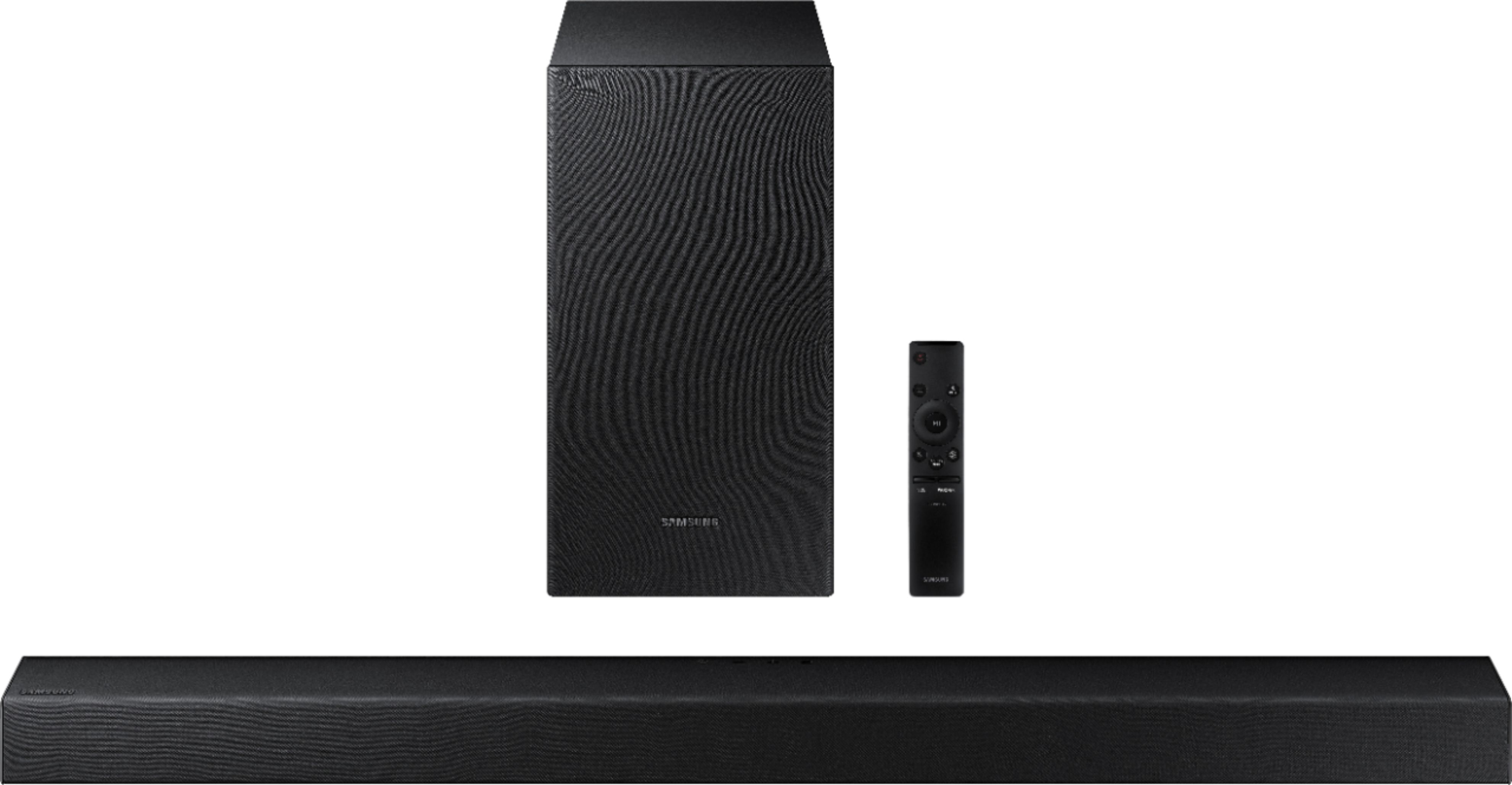
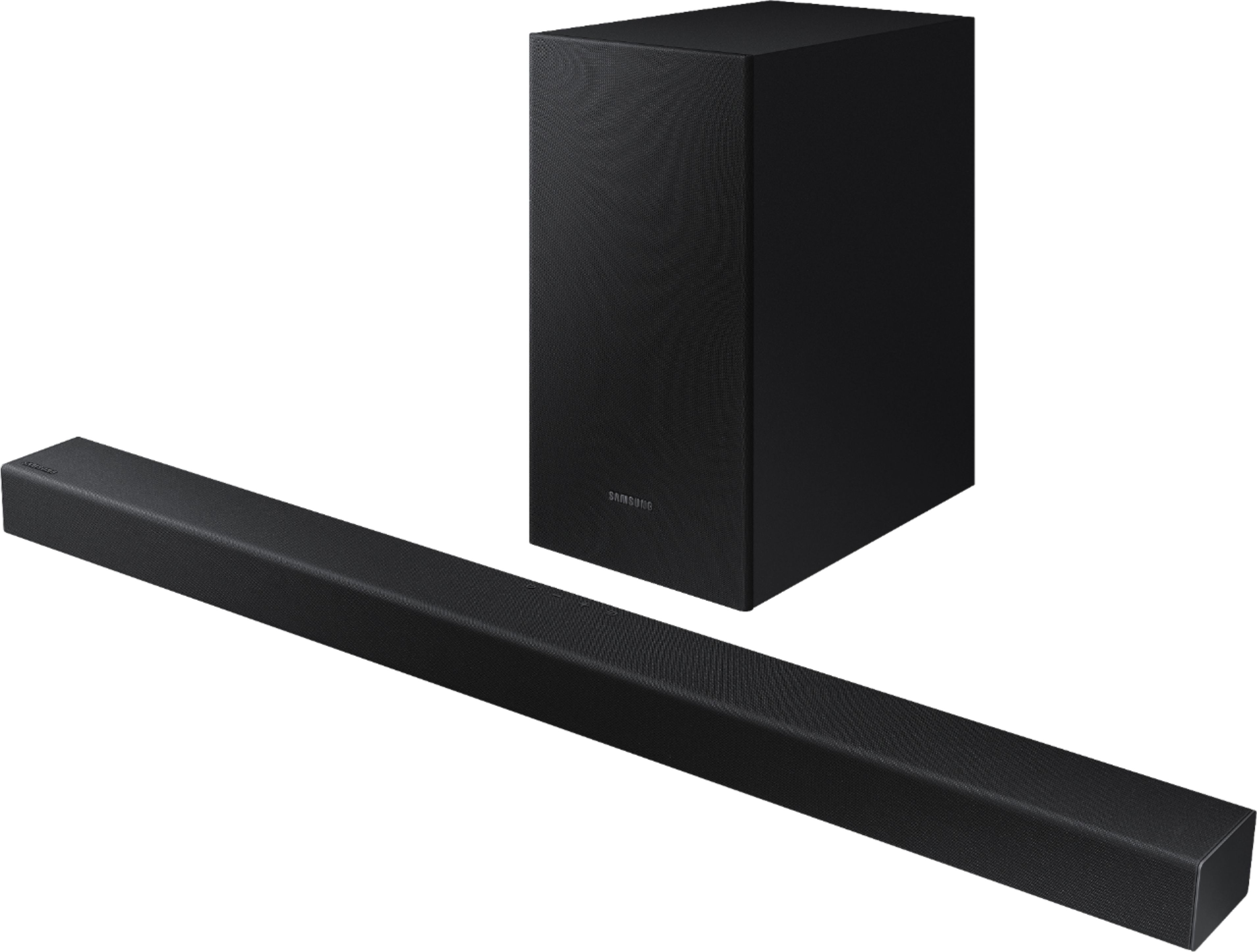



- Model:
- HW-T450/ZA
- SKU:
- 6400704
Rating by feature
- Value
Rating 4.3 out of 5 stars
- Quality
Rating 4.2 out of 5 stars
- Ease of Use
Rating 4.3 out of 5 stars
Customers are saying
Customers are pleased with the sound quality, easy setup, and price of the 2.1-Channel Soundbar with Wireless Subwoofer and Dolby Audio (2020). Many customers rave about the unexpectedly amazing bass and great sound system. However, some customers have experienced issues with Bluetooth connectivity, volume, compatibility, and power.
This summary was generated by AI based on customer reviews.
Sound Bar
||Posted .This reviewer received promo considerations or sweepstakes entry for writing a review.When Connected to Samsung TV with optic cable the sound is not syncronized with picture and there is a lot of low frequency noise that muffles talk between people.
No, I would not recommend this to a friendWONT CONNECT
||Posted . Owned for 1 month when reviewed.This reviewer received promo considerations or sweepstakes entry for writing a review.Sound bar wouldn't connect via blue-tooth when prompted, I would have to unplug repeatedly to reboot. Using the fiber cable always sounded amplified ....horrible.
No, I would not recommend this to a friendBrand response from Samsung
Posted .Recroom1,
I am very sorry to see that you are having connection issues between the soundbar and TV. If you are connecting wirelessly via Bluetooth, please follow these steps:
1) Press the PAIR button on the remote to enter BT PAIRING mode
a. or press the SOURCE button on the top panel and then select BT. “BT” changes to “BT PAIRING” in a few seconds automatically or changes to “BT READY” if there is a connect record.
b. When BT READY appears, press and hold the SOURCE button on the top panel of the Soundbar for more than 5 seconds to display BT PAIRING.
2) Select Bluetooth mode on the TV
3) Select “[AV] Samsung Soundbar T4-Series” from the list on the TV’s screen. An available Soundbar is indicated with “Need Pairing” or “Paired” on the TV’s Bluetooth device list. To connect the TV to the Soundbar, select the message, and then establish a connection. - When the TV is connected, [TV Name] → “BT” appears on the Soundbar’s front display.
4) You can now hear TV sound from the Soundbar.
If the device fails to connect
- If a previously connected Soundbar listing (e.g. “[AV] Samsung Soundbar T4-Series”) appears in the list, delete it.
- Then repeat steps 1 through 3
Once you have connected your soundbar for the first time, use the “BT READY” mode to reconnect.
For detailed instructions, see pages 11-12 in the Full Manual: https://downloadcenter.samsung.com/content/UM/202004/20200417164803535/HW-T450_ZA_FullManual_00_ENG_200228.pdf
Please make sure you are running the latest firmware update which includes improved connectivity. You can update your firmware ver. 1038 by Auto Update, using the SmartThings app, or by using a USB device.
Should you need further assistance with this issue, or have any questions about features or operation, please know that Samsung is here to help. You can contact us via any of the below options:
For further assistance, please contact Samsung Customer Support.
1) Phone: 1-800-SAMSUNG, (available 8AM to 12AM EST - 7 days a week)
2) LiveChat: https://www.samsung.com/us/support/#contact_us_for_support
3) Facebook Messenger: https://www.facebook.com/samsungsupport
4) Twitter: https://twitter.com/SamsungSupport
5) The Samsung Members Community is also a great resource for getting help from Samsung moderators and customers: https://us.community.samsung.com
If you have not already done so, we invite you to register your new Samsung product at:
https://www.samsung.com/us/account/signin/?redirect=https%3A%2F%2Fwww.samsung.com%2Fus%2Fsupport%2Fregister%2F
Registering your product gives you access to easy warranty support, convenient opt-in to special promos and offers, faster troubleshooting and service, and quick notification of system updates.
~ Samsung Ambassador
Don’t buy
||Posted . Owned for 5 months when reviewed.This reviewer received promo considerations or sweepstakes entry for writing a review.It really doesn’t give much difference of speakers than the ones in the tv. We actually prefer the tv speakers so it was a waste of money
No, I would not recommend this to a friendMy TV speakers are louder
||Posted . Owned for less than 1 week when reviewed.This reviewer received promo considerations or sweepstakes entry for writing a review.Not what I expected after reading the reviews. The sound from my tv speakers alone are louder than the speakers from the sound bar. Returning ASAP.
No, I would not recommend this to a friendSamsung sound
||Posted . Owned for 1 month when reviewed.This reviewer received promo considerations or sweepstakes entry for writing a review.Sadly, I could not get soundbar to sync picture to sound. Having trouble with same issue with new tv, maybe the soundbar not the main problem.
No, I would not recommend this to a friendBrand response from Samsung
Posted .JMMSU:
Thank you for purchasing the Samsung HW-T450 soundbar and sharing your experience. I am sorry to hear that you are having lip-sync issues with your Samsung TV.
Dolby Digital content may be the cause for your audio delay as this is a known issue affecting all brands.
Samsung has recently released a firmware update to improve lip-sync delays. Please check that your TV firmware is updated to the latest version 1038.
For how-to instructions on downloading the update, please visit: https://www.samsung.com/us/support/answer/ANS00062224/
If you need further assistance, please know we are here to help. You can reach Samsung Support at:
For further assistance, please contact Samsung Customer Support.
1) Phone: 1-800-SAMSUNG, (available 8AM to 12AM EST - 7 days a week)
2) LiveChat: https://www.samsung.com/us/support/#contact_us_for_support
3) Facebook Messenger: https://www.facebook.com/samsungsupport
4) Twitter: https://twitter.com/SamsungSupport
5) The Samsung Members Community is also a great resource for getting help from Samsung moderators and customers: https://us.community.samsung.com
If you have not already done so, we invite you to register your new Samsung product at:
https://www.samsung.com/us/account/signin/?redirect=https%3A%2F%2Fwww.samsung.com%2Fus%2Fsupport%2Fregister%2F
Registering your product gives you access to easy warranty support, convenient opt-in to special promos and offers, faster troubleshooting and service, and quick notification of system updates.
~ Samsung Ambassador
Not a nice clear sound.
||Posted . Owned for 3 weeks when reviewed.This reviewer received promo considerations or sweepstakes entry for writing a review.Not happy! We’ve been trying to adjust the base but it’s not a nice clear sound, often muffled. Please advise how I can return. Thank you.
No, I would not recommend this to a friendBrand response from Samsung
Posted .Hi NanLee,
Thank you for sharing your review of the Samsung HW-T450. I am sorry to see that you are not completely happy with sound performance.
You can try optimizing audio performance for your specific content by pressing the SOUND MODE button on your soundbar remote, and then selecting the desired sound effect by choosing STANDARD, SURROUND SOUND, GAME, or SMART.
You can also press the Sound Control button on the remote (looks like a gear) to adjust TREBLE and BASS.
Press and hold the Sound Control button for about 5 seconds to adjust the sound for each of seven frequency bands.
Using the WOOFER button on the remote, you can adjust the volume of the subwoofer between -6 to +6 by toggling the button up or down. To set the subwoofer volume level to 0, press the button down.
To improve your the clarity of your dialogue, try using Dynamic Range Control (DRC). DRC lets you apply dynamic range control to Dolby Digital tracks. With DRC turned on, loud sounds will be reduced.
1) Turn off your Soundbar.
2) While the Soundbar is off, press and hold the Sound Mode button on the remote control for 6 seconds until you see “DRC ON” shown on the display.
3) To turn off DRC, repeat steps 1 and 2 above.
If you need additional help with this issue, or have any questions or concerns with this soundbar, please reach out to us via any of the below options:
1) Phone: 1-800-SAMSUNG, (available 8AM to 12AM EST - 7 days a week)
2) LiveChat: https://www.samsung.com/us/support/#contact_us_for_support
3) Facebook Messenger: https://www.facebook.com/samsungsupport
4) Twitter: https://twitter.com/SamsungSupport
5) The Samsung Members Community is also a great resource for getting help from Samsung moderators and customers: https://us.community.samsung.com
~ Samsung Ambassador
Hard to hear
||Posted . Owned for 2 weeks when reviewed.This reviewer received promo considerations or sweepstakes entry for writing a review.Subwoofer kept fading in and out. Sound bar was always hard to hear, even at sound level of 40+. Returned and purchased another brand.
No, I would not recommend this to a friendBrand response from Samsung
Posted .Hi TimN.
Thank you for your review of the Samsung HW-T450 Samsung Soundbar. I am sorry to hear that it did not work out for you and have returned your unit. I understand your disappointment.
Your feedback is very important to us and will be shared with our product team.
Please know that should you ever need assistance with settings or adjustments with a future Samsung purchase to optimize your sound experience, Samsung Customer Support is here to help.
1) Phone: 1-800-SAMSUNG, (available 8AM to 12AM EST - 7 days a week)
2) LiveChat: https://www.samsung.com/us/support/#contact_us_for_support
3) Facebook Messenger: https://www.facebook.com/samsungsupport
4) Twitter: https://twitter.com/SamsungSupport
5) The Samsung Members Community is also a great resource for getting help from Samsung moderators and customers: https://us.community.samsung.com
~ Samsung Ambassador
Poor Sound
||Posted . Owned for 1 week when reviewed.This reviewer received promo considerations or sweepstakes entry for writing a review.Low quality sound, not worth the sale price at $150. My refurbished Vizio sound bar is 10 times better. Save your money, look elsewhere.
No, I would not recommend this to a friendBrand response from Samsung
Posted .Loxrox,
Thank you for sharing your review of the Samsung HW-T450. I am sorry to see that you are not completely happy with the sound performance. This soundbar features a powerful wireless subwoofer, as well as Game Mode, & Smart Sound which automatically detects what you're watching and optimizes the sound setting.
You can try manually optimizing your settings by pressing the SOUND MODE button on your remote, and then selecting the desired sound effect by choosing STANDARD, SURROUND SOUND, GAME, SMART, or DRC.
You can further adjust TREBLE and BASS via the SOUND CONTROL button (looks like a gear symbol).
Refer to pages 21-23 of the User Manual for detailed instructions: https://downloadcenter.samsung.com/content/UM/202004/20200423101910539/HW-T650_ZA_FullManual_01_ENG_200219.pdf
If there is anything we can do to improve your enjoyments -- such as helping to optimize settings for your specific usage scenario -- please let us know. You can reach Samsung Customer Support at:
For further assistance, please contact Samsung Customer Support.
1) Phone: 1-800-SAMSUNG, (available 8AM to 12AM EST - 7 days a week)
2) LiveChat: https://www.samsung.com/us/support/#contact_us_for_support
3) Facebook Messenger: https://www.facebook.com/samsungsupport
4) Twitter: https://twitter.com/SamsungSupport
5) The Samsung Members Community is also a great resource for getting help from Samsung moderators and customers: https://us.community.samsung.com
If you have not already done so, we invite you to register your new Samsung product at:
https://www.samsung.com/us/account/signin/?redirect=https%3A%2F%2Fwww.samsung.com%2Fus%2Fsupport%2Fregister%2F
Registering your product gives you access to easy warranty support, convenient opt-in to special promos and offers, faster troubleshooting and service, and quick notification of system updates.
~ Samsung Ambassador
not loud for a big tv
||Posted .This reviewer received promo considerations or sweepstakes entry for writing a review.was not happy with with the sound,i returned it. for a upgrade bigger samsung sound bar gald i did this one sounds great.
No, I would not recommend this to a friendBrand response from Samsung
Posted .Hello samsungreview,
Thank you for your review of the Samsung HW-T450 Soundbar. Your feedback is appreciated and important in helping us provide factors regarding customer service. Thank you for being a loyal Samsung customer.
Should you have questions or need assistance with settings, setup, or features, with your new Samsung soundbar, please know we are always here to help. You can reach us at 1-800-SAMSUNG (ask for Soundbars), available 8AM -12AM EST, 7 days a week. Or text HELP to 62913.
For additional support resources, visit us on the Samsung website and click on the ‘Support’ link in the upper right corner of the homepage for:
1) More ‘Contact Us’ options – LiveChat, Facebook, Twitter, Samsung Community, Samsung Members app
2) Manuals & Software
3) Warranty Info
4) Product Registration: For access to easy warranty support, convenient opt-in to special promos and offers, faster troubleshooting and service, and quick notification of system updates.
We hope to hear from you soon.
~ Samsung Specialist
No good
||Posted . Owned for 1 month when reviewed.This reviewer received promo considerations or sweepstakes entry for writing a review.Wasn't what i expected, i thought cause was from the same brand of the tv was going to be good.... no very low quality
No, I would not recommend this to a friendNot for the long haul
||Posted . Owned for 3 months when reviewed.This reviewer received promo considerations or sweepstakes entry for writing a review.Awful. The woofer gave out today and it's past the return period, proceed with caution. It's such a let down. Unbelievable.
No, I would not recommend this to a friendBrand response from Samsung
Posted .Hi Gonza!
I am very sorry you are experiencing issues with your HW-T450 Soundbar after the return period. I understand your disappointment.
Your feedback is very important to us and will be shared with our product team.
Samsung is committed to providing the best possible product experience, quality, and value. We back this model with a 1-year limited manufacturer's warranty if purchased brand-new directly from an authorized seller.
Please reach out to Samsung Customer Support so we can better understand your issue and provide you with troubleshooting assistance or warranty service.
1) Phone: 1-800-SAMSUNG, (available 8AM to 12AM EST - 7 days a week)
2) LiveChat: https://www.samsung.com/us/support/#contact_us_for_support
3) Facebook Messenger: https://www.facebook.com/samsungsupport
4) Twitter: https://twitter.com/SamsungSupport
5) The Samsung Members Community is also a great resource for getting help from Samsung moderators and customers: https://us.community.samsung.com
If you have not already done so, we invite you to register your new Samsung product at:
https://www.samsung.com/us/account/signin/?redirect=https%3A%2F%2Fwww.samsung.com%2Fus%2Fsupport%2Fregister%2F
Registering your product gives you access to easy warranty support, convenient opt-in to special promos and offers, faster troubleshooting and service, and quick notification of system updates.
~ Samsung Ambassador
Worst purchase ever
||Posted . Owned for 3 weeks when reviewed.This reviewer received promo considerations or sweepstakes entry for writing a review.I am so disappointed in this sound bar. It does not sound good. Hoping they will take it back since I no longer have the box
No, I would not recommend this to a friendDisappointed with this sound bar
||Posted . Owned for 1.5 years when reviewed.This reviewer received promo considerations or sweepstakes entry for writing a review.Have had trouble from the get go. Sound gets really loud then way quiet.
No, I would not recommend this to a friendJunk
||Posted . Owned for 1 month when reviewed.This reviewer received promo considerations or sweepstakes entry for writing a review.After a month it started to shut off and won’t power back on. Have to unplug it and plug it back in to get the power back on.
No, I would not recommend this to a friendBrand response from Samsung
Posted .Chris:
Thank you for purchasing the HW-T450 Soundbar and for your review. I am very sorry that your unit is not turning on. In addition to steps you have taken to check that the power cord is firmly plugged into the wall outlet and power adapter. Unplug and reconnect the power cord to the wall outlet and the power adapter to make sure the connection is secure. Please also check that power adapter is firmly connected to the main unit. Disconnect the power adapter from the Soundbar and reconnect to make sure the connection is firm and secure.
For further assistance, please contact Samsung Customer Support.
1) Phone: 1-800-SAMSUNG, (available 8AM to 12AM EST - 7 days a week)
2) LiveChat: https://www.samsung.com/us/support/#contact_us_for_support
3) Facebook Messenger: https://www.facebook.com/samsungsupport
4) Twitter: https://twitter.com/SamsungSupport
5) The Samsung Members Community is also a great resource for getting help from Samsung moderators and customers: https://us.community.samsung.com
If you have not already done so, we invite you to register your new Samsung product at:
https://www.samsung.com/us/account/signin/?redirect=https%3A%2F%2Fwww.samsung.com%2Fus%2Fsupport%2Fregister%2F&user=dsr-registration
Registering your product gives you access to easy warranty support, convenient opt-in to special promos and offers, faster troubleshooting and service, and quick notification of system updates.
~ Samsung Solutions
Stopped working
||Posted . Owned for 2 months when reviewed.This reviewer received promo considerations or sweepstakes entry for writing a review.Bought it in June 28th and it just completely stopped working September 5th and it says i can’t exchange/return it!
No, I would not recommend this to a friendDon’t work please don’t buy
||Posted . Owned for 1 month when reviewed.This reviewer received promo considerations or sweepstakes entry for writing a review.Don’t work. I wasted my money. It does not sound. Put the volume to 70 and no sounds. Very minimum.
No, I would not recommend this to a friendHorrible open box
||Posted . Owned for 1 week when reviewed.This reviewer received promo considerations or sweepstakes entry for writing a review.Got one box came with no cables or plug at all they didn’t offer one either or a replacement at all
No, I would not recommend this to a friendSoundbars
||Posted . Owned for 2 months when reviewed.This reviewer received promo considerations or sweepstakes entry for writing a review.Not something you want to spend money on, save up the money you would spend on that and get a better one.
No, I would not recommend this to a friendBrand response from Samsung
Posted .Samsungsoundbar,
Thank you for purchasing the Samsung HW-T450 Soundbar. I am very sorry you are not completely happy with your unit.
Please contact Samsung Customer Support so we can better understand your issue and assist you with step-by-step troubleshooting or warranty service.
For further assistance, please contact Samsung Customer Support.
1) Phone: 1-800-SAMSUNG, (available 8AM to 12AM EST - 7 days a week)
2) LiveChat: https://www.samsung.com/us/support/#contact_us_for_support
3) Facebook Messenger: https://www.facebook.com/samsungsupport
4) Twitter: https://twitter.com/SamsungSupport
5) The Samsung Members Community is also a great resource for getting help from Samsung moderators and customers: https://us.community.samsung.com
If you have not already done so, we invite you to register your new Samsung product at:
https://www.samsung.com/us/account/signin/?redirect=https%3A%2F%2Fwww.samsung.com%2Fus%2Fsupport%2Fregister%2F
Registering your product gives you access to easy warranty support, convenient opt-in to special promos and offers, faster troubleshooting and service, and quick notification of system updates.
~ Samsung Ambassador
Very poor. Returned to retail Best Buy store .
||Posted .This reviewer received promo considerations or sweepstakes entry for writing a review.Poor sound quality, did not respond correctly to remote settings. I returned to Best Buy store in Daytona.
No, I would not recommend this to a friendHad to return
||Posted . Owned for 2 weeks when reviewed.This reviewer received promo considerations or sweepstakes entry for writing a review.Something I really wanted. Had a Sony tv with a off brand sound system worked great. This one terrible
No, I would not recommend this to a friendBrand response from Samsung
Posted .Nickcas:
Thank you for your review of this Samsung Soundbar System. I am sorry to hear that it did not work out for you and have returned your unit. I understand your disappointment.
Your feedback is very important to us and will be shared with our product team.
Should you ever decide to give Samsung audio products another try and have concerns or questions, please know we are always here to help. You can contact Samsung Customer Support by any of the below options:
1) Phone: 1-800-SAMSUNG, (available 8AM to 12AM EST - 7 days a week)
2) LiveChat: https://www.samsung.com/us/support/#contact_us_for_support
3) Facebook Messenger: https://www.facebook.com/samsungsupport
4) Twitter: https://twitter.com/SamsungSupport
5) The Samsung Members Community is also a great resource for getting help from Samsung moderators and customers: https://us.community.samsung.com
~ Samsung Solutions