Customer Ratings & Reviews
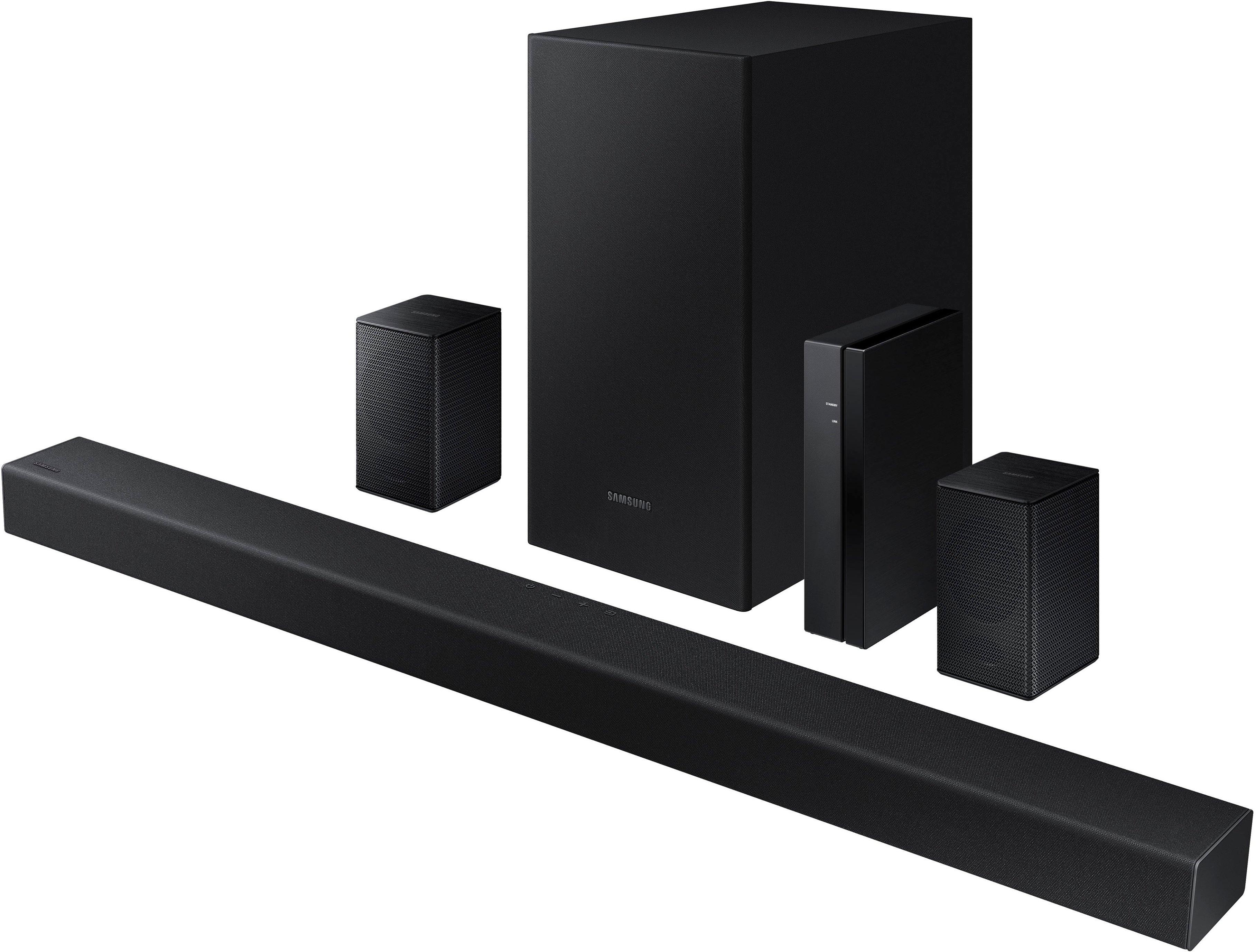
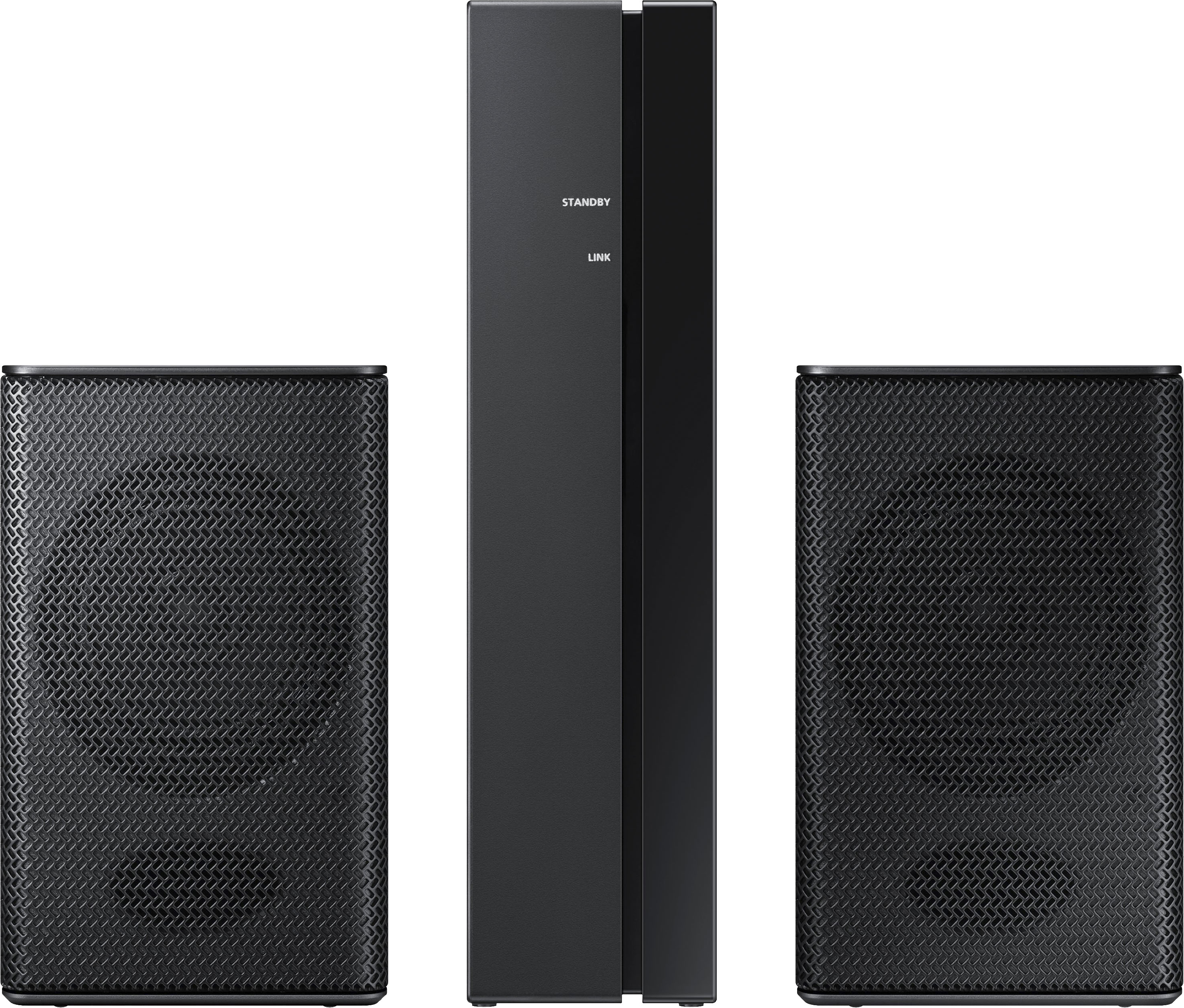


- Model:
- HW-A470/ZA
- SKU:
- 6478240
Rating by feature
- Value
Rating 4.3 out of 5 stars
- Quality
Rating 4.2 out of 5 stars
- Ease of Use
Rating 4.1 out of 5 stars
Customers are saying
Customers commend the 4.1-Channel Soundbar for its exceptional sound quality, easy setup, and affordable price. Many users rave about the immersive surround sound and crystal-clear audio, while others appreciate the hassle-free installation process. While some users have concerns about occasional wireless connectivity issues and weak rear speakers, the overall sentiment is positive, with many praising the soundbar's excellent sound definition and value for money.
This summary was generated by AI based on customer reviews.
- Cons mentioned:Volume
Not the best.
||Posted . Owned for 3 weeks when reviewed.This reviewer received promo considerations or sweepstakes entry for writing a review.Works fine but really need to turn it up to 60 to get really good surround sound.
No, I would not recommend this to a friendBrand response from Samsung
Posted .Hi Mamawofsix,
Thank you for purchasing the Samsung HW-A470 soundbar and for sharing your feedback regarding the surround sound performance. Our HW-A470 Soundbar was designed to deliver immersive surround sound. Speakers firing from the front and behind bring the surround sound to life. To improve your surround sound experience, you may want to try adjusting the sound mode. The Surround mode may provide you with an improved and more immersive surround sound experience.
Press the SOUND MODE button on your remote, and then select the desired sound effect by choosing STANDARD, SURROUND SOUND, GAME, or ADAPTIVE SOUND.
Additionally, you can increase the volume level of the surround speakers using the Sound Control button on the Soundbar remote control. Press the Sound Control button on the soundbar remote (looks like a gear), then select REAR LEVEL and use the Up/Down buttons to adjust the volume within a -6 to +6 range.
I hope this helps you further enjoy your audio experience. Should you ever have questions or need help, please call us at 1-800-SAMSUNG (ask for Soundbars), available 8AM - 12AM EST, 7 days a week.
For additional support resources, visit us on the Samsung website and click on the ‘Support’ link in the upper right corner of the homepage for:
1) Chat with Us/Product Help: To begin a chat or find solutions, choose ‘TVs & Home Theater’ and select your model & topic.
2) Manuals & Software
3) Warranty Info
4) Register a Product: For access to easy warranty support, convenient opt-in to special promos and offers, faster troubleshooting and service, and quick notification of system updates
5) Contact Us
~ Samsung Solutions
Easy set up
||Posted . Owned for less than 1 week when reviewed.This reviewer received promo considerations or sweepstakes entry for writing a review.Sound bar has great sound the smaller speakers are good for low tones and subwoofer could have a better boom to it.
I would recommend this to a friendBrand response from Samsung
Posted .Hi Tazz1082,
Thank you for purchasing the Samsung HW-A470 Soundbar with a 6.5” Wireless Subwoofer. I am glad to hear you are enjoying your experience with your new Samsung Soundbar and found the setup to be quick and easy. We value your feedback regarding the performance of the subwoofer.
By design, the purpose of the subwoofer is to reproduces low frequency sounds and not musical tones. It adds rich tones and deepens sound effects, like the rumbles of an explosion or the depth in bass guitars and drums.
There are three adjustments that can be made for bass and subwoofer:
1) Using the WOOFER button on the remote, you can adjust the volume of the subwoofer between -6 to +6 by toggling the button up or down. To set the subwoofer volume level to 0, press the button down
2) Adjust the bass control by pressing the SOUND CONTROL button (gear icon) on the remote control, then select BASS to increase the level. You can adjust the volume between -6 to +6 by using the Up/Down buttons.
3) Press the SOUND MODE button on your remote, and then select BASS BOOST mode. This will provide you with a larger emphasis on bass sound.
For precise audio adjustments, you can use the 7-band frequency equalizer to optimize the sound for your room acoustics.
I hope this helps. For further assistance with features, settings, adjustments, or functions please contact Samsung Customer Support at 1-800-SAMSUNG (ask for Soundbars), available 8AM - 12AM EST, 7 days a week.
For additional support resources, visit us on the Samsung website and click on the ‘Support’ link in the upper right corner of the homepage for:
1) Chat with Us/Product Help: To begin a chat or find solutions, choose ‘TVs & Home Theater’ and select your model & topic.
2) Manuals & Software
3) Warranty Info
4) Register a Product: For access to easy warranty support, convenient opt-in to special promos and offers, faster troubleshooting and service, and quick notification of system updates
5) Contact Us
~ Samsung Solutions
- Cons mentioned:Rear speakers
okay sound system for the money
||Posted . Owned for 3 weeks when reviewed.This reviewer received promo considerations or sweepstakes entry for writing a review.The sound bar and woofer are good but the rear speakers are really weak
No, I would not recommend this to a friendBrand response from Samsung
Posted .Hi Russ,
We appreciate your feedback regarding the initial out of box experience provided by the HW-A470.
You can try manually optimizing your audio experience by pressing the SOUND CONTROL button (looks like a gear) to access the setting items such as TREBLE, BASS, AUDIO SYNC, and REAR LEVEL. The selected item can be adjusted using the Up/Down buttons.
I hope this helps! Should you ever have questions or need help, please call us at 1-800-SAMSUNG (ask for Soundbars), available 8AM - 12AM EST, 7 days a week.
For additional support resources, visit us on the Samsung website and click on the ‘Support’ link in the upper right corner of the homepage for:
1) Chat with Us/Product Help: To begin a chat or find solutions, choose ‘TVs & Home Theater’ and select your model & topic.
2) Manuals & Software
3) Warranty Info
4) Register a Product: For access to easy warranty support, convenient opt-in to special promos and offers, faster troubleshooting and service, and quick notification of system updates
5) Contact Us
~ Samsung Solutions
Home tv system
||Posted . Owned for 1 month when reviewed.This reviewer received promo considerations or sweepstakes entry for writing a review.Great value for the money. Name brand paired well with my 55 inch tv.
I would recommend this to a friendWorth it the money
||Posted . Owned for 1 month when reviewed.This reviewer received promo considerations or sweepstakes entry for writing a review.Great value overall. Could use a little more punch on the rear speaker output. Other than that, I'm happy.
I would recommend this to a friendMy Samsung sound bar
||Posted . Owned for 3 weeks when reviewed.This reviewer received promo considerations or sweepstakes entry for writing a review.I wish the surroundsound speakers were bigger with better sound the sound bar and the bass are great
I would recommend this to a friend- Pros mentioned:Sound quality
Hire the Geek Squad to set up.
||Posted . Owned for 1 week when reviewed.This reviewer received promo considerations or sweepstakes entry for writing a review.Not easy to set up. Set up directions suck and basically don't exist. Soundbar is easy to set up and sounds good, but the subwoofer and surround sound speakers are not cooperative. Probably should have had the Geek Squad set it up.
No, I would not recommend this to a friendBrand response from Samsung
Posted .Hi Stormbreaker,
Thank you for sharing your review of the Samsung HW-A470. Your feedback regarding the setup and pairing process of the subwoofer and rear speakers is important to us and will be shared with our product teams.
If there is anything we can do to improve your enjoyment such as helping to optimize settings for your specific sound scenario, please contact Samsung Customer Support at 1-800-SAMSUNG (ask for Soundbars), available 8AM - 12AM EST, 7 days a week.
For additional support resources, visit us on the Samsung website and click on the ‘Support’ link in the upper right corner of the homepage for:
1) Chat with Us/Product Help: To begin a chat or find solutions, choose ‘TVs & Home Theater’ and select your model & topic.
2) Manuals & Software
3) Warranty Info
4) Register a Product: For access to easy warranty support, convenient opt-in to special promos and offers, faster troubleshooting and service, and quick notification of system updates
5) Contact Us
~ Samsung Solutions
- Cons mentioned:Wireless
Wireless???
||Posted . Owned for 1 week when reviewed.This reviewer received promo considerations or sweepstakes entry for writing a review.This set was supposed to be wireless. Rear Speakers needed wires :)
No, I would not recommend this to a friendBrand response from Samsung
Posted .Hi Pogime,
We appreciate you sharing your thoughts about the wireless description of the rear speakers included with your HW-A470 Samsung Soundbar.
Occasionally, customers have trouble hiding and running speaker wires from the front of the room (where their soundbar is) to the back of their room (where they have their rear speakers). The Rear Speaker Kit eliminates that hassle. Connect the rear speakers to its wireless module and place these three in the back of your room. One wire is required to connect each rear speaker to the wireless module. Then plug in the power cable to the module. The “wireless” convenience is in connecting your soundbar and any other speakers at the front of the room to the rear speakers – this can now be done via Wi-Fi through the wireless module, eliminating any clutter of long wires running the length of your room.
Should you ever have questions or need help, please call us at 1-800-SAMSUNG (ask for Soundbars), available 8AM - 12AM EST, 7 days a week.
For additional support resources, visit us on the Samsung website and click on the ‘Support’ link in the upper right corner of the homepage for:
1) Chat with Us/Product Help: To begin a chat or find solutions, choose ‘TVs & Home Theater’ and select your model & topic.
2) Manuals & Software
3) Warranty Info
4) Register a Product: For access to easy warranty support, convenient opt-in to special promos and offers, faster troubleshooting and service, and quick notification of system updates
5) Contact Us
~ Samsung Solutions
4 Star Soundbar
||Posted . Owned for 1 month when reviewed.This reviewer received promo considerations or sweepstakes entry for writing a review.I wish there was a "clear voice" setting on this one. Otherwise a great soundbar system for the price
I would recommend this to a friendDecent Soundbar for the price
||Posted . Owned for 1 month when reviewed.This reviewer received promo considerations or sweepstakes entry for writing a review.Decent Soundbar for the bedroom. Sound bar not truly wireless but still able to have a clean look
I would recommend this to a friendPretty good sound.
||Posted . Owned for 1 month when reviewed.This reviewer received promo considerations or sweepstakes entry for writing a review.Nice sound bar but I prefer my LG. I was expecting a little more with the 2 extra speakers.
I would recommend this to a friendDecent sound for the price
||Posted . Owned for 1 month when reviewed.This reviewer received promo considerations or sweepstakes entry for writing a review.The sound is decent, and it’s not really wifi.. You still have wire cables to deal with
I would recommend this to a friendsyncing difficulty
||Posted . Owned for 3 weeks when reviewed.This reviewer received promo considerations or sweepstakes entry for writing a review.Had difficulty getting everything to sync together, but once synced I had no issues
I would recommend this to a frienduP GRADE FOR GRANDCHILDREN
||Posted . Owned for 6 months when reviewed.This reviewer received promo considerations or sweepstakes entry for writing a review.I replaced my 2.1 with this 4.1. The older 2.1, which I purchased from Best buy, worked fine. My grandchildren insisted I buy a more modern one. So, WE did so. This 4.1 is just like being in the orchestra pit at a concert: WONDERFUL! THANKS!!
I would recommend this to a friendThe sound is amazing at this price point!
||Posted . Owned for 1 month when reviewed.This reviewer received promo considerations or sweepstakes entry for writing a review.I've never set up a sound system before, this one was a breeze! I had to set up in less than 20 minutes! Definitely will recommend this product. Especially at this price point the sound is amazing!
I would recommend this to a friend- Cons mentioned:Wireless
Good sound bar but everything else is inferior
||Posted . Owned for 1 month when reviewed.This reviewer received promo considerations or sweepstakes entry for writing a review.Disappointing. I spent a bit more on this system since I wanted an easy set up from the same company as my TV. Sound bar is nice. “Wireless” rear speakers/woofer are only partially wireless & so quiet as to be worthless. I’ve tried several fixes to turn up the barely-there whisper. I understand there’s a cumbersome software update I can perform that may or may not fix the volume problem. The update requires a physical USB download, software upload, and second set up. I guess when I have a free hour or two and in the mood to have free time filled with frustration, I’ll try it. My downstairs Vizio surround system was 10 times easier to set up and has 100 times better sound quality.
No, I would not recommend this to a friendBrand response from Samsung
Posted .Hi NotHappy,
By design, the surround speakers are supposed to simulate sounds happening behind the viewer. Therefore, most of the time the surround channels are only used for ambient sounds, which are naturally lower in volume.
However, there are a few settings you can change to adjust the surround effect to your preference:
1) Make sure that the source (e.g. TV output) is sending surround channels to the Soundbar. If the source is not capable of surround, then set the Surround mode to OFF on the Soundbar by pressing the Surround button on the remote.
2) If the source has surround channels, select the desired Sound Mode from the Soundbar remote.
3) Turn off Dynamic Range Control. This is done by pressing and holding the Sound Mode button while the Soundbar is in standby mode. Depending on your soundbar model, you may or may not have DRC.
4) Increase the volume level of the surround speakers using the Sound Control button on the Soundbar remote control. Press the Sound Control button on the soundbar remote (looks like a gear), then select REAR LEVEL and use the Up/Down buttons to adjust the volume within a -6 to +6 range.
We appreciate your feedback on the design of the rear speaker kit. We will share it with our design team. Occasionally, customers have trouble hiding and running speaker wires from the front of the room (where their soundbar is) to the back of their room (where they have their rear speakers). The Rear Speaker Kit eliminates that hassle. Connect the rear speakers to its wireless module and place these three in the back of your room. One wire is required to connect each rear speaker to the wireless module. Then plug in the power cable to the module. The “wireless” convenience is in connecting your soundbar and any other speakers at the front of the room to the rear speakers – this can now be done via Wi-Fi through the wireless module, eliminating any clutter of long wires running the length of your room.
If there is anything we can do to improve your enjoyment -- such as helping to optimize settings for your specific usage scenario -- please let us know. You can reach Samsung Soundbar Support at 1-800-SAMSUNG (ask for Soundbars), available 8AM - 12AM EST, 7 days a week.
For additional support resources, visit us on the Samsung website and click on the ‘Support’ link in the upper right corner of the homepage for:
1) Chat with Us/Product Help: To begin a chat or find solutions, choose ‘TVs & Home Theater’ and select your model & topic.
2) Manuals & Software
3) Warranty Info
4) Register a Product: For access to easy warranty support, convenient opt-in to special promos and offers, faster troubleshooting and service, and quick notification of system updates
5) Contact Us
~ Samsung Ambassador
So-So
||Posted . Owned for 1 month when reviewed.This reviewer received promo considerations or sweepstakes entry for writing a review.Sold enough sound, though won't blow yer hair back or anything. I'm pleased.
I would recommend this to a friendTV Soundbar
||Posted . Owned for 3 weeks when reviewed.This reviewer received promo considerations or sweepstakes entry for writing a review.Nice features and works well, except for one small sound bar that dies not work.
I would recommend this to a friendSurround sound
||Posted . Owned for 3 weeks when reviewed.This reviewer received promo considerations or sweepstakes entry for writing a review.My son told me had one like this and really loved it. I can see why. It's hard for me to understand people talking on the TV but after installing this speaker system I can hear just fine.
I would recommend this to a friendSurround sound x3
||Posted .This reviewer received promo considerations or sweepstakes entry for writing a review.Initially ordered 2 of the Samsung soundbars for each of our boys They were so pleased with the sound quality, we ordered one for ourselves. Love the compact design and the wireless rear speakers are the frosting on the audio cake.
I would recommend this to a friend