Customer Ratings & Reviews
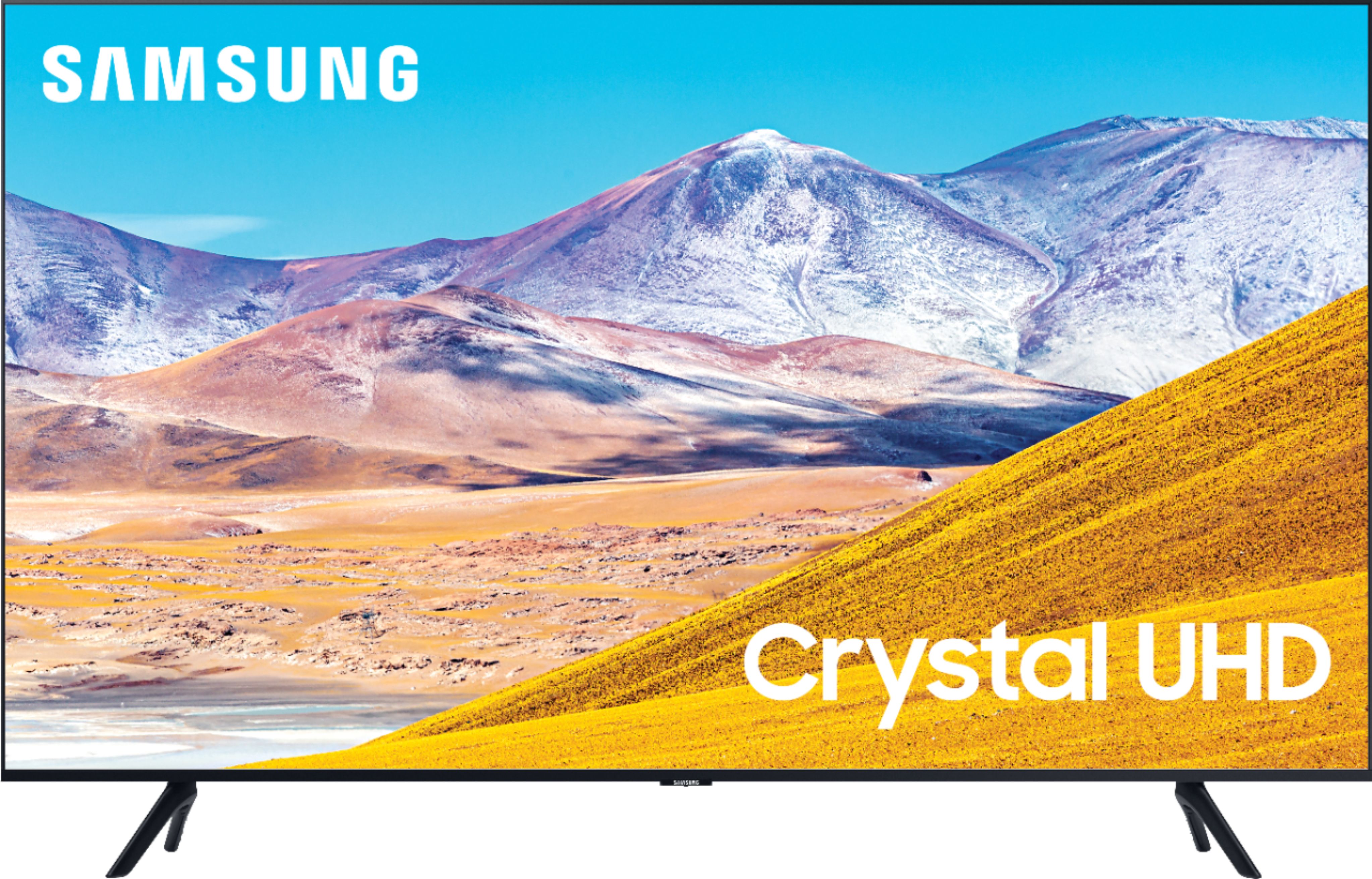
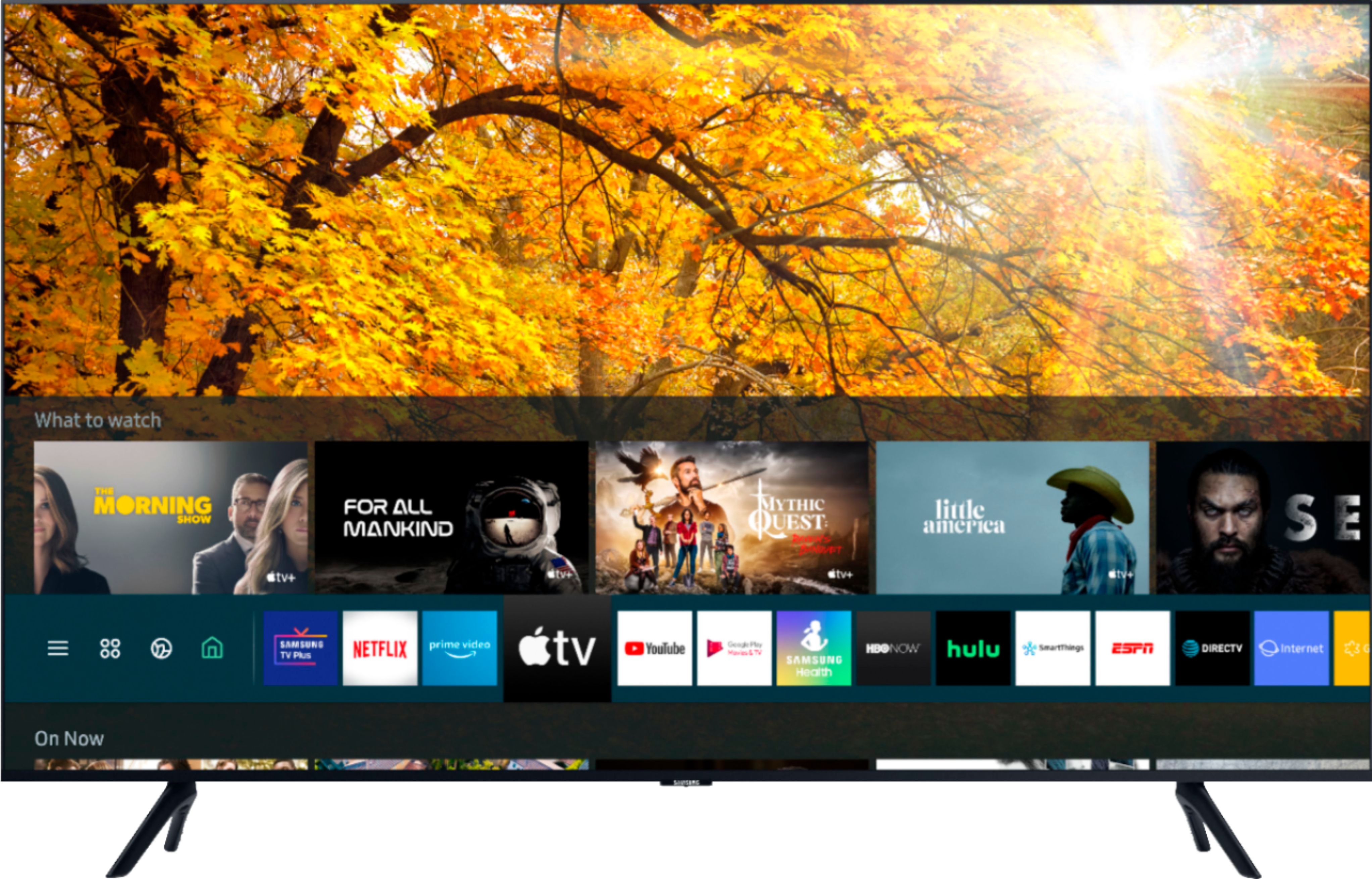


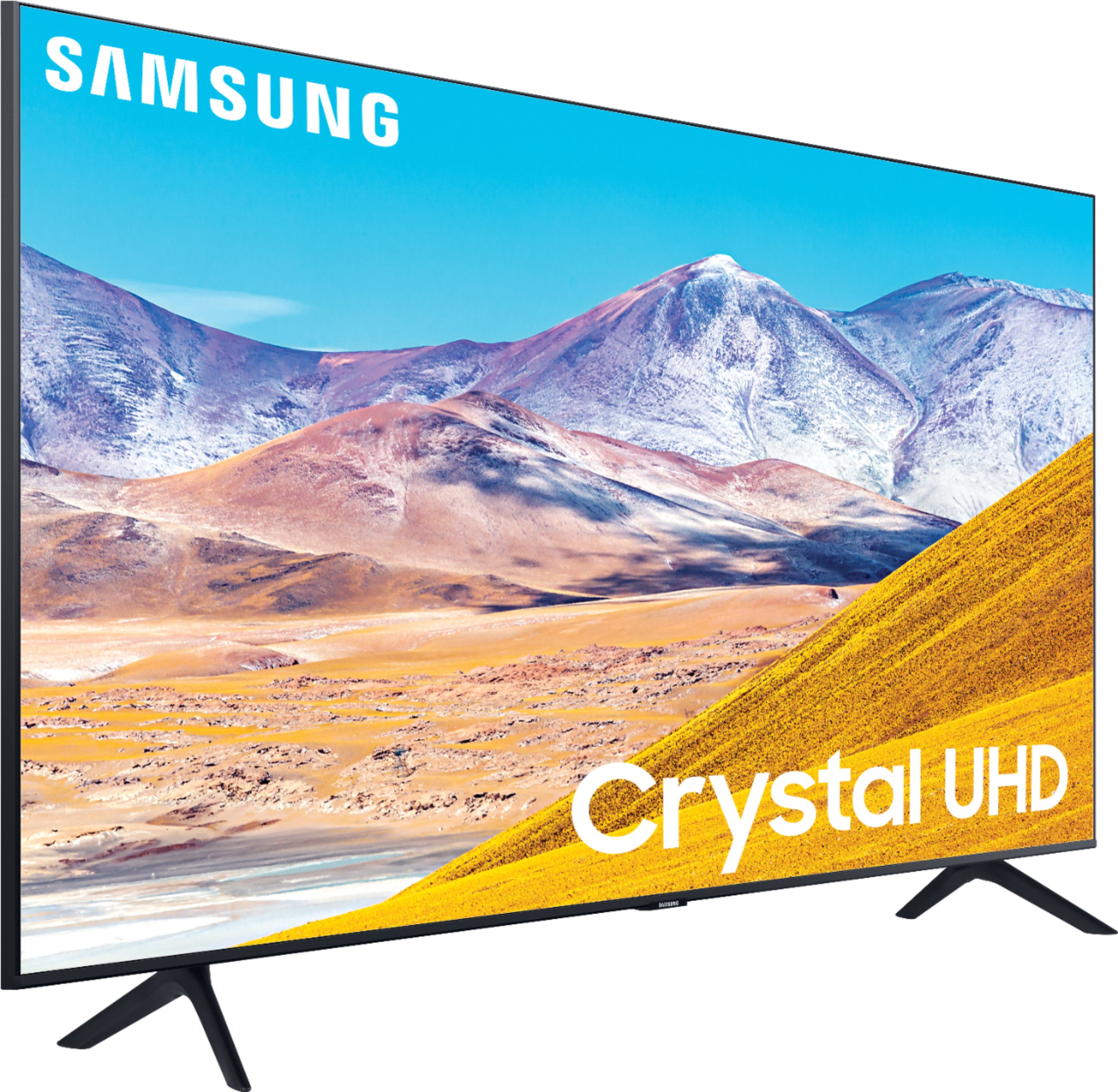
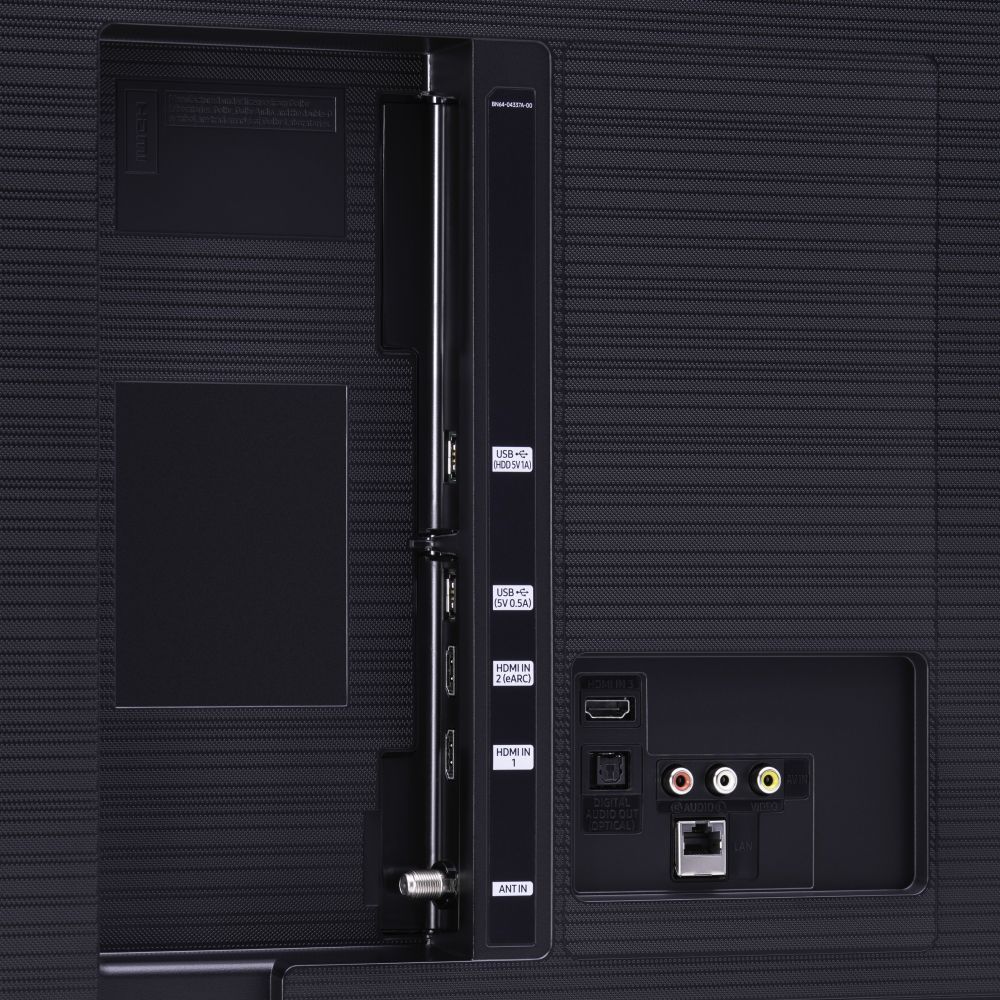





- Model:
- UN50TU8000FXZA
- SKU:
- 6401436
Rating by feature
- Picture Quality
Rating 4.0 out of 5 stars
- Sound Quality
Rating 3.9 out of 5 stars
- Brightness
Rating 4.1 out of 5 stars
Customers are saying
Customers express satisfaction with the picture quality, easy setup, price, color, and smart TV features of the 50" Class 8 Series LED 4K UHD Smart Tizen TV. However, they have concerns about the remote control, durability, short lifespan, screen issues, and warranty.
This summary was generated by AI based on customer reviews.
Ok for the price point
||Posted . Owned for 1 year when reviewed.This reviewer received promo considerations or sweepstakes entry for writing a review.Ok for the price. I’d make sure to place this TV in a spot that doesn’t really get any direct sunlight. Unwatchable during the day otherwise. At night, good to go.
No, I would not recommend this to a friendTv doesn’t have some features we thought it had.
||Posted .This reviewer received promo considerations or sweepstakes entry for writing a review.Can’t use headset and tv speaker at the same time. Salesman said we could. It was past the 2 week return policy when I found out the multi-audio feature doesn’t work so I couldn’t return it.
I would recommend this to a friendBrand response from Samsung
Posted .Doug,
Thank you for bringing your concerns to our attention.
Have you tried this?
Settings > General > Accessibility > Multi-output Audio
If the above tip does not solve your concern, please reach out to us for further troubleshooting.
You can contact our TV Customer Support via:
1) Phone: 1-800-SAMSUNG (ask for TVs), available 8AM – 12AM EST 7 days a week
2) LiveChat: https://www.samsung.com/us/support/#contact_us_for_support
3) Facebook Messenger: https://www.facebook.com/samsungsupport
4) Twitter: https://twitter.com/SamsungSupport
5) The Samsung Members Community is also a great resource for getting help from Samsung moderators and customers: https://us.community.samsung.com
If you have not already done so, we invite you to register your new Samsung product at:
https://www.samsung.com/us/account/signin/?redirect=https%3A%2F%2Fwww.samsung.com%2Fus%2Fsupport%2Fregister%2F&user=dsr-registration
Registering your product gives you access to easy warranty support, convenient opt-in to special promos and offers, faster troubleshooting and service, and quick notification of system updates.
Again, thank you for taking the time to share your thoughts. Your feedback helps us continuously deliver best-in-class products and service.
-Samsung Ambassador
Won't last long.
||Posted . Owned for more than 2 years when reviewed.This reviewer received promo considerations or sweepstakes entry for writing a review.Had for 2 years... doesn't work anymore. Picture went out and TV keeps turning on and off.
No, I would not recommend this to a friendIt’s ok
||Posted . Owned for 3 weeks when reviewed.This reviewer received promo considerations or sweepstakes entry for writing a review.It’s good for the price. Very simple tv to use. Good to watch sports but if you’re looking for detail in a tv, you might want to spend a little bit more for an oled tv.
I would recommend this to a friendOk
||Posted . Owned for 4 months when reviewed.This reviewer received promo considerations or sweepstakes entry for writing a review.I’ve only watched it a few times. Literally less than 10x’s. The picture is too bright, it doesn’t look great. Wish that I caught it within the return period.
No, I would not recommend this to a friendNot sure.
||Posted . Owned for 1 month when reviewed.This reviewer received promo considerations or sweepstakes entry for writing a review.I had to return this tv because of screen cracked when received it. Best Buy took it back and I bought the Series 7 instead. I like the remote of the series 7 better.
I would recommend this to a friendBrand response from Samsung
Posted .CM16,
I am sorry that your TU8000 TV arrived with a cracked screen.
Our products leave the factory after passing numerous rigorous quality checks. Nonetheless, a TV is a very fragile device and damage could have been incurred during shipping and handling.
Should you have any questions about features or usage of your series 7 TV, please reach out to us for assistance via any of these options:
1) Phone: 1-800-SAMSUNG (ask for TVs), available 8AM – 12AM EST 7 days a week
2) LiveChat: https://www.samsung.com/us/support/#contact_us_for_support
3) Facebook Messenger: https://www.facebook.com/samsungsupport
4) Twitter: https://twitter.com/SamsungSupport
-Samsung Ambassador
- Cons mentioned:Reliability
Avoid!
||Posted . Owned for 1.5 years when reviewed.This reviewer received promo considerations or sweepstakes entry for writing a review.I’ve bought three of these sets. It’s been less than two years and I’ve only one works. Run from this TV!!! I called Best Buy and their only suggestion was to bring it in the TV; but geek squad annual membership then pay a minimum of $50 to estimate repairs. I would be paying more than half the cost of the tv to repair it. No thanks!
No, I would not recommend this to a friend TV kept disconnecting from the internet
||Posted . Owned for 1 year when reviewed.This reviewer received promo considerations or sweepstakes entry for writing a review.I had this TV for about a year and found it to be adequate until it started disconnecting from the internet. I would have to do a hard reboot every time I turn it on and often, go through the Wi-Fi configuration again. Samsung technical support walked me through many steps that did not work and eventually, told me to return the TV to Best buy where I paid the difference between the 2020 and the 2021 version and got a new TV.
No, I would not recommend this to a friendDisappointed
||Posted . Owned for 9 months when reviewed.This reviewer received promo considerations or sweepstakes entry for writing a review.Not a better quality of pictures. I will rather go LG over Samsung because LG has deep color and pure black . My favorite Smart remote.
No, I would not recommend this to a friendgood picture and sound. easy setup.
||Posted .This reviewer received promo considerations or sweepstakes entry for writing a review.good TV but will not play HBO app like my previous Samsung TV (only 2 years old hit by lightening). I have an account but will not play even in the browser.
I would recommend this to a friendBrand response from Samsung
Posted .BigChicken,
I apologize for the inconveniences you have had with your apps not working properly. You can try cold booting your TV, updating your TV's software, deleting, and downloading the app again, and a completing full reset of Smart Hub to correct the issue with the app
Here is a link to a step-by-step trouble shooting guide to get you started:
https://www.samsung.com/us/support/troubleshooting/TSG01003027/
For further assistance, please contact Samsung TV Support via:
1) Phone: 1-800-SAMSUNG (ask for TVs), available 8AM – 12AM EST 7 days a week
2) LiveChat: https://www.samsung.com/us/support/#contact_us_for_support
3) Facebook Messenger: https://www.facebook.com/samsungsupport
4) Twitter: https://twitter.com/SamsungSupport
5) The Samsung Members Community is also a great resource for getting help from Samsung moderators and customers: https://us.community.samsung.com
If you have not already done so, we invite you to register your new Samsung product at:
https://www.samsung.com/us/account/signin/?redirect=https%3A%2F%2Fwww.samsung.com%2Fus%2Fsupport%2Fregister%2F&user=dsr-registration
Registering your product gives you access to easy warranty support, convenient opt-in to special promos and offers, faster troubleshooting and service, and quick notification of system updates.
-Samsung Ambassador
Disappointing picture quality
||Posted . Owned for 1 month when reviewed.This reviewer received promo considerations or sweepstakes entry for writing a review.This is the first time I’ve purchased a tv online sight unseen but I’ve owned many Samsung televisions and I’ve always been very satisfied. That said, this set has such an unremarkable picture I literally feel the non UHD Samsung set it replaced had a better picture. The picture pales in comparison to my Sony UHD set in brightness and vividness. I’ve spent hours trying to adjust the picture without luck. I cannot recommend this set.
No, I would not recommend this to a friendBrand response from Samsung
Posted .Gordk:
Thank you for purchasing the Samsung TU8000 4K Smart TV and for your review. I am sorry to hear that you are not completely happy with your TV’s picture. There are several image settings you can adjust to your liking such as Picture Mode and Expert Settings.
Choose a Picture Mode by going to Settings > Picture > Picture Mode and choose from Dynamic, Standard, Natural, Movie, or Filmmaker Mode.
You can further adjust your sharpness, brightness, contrast, color, and more by going to Settings > Picture > Expert Settings
Should you need further assistance with settings, features, or functions, please contact Samsung Customer Support.
1) Phone: 1-800-SAMSUNG (ask for TVs), available 8AM – 12AM EST 7 days a week
2) LiveChat: https://www.samsung.com/us/support/#contact_us_for_support
3) Facebook Messenger: https://www.facebook.com/samsungsupport
4) Twitter: https://twitter.com/SamsungSupport
5) The Samsung Members Community is also a great resource for getting help from Samsung moderators and customers: https://us.community.samsung.com
If you have not already done so, we invite you to register your new Samsung product at: https://www.samsung.com/us/account/signin/?redirect=https%3A%2F%2Fwww.samsung.com%2Fus%2Fsupport%2Fregister%2F
Registering your product gives you access to easy warranty support, convenient opt-in to special promos and offers, faster troubleshooting and service, and quick notification of system updates.
~ Samsung Solutions
MISS
||Posted . Owned for 3 weeks when reviewed.This reviewer received promo considerations or sweepstakes entry for writing a review.I haven open the TV yet since the day it's was delivered. Until I use it, I won't be able to rate it. I don't have time to do that yet.
No, I would not recommend this to a friendBrand response from Samsung
Posted .Aunty:
Thank you for purchasing Samsung’s Crystal UHD 4K TU8000 Smart TV. The Crystal Processor 4K transforms everything you watch to 4K. Its crisp, clear picture is 4x the resolution of Full HD.
If you should have any questions or concerns with usage, features, or how to best optimize your settings, Samsung Customer Support is here to help.
1) Phone: 1-800-SAMSUNG (ask for TVs), available 8AM – 12AM EST 7 days a week
2) LiveChat: https://www.samsung.com/us/support/#contact_us_for_support
3) Facebook Messenger: https://www.facebook.com/samsungsupport
4) Twitter: https://twitter.com/SamsungSupport
5) The Samsung Members Community is also a great resource for getting help from Samsung moderators and customers: https://us.community.samsung.com
If you have not already done so, we invite you to register your new Samsung product at: https://www.samsung.com/us/account/signin/?redirect=https%3A%2F%2Fwww.samsung.com%2Fus%2Fsupport%2Fregister%2F
Registering your product gives you access to easy warranty support, convenient opt-in to special promos and offers, faster troubleshooting and service, and quick notification of system updates.
~ Samsung Solutions
Not as good as I had hoped for
||Posted . Owned for 3 weeks when reviewed.This reviewer received promo considerations or sweepstakes entry for writing a review.It wasn't as good of a picture as I had imagined. Also the warranty is only for one year where another store had a three year warranty.
No, I would not recommend this to a friendBrand response from Samsung
Posted .kranj:
Thank you for purchasing the Samsung TU8000 4K Smart TV and for your review. I am sorry to hear that you are not completely happy with your TV’s picture. There are several image settings you can adjust to your liking such as Picture Mode and Expert Settings.
Choose a Picture Mode by going to Settings > Picture > Picture Mode and choose from Dynamic, Standard, Natural, Movie, or Filmmaker Mode.
You can further adjust your sharpness, brightness, contrast, color, tint, contrast, white balance, and more by going to Settings > Picture > Expert Settings
Please also give us the opportunity to assist you with image quality adjustments tailored to your preferred viewing experience. You can reach us via any of the following options:
1) Phone: 1-800-SAMSUNG (ask for TVs), available 8AM – 12AM EST 7 days a week
2) LiveChat: https://www.samsung.com/us/support/#contact_us_for_support
3) Facebook Messenger: https://www.facebook.com/samsungsupport
4) Twitter: https://twitter.com/SamsungSupport
5) The Samsung Members Community is also a great resource for getting help from Samsung moderators and customers: https://us.community.samsung.com
If you have not already done so, we invite you to register your new Samsung product at: https://www.samsung.com/us/account/signin/?redirect=https%3A%2F%2Fwww.samsung.com%2Fus%2Fsupport%2Fregister%2F
Registering your product gives you access to easy warranty support, convenient opt-in to special promos and offers, faster troubleshooting and service, and quick notification of system updates.
Samsung stands behind the quality and performance of our TVs with a limited 1-year manufacturer’s warranty when purchased brand-new from an authorized dealer. Ful full warranty information, please go to: https://www.samsung.com/us/support/service/warranty/QN50Q80TAFXZA
~ Samsung Solutions
Ok
||Posted . Owned for 2 weeks when reviewed.This reviewer received promo considerations or sweepstakes entry for writing a review.TV is ok for the price. Service was lacking as the tv arrived damaged and was not replaced timely or with a comparable product from best buy
No, I would not recommend this to a friendBrand response from Samsung
Posted .Liah,
I am sorry that your TU8000 TV arrived damaged, and that you did not receive timely help from your seller.
Unfortunately, even if a TV is double-boxed and the packaging shows no evidence of damage, a TV is a very fragile device and can still be damaged during transit if proper care is not taken.
We recommend you contact your seller directly for assistance in correcting the situation.
If you need assistance with features or usage, please reach out to Samsung Customer Support. Call us toll-free at 1-800-SAMSUNG and we will gladly assist you.
You can also contact Samsung via LiveChat . Please copy-paste this link into your browser: http://www.samsung.com/us/support/contact
We are likewise reachable by Facebook Messenger at: https://www.facebook.com/samsungsupport
Or find us on Twitter at: https://twitter.com/SamsungSupport
Again, my apologies for the inconvenience and disappointment you had.
Your feedback is very important to us and we utilize your concerns and opinions in our continuous efforts towards delivering better product and service.
-Samsung Ambassador
Good screen
||Posted .This reviewer received promo considerations or sweepstakes entry for writing a review.Apps do not work well, consistently, or at all. For example, Disney + cannot get history channel episodes to load or run. Not so smart tv
No, I would not recommend this to a friendBrand response from Samsung
Posted .Titanmoon55,
Thank you for choosing the TU8000 4K Smart TV and taking the time to share your experience.
I apologize for the inconveniences you have had with your apps not working properly.
You can try cold booting your TV, updating your TV's software, deleting, and downloading the app again, and a completing full reset of Smart Hub to correct the issue with the app
Here is a link to a step-by-step trouble shooting guide to get you started:
https://www.samsung.com/us/support/troubleshooting/TSG01003027/
For further assistance, please contact Samsung TV Support at:
1) Phone: 1-800-SAMSUNG (ask for TVs), available 8AM – 12AM EST 7 days a week
2) LiveChat: https://www.samsung.com/us/support/#contact_us_for_support
3) Facebook Messenger: https://www.facebook.com/samsungsupport
4) Twitter: https://twitter.com/SamsungSupport
5) The Samsung Members Community is also a great resource for getting help from Samsung moderators and customers: https://us.community.samsung.com
If you have not already done so, we invite you to register your new Samsung product at:
https://www.samsung.com/us/account/signin/?redirect=https%3A%2F%2Fwww.samsung.com%2Fus%2Fsupport%2Fregister%2F&user=dsr-registration
Registering your product gives you access to easy warranty support, convenient opt-in to special promos and offers, faster troubleshooting and service, and quick notification of system updates.
-Samsung Ambassador
two broken TV's delivered
||Posted . Owned for 1 week when reviewed.This reviewer received promo considerations or sweepstakes entry for writing a review.Was told TV would be delivered on Saturday it arrived the following Thursday. Opened box large crack in back panel. Returned to store, had two wait an additional 8 days for new TV, opened box, multiple cracks on screen. Called Best Buy for hours with no answer. Curbside pick up made me go into the store, and I had to talk to 3 people before anyone helped. This is an upsetting experience for a senior citizen, who expected curbside pick up, during a pandemic.
No, I would not recommend this to a friendBrand response from Samsung
Posted .golferboy67,
Our products leave the factory after passing numerous rigorous quality checks. Nonetheless, a TV is a very fragile device and damage could have been incurred during shipping and handling. For example, if the TV were sitting in an incorrect orientation -- laid on its side or tilted-- during transit, internal damage could have been done.
I am sincerely sorry for your disappointment with the TU8000 TV and with your pick up experience.
Your feedback is important to us and we will document your concerns.
If you ever need assistance with the TV itself, please reach out to Samsung Customer Support.
You can contact our Customer Support toll-free at 1-800-SAMSUNG (ask for TVs) Available 8AM – 12AM EST 7 days a week
Simply copy-paste this link into your browser for LiveChat: https://www.samsung.com/us/support/#contact_us_for_support
We are likewise reachable by Facebook Messenger at: https://www.facebook.com/samsungsupport
Or find us on Twitter at https://twitter.com/SamsungSupport
It is our customers’ concerns and opinions that drive our continuous efforts towards delivering world-class service and products.
- Samsung Ambassador
Love that its samsung
||Posted . Owned for 1 month when reviewed.This reviewer received promo considerations or sweepstakes entry for writing a review.Love that is samsung but i dont know who this tizan or what ever is that it is powered by and kind of hard to use with my fire stick
I would recommend this to a friendBrand response from Samsung
Posted .Kerra,
Thank you for your review of this SAmsung TU8000 Crystal UHD Smart TV.
To optimize the smart TV performance, please try Device Care option under the Support Menu.
Go to Settings > Support> Device Care > Start Device Care.
This service checks memory and frees up unused cached memory and closes background apps.
I hope this helps to solve your concerns.
If the issues persist, please reach out to Samsung Customer Support at:
1) Phone: 1-800-SAMSUNG, available 8AM – 12AM EST 7 Days A Week
2) LiveChat: https://www.samsung.com/us/support/#contact_us_for_support
3) Facebook Messenger: https://www.facebook.com/samsungsupport
4) Twitter: https://twitter.com/SamsungSupport
Have you registered your new Samsung TV with us? If not, we invite you to do so at: https://www.samsung.com/us/account/signin/?redirect=https%3A%2F%2Fwww.samsung.com%2Fus%2Fsupport%2Fregister%2F, and gain access to easy warranty support, convenient opt-in to special promos & offers, faster troubleshooting & service, and quick notification of system updates.
-Samsung Ambassador
Very bad service
||Posted . Owned for 3 weeks when reviewed.This reviewer received promo considerations or sweepstakes entry for writing a review.I bought product on-line. I applied for Geek Squad. Afterwards I found out it was not provided in my area. Chatting was horrible.
No, I would not recommend this to a friendBrand response from Samsung
Posted .Frances,
Thank you for your review on this Samsung TU8000 Crystal UHD Smart TV.
I am sorry you had issues with the purchase experience. Your feedback is important to us and we will document your concerns.
If you ever need assistance with the TV itself, please reach out to Samsung Customer Support.
You can contact our Customer Support toll-free at 1-800-SAMSUNG (ask for TVs) Available 8AM – 12AM EST 7 days a week
Simply copy-paste this link into your browser for LiveChat: https://www.samsung.com/us/support/#contact_us_for_support
We are likewise reachable by Facebook Messenger at: https://www.facebook.com/samsungsupport
Or find us on Twitter at https://twitter.com/SamsungSupport
Again, thank you for bringing the issue to our attention – we greatly value your feedback.
It is our customers’ concerns and opinions that drive our continuous efforts towards delivering world-class service and products.
- Samsung Ambassador
Good TV but not a great replacement
||Posted . Owned for 1 month when reviewed.This reviewer received promo considerations or sweepstakes entry for writing a review.Well worth the money, I bought it to replace a Samsung TV of similar size ant the wall mount for the old TV did not fit.
No, I would not recommend this to a friendBrand response from Samsung
Posted .BestBuyUser:
Thank you for purchasing the Samsung TU8000 Crystal UHD TV. I am happy to hear that you are enjoying your new TV with High Dynamic Range (HDR) which lets you enjoy a wide spectrum of colors and detail, even in dark scenes.
You can contact Samsung Customer Support with any questions or concerns with usage, features, or how to best optimize your settings.
1) Phone: 1-800-SAMSUNG (ask for TVs), available 8AM – 12AM EST 7 days a week
2) LiveChat: https://www.samsung.com/us/support/#contact_us_for_support
3) Facebook Messenger: https://www.facebook.com/samsungsupport
4) Twitter: https://twitter.com/SamsungSupport
5) The Samsung Members Community is also a great resource for getting help from Samsung moderators and customers: https://us.community.samsung.com
If you have not already done so, we invite you to register your new Samsung product at: https://www.samsung.com/us/account/signin/?redirect=https%3A%2F%2Fwww.samsung.com%2Fus%2Fsupport%2Fregister%2F
Registering your product gives you access to easy warranty support, convenient opt-in to special promos and offers, faster troubleshooting and service, and quick notification of system updates.
~ Samsung Solutions
- Cons mentioned:Reliability
Great for a year and a half.. then done..
||Posted . Owned for more than 2 years when reviewed.This reviewer received promo considerations or sweepstakes entry for writing a review.After a year and a half we got the lines across the screen similiar to other owners and now at two years it has completly went off the deep end. It wont turn off and keeps turning itsef on, freezing, and restarting in a perpetual loop. Very dissappinted..
No, I would not recommend this to a friend