Customer Ratings & Reviews


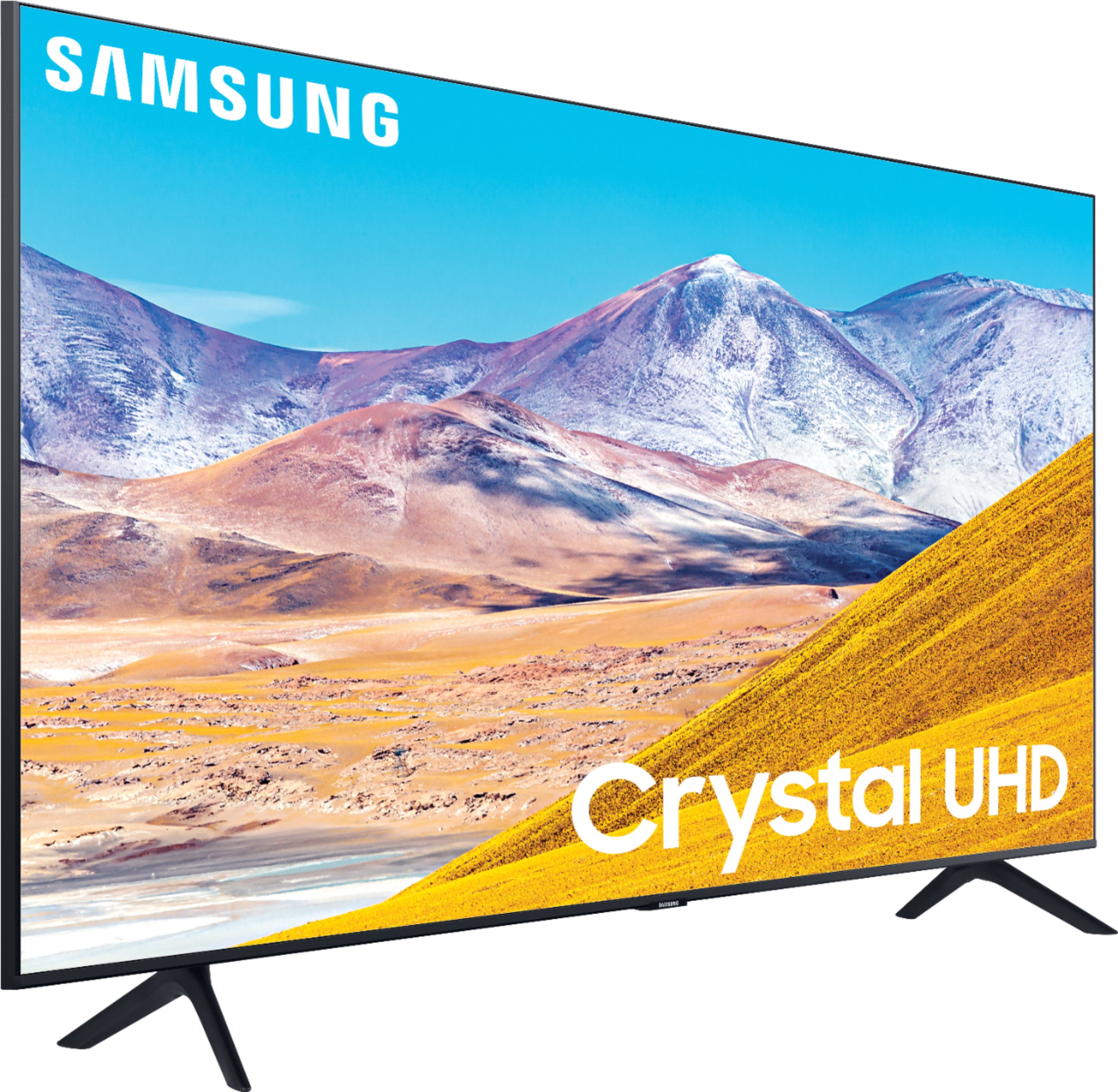
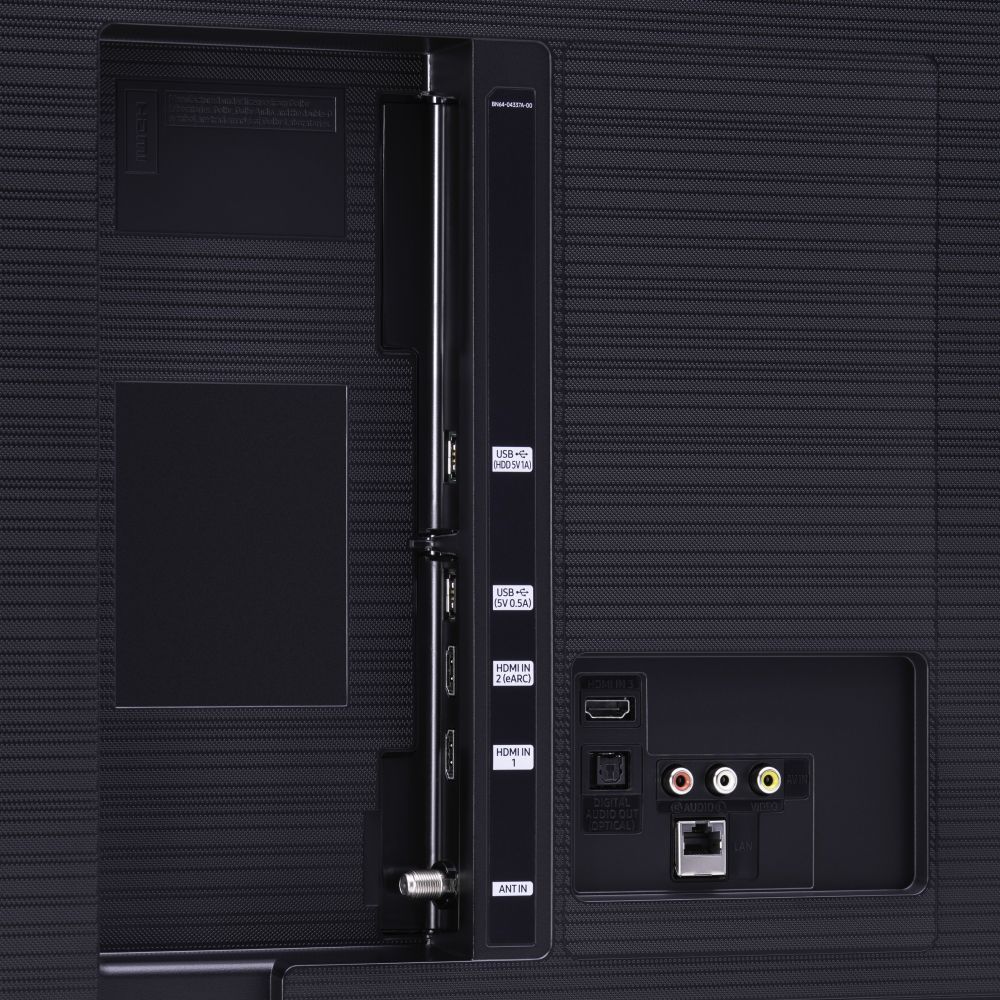




- Model:
- UN50TU8000FXZA
- SKU:
- 6401436
Rating by feature
- Picture Quality
Rating 4.0 out of 5 stars
- Sound Quality
Rating 3.9 out of 5 stars
- Brightness
Rating 4.1 out of 5 stars
Customers are saying
Customers express satisfaction with the picture quality, easy setup, price, color, and smart TV features of the 50" Class 8 Series LED 4K UHD Smart Tizen TV. However, they have concerns about the remote control, durability, short lifespan, screen issues, and warranty.
This summary was generated by AI based on customer reviews.
Picture fuzzy
||Posted . Owned for 2 weeks when reviewed.This reviewer received promo considerations or sweepstakes entry for writing a review.I pointed to and thought I bought a 55” tv. Jimmy sold me a 50” He was rude and turned me over to another who was very nice.
No, I would not recommend this to a friendBrand response from Samsung
Posted .Anniep,
Thank you for sharing your thoughts.
Your TU8000 TV will upscale as best as possible any content sent to it. The closer your content is to 4K, the better the image will look on the screen.
Here are some tips to help improve the picture clarity:
1. HDMI cables are recommended for optimal HD viewing.
2. If you have an analog cable box or satellite box, upgrade to a digital cable box or satellite box.
3. Change the output resolution of your devices, such as digital broadcast receiver, IPTV, and
set-top box to UHD or HD.
4. Adjust Sharpness and Clarity under Expert settings.
I hope this helps to solve your issue.
For further assistance, please contact Samsung TV Support at:
1) Phone: 1-800-SAMSUNG (ask for TVs), available 8AM – 12AM EST 7 days a week
2) LiveChat: https://www.samsung.com/us/support/#contact_us_for_support
3) Facebook Messenger: https://www.facebook.com/samsungsupport
4) Twitter: https://twitter.com/SamsungSupport
If you have not already done so, we invite you to register your new Samsung product at:
https://www.samsung.com/us/account/signin/?redirect=https%3A%2F%2Fwww.samsung.com%2Fus%2Fsupport%2Fregister%2F&user=dsr-registration
Registering your product gives you access to easy warranty support, convenient opt-in to special promos and offers, faster troubleshooting and service, and quick notification of system updates.
-Samsung Ambassador
Series 8
||Posted . Owned for more than 2 years when reviewed.This reviewer received promo considerations or sweepstakes entry for writing a review.This tv only lasted two years. Hope the new on will be better.
No, I would not recommend this to a friendHighly Disappointed
||Posted . Owned for 1 year when reviewed.This reviewer received promo considerations or sweepstakes entry for writing a review.Broke 1 week after warranty expired. The entire LED panel needs to be replaced for a cost of $300. A new one is $400. Incredibly disappointed. I have owned Samsung TVs for two decades and always loved them but this one was a bust. I’m going for a different brand this time and if you don’t pay for geek squad upfront BB won’t touch it once it’s broken.
No, I would not recommend this to a friendTurn on!
||Posted . Owned for 1 month when reviewed.This reviewer received promo considerations or sweepstakes entry for writing a review.Love the TV and Samsung But for some reason unknown. It won’t turn on, I have to unplug it from the back. Then it turns on
No, I would not recommend this to a friendBrand response from Samsung
Posted .nexttime,
I am very sorry that you are experiencing issues turning your TU8000 TV on.
Please try the following troubleshooting steps:
(1) Make sure that the AC power cord is securely plugged in to the TV and the wall outlet.
(2) Make sure that the wall outlet is working and the power indicator at the bottom of the TV is lit and glowing a solid red. If it is off, the TV either does not have power, or it is on and the screen is black. If it is blinking, your TV may need service.
(3) Try pressing the TV Controller button at the bottom of the TV to make sure that the problem is not with the remote control.
(4) If the TV turns on, your issue may be with the remote control
Visit our set-by-step troubleshooting guide online at: https://www.samsung.com/us/support/troubleshooting/TSG01001086/
If your issue persists, please contact Samsung Customer Support, and a representative will gladly assist you.
1) Phone: 1-800-SAMSUNG (ask for TVs), available 8AM – 12AM EST 7 days a week
2) LiveChat: https://www.samsung.com/us/support/#contact_us_for_support
3) Facebook Messenger: https://www.facebook.com/samsungsupport
4) Twitter: https://twitter.com/SamsungSupport
5) The Samsung Members Community is also a great resource for getting help from Samsung moderators and customers: https://us.community.samsung.com
If you have not already done so, we invite you to register your new Samsung product at:
https://www.samsung.com/us/account/signin/?redirect=https%3A%2F%2Fwww.samsung.com%2Fus%2Fsupport%2Fregister%2F&user=dsr-registration
Registering your product gives you access to easy warranty support, convenient opt-in to special promos and offers, faster troubleshooting and service, and quick notification of system updates.
- Samsung Ambassador
Annoying problems.
||Posted . Owned for 1 month when reviewed.This reviewer received promo considerations or sweepstakes entry for writing a review.Dissatisfied with the continual need to disconnect TV with startup problems. The issue is in the TV and not the wifi network. All other TV in house will operate but need to unplug and reboot New TV as well as Problems with sound bar not connecting occasionally on startup. Have gone on line for Samsung support.
No, I would not recommend this to a friendBrand response from Samsung
Posted .ArtM:
I am sorry that you are experiencing issues with your TU8000 4K Smart TV.
Your TV has several self-diagnosis tools built in that can help solve problems with signal, network, picture, or sound.
Go to Settings > Support> Device Care > Start Device Care
You may also want to clear out your TV's temporary storage space by pressing and holding the Power button for 6 seconds until your TV turns off and back on again.
Please also be sure you are running the latest firmware. You can check to see what software version your TV is using and if there is an available update through the settings on your TV. Go to: Settings > Support > Software Update. (ver. 1460.9 released on 12/7/20)
I hope this helps to solve your concerns. Should you need further assistance, please contact Samsung Customer Support.
1) Phone: 1-800-SAMSUNG (ask for TVs), available 8AM – 12AM EST 7 days a week
2) LiveChat: https://www.samsung.com/us/support/#contact_us_for_support
3) Facebook Messenger: https://www.facebook.com/samsungsupport
4) Twitter: https://twitter.com/SamsungSupport
5) The Samsung Members Community is also a great resource for getting help from Samsung moderators and customers: https://us.community.samsung.com
If you have not already done so, we invite you to register your new Samsung product at: https://www.samsung.com/us/account/signin/?redirect=https%3A%2F%2Fwww.samsung.com%2Fus%2Fsupport%2Fregister%2F
Registering your product gives you access to easy warranty support, convenient opt-in to special promos and offers, faster troubleshooting and service, and quick notification of system updates.
~ Samsung Solutions
Husband not happy, had to return
||Posted . Owned for 2 weeks when reviewed.This reviewer received promo considerations or sweepstakes entry for writing a review.Beautiful design. Very slim but the not very bright. My husband didn't like how dark the display was so we returned this.
No, I would not recommend this to a friendBrand response from Samsung
Posted .EVAVJ,
I am very sorry to see that you were not happy with the picture quality of your unit and have returned it.
Should you ever decide to give Samsung TVs another try and have questions or need assistance with settings, setup, or features, please know we are always here to help.
You can contact our Customer Support toll-free at 1-800-SAMSUNG (ask for TVs) Available 8AM – 12PM EST, 7 days a week
Simply copy-paste this link into your browser to LiveChat with us: https://www.samsung.com/us/support/#contact_us_for_support
We are likewise reachable by Facebook Messenger at: https://www.facebook.com/samsungsupport
Or find us on Twitter at https://twitter.com/SamsungSupport
Again, my sincerest apologies. We hope to regain you as a customer in the future.
-Samsung Ambassador
- Cons mentioned:Remote control
Unreasonable agreemeny by Samsung to use TV remote
||Posted . Owned for 3 weeks when reviewed.This reviewer received promo considerations or sweepstakes entry for writing a review.The remote control was worthless unless you agreed with the terms of use by SAMSUNG who required you to share all information in all your electronic devices. I refused and returned the TV and will never enter into this type of agreement
No, I would not recommend this to a friend TV ok. Remote operation not intuitively obvious
||Posted . Owned for 1 month when reviewed.This reviewer received promo considerations or sweepstakes entry for writing a review.Remote is not user friendly. Poorly organized. Not obvious how you get from apps to antenna tv. Overly complicated.
No, I would not recommend this to a friendBrand response from Samsung
Posted .Carol,
I am sorry to see that you had trouble with the remote functions.
Here is the link to the downloadable eManual that includes the TV remote’s diagram and a detailed step-by-step guide (page 20-22):
https://downloadcenter.samsung.com/content/UM/202006/20200618112841534/NIKATSCT-3.0.7_EM_NIKE_USA_ENG_200527.0.pdf
I hope this eManual provides all the information you are looking for.
Should you need further assistance with features or usage, please do reach out to our Customer Service at:
1) Phone: 1-800-SAMSUNG, available 8AM - 12AM EST 7days a week
2) LiveChat: https://www.samsung.com/us/support/#contact_us_for_support
3) Facebook Messenger: https://www.facebook.com/samsungsupport
4) Twitter: https://twitter.com/SamsungSupport
5) The Samsung Members Community is also a great resource for getting help from Samsung moderators and customers: https://us.community.samsung.com/t5/Get-Help/ct-p/get-help
Thank you for choosing Samsung. We hope these tips help you better enjoy the premium features of your TV.
- Samsung Ambassador
Screen goes dark for no reason I can find.
||Posted . Owned for 3 weeks when reviewed.This reviewer received promo considerations or sweepstakes entry for writing a review.The HD 2020 picture is not as sharp as it should be and the s reen has gone dark and I had CV to reboot everthing.
No, I would not recommend this to a friendBrand response from Samsung
Posted .Ladytech45,
I am sorry that your TU8000 TV goes dark on its own.
Here is a link to a troubleshooting guide:
https://www.samsung.com/us/support/troubleshooting/TSG01109749/#tv-without-a-one-connect-box-has-no-picture
I hope the above information helps to answer your concern.
Should the issue persist, or you need help with other features, please contact our TV Customer Support at:
1) Phone: 1-800-SAMSUNG (ask for TVs), available 8AM – 12AM EST 7 days a week
2) LiveChat: https://www.samsung.com/us/support/#contact_us_for_support
3) Facebook Messenger: https://www.facebook.com/samsungsupport
4) Twitter: https://twitter.com/SamsungSupport
5) The Samsung Members Community is also a great resource for getting help from Samsung moderators and customers: https://us.community.samsung.com
If you have not already done so, we invite you to register your new Samsung product at: https://www.samsung.com/us/account/signin/?redirect=https%3A%2F%2Fwww.samsung.com%2Fus%2Fsupport%2Fregister%2F
Registering your product gives you access to easy warranty support, convenient opt-in to special promos and offers, faster troubleshooting and service, and quick notification of system updates.
Again, thank you for taking the time to share your thoughts. Your feedback helps us continuously deliver best-in-class products and service.
-Samsung Ambassador
- Cons mentioned:Reliability
Samsung Sucks
||Posted . Owned for more than 2 years when reviewed.This reviewer received promo considerations or sweepstakes entry for writing a review.Purchased in May 2020 and it no longer works. Just stopped. Bought 2 Visios. One is over 12 years old. Still work fine. I feel like Samsung is doing what us car companies did years ago-make sure it doesnt last. Will go back to Visio.
No, I would not recommend this to a friend 2 years and dead.
||Posted . Owned for 1.5 years when reviewed.This reviewer received promo considerations or sweepstakes entry for writing a review.Just under two years and screen failed. TV was great at first.
No, I would not recommend this to a friendFlat looking picture
||Posted . Owned for 3 weeks when reviewed.This reviewer received promo considerations or sweepstakes entry for writing a review.Picture was flat and not vibrant. Returned the next day. This is an entry model and the next one up is way better.
No, I would not recommend this to a friendBrand response from Samsung
Posted .Gary,
Our TU8000 Series incorporates many of our premium features and technologies, all geared towards delivering the best in viewing enjoyment. It is possible that your particular set was either defective or required adjustments in settings. Nonetheless, I do sincerely apologize for the let-down.Should you ever decide to give Samsung TVs another try, and have questions or need help, please know that we are always here for you.
You can contact us via:
1) Phone: 1-800-SAMSUNG (ask for TVs) Available 8AM – 9PM EST (Mon-Fri)
2) LiveChat: https://www.samsung.com/us/support/#contact_us_for_support
3) Facebook Messenger: https://www.facebook.com/samsungsupport
4) Twitter: https://twitter.com/SamsungSupport
5) The Samsung Members Community is also a great resource for getting help from Samsung moderators and customers: https://us.community.samsung.com/t5/Get-Help/ct-p/get-help
Again, my sincerest apologies. We hope to regain you as a customer in the future.
-Samsung Ambassador
- Pros mentioned:Smart tv
Returned TV
||Posted .This reviewer received promo considerations or sweepstakes entry for writing a review.We love Samsung have ALL Samsung gadgets. To our dismay opening the box was awesome looked good until we noticed the TV was cracked. I called BB & was told several TVs were cracked during delivery to store. Returned without a problem & bought a Hisense didn't want to chance getting another cracked Samsung.
I would recommend this to a friendBrand response from Samsung
Posted .Jazzy,
I am very sorry to hear that your TU8000 TV came damaged.
Our products leave the factory after passing numerous rigorous quality checks.
Nonetheless, a TV is a very fragile device and damage could have been incurred during shipping and handling. For example, if the TV were sitting in an incorrect orientation -- laid on its side or tilted-- during transit, internal damage could have been done.
I am very sorry to hear that your TU8000 TV came damaged.
Should you ever decide to give Samsung TVs another try and have questions or need assistance with settings, setup, or features, please know we are always here to help.
You can contact our Customer Support toll-free at 1-800-SAMSUNG (ask for TVs) Available 8AM – 12PM EST, 7 days a week
Again, my sincerest apologies. We hope to regain you as a customer in the future.
-Samsung Ambassador
slow starter
||Posted . Owned for 1.5 years when reviewed.This reviewer received promo considerations or sweepstakes entry for writing a review.22 months old and needs to warm up before the full screen comes on.
No, I would not recommend this to a friend- Cons mentioned:Reliability
Steer clear of Samsung Products
||Posted . Owned for 1 year when reviewed.This reviewer received promo considerations or sweepstakes entry for writing a review.I had this tv for 1 year and two week. 15 days after the manufacturer warranty the tv goes out. I spent $450 for the tv. I called Samsung to help trouble shoot the tv. They said the would send a tech out but it’s gonna cost me $200. I will never by another Samsung product EVER
No, I would not recommend this to a friend Poor colors
||Posted . Owned for 6 months when reviewed.This reviewer received promo considerations or sweepstakes entry for writing a review.Will not recommended to anyone. Colors not the best and sometime slow responding. Buy Sony
No, I would not recommend this to a friendDon't buy. Will go out within a year to a year an
||Posted . Owned for 1.5 years when reviewed.This reviewer received promo considerations or sweepstakes entry for writing a review.I purchased this June of 2020. Mind you I didn't watch it much at all the first year. It started acting up pretty soon after I had it. It would take a long time to come on. I really didn't think much of it. Like I said I didn't watch it much. This past 9 months I've had it on and I started keeping it on because sometimes it wouldn't come back on for several minutes. Now it's to the point to where it won't come back on at all. It may be has 365 hours of use. Maybe. That's being generous. It would sometimes flicker and then come back on within several hours. But it just keeps cycling like most people said in the reviews about this particular television tries to come on black spots on the tv, lines across the bottom come and then goes right back out. Just keeps doing the same thing over and over again. I will never buy from Best buy or the Samsung brand again.
No, I would not recommend this to a friendNot so smart!
||Posted .This reviewer received promo considerations or sweepstakes entry for writing a review.Need instructions. Need geek squad. Need suddenlink! Can't turn volume up! Dumbest smart tv I could've bought!
No, I would not recommend this to a friendBrand response from Samsung
Posted .Gmagreatof6,
I am very sorry to see that you ran into difficulties. We appreciate your review and will share your feedback on the User Manual with our internal teams.
You can refer to the online e-manual here:
http://downloadcenter.samsung.com/content/UM/202004/20200403095308351/NIKATSCT-3.0.1_EM_NIKE_USA_ENG_200323.0.pdf
You can also reach out to Samsung Support for step-by-step assistance with setup, features, and operation:
1) Phone: 1-800-SAMSUNG (ask for TVs) Available 8AM – 9PM EST (Mon-Fri)
2) LiveChat: https://www.samsung.com/us/support/#contact_us_for_support
3) Facebook Messenger: https://www.facebook.com/samsungsupport
4) Twitter: https://twitter.com/SamsungSupport
Have you registered your new Samsung TV with us? If not, we invite you to do so at: https://www.samsung.com/us/account/signin/?redirect=https%3A%2F%2Fwww.samsung.com%2Fus%2Fsupport%2Fregister%2F.
Registration gives you access to easy warranty support, convenient opt-in to special promos & offers, faster troubleshooting & service, and quick notification of system updates.
-Samsung Ambassador
Nice while it lasted
||Posted . Owned for 1.5 years when reviewed.This reviewer received promo considerations or sweepstakes entry for writing a review.Just short of two years. Died.No picture. Black and Gray. Nothing.
No, I would not recommend this to a friend- Pros mentioned:Price
Great TV for who are looking for a good dea
||Posted . Owned for 3 weeks when reviewed.This reviewer received promo considerations or sweepstakes entry for writing a review.Great television for someone looking for a television for economically
I would recommend this to a friendBrand response from Samsung
Posted .Action,
Thank you for sharing your feedback with us.
You have rated theTU8000 TV 2-Star, despite your expression of a satisfying experience
If there is anything we can do to assist you and provide solutions to improve your experience, please contact Samsung Support via any of the below options:
1) Phone: 1-800-SAMSUNG (ask for TVs), available 8AM – 12AM EST 7 days a week
2) LiveChat: https://www.samsung.com/us/support/#contact_us_for_support
3) Facebook Messenger: https://www.facebook.com/samsungsupport
4) Twitter: https://twitter.com/SamsungSupport
5) The Samsung Members Community is also a great resource for getting help from Samsung moderators and customers: https://us.community.samsung.com
-Samsung Ambassador