Customer Ratings & Reviews


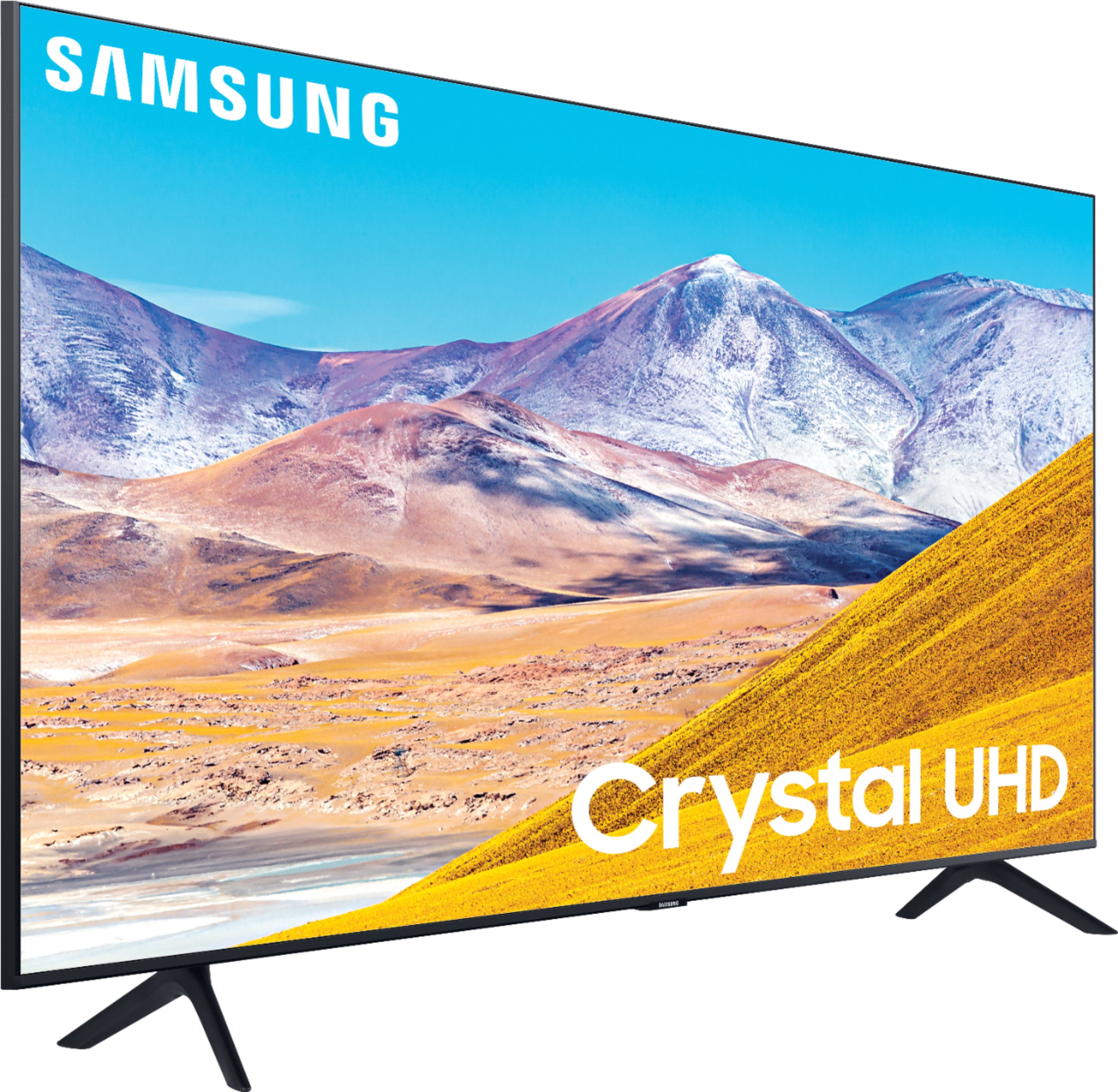
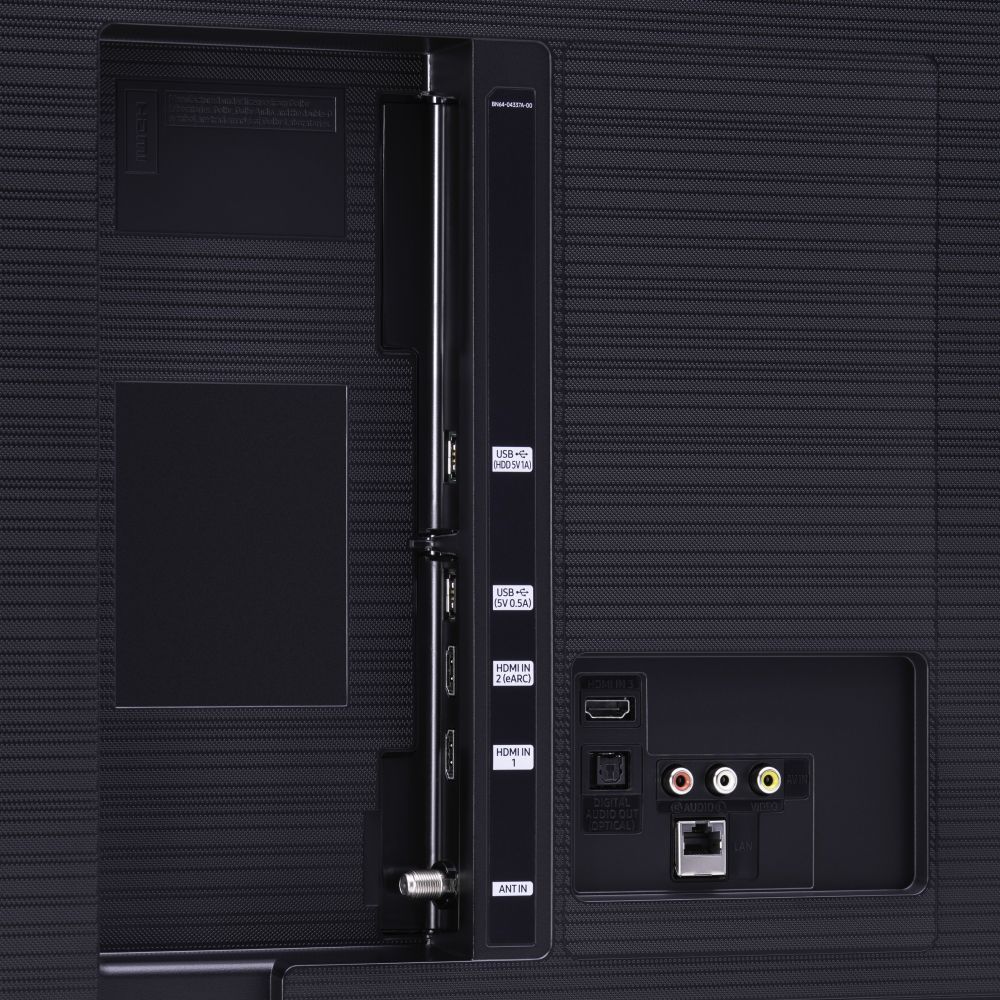





- Model:
- UN50TU8000FXZA
- SKU:
- 6401436
Rating by feature
- Picture Quality
Rating 4.0 out of 5 stars
- Sound Quality
Rating 3.9 out of 5 stars
- Brightness
Rating 4.1 out of 5 stars
Customers are saying
Customers express satisfaction with the picture quality, easy setup, price, color, and smart TV features of the 50" Class 8 Series LED 4K UHD Smart Tizen TV. However, they have concerns about the remote control, durability, short lifespan, screen issues, and warranty.
This summary was generated by AI based on customer reviews.
TV brakes within first 3 years
Posted .This reviewer received promo considerations or sweepstakes entry for writing a review.This TV decided not to turn back on after 3 years of very minimal use. I bought this tv to watch whenever I visit my daughter. My daughter bought the same tv for her kids and had the exact same problem (her tv broke after 2 years). I knew it was coming. The only difference was that I had a warranty and she didn't. She trashed hers and I received a credit and bought an upgraded Sony. As you read the reviews, you will notice that we weren't the only ones having this problem. This tv should have been recalled and not just discontinued.
No, I would not recommend this to a friend- Cons mentioned:Reliability
Don’t like it
Posted .This reviewer received promo considerations or sweepstakes entry for writing a review.Tv broke out of nowhere it’s just is a black screen now and I can’t fix it. Really disappointed.
No, I would not recommend this to a friend - Cons mentioned:Reliability
Same story as other one star reviews
Posted .This reviewer received promo considerations or sweepstakes entry for writing a review.Dies after 3 years. Keeps restarting on its own and big black box over picture.
No, I would not recommend this to a friend Slow smart tv and didnt last
Posted .This reviewer received promo considerations or sweepstakes entry for writing a review.Ive always felt like the remote lagged too much when trying to switch aps. Then all the sudden lines started showing up on the screen and now it just wont turn on. I see the red light flash at the bottom and its trying to turn on but it wont or it will take 20 minutes to finally turn on.
No, I would not recommend this to a friendDon't buy
Posted .This reviewer received promo considerations or sweepstakes entry for writing a review.This has been the worst TV we have ever owned. We bought thinking being Samsung brand would be great quality. It has always randomly changed channels without anyone near the remote. It's locked up a few times requiring us to cycle power. Now after having it just three years it's dead. It will flash a Samsung Tizen logo and go black. The warranty is only good for 12 months. I'll just stick with generic brands from now on. They are all running fine with no issues
No, I would not recommend this to a friend- Cons mentioned:Reliability
Crap
Posted .This reviewer received promo considerations or sweepstakes entry for writing a review.After 3 1/2 years it died,so tired of buying the same appliances every couple years
No, I would not recommend this to a friend meh, looks fine
Posted .This reviewer received promo considerations or sweepstakes entry for writing a review.looks good, a little dull but an upgrade from the bottom of the barrel tv's. i will say i'm unhappy that it doesn't go straight to the last input you were on upon startup, it has a 'home screen' or whatever you'd call it that i was trying to avoid where you must select your input every time you turn the tv on (i asked a salesperson at bestbuy in oakdale mn if it would do this, he looked at me like i asked a dumb question and said 'no, if you were last playing xbox it'll startup on your xbox', i don't own an xbox anyway but trusted his answer). between work and pleasure i spend a lot at best buy, kind of let down on this experience though.
No, I would not recommend this to a friendBrand response from Samsung
Posted .brandon:
You can choose what your TV does when you turn it on by going to Settings > General > Smart Features
When you set Autorun Smart Hub to on, the TV displays the Home Screen automatically when you turn the TV on.
If Autorun Last App is set to on, the last used app is automatically run when you turn on the TV. You can turn this function on or off.
Also, Samsung TV's have Anynet+ (also known as HDMI-CEC), a feature that allows connected external HDMI devices to inform your TV when they have turned on. By default, the TV will immediately switch to this source when this happens. To turn off this function of a device connected to the TV, turn off the Anynet+(HDMI-CEC) function of the device.
I hope this tip helps. If there is anything we can do to further assist and improve your user experience, please do let us know by contacting Samsung Customer Support.
1) Phone: 1-800-SAMSUNG (ask for TVs), available 8AM – 12AM EST 7 days a week
2) LiveChat: https://www.samsung.com/us/support/#contact_us_for_support
3) Facebook Messenger: https://www.facebook.com/samsungsupport
4) Twitter: https://twitter.com/SamsungSupport
5) The Samsung Members Community is also a great resource for getting help from Samsung moderators and customers: https://us.community.samsung.com
If you have not already done so, we invite you to register your new Samsung product at: https://www.samsung.com/us/account/signin/?redirect=https%3A%2F%2Fwww.samsung.com%2Fus%2Fsupport%2Fregister%2F
Registering your product gives you access to easy warranty support, convenient opt-in to special promos and offers, faster troubleshooting and service, and quick notification of system updates.
~ Samsung Solutions
Out $450
Posted .This reviewer received promo considerations or sweepstakes entry for writing a review.This television in therory was amazing with the grafics such good grafics i would recommend to anyone. HOWEVER, after just TWO YEARS. This piece of crap got a faulty motherboard and needed to be THROWN AWAY because the cost to replace it was more than the TV cost. Guess i should have gotten the extended warrenty; instead I have a household of 8 year old televisions that still work and outlived this television 4 times over and counting. Shame on Samsung
No, I would not recommend this to a friend- Cons mentioned:Reliability
Tv no good
Posted .This reviewer received promo considerations or sweepstakes entry for writing a review.No good!!! This tv lasted only for 3 yrs not even frequently used. It shut down
No, I would not recommend this to a friend Samsung tv
Posted .This reviewer received promo considerations or sweepstakes entry for writing a review.TV worked great for four years.. now I’m seeing lines coming down my screen
No, I would not recommend this to a friendConstant Board Problems
Posted .This reviewer received promo considerations or sweepstakes entry for writing a review.Had always had to deal with the board switching inputs randomly with this TV and the motherboard just stopped working right after warranty expired. Completely out a $400 tv for the length of a high school career. Don't make them like they used to.
No, I would not recommend this to a friendA couple of issues
Posted .This reviewer received promo considerations or sweepstakes entry for writing a review.First off, i don't like that i cant use voice command without using alexa, bixby, or Google. My other Samsung 6 series tv, i just press the voice button and told the tv what to do. Next, the picture setting will not save. I have it set to dynamic. Every time i switch from playstation to tv, the picture is back to standard. Makes no sense, very annoying. Looks like samsung gave up on their tvs. Especially the mid to affordable tvs. Maybe sony or LG will be my next selection. Ive been a fan of samsung for years.
No, I would not recommend this to a friendBrand response from Samsung
Posted .Samsung:
Thank you for sharing your review of the TU8000 TV. Thank you for sharing your suer experience with using your voice assistant.
You may want to check the usage mode of your Samsung TV. Your TV might be running in store demo or shop mode, where after every 30 minutes TV's picture and sound settings returns to factory default settings. It is recommended to select Home Use as your TV's usage mode. So that whenever you change your TV settings it remains saved with the TV. Even after you turn off or on the TV. Go to : Settings > General > System Manager > Usage Mode
If your problem persists, please contact Samsung Customer Support for assistance.
1) Phone: 1-800-SAMSUNG (ask for TVs), available 8AM – 12AM EST 7 days a week
2) LiveChat: https://www.samsung.com/us/support/#contact_us_for_support
3) Facebook Messenger: https://www.facebook.com/samsungsupport
4) Twitter: https://twitter.com/SamsungSupport
5) The Samsung Members Community is also a great resource for getting help from Samsung moderators and customers: https://us.community.samsung.com
If you have not already done so, we invite you to register your new Samsung product at: https://www.samsung.com/us/account/signin/?redirect=https%3A%2F%2Fwww.samsung.com%2Fus%2Fsupport%2Fregister%2F
Registering your product gives you access to easy warranty support, convenient opt-in to special promos and offers, faster troubleshooting and service, and quick notification of system updates.
~ Samsung Solutions
- Cons mentioned:Reliability
Busted
Posted .This reviewer received promo considerations or sweepstakes entry for writing a review.Broke after 2 years. Keeps restarting over and over on a loop. Avoid
No, I would not recommend this to a friend 2.5 and the TV is useless
Posted .This reviewer received promo considerations or sweepstakes entry for writing a review.I bought this tv for my son for a birthday gift. Now, only 2.5 years later it is a useless item. It kept turning on and off. There were many online solutions and he tried them all. Then he took a repair place and they said the screen was burned out and to repair would cost more than replacement. Samsung has been getting worse and worse, not only with TVs but everything. I am done with them.
No, I would not recommend this to a friendBroke afte 2 years 8 months
Posted .This reviewer received promo considerations or sweepstakes entry for writing a review.Good while it lasted but the tv started constantly short cycling on and off after 2 years 8 months.
No, I would not recommend this to a friendHard to say . Trying to figure everything out
Posted .This reviewer received promo considerations or sweepstakes entry for writing a review.Purchased a few days ago Disappointed in how confusing things are for a so called Smart TV. Very disappointed that sales men would not include anything after a $700.00 purchase
No, I would not recommend this to a friend- Cons mentioned:Reliability
Crappy
Posted .This reviewer received promo considerations or sweepstakes entry for writing a review.Tv stopped working completely after just a little over two years.
No, I would not recommend this to a friend Worst TV ever…
Posted .This reviewer received promo considerations or sweepstakes entry for writing a review.Honestly one of the worst electronic devices I’ve ever owned. I’ve had this TV for 2.5 years, it’s been repaired twice (faulty LED panel) and is now needing a 3rd repair (faulty LED panel). So now it’s a $200 charge just to come look at a $400 TV that can’t go a whole year without needing to be replaced.No thanks. May as well buy a new TCL for that money.
No, I would not recommend this to a friendno life expectancy
Posted .This reviewer received promo considerations or sweepstakes entry for writing a review.We bought this in September of 2020. It arrived damaged. Returned it for another. Worked great for 2 years...now it keeps going black, losing sound, distorted, awful. I think it's completely dead now. Certainly not the quality I expected with a Samsung. Save your money.
No, I would not recommend this to a friendBad Product - Power Cycling after 2.5 years
Posted .This reviewer received promo considerations or sweepstakes entry for writing a review.Bought this TV in December 2020. In April 2023, the TV started power cycling every 5 to 10 seconds. I tried everything but nothing worked. This seems to be a common problem based on my Google search. It's an expensive TV that only lasted less than 3 years.
No, I would not recommend this to a friend