Customer Ratings & Reviews
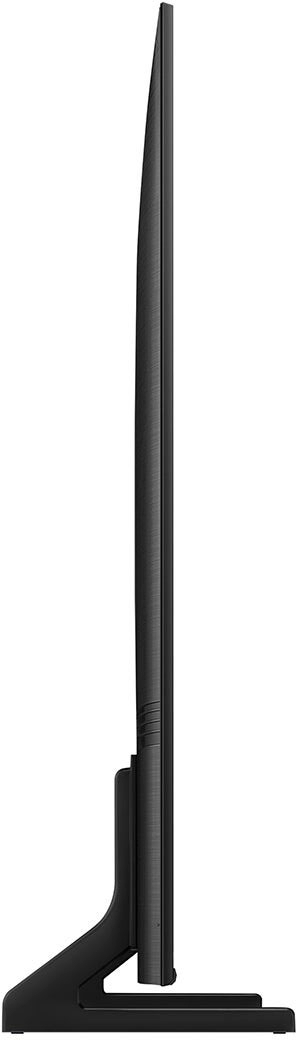




- Model:
- QN50Q60CAFXZA
- SKU:
- 6537419
Rating by feature
- Picture Quality
Rating 4.8 out of 5 stars
- Sound Quality
Rating 4.5 out of 5 stars
- Brightness
Rating 4.8 out of 5 stars
Customers are saying
Customers admire the 50" Class Q60C QLED 4K UHD Smart Tizen TV (2023) for its exceptional picture quality, ease of use, and rich colors. Many also praise the TV's value for its price and the straightforward setup process. While some users find the user interface less intuitive and the volume could be improved, the overwhelmingly positive feedback points to a highly satisfying viewing experience. The lightweight design is also frequently highlighted as a positive attribute.
This summary was generated by AI based on customer reviews.
Move slow
||Posted . Owned for 1 year when reviewed.This reviewer received promo considerations or sweepstakes entry for writing a review.Wonderful TV laugh if you get free Samsung TV, but I do not like the fact that starts to act up and move slow.
I would recommend this to a friendTv bedroom
||Posted . Owned for 2 months when reviewed.This reviewer received promo considerations or sweepstakes entry for writing a review.Nice tv for bedroom. Haven’t had it long enough but will see
I would recommend this to a friendDon't trust the reviews. Do not buy!
||Posted . Owned for 1 week when reviewed.This reviewer received promo considerations or sweepstakes entry for writing a review.I used to love Samsung, but not anymore. The smart hub is absolutely horrible and the speakers are even worse. Connecting a dvd player, a 4k Apple TV or even an expensive Samsung home theater system did not work. Everything would play for awhile then disconnect with a "Check device power" message. The sound system would oscillate between the t.v. speakers. This is reoccuring issue with these televisions. Don't trust the reviews. Run away from this t.v.!!!!
No, I would not recommend this to a friendTV
||Posted . Owned for 1 month when reviewed.This reviewer received promo considerations or sweepstakes entry for writing a review.It is a Tv you have to get use to . there is to much delay in channel changing.
I would recommend this to a friendNice tv.
||Posted . Owned for 4 months when reviewed.This reviewer received promo considerations or sweepstakes entry for writing a review.I bought this for gaming. Its nice. It does everything I need it to do.
I would recommend this to a friendCustomer Review
||Posted . Owned for 1 month when reviewed.This reviewer received promo considerations or sweepstakes entry for writing a review.excellent customer service and the TV works great.
I would recommend this to a friend- Pros mentioned:Picture quality
Worst viewing angle
||Posted . Owned for 1 week when reviewed.This reviewer received promo considerations or sweepstakes entry for writing a review.Good OS and Great remote. Very bad viewing angle as picture washes away. Good colours and deep blacks when watched up straight.
No, I would not recommend this to a friend dided in 2 years of light use
||Posted . Owned for more than 2 years when reviewed.This reviewer received promo considerations or sweepstakes entry for writing a review.it dided samsung 3 tv's 5 years wont purchase again
No, I would not recommend this to a friendMind of its own
||Posted .This reviewer received promo considerations or sweepstakes entry for writing a review.Had this tv less than 2 years and it cuts off on its own and while I'm watching a show it will go to the hone screen on its own.
No, I would not recommend this to a friendReview of tv
||Posted . Owned for 1 month when reviewed.This reviewer received promo considerations or sweepstakes entry for writing a review.sound can get low and I have to put on captions. I have a sound bar but that doesn't help when this happens
No, I would not recommend this to a friendSOUND REVIEW
||Posted . Owned for 1 month when reviewed.This reviewer received promo considerations or sweepstakes entry for writing a review.SOUND NOT GOOD ON THIS TV, YOU HAVE TO TURN SOUND ALL THE WAY UP TO HEAR. REMOTE TO SMALL
I would recommend this to a friendBrand response from Samsung
Posted .AndrewH,
Thank you for sharing your thoughts on the sound quality of your Q60C TV. To ensure you’ve got the latest updates, please confirm that your TV is up to date with the latest firmware version. You can check by going to: Home > Menu > Settings > Support > Software Update.
There are several sound settings you can adjust to suit your personal sound preferences.
Change the Sound Mode by going to: Settings > All Settings > Sound > Sound Mode
You can also customize sound by going to: Settings > All Settings > Sound > Expert Settings
To assist you with possible sound settings adjustments for a better audio experience, or choosing a Samsung Soundbar to complement your viewing enjoyment, please reach out to us at 1-800-SAMSUNG, 8AM - 12AM EST, 7 days a week. Or visit us on the Samsung website and click on the ‘Support’ link for:
• LiveChat
• Manuals, Software, & Warranty Info
~ Samsung Specialist
Not A Solid TV
||Posted . Owned for 8 months when reviewed.This reviewer received promo considerations or sweepstakes entry for writing a review.Don't waste your money on this tv. It cracked on the lower left portion of the frame and when I went to adjust it, there were permanent red lines vertically. This time I am trying TLC to see if their tvs are up to the hype.
No, I would not recommend this to a friendThe TV set lived 18 months only.
||Posted . Owned for 10 months when reviewed.This reviewer received promo considerations or sweepstakes entry for writing a review.The TV set worked nicely until it suddenly died (the TV turned black while we were watching it) exactly 18 months after the purchase date. I tried every measures learned from YouTube and nothing has worked. Today I am going to get a new one, NOT A SONY TV.
No, I would not recommend this to a friend- Cons mentioned:User interface
Don’t do it!!
||Posted . Owned for 2 weeks when reviewed.This reviewer received promo considerations or sweepstakes entry for writing a review.Do not get this samsung TV, the UI is the worst ever. It turns my Xbox on every time i turn the TV on, even when I unplug the HDMI. I loved samsung TV’s but the UI added with the lies samsung cust Serv, I am done
No, I would not recommend this to a friendBrand response from Samsung
Posted .Hi there,
I'm sorry to hear of this misunderstanding. Please know you'll simply need to disable Anynet+, as this function will turn on connected devices as you turn your TV on.
To turn off Anynet+ (HDMI-CEC), go to: Settings > All Settings > Connection > External Device Manager > Anynet+ (HDMI-CEC) = OFF.
If we can help with anything else, please call us at 1-800-SAMSUNG, 8AM - 12AM EST, 7 days a week. LiveChat with an agent as well as manuals, software, and warranty info can be found at the ‘Support’ link on our Samsung website.
~ Samsung Specialist
Mrs
||Posted . Owned for 3 weeks when reviewed.This reviewer received promo considerations or sweepstakes entry for writing a review.I was happy to get a refurbished TV and save some money, on the website it was saying ("Excellent Looks brand new Includes all original parts/accessories. Usually contains packaging"). But after waiting a few more days for delivery, my purchase was delivered. As soon as I saw the box, I knew nothing good would come of this. The box was missing half of the foam supporting the screen, the TV was cracked, and the screen was peeling off from the back. I don't understand how BESTbuy sells it with the "Looks like new" tag. I returned it. I guess my advice is that if you're thinking about buying open box TV, it's best to pick ip up in a store and check it out there.
No, I would not recommend this to a friendBrand response from Samsung
Posted .NinaG,
We appreciate your feedback regarding your Q60C TV. If purchased brand-new and unopened, please contact Samsung Customer Support and a representative will gladly help you. If purchased in open-box condition, we recommend contacting Best Buy directly for assistance. We hope your issue is resolved in a timely manner.
Should you have questions or concerns on usage or setup of your TV once your issue has been resolved, please call us at 1-800-SAMSUNG, 8AM - 12AM EST, 7 days a week. Or visit us on the Samsung website and click on the ‘Support’ link for:
• LiveChat
• Manuals, Software, & Warranty Info
~ Samsung Specialist
Samsung Tv
||Posted . Owned for 1 month when reviewed.This reviewer received promo considerations or sweepstakes entry for writing a review.Its okay. I should've gotten the neo version......
I would recommend this to a friendBrand response from Samsung
Posted .DRDR,
We appreciate your review of Samsung’s Q60C TV. So we can better understand the issues you’re experiencing and provide you with troubleshooting assistance, please reach out to Samsung Customer Support at 1-800-SAMSUNG, 8AM - 12AM EST, 7 days a week. Or visit us on the Samsung website and click on the ‘Support’ link for:
• LiveChat
• Manuals, Software, & Warranty Info
~ Samsung Specialist
Screen goes black while watching this TV.
||Posted . Owned for 1 month when reviewed.This reviewer received promo considerations or sweepstakes entry for writing a review.The screen would go black intermittently while watching TV. It happened multiple times during the first 14 days and i had to unplug it and plug it back in to get the picture back. I had to return the tv during the first two weeks due to this ongoing problem. Got same model samsung as replacement. I am having same problems with the new replacment Samsung TV.
No, I would not recommend this to a friendBrand response from Samsung
Posted .ilene123,
Thank you for sharing your experience with intermittent black screens. This could be prompted by several potential scenarios such as a connection issue, the most common problem, or an issue with an externally connected device and/or its settings.
Please give us the opportunity to assist you by calling us at 1-800-SAMSUNG, 8AM - 12AM EST, 7 days a week. LiveChat with an agent as well as manuals, software, and warranty info can be found at the ‘Support’ link on our Samsung website.
~ Samsung Specialist
Sorry I bought it.
||Posted . Owned for 1 month when reviewed.This reviewer received promo considerations or sweepstakes entry for writing a review.Very difficult to navigate. The instructions are not helpful. Support is sometimes helpful . I wish I had bought a different brand, Sound fluctuates.
No, I would not recommend this to a friendBrand response from Samsung
Posted .NanceeI,
I'm sorry to hear of the difficulties you've experienced with Samsung's Q60C. To further assist you in learning the various features, functions, and settings of your TV and remote, you can download the Q60C TV's User Manual, e-Manual, Remote Control Leaflet, and Quick Setup Guide on Samsung's website under ‘Support’ (top right corner) > Manuals & Software > TVs & Home Theater. From there, you can select the Q60C TV under QLED 4K TVs > C Model Lineup to download the guides you would like.
The e-Manual and Remote Guide are both also embedded into the TV itself under Menu > Settings > Support.
To ensure you’ve got the latest audio quality updates, please confirm that your TV is up to date with the latest firmware version. You can check by going to: Home > Menu > Settings > Support > Software Update.
You may want to adjust Intelligent Mode, as this allows your TV to recognize and analyze surroundings, noise, content, and your usage patterns to provide the best audio experience. Go to: Home > (left directional button) > Settings > All Settings > General & Privacy > Intelligent Mode Settings > Intelligent Mode
– Auto Volume automatically adjusts the sound to a certain level when changing channels or switching to another external input.
– Adaptive Volume automatically adjusts to a specific volume level while you are watching TV. The TV analyzes your volume usage history by time to automatically adjust the volume when you use an app or switch to an external input source.
Several Sound Modes are likewise available to meet your personal preferences: Menu > Settings > All Settings > Sound > Sound Mode
To assist you with possible sound settings adjustments for a better audio experience, or choosing a Samsung Soundbar to complement your viewing enjoyment, please reach out to us at 1-800-SAMSUNG, 8AM - 12AM EST, 7 days a week.
Our LiveChat agents are also available by clicking on the ‘Support’ link on our website.
~ Samsung Specialist
New Samsung 50" QLED flat screen
||Posted . Owned for 3 weeks when reviewed.This reviewer received promo considerations or sweepstakes entry for writing a review.I just opened and installed this new TV today. It has lines running across the bottom of the screen - manufacturer defect. Now I have to go direct to Samsung to resolve - Best Buy is no help because of their 15 day return policy. After phone/tech diagnosis with Samsung, they now have to send a repair technician out. This is a defect. I hope to get a full refund and or an exchange - we'll see.
No, I would not recommend this to a friendBrand response from Samsung
Posted .JamesM,
We appreciate you sharing the details of the screen abnormalities you've noticed and for your patience while waiting for your service appointment. Should you need further assistance after your service is complete, please contact Samsung Customer Support at 1-800-SAMSUNG, 8AM - 12AM EST, 7 days a week.
Our LiveChat agents are also available by clicking on the ‘Support’ link on our website.
~ Samsung Specialist
Poor quality
||Posted . Owned for 1 month when reviewed.This reviewer received promo considerations or sweepstakes entry for writing a review.This was a replacement for the previous Samsung that suddenly died after only 18 months of use. The replacement died the same way immediately upon installation, so we had the installers take it back with them. We purchased a different brand to replace the two Samsungs.
No, I would not recommend this to a friendBrand response from Samsung
Posted .KayH,
It’s unfortunate to hear of the issues that have caused you to return your Q60C TV. Your experience is very important to us and will be shared with our product team.
Should you ever decide to give Samsung TVs another try and have questions or need help with settings, setup, or features, please know we’re here to help. Call us at 1-800-SAMSUNG, 8AM - 12AM EST, 7 days a week.
LiveChat with an agent as well as manuals, software, and warranty info can be found at the ‘Support’ link on our Samsung website.
~ Samsung Specialist