Skip to contentGo to Product Search
Main Content

Customer Ratings & Reviews
$1,397.99
Save $1,102
The comparable value is $2,499.99

Customer reviews

Rating 4.8 out of 5 stars with 643 reviews

Rating Filter

Rating by feature

  • Picture Quality

    Rating 4.9 out of 5 stars

  • Sound Quality

    Rating 4.7 out of 5 stars

  • Brightness

    Rating 4.9 out of 5 stars

Pros mentioned filter

Cons mentioned filter

There aren't enough negative mentions yet.
96%would recommend to a friend
The vast majority of our reviews come from verified purchases. Reviews from customers may include My Best Buy members, employees, and Tech Insider Network members (as tagged). Select reviewers may receive discounted products, promotional considerations or entries into drawings for honest, helpful reviews.
Page 28 Showing 541-560 of 643 reviews
  • Rated 3 out of 5 stars

    Samsung

    |
    |
    Posted . Owned for 1 month when reviewed.
    This reviewer received promo considerations or sweepstakes entry for writing a review.

    Sound just so so and was a little bit glutchie so returned it

    No, I would not recommend this to a friend
    • Brand response from Samsung
      Posted .

      KellyS,

      It’s unfortunate to hear of the issues that have caused you to return your S90F TV. Your experience is very important to us and will be shared with our product team.

      If you experience any issues in the future, please know we’re here to help. Many common problems can be resolved with simple troubleshooting steps, and we’re happy to guide you through them if you decide to try Samsung again.

      Should you choose to try another Samsung TV down the road, we’re ready to help with setup and support every step of the way. Call 1-800-SAMSUNG (8AM – 12AM EST, 7 days), or visit our website and click ‘Support’ to connect with a LiveChat agent.

      ~ Samsung Specialist Samsung

  • Rated 5 out of 5 stars

    Amazing tv and clarity

    |
    |
    Posted . Owned for 2 weeks when reviewed.
    This reviewer received promo considerations or sweepstakes entry for writing a review.

    Once you adjust the settings on the tv its perfect

    I would recommend this to a friend
  • Rated 5 out of 5 stars

    New to OLED

    |
    |
    Posted . Owned for 1 month when reviewed.
    This reviewer received promo considerations or sweepstakes entry for writing a review.

    Product quality is excellent and deliver was smooth and efficient.

    I would recommend this to a friend
  • Rated 5 out of 5 stars

    Review

    |
    |
    Posted . Owned for 1 month when reviewed.
    This reviewer received promo considerations or sweepstakes entry for writing a review.

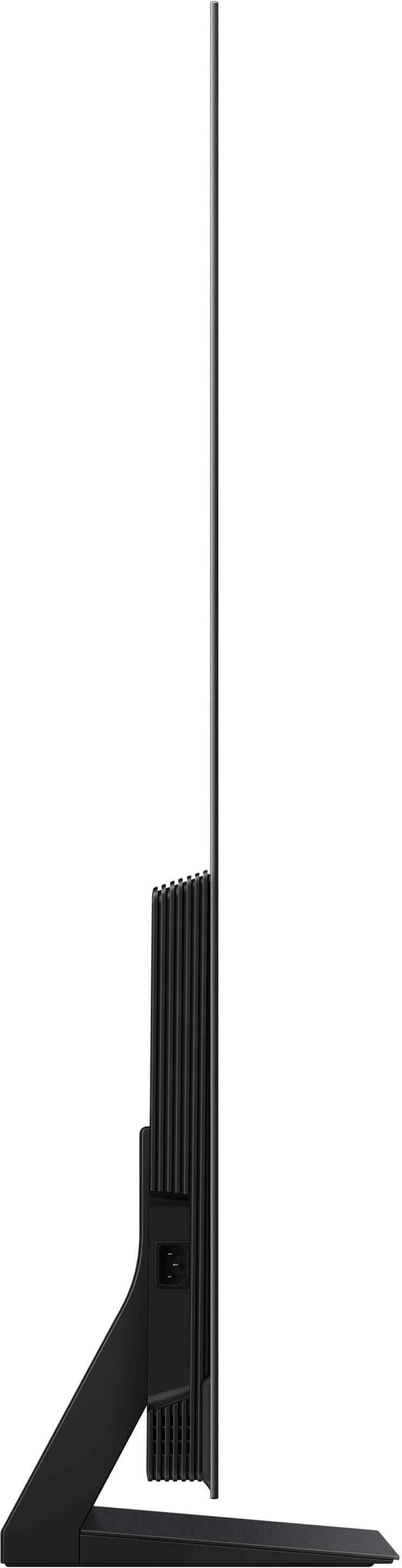
    Very nice quality! Very thin, so be very careful. Nice color blend too.

    I would recommend this to a friend
  • Rated 3 out of 5 stars

    Not as good as our old 16 year old tv

    |
    |
    Posted . Owned for 3 weeks when reviewed.
    This reviewer received promo considerations or sweepstakes entry for writing a review.

    Color is not as sharp as in the store. Our sound bar does not hardly work. We have to crank it up more than double what we did before. The short explanation on how to use the tv was not worth the extra $100.

    No, I would not recommend this to a friend
    • Brand response from Samsung
      Posted .

      JeffreyH,

      We appreciate your input on the picture quality of Samsung’s S90F TV. If the image isn’t meeting your expectations, there are several adjustments you can make to improve your viewing experience.

      First, please ensure your TV is running the latest firmware, as updates may include important picture quality enhancements. Go to: Home > Left directional button > Settings > Support > Software Update > Update Now

      Then, select a Picture Mode that best fits your environment: Home > Home > left directional key > Settings > All Settings > Picture > Picture Mode
      1. Standard – Default mode for general viewing
      2. Dynamic – Brighter and clearer in well-lit rooms
      3. Eco – Optimized for energy saving
      4. Movie – Best for watching in dark environments
      5. Filmmaker Mode – Preserves content exactly as intended by creators

      You can also enhance your experience by enabling AI Mode, which automatically adjusts picture and sound based on your surroundings and usage patterns: Settings > All Settings > Advanced Features > AI Mode Settings > AI Mode

      To help you get the most from your TV, you can download the full e-Manual and more by visiting Samsung’s website, then navigating to: Support > Manual & Software > TVs & Home Theater. From there, you can search for and select your TV model to view or download the available guides.

      The e-Manual & User Guide are also conveniently built into your TV: Settings > Support > Tips and User Guides.

      Your TV includes Learn Menu Screen, an accessibility feature that provides audio guidance for on-screen menus. When enabled, your TV will announce the name and function of each menu item as you scroll, without making any changes. This feature is particularly helpful for users who are visually impaired or new to Smart TV menus. To enable, go to: Settings > All Settings > General & Privacy > Accessibility > Learn Menu Screen. To exit, press the Return key twice.

      If you’d like more assistance with this feature, please reach Samsung Support at 1-800-SAMSUNG, available 8AM – 12AM EST, 7 days a week. LiveChat agents are also available through the ‘Support’ link on our website.

      ~ Samsung Specialist Samsung

  • Rated 4 out of 5 stars

    Picture quality at home

    |
    |
    Posted . Owned for 2 weeks when reviewed.
    This reviewer received promo considerations or sweepstakes entry for writing a review.

    For the price of the TV the picture at home was not as good as in the store

    No, I would not recommend this to a friend
  • Rated 5 out of 5 stars

    Keeps talking

    |
    |
    Posted . Owned for 1 month when reviewed.
    This reviewer received promo considerations or sweepstakes entry for writing a review.

    It takes a little to get used to with all it can do

    No, I would not recommend this to a friend
  • Rated 4 out of 5 stars

    Great TV

    |
    |
    Posted .
    This reviewer received promo considerations or sweepstakes entry for writing a review.

    TV is great. The picture clarity is awesome. The smart Samsung software is okay.

    I would recommend this to a friend
  • Rated 4 out of 5 stars

    Helpful staff

    |
    |
    Posted . Owned for 1 week when reviewed.
    This reviewer received promo considerations or sweepstakes entry for writing a review.

    I had an excellent experience with Brady, the Brighton store manager, when selecting a great TV after the one I wanted was out of stock.

    I would recommend this to a friend
  • Pros mentioned:
    Picture quality

    Rated 1 out of 5 stars

    Disappointed

    |
    |
    Posted . Owned for 2 weeks when reviewed.
    This reviewer received promo considerations or sweepstakes entry for writing a review.

    I don’t want anyone else to have this happen. We were told by our sales person Ken if we opened a new account we could get rewards that could be used in many places, including Best Buy and target. I’ve looked into this and they can be used at Best Buy but not target and there are various other places you can use it but he knew exactly how much we were getting in rewards and we can’t use that amount of rewards for anything except for at Best Buy. Our mistake was not asking enough questions so please do. Understand what the rewards do for you. Check on it before you go. I’m guessing this is because we’re not that familiar with their program but make yourself familiar when you go in there for a purchase. The tv we bought is great, customer service disappointing

    I would recommend this to a friend
    • Brand response from Samsung
      Posted .

      JosephM,

      It appears your 1-star review for the Samsung S90F TV is based on your experience with Best Buy, and we’re sorry to hear that. We recommend contacting the store directly to share your feedback.

      If you need help with the TV itself, Samsung Support is available at 1-800-SAMSUNG, 8AM – 12AM EST, 7 days a week, or via LiveChat under the ‘Support’ section of our website.

      ~ Samsung Specialist Samsung

  • Rated 4 out of 5 stars

    Samsung - 65” Class S90F TV

    |
    |
    Posted . Owned for 1 month when reviewed.
    This reviewer received promo considerations or sweepstakes entry for writing a review.

    love the TV; not thrilled the the new remote control layouts / features.

    I would recommend this to a friend
  • Rated 1 out of 5 stars

    I don't understand by what a "title" means or is

    |
    |
    Posted . Owned for less than 1 week when reviewed.
    This reviewer received promo considerations or sweepstakes entry for writing a review.

    My wife, Deana, and I purchased a Samsung S90F 4K OLED tv on 10/17/2025. The first tv OLED S90F was damaged. We returned the damaged tv back to the store. The replacement given to us, was the wrong tv, a NEO QLED S90F. Upon the discovery from our contractor, that installed both the first and second tv, the second tv was the wrong model. Immediately, we went back to Best Buy, for the third time. We informed the night Manager of the continuing issues that we have been dealing with. He understood our ongoing issues. The night shift Manager gave us free delivery, including set up of the unit and the soundbar, connection of the Wifi to our tv via our cell phone, and take away the second (replacement S90F NEO QLED) tv that was, errantly, given to us when we brought back the first damaged unit to the store. His instructions were entered into the Best Buy system. However, during the free delivery of the third tv two days later, which was the correct tv model, S90F OLED, the delivery staff informed my wife that when they noticed that the tv that they were suppose to take back to the store was not a NEO QLED S90F, but a S90F OLED, they could not even deliver the third tv any longer. Remember, the first damaged tv was an OLED S90F, we took that tv back ourselves, and the store wrongly gave us the NEO QLED S90F. So the instructions for the delivery staff should have been to pick up a damaged NEO QLED. My wife, Deana, had to ask the delivery staff to wait and not leave the condo. The delivery staff employee contacted a Best Buy employee named Stephanie in Dallas. Deana explained everything in great detail to Stephanie, but Stephanie told Deana that there was nothing she could do, since the return pick up tv was not the tv that was on the delivery order for the delivery staff to return to the store. Their conversation about having the delivery staff to leave the condo with the third tv and not take back the second tv went on for about ten minutes. Eventually, everything got settled with a local Best Buy delivery director or supervisor, and the staff was told to deliver and set up the tv and soundbar and the additional tasks that the night Manager put in the notes. Currently, we are waiting for our contractor to tell us what he charged us to install and set up with Spectrum, both tv units. Both times, he and a helper left another job site, drive to our condominium complex and install the tv's and set up. The two Best Buy delivery men, Joe and Aaron were extremely professional throughout the entire delivery and set up. The one star rating is not, in any way, directed at their work. Our rating for their perfomance is a 5 star.

    I would recommend this to a friend
    • Brand response from Samsung
      Posted .

      Dhand,

      It appears your 1-star review for the Samsung S90F TV is based on your experience with Best Buy, and we’re sorry to hear that. We recommend contacting the store directly to share your feedback.

      If you need help with the TV itself, Samsung Support is available at 1-800-SAMSUNG, 8AM – 12AM EST, 7 days a week, or via LiveChat under the ‘Support’ section of our website.

      ~ Samsung Specialist Samsung

  • Rated 2 out of 5 stars

    Samsung

    |
    |
    Posted . Owned for 1 month when reviewed.
    This reviewer received promo considerations or sweepstakes entry for writing a review.

    I love the tv but it’s super glitchy I’ve had to exchange it over 6 times,For the price I paid none of that should be happening.

    No, I would not recommend this to a friend
    • Brand response from Samsung
      Posted .

      Wolfofqns,

      We appreciate your review of Samsung’s S90F TV. So we can better understand the issues you’re experiencing and provide you with troubleshooting assistance, please reach out to Samsung Customer Support at 1-800-SAMSUNG, available daily from 8AM - 12AM EST. You can also chat with a LiveChat agent by clicking the ‘Support’ link on our website for:
      • Live Chat
      • Manuals, Software, & Warranty Info
      • Creating a Service ticket

      ~ Samsung Specialist Samsung

  • Rated 4 out of 5 stars

    Same as the old one

    |
    |
    Posted . Owned for 2 weeks when reviewed.
    This reviewer received promo considerations or sweepstakes entry for writing a review.

    Bought it to replace the previous model which conked out in less than 2 years.

    I would recommend this to a friend
  • Rated 2 out of 5 stars

    Not. Good Quality Pictures

    |
    |
    Posted . Owned for 1 month when reviewed.
    This reviewer received promo considerations or sweepstakes entry for writing a review.

    Not a great TV. I had a Samsung before the pandemic and it was the best. Since the pandemic, they are no good. One day it was so good picture quality and the next time it won’t show a clear picture. Back-and-forth like this. The pictures colors are over exaggerated, they’re not real picture. The need to improve on the quality of the pictures.

    No, I would not recommend this to a friend
    • Brand response from Samsung
      Posted .

      TeahJW,

      We appreciate your input on the picture quality of Samsung’s S90F TV. If the image isn’t meeting your expectations, there are several adjustments you can make to improve your viewing experience.

      First, please ensure your TV is running the latest firmware, as updates may include important picture quality enhancements. Go to: Home > Left directional button > Settings > Support > Software Update > Update Now

      Then, select a Picture Mode that best fits your environment: Home > Home > left directional key > Settings > All Settings > Picture > Picture Mode
      1. Standard – Default mode for general viewing
      2. Dynamic – Brighter and clearer in well-lit rooms
      3. Eco – Optimized for energy saving
      4. Movie – Best for watching in dark environments
      5. Filmmaker Mode – Preserves content exactly as intended by creators

      You can also enhance your experience by enabling AI Mode, which automatically adjusts picture and sound based on your surroundings and usage patterns: Settings > All Settings > Advanced Features > AI Mode Settings > AI Mode

      If these adjustments don’t improve your picture quality, feel free to contact Samsung Customer Support at 1-800-SAMSUNG, available 8AM – 12AM EST, 7 days a week. You can also LiveChat with an agent or find helpful guides by visiting the ‘Support’ section of our website.

      ~ Samsung Specialist Samsung

  • Rated 3 out of 5 stars

    Screen Scratches

    |
    |
    Posted .
    This reviewer received promo considerations or sweepstakes entry for writing a review.

    The item was mentioned as excellent condition as refurbished, but found multiple crashes and defects on the screen.

    I would recommend this to a friend
    • Brand response from Samsung
      Posted .

      john,

      We appreciate you sharing your experience with Samsung’s S90F TV. As your unit was purchased in open-box condition, we recommend contacting Best Buy directly for support with your purchase.

      Once your issue is resolved, please know we’re here to help with setup, features, or any questions you may have. Call us at 1-800-SAMSUNG, 8AM – 12AM EST, 7 days a week, or visit the ‘Support’ link on our website to connect with a LiveChat agent.

      ~ Samsung Specialist Samsung

  • Rated 1 out of 5 stars

    Stopped working after 77 days

    |
    |
    Posted . Owned for 2 months when reviewed.
    This reviewer received promo considerations or sweepstakes entry for writing a review.

    I bought this TV on Oct 10. On December 28 it would not turn on. I also bought the Best Buy total plan. Best buy will not replace the TV. They said I have to go through Samsung. Samsung has stated that I cant get a technician for a whole week. Finally i get a call from a Samsung technician who doesn’t speak english very well he tells me he has the part for my TV without even looking at it. Sounds like they kkow that this is a defective item and meanwhile i can’t watch the college football playoffs on the $1800 investment I have put into Best Buy. The total protection plan was a great waste of money and Samsung has sold me a lemonde. Very disappointing!!!

    No, I would not recommend this to a friend
    • Brand response from Samsung
      Posted .

      Ebell5555,

      Thank you for sharing your experience, and we truly appreciate your patience as you await your service appointment. If you need any additional help after the service is completed, Samsung Support is here for you. You can always reach us at 1-800-SAMSUNG, 8AM – 12AM EST, 7 days a week. LiveChat is also available through the ‘Support’ link on our website.

      ~ Samsung Specialist Samsung

  • Rated 2 out of 5 stars

    Too intense color.

    |
    |
    Posted . Owned for 1 month when reviewed.
    This reviewer received promo considerations or sweepstakes entry for writing a review.

    The TV’s color was way too intense for me. Despite working on the color settings we could not get it to our liking. This TV may be better for gaming, which we don’t do.

    No, I would not recommend this to a friend
    • Brand response from Samsung
      Posted .

      DonD,

      We appreciate your input on the picture quality of Samsung's S90F TV. If the image you’re seeing doesn't meet your expectations, there are several adjustments you can make to the picture settings.

      Go to Home > left directional key > Settings > All Settings > Picture > Picture Mode
      ...and select the mode that best fits your usage:

      1. Standard: Is the default mode suitable for general viewing environments
      2. Dynamic: Makes the picture brighter and clearer in bright viewing environments
      3. Eco: Provided to save energy
      4. Movie: Suitable for watching TV or movies in a dark room
      5. Filmmaker Mode: Provides source content just as the creators intended. If the image is defined as Filmmaker Mode, it’ll automatically switch to Filmmaker Mode while watching.

      AI Mode and AI Settings further recognize and analyze the surroundings, noise, the content, and your usage patterns to provide the best viewing experience. You can enable AI Mode by going to Settings > All Settings > Advanced Features > AI Mode Settings > AI Mode.

      If adjusting image settings does not improve your picture, please contact Samsung Customer Support at 1-800-SAMSUNG, available 8AM – 12AM EST, 7 days a week. You can also LiveChat with an agent or find helpful guides by visiting the ‘Support’ section of our website.

      ~ Samsung Specialist Samsung

  • Rated 1 out of 5 stars

    Samsung out of box purchase

    |
    |
    Posted . Owned for 2 weeks when reviewed.
    This reviewer received promo considerations or sweepstakes entry for writing a review.

    I was told that the “out of box” tv was good as new. It was boxed in a box that didn’t come with it, no instructions, and after getting it setup it didn’t work. After getting help reloading it I returned it with no problems. I would never buy a used anything again. I purchased a new one from Amazon and they set it up

    No, I would not recommend this to a friend
    • Brand response from Samsung
      Posted .

      GeorgeH,

      We appreciate your feedback regarding the missing parts from your Samsung S90F TV. As your unit was purchased in open-box condition, we recommend contacting Best Buy directly for assistance with resolving this matter.

      Once resolved, please know we’re happy to help with setup or any product-related questions. You can reach us at 1-800-SAMSUNG, 8AM – 12AM EST, 7 days a week, or via LiveChat on our website under the ‘Support’ section.

      ~ Samsung Specialist Samsung

  • Rated 1 out of 5 stars

    Visual bugs and lagging

    |
    |
    Posted .
    This reviewer received promo considerations or sweepstakes entry for writing a review.

    Purchased on Black Friday and a month later have problems with artifacts on screen.

    No, I would not recommend this to a friend
    • Brand response from Samsung
      Posted .

      KingH,

      We appreciate your input on the picture quality of Samsung’s S90F TV. If the image isn’t meeting your expectations, there are several adjustments you can make to improve your viewing experience.

      First, please ensure your TV is running the latest firmware, as updates may include important picture quality enhancements. Go to: Home > Left directional button > Settings > Support > Software Update > Update Now

      Then, select a Picture Mode that best fits your environment: Home > Home > left directional key > Settings > All Settings > Picture > Picture Mode
      1. Standard – Default mode for general viewing
      2. Dynamic – Brighter and clearer in well-lit rooms
      3. Eco – Optimized for energy saving
      4. Movie – Best for watching in dark environments
      5. Filmmaker Mode – Preserves content exactly as intended by creators

      You can also enhance your experience by enabling AI Mode, which automatically adjusts picture and sound based on your surroundings and usage patterns: Settings > All Settings > Advanced Features > AI Mode Settings > AI Mode

      If these adjustments don’t improve your picture quality, feel free to contact Samsung Customer Support at 1-800-SAMSUNG, available 8AM – 12AM EST, 7 days a week. You can also LiveChat with an agent or find helpful guides by visiting the ‘Support’ section of our website.

      ~ Samsung Specialist Samsung