Customer Ratings & Reviews








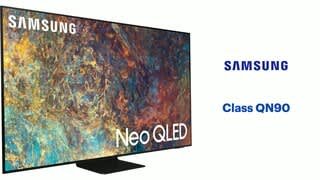
- Model:
- QN75QN90AAFXZA
- SKU:
- 6451487
Rating by feature
- Picture Quality
Rating 4.8 out of 5 stars
- Sound Quality
Rating 4.5 out of 5 stars
- Brightness
Rating 4.8 out of 5 stars
Customers are saying
Customers admire the 75" Class QN90A Neo QLED 4K UHD Smart Tizen TV for its exceptional picture quality, with many praising its vivid colors and sharp images. The TV's large screen size is also a hit, providing an immersive viewing experience. However, some customers have expressed concerns about the TV's remote control, with a few reporting that they did not receive one with their purchase. Additionally, a small number of customers have mentioned issues with dead pixels and blooming on the screen.
This summary was generated by AI based on customer reviews.
Defective panel
||Posted . Owned for 3 weeks when reviewed.This reviewer received promo considerations or sweepstakes entry for writing a review.Wanted to like this TV but coming from an OLED its hard to go back to LED. A defective panel does not help its case.
No, I would not recommend this to a friendVery disappointed
||Posted . Owned for 2 months when reviewed.This reviewer received promo considerations or sweepstakes entry for writing a review.Purchased on 6/25/21. This tv was absolutely amazing, for 2 weeks. Out of nowhere one night, it just starting strobing quite intensely. I called into Samsung and they sent out a technician to diagnose/repair. The tech said he would replace the power source but he didn't think it would fix the problem. So to me that is just going through the motions as there needs to be 3 tickets before they will replace the TV. Another month passed while he was waiting for the part when Samsung called me. I told them that I was not comfortable having this repair made based on the comments made by the technician. Samsung then offered to replace the TV, which was now out of stock in their warehouses and backordered. Instead they gave me a store credit for BestBuy assuring me they could get the TV. Come to find out it is also backordered with them. Finally, on 9/15, I ended up, after two trips to best buy and a couple hours on hold with Samsung to verify a return authorization number, switching to an LG OLED. Very disappointed with Samsung customer service. Nearly 3 months without a television that I spent over $3,000 on is unacceptable. This will be my last Samsung TV.
No, I would not recommend this to a friendBrand response from Samsung
Posted .Disappointed,
Thank you for sharing your review of the Samsung QN90A TV. Your details regarding your experience are much appreciated and will be shared with our internal teams.
Should you ever decide to give Samsung TVs another try and have questions or need assistance with settings, setup, or features, please know we are always here to help. Call us at 1-800-SAMSUNG (ask for TVs), available 8AM - 12AM EST, 7 days a week.
For additional support resources, visit us on the Samsung website and click on the ‘Support’ link in the upper right corner of the homepage for:
1) Contact Us: For additional Chat & Text options, choose ‘TVs & Home Theater’ and select your model & topic.
2) Manuals, Software, & Warranty Info
~ Samsung Specialist
Mr prince
||Posted .This reviewer received promo considerations or sweepstakes entry for writing a review.This is a replacement for one that was delivered cracked and this one seems to have problems! It can’t connect to the surround sound system I just bought from you! Geek squad coming next week. This is three weeks and can’t get my moneys worth!!!
No, I would not recommend this to a friendBrand response from Samsung
Posted .Hi Knh3f4,
Thank you for your review of Samsung's QN90A TV and for sharing the issues you are experiencing when connecting a soundbar. So we can better understand the problems you are experiencing and provide you with troubleshooting assistance, please contact Samsung Customer Support at 1-800-SAMSUNG (ask for TVs), available 8AM -12AM EST M-F (9AM – 6PM EST Sat). Or text HELP to 62913.
For additional support resources, visit us on the Samsung website and click on the ‘Support’ link in the upper right corner of the homepage for:
1) More ‘Contact Us’ options – LiveChat, Facebook, Twitter, Samsung Community, Samsung Members app
2) Manuals & Software
3) Warranty Info
We look forward to hearing from you.
~ Samsung Specialist
terrible refections
||Posted . Owned for 1 month when reviewed.This reviewer received promo considerations or sweepstakes entry for writing a review.worst TV ever owned, replaced a 65"curved and it was GREAT , this 75" TV shows every refection, when light behind TV is on there is 2 multicolor strips across this screen , Samsung should not sell TVs with these issues, Thinking of returning this TV , get a better product
No, I would not recommend this to a friendBrand response from Samsung
Posted .Hi game,
Thank you for your review of the QN90A Neo QLED TV and for sharing your feedback regarding screen glare. Please know that your TV is engineered with Anti-Reflection Technology designed to minimize ambient light reflections. We understand that light conditions of each room environment are different. For optimal glare control, we recommend repositioning the TV to minimize incident light falling on the screen or consulting a professional installer.
Should you ever have questions or need help, please call us at 1-800-SAMSUNG (ask for TVs), available 8AM - 12AM EST, 7 days a week.
For additional support resources, visit us on the Samsung website and click on the ‘Support’ link in the upper right corner of the homepage for:
1) Chat with Us/Product Help: To begin a chat or find solutions, choose ‘TVs & Home Theater’ and select your model & topic.
2) Manuals, Software, & Warranty Info
~ Samsung Specialist
QLED is fine if all you watch is 4K
||Posted . Owned for 1 month when reviewed.This reviewer received promo considerations or sweepstakes entry for writing a review.This one went back. The regular HD programming picture was fuzzy and the colors were off. The backlight on the QLED was so bright it hurts your eyes. Thanks to Best Buy's 14 day return policy, we exchanged it for a Sony OLED and the picture is so much better.
No, I would not recommend this to a friendBrand response from Samsung
Posted .DRine,
Thank you for sharing your review of the Samsung QN90A TV. Your details regarding your picture quality are appreciated and will be shared with our internal teams.
Should you ever decide to give Samsung TVs another try and have questions or need assistance with settings, setup, or features, please know we are always here to help. Call us at 1-800-SAMSUNG (ask for TVs), available 8AM -12AM EST M-F (9AM – 6PM EST Sat). Or text HELP to 62913.
For additional support resources, visit us on the Samsung website and click on the ‘Support’ link in the upper right corner of the homepage for:
1) More ‘Contact Us’ options – LiveChat, Facebook, Twitter, Samsung Community, Samsung Members app
2) Manuals, Software, & Warranty Info
~ Samsung Specialist
- Pros mentioned:Color, Picture quality, Remote control
Attention to detail
Posted .This reviewer received promo considerations or sweepstakes entry for writing a review.From the un-boxing, you'll notice Samsung's level of attention to details: The way the TV is wrapped and protected and how logically they placed each component inside the box based on how you are going to use them later during the set-up. Also, the stand can be installed on the TV without having to remove it from the box completely, which is greatly appreciated due to the size of it. Once everything was connected, the set up was a breeze. If you have a Samsung account, it pretty much completes on it's own and recognizes all the devices connected to it (cable box, sound bar, game console) an it even guides you through setting up the remote to operate those devices (that was cool). It took us about 15 minutes to set up all the streaming apps and, once that was done, we jumped right into 4K programing to see it in action. All I can say is WOW! the level of detail on fast moving action scenes is amazing. The blacks are really blacks and the contrast is superb! We installed the TV in our family room which has a wide angle of vision and I moved around the room to check on the reach and it is, by far, the best I've seen. We've had the TV for about 3 weeks and all of us are amazed of everything we see. Each of us have a go-to app (Netflix, Disney+, ESPN+,etc.) and we are really enjoying our movie nights together. We have been Samsung users for quite sometime now and this TV reaffirms our decision. We have recommended to friends and family and can't wait to have them over to show the what this beauty can do!
I would recommend this to a friendBrand response from Samsung
Posted .Hi PhilMor77,
Thank you for choosing Samsung’s new 2021 QN90A Neo QLED 4K Smart TV. I am happy to hear that setup was a breeze, and you are enjoying your new TV. Your picture is brought to you by our exclusive Quantum Matrix Technology which allows you to experience a brilliantly intense picture powered by a vast array of tiny light cells using exclusive Mini LED designed technology for hyper-focused brightness and dimming in all the right areas.
Should you ever have questions or need help, please call us at 1-800-SAMSUNG (ask for TVs), available 8AM -12AM EST, 7 days a week. Or text HELP to 62913.
For additional support resources, visit us on the Samsung website and click on the ‘Support’ link in the upper right corner of the homepage for:
1) More ‘Contact Us’ options – LiveChat, Facebook, Twitter, Samsung Community, Samsung Members app
2) Manuals & Software
3) Warranty Info
4) Product Registration: For access to easy warranty support, convenient opt-in to special promos and offers, faster troubleshooting and service, and quick notification of system updates.
Thank you for choosing Samsung TVs!
~ Samsung Specialist
Defective TV
||Posted . Owned for 1 week when reviewed.This reviewer received promo considerations or sweepstakes entry for writing a review.TV was defective and is being replaced. Dark spot on screen.
No, I would not recommend this to a friendBrand response from Samsung
Posted .Hi BadTV,
Thank you for your review of the Samsung QN90A TV and for sharing the issues that you have experienced with your unit. We appreciate your patience in having to deal with the inconvenience of replacing your first unit.
Should you need assistance with your new unit, please contact Samsung Customer Support at 1-800-SAMSUNG (ask for TVs), available 8AM -12AM EST, 7 days a week. Or text HELP to 62913.
For additional support resources, visit us on the Samsung website and click on the ‘Support’ link in the upper right corner of the homepage for:
1) More ‘Contact Us’ options – LiveChat, Facebook, Twitter, Samsung Community, Samsung Members app
2) Manuals & Software
3) Warranty Info
4) Product Registration: For access to easy warranty support, convenient opt-in to special promos and offers, faster troubleshooting and service, and quick notification of system updates.
Thank you for choosing Samsung TVs!
~ Samsung Specialist
No more Samsung
||Posted . Owned for 1 month when reviewed.This reviewer received promo considerations or sweepstakes entry for writing a review.Had the televison for less than a month and now when you turn it on it goes into a loop of turning it self on and off every 10 seconds. Best Buy won't take it back and Samsung's service department is a joke. A hour and half wait on phone and then they hang up. Don't buy.
No, I would not recommend this to a friendBad Decision
||Posted . Owned for 1 month when reviewed.This reviewer received promo considerations or sweepstakes entry for writing a review.Bought the Samsung 4k tv and Bose 900 Soundbar. Neither works right. TV arbitrarily shuts off. Soundbar is a pain to use. The new tv remotes are using UV to charge them. What a joke. Big waste of $5,000. The TV speaker is fine, a Soundbar is a waste of money which is the opposite of what the sales guy told me.
No, I would not recommend this to a friendBrand response from Samsung
Posted .Samsung4k,
Thank you for your review of Samsung's QN90A TV. We appreciate your feedback regarding your TV turning itself off, as well as your thoughts on the Solar Cell Remote. In addition to charging via sunlight, please know the remote can be charged with ambient indoor lighting, as well as via USB-c cable.
If your TV appears to turn off by itself, try disabling some of the TV's energy efficiency functions.
See if Sleep Timer has been enabled. The Sleep Timer automatically turns the TV off after a specific period of time. Go to: Settings > General > System Manager > Time > Sleep Timer
If the Sleep Timer has not been enabled, see if Auto Power Off or Off Timer have been enabled and disable it.
- Settings > General > Power and Energy Saving > Auto Power Off
- Settings > General > System Manager > Time > Off Timer
If your TV's energy functions are already disabled, please try the following troubleshooting steps:
1. Unplug the TV from the wall outlet or surge protector and leave it unplugged for 30 seconds.
2. Check the power cord to see if there is any visible damage.
3. Plug the TV power cord back into the wall outlet. If you were using a surge protector, bypass it for now and use a wall outlet.
4. Try to update the software. In some cases, a software update can correct the problem. There is a risk, however. If the TV turns off during the software update, it could damage the TV. Updates can take up to 30 minutes depending on network speed, so if the TV is not turning off too frequently, try updating the software.
If the TV continues to turn off by itself continuously, please contact our Samsung Customer Support at 1-800-SAMSUNG (ask for TVs), available 8AM - 12AM EST, 7 days a week.
For additional support resources, visit us on the Samsung website and click on the ‘Support’ link in the upper right corner of the homepage for:
1) Chat with Us/Product Help: To begin a chat or find solutions, choose ‘TVs & Home Theater’ and select your model & topic.
2) Manuals, Software, & Warranty Info
~ Samsung Specialist
Defect with picture
||Posted . Owned for 3 weeks when reviewed.This reviewer received promo considerations or sweepstakes entry for writing a review.There is a distortion in the picture.i plan to return it.
No, I would not recommend this to a friendBad TV Experience
||Posted . Owned for 2 months when reviewed.This reviewer received promo considerations or sweepstakes entry for writing a review.Purchased "open box excellent". It wasn't excellent :( After multiple ties to get it working correctly (color off, pink tint to everything). Best Buy took it back and we purchased a different model new. Maybe it's a one off?
No, I would not recommend this to a friendBAD TV BEST BUY MADE IT WORSE
||Posted .This reviewer received promo considerations or sweepstakes entry for writing a review.JUST DON'T. We purchased this a year ago. There are already dead pixels. We purchased an extended warranty also. BUT it is their policy that 8.2 dead pixels are acceptable on a 75 inchs TV.
No, I would not recommend this to a friend- Pros mentioned:Picture quality, Remote control
Beautiful QLED TV
Posted .This reviewer received promo considerations or sweepstakes entry for writing a review.My family loves our new QLED 4K Smart TV! Unboxing the television was very easy, though setting it up on the stand it comes on was quite a task. My husband, self, and son tried several times to place one of the screws to the stand and it would not take at all so we ended up leaving that one out. Upon setting the tv up, I was very excited that there were two options, via mobile app or using the remote control. I initially chose the app option as I already had the SmartThings app on my phone. Unfortunately, it was not as smooth of a process as I would've liked. It took multiple attempts before the set up finally went through using the app. Once the TV was set up we immediately starting watching the free Samsung TV. The picture is absolutely beautiful and the sound is powerful! I am still learning of all the various features the TV has to offer but one I couldn't figure out the ROKU app. When I select it, it just opens a screen that scrolls and it shows the ROKU logo. I also would like to see more streaming apps made available on the TV. I love the idea of having a solar-powered remote control as well as being able to charge with a cord. I am excited to also be able to use Alexa with my television and being able to use the app on the phone but would like to see a keyboard option on there so I can enter email/user names and passwords to sign in to different apps on the TV. Overall we are all really enjoying the television and look forward to having it for many years to come!
I would recommend this to a friendBrand response from Samsung
Posted .Hi doxiechic,
Thank you for purchasing the new 2021 QN90A Neo QLED 4K Smart TV and for your review. I'm happy to hear that you are enjoying the picture brought to you by our Neo Quantum Processor 4K which analyzes the signal, source, and content scene-by-scene to optimize your 4K clarity.
We appreciate your feedback regarding the setup process & SmartThings app, as well as the issues you are experiencing with the Roku app. If your app is freezing, not loading, or crashing, you can try cold booting your TV by holding down the power button on your remote for 5+ sec until the TV turns off and on again, deleting and downloading the apps again, and completing full reset of Smart Hub to correct the issue.
Please also be sure you are running the latest firmware. You can check to see what software version your TV is using and if there is an available update through the settings on your TV. Go to: Settings > Support > Software Update.
To further assist you in learning your new TV's various features, functions & settings, you can download the QN90A TV's User Manual, e-Manual, Remote Control Leaflet, and Quick Setup Guide on Samsung's website by clicking "Support" > "Manuals & Software" > "TVs & Home Theater" > "TVs". From there, you can select the QN90A TV under "Samsung Neo QLED 4K” > “A Model Lineup" and download the guides you would like. The e-Manual is also embedded into the TV itself under Settings > Support > Open e-Manual.
I hope these tips help! Should you ever have questions or need help, please call us at 1-800-SAMSUNG (ask for TVs), available 8AM - 12AM EST, 7 days a week. Or text "SUPPORT" to 800-726-7864.
For additional support resources, visit us on the Samsung website and click on the ‘Support’ link in the upper right corner of the homepage for:
1) More ‘Contact Us’ options – LiveChat, Facebook, Twitter, Samsung Community, Samsung Members app
2) Manuals & Software
3) Warranty Info
4) Product Registration: For access to easy warranty support, convenient opt-in to special promos and offers, faster troubleshooting and service, and quick notification of system updates.
Thank you for choosing Samsung!
~ Samsung Specialist
Sad
||Posted . Owned for 1 week when reviewed.This reviewer received promo considerations or sweepstakes entry for writing a review.The tv lost its video 4 days after install, still waiting on another tv and install!!!!
No, I would not recommend this to a friendBrand response from Samsung
Posted .Hi Unhappy,
Thank you for choosing Samsung's QN90A TV and for sharing your experience with us. Your feedback is important and will be shared with our internal teams.
Should you have questions or concerns regarding the usage or setup of your TV once your new TV has arrived, please contact Samsung Customer Support at 1-800-SAMSUNG (ask for TVs), available 8AM -12AM EST M-F (9AM – 6PM EST Sat). Or text HELP to 62913.
For additional support resources, visit us on the Samsung website and click on the ‘Support’ link in the upper right corner of the homepage for:
1) More ‘Contact Us’ options – LiveChat, Facebook, Twitter, Samsung Community, Samsung Members app
2) Manuals & Software
3) Warranty Info
4) Product Registration: For access to easy warranty support, convenient opt-in to special promos and offers, faster troubleshooting and service, and quick notification of system updates.
~ Samsung Specialist
- Pros mentioned:Ease of use, Picture qualityCons mentioned:Glare
Great TV for Sunny Room
Posted .This reviewer received promo considerations or sweepstakes entry for writing a review.Love the size. Great tv for sunny room. The picture is very clear, hopefully when the summer comes, the glare from the sun will not become an issue. The tv was very easy to hang on the wall, especially if you hide the wires, it will look amazing
I would recommend this to a friend - Pros mentioned:Picture quality
Exciting
Posted .This reviewer received promo considerations or sweepstakes entry for writing a review.This is very exciting!!! When we received the TV, we got into the unboxing right away. For a TV of its size (75) it was a really simple, step by step, process that allows you to install the base without having to remove the TV from the box entirely, just the top part. The guide is clear and easy to follow and you really only need someone to help you lift the TV to its final position after installing the base. Once this was done, we turned it on and went through the initial set-up. You are welcomed with a series of graphics and sounds that shows you what the TV can do (It was amazing!) and then you follow a series of simple screens to connect external devices, connect to the internet and sign in into your Samsung account. Again, really simple, intuitive and fast. Within minutes we were already watching TV. We are, of course, still playing with the features and looking into every bit of settings we can to really get a full experience and I think this can take weeks because there are many options we did not have before and did not know we needed, like the Ambient Mode, which is becoming a thing in our house. Everybody wants their turn to select their preferred Ambient so, it's been fun! We have been streaming movies, live sports and concerts (all in 4K) and that's when you really see the difference. Samsung really hit it out of the park with this new technology. The quality of the picture, level of detail, the depth, the richness of colors and the blacks are simply ESPECTACULAR!!! On action movies, for example, whenever you get to a chase scene and there are a million things happening at once and at high speed, you still get to see the small details on the picture and the sound. We have been Samsung customers for quite a while and this piece of art only reaffirms that bond. I can easily say we will continue not only being Samsung customers for life, but we will continue sharing our experience with friends and family for them to join in on the Fun!
I would recommend this to a friend - Pros mentioned:Color, Ease of useCons mentioned:Glare
Our 75 inch Color TV
Posted . Owned for 1 month when reviewed.This reviewer received promo considerations or sweepstakes entry for writing a review.We love our new 75 in TV. Sharp color, no glare. Very user friendly.
I would recommend this to a friend - Pros mentioned:Ease of use, Picture quality
Tv
Posted .This reviewer received promo considerations or sweepstakes entry for writing a review.Excellent price and product great pictures easy installation
I would recommend this to a friend - Pros mentioned:Color
Love this TV!
Posted .This reviewer received promo considerations or sweepstakes entry for writing a review.The best TV I have ever purchased, I have a room with so many windows, my old Crystal TV had too many reflections and was not bright enough. This one! Wow! Movies, Xbox Series X gaming! Incredible! If you are trying to decide between an OLED or this one, just get this one! Trust me!
I would recommend this to a friend - Pros mentioned:Picture quality
Playing football
Posted .This reviewer received promo considerations or sweepstakes entry for writing a review.Amazing picture. Very clear...have several other Samsung tvs , 65 inchers, HD....this is far superior..was worth the price! You feel like you're on the field when watching SEC football!!!
I would recommend this to a friend