
Samsung - 75" Class QN90A Neo QLED 4K UHD Smart Tizen TV
- Key Specs
- Display Type: LED
- Resolution: 4K (2160p) (Refers to the number of pixels, both horizontally and vertically, used to capture video/images. The higher the resolution the finer the detail that can be seen.)
- Screen Size Class: 75 inches (The group size measurement of a screen. This differs from a screen size measured diagonally from corner to corner.)
- High Dynamic Range (HDR): true (An HDR-compatible 4K TV or other HDR-compatible product displays HDR video content when it's available from sources like 4K Ultra HD Blu-ray Discs and 4K streaming services.)
- High Dynamic Range Format: HDR 10+ (There are a few HDR formats that tell the TV or other HDR-compatible product how to best utilize its capabilities to display HDR content. HDR technology can support one or multiple formats, each with various benefits to picture quality.)
- LED Panel Type: Neo QLED
- Backlight Type: Full Array Local Dimming (Edge-lit: lights are on the edges of the display with ~10 zones of vertical LEDs. Direct-lit: lights are on the edges and behind the screen for more light uniformity than Edge-lit. Full array: direct-lit with local dimming for greater contrast with up to 100 zones of LEDs.)
- Refresh Rate: 120Hz (The number of frames per second the device can produce natively without enhancement. Higher rates help produce smooth, seamless pictures.)
- Motion Enhancement Technology: Motion Rate 240 (Proprietary technologies produced in addition to the Refresh Rate that smooth out faster moving pictures to reduce blur and pixelation.)
- Smart Platform: Tizen (Just like a computer, a smart TV needs an operating system (also called a smart platform) in order to access the Internet, connect with entertainment apps, and play streaming content. Some common TV smart platforms are; Roku TV, Android TV, and Chromecast.)
- Featured Streaming Services: Apple TV+, Google Play Movies & TV, Hulu, Netflix, Prime Video, SHOWTIME, Sling TV, YouTube (Streaming services and other programs are available on this device. Keep in mind, there may be more services supported than just those shown here.)
- Number of HDMI Inputs (Total): 4
- Works With: Amazon Alexa, Bixby, Google Assistant (Compatible with or able to be connected to other smart devices or applications.)
- Voice Assistant Built-in: Amazon Alexa, Bixby (A digital assistant built into the device that uses voice commands to answer questions and control smart devices.)
- General
- Brand: Samsung
- Model Number: QN75QN90AAFXZA
- Product Name: 75" Class QN90A Neo QLED 4K UHD Smart Tizen TV
- Color: Titan Black
- Model Year: 2021
- Dimensions
- Product Height With Stand: 40.2 inches
- Product Width: 65.7 inches (The out of box width of the item. Width is measured as the horizontal distance from one side of the item to the other as it would be primarily used or placed.)
- Product Depth With Stand: 12.5 inches
- Product Height Without Stand: 37.7 inches
- Product Depth Without Stand: 1.1 inches
- Product Weight With Stand: 98.8 pounds
- Product Weight Without Stand: 77.2 pounds
- Stand Width: 15.4 inches (The horizontal measurement of the stand/base, or the distance from the outside of one leg to the outside of the opposite leg, as it is attached to the product.)
- Stand Depth: 12.5 inches
- Adjustable Stand Width: false (Whether the stand can adjust to have more than one measurement either between the legs or the base itself.)
- Display
- Display Type: LED
- Resolution: 4K (2160p) (Refers to the number of pixels, both horizontally and vertically, used to capture video/images. The higher the resolution the finer the detail that can be seen.)
- Screen Size: 74.5 inches (Size of the screen, measured diagonally from corner to corner.)
- Screen Size Class: 75 inches (The group size measurement of a screen. This differs from a screen size measured diagonally from corner to corner.)
- High Dynamic Range (HDR): true (An HDR-compatible 4K TV or other HDR-compatible product displays HDR video content when it's available from sources like 4K Ultra HD Blu-ray Discs and 4K streaming services.)
- High Dynamic Range Format: HDR 10+ (There are a few HDR formats that tell the TV or other HDR-compatible product how to best utilize its capabilities to display HDR content. HDR technology can support one or multiple formats, each with various benefits to picture quality.)
- Picture Quality Enhancement Technology: Quantum HDR 32X
- LED Panel Type: Neo QLED
- Backlight Type: Full Array Local Dimming (Edge-lit: lights are on the edges of the display with ~10 zones of vertical LEDs. Direct-lit: lights are on the edges and behind the screen for more light uniformity than Edge-lit. Full array: direct-lit with local dimming for greater contrast with up to 100 zones of LEDs.)
- Curved Screen: false
- Refresh Rate: 120Hz (The number of frames per second the device can produce natively without enhancement. Higher rates help produce smooth, seamless pictures.)
- Motion Enhancement Technology: Motion Rate 240 (Proprietary technologies produced in addition to the Refresh Rate that smooth out faster moving pictures to reduce blur and pixelation.)
- Closed Captioning: true (The text version of spoken audio displayed on the screen. Devices that can display closed captioning typically have the option to toggle the feature on or off.)
- Language(s) Displayed: English, French, Spanish (The available language options for displayed text or captions.)
- Features
- Remote Control Type: Voice control
- Smart Capable: true (Smart, or smart-capable devices are able to connect directly to your home network in order to stream content from the Internet, run Internet-based apps, or connect to other smart devices.)
- Smart Platform: Tizen (Just like a computer, a smart TV needs an operating system (also called a smart platform) in order to access the Internet, connect with entertainment apps, and play streaming content. Some common TV smart platforms are; Roku TV, Android TV, and Chromecast.)
- Featured Streaming Services: Apple TV+, Google Play Movies & TV, Hulu, Netflix, Prime Video, SHOWTIME, Sling TV, YouTube (Streaming services and other programs are available on this device. Keep in mind, there may be more services supported than just those shown here.)
- Screen Mirroring: true (Casts the screen of one device onto another wirelessly, using a common protocol (typically Bluetooth).)
- Screen Mirroring Technology: SmartThings
- Content Sharing: Mobile to TV, TV to mobile (The device is capable of connecting to another device in order to send or receive streaming content. Share content from your mobile device to your TV or vice versa.)
- Indoor Or Outdoor Use: Indoor (Indicates the appropriate environment product was designed to be used in.)
- Text-To-Speech: false (A system that converts language text into speech.)
- V-Chip: true (Feature that blocks television programming if it has a content rating outside of the acceptable rating(s) configured by the user.)
- TV Tuner: Digital (The ATSC TV Tuner is a component built into conventional TV sets or other devices for receiving over-the-air broadcast TV without a cable/satellite box. Digital tuners may be purchased separately and connected to a device if it does not have one built in.)
- Connectivity
- Number of HDMI Inputs (Total): 4
- HDMI Audio Return Channel (ARC): true
- HDBaseT Receiver: false (An input that receives uncompressed HDMI signals over a category cable point-to-point, up to 100 meters, from a transmitter.)
- RF Antenna Input: true (This input is used to connect devices such as antennas or cable boxes to a TV via a coaxial cable.)
- Number Of USB Port(s) (Total): 2 (The total number of USB ports including all generations and versions.)
- Bluetooth Version: 4.2 (The Bluetooth specification formalized by the Bluetooth Special Interest Group. All versions of the Bluetooth standard are backwards compatible with previous versions.)
- Compatibility
- VESA Wall Mount Standard: 400mm x 400mm (VESA wall mount standards refer to the spacing of screw holes built into a TV in order to fit with standard TV wall mounts. These standards are implemented into most TVs and monitors.)
- Works With: Amazon Alexa, Bixby, Google Assistant (Compatible with or able to be connected to other smart devices or applications.)
- Voice Assistant Built-in: Amazon Alexa, Bixby (A digital assistant built into the device that uses voice commands to answer questions and control smart devices.)
- Power
- ENERGY STAR Certified: false (Devices carrying the ENERGY STAR service mark, such as computer products and peripherals, kitchen appliances, and other products, generally use 20% to 30% less energy than required by federal standards.)
- EPEAT Qualified: false (The Electronic Product Environmental Assessment Tool (EPEAT) was designed to provide an environmental assessment tool for purchasers. In order to qualify for EPEAT, a product must meet all 23 required criteria.)
- Estimated Annual Operating Cost: 24 United States dollars (Predicted cost of operating the product under average conditions for one year.)
- Estimated Annual Electricity Use: 200 kilowatt hours (Predicted amount of electricity needed to operate the product under average conditions for one year.)
- Voltage: 120 volts (Amount of power needed to support an electrical current.)
- Wattage: 290 watts (Measurement of electrical power.)
- Included
- Wall Mount Included: false
- Stand Included: true
- Box Dimension
- Height: 44.4 inches
- Width: 72.5 inches
- Depth: 7.8 inches
- CubicDimension: 25108 inches
- Other
- UPC: 887276520841
Our best 4K picture offers lush visuals and crisp detail that create an unmatched cinematic experience.
- Neo Quantum Processor 4K: Upgrade every picture to 4K quality with a powerfully intelligent AI based processor.
- Quantum Matrix Technology with Quantum Mini LED: Enjoy greater detail within dark and bright scenes powered by tiny light cells using exclusive Mini LED designed technology
- 4K AI Upscaling: Instantly transforms everything you watch to 4K.
- Quantum HDR 32X: Brilliant color combined with ultra-dark details delivers a mesmerizing, realistic picture with spectacular clarity.
- Object Tracking Sound+: Experience vividly realistic 3D sound that puts you in the middle of the action.
- FreeSyncTM Premium Pro: Dominate the game with less lag, tearing, and stuttering provided by seamless cooperation between your TV and console.
- Ultra Viewing Angle with Anti-Reflection: No matter where you sit, every seat is the best seat with a clear, vibrant picture
- 120HZ: Samsung TV’s feature the ultimate in home entertainment experience with exceptional motion enhancements featuring virtually no motion blur on screen and incredibly low lag rates. Pictures refresh quicker and action-packed movies and sports stay smooth and crisp.
- Motion Xcelerator Turbo+: Action-packed movies, sports and games are smooth and crisp with minimized motion blur.
- Expert Calibration: Get an accurate picture with professional-grade picture calibration that delivers true color
- Adaptive Picture: Get an optimized picture effortlessly with a lighting system that automatically senses, reacts, and adjusts to the brightness of the space you're in.
Whats Included
- Samsung SolarCell Remote™ TM2180E
- User manual
- Power cable
A: Sankofa - The QN90A does not have a built-in camera. You can disable the voice assistant feature by going to Settings > General > Voice > Bixby Voice Settings > Voice Response > Off. Then open Voice Wake-Up Settings and set to OFF. You can also disable Alexa and Google Assistant. ^Gina
Q: What is the difference between the QN90A and the QN84A?
A: Bob - The QN84A TV features 40 Watt 2.2 Channel sound. The QN84A also features Object Tracking Sound Lite which virtually tracks objects moving across screen and strategically places sound around you. The QN90A features 60 Watt 2.2.2 Channel sound as well as Object Tracking Sound Plus (OTS+) which utilizes 6 speakers to place sounds exactly where they appear on-screen and optimizes sound based on each scene. Another benefit gained when stepping up from the QN84A is Ultra Viewing Angle which makes every seat in the house a great one. Engineered to reduce glare and enhance color, this feature delivers a vibrant picture no matter where you sit. ^Gina
A: Hi Mackie - The QN90A TV features Auto Volume, which automatically adjusts the sound to a certain level when changing channels or switching to another external input. Go to: Settings > Sound > Expert Settings > Auto Volume = On. ^Gina
A: SeeWhy - The distance from the bottom of the 75" QN90A TV screen to the surface it is placed on will be approximately 3.3". ^Gina
Q: Does this 75" TV have PIP, Picture in Picture feature for multi sources?
A: I was able to get PiP with the 2nd source being my iphone or ipad. Works well with NFL Sunday ticket to get multiple games on one screen.
Q: How far does the base extends out in front of this screen on both 75" and 65" models?
A: Approximately 4 1/8"
Q: Does the TV support AirPlay and Chromecast?
A: Hi iRon - The QN90A features built-in AirPlay 2 support; you can connect a Chromecast device via HDMI. ^Gina
A: Hi InSearchofAtmos - The QN90A TV absolutely supports Atmos pass-through! You can set the TV to allow Dolby Digital+ with Atmos streams that are input from external devices. Set to ON if the audio device connected via HDMI (eARC) supports Dolby Atmos. eARC will allow uncompressed Atmos. As long as your external device supports Atmos, you can pass-through Atmos via eARC without issue. ^Gina
People also viewed
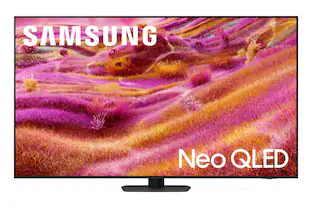 $1,699.99The price was $1,999.99
 $899.99The price was $1,099.99
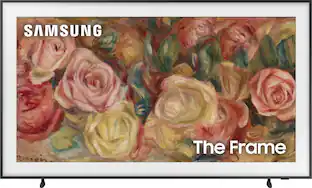 $1,297.99The price was $1,299.99
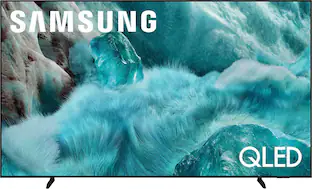 $1,999.99The price was $2,499.99
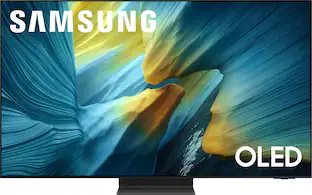 $3,299.99The price was $3,799.99
 $549.99The price was $699.99
- $1,497.99The price was $1,699.99



Today's top picks
 $199.99The price was $249.99
 $149.99The price was $239.99
 $789.99The price was $1,049.99











