Customer Ratings & Reviews
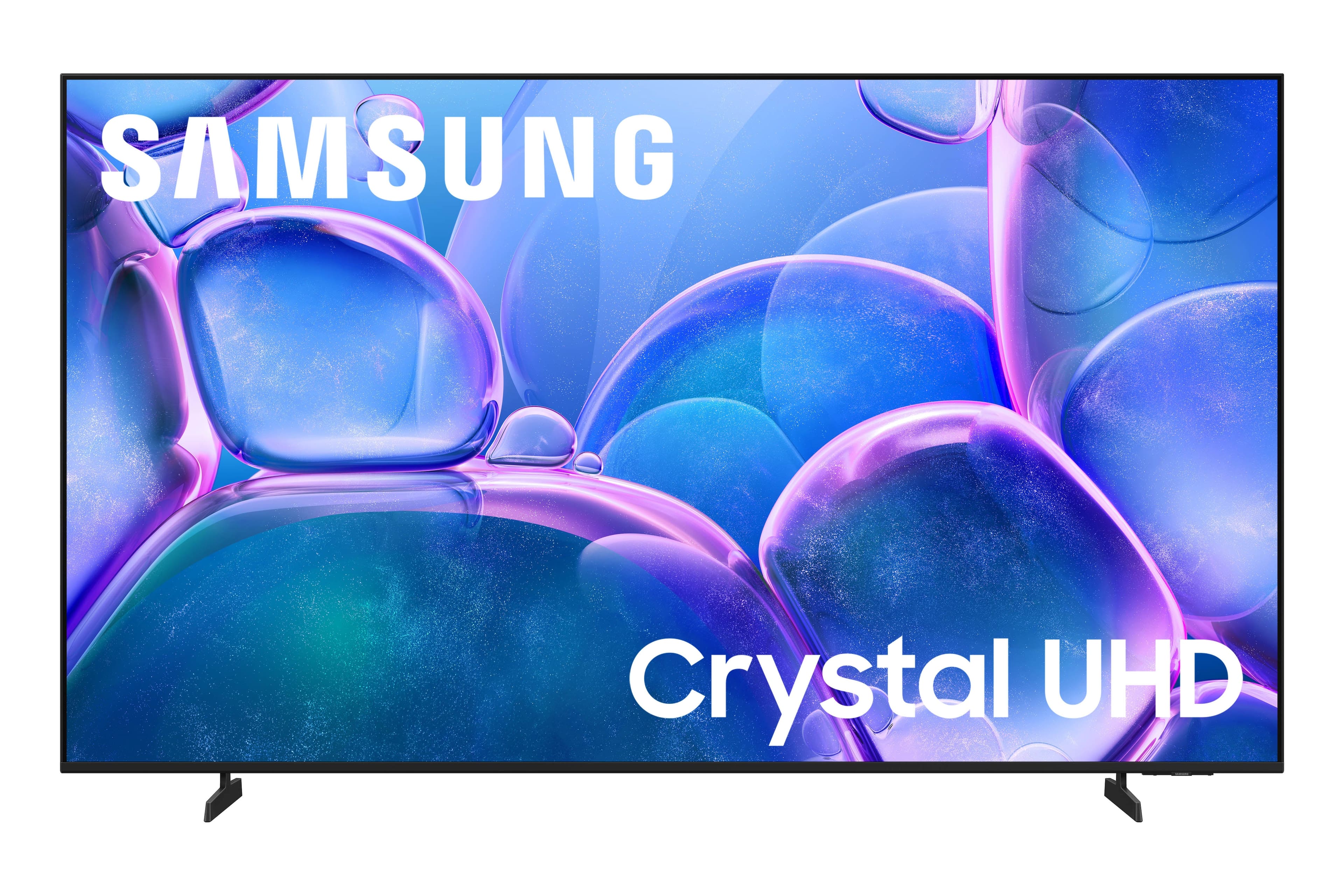



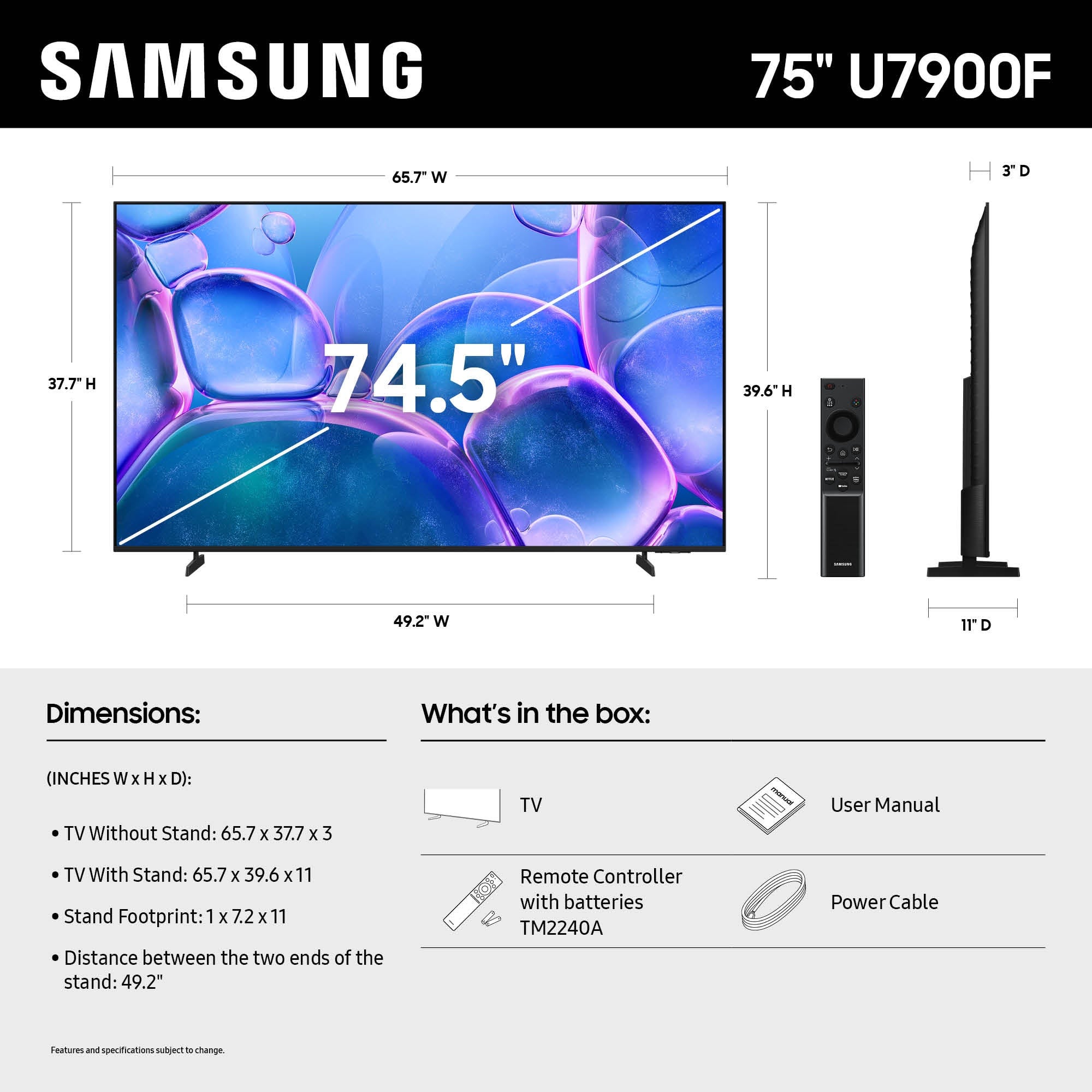






- Model:
- UN75U7900FFXZA
- SKU:
- 6639197
Rating by feature
- Picture Quality
Rating 4.8 out of 5 stars
- Sound Quality
Rating 4.7 out of 5 stars
- Brightness
Rating 4.8 out of 5 stars
Customers are saying
Customers commend the 75" Class U7900 Series UHD 4K Smart Tizen TV (2025) for its excellent 4K picture quality, making it great for shows and gaming. Users also appreciate the easy setup and perfect size for various rooms. However, some customers have reported issues with Bluetooth connectivity.
This summary was generated by AI based on customer reviews.
Samsung 75" tv
||Posted .This reviewer received promo considerations or sweepstakes entry for writing a review.Did realize it only had 2 hdmi inputs. So we didnt have a way to add our blu-ray.
No, I would not recommend this to a friendBrand response from Samsung
Posted .Hi MariaH,
Thank you for sharing your experience with us. We recommend adding an HDMI splitter to extend the amount of HDMI ports available.
I hope this helps! If you have any questions or need help, we’re always here. Call 1-800-SAMSUNG from 8AM - 12AM EST, seven days a week, or connect with a LiveChat agent anytime by selecting ‘Support’ on our website.
~ Samsung Advisor
Alright for the money, doesnt live up to samsung q
||Posted . Owned for 2 weeks when reviewed.This reviewer received promo considerations or sweepstakes entry for writing a review.Decent tv, has a fair amount of lag when trying to use certain apps in the samsung operating system. If I had to do it all over again, I would probably have got one that was a couple hundred more.With a faster processor.
No, I would not recommend this to a friendBrand response from Samsung
Posted .Hi TylerR,
We appreciate your feedback regarding response time. For optimal performance, please ensure your U7900F TV is running the latest firmware. You can check this by going to: Home > left directional key > Settings > Support > Software Update
To further optimize performance, try running Device Care, which checks memory, clears unused cached data, and closes background apps: Home > left directional key > Settings > Support > Device Care > Start Device Care
If issues continue, please reach Samsung Support at 1-800-SAMSUNG, available 8AM – 12AM EST, 7 days a week.
LiveChat is also available via the ‘Support’ link on our website.
~Samsung Advisor
Pretty good
||Posted .This reviewer received promo considerations or sweepstakes entry for writing a review.The speakers could be a little louder, but it’s a cheaper tv so I am ok with it.
I would recommend this to a friendNot impressed
||Posted . Owned for 1 month when reviewed.This reviewer received promo considerations or sweepstakes entry for writing a review.Bluetooth does not work correctly. The picture does this weird off color crap once a week. Didnt know a new tv would have to be hard reset once a week. Would not recommend this tv unless you enjoy unplugging and holding the power button once a week. Also if you call customer service they just leave you on hold. Would give negative stars if i could. Will be the last samsung tv I buy.
No, I would not recommend this to a friendBrand response from Samsung
Posted .Hi Jusair,
Thank you for your feedback. Please ensure your U7900 TV is running the latest firmware update 1132.0. To do so, go to Settings> Support> Software Update. If that version is not available you can download the update on a USB drive and manually update your TV:
1. On Samsung's website (upper right corner), go to: Support > Manual & Software > Find your TV model, and click on the Firmware – Upgrade File.
2. When the file has finished downloading, locate it and then unzip it. There is normally one folder inside but there may be multiple files.
3. Copy or move all of the files that were included in the zip file to a USB flash drive, but do not place them inside any other folders. If you place the software folders inside a folder on the USB flash drive, the TV or monitor will not find them.
4. Connect the USB drive containing the software upgrade into a USB port on your device.
5. Using your device's remote, navigate to and select Settings, then select All Settings, and then select Support. Select Software Update, select Update Now, and then select Yes if prompted.
Your device will search the USB drive for update files. Follow the on-screen instructions to install the updated software. Updates usually take a few minutes; please do not turn off the TV until the update is complete. When the update is finished, it will restart automatically.
~ Samsung Advisor
Not too bad for the price.
||Posted . Owned for 2 months when reviewed.This reviewer received promo considerations or sweepstakes entry for writing a review.It's a decent TV you pay for what you get. I purchased this TV for my mom for Christmas she really likes. That's all that matters.
I would recommend this to a friendBrand response from Samsung
Posted .Hi Techguy2,
Thank you for choosing Samsung. Should you or your mom have any questions, please do not hesitate to reach out to us at 1-800-SAMSUNG from 8AM - 12AM EST, seven days a week, or connect with a LiveChat agent anytime by selecting ‘Support’ on our website.
~ Samsung Advisor
Best Buy does not stand behind their products
||Posted . Owned for 3 weeks when reviewed.This reviewer received promo considerations or sweepstakes entry for writing a review.I purchased a 75 inch Samsung on October 11. I was told it could not be delivered until November 8. On November 10 I called Best Buy and told them the TV was not working properly and I needed a service to come out. They gave me November 26 saying there was no tech available till then, A tech came out, said the TV needs to be exchanged. November 29 I went into Best Buy on new. Hope Commons talked to a service rep saying that someone would call me to set up delivery of the exchange. If I did not hear by Monday noon to call. So December 1 Monday I called. I was on the phone for 3 1/2 hours with six different departments of customer service. They told me because I did not have someone come out by November 23 the 15 day exchange was over and I could not do anything with Best Buy. I needed to try to work with Samsung now. Are you kidding me? They delayed everything so it was past their exchange time. What Best Buy did is not only unethical, but dishonest.
No, I would not recommend this to a friendBrand response from Samsung
Posted .Hi Greatvalue,
We're sorry to hear about your experience and appreciate your patience in having to deal with the hassle of service. To schedule a service appointment, please call us at 1-800-SAMSUNG, available daily from 8AM - 12AM EST. You can also visit the Samsung website and click on ‘Support’ for:
• Live Chat
• Manuals, Software, & Warranty Info
~ Samsung Advisor
This TV is not worth the money.
||Posted . Owned for 1 month when reviewed.This reviewer received promo considerations or sweepstakes entry for writing a review.I saved up for months to buy this 75" Samsung TV, and honestly, it has been a huge disappointment. I expected premium quality from Samsung compared to other brands, but that hasn’t been the case.The Wi-Fi constantly drops, and it’s only this TV — all my other devices stay connected without a problem. I’ve tried multiple troubleshooting steps, but nothing fixes it.For the price, I expected reliability and performance. Instead, I got frustration.Skip this model. If you want a smooth streaming experience, go with a Roku or another brand that actually works.
No, I would not recommend this to a friendBrand response from Samsung
Posted .Hi ReneL,
Thank you for sharing your experience with Wi-Fi connectivity. If your TV is having trouble connecting to the network, the following steps may help resolve the issue:
Signal & Setup Tips:
1. Check TV-to-router distance – Your TV should be within 50 feet of the modem or access point for reliable signal strength.
2. Minimize interference – Turn off nearby wireless devices and make sure there are no physical barriers (stone walls, fireplaces, appliances) between the TV and router.
Power Cycle Devices:
3. Restart both your TV and router – Unplug both devices for at least 30 seconds, then plug them back in and allow them to reboot fully.
Connection Type:
4. Evaluate your connection method –
o If using Wi-Fi, move your router closer to the TV and eliminate any obstructions.
o For a more stable connection, we strongly recommend using a wired Ethernet cable.
o If already using Ethernet, verify the cable is working by testing it with another device.
Run Built-In Diagnostic Tools:
5. Network Test: Settings > Support > Device Care > Self Diagnosis > Smart Hub Connection Test
6. Wi-Fi Check: Settings > Support > Device Care > Self Diagnosis > Wi-Fi
Last Resort:
7. Perform a Factory Reset (if issues persist): Settings > All Settings > General & Privacy > Reset > Factory Data Reset. Note that this will return all settings to their original defaults.
If these steps don’t resolve the issue, please reach out to Samsung Support at 1-800-SAMSUNG, available 8AM – 12AM EST, 7 days a week. LiveChat support and additional help are available at the ‘Support’ link on our website.
~ Samsung Advisor
Speaker went bad in very little time.
||Posted .This reviewer received promo considerations or sweepstakes entry for writing a review.Ok graphics. Didn’t expect much for the price though. We have had this tv for a few months and one of the speakers already sounds bad. Will definitely not buy a cheap tv again.
No, I would not recommend this to a friendBrand response from Samsung
Posted .Hi TimB,
Thank you for sharing your experience with your U7900F TV. If you are having sound issues and you're using only the TV’s built-in speakers (no soundbar or external device), try the following steps:
1. Check volume and mute settings, and make sure the Sound Output is set to TV Speaker: Settings > All Settings > Sound > Sound Output > TV Speaker
2. Run a Sound Test to help diagnose the issue: Settings > Support > Device Care > Self Diagnosis > Sound Test
3. Cold boot your TV by holding the power button on the remote until the TV turns off and back on (Or unplug the TV from power for 30 seconds, then plug it back in)
4. Reset sound settings to default: Settings > All Settings > Sound > Expert Settings > Reset Sound
5. Update your TV’s software in case a firmware issue is affecting audio: Settings > Support > Software Update > Update Now
If none of these steps restore your sound, please contact us for further assistance. You can reach Samsung Support at 1-800-SAMSUNG, available 8AM – 9PM EST Mon – Fri, 8AM – 6PM Sat – Sun. You can also chat with a LiveChat agent by clicking the ‘Support’ link on our website.
~ Samsung Advisor
- Pros mentioned:Picture quality
Samsung
||Posted . Owned for 1 month when reviewed.This reviewer received promo considerations or sweepstakes entry for writing a review.Great size quality nice amplifier volume is lower than previous similar tv model I purchased before
I would recommend this to a friendBrand response from Samsung
Posted .Hi Jmot,
Thank you for your feedback on the U7900 TV. If you have any questions or need help, we’re always here. Call 1-800-SAMSUNG from 8AM - 12AM EST, seven days a week, or connect with a LiveChat agent anytime by selecting ‘Support’ on our website.
~ Samsung Advisor
Good price for basic tv watching
||Posted . Owned for 2 weeks when reviewed.This reviewer received promo considerations or sweepstakes entry for writing a review.Definitely not the best tv quality out there. This is just a good deal for a big tv
No, I would not recommend this to a friendBrand response from Samsung
Posted .Hi Jfernandez4291,
Thank you for your feedback. If there’s anything we can assist with, please don’t hesitate to call us at 1-800-SAMSUNG, available daily from 8AM - 12AM EST. You can also visit the Samsung website and click on ‘Support’ for:
• Live Chat
• Manuals, Software, & Warranty Info
~ Samsung Advisor
Good TV
||Posted .This reviewer received promo considerations or sweepstakes entry for writing a review.This is a good TV for the price but just average picture.
I would recommend this to a friendBrand response from Samsung
Posted .Hi BrianG,
We appreciate your feedback on the picture quality of Samsung’s U7900 TV. If the image doesn’t quite match your preferences, there are several adjustments you can make to better suit your viewing environment and content type.
First, please ensure your TV is running the latest firmware, as updates may include important picture quality enhancements. Go to: Home > Left directional button > Settings > Support > Software Update > Update Now
To explore picture mode options, navigate to: Home > Left directional button > Settings > All Settings > Picture > Picture Mode. Options include:
• Standard – Ideal for general viewing
• Dynamic – Brighter and more vibrant for well-lit spaces
• Eco – Optimized for energy efficiency
• Movie – Best for viewing in low light
• Filmmaker Mode – Preserves the content creator’s intent and disables motion smoothing for supported content
You can further customize your image by going to: Settings > All Settings > Picture > Expert Settings, where you can adjust Brightness, Contrast, Color Tone, Sharpness, Contrast Enhancer and more.
If you’d like help finding the best picture settings for your preferences, please don’t hesitate to contact Samsung Support at 1-800-SAMSUNG, available 8AM – 12AM EST, 7 days a week. You can also LiveChat with an agent or explore additional resources on our website by clicking the ‘Support’ link.
~Samsung Advisor
Samsung 75' TV
||Posted . Owned for 2 weeks when reviewed.This reviewer received promo considerations or sweepstakes entry for writing a review.I am not completely satisfied with the picture quality in comparison to my 2019 65-inch television.
No, I would not recommend this to a friendBrand response from Samsung
Posted .Hi DMadison,
We appreciate your feedback on the picture quality of Samsung’s U7900F TV. If the image doesn’t quite match your preferences, there are several adjustments you can make to better suit your viewing environment and content type.
First, please ensure your TV is running the latest firmware, as updates may include important picture quality enhancements. Go to: Home > Left directional button > Settings > Support > Software Update > Update Now
To explore picture mode options, navigate to: Home > Left directional button > Settings > All Settings > Picture > Picture Mode. Options include:
• Standard – Ideal for general viewing
• Dynamic – Brighter and more vibrant for well-lit spaces
• Eco – Optimized for energy efficiency
• Movie – Best for viewing in low light
• Filmmaker Mode – Preserves the content creator’s intent and disables motion smoothing for supported content
You can further customize your image by going to: Settings > All Settings > Picture > Expert Settings, where you can adjust Brightness, Contrast, Color Tone, Sharpness, Contrast Enhancer and more.
If you’d like help finding the best picture settings for your preferences, please don’t hesitate to contact Samsung Support at 1-800-SAMSUNG, available 8AM – 9PM EST Mon – Fri, 8AM – 6PM Sat – Sun. You can also LiveChat with an agent or explore additional resources on our website by clicking the ‘Support’ link.
~ Samsung Advisor
Faded
||Posted . Owned for 2 weeks when reviewed.This reviewer received promo considerations or sweepstakes entry for writing a review.The picture looks Fades not good for the Size for the price
No, I would not recommend this to a friendBrand response from Samsung
Posted .Hi GeorgeM,
We appreciate your feedback on the picture quality of Samsung’s U7900F TV. If the image doesn’t quite match your preferences, there are several adjustments you can make to better suit your viewing environment and content type.
First, please ensure your TV is running the latest firmware, as updates may include important picture quality enhancements. Go to: Home > Left directional button > Settings > Support > Software Update > Update Now
To explore picture mode options, navigate to: Home > Left directional button > Settings > All Settings > Picture > Picture Mode. Options include:
• Standard – Ideal for general viewing
• Dynamic – Brighter and more vibrant for well-lit spaces
• Eco – Optimized for energy efficiency
• Movie – Best for viewing in low light
• Filmmaker Mode – Preserves the content creator’s intent and disables motion smoothing for supported content
You can further customize your image by going to: Settings > All Settings > Picture > Expert Settings, where you can adjust Brightness, Contrast, Color Tone, Sharpness, Contrast Enhancer and more.
If you’d like help finding the best picture settings for your preferences, please don’t hesitate to contact Samsung Support at 1-800-SAMSUNG, available 8AM – 9PM EST Mon – Fri, 8AM – 6PM Sat – Sun. You can also LiveChat with an agent or explore additional resources on our website by clicking the ‘Support’ link.
~ Samsung Advisor
Hands down for this Samsung
||Posted . Owned for 1 month when reviewed.This reviewer received promo considerations or sweepstakes entry for writing a review.Picture is pixelated and blurry, even in 4k. Colors are off. Changed settings but colors are off.
No, I would not recommend this to a friendBrand response from Samsung
Posted .Hi DavidG,
Thank you for your feedback on the Samsung U7900F TV. If the picture appears unclear, dull, or lacks definition, there are several settings you can adjust to improve clarity and overall image quality. Go to: Settings > All Settings > Picture > Expert Settings, and review these key settings:
Picture Clarity Settings: While originally intended for motion handling, these can also impact overall clarity
• Off: Disables motion enhancements
• Auto: Automatically adjusts based on content
• Custom: Lets you fine-tune:
o Judder Reduction – Helps smooth out uneven motion
o LED Clear Motion – Boosts sharpness in fast-moving content
o Noise Reduction – Reduces distortion and enhances detail in lower-resolution sources
Core Picture Settings
• Brightness – Controls overall screen brightness
• Contrast – Enhances the difference between bright and dark areas
• Sharpness – Adjusts edge definition; closer to 20 increases detail
• Color – Enhances depth and intensity of colors
And don’t forget to check for the latest firmware, which may improve performance: Settings > Support > Software Update > Update Now
These adjustments can make a noticeable difference in overall clarity. If you need further help tailoring the settings to your preferences or environment, please contact Samsung Support at 1-800-SAMSUNG, 8AM – 12AM EST, 7 days a week. LiveChat is also available via the ‘Support’ link on our website.
~ Samsung Advisor
Lags alot
||Posted . Owned for 1 month when reviewed.This reviewer received promo considerations or sweepstakes entry for writing a review.Very laggy and response time is slow. Some shows get a weird line through it here and there
No, I would not recommend this to a friendBrand response from Samsung
Posted .Hi Bobby,
Thank you for your feedback regarding the screen abnormalities you’re seeing on your Samsung U7900 TV. First, let's ensure you are running the latest Firmware. Go to Settings> Support> Software Update.
Next, to determine whether the issue is related to the TV itself, we recommend running a Picture Test, which displays a high-definition test image for you to examine. Go to: Settings > Support > Device Care > Self Diagnosis > Picture Test.
If it appears the line has to do with the TV and not any connected devices, we recommend resetting your TV. Go to Settings > Support > Device Care > Self Diagnosis > Reset Smart Hub.
If you still have issues, please call us to set up an appointment for warranty service. Please call us at 1-800-SAMSUNG, available daily from 8AM - 12AM EST. You can also chat with a LiveChat agent by clicking the ‘Support’ link on our website.
~ Samsung Advisor
Samsung
||Posted . Owned for 2 weeks when reviewed.This reviewer received promo considerations or sweepstakes entry for writing a review.Tv was broken and I haven't heard back from anyone through customer service. Just hoping my bank will help. Friendly customer service and I waited maybe 5-10 for tv to come out.
I would recommend this to a friendBrand response from Samsung
Posted .Hi JanyaJ,
Thank you for your feedback. We appreciate your patience while awaiting a refund on your TV. If there’s anything we can assist with, please don’t hesitate to call us at 1-800-SAMSUNG, available daily from 8AM – 9PM EST Mon – Fri, 8AM – 6PM Sat – Sun. You can also visit the Samsung website and click on ‘Support’ for:
• Live Chat
• Manuals, Software, & Warranty Info
~ Samsung Advisor
75in glitch
||Posted .This reviewer received promo considerations or sweepstakes entry for writing a review.I recently purchased my Samsung 75in and already getting little glitches on it. This is the 2nd Samsung i have purchased with issues
No, I would not recommend this to a friendBrand response from Samsung
Posted .Daniel,
We appreciate you taking the time to let us know about your experience with your U7900F TV. So that we can better troubleshoot this issue and provide steps towards a solution, please contact Samsung Support at 1-800-SAMSUNG, 8AM – 12AM EST, 7 days a week, or visit our website for LiveChat.
~ Samsung Specialist
Cracked tv
||Posted . Owned for 2 weeks when reviewed.This reviewer received promo considerations or sweepstakes entry for writing a review.I purchased 3 tvs at the same time and this Samsung tv was cracked when I plugged it in. I went to Best Buy to return and the manager said I couldn’t return the tv because it had fingerprints over the area where it was cracked and other areas. The other 2 TVs worked fine and our fingerprints were on them as well.
No, I would not recommend this to a friendBrand response from Samsung
Posted .Hi ArronG,
We're very sorry to hear about your experience. If there’s anything we can assist with, please don’t hesitate to call us at 1-800-SAMSUNG, available daily from 8AM - 12AM EST. You can also visit the Samsung website and click on ‘Support’ for:
• Live Chat
• Manuals, Software, & Warranty Info
~ Samsung Advisor
Great, until backlight went out
||Posted . Owned for 1 month when reviewed.This reviewer received promo considerations or sweepstakes entry for writing a review.Trust the brand and store, but I purchased a bad one. Backlight went out 2 weeks in. Had to return.
No, I would not recommend this to a friendBrand response from Samsung
Posted .Hi Matt,
Thank you for your patience in dealing with the hassle of a return. We hope you’ll consider Samsung again in the future. If you do, we’re always here to help with setup and support. Reach us at 1-800-SAMSUNG (8AM – 12AM EST, 7 days a week), or visit our website to chat live and access manuals or software.
~Samsung Advisor
Hoping for help
||Posted .This reviewer received promo considerations or sweepstakes entry for writing a review.We were very excited about the price. After reading the reviews, I hope we may just have a lemon. The streaming apps especially Spectrum app and Netflix, the screen glitches, stalls, freezes and sometimes jitters and shakes like crazy. I have tried every solution offered by Spectrum and Samsung. Samsung support is coming out soon. I hope they can fix it or switch me out another TV.
No, I would not recommend this to a friendBrand response from Samsung
Posted .ScottF,
We appreciate you taking the time to let us know about your experience with your U7900F TV. So that we can better troubleshoot this issue and provide steps towards a solution, please contact Samsung Support at 1-800-SAMSUNG, 8AM – 12AM EST, 7 days a week, or visit our website for LiveChat.
~ Samsung Specialist