Best Buy Tech Fest SaleEnds Sunday. Limited quantities. No rainchecks.Shop now

Skip to contentGo to Product Search
Main Content

Customer Ratings & Reviews
Tech Fest Deal
Loading...
$1,999.99
Save $1,500
Comp. Value: $3,499.99

Customer reviews

Rating 4.8 out of 5 stars with 307 reviews

Rating Filter

Rating by feature

  • Picture Quality

    Rating 4.9 out of 5 stars

  • Sound Quality

    Rating 4.7 out of 5 stars

  • Brightness

    Rating 4.9 out of 5 stars

Pros mentioned filter

Cons mentioned filter

There aren't enough negative mentions yet.
96%would recommend to a friend

Customers are saying

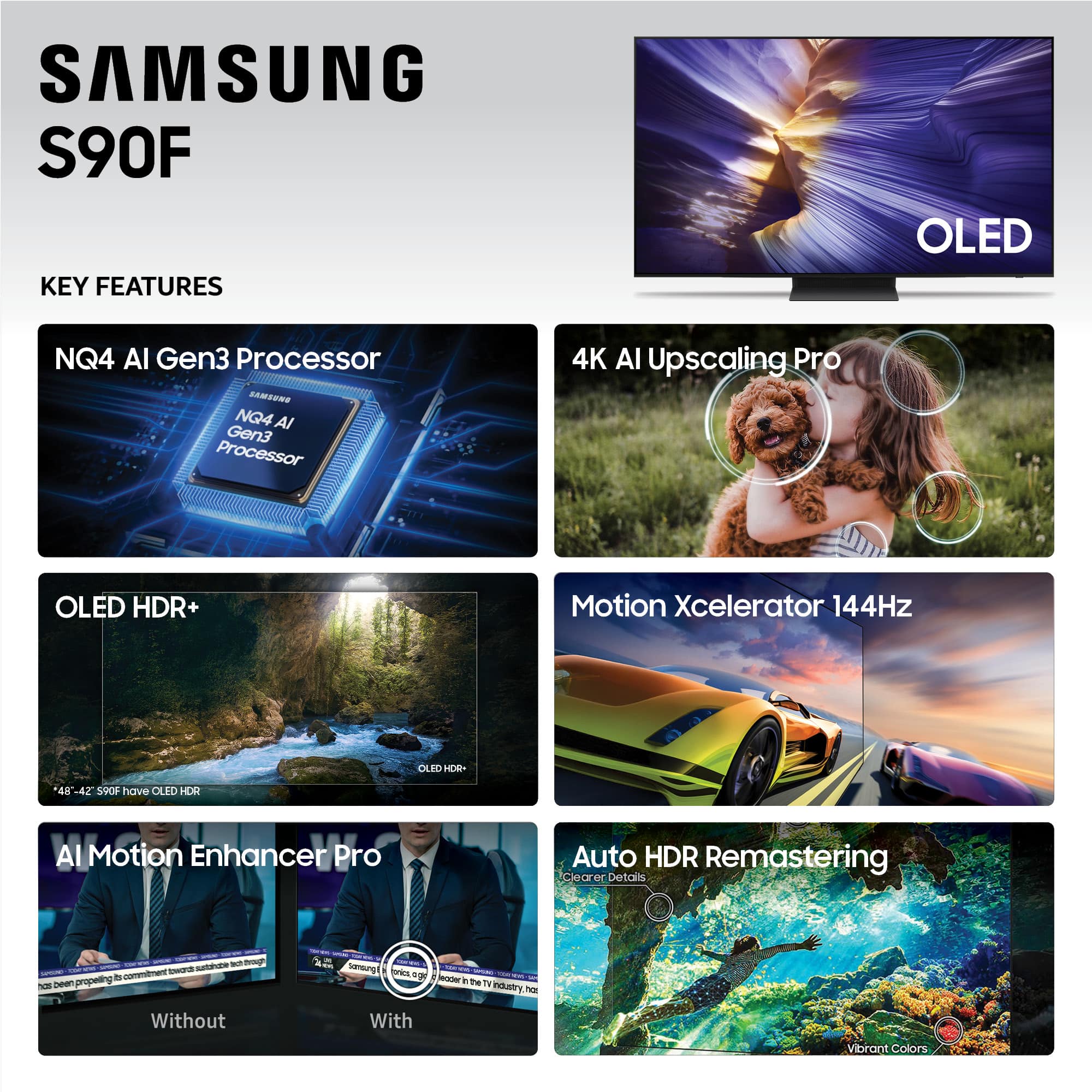
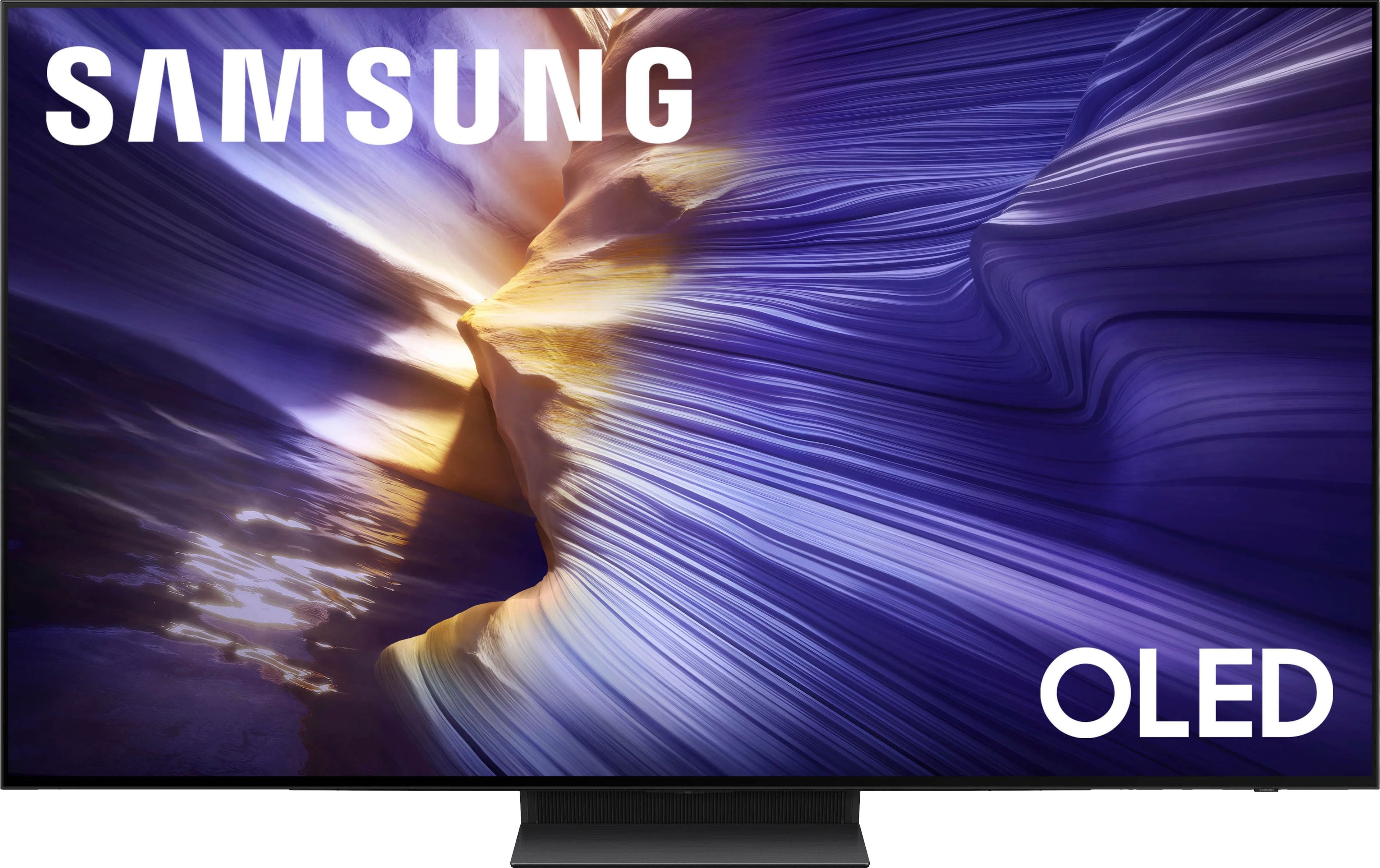
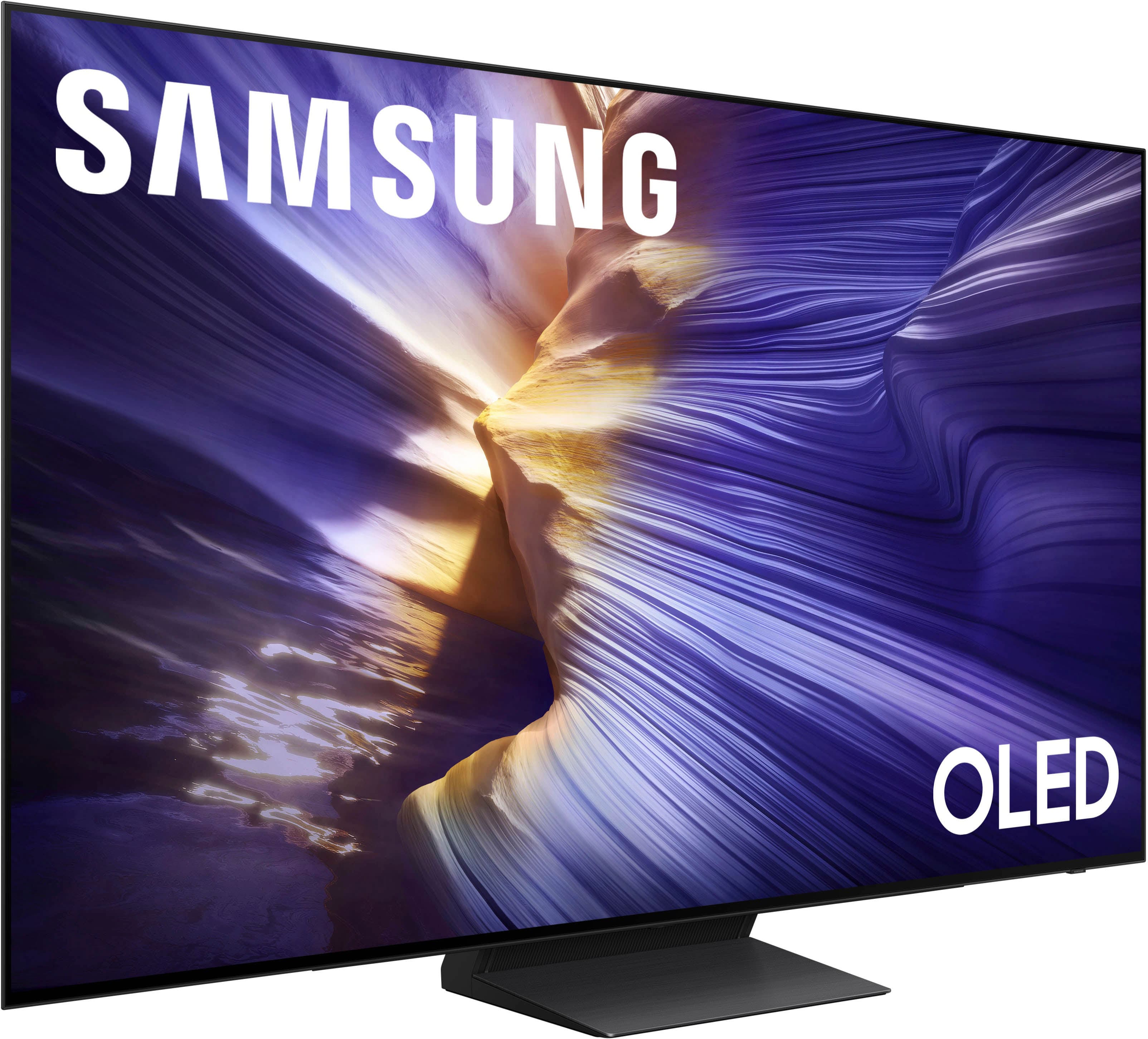
Customers frequently mention the remarkable picture quality of the 77” Class S90F Series OLED 4K UHD SamsungVision AI Smart Tizen TV (2025). The OLED quality is also praised for its incredible appearance. Additionally, the TV's brightness is noted for its ability to reduce glare, and the AI upscaling feature enhances the visual experience by making everything look better.

This summary was generated by AI based on customer reviews.

The vast majority of our reviews come from verified purchases. Reviews from customers may include My Best Buy members, employees, and Tech Insider Network members (as tagged). Select reviewers may receive discounted products, promotional considerations or entries into drawings for honest, helpful reviews.
Page 13 Showing 241-260 of 307 reviews
  • Rated 5 out of 5 stars

    Great TV

    |
    |
    Posted . Owned for 1 month when reviewed.
    This reviewer received promo considerations or sweepstakes entry for writing a review.

    I like the Samsung appliance.. is a good TV they have a great definition

    I would recommend this to a friend
  • Pros mentioned:
    Picture quality

    Rated 3 out of 5 stars

    Samsung - 77” Class S90F Series OLED 4K

    |
    |
    Posted . Owned for 1 week when reviewed.
    This reviewer received promo considerations or sweepstakes entry for writing a review.

    The picture quality is stunning; vivid colors and deep blacks really stand out. That said, the viewing experience depends heavily on the production quality of the content you’re watching. High-end shows look amazing, but lower-quality broadcasts can appear average. Also, while the screen is decent in normal lighting, the anti-glare performance could use improvement, especially in brighter rooms. Overall, solid OLED performance with a few trade-offs.

    I would recommend this to a friend
    • Brand response from Samsung
      Posted .

      Hi Bill,

      Thank you for sharing your thoughts on your Samsung S90F TV’s image quality. Your TV is designed to upscale content to the best possible quality based on the resolution of the source. In general, the closer your content is to native 4K, the sharper and more detailed it will appear on screen.

      Here are some tips to help improve picture clarity and overall upscaling performance:
      1. Use HDMI cables for the best high-definition signal.
      2. If you’re using an analog cable or satellite box, consider upgrading to a digital box for better signal quality.
      3. Change the output resolution of connected devices (like a cable box, streaming device, or IPTV box) to UHD or HD, if supported.
      4. Go to Settings > All Settings > Picture > Expert Settings to fine-tune options like Sharpness, Brightness, Contrast, and Color.
      5. Select a Picture Mode that fits your environment: Settings > All Settings > Picture > Picture Mode – try Dynamic, Movie, or Filmmaker Mode.
      6. Explore Picture Clarity Settings under Expert Settings for added detail enhancement. Use Auto or Custom to adjust Judder Reduction, LED Clear Motion, and Noise Reduction.
      7. Enable AI Mode, which automatically analyzes the content and your environment to deliver optimized picture and sound. Go to: Settings > All Settings > Advanced Features > AI Mode Settings
      8. Ensure your TV is running the latest firmware to benefit from performance improvements and the latest enhancements: Settings > Support > Software Update > Update Now

      If you’d like personalized help fine-tuning these settings, please reach out to Samsung Support at 1-800-SAMSUNG, available from 8AM - 12AM EST, seven days a week. You can also chat with one of our agents by clicking the ‘Support’ link on our website for:
      • Live Chat
      • Manuals, Software, & Warranty Info

      ~ Samsung Specialist Samsung

  • Rated 5 out of 5 stars

    Samsung Oled

    |
    |
    Posted .
    This reviewer received promo considerations or sweepstakes entry for writing a review.

    Great tv would recommend this to anyone that would appreciate great quality.

    I would recommend this to a friend
  • Rated 5 out of 5 stars

    Quality and service

    |
    |
    Posted . Owned for 1 month when reviewed.
    This reviewer received promo considerations or sweepstakes entry for writing a review.

    Best purchase I've had in quite some time. The feedback and information From best, buy associate was beyond reproach.

    I would recommend this to a friend
  • Rated 5 out of 5 stars

    User Friedly!

    |
    |
    Posted . Owned for 2 months when reviewed.
    This reviewer received promo considerations or sweepstakes entry for writing a review.

    Always a fan of Samsung TV’s. Their technology is easy to learn and very user friendly.

    I would recommend this to a friend
  • Rated 3 out of 5 stars

    Bars of Death

    |
    |
    Posted .
    This reviewer received promo considerations or sweepstakes entry for writing a review.

    After two weeks of owning this tv I already saw defects within the tv. There were many bars that would stay discolored on the tv. I would have to cycle the tv to get rid of them but other than that scary mishap it seems to be a fairly good tv. This is my first oled but after that incident I’m staying away from Samsung. It’s back to TCL and Sony for me. If I spend over $2k on a tv I better not have these kinds of issues.

    No, I would not recommend this to a friend
    • Brand response from Samsung
      Posted .

      KamiCourtney,

      We're sorry to hear that your experience with the S90F TV led to a return. Your feedback matters to us and will be shared with our product team.

      If you decide to explore Samsung TVs again in the future, we’re always here to support you - whether it’s setup, features, or troubleshooting. Reach us anytime at 1-800-SAMSUNG (8AM – 12AM EST, 7 days a week), or visit the ‘Support’ section of our website for LiveChat, manuals, and more.

      ~ Samsung Specialist Samsung

  • Rated 5 out of 5 stars

    Mr. Bui

    |
    |
    Posted . Owned for 1 week when reviewed.
    This reviewer received promo considerations or sweepstakes entry for writing a review.

    I am very excited about the Samsung TV. and completely satisfied.

    I would recommend this to a friend
  • Rated 3 out of 5 stars

    77' S90F

    |
    |
    Posted . Owned for 3 weeks when reviewed.
    This reviewer received promo considerations or sweepstakes entry for writing a review.

    Started flickering on the left side and then goes black for a moment, I turned it off and back on and it help for couple days. now it is doing it again. but I do like the tv when it is not acting up. fixing to call and see what I can do for a fix replacement..

    I would recommend this to a friend
    • Brand response from Samsung
      Posted .

      JonathanH,

      We appreciate you taking the time to let us know about your experience with your S90F TV. So that we can better troubleshoot this issue and provide steps towards a solution, please contact Samsung Support at 1-800-SAMSUNG, 8AM – 12AM EST, 7 days a week, or visit our website for LiveChat.

      ~ Samsung Specialist Samsung

  • Rated 4 out of 5 stars

    Great TV..but still no Dolby Vision

    |
    |
    Posted . Owned for 3 weeks when reviewed.
    This reviewer received promo considerations or sweepstakes entry for writing a review.

    Great TV, but that matt screen was not to my liking. But the BIG downsize is the fact that Samsung is still not offering Dolby Vision. That makes no sense. I returned the TV and opted for the LG C5 instead.

    I would recommend this to a friend
  • Rated 5 out of 5 stars

    Samsung TV

    |
    |
    Posted . Owned for 1 month when reviewed.
    This reviewer received promo considerations or sweepstakes entry for writing a review.

    Love this TV. Color is so bright. Sales people were very knowledgeable.

    I would recommend this to a friend
  • Rated 5 out of 5 stars

    Great purchase

    |
    |
    Posted . Owned for 3 weeks when reviewed.
    This reviewer received promo considerations or sweepstakes entry for writing a review.

    Amazing picture quality and surprisingly good sound.

    I would recommend this to a friend
  • Rated 5 out of 5 stars

    BruceC

    |
    |
    Posted . Owned for 2 weeks when reviewed.
    This reviewer received promo considerations or sweepstakes entry for writing a review.

    Fabulous customer service from the purchase to delivery and setup

    I would recommend this to a friend
  • Rated 1 out of 5 stars

    Don't buy! Don't believe me. Do your research!

    |
    |
    Posted . Owned for less than 1 week when reviewed.
    This reviewer received promo considerations or sweepstakes entry for writing a review.

    TV is junk. Had it for a week before it started to show issues. First a 5 inch line from top to bottom started. Then the picture would go out. Sound would work but no picture. You could turn off the power and turn it back on and it would work for about 5 minutes and then go off again. Looked online and found this to be a common issue with this model. Don't buy! Best Buy was great in solving the issue. Went with an LG instead, couldn't be happier.

    No, I would not recommend this to a friend
    • Brand response from Samsung
      Posted .

      Mphsbuck,

      We're sorry to hear that your experience with the S90F TV led to a return. Your feedback matters to us and will be shared with our product team.

      If you decide to explore Samsung TVs again in the future, we’re always here to support you - whether it’s setup, features, or troubleshooting. Reach us anytime at 1-800-SAMSUNG (8AM – 12AM EST, 7 days a week), or visit the ‘Support’ section of our website for LiveChat, manuals, and more.

      ~ Samsung Specialist Samsung

  • Rated 3 out of 5 stars

    Tv picture dark

    |
    |
    Posted . Owned for 1 month when reviewed.
    This reviewer received promo considerations or sweepstakes entry for writing a review.

    Picture seems dark. Contrast, and brightness is maxed.

    No, I would not recommend this to a friend
    • Brand response from Samsung
      Posted .

      DavidB,

      We appreciate you sharing details on your Samsung S90F TV. This behavior may be related to energy-saving features, AI-powered optimizations, or dynamic picture settings that automatically adjust screen brightness based on content and viewing environment.

      Please try disabling the following features: Settings > All Settings > General & Privacy > Power and Energy Saving > Brightness Optimization, Energy Saving Solution, and Motion Lighting

      If these are already off, check if Contrast Enhancer is enabled, which can also cause brightness to shift depending on scene changes: Settings > All Settings > Picture > Expert Settings > Contrast Enhancer

      Samsung’s newer TVs also include AI-powered features designed to adapt picture settings automatically. While many viewers enjoy this enhancement, others prefer more manual control. To adjust these features, go to: Settings > All Settings > Advanced Features > AI Mode Settings

      To ensure optimal performance, please also confirm your TV is running the latest firmware: Settings > Support > Software Update > Update Now

      We hope these steps help stabilize your screen brightness. If you continue to experience issues, please don’t hesitate to contact Samsung Customer Support at 1-800-SAMSUNG (8AM – 12AM EST, 7 days a week). LiveChat is also available via the ‘Support’ link on our website.

      ~ Samsung Specialist Samsung

  • Rated 2 out of 5 stars

    Not so smart

    |
    |
    Posted .
    This reviewer received promo considerations or sweepstakes entry for writing a review.

    It keeps updating and changing app login information!

    No, I would not recommend this to a friend
    • Brand response from Samsung
      Posted .

      TerryS,

      We appreciate your review of Samsung’s S90F TV. So we can better understand the issues you’re experiencing and provide you with troubleshooting assistance, please reach out to Samsung Customer Support at 1-800-SAMSUNG, available daily from 8AM - 12AM EST. You can also chat with a LiveChat agent by clicking the ‘Support’ link on our website for:
      • Live Chat
      • Manuals, Software, & Warranty Info
      • Creating a Service ticket

      ~ Samsung Specialist Samsung

  • Rated 1 out of 5 stars

    Goodbye to Best Buy

    |
    |
    Posted .
    This reviewer received promo considerations or sweepstakes entry for writing a review.

    This TV is 5-Stars however the Price Match policy is misleading. Customer Service does not care about keeping their long term purchasers happy. After years of buying all of my electronics products at Best Buy I will be going elsewhere in the future.

    I would recommend this to a friend
    • Brand response from Samsung
      Posted .

      Hi RobertM,

      It appears your 1-star review for the Samsung S90F TV is based on your experience with Best Buy, and we’re sorry to hear that. We recommend contacting the store directly to share your feedback.

      If you need help with the TV itself, Samsung Support is available at 1-800-SAMSUNG, 8AM – 12AM EST, 7 days a week, or via LiveChat under the ‘Support’ section of our website.

      ~ Samsung Specialist Samsung

  • Rated 1 out of 5 stars

    Disappointed

    |
    |
    Posted . Owned for 3 weeks when reviewed.
    This reviewer received promo considerations or sweepstakes entry for writing a review.

    TV did not work. I had to return Tv. Samsung could not repair and issued refund. Very dissappinted as this is a high end tv.

    No, I would not recommend this to a friend
    • Brand response from Samsung
      Posted .

      ArnoldS,

      It’s unfortunate to hear there were issues that led to the return of your Samsung S90F TV. Your experience is important to us, and your feedback will be shared with our product team for review.

      We hope you’ll consider Samsung again in the future. If you do, we’re always here to help with setup and support. Reach us at 1-800-SAMSUNG (8AM – 12AM EST, 7 days a week), or visit our website to chat live and access manuals or software.

      ~ Samsung Specialist Samsung

  • Pros mentioned:
    Picture quality

    Rated 5 out of 5 stars

    My Samsung 77

    Posted .
    This reviewer received promo considerations or sweepstakes entry for writing a review.

    It’s bigger than the one I had which was 65. It fills the wall a lot better. The color is much better than the older one much brighter and I love how it looks and the sound is excellent.

    I would recommend this to a friend
  • Pros mentioned:
    Brightness

    Rated 5 out of 5 stars

    S90f HUGE improvement over the s90c and c4

    Posted .
    This reviewer received promo considerations or sweepstakes entry for writing a review.

    I had some minor issues with my s90c …. SDR had a problem with flickering in near dark complex scenes and motion was always a little off … the s90f processor is so much better and just feels stronger it handles motion like a champ and all flickering is gone … now to the main event the brightness …. I own the s90c and c4 and this blows them both out of the water … I also owned a g4 for a short period of time but had some issues with it and I feel the s90f rivals the g4 brightness …. I have not seen the c5 yet but h have a feeling the s90f is going to absolutely destroy it …. I am very balanced if anything you could say I’m more or an LG fan because at first I wouldn’t go to Samsung because of no Dolby vision … but once you QD-OLED it’s hard to go back … my c4 is an 83 inch which QD-OLED does not offer that size ….if you are on the fence about the c5 vs s90f it is a no brainer definitely go with the s90f

    I would recommend this to a friend
  • Pros mentioned:
    Oled quality, Picture quality

    Rated 5 out of 5 stars

    77” OLED

    Posted .
    This reviewer received promo considerations or sweepstakes entry for writing a review.

    Samsung 77” OLED the quality on that tv is amazing the colors are amazingly bright it’s a game changer.

    I would recommend this to a friend