Customer Ratings & Reviews
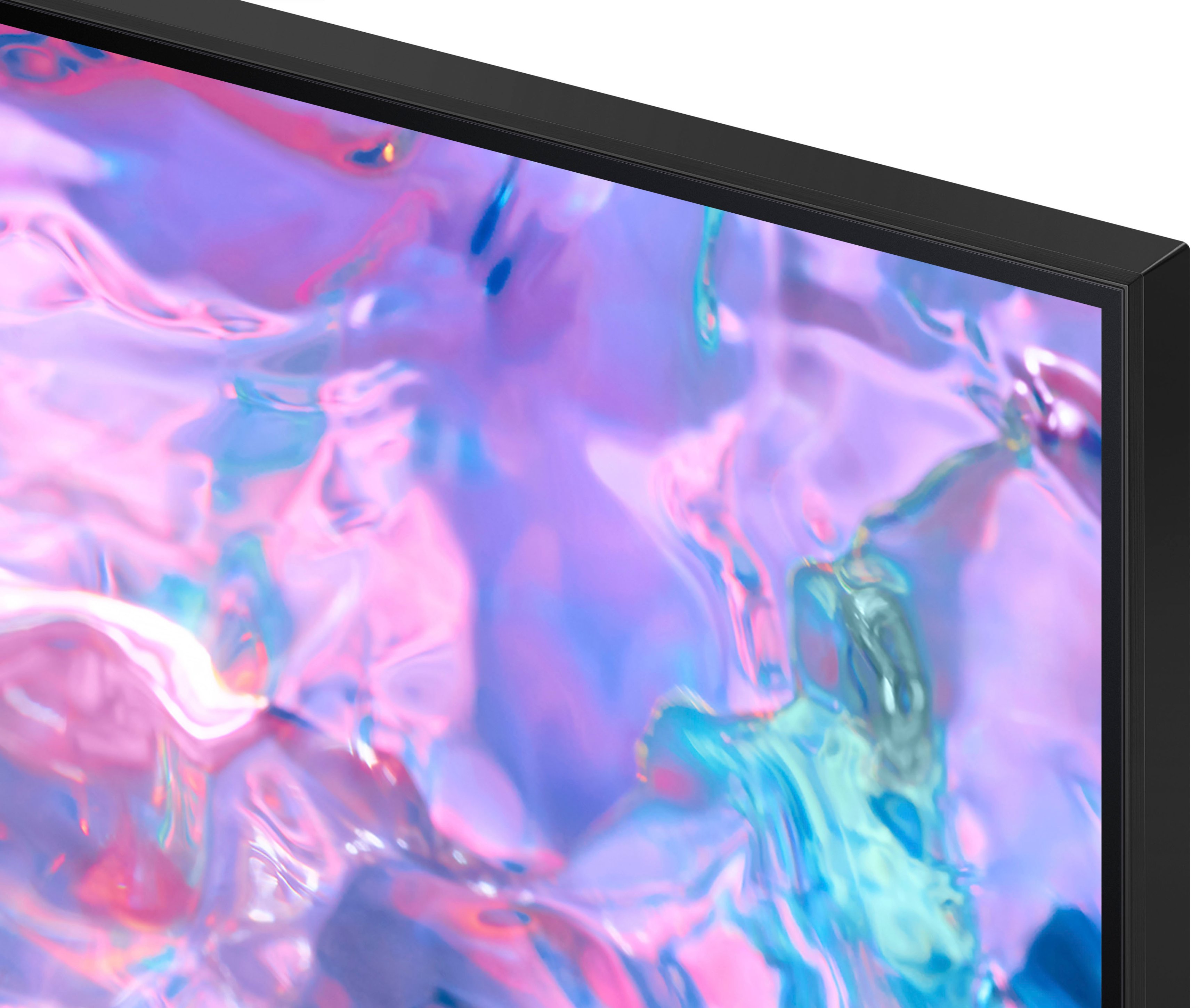



- Model:
- UN85CU7000FXZA
- SKU:
- 6537371
Rating by feature
- Picture Quality
Rating 4.8 out of 5 stars
- Sound Quality
Rating 4.6 out of 5 stars
- Brightness
Rating 4.8 out of 5 stars
Customers are saying
Customers are impressed with the 85” Class CU7000 Crystal UHD 4K Smart Tizen TV's picture quality, ease of use, and value for its price. Many appreciate the large screen size and vibrant colors, while some found the remote control could be improved and the volume could be louder. Positive feedback frequently highlighted the smart features and overall ease of setup. However, a few users noted the TV's weight as a potential challenge during installation.
This summary was generated by AI based on customer reviews.
Barely lasted beyond the warranty period!
||Posted .This reviewer received promo considerations or sweepstakes entry for writing a review.Lasted 18 months! The display now has dark areas all over. Looks like dark clouds against the background.
No, I would not recommend this to a friendTV barely lasted a year
||Posted . Owned for 1 year when reviewed.This reviewer received promo considerations or sweepstakes entry for writing a review.Bought the TV exactly a year and one month ago. Hung it as soon as I got it and has not been moved since. Now has dark spots on the screen and the warranty only covers a year so I’m SOL
No, I would not recommend this to a friendWish i didnt
||Posted . Owned for 6 months when reviewed.This reviewer received promo considerations or sweepstakes entry for writing a review.I have to say, i was so excited about getting this tv. I wanted my room to feel like a theater. Well i am disappointed. After a few months of having the tv the top back light decided to start going out and it makes a weird sound at random times.
No, I would not recommend this to a friendPicture quality
||Posted . Owned for 3 weeks when reviewed.This reviewer received promo considerations or sweepstakes entry for writing a review.Quality is not as great as my previous model. This was a higher/better model,but not even close
No, I would not recommend this to a friendBrand response from Samsung
Posted .Hi Umpalyumpa,
We appreciate your feedback on the CU7000 TV's quality. If the image you’re seeing isn’t to your liking, there are several picture settings you may want to adjust.
Go to Home > Settings > All Settings > Picture > Picture Mode and select the mode that best fits your usage:
1. Standard: Is the default mode suitable for general viewing environments
2. Dynamic: Makes the picture brighter and clearer in bright viewing environments
3. Eco: Provided to save energy
4. Movie: Suitable for watching TV or movies in a dark room
5. Filmmaker Mode: Provides source content just as the creators intended. If the image is defined as Filmmaker Mode, it’ll automatically switch to Filmmaker Mode while watching.
You can also fine-tune your picture with expert settings such as brightness, contrast, sharpness, and more (All Settings > Picture > Expert Settings).
For further assistance with settings adjustments or if there is anything we can do to improve your experience, please contact Samsung Customer Support 1-800-SAMSUNG, 8 AM - 12 AM EST, seven days a week. LiveChat with an agent, as well as manuals, software, and warranty info, can be found at the ‘Support’ link on our Samsung website.
~ Samsung Advisor
Not so good.
||Posted . Owned for 1 month when reviewed.This reviewer received promo considerations or sweepstakes entry for writing a review.I understand this is a cheap entry level tv but even at this price is a really bad tv I will be returning. This could be over scrutiny as it is like a say an entry level tv and maybe the size makes the issues with it worse. I have a 75” of the same class that is much better.
No, I would not recommend this to a friendBrand response from Samsung
Posted .Hi JohnathanR,
Thank you for your feedback on the CU7000 TV. It's unfortunate to hear you are not satisfied with the quality of the unit. Please know there are many settings you can adjust that may improve your experience. If you’d like more help with settings, please know we’re here to help! Call us at 1-800-SAMSUNG, 8 AM - 12 AM EST, seven days a week. Or visit us on the Samsung website and click on the ‘Support’ link for:
1) LiveChat
2) Manuals, Software, & Warranty Info
~ Samsung Advisor
Not worth it!
||Posted . Owned for 1 year when reviewed.This reviewer received promo considerations or sweepstakes entry for writing a review.I purchased mine in Nov 19, 2023. Today is Nov 27, 2024 and it just turned off one me never to turn back on. This is absolutely horrible. A 1K TV that won’t last.
No, I would not recommend this to a friendDefective
||Posted . Owned for 1 year when reviewed.This reviewer received promo considerations or sweepstakes entry for writing a review.Broke down after a year the LED lights on the bottom half went out. Good thing with Best Buy protection plan we got a replacement even after a year
No, I would not recommend this to a friend- Pros mentioned:Picture quality
Recommended brand
Posted .This reviewer received promo considerations or sweepstakes entry for writing a review.Samsung is known for vibrant colors and sleek designs, LG for OLED technology, Sony for picture processing, and Panasonic for excellent picture accuracy. Fantastic choice! We have a variety of TVs to suit your needs. If you're ready to make a purchase, I can assist you with the details. Is there anything specific you'd like to know or discuss further?" Is there something specific you'd like assistance with regarding the TV purchase ? "I recommend this TV because it offers a perfect balance of impressive 4K resolution, a large screen size, and advanced smart features, providing an immersive and enjoyable viewing experience." For a superior visual experience, I suggest this TV with OLED technology, delivering stunning colors, deep blacks, and excellent contrast. It's a top choice for those who prioritize picture quality." This TV stands out for its high refresh rate, ensuring smooth motion and reducing motion blur. It's ideal for gaming and action-packed content, providing a more immersive and responsive feel." Consider this TV brand known for its reliable performance and positive customer reviews. With a reputation for durability and innovative features, it's a solid choice for a long-lasting and satisfying entertainment center." For a well-rounded smart TV experience, I recommend this model. It not only boasts a crystal-clear display but also offers a user-friendly interface, a variety of streaming apps, and voice control options for added convenience." --- This brand is well-regarded in the market for its consistent quality, reliable performance, and positive customer feedback. Many users have praised the brand for its durability and innovative features, making it a trustworthy choice." The main factors that often matter to customers when buying a TV include screen size, display technology (e.g., OLED, QLED, LED), resolution (e.g., 4K), refresh rate, smart features, brand reputation, and price. For an immersive TV experience with stunning visuals and audio, the [Brand/Model] is an excellent choice. Its [highlighted features] make it stand out for an enhanced viewing experience. --- Upgrade your home entertainment with our TV spectacular! Unleash the power of high-definition viewing and save $... Act fast, as this deal is fading away like your outdated TV screen. Elevate your watching experience now!" Experience movie nights like never before! Our TV deal is your ticket to cinematic bliss, and you can pocket $... in savings. Hurry, though – the limited stock is vanishing quickly. Grab your front-row seat to entertainment excellence!" Transform your living room into a home theater with our exclusive TV offer! Say goodbye to outdated visuals and hello to savings of $... Act now before this deal dims, leaving you stuck with the same old screen. Upgrade today!" Step into the future of TV technology without breaking the bank! Our limited-time deal on cutting-edge TVs allows you to save $... Don't let your entertainment system become a relic – secure your savings and a state-of-the-art TV now!" Unwrap the gift of crystal-clear visuals and savings! Our TV deal brings you a holiday special – save $... on the TV you've been dreaming of. But beware, the festive offer won't last forever. Make your living room merrier with this exclusive deal!"
I would recommend this to a friend Never again will I buy from Best Buy
||Posted . Owned for 3 weeks when reviewed.This reviewer received promo considerations or sweepstakes entry for writing a review.I haven’t even made a payment on the TV and it’s broken and need serviced. I’m heading there now to talk to them because you can’t talk to the store directly!
No, I would not recommend this to a friendBrand response from Samsung
Posted .Hi AmyY,
I'm very sorry that your brand new CU7000 TV is having issues. We appreciate your patience and understanding. If you need help, please do not hesitate to reach out to Samsung Customer Support at 1-800-SAMSUNG, 8 AM - 12 AM EST, seven days a week. Our LiveChat agents are also available by clicking on the ‘Support’ link on our website.
~ Samsung Advisor
Terrible Picture Quality
||Posted . Owned for 3 weeks when reviewed.This reviewer received promo considerations or sweepstakes entry for writing a review.Terrible picture quality, especially for live sports. This is true even after adjusting the picture settings. Remote has no numbers and very limited functionality. Very disappointed and will likely return.
No, I would not recommend this to a friendBrand response from Samsung
Posted .Hi VukieM,
We appreciate your feedback on your CU7000 TV’s picture. I have a few recommendations that may improve your experience.
For optimal motion image performance, you may want to adjust the picture clarity setting by going to Settings > All Settings> Picture > Expert Settings > Picture Clarity Settings.
- Off: Picture Clarity Settings will always be off
- Auto: Picture Clarity Settings will automatically activate and deactivate based on the type of program being watched
- Custom: Allows custom adjustments and settings to be used. By selecting the Custom option, you can access these advanced settings for Judder Reduction, LED Clear Motion, and Noise Reduction.
Please know that many of the buttons on your remote have multiple functions. For example, the Volume button is moved UP/DOWN to adjust the volume, and to MUTE the sound, you need to PRESS it in. If that same button is pressed for more than 1 second, the Accessibility Shortcuts appear. You can find more information regarding the remote on pages 24-26 of the full user manual.
You can also learn how to use your remote directly from your TV. Just go to Home> (left directional button) Settings> Support> Remote Control Guide.
Should you need further assistance with features or other product usage, please reach out to Samsung Support at 1-800-SAMSUNG, 8 AM - 12 AM EST, seven days a week. Our LiveChat agents are also available by clicking on the ‘Support’ link on our website.
~ Samsung Advisor
Service from Best Buy
||Posted . Owned for 3 weeks when reviewed.This reviewer received promo considerations or sweepstakes entry for writing a review.The one tv is wonderful only if I could enjoy it it correctly. Best Buy was to deliver and mount my tv. Which they still haven’t came to do as if yet and it’s going on a month since I purchased it.
I would recommend this to a friendBrand response from Samsung
Posted .Hi DeandreJ,
I'm sorry to hear about your experience waiting for the CU7000 TV to be mounted by Best Buy. I recommend reaching back out to your local Best Buy to resolve this issue. If you ever have questions or need help, Samsung is here for you! Give us a call at 1-800-SAMSUNG, 8 AM - 12 AM EST, seven days a week. Our LiveChat agents are also available by clicking on the ‘Support’ link on our website.
Thanks for being a part of the Samsung family!
~ Samsung Advisor
Please review before purchasing
||Posted . Owned for 1 month when reviewed.This reviewer received promo considerations or sweepstakes entry for writing a review.Picture is terrible and tv did not work after a week.
No, I would not recommend this to a friendBrand response from Samsung
Posted .Hi Rambosmithers,
Thank you for taking the time to provide feedback on your CU7000 TV. Please know that your feedback will be shared with our internal product teams. We take pride in our products and are sorry to hear that your experience was not up to our high standards.
Samsung is committed to providing the best possible product experience, quality, and value. We back this Samsung TV with a 1-year limited manufacturer's warranty, including authorized repair for manufacturer defect, if purchased brand-new directly from an authorized seller.
Please give us the chance to make this right by contacting Samsung Customer Support at 1-800-SAMSUNG, 8 AM - 12 AM EST, seven days a week. Our LiveChat agents are also available by clicking on the ‘Support’ link on our website.
~ Samsung Advisor
Don't recommend
||Posted . Owned for 1 week when reviewed.This reviewer received promo considerations or sweepstakes entry for writing a review.The picture quality is the lowest I've ever seen. The blacks are blotchy looking, solid colors have lines through them.
No, I would not recommend this to a friendBrand response from Samsung
Posted .Hi TECH12,
Thank you for purchasing the Samsung CU7000 TV and for sharing your experience with your TV not displaying properly. Please try the following troubleshooting steps:
1. If any external devices are connected, check all input cable connections
2. If the issue persists, define precisely what is wrong with the display. For example, mosaics and blocks, multiple lines or white dots, and fixed horizontal or vertical lines.
3. Try changing channels using the remote control. Is the issue the same on all channels?
4. Press the Home button (looks like a house), select Source, and choose another input source. Is the issue the same on all sources?
5. If the same problem persists, run a diagnostic test. (Home > Settings > Support > Device Care > Self Diagnosis > Picture Test)
6. If the problem disappears during the test, check your TV signal (Home > Settings > Support > Device Care > Self Diagnosis > Signal Information) to check the signal strength. The signal strength must be more than 20 dB (more than 4 bars on the icon) for stable signal reception
Should your issue persist, please contact Samsung Customer Support. You can call us at 1-800-SAMSUNG, 8 AM - 12 AM EST, seven days a week. Our LiveChat agents are also available by clicking on the ‘Support’ link on our website.
~ Samsung Advisor
Charged my card more money.
||Posted . Owned for 1 month when reviewed.This reviewer received promo considerations or sweepstakes entry for writing a review.Do not buy with a credit card. Charged my card more money 4 weeks after purchase. I will not buy from Best Buy again.
No, I would not recommend this to a friendincomplete delivery.
||Posted . Owned for 2 months when reviewed.This reviewer received promo considerations or sweepstakes entry for writing a review.TV was missing power cable and remote control. Now, i am wondering if they gave me an open box tv and not the new one i wanted.
No, I would not recommend this to a friendBrand response from Samsung
Posted .Hi MarthaR,
We appreciate your feedback regarding the parts missing from your CU7000 TV. If purchased brand-new and unopened, please contact Samsung Customer Support, and a representative will gladly help you. If purchased in open-box condition, we recommend contacting Best Buy directly for assistance. We hope your issue is resolved in a timely manner.
Should you have questions or concerns on usage or setup of your TV once your issue has been resolved, please call us at 1-800-SAMSUNG, 8 AM - 12 AM EST, seven days a week. Our LiveChat agents are also available by clicking on the ‘Support’ link on our website.
~ Samsung Advisor
Bad tv
||Posted . Owned for 2 weeks when reviewed.This reviewer received promo considerations or sweepstakes entry for writing a review.I had the displeasure that this TV arrived with defects and I'm also having problems returning it, which means I'm very dissatisfied.
No, I would not recommend this to a friendBrand response from Samsung
Posted .Hi EdimarF,
Thank you for reaching out and letting us know you received a broken CU7000 TV. Please give Samsung Support a call so we can better assist you. You can call us at 1-800-SAMSUNG, 8 AM - 12 AM EST, seven days a week. Our LiveChat agents are also available by clicking on the ‘Support’ link on our website.
~ Samsung Advisor
Bad sound
||Posted . Owned for 4 months when reviewed.This reviewer received promo considerations or sweepstakes entry for writing a review.I don’t like the TV because the volume is low. It does not have a good sound I have to buy a speaker to be available to hear.
No, I would not recommend this to a friendBrand response from Samsung
Posted .Hi Luis,
Thank you for sharing your experience with low volume. There are several volume features you can adjust, which may improve your audio experience.
1) Auto Volume automatically adjusts the sound to a certain level when changing channels or switching to another external input. Go to Settings > All Settings> Sound > Expert Settings > Auto Volume.
2) Adaptive Sound automatically adjusts to a specific volume level while watching TV. The TV analyzes your volume usage history by time period to automatically adjust the volume when you use an app or switch to an external input source. Go to Settings> All Settings> Sound> Sound Mode> Adaptive Sound.
3) Several Sound Modes are likewise available to meet your personal preferences: Home > Settings > All Settings> Sound > Sound Mode.
Also, some sources have their own volume control, which might need to be set higher. Please check the volume control of the external device (cable box or satellite box, DVD, Blu-ray, etc.) connected to your TV. Also, check the cable connection between an external device and the TV and then try the cable connection again.
To assist you with possible sound settings adjustments for a better audio experience or choosing a Samsung Soundbar to complement your viewing enjoyment, please reach out to us at 1-800-SAMSUNG, 8 AM - 12 AM EST, seven days a week. Our LiveChat agents are also available by clicking on the ‘Support’ link on our website.
~ Samsung Advisor
Quit working
||Posted . Owned for 3 months when reviewed.This reviewer received promo considerations or sweepstakes entry for writing a review.Just after the 3 month mark for returns , the tv shut off and wont come on. It’s to late to return!
No, I would not recommend this to a friendBrand response from Samsung
Posted .Hi DankG,
I'm sorry that your CU7000 TV will not turn on. Please know we are here to help and have a few troubleshooting tips for you to try.
Check the red standby light, a little red light at the edge of the TV that you aim the remote at. If it is on, it means that your TV is receiving power, and the culprit is likely the remote. Please try to power the TV on through the button below the Samsung logo. If it powers on, I recommend changing the batteries on the remote and possibly replacing the remote.
If the red light below the TV is not on, please try the following:
1) Unplug the TV from its power source for 30 seconds. Then try to power it on again.
2) Try a different outlet that you have confirmed works properly
3) Press the Menu button on your remote. If the Menu appears, then this confirms your TV is powered on. Next, follow these steps:
・Confirm that the TV is set to the same source as the external device.
・Test the HDMI cable. Go to Settings > Support > Self Diagnosis > Signal Information > HDMI Cable Test > Start Test. If the test says, the cable is bad, replace the cable. Service is not required.
・Test different external devices. The final thing to rule out is the external device you're using. Try connecting a different device or using a different source port.
If the TV can display a picture in any other setup, then you've ruled the TV out as the cause of the issue. Keep trying various setups until you identify the device or cable that is not working and troubleshoot or replace it.
Finally, if the red standby light is blinking, please try unplugging the TV for 30 seconds and then try again. Also, confirm that the outlet you are using works with other devices.
If you need more help, Samsung is here for you. Please call us at 1-800-SAMSUNG, 8 AM - 12 AM EST, seven days a week. Our LiveChat agents are also available by clicking on the ‘Support’ link on our website.
~ Samsung Advisor
Bad tv
||Posted . Owned for 1 month when reviewed.This reviewer received promo considerations or sweepstakes entry for writing a review.Not good sound quality and picture is not good too
No, I would not recommend this to a friendBrand response from Samsung
Posted .Hi Pramod,
It’s unfortunate to hear you’re not fully satisfied with your CU7000 TV’s image and sound quality. There are several picture and sound settings that you can adjust to best fit what you are watching. Go to Home > Settings > All Settings > Picture > Picture Mode and select the mode that best fits your usage:
1) Standard: Default mode suitable for general viewing environments.
2) Natural: Reduces eye strain for a comfortable viewing experience.
3) Movie: Most suitable for watching TV or movies in a dark room.
4) Dynamic: Makes the picture brighter and clearer in bright viewing environments.
5) Filmmaker Mode: You can watch the source content (e.g., movie) as it is. If the image is defined as Filmmaker Mode, it will automatically switch to Filmmaker Mode while watching.
You can also go to Settings > All Settings> Picture > Expert Settings > to manually fine-tune your image.
For sound adjustments, go to Settings> All Settings> Sound.
If you’d like more help with settings, please know we’re here to help! Call us at 1-800-SAMSUNG, 8 AM - 12 AM EST, seven days a week. Or visit us on the Samsung website and click on the ‘Support’ link for:
1) LiveChat
2) Manuals, Software, & Warranty Info
~ Samsung Advisor
Powers off intermittently
||Posted . Owned for 9 months when reviewed.This reviewer received promo considerations or sweepstakes entry for writing a review.Crap out after 7 months. Powers off intermittently
No, I would not recommend this to a friend