Rating 4.7 out of 5 stars with 1629 reviews
4.7- Picture Quality (975)
- Ease of use (99)
- Price (85)
- TV Size (75)
- Color (29)
- Remote Control (22)
- Volume (9)
- Weight (6)
- Setup (3)
- Speakers (3)
Customer Images
The vast majority of our reviews come from verified purchases. Reviews from customers may include My Best Buy members, employees, and Tech Insider Network members (as tagged). Select reviewers may receive discounted products, promotional considerations or entries into drawings for honest, helpful reviews.
- Rated 5 out of 5 stars
Dream TV
TV is out standing. Great color and easy to use. Smart features are wonderful. Added the jvc 10 speaker movietheater set up with a Denon head unit. It is amazing all from Best Buy. Thank you.
Posted by RonaldrW
- Rated 5 out of 5 stars
Loving our Samsung TV!
We purchased this tv a few weeks ago as an upgrade to a smaller tv. The picture quality and color saturation are better than expected, given the price point. Set up and mounting the tv on our family room wall was straightforward, along with connecting to our Wi-Fi and streaming service. The speakers are not the greatest, but we connected the tv to our Samsung sound bar, so really not an issue for us. Overall, very pleased with our purchase. You can’t go wrong with Samsung!
Posted by JoeL
- Rated 5 out of 5 stars
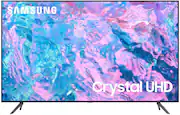
Samsung - 85” Class CU7000 Crystal UHD 4K Smart T
Samsung - 85” Class CU7000 Crystal UHD 4K Smart Tizen TV It’s a Fantastic TV it’s huge love it ! So much color the picture is unbelievable sound is awesome I loved my 55” I put in my bedroom. But this words can’t describe how great it looks , geek squad did a great job installing it. On my wall I also signed up for the plus program it saved me a ton of money on the install and I also added the five year warranty on this big boy. We will definitely get a lot of years and use out of this Tv So glad I made this purchase. All we need to do now is get the kit to put the cords in the wall
Posted by Kitkat
- Rated 5 out of 5 stars
Great TV for the whole family.
Was anxious to see what a 85 inch TV would look like at home and saw this one was on sale. The delivery and set up went throgh withot a hitch. The picture is perfect, like being at the movies. The price was great could not ask for a better deal. I would definately redommend this TV to everyone.
Posted by Gabe
- Rated 5 out of 5 stars
Great tv
Tv is awesome. Its 85 inches, so its huge, was pretty cheap, like $1000. Im able to do payments on it, and i dont have a 2 or 3000 tv to compare it to so honestly, ignorance is bliss. But no issues with the tv. I love it. Ive been dreaming of a tv bigger than 40" for a long time. I appreciate best buy and progressive for helping me out <3
Posted by Zachariah