Customer Ratings & Reviews
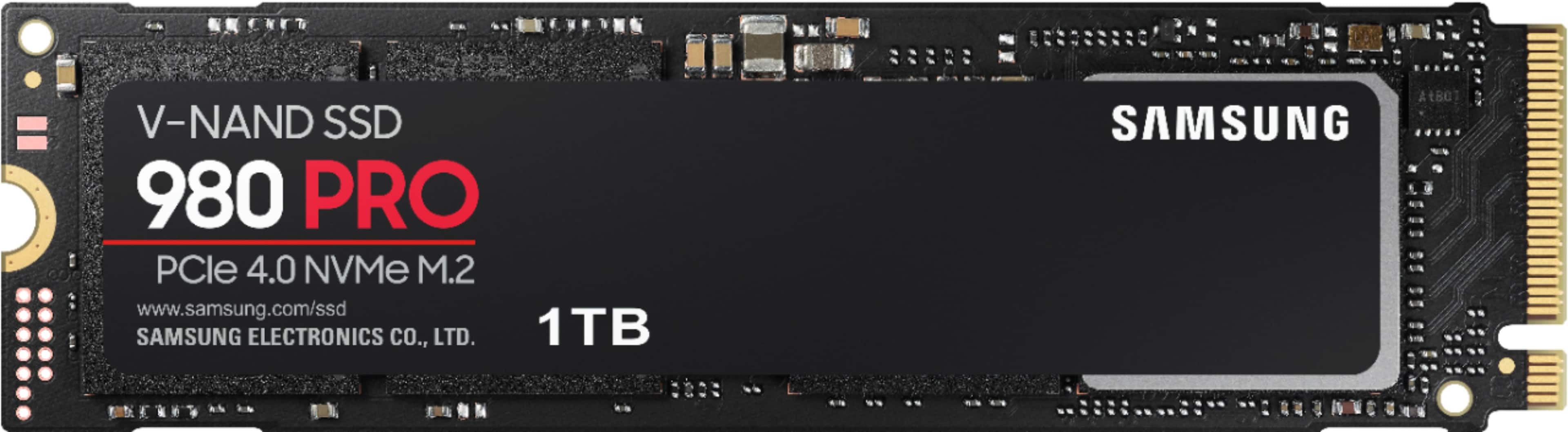
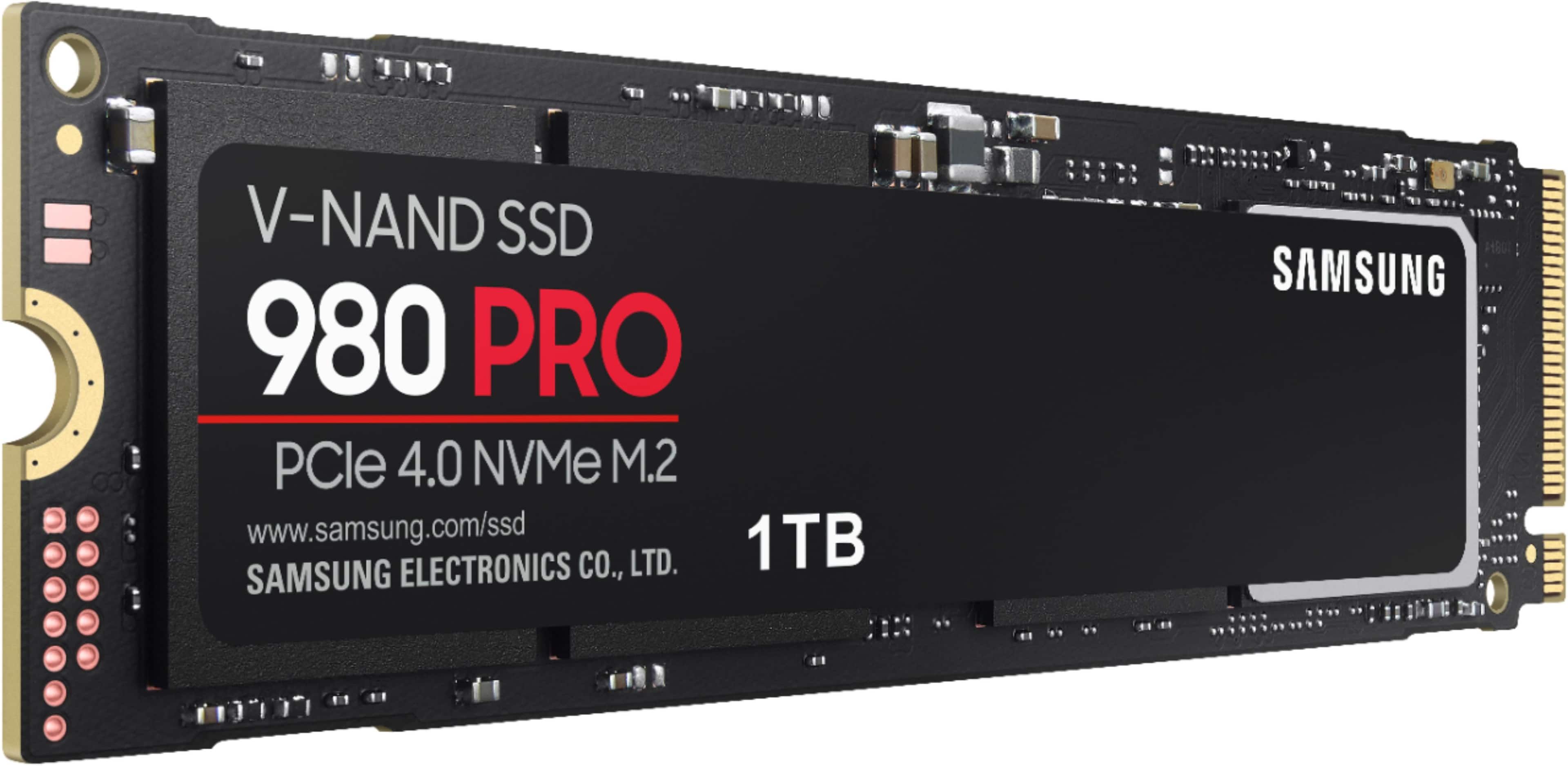
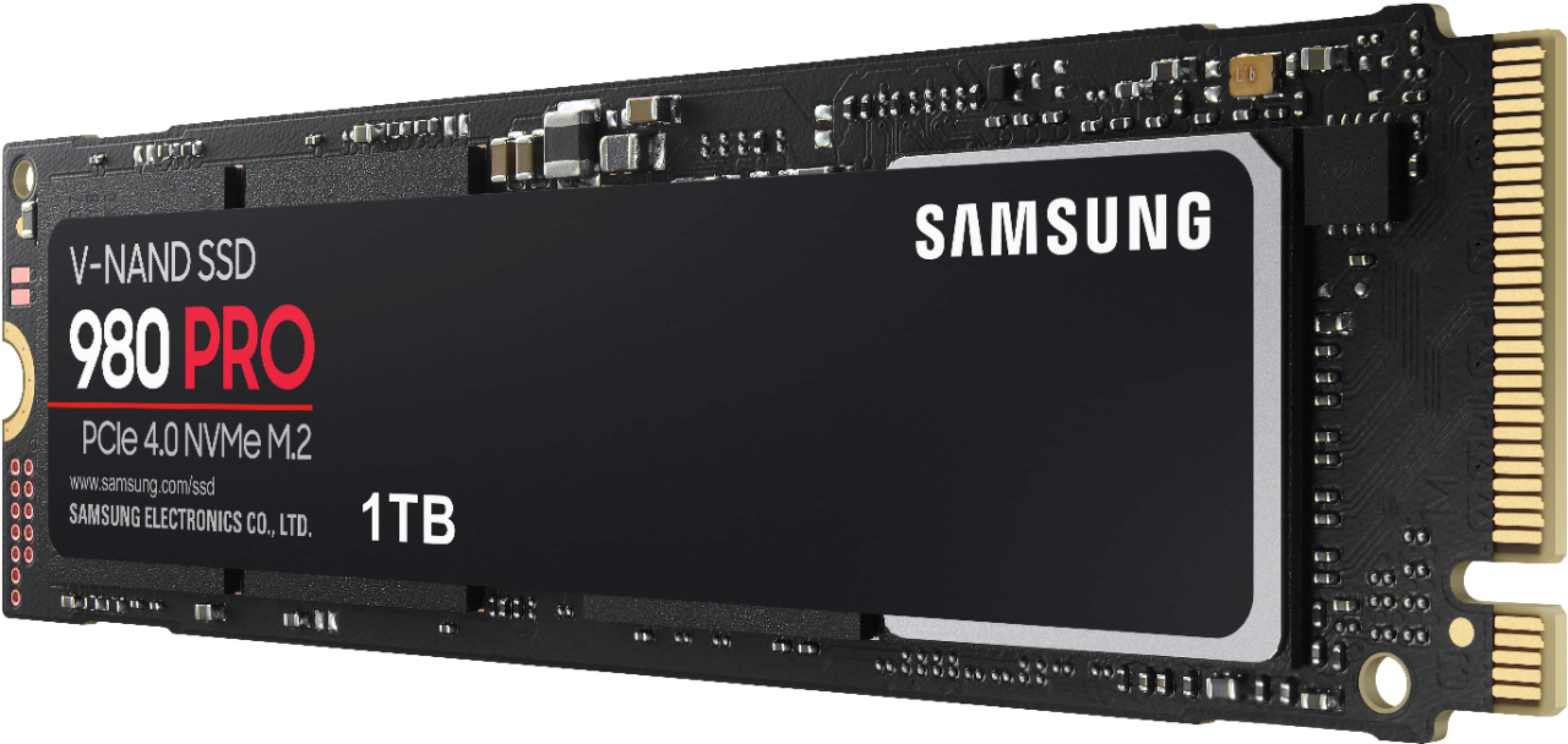
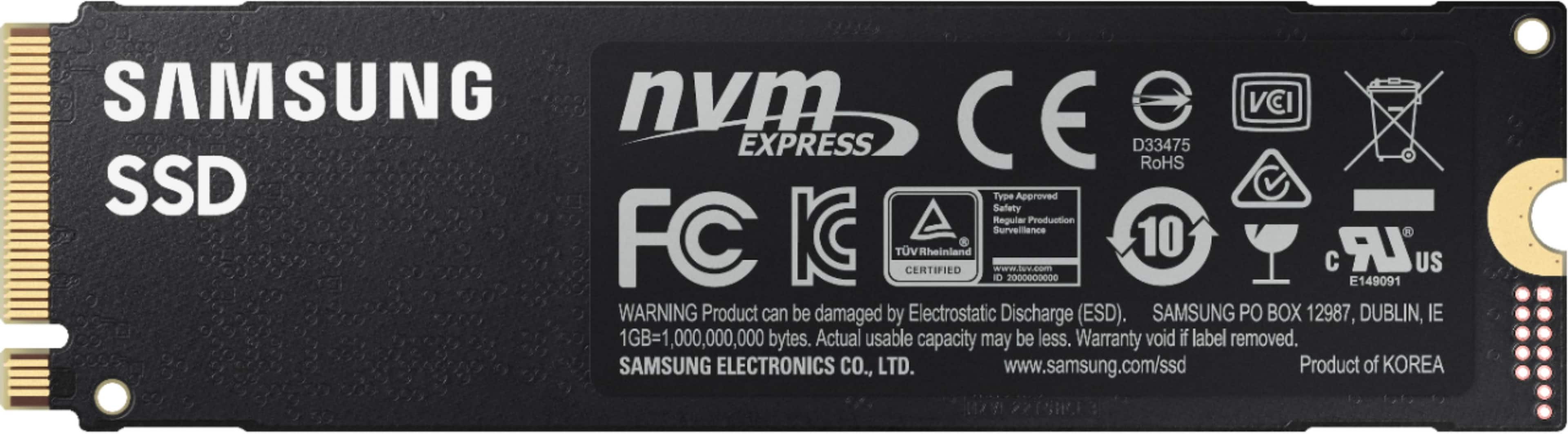

- Model:
- MZ-V8P1T0B/AM
- SKU:
- 6431939
Rating by feature
- Value
Rating 4.7 out of 5 stars
- Quality
Rating 4.9 out of 5 stars
- Ease of Use
Rating 4.9 out of 5 stars
Customers are saying
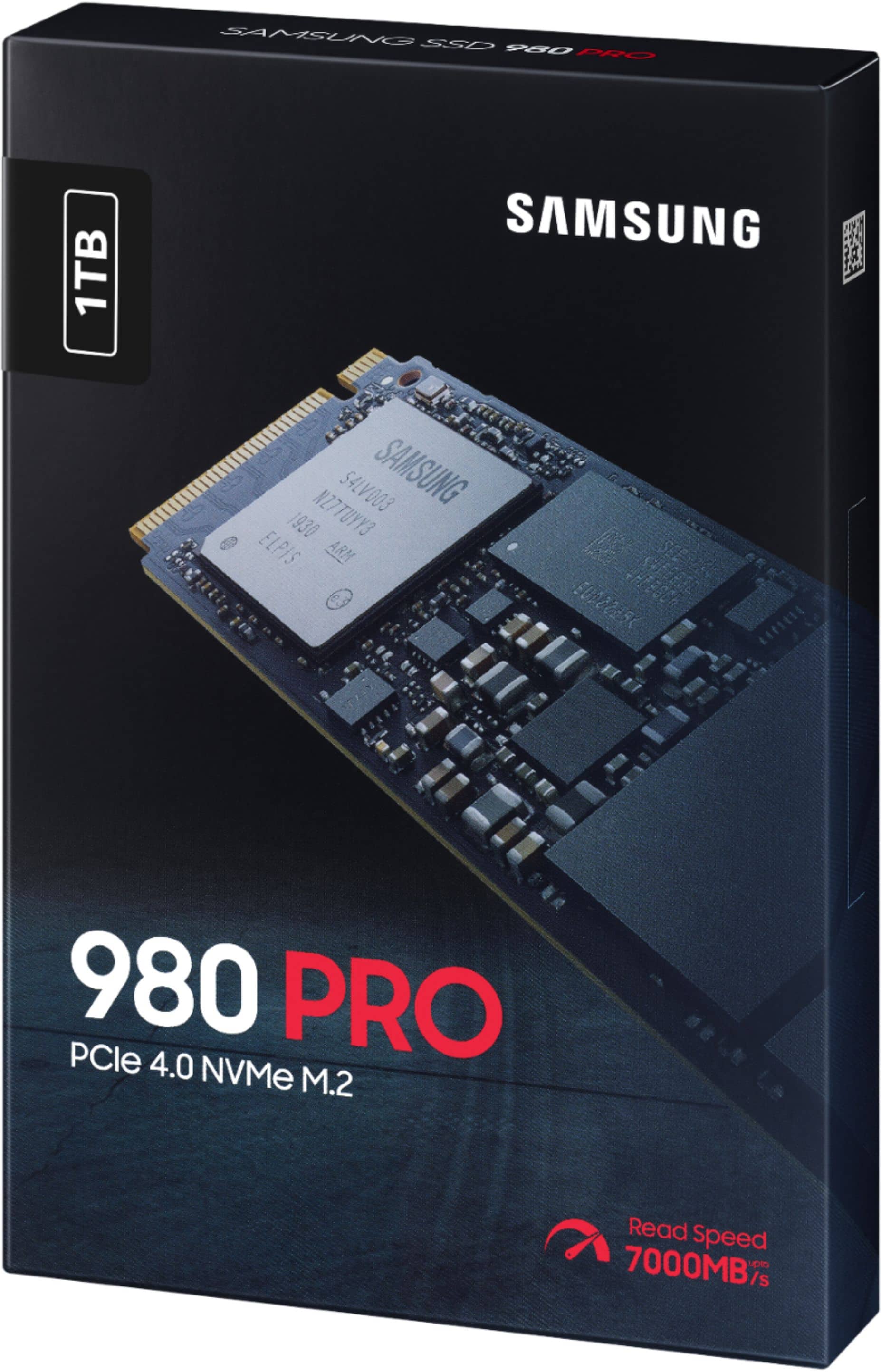
Customers find value in the 980 PRO 1TB Internal Gaming SSD's exceptional performance and ease of installation. Many appreciate its fast boot times and ample storage capacity, finding it to be a good value for the price. While some users mention heat as a potential concern due to the lack of a heatsink, the overall experience is overwhelmingly positive.
This summary was generated by AI based on customer reviews.
- Pros mentioned:Performance, SpeedCons mentioned:Heat

Best SSD on the market
|Posted .This reviewer received promo considerations or sweepstakes entry for writing a review.Samsung SSDs have always been the most reliable and offer the best performance for your money, in my experience. The 980-Pro is a solid upgrade from the 960-EVO it replaced. I had trouble initializing the disk from an external enclosure and noticed that it got much hotter than my previous Nvme drives. I thought the 980-Pro was defective, but it actually powered up just fine when I installed it directly in the M2 slot on my motherboard and it has been stable ever since. Pcie 4.0 is only supported by AMD motherboards right now, but even if you have Pcie 3.0 - you'll notice decent speed gains (3,500/2,800mb/s) if you're upgrading from a 960-EVO (2,200/1,800mb/s) or older. If you've never had an Nvme drive before and you're still on SATA SSDs or on non-Nvme M.2 drives -- then you'll be blown away by how much faster these are. Even if you're using an Nvme already and are just looking to upgrade storage space- don't hesitate to buy this drive. Another solid A++ from Samsung.
I would recommend this to a friend Write speeds will fall below advertised speeds.
||Posted . Owned for 5 months when reviewed.This reviewer received promo considerations or sweepstakes entry for writing a review.This drive has issues. The write speeds will eventually drop to about 2000 instead of the advertised 5000. Save yourself the cash and get a SN850 instead. I only wish I had seen this issue within my return window.
No, I would not recommend this to a friendBrand response from Samsung
Posted .Nexdeus:
Thank you for purchasing the Samsung 980 PRO NVMe SSD and for your review. We appreciate you sharing your experience with performance speeds. Your 1TB drive was engineered to deliver speeds of up to 7,00MB/s Seq. Read and 5,00MB/s Seq. Write.
Benchmark test results may differ depending upon the system environment, host software and hardware configuration. I encourage you to call Samsung Customer Support to better diagnose and assist you with your speed issue.
1) Call: 1-800-SAMSUNG (ask for Memory) Available 8AM – 9PM EST (Mon-Fri)
2) Email: samsungmemorysupport@sea.samsung.com
3) LiveChat: https://www.samsung.com/us/support/contact/
4) Facebook Messenger: https://www.facebook.com/samsungsupport
5) Twitter: https://twitter.com/SamsungSupport
6) Samsung Members App: offers support, news, tips, exclusive content, and diagnostic tools. Download from your mobile device app store.
The Samsung Members Community is also a great resource for getting help from Samsung moderators and customers: https://us.community.samsung.com/
Samsung stands behind the quality and performance of every 980 PRO SSD we manufacture with a limited 3-year manufacturer’s warranty when purchased brand-new, directly from any authorized dealer, like Best Buy.
We hope to hear from you soon.
~ Samsung Memory
Windows 10 Installation Failures - Do Not Buy
||Posted . Owned for 1 month when reviewed.This reviewer received promo considerations or sweepstakes entry for writing a review.The SSD would not accept my Microsoft Windows 10 installation. After several attempts to boot to the Thumbdrive for the installation files, I gave up and returned the hardware. Used a HDD and it worked just fine.
No, I would not recommend this to a friendBrand response from Samsung
Posted .ConscientiousBuyer:
I’m very sorry for the difficulties you’ve experienced with your 980 PRO SSD. We completely understand your frustrations, and we are here to help.
Please be sure that you have the latest Magician software and Data Migration versions.
Both can be found at:
https://www.samsung.com/semiconductor/minisite/ssd/download/tools/
If you should need further assistance or have any questions, please contact Samsung Customer Support.
1) Call: 1-800-SAMSUNG (ask for Memory or press #, then 6 for Memory products)
Available 9AM – 9PM EST (Mon-Fri)
2) Email: samsungmemorysupport@sea.samsung.com
3) Or visit us on the Samsung website and click on the SUPPORT link in the upper right corner of the homepage for:
a) Chat with Us/Product Help: To begin a chat or find solutions, choose ‘Computing – Memory & Storage’ and select your model & topic.
Thank you for sharing your experience with the Samsung 980 PRO SSD
- Samsung Memory
Died in 11 months
||Posted . Owned for 11 months when reviewed.This reviewer received promo considerations or sweepstakes entry for writing a review.Drive become undetectable after 11 months of light use in my ASUS z690 Strix-E board with heatsinks attached. Ran it side by side in RAID with a 2nd identical drive which has no issues but now I have trust issues.
No, I would not recommend this to a friendBrand response from Samsung
Posted .Frank:
I’m very sorry for the difficulties you’ve experienced with your 980 PRO SSD. We completely understand your frustrations, and we are here to help.
Samsung stands behind the quality and performance of every 980 PRO SSD we manufacture with a limited 5-year manufacturer’s warranty when purchased brand-new, directly from any authorized dealer, like Best Buy.
Please contact Samsung Customer Support directly so that we can better investigate your issue and assist you towards a resolution or replacement.
1) Call: 1-800-SAMSUNG (ask for Memory or press #, then 6 for Memory products)
Available 9AM – 9PM EST (Mon-Fri)
2) Email: samsungmemorysupport@sea.samsung.com
3) Or visit us on the Samsung website and click on the SUPPORT link in the upper right corner of the homepage for:
a) Chat with Us/Product Help: To begin a chat or find solutions, choose ‘Computing – Memory & Storage’ and select your model & topic.
We hope to hear from you soon.
- Samsung Memory
Fix the write degradation problem, Samsung!
||Posted . Owned for 1 month when reviewed.This reviewer received promo considerations or sweepstakes entry for writing a review.Either fix the write degradation or make an announcement it will be covered. For a flagship product it’s not acceptable. Returned. Waste my time
No, I would not recommend this to a friendBrand response from Samsung
Posted .JoeC:
Thank you for your review of this Samsung 980 PRO SSD. Your feedback is appreciated and important in helping us provide crucial factors regarding customer satisfaction. Should you ever decide to give Samsung memory products another try and have concerns or questions, please know we are always here to help.
You can reach us at:
1) Call: 1-800-SAMSUNG (ask for Memory or press #, then 6 for Memory products)
Available 9AM – 12AM EST (Mon-Fri)
2) Email: samsungmemorysupport@sea.samsung.com
3) LiveChat: https://www.samsung.com/us/support/contact/ Available 9AM-6PM EST (Mon-Fri)
The Samsung Members Community is also a great resource for getting help from Samsung moderators and customers: https://us.community.samsung.com/
We hope you will consider Samsung again in the future
~ Samsung Memory
Great Specs, Poor Performer. Crashed Machine.
||Posted . Owned for 1 week when reviewed.This reviewer received promo considerations or sweepstakes entry for writing a review.Had to return. Was really looking forward to this drive due to its awesome, high star reviews, but when I put it into my Intel NUC i7 machine, it kept on blue screening as well as hanging up with long pauses with a known good image. It was a serious disappointment. Tried another brand of drive and zero issues. Happy camper!
No, I would not recommend this to a friendBrand response from Samsung
Posted .Dale:
I am very sorry to see that you encountered issues with the Samsung 980 PRO SSD and have returned it. Your feedback is very important to us and will be shared with our product team.
You can reach Samsung Memory Support via any of the below options:
1) Call: 1-800-SAMSUNG (ask for Memory) Available 9AM - 12AM EST (Mon-Fri)
2) Email: samsungmemorysupport@sea.samsung.com
3) LiveChat: https://www.livehelpnow.net/lhn/lcv.aspx?d=34834&ms=&zzwindow=0&lhnid=29783 - Available 12PM-6PM EST (Mon-Fri)
The Samsung Members Community is also a great resource for getting help from Samsung moderators and customers: https://us.community.samsung.com/t5/Get-Help/ct-p/get-help
We hope to regain you as a customer in the near future.
~ Samsung Memory
Should you ever decide to give Samsung SSD products another try and have concerns or questions, please know we are always here to help.
Junk
||Posted . Owned for 1 year when reviewed.This reviewer received promo considerations or sweepstakes entry for writing a review.Garbage, did not even last a year. After multiple BSODs, i ran a check on the hard drive and it failed all its tests.
No, I would not recommend this to a friendBrand response from Samsung
Posted .MitchT:
I'm sorry that your experience fell short of expectations. We completely understand your frustrations, and we are here to help.
Samsung stands behind the quality and performance of every 980 PRO SSD we manufacture with a limited 5-year manufacturer’s warranty when purchased brand-new, directly from any authorized dealer.
Please contact Samsung Customer Support directly so that we can better investigate your issue and assist you towards a resolution or replacement.
1) Call: 1-800-SAMSUNG (ask for Memory). Available 9AM - 12AM EST (Mon-Fri)
2) Email: samsungmemorysupport@sea.samsung.com
3) LiveChat 9AM-9PM EST (Mon-Fri) - https://www.livehelpnow.net/lhn/lcv.aspx?d=34834&ms=&zzwindow=0&lhnid=29783
Thank you for choosing Samsung, we hope to hear from you soon.
- Samsung Memory
Hot!, Hot!, Hot!
||Posted . Owned for less than 1 week when reviewed.This reviewer received promo considerations or sweepstakes entry for writing a review.Overheating issues. Had to return had no choice because these are sold out everywhere so I couldn't exchange and try another one
No, I would not recommend this to a friendBrand response from Samsung
Posted .Dnen28273yhan:
I am very sorry to see that you encountered heat issues with the Samsung 980 PRO SSD and have returned it. Your feedback is very important to us and will be shared with our product team.
Should you ever decide to give Samsung SSD products another try and have concerns or questions, please know we are always here to help.
You can reach Samsung Memory Support via any of the below options:
1) Call: 1-800-SAMSUNG (ask for Memory) Available 9AM - 12AM EST (Mon-Fri)
2) Email: samsungmemorysupport@sea.samsung.com
3) LiveChat: https://www.livehelpnow.net/lhn/lcv.aspx?d=34834&ms=&zzwindow=0&lhnid=29783 - Available 12PM-6PM EST (Mon-Fri)
The Samsung Members Community is also a great resource for getting help from Samsung moderators and customers: https://us.community.samsung.com/t5/Get-Help/ct-p/get-help
Again, thank you for taking the time to share your experience. It is our customers’ concerns and opinions that drive our continuous efforts towards delivering world-class products.
We hope to regain you as a customer soon.
~ Samsung Memory
- Pros mentioned:Price, Speed
Fastest memory, great for gamers and video editors
|Posted .This reviewer received promo considerations or sweepstakes entry for writing a review.The Samsung 980 PRO NVME SSD is super fast, tiny, and just all out wonderful storage. It’s amazing how far memory prices and technology have come, but to get a 1TB SSD hard drive that can transfer up to 7GB a second in such a small size at an affordable price is incredible. Granted, it’s not the cheapest memory, but nothing else compares in terms of size and speed. I currently have mine setup with a PCIe adapter that limits it to about 3GB per second, which is less than half the speed it’s capable of, but still very fast and yet only takes up a PCIe slot. I thought about putting it in a portable USB-C external HD case which supposedly will let it transfer at up to 7GB/sec, but I’m using it for gaming for now to decrease load times. I might just get another one to put in an external case to use for photo and video editing though, because 7GB a second will save a ton of time on file transfers and processing. Keep in mind, if you’re installing it to your motherboard it’ll need to be PCIe 4.0 to take full advantage of the 7GB speed, otherwise you’ll likely be capped to around 3.5GB speeds like me. Still super fast and essentially already set for the next generation of motherboards. If you’re looking for super fast storage that’s future tech ready, I highly recommend this drive. Either use it as a super fast external hard drive, or install it directly through M2, or with a cheap PCIe adapter and you’re good to go.
I would recommend this to a friend - Pros mentioned:Performance
If you need SPEED in your SSD, look no further
|Posted .This reviewer received promo considerations or sweepstakes entry for writing a review.I have not upgraded a NVMe M.2 drive in a while, and this 980 Pro M.2 1tb one is replacing an older 500gb SK Hynix one. Although my destination machine is about 2 years old, after transferring over my operating system with the free Samsung Drive Magician software, I definitely can feel the speed increase. Boot time into windows 10 got shaved probably 10-15 seconds for me now, and even things like uncompressing large .rar files sped up quite a bit. Now the single biggest performance upgrade with this new 980 Pro M.2 drive, is in Adobe Premiere. On my previous drive, it wasn’t too bad, but this new one is the single largest speed upgrade for me in terms of video editing in years!! Things are just much more fluid if my video media is stored directly on this drive!! The only negative about this drive is that for most people, this is still too high of a price. I would imagine only hard core photo/video pros, and super hard core PC gamers, or those that really want to have the fastest drive on the market, would be willing to pay this much. I know those drives don’t perform as well, but for most people this would be fast enough. This is a great little NVMe, if you need the speed, and can handle the price.
I would recommend this to a friend Don’t buy until they back up warranty
||Posted . Owned for 3 weeks when reviewed.This reviewer received promo considerations or sweepstakes entry for writing a review.This item lasted just long enough to expire the return date, then died, now have to pay full price to replace, very disappointed!!!
No, I would not recommend this to a friendBrand response from Samsung
Posted .Jerrod:
I’m sorry to hear that your Samsung 980 PRO SSD did not meet your expectations. This is not the quality we expect from our products.
Samsung stands behind the quality and performance of every 980 PRO SSD we manufacture with a limited 5-year manufacturer’s warranty when purchased brand-new, directly from any authorized dealer, like Best Buy.
Please contact Samsung Customer Support directly so that we can better investigate your issue and assist you towards a resolution or replacement.
1) Call: 1-800-SAMSUNG (ask for Memory or press #, then 6 for Memory products)
Available 9AM – 12AM EST (Mon-Fri)
2) Email: samsungmemorysupport@sea.samsung.com
3) Or visit us on the Samsung website and click on the SUPPORT link in the upper right corner of the homepage for:
a) Chat with Us/Product Help: To begin a chat or find solutions, choose ‘Computing – Memory & Storage’ and select your model & topic.
b) Warranty Info
c) Contact Us
We hope to hear from you soon.
- Samsung Memory
- Pros mentioned:SpeedCons mentioned:Heat
Blazing fast
|Posted .This reviewer received promo considerations or sweepstakes entry for writing a review.I bought this to upgrade one laptop only to find that the laptop, while it said it was NVME had a much shorter card space available; I thus ended up testing this two ways. Desktop with PCIE 3.0 had write and read speeds around 3400 mbs - that was a significant upgrade from the 1400 I was seeing in the replacement drive. I then decided to see what this drive would do after I wiped it and used it as an external drive so I purchased a name brand and quality NVME external enclosure that used usb-c. The speeds weren't as fast, but they were still around 1200 which surprised me and considerably faster than the spinning drive externals I had been using. I did tax this as an external drive by running a program that captured over a dozen video feeds and had them writing at the same time without a glitch of any sort. The unit did not get very hot and the case did a good job of dissipating heat. I'd definitely recommend this drive - it is of course a Samsung which makes it a high quality product; it delivers as advertised and I can't wait to install it on my next computer that will have a PCIE 4.0 slot. This is a beast even as I use it now - it will be amazing later on!
I would recommend this to a friend - Pros mentioned:Ease of use, Price, Speed
Best m.2 to get especially on budget
Posted .This reviewer received promo considerations or sweepstakes entry for writing a review.Completely amazing, easy to install, comes with all the necessary directions and knowledge on the m.2, nice and cheap for what you are getting considering that it’s super fast and 1 TB.
I would recommend this to a friend - Pros mentioned:Speed
Great SSD, if you can use it fully.
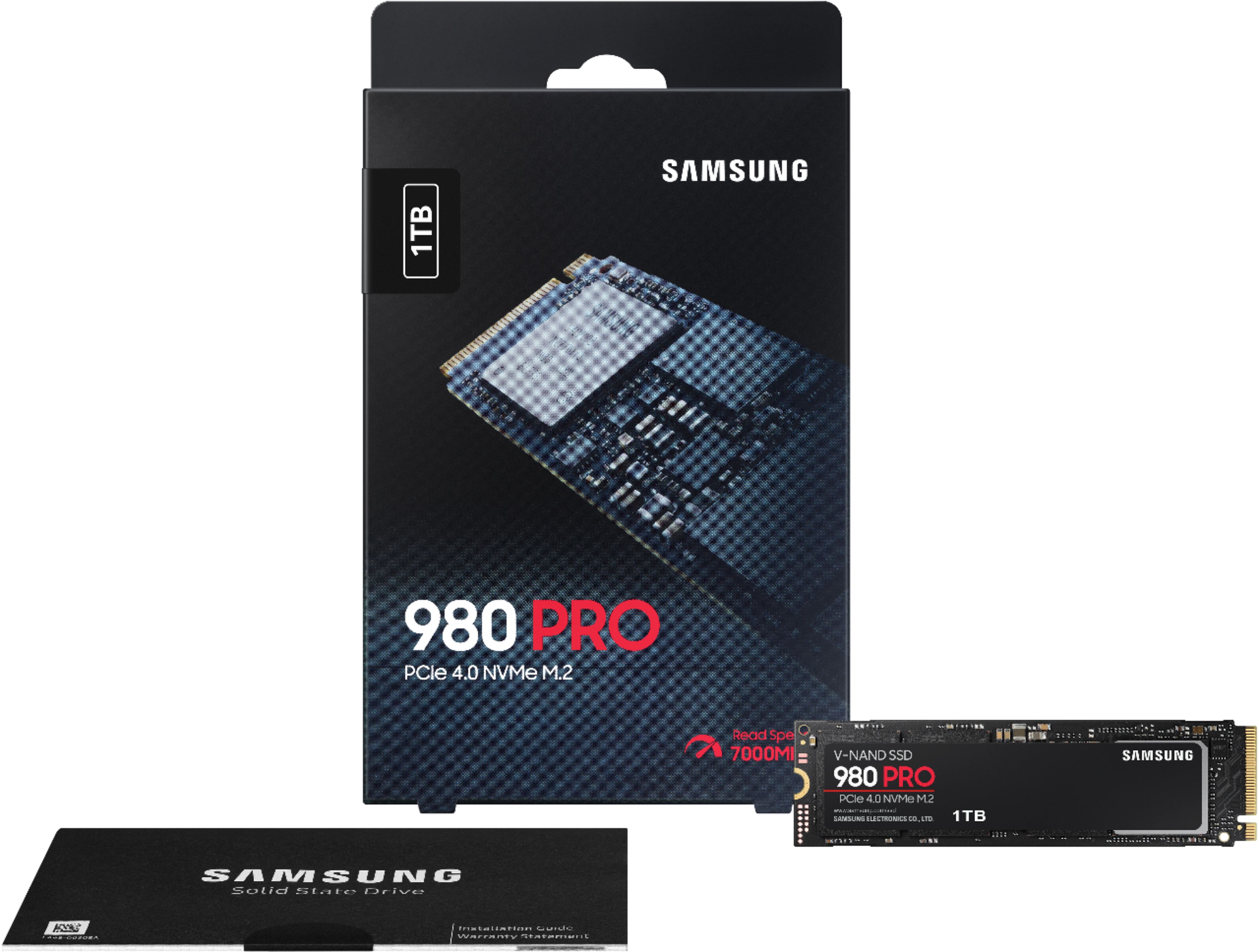
|Posted .This reviewer received promo considerations or sweepstakes entry for writing a review.The Samsung 980 Pro NVMe SSD is Samsung's first consumer PCIe 4.0 drive. As such, it features blazing fast read/write speeds. While it wasn't the first to market with such an SSD, many of those other drives used an adapted version of a PCIe 3.0 controller, and with this, Samsung developed a new 4.0 controller to take fuller advantage of the new spec's increased bandwidth. But to take advantage, at least until late Q1 2021, you'll need an AMD-based platform using the B550 or X570 chipsets, as Intel won't support 4.0 until its Rocket Lake CPUs. For those of you with a current Intel system, or an older B350/450 or X370/570 motherboards, your speeds will be limited to the max of the 3.0 spec, and as such performance will be not so different than Samsung's still excellent 970 series. Likewise, because the 4.0 spec requires more power, and that's undesirable in mobile parts, I don't believe there are any laptops yet that support PCIe 4.0. But for those of you can use it, the performance is excellent. The rated read speed is up to 7000 MB/s, and in my testing with CrystalDiskMark, I got over 6600+ MB/s in testing using an Asus x570 motherboard with a Ryzen 3700X processor. Write speeds are a bit slower but still outpace high end 3.0 drives by a wide margin. The free Samsung Magician utility has a built-in benchmark that gives a bit higher scores, but I like to test with a 3rd party utility. However, in a lot of real world, day to day activities, it doesn't *feel* faster, per se, than a high end 3.0 drive. My similarly configured work computer has a Samsung 970 Evo, and the typical feel is basically similar--boot times, opening common applications, etc. Similarly, my home computer's secondary SSD, which is a high end 3.0 drive, loads games at similar speeds as well (and for game loading in general, even NVMe SSDs barely outpace SATA SSDs, although all of them destroy mechanical hard drives' slothful load times). Where this drive really shines, however, is with really large files. To copy a giant folder, it can be astonishingly fast. And I suppose that's the conundrum of this drive: like a high end sports car, there are only certain places where it can stretch its legs fully to really differentiate itself. After all, a McLaren won't get you to Kroger's any faster than a Camry. This may change: as future games takes advantage of the DirectStorage feature of DirectX12 Ultimate, these 4.0 drives may even further distance themselves from slower drives. That change is already hinted at in the blazing load times of the new consoles, which also feature PCIe 4.0 SSDs. As for the drive itself, it's a standard M.2 2280 form factor. It does not come with a heat sink, but Samsung integrated a copper heat spreader to help dissipate heat. I've never felt the drive to thermally throttle. Installation is easy, so long as you've not lost the tiny screw to mount on your motherboard. (For a premium drive, would it have killed Samsung to include a spare?) If you have multiple 4.0 M.2 slots, like the X570 boards do, the general recommendation is to install it in the one closest to the CPU socket. Both the X570 chipset and the Ryzen CPU provide 4.0 PCIe lanes; the tech consensus is that the latter should be just a tick faster. The bottom line for the 980 Pro is that it's seriously fast, and even if competitors catch up with subsequent drives, this will be among the fastest, if not the fastest, drive on the market. It outclasses its predecessor in every way except Total Terabytes Written, which is half of what the 970 Pro rated. However, the 1TB's 600 TBW should still prove ample for almost any user. And until Intel launches its 11th gen desktop CPUs next year, only recent model AMD desktops can really utilize this among consumer tech. Right now it shines best in what would be considered workstation applications, so if you're expecting life changing speeds with gaming vs a 3.0 drive (or even a SATA SSD), it's not happening...yet. DirectStorage may well change that! But if you want the best now with no compromises and have the hardware to use it, you can't go wrong with the Samsung 980 Pro.
I would recommend this to a friend - Pros mentioned:Speed, Storage
Next Gen Speed
|Posted .This reviewer received promo considerations or sweepstakes entry for writing a review.The 980 Pro from Samsung is quite impressive and I'm happy that I chose it for my video editing PC. I mainly do work with home videos and occasionally with other people's footage. I am far from a professional. In fact, in full transparency, I don't really have the skill set to adequately test an SSD like this to within an inch of it's capability so I don't feel comfortable providing "hard data" that is likely not valuable or pin-point accurate coming from a novice. I can tell you from a "normal Joe" perspective that this thing is lightning quick and makes video editing and data transfer a snap. Loading videos from my Hero 8 takes no time at all and I can quickly move them over to Davinci Resolve for editing. I could see a noticeable difference in speed when editing. After formatting I ended up with 931 GB to play with and the additional capacity (up from 256GB in my case) was very, very welcome. I now have a faster SSD with significantly more storage from a brand that is known for their ability to push the limits in this space. Highly recommend this, especially if you're a gamer or a semi-professional to hardcore PC user.
I would recommend this to a friend no
||Posted . Owned for 1.5 years when reviewed.This reviewer received promo considerations or sweepstakes entry for writing a review.noononononononononononononononononononononononononono
No, I would not recommend this to a friendBrand response from Samsung
Posted .3080:
I’m sorry to hear that your Samsung 980 PRO SSD did not meet your needs. We would love to hear more about your experience, so that we can make improvements. Please call us at 1-800-SAMSUNG (ask for Memory). Available 9AM - 12AM EST (Mon-Fri) to speak with an agent.
Your experience with the 980 PRO SSD is very important to us and we will share your feedback with our product team. It is our customers’ concerns and opinions that drive our continuous efforts towards delivering world-class service and products.
- Samsung Memory
Junk
||Posted . Owned for 5 months when reviewed.This reviewer received promo considerations or sweepstakes entry for writing a review.Stopped working after 5 months. Don't waste your money
No, I would not recommend this to a friendBrand response from Samsung
Posted .Xenochimp:
We always aim to deliver a great experience, and it’s unfortunate to hear the 980 PRO SSD did not meet your expectations.
Samsung stands behind the quality and performance of every 980 PRO SSD we manufacture with a limited 5-year manufacturer’s warranty when purchased brand-new, directly from any authorized dealer, like Best Buy.
Please contact Samsung Customer Support directly so that we can better investigate your issue and assist you towards a resolution or replacement.
1) Call: 1-800-SAMSUNG (ask for Memory or press #, then 6 for Memory products)
Available 9AM – 9PM EST (Mon-Fri)
2) Email: samsungmemorysupport@sea.samsung.com
3) Or visit us on the Samsung website and click on the SUPPORT link in the upper right corner of the homepage for:
a) Chat with Us/Product Help: To begin a chat or find solutions, choose ‘Computing – Memory & Storage’ and select your model & topic.
We hope to hear from you soon.
- Samsung Memory
Slow
||Posted . Owned for 3 weeks when reviewed.This reviewer received promo considerations or sweepstakes entry for writing a review.Very slow write speed. Was hoping for more, took 6 hrs to copy 60 gigs
No, I would not recommend this to a friendBrand response from Samsung
Posted .Richard:
Thank you for purchasing the Samsung 980 PRO NVMe SSD and for your review. We appreciate you sharing your experience with performance speeds. Your 1TB drive was engineered to deliver speeds of up to 7,000MB/s Seq. Read and 5,000MB/s Seq. Write.
Benchmark test results may differ depending upon the system environment, host software and hardware configuration. I encourage you to call Samsung Customer Support to better diagnose and assist you with your speed issue.
1) Call: 1-800-SAMSUNG (ask for Memory or press #, then 6 for Memory products)
Available 9AM – 12AM EST (Mon-Fri)
2) Email: samsungmemorysupport@sea.samsung.com
3) LiveChat: https://www.samsung.com/us/support/contact/ Available 9AM-6PM EST (Mon-Fri)
The Samsung Members Community is also a great resource for getting help from Samsung moderators and customers: https://us.community.samsung.com/
Samsung is committed to providing the best possible product experience, quality, and value, and we are always here to help with any of your questions or concerns.
We hope to hear from you soon.
~ Samsung Memory
Disappointed
||Posted . Owned for less than 1 week when reviewed.This reviewer received promo considerations or sweepstakes entry for writing a review.Ps5. 5500 reading speed . Way too low . I was expecting reading speed higher than 6000.
No, I would not recommend this to a friendBrand response from Samsung
Posted .Moises:
Thank you for sharing the speed issues you are experiencing with your Samsung 980 PRO SSD. This model is designed to deliver speeds of up to 7,000MB/s Seq. Read & 5,000MB/s Seq. Write.
As there are various factors that could affect speed, I would encourage you to call Samsung Customer Support for assistance to troubleshoot your issue.
1) Call: 1-800-SAMSUNG (ask for Memory or press #, then 6 for Memory products)
Available 9AM – 12AM EST (Mon-Fri)
2) Email: samsungmemorysupport@sea.samsung.com
3) Or visit us on the Samsung website and click on the SUPPORT link in the upper right corner of the homepage for:
a) Chat with Us/Product Help: To begin a chat or find solutions, choose ‘Computing – Memory & Storage’ and select your model & topic.
b) Manuals & Software
c) Warranty Info
d) Register a Product: For access to easy warranty support, convenient opt-in to special promos and offers, faster troubleshooting and service, and quick notification of system updates
e) Contact Us
The Samsung Members Community is also a great resource for getting help from Samsung moderators and customers: https://us.community.samsung.com/
We hope to hear from you soon.
~ Samsung Memory
- Pros mentioned:Speed
If have a PCI-e 4.0 NVME slot, it's faaaaaaaaaaast
|Posted .This reviewer received promo considerations or sweepstakes entry for writing a review.I received this product in exchange for my fair and unbiased review. TL;DR - the Samsung 980Pro is a beast. As long as your computer supports PCI-e 4.0, you'll experience data transfer rates that were previously only possible with NVME RAID setups, but with a single drive. Depending on what your system is capable of, you'll be able to play back multiple UNCOMPRESSED 8K video streams simultaneously. It's seriously the kind of fast where you'll be able to do things that previously required expensive NVME RAID arrays to do. If you do lots of 4k video editing on an appropriate workstation, you should just go ahead and get this. If you don't have PCI-e 4.0, however, this won't do anything for you. Now for the nitty-gritty: One of the promises of PCI Express 4.0 is that it would be faster for data transfer than PCI Express 3.0 - up to twice as fast. I wasn't able to experience that with my Ryzen 3800X build and my previous NVME SSD, as it was a PCI-e 3.0 model. The PCI-e 4.0 test rig - AMD Ryzen 3800X, ASRock Taichi X570, 32GB G.Skill Trident Royal DDR4-3600, AMD Radeon 5700XT 8GB. The PCI-e 3.0 test rig - Intel Core i7-4790, Asus Z97-A, 32GB G.Skill RIpJaws X DDR3-1866 (OC'd to 2133), AMD Radeon RX 590 8GB. With a PCI-e 4.0 system, you won't notice a huge difference in performance when it comes to typical workloads. I noticed almost no difference in boot times for Windows 10, loading all but the largest games (MK 11 Ultimate was actually a little slower with this drive than it was using my PCI-e 3.0 drive, but Microsoft Flight Simulator 2020 was a bit faster), and typical productivity workloads run exactly the same. Bulk conversion of graphic files (JPG to PNG) was slightly faster though. compressing ZIP and 7-ZIP files was slightly faster. Where my PCI-e 3.0 SSD would run out of run out of bandwidth copying multiple large video to itself, I wasn't fast enough to do that with the 980Pro. So this is where synthetic benchmarks come into play, to determine how fast this drive really is. And what are we talking about in terms of transfer speeds? I managed reads of over 7200 MB per second and writes of over 5100 MB per second as measured by CrystalDiskMark, BlackMagic Disk Speed Test, and Task Manager in Windows 10 (20H2 preview). I've never seen BMDST check off that I could read and write every format before, but seeing that it estimated I could write 2160p YUV4:2:2 at a little over 305 fps absolutely wowed me. In a state of disbelief, I tested again in Ubuntu 20.04 LTS and got similar speeds (Over 7000 MBps read and 5000 MBps write). So yes, this is the real deal for people that want to edit uncompressed 4k video. After reading reviews of both this drive and competing PCI-e 4.0 NVME drives with people that don't have PCI-e 4.0-capable systems, I decided to do some other testing just to see what it would do in an older PCI-e 3.0-capable computer. There was a negligible difference in speed between this and a previous-generation NVME (maybe 25-30 MBps with both reads and writes, tops). While 3400 MBps is still impressive for reads and writes with a PCI-e 3.0 system, it doesn't justify spending more for the 980Pro versus the previous-generation drive. So recommendation time. Who don't I recommend this drive for? - anyone with a currently-available Intel-based desktop (as of 4 Dec 2020). - anyone with an Intel laptop with 10th gen or earlier processor. - anyone with an AMD Ryzen desktop who isn't using a B550 or X570 chipset, or a Threadripper or EPIC workstation without a TRX4 motherboard - anyone with an AMD Ryzen laptop (as of 4 Dec 2020) - Mac users as of 4 Dec 2020 (sorry guys, no Mac supports PCI-e 4.0 and most Macs couldn't use this to its fullest anyway, even with an adapter). - anyone that doesn't do anything overly disk-intensive and is okay with saving some money instead of getting the absolute fastest thing out there in terms of disk access. Who do I recommend this for? - gamers who play titles on a regular basis that are over 125GB in size (Red Dead 2, COD). - media production people who do a lot of 4k video editing on a PC. - people that will batch convert thousands of pictures at a time on a regular basis. - people that want bragging rights, even if their computer doesn't support it. It is a good M.2 SSD though, so I can recommend it as one to buy. Also, as more systems gain PCI-e 4.0 in the future (Intel Rocket Lake, AMD Ryzen Mobile), I'll be able to recommend this for more people. and more systems. And as the price comes down in the future, I'll be able to recommend getting this over a PCI-e generation drive as cost won't be as much of a consideration at that point.
I would recommend this to a friend