Rating 4.9 out of 5 stars with 2528 reviews
4.9- Speed (1338)
- Performance (429)
- Ease of use (209)
- Price (179)
- Storage (158)
- Heat (43)
Customer Images
The vast majority of our reviews come from verified purchases. Reviews from customers may include My Best Buy members, employees, and Tech Insider Network members (as tagged). Select reviewers may receive discounted products, promotional considerations or entries into drawings for honest, helpful reviews.
- Rated 5 out of 5 stars
Samsung SSD
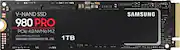
I recently upgraded my computer's storage with the Samsung SSD, and I'm thrilled with the results. Here's my review of this exceptional piece of hardware: Performance: The Samsung SSD is an absolute speed demon. Boot times, application launches, and file transfers are lightning fast. I've never experienced such a significant improvement in overall system performance. It has breathed new life into my computer. Reliability: Samsung is known for its quality, and this SSD is no exception. It's been rock-solid in terms of reliability. I've been using it for several months, and I haven't encountered any issues or data loss. It's a storage solution I trust. Capacity: I opted for the 1TB model, and it provides ample storage for all my files, applications, and games. If you need more storage, Samsung offers various capacity options to suit your needs. Installation: Installing the Samsung SSD was a breeze. It came with clear instructions, and the included migration software made transferring my data from the old hard drive a straightforward process. Durability: The SSD's build quality is impressive. It's solidly constructed and feels robust. The lack of moving parts reduces the risk of damage from shocks or vibrations, making it ideal for laptops and mobile workstations. Energy Efficiency: This SSD is energy-efficient, which translates to longer battery life for laptops. It's an environmentally friendly choice and a great option for portable devices. Price: While Samsung SSDs are not the cheapest on the market, you get what you pay for. The performance, reliability, and overall quality justify the price. It's a wise investment in the long-term performance of your computer. Support: Samsung provides excellent customer support and a reliable warranty. In case of any issues, I feel confident that I'll receive the assistance I need. In conclusion, the Samsung SSD is a game-changer for anyone looking to boost their computer's performance and reliability. It's a premium storage solution that lives up to its reputation. If you're willing to invest in quality, this SSD is a top choice for your storage needs.
Posted by bosznekko
- Rated 5 out of 5 stars
Simple, Elegant, Classic
Pros: Simple installation, excellent and stable speeds for gaming and professional tasks. Simplistic Samsung Magician software to monitor your drive's health and keep its firmware up to date with the click of your mouse. If you aren't tech savvy, such software is fantastic to keep this product up to date and operating at its peak! Cons: Price, you are getting what you pay for with these. Samsung has a good reputation, and it shows with their drives. Have not had a single Samsung drive fail me yet. I have two 1TB models and consistently build my customers systems with 970pro Evos which are an excellent alternative to this drive if your wallet winces at the price for the 980pros. Overall: Highly recommended for those looking for quality, simplicity and stability.
Posted by SMBlack
- Rated 5 out of 5 stars
Great SSD performance
I installed this on my gaming laptop alienware x17r1 RTX 3080ti I needed more space. This was a quick and easy installation. The difference was noticeable immediately, boot time was phenomenal. The responsiveness of loading games was so much faster than my old ssd. I will definitely buy Samsung from now.
Posted by Aaron
- Rated 5 out of 5 stars
It's a great SSD for gaming laptops
This SSD is 100% compatible with my Acer Predator Helios 300. It is very fast. The actual speed is as close as to what has been advertised. I saved all my high-graphics games in it, so far I have not seen any issues when running those games. I bought it at $89.99 which is a bonus. I have no doubt that this SSD is going to last since it's from Samsung, a trusted brand. I highly recommend it.
Posted by Louie
- Rated 5 out of 5 stars
Samsung 980 in RAID
I've always been quite happy with 980 PROs. They're the standard NVME I go to for my builds, and 1TB is the standard size. For my latest PC I was trying to convert to all-NVME (for the most part) as the mobo supported three internally plus a PCIE hypercard (can mount 2). All Gen-4. My last computer had a mix of gen-3 and 1 gen-4. I purchased a new 980 PRO here and put it in RAID with an older one, though updating firmware and other business was quite a bit more difficult than I thought. Perhaps not worth all the trouble of RAID, but that was what the mobo defaulted to, and that's how the backups and reinstalls of windows ended up. Plus I needed it, and IRST, for the hypercard I was determined to use. The 980s run very well by themselves. You can see a crystalmark run of the 980 by itself (non-RAID) in the black picture. Then a (non-OS) partition of the 980PRO-RAID in the white picture. Usually, updating firmware on Samsung drives is done through Magician, and it works most of the time. If you can't get it to work, though (RAIDing for example, or just other hardware hiccups) then you'll been to do it through a flash drive using SamsungBIOS. A bit more tedious. I had to physically re-mount the drives un-RAIDed to get the utility to recognize them. Or you can just not update the firmware... but Windows 11 is currently very much slower than Windows 10 and the firmware was supposed to ameloriate the NVME problems 11 is having by a bit.
Posted by JSBW