Customer Ratings & Reviews
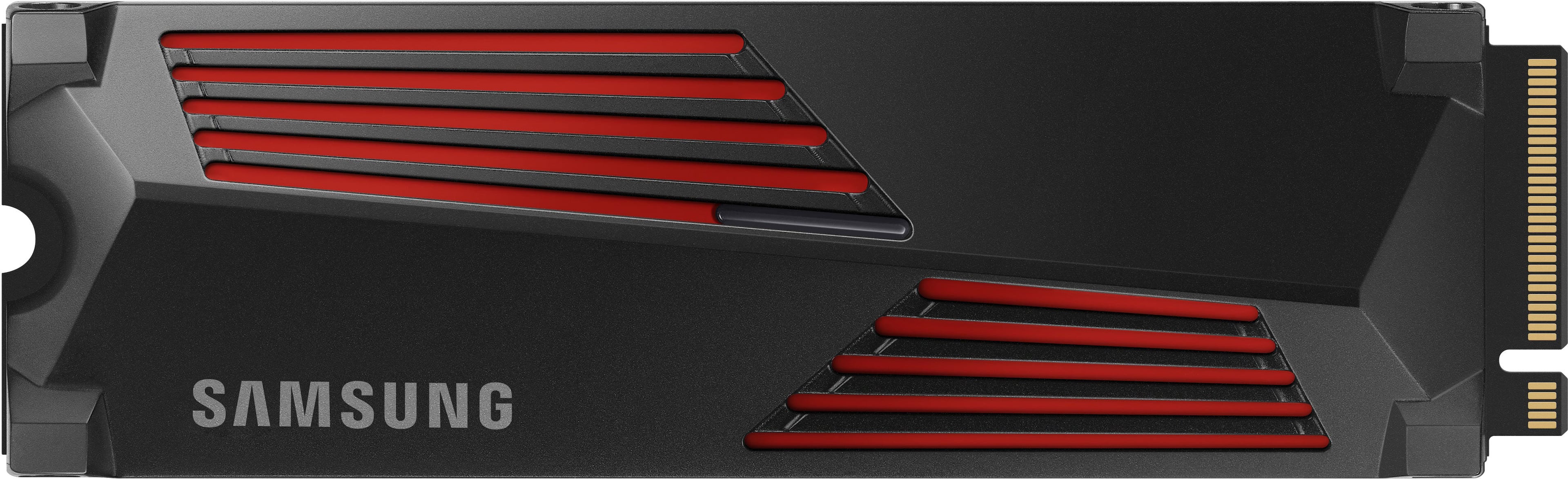
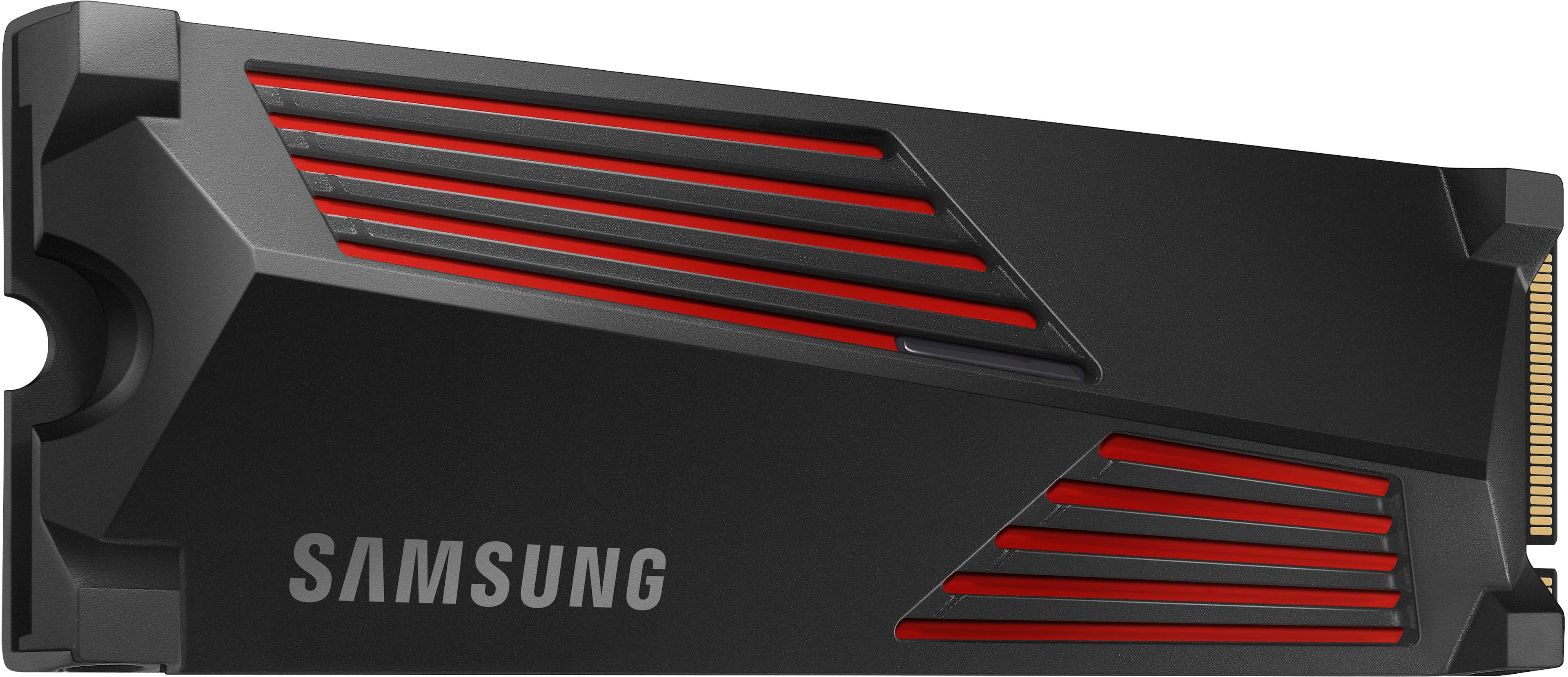
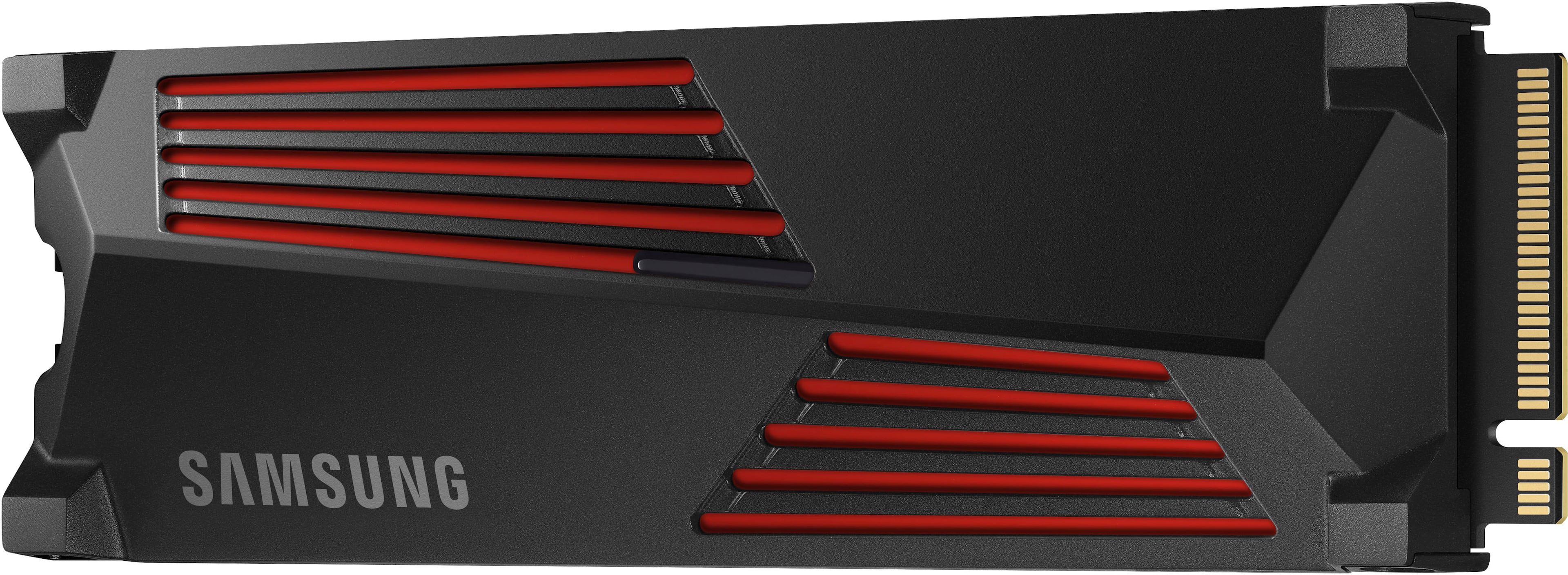
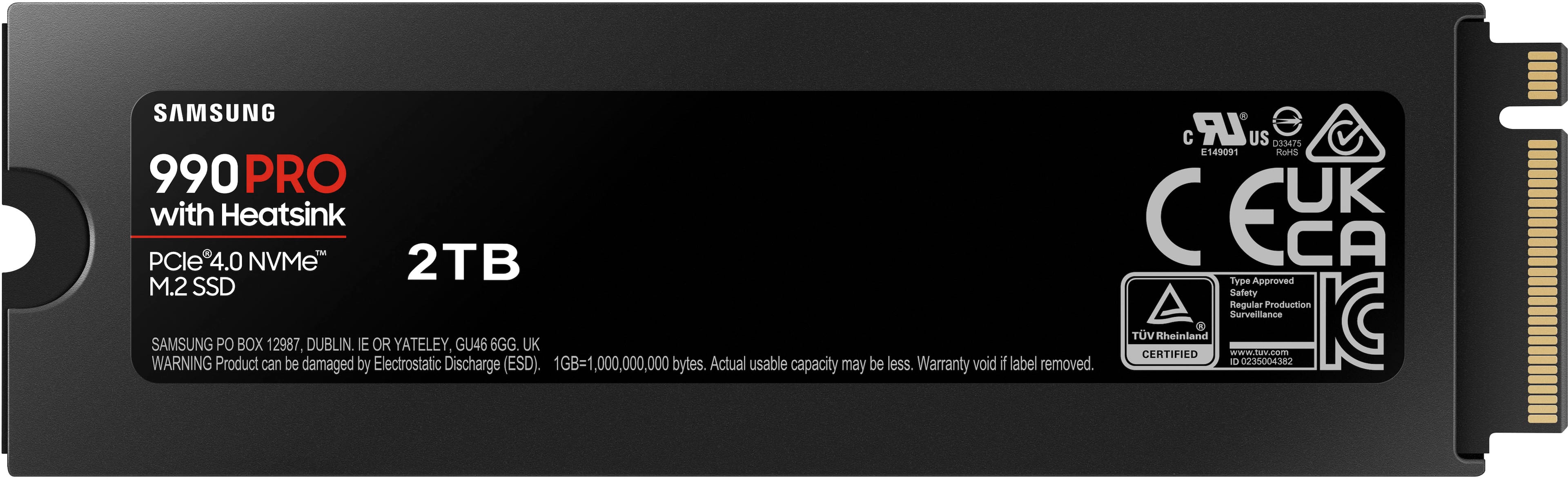


- Model:
- MZ-V9P2T0CW
- SKU:
- 10362490
Rating by feature
- Value
Rating 4.8 out of 5 stars
- Quality
Rating 4.9 out of 5 stars
- Ease of Use
Rating 4.9 out of 5 stars
to a friend
Great ammount of storage but falsely advertised
||Posted . Owned for less than 1 week when reviewed.This reviewer received promo considerations or sweepstakes entry for writing a review.Promotes 7400 MBPS speed and after installation only reads about 6,500 . Very dissapointed
No, I would not recommend this to a friendBrand response from Samsung
Posted .JoelA:
I’m sorry to hear that you’re not fully satisfied with the performance of the 990 PRO with heatsink SSD. Benchmark test results may differ depending upon the system environment, host software and hardware configuration.
I encourage you to call Samsung Customer Support to better diagnose and assist you with your speed issue.
1) Call: 1-800-SAMSUNG (ask for Memory). Available 9AM - 12AM EST (Mon-Fri)
2) Email: samsungmemorysupport@sea.samsung.com
3) LiveChat 9AM-6PM EST (Mon-Fri) - https://www.livehelpnow.net/lhn/lcv.aspx?d=34834&ms=&zzwindow=0&lhnid=29783
The Samsung Members Community is also a great resource for getting help from Samsung moderators and customers: https://us.community.samsung.com/
Thank you for choosing Samsung, we hope to hear from you soon.
- Samsung Memory
In just 2 weeks
||Posted . Owned for 1 week when reviewed.This reviewer received promo considerations or sweepstakes entry for writing a review.Just bought this 2 weeks ago during black friday. The reading and writing speed were amazing. As 2 days ago, my PS is restarting by it self and the games and apps installed in SSD are not showing on the main screen. Now it need 10 minutes to transfer a 100GB game.
No, I would not recommend this to a friendBrand response from Samsung
Posted .Carlos:
I’m very sorry for the difficulties you’ve experienced with your 990 PRO with heatsink SSD. We completely understand your frustrations, and we are here to help.
So that we can better investigate your issue and assist you towards a resolution or replacement for your particular PS5 usage scenario, we ask that you please contact us and speak with a Samsung Customer Service representative.
1-800-SAMSUNG (ask for Memory or press #, then 6 for Memory products)
Available 9AM – 9PM EST (Mon-Fri)
Or visit us on the Samsung website and click on the SUPPORT link in the upper right corner of the homepage for:
1. Chat with Us/Product Help: To begin a chat or find solutions, choose ‘Computing – Memory & Storage’ and select your model & topic.
We look forward to hearing from you soon.
- Samsung Memory
False Advertisement
||Posted . Owned for less than 1 week when reviewed.This reviewer received promo considerations or sweepstakes entry for writing a review.Unable to rate the product as the shipping company lost the package. When I bought the item, it said it would arrive today, and now it doesn't have a delivery date. Tracking says it was transferred to the post office. I called the post office and was told that UPS never gave them the package. They told me to contact Best Buy to report Fraud and Theft by the UPS. Best Buy is now closed, so I will call tomorrow to report fraud and theft by their delivery service. If they decided to send me a new one, I was to be compensated for false advertising. They guaranteed delivery today, and it is not my fault that their delivery service stole my package; thus, they are responsible for their guarantee of delivery. Now I have to explain to my son that Santa's present to him was stolen from his sleigh. Thank you, Best Buy and UPS, for ruining my son's Christmas.
No, I would not recommend this to a friendBrand response from Samsung
Posted .Luckyzl230:
We appreciate you sharing your experience. We recommend you contact Best Buy Customer Support or your local Best Buy store directly for assistance in correcting this situation. We hope your issue is resolved in a timely manner.
Should you have questions or concerns regarding the usage or setup of your SSD once your issue has been resolved, please contact Samsung Customer Support at:
1) Call: 1-800-SAMSUNG (ask for Memory or press #, then 6 for Memory products)
Available 9AM – 9PM EST (Mon-Fri)
2) Email: samsungmemorysupport@sea.samsung.com
3) Or visit us on the Samsung website and click on the SUPPORT link in the upper right corner of the homepage for:
a) Chat with Us/Product Help: To begin a chat or find solutions, choose ‘Computing – Memory & Storage’ and select your model & topic.
b) Manuals & Software
c) Warranty Info
d) Register a Product: For access to easy warranty support, convenient opt-in to special promos and offers, faster troubleshooting and service, and quick notification of system updates
e) Contact Us
The Samsung Members Community is also a great resource for getting help from Samsung moderators and customers: https://us.community.samsung.com/
Samsung is committed to providing the best possible product experience, quality, and value, and we are always here to help with any of your questions or concerns.
- Samsung Memory
Worked for 2 months, then DEAD!
||Posted . Owned for 2 months when reviewed.This reviewer received promo considerations or sweepstakes entry for writing a review.Worked great up to the point that it didn't. Installed this December 10th, 2023 and it died February 14, 2024. So, I basically got to use it for 2 months and it was dead 1 month after the warranty ran out. Just splendid!
No, I would not recommend this to a friendBrand response from Samsung
Posted .SteveH:
We always aim to deliver a great experience, and it’s unfortunate to hear the 990 PRO with heatsink SSD did not meet your expectations.
Samsung stands behind the quality and performance of every 990 PRO with heatsink SSD we manufacture with a limited 5-year manufacturer’s warranty when purchased brand-new, directly from any authorized dealer, like Best Buy.
Please contact Samsung Customer Support directly so that we can better investigate your issue and assist you towards a resolution or replacement.
1) Call: 1-800-SAMSUNG (ask for Memory). Available 9AM - 12AM EST (Mon-Fri)
2) Email: samsungmemorysupport@sea.samsung.com
3) LiveChat 9AM-6PM EST (Mon-Fri) - https://www.livehelpnow.net/lhn/lcv.aspx?d=34834&ms=&zzwindow=0&lhnid=29783
We look forward to hearing from you soon.
- Samsung Memory

Good choice
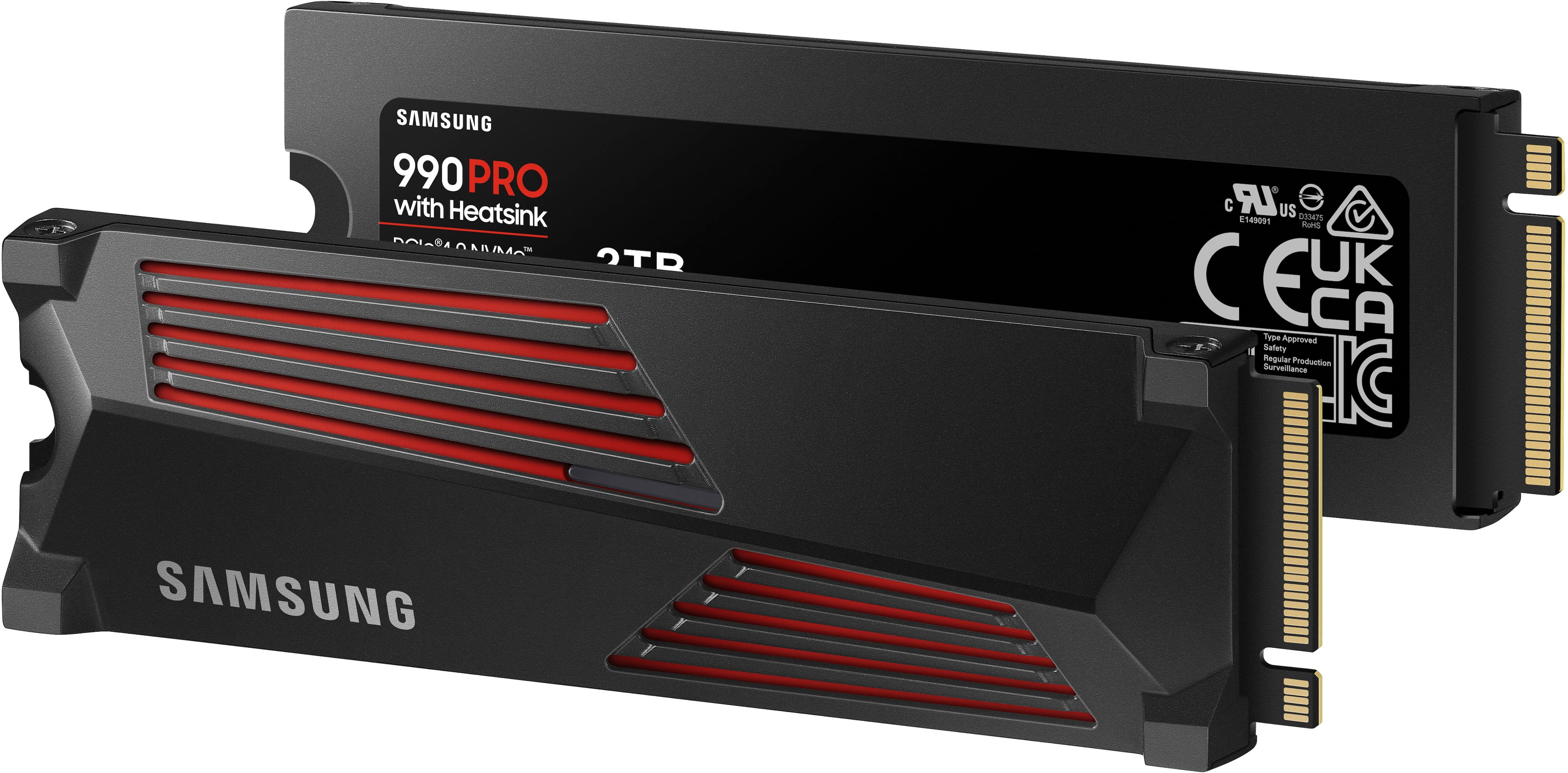
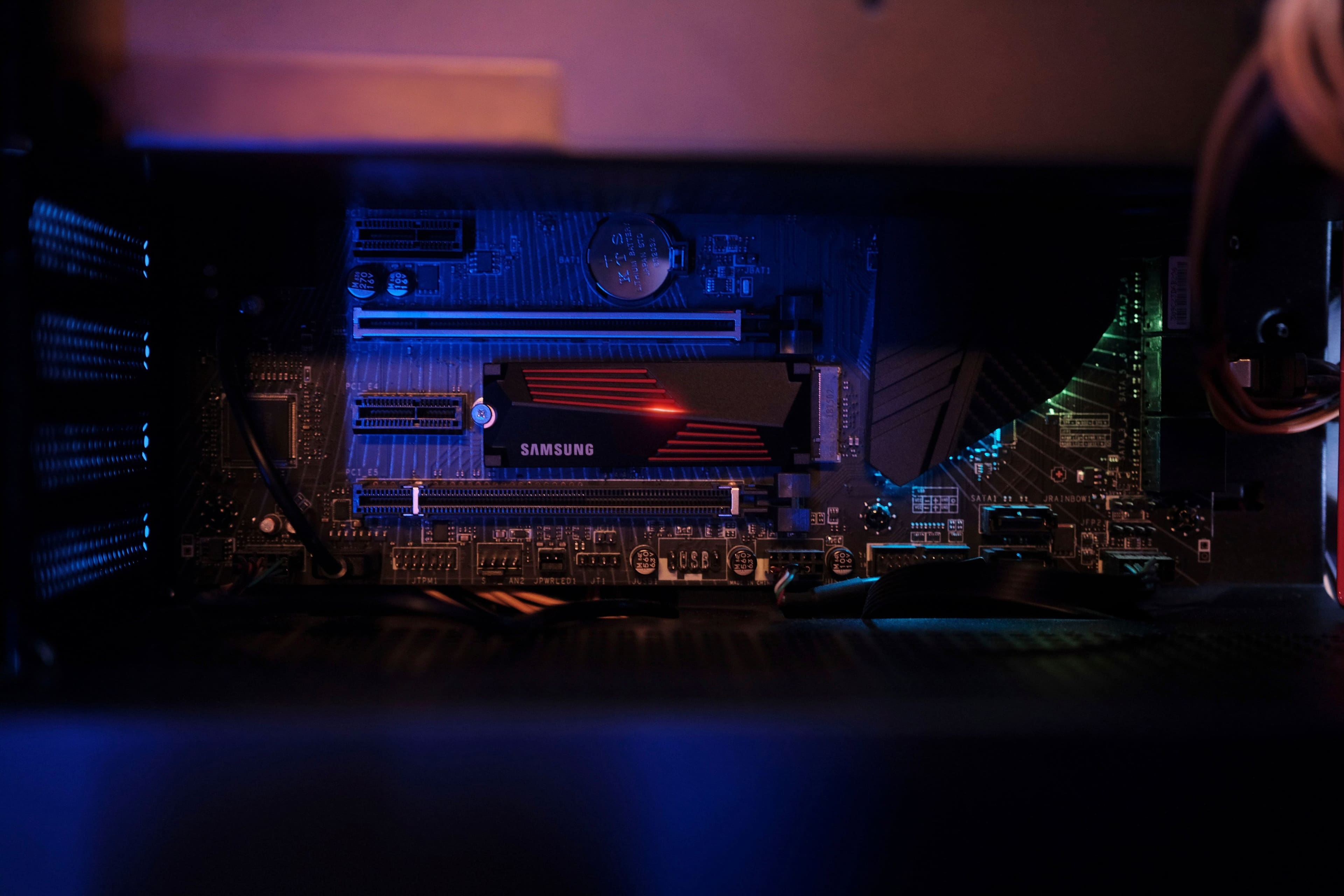
|Posted .This reviewer received promo considerations or sweepstakes entry for writing a review.I originally got this for a ps5 but on learning more about it I decided to try it out in a laptop I had partly to check for firmware updates and my laptop had an open slot for a second drive. I had noticed on Best Buy's website that many people had asked if it was compatible with their laptop and samsung had replied that it was so I figured I would give it a try. I didn't realize until I took it apart that my laptop already had heat sinks installed for both slots including the empty one but it was easy to remove only held in with one screw. I had to remove it to make enough room for the samsung ssd with it's own heatsink. The built in heatsink was ok but the samsung one seemed much better. I have used a few samsung ssd's before with great results. They seem to be the Cadillac of hdd's with high quality and great support. I have also had several of their other products and appreciate their quality and longevity. They may cost slightly more than other brands but are worth it if you want one of the best you can get. It's really fast, probably the fastest one out there so far. Gen 4 speeds but should work in Gen 3 slots as well just at lower Gen 3 speed. I like the looks of it as well and it even has lights so it would look great in a gaming desktop with a window to see it. A bit expensive at full price but if you can get it on sale it's well worth it. Ssd prices are dropping so it will likely get cheaper. Just don't wait too long or they may be all gone.
I would recommend this to a friendSamsung Makes It Really Fast and Easy
|Posted .This reviewer received promo considerations or sweepstakes entry for writing a review.I have used Samsung M.2 SSD drives in the past in increasing sizes as the prices come down. The Samsung 990 Pro 2TB replaced a smaller drive and added much need space. I use that system primarily for games and video/photo editing, so space was becoming precious. I like Samsung SSDs because they seem to be more trouble free and have a longer warranty than other brands. Installation was pretty easy. This time it was a two stage process, first duplicating the older M.2 drive onto an unused SATA drive. Then I swapped the new 990 Pro in for the old M.2 drive and moved the boot drive onto the 990 Pro. Samsung's Magician software made this all pretty straightforward. I expected the performance to improve a bit, but was surprised at the difference the new drive made. In addition to the increased free space, both the write and read times for the 990 Pro are faster than the old drive. Windows booted faster and load times for most of my games decreased pretty noticeably. Video editing also loaded faster That's about it. If you're looking for more space and a boost in performance, this is not a bad way to go. Everything is a bit faster and you have a lot more room. The Samsung M.2 990 Pro 2TB drive is highly recommended for anyone looking for more storage and a performance boost at a nice price.
I would recommend this to a friendBrand response from Samsung
Posted .rtbestbuy:
Thank you for your review of the Samsung 990 PRO with heatsink SSD. I am happy to see you are enjoying the benefits and the upgrade.
Designed for PCIe 4.0 speed to be maximized with huge speed boost. 40% and 55% faster random read/write speeds than 980 PRO - up to 1400K/1550K IOPS, while sequential read/write speeds up to 7450/6900 MB/s reach near max performance of PCIe 4.0. Fly high in gaming, video and 3D editing, data analysis, and more.
Should you ever have questions or need assistance using this product, please know we’re always here to help.
You can reach us at: 1-800-SAMSUNG (ask for Memory or press #, then 6 for Memory products) Available 9AM – 9PM EST (Mon-Fri)
Or visit us on the Samsung website and click on the SUPPORT link in the upper right corner of the homepage for:
1. Chat with Us/Product Help: To begin a chat or find solutions, choose ‘Computing – Memory & Storage’ and select your model & topic.
2. Manuals & Software
3. Warranty Info
4. Register a Product: For access to easy warranty support, convenient opt-in to special promos and offers, faster troubleshooting and service, and quick notification of system updates
5. Contact Us
Thank you for choosing Samsung!
- Samsung Memory
Fast Reliable gen 4 drive
|Posted .This reviewer received promo considerations or sweepstakes entry for writing a review.This is a very fast Gen 4 SSD. I would say right now you should get a fast Gen 4 SSD than most Gen 5 because most devices only support Gen 4 and not Gen 5 yet. The speeds on this SSD makes it great for use in a Playstation 5 or a PC computer as well for games and etc. Even for content like photos and videos it is great for especially if you transport content between the SSD and say your device a lot. If you're transferring files onto long period of time the heatsink will keep the SSD from getting hot as well. with the 2TB capacity it is great to hold a lot of games as well on your Playstation 5 or PC as well. Considering PC games like Mass Effect legendary edition is 100GB + and even older games like World of Warcraft is around 95GB you need higher capacity drives these days. If you're buying a lot od digital games on your Playstation 5 as well with it being a newer system you would want to invest into a higher capacity drive as welll. With it and the faster speeds downloading and installing the games should be fast as well.
I would recommend this to a friendUpdating
||Posted . Owned for 2 weeks when reviewed.This reviewer received promo considerations or sweepstakes entry for writing a review.To update this for your ps5 you need to buy an accessory that best buy did not know which one even with geek squads help. Ive had it for 3 weeks now and have not been able to update it since i cannot just simply install to update. I ordered the accessory off amazon just to find iut it does not read the card becauae the SSD card i got was a dud.
No, I would not recommend this to a friendBrand response from Samsung
Posted .Souff:
I’m very sorry for the difficulties you’ve experienced with your 990 PRO with heatsink SSD. We completely understand your frustrations, and we are here to help.
Please contact Samsung Customer Support directly so that we can better investigate your issue and assist you towards a resolution.
1) Call: 1-800-SAMSUNG (ask for Memory or press #, then 6 for Memory products)
Available 9AM – 9PM EST (Mon-Fri)
2) Email: samsungmemorysupport@sea.samsung.com
3) Or visit us on the Samsung website and click on the SUPPORT link in the upper right corner of the homepage for:
a) Chat with Us/Product Help: To begin a chat or find solutions, choose ‘Computing – Memory & Storage’ and select your model & topic.
We hope to hear from you soon.
- Samsung Memory
ssd
Posted .This reviewer received promo considerations or sweepstakes entry for writing a review.he Samsung 990 Pro is definitely the fastest of all the SSDs. The writing and reading speeds are considerably fast and are best suited for people who want consistent high performance. It's great for editors, graphic designers, and gaming. You can render the graphics, load the games, and edit videos of high quality much faster. If you want to run your PC to churn out consistent performance, the 990 Pro is the best. The hardware build is extraordinary considering the read and write speeds, but if you want to buy one, you should take one with the heat sink to avoid failing for intense workloads.
I would recommend this to a friendGreat Performance Upgrade For Gaming
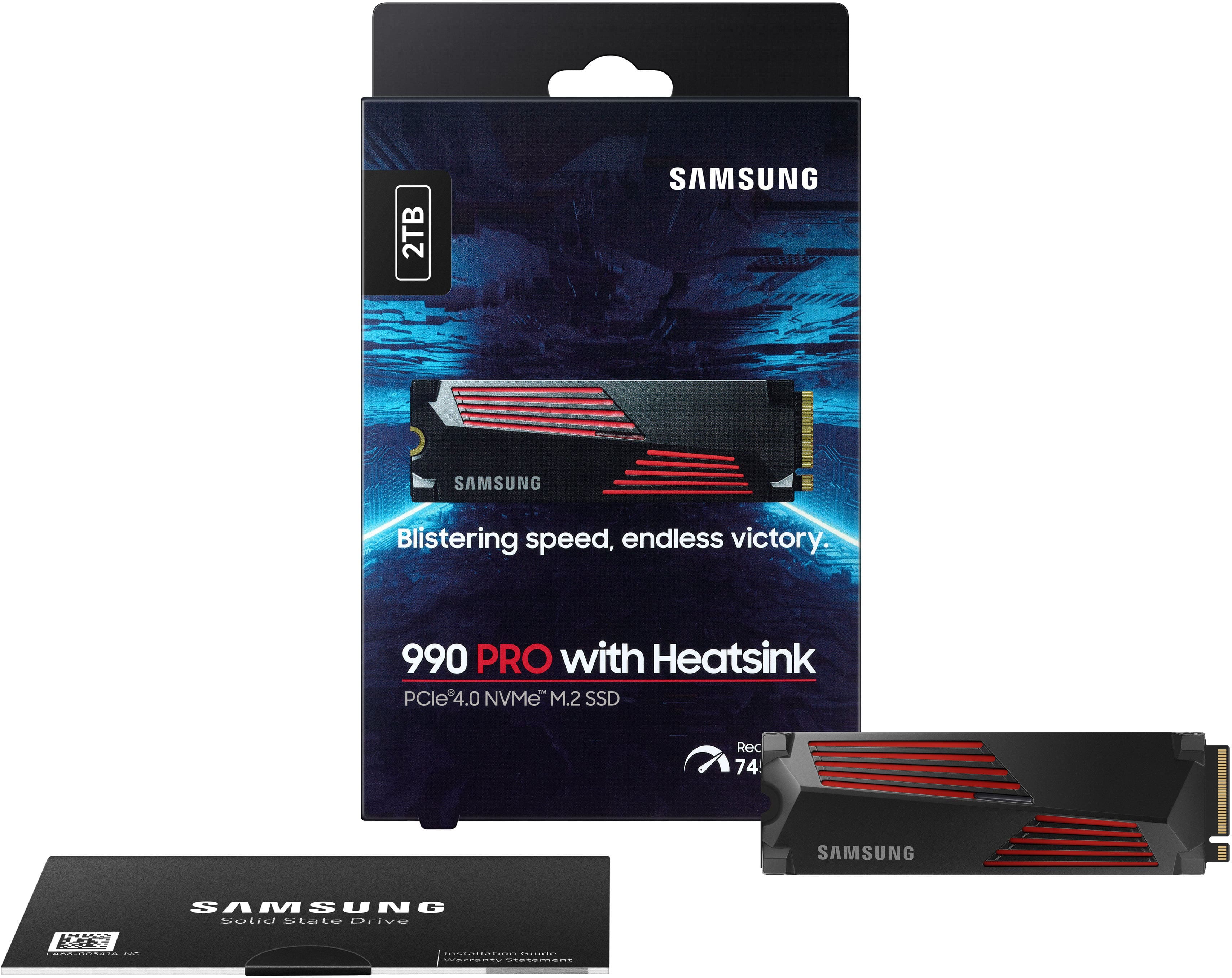
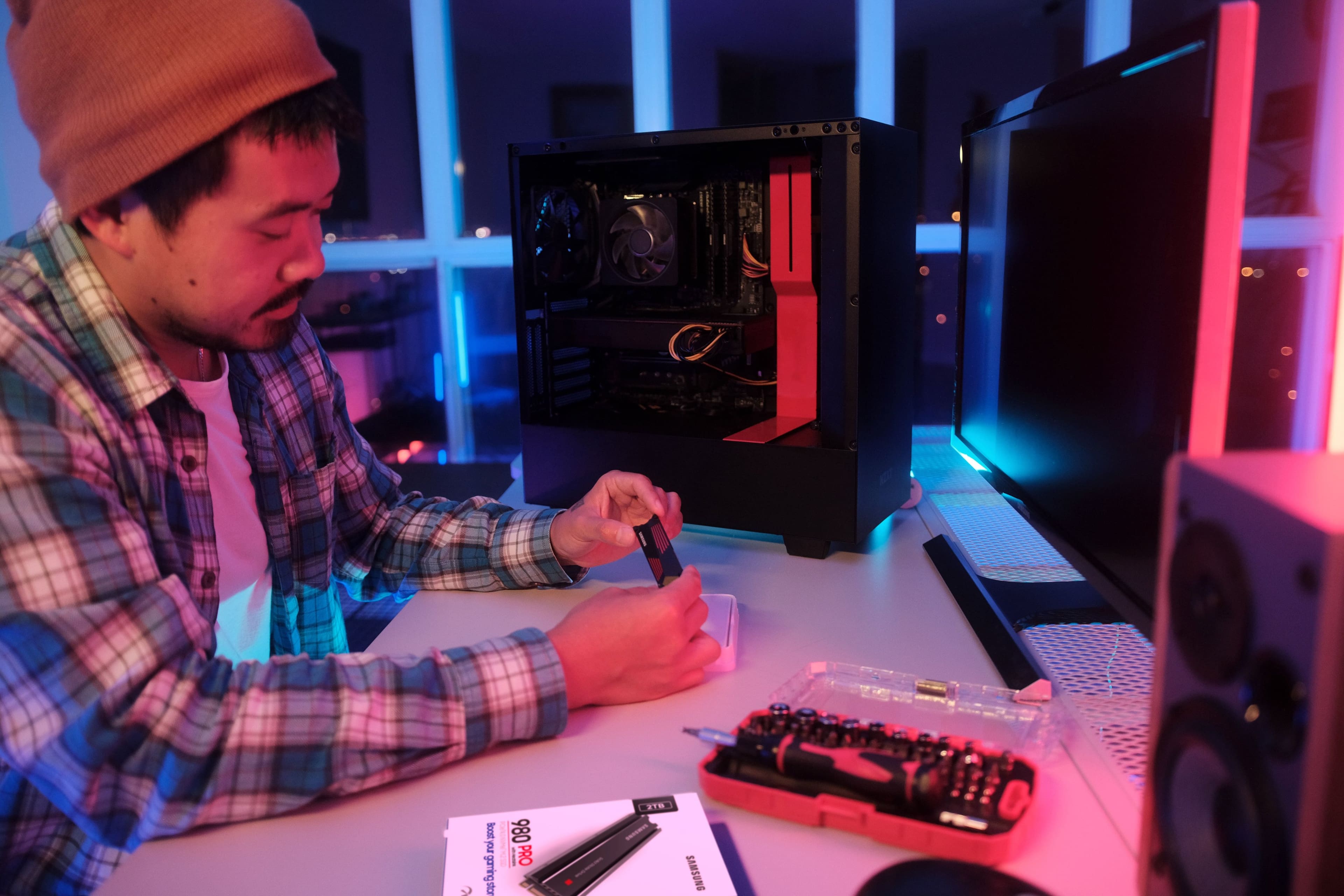
|Posted .This reviewer received promo considerations or sweepstakes entry for writing a review.I’ve used Samsung SSD products for years. From SATA SSDs to NVMe, they have been my go to brand for hard drive upgrades due to their reliability, quality, and ultimately their superior performance. With the arrival of the new Samsung 990 Pro 2TB Internal SSD PCIe Gen 4x4 NVMe with heatsink I was excited to try it. I recently got a new gaming computer and planned on upgrading the NVMe because while the included drive is fast, the Samsung is faster. In the box you find the SSD and a booklet. The 990 Pro is a cool design with a great looking heatsink. To prepare for the physical installation I jumped on the Samsung website and downloaded their data migration software and Samsung Magician which is their full featured SSD management and configuration software. Both apps are conveniently available in a single download. Once the software was installed I was ready to install the drive. My pc came with 2 NVMe slots so I planned on cloning my existing primary drive and using the 990 Pro as my new boot drive and the original drive as my data secondary drive. This installation is a breeze so don’t be intimidated if you’ve never done this before. Power down your pc and unplug it. Locate your NVMe slot and slip the drive into place. Secure the drive with a mounting screw. Your SSD doesn’t come with one and annoyingly most pcs don’t even include one for the second slot. You may have to purchase one. Sometimes the post is also not included. I’d have to say that securing these tiny screws is the most difficult part of the whole installation. Once in, you power on your pc, clone your drive using the Samsung data migration software, and change your boot order in BIOS to the 990 Pro and you’re done. The whole process may have taken 15 minutes with the data cloning taking under 3 minutes. Once installed, a performance improvement was apparent immediately upon my first boot because boot speeds were noticeably reduced. The Samsung Magician software is the nicest SSD management software I’ve seen, with many features including a benchmark. Here you can adjust the RGB LED color. The addition of RGB is minimal and somewhat disappointing with only a small slit illuminating. Upon benchmarking the 990 Pro, I got 7,133 MB/sec read and 6,778 MB/sec write speeds while my old drive benchmarked at 5,000/4,000 read/write. Impressive! My next stop was to play my favorite games. Gaming performance is all about milliseconds and I could quickly sense a significantly more fluid gaming experience compared to my old drive and that made me noticeably more competitive. That’s what it’s all about! This quickly proved to be a great upgrade. Highly recommended.
I would recommend this to a friendBrand response from Samsung
Posted .PG460:
Thanks for purchasing the Samsung 990 PRO with heatsink SSD. I am happy to see you are enjoying the experience and the upgrade.
This drive is designed for the best gameplay experience. A more than 55% improvement in random performance enables faster loads for ultimate gaming realism on PS5 and DirectStorage PC games. The heatsink’s futuristic design adds style to heat control, now with RGB lights.
Should you ever have questions or need assistance using this product, please know we’re always here to help.
1-800-SAMSUNG (ask for Memory or press #, then 6 for Memory products) Available 9AM – 9PM EST (Mon-Fri)
Or visit us on the Samsung website and click on the SUPPORT link in the upper right corner of the homepage for:
1. Chat with Us/Product Help: To begin a chat or find solutions, choose ‘Computing – Memory & Storage’ and select your model & topic.
Again, thank you for taking the time to review our 990 PRO with heatsink SSD!
- Samsung Memory
Bad memory
||Posted . Owned for 2 months when reviewed.This reviewer received promo considerations or sweepstakes entry for writing a review.Steer clear defective out the box! Was defective and super slow! Find cheaper out there just as fast.
No, I would not recommend this to a friendBrand response from Samsung
Posted .Justhere:
I’m very sorry for the difficulties you’ve experienced with your 990 PRO with heatsink SSD. Your 2TB drive was engineered to deliver speeds of up to 7,450MB/s Seq. Read and 6,900MB/s Seq. Write.
Please contact Samsung Customer Support directly so that we can better investigate your issue and assist you towards a resolution or replacement.
1) Call: 1-800-SAMSUNG (ask for Memory). Available 9AM - 12AM EST (Mon-Fri)
2) Email: samsungmemorysupport@sea.samsung.com
3) LiveChat 9AM-9PM EST (Mon-Fri) - https://www.livehelpnow.net/lhn/lcv.aspx?d=34834&ms=&zzwindow=0&lhnid=29783
Samsung stands behind the quality and performance of every 990 PRO with heatsink SSD we manufacture with a limited 5-year manufacturer’s warranty when purchased brand-new, directly from any authorized dealer, like Best Buy.
We hope to hear from you soon.
- Samsung Memory
Great PS5 Expansion Drive
|Posted .This reviewer received promo considerations or sweepstakes entry for writing a review.The 990 PRO from Samsung is one of the fastest NVMe drives available, and as long as your hardware supports it with gen 4 PCIe, then this can be a solid investment. Using this in conjunction with the Playstation 5, it has allowed me to triple my initial storage and I no longer have to worry about these extremely large games being released. This fit perfectly in the expansion slot, and the heat sink easily clears the protective cover from the PS5. It is immediately recognized on startup, and I was transferring games to the drive in no time. During initialization, the PS5 benchmarked the drive to 6650 MB/s read speed, which is slower than the advertised 7450 MB/s on the box. There could be factors to this disparity in speeds, but during gaming it has no effect. I find myself loading into games just as fast, if not slightly faster at times. Cycling through the menus in Hogwarts Legacy definitely felt smoother. Even after gaming sessions of over 4 hours, the drive still performs as if it just started. This means the heat management is good enough, with what little air movement is provided by the PS5. Overall, this NVMe drive is a great investment for anyone looking to expand their PS5 storage, or add to their computer. The speed it provides is hard to match, and for the most part Samsung drives have been reliable for me in the past.
I would recommend this to a friendBrand response from Samsung
Posted .Leonardo:
Thank you for sharing your experience with Samsung's 990 PRO with heatsink.
This drive is designed for the best gameplay experience. A more than 55% improvement in random performance enables faster loads for ultimate gaming realism on PS5 and DirectStorage PC games. The heatsink’s futuristic design adds style to heat control, now with RGB lights.
Should you ever have questions or need assistance using this product, please know we’re always here to help.
You can reach us at: 1-800-SAMSUNG (ask for Memory or press #, then 6 for Memory products) Available 9AM – 9PM EST (Mon-Fri) Or visit us on the Samsung website and click on the SUPPORT link in the upper right corner of the homepage for:
1. Chat with Us/Product Help: To begin a chat or find solutions, choose ‘Computing – Memory & Storage’ and select your model & topic.
Thanks for choosing Samsung for your memory storage needs!
- Samsung Memory
Works Seamlessly
Posted .This reviewer received promo considerations or sweepstakes entry for writing a review.Added some much needed storage space to my PS5 and works seamlessly. Some hard drives will allow you to store PS5 games on them, but won't allow you to PLAY the game once it's stored. This hard drive WILL allow you to play your games from them.
I would recommend this to a friendLots Of Fast Storage For Your Machines
|Posted .This reviewer received promo considerations or sweepstakes entry for writing a review.This is the third internal SSD I've gotten from Samsung and I have to say that they just keep getting better at these. First, the heat sink is no too large, which to me can be a good thing if space is at a premium inside your rig. Just like every other internal SSD I've installed it's as easy as pie. So, after a few hours of heavy use I did not notice any appreciable heat build up. An unscientific opinion on my part, as I do not like benchmark tests, it is pretty darn speedy. I was able to transfer a 5GB 4K video file much faster to this drive than to the other SSD installed in my machine. Read was faster as well. Overall it's a winner in that department. The 2TB capacity ensures that I have plenty of room for a lot of my games and video editing projects without having to move files to my external traditional hard drives. This means I have faster access to my information which can be important depending on what you're working on. If you have a computer case with a window then it's also pleasing to the eyes inside you system. Overall, this is yet another solid storage product from Samsung and I highly recommend it.
I would recommend this to a friendBad drive
||Posted . Owned for less than 1 week when reviewed.This reviewer received promo considerations or sweepstakes entry for writing a review.Installed it in my ps5 and 2 days later my ps5 crashed
No, I would not recommend this to a friendBrand response from Samsung
Posted .MichaelT:
I’m very sorry for the difficulties you’ve experienced with your 990 PRO with heatsink SSD. We completely understand your frustrations, and we are here to help.
Please contact Samsung Customer Support directly so that we can better investigate your issue and assist you towards a resolution or replacement.
1) Call: 1-800-SAMSUNG (ask for Memory). Available 9AM - 12AM EST (Mon-Fri)
2) Email: samsungmemorysupport@sea.samsung.com
3) LiveChat 9AM-9PM EST (Mon-Fri) - https://www.livehelpnow.net/lhn/lcv.aspx?d=34834&ms=&zzwindow=0&lhnid=29783
We hope to hear from you soon.
- Samsung Memory
Geez that's fast!
|Posted .This reviewer received promo considerations or sweepstakes entry for writing a review.Let me start by saying wowzers, this thing is fast!! I installed my 2tb 990 Pro NVMe drive on a PCIe Gen 4 capable port on my MSI Z690 Tomahawk DDR4 motherboard. The rest of my setup includes an Intel i5-12600k CPU and 16GB of Corsair DDR4 RAM. My computer is mainly used at a home file server/media and Plex server/virtual machine host/parttime gaming PC. Since I use the PC as a media server, it tends to be left on 24/7...so keeping my power usage down is of upmost importance for me. Adding this NVME drive to my PC was simple: insert the drive into an open PCIe Gen 4 slot, and screw in the tiny bolt. I used MiniTool Partition Wizard to move my Windows 11 Pro install from my previous Samsung sata SSD to the new 990 Pro drive. It honestly took about 5 minutes total to move about 450GB worth of data and make the new drive bootable for Windows. I removed the SATA device for use in another system, just FYI. One of the major "Pro's" of this drive is the Samsung Magician drive software. While it didn't show me needing a firmware upgrade, it's definitely an easy process. It also will test and display your drive speed (which you see in pictures in other reviews....uhh, it's fast...like super-fast). A few fun tibits pertaining to my use as a full-time server and part-time gamer: 1) Just for fun, I created 4 Hyper-v virtual pc's with Windows 11. I then attempted to stifle the drive by unzipping a 30GB file on all four virtual computers at the same time. Using the host PC's Task Manager app I monitored the drive and CPU. Both did amazingly well; however, it looked to me like the CPU was the reason for all slowdowns. 7-Zip only slowed when the CPU usage approached the high 80s and into the 90s percentile. I'm not sure I could do anything to truly cause this drive issues. 2) During gameplay, I never really noticed this drive providing better or worse performance. Perhaps it's the games I play (typically fighting games like Capcom vs Marvel, e.g.) or how I play them (usually in "Vs. Computer Mode")...but the game always played as I was used to. I will say that launching Steam was much faster, and launching the game itself from Steam was much, much quicker than from my old sata ssd. 3) Power usage in idle compared the sata drive was pretty similar, perhaps 1 or 2w lower at times. It's always hard to tell as the background processes in Windows continually cause minor power fluctuations. However, something to be aware of is the fact that when in use, the drive again consumes about the same amount of wattage as the SSD....but keeping in mind that this NVMe drive operates at much, much faster speeds make this drive more efficient per watt (which is something Samsung has mentioned in their marketing for the 990 Pro). That marketing definitely holds up! I do have one gripe about the 990 Pro drives though, and that is the price(s). You can definitely find less expensive Gen 4 PCIe NVME drives. Now, they may not be as fast or as reliable as Samsung's chips, but at what point does the difference in speed matter? Well, the answer to that question lies with each consumer. I tend to stick with Samsung due to the reliability of their memory chips, but I could totally see the point of someone who steers away from the higher prices. In the end, I give Samsung the benefit of the doubt and I'm usually willing to overlook the extra few bucks. This 990 Pro NVMe drive is utterly fantastic, and I can't recommend it enough.
I would recommend this to a friend990pro vs 980pro
Posted .This reviewer received promo considerations or sweepstakes entry for writing a review.Recently bought a 2TB 990pro for less than a 1TB 980pro. Going to use it in a QNAP NAS, so it will cap out at Gen3 speeds, but the 990pro has a number of things that outclass the 980pro regardless of speed; the 990pro: -is ~50% more efficient with power management, so it runs cooler and uses less energy. -it uses 7th gen V-NAND technology instead of 6th gen, resulting in better sustained performance. -improved thermal management plus a heatsink option (recommended). -newer Pascal controller vs the older Elpsis; this also contributes to better performance. -I am not using it for gaming, but it has an enhanced Gaming Mode 2.0, that the 980pro does not have. Regarding speed, even being capped at Gen3, the 990pro is more performant than the 980pro: 990pro: Up to 1.4M IOPS (random read). Up to 1.55M IOPS (random write). 980pro: Up to 1M IOPS (random read). Up to 1M IOPS (random write). The newer Pascal controller and 7th-gen V-NAND improve sustained performance, especially under heavy or extended workloads, like for VMs, which is one of my primary use cases.
I would recommend this to a friendThe Absolute Pinnacle of Gen 4 Performance
|Posted .This reviewer received promo considerations or sweepstakes entry for writing a review.Samsung drives have consistently had the reputation for being among the highest performing nvme drives on the market; their 980 pro was for the longest time the best of the best. The 980 pro has long been eclipsed by the introduction of PCIe gen 5 drives (albeit at generally eye watering prices). However, the 980 pro has also been eclipsed by another gen 4 drive; enter the 990 pro. While the 990 pro was designed to be used in a PS5, I'm using it in my primary gaming PC, powered by an AMD 5900x, on an Asus Dark Hero motherboard. The board has only two native gen 4 nvme slots, but I'm running an additional nvme via a PCIe expansion card as well. Currently I'm running a 1tb 980 pro, a 2 tb WD black sn850, and now this 2tb 990 pro. My main work flows include gaming, video and audio production, and 4k video editing. To test out the new drive, I ran some synthetic tests using CrystalDiskMark just to get some baselines. These tests confirmed that the 990 is mostly faster than the 980 (and sn850 as well). One interesting note here is that I was actually seeing slightly lower read speeds on the 990, but write and latency numbers were across the board improved by up to 20 percent. In my experience, this seems to align with real world performance. Exporting a 4k video clip upwards of 20gb saw me saving time on the order of minutes with the 990. Overall, if you're someone that does a lot of content creation, you'll like benefit from the 990s increase in performance. Overall, the 990 pro continues Samsung's precedent of having some of the best drives on the market. Here, they've demonstrated an acumen for stretching the limits of an aging PCIe gen 4 protocol. Whether you're upgrading your aging pc or looking to boost your ps5, the 990 pro is a great option that unlocks the full potential of your hardware.
I would recommend this to a friendBrand response from Samsung
Posted .Jturn:
I'm very glad to hear that you are happy with your new 990 PRO with heatsink SSD.
Unleash the power of the Samsung 990 PRO for next-level computing. Reach max performance of PCIe 4.0. Experience longer-lasting, opponent-blasting speed. The in-house controller's smart heat control delivers supreme power efficiency while maintaining ferocious speed and performance, to always keep you at the top of your game.
Should you ever have questions or need assistance using this product, please contact Samsung Customer Support. Y
1) Call: 1-800-SAMSUNG (ask for Memory or press #, then 6 for Memory products)
Available 9AM – 9PM EST (Mon-Fri)
2) Email: samsungmemorysupport@sea.samsung.com
3) Or visit us on the Samsung website and click on the SUPPORT link in the upper right corner of the homepage for:
a) Chat with Us/Product Help: To begin a chat or find solutions, choose ‘Computing – Memory & Storage’ and select your model & topic.
b) Manuals & Software
c) Warranty Info
d) Register a Product: For access to easy warranty support, convenient opt-in to special promos and offers, faster troubleshooting and service, and quick notification of system updates
e) Contact Us
The Samsung Members Community is also a great resource for getting help from Samsung moderators and customers: https://us.community.samsung.com/
Thank you for being a part of Samsung.
- Samsung Memory
Fast, very fast
|Posted .This reviewer received promo considerations or sweepstakes entry for writing a review.I tested this in a new PC that I'm building. With an ASUS TUF Gaming-PlusWiFi motherboard, an I9-13900K CPU (not overclocked), and with the SSD socketed in a gen4x4 socket (not the closest to the CPU), I ran some tests using winsat (on Windows 11). Random reads clocked in at 2562.78 MB/second. That's an OK, but not spectacular number. Sequential reads ran at 6214.41 MB/second while the sequential write number was 6778.22 MB/second. The write number is larger than the read number because of the large memory cache. These are respectable numbers, but not really as good as I expected even though the 95th percentile latency was an incredible 0.089 milliseconds. Winsat uses very small blocks for testing. I then ran CrystalDiskMark and got the expected results: sequential 128k reads at 7100 MB/second, sequential 128K writes at 6872 MB/second, random 4K reads 5742 MB/second, and random 4K writes at 4949 MB/second. Those are world class numbers. They're about 5%-10% faster than my 4TB Western Digital Black SSD. Now, I didn't run these in the M.2 slot nearest the CPU and I would expect even higher numbers there, but I'd have to remove the heat sink to run test and I'm happy with the performance where it is.
I would recommend this to a friendWorks fine
Posted .This reviewer received promo considerations or sweepstakes entry for writing a review.Works, installed fine, fast. Price a bit high nowadays, but that's everywhere
I would recommend this to a friend