Customer Ratings & Reviews
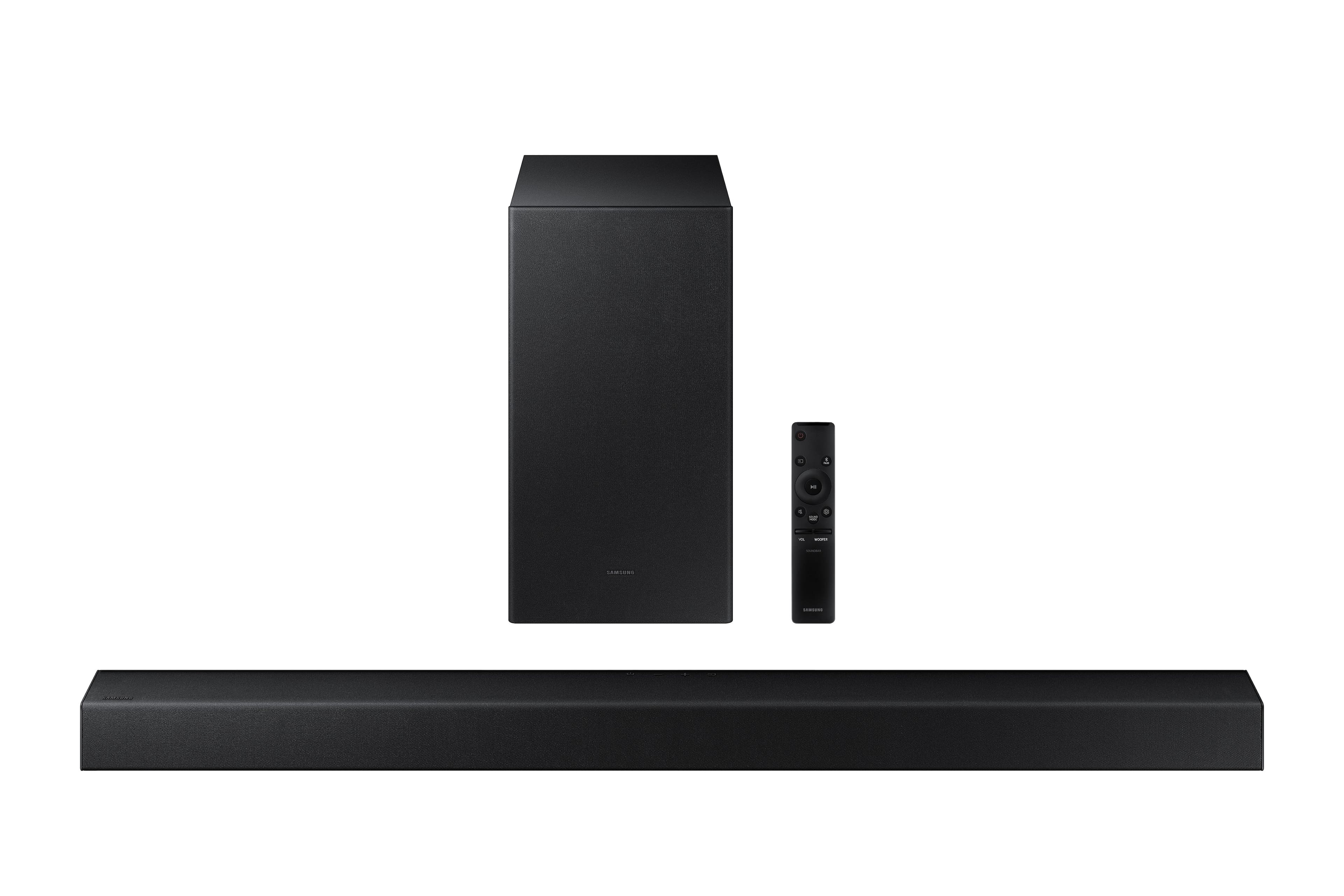
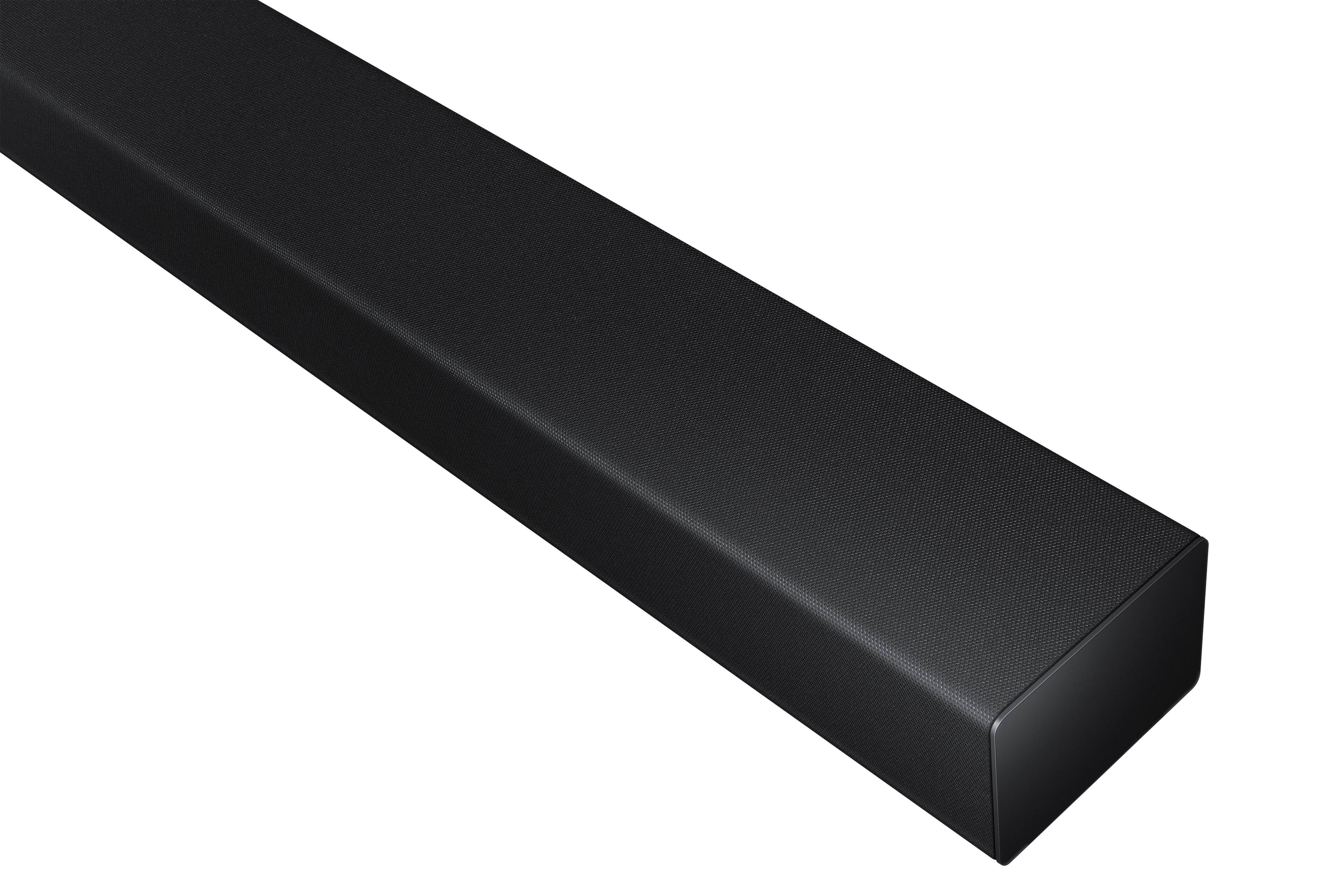
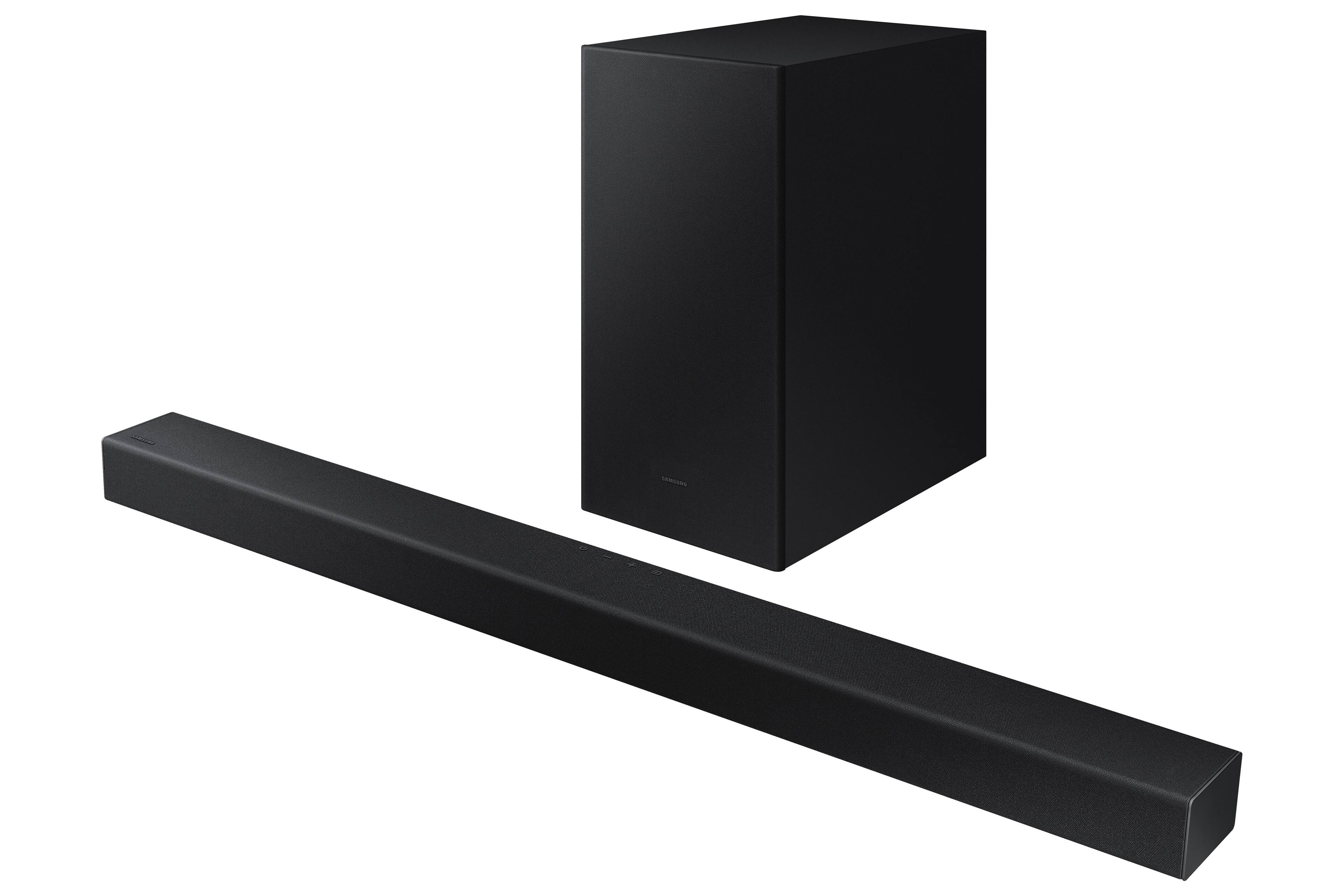
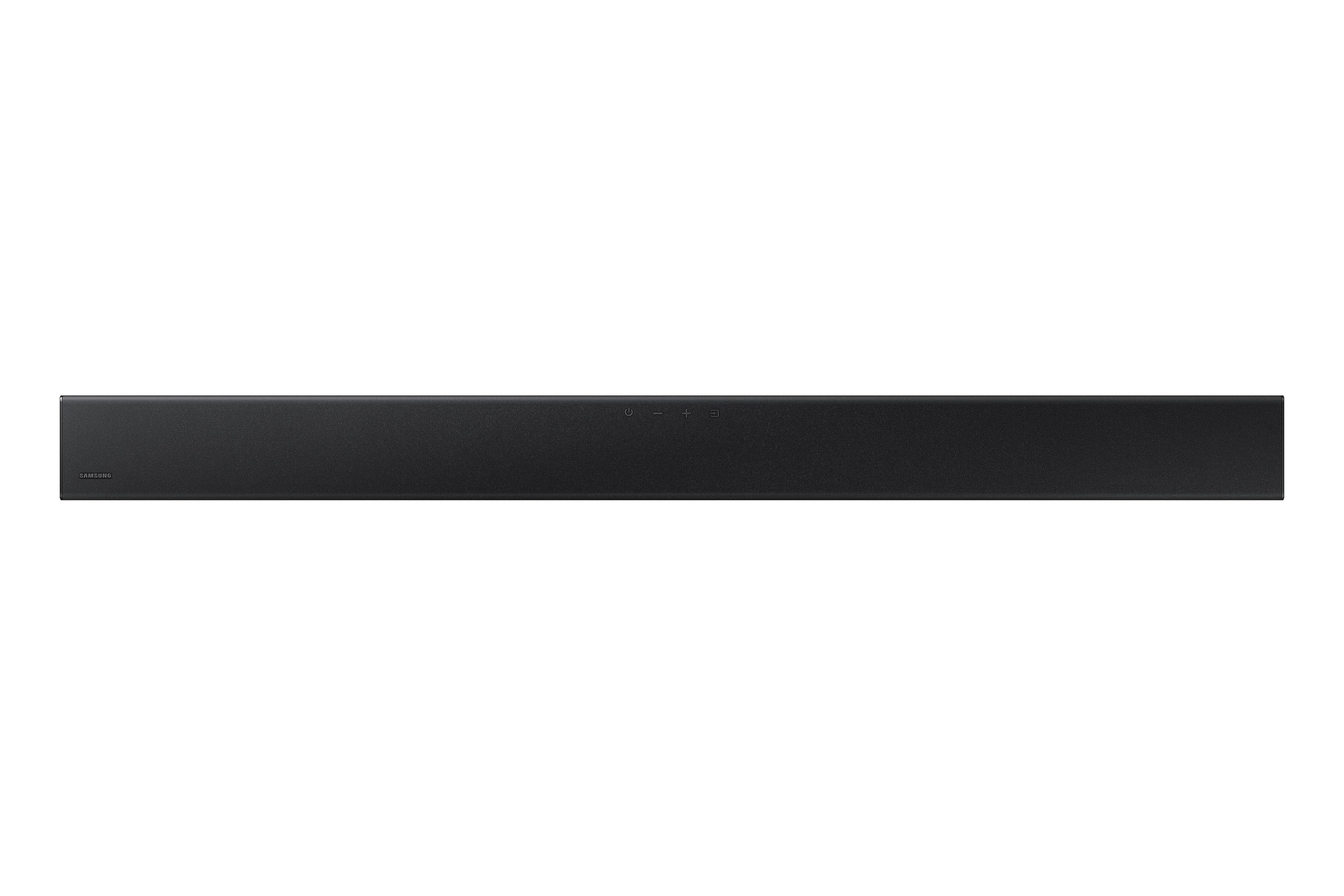



- Model:
- HW-A445/ZA
- SKU:
- 6551333
Rating by feature
- Value
Rating 4.7 out of 5 stars
- Quality
Rating 4.5 out of 5 stars
- Ease of Use
Rating 4.6 out of 5 stars
Customers are saying
Customers appreciate the superb sound quality and strong bass of this soundbar, frequently praising its ease of setup and use. Many also find it to be a great value for its price, with positive comments about its compact size and sleek design. However, some users have reported issues with the remote control's volume functionality.
This summary was generated by AI based on customer reviews.
- Cons mentioned:Remote control
Samsung didn't work
||Posted . Owned for 2 weeks when reviewed.This reviewer received promo considerations or sweepstakes entry for writing a review.The remote didn't work at all and it would not come on unless you hit it like 3 times. Will be returning this product, and getting another brand.
No, I would not recommend this to a friendBrand response from Samsung
Posted .Hello AnnieH,
Thank you for your review of the Samsung HW-A445 Soundbar and for sharing your experiences with the issues that have caused you to consider returning your soundbar. Your experience is very important to us and will be shared with our product team.
If you have not yet returned your unit, please give us the opportunity to troubleshoot your issue and work toward a solution.
You can reach Samsung Support at 1-800-SAMSUNG (ask for Soundbars) 8 AM – 12 AM EST, 7 days a week.
We hope to hear from you soon.
~Samsung Solutions
Check this out A445 Samsung sound bar not compatib
||Posted . Owned for 3 months when reviewed.This reviewer received promo considerations or sweepstakes entry for writing a review.I was told when purchased my first QLED Samsung tv that all sound bars by the same company work on the tv. Well for the second QLED Samsung I purchased a Samsung soundbar that will not connect. The tv has. HDMI ports but the soundbar does not and there is an optical cable for the soundbar but not the tv. Guess what Best Buy not all Samsung sound bars are compatible with the Samsung tvs!
No, I would not recommend this to a friendBrand response from Samsung
Posted .DanaL,
I’m very sorry for the difficulties you’ve experienced with your HW-A445 soundbar setup. We completely understand your frustrations, and we are here to help.
The HW-A445 soundbar features two ways to connect to a TV; digital optical audio and Bluetooth wireless audio technology. If your TV is compatible with one of these two audio connections, you should have no issue connecting the soundbar to your TV. Follow the steps below to connect the soundbar to your TV via one of the two available connections:
An optical cable is a great way to connect your soundbar to your TV and the method we recommend using for the HW-A445. With optical, you can also connect your devices (cable boxes, video game systems, and Blu-ray players) to the TV, and have the sound output from the TV to the soundbar.
1. With the TV and soundbar turned on, connect one end of a digital optical cable to the OPTICAL OUT port on the TV.
2. Then, connect the other end to the DIGITAL AUDIO IN (OPTICAL) port on the soundbar.
3. Press Source on the remote or soundbar, and then set the soundbar to the D.IN. setting.
4. Finally, on the TV, you need to set the speaker output to external speakers.
The TV's sound will now play from the soundbar.
Your soundbar is also compatible with a Bluetooth connection to the TV. To connect the soundbar wirelessly, follow the steps below:
1) Press the PAIR button on the remote to enter BT PAIRING mode. You can also press the SOURCE button on the top panel and then select BT. “BT” changes to “BT PAIRING” in a few seconds automatically or changes to “BT READY” if there is a connect record. If BT READY appears, press and hold the SOURCE button on the top panel of the Soundbar for more than 5 seconds to display BT PAIRING.
2) Select the Bluetooth sound mode on your TV (See your TV's user manual for assistance)
3) Select “[AV] Samsung Soundbar A4 Series” from the list on the TV’s screen. An available Soundbar is indicated with “Need Pairing” or “Paired” on the TV’s Bluetooth device list. To connect the TV to the Soundbar, select the message, and then establish a connection.
When the TV is connected, [TV Name] → “BT” appears on the Soundbar’s front display.
You should now hear TV sound from the Soundbar. Once you have connected your soundbar for the first time, use the “BT READY” mode to reconnect.
If you need more help, Samsung is here for you. Please call us at 1-800-SAMSUNG, 8AM - 12AM EST (Ask for Soundbars), 7 days a week. Our Live Chat agents are also available by clicking on the ‘Support’ link on our website.
~ Samsung Solutions
Ok sound bar
||Posted . Owned for 3 months when reviewed.This reviewer received promo considerations or sweepstakes entry for writing a review.Sound wasn’t that good had to return it but you get what you paid for just wasn’t loud enough
No, I would not recommend this to a friendBrand response from Samsung
Posted .TM01,
Thank you for taking a moment to review the HW-A445 Soundbar.
It is possible that your unit needed minor troubleshooting, a firmware update, or adjustments in settings.
Should you ever decide to give Samsung Soundbars another try and have questions or need assistance with settings, setup, or features, please know we are always here to help. Please call us at 1-800-SAMSUNG, 8AM - 12AM EST (Ask for Soundbars), 7 days a week. Our Live Chat agents are also available by clicking on the ‘Support’ link on our website.
~ Samsung Solutions
Best Buy Sucks
||Posted .This reviewer received promo considerations or sweepstakes entry for writing a review.If I could rate Best Buy’s Customer with negative stars, I would. I will NEVER buy anything else from BB. I placed an order on December 10, 2023 and still have not received it today, January 5, 2024. I have been given the run around as well as been lied to more than once. Worst experience ever. Can’t rate the product since it’s never been received.
No, I would not recommend this to a friendBrand response from Samsung
Posted .Hello KarenB,
I'm sorry you have not received your HW-A445 Soundbar yet.
Please follow up directly with Best Buy Customer Service for further assistance. We hope your issue is resolved in a timely manner.
Should you ever have questions or need help related to Samsung Soundbars, please call us at 1-800-SAMSUNG (ask for Soundbars), available 8 AM – 12 AM EST, 7 days a week.
For additional support resources such as downloading a full manual, visit us on the Samsung website and click on the ‘Support’ link in the upper right corner of the homepage.
~Samsung Solutions
Low sound quality
||Posted . Owned for 8 months when reviewed.This reviewer received promo considerations or sweepstakes entry for writing a review.Do Not like the sound quality its very low………………..
No, I would not recommend this to a friendNot great sound
||Posted . Owned for 3 weeks when reviewed.This reviewer received promo considerations or sweepstakes entry for writing a review.It was free, so I shouldn't complain, but the sound quality was less than desirable.
No, I would not recommend this to a friendBrand response from Samsung
Posted .Hello JessP,
Thank you for sharing your review of the Samsung HW-A445. I am sorry to see that your Soundbar did not meet your expectations.
You can manually optimize your settings by pressing the SOUND MODE button on your remote, and then selecting the desired sound effect by choosing STANDARD, SURROUND SOUND, or BASS BOOST.
You can further adjust TREBLE via the SOUND CONTROL button (looks like a gear symbol).
There are two additional adjustments that can be made for bass and subwoofer:
1) Using the WOOFER button on the remote, you can adjust the volume of the subwoofer between -6 to +6 by toggling the button up or down. To set the subwoofer volume level to 0, press the button down
2) Adjust the bass control by pressing the SOUND CONTROL button on the remote control, then select BASS to increase the level. You can adjust the volume between -6 to +6 by using the Up/Down buttons.
For precise audio adjustments, you can use the 7-band frequency equalizer to optimize the sound for your room acoustics. With the sound mode set to Standard, press, and hold the Sound Control button for about 5 seconds. 150Hz, 300Hz, 600Hz, 1.2kHz, 2.5kHz, 5kHz, and 10kHz are selectable using the Left/Right buttons and each can be adjusted to a setting between -6 to +6 using the Up/Down buttons.
If you need more help, Samsung is here for you. Please call us at 1-800-SAMSUNG, 8AM - 12AM EST (Ask for Soundbars), 7 days a week. Our LiveChat agents are also available by clicking on the ‘Support’ link on our website.
~ Samsung Solutions
"Disappointed with Soundbar Performance
||Posted . Owned for 9 months when reviewed.This reviewer received promo considerations or sweepstakes entry for writing a review.This is the worst soundbar I've ever used; the TV's built-in speakers sound better. I bought this soundbar but stopped using it because I couldn't return it after 30 days. I recommend going with Bose or any other reliable brand instead.
No, I would not recommend this to a friendPoorly designed
||Posted . Owned for 1 month when reviewed.This reviewer received promo considerations or sweepstakes entry for writing a review.Very disappointed! I was expecting a movie theater experience but it’s mediocre
No, I would not recommend this to a friendBrand response from Samsung
Posted .EmilyW,
Thank you for sharing your review of the Samsung HW-A445. We appreciate your feedback regarding the audio performance of your soundbar.
You can manually optimize your settings by pressing the SOUND MODE button on your remote, and then selecting the desired sound effect by choosing STANDARD, SURROUND SOUND, or BASS BOOST.
You can further adjust TREBLE via the SOUND CONTROL button (looks like a gear symbol).
There are two additional adjustments that can be made for bass and subwoofer:
1) Using the WOOFER button on the remote, you can adjust the volume of the subwoofer between -6 to +6 by toggling the button up or down. To set the subwoofer volume level to 0, press the button down
2) Adjust the bass control by pressing the SOUND CONTROL button on the remote control, then select BASS to increase the level. You can adjust the volume between -6 to +6 by using the Up/Down buttons.
For precise audio adjustments, you can use the 7-band frequency equalizer to optimize the sound for your room acoustics. With the sound mode set to Standard, press, and hold the Sound Control button for about 5 seconds. 150Hz, 300Hz, 600Hz, 1.2kHz, 2.5kHz, 5kHz, and 10kHz are selectable using the Left/Right buttons and each can be adjusted to a setting between -6 to +6 using the Up/Down buttons.
I hope these tips help you enjoy your new product.
You can always contact us for further help at 1-800-SAMSUNG, 8AM - 12AM EST, 7 days a week. Our LiveChat agents are also available by clicking on the ‘Support’ link on our website.
~ Samsung Specialist
Bad reverb
||Posted . Owned for 1 month when reviewed.This reviewer received promo considerations or sweepstakes entry for writing a review.Very difficult to get sound bar set properly poor .
No, I would not recommend this to a friendBrand response from Samsung
Posted .Hello Patb,
Thank you for sharing your experiences when of setting up your new HW-A445 Samsung Soundbar. I understand your frustrations, please know that we are here to help you.
So we can better understand your issue, please call us at 1-800-SAMSUNG (ask for Soundbars), available 8 AM – 12 AM EST, 7 days a week.
LiveChat with an agent by clicking the ‘Support’ link on the Samsung website.
~Samsung Solutions
Samsung -A Series - Need to Improve the BASS box.
||Posted . Owned for 3 weeks when reviewed.This reviewer received promo considerations or sweepstakes entry for writing a review.BASS BOX IS SO BAD. Can't hear bass at 50% volume. Can't hear it cant fell it, unless u have it at 80% - 100% volume. My 10yrs old sound bar from Samsung was still better. You can hear it at 25% volume.
No, I would not recommend this to a friendBrand response from Samsung
Posted .Hello KouV,
Thank you for sharing your thoughts regarding the HW-A445 Samsung Soundbar.
You can manually optimize your settings by pressing the SOUND MODE button on your remote, and then selecting the desired sound effect by choosing STANDARD, SURROUND SOUND, or BASS BOOST.
There are two additional adjustments that can be made for bass and subwoofer:
1) Using the WOOFER button on the remote, you can adjust the volume of the subwoofer between -6 to +6 by toggling the button up or down. To set the subwoofer volume level to 0, press the button down
2) Adjust the bass control by pressing the SOUND CONTROL button on the remote control, then select BASS to increase the level. You can adjust the volume between -6 to +6 by using the Up/Down buttons.
If we can help with anything else, please call us at 1-800-SAMSUNG (Ask for Soundbars), 8 AM – 12 AM EST, 7 days a week. LiveChat with an agent as well as manuals, software, and warranty info can be found at the ‘Support’ link on our Samsung website.
~ Samsung Solutions
- Pros mentioned:Bass, Ease of use, Sound quality
Great Black Friday deal.
Posted .This reviewer received promo considerations or sweepstakes entry for writing a review.I got this on a Black Friday sale. It was easy to set up. The wireless Sub is nice so my wife can hide it. She hates seeing speakers in her decor. Wireless sub does need to be near a power source so you can plug it in. The sound is balanced and much improved over the TV speakers. The high ends are limited in frequency but sound clean. You will need to use the treble/bass adjustments to get the sound to your taste. The sub has it's own control which is awesome. Sometimes you don't need to hear all the low ends, but it can be adjusted on the fly! It comes with optical connection cable. HDMI would be better, but the added sub is a huge upgrade from my last sound bar. Best for movies and bluetooth music like Pandora!
I would recommend this to a friend Won't be back
||Posted . Owned for 3 weeks when reviewed.This reviewer received promo considerations or sweepstakes entry for writing a review.The fact that you have no idea what i went through is the answer of how satisfied I am. Does no good without the TV you canceled!
No, I would not recommend this to a friendBrand response from Samsung
Posted .Hello PhillipM,
Please know you are leaving a review for the HW-A445 Soundbar, not the service provided by Best Buy. Please follow up directly with Best Buy for further assistance. We hope your issue is resolved in a timely manner.
Should you ever have questions or need help related to Samsung Soundbars, please call us at 1-800-SAMSUNG (ask for Soundbars), available 8 AM – 12 AM EST, 7 days a week.
For additional support resources such as downloading a full manual, visit us on the Samsung website and click on the ‘Support’ link in the upper right corner of the homepage.
~Samsung Solutions
Weak sound.
||Posted . Owned for less than 1 week when reviewed.This reviewer received promo considerations or sweepstakes entry for writing a review.Weak sound. This was included in a TV promotion. If I had to spend money to buy, I would not recommend.
No, I would not recommend this to a friendBrand response from Samsung
Posted .Hello AshT,
Thank you for sharing your review of the Samsung HW-A445. We appreciate your feedback regarding the audio performance of your soundbar.
This soundbar features a powerful wireless subwoofer, as well as Bass Boost mode to instantly amplify the bass with a touch of a button. You can try manually optimizing your settings by pressing the SOUND MODE button on your remote, and then selecting the desired sound effect by choosing STANDARD, SURROUND SOUND, or BASS BOOST.
You can further adjust TREBLE via the SOUND CONTROL button (looks like a gear symbol).
There are two additional adjustments that can be made for bass and subwoofer:
1) Using the WOOFER button on the remote, you can adjust the volume of the subwoofer between -6 to +6 by toggling the button up or down. To set the subwoofer volume level to 0, press the button down
2) Adjust the bass control by pressing the SOUND CONTROL button on the remote control, then select BASS to increase the level. You can adjust the volume between -6 to +6 by using the Up/Down buttons.
For precise audio adjustments, you can use the 7-band frequency equalizer to optimize the sound for your room acoustics. With the sound mode set to Standard, press, and hold the Sound Control button for about 5 seconds. 150Hz, 300Hz, 600Hz, 1.2kHz, 2.5kHz, 5kHz, and 10kHz are selectable using the Left/Right buttons and each can be adjusted to a setting between -6 to +6 using the Up/Down buttons.
Should you ever have questions or need help, please call us at 1-800-SAMSUNG (ask for Soundbars), available 8 AM – 12 AM EST, 7 days a week.
For additional support resources such as downloading a full manual, visit us on the Samsung website and click on the ‘Support’ link in the upper right corner of the homepage.
~Samsung Solutions
Surround Sound
||Posted . Owned for 3 weeks when reviewed.This reviewer received promo considerations or sweepstakes entry for writing a review.The volume is too low, we have to turn it up extremely high to hear it.
No, I would not recommend this to a friendBrand response from Samsung
Posted .Hello CarmenP,
Thank you for sharing your review of the Samsung HW-A445. We appreciate your feedback regarding the audio performance of your soundbar.
You can manually optimize your settings by pressing the SOUND MODE button on your remote, and then selecting the desired sound effect by choosing STANDARD, SURROUND SOUND, or BASS BOOST.
You can further adjust TREBLE via the SOUND CONTROL button (looks like a gear symbol).
There are two additional adjustments that can be made for bass and subwoofer:
1) Using the WOOFER button on the remote, you can adjust the volume of the subwoofer between -6 to +6 by toggling the button up or down. To set the subwoofer volume level to 0, press the button down
2) Adjust the bass control by pressing the SOUND CONTROL button on the remote control, then select BASS to increase the level. You can adjust the volume between -6 to +6 by using the Up/Down buttons.
For precise audio adjustments, you can use the 7-band frequency equalizer to optimize the sound for your room acoustics. With the sound mode set to Standard, press, and hold the Sound Control button for about 5 seconds. 150Hz, 300Hz, 600Hz, 1.2kHz, 2.5kHz, 5kHz, and 10kHz are selectable using the Left/Right buttons and each can be adjusted to a setting between -6 to +6 using the Up/Down buttons.
If we can help with anything else, please call us at 1-800-SAMSUNG (Ask for Soundbars), 8 AM – 12 AM EST, 7 days a week. Live Chat with an agent as well as manuals, software, and warranty info can be found at the ‘Support’ link on our Samsung website.
~ Samsung Solutions
One remote option not working through Samsun tv
||Posted . Owned for 3 weeks when reviewed.This reviewer received promo considerations or sweepstakes entry for writing a review.It doesn’t work as one remote through Samsung TV remote
No, I would not recommend this to a friendBrand response from Samsung
Posted .Hello Sabms,
Thank you for sharing your review of the HW-A445 Samsung Soundbar. To be able to control the Soundbar with the TV remote, you will need to connect the Soundbar to the TV using a Digital Optical Cable.
1) Use the TV remote to navigate to Settings, select Sound, and then select Sound Output on your Samsung TV.
2) Select your Samsung soundbar, and then select Close. Now you can use your TV remote to adjust volume and mute the soundbar. The soundbar should also turn on and off with the TV.
Other manufacturers’ remotes may have to be enabled on your soundbar. First, turn Off the Soundbar. Once powered off, push up and hold the WOOFER button for 5 seconds. Each time you push the WOOFER button up and hold it for 5 seconds, the mode switches in the following order: “OFF-TV REMOTE” (Default mode), “SAMSUNG-TV REMOTE”, “ALL-TV REMOTE”. Please also make sure your speaker settings on the TV are set to External Speaker.
If we can further help with any other issues, please know we are here for you. Just call us at 1-800-SAMSUNG (Ask for Soundbars), 8 AM – 12 AM EST, 7 days a week. Or visit us on the Samsung website and click on the ‘Support’ link for:
• LiveChat with an agent
• Manuals, Software, & Warranty Info
~ Samsung Solutions
Poor volume
||Posted . Owned for 1 month when reviewed.This reviewer received promo considerations or sweepstakes entry for writing a review.For some reason its not very loud, i have to play it at 100 just to hear it at times.
No, I would not recommend this to a friendBrand response from Samsung
Posted .Hello JustinB,
Thank you purchasing the HW-A445 Samsung Soundbar. I am sorry to see that your initial time with the Soundbar has not been ideal.
You can manually optimize your settings by pressing the SOUND MODE button on your remote, and then selecting the desired sound effect by choosing STANDARD, SURROUND SOUND, or BASS BOOST.
You can further adjust TREBLE via the SOUND CONTROL button (looks like a gear symbol).
There are two additional adjustments that can be made for bass and subwoofer:
1) Using the WOOFER button on the remote, you can adjust the volume of the subwoofer between -6 to +6 by toggling the button up or down. To set the subwoofer volume level to 0, press the button down
2) Adjust the bass control by pressing the SOUND CONTROL button on the remote control, then select BASS to increase the level. You can adjust the volume between -6 to +6 by using the Up/Down buttons.
For precise audio adjustments, you can use the 7-band frequency equalizer to optimize the sound for your room acoustics. With the sound mode set to Standard, press, and hold the Sound Control button for about 5 seconds. 150Hz, 300Hz, 600Hz, 1.2kHz, 2.5kHz, 5kHz, and 10kHz are selectable using the Left/Right buttons and each can be adjusted to a setting between -6 to +6 using the Up/Down buttons.
If we can further help with any other issues, please know we are here for you. Just call us at 1-800-SAMSUNG (Ask for Soundbars), 8 AM – 12 AM EST, 7 days a week. Or visit us on the Samsung website and click on the ‘Support’ link for:
• LiveChat with an agent
• Manuals, Software, & Warranty Info
~ Samsung Solutions
Bad quality
||Posted . Owned for 1 month when reviewed.This reviewer received promo considerations or sweepstakes entry for writing a review.I don’t see it working as expected. It was bad rather buy a good Bose product
No, I would not recommend this to a friendBrand response from Samsung
Posted .Hi PradeepkumarK,
Thank you for sharing your review of the Samsung HW-A445. We appreciate your feedback regarding the audio performance of your soundbar.
You can manually optimize your settings by pressing the SOUND MODE button on your remote, and then selecting the desired sound effect by choosing STANDARD, SURROUND SOUND, or BASS BOOST.
You can further adjust TREBLE via the SOUND CONTROL button (looks like a gear symbol).
There are two additional adjustments that can be made for bass and subwoofer:
1) Using the WOOFER button on the remote, you can adjust the volume of the subwoofer between -6 to +6 by toggling the button up or down. To set the subwoofer volume level to 0, press the button down
2) Adjust the bass control by pressing the SOUND CONTROL button on the remote control, then select BASS to increase the level. You can adjust the volume between -6 to +6 by using the Up/Down buttons.
For precise audio adjustments, you can use the 7-band frequency equalizer to optimize the sound for your room acoustics. With the sound mode set to Standard, press, and hold the Sound Control button for about 5 seconds. 150Hz, 300Hz, 600Hz, 1.2kHz, 2.5kHz, 5kHz, and 10kHz are selectable using the Left/Right buttons and each can be adjusted to a setting between -6 to +6 using the Up/Down buttons.
If we can help with anything else, please call us at 1-800-SAMSUNG (Ask for Soundbars), 8 AM – 12 AM EST, 7 days a week. LiveChat with an agent as well as manuals, software, and warranty info can be found at the ‘Support’ link on our Samsung website.
~ Samsung Solutions
Wouldn’t purchase again
||Posted . Owned for 2 months when reviewed.This reviewer received promo considerations or sweepstakes entry for writing a review.Not the best sound and not loud enough in a larger living space.
No, I would not recommend this to a friendBrand response from Samsung
Posted .ConnieP,
I’m sorry to hear that you’re dissatisfied with the audio performance of your Samsung HW-A445 soundbar.
Try manually optimizing your settings by pressing the SOUND MODE button on your remote, and then selecting the desired sound effect by choosing STANDARD, SURROUND SOUND, or BASS BOOST.
You can further adjust TREBLE via the SOUND CONTROL button (looks like a gear symbol).
There are two additional adjustments that can be made for bass and subwoofer:
1) Using the WOOFER button on the remote, you can adjust the volume of the subwoofer between -6 to +6 by toggling the button up or down. To set the subwoofer volume level to 0, press the button down.
2) Adjust the bass control by pressing the SOUND CONTROL button on the remote control, then select BASS to increase the level. You can adjust the volume between -6 to +6 by using the Up/Down buttons.
For precise audio adjustments, you can use the 7-band frequency equalizer to optimize the sound for your room acoustics. With the sound mode set to Standard, press, and hold the Sound Control button for about 5 seconds. 150Hz, 300Hz, 600Hz, 1.2kHz, 2.5kHz, 5kHz, and 10kHz are selectable using the Left/Right buttons and each can be adjusted to a setting between -6 to +6 using the Up/Down buttons.
I hope this tip helps improve your sound experience. Should you need further assistance with features, functions, settings, or adjustments, please contact Samsung Customer Support at 1-800-SAMSUNG (Ask for Soundbars), 8 AM – 12 AM EST, 7 days a week. Live Chat with an agent as well as manuals, software, and warranty info can be found at the ‘Support’ link on our Samsung website.
~ Samsung Solutions
Sucks
||Posted . Owned for 1 month when reviewed.This reviewer received promo considerations or sweepstakes entry for writing a review.Sounds suck - it cuts in and out bass sucks- I’ll go back to vizio
No, I would not recommend this to a friendBrand response from Samsung
Posted .JoseA,
I'm sorry to hear you're having audio cutting out on your soundbar. You may first want to check the cable connection of the soundbar to the TV or external device to ensure it is secure, and properly connected to the correct port.
In addition to checking the connections of the soundbar, please make sure your soundbar is using the latest firmware version. Updating the firmware on your soundbar gives you all the benefits of the latest improvements. You can update your firmware by using a USB device.
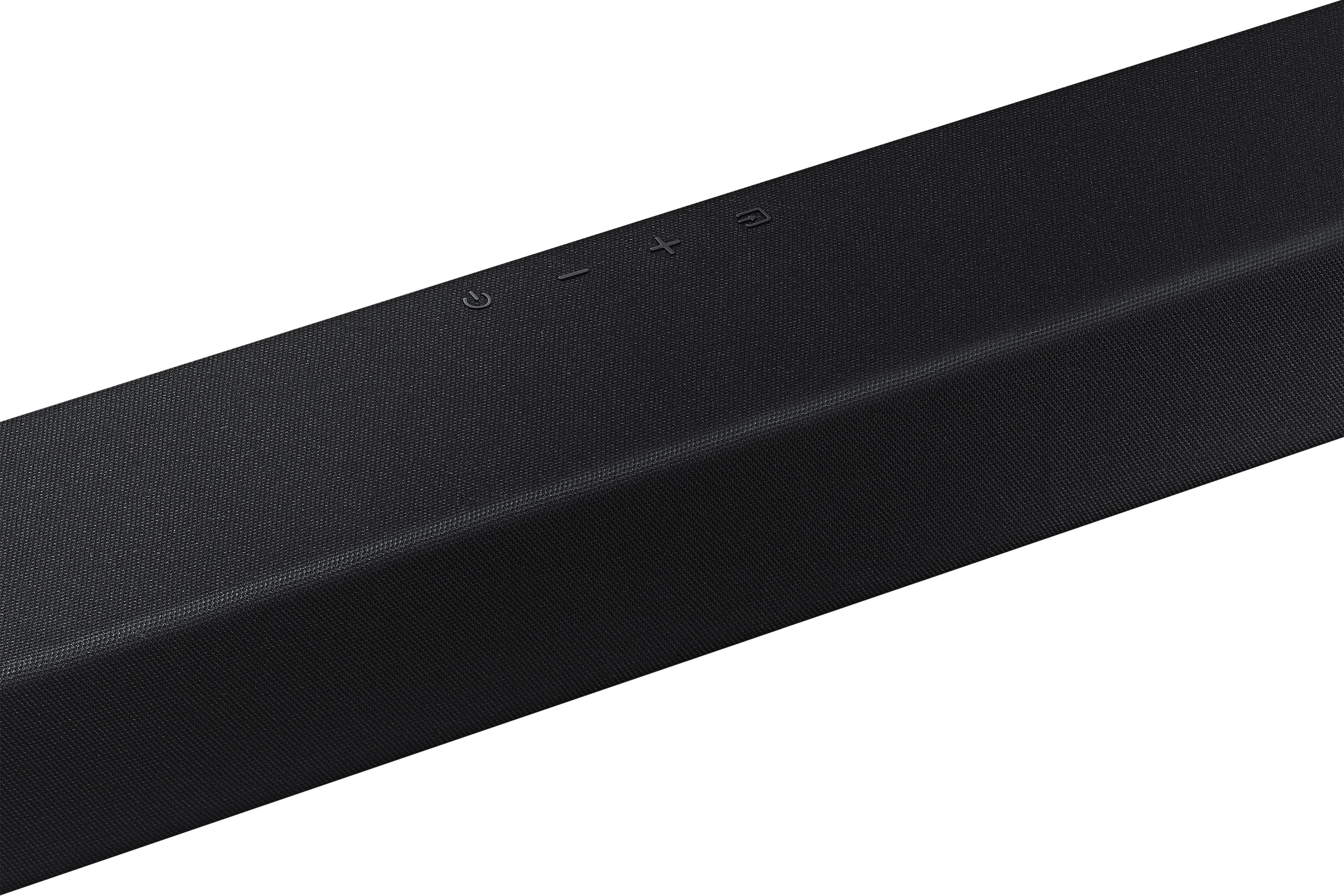
You may also want to initialize your soundbar by pressing the - and + (volume) buttons on the side of the soundbar at the same time for at least 5 seconds. “INIT OK” appears on the display and then the Soundbar is reset. Please know, this will reset all settings on the soundbar back to default; any sound adjustments will need to be performed again.
Should you continue to experience audio dropouts, and are connected wirelessly, please use the included cable to connect the soundbar to the TV. Using a wired connection instead of wireless often eliminates the issue entirely and improves the user experience.
I hope these tips help. You can always contact us for further assistance at 1-800-SAMSUNG, 8AM - 12AM EST, 7 days a week. Our LiveChat agents are also available by clicking on the ‘Support’ link on our website.
~ Samsung Specialist
Remote
||Posted . Owned for 1 month when reviewed.This reviewer received promo considerations or sweepstakes entry for writing a review.Remote does not work. We have tried everything to make it work
No, I would not recommend this to a friendBrand response from Samsung
Posted .JosephC,
Thank you for your review. So we can better understand the remote issues you’re experiencing and provide you with troubleshooting assistance, please reach out to Samsung Customer Support at 1-800-SAMSUNG, 8AM - 12AM EST, 7 days a week.
Our LiveChat agents are also available by clicking on the ‘Support’ link on our website.
~ Samsung Specialist