Customer Ratings & Reviews






- Model:
- XE513C24-K01US
- SKU:
- 5620405
Rating by feature
- Value
Rating 4.3 out of 5 stars
- Quality
Rating 4.5 out of 5 stars
- Ease of Use
Rating 4.6 out of 5 stars
Customers are saying
Customers are delighted by the Chromebook Plus 2-in-1's touchscreen, ease of use, lightweight design, and good battery life. Many appreciate its convenient size and performance capabilities. However, some users express disappointment with the sound quality of the speakers and the lack of a standard USB port. Overall, the positive feedback on key features outweighs the negative comments regarding the less-than-ideal audio and port selection.
This summary was generated by AI based on customer reviews.
- Pros mentioned:Touch screen
Works Well
Posted .This reviewer received promo considerations or sweepstakes entry for writing a review.I really like this laptop/Chromebook. Only thing is it started to act up and the pointer started clicking everywhere and all over the screen. I had it for about a month before this started happening. When it did occur I power washed my device and the problem still persisted so I re-installed Chrome. This stopped the problem for about another month. So I called Samsung and they set up for me to send it in for repair. It was super easy. Other than that hiccup I really do like this device. It is simple and easy to use. Its the right amount of tablet and computer. It feels well built. Keyboard could be nicer but it works. Especially for the price. BTW the screen is beautiful, love watching movies on it. I would reccomend looking at some tutuorials. The device has some cool hidden features.
I would recommend this to a friend - Pros mentioned:Touch screen
Nice, but not Worth the Price
Posted .This reviewer received promo considerations or sweepstakes entry for writing a review.I just picked up a Samsung Plus from BestBuy. Had it not been for the $100 computer trade-in, I would not have made the purchase. But, I had a very old (think 56K modem) working Toshiba laying around and I couldn't resist getting $100 for it. APPEARANCE: Even thought the Plus is metal, it looks plastic. How or why a manufacturer would make a metal case look plastic is beyond me. But, in all honesty, the Plus looks cheap. The look is probably the single biggest disappointment I have with the Plus. SCREEN: The screen on the Plus is exceedingly clear and the Plus' brightness is astounding. The screen is as good as my HP 13 G1, which is as good as the Pixel's screen. KEYBOARD: The Plus' keyboard is cramped with not much lateral spacing. The Plus' keyboard works but the keys are hard plastic and provide little tactile feedback. I do not like the feel of the keyboard or the key sizing/placement. In the 3 chromebooks I've owned, the top right key serves as the power on/off button. But, the Plus does not follow suit and has a power button on the machine's side, which is next to the volume rocker switch. Obviously, the Plus does not have a back light keyboard. PERFORMANCE: Performance on the Plus is as expected. It's snappy and responsive until it eventually bogs down. But, a quick restart takes care of that problem. FUNCTION: This is my first flip chromebook. Flipping the screen 180 degree still freaks me out a little but everything seems to work as advertised when flipping the screen. I like the USB C ports being on opposite sides of the Plus but there are no USB A ports. So, if you are planning on doing anything besides charging, you will probably need to invest in a USB C adapter and/or purchase a new thumb drive with USB C. In conclusion, I like the new Samsung, but I don't like the pricet. In some ways, it seems more like a $250 machine, especially when compared to the HP's 13 G1. But, the flip is nice, the out-of-the-box Play store is nice and I guess the pen is nice, By the way, the pen feels very nice on the screen. There is a certain amount of drag that makes it feel more life-like (eg. pen and paper).
No, I would not recommend this to a friend - Pros mentioned:Weight
Excellent Chromebook
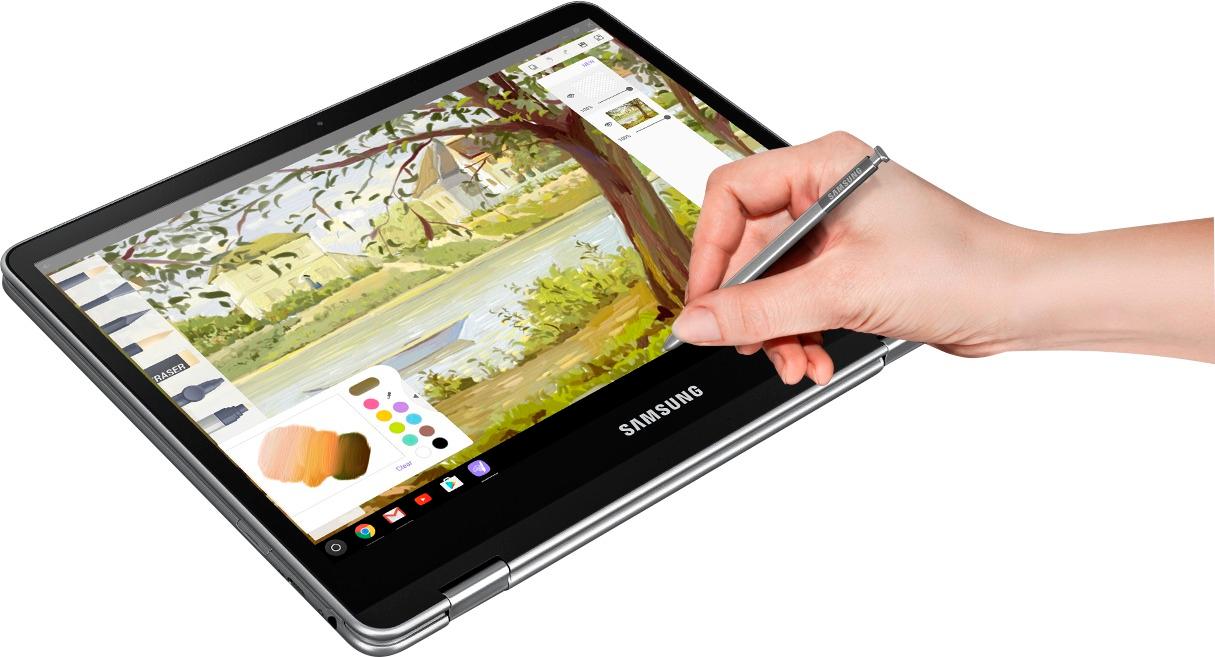
Posted .This reviewer received promo considerations or sweepstakes entry for writing a review.This is an excellent laptop that happens to be a Chromebook. The screen is very bright and clear. This "Plus" version has an "arm" processor that has been created to work with Chrome OS and will run Android apps from the Google Play store. I only use a few Android apps on this Chromebook but they all work well. The keyboard and track pad work as expected. I have heard that some people think the keyboard is somewhat mushy but I haven't noticed that. I use this laptop as a tablet occasionally and have had no issues. It is easy to hold and is very light for a 2 in 1. The included pen is great if you like to take notes. It has worked well although there is a slight lag when drawing but it has not been a problem for me. If you like Chrome OS, you will love this Chromebook!
I would recommend this to a friend - Pros mentioned:Ease of use
The Samsung Chromebook Plus is a phenomenal device
Posted .This reviewer received promo considerations or sweepstakes entry for writing a review.The Samsung Chromebook Plus is a phenomenal device. It's light, portable, beautiful craftsmanship, fast, and has a stunning display. For the majority of consumers, this device is all you will ever need for web browsing, media consumption, and now access to the Google Play Store and Android apps. I picked this up at a quarter of the price of my MacBook Pro, But it allows me to do just about everything I need it to. This is without a doubt my favorite laptop of all time. I can't say enough positive things about it. I can't imagine why anyone would wait for the Chromebook Pro.
I would recommend this to a friend - Pros mentioned:Ease of use
Hands down, best Chromebook
Posted .This reviewer received promo considerations or sweepstakes entry for writing a review.I have owned several Chromebooks over the last few years, and this one is by far the best! Yes, in some cases the android apps could use a little more polish, but for the most part they work exactly like they do on an android phone or tablet. I have not experienced the crashing / glitches that the verge complained about in their reviews - but they were testing the Chromebook Pro (which uses an Intel processor, instead of ARM). I liken the experience right now to the early days of Windows 10 - a few bugs here and there, but it is a usable product with a lot of potential!
I would recommend this to a friend - Pros mentioned:Battery life
Almost Perfect
Posted .This reviewer received promo considerations or sweepstakes entry for writing a review.This Chromebook is pricey by Chromebook standards, but it brings a lot to bear. Great battery life, great screen resolution and clarity and the ability to use it as either a regular Chromebook or a laptop -- and switch freely between these modes. Throw in the ability to run Android apps (which I have MANY of) and it's a fabulous bargain in my book. So why ALMOST perfect? Because not all Android apps behave as expected in this environment. Most do, and nearly all are usable but there remains a coat of polish to be applied. I also like the stylus so far anyway, but I can't really judge that as a new stylus user yet. All in all, worth the money -- especially if you are already in the Goole/Android ecosystem.
I would recommend this to a friend - Pros mentioned:Speed
newest chromebook you must have
Posted .This reviewer received promo considerations or sweepstakes entry for writing a review.I am using my samsung chromebook plus to write this review right now and the keyboard is a little small to use compared to my previous chromebook in the past. However I do have large hands and love to have a lot of space when I type. I really love the note taking feature the built in pen is amazing and doesn't even pick up your palm when you place your palm on the touch screen. The processor is so good so far and the screeen resolution is really really good. I hope that this computer ages well because it really has been a good one so far for the past week or so
I would recommend this to a friend Chromebook Plus
Posted .This reviewer received promo considerations or sweepstakes entry for writing a review.This is my second Chromebook, first was an Acer I bought several years ago. Understanding what Chromebooks can and can't do is the basis of my rating, which I would have made it 4.5 stars. Set up was easy, got my $20 Play credit. I originally was going to wait till April for the CB Pro, but didn't for reasons that I have a good notebook, and really the added cost would not effect my use. The Plus is fast, found no problems with use so far. The few play store apps I use, installed and worked flawless. The build is top notch, the CB's version of the S-Pen is pretty essential to it's use, and works perfectly for getting at small text which a touch screen would have be hard to use effectually. I have had a Note 5 in the past and rarely used the S-Pen. Screen is bright and pretty decent under sunlight. What I didn't care for is the track pad, but never liked track pads, but it's no where as good as the MBP's and my daughters Sony laptop. The keyboard was far better then expected and disappointed it wasn't back-lit, but the screen seems to be able to light the KB, for $450 and it being a Chromebook, this should have been included, and honestly it's my only real complaint. Using it as a tablet works great. I did order a Logitech BT mouse for the CBP and highly recommend it, and will be ordering a good quality 128 or 256 GB SD card sometime soon. First I have to contact Samsung, on their website they said they're offering a 256 GB SD card with purchase, Will see how that will workout? Battery endurance is more then adequate. Charging time is fast. I ordered online for store pick up, and it was ready and in my hands inside of an hour of ordering. I want to thank the people in the Brick, NJ store for the efficiency of the transaction.
I would recommend this to a friendExcellent for a Chromebook Plus
Posted .This reviewer received promo considerations or sweepstakes entry for writing a review.I was not paid for this review: I have been using this for my job and for studying for my CFP® Certification Exam! Excellent for a Chromebook Plus (Samsung Chromebook Plus, XE513C24-K01US // xe513c24-k01us) 1. It is a Chromebook (a really well built one) that has the Stylus built in for $409 (or so). -- Allows for "Play Store" for downloading good apps right out of the box! --It has a FULL CHROME BROWSER! As a result, most web sites, web servers, and web applications are compatible and handled wonderfully by this Chromebook without any fuss or frustration! -- Touchscreen, Display, Stylus, Speakers, OS, and Performance is snappy and well exceeded my expectations! 2. It has expandable MicroSD slow (and Multi-media Card Reader) Currently, Up to 256gb micro sd compatible --->But I read somewhere it was designed in the hopes to take up to a 1TB or 2TB microSD card someday in the future. 3. Has 2 USB Type-C ports (Handles charging, USB devices like Mouse or Keyboard, 4K HDMI with adapter, and other USB type devices) I couldn't be happier with these new ports! 4. Fast performance, Good RAM and Memory (high quality components) 5. Excellent Screen size and resolution 6. Good Speaker Sound from the device 7. Good keyboard (keys are responsive and spaced out, and well placed ) It has a full QWERTY Keyboard! 8. When screen is flipped as a tablet, the Keyboard is shut off automatically so that you can just use the very nice Stylus or Touchscreen (or BOTH!) 9. It comes with a Great Stylus! Personally, I am in love with the stylus that came with this Chromebook Plus! I get perfect notes and screen performance from what is included! Note: However, I did read somewhere this Chromebook Plus is compatible with the following S-pen! Model: EJ-PT820BBEGUJ SKU: 5754704 Note: If you ever want to "upgrade" to a luxury stylus! Also, this S-pen upgrade would be "compatible with Tab Galaxy S3 and Galaxy Book" and I heard this should work for this device as well. Link is posted below from Bestbuy.com website: http://www.bestbuy.com/site/searchpage.jsp?id=pcat17071&st=s+pen 10. With some quick learning, I was impressed with how much work I actually can get done with this Chromebook Plus! It has Chrome OS as its Operating System with "Google Play Store" built in and ready to go out of the box! -------------------- -------------------- What it is not: + It is NOT a Windows OS or Mac OS system! (I have a couple computers that do that in my house already.) For me, this device is perfect for attending meetings, taking notes, assisting with lectures, teaching, and just general upkeep and organization of my digital work from other devices (like my PCs, iPad, Smartphone, etc...)! Final Note: It has a FULL CHROME BROWSER! As a result, most web sites, web servers, and web applications are compatible and handled wonderfully by this Chromebook without any fuss or frustration!
I would recommend this to a friend- Pros mentioned:Battery life, Touch screen
Gorgeous Screen, Questionable Hardware
Posted .This reviewer received promo considerations or sweepstakes entry for writing a review.I bought this to replace/augment an Acer Chromebook 14. I loved the thing as an 'internet appliance,' but there were certain things about it that I was missing - ChromeOS without a touch screen can be a bit of a 'blah' experience. So when I had a chance to get a pretty nice discount on this Chromebook, I jumped at it. First, as said in the summary...the screen is gorgeous. The battery life is pretty good, too. Too bad the WiFi radio is atrocious (it wouldn't register a 'perfect' connection when it was five feet from my router) and the postage-stamp-sized backspace key leads to really awkward typing. It also hiccuped on 'intensive' apps like Hearthstone, which my Intel-driven (and much cheaper) Acer Chromebook never had an issue with (likely because of the higher resolution). I also found that Youtube would buffer endlessly and even when it worked, I would get a bizarre 'frame memory' where screengrabs from earlier in the video would be randomly interlaced into the playing video. It didn't make things *impossible* to watch, but it was definitely noticeable. A pretty screen doth not a comfortable Chromebook make, and when loading simple *images* on some pages made me feel like I was back in the 'bad old days' of dial-up internet, I found that I just don't want to go the distance with this thing. Look into the ASUS C302 Flip if you want a 'premium' Chromebook.
No, I would not recommend this to a friendBrand response from MrSamsung
Posted .Hello Destruya, I understand your frustration with this chromebook. For further assistance, please contact Samsung Customer Support via one of the following options:
1. Facebook Messenger: http://m.me/samsungsupport
2. Twitter: https://twitter.com/messages/compose?recipient_id=18768513
3. LiveChat or Email: https://www.samsung.com/us/support/#contact_us_for_support
4. Toll-free calling: 1-800-SAMSUNG
^Michelle
Excellent the low review above is incorrect
Posted .This reviewer received promo considerations or sweepstakes entry for writing a review.I don't ever post reviews but had to chime in. The above terrible review is incorrect. You can install Android apps and there is no issue coming out of standby. His issues are isolated and he should return or replace. This Chromebook is premium and the best I've owned by far.the display is brilliant. You I'll not regret.
I would recommend this to a friendBest Chromebook So Far!
Posted .This reviewer received promo considerations or sweepstakes entry for writing a review.I was looking for a lightweight notebook or tablet for the on-the-go productivity device for school and work. I also don’t want to spend too much on a device. After continually searching for a device online and reading reviews and watching YouTube videos, I finally decided to try out the Samsung Chromebook Plus. Knowing that they will be releasing a Pro version of it with an M3 processor, an ARM-powered laptop that doesn’t require a lot of processor shouldn’t matter. After one week of use, I would have to say this is one of the best and fun laptop I’ve used in a while. Instead of me writing an entire page of my personal experience and opinion, I’ll break it down into Pros and Cons. Pros: -Fast boot-up -Beautiful screen -Keyboard is very clicky with good tactile feedback -Long battery life (10-11 hrs in my experience) -Comes with a S Pen -Quick-charge -Only weighs 2.3 pounds -Keyboard ‘backspace’ and ‘enter’ key is small -Extensive amount of Chrome apps available -Great value for what you get Cons: -Keyboard isn’t backlit -Missing ‘CAPS’ button -Only have two USB-C ports -Speakers are weak and dull -Microsoft Word app isn’t compatible -Trackpad is okay -Google Play apps is still in ‘Beta’ form If you are going to use this laptop as a productivity device like using Microsoft Words for school, best start getting use to using Google Docs because the Android app version of Words isn’t compatible (just yet at least). Surprisingly, there’s no ‘CAPS’ button but instead is replaced by a ‘Search’ button. I’m not sure what’s the logic behind of omitting it. Other than those small complaint, the laptop is very usable and has a lot of potential once the Android apps are out of Beta for Chrome OS.
I would recommend this to a friend- Pros mentioned:Touch screen
Has been a treat!
Posted .This reviewer received promo considerations or sweepstakes entry for writing a review.This device has stood the test of time. I'm using it now in 2022 and it is still a pleasant experience! It has an attractive build quality with a stellar screen for it's time! This device released back in 2017 and I've been using it since then! I've really gotten my usage out of it. Sadly, Google will no longer support this device with updates after August 2023. So, it's time to get a new one!
No, I would not recommend this to a friend I Love it!
Posted .This reviewer received promo considerations or sweepstakes entry for writing a review.I was really hesitant going into this purchase because it is pricey compared to other chromebooks. The price is getting into regular laptop territory. But, I was REALLY, REALLY wanting a touchscreen chromebook that can run Android Apps. Given this device was made specifically for App use in mind, I took a chance and got it. I'm glad I did, though I must warn the ride is still a little bumpy. PROS: The screen on this device is gorgeous, probably its best feature, runs apps fine, easy to use as a "tablet" as well as a "Laptop" Cons: The speakers suck. Or actually, I think its the speaker placement that sucks so badly rather than just terrible speakers. Luckily it has an audio jack for headphones. Another thing to be aware of is that apps on it are not perfect yet. Though I can get pretty much everything app wise to run on it that I have tried, sometimes the app doesn't go full screen, and you have to try a couple of times to get it right. After that, it seems to "remember" how it should display next time it is opened. Part of the problem with this, I think, is the fact that Android developers have done a really terrible job of optimizing their apps for Tablets in general. But, due to this, the app experience still almost feels a bit "beta" It works... just not as well as it can. This will get much better in the coming months, but it is something to be aware of. Other than that I love the device, been using it instead my Ipad air 2 for the past 3 weeks as a tablet. The only real reason I did not hand out a full 5 stars is that I feel it is a bit overpriced. This is one of the only chromebooks you can get that was specifically made with running apps in mind, so they sort of have the market now and can price whatever they want, I guess. Though the device is "fast enough" and can handle basic tasks without any issue, the processor isn't exactly a power horse, and a chromebook at 400+ dollars should have a top of the line processor, too IMO. I would have felt more comfortable with a $300-350 price point, but it is what it is.
I would recommend this to a friendArtist perspective!
Posted .This reviewer received promo considerations or sweepstakes entry for writing a review.I've had this laptop for a little over a month now. This laptop is great for light multitasking and I've used it for schoolwork, watching youtube, playing games, and mainly drawing. I draw with the stylus on a program called "Medibang Paint" (which I downloaded from the AppStore) and the pen pressure and palm rejection works very well! Reason for 4 stars is that sometimes the screen would black out, forcing all open programs to close. With this, I've lost slight progress on some of my drawings and have adapted to constantly saving in fear of the screen blacking out. Thankfully Medibang and Google have a restoration/backup system implemented but for some, this might be a major setback. Overall though, I would recommend this product to any Artist or student on a budget like me!
I would recommend this to a friendThe best, but could be better
Posted .This reviewer received promo considerations or sweepstakes entry for writing a review.I have been waiting to buy this Chromebook since the first bit of info was leaked on the internet. I bought it as soon as one was in my area at a local Best Buy. It delivers on all that it claims, but there is one hiccup. It is the same with all of my chromebooks. Bluetooth headset connectivity is annoyingly not up to snuff. If only the Bluetooth worked as well as it's android counterpart. My guess is that it is a software issue that can be resolved. Everything else is fairly top-notch. I am sold on the Google/Samsung combo. This is the future... just fix the bluetooth.
I would recommend this to a friendMostly Good
Posted .This reviewer received promo considerations or sweepstakes entry for writing a review.Was very excited for this to replace my CB 2 and hopefully combine functionality with my Tab A. I heard Android on CBs was still a little buggy, but had read that most users were able to load from the Play Store without any issues. Not me. Of my three favorite Android apps, only one is working, and it is buggy. Airwatch (needed for my corporate email) doesn't seem to install. Sonos can't find my network (where my Sonos is attached). Streaming Xfinity works, but channel names and times are cutoff. Those are big bummers for me...I was hoping to be able to do all my CB stuff and run these three apps with one device. Pros - the CB Plus is a great looking machine. It is miles faster than my CB 2, with a gorgeous picture. Google apps seem to run fine, but my three faves (above) do not. I've had this less than 24 hours, so I may update...but in my experience, Android on CB Plus is not ready for prime time yet. Having said that, this is a great chromebook, if that's all you need.
I would recommend this to a friendEverything good...Except WiFi
Posted .This reviewer received promo considerations or sweepstakes entry for writing a review.This device has trouble connecting to WiFi networks that my other Samsung devices connect to quite easily. I get out of range errors after the device has been "sleeping" for some time. My Samsung phone and tablet do not get these errors. Everything else is quite good.
No, I would not recommend this to a friendChromebook Plus is a Winner!
Posted .This reviewer received promo considerations or sweepstakes entry for writing a review.I was very impressed with this device right out of the box. The 1st thing was the weight. It is light as a feather. All of the apps I loaded work perfectly. Plays video flawlessly. I really like the way the screen is very snappy and responsive when changing orientation. Didn't have to much time with the stylus but so far so good. Very good build quality. I bought a USB C to A adapter and everything worked well that I plugged in including a wireless mouse. When you open it up from sleep the wake up time is "1" second. I'm not kidding! I like everything about this Chromebook. A solid performer and a definite WINNER!
I would recommend this to a friendGreat Chromebook
Posted .This reviewer received promo considerations or sweepstakes entry for writing a review.Highly recommended Chromebook. Great display and battery.
I would recommend this to a friend