Customer Ratings & Reviews
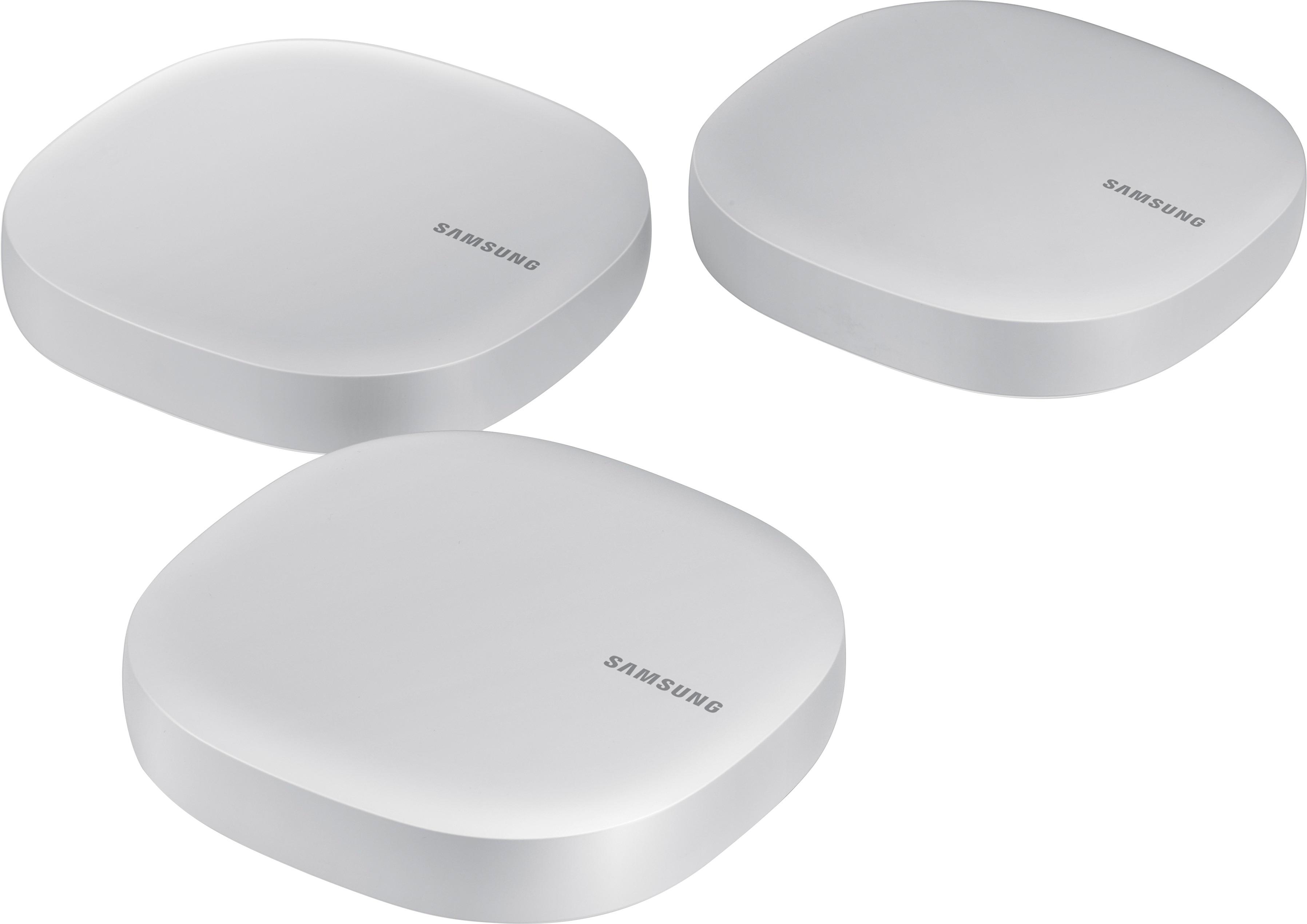
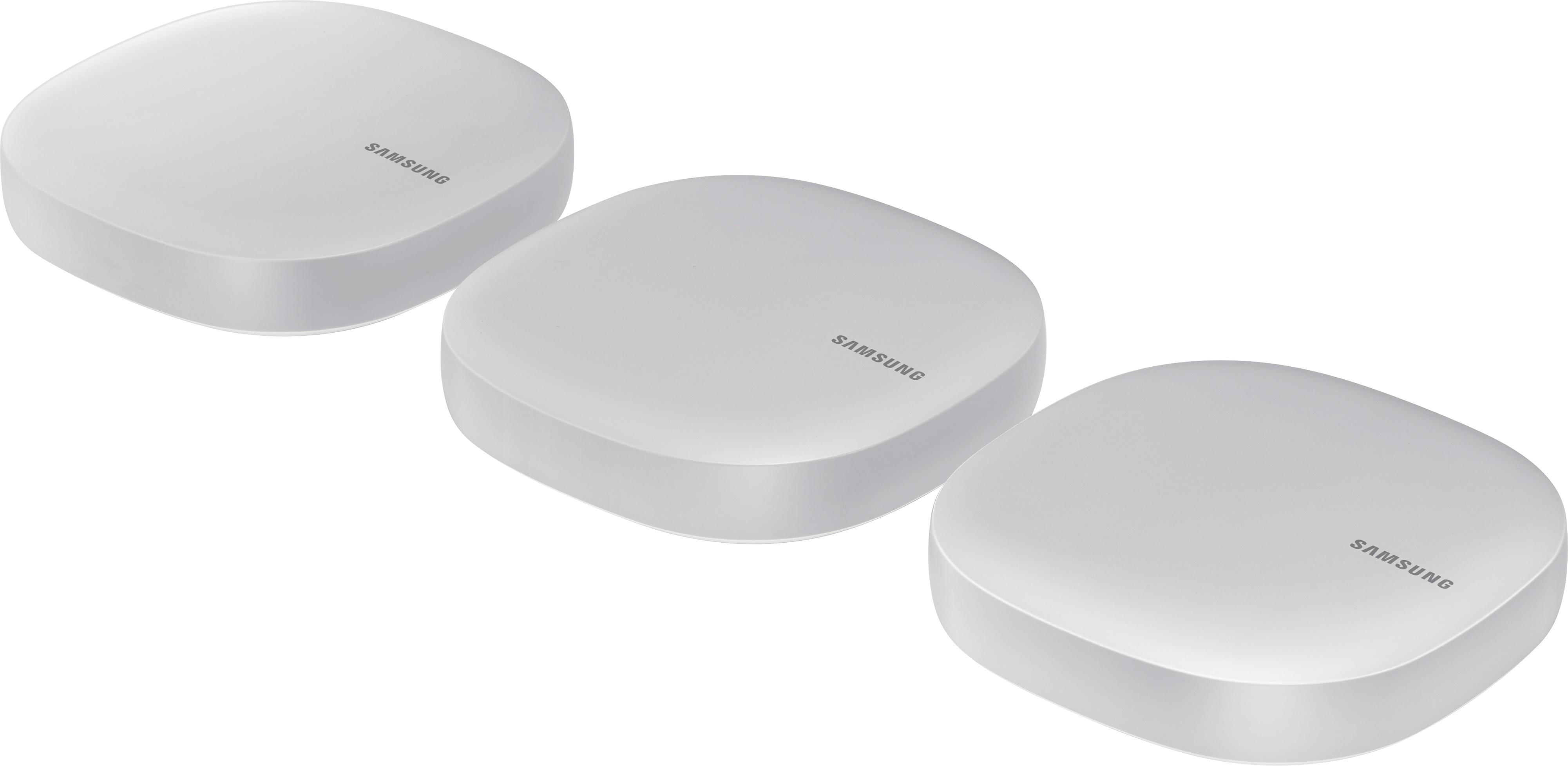
- Model:
- ET-WV520K
- SKU:
- 5872200
to a friend
Customers are saying
Customers express satisfaction with the Connect Home AC1300 Mesh Wi-Fi System's ease of use, range, and coverage, frequently citing simple setup and improved Wi-Fi access throughout their homes. Positive feedback also highlights the system's compact design and strong signal. However, some users mention limited configurability options as a drawback.
This summary was generated by AI based on customer reviews.
- Pros mentioned:Coverage, Setup, Speed
Extremely reliable and easy to set up
Posted .This reviewer received promo considerations or sweepstakes entry for writing a review.I was a bit skeptical at first but after doing some research I decided to give it a try. Simply put, this product really works. The set up was really easy, and as soon as it was connected the wifi reaches every corner of my house with an excellent speed. I have tried a few different routers up until now, and this is by far the best one I have owned. My family watches streaming TV services through wifi a lot, often a few devices simultaneously. Now with this product we have no issue streaming HD video every corner in my house in multiple TV's and iPads. I also have security cameras at front and back of my house whose wifi reception was really slow. Now with this, I am getting much faster video from my phone while I am away. I highly recommend it!
I would recommend this to a friend Overly unfriendly
||Posted .This reviewer received promo considerations or sweepstakes entry for writing a review.Lack of management features, unhappy with signal reliability, replaced with Google Wifi
No, I would not recommend this to a friend
Samsung hits a home run with whole home wifi!
|Posted .This reviewer received promo considerations or sweepstakes entry for writing a review.I have had experience testing out the Linksys Velop, as well as the Google whole home wifi systems, and i must say, Samsung's "Connect Home" system is a really awesome system all the way around. This Samsung unit IMO is better than the other 2 because it integrates the use of being able to be used as a Smart HUB to control other smart devices. Setup for the home wifi was simple. Download the App, and go from there. I used it on an iPhone, and had zero issues getting setup within 10 minutes. Setup for the smart hub is still simple, but not as simple. Using this for home automation led me to the impression that i should already know how to use all these things. So if you are brand new to the home automation game, you may have to do a little bit of research first to properly get everything setup, and not fully rely on "just" this Samsung Smart Connect device to get you going. Overall this is an awesome set of devices. Easy setup, with excellent wifi range. I setup the 3 devices in the same spots i used the Linksys Velop and Google Whole home, and received the same signal strength and speed. I also love the design of these as to me they are more easy on the eyes and resemble a simple wifi router which blends in. Recommended.
I would recommend this to a friend- Pros mentioned:Ease of use, Range, Speed
Great simple mesh system
Posted .This reviewer received promo considerations or sweepstakes entry for writing a review.I got this to increase the coverage and replace my old Netgear R6250. I've always had limited coverage at best on my porch and on one side of our house. This system totally covers my house and a large amount of my yard. Only hitch in setup was getting the first one connected. Just had to restart the modem one more time and let it all sync. The app worked fine (I'm on an S8 Active if that matters) and after the first one was set, the other 2 units were amazingly easy to set up using the app. One other thing, my Samsung 4K TV was instantly recognized as a "thing" and my phone instantly put up a easy to use remote. I already had a remote app before but this one shows in the notifications making it even easier. Pros: Awesome Coverage Single SSID for 5 and 2.4 bands Very Simple App Smarthub built in (I need more toys) MU-MIMO 2X2 built in Cons: A bit too simple of a UI (Coming from an R6250 flashed with DD-WRT) No USB for attached storage Only 1 network output per puck I had to give up my power user settings and capabilities (I don't have as much time anymore anyways for that stuff), as well as my NAS USB drive. But in exchange, I got full coverage with great speeds, MU-MIMO, a full house smarthub and a much better looking setup. I had a spare network switch to add the ports back in, so if you have an old router with 4 or more Ethernet outputs and you use them, buy a switch.
I would recommend this to a friend Didn’t work for me
||Posted .This reviewer received promo considerations or sweepstakes entry for writing a review.I was not able to set all of these units up. This mesh system didn’t work for me.
No, I would not recommend this to a friendAffordable and excellent mesh router system
|Posted .This reviewer received promo considerations or sweepstakes entry for writing a review.The Connect Home is Samsung's version of Google Wifi or Linksys Velop. This is a mesh router where you can connect one router to the modem and the other routers act as an extender. The additional feature on this is it has a built-in hub called SmartThings that can connect to your other compatible devices like cameras, lights, etc. You can control all these using the phone or a tablet or even via voice control. You need to download the app for iPhone or Android to set this up. I setup the 3 pack as a mesh system. I connected all my devices to this for testing. Although the WiFi speed throughout the home was consistent and strong, it wasn't the fastest compared to the latest router. I really like the slim and sleek design. Automatic updates are a plus since you don't have to worry about being on the latest firmware. I do not have any smart devices to test the smart home features of this device. Some things to consider are that you can't configure a static IP for this router. You also cannot configure this using a computer like a traditional router. And sometimes it doesn't show all the devices connected to the router even though they are online. Maybe a software update could fix this. Overall, the performance, design, features and the functionality are impressive and i would definitely recommend it to someone looking for a mid-tier mesh router system.
I would recommend this to a friendGreat Marriage
|Posted .This reviewer received promo considerations or sweepstakes entry for writing a review.In specs, it may not be the fastest Wi-Fi mesh router out there but considering that very few devices can connect at speeds above 860 Mbps over Wi-Fi, this Samsung Connect Home will feel extremely fast even if you happen to have internet at gigabit speed. There is a Pro model which can reach higher speed if you need it but this one will more than likely meet the need of most for now and beyond.. I was impressed with the coverage and easy setup. You just need to make sure to download the Samsung Connect App before starting; if you don't have Wi-Fi yet, you may need to use your phone data plan for that. I had Wi-Fi from my previous router, so it was not a problem. It can be set up in bridge mode but I found out that it doesn't recognize other devices by name, only by mac addresses unless it is set up the standard way. Performance was always excellent even when connected to the second and third units which seems to be the rule for new mesh routers. Until then, everything was good but still similar to everybody else's. What really stood out was that this router is also a Smarthings hub which can control compatible devices in your home. Adding my Bose Soundtouch system - which I didn't know was compatible - was very easy and I can now control it with the Samsung Connect app, Google Home and Amazon Echo. As I add more smart devices to my home, I'll be able to take full advantage of it. Marrying Wi-Fi and Smartthings is an excelent idea and can help to speed up the adoption of smart devices at home. I just wish there was a universal standard so you wouldn't have to think about compatibility but that's the way it is with all manufacturers right now. You need to keep in mind that these units are very small and have only two Ethernet ports which means that if you have a few wired computers/devices, you may need to buy an inexpensive switch to add more physical ports. I am very satisfied with this product so far.
I would recommend this to a friendSolid Wireless Performance & Exceptional Range
|Posted .This reviewer received promo considerations or sweepstakes entry for writing a review.The Samsung Connect 3 Pack provides an amazing in home wireless experience. Setup: It is very simple to get the Samsung Connect up and running in your home within minutes. Even the advanced configurations are simple set up. Wireless range: After setting up the Samsung Connect, I noticed an immediate improvement to the wireless range in my home. Areas of the house that were wireless dead spots with my old wireless solution are now fully functional wireless areas, and the throughput is amazing. I am getting full bandwidth upstream and downstream between my ISP and my wirelessly connected devices. Management: It is very simple to manage the wireless network with the Samsung Connect. Security, configuration changes, and updates are a breeze. Since installing the Samsung Connect, I have not experienced any drops in wireless connectivity on my wireless devices. Even while roaming through the house. I can steam HD media (up to 4K) while moving from the upstairs bedroom to the basement without so much as a blip in the movie. I woul recommend the Samsung Connect to everyone looking for a wireless platform that offers fast speeds, reliable connections, and exceptional wireless coverage.
I would recommend this to a friendNot for the faint of heart...
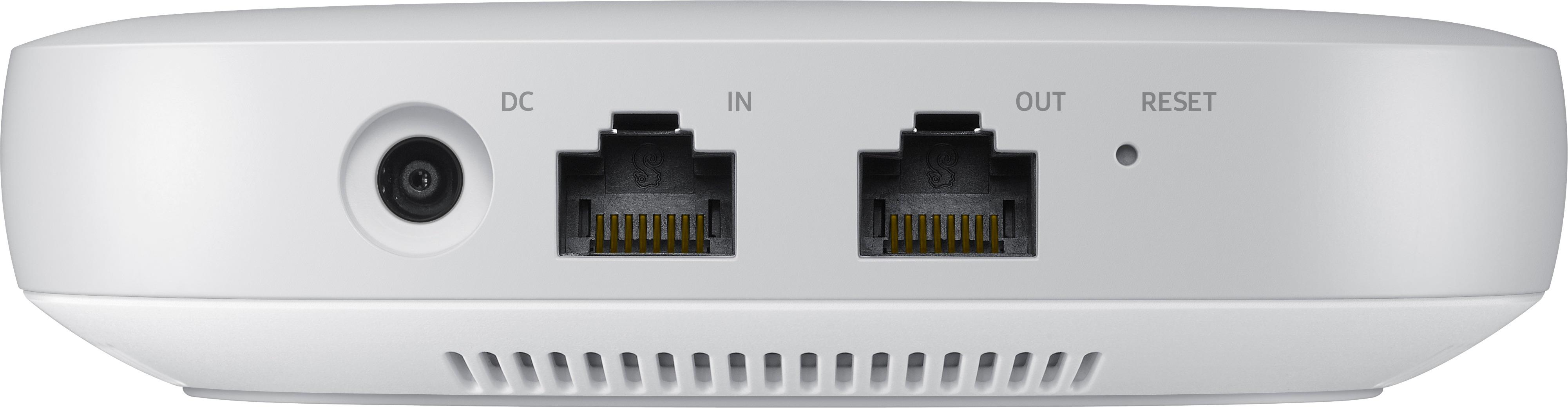
|Posted .This reviewer received promo considerations or sweepstakes entry for writing a review.I have to admit that I found the Samsung Connect Home 3 pack to be a bit disappointing. It took a little longer than usual to setup. I ran into some difficulty when I tried to link the satellite unites, and when finally connected, the signal kept dropping. Another big let down was the fact that this only has two ethernet ports, one in and one out. I have some devices at home that I prefer to hardwire, and I had to go out and purchase an ethernet switch in order to be able to hookup these devices. As to for the pros, it is sleek looking and very slim. They take up much less space than the Orbi system that they replaced. I had been looking into converting my home into a "smart home," and the beauty of the Samsung connect system is that it has their Smart Home Hub system integrated into the router. You are able to connect cameras, lights, outlets, and many other compatible accessories to turn any house into a smart home. This eliminated the need to buy multiple devices, and all in a more compact device. This is a system that I would recommend to a more tech savvy individual, as it can be a bit more advanced to setup.
I would recommend this to a friendgood but not great
|Posted .This reviewer received promo considerations or sweepstakes entry for writing a review.When I saw the specs for this, I was assuming I could get rid of one of my hubs that I have stacked near my router. Not so. While it replicates some of the functionality of a Smart Things hub, it does not replicate everything. It also forces you to download and use yet another app to set it up. And that setup is not without its own set of headaches. Every time I added a hub, I had to wait for the app to time out trying to find the hub. Once it had timed out, it found it immediately on the retry--all three times. Adding network smart devices to the hub was painless enough, but it's impossible to port over the smart things hub to the connect app. That means you have to keep both apps on your phone, and you can't ditch your existing hub either. So far, the mesh network portion of the product doesn't appear to be working any better or worse than the previous mesh network I had set up in my home. It initially said one of my hubs was too far away from the other hubs, but after a refresh, it said it was fine. Placement was the same as my previous setup. For someone that doesn't have a smart things hub, this is probably a good entry product if you're looking to also move to a mesh network. If you have an existing mesh network and smart things hub, this is not a compelling upgrade.
I would recommend this to a friend- Pros mentioned:Range, Speed
Amazing Router!
|Posted .This reviewer received promo considerations or sweepstakes entry for writing a review.Seriously amazing router set up with great range and speed, also has the huge bonus of being a SmartThings hub.
I would recommend this to a friend Fairly Simple
|Posted .This reviewer received promo considerations or sweepstakes entry for writing a review.Setting this system up wasn't overly complicated, though it was a pure breeze either. While trying to add each of the three nodes, they all stalled during initialization. Not sure why. I backed out of the setup and tried again. Each worked without a hiccup on the second attempt. Weird. Coverage around the house is good. I own a split level so one is on the main floor and then one each on the upstairs and downstairs floors. The speed isn't as quick as my AC5400 router though. It a house full of connected items, I haven't moved them all over to fully load the system so I can't really advise how it'd perform under heavy load. I assume it'd be alright though as the device that require heavy data flow are wired to my router. As a SmartThings hub, I've experienced the same device discovery hiccup. Once add though, the devices work fine, just like with the SmartThings app and original SmartThings hub I owed.
I would recommend this to a friend- Pros mentioned:Coverage
Works great
|Posted .This reviewer received promo considerations or sweepstakes entry for writing a review.After receiving the samsung home connect system I unboxed the three routers and placed them each on a different floor. Once set up I accessed my Samsung Galaxy s7 phone. At first I used the samsung Connect app. It didn't work. It would find them but wouldn't set them up. I did a little digging and found the Samsung Smart Home app in Google play app store. I installed it. Opened it. From there it was smooth sailing. All three floors have great signal and fast download and upload speeds. Now I just need to get other Smart Home devices. I do have the samsung robo vac which is quite handy when you don't want to worry about vacumming.
I would recommend this to a friend - Pros mentioned:Coverage
I Love This
|Posted .This reviewer received promo considerations or sweepstakes entry for writing a review.The setup was very easy and straightforward. It took me less than an hour. I set this up as a WiFi range extender and my whole home now has excellent WiFi Coverage. Maybe I might this up as a smart home hub in the future but this is great as is right now.
I would recommend this to a friend - Pros mentioned:Ease of use
Excellent Router
|Posted .This reviewer received promo considerations or sweepstakes entry for writing a review.I have used many different routers over the past few months, from the netgear orbi to Google ones but the Samsung connect home stands out ! It is very easy to set up and all the three nodes are also easy to pair with each other. I do heavy gaming like Dota2 and therefore a stable internet connection is necessary. The samsung connect home provides me with that. I am happy with the product
I would recommend this to a friend - Cons mentioned:Configurability
The smart device before it's time...
|Posted .This reviewer received promo considerations or sweepstakes entry for writing a review.This hub / smart device controller is a great idea that is waiting to be realized. There are very few devices that you can manage with the device for smart access. The hub was very limited in functionality. Literally you assign an SSID during the install and then I had no way to manage or apply any changes. The support was not there yet either. I contacted them to get help and was told there was a special team for this product but was never able to get to them. There was virtually no documentation with the device other than how to connect it and then install the mobile app. The mobile app did work but again was not intuitive and lacked instructions. I was shocked that the device has a feature to test the connectivity between the devices but when I would run it would recommend the devices not be more than 40 ft apart. With that math I don't know how a 3 pack could support a 4500 sq ft house. My house was not that big and my range was very limited. The hubs are very pretty and small but lacking in features. I was very excited about this package but it did not impress. My connectivity speed over wifi was a little over 200Mb but should have been much better and usually is. I was literally 3 ft from the router and my cable modem. These have the idea and capability I believe to be amazing but we need more software and performance.
No, I would not recommend this to a friend - Pros mentioned:Speed
Difficult (for me) set-up, average features
|Posted .This reviewer received promo considerations or sweepstakes entry for writing a review.I had problems getting this setup as a few others have stated as well. Without going into all the details, I had multiple drop-outs, reboots, etc before finally getting the system up and running. Speeds seemed great, but I found that they dropped significantly as you moved away from the units. Not sure if it's a hardware problem specific to my units or a software issue that can get updated via firmware update. I've tried a couple of other mesh systems and I would say that the Samsung ranks in the middle b/c of the added feature of the Smart Hub.
No, I would not recommend this to a friend Nice Marriage, But Some Serious Shortcomings
|Posted .This reviewer received promo considerations or sweepstakes entry for writing a review.Ok, so this is a nice marriage of products but with some not insignificant shortcomings. Meshing a home hub and router extends both capabilities significantly, and Samsung has done a nice job packaging it in a small, unobtrusive package. This is a new product and features may be added later, but right now the feature list is rather sparse. The wifi mesh router is very similar to other wifi mesh routers, relying on cloud based control and a phone app only. The feature set is really beyond minimal, but I would expect it to gain function as the product matures. Wifi performance was about average at best. It does claim to operate in bridge or standalone mode, so that it could be used in place of a wireless extender; however, when I tried it with a hardwired VOIP phone (remote connected to work), there were dropouts and disconnects, making it unuseable. There is no support for IPv6 and the IPv4 is fixed to 192.168.1.x. There is no support for static IP addresses. The home automation hub is also meshed, so it doesn't suffer the coverage issues you see in fixed hubs. The first problem is that there was no way to transition from an existing home hub to the new one; you have to re-register everything and start from scratch. Kinda breaks the promise of a cloud control setup... The second problem is that there is really no guide to what you can and can't do, so setting up a 'smart home' is really an exercise in "poke and hope". The third problem is that the number of supported devices is really limited right now; I expect this will grow as the product matures. I guess my biggest problem with the Connect is the phone app paradigm. If your Internet connection is down for any reason, or Samsung cloud, or anything inbetween your phone and the hub, you're out of control. It would be really nice to have a local control portal, like a local web interface. The app also requires a completely ridiculous set of permissions, basically anything on your phone including contacts, photos, messages, files, and history, which brings up serious privacy issues. Samsung's privacy policy pretty much states "you have none", so make sure you know what you are agreeing to before you click the button.
I would recommend this to a friend- Pros mentioned:Range
not ready for prime time yet
|Posted .This reviewer received promo considerations or sweepstakes entry for writing a review.I have tried a few of the "mesh" type wifi coverage products, so I was anxious to try this one out as well, but was disappointed in how it worked overall.. Initial setup was problematic, and I had to reset the first unit 3 times before I could get it to recognize the internet signal from my xfinity modem. After getting the first one to connect, the second one connected just fine, but the 3rd one took multiple tries to connect.. Once I had them all working, I was pleasantly surprised at how well the coverage was, and, even though the speed test numbers werent as fast as my previous setup with my Netgear R9000, they still werent all that bad. So, on the second day of useage, I noticed that I had lost internet connecting on my desktop pc, but still had it on some other connected devices throughout the house, I tried resetting the modem, and resetting the entire system, but, suddenly I started having internet disconnections on various connected devices all over the house. I wasnt happy about this, so I reconnected my Netgear router, and havent had a single issue since.. Not sure if its the units itself, or the weak software/firmware this system uses, but, at this time, I would NOT recommend this setup.
No, I would not recommend this to a friend Just OK
|Posted .This reviewer received promo considerations or sweepstakes entry for writing a review.Initial setup was challenging as the app identified my Connect hub, but would then just spin as setup attempted to proceed. After several unsuccessful attempts, I tried a different puck and setup was able to complete as expected. I was able to get all three pucks connected around the house and did see a slight increase in speeds to my devices (as compared to the ATT modem/router I was using previously). There is no signal strength indicator which would have greatly aided in placement of the pucks. I did have to use a switch as the Connect hub only has one Ethernet port (as do most mesh network systems). Where I feel the product failed, was in the ability to perform some, what I would consider basic, tasks. For example, I have a static IP set on my NAS. With the Samsung Connect, I was unable to forward ports to my NAS (or at least I wasn’t able to find a way to do it). Having a UPnP option is nice as some devices require this feature. In all honesty, it feels like Samsung rushed to get the Connect Home product out as the software is clunky and missing basic features. I imagine with a few app and firmware updates, this could be a solid product. If you are considering this product, I recommend you wait a few months and let Samsung make a few updates first.
I would recommend this to a friend