Customer Ratings & Reviews
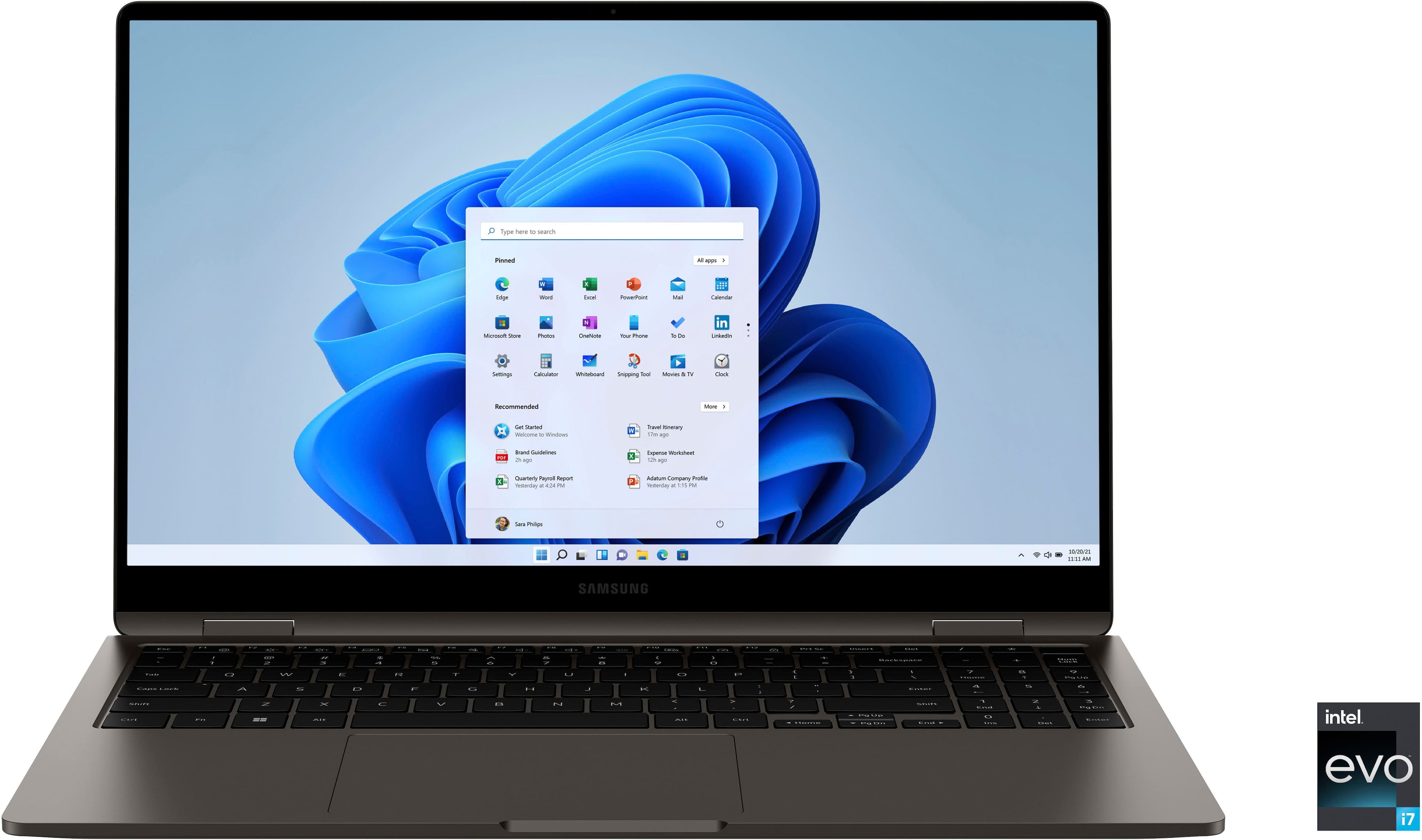
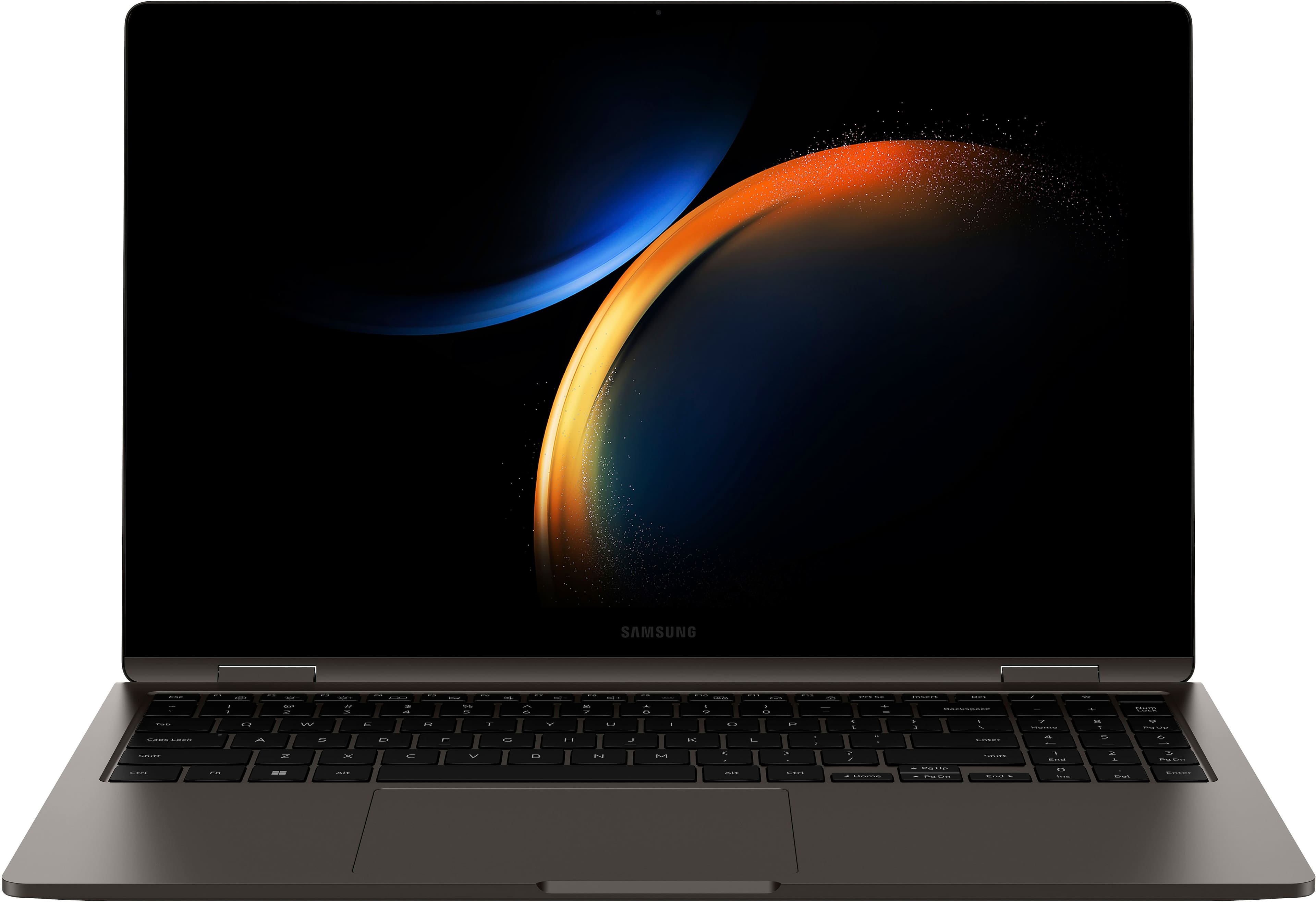
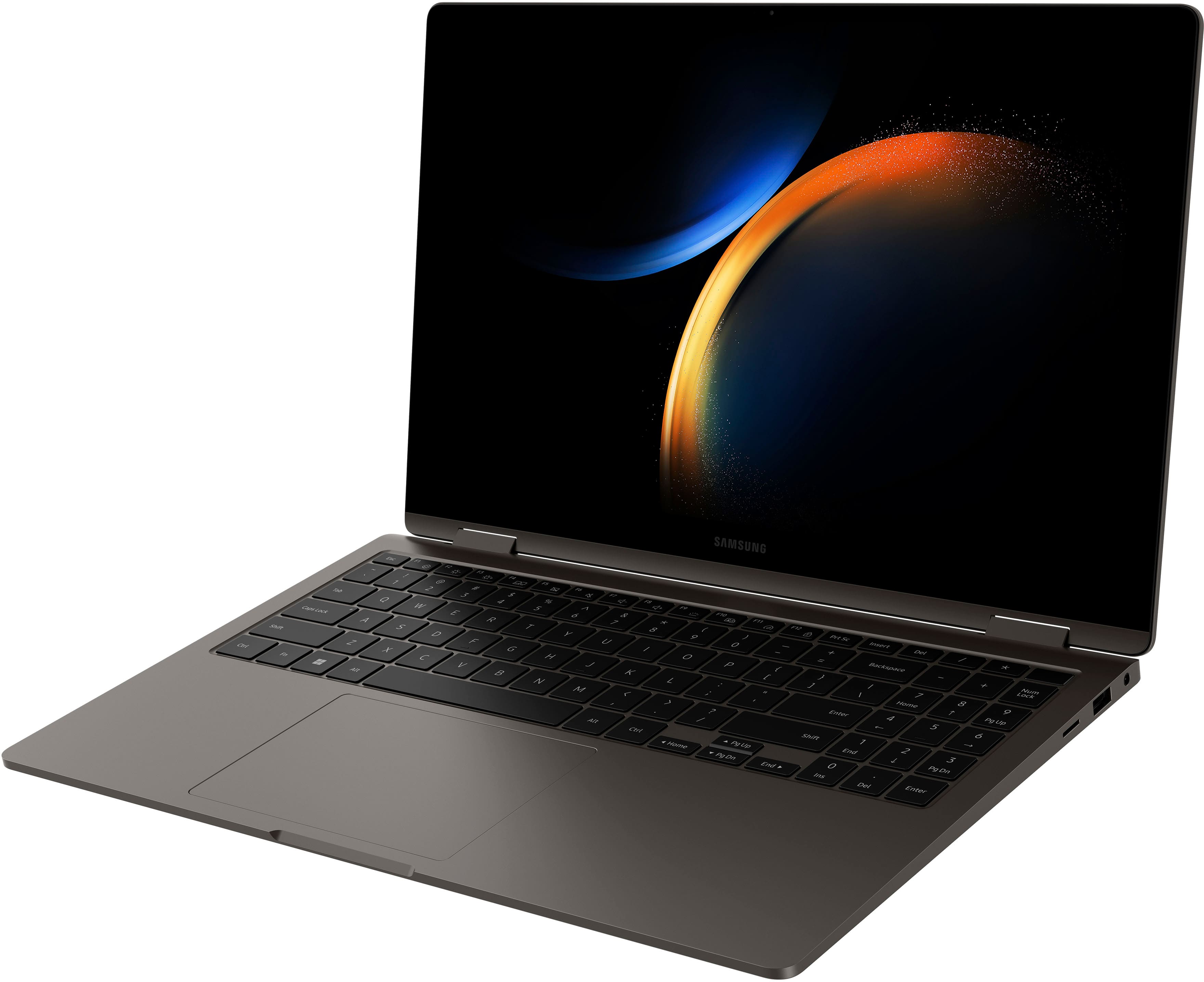
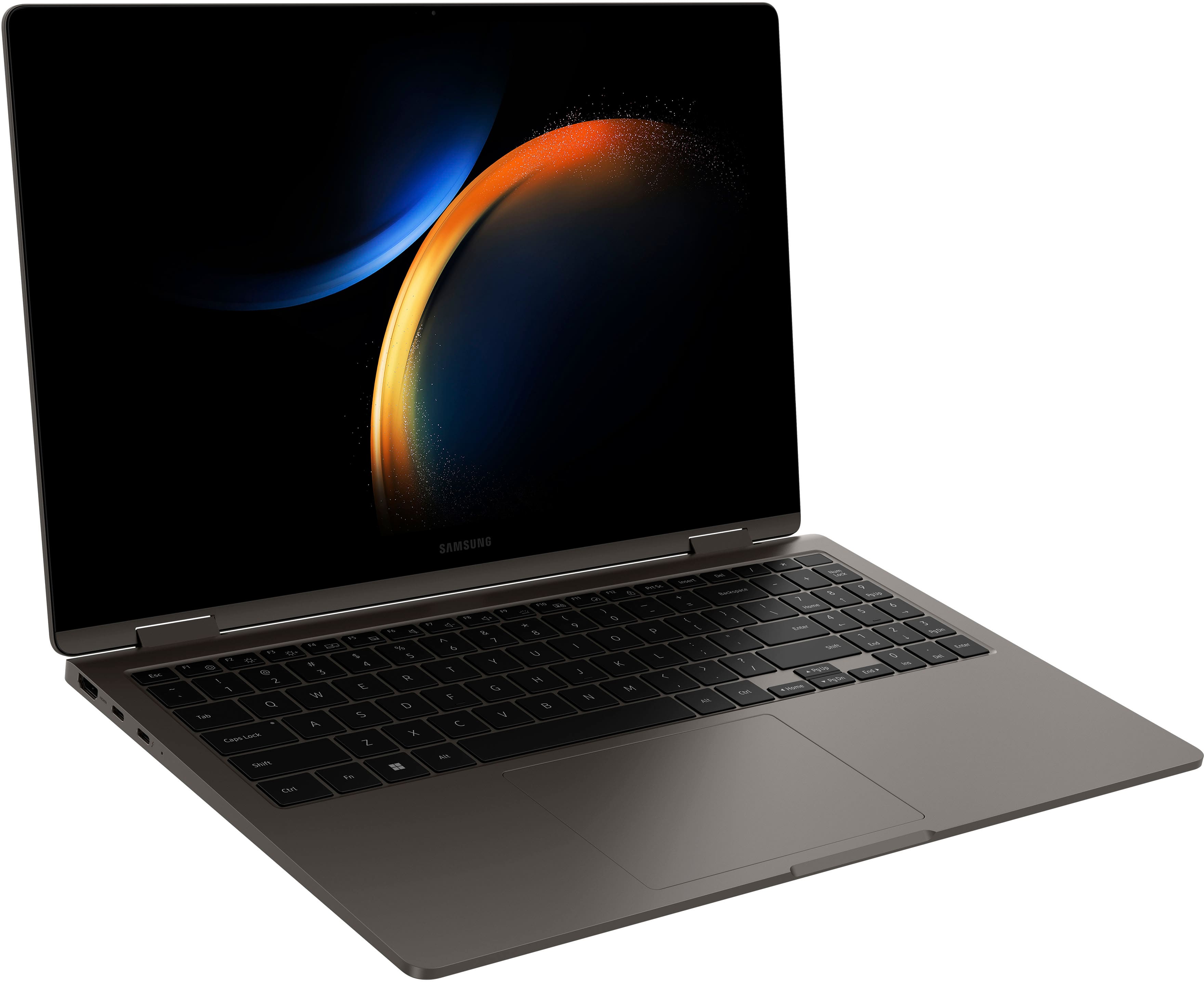













- Model:
- NP750QFG-KA2US
- SKU:
- 6531055
Rating by feature
- Battery Life
Rating 4.6 out of 5 stars
- Speed
Rating 4.8 out of 5 stars
- Display
Rating 4.8 out of 5 stars
Customers are saying
Customers are enthusiastic about the Galaxy Book3 360's stunning screen quality, light weight, and impressive performance. Many appreciate its ease of use and elegant design, making it suitable for both work and everyday tasks. While some users noted minor issues with the fingerprint sensor and S Pen, the overwhelmingly positive feedback points to a highly satisfying user experience.
This summary was generated by AI based on customer reviews.
- Pros mentioned:Screen quality, Weight

Killer Laptop!
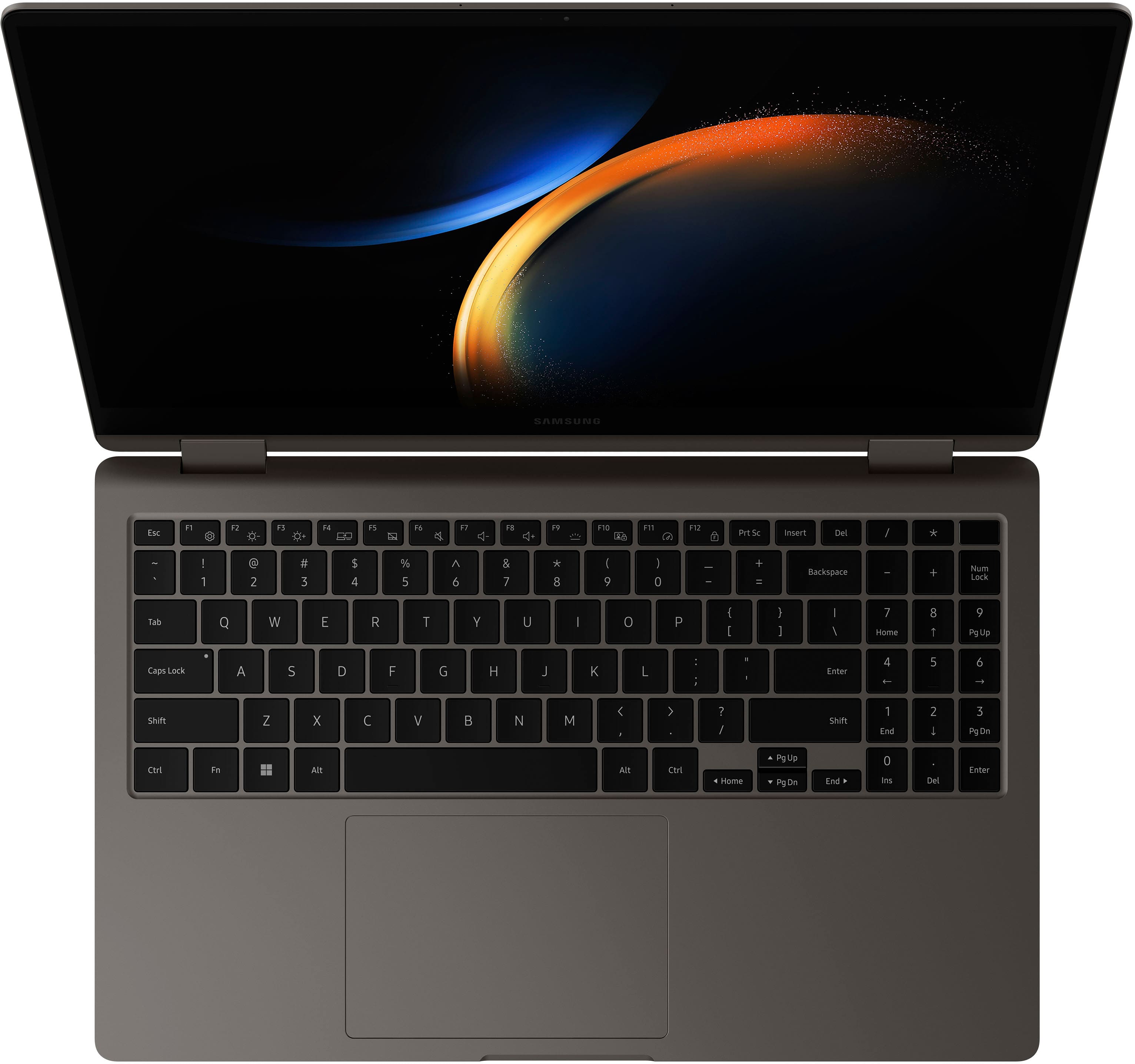
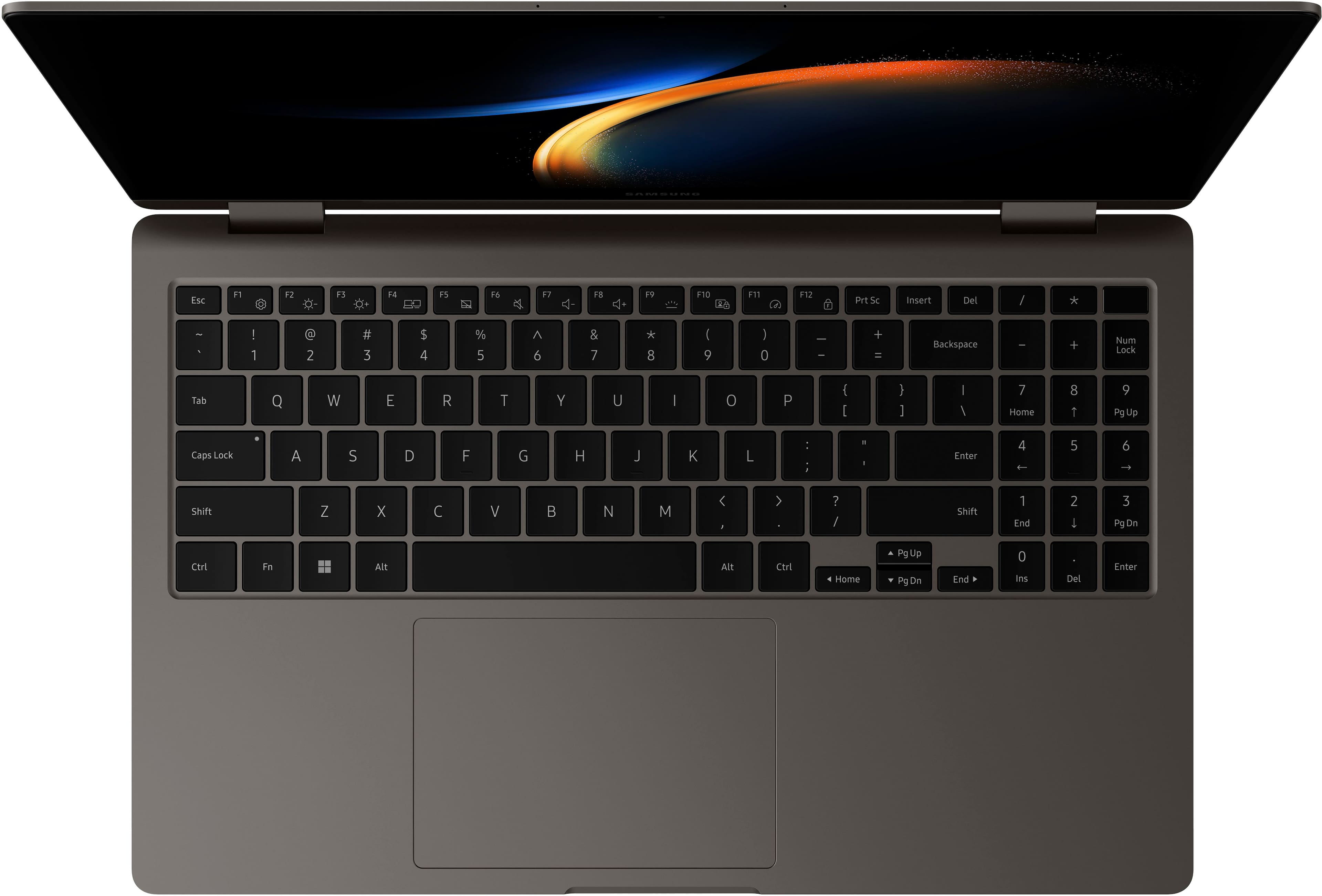
|Posted .This reviewer received promo considerations or sweepstakes entry for writing a review.I am thoroughly impressed with this Samsung Galaxy Book. I am incredibly hard on my laptops, and generally get the latest and greatest work laptop every year, but this is my first GalaxyBook. I’m really loving the wide screen and addition of a 10 key, which is something none of my other laptops have. As somebody who owns an accounting business, a 10 key is big for me. The laptop has the onboard integrated graphics, which will work for basic low demand games, but this isn’t something you can rely on for demanding games. Rather, this laptop excels at basic office functioning, like Word, Excel, PowerPoint. The battery life claims to be over 12 hours when using it, but I managed to burn through over half the battery within 2 hours of playing Hearthstone. One of my favorite features is the laptop used USB-C to charge, which is amazing, because this is the same cord as my Galaxy Phone. This laptop also has an HDMI port, which I haven’t seen on a new business laptop in a long time… but they are so important if you plan on hooking up to a projector. The screen is very glossy, so it has a beautiful dynamic array of colors, but, it’s also subject to glare. I was out at a park with my son last week and the reflection was so bad that I had to put the computer away. Overall, very impressed. It’s light weight, wide screen, solid build, fast boot time, fingerprint scanning, and has the option to fold over. I love this fold over option, because I can bring a keyboard when I travel, and use this computer more like a monitor, and less like a laptop.
I would recommend this to a friend - Pros mentioned:Battery life, Screen quality
Amazing Screen and Battery Life
|Posted .This reviewer received promo considerations or sweepstakes entry for writing a review.Even before opening this notebook, or they call it ultrabook, I was impressed by the construction. It immediately tells how much effort was put into the design and choice of material. But what really stands out is the gorgeous AMOLED screen. Even in the darkest environment, the blacks look real black. No grayish lighting in the background as you can see even with the best LED screens. Not only that, but the colors also look so vivid. Because I deal with video editing and many with medical images, color accuracy and quality are vital. Of course, I use another computer for the editing part, but this ultrabook is just perfect for me to review the end result. That doesn’t mean that it can’t be used for simple video editing. In a quick test for this review, it performed well for a not-too-complex editing. The 13th generation Evo Core i7 has the power, but the GPU is not really designed for that. So, the combination is not perfect for this type of work. The same can be said about gaming. Light games work well, but when I tested a high-end game, it was a disappointing. However, I was not disappointed because I was aware of the specs and I never intended to play that type of game on it. I thought that the AMOLED screen and design was all that I would be excited about, but then I realized that the battery lasts the whole day. I worked and played with it from 6:30am to 8pm with just quick brakes without having to connect it to power to recharge it. Only the next day, after about an hour or so, I got the message that battery was low. That’s amazing. With a Samsung Galaxy phone or tablet, you can take advantage of a couple of features. The one I liked best was the multi-screen. I wish it supported iOS too. Although one person in our household owns Galaxy devices, I mostly use Apple and won’t take advantage of it as much as she will. It was nice to see it working flawlessly though. The few cons are the following: first, It comes with only one Thunderbolt port. However, it is Thunderbolt 4 and it includes one USB-C and one USB 3.2 ports. Second, the resolution is only 1080p. Not bad because the AMOLED screen helps, but not perfect either. Overall, great design, decent performance for day-to-day activities, and excellent battery life besides the gorgeous AMOLED screen.
I would recommend this to a friend - Pros mentioned:Battery life, Performance, Screen quality
Great
||Posted . Owned for 3 weeks when reviewed.This reviewer received promo considerations or sweepstakes entry for writing a review.I recently purchased the Samsung [Model Name] laptop, and I must say, it has exceeded all my expectations. From its sleek design to its outstanding performance, this laptop has truly impressed me in every aspect. First and foremost, the design of the Samsung laptop is sleek and modern. Its slim profile and metallic finish give it a premium look and feel, making it a stylish companion for both work and play. The build quality is top-notch, and the attention to detail is evident in every aspect of its design. In terms of performance, this laptop truly shines. Powered by an Intel Core processor and ample RAM, it effortlessly handles multitasking, allowing me to work on multiple applications simultaneously without any lag. Whether I'm browsing the web, editing documents, or streaming content, the Samsung laptop delivers smooth and responsive performance every time. The display is another standout feature of this laptop. The vibrant colors and sharp resolution make watching movies and videos a joy, and the ample screen real estate provides plenty of room for productivity tasks. Additionally, the keyboard is comfortable to type on, with well-spaced keys that provide good tactile feedback. Battery life is also impressive, allowing me to work for extended periods without needing to constantly hunt for a power outlet. Whether I'm working from home or on the go, I can rely on the Samsung laptop to keep up with my demanding workload. Overall, I couldn't be happier with my purchase of the Samsung laptop. Its exceptional performance, sleek design, and long-lasting battery life make it the perfect companion for both work and entertainment. If you're in the market for a new laptop, I highly recommend giving the Samsung [Model Name] a closer look. It's truly a game-changer in the world of portable computing.
I would recommend this to a friend - Pros mentioned:Screen quality
Samsung's 3rd gen has nailed it! Complete package
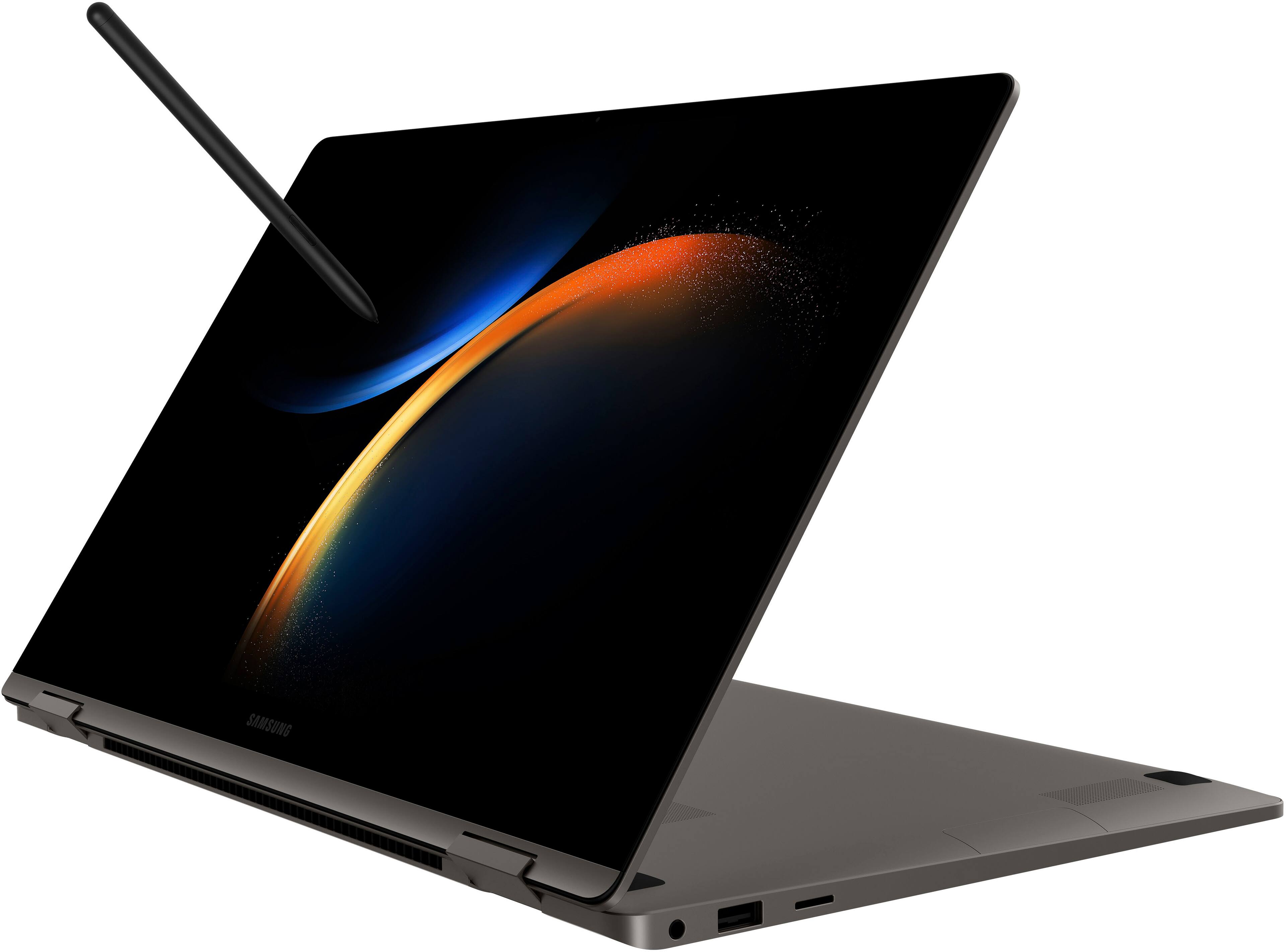
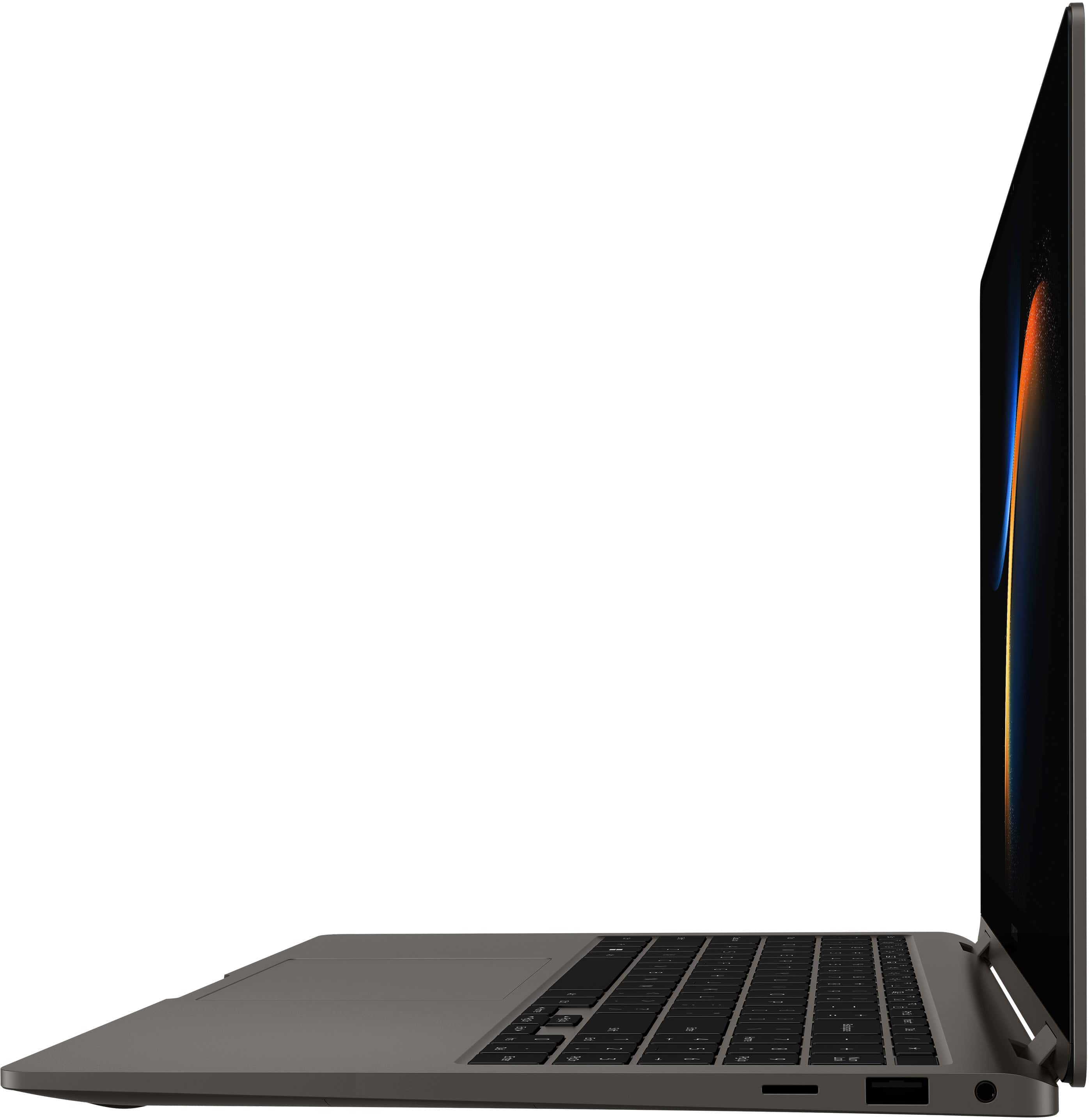
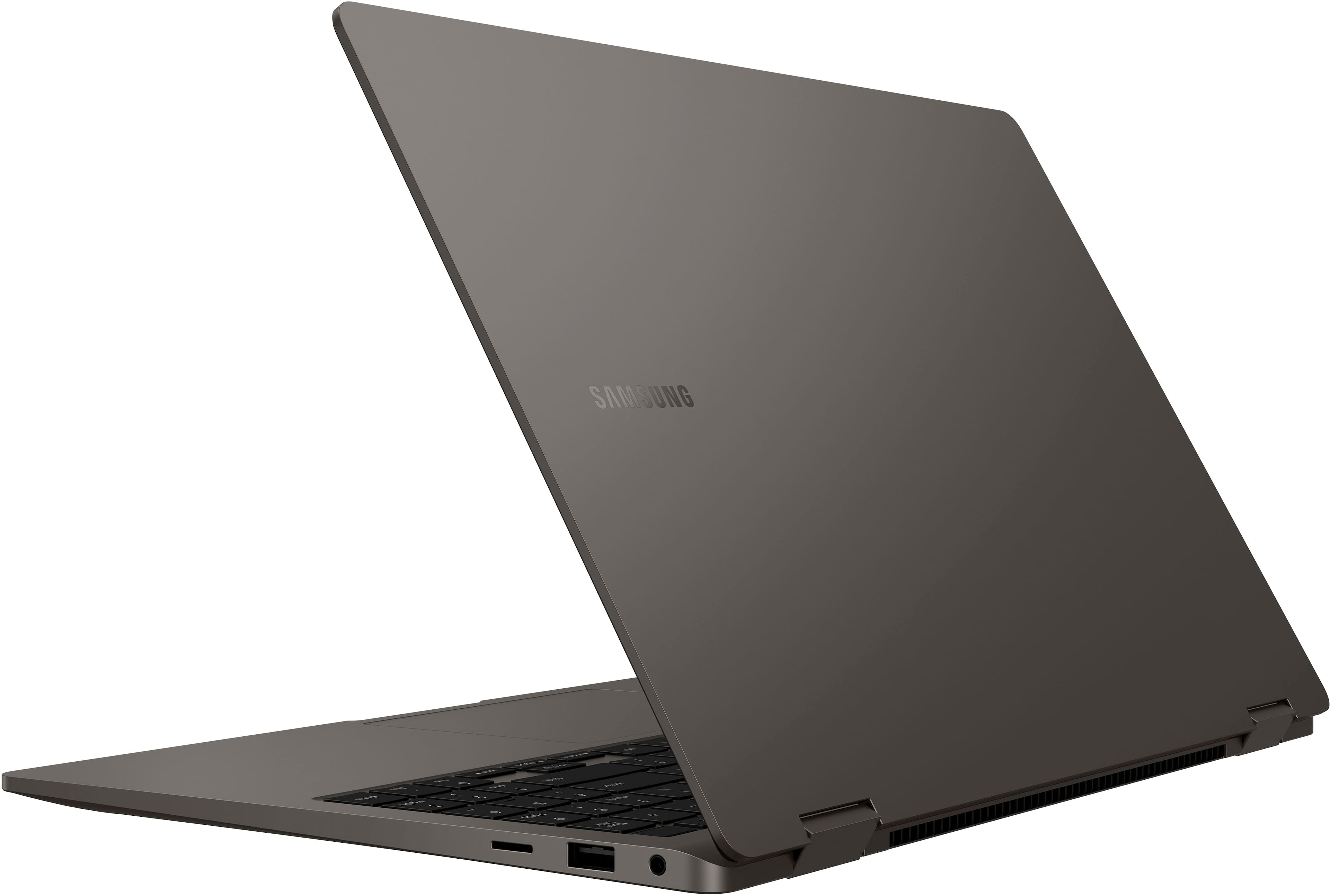
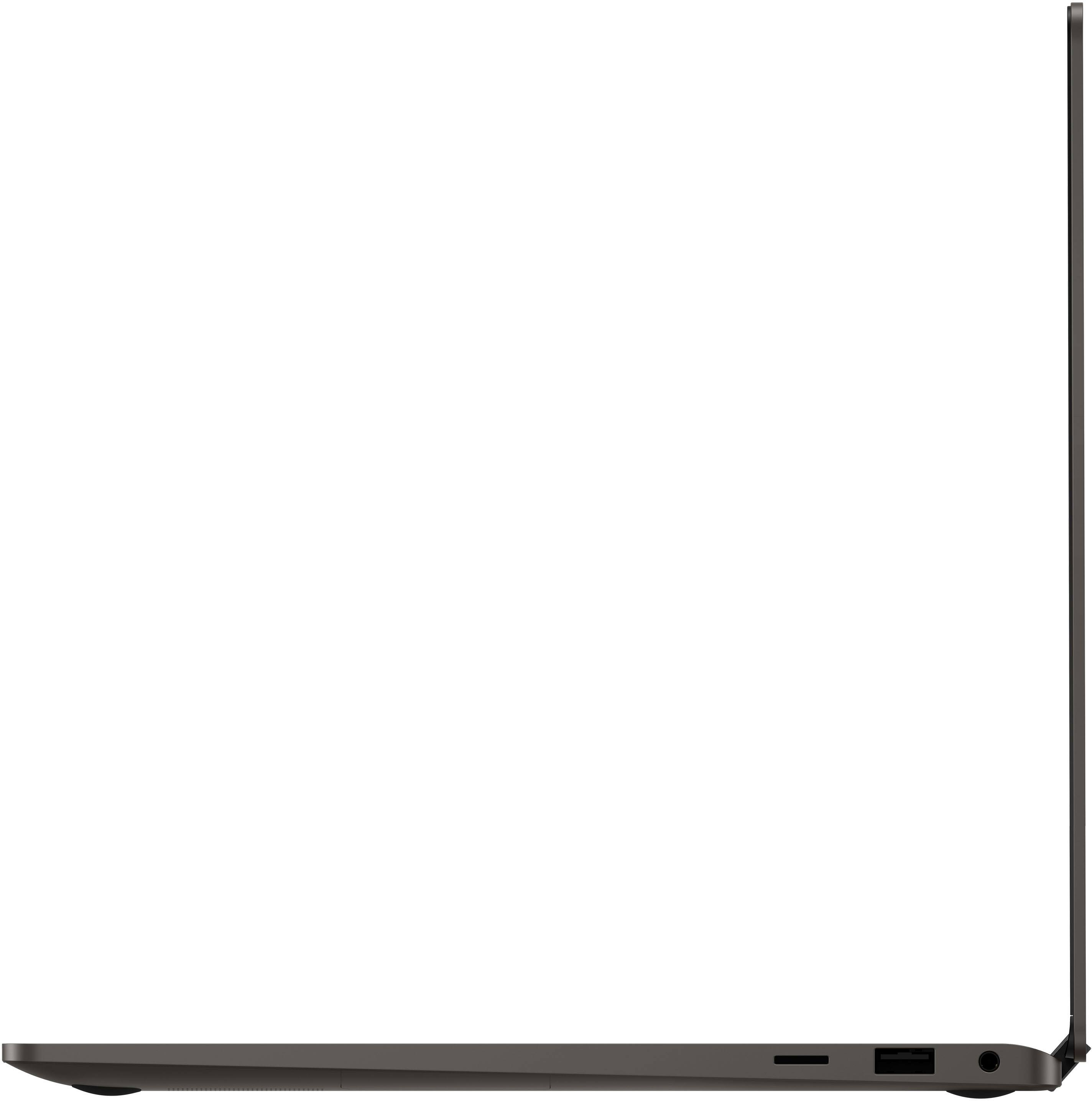
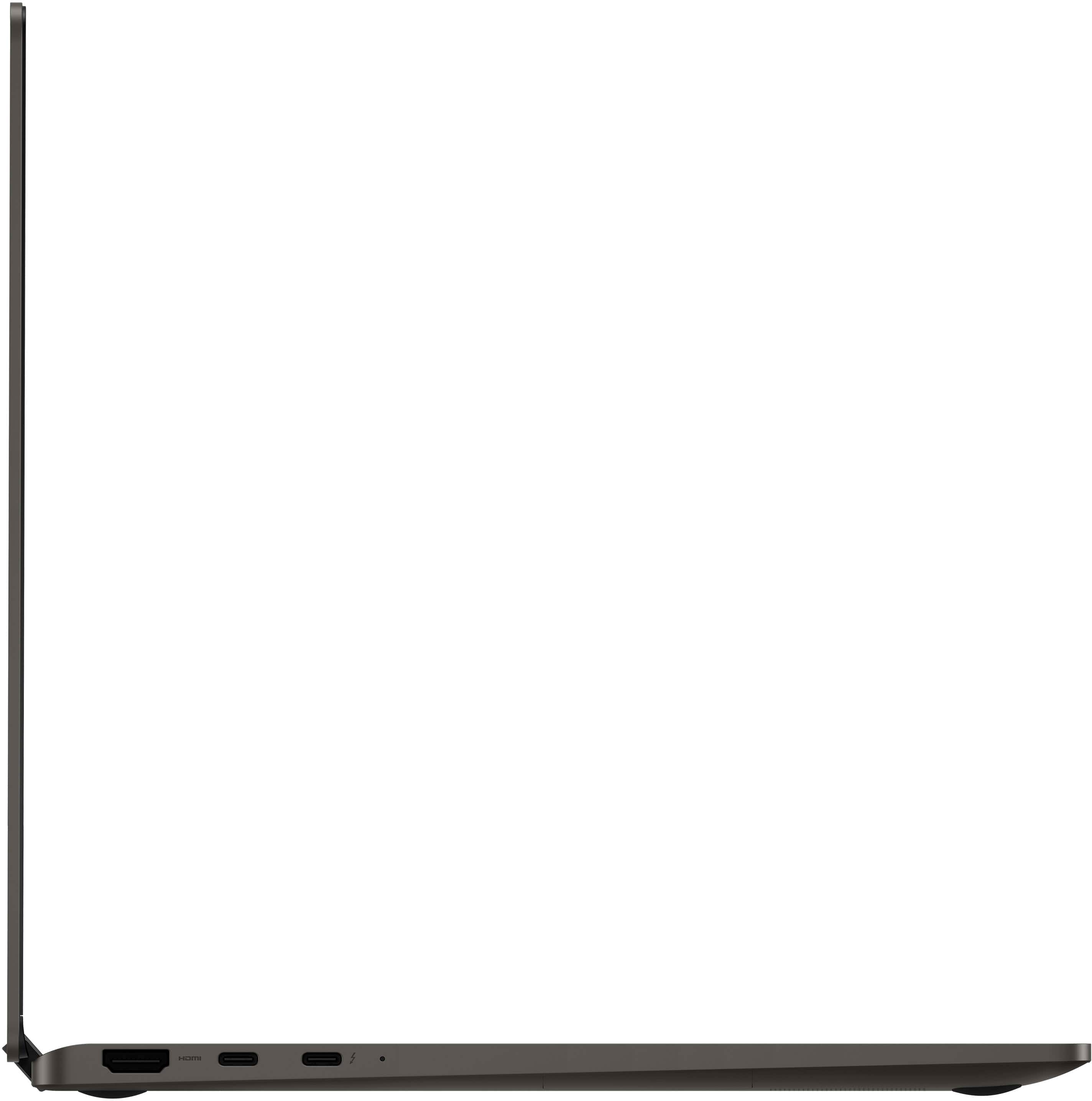
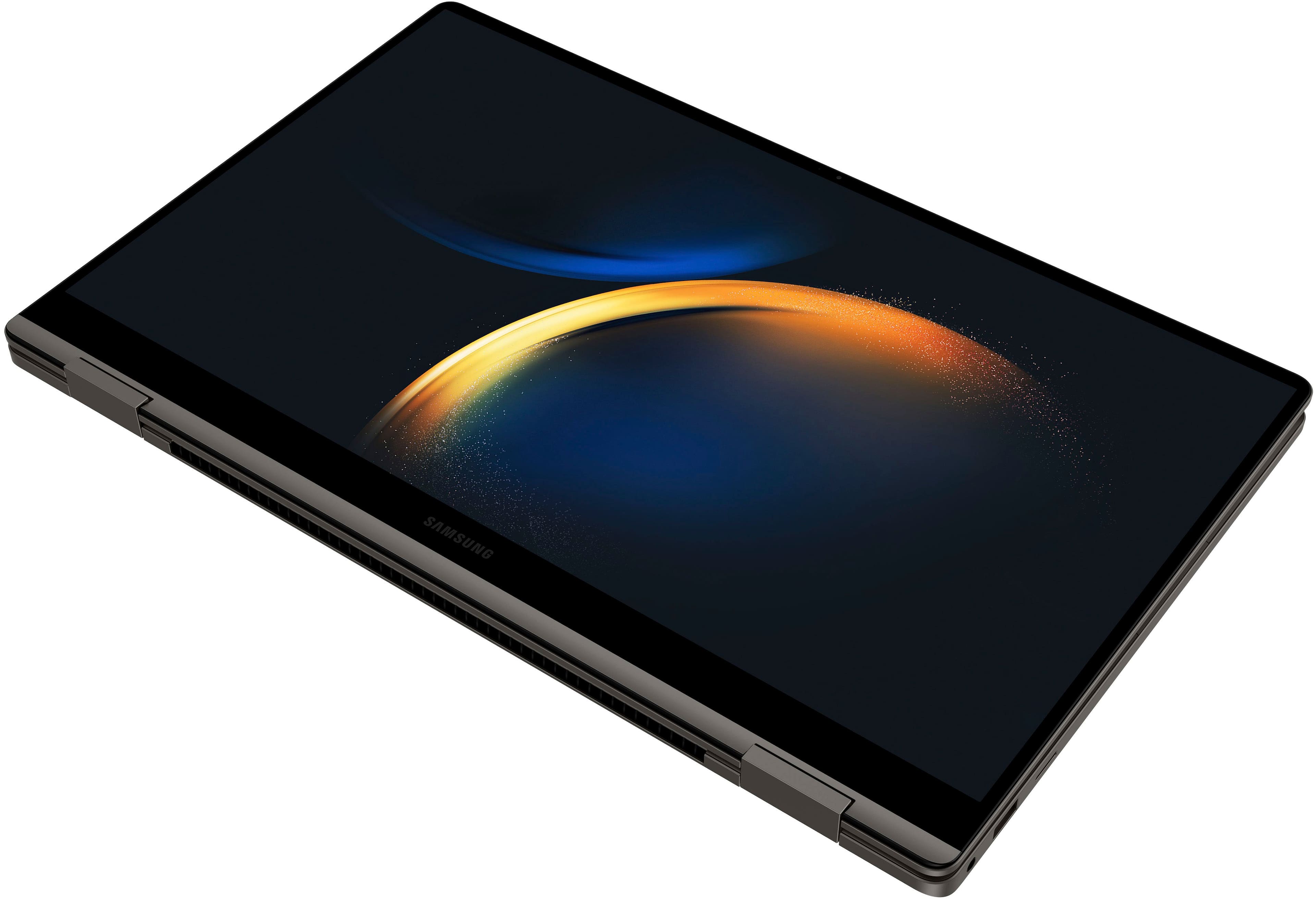
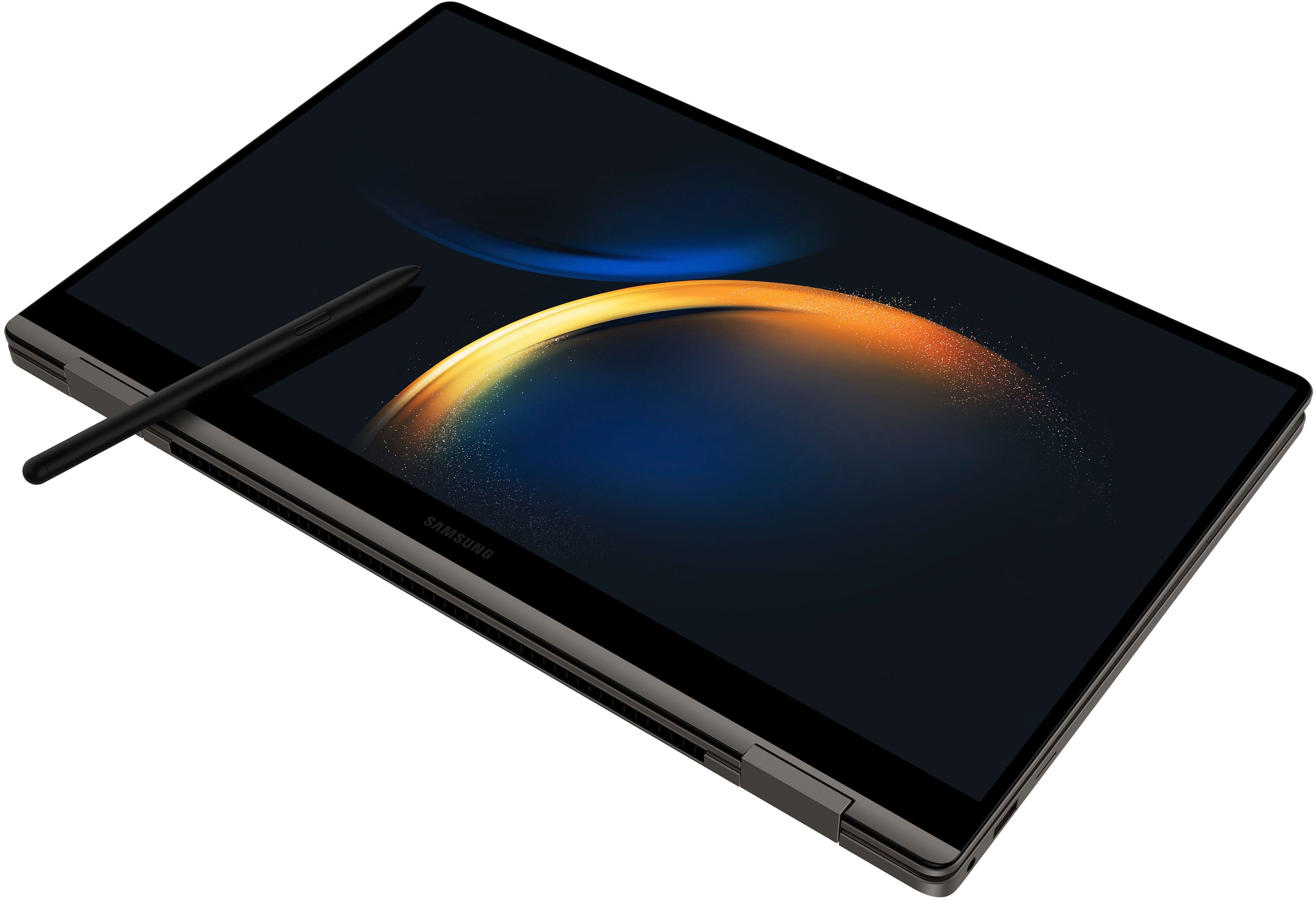
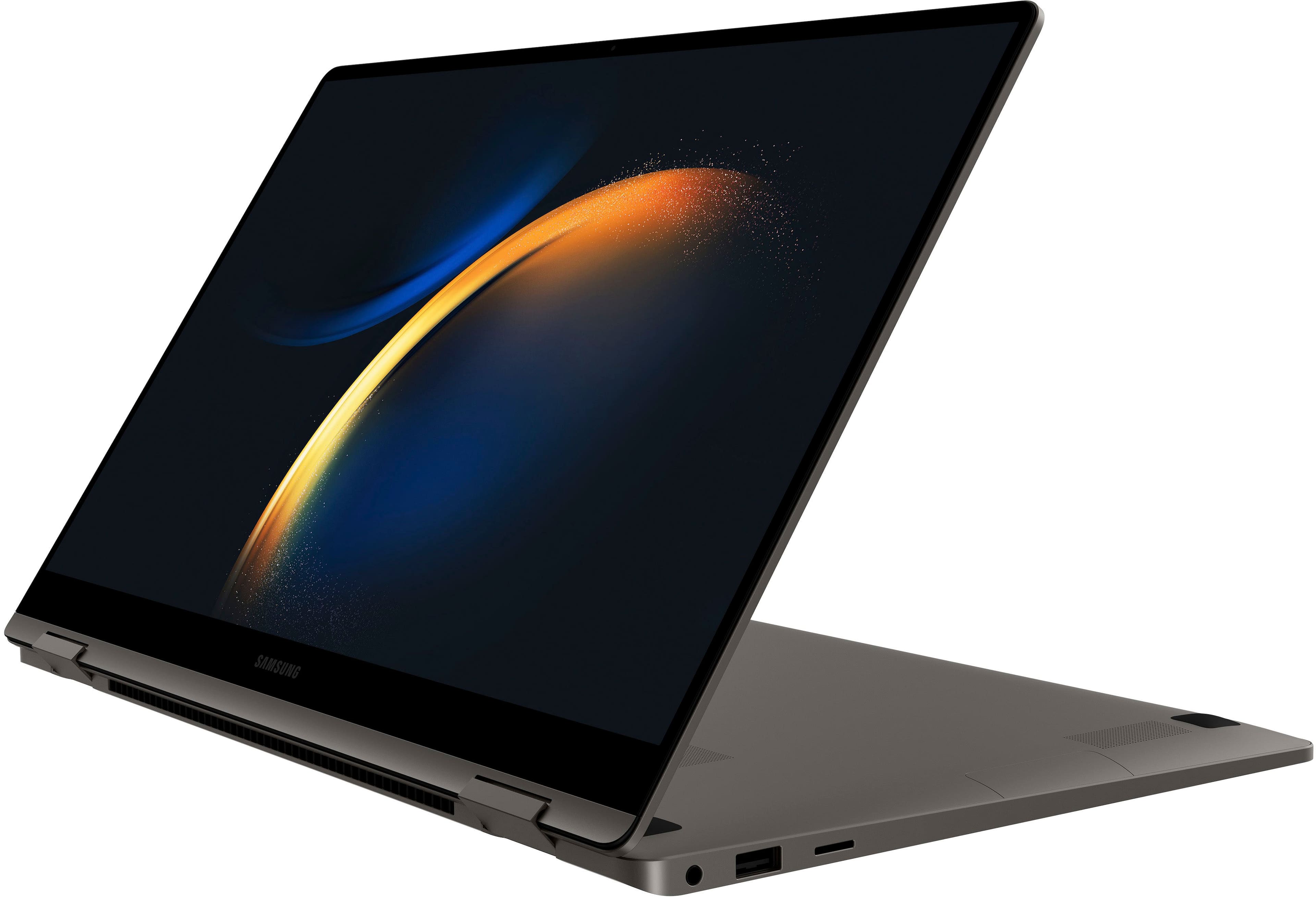
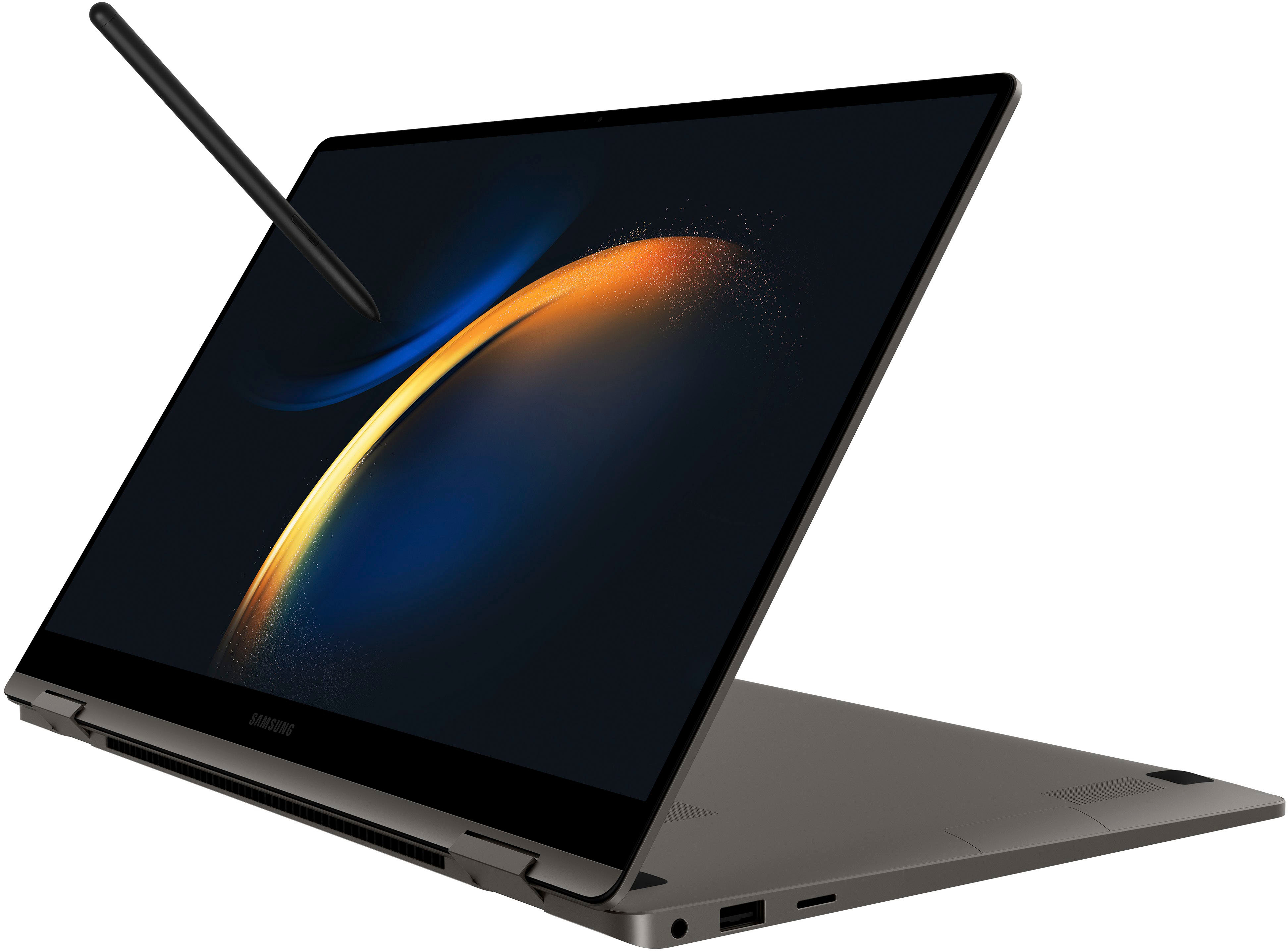
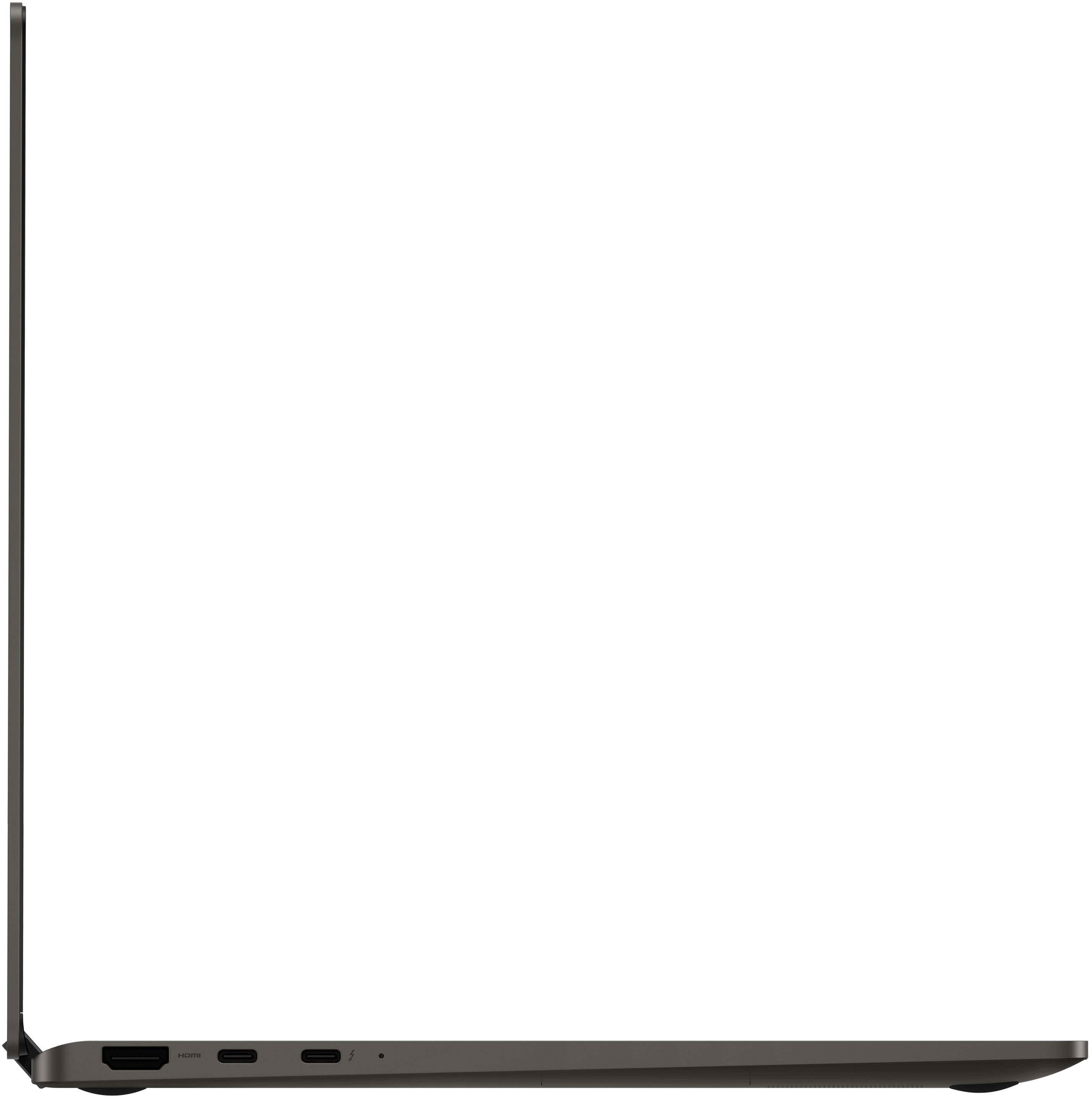
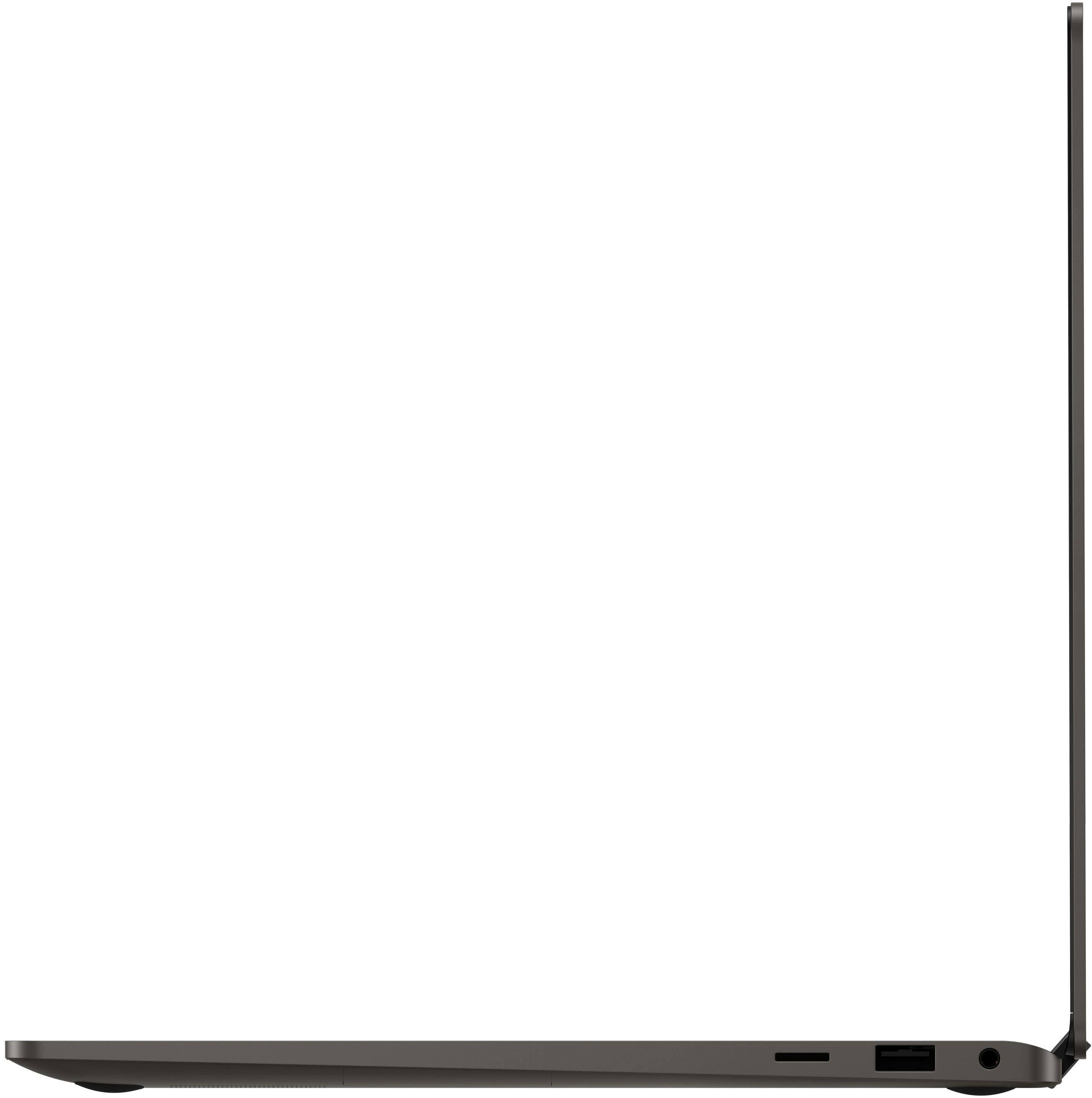
|Posted .This reviewer received promo considerations or sweepstakes entry for writing a review.Samsung Galaxy Book3 360 15.6" AMOLED FHD, Intel i7 13th gen, 16 GB RAM, 512 GB SSD Quick Overview ================== Samsung's new Galaxy Book3 360 is a premium 2-in-1 that's powerful and flexible enough for content creators. The beautiful, large AMOLED is as perfect as it should be and is great for consuming content when you need a break. The modern specs will keep you future-proofed for a long time to come. Samsung Galaxy Book3 360 ============================== Samsung has been in the laptop game for years, but their first few years were (as expected), not great as they tried to figure out how they could differentiate themselves from the pack. As they continued to refine over the years, I think they realized they could leverage their amazing AMOLED screens, slim industrial design, S-pen support, and integration with the Samsung Galaxy ecosystem to make a compelling product. This is the first generation of Samsung Galaxy Books that I'm really interested in using and buying. Overall build and ports ============================== This Galaxy Book3 360 (not the Pro) is still extremely solidly built and is just as sturdy and solid as the MacBook Pro (M1) pictured next to it. I had an older Dell XPS15 that looked and felt premium from the top, but underneath, the soft plastic showed were some cost-savings were made. This thing is a solid unibody-feeling device with strong hinges that can keep the screen at any position even when you're poking the AMOLED touchscreen with CLEAN fingers or using an S-pen. Additionally, flipping it into a tent configuration is easy, but you're secure in knowing the hinges will keep it the way you set it. Having said that, the hinges are strong enough to make a one-finger opening a bit tricky if the desk surface is not grippy, so keep that in mind. Ports-wise, we have HDMI and two USB-C (one Thunderbolt 4) on the left side, with a microSD, USB-A, and 3.5mm headphone/mic combo (yay!) jack on the right. I think this is just the right mix of ports and having both a USB-A and headphone jack will allow you to keep using those older devices you may still have without resorting to dongles and adapters. You can charge the laptop with the included USB-C charger or any other compatible USB-C charger. I tried it with a Dell TB dock and a Ugreen USB-C charger. Display/screen/speakers ================================ Yes, I wish I had a chance to test out the 3k AMOLED on the other models, but this screen will not disappoint if you don't need the high-res version! It's a brilliant AMOLED with all the qualities that you expect out of a Samsung: deep, inky blacks with brilliant color saturation. It's listed as VESA DisplayHDR500 certified and would make a great screen for digital art, photography, and video editing. Perhaps not pro-level, but certainly enough for 98% of us! Watching movies and videos is a treat - sure, it doesn't have the AKG quad speakers, but the two speakers w/Dolby Atmos are pretty good and certainly enough for binge-watching some shows on whatever streaming service you desire! I didn't get to try any video calls yet, but with two mics and a 1080p webcam (while many others are still including just 720p!) will ensure good-looking video quality even if I'm not exactly camera-ready... Of course, as a Samsung Galaxy Book3, it's got S-pen support and that worked instantly with my various Samsung S-pens (from S4 to S8) I had. No pairing needed, the Wacom technology used senses the pen instantly and you can use it for applications and for navigating Windows 11. The flexibility of the display (and the strong hinges mentioned above) make this a great place to do your digital drawing. The only thing I'd say that's missing would be more pixels! RAM/SSD =========== Plenty of RAM and storage space at 16 Gb RAM and 512 Gb SSD. You also have a microSD card which is great for transferring data/photos that you may have on another device. Sure it's a microSD slot and not a full-size one, but since these became more popular over the years, I actually use them in my DSLR/mirrorless cameras inside a full-sized SD card adapter. I didn't benchmark the drive, but Samsung also makes great SSDs so I wouldn't worry about them skimping here. Special features - Windows and Samsung ================================================== With Windows' own native features, you can have some nice integration with your phone, but it gets even better if you're "all-in" with Samsung phones and tablets as I'll explain in a bit. First, "Link to Windows" gives you the ability to control and interact with your phone from your PC. Sure, the device is probably within arm's reach, but why grab the phone, unlock it, and reply to a message when you can do that better/faster with your PC and keyboard? Using Phone Link on the Galaxy Book3 (or other Windows PC), you can connect it to your phone using the "Link to Windows" app (if it's not already installed, get it from the Google Play store). For my Samsung S23 Ultra, I just had to pull down the Quick Settings and toggle it on. Once paired/confirmed via QR code, you're ready to remotely control your phone from your PC! Now you're ready to answer messages, use apps, control your phone, see/move photos and more. It's a great way to interact with your phone without interrupting your workflow. Next, let's talk about the Samsung features like Quick Share, Private Share, and the game-changer Second Screen! Quick Share is Samsung's version of AirDrop in the Apple world. You can quickly share files with friends near you that also have Samsung devices and Quick Share enabled. With the Book3, the use-cases would be sharing links and photos from your phone to your Book3 or vice-versa. In my example, I found a surprised Pikachu image I wanted to share to my phone. This would be useful for sharing high-resolution photos and videos from your phone to your PC without taking up storage in Google or OneDrive. Just Quick Share it to your Book3 and do your editing on the beautiful AMOLED. Private Share is similar, but think along the lines of SnapChat or other app where you can control more of the security aspects. With Private Share, everything is encrypted and you can set an expiration date! Also, you can't "capture" the Private Share data via a screenshot, making it good for sensitive data. Lastly, my favorite feature, and the one that really makes me take a long look at the Galaxy Book3 Ultra (you know, for gaming!) is Second Screen. I happened to have a Galaxy Tab S8 Ultra that I love for drawing, and all I had to do was swipe down for settings and enable "Second Screen". I then choose if I need faster response/refresh (for drawing/gaming) or smooth output for videos. After that, hop to your Book3 and press Windows+K and you should see your tablet available as a choice. Select it (you can allow mouse/keyboard/touch/pen input as well) and you're all set. From Windows, it acts just like another monitor! It's set to duplicate the display by default, but you can make them individual by choosing "Extend these displays" and position them just like you're used to! This really worked well and was very smooth and responsive. This is a game-changer for me, because I love traveling with a laptop, my tablet, and a secondary monitor. Now, I can ditch the secondary monitor! Sure, you don't "need" a Samsung Galaxy Book3 to use "Second Screen" (newer Windows PCs are fine), but you do need a newer Samsung Galaxy Tab S7/S8! Conclusion ======================== I'll be honest, I was NOT interested in Samsung's notebook lineup before. I love their phones and tablets (LOVE S-pen) and who doesn't love their display technologies used in their screens/TVs/monitors? Their new Galaxy Book3 series really is compelling! My Galaxy Book3 360 is powerful, thin, flexible, with a beautiful display and I don't have to sacrifice ports (or anything for that matter) for it. Samsung really did a great job this time and if it fits your budget, I think this Book3 360 (and maybe some other choices in their lineup) will keep you happy for a few years.
I would recommend this to a friend - Pros mentioned:Battery life, Screen qualityCons mentioned:S pen
Finally , a worthy competitor to the MacBook
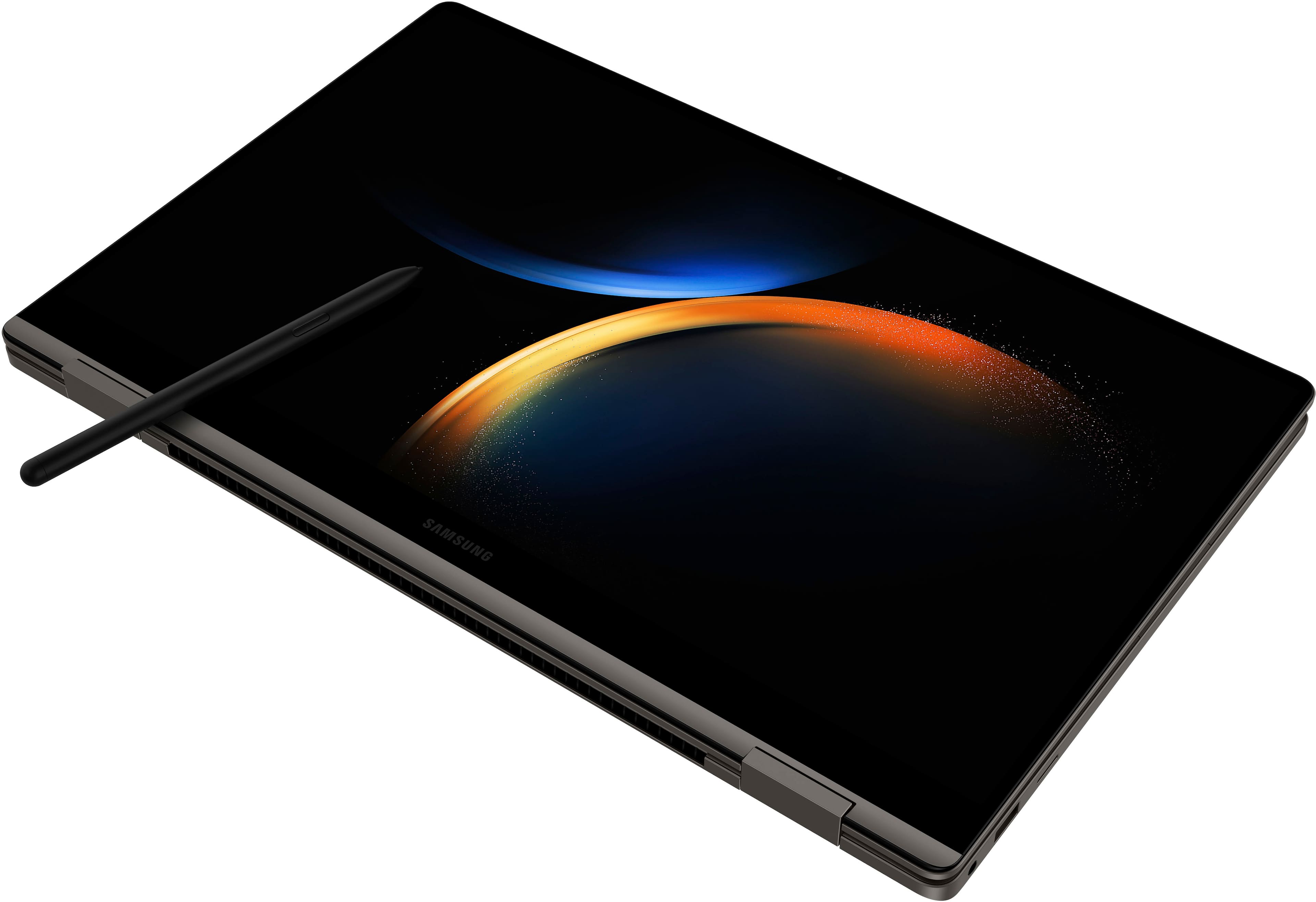
||Posted . Owned for 2 months when reviewed.This reviewer received promo considerations or sweepstakes entry for writing a review.First off I'd like to thank Samsung for having the nerve to compete with Apple on the laptop front. This has solidified my trust, investment, and praise of Samsung. >>Finally, a worthy competitor to the Mac Book.<< Screen:: I have heard mixed reviews about the quality of the screen, some reports of cracking, but as of 3 months into having mine, I can say this;; the screen does make some worrisome noises if I grab the entire unit too hard, in specific places. And I do take precautions to only grab it from the sides and only grab it like that when its in a case. But other than this, the resolution, the screen size, the touch screen, get full marks from me. 10s, across the board ! S Pen:: the s pen should come with all 360 models, in my opinion. I purchased the spen and it works fantastically. Wish the s pens came with cases. The smoothness of the (lack thereof) latency is so nice. Samsung Apps; having the apps be seemelessly synced is very nice. Sometimes the QuickShare , and nearby share do not always communicate properly, but with windows phone link, this is almost a non issue. I wish the samsung health app (that was pictured in the webpage I was using to determine if I wanted to purchase) was included, but most of the important apps are there. I went back to school and Samsung Notes being on all my galaxy devices has been absolutely splendid. Really wish Samsung had samsung internet on the books so I can ditch chrome. Also wish Samsung Calendar was included so when I click the calendar on my windows home desktop it had my samsung calendar that popped up. I dont necessarily like synching with Microsoft but hey. We're here. Battery/Power: I am a full time student and twice a week im on campus for about 8 hours totoal, and I am able to not charge it and have the battery last for most of the day (with 1 hour breaks between 1 hour of use, and middle to lower screen brightness.) 360:: The concept has always been a favorite of mine, devices flipping and transforming into tablet like "second" Screens. I wish the unit came with anti scratch pads. Also, flipping the screen to the 360 mode is quite the nerveous act. Halfway thru, I always hear the unit creak and and moan, no matter how carefully I decide to flip the unit. All in all, having it be in tablet mode is super cool. Wish there were official tutorials on how to handle the unit. Video tutorials. I make sure to handle it with care, and I am very good at taking care of my electronics, so we will see. All in all, the 360 mode is verrrryyyy nice for art, drawing, sketching, etc, which I do a lot of (thanks, s-Pen!). Tid bits There are more than enough ports, and the micro sd card slot is a game changer !! The charger should come in black, because I like black LOL Pricewise it is very well worth the 4 figures though if you can wait until it goes on sale it can go down to $800 (usd) THE FINGERPRINT READER IS VERY HIGH TEC !!! My final thought, go check out a physical device at your local electronics store, get the feel of it. See it in action.
I would recommend this to a friend - Pros mentioned:Battery life, Screen quality, Speed
I would buy again!
||Posted . Owned for 1 week when reviewed.This reviewer received promo considerations or sweepstakes entry for writing a review.There is not enough to be said about this 2-1. The display is fantastic. The speed is amazing. Battery life is 22 hours!!! Even the keyboard feels super smooth. It is so thin and lightweight that caring in around is a nonissue. I would buy this again and again! I do have to say that it comes with a basic graphics card. That being said, unless you’re gaming, it doesn’t really matter. FYI - It DOES NOT come with an S Pen. Lastly, speakers are on the bottom but it hasn’t been a problem for me.
I would recommend this to a friend - Pros mentioned:Screen quality, Speed, Weight
Great Buy!
||Posted . Owned for 1 month when reviewed.This reviewer received promo considerations or sweepstakes entry for writing a review.So far so good. Easy to use. Its fast and light weight. Love that is touch screen and bents as a tablet. Haven't synched it yet with my galaxy phone
I would recommend this to a friend - Pros mentioned:Battery life, Weight
Fantastic- Says Mac to Windows Convert
||Posted . Owned for 1 month when reviewed.This reviewer received promo considerations or sweepstakes entry for writing a review.I can't speak to any specs, but I will review what sells this for me as an average consumer in their 30s, outside of tech and gaming. I purchased this laptop as a heavy Mac user that was fed up with high repair costs and poor longevity in my Macbooks. I use Windows for work so switching wasn't as difficult as I thought it would be. I juggle graduate school and a full-time gig with lots of commute time. The weight of the product while still retaining quality was a huge factor for me, probably above anything else. Most of the HP and Microsoft Surface options I compared did not appeal to me in weight, design and hardware. The weight of this product feels like an early Macbook Air. High quality display was also a plus for me. Overall this exceeded my expectations. Pros: Battery, Display, Weight, Numerical Keypad, Tablet and Touchscreen properties, sleek design Cons (That aren't a deal breaker) - Sound is absolutely terrible, but easy fix with headphones or external speaker. I wish I had purchased the lighter color as the black makes smudges and oil highly visible.
I would recommend this to a friend - Pros mentioned:Battery life, Speed, Weight
Great for design and coding
||Posted . Owned for 6 months when reviewed.This reviewer received promo considerations or sweepstakes entry for writing a review.**First off, download the drivers from Samsung, and reinstall windows on it to handle the bloatware. This laptop has been great for my graphic design and programming courses. Smooth performance while handling the Adobe suite for graphic design. The AMOLED screen is amazing for color work. It handles coding work very well. Using Visual Studio Code, it can compile c++ quickly. The backlit keyboard and ten key make this much more convenient. I also use a USBC dock to connect it to my main monitors and it performs well. The laptop's weight is amazing for what it can do. I carry it all day between classes and bring a C-C cable and a 30W charger to get me through the day. The battery is good when on the default low power mode. But it does impact performance as expected. Additionally, very light gaming. ie Minecraft, Age of Empires... Nothing demanding.
I would recommend this to a friend - Pros mentioned:Battery life, Screen quality
Perfect business laptop on the go
||Posted . Owned for 3 weeks when reviewed.This reviewer received promo considerations or sweepstakes entry for writing a review.For a business laptop, I have some priorities. This review covers how this laptop measures against my expectations. 1. Processing power : Amazing. This is a no-brainer as some level of processing power is required/useful at any level of usage. I mostly use my business laptop to work on documents on Microsoft Excel, PowerPoint, and Outlook, along with a few engineering and statistical applications. After a short month, I haven't noticed this laptop 'thinking' as it just powers through all of my applications open and running at the same time, while I have several Google Chrome tabs open as well. 2. Keyboard : Very Good. This may actually be the top priority as a good keyboard can tremendously increase my efficiency. Since it's a ultra-portable, it doesn't have a very good keyboard feedback and you shouldn't expect it anyway. For a 15.6 incher, keys are fairly large enough for a long day of data processing, much better than my previous work station, but can't rival a full-size desktop keyboard. 3. Battery life : Excellent. Long business trips means that it's not always convenient to find a power outlet to stay plugged. I can go a full day of work without plugging in, at about 50% of the screen brightness. Again, I'm a bit of a power user, less heavy graphics work. 4. Versatility : Excellent. Although I wasn't looking for a convertible laptop, this one happens to be one. I can walk around the customers' sites with the laptop in its tablet mode while I take notes with a Samsung S Pen, as if it's an oversized clipboard. The weight is negligible while I support it with my left forearm. Other points that are of less priority 1. Connectivity : Good. The Thunderbolt port lets it charge in less than 2 hours. It comes with USB-C AND USB-A, which is surprising with a laptop this thin. Wi-Fi standard is the AX. 2. Fingerprint Sensor : OK. It's very quick. It misses often but I could be at fault. 3. Screen : Great. It's pretty bright. It's brighter than any other work machines I have. I haven't used it outside in the sun so I don't know how it performs there. I've also learned to use the touchscreen with this laptop and I enjoy the experience. I don't even see any fingerprint smudge on it. 4. Thermal management : Good. I don't use it on my lap but I don't think (?) it gets really hot. The fan can be a bit loud. When it comes to everything that matters to me, it's perfect.
I would recommend this to a friend - Pros mentioned:Battery life, Screen quality, Speed
Impressive 2-in-1 Laptop with Stunning Display
||Posted . Owned for 2 months when reviewed.This reviewer received promo considerations or sweepstakes entry for writing a review.I recently got my hands on the Samsung Galaxy Book3 360 2-in-1 laptop in the Graphite finish, and it has been nothing short of impressive. With its 15.6" FHD AMOLED touch screen, this laptop delivers a visual experience that's hard to match. The Intel 13th Gen Evo Core i7-1360P processor ensures smooth and responsive performance, even when handling demanding tasks. Multitasking is a breeze with 16GB of memory, and the 512GB SSD provides ample storage space while keeping load times short. What truly sets this laptop apart is its display. The AMOLED technology brings colors to life with vibrant and deep contrasts. Whether I'm watching movies, editing photos, or working on documents, the visuals are a treat for the eyes. The 2-in-1 design adds versatility to my computing experience. I can switch between laptop and tablet mode effortlessly, making it great for both work and entertainment. The touch screen is responsive, and the laptop's build quality feels solid and premium. Battery life has been impressive, allowing me to work for hours without worrying about recharging. The laptop's portability is enhanced by its relatively lightweight design, making it easy to carry around. Overall, the Samsung Galaxy Book3 360 is a top-notch 2-in-1 laptop that combines performance, style, and a stunning display. It's a great choice for professionals and entertainment enthusiasts alike.
I would recommend this to a friend - Pros mentioned:Battery life, Screen quality
Book 3 is an Amazing Device!
||Posted . Owned for 1 month when reviewed.This reviewer received promo considerations or sweepstakes entry for writing a review.This computer was a gift for my wife. My wife has been singing the praises of the Samsung Book 3 since day 1, with it's amazing display, long battery life, quiet keyboard, and slim design. She is transitioning from an HP laptop that was a real disappointment interms of battery life, sound, and display. The HP eventually lost the functionality of the speakers and mic as a result of failed device drivers that could not be updated or reinstalled at home, despite many many attempts at Windows and HP supports.
I would recommend this to a friend - Pros mentioned:Screen quality, Weight
SAMSUNG laptop changed my experience
||Posted . Owned for 2 months when reviewed.This reviewer received promo considerations or sweepstakes entry for writing a review.The SAMSUNG laptop has completely changed my laptop experience! I’ve had several laptop but this is my first SAMSUNG and it’s quality, features, resolution, size, weight and sleek design are phenomenal for ease of use, ability to work in various work spaces! Keys are super quiet, I’m annoyed by keys that make any type of clicking sound. It has been more than what I expected from my purchase in January!
I would recommend this to a friend - Pros mentioned:Battery life, Screen quality
Excellent ultrabook
||Posted . Owned for less than 1 week when reviewed.This reviewer received promo considerations or sweepstakes entry for writing a review.This laptop is excellent overall, and feels like a one of the first PCs that can truly compete against MacBook Air with Apple Silicon. The laptop is thin and light but very very sturdy and solid. The AMOLED screen is gorgeous and the 1080p resolution is adequate while also helping with battery life. This is a 16x9 laptop so it is definitley not as square as the 16x10 or even 3x2 of others. This is great for media viewing and overall size, but not as good for productivity. The 1080p webcam is good and speakers sound full if not super-loud. Keyboard is really nice to type on and the trackpad is one of the best on a Windows laptop. There are plenty of ports. Battery life is really excellent especially considering how think and light the laptop is. The build quality is excellent and the fit and finish is very premium. Finally, speed is quite good from the 13th Gen Intel CPU. The laptop does come with a LOT of Samsung software which is nice if you own a Samsung phone but is bloatware otherwise. It is pretty easy to delete and some of it is genuinely useful. This is not the cheapest option but its overall quality, features, and performance make it worth the money.
I would recommend this to a friend - Pros mentioned:Battery life, Screen quality, Weight
Amazing Machine
||Posted . Owned for 3 weeks when reviewed.This reviewer received promo considerations or sweepstakes entry for writing a review.Got this laptop for school. Amazing battery life. I can easily get a whole day of work done on one charge. Keyboard feels great too, the number pad is a great addition even though the laptop is only 15 in. Super light and a great build quality makes for super easy potability (and its super thin). I cant get over the screen. Its great for watching media in my free time. Fast boot up time too. Would for sure recommend to college students.
I would recommend this to a friend - Pros mentioned:Battery life, Performance, Screen quality
Little Powerhouse
||Posted . Owned for 2 weeks when reviewed.This reviewer received promo considerations or sweepstakes entry for writing a review.This little laptop is such a powerhouse - I love it! So fast, and the display is crystal clear. Setting it up was a breeze, and I can use my Bluetooth keyboard and mouse with it no problem. It has a Thunderbolt port and charger and holds battery really well. At first I found myself wishing it had an additional USB-A port, but after purchasing a USB-C to USB-A adapter, I changed my mind.
I would recommend this to a friend - Pros mentioned:Screen quality, Speed
Happy customer!!
||Posted . Owned for 3 months when reviewed.This reviewer received promo considerations or sweepstakes entry for writing a review.I love Best Buy. Everytime I make a major electronic purchase, they are my go to. The staff are always so knowledgeable. In addition, their website is full of ways to help you filter your purchase and guide you to what product fits your needs. They also have very good deals on used products. If you compare them to other stores you will see that they really are good discounts. I recently purchased a Samsung and laptop. I love them both. The laptop has a beautiful display. Beyond my expectations! The speed and the features are perfect. The sound bar, being just a strand alone unit has amazing quality plus can be ungraded with surround speakers and a subwoofer. I was going to buy a cheaper system that came with both but decided to get one I could upgrade and am very pleased with my decision.
I would recommend this to a friend - Pros mentioned:Screen quality
Still only a few days in, but I'm in love
||Posted . Owned for less than 1 week when reviewed.This reviewer received promo considerations or sweepstakes entry for writing a review.This is an amazing laptop. Just to get this out of the way, I will review its art capabilities--I was looking all over for information about drawing on the screen and couldn't find much, so here's to all you artists out there: this thing rules. With a Wacom One pen or a Samsung S-Pen, the drawing experience on this laptop easily matches my Galaxy Tab, and probably is even on par with my iPad Pro 12.9 (using Clip Studio, so I can't speak to applications like Photoshop). There is very little pen latency, there's absolutely zero wobble even on diagonal lines, and pressure sensitivity is great. The nearly 16" screen also makes it a big upgrade over tablets, and the 1080p AMOLED looks much better than most full-hd screens. The color accuracy is great, and those rich dark tones from the OLED technology are gorgeous. You wouldn't know just from looking at it that it's only 1080p, either--there's nowhere near the same pixelation I'm used to on my older 1080p Lenovo laptops. As far as art goes, there's only one real drawback: the aspect ratio. If you're used to the iPad Pro's or Microsoft Surface's 4:3 ratio, you'll probably find the screen to be pretty narrow in portrait orientation--I think the aspect ratio is even narrower than a normal PC screen or my Samsung Galaxy. With advanced drawing apps with extensive UI's, it feels a little cramped. That said, the screen is still physically wider in portrait than an iPad is--it just *feels* narrower. For my purposes (comic illustration), it's fine. Besides the art, this laptop just feels like a premium experience. I find the keyboard pretty comparable to a 2019 Intel Macbook Pro 16 I used for a long time (and that's a good thing). The all-aluminum construction feels sturdy and high-quality. It does attract fingerprints, but that's to be expected. The graphite color is also closer to gray than the brownish color you see in the photos. Critically for me as a 2-in-1 user, the hinge on this thing has high resistance; it's hard to open and close. While that sounds like a critique, it's not. 2-in-1's I've owned in the past have had weak hinges that feel cheap, and that weakness manifests in a screen that shakes while I type. Those other 2-in-1's also couldn't retain screen position while I was trying to draw or write in laptop mode. The screen would inevitably get pushed further and further back until the entire laptop was spread flat on the table. Not so with this one--it's a really ideal 2-in-1 experience. Time will tell whether the hinge loosens up and loses that nice stiffness, but for now I'm very happy with it. One critique is Samsung's bloatware. Some of it, like Second Screen, is cool and useful. Other apps really aren't, and I can foresee some of them interfering with the normal operation of Windows apps and drivers. I hope that never happens, but from other reviews I've read and just from what I am observing, it seems kind of inevitable. I've deleted the apps I can't find any use for, but many components in this machine are managed by Samsung, and not Microsoft, drivers. We will see how that turns out. Finally, the performance and battery life. The 12-core processor is fast and strong and manages everything I need it to. This morning I attended a 2-hour Zoom class, had 8 or 10 tabs open on Edge, had 6 Word documents open, and was browsing emails in Outlook. With all this open, there was no lag at all--performance stayed fast and smooth. In Task Manager, I was reading only around 20% utilization of the processor and less than 50% RAM utilization. That's pretty smoking for a mid-range ultralight notebook (and by the way, this thing is *light* and a joy to carry around). During that two-hour class, at a pretty high level of brightness and about mid-volume, and with all that multitasking, I burned around 35% of the battery. That's not as good as, say, an M2 or M3 MacBook. However, given that the whole rest of my day will be spent writing documents and drawing, the remaining 65% battery should easily last five or six hours more. With how it's performed up until now, I doubt I'll run out of battery today even with a full day's worth of use. So, to sum up: this is a super premium-feeling ultralight notebook with serious umph in the processor and RAM department, and it's a joy to use for basic productivity, work, education, etc.--and for those looking to buy it for art, I absolutely recommend it. It could easily replace an Android or Apple tablet for daily on-the-go use, especially because it is so light. Couldn't recommend this thing enough.
I would recommend this to a friend - Pros mentioned:Screen quality, Speed, Weight
Very stylish and High quality 2 in 1 Laptop
||Posted . Owned for 1 month when reviewed.This reviewer received promo considerations or sweepstakes entry for writing a review.Samsung book3 360 is an awesome laptop well built and high quality 2 in 1 laptop. Gorgeous screen and very light weight and that makes it very portable. Very fast will basically do any job. The only cons has not a dedicated gpu which if it did this laptop will be the best of the best.
I would recommend this to a friend - Pros mentioned:Screen quality, Speed
Great laptop
||Posted . Owned for 2 months when reviewed.This reviewer received promo considerations or sweepstakes entry for writing a review.The Samsung Galaxy Book3 360 2-in-1 laptop is a fantastic device that offers a great balance of power and portability. The 15.6" FHD AMOLED touch screen is stunning, with vibrant colors and deep blacks that make everything look amazing. The touch screen is also very responsive, making it easy to navigate through menus and apps. The Intel 13th Gen Evo Core i7-1360P processor is incredibly fast and powerful, allowing you to run multiple applications at once without any lag or slowdown. The 16GB of memory and 512GB SSD provide plenty of storage space and ensure that the laptop runs smoothly and efficiently. The 2-in-1 design is also a great feature, allowing you to use the laptop as a traditional laptop or flip it around and use it as a tablet. The hinge is sturdy and well-built, and the laptop feels solid and well-made overall. The only downside to this laptop is the price, which is on the higher side. However, if you're looking for a high-end laptop that can handle anything you throw at it, the Samsung Galaxy Book3 360 2-in-1 is definitely worth considering. Overall, I highly recommend this laptop to anyone in the market for a powerful and versatile device.
I would recommend this to a friend