Deals Worth GiftingShop now

Skip to content
Gift Ideas
Main Content

Customer Ratings & Reviews
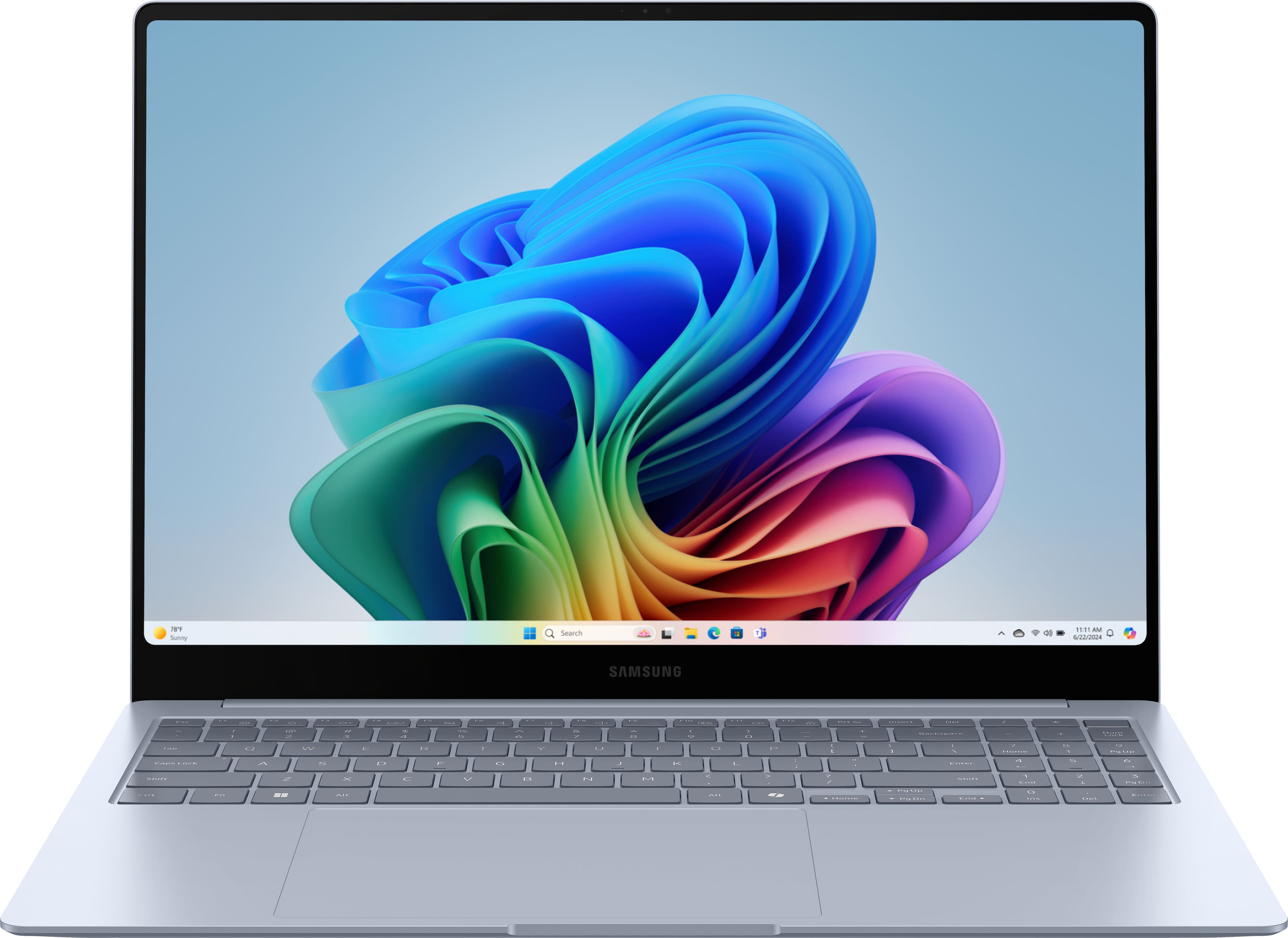

Your price for this item is $899.99
The comparable value price is $1,449.99

Customer reviews

Rating 4.5 out of 5 stars with 301 reviews

Rating Filter

Rating by feature

  • Battery Life

    Rating 4.6 out of 5 stars

  • Speed

    Rating 4.7 out of 5 stars

  • Display

    Rating 4.9 out of 5 stars

Pros mentioned filter

Cons mentioned filter

87%would recommend to a friend

Customers are saying

Customers are satisfied with the Galaxy Book4 Edge's stunning screen quality, excellent battery life, and lightweight design. Many appreciate its strong performance for everyday tasks and some heavier applications. However, some users have noted issues with the touchpad size and responsiveness, and a few have expressed concerns about the RAM capacity for the price point.

This summary was generated by AI based on customer reviews.

The vast majority of our reviews come from verified purchases. Reviews from customers may include My Best Buy members, employees, and Tech Insider Network members (as tagged). Select reviewers may receive discounted products, promotional considerations or entries into drawings for honest, helpful reviews.
Page 14 Showing 261-280 of 301 reviews
  • Rated 1 out of 5 stars

    DO NOT BUY

    |
    |
    Posted . Owned for 1 month when reviewed.
    This reviewer received promo considerations or sweepstakes entry for writing a review.

    I had the laptop for less than 1 month before the screen cracked. This wasn't a case of mishandling the product but poor craftsmanship. The glass is made too thin and can easily crack from normal handling. You can see countless reviews claiming the same thing so I would stay far away from this product. I spent hours on the phone with Samsung reps and everyone saying different things. I was told my laptop was going to be repaired at no cost due to it still being under warranty so I sent my laptop at my own cost to get the warranty repairs done as promised only to be told that it was going to be $700 to have it fixed and it wasn't in fact covered by warranty.

    No, I would not recommend this to a friend
    • Brand response from Samsung
      Posted .

      Hey Patc, thank you for finding the time out of your day to share your sentiments with us about your Samsung Galaxy Book4 Edge. Your feedback is invaluable to us as we strive to provide the best products with superior functionality on the market to our customers. Samsung provides a 12-month warranty on our products for manufacturing defects in materials and workmanship. We also offer extended warranty options that would cover eligible devices. It's great for the unexpected situations like leaving your device behind on public transportation, having it stolen, taking an unexpected dip in the neighbor's pool, to dropping it and shattering the screen while bringing in groceries. Talk about peace of mind! If you would like to share any other feedback with us or if you would like any further assistance, please do hesitate to contact Support. Thank you for being a devoted Samsung customer. - Debra Samsung

  • Rated 5 out of 5 stars

    A good buy

    |
    |
    Posted . Owned for 1 week when reviewed.
    This reviewer received promo considerations or sweepstakes entry for writing a review.

    I caught a nice sale. All my questions were answered. The service was great at the counter and the Geek Squad was fantastic!

    I would recommend this to a friend
  • Rated 4 out of 5 stars

    Good not great

    |
    |
    Posted . Owned for 1 month when reviewed.
    This reviewer received promo considerations or sweepstakes entry for writing a review.

    Good laptop but not the best. Samsung still has minor issues to fix with its software crashing.

    I would recommend this to a friend
  • Rated 4 out of 5 stars

    Great choices

    |
    |
    Posted . Owned for 3 weeks when reviewed.
    This reviewer received promo considerations or sweepstakes entry for writing a review.

    Was very satisfied from moment I entered the store was greeted and attended to the right area of the store I needed to shop

    I would recommend this to a friend
  • Rated 4 out of 5 stars

    Got Bells and whistles but missing some essentials

    |
    |
    Posted . Owned for 1 month when reviewed.
    This reviewer received promo considerations or sweepstakes entry for writing a review.

    Not enough storage for a "cutting edge" premium laptop.

    No, I would not recommend this to a friend
  • Rated 5 out of 5 stars

    Samsung laptop

    |
    |
    Posted . Owned for 1 month when reviewed.
    This reviewer received promo considerations or sweepstakes entry for writing a review.

    Personnel is awesome, the variety of laptops to choose from is big

    I would recommend this to a friend
  • Rated 5 out of 5 stars

    Awesome Laptop!

    |
    |
    Posted . Owned for 2 weeks when reviewed.
    This reviewer received promo considerations or sweepstakes entry for writing a review.

    Awesome Laptop! It is great size and the number keypad is very helpful.

    I would recommend this to a friend
  • Rated 1 out of 5 stars

    Really wanted it to work

    |
    |
    Posted . Owned for 8 months when reviewed.
    This reviewer received promo considerations or sweepstakes entry for writing a review.

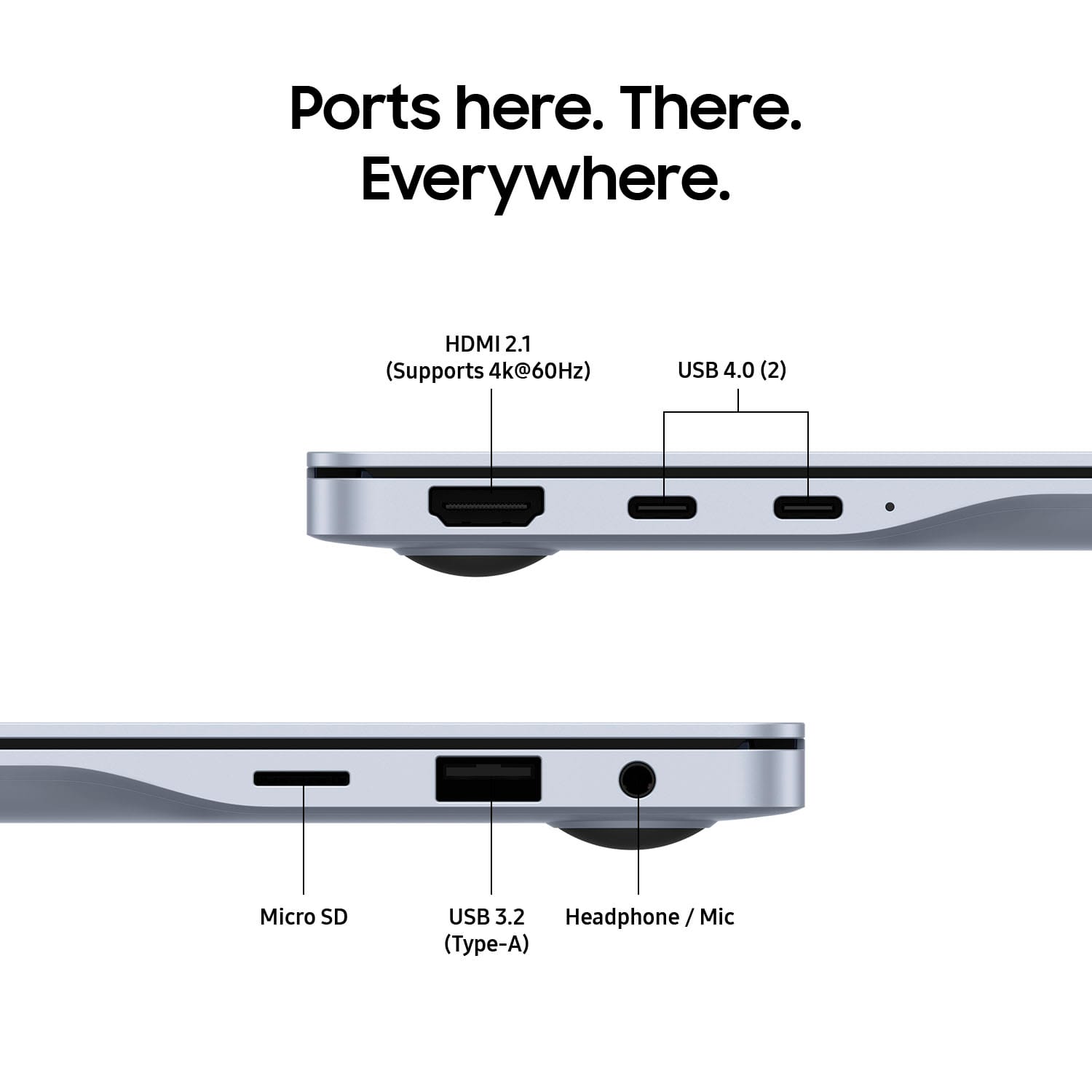
    It worked fine for 6 months and then it stopped working correctly. The USB port doesn't work correctly unless I regularly restart the computer. It looks great and I want it to work well. But it's one of the worst computer experiences I've ever had. Sent it 2x for warrantly work but nothing changes. I spoke with Samsung support. They are trying to put me off until my warranty expires in Sept. Then they can say time is up and you no longer qualify for support. I resigned to buying another laptop.

    No, I would not recommend this to a friend
    • Brand response from Samsung
      Posted .

      Salutations SoCal, thanks for taking the opportunity to share your experience with us about using the Samsung Galaxy Book4 Edge. We appreciate your candor as we improve the functionality and design of our product line. As you know, Samsung provides a 12-month warranty for manufacturing defects in materials and workmanship. We also offer extended warranty options that would cover eligible device. It's great for the unexpected situations like leaving your device behind on public transportation, having it stolen, taking an unexpected dip in the neighbor's pool, to dropping it and shattering the screen while bringing in groceries. Without having more details available regarding what you may be experiencing with your device and without being able to ask you any follow up questions to probe further, I suggest contacting Support. Thank you for being a loyal Samsung customer. - Debra Samsung

  • Rated 5 out of 5 stars

    Good value

    |
    |
    Posted . Owned for 1 week when reviewed.
    This reviewer received promo considerations or sweepstakes entry for writing a review.

    Excellent laptop. Only drawback is that memory and SSD cannot be upgraded.

    I would recommend this to a friend
  • Pros mentioned:
    Battery life, Processor speed, Screen quality
    Tech Insider Network Member

    Rated 4 out of 5 stars

    Almost there

    |
    Tech Insider Network Member
    Posted .
    This reviewer received promo considerations or sweepstakes entry for writing a review.

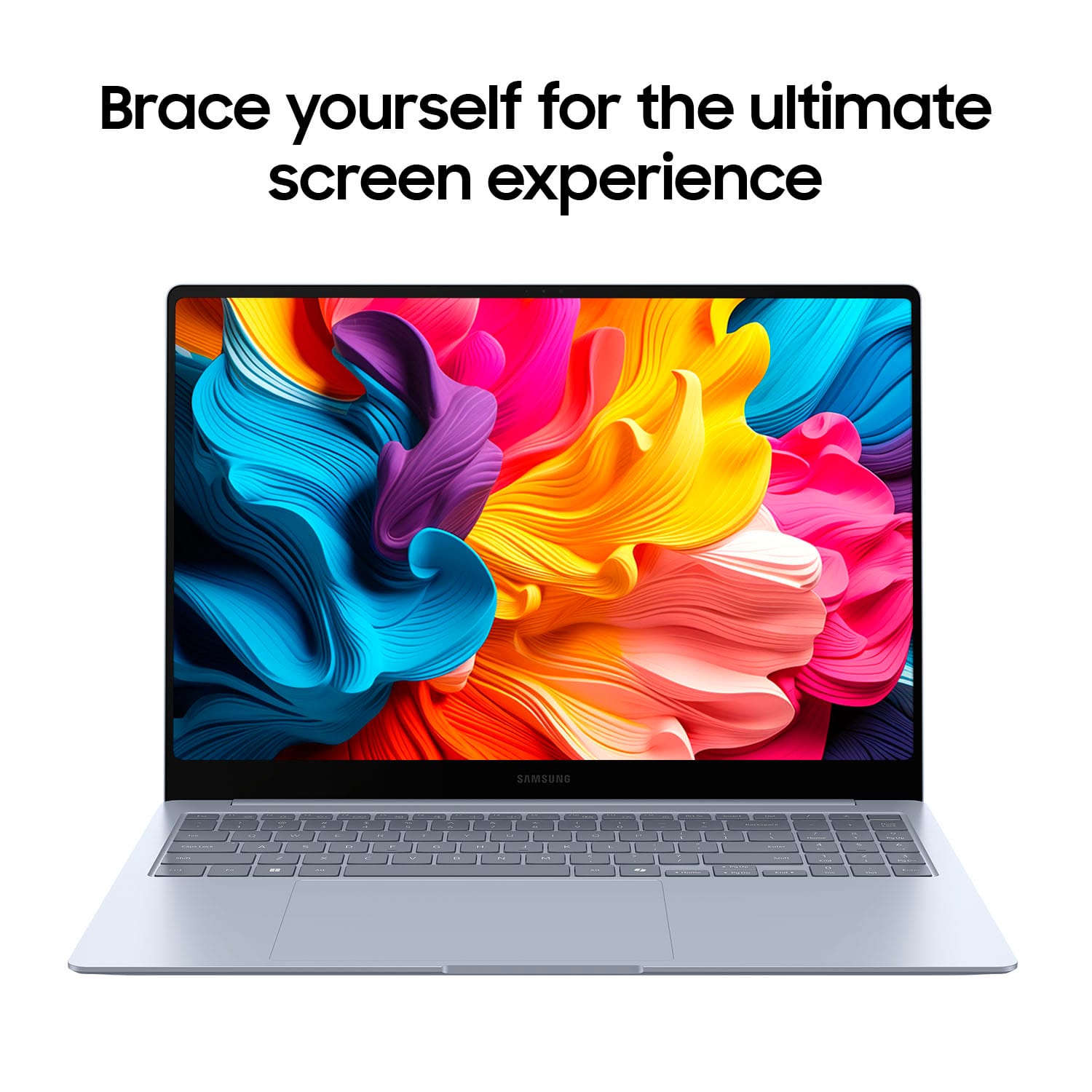
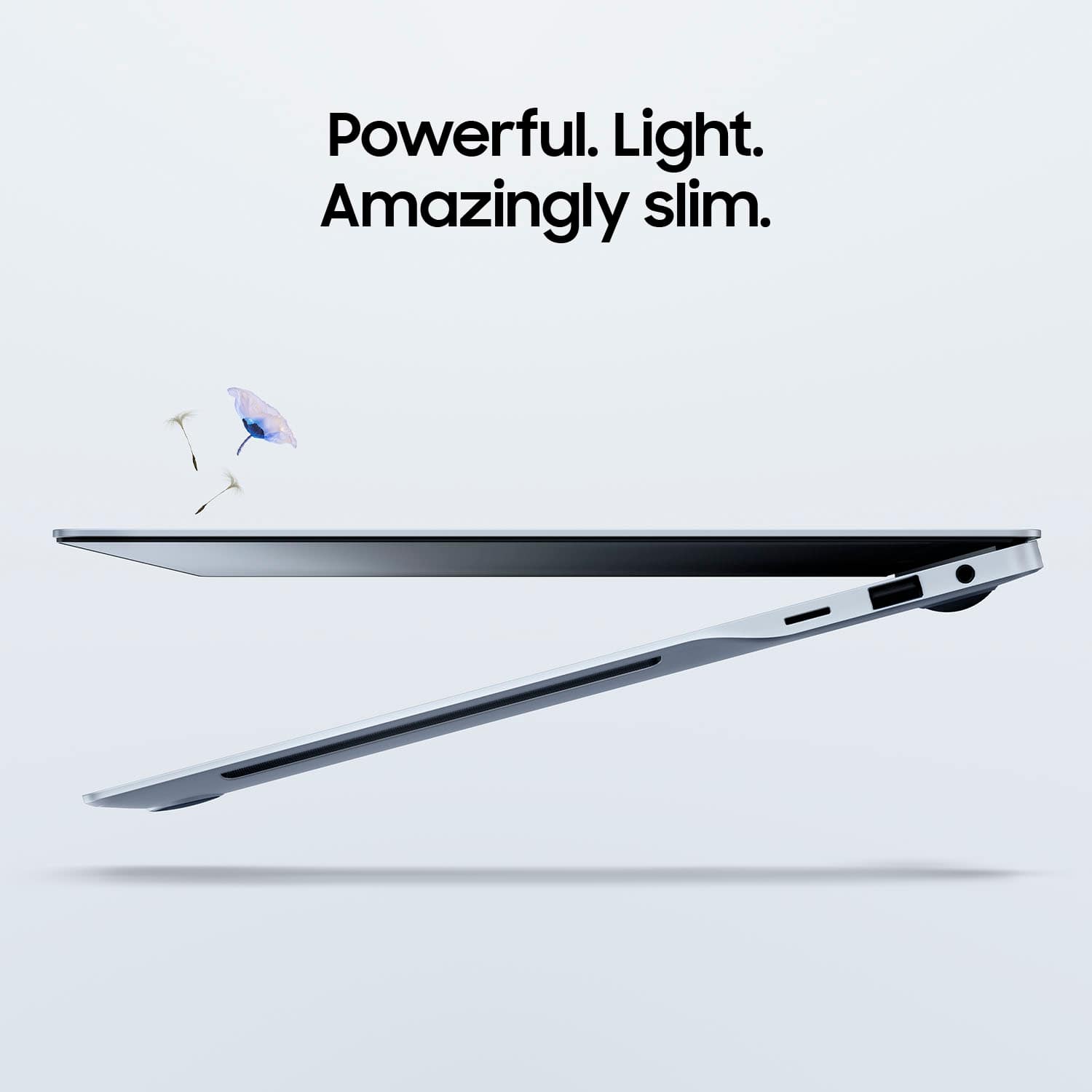
    The Galaxy Book4 Edge has a slim and modern design with an aluminum chassis (I think) that feels premium and durable. I’ve tried and failed to leave finger prints on the surface. I dont know if there a protective coat but its nice. Its edge-to-edge display with a curve on the corners gives it a sleek look, making it highly portable and visually appealing. The laptop is lightweight and feels balanced. The hinge mechanism is sturdy, allowing for smooth opening and closing, it passes the one finger test opening the laptop on flat surface. Display The 16-inch QLED display is one of the standout features of the Galaxy Book4 Edge. It is absolutely stunning, it offers vibrant colors, deep blacks, and excellent brightness levels, making it perfect for both work and entertainment. The high resolution ensures crisp and clear visuals, whether you’re watching videos, editing photos, or working on documents. The touch functionality is responsive, adding an extra layer of convenience. Performance Powered by the latest Snapdragon X Elite CPU. I couldn’t tell the different between this an Intel or AMD laptop. Windows 11 runs smoothly with Snapdragon CPU. The best part of this laptop is the instance on and battery life. When the laptop is in sleep mode and I open the lid it turns on instantly. I can pick up from Netflix or Youtube or my work (outlook or excel) without any lag. Its literally instance on. Its pretty awesome. Ive used the Galaxy Book4 for about 4 days now. Copilot Integration The Galaxy Book4 has Copilot install which is nice to have. I’ve seen demo of Copilot but I haven’t used most of the feature. Live caption is nice to have translation is about 95% accurate with about half second delay. Battery Life The battery life of the Galaxy Book4 Edge is impressive. The true battery life on the Galaxy Book4 is around 10 to 12 hours for me. This makes it suitable for a full day of work or travel. Definitely useful for when I’m traveling. The fast-charging feature is also a plus, allowing you to quickly top up the battery when needed. Keyboard and Trackpad The keyboard is comfortable to type on, with well-spaced keys and good key travel. The backlit feature is helpful for working in low-light conditions. The large trackpad is smooth and responsive, supporting multi-touch gestures. Its very smooth and intuitive to use Limitations With the new Snapdragon processor based on the ARM architecture not the x86 that Intel and AMD use there are limitations. Software and app that were built for x86 wont work on the Snapdragon ARM based CPU. I had a hard time installing simple things like my printer and scanner. I can see this being a problem for some my order software that I still use this is the biggest draw back on the Samsung Galaxy Book4. Overall YES YES and YES I would recommend The Samsung Galaxy Book4 to anyone looking for a laptop. The ARM based CPU with Windows 11 is an awesome combination because of the battery life. Some limitation on software but the experience using the Galaxy Book4 has been eye opening.

    I would recommend this to a friend
  • Rated 2 out of 5 stars

    I suggest giving it a pass.

    |
    |
    Posted .
    This reviewer received promo considerations or sweepstakes entry for writing a review.

    Pretty good, but far from great. Samsung is the worst for tech support. Serious motherboard issues, if you buy it be sure to by the full extended warranty.

    No, I would not recommend this to a friend
    • Brand response from Samsung
      Posted .

      Aloha FredS, thank you for taking the time to share your thoughts with us about your experience using the Samsung Galaxy Book4 Edge. We appreciate your feedback as we improve the design and functionality of our product line. Samsung offers a 12-month warranty on your PC for manufacturing defects in materials and workmanship. We also offer an extended warranty options that would cover eligible device. It's great for the unexpected situations like leaving your device behind on public transportation, having it stolen, taking an unexpected dip in the neighbor's pool, to dropping it and shattering the screen while bringing in groceries. Without having more details available regarding what you may be experiencing with your PC and without being able to ask you any follow up questions to probe further, I suggest contacting Support for further assistance. Thank you for being a valued Samsung customer. - Debra Samsung

  • Rated 2 out of 5 stars

    Some system problems.

    |
    |
    Posted . Owned for 3 months when reviewed.
    This reviewer received promo considerations or sweepstakes entry for writing a review.

    While it is a nice laptop, it would not work with Adobe Lightroom Classic. I also had trouble keeping printers connected wirelessly. The operating system that works great on cell phones didn't do as well on the laptop for me.

    No, I would not recommend this to a friend
    • Brand response from Samsung
      Posted .

      Hi there JoannaW, thanks for taking the time to review your Samsung Galaxy Book4 Edge. We appreciate your honesty as we strive to provide the best products with superior functionality on the market to our customers. Samsung provides a 12-month warranty for manufacturing defects in materials and workmanship. The Galaxy Book4 Edge is powered by the Snapdragon X Elite processor which may not fully support Adobe Lightroom Classic because Lightroom Classic is not yet optimized to run natively on Windows on ARM processors like the Snapdragon X Elite. If you would like to share any other feedback with us or if you would like any further assistance, please feel free to reach out to Support. Thank you for being a loyal Samsung customer. - Debra Samsung

  • Pros mentioned:
    Battery life, Processor speed, Screen quality
    Tech Insider Network Member

    Rated 4 out of 5 stars

    Nice package, limited to ARM or emulated software

    |
    Tech Insider Network Member
    Posted .
    This reviewer received promo considerations or sweepstakes entry for writing a review.

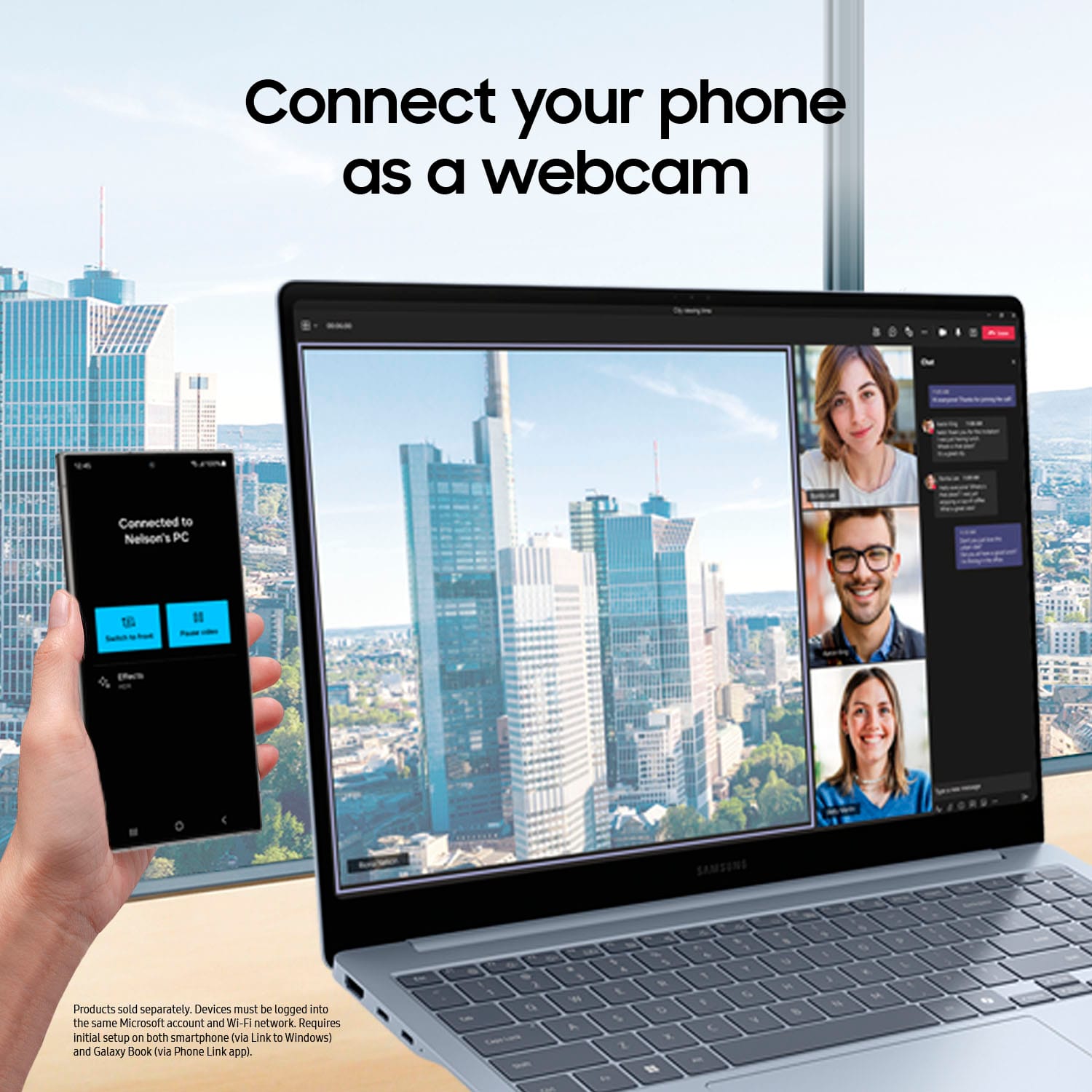
    The Samsung Co-Pilot+PC is snappy and a true business machine for everyday use or photo/video editing while have maintaining a light weight. Samsung seems to continue to lead the way with ultra slim portable machines. I cannot call this a PC, as it’s using a SnapDragon ARM based processor, over standard PC processors (Intel/AMD). The aluminum chassis look and design is sleek and smooth. From the slight drop look on the side chassis view as you glide your hands along the edges. It benches really well in comparison to one of my newer model thin and portable PCs. It literally just works, when you close the lid it sleeps instantly, open the lid and it powers straight away without delays where you feel it with other similar models. ARM based software’s are still finding their way onto the shelves. For those non-native apps, there is an emulator Microsoft provides; MS Prism option to allow you to run those apps. This program works very similarly to “Wine” found on the Linux OS to enable users to run certain WinOS only software on a Linux machine. MS Co-Pilot is exactly as it sounds, designed to run alongside the WinOS and provide immediate on-the-fly support to the user from instant language translation to the use of co-creator to where it’s uses AI features to aide you in your creation. Then through the use of Windows Studio Effects, it takes advantage of various visual effects to transform your designs in various ways. You can also link your mobile phone to the system and easily work from your phone directly via on screen connection or move information between the device and mobile easily. In my case, linked with a Samsung S23 Ultra. Battery life overall seems to be fairly efficient will last almost an entire day; pending primary machine use. Overall, the sound and screen visuals are very and well colored, the sound is good as it the machine uses a side-fire design for the sound to play through. This is not a true gaming PC, but it will play some native ARM based games favorably. Just do not expect newer games to run smoothly or at all. Again, to note, this is great for everyday use and photo/video editing.

    I would recommend this to a friend
  • Rated 3 out of 5 stars

    Screen can crack easily

    |
    |
    Posted . Owned for 1 month when reviewed.
    This reviewer received promo considerations or sweepstakes entry for writing a review.

    Nice sharp screen but it cracks easily for no apparent reason. This is the 2nd one to get a cracked screen. It's never been dropped or fallen off a surface.

    No, I would not recommend this to a friend
    • Brand response from Samsung
      Posted .

      Hi there Mike, thanks for taking the time out of your day to share your thoughts with us about your Samsung Galaxy Book4 Edge. Your feedback allows us to continue to strive in providing the best products with superior functionality on the market to our customers while we remain committed to constant innovation. Our goal is for our customers to feel like they are having the most enlightening experiences while using our products. Samsung provides a 12-month warranty on our products for manufacturing defects in materials and workmanship. We would be more than happy to assist you with what you may be experiencing with your display, however, we need more information than we currently have available before we can properly do so. Please feel free to contact Samsung Support at your leisure for further assistance and/or help with troubleshooting your device. Thank you for being a faithful Samsung customer. - Debra Samsung

  • Rated 3 out of 5 stars

    undecided

    |
    |
    Posted . Owned for 1 week when reviewed.
    This reviewer received promo considerations or sweepstakes entry for writing a review.

    Haven't decided yet. The computer looks nice. Trying to get the software up and working, which has been a challenge.

    I would recommend this to a friend
    • Brand response from Samsung
      Posted .

      Howdy Engineer, thanks for taking the time out of your hectic day to share your thoughts with us about your Samsung Galaxy Book4 Edge. We appreciate your feedback as we strive in providing the best products with superior functionality on the market for our customers while staying committed to constant innovation. Our goal is for our customers to feel like they are having the most amazing experiences when using our products. Samsung provides a 12-month warranty on our products for manufacturing defects in materials and workmanship. If you would like any further assistance or if you have any questions for us, do not hesitate to reach out to Samsung Support at your leisure. Thank you for being a devoted Samsung customer. - Debra Samsung

  • Pros mentioned:
    Battery life, Overall performance, Screen quality

    Rated 5 out of 5 stars

    Amazing an most snappy windows laptop ever!!

    Posted .
    This reviewer received promo considerations or sweepstakes entry for writing a review.

    Good video and I was able to set initial expectations. Since yesterday I received mine , SB4Edge, XE180, 16" screen, 512 GB SSD. Compared SB4Edge with my NEW productivity laptop (ASUS Zenbook Duo 2024, Intel I9 185H, 32 GB RAM and ARC gpu), SB4E behaves so much smooth, longer battery life ( Zenbook duo has 2 14" OLED screen at 3K that consumes a lot of energy , getting max of 9 hrs single screen). Gorgeous and amazing screen 3K with vibrant colors and full productivity resolution for large docs that help a lot with a big real state screen like this at 16" and native 100% at max resolution. Getting back to our business, after my initial approach, installation and setting productivity apps, definitely it upper the bar and expectations for everything. The Snapdragon X Elite platform is a beast. Now the limitation is with windows. I have all my ecosystem based on Samsung, that's why I bought Samsung Snapdragon laptop instead other good brands. My S24 Ultra has a really useful AI apps to transcribe, translate and summarize all things locally. With all NPU power on Snapdragon, I don't see right now too much apps taking real benefit from NPUs except Capcut, DaVinci and other apps with AI features. After see the Apple intelligence proposal, we need the same commitment from Microsoft and I don't think that MS have intention to protect the user, we need a new TRON. I was using Office 2021 one time purchase. It cannot work on ARM so MS forced me to acquire a new MS 365 that share everything with MS servers. All is stored there. PERFORMANCE/BATTERY By the way, installing, researching, listening music, and watching youtube videos, I have 40% battery after 9 hrs. I charged it in full once I received, I applied all firmware and windows updates. Did a geekbench testing at full potential, 2790 SC/ 14580 MC. I changed battery to quiet mode on Samsung performance setting after it, then I enabled battery protection (caps 80% battery charging to protect it instead constant 100% that overstress any battery). set everything on dark mode to avoid unnecessary OLED screen consumption. So I'm expecting at least 17 hrs of battery after all apps installation, initial setup and owning my system, summing up the current elapsed time and expected remaining time. So far, so good! Update: Yesterday the full battery use gave me 16 hrs but seen a lot of videos from youtube and my phD. Running office and ChatGPT, Oh and I edited several videos FHD for 15 mins, converted it from 3K to 1080, 30 mins length in just 4 mins changing all system into performance mode, reencoding it, all of them using Samsung Studio video editor included. I'm surprised and happy with my SB4Edge

    I would recommend this to a friend
  • Rated 3 out of 5 stars

    Ganes dont work.

    |
    |
    Posted . Owned for 1 week when reviewed.
    This reviewer received promo considerations or sweepstakes entry for writing a review.

    My games do not work correctly on this laptop. Very dissapointed.

    No, I would not recommend this to a friend
    • Brand response from Samsung
      Posted .

      Howdy DavidC, thanks for taking the available time out of your day to share your thoughts with us about your Samsung Galaxy Book4 Edge. We appreciate your candor as we make every effort to improve the design and functionality of our product line. Our goal is for our customers to feel like they are having the most ideal experiences while using our products. Samsung provides a 12-month warranty on our products for manufacturing defects in materials and workmanship. We would be more than happy to assist you with what you may be experiencing with your Galaxy Book4 Edge, however, we need more details before we can do so. Feel free to reach out to Samsung Support at your leisure for further assistance and/or help with troubleshooting your device. Thank you for being a valued Samsung customer. - Debra Samsung

  • Rated 2 out of 5 stars

    Laptop

    |
    |
    Posted . Owned for 5 months when reviewed.
    This reviewer received promo considerations or sweepstakes entry for writing a review.

    I haven't been able to use my printer with the laptop. It won't install the drivers. I tried everything and ger Ek squad couldn't help. Now i have a computer that is just sitting. Very disappointed with Bestbuy.

    No, I would not recommend this to a friend
  • Rated 2 out of 5 stars

    Big mouse pad is the main problem

    |
    |
    Posted . Owned for 1 week when reviewed.
    This reviewer received promo considerations or sweepstakes entry for writing a review.

    Battery seems draining very fast and it uses 50% memory all the time even you are not using it. Main pain point is big mouse pad which always gets touched somehow when you type anything.

    No, I would not recommend this to a friend
    • Brand response from Samsung
      Posted .

      Thank you for taking the time to share your feedback on the Galaxy Book4 Edge with us, Ankit. Your input is extremely valuable as we strive to make continuous improvements. One of the standout features of the Book4 Edge is its powerful battery, designed to enhance your AI experience. With the 15.6" model, you can enjoy up to an impressive 27 hours of uninterrupted video playback, ensuring that you can stay immersed in your favorite content for extended periods without worrying about recharging. Additionally, the Book4 Edge is equipped with Super Fast Charging technology, which means that when it’s time to recharge, you can get back up and running quickly, allowing you to stay connected and productive without lengthy downtimes. You can prolong and protect your Galaxy Book battery. Protect battery mode is a Galaxy feature that protects your Galaxy Book battery by limiting the level of maximum charge to 85%. This helps to protect and maintain battery lifespans when connected to an AC adapter for prolonged periods, such as in an office. To do so, open “Samsung Settings” and tap “Battery and Performance". Tap the switch to turn on. When Protect battery mode is activated, a heart symbol will appear on the battery icon. If you are frequently experiencing unexpected shutdowns, drastic decreases in battery life, or any other battery-related issues, visit the nearest Samsung Customer Support for technical assistance. You may qualify for a free replacement or get a paid service, depending on your device’s warranty. With the launcher open, type “diagnostics”, then open Chrome OS's Diagnostics app. Under Battery in the Diagnostics app, check Battery health and Cycle count. We appreciate your feedback and are committed to delivering an exceptional user experience with all our devices. If this persists, please do not hesitate to reach out to us at Support. -Kelvin Samsung

  • Rated 1 out of 5 stars

    Not for us.

    |
    |
    Posted . Owned for 1 month when reviewed.
    This reviewer received promo considerations or sweepstakes entry for writing a review.

    Did not meet our needs as it would not operate all parts of Adobe Photo shop and it would freeze up. So we returned it.

    No, I would not recommend this to a friend
    • Brand response from Samsung
      Posted .

      Hi there Greg, thanks for taking the time to review your Samsung Galaxy Book4 Edge. We appreciate your honesty as we strive to provide the very best products with superior functionality on the market to our customers while we remain committed to constant innovation. Our goal is for our customers to feel like they are having the most unforgettable experiences while using our products. Samsung provides a 12-month warranty on our products for manufacturing defects in materials and workmanship. We would love to be able to assist you with what you may be experiencing with your Galaxy Book4 Edge but without having more information available and without being able to ask you any follow up questions to clarify what you've shared with us, I recommend reaching out to Samsung Support if you would like any further assistance and/or help with troubleshooting your device. Thank you for being a loyal Samsung customer. - Debra Samsung