Customer Ratings & Reviews
- Model:
- NP960XMA-KB1US
- |
- SKU:
- 6583788
Customer reviews
Rating 4.5 out of 5 stars with 301 reviews
(301 customer reviews)Rating by feature
- Battery Life4.6
Rating 4.6 out of 5 stars
- Speed4.7
Rating 4.7 out of 5 stars
- Display4.9
Rating 4.9 out of 5 stars
Customers are saying
Customers are satisfied with the Galaxy Book4 Edge's stunning screen quality, excellent battery life, and lightweight design. Many appreciate its strong performance for everyday tasks and some heavier applications. However, some users have noted issues with the touchpad size and responsiveness, and a few have expressed concerns about the RAM capacity for the price point.
This summary was generated by AI based on customer reviews.
- Pros mentioned:Battery life, Processor speed, Screen quality
Rated 5 out of 5 stars
Lightweight, thin, but jam Packed with features
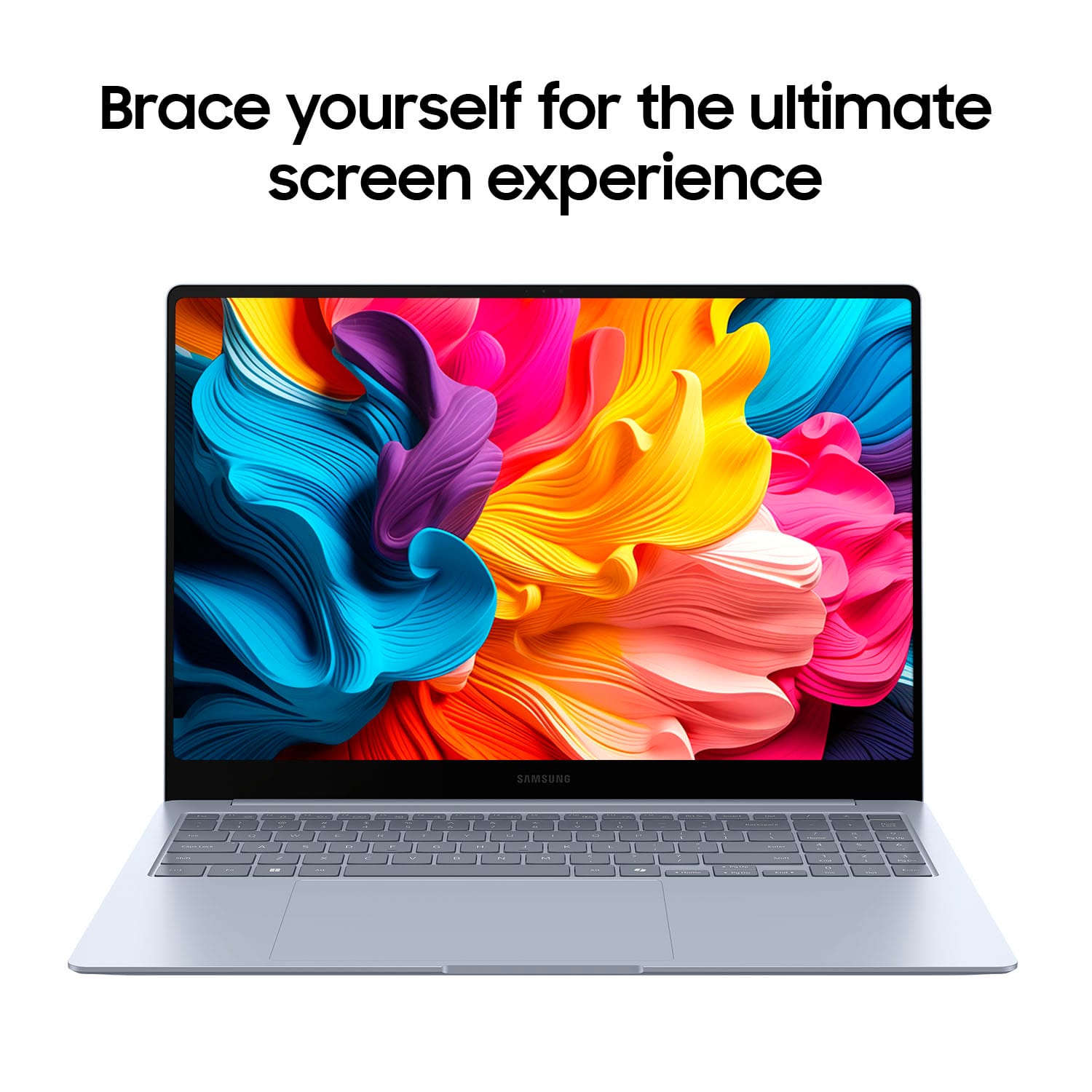
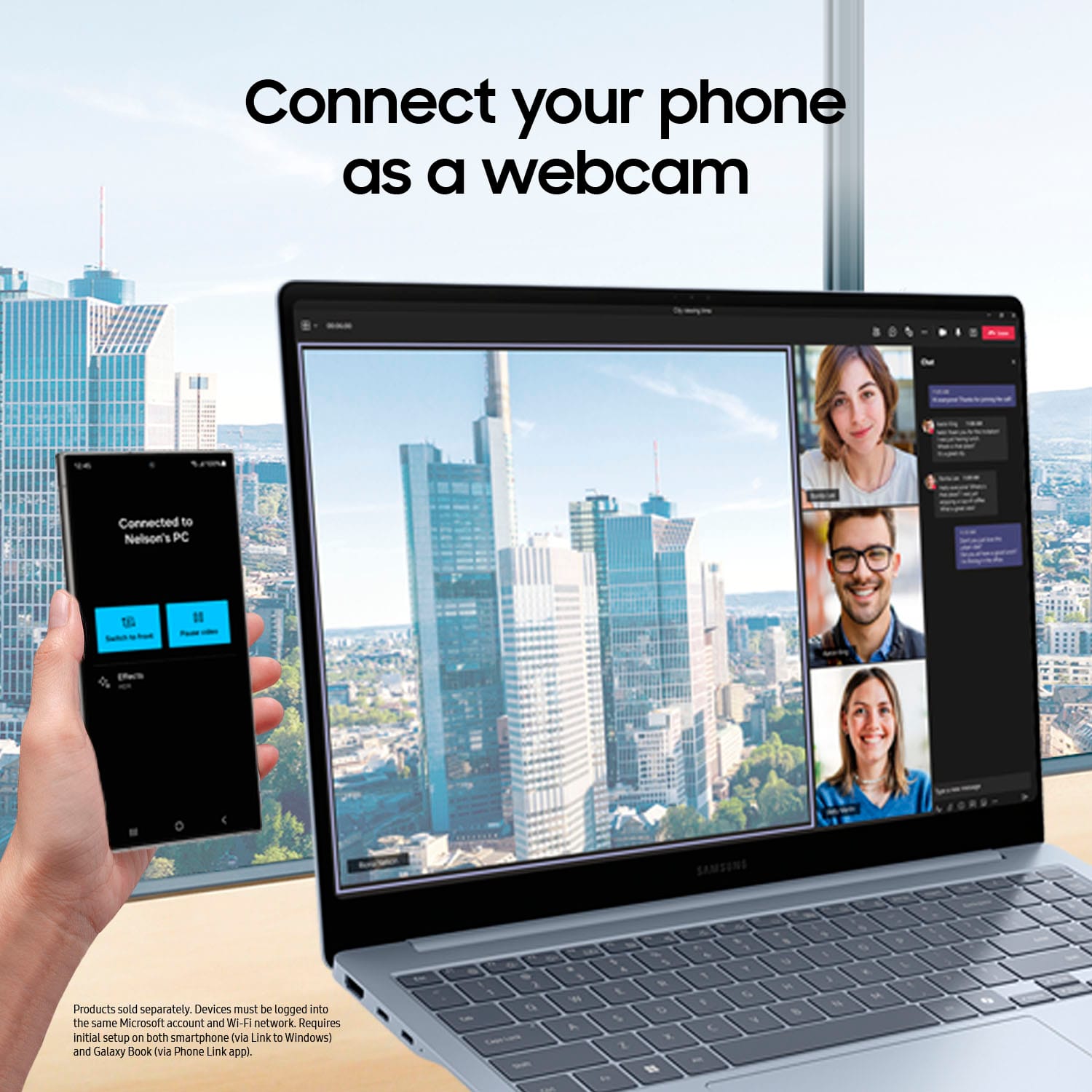
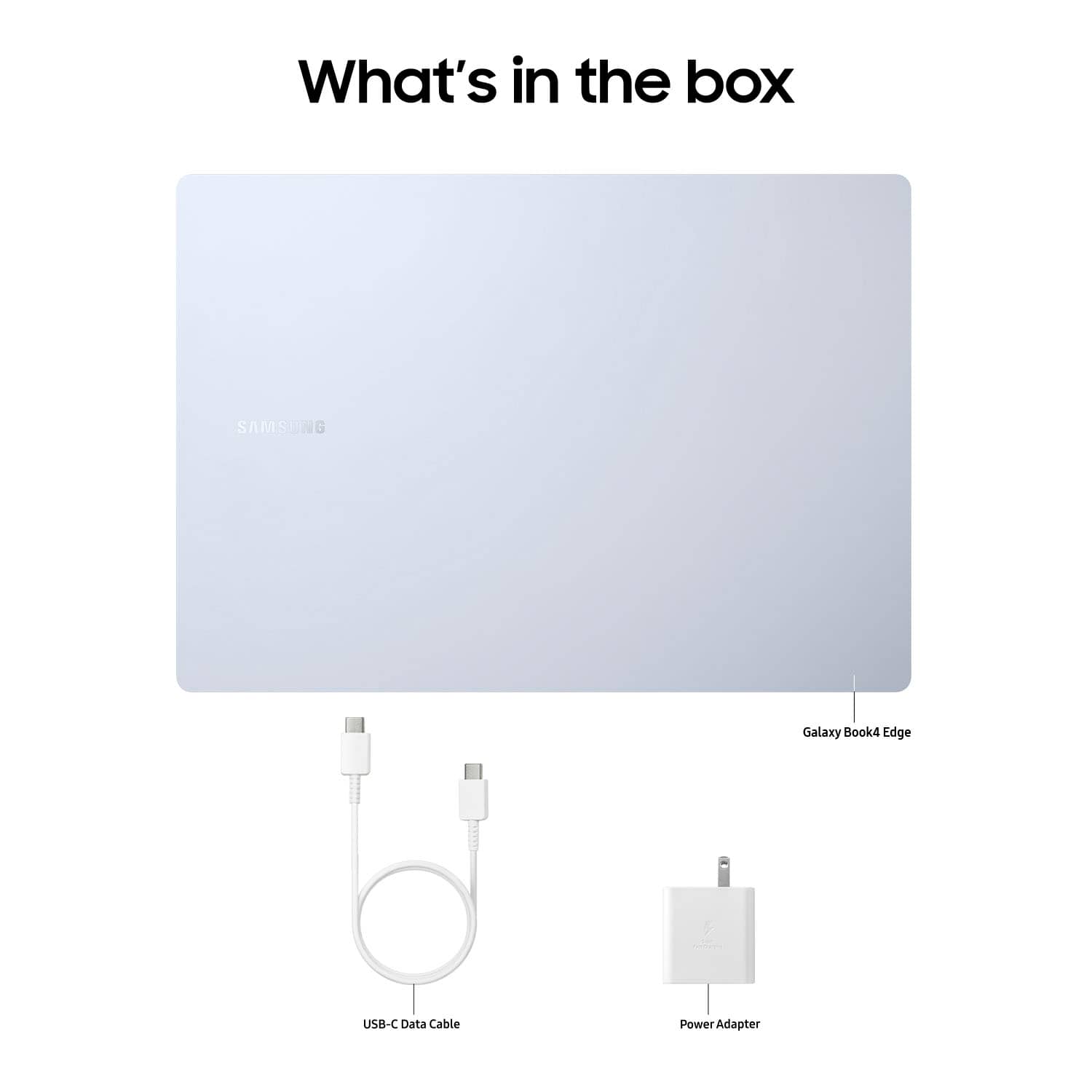
|Posted .This reviewer received promo considerations or sweepstakes entry for writing a review.Samsung really have something amazing on their hands with the Galaxy Book4 Edge Copilot+ PC. Lets jump right into it. From you moment you unbox the Galaxy Book4 you are met with a sleek, very thin, ultra lightweight, absolute beauty of a laptop. The Sapphire Blue almost looks silver, but when you catch the right angle you get a beautiful very sticking blue hue on it. It comes with everything you need including a charger with a brick, that uses the standard USB-C charger that is dominating the market. After letting the Book4 charge up, and power it on you are met with a beautiful, crisp, 16” AMOLED touchscreen display that is absolutely breathtaking. The screen quality is what you would expect from Samsung, and all you would hope for in a next generation laptop. Setup is easy, and if you have another window device you can instantly setup your laptop with files and data from other window desktops/laptops that have been backed up recently. Also, having a Samsung phone makes having this Book4 a bigger, smarter, assistant in your life. You are able to talk to your laptop using Galaxy AI, to make calls, send texts, create calendars or reminders, that will be sent to your phone. This is so advanced, and it makes you feel very organized, productive, and innovative is the only word to describe it. Having Copilot+ PC by your side allows you to hardly need to type, or search your laptop to find the things you need like files, photos, that presentation you forgot the name of. Just using your voice to speak you can have that all right in front of you in the blink of an eye. The new AI era is upon us, and Samsung took a giant leap forward. Live captions is also an amazing feature that provides live translations from meetings, or content seamlessly, and accurately. You can also use it to create art, by just describing what you’d like to draw, or what’s on your mind and the AI will create it for you. The camera is very high resolution and quality, and makes Zoom calls a breeze. There are options to improve how you look, and interact in meetings so that it always appears that you’re looking into the camera I’m even if you’re looking at your notes on another tab. Which brings me to multitasking on the Book4. The Snapdragon X Elite Processor is a beast, truly. As a gamer, I have downloaded and played a couple of matches and it really held up without slowing down, and it rivals gaming PCs, although it’s not intended to. The sound quality needs improvement, but it’s not enough to take away from everything it does well. The trackpad is very responsive, but very big which takes some getting used to. The keys are very responsive, smooth, and the keyboard has a nice feel to it on its own. The battery life wasn’t 22 hours as advertised, but with the screen quality, processor, and features it’s still very impressive and once again isn’t worth taking away a single star for. Overall the Samsung Galaxy Book4 Edge Copilot+ PC has opened the door to the future, and stepped in confidently while positioning itself ahead of a lot of its class. You won’t regret it.
I would recommend this to a friend - Pros mentioned:Battery life, Processor speed, Screen quality
Rated 5 out of 5 stars
Powerful and lightweight this thing rocks!
|Posted .This reviewer received promo considerations or sweepstakes entry for writing a review.This review is for the Samsung Galaxy Book4 Edge. The Book4 is one of the latest addition to Samsungs premium line of laptops, Rocking cutting-edge technology (AI) and a sleek design that should please both casual and professional users. Design and Build Quality The Galaxy Book4 Edge stands out with its ultra-thin design that is lightweight. The aluminum chassis gives it a premium feel, and the build quality is solid with no noticeable flex. I have the 16" display and the edge to edge screen contributes to its modern look, making it an attractive choice for those who prioritize design. Diplay One of the stand out features is the display it self. This laptop sports a 16-inch AMOLED touch-screen that is bright and crisp.The colors are vibrant, the blacks are deep even when out doors. And with a 120Hz refresh rate it making most experiences smooth. And with a display resolution of 2880x1800 it makes sure you see even the fine details. Performance Under the hood you will find a snapdragon(R) X Elite X1E80100 Qualcomm 3.42 Ghz processor and 16 GB of ram. This combinations will give you super smooth performance for everyday multitasking or even gameing and video editing. Battery Life I have gone a few days now one my first charge. So I can say it comfortably provides a full day of productivity and more. And when needed it has a fast charging time. Sofeware and Features The Galaxy Book4 edge runs on Windows 11 offering a seamless user experience if you are replaces an old pc with windows, Bring your old files and apps with you. It also has Copilot an on device AI that can do all kinds of cool things from just helping you find a document or generation images just from your descriptions. Real time language translation, speech to text and much much more.
I would recommend this to a friend Rated 1 out of 5 stars
Disappointed
||Posted . Owned for 1 week when reviewed.This reviewer received promo considerations or sweepstakes entry for writing a review.Very disappointed with this laptop. The most glaring are the tinny sounding speakers. I would expect a better quality. The second disturbing issue was installing Norton apps. Some would not install because of the processor and not detecting Windows 11. We exchanged this for a HP laptop.
No, I would not recommend this to a friendRated 1 out of 5 stars
An oversized phone
||Posted . Owned for 1 month when reviewed.This reviewer received promo considerations or sweepstakes entry for writing a review.It was horrible. I couldn't replace it fast enough.
No, I would not recommend this to a friendBrand response from Samsung
Posted .Greetings JudithH, thank you for finding the opportunity to share your sentiments with us about your Samsung Galaxy Book4 Edge. We appreciate your feedback as it provides us the opportunity to remain innovative while improving the functionality of our product line. Samsung provides a 12-month warranty for manufacturing defects in materials and workmanship. Without having more information available regarding what you may be experiencing with your Galaxy Book4 Edge and without being able to ask you any follow up questions to probe further, I recommend reaching out to Support if you would like further assistance with troubleshooting your PC. Thank you for being a trustworthy Samsung customer. - Debra
- Pros mentioned:Battery life, Weight
Rated 5 out of 5 stars
A great laptop with a couple of design quirks
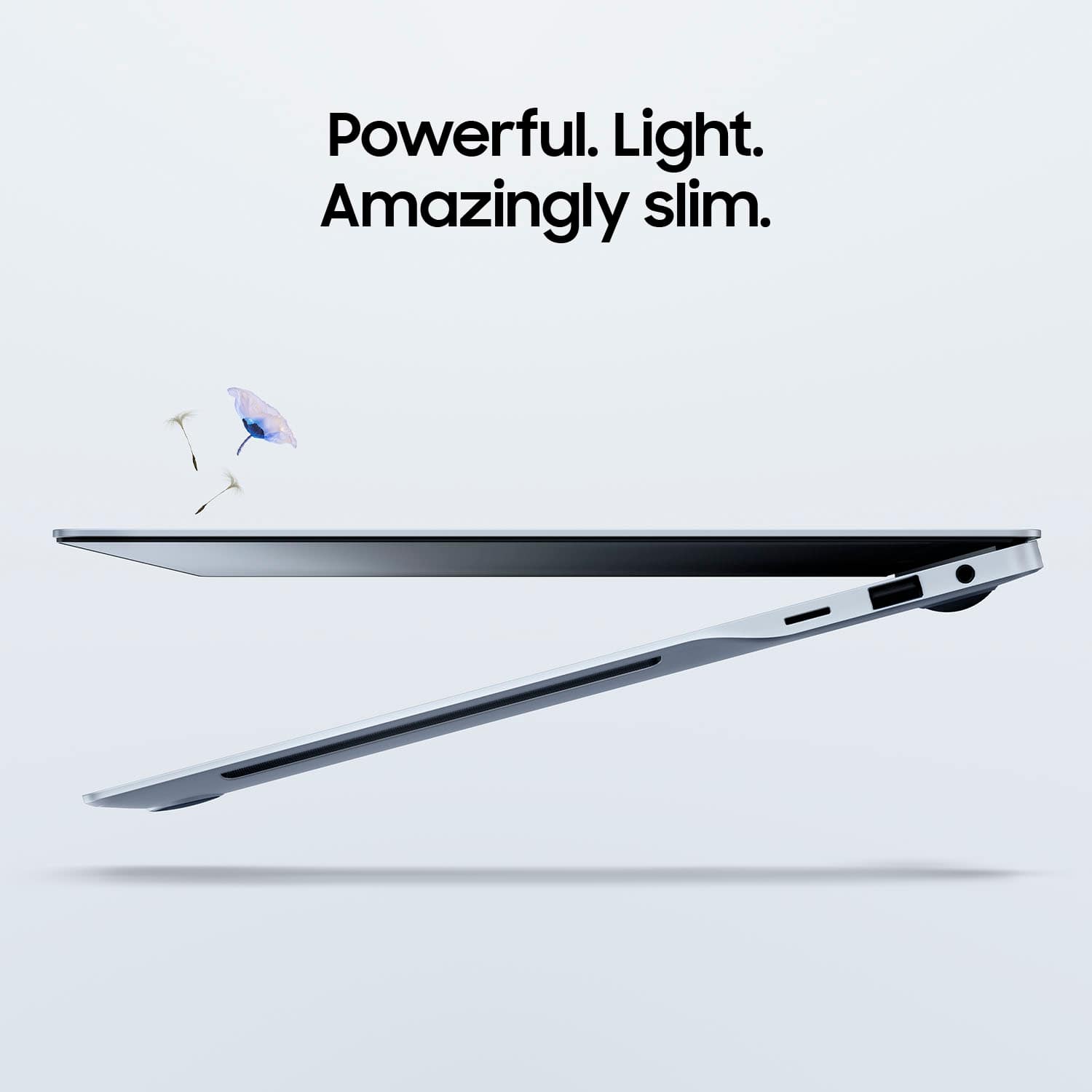
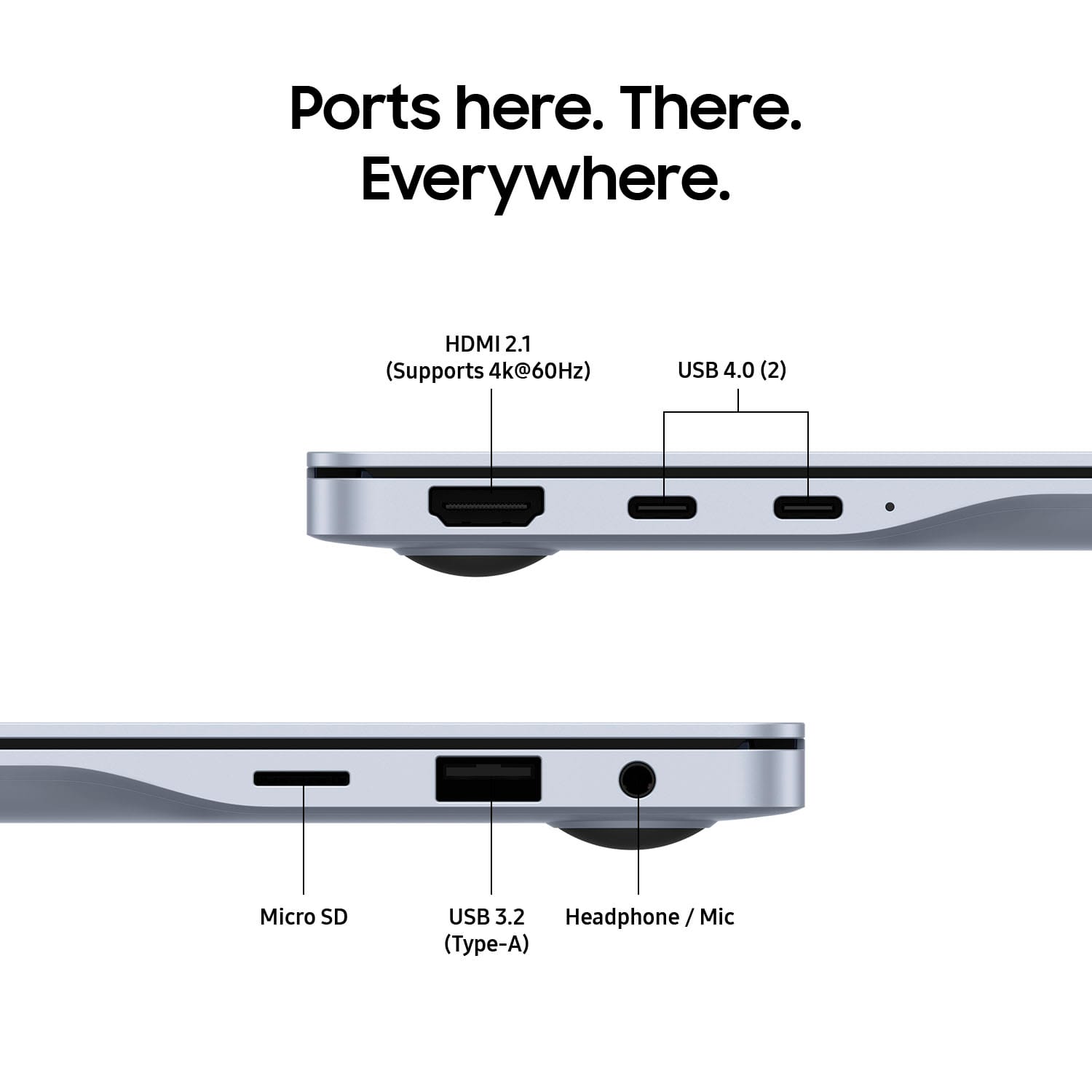
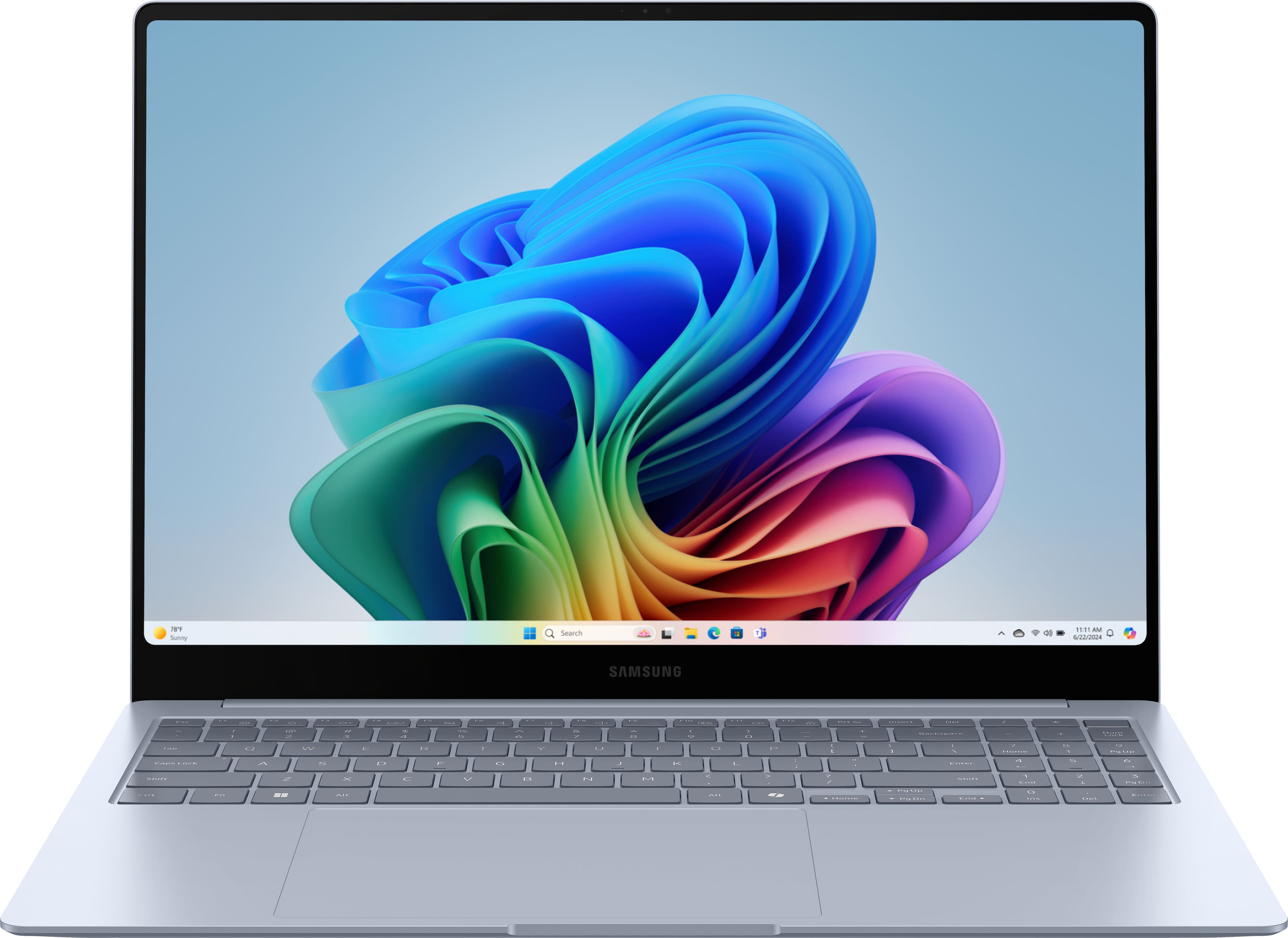
|Posted .This reviewer received promo considerations or sweepstakes entry for writing a review.The first thing that you’re likely to notice about the Samsung Galaxy Book 4 Edge is that this is a beautiful laptop, with a design that tapers from thin to thinner. Samsung calls the aluminum color Sapphire Blue, although it looks more like dark silver with a touch of blue. There is an understated Samsung logo on the lid, otherwise the appearance is of a large, simple piece of metal. The second thing that you’re likely to notice is that the Galaxy Book is remarkably light. At under 3.5 pounds, it rivals my 15” MacBook Air. This Galaxy Book makes an excellent travel companion. Structurally, the entire laptop feels solid. The hinge works smoothly, with no signs of stress from the large lid. The unit does not flex at all, even when held by a corner, no easy task for an ultra-thin laptop supporting a 16” AMOLED screen. The finish seems excellent, without the tendency to scratch that plagues the MacBook Air. The tapered design has a clear advantage over ultra-thin all around when it comes to ports. With two USB-C Thunderbolt 4, one USB-A, HDMI, a micro-SD slot, and headphone jack, you may be able to leave your USB-C hub at home on your next trip. With a lot of space to work with on the base, the Galaxy Book sports a large keyboard and a full number pad. I use the number pad frequently, so this is a welcome addition to the standard laptop keyboard. However, it comes with a tradeoff. The number pad pushes the rest of keyboard to the left. Samsung has also decided to keep the keyboard at the back of the base. While this allows for a large trackpad, on a machine this large it’s a bit of a reach. I think the keyboard placement is something that one will get used to over time, but in my first few days with it, I have to say it still feels unnatural to reach that far up and to the left. The keys themselves are responsive if a little mushy; the feel could be a bit better. The trackpad has great touch response. This unit sports the highest-end of the ARM Snapdragon Elite X chip with 12 cores and Dual Core boost up to 4.2GHz. It’s fast on daily tasks, but on more the most demanding workloads you may find yourself wishing you had twice the memory. For some reason, the Galaxy Book tops out at 16GB of memory, which feels like an odd pairing with such a high-end chipset. A laptop with this much power can run hot, but on daily tasks you aren’t likely to notice the heat or the sound of the cooling fans. The 16” OLED screen is simply gorgeous. At 2880x1800 resolution, the colors are vibrant, the blacks are deep, and the entire screen is bright. It’s also a touchscreen, although given how exceptional the screen looks, I’ve been reluctant to put fingerprints on it. Battery life is excellent. I’ve been able to run it for an entire work day on battery while doing typical work-related things (for me, at least): emails, video conferences, and Microsoft Office tasks. The video playback is extremely efficient; I was able to stream a video on repeat for nearly 20 hours before the machine gave up. What’s really remarkable about this is OLED screens are notoriously power hungry. The Galaxy Book Edge series marks Samsung’s entry into Copilot+ laptops, and the Snapdragon chipset is specifically optimized for running Copilot tasks. Copilot+ laptops have an extra key with a twisted ribbon logo, signifying that you’re accessing Microsoft’s AI assistant. Powered by OpenAI’s GPT-4, Copilot uses DALL-E3 to generate images. While you can access Microsoft Copilot on the Web or through an app, Copilot+ PCs come with Cocreator and Windows Studio Effects, features which are not available on the web or app versions. The features I found most useful with Copilot are its ability to answer questions, generate text (or images) in a specific style, and summarize text. When Copilot answers, it provides sources so you can fact check, a feature not commonly found in AI assistants. While text generation was generally quite good (although as someone who write a lot, I still had to tweak it), Cocreator allows you to create images in Microsoft Paint using the DALL-E3 image generator. As I’ve found with DALL-E images in the past, Cocreator is hit-or-miss. Sometimes you get what you asked for, frequently you get unintended comic relief. Live Captions is nice if you need accessibility assistance or would simply prefer to read rather than hear the text (something I frequently do). While not 100% accurate, it’s close enough to get the idea. As someone who is on a lot of video calls, I found Windows Studio Effects extremely useful. It allows you automatically frame and light your image, and it really does make a significant difference. Studio Effects also maintains eye contact with the camera, something that’s not possible naturally if you’re watching others on your screen. Overall, this is a great laptop with a couple of design question marks. Sleek, thin, and lightweight, with a beautiful screen, excellent battery life, and Microsoft Copilot+ at the touch of a button, it’s a win for Samsung.
I would recommend this to a friend Rated 1 out of 5 stars
Key board issue
||Posted . Owned for 2 weeks when reviewed.This reviewer received promo considerations or sweepstakes entry for writing a review.I bought samsung laptop. Its key A stuck just after one day. Samsung need to improve its build quality and to produce good reliable products
No, I would not recommend this to a friendBrand response from Samsung
Posted .Hello Saqib, thank you for finding the available time out of your day to share your sentiments with us about your Samsung Galaxy Book4 Edge. We appreciate your transparency as we strive in providing the best products with superior functionality on the market to our customers. Our goal is for our customers to feel like they are having the most marvelous experiences when using our products. Samsung provides a 12-month warranty on our products for manufacturing defects in materials and workmanship. We would love to assist you in resolving what you are currently experiencing with your new Galaxy Book4 Edge. Please feel free to reach out to Samsung Support at your earliest convenience to discuss what options may be available to you. Thank you for being a treasured Samsung customer. - Debra
- Pros mentioned:Battery life, Screen quality
Rated 4 out of 5 stars
Worth Considering With Caveats
|Posted .This reviewer received promo considerations or sweepstakes entry for writing a review.I was looking forward to receiving this computer as I have had prior experience with a windows laptop with an older arm processor that used Windows 10s. The weaknesses of that laptop (again a premium price point) were resolved installing Windows 11 on it that allowed even old programs designed for Intel/AMD processors to run - and fairly decently. Its main advantage was it was a 13 inch and very lightweight. Now we have a new era with the Snapdragon X Elite processor which is wrapped in a highly premium Samsung aluminum chassis with an amazing touch screen. The keyboard is backlit well enough to use which sometimes in other laptops doesn't happen. The keys feel good enough to touch type though I'm no so happy with the overly sensitive trackpad which repeatedly had things pop on the screen that I had no desire to appear. TAKEAWAYS First, very quick start up (after all of the updates) though the computer spent more time on the Samsung splash screen then doing anything else. Second, storage speed was quite impressive (though not earth shattering) with reads being at the 3600 mb/s area with writes being slightly lower at 2800 mb/s using crystal diskmark. Third, I set up the computer using all of the programs that I normally use on Intel/AMD systems without any issues. I am so glad I have a Microsoft account and the settings from a prior recent computer setup were migrated over to this one including adding the icons for programs to the taskbar (though each would need to be reinstalled - no problem since I have those files in the one drive master to make it easier to set up). Fourth, computer seemed to be as snappy as a recent i7 or AMD Ryzen 7. I did not push the system doing video editing but it seemed to respond much like my Dell XPS 15. ELEPHANT IN THE ROOM And now the Co-Pilot aspect. I'm not sure why this is even talked about. I'm old enough for anything generated by this to seem to be cheating. I did try to create a picture after trying to figure out how that even worked (it is not intuitive). Yeah, it came up with four images. And I discovered that if you shut down your computer and come back to this area, the search items are on the left of the screen and thumbnails of those images are there. And good news is you can download or save what you worked on. I was not, however, impressed with how long it took to create the images. I did notice it could not create a real image of a real item of a real year like a car. Odd. CONCLUSION Don't buy this because it comes with Co-Pilot gimmicks. If you want a fairly lightweight, thin, and large screen with good battery life that runs windows, this is a good choice if you want to spend the money like this costs. Having a touchscreen, backlit keyboard, and quick storage and fast processing running software or websurfing, this is a good choice. It has a premium feel to it.
I would recommend this to a friend Rated 1 out of 5 stars
Broken Windows
||Posted . Owned for 1 week when reviewed.This reviewer received promo considerations or sweepstakes entry for writing a review.I had to return the computer to be fixed twice and I ended up getting a new Hp instead.
No, I would not recommend this to a friendBrand response from Samsung
Posted .Hi there SheritaB, thanks for taking the time to review your Samsung Galaxy Book3 Edge. We appreciate your honesty as we strive to provide the very best products with superior functionality on the market to our customers while we remain committed to constant innovation. Our goal is for our customers to feel like they are having the most unforgettable experiences while using our products. Samsung provides a 12-month warranty on our products for manufacturing defects in materials and workmanship. We would love to be able to assist you with your Galaxy Book4 Edge, however, we need more details regarding what you may be experiencing with your device before we can do so. Please feel free to contact Samsung Support if you would like further assistance and/or help with troubleshooting your device. Thank you for being a loyal Samsung customer. - Debra
- Pros mentioned:Battery life, Screen quality
Rated 5 out of 5 stars
Beautiful all around and great battery life!
|Posted .This reviewer received promo considerations or sweepstakes entry for writing a review.The Samsung Galaxy Book4 Edge is a fantastic laptop that is a go-to device for work and play. The sleek design, incredibly thin form factor, and lightweight build make it super portable, perfect for toting around town or on business trips. One of the first things you'll notice is the stunning display. The screen is beautiful, bright, and colorful, making everything from streaming movies to editing photos an absolute pleasure. The touchscreen is responsive and adds a nice touch of convenience for navigating and taking notes. The 7+ inch trackpad is massive, smooth, and tracks well, providing a great user experience. The keyboard is light and decently tactile; you can easily get used to typing on it. I also appreciate the inclusion of a number pad, which is a handy feature for productivity. Performance-wise, the Galaxy Book4 Edge doesn’t disappoint. Powered by the Snapdragon X Elite, this ARM-based laptop handles multitasking with ease. Whether I'm running multiple apps, video conferencing, or doing some light gaming, it performs smoothly without any hiccups. The battery life is impressive too, lasting me through a full day of work without needing to recharge. The speakers are loud but lack low end, and since they are downward-firing, the overall quality depends on the surface it's resting on. This also causes the sound to seem to come from below the screen rather than from it, which takes a bit of getting used to. This is also one of the first laptops to support Copilot+. The live captions function can be useful for on the fly translations, but that's really a feature I use my phone for most often as it's more likely to be with me at all times. The Restyle Image and Cocreator aspects are a bit more unique to Copilot and are great fun to use, but, if I'm honest, like most of these new 'AI' features on every product coming out these days, real-world usage is limited and they are more of a fun gimmick. Overall, the Samsung Galaxy Book4 Edge is a top-notch laptop that combines style, power, and convenience. It’s perfect for anyone looking for a reliable and versatile device. Highly recommended!
I would recommend this to a friend Rated 1 out of 5 stars
AI blows don't waste your money
||Posted . Owned for 2 weeks when reviewed.This reviewer received promo considerations or sweepstakes entry for writing a review.The AI kinda really sucks. Gemini is regularly out competed by open source models ran locally.
No, I would not recommend this to a friendBrand response from Samsung
Posted .Good day Atp99, thank you for finding the free time out of your busy day to share your thoughts with us about your Samsung Galaxy Book4 Edge. We value your honesty as we improve the design and functionality of our product line while we stay committed to constant innovation. Our goal is for our customers to feel like they are having the most amazing experiences when using our products. Samsung provides a 12-month warranty on our products for manufacturing defects in materials and workmanship. Getting things done has never been easier. Whether you're browsing the internet, entering a video call, or need help remembering a password, let AI on the Galaxy Book4 series simplify your life by doing the work for you. Get ready for the most intelligent PC experience possible. Take a moment to check out, "Using AI features on the Galaxy Book4 series" when you have the opportunity to learn more about using the Galaxy AI features that you have available now that you have purchased your Galaxy Book4 Edge. If you have any questions for us or if you would like any further assistance, feel free to reach out to Samsung Support. Thank you for being a loyal Samsung customer. - Debra
- Pros mentioned:Battery life, Processor speed
Rated 5 out of 5 stars
WOW
Posted .This reviewer received promo considerations or sweepstakes entry for writing a review.This is / has been an excellent purchase. OLED screen, great battery life, & very fast. Build is what you would expect in this price. If you can buy it for $ 900, I would jump on it. Beyond my expectations and as nice a PC as I have ever used. Hard core gaming, maybe not but for everyone else, it is as good as it gets. Check it out and you will be pleased.
I would recommend this to a friend - Pros mentioned:Processor speed
Rated 5 out of 5 stars
Galaxy Book4 Edge Copilot Review
|Posted .This reviewer received promo considerations or sweepstakes entry for writing a review.I was pleasantly surprised by the Galaxy Book4 Edge. The laptop itself is thin with a sleek brushed metal exterior. One feature I love is the huge touchpad which makes working without a mouse very comfortable. Setup was quick and intuitive. The AMOLED display is vibrant and displays contrasts well. The signature feature of this laptop is the integration of Microsoft Copilot AI, with both a dedicated icon on the taskbar and even a dedicated copilot key. I spent a lot of time testing the functionality of Copilot and was surprised by how thorough and correct it was, even when discussing obscure topics. The Copilot AI has multiple plugins, mostly related to shopping, travel, and dining. I used Copilot to make a dinner reservation for myself in town and it was a breeze. Copilot can also respond to uploaded pictures and dictations, which is a really handy feature when making to-do lists for myself. The notebook feature is also useful. It is designed for much longer prompts that may need some refinement. To test the Snapdragon X Elite processor, I would typically write some code from scratch to benchmark processing time, but then I thought, "Why not let the Copilot AI write the code I'll use to test the computer speed?" Not only did Copilot successfully write the code in a manner similar to how I would have done, but the processing speed itself was very fast - only 8% slower than my other computer with an i7 Intel processor. Overall a very pleasant user experience.
I would recommend this to a friend - Pros mentioned:Battery life, Screen quality
Rated 3 out of 5 stars
Disappointed with Snapdragon
Posted .This reviewer received promo considerations or sweepstakes entry for writing a review.A light laptop with great display and better than average battery life but be prepared for real compatibility issues. Snapdragon processor is not supported universally so recommend confirming compatibility for any specialty software before buying a non-intel laptop. My PDF editor/plan review software has issues that are inconvenient but disappointing. Compatibility issues extend to printers as well. Otherwise a decent laptop though I'd stick with intel in the future for ease of use.
No, I would not recommend this to a friendBrand response from Samsung
Posted .Greetings UnhappywiththeGeeks, thank you for finding the unobstructed time out of your bustling day to share your sentiments with us about your Samsung Galaxy Book4 Edge. Your feedback is appreciated as we strive to be innovative and improve the design and functionality of our products. Our goal is for our customers to feel like they are having the most ideal experiences while using our products. Samsung provides a 12-month warranty on our products for manufacturing defects in materials and workmanship. We would love to be able to assist you with whatever you may be experiencing with your PC, however, we need more information than we currently have available before we can do so. Please reach out to Support if you would like any further assistance with troubleshooting your PC. Thank you for being a dedicated Samsung customer. - Debra
- Pros mentioned:Processor speed
Rated 5 out of 5 stars
Future Computer!
Posted .This reviewer received promo considerations or sweepstakes entry for writing a review.The future of computing. Fast as lighting. AI features are awesome, and they will only get better. 45 trillion operations per second make this computer simply amazing. While there is always room for improvement, this is a great start for the AI revolution. The only thing I'm having to adjust to is the computer talking to me in a way that feels too human, oh and also the keyboard is a little slim for my taste.
I would recommend this to a friend - Pros mentioned:Processor speed, Screen quality
Rated 5 out of 5 stars
Great computer
Posted .This reviewer received promo considerations or sweepstakes entry for writing a review.I like how fast it is and absolutely love the picture image. Searches go faster with Snapdragon.
I would recommend this to a friend Rated 5 out of 5 stars
Samsung over Mac
Posted .This reviewer received promo considerations or sweepstakes entry for writing a review.Switching over to samsung laptop was the best decision. Very thin, light weight, very easy to manage.
I would recommend this to a friend- Pros mentioned:Screen quality
Rated 5 out of 5 stars
Bestbuy the best.
Posted .This reviewer received promo considerations or sweepstakes entry for writing a review.Excelent presentation.good product for the eye.is the best.
I would recommend this to a friend Rated 3 out of 5 stars
nicely built and fast but very bad battery life.
Posted .This reviewer received promo considerations or sweepstakes entry for writing a review.nice build quality and thinness very responsive but mainly marketed as long battery life and it turned out once i picked it up to drain quicker than book 3 360 that i previously bought from bestbuy. The battery at best lasted 5-6 hours of light youtube watching with energy efficiency mode turned on all the time and system wide dark mode enabled. i updated to newest version and made all necessary updated and calibrated the battery but nothing improved. I returned it once i realized 62 watt hr battery is too weak for 120hz oled screen. samsung should have done better with battery front and even though its a snapdragon processor it did not help alot. wanted to keep the machine but battery drainage is a no go and killed it for me.
No, I would not recommend this to a friendBrand response from Samsung
Posted .Hiya EddTomm, thank you for taking the time out of your day to share your thoughts with us about your Samsung Galaxy Book4 Edge. We appreciate your candor as we make every effort to improve the design and functionality of our product line. Our goal is for our customers to feel like they are having the most ideal experiences while using our products. Samsung provides a 12-month warranty on our products for manufacturing defects in materials and workmanship. Take a moment to review, "Reduced battery life on Samsung PC when you have the opportunity available to conduct some simple troubleshooting steps to help resolve what you may be experiencing with your Galaxy Book4 Edge's battery life. If you have any questions for us afterward or if you would like any further assistance after reviewing the resource that has been provided, feel free to contact Samsung Support at your leisure. Thank you for being a loyal Samsung customer. - Debra
- Pros mentioned:Screen quality, Weight
Rated 1 out of 5 stars
Don't buy this laptop if you'll ever need to print
Posted .This reviewer received promo considerations or sweepstakes entry for writing a review.Good display and like the light weight, but there's a huge problem: the Snapdragon microprocessor can't print to most printers. We bought and returned a LaserJet printer to Best Buy because HP says they don't have the drivers for the Samsung - Galaxy Book4 Edge and don't have a date for when they will have them.
No, I would not recommend this to a friendBrand response from Samsung
Posted .Hi there ChrisW, thanks for taking the time to review your Samsung Galaxy Book4 Edge. We appreciate your honesty as we strive to provide the very best products with superior functionality on the market to our customers while we remain committed to constant innovation. Samsung provides a 12-month warranty on our products for manufacturing defects in materials and workmanship. Without having more information available regarding what you may be experiencing with your device and without being able to ask you any follow up questions to clarify what you've shared with us, I suggest contacting Samsung Support for further assistance and/or help with troubleshooting your device. Thank you for being a loyal Samsung customer. - Debra
Rated 5 out of 5 stars
Great, better than M3
Posted .This reviewer received promo considerations or sweepstakes entry for writing a review.Snapdragon performance is better than M3, better than expectation.
I would recommend this to a friend


](https://pisces.bbystatic.com/image2/BestBuy_US/images/products/6583/6583788cv21d.jpg;maxHeight=54;maxWidth=54;format=webp)
![Describe how you remember a document on your PC, and Recall will find it instantly. Optimized for select languages (English, Chinese [simplified], French, German, Japanese, and Spanish). Content-based and storage limitations apply. See <https://aka.ms/nextgenaipcs>.](https://pisces.bbystatic.com/image2/BestBuy_US/images/products/6583/6583788cv22d.jpg;maxHeight=54;maxWidth=54;format=webp)
![Get accurate subtitles in real time with automatic Live Captions. Currently supports translation or video and audio subtitles into English from 40+ languages. See <https://aka.ms/nextgenaipes>. Polish, French, Korean, Spanish, English, German. Meeting date: [the next We wll send you today's meeting. the -aeent]. Thank you for attending. mail along with [the -aeent].](https://pisces.bbystatic.com/image2/BestBuy_US/images/products/6583/6583788cv23d.jpg;maxHeight=54;maxWidth=54;format=webp)