Appliances Presidents’ Day SaleEnds 2/25. Limited quantities. No rainchecks.Shop now

Skip to contentGo to Product SearchGo to Footer
Main Content

Customer Ratings & Reviews

$799.99
Save $650
Comp. Value: $1,449.99

Customer reviews

Rating 4.5 out of 5 stars with 333 reviews

Rating Filter

Rating by feature

  • Battery Life

    Rating 4.6 out of 5 stars

  • Speed

    Rating 4.7 out of 5 stars

  • Display

    Rating 4.8 out of 5 stars

Pros mentioned filter

Cons mentioned filter

88%would recommend to a friend

Customers are saying

Customers are enthusiastic about the Galaxy Book4 Edge, highlighting its exceptional screen quality, fast processor speed, and impressive overall performance. Many users also appreciate the strong battery life and lightweight design, making it very portable. However, some customers expressed concerns about the RAM.

This summary was generated by AI based on customer reviews.

The vast majority of our reviews come from verified purchases. Reviews from customers may include My Best Buy members, employees, and Tech Insider Network members (as tagged). Select reviewers may receive discounted products, promotional considerations or entries into drawings for honest, helpful reviews.
Page 16 Showing 301-320 of 333 reviews
  • Pros mentioned:
    Battery life, Processor speed, Screen quality
    Tech Insider Network Member

    Rated 4 out of 5 stars

    Almost there

    |
    Tech Insider Network Member
    Posted .
    This reviewer received promo considerations or sweepstakes entry for writing a review.

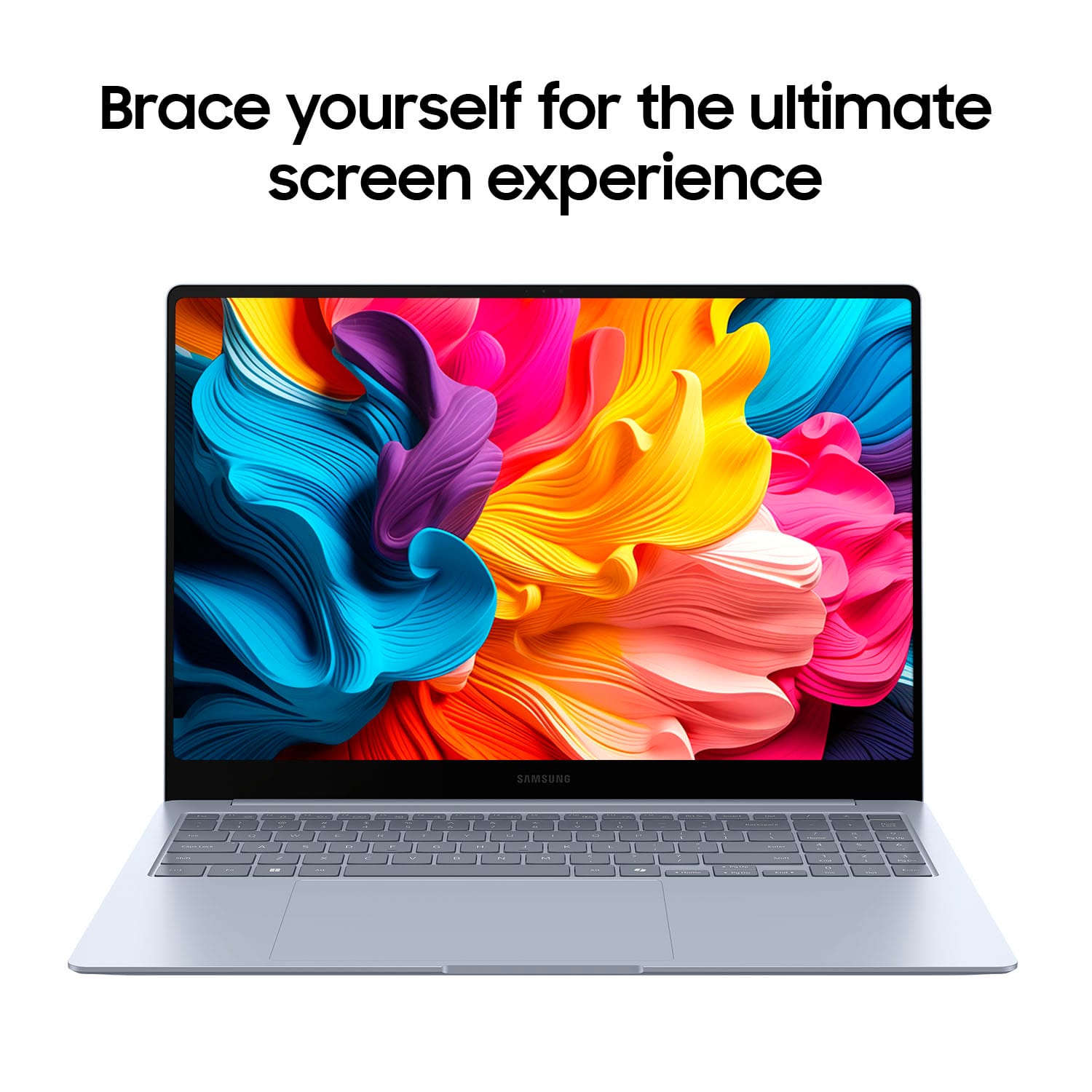
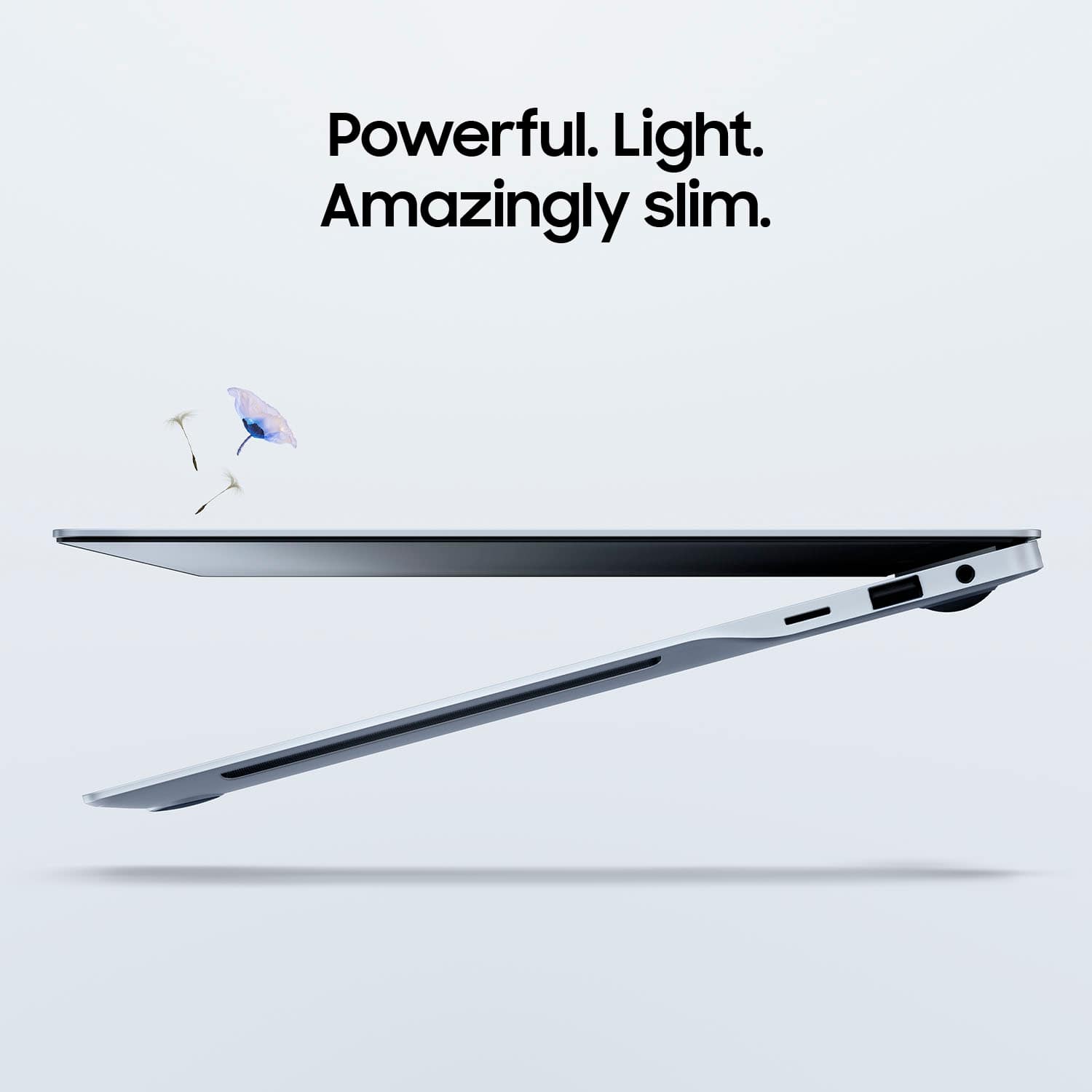
    The Galaxy Book4 Edge has a slim and modern design with an aluminum chassis (I think) that feels premium and durable. I’ve tried and failed to leave finger prints on the surface. I dont know if there a protective coat but its nice. Its edge-to-edge display with a curve on the corners gives it a sleek look, making it highly portable and visually appealing. The laptop is lightweight and feels balanced. The hinge mechanism is sturdy, allowing for smooth opening and closing, it passes the one finger test opening the laptop on flat surface. Display The 16-inch QLED display is one of the standout features of the Galaxy Book4 Edge. It is absolutely stunning, it offers vibrant colors, deep blacks, and excellent brightness levels, making it perfect for both work and entertainment. The high resolution ensures crisp and clear visuals, whether you’re watching videos, editing photos, or working on documents. The touch functionality is responsive, adding an extra layer of convenience. Performance Powered by the latest Snapdragon X Elite CPU. I couldn’t tell the different between this an Intel or AMD laptop. Windows 11 runs smoothly with Snapdragon CPU. The best part of this laptop is the instance on and battery life. When the laptop is in sleep mode and I open the lid it turns on instantly. I can pick up from Netflix or Youtube or my work (outlook or excel) without any lag. Its literally instance on. Its pretty awesome. Ive used the Galaxy Book4 for about 4 days now. Copilot Integration The Galaxy Book4 has Copilot install which is nice to have. I’ve seen demo of Copilot but I haven’t used most of the feature. Live caption is nice to have translation is about 95% accurate with about half second delay. Battery Life The battery life of the Galaxy Book4 Edge is impressive. The true battery life on the Galaxy Book4 is around 10 to 12 hours for me. This makes it suitable for a full day of work or travel. Definitely useful for when I’m traveling. The fast-charging feature is also a plus, allowing you to quickly top up the battery when needed. Keyboard and Trackpad The keyboard is comfortable to type on, with well-spaced keys and good key travel. The backlit feature is helpful for working in low-light conditions. The large trackpad is smooth and responsive, supporting multi-touch gestures. Its very smooth and intuitive to use Limitations With the new Snapdragon processor based on the ARM architecture not the x86 that Intel and AMD use there are limitations. Software and app that were built for x86 wont work on the Snapdragon ARM based CPU. I had a hard time installing simple things like my printer and scanner. I can see this being a problem for some my order software that I still use this is the biggest draw back on the Samsung Galaxy Book4. Overall YES YES and YES I would recommend The Samsung Galaxy Book4 to anyone looking for a laptop. The ARM based CPU with Windows 11 is an awesome combination because of the battery life. Some limitation on software but the experience using the Galaxy Book4 has been eye opening.

    I would recommend this to a friend
  • Rated 1 out of 5 stars

    Really wanted it to work

    |
    |
    Posted . Owned for 8 months when reviewed.
    This reviewer received promo considerations or sweepstakes entry for writing a review.

    It worked fine for 6 months and then it stopped working correctly. The USB port doesn't work correctly unless I regularly restart the computer. It looks great and I want it to work well. But it's one of the worst computer experiences I've ever had. Sent it 2x for warrantly work but nothing changes. I spoke with Samsung support. They are trying to put me off until my warranty expires in Sept. Then they can say time is up and you no longer qualify for support. I resigned to buying another laptop.

    No, I would not recommend this to a friend
    • Brand response from Samsung
      Posted .

      Salutations SoCal, thanks for taking the opportunity to share your experience with us about using the Samsung Galaxy Book4 Edge. We appreciate your candor as we improve the functionality and design of our product line. As you know, Samsung provides a 12-month warranty for manufacturing defects in materials and workmanship. We also offer extended warranty options that would cover eligible device. It's great for the unexpected situations like leaving your device behind on public transportation, having it stolen, taking an unexpected dip in the neighbor's pool, to dropping it and shattering the screen while bringing in groceries. Without having more details available regarding what you may be experiencing with your device and without being able to ask you any follow up questions to probe further, I suggest contacting Support. Thank you for being a loyal Samsung customer. - Debra Samsung

  • Pros mentioned:
    Battery life, Processor speed, Screen quality
    Tech Insider Network Member

    Rated 4 out of 5 stars

    Nice package, limited to ARM or emulated software

    |
    Tech Insider Network Member
    Posted .
    This reviewer received promo considerations or sweepstakes entry for writing a review.

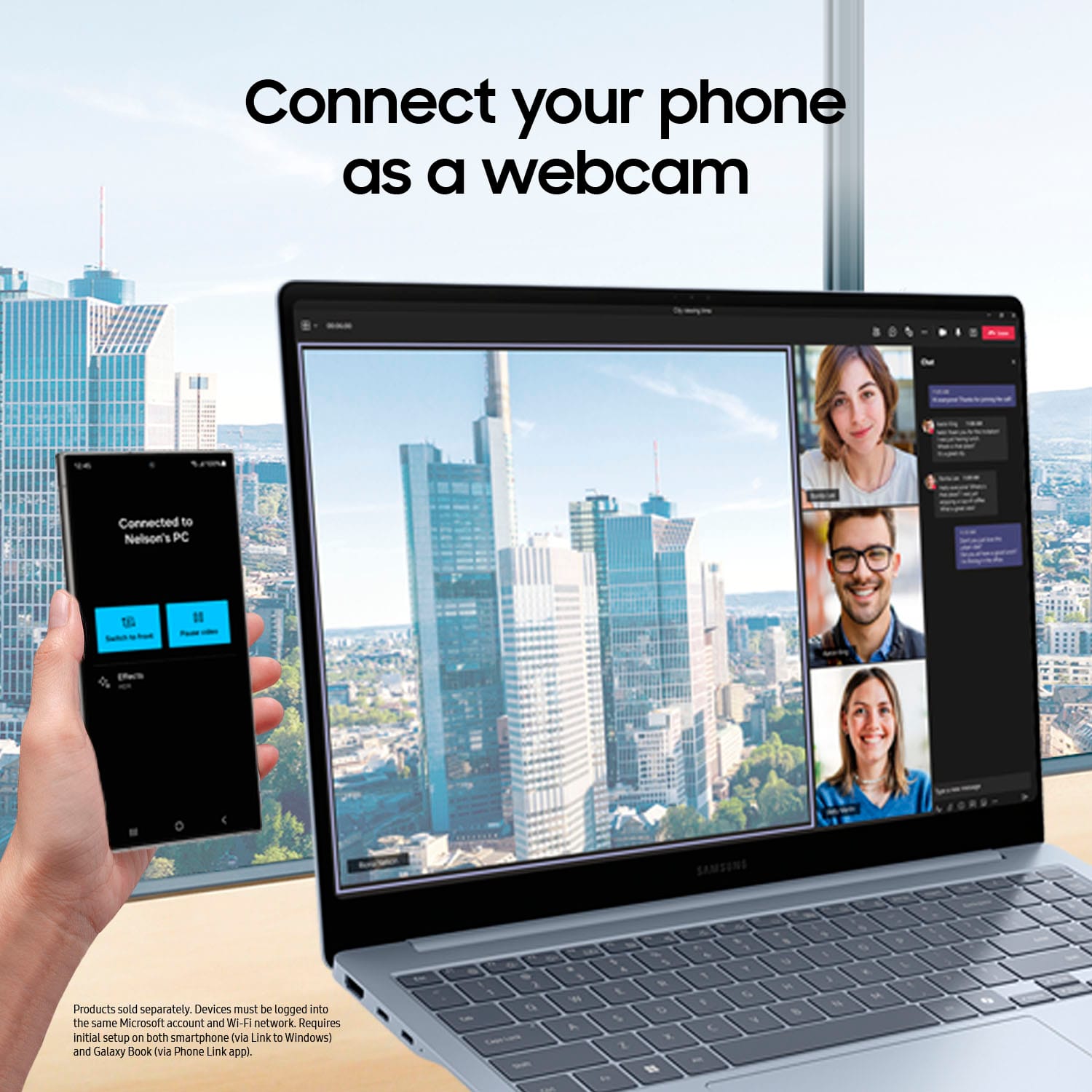
    The Samsung Co-Pilot+PC is snappy and a true business machine for everyday use or photo/video editing while have maintaining a light weight. Samsung seems to continue to lead the way with ultra slim portable machines. I cannot call this a PC, as it’s using a SnapDragon ARM based processor, over standard PC processors (Intel/AMD). The aluminum chassis look and design is sleek and smooth. From the slight drop look on the side chassis view as you glide your hands along the edges. It benches really well in comparison to one of my newer model thin and portable PCs. It literally just works, when you close the lid it sleeps instantly, open the lid and it powers straight away without delays where you feel it with other similar models. ARM based software’s are still finding their way onto the shelves. For those non-native apps, there is an emulator Microsoft provides; MS Prism option to allow you to run those apps. This program works very similarly to “Wine” found on the Linux OS to enable users to run certain WinOS only software on a Linux machine. MS Co-Pilot is exactly as it sounds, designed to run alongside the WinOS and provide immediate on-the-fly support to the user from instant language translation to the use of co-creator to where it’s uses AI features to aide you in your creation. Then through the use of Windows Studio Effects, it takes advantage of various visual effects to transform your designs in various ways. You can also link your mobile phone to the system and easily work from your phone directly via on screen connection or move information between the device and mobile easily. In my case, linked with a Samsung S23 Ultra. Battery life overall seems to be fairly efficient will last almost an entire day; pending primary machine use. Overall, the sound and screen visuals are very and well colored, the sound is good as it the machine uses a side-fire design for the sound to play through. This is not a true gaming PC, but it will play some native ARM based games favorably. Just do not expect newer games to run smoothly or at all. Again, to note, this is great for everyday use and photo/video editing.

    I would recommend this to a friend
  • Rated 3 out of 5 stars

    Screen can crack easily

    |
    |
    Posted . Owned for 1 month when reviewed.
    This reviewer received promo considerations or sweepstakes entry for writing a review.

    Nice sharp screen but it cracks easily for no apparent reason. This is the 2nd one to get a cracked screen. It's never been dropped or fallen off a surface.

    No, I would not recommend this to a friend
    • Brand response from Samsung
      Posted .

      Hi there Mike, thanks for taking the time out of your day to share your thoughts with us about your Samsung Galaxy Book4 Edge. Your feedback allows us to continue to strive in providing the best products with superior functionality on the market to our customers while we remain committed to constant innovation. Our goal is for our customers to feel like they are having the most enlightening experiences while using our products. Samsung provides a 12-month warranty on our products for manufacturing defects in materials and workmanship. We would be more than happy to assist you with what you may be experiencing with your display, however, we need more information than we currently have available before we can properly do so. Please feel free to contact Samsung Support at your leisure for further assistance and/or help with troubleshooting your device. Thank you for being a faithful Samsung customer. - Debra Samsung

  • Rated 2 out of 5 stars

    Some system problems.

    |
    |
    Posted . Owned for 3 months when reviewed.
    This reviewer received promo considerations or sweepstakes entry for writing a review.

    While it is a nice laptop, it would not work with Adobe Lightroom Classic. I also had trouble keeping printers connected wirelessly. The operating system that works great on cell phones didn't do as well on the laptop for me.

    No, I would not recommend this to a friend
    • Brand response from Samsung
      Posted .

      Hi there JoannaW, thanks for taking the time to review your Samsung Galaxy Book4 Edge. We appreciate your honesty as we strive to provide the best products with superior functionality on the market to our customers. Samsung provides a 12-month warranty for manufacturing defects in materials and workmanship. The Galaxy Book4 Edge is powered by the Snapdragon X Elite processor which may not fully support Adobe Lightroom Classic because Lightroom Classic is not yet optimized to run natively on Windows on ARM processors like the Snapdragon X Elite. If you would like to share any other feedback with us or if you would like any further assistance, please feel free to reach out to Support. Thank you for being a loyal Samsung customer. - Debra Samsung

  • Rated 2 out of 5 stars

    I suggest giving it a pass.

    |
    |
    Posted .
    This reviewer received promo considerations or sweepstakes entry for writing a review.

    Pretty good, but far from great. Samsung is the worst for tech support. Serious motherboard issues, if you buy it be sure to by the full extended warranty.

    No, I would not recommend this to a friend
    • Brand response from Samsung
      Posted .

      Aloha FredS, thank you for taking the time to share your thoughts with us about your experience using the Samsung Galaxy Book4 Edge. We appreciate your feedback as we improve the design and functionality of our product line. Samsung offers a 12-month warranty on your PC for manufacturing defects in materials and workmanship. We also offer an extended warranty options that would cover eligible device. It's great for the unexpected situations like leaving your device behind on public transportation, having it stolen, taking an unexpected dip in the neighbor's pool, to dropping it and shattering the screen while bringing in groceries. Without having more details available regarding what you may be experiencing with your PC and without being able to ask you any follow up questions to probe further, I suggest contacting Support for further assistance. Thank you for being a valued Samsung customer. - Debra Samsung

  • Rated 3 out of 5 stars

    undecided

    |
    |
    Posted . Owned for 1 week when reviewed.
    This reviewer received promo considerations or sweepstakes entry for writing a review.

    Haven't decided yet. The computer looks nice. Trying to get the software up and working, which has been a challenge.

    I would recommend this to a friend
    • Brand response from Samsung
      Posted .

      Howdy Engineer, thanks for taking the time out of your hectic day to share your thoughts with us about your Samsung Galaxy Book4 Edge. We appreciate your feedback as we strive in providing the best products with superior functionality on the market for our customers while staying committed to constant innovation. Our goal is for our customers to feel like they are having the most amazing experiences when using our products. Samsung provides a 12-month warranty on our products for manufacturing defects in materials and workmanship. If you would like any further assistance or if you have any questions for us, do not hesitate to reach out to Samsung Support at your leisure. Thank you for being a devoted Samsung customer. - Debra Samsung

  • Pros mentioned:
    Battery life, Overall performance, Screen quality

    Rated 5 out of 5 stars

    Amazing an most snappy windows laptop ever!!

    Posted .
    This reviewer received promo considerations or sweepstakes entry for writing a review.

    Good video and I was able to set initial expectations. Since yesterday I received mine , SB4Edge, XE180, 16" screen, 512 GB SSD. Compared SB4Edge with my NEW productivity laptop (ASUS Zenbook Duo 2024, Intel I9 185H, 32 GB RAM and ARC gpu), SB4E behaves so much smooth, longer battery life ( Zenbook duo has 2 14" OLED screen at 3K that consumes a lot of energy , getting max of 9 hrs single screen). Gorgeous and amazing screen 3K with vibrant colors and full productivity resolution for large docs that help a lot with a big real state screen like this at 16" and native 100% at max resolution. Getting back to our business, after my initial approach, installation and setting productivity apps, definitely it upper the bar and expectations for everything. The Snapdragon X Elite platform is a beast. Now the limitation is with windows. I have all my ecosystem based on Samsung, that's why I bought Samsung Snapdragon laptop instead other good brands. My S24 Ultra has a really useful AI apps to transcribe, translate and summarize all things locally. With all NPU power on Snapdragon, I don't see right now too much apps taking real benefit from NPUs except Capcut, DaVinci and other apps with AI features. After see the Apple intelligence proposal, we need the same commitment from Microsoft and I don't think that MS have intention to protect the user, we need a new TRON. I was using Office 2021 one time purchase. It cannot work on ARM so MS forced me to acquire a new MS 365 that share everything with MS servers. All is stored there. PERFORMANCE/BATTERY By the way, installing, researching, listening music, and watching youtube videos, I have 40% battery after 9 hrs. I charged it in full once I received, I applied all firmware and windows updates. Did a geekbench testing at full potential, 2790 SC/ 14580 MC. I changed battery to quiet mode on Samsung performance setting after it, then I enabled battery protection (caps 80% battery charging to protect it instead constant 100% that overstress any battery). set everything on dark mode to avoid unnecessary OLED screen consumption. So I'm expecting at least 17 hrs of battery after all apps installation, initial setup and owning my system, summing up the current elapsed time and expected remaining time. So far, so good! Update: Yesterday the full battery use gave me 16 hrs but seen a lot of videos from youtube and my phD. Running office and ChatGPT, Oh and I edited several videos FHD for 15 mins, converted it from 3K to 1080, 30 mins length in just 4 mins changing all system into performance mode, reencoding it, all of them using Samsung Studio video editor included. I'm surprised and happy with my SB4Edge

    I would recommend this to a friend
  • Rated 3 out of 5 stars

    Ganes dont work.

    |
    |
    Posted . Owned for 1 week when reviewed.
    This reviewer received promo considerations or sweepstakes entry for writing a review.

    My games do not work correctly on this laptop. Very dissapointed.

    No, I would not recommend this to a friend
    • Brand response from Samsung
      Posted .

      Howdy DavidC, thanks for taking the available time out of your day to share your thoughts with us about your Samsung Galaxy Book4 Edge. We appreciate your candor as we make every effort to improve the design and functionality of our product line. Our goal is for our customers to feel like they are having the most ideal experiences while using our products. Samsung provides a 12-month warranty on our products for manufacturing defects in materials and workmanship. We would be more than happy to assist you with what you may be experiencing with your Galaxy Book4 Edge, however, we need more details before we can do so. Feel free to reach out to Samsung Support at your leisure for further assistance and/or help with troubleshooting your device. Thank you for being a valued Samsung customer. - Debra Samsung

  • Rated 2 out of 5 stars

    Laptop

    |
    |
    Posted . Owned for 5 months when reviewed.
    This reviewer received promo considerations or sweepstakes entry for writing a review.

    I haven't been able to use my printer with the laptop. It won't install the drivers. I tried everything and ger Ek squad couldn't help. Now i have a computer that is just sitting. Very disappointed with Bestbuy.

    No, I would not recommend this to a friend
  • Rated 2 out of 5 stars

    Big mouse pad is the main problem

    |
    |
    Posted . Owned for 1 week when reviewed.
    This reviewer received promo considerations or sweepstakes entry for writing a review.

    Battery seems draining very fast and it uses 50% memory all the time even you are not using it. Main pain point is big mouse pad which always gets touched somehow when you type anything.

    No, I would not recommend this to a friend
    • Brand response from Samsung
      Posted .

      Thank you for taking the time to share your feedback on the Galaxy Book4 Edge with us, Ankit. Your input is extremely valuable as we strive to make continuous improvements. One of the standout features of the Book4 Edge is its powerful battery, designed to enhance your AI experience. With the 15.6" model, you can enjoy up to an impressive 27 hours of uninterrupted video playback, ensuring that you can stay immersed in your favorite content for extended periods without worrying about recharging. Additionally, the Book4 Edge is equipped with Super Fast Charging technology, which means that when it’s time to recharge, you can get back up and running quickly, allowing you to stay connected and productive without lengthy downtimes. You can prolong and protect your Galaxy Book battery. Protect battery mode is a Galaxy feature that protects your Galaxy Book battery by limiting the level of maximum charge to 85%. This helps to protect and maintain battery lifespans when connected to an AC adapter for prolonged periods, such as in an office. To do so, open “Samsung Settings” and tap “Battery and Performance". Tap the switch to turn on. When Protect battery mode is activated, a heart symbol will appear on the battery icon. If you are frequently experiencing unexpected shutdowns, drastic decreases in battery life, or any other battery-related issues, visit the nearest Samsung Customer Support for technical assistance. You may qualify for a free replacement or get a paid service, depending on your device’s warranty. With the launcher open, type “diagnostics”, then open Chrome OS's Diagnostics app. Under Battery in the Diagnostics app, check Battery health and Cycle count. We appreciate your feedback and are committed to delivering an exceptional user experience with all our devices. If this persists, please do not hesitate to reach out to us at Support. -Kelvin Samsung

  • Rated 1 out of 5 stars

    Not for us.

    |
    |
    Posted . Owned for 1 month when reviewed.
    This reviewer received promo considerations or sweepstakes entry for writing a review.

    Did not meet our needs as it would not operate all parts of Adobe Photo shop and it would freeze up. So we returned it.

    No, I would not recommend this to a friend
    • Brand response from Samsung
      Posted .

      Hi there Greg, thanks for taking the time to review your Samsung Galaxy Book4 Edge. We appreciate your honesty as we strive to provide the very best products with superior functionality on the market to our customers while we remain committed to constant innovation. Our goal is for our customers to feel like they are having the most unforgettable experiences while using our products. Samsung provides a 12-month warranty on our products for manufacturing defects in materials and workmanship. We would love to be able to assist you with what you may be experiencing with your Galaxy Book4 Edge but without having more information available and without being able to ask you any follow up questions to clarify what you've shared with us, I recommend reaching out to Samsung Support if you would like any further assistance and/or help with troubleshooting your device. Thank you for being a loyal Samsung customer. - Debra Samsung

  • Pros mentioned:
    Battery life, Processor speed, Screen quality
    Tech Insider Network Member

    Rated 5 out of 5 stars

    Lightweight, thin, but jam Packed with features

    |
    Tech Insider Network Member
    Posted .
    This reviewer received promo considerations or sweepstakes entry for writing a review.

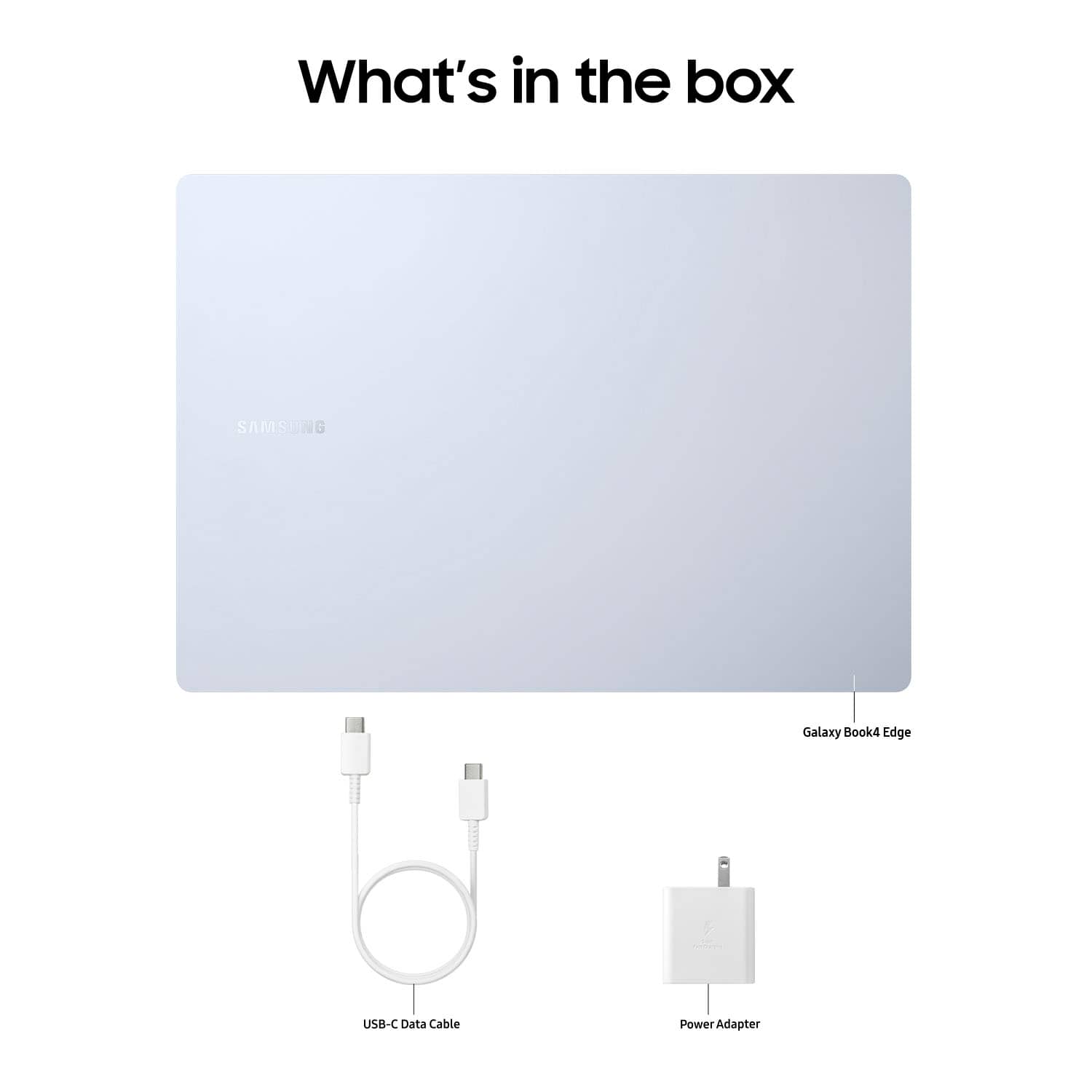
    Samsung really have something amazing on their hands with the Galaxy Book4 Edge Copilot+ PC. Lets jump right into it. From you moment you unbox the Galaxy Book4 you are met with a sleek, very thin, ultra lightweight, absolute beauty of a laptop. The Sapphire Blue almost looks silver, but when you catch the right angle you get a beautiful very sticking blue hue on it. It comes with everything you need including a charger with a brick, that uses the standard USB-C charger that is dominating the market. After letting the Book4 charge up, and power it on you are met with a beautiful, crisp, 16” AMOLED touchscreen display that is absolutely breathtaking. The screen quality is what you would expect from Samsung, and all you would hope for in a next generation laptop. Setup is easy, and if you have another window device you can instantly setup your laptop with files and data from other window desktops/laptops that have been backed up recently. Also, having a Samsung phone makes having this Book4 a bigger, smarter, assistant in your life. You are able to talk to your laptop using Galaxy AI, to make calls, send texts, create calendars or reminders, that will be sent to your phone. This is so advanced, and it makes you feel very organized, productive, and innovative is the only word to describe it. Having Copilot+ PC by your side allows you to hardly need to type, or search your laptop to find the things you need like files, photos, that presentation you forgot the name of. Just using your voice to speak you can have that all right in front of you in the blink of an eye. The new AI era is upon us, and Samsung took a giant leap forward. Live captions is also an amazing feature that provides live translations from meetings, or content seamlessly, and accurately. You can also use it to create art, by just describing what you’d like to draw, or what’s on your mind and the AI will create it for you. The camera is very high resolution and quality, and makes Zoom calls a breeze. There are options to improve how you look, and interact in meetings so that it always appears that you’re looking into the camera I’m even if you’re looking at your notes on another tab. Which brings me to multitasking on the Book4. The Snapdragon X Elite Processor is a beast, truly. As a gamer, I have downloaded and played a couple of matches and it really held up without slowing down, and it rivals gaming PCs, although it’s not intended to. The sound quality needs improvement, but it’s not enough to take away from everything it does well. The trackpad is very responsive, but very big which takes some getting used to. The keys are very responsive, smooth, and the keyboard has a nice feel to it on its own. The battery life wasn’t 22 hours as advertised, but with the screen quality, processor, and features it’s still very impressive and once again isn’t worth taking away a single star for. Overall the Samsung Galaxy Book4 Edge Copilot+ PC has opened the door to the future, and stepped in confidently while positioning itself ahead of a lot of its class. You won’t regret it.

    I would recommend this to a friend
  • Pros mentioned:
    Battery life, Processor speed, Screen quality
    Tech Insider Network Member

    Rated 5 out of 5 stars

    Powerful and lightweight this thing rocks!

    |
    Tech Insider Network Member
    Posted .
    This reviewer received promo considerations or sweepstakes entry for writing a review.

    This review is for the Samsung Galaxy Book4 Edge. The Book4 is one of the latest addition to Samsungs premium line of laptops, Rocking cutting-edge technology (AI) and a sleek design that should please both casual and professional users. Design and Build Quality The Galaxy Book4 Edge stands out with its ultra-thin design that is lightweight. The aluminum chassis gives it a premium feel, and the build quality is solid with no noticeable flex. I have the 16" display and the edge to edge screen contributes to its modern look, making it an attractive choice for those who prioritize design. Diplay One of the stand out features is the display it self. This laptop sports a 16-inch AMOLED touch-screen that is bright and crisp.The colors are vibrant, the blacks are deep even when out doors. And with a 120Hz refresh rate it making most experiences smooth. And with a display resolution of 2880x1800 it makes sure you see even the fine details. Performance Under the hood you will find a snapdragon(R) X Elite X1E80100 Qualcomm 3.42 Ghz processor and 16 GB of ram. This combinations will give you super smooth performance for everyday multitasking or even gameing and video editing. Battery Life I have gone a few days now one my first charge. So I can say it comfortably provides a full day of productivity and more. And when needed it has a fast charging time. Sofeware and Features The Galaxy Book4 edge runs on Windows 11 offering a seamless user experience if you are replaces an old pc with windows, Bring your old files and apps with you. It also has Copilot an on device AI that can do all kinds of cool things from just helping you find a document or generation images just from your descriptions. Real time language translation, speech to text and much much more.

    I would recommend this to a friend
  • Rated 1 out of 5 stars

    Disappointed

    |
    |
    Posted . Owned for 1 week when reviewed.
    This reviewer received promo considerations or sweepstakes entry for writing a review.

    Very disappointed with this laptop. The most glaring are the tinny sounding speakers. I would expect a better quality. The second disturbing issue was installing Norton apps. Some would not install because of the processor and not detecting Windows 11. We exchanged this for a HP laptop.

    No, I would not recommend this to a friend
  • Pros mentioned:
    Battery life
    Tech Insider Network Member

    Rated 5 out of 5 stars

    A great laptop with a couple of design quirks

    |
    Tech Insider Network Member
    Posted .
    This reviewer received promo considerations or sweepstakes entry for writing a review.

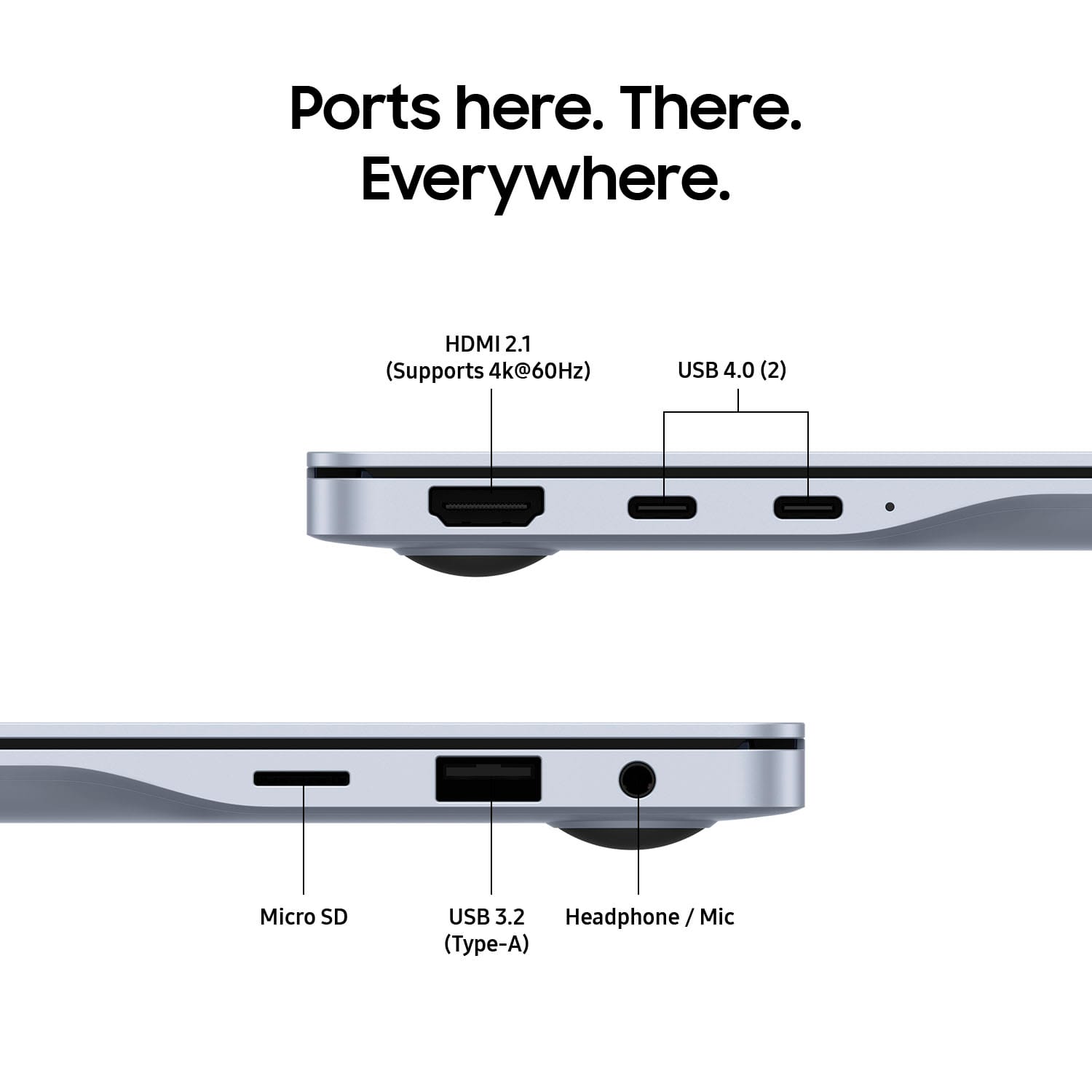
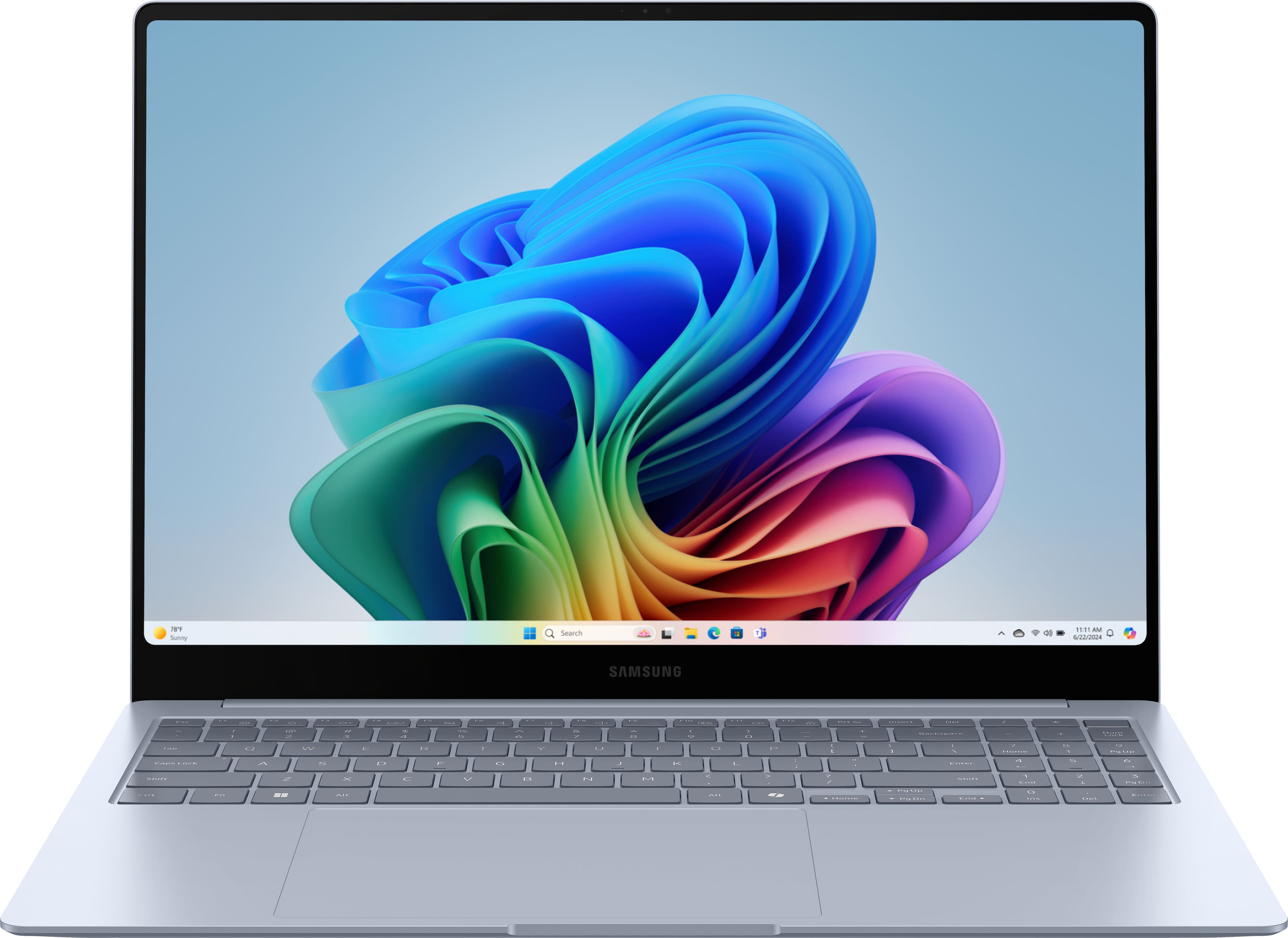
    The first thing that you’re likely to notice about the Samsung Galaxy Book 4 Edge is that this is a beautiful laptop, with a design that tapers from thin to thinner. Samsung calls the aluminum color Sapphire Blue, although it looks more like dark silver with a touch of blue. There is an understated Samsung logo on the lid, otherwise the appearance is of a large, simple piece of metal. The second thing that you’re likely to notice is that the Galaxy Book is remarkably light. At under 3.5 pounds, it rivals my 15” MacBook Air. This Galaxy Book makes an excellent travel companion. Structurally, the entire laptop feels solid. The hinge works smoothly, with no signs of stress from the large lid. The unit does not flex at all, even when held by a corner, no easy task for an ultra-thin laptop supporting a 16” AMOLED screen. The finish seems excellent, without the tendency to scratch that plagues the MacBook Air. The tapered design has a clear advantage over ultra-thin all around when it comes to ports. With two USB-C Thunderbolt 4, one USB-A, HDMI, a micro-SD slot, and headphone jack, you may be able to leave your USB-C hub at home on your next trip. With a lot of space to work with on the base, the Galaxy Book sports a large keyboard and a full number pad. I use the number pad frequently, so this is a welcome addition to the standard laptop keyboard. However, it comes with a tradeoff. The number pad pushes the rest of keyboard to the left. Samsung has also decided to keep the keyboard at the back of the base. While this allows for a large trackpad, on a machine this large it’s a bit of a reach. I think the keyboard placement is something that one will get used to over time, but in my first few days with it, I have to say it still feels unnatural to reach that far up and to the left. The keys themselves are responsive if a little mushy; the feel could be a bit better. The trackpad has great touch response. This unit sports the highest-end of the ARM Snapdragon Elite X chip with 12 cores and Dual Core boost up to 4.2GHz. It’s fast on daily tasks, but on more the most demanding workloads you may find yourself wishing you had twice the memory. For some reason, the Galaxy Book tops out at 16GB of memory, which feels like an odd pairing with such a high-end chipset. A laptop with this much power can run hot, but on daily tasks you aren’t likely to notice the heat or the sound of the cooling fans. The 16” OLED screen is simply gorgeous. At 2880x1800 resolution, the colors are vibrant, the blacks are deep, and the entire screen is bright. It’s also a touchscreen, although given how exceptional the screen looks, I’ve been reluctant to put fingerprints on it. Battery life is excellent. I’ve been able to run it for an entire work day on battery while doing typical work-related things (for me, at least): emails, video conferences, and Microsoft Office tasks. The video playback is extremely efficient; I was able to stream a video on repeat for nearly 20 hours before the machine gave up. What’s really remarkable about this is OLED screens are notoriously power hungry. The Galaxy Book Edge series marks Samsung’s entry into Copilot+ laptops, and the Snapdragon chipset is specifically optimized for running Copilot tasks. Copilot+ laptops have an extra key with a twisted ribbon logo, signifying that you’re accessing Microsoft’s AI assistant. Powered by OpenAI’s GPT-4, Copilot uses DALL-E3 to generate images. While you can access Microsoft Copilot on the Web or through an app, Copilot+ PCs come with Cocreator and Windows Studio Effects, features which are not available on the web or app versions. The features I found most useful with Copilot are its ability to answer questions, generate text (or images) in a specific style, and summarize text. When Copilot answers, it provides sources so you can fact check, a feature not commonly found in AI assistants. While text generation was generally quite good (although as someone who write a lot, I still had to tweak it), Cocreator allows you to create images in Microsoft Paint using the DALL-E3 image generator. As I’ve found with DALL-E images in the past, Cocreator is hit-or-miss. Sometimes you get what you asked for, frequently you get unintended comic relief. Live Captions is nice if you need accessibility assistance or would simply prefer to read rather than hear the text (something I frequently do). While not 100% accurate, it’s close enough to get the idea. As someone who is on a lot of video calls, I found Windows Studio Effects extremely useful. It allows you automatically frame and light your image, and it really does make a significant difference. Studio Effects also maintains eye contact with the camera, something that’s not possible naturally if you’re watching others on your screen. Overall, this is a great laptop with a couple of design question marks. Sleek, thin, and lightweight, with a beautiful screen, excellent battery life, and Microsoft Copilot+ at the touch of a button, it’s a win for Samsung.

    I would recommend this to a friend
  • Rated 1 out of 5 stars

    An oversized phone

    |
    |
    Posted . Owned for 1 month when reviewed.
    This reviewer received promo considerations or sweepstakes entry for writing a review.

    It was horrible. I couldn't replace it fast enough.

    No, I would not recommend this to a friend
    • Brand response from Samsung
      Posted .

      Greetings JudithH, thank you for finding the opportunity to share your sentiments with us about your Samsung Galaxy Book4 Edge. We appreciate your feedback as it provides us the opportunity to remain innovative while improving the functionality of our product line. Samsung provides a 12-month warranty for manufacturing defects in materials and workmanship. Without having more information available regarding what you may be experiencing with your Galaxy Book4 Edge and without being able to ask you any follow up questions to probe further, I recommend reaching out to Support if you would like further assistance with troubleshooting your PC. Thank you for being a trustworthy Samsung customer. - Debra Samsung

  • Rated 1 out of 5 stars

    Key board issue

    |
    |
    Posted . Owned for 2 weeks when reviewed.
    This reviewer received promo considerations or sweepstakes entry for writing a review.

    I bought samsung laptop. Its key A stuck just after one day. Samsung need to improve its build quality and to produce good reliable products

    No, I would not recommend this to a friend
    • Brand response from Samsung
      Posted .

      Hello Saqib, thank you for finding the available time out of your day to share your sentiments with us about your Samsung Galaxy Book4 Edge. We appreciate your transparency as we strive in providing the best products with superior functionality on the market to our customers. Our goal is for our customers to feel like they are having the most marvelous experiences when using our products. Samsung provides a 12-month warranty on our products for manufacturing defects in materials and workmanship. We would love to assist you in resolving what you are currently experiencing with your new Galaxy Book4 Edge. Please feel free to reach out to Samsung Support at your earliest convenience to discuss what options may be available to you. Thank you for being a treasured Samsung customer. - Debra Samsung

  • Pros mentioned:
    Battery life, Screen quality
    Tech Insider Network Member

    Rated 4 out of 5 stars

    Worth Considering With Caveats

    |
    Tech Insider Network Member
    Posted .
    This reviewer received promo considerations or sweepstakes entry for writing a review.

    I was looking forward to receiving this computer as I have had prior experience with a windows laptop with an older arm processor that used Windows 10s. The weaknesses of that laptop (again a premium price point) were resolved installing Windows 11 on it that allowed even old programs designed for Intel/AMD processors to run - and fairly decently. Its main advantage was it was a 13 inch and very lightweight. Now we have a new era with the Snapdragon X Elite processor which is wrapped in a highly premium Samsung aluminum chassis with an amazing touch screen. The keyboard is backlit well enough to use which sometimes in other laptops doesn't happen. The keys feel good enough to touch type though I'm no so happy with the overly sensitive trackpad which repeatedly had things pop on the screen that I had no desire to appear. TAKEAWAYS First, very quick start up (after all of the updates) though the computer spent more time on the Samsung splash screen then doing anything else. Second, storage speed was quite impressive (though not earth shattering) with reads being at the 3600 mb/s area with writes being slightly lower at 2800 mb/s using crystal diskmark. Third, I set up the computer using all of the programs that I normally use on Intel/AMD systems without any issues. I am so glad I have a Microsoft account and the settings from a prior recent computer setup were migrated over to this one including adding the icons for programs to the taskbar (though each would need to be reinstalled - no problem since I have those files in the one drive master to make it easier to set up). Fourth, computer seemed to be as snappy as a recent i7 or AMD Ryzen 7. I did not push the system doing video editing but it seemed to respond much like my Dell XPS 15. ELEPHANT IN THE ROOM And now the Co-Pilot aspect. I'm not sure why this is even talked about. I'm old enough for anything generated by this to seem to be cheating. I did try to create a picture after trying to figure out how that even worked (it is not intuitive). Yeah, it came up with four images. And I discovered that if you shut down your computer and come back to this area, the search items are on the left of the screen and thumbnails of those images are there. And good news is you can download or save what you worked on. I was not, however, impressed with how long it took to create the images. I did notice it could not create a real image of a real item of a real year like a car. Odd. CONCLUSION Don't buy this because it comes with Co-Pilot gimmicks. If you want a fairly lightweight, thin, and large screen with good battery life that runs windows, this is a good choice if you want to spend the money like this costs. Having a touchscreen, backlit keyboard, and quick storage and fast processing running software or websurfing, this is a good choice. It has a premium feel to it.

    I would recommend this to a friend
  • Rated 1 out of 5 stars

    Broken Windows

    |
    |
    Posted . Owned for 1 week when reviewed.
    This reviewer received promo considerations or sweepstakes entry for writing a review.

    I had to return the computer to be fixed twice and I ended up getting a new Hp instead.

    No, I would not recommend this to a friend
    • Brand response from Samsung
      Posted .

      Hi there SheritaB, thanks for taking the time to review your Samsung Galaxy Book3 Edge. We appreciate your honesty as we strive to provide the very best products with superior functionality on the market to our customers while we remain committed to constant innovation. Our goal is for our customers to feel like they are having the most unforgettable experiences while using our products. Samsung provides a 12-month warranty on our products for manufacturing defects in materials and workmanship. We would love to be able to assist you with your Galaxy Book4 Edge, however, we need more details regarding what you may be experiencing with your device before we can do so. Please feel free to contact Samsung Support if you would like further assistance and/or help with troubleshooting your device. Thank you for being a loyal Samsung customer. - Debra Samsung